Podcasting with Audacity What is it? How does it work? How do I get it?
What is it? Digital sound editing program Created by Dominic Mazzoni and Roger Dannenberg  Open source software and can be downloaded for free.  It is multilingual. Used with Windows Operating Systems, Mac OSX, and Linux among others. http://audacity.sourceforge.net/
What can it do? Audacity can be used for many different purposes. Podcasting Import and edit sound files. Export sound files in many different formats including (mp3, wav, au, etc.) http://audacity.sourceforge.net/
Podcasting Create podcasts to be attached to blogs, wikis, and websites. Podcasts are uploaded sound or video files that can be accessed through common media players from the internet. http://audacity.sourceforge.net/
Importing and Editing Sound Import sounds and mix into one track.  Layer music and dialog into one file. Special effects:  changes to pitch & tempo, remove background noise, fade in, fade out, echo, etc. http://audacity.sourceforge.net/
Exporting files Use the LAME encoder library to convert to mp3. Any media player Download to mp3 player Attach to wiki, website, etc. Can also export as wav files. http://audacity.sourceforge.net/
How does it work? Same as Microsoft Word.  Edit with just a few clicks Import music to combine with dialog. Use Movie maker – add sound to video clips http://audacity.sourceforge.net/
Stay tuned for a demonstration…
Podcasting Ideas:  Elementary Level Spelling tests Vocabulary words and definitions  Audio books  Student writing pieces  Make-up tests Lesson how-to’s Comprehension questions For more ideas, check out Education Podcast Network at www.epnweb.org
Podcasting Ideas:  Secondary Level Lectures Complicated lessons:  Math, Physics Catch-up for frequent absentees Emergency Sub Plans Student projects Questions from the lecture Foreign language dialect Musical Pieces Fluency For more ideas, check out Education Podcast Network at www.epnweb.org
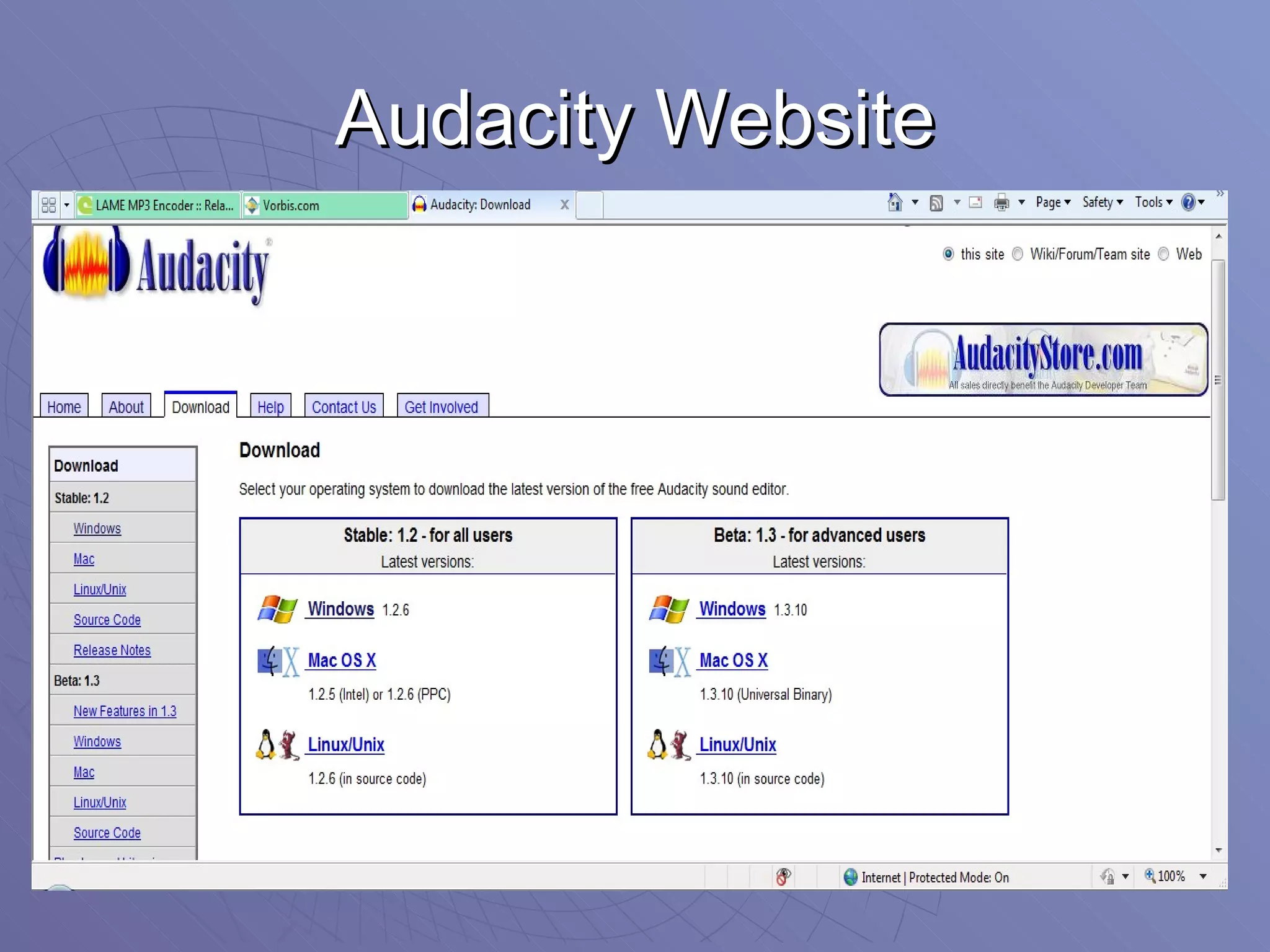
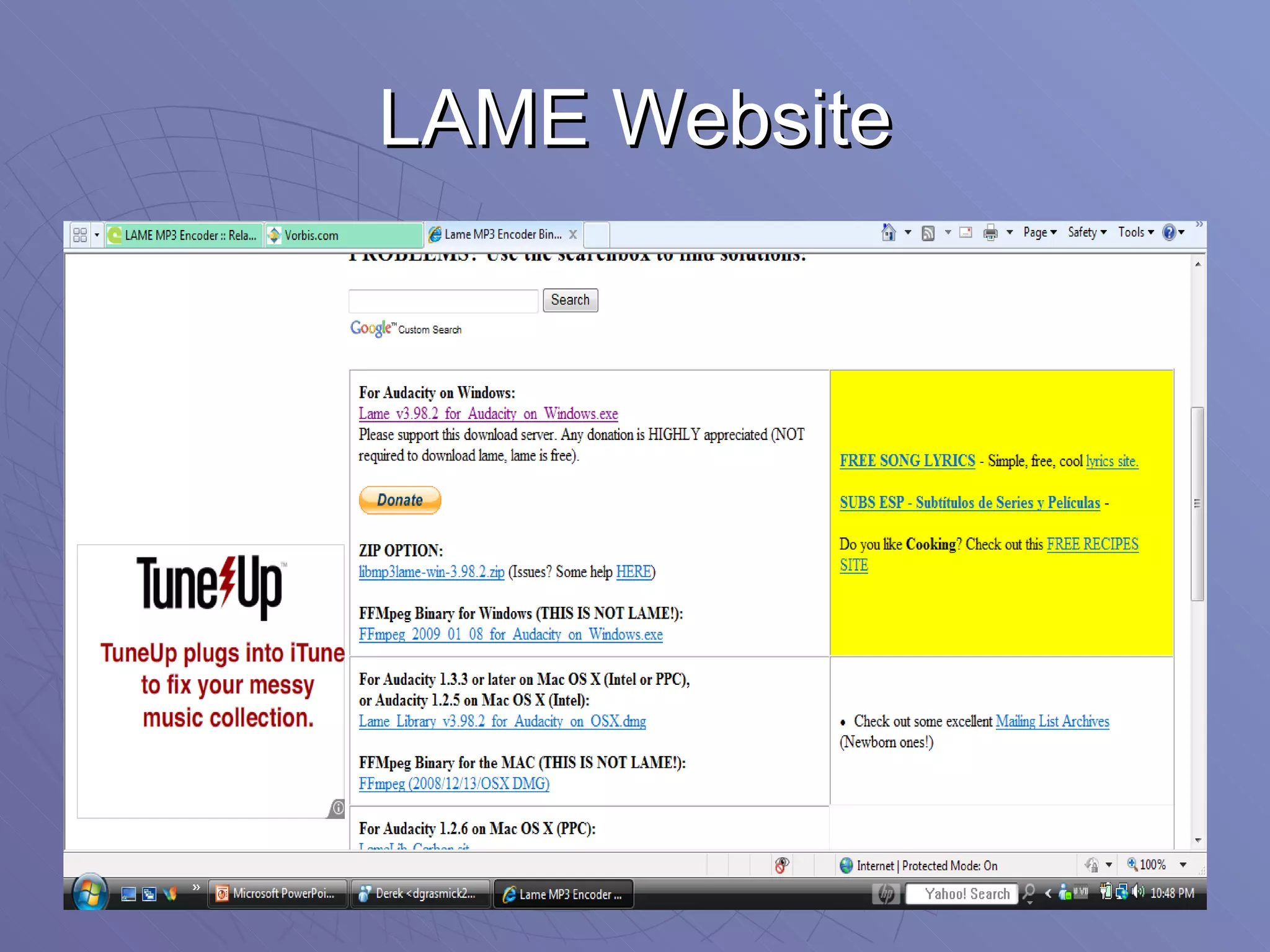
How do I get it? Go to:  http://audacity.sourceforge.net/ Go to the download tab. Click on the download 1.2.6 for windows. To download LAME mp3 encoder: Go to:  http://lame.buanzo.com.ar/ Scroll down until you see the link for Audacity for Windows:  http://lame.buanzo.com.ar/Lame_v3.98.2_for_Audacity_on_Windows.exe   When you download the LAME mp3 encoder, you will need to save it to your computer, find it in your programs and click on it to extract the correct file. Then, when you export from Audacity as an mp3 the first time, it will ask you to find that file and attach it.  You will only need to do this one time and it will be set up indefinitely after that.
Audacity Website
LAME Website
Copyright Information http://audacity.sourceforge.net/ http:// lame.buanzo.com.ar / Audacity is copyright © 2010 members of the Audacity development team. Go to  http://creativecommons.org/licenses/by/2.0  for more audacity copyright information
Other Websites Worth Noting… For other free software:  http://sourceforge.net/ For free instrumental music downloads:  http://freeplaymusic.com/ For podcasting ideas:  http://epnweb.org/ For my wiki page:  www.grasmickswiki.pbworks.com

Podcasting with audacity ppt

  • 1.
    Podcasting with AudacityWhat is it? How does it work? How do I get it?
  • 2.
    What is it?Digital sound editing program Created by Dominic Mazzoni and Roger Dannenberg Open source software and can be downloaded for free. It is multilingual. Used with Windows Operating Systems, Mac OSX, and Linux among others. http://audacity.sourceforge.net/
  • 3.
    What can itdo? Audacity can be used for many different purposes. Podcasting Import and edit sound files. Export sound files in many different formats including (mp3, wav, au, etc.) http://audacity.sourceforge.net/
  • 4.
    Podcasting Create podcaststo be attached to blogs, wikis, and websites. Podcasts are uploaded sound or video files that can be accessed through common media players from the internet. http://audacity.sourceforge.net/
  • 5.
    Importing and EditingSound Import sounds and mix into one track. Layer music and dialog into one file. Special effects: changes to pitch & tempo, remove background noise, fade in, fade out, echo, etc. http://audacity.sourceforge.net/
  • 6.
    Exporting files Usethe LAME encoder library to convert to mp3. Any media player Download to mp3 player Attach to wiki, website, etc. Can also export as wav files. http://audacity.sourceforge.net/
  • 7.
    How does itwork? Same as Microsoft Word. Edit with just a few clicks Import music to combine with dialog. Use Movie maker – add sound to video clips http://audacity.sourceforge.net/
  • 8.
    Stay tuned fora demonstration…
  • 9.
    Podcasting Ideas: Elementary Level Spelling tests Vocabulary words and definitions Audio books Student writing pieces Make-up tests Lesson how-to’s Comprehension questions For more ideas, check out Education Podcast Network at www.epnweb.org
  • 10.
    Podcasting Ideas: Secondary Level Lectures Complicated lessons: Math, Physics Catch-up for frequent absentees Emergency Sub Plans Student projects Questions from the lecture Foreign language dialect Musical Pieces Fluency For more ideas, check out Education Podcast Network at www.epnweb.org
  • 11.
    How do Iget it? Go to: http://audacity.sourceforge.net/ Go to the download tab. Click on the download 1.2.6 for windows. To download LAME mp3 encoder: Go to: http://lame.buanzo.com.ar/ Scroll down until you see the link for Audacity for Windows: http://lame.buanzo.com.ar/Lame_v3.98.2_for_Audacity_on_Windows.exe When you download the LAME mp3 encoder, you will need to save it to your computer, find it in your programs and click on it to extract the correct file. Then, when you export from Audacity as an mp3 the first time, it will ask you to find that file and attach it. You will only need to do this one time and it will be set up indefinitely after that.
  • 12.
  • 13.
  • 14.
    Copyright Information http://audacity.sourceforge.net/http:// lame.buanzo.com.ar / Audacity is copyright © 2010 members of the Audacity development team. Go to http://creativecommons.org/licenses/by/2.0 for more audacity copyright information
  • 15.
    Other Websites WorthNoting… For other free software: http://sourceforge.net/ For free instrumental music downloads: http://freeplaymusic.com/ For podcasting ideas: http://epnweb.org/ For my wiki page: www.grasmickswiki.pbworks.com