Adam Saxton
Adam Saxton
@guyinacube /guyinacube/guyinacube
I write stuff
and create
videos…
Starting with
Power BI Desktop
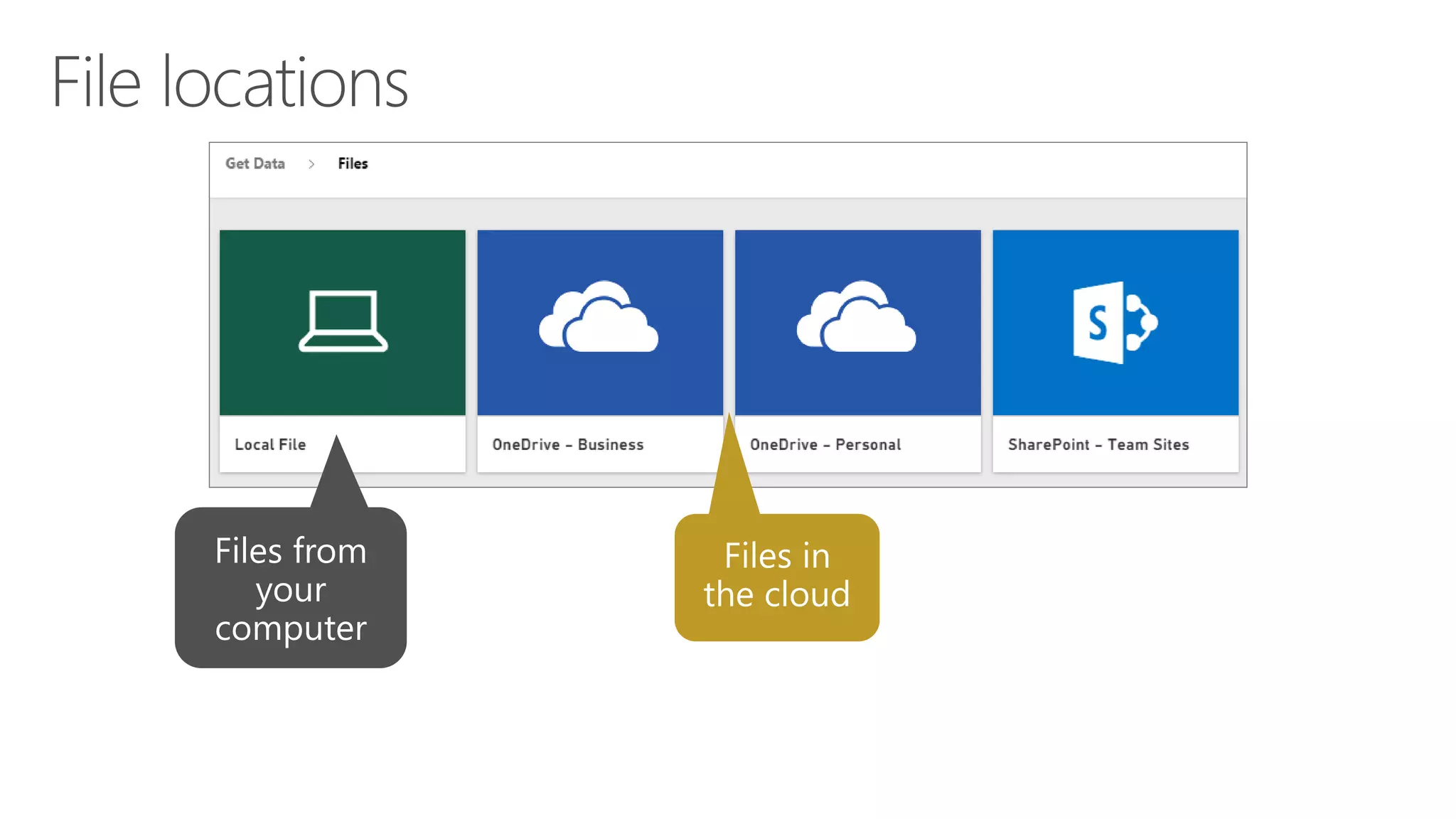
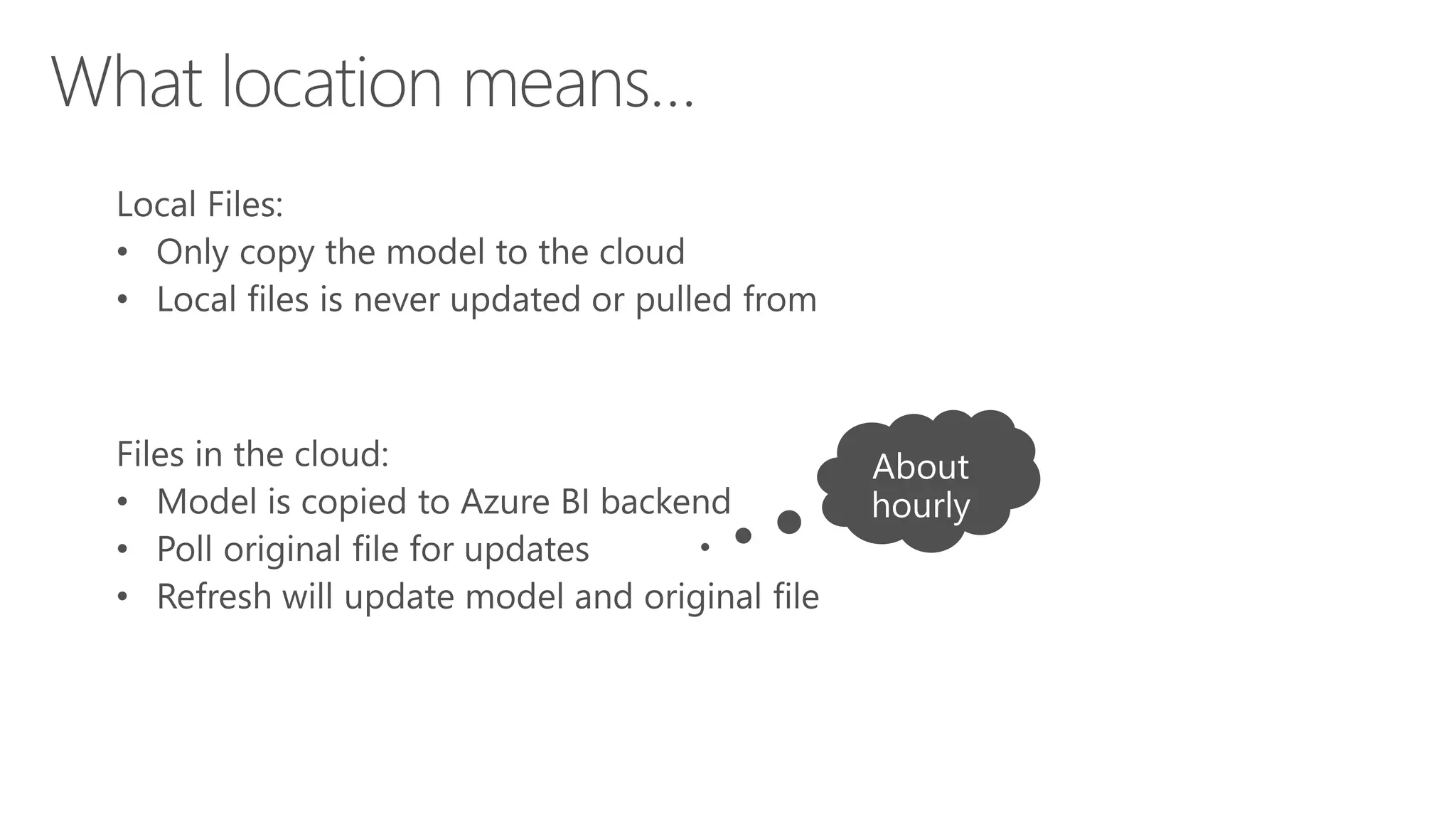
File location and freshness
Refresh & Gateways
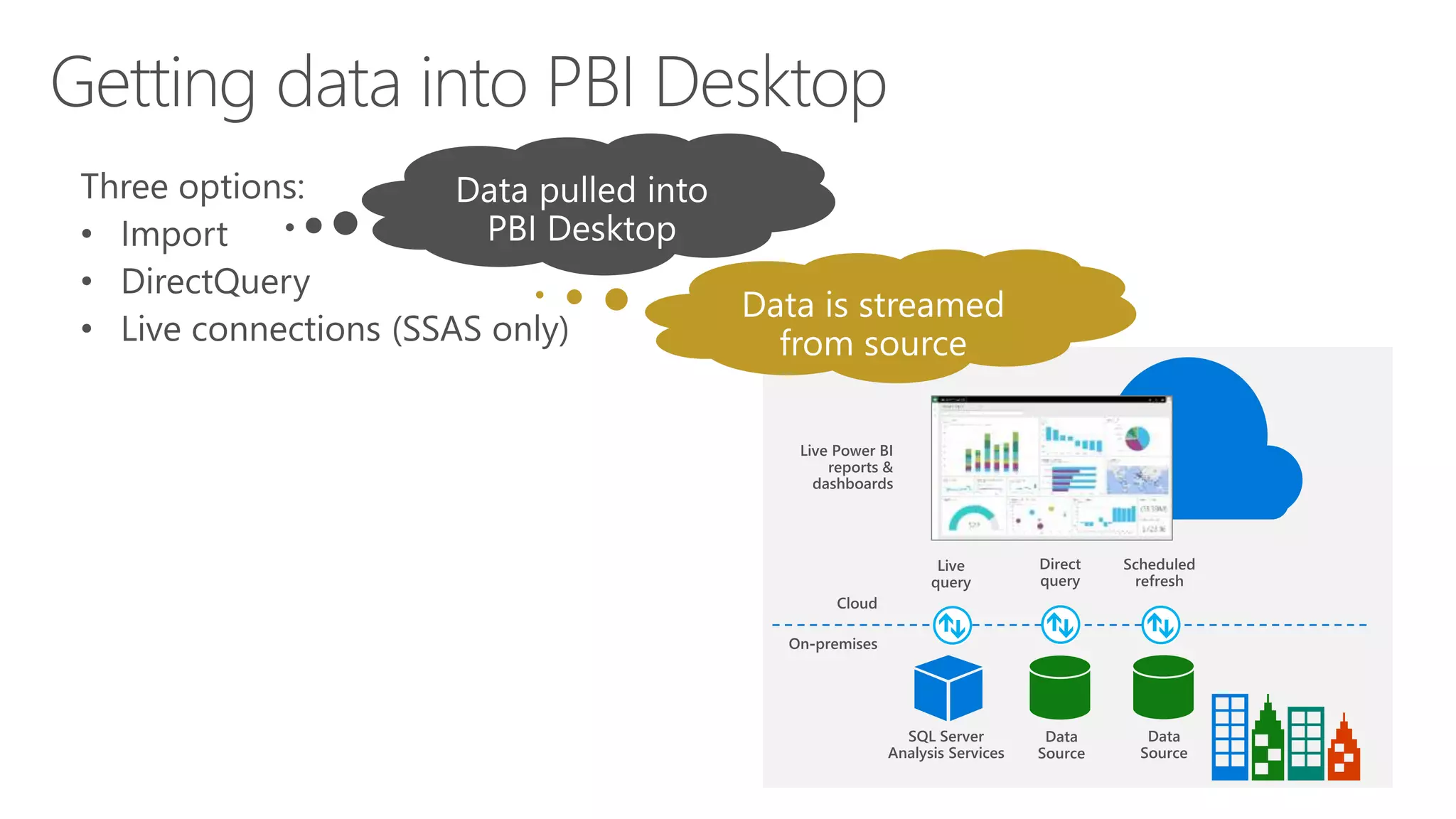
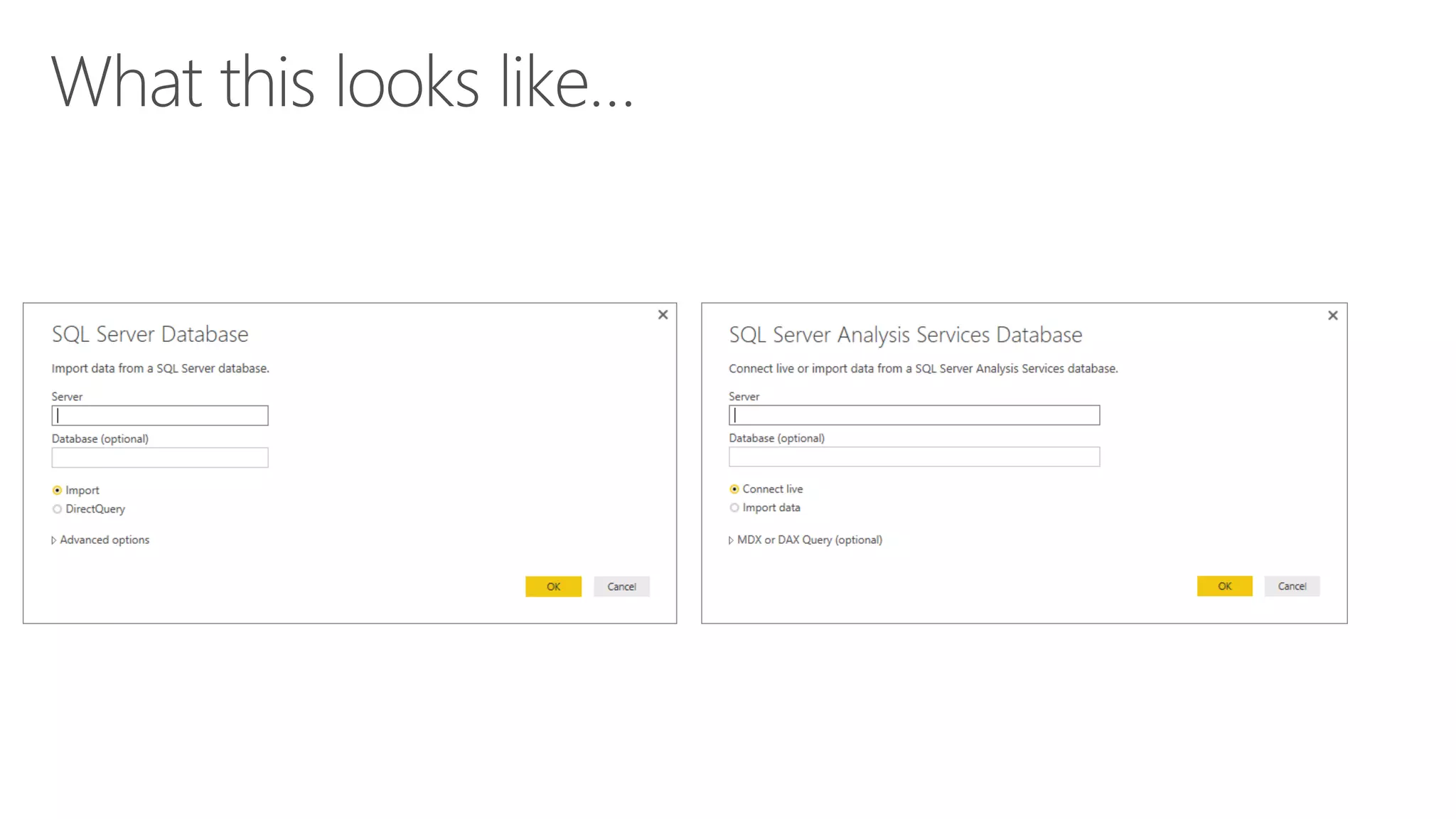
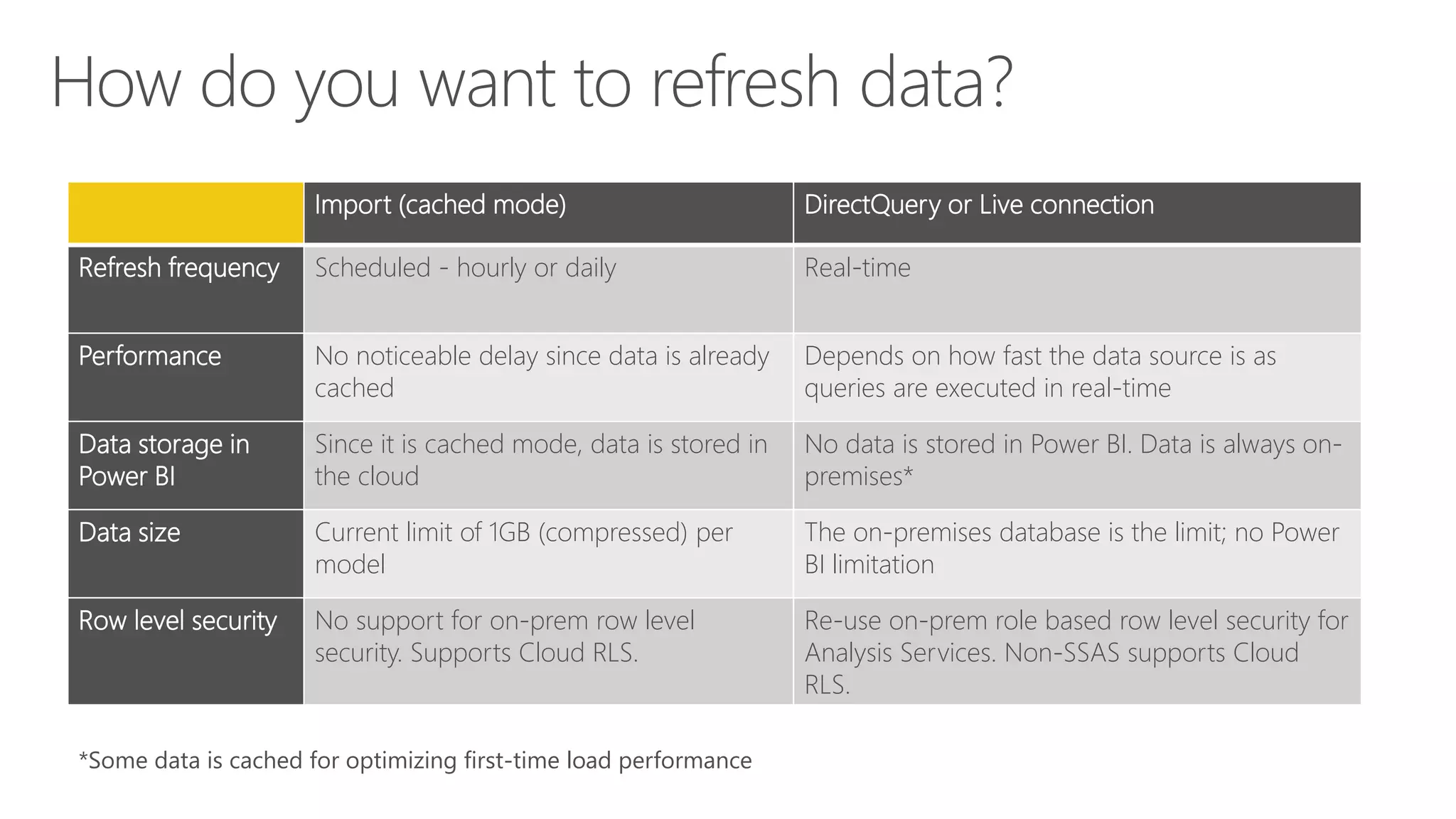
Import (cached mode) DirectQuery or Live connection
Refresh frequency Scheduled - hourly or daily Real-time
Performance No noticeable delay since data is already
cached
Depends on how fast the data source is as
queries are executed in real-time
Data storage in
Power BI
Since it is cached mode, data is stored in
the cloud
No data is stored in Power BI. Data is always on-
premises*
Data size Current limit of 1GB (compressed) per
model
The on-premises database is the limit; no Power
BI limitation
Row level security No support for on-prem row level
security. Supports Cloud RLS.
Re-use on-prem role based row level security for
Analysis Services. Non-SSAS supports Cloud
RLS.
*Some data is cached for optimizing first-time load performance
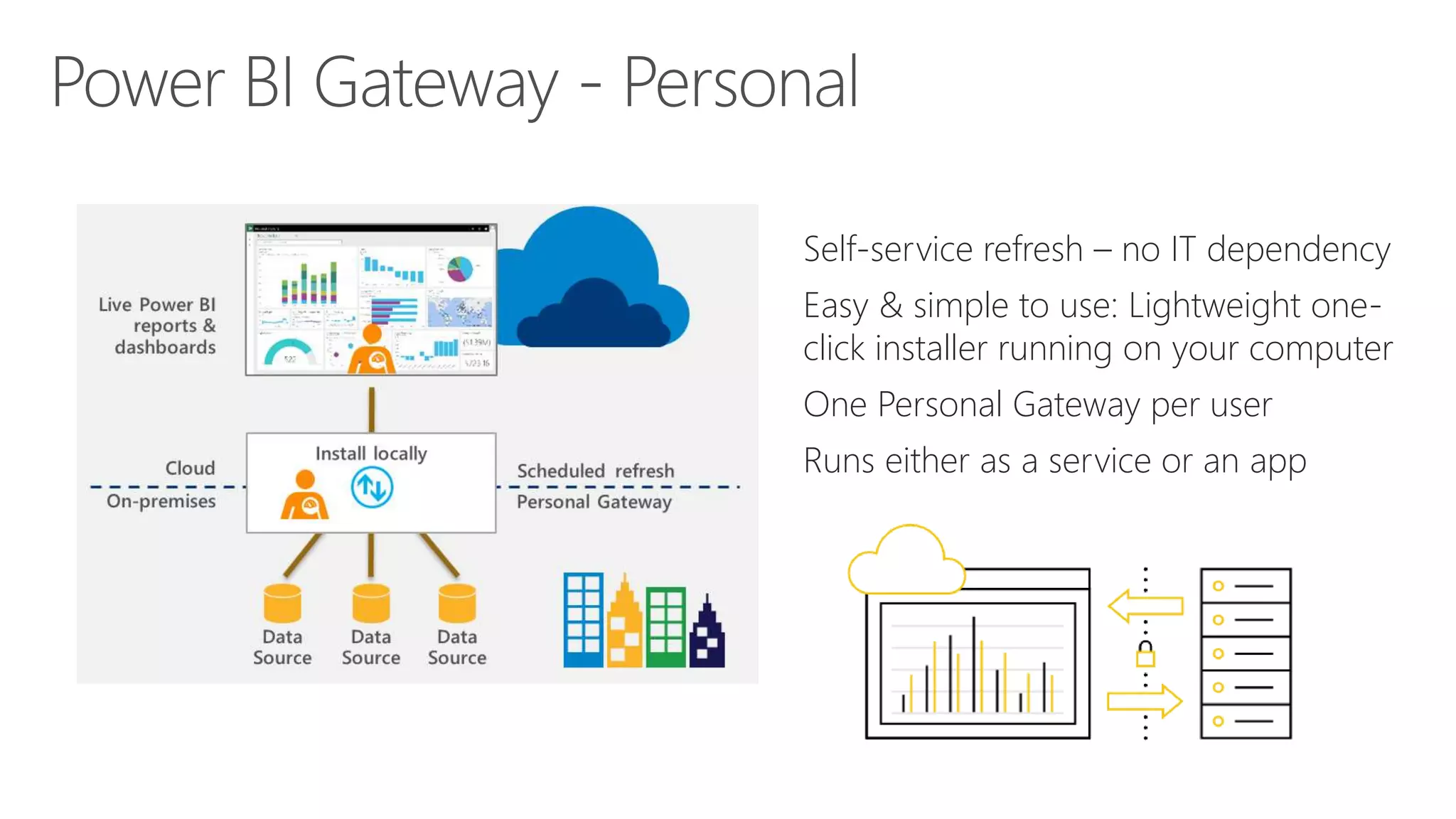
Self-service refresh – no IT dependency
Easy & simple to use: Lightweight one-
click installer running on your computer
One Personal Gateway per user
Runs either as a service or an app
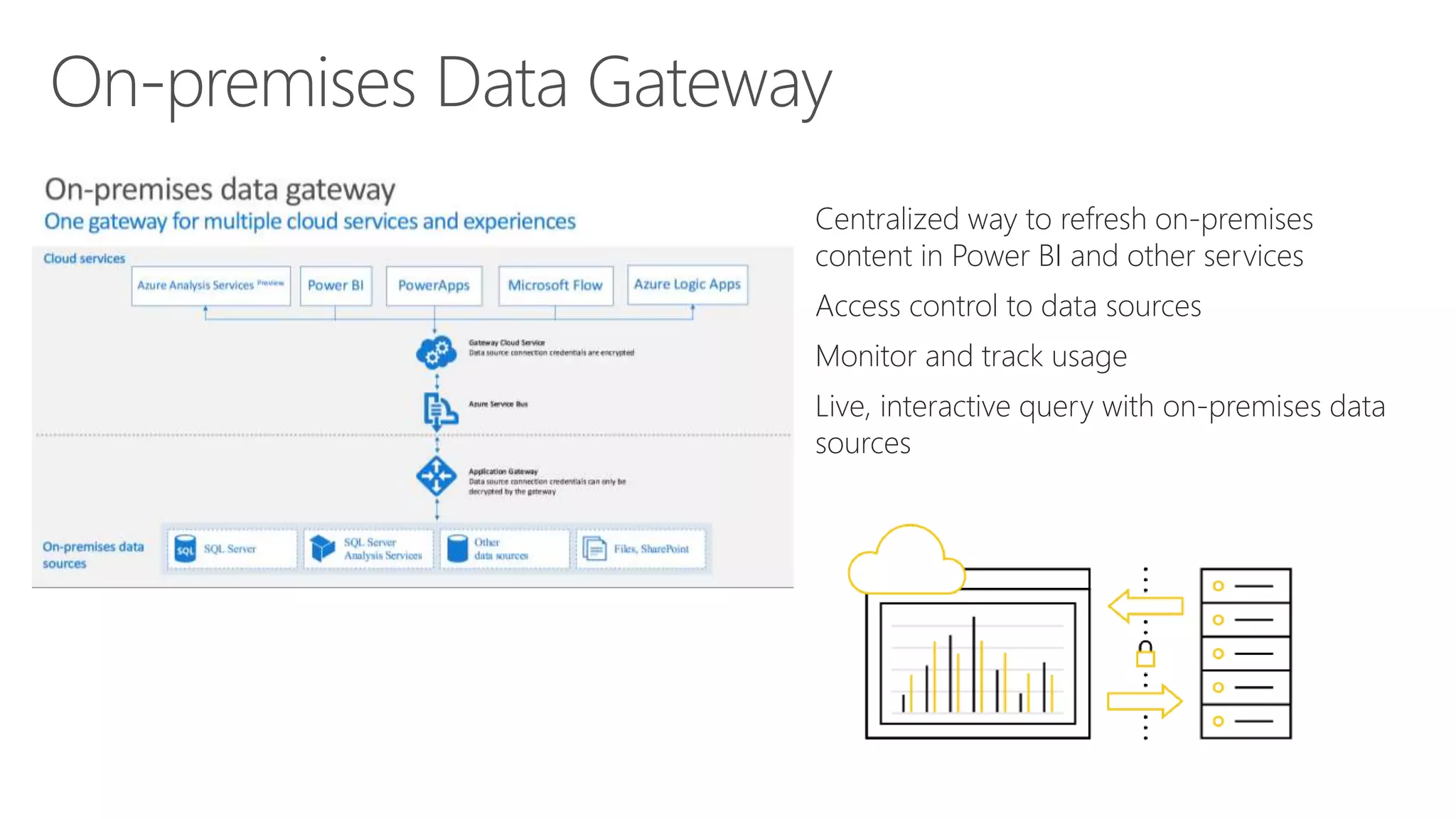
Centralized way to refresh on-premises
content in Power BI and other services
Access control to data sources
Monitor and track usage
Live, interactive query with on-premises data
sources
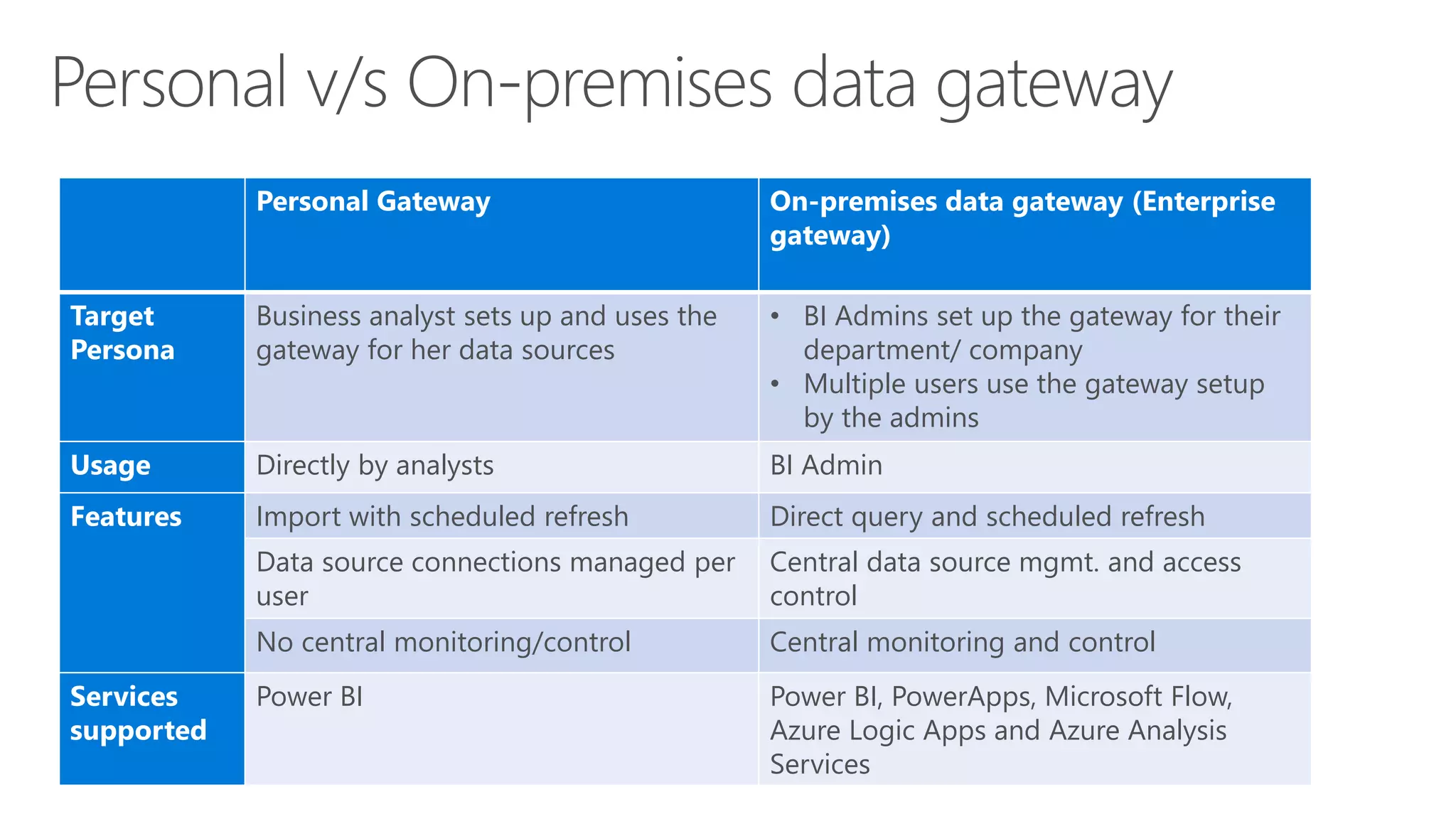
Personal Gateway On-premises data gateway (Enterprise
gateway)
Target
Persona
Business analyst sets up and uses the
gateway for her data sources
• BI Admins set up the gateway for their
department/ company
• Multiple users use the gateway setup
by the admins
Usage Directly by analysts BI Admin
Features Import with scheduled refresh Direct query and scheduled refresh
Data source connections managed per
user
Central data source mgmt. and access
control
No central monitoring/control Central monitoring and control
Services
supported
Power BI Power BI, PowerApps, Microsoft Flow,
Azure Logic Apps and Azure Analysis
Services
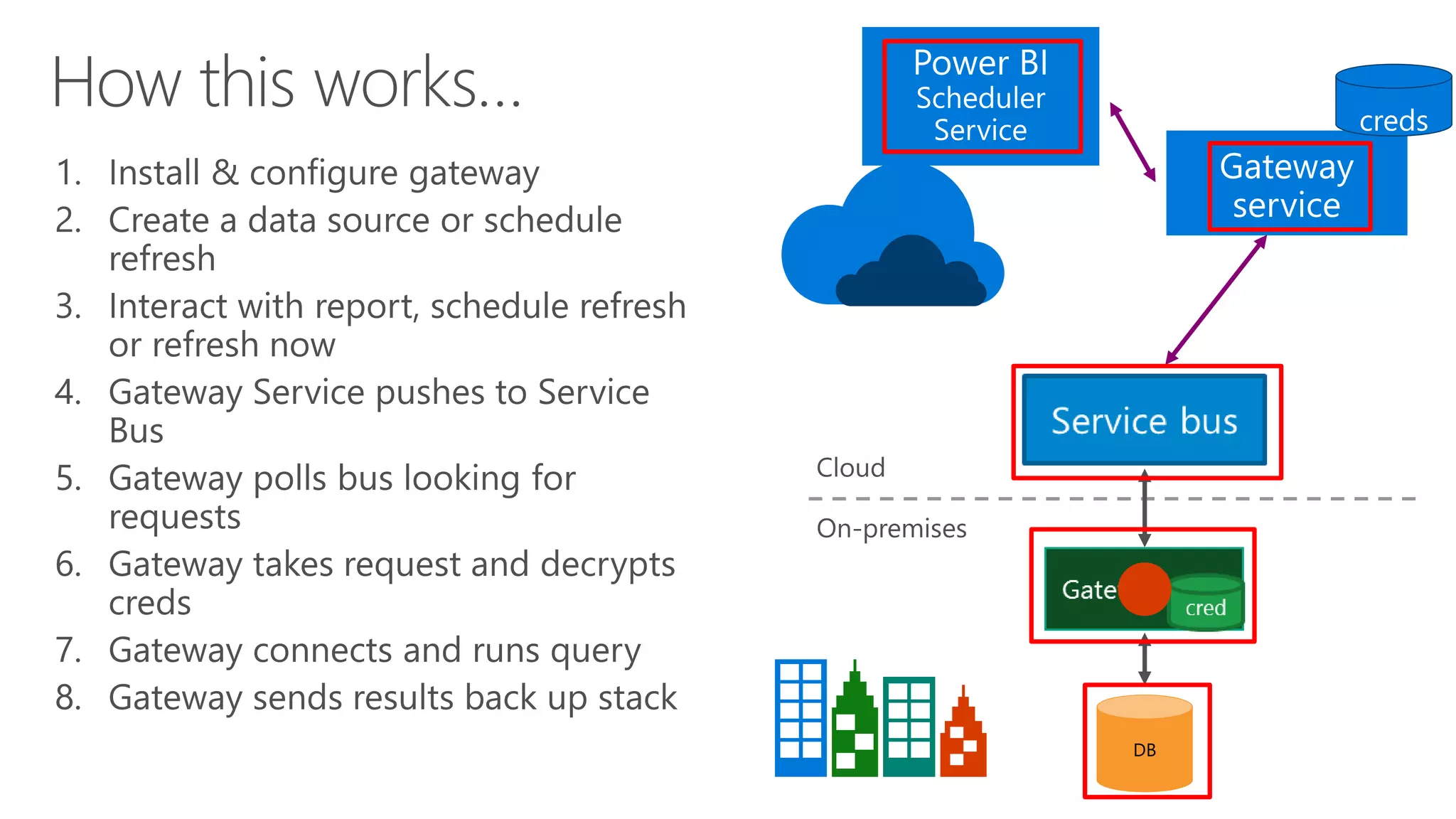
DB
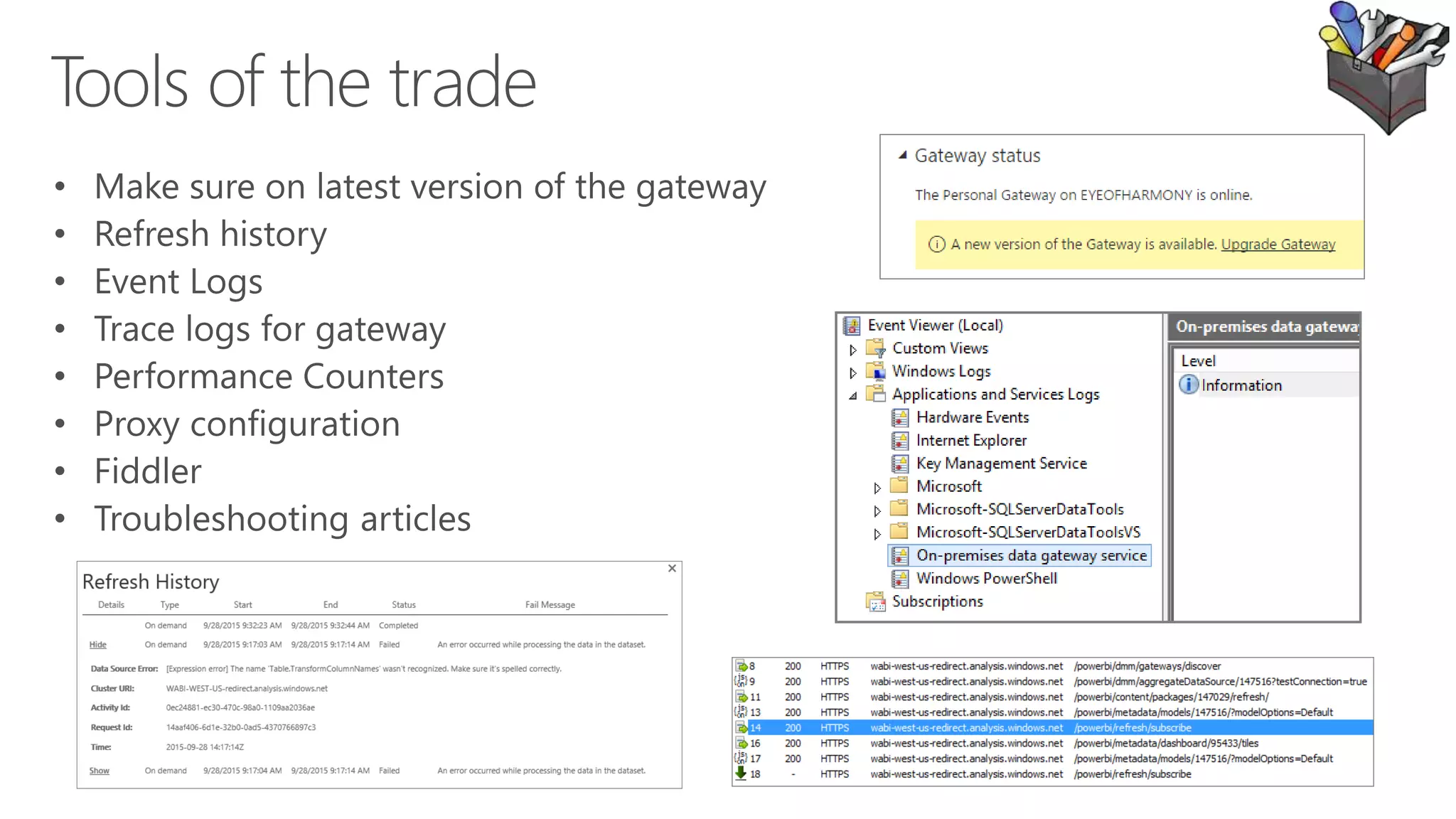
Troubleshooting
asaxton@microsoft.com
Using a gateway to leverage on premises data in Power BI

Using a gateway to leverage on premises data in Power BI

  • 1.
  • 2.
    Adam Saxton @guyinacube /guyinacube/guyinacube Iwrite stuff and create videos…
  • 3.
  • 7.
  • 10.
  • 11.
    Import (cached mode)DirectQuery or Live connection Refresh frequency Scheduled - hourly or daily Real-time Performance No noticeable delay since data is already cached Depends on how fast the data source is as queries are executed in real-time Data storage in Power BI Since it is cached mode, data is stored in the cloud No data is stored in Power BI. Data is always on- premises* Data size Current limit of 1GB (compressed) per model The on-premises database is the limit; no Power BI limitation Row level security No support for on-prem row level security. Supports Cloud RLS. Re-use on-prem role based row level security for Analysis Services. Non-SSAS supports Cloud RLS. *Some data is cached for optimizing first-time load performance
  • 12.
    Self-service refresh –no IT dependency Easy & simple to use: Lightweight one- click installer running on your computer One Personal Gateway per user Runs either as a service or an app
  • 13.
    Centralized way torefresh on-premises content in Power BI and other services Access control to data sources Monitor and track usage Live, interactive query with on-premises data sources
  • 14.
    Personal Gateway On-premisesdata gateway (Enterprise gateway) Target Persona Business analyst sets up and uses the gateway for her data sources • BI Admins set up the gateway for their department/ company • Multiple users use the gateway setup by the admins Usage Directly by analysts BI Admin Features Import with scheduled refresh Direct query and scheduled refresh Data source connections managed per user Central data source mgmt. and access control No central monitoring/control Central monitoring and control Services supported Power BI Power BI, PowerApps, Microsoft Flow, Azure Logic Apps and Azure Analysis Services
  • 16.
  • 17.
  • 20.

Editor's Notes

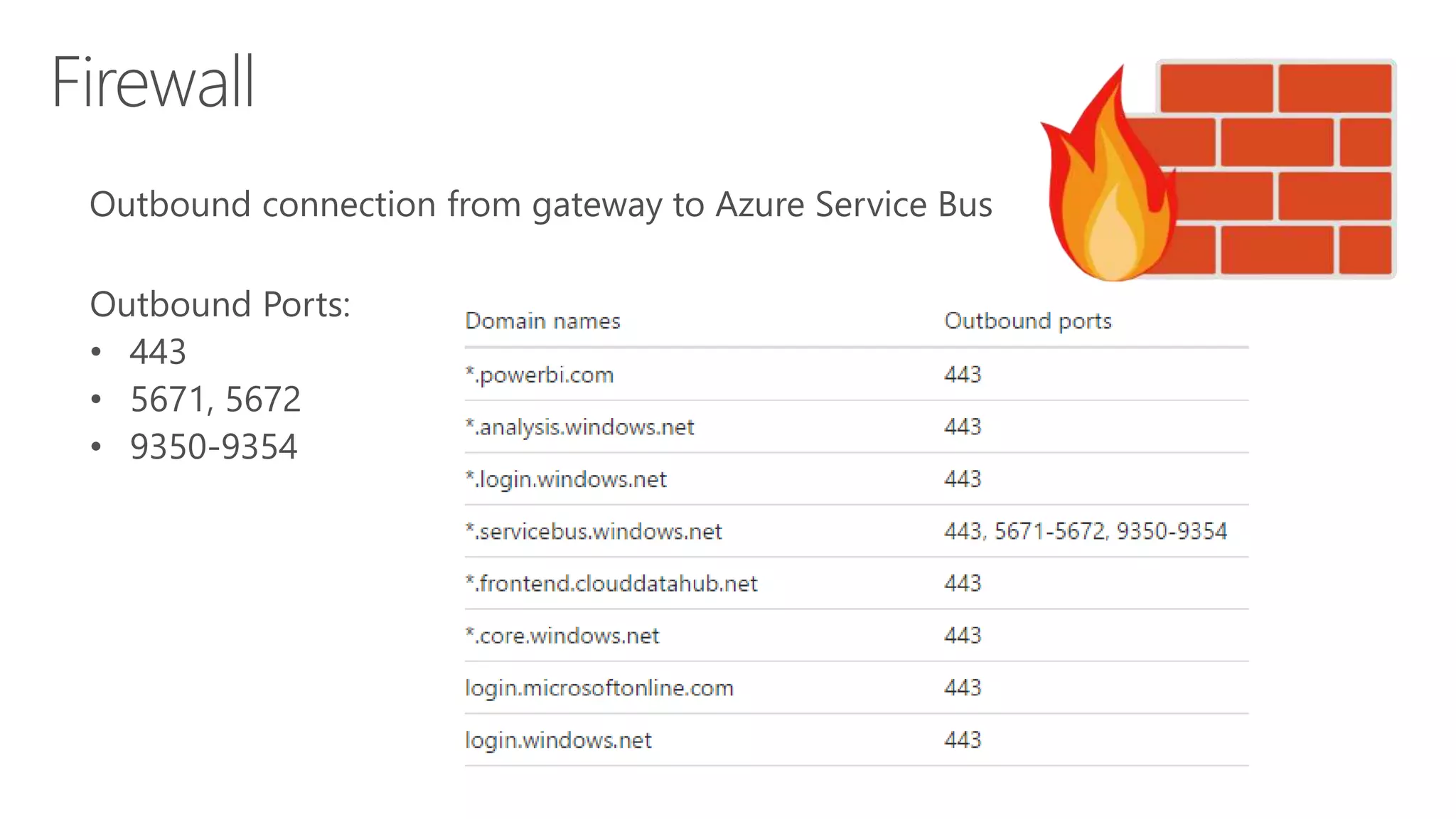
  • #19 Azure Service Buss Port settings - https://msdn.microsoft.com/en-us/library/azure/ee732535.aspx
  • #20 Personal Gateway - https://powerbi.microsoft.com/en-us/documentation/powerbi-admin-troubleshooting-power-bi-personal-gateway/ On-premises Data Gateway – https://powerbi.microsoft.com/en-us/documentation/powerbi-gateway-onprem-tshoot/ Configure Proxy - https://powerbi.microsoft.com/en-us/documentation/powerbi-gateway-proxy/ Tile refresh errors - https://powerbi.microsoft.com/en-us/documentation/powerbi-refresh-troubleshooting-tile-errors/