

Introduction To
POWER BI
For Data Visualization
PPT Made By: Swati Tripathi
POWER BI
Business
Intelligence
Tool
Business intelligence (BI)
combines business analytics, data mining, data
visualization, data tools and infrastructure, and
best practices to help organizations to make
more data-driven decisions.
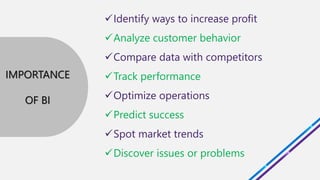
Identify ways to increase profit
Analyze customer behavior
Compare data with competitors
Track performance
Optimize operations
Predict success
Spot market trends
Discover issues or problems
IMPORTANCE
OF BI
Self-service BI tools
incorporate intuitive user interfaces
that make working with data more
accessible
for those without technical expertise!!
VISUAL
graphical representation of data
Generating images that
communicate relationships
among the represented data
to viewers
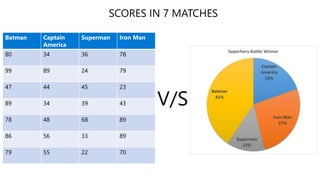
Batman Captain
America
Superman Iron Man
80 34 36 78
99 89 24 79
47 44 45 23
89 34 39 43
78 48 68 89
86 56 33 89
79 55 22 70
“We are drowning in information, but
starving for knowledge.”
It is a cloud-based,
business analytics service
for analyzing and visualizing data.
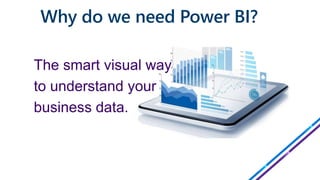
Why do we need Power BI?
The smart visual way
to understand your
business data.
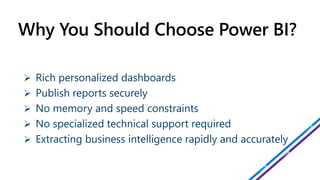
 Rich personalized dashboards
 Publish reports securely
 No memory and speed constraints
 No specialized technical support required
 Extracting business intelligence rapidly and accurately
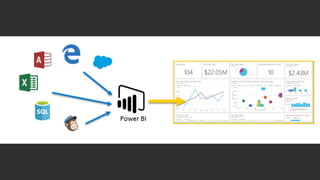
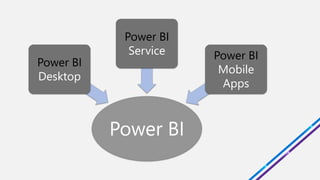
Power BI
Power BI
Desktop
Power BI
Service Power BI
Mobile
Apps
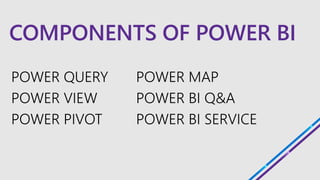
COMPONENTS OF POWER BI
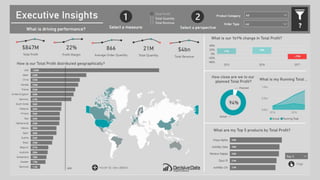
POWER BI DASHBOARDS
REPRESENTS THE WHOLE STORY
A Power BI dashboard is a single
page,
often called a canvas,
that uses visualizations to tell a
story……..
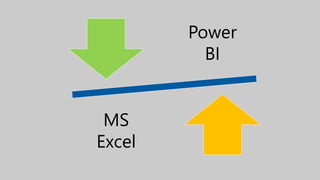
Power
BI
MS
Excel
vs
Power BI is built on the foundation of Microsoft
Excel
but it is far more powerful than its spreadsheet
counterpart.
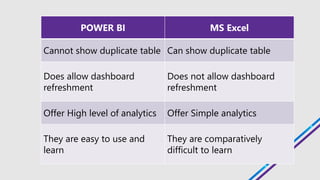
POWER BI MS Excel
Cannot show duplicate table Can show duplicate table
Does allow dashboard
refreshment
Does not allow dashboard
refreshment
Offer High level of analytics Offer Simple analytics
They are easy to use and
learn
They are comparatively
difficult to learn
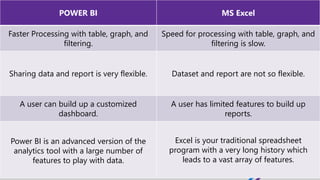
POWER BI MS Excel
Faster Processing with table, graph, and
filtering.
Speed for processing with table, graph, and
filtering is slow.
Sharing data and report is very flexible. Dataset and report are not so flexible.
A user can build up a customized
dashboard.
A user has limited features to build up
reports.
Power BI is an advanced version of the
analytics tool with a large number of
features to play with data.
Excel is your traditional spreadsheet
program with a very long history which
leads to a vast array of features.
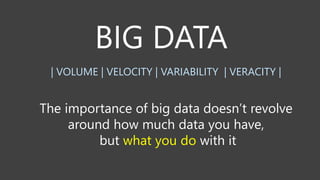
how much data
what you do
| VOLUME | VELOCITY | VARIABILITY | VERACITY |
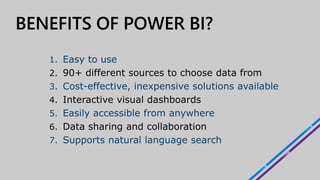
1. Easy to use
2. 90+ different sources to choose data from
3. Cost-effective, inexpensive solutions available
4. Interactive visual dashboards
5. Easily accessible from anywhere
6. Data sharing and collaboration
7. Supports natural language search
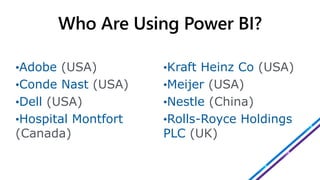
•Adobe (USA)
•Conde Nast (USA)
•Dell (USA)
•Hospital Montfort
(Canada)
•Kraft Heinz Co (USA)
•Meijer (USA)
•Nestle (China)
•Rolls-Royce Holdings
PLC (UK)
WITH POWER BI
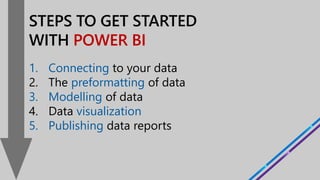
1. Connecting to your data
2. The preformatting of data
3. Modelling of data
4. Data visualization
5. Publishing data reports
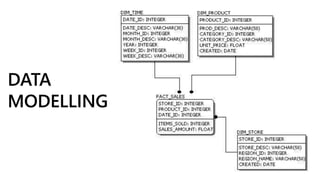
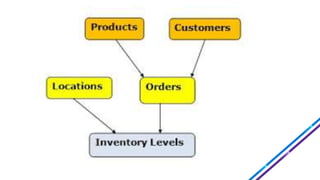
A data model can be
thought of as
a flowchart that illustrates
the relationships among
data.
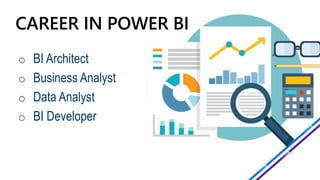
o BI Architect
o Business Analyst
o Data Analyst
o BI Developer
Average Annual Salary of BI Professional
INDIA : ₹5,82,000
US : $81,514
Source: Glassdoor
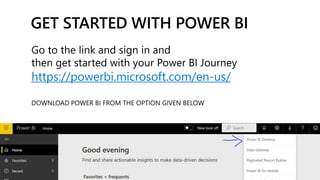
https://powerbi.microsoft.com/en-us/
Power BI : A Detailed Discussion

Power BI : A Detailed Discussion

  • 1.
    Introduction To POWER BI ForData Visualization PPT Made By: Swati Tripathi
  • 2.
  • 3.
    Business intelligence (BI) combinesbusiness analytics, data mining, data visualization, data tools and infrastructure, and best practices to help organizations to make more data-driven decisions.
  • 4.
    Identify ways toincrease profit Analyze customer behavior Compare data with competitors Track performance Optimize operations Predict success Spot market trends Discover issues or problems IMPORTANCE OF BI
  • 5.
    Self-service BI tools incorporateintuitive user interfaces that make working with data more accessible for those without technical expertise!!
  • 6.
    VISUAL graphical representation ofdata Generating images that communicate relationships among the represented data to viewers
  • 7.
    Batman Captain America Superman IronMan 80 34 36 78 99 89 24 79 47 44 45 23 89 34 39 43 78 48 68 89 86 56 33 89 79 55 22 70
  • 8.
    “We are drowningin information, but starving for knowledge.”
  • 10.
    It is acloud-based, business analytics service for analyzing and visualizing data.
  • 11.
    Why do weneed Power BI? The smart visual way to understand your business data.
  • 12.
     Rich personalizeddashboards  Publish reports securely  No memory and speed constraints  No specialized technical support required  Extracting business intelligence rapidly and accurately
  • 13.
    Power BI Power BI Desktop PowerBI Service Power BI Mobile Apps
  • 14.
  • 15.
  • 17.
    A Power BIdashboard is a single page, often called a canvas, that uses visualizations to tell a story……..
  • 18.
  • 19.
    vs Power BI isbuilt on the foundation of Microsoft Excel but it is far more powerful than its spreadsheet counterpart.
  • 20.
    POWER BI MSExcel Cannot show duplicate table Can show duplicate table Does allow dashboard refreshment Does not allow dashboard refreshment Offer High level of analytics Offer Simple analytics They are easy to use and learn They are comparatively difficult to learn
  • 21.
    POWER BI MSExcel Faster Processing with table, graph, and filtering. Speed for processing with table, graph, and filtering is slow. Sharing data and report is very flexible. Dataset and report are not so flexible. A user can build up a customized dashboard. A user has limited features to build up reports. Power BI is an advanced version of the analytics tool with a large number of features to play with data. Excel is your traditional spreadsheet program with a very long history which leads to a vast array of features.
  • 22.
    how much data whatyou do | VOLUME | VELOCITY | VARIABILITY | VERACITY |
  • 23.
    1. Easy touse 2. 90+ different sources to choose data from 3. Cost-effective, inexpensive solutions available 4. Interactive visual dashboards 5. Easily accessible from anywhere 6. Data sharing and collaboration 7. Supports natural language search
  • 24.
    •Adobe (USA) •Conde Nast(USA) •Dell (USA) •Hospital Montfort (Canada) •Kraft Heinz Co (USA) •Meijer (USA) •Nestle (China) •Rolls-Royce Holdings PLC (UK)
  • 25.
    WITH POWER BI 1.Connecting to your data 2. The preformatting of data 3. Modelling of data 4. Data visualization 5. Publishing data reports
  • 27.
    A data modelcan be thought of as a flowchart that illustrates the relationships among data.
  • 29.
    o BI Architect oBusiness Analyst o Data Analyst o BI Developer
  • 30.
    Average Annual Salaryof BI Professional INDIA : ₹5,82,000 US : $81,514 Source: Glassdoor
  • 31.