Technology in the Classroom General Introduction  Ideas for Managing and Using Computers in the Classroom Karen Work Richardson June 2001
Integrating Technology May… Change the way you teach Change the way you interact with your students Change the expectations you have for your students Free you to really do what you do best:  TEACH!
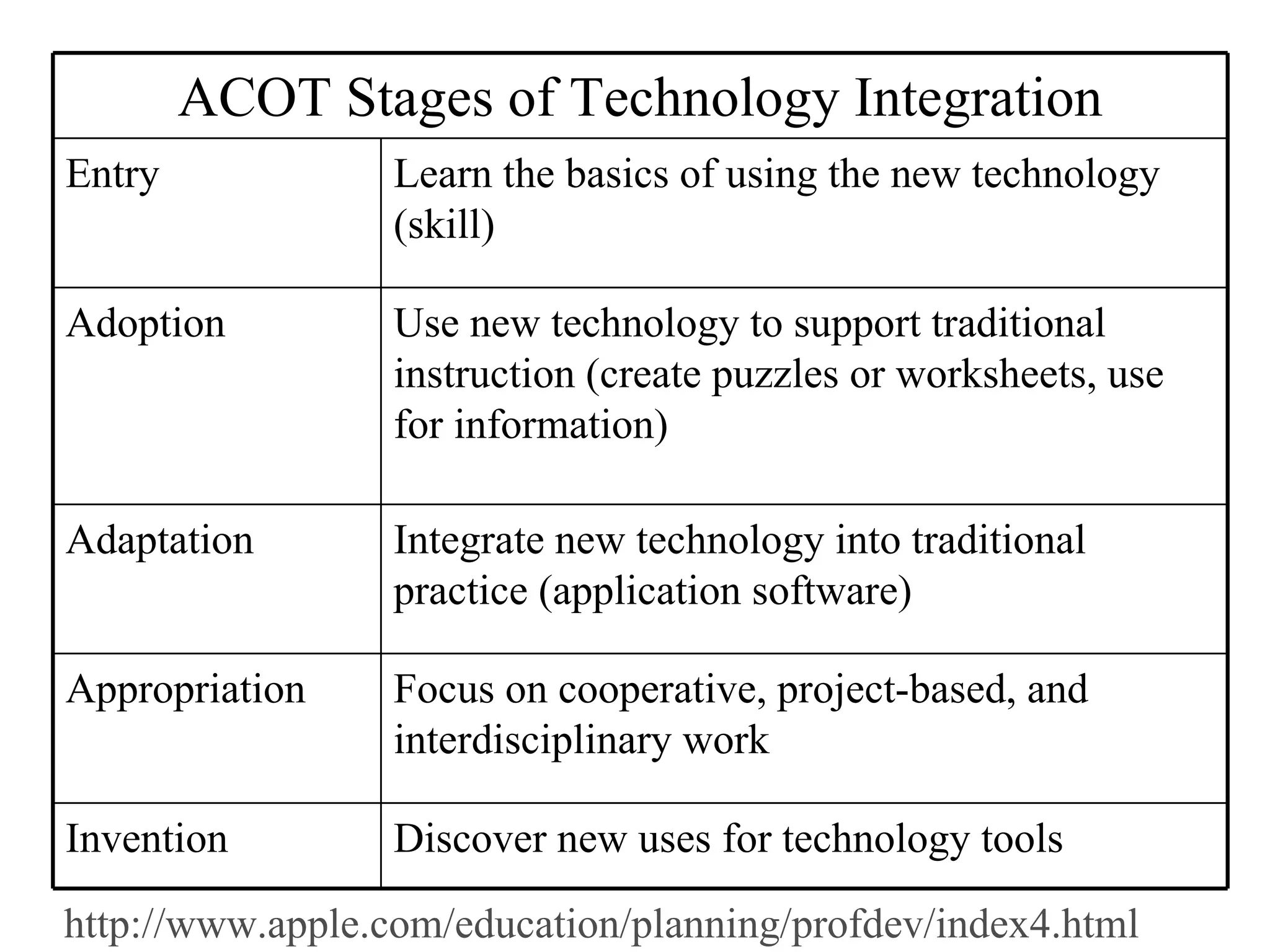
http://www.apple.com/education/planning/profdev/index4.html ACOT Stages of Technology Integration Entry Learn the basics of using the new technology (skill) Adoption Use new technology to support traditional instruction (create puzzles or worksheets, use for information) Adaptation Integrate new technology into traditional practice (application software) Appropriation Focus on cooperative, project-based, and interdisciplinary work  Invention Discover new uses for technology tools
Issues of Computer Use Expectations :  What do you hope to achieve? Room Arrangement Where do students use the computer? Management/Scheduling When do students use the computer? How do students use the computer? Integration Why do students use the computer?
Planning the When Be fair Be realistic Be consistent  Have the computer in use all the time Consider using Friday as “catch-up” day Use time or defined task to determine how long each child or group can be at the computer Use technology to track usage
Planning the How Develop a system for using the computer Think small Assign learning groups Emphasize pre-planning Limit data entry Create a homepage with agendas and links Use “class buddies” to update computers users who miss classwork
Planning the How Enforce expectations  Avoid floppy disks Use students as computer helpers Get help Steal! Use scaffolds Task cards Checklists Templates
Integration Examine current unit or activity for ways to add technology Rewrite the lesson unit to identify changes due to technology Prepare materials and create schedule
Ideas… Look up info related to current class discussion Daily info like sunrise/sunset, tides, temperature Class newspaper or journal Ongoing story Class web page
Ideas… Use computer group work to teach cooperative learning skills Have ongoing “personal” projects that children can work on for short periods of time throughout the year(write in journal or add to a web page) Take or make a quiz Complete or make a puzzle
Ideas… Use commercial software Find time for exploration and creativity Chart information in a table Collaborate on a banner Model using the computer as a tool Use a picture to illlustrate a topic

Techclass

  • 1.
    Technology in theClassroom General Introduction Ideas for Managing and Using Computers in the Classroom Karen Work Richardson June 2001
  • 2.
    Integrating Technology May…Change the way you teach Change the way you interact with your students Change the expectations you have for your students Free you to really do what you do best: TEACH!
  • 3.
    http://www.apple.com/education/planning/profdev/index4.html ACOT Stagesof Technology Integration Entry Learn the basics of using the new technology (skill) Adoption Use new technology to support traditional instruction (create puzzles or worksheets, use for information) Adaptation Integrate new technology into traditional practice (application software) Appropriation Focus on cooperative, project-based, and interdisciplinary work Invention Discover new uses for technology tools
  • 4.
    Issues of ComputerUse Expectations : What do you hope to achieve? Room Arrangement Where do students use the computer? Management/Scheduling When do students use the computer? How do students use the computer? Integration Why do students use the computer?
  • 5.
    Planning the WhenBe fair Be realistic Be consistent Have the computer in use all the time Consider using Friday as “catch-up” day Use time or defined task to determine how long each child or group can be at the computer Use technology to track usage
  • 6.
    Planning the HowDevelop a system for using the computer Think small Assign learning groups Emphasize pre-planning Limit data entry Create a homepage with agendas and links Use “class buddies” to update computers users who miss classwork
  • 7.
    Planning the HowEnforce expectations Avoid floppy disks Use students as computer helpers Get help Steal! Use scaffolds Task cards Checklists Templates
  • 8.
    Integration Examine currentunit or activity for ways to add technology Rewrite the lesson unit to identify changes due to technology Prepare materials and create schedule
  • 9.
    Ideas… Look upinfo related to current class discussion Daily info like sunrise/sunset, tides, temperature Class newspaper or journal Ongoing story Class web page
  • 10.
    Ideas… Use computergroup work to teach cooperative learning skills Have ongoing “personal” projects that children can work on for short periods of time throughout the year(write in journal or add to a web page) Take or make a quiz Complete or make a puzzle
  • 11.
    Ideas… Use commercialsoftware Find time for exploration and creativity Chart information in a table Collaborate on a banner Model using the computer as a tool Use a picture to illlustrate a topic

Editor's Notes

  • #12 Technology in the Classroom Karen Work Richardson karen@wmburgweb.com