Web 2.0 and education Dr Ken Price Best friends or worst enemies?
"The reasonable man adapts himself to the conditions that surround him... The unreasonable man adapts surrounding conditions to himself... All progress depends on the unreasonable man."  George Bernard Shaw
What does Web 2.0 mean for education? How students and teachers are using Web 2.0 tools, and some cautionary tales…
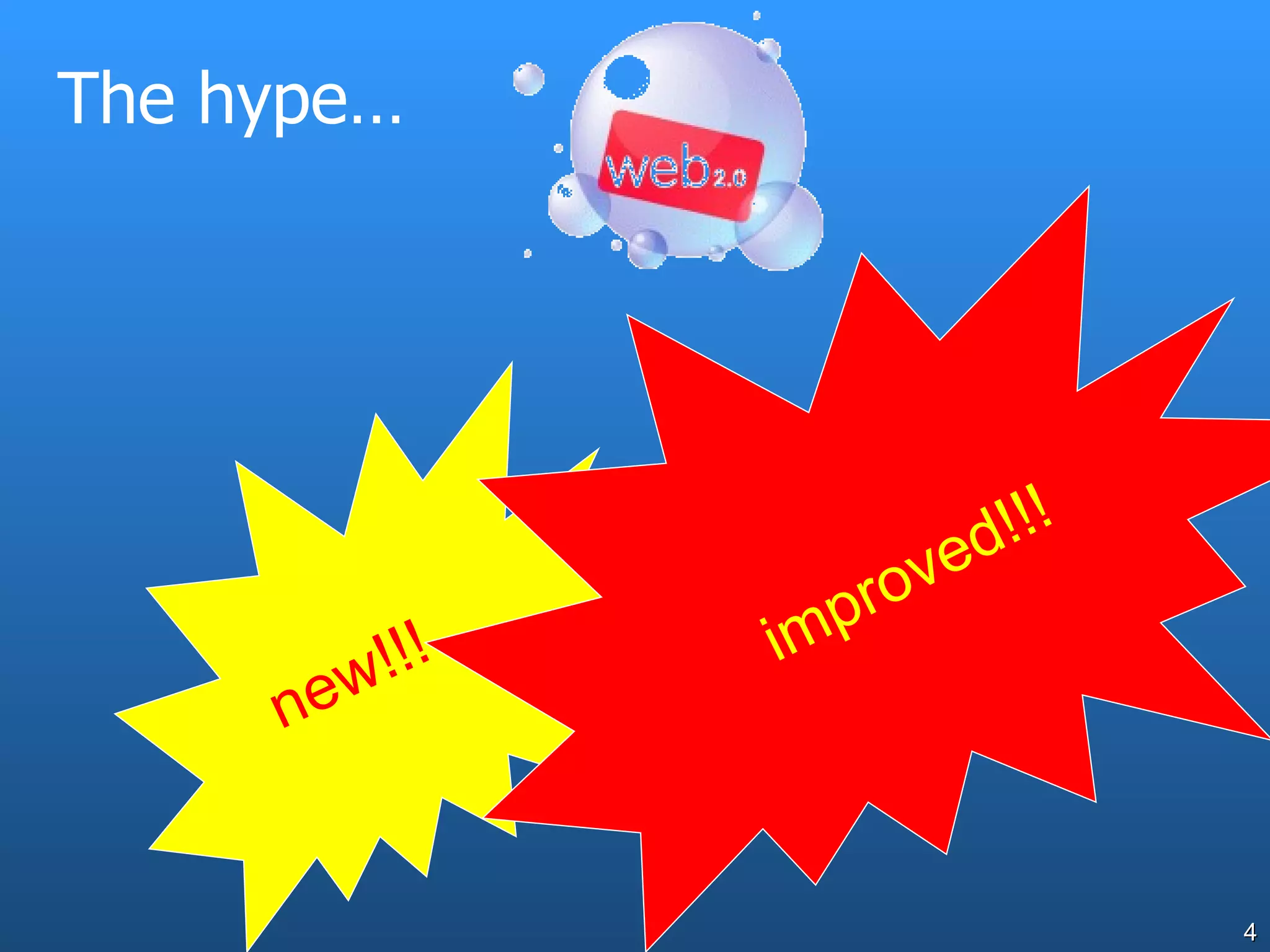
The hype… new!!! improved!!!
Web 2.0 characteristics Web is the platform The  read-write web  (as distinct from the read-only web) Data comes from users, often many users Data stored somewhere outside of your direct control Sometimes data combined from multiple sources – XML data assists this Authentication taken care of by site (and often transferable eg Google, Gmail, etc) Often AJAX-based (Asynchronous Javascript and XML..ability to process in browser without perceptible lag).
Students are using Web 2.0  now Blogs,e.g. Blogspot, Blogger, Mo’time,  Social network software, e.g. Myspace, Facebook, Tagged photo stores, e.g. Flickr Del.icio.us  Wikis,e.g. Wikipedia Communication networks, e.g. Skype News and audio services, e.g. podcasts and hosted video
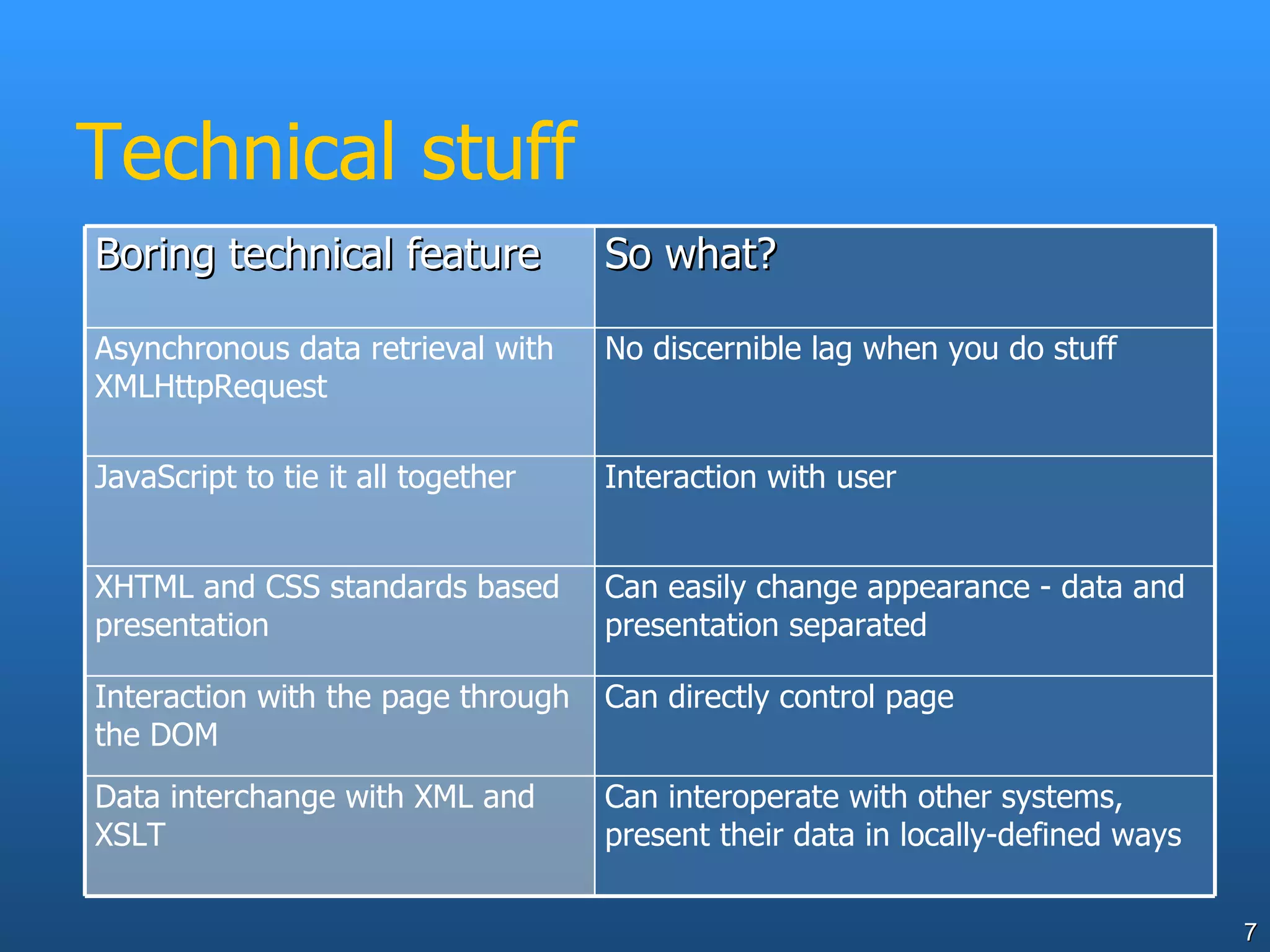
Technical stuff Boring technical feature So what? Asynchronous data retrieval with XMLHttpRequest No discernible lag when you do stuff JavaScript to tie it all together Interaction with user XHTML and CSS standards based presentation Can easily change appearance - data and presentation separated Interaction with the page through the DOM Can directly control page Data interchange with XML and XSLT Can interoperate with other systems, present their data in locally-defined ways
Disruptive technology Web 2.0 is inherently a disruptive technology… this has two faces.
Disruptive technology Disruption is Essential  to innovation
Disruptive technology Disruption is Evil  for some (many?) school leaders, school systems and maybe some teachers
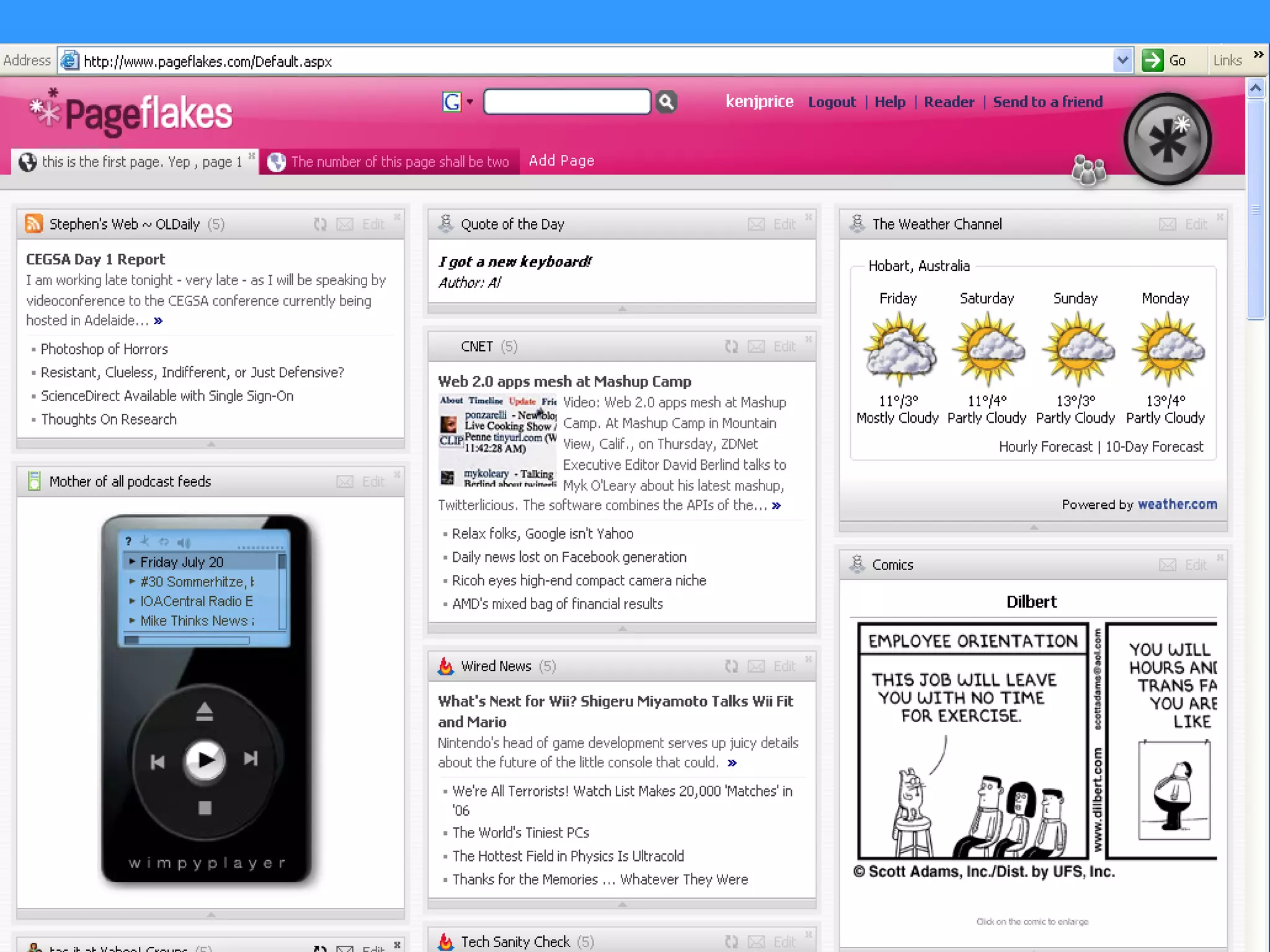
Pageflakes www.pageflakes.com/ A sort of customisable dashboard that can draw data from a wide range of other Web2.0 applications My pageflakes  page
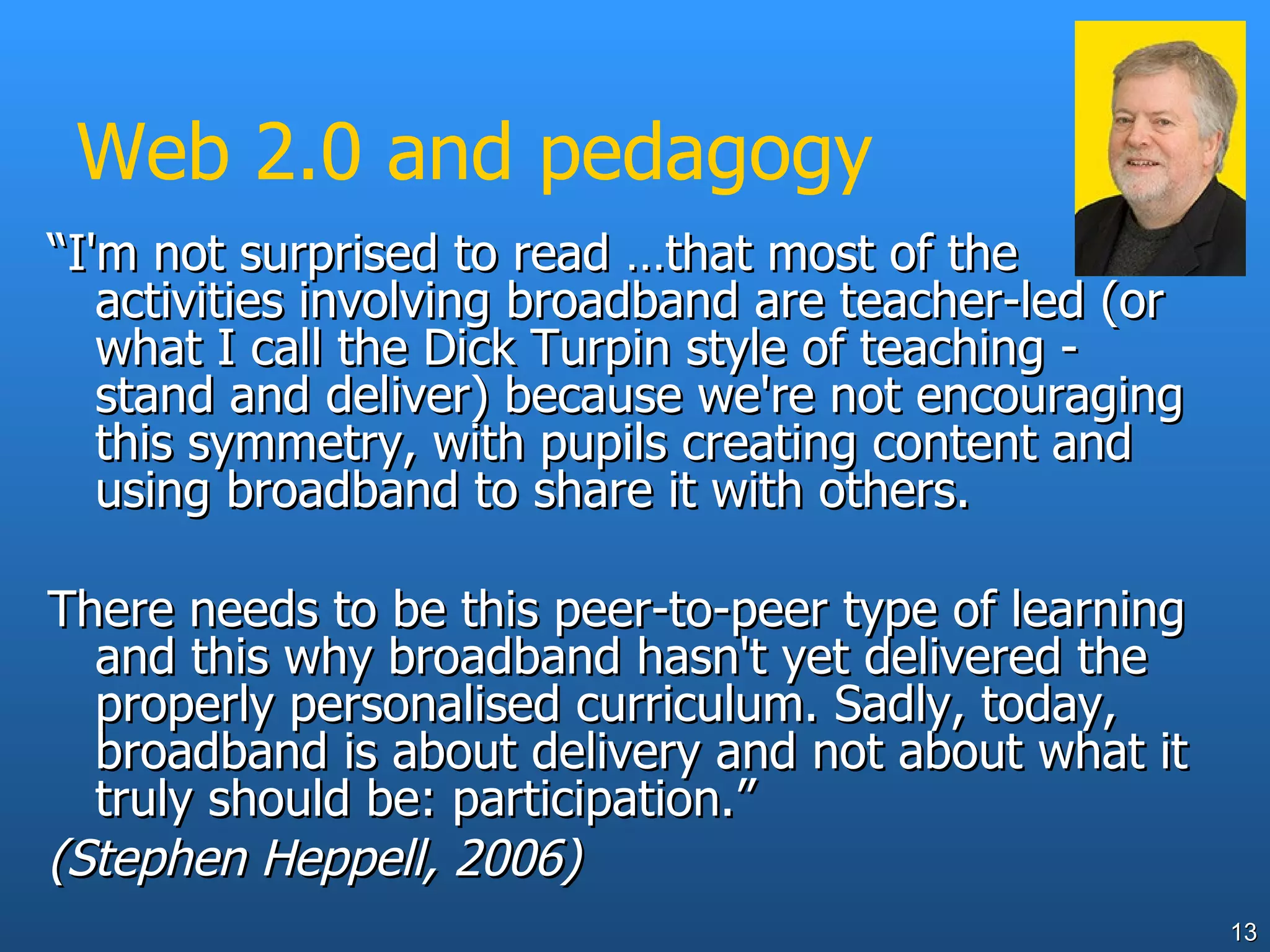
Web 2.0 and pedagogy “ I'm not surprised to read …that most of the activities involving broadband are teacher-led (or what I call the Dick Turpin style of teaching - stand and deliver) because we're not encouraging this symmetry, with pupils creating content and using broadband to share it with others.  There needs to be this peer-to-peer type of learning and this why broadband hasn't yet delivered the properly personalised curriculum. Sadly, today, broadband is about delivery and not about what it truly should be: participation.” (Stephen Heppell, 2006)
Metaphors Web 1.0 – web as digital library, largely a source of information for students. Strive for content to be authoritative. Web 2.0 – web as place for students to build knowledge, interact, share ideas/ Resulting content treated accordingly.
Web 2.0 uptake - initially Web 2.0 tools are often used as Web 1.0 tools initially eg blogs and podcasts initially just used as a way of disseminating class tasks and notes, del.icio.us collections used only to convey websites, Wikipedia just as a “reference” tool Having student content, feedback and interaction sometimes challenges education
Web 2.0 and constructivism If we accept that knowledge creation is at least a significant part of pedagogy, we need tools that support this Web 2.0 tools meet this need
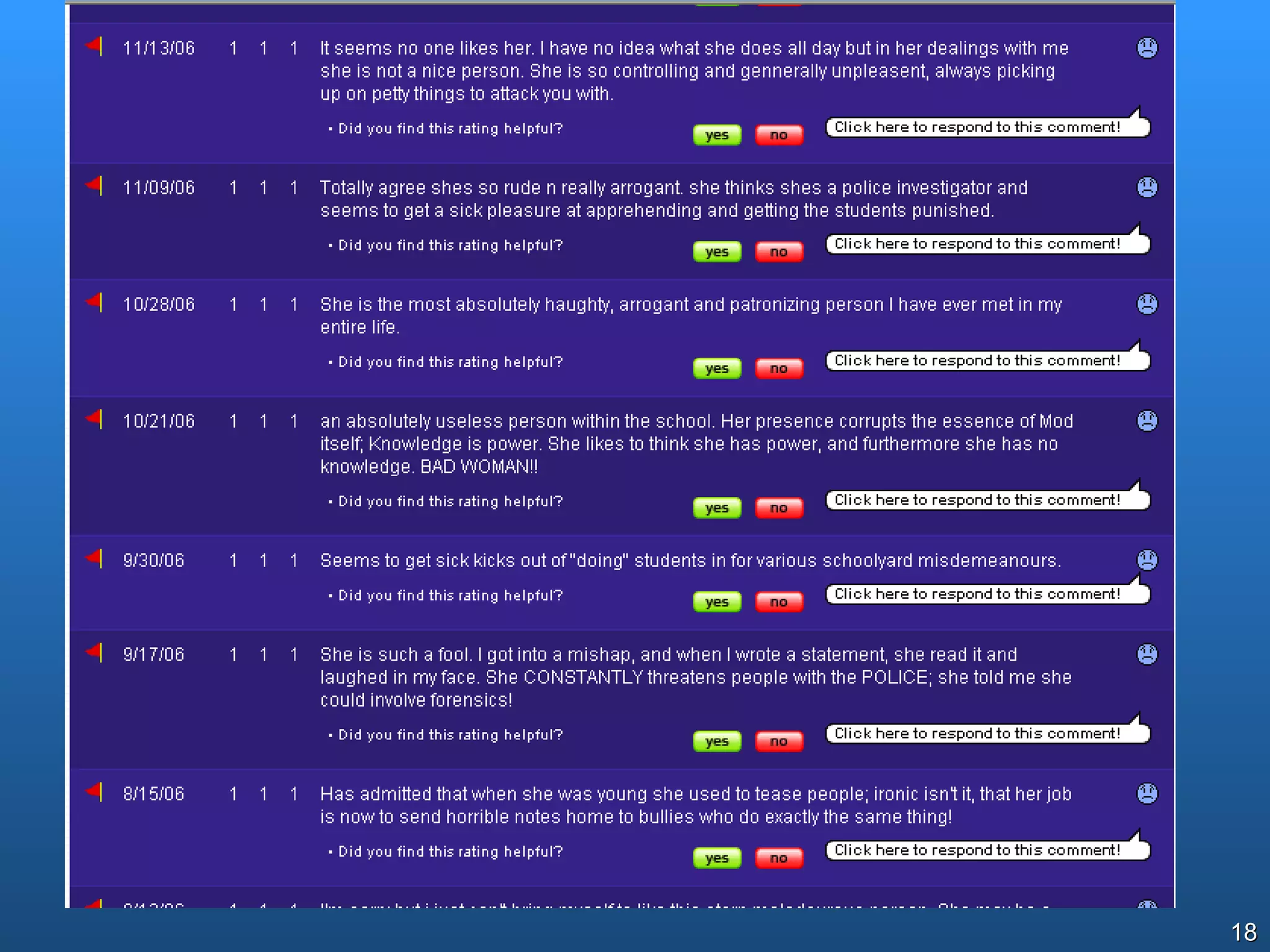
Rate My Teachers… au.ratemyteachers.com/ What would your school/system do if faced with this?
Rate My Teachers… Now has teacher response feature!!
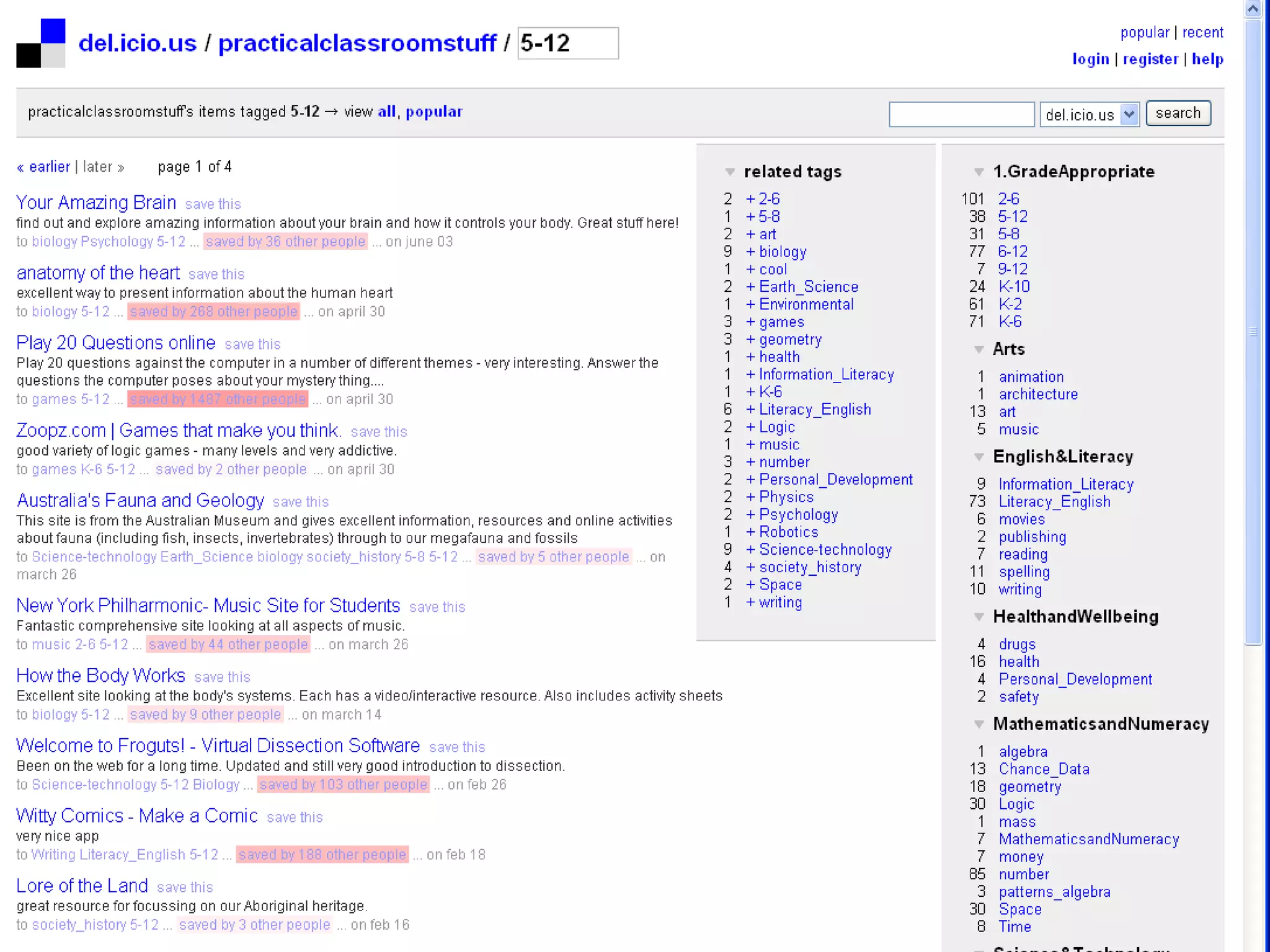
Delicious http://del.icio.us/ At its simplest - just a social bookmarks organiser Nice way for students to maintain/share reference and personal collections of online material, or teachers to present these Portable, device-independent Based on user-determined tagging (folksonomy rather than formal taxonomy)
Example - http://del.icio.us/practicalclassroomstuff
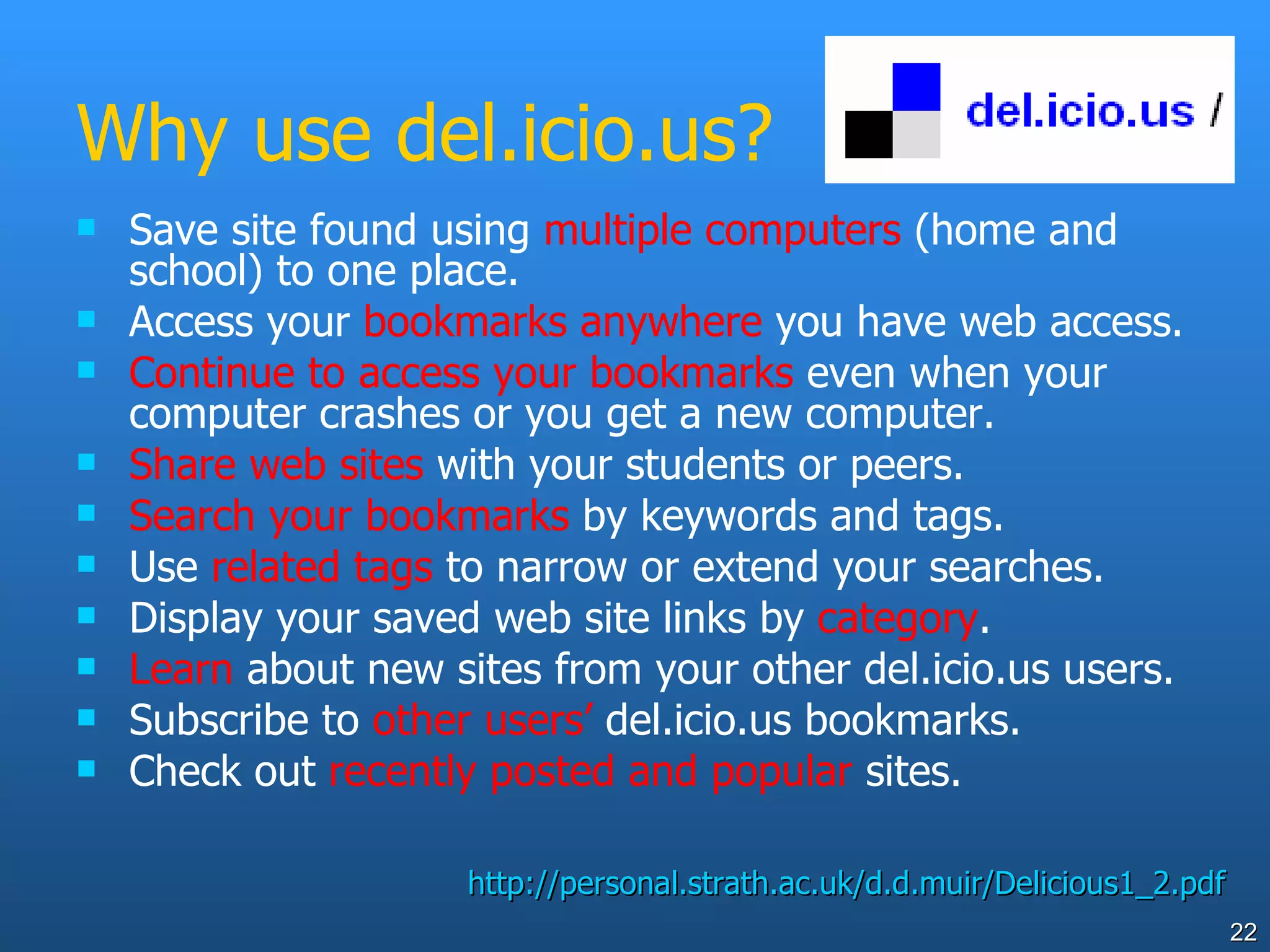
Why use del.icio.us? Save site found using  multiple computers  (home and school) to one place. Access your  bookmarks anywhere  you have web access. Continue to access your bookmarks  even when your computer crashes or you get a new computer. Share   web sites  with your students or peers. Search your bookmarks  by keywords and tags. Use  related tags  to narrow or extend your searches. Display your saved web site links by  category . Learn  about new sites from your other del.icio.us users. Subscribe to  other users’  del.icio.us bookmarks. Check out  recently posted and popular  sites. http://personal.strath.ac.uk/d.d.muir/Delicious1_2.pdf
Impact of Web 2.0 on education systems There seems to be a pattern of how schools and systems respond to disruptive technology  Evident since HotMaiL (maybe before?) 5 stages
System responses to disruptive technology Some online tool becomes available freely
System responses to disruptive technology Students   use it at home and school
System responses to disruptive technology Some educators may (validly or otherwise) see this tool as a threat. They respond by restricting, renouncing or simply banning it.
System responses to disruptive technology Tool becomes widespread in wider community (Gladwell’s Tipping Point reached?). Student use or expectation reaches critical mass, education sees its potential and the need to provide it securely
System responses to disruptive technology Education responds with a secure and manageable replacement And everyone breathes a sigh of relief….
System responses to disruptive technology Where is your school/institution in relation to these 5 steps?
Google Earth http://earth.google.com/ As it stands, it’s really Web 1.0 With student-generated and shared data, it’s an almost Web 2.0 application. Mashups of Google Earth or Maps with other data can produce neat educational products
Google Literature Trips, timelines, etc www.googlelittrips.com/  - track the journey described in a book or story, and annotate the places on the way. London timeline  ( kmz  file) animation of London skyline over time
Youtube and Teachertube www.youtube.com www.teachertube.com   Example of YouTube in classroom  www.thecorner.org/hist/video/v_ww2.htm
Youtube – classroom video How would your school respond to this? <<link to teacher rage video>>
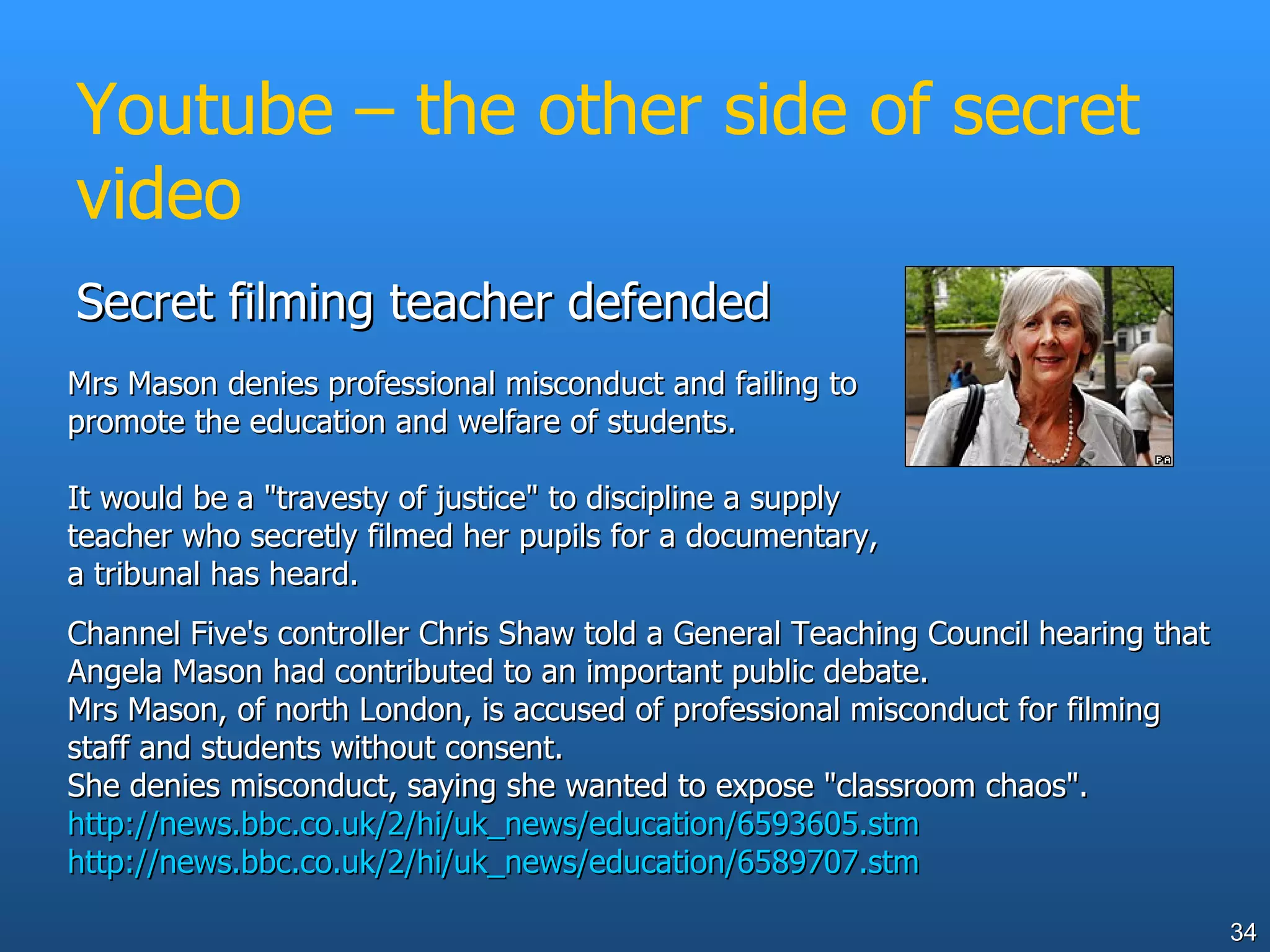
Youtube – the other side of secret video Secret filming teacher defended  Channel Five's controller Chris Shaw told a General Teaching Council hearing that Angela Mason had contributed to an important public debate.  Mrs Mason, of north London, is accused of professional misconduct for filming staff and students without consent.  She denies misconduct, saying she wanted to expose &quot;classroom chaos&quot;.  http://news.bbc.co.uk/2/hi/uk_news/education/6593605.stm http://news.bbc.co.uk/2/hi/uk_news/education/6589707.stm   Mrs Mason denies professional misconduct and failing to promote the education and welfare of students.  It would be a &quot;travesty of justice&quot; to discipline a supply teacher who secretly filmed her pupils for a documentary, a tribunal has heard.
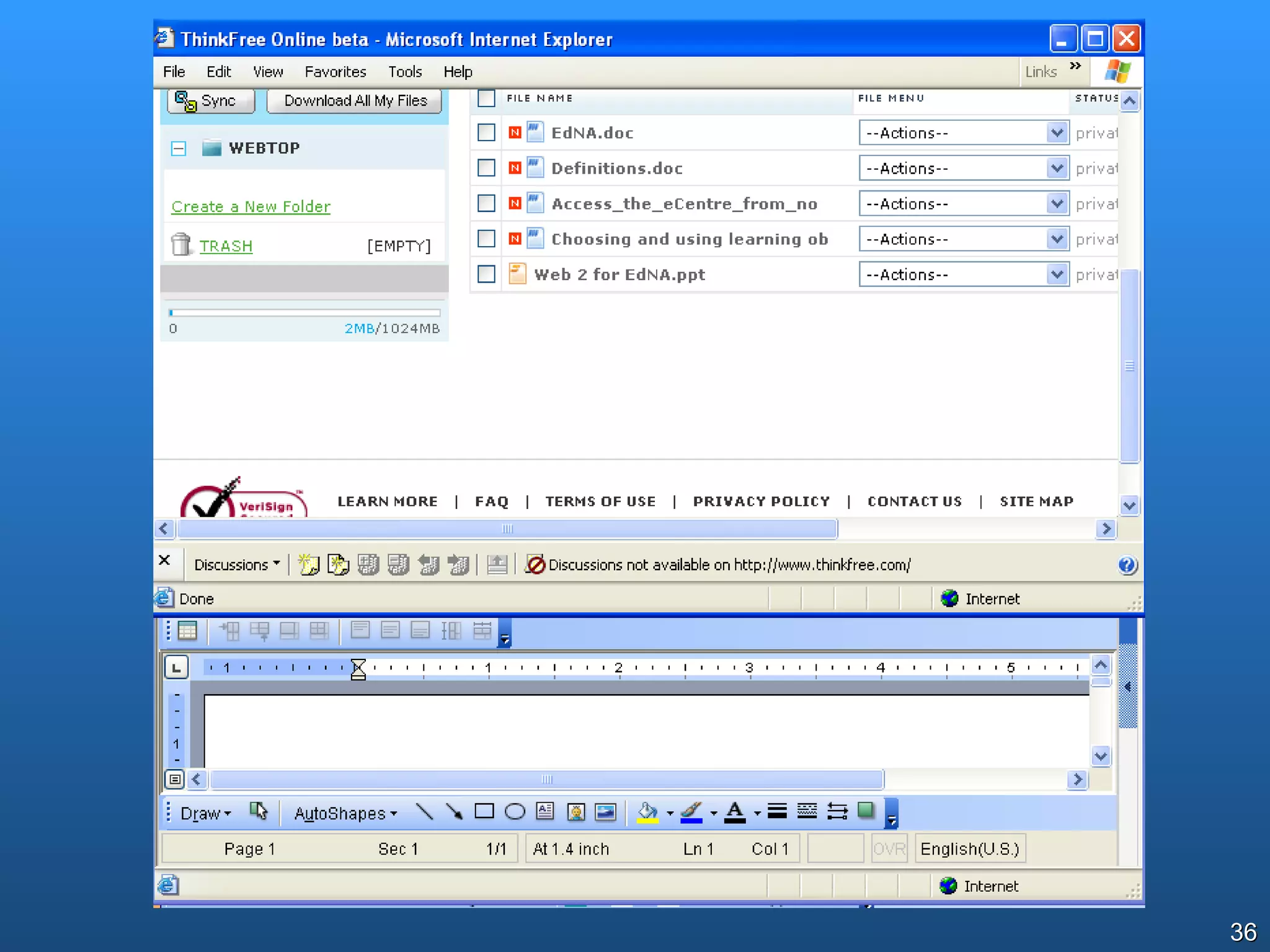
ThinkFree  www.thinkfree.com/ Very simple and effective writing and numeric tools, compatible with common tools  Google docs and spreadsheets docs.google.com Almost a complete office suite (like Microsoft Office), complete with storage and the ability to share  (Seems blocked in DoE)
Why use ThinkFree or Google Docs? Available at home, school, anywhere (both program and data) Legal, no license costs Kids can share and collaborate on work Compatible with common software when necessary
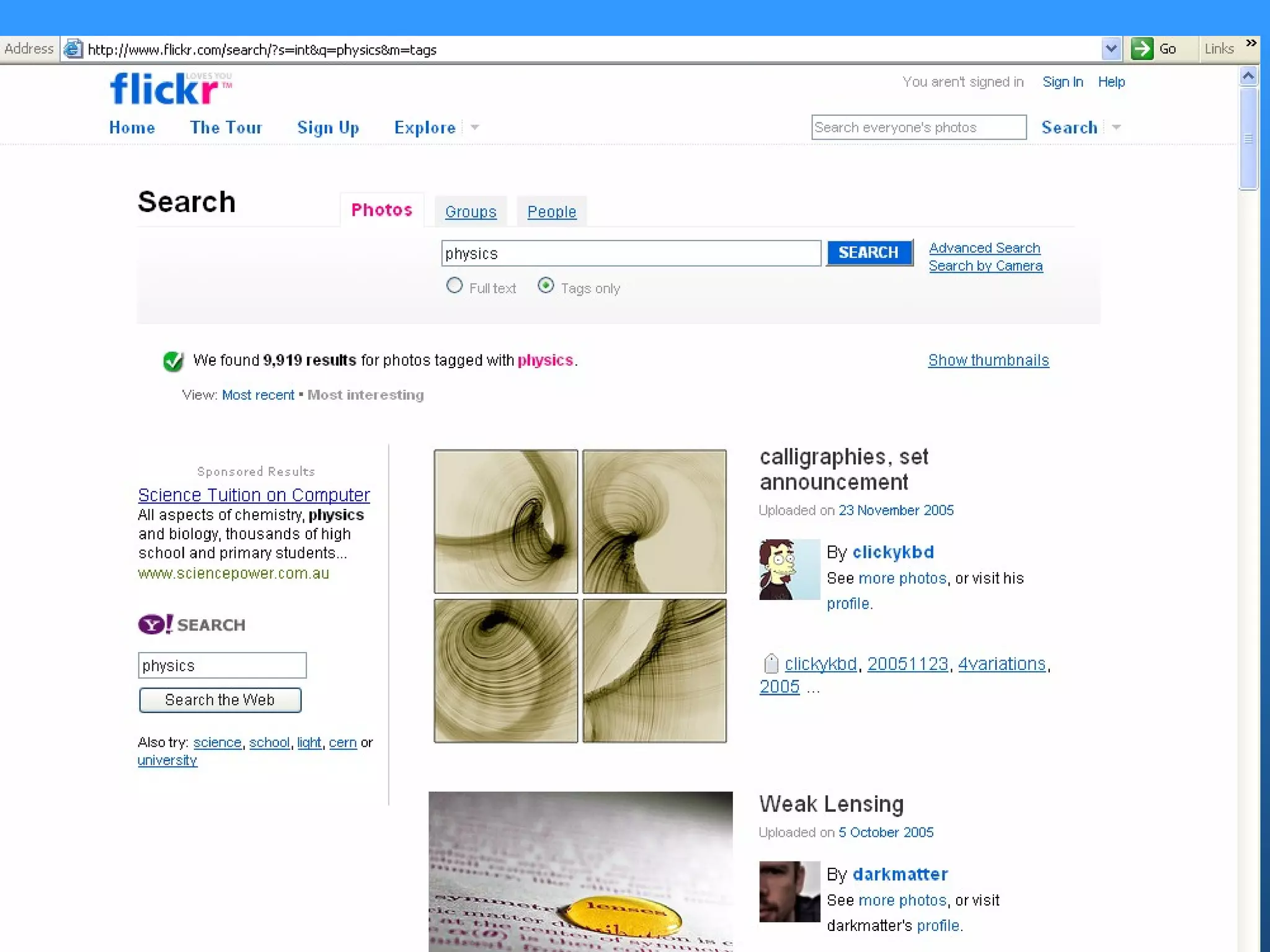
Flickr http://www.flickr.com/ Simple photo-storing and sharing site Tagging by users As always educators find unexpected ways to use it 16 ways to use  Flickr in your library
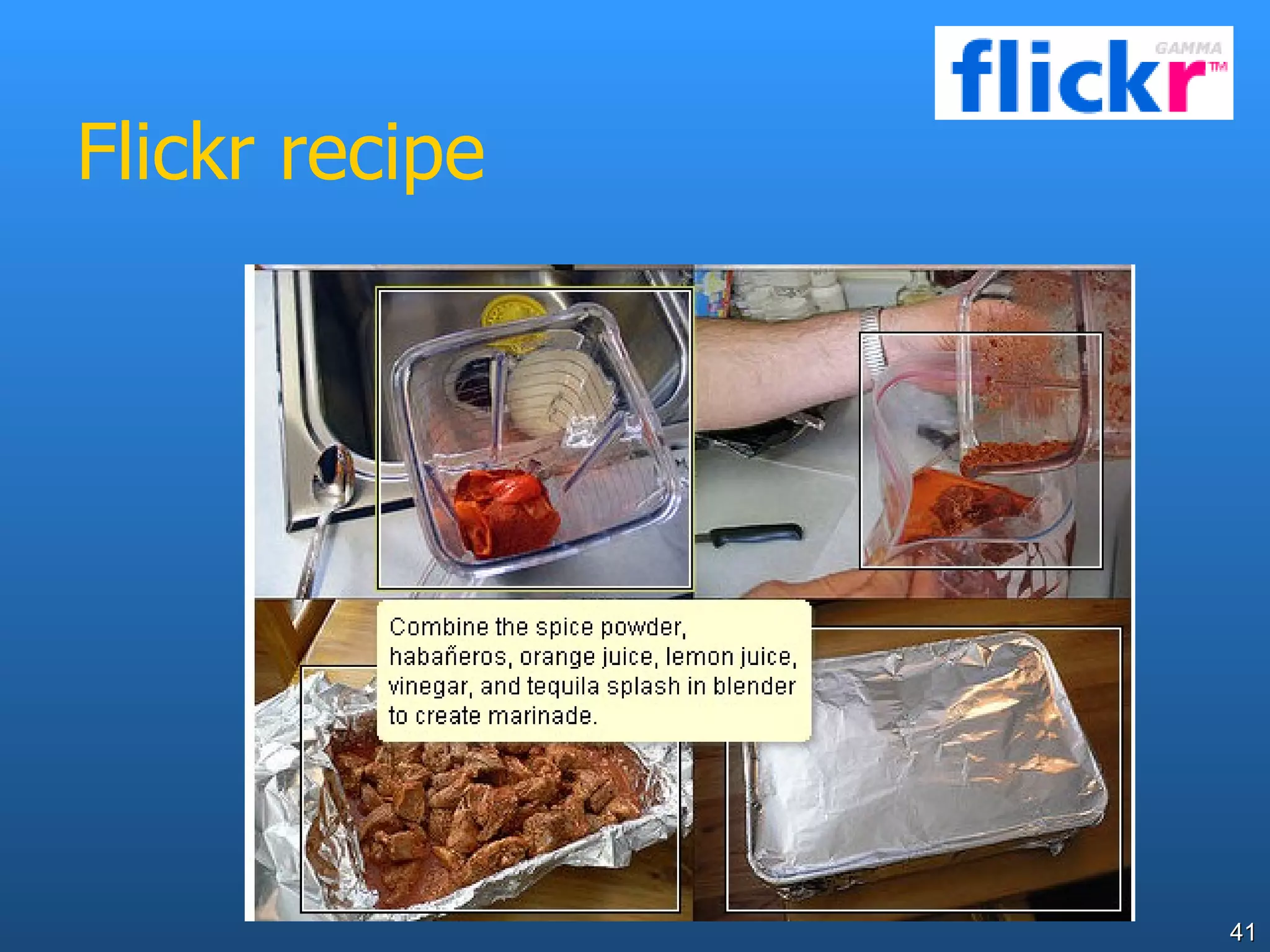
Flickr as a tool for annotating images for critical analysis or instruction  Art www.flickr.com/photos/ha112/414146234/ Recipes - www.flickr.com/photos/ldandersen/2573806/
Flickr recipe
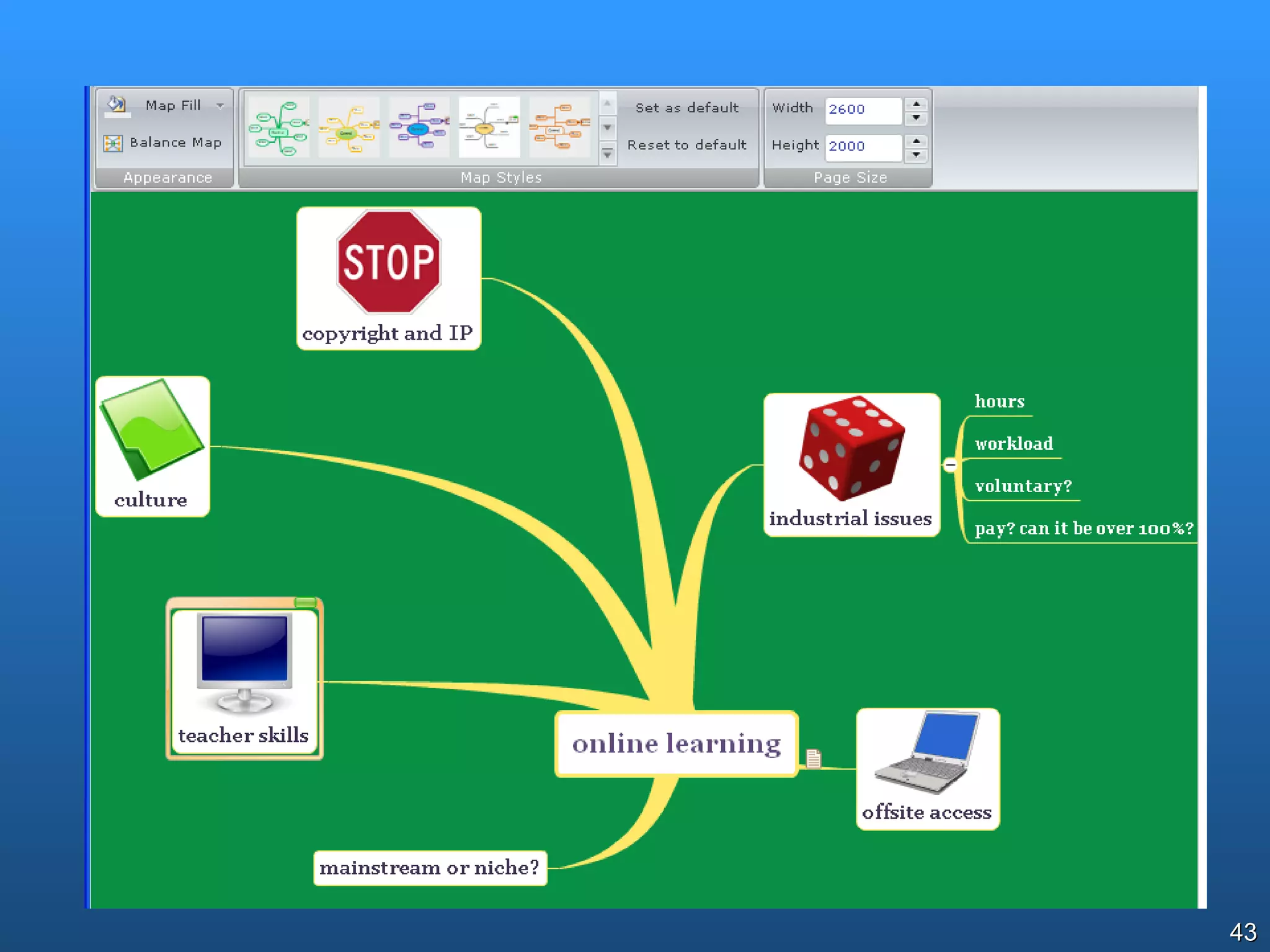
Mind and concept mapping tools www.mindomo.com http://bubbl.us/ Online mindmapping-brainstorming tools, with inbuilt storage
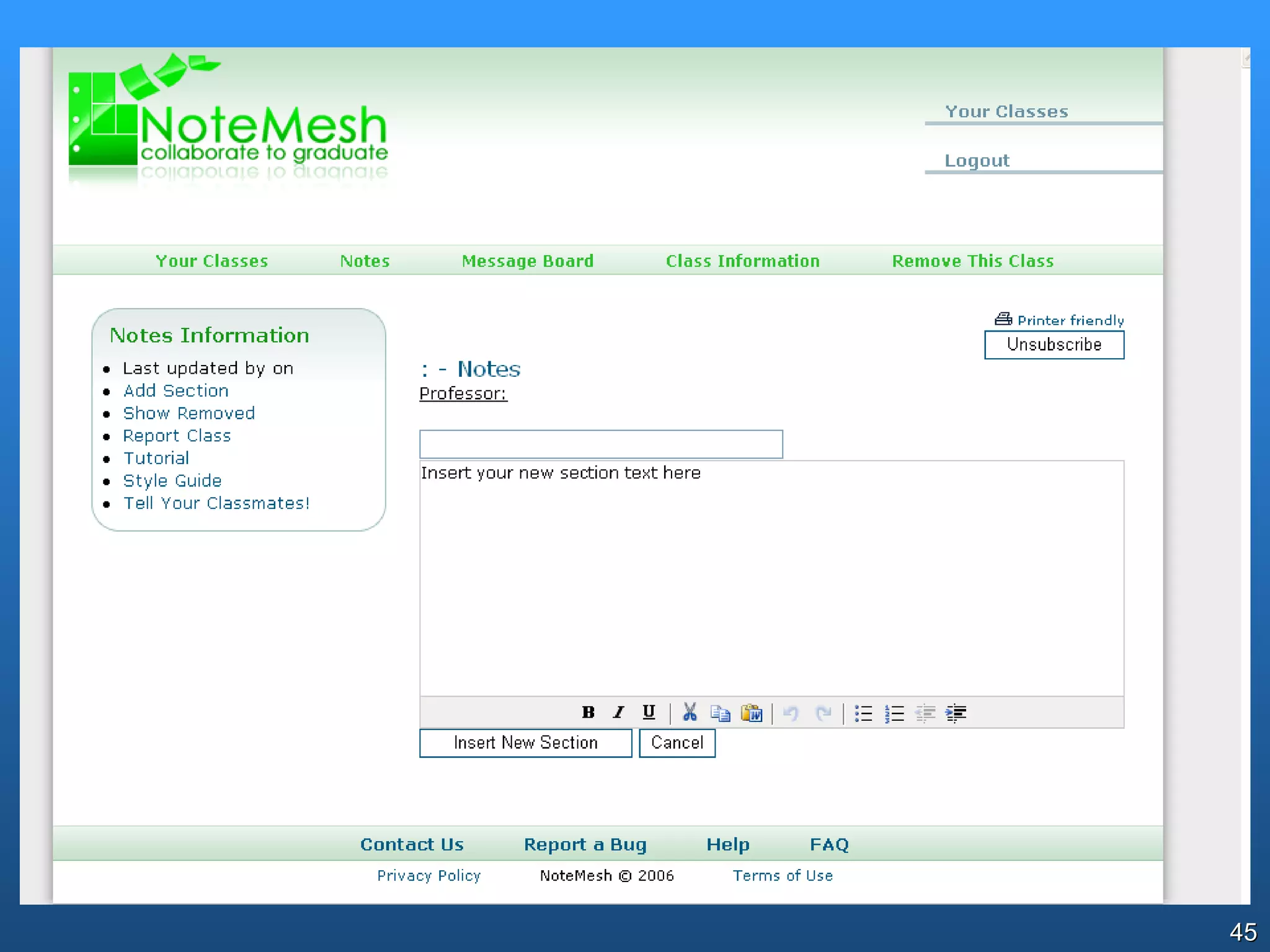
NoteMesh http://notemesh.com/ Collaborative note taking and building of student knowledge from class/lecture model. (associates your email address to your school/college/TAFE/university)
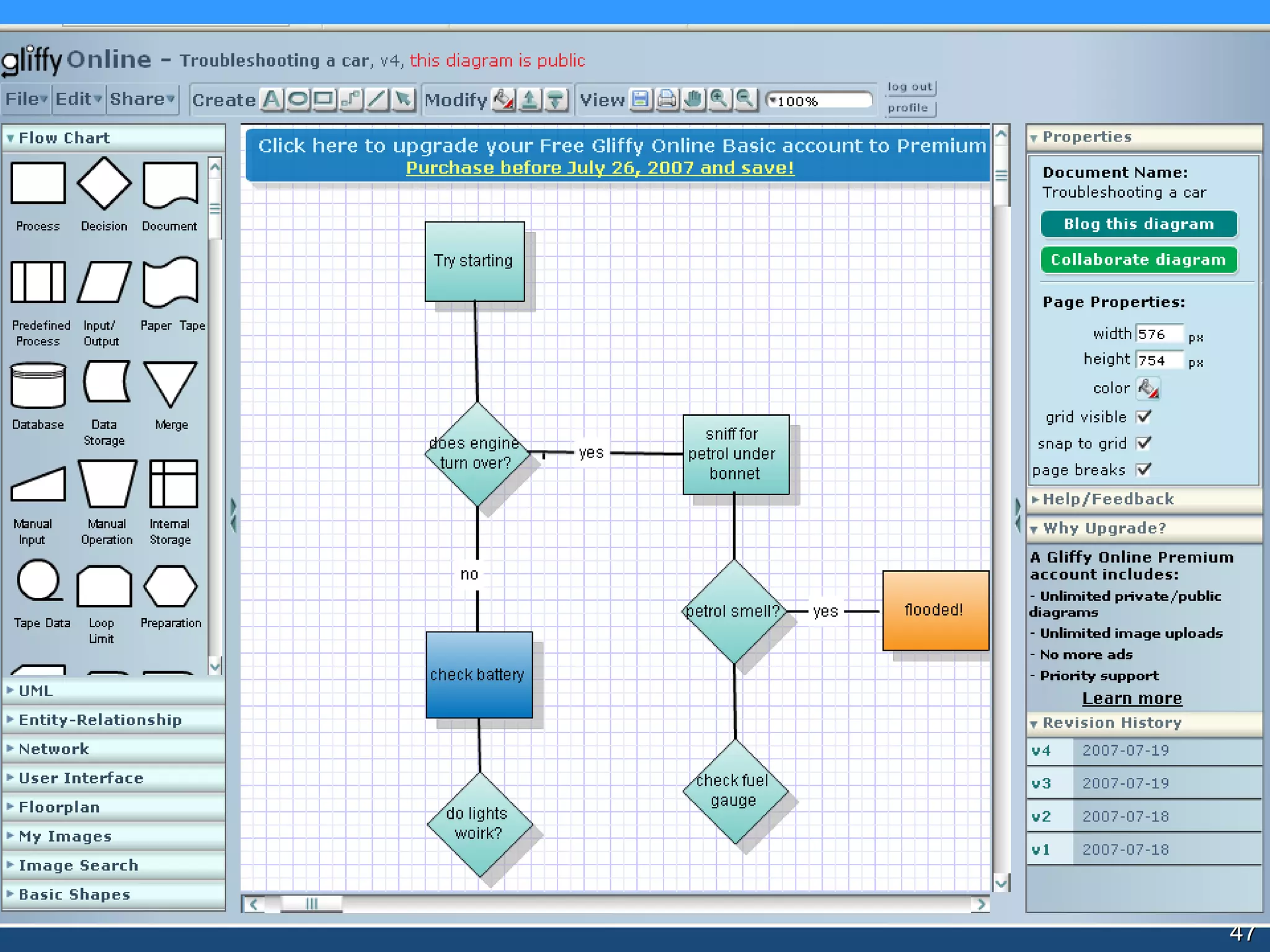
Gliffy http://www.gliffy.com/ Online diagramming tool (similar to Visio but more elementary)
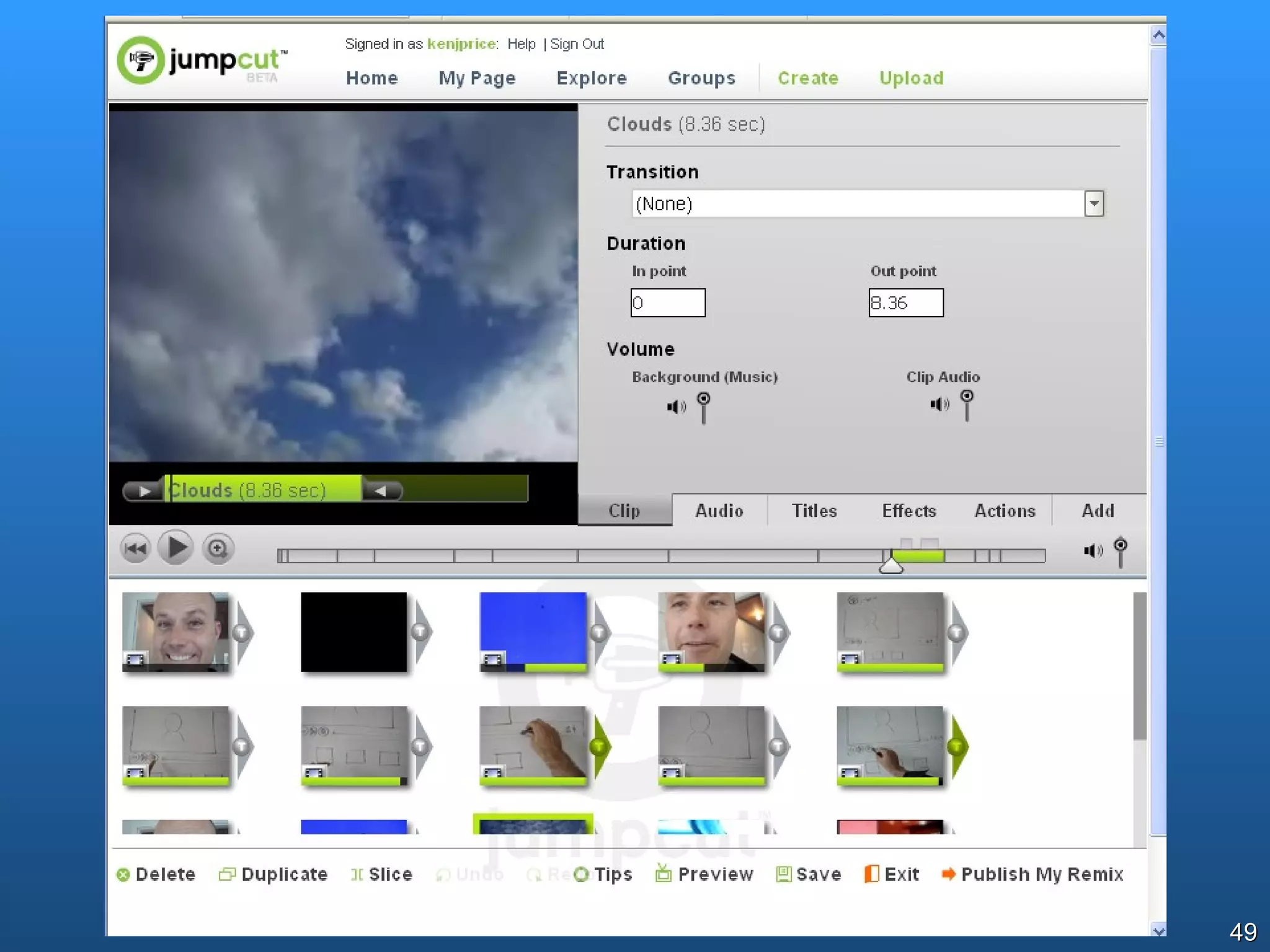
JumpCut http://www.jumpcut.com/ Edit and store videos online Obvious issues of content, duty of care, exposure of education system or school to unwanted publicity
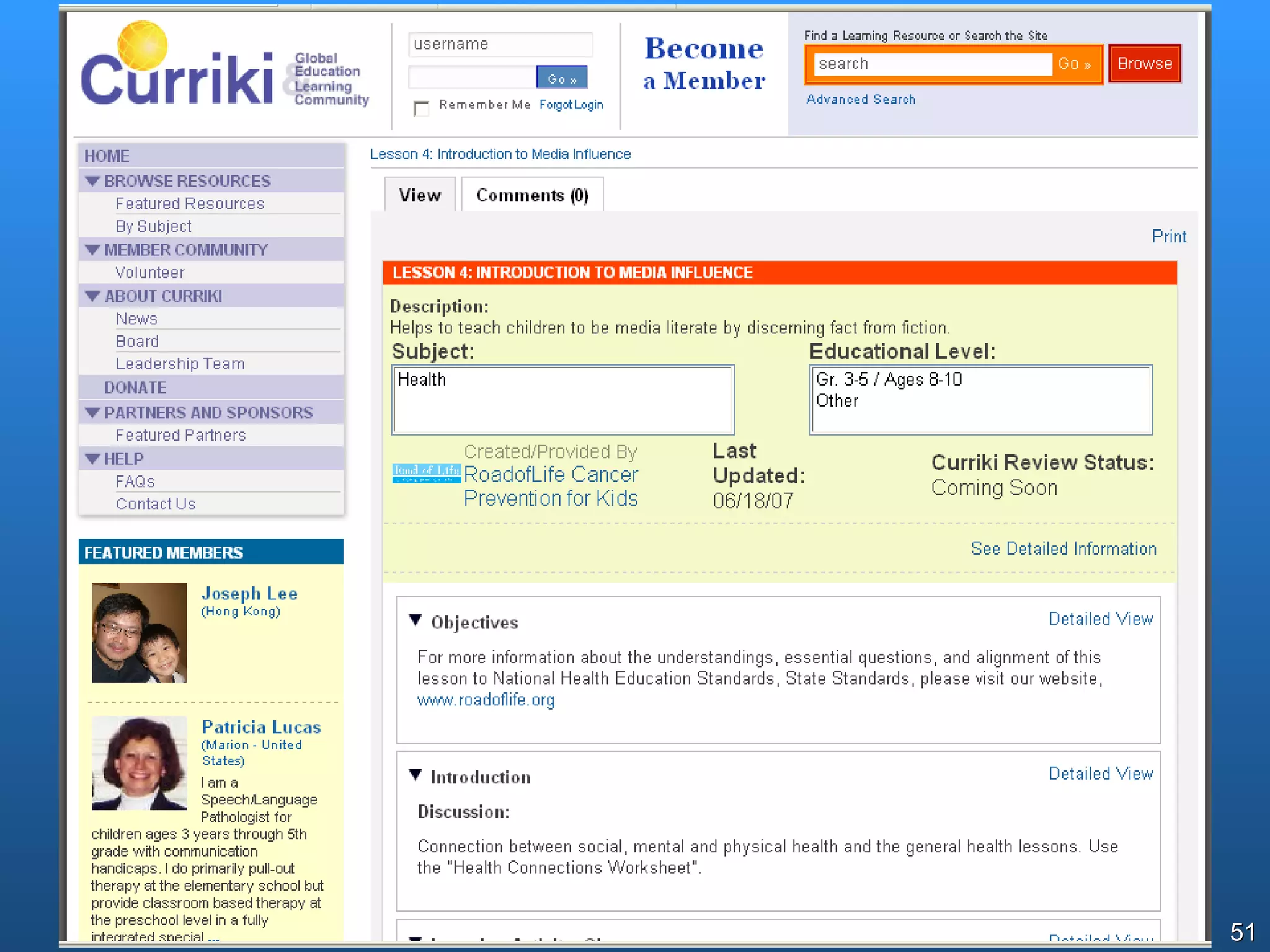
Curriki www.curriki.org Free online curriculum, built in a wiki-style model. Can be used as a resource, or as a place to collaboratively build curriculum
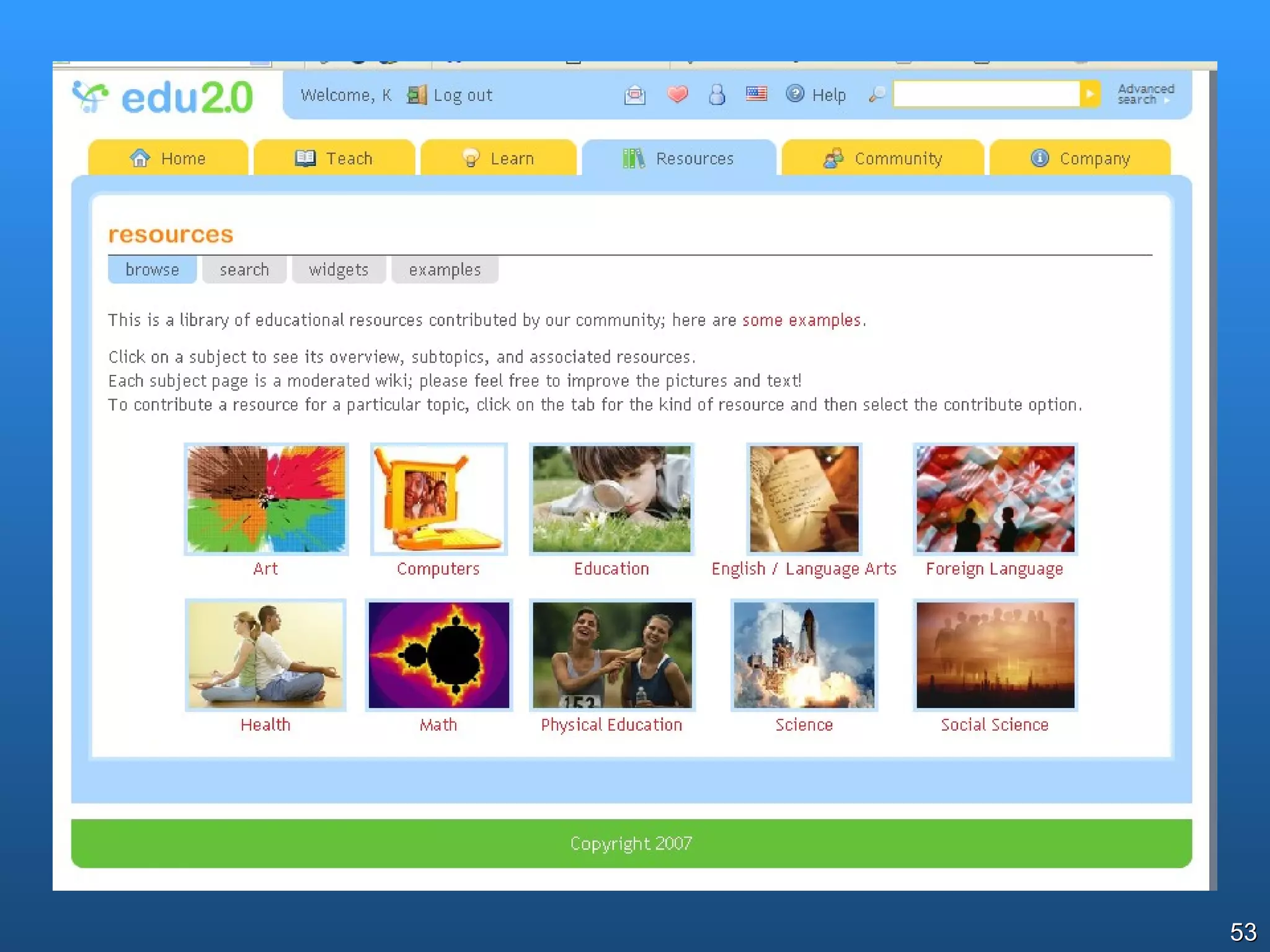
Edu 2.0 www.edu20.org Provides shared curriculum/courses, and allows people to  teach  them or  learn  from them Courses can be public or private
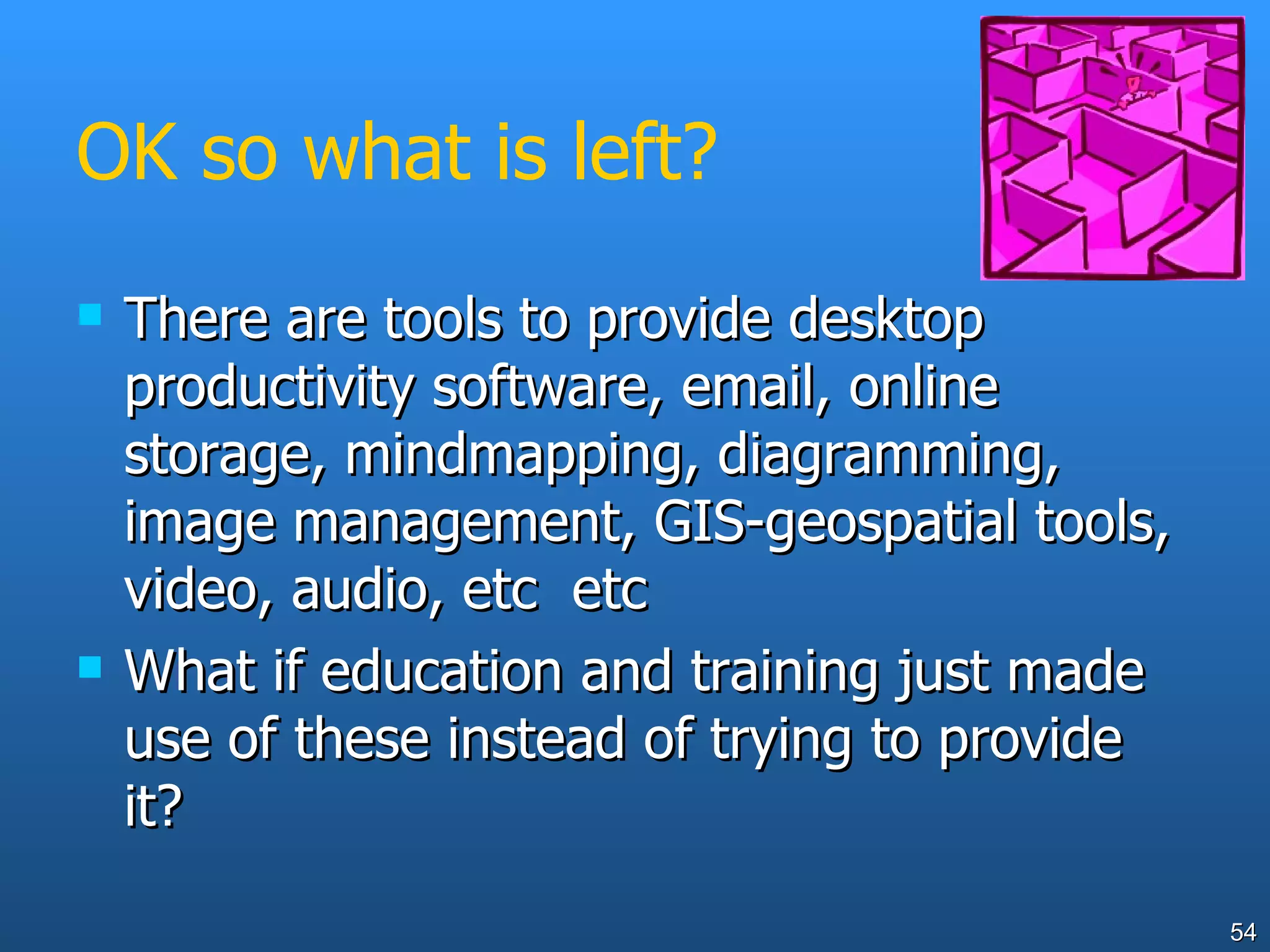
OK so what is left? There are tools to provide desktop productivity software, email, online storage, mindmapping, diagramming, image management, GIS-geospatial tools, video, audio, etc  etc What if education and training just made use of these instead of trying to provide it?
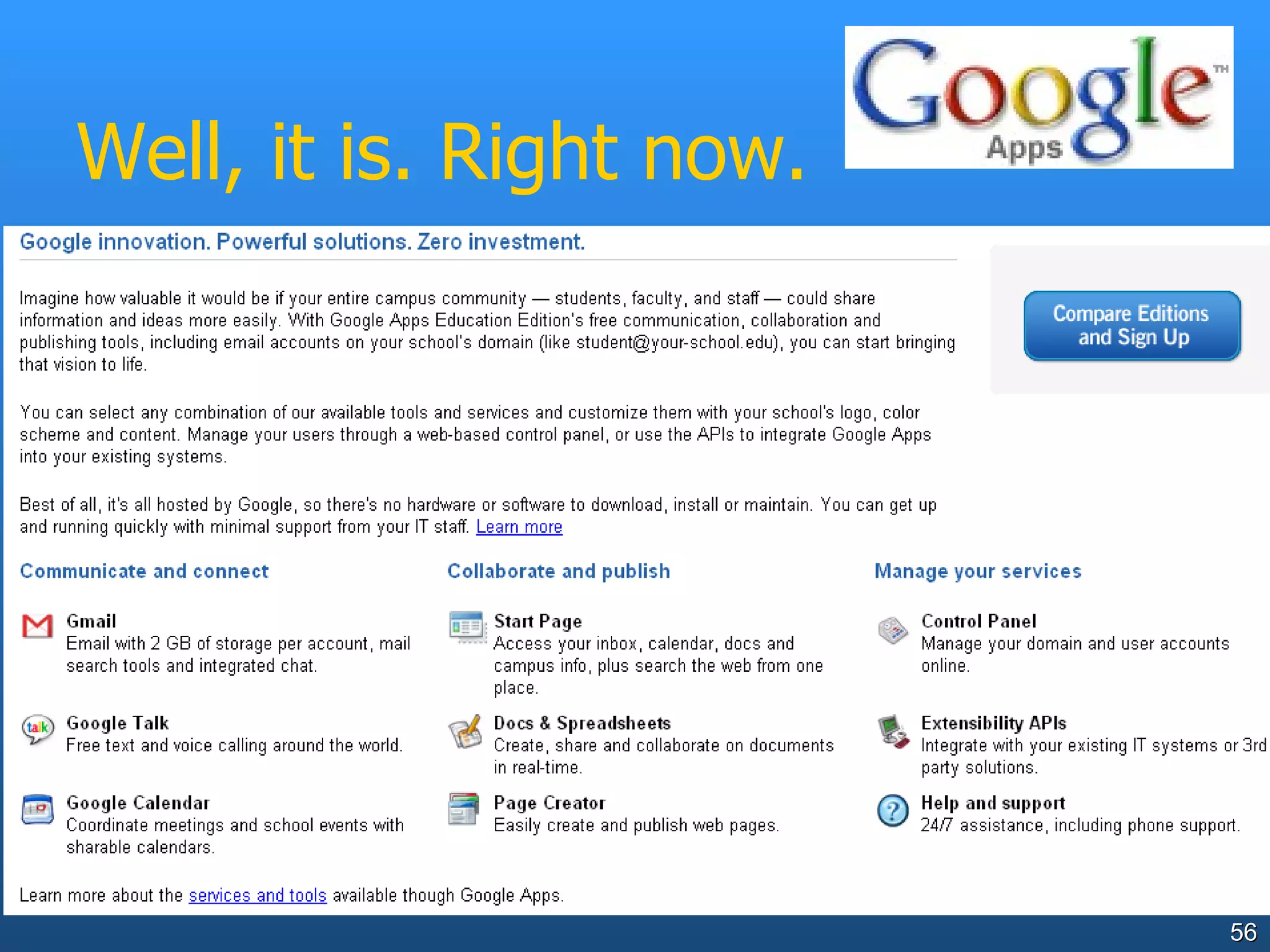
What if all this was available for free? Email, 2 GB of storage per student, mail search tools and integrated chat.  Access your inbox, calendar, docs and campus info, plus search the web from one place. Manage your domain and user accounts online.  Free text and voice calling around the world.  Docs & Spreadsheets: create, share and collaborate on documents in real-time Coordinate meetings and school events with sharable calendars.  Easily create and publish web pages.  All with a single username and password And for a small fee, if you want it… Integrate with your existing IT systems or 3rd party solutions.  24/7 assistance, including phone support.
Well, it is. Right now.
There are risks… Where is your data? Who else can get to it? Does the application encourage inappropriate use? What happens if the service provider has technical problems, goes out of business? Usernames and passwords – how to manage them all? Security risk if you use same username/pwd as on your own systems? Need for different levels of password Data volume and bandwidth requirements?
The future… Let’s hope that early-adopter educators continue to innovate with new technologies, and schools and systems make use of their findings to benefit all learners. Now to find out more about Edna Web 2.0 tools…
What would YOU do? a student uses RateMyTeachers.com and claims that a teacher is involved in an inappropriate relationship with one of her students?
What would YOU do? some students use a photosharing site to share photos of last weekend’s drinking party. Some of the photos involve nudity
What would YOU do? a teacher uses a free public blog site to develop and deliver all their year’s work. The blog site closes without notice 6 months later as the company collapses.  The teacher has no copy of their materials because “it’s all stored on that network thing isn’t it??”
What would YOU do? Your students decide to repeatedly edit the Wikipedia pages for your city, to “improve” them. The Wikipedia administrators block the IP range for your school system so nobody in your school/system can edit.
What would YOU do? Some kids hate the different software versions, settings and applications on school and home computers.  They decide instead to do all their work using  ThinkFree , a totally online application and data storage tool.

Web2 Price

  • 1.
    Web 2.0 andeducation Dr Ken Price Best friends or worst enemies?
  • 2.
    &quot;The reasonable manadapts himself to the conditions that surround him... The unreasonable man adapts surrounding conditions to himself... All progress depends on the unreasonable man.&quot; George Bernard Shaw
  • 3.
    What does Web2.0 mean for education? How students and teachers are using Web 2.0 tools, and some cautionary tales…
  • 4.
    The hype… new!!!improved!!!
  • 5.
    Web 2.0 characteristicsWeb is the platform The read-write web (as distinct from the read-only web) Data comes from users, often many users Data stored somewhere outside of your direct control Sometimes data combined from multiple sources – XML data assists this Authentication taken care of by site (and often transferable eg Google, Gmail, etc) Often AJAX-based (Asynchronous Javascript and XML..ability to process in browser without perceptible lag).
  • 6.
    Students are usingWeb 2.0 now Blogs,e.g. Blogspot, Blogger, Mo’time, Social network software, e.g. Myspace, Facebook, Tagged photo stores, e.g. Flickr Del.icio.us Wikis,e.g. Wikipedia Communication networks, e.g. Skype News and audio services, e.g. podcasts and hosted video
  • 7.
    Technical stuff Boringtechnical feature So what? Asynchronous data retrieval with XMLHttpRequest No discernible lag when you do stuff JavaScript to tie it all together Interaction with user XHTML and CSS standards based presentation Can easily change appearance - data and presentation separated Interaction with the page through the DOM Can directly control page Data interchange with XML and XSLT Can interoperate with other systems, present their data in locally-defined ways
  • 8.
    Disruptive technology Web2.0 is inherently a disruptive technology… this has two faces.
  • 9.
    Disruptive technology Disruptionis Essential to innovation
  • 10.
    Disruptive technology Disruptionis Evil for some (many?) school leaders, school systems and maybe some teachers
  • 11.
    Pageflakes www.pageflakes.com/ Asort of customisable dashboard that can draw data from a wide range of other Web2.0 applications My pageflakes page
  • 13.
    Web 2.0 andpedagogy “ I'm not surprised to read …that most of the activities involving broadband are teacher-led (or what I call the Dick Turpin style of teaching - stand and deliver) because we're not encouraging this symmetry, with pupils creating content and using broadband to share it with others. There needs to be this peer-to-peer type of learning and this why broadband hasn't yet delivered the properly personalised curriculum. Sadly, today, broadband is about delivery and not about what it truly should be: participation.” (Stephen Heppell, 2006)
  • 14.
    Metaphors Web 1.0– web as digital library, largely a source of information for students. Strive for content to be authoritative. Web 2.0 – web as place for students to build knowledge, interact, share ideas/ Resulting content treated accordingly.
  • 15.
    Web 2.0 uptake- initially Web 2.0 tools are often used as Web 1.0 tools initially eg blogs and podcasts initially just used as a way of disseminating class tasks and notes, del.icio.us collections used only to convey websites, Wikipedia just as a “reference” tool Having student content, feedback and interaction sometimes challenges education
  • 16.
    Web 2.0 andconstructivism If we accept that knowledge creation is at least a significant part of pedagogy, we need tools that support this Web 2.0 tools meet this need
  • 17.
    Rate My Teachers…au.ratemyteachers.com/ What would your school/system do if faced with this?
  • 19.
    Rate My Teachers…Now has teacher response feature!!
  • 20.
    Delicious http://del.icio.us/ Atits simplest - just a social bookmarks organiser Nice way for students to maintain/share reference and personal collections of online material, or teachers to present these Portable, device-independent Based on user-determined tagging (folksonomy rather than formal taxonomy)
  • 21.
  • 22.
    Why use del.icio.us?Save site found using multiple computers (home and school) to one place. Access your bookmarks anywhere you have web access. Continue to access your bookmarks even when your computer crashes or you get a new computer. Share web sites with your students or peers. Search your bookmarks by keywords and tags. Use related tags to narrow or extend your searches. Display your saved web site links by category . Learn about new sites from your other del.icio.us users. Subscribe to other users’ del.icio.us bookmarks. Check out recently posted and popular sites. http://personal.strath.ac.uk/d.d.muir/Delicious1_2.pdf
  • 23.
    Impact of Web2.0 on education systems There seems to be a pattern of how schools and systems respond to disruptive technology Evident since HotMaiL (maybe before?) 5 stages
  • 24.
    System responses todisruptive technology Some online tool becomes available freely
  • 25.
    System responses todisruptive technology Students use it at home and school
  • 26.
    System responses todisruptive technology Some educators may (validly or otherwise) see this tool as a threat. They respond by restricting, renouncing or simply banning it.
  • 27.
    System responses todisruptive technology Tool becomes widespread in wider community (Gladwell’s Tipping Point reached?). Student use or expectation reaches critical mass, education sees its potential and the need to provide it securely
  • 28.
    System responses todisruptive technology Education responds with a secure and manageable replacement And everyone breathes a sigh of relief….
  • 29.
    System responses todisruptive technology Where is your school/institution in relation to these 5 steps?
  • 30.
    Google Earth http://earth.google.com/As it stands, it’s really Web 1.0 With student-generated and shared data, it’s an almost Web 2.0 application. Mashups of Google Earth or Maps with other data can produce neat educational products
  • 31.
    Google Literature Trips,timelines, etc www.googlelittrips.com/ - track the journey described in a book or story, and annotate the places on the way. London timeline ( kmz file) animation of London skyline over time
  • 32.
    Youtube and Teachertubewww.youtube.com www.teachertube.com Example of YouTube in classroom www.thecorner.org/hist/video/v_ww2.htm
  • 33.
    Youtube – classroomvideo How would your school respond to this? <<link to teacher rage video>>
  • 34.
    Youtube – theother side of secret video Secret filming teacher defended Channel Five's controller Chris Shaw told a General Teaching Council hearing that Angela Mason had contributed to an important public debate. Mrs Mason, of north London, is accused of professional misconduct for filming staff and students without consent. She denies misconduct, saying she wanted to expose &quot;classroom chaos&quot;. http://news.bbc.co.uk/2/hi/uk_news/education/6593605.stm http://news.bbc.co.uk/2/hi/uk_news/education/6589707.stm Mrs Mason denies professional misconduct and failing to promote the education and welfare of students. It would be a &quot;travesty of justice&quot; to discipline a supply teacher who secretly filmed her pupils for a documentary, a tribunal has heard.
  • 35.
    ThinkFree www.thinkfree.com/Very simple and effective writing and numeric tools, compatible with common tools Google docs and spreadsheets docs.google.com Almost a complete office suite (like Microsoft Office), complete with storage and the ability to share (Seems blocked in DoE)
  • 37.
    Why use ThinkFreeor Google Docs? Available at home, school, anywhere (both program and data) Legal, no license costs Kids can share and collaborate on work Compatible with common software when necessary
  • 38.
    Flickr http://www.flickr.com/ Simplephoto-storing and sharing site Tagging by users As always educators find unexpected ways to use it 16 ways to use Flickr in your library
  • 40.
    Flickr as atool for annotating images for critical analysis or instruction Art www.flickr.com/photos/ha112/414146234/ Recipes - www.flickr.com/photos/ldandersen/2573806/
  • 41.
  • 42.
    Mind and conceptmapping tools www.mindomo.com http://bubbl.us/ Online mindmapping-brainstorming tools, with inbuilt storage
  • 44.
    NoteMesh http://notemesh.com/ Collaborativenote taking and building of student knowledge from class/lecture model. (associates your email address to your school/college/TAFE/university)
  • 46.
    Gliffy http://www.gliffy.com/ Onlinediagramming tool (similar to Visio but more elementary)
  • 48.
    JumpCut http://www.jumpcut.com/ Editand store videos online Obvious issues of content, duty of care, exposure of education system or school to unwanted publicity
  • 50.
    Curriki www.curriki.org Freeonline curriculum, built in a wiki-style model. Can be used as a resource, or as a place to collaboratively build curriculum
  • 52.
    Edu 2.0 www.edu20.orgProvides shared curriculum/courses, and allows people to teach them or learn from them Courses can be public or private
  • 54.
    OK so whatis left? There are tools to provide desktop productivity software, email, online storage, mindmapping, diagramming, image management, GIS-geospatial tools, video, audio, etc etc What if education and training just made use of these instead of trying to provide it?
  • 55.
    What if allthis was available for free? Email, 2 GB of storage per student, mail search tools and integrated chat. Access your inbox, calendar, docs and campus info, plus search the web from one place. Manage your domain and user accounts online. Free text and voice calling around the world. Docs & Spreadsheets: create, share and collaborate on documents in real-time Coordinate meetings and school events with sharable calendars. Easily create and publish web pages. All with a single username and password And for a small fee, if you want it… Integrate with your existing IT systems or 3rd party solutions. 24/7 assistance, including phone support.
  • 56.
    Well, it is.Right now.
  • 57.
    There are risks…Where is your data? Who else can get to it? Does the application encourage inappropriate use? What happens if the service provider has technical problems, goes out of business? Usernames and passwords – how to manage them all? Security risk if you use same username/pwd as on your own systems? Need for different levels of password Data volume and bandwidth requirements?
  • 58.
    The future… Let’shope that early-adopter educators continue to innovate with new technologies, and schools and systems make use of their findings to benefit all learners. Now to find out more about Edna Web 2.0 tools…
  • 59.
    What would YOUdo? a student uses RateMyTeachers.com and claims that a teacher is involved in an inappropriate relationship with one of her students?
  • 60.
    What would YOUdo? some students use a photosharing site to share photos of last weekend’s drinking party. Some of the photos involve nudity
  • 61.
    What would YOUdo? a teacher uses a free public blog site to develop and deliver all their year’s work. The blog site closes without notice 6 months later as the company collapses. The teacher has no copy of their materials because “it’s all stored on that network thing isn’t it??”
  • 62.
    What would YOUdo? Your students decide to repeatedly edit the Wikipedia pages for your city, to “improve” them. The Wikipedia administrators block the IP range for your school system so nobody in your school/system can edit.
  • 63.
    What would YOUdo? Some kids hate the different software versions, settings and applications on school and home computers. They decide instead to do all their work using ThinkFree , a totally online application and data storage tool.