Instruction through Podcasts, Wikis and Other Interactive Multimedia Podcasts in Education Podcasts- Examples Podcasts- Create Wikis in Education Wikis- Multimedia Examples  Wikis- Create Questions/Comments Source: wikispaces.com http://farm1.static.flickr.com/43/90655763_a98e2f83b6.jpg?v=0   retrieved from www.apple.com/itunes/podcasts
Podcasting in Education What is a podcast?  The construction of audio or video content (podcast) that can be viewed live or downloaded later. View on computer, MP3 player (IPod), Digital Recorder or Mobile Phone. www.iste.org/store
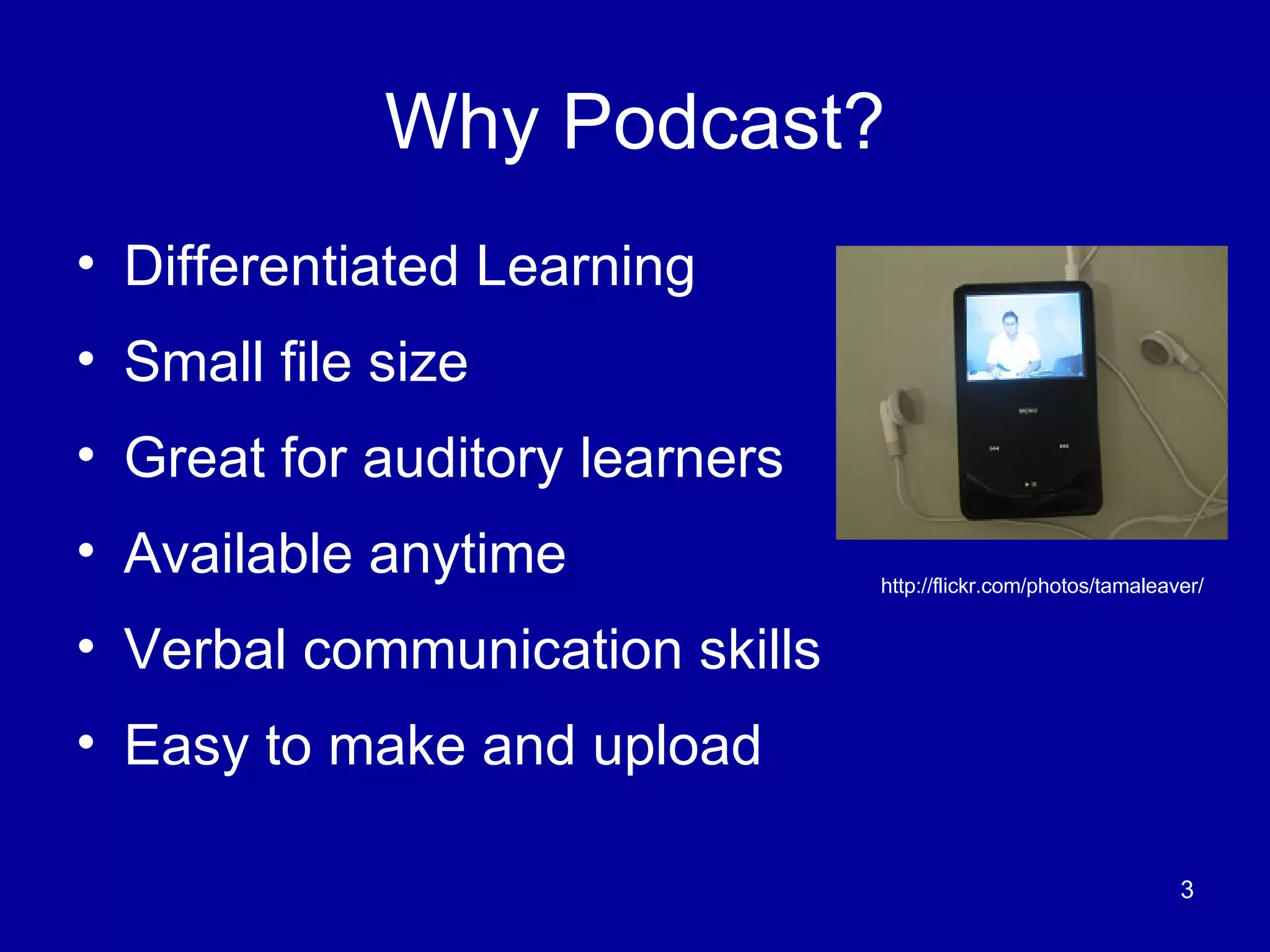
Why Podcast? Differentiated Learning Small file size  Great for auditory learners Available anytime Verbal communication skills Easy to make and upload http://flickr.com/photos/tamaleaver/
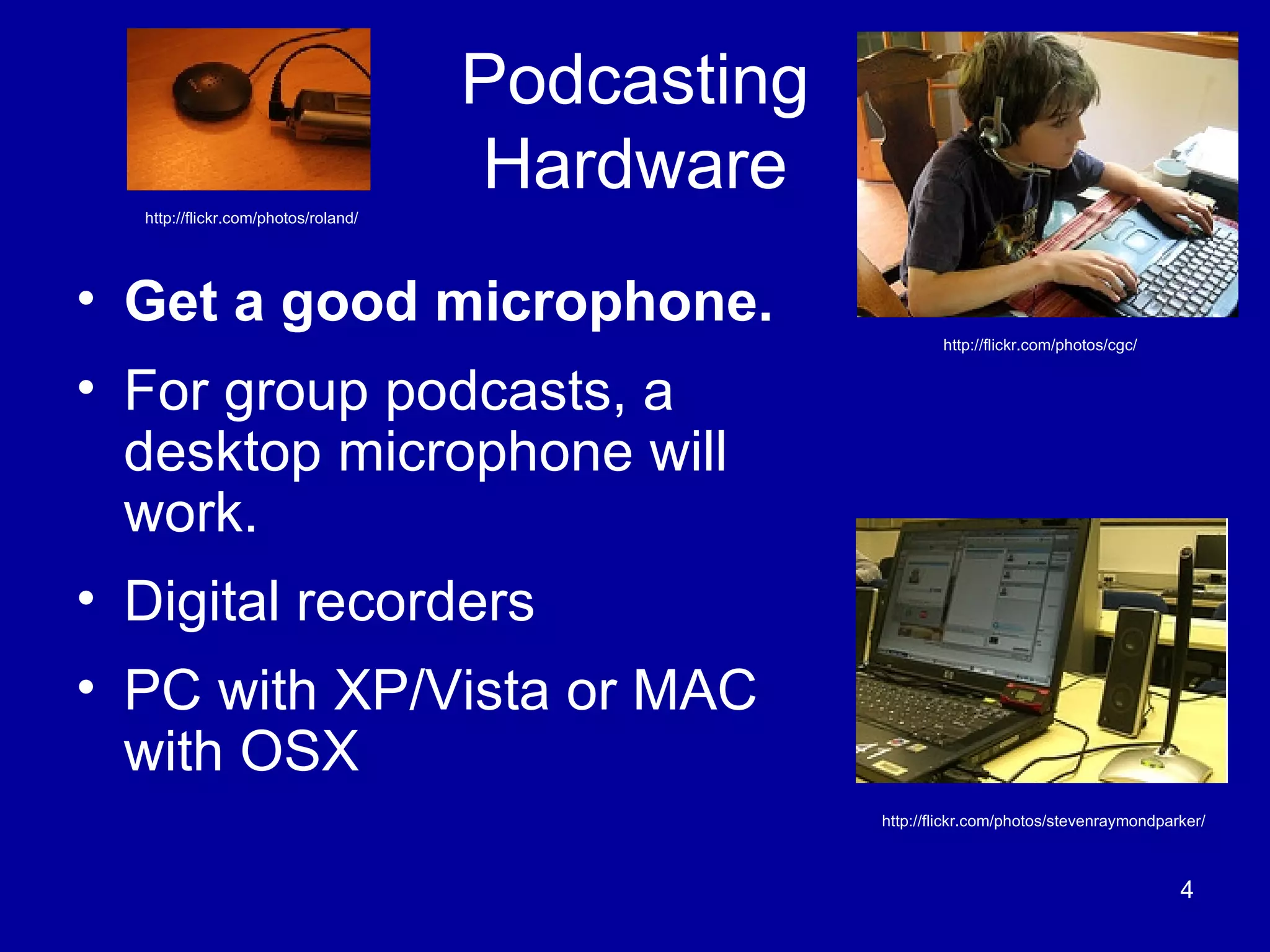
Podcasting Hardware Get a good microphone.   For group podcasts, a desktop microphone will work. Digital recorders PC with XP/Vista or MAC with OSX  http://flickr.com/photos/stevenraymondparker/ http://flickr.com/photos/roland/ http://flickr.com/photos/cgc/
Podcasting Software Audacity  is free software. Download the lame encoder to save .mp3 files PowerPoint  (latest version) or  Photo Story 3  (free download) Export the files as movies iTunes - send feeds- upload files to accessbile servers or websites Built in recorders for  Vista  with  Windows  and  Garageband  with  Apple Other free Web 2.0 applications
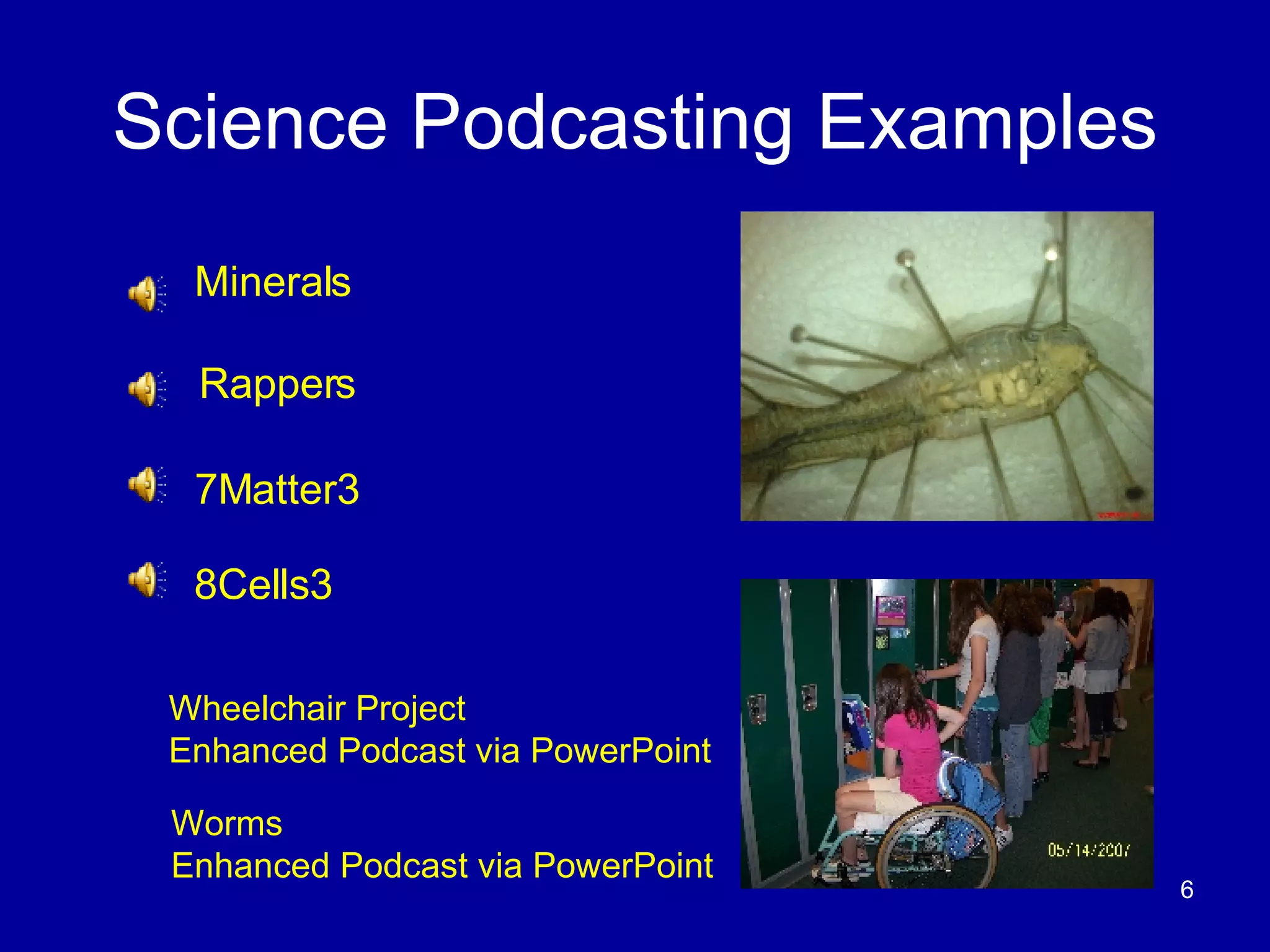
Science Podcasting Examples Minerals Rappers 7Matter3 8Cells3 Worms  Enhanced Podcast via PowerPoint Wheelchair Project  Enhanced Podcast via PowerPoint
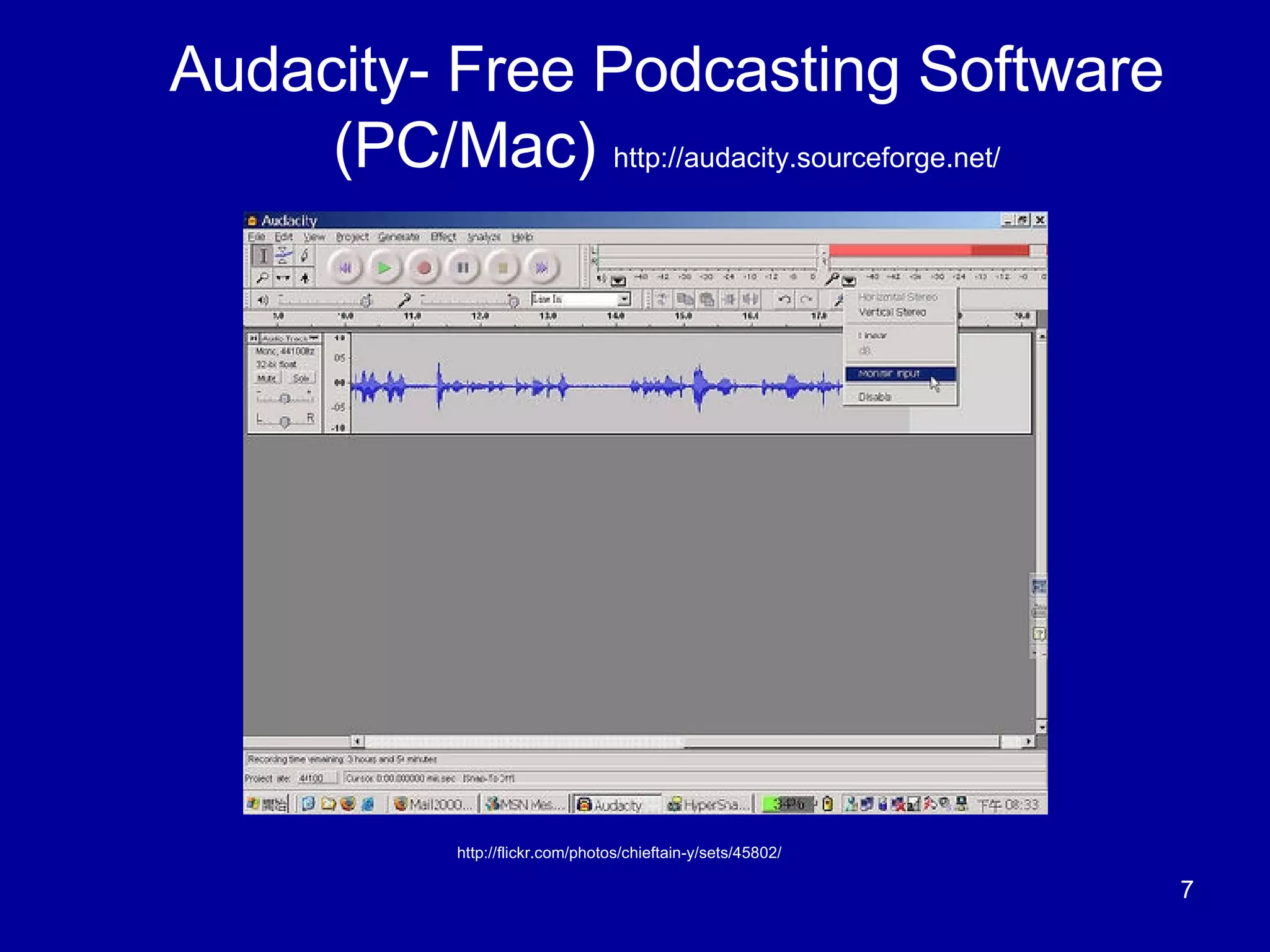
Audacity- Free Podcasting Software (PC/Mac)  http://audacity.sourceforge.net/ http://flickr.com/photos/chieftain-y/sets/45802/
What is a Wiki? A Wiki is a website that enables users to easily add, remove, edit and change available content, including multimedia applications.  Source:  http://en.wikipedia.org/wiki/Wiki “ A little more than a web page with an edit button on it.” Adam Frey-  Wikispaces Co-founder   Source: www.edutopia.org “ A Wiki has turned out be much more than I imagined.”  Ward Cunningham- First Wiki Release   www.wiki.org   Fordham Source: http://flickr.com/photos/noticias-tic
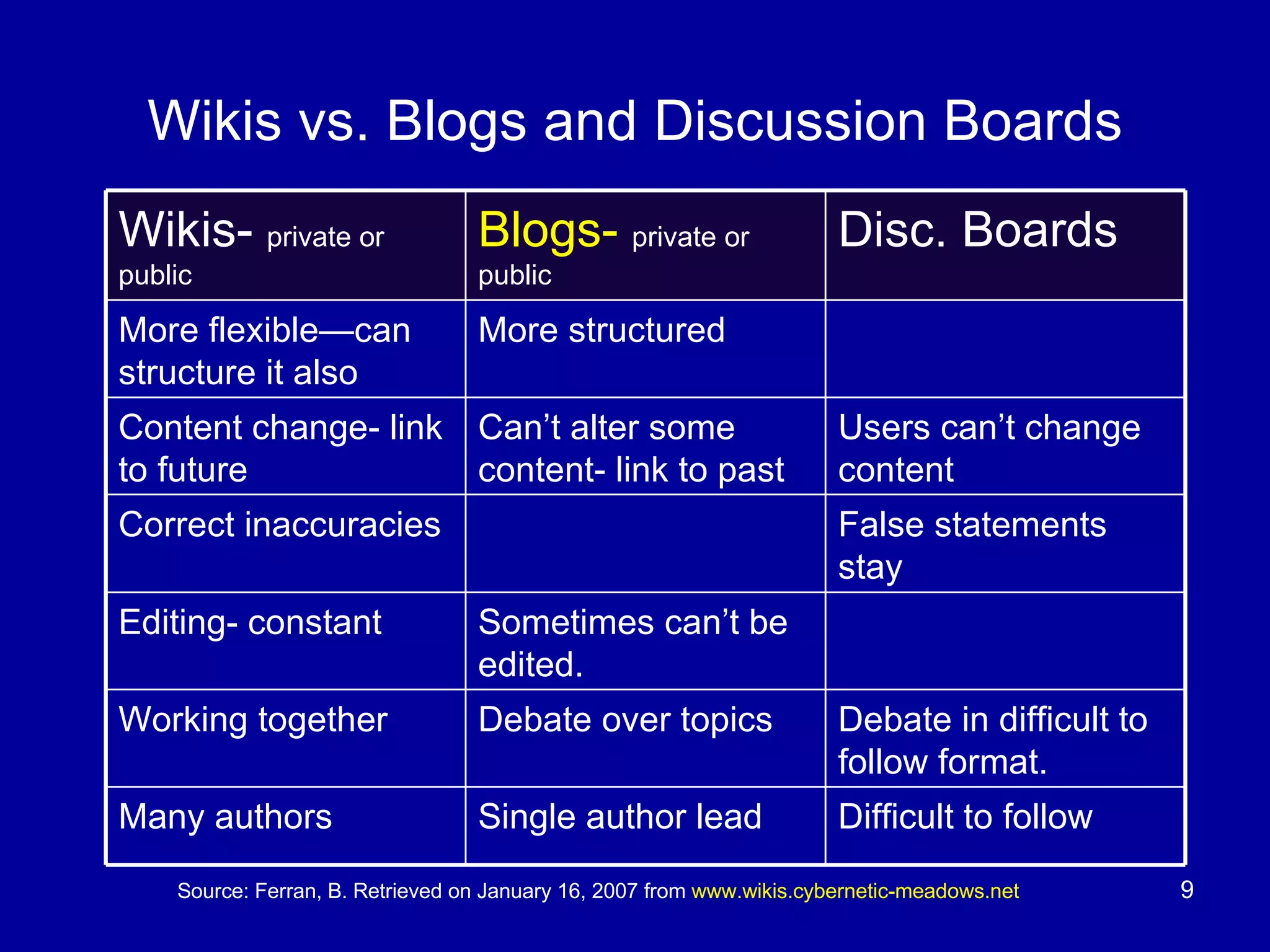
Wikis vs. Blogs and Discussion Boards Source: Ferran, B. Retrieved on January 16, 2007 from  www.wikis.cybernetic-meadows.net Difficult to follow Single author lead Many authors Debate in difficult to follow format. Debate over topics Working together  Sometimes can’t be edited. Editing- constant False statements stay Correct inaccuracies Users can’t change content Can’t alter some content- link to past Content change- link to future More structured More flexible—can structure it also Disc. Boards Blogs-   private or public Wikis-  private or public
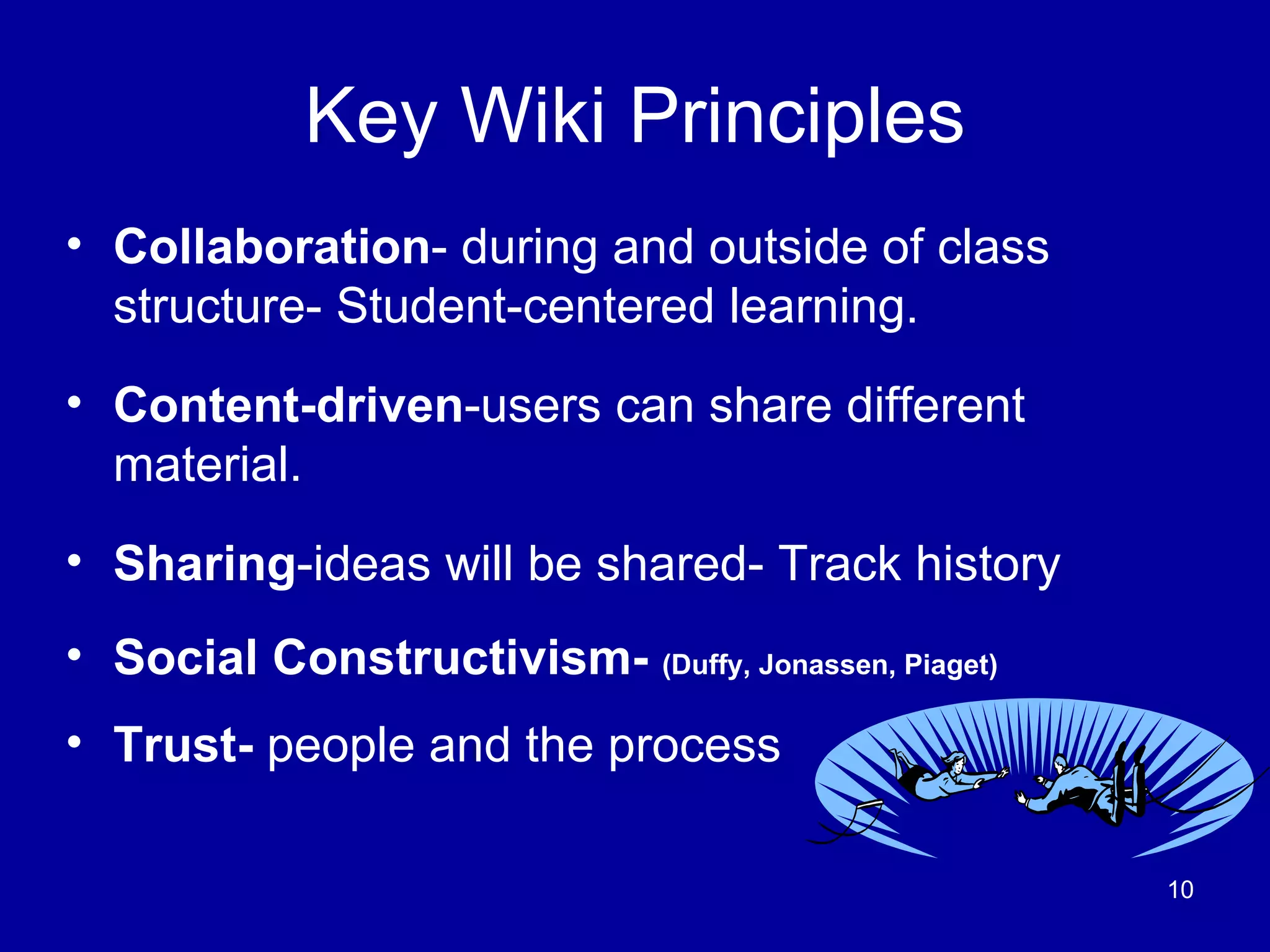
Key Wiki Principles Collaboration - during and outside of class structure- Student-centered learning. Content-driven -users can share different material. Sharing -ideas will be shared- Track history Social Constructivism-  (Duffy, Jonassen, Piaget) Trust-  people and the process
Is it safe/easy to use for students? Private use Editor- WYSIWYG recommended Not Myspace Parents can be invited Emails not required School rules apply Track user comments Source: http://flickr.com/photos/sija/
Is it safe from vandals? History– People can check on it Revert back to an earlier form  Protected by an active community  (Barton, M., 2004) Image Source: http://farm1.static.flickr.com/67/180078244_301e04368e_m.jpg
Educational Applications Collaborative Shared student projects- local and global Group/individual research project with comments Organizing documents resources Collect web resources Study bank for tests http://flickr.com/photos/stevenraymondparker/
Educational Applications Content Driven Science- Compare Planets within the  Solar System Math- Share Group Project on Data Collection Multimedia- videos, Podcasts, live chat, Blogs, RSS feeds, PowerPoint, slideshows,  etc.  No room for fancy fonts, highlights, etc. Fancy colors are cool .
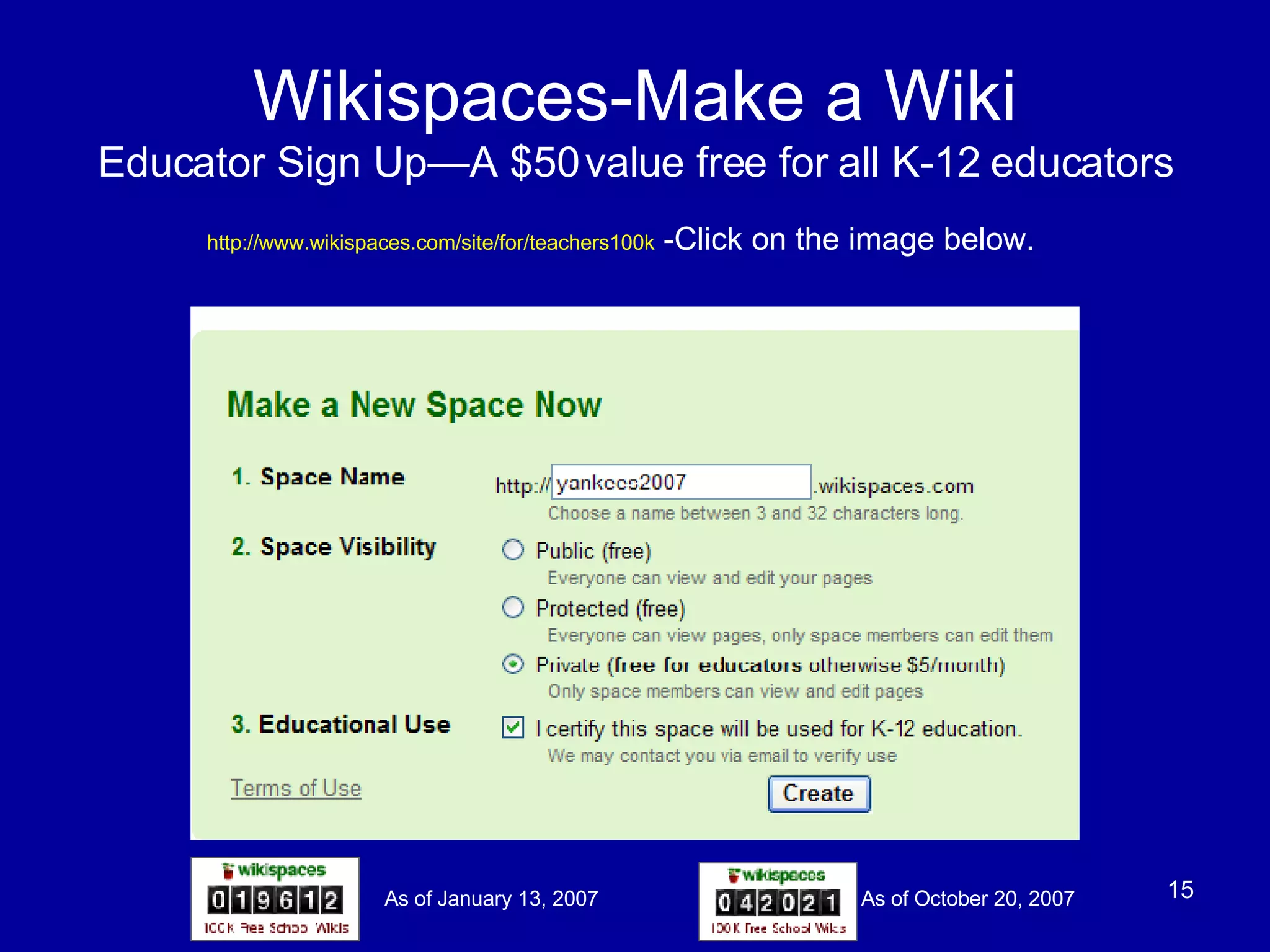
Wikispaces-Make a Wiki Educator Sign Up—A $50 value free for all K-12 educators http://www.wikispaces.com/site/for/teachers100k  -Click on the image below. As of January 13, 2007 As of October 20, 2007
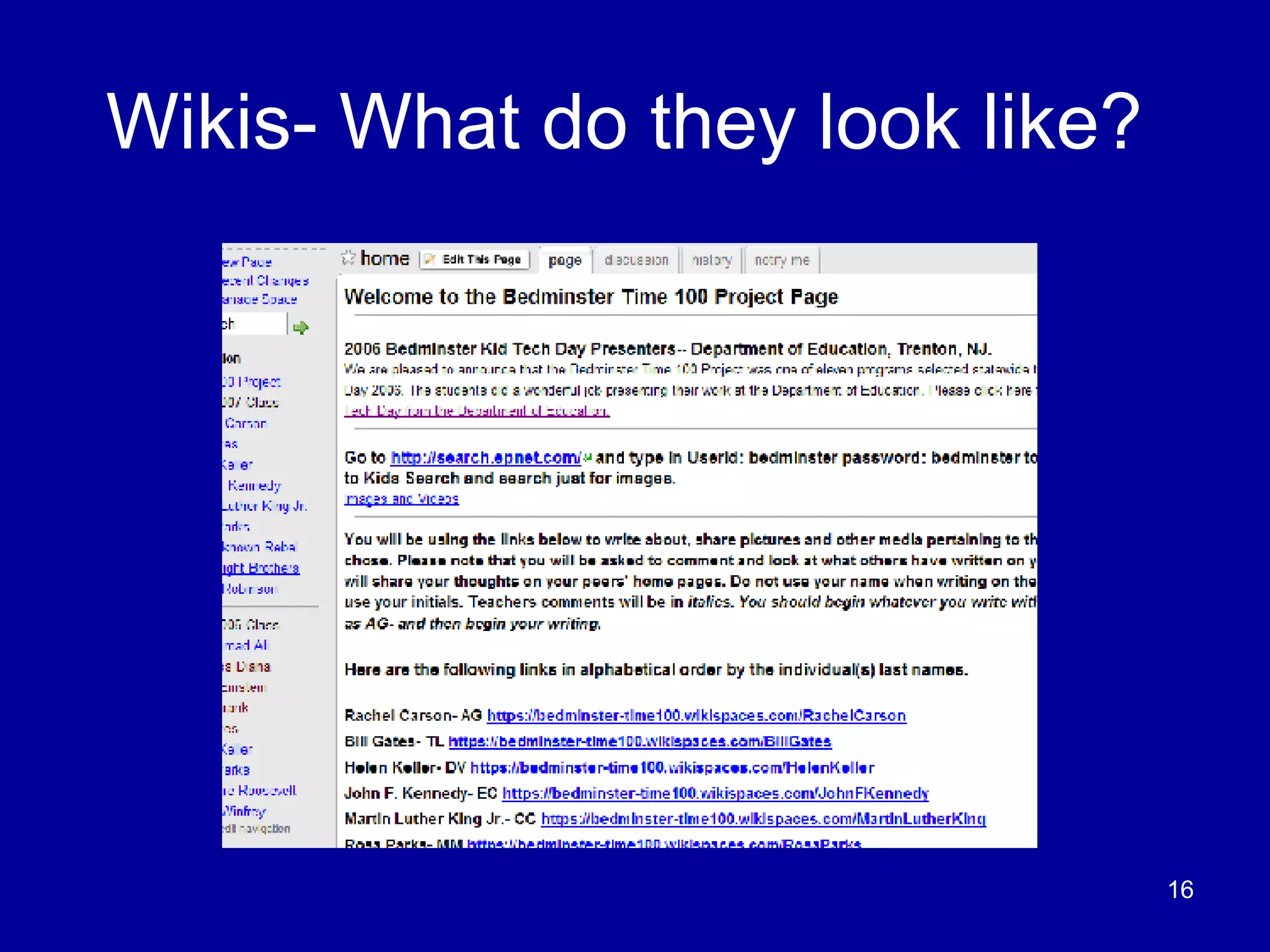
Wikis- What do they look like?
Wikispaces- Inviting others Go to manage space and click invite people. Alternatively, you can email the names and passwords to  [email_address]  and they will sign up your students.  No emails are needed.  Invite
Embedding Podcasts in Wikis Skype  with plug-in voice recorder.  Inexpensive and Easy –call from your phone.  Simplicity - Young children can make podcasts.  http://flickr.com/photos/ymimexico/ http://flickr.com/photos/85853969@N00/
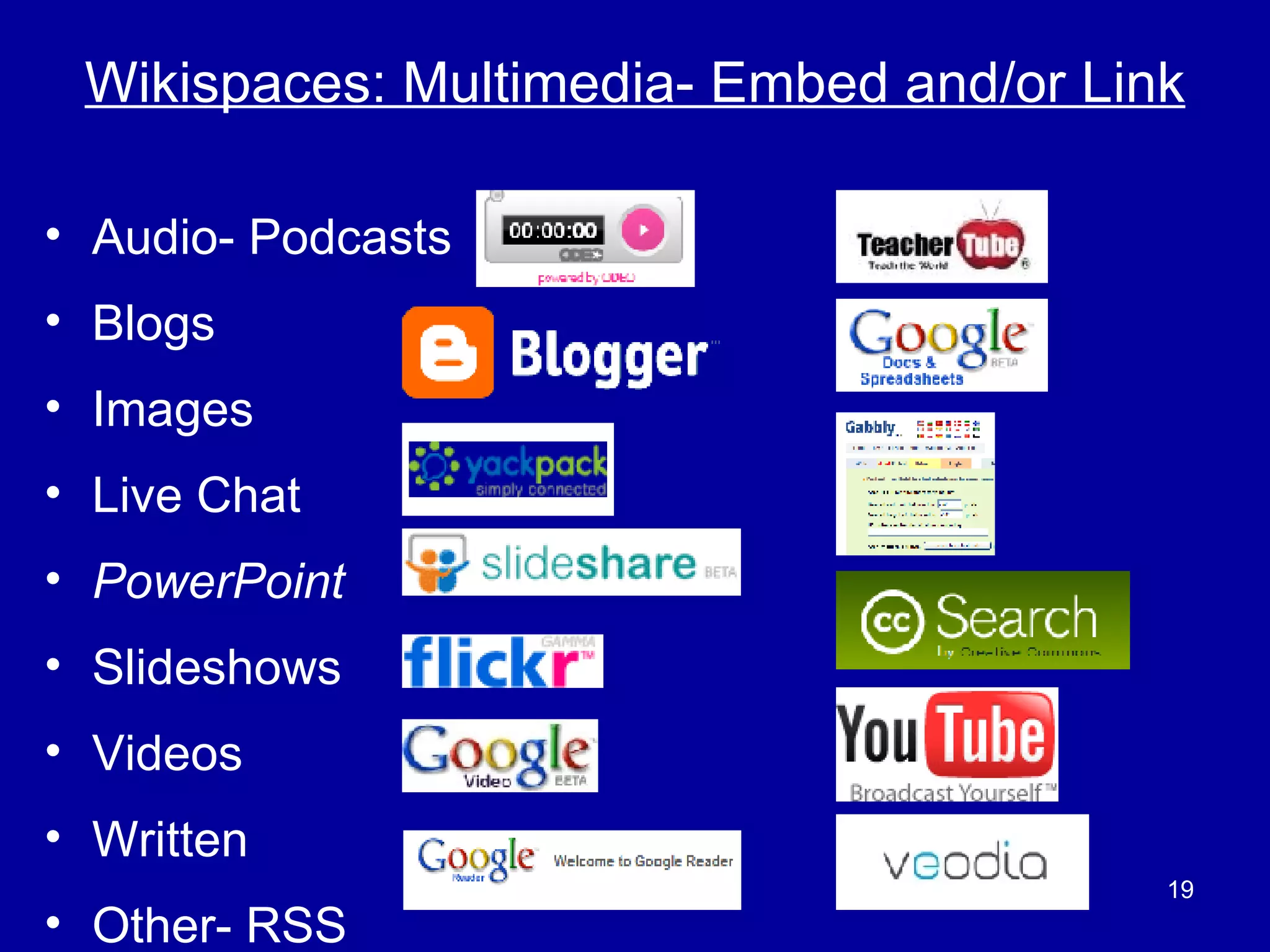
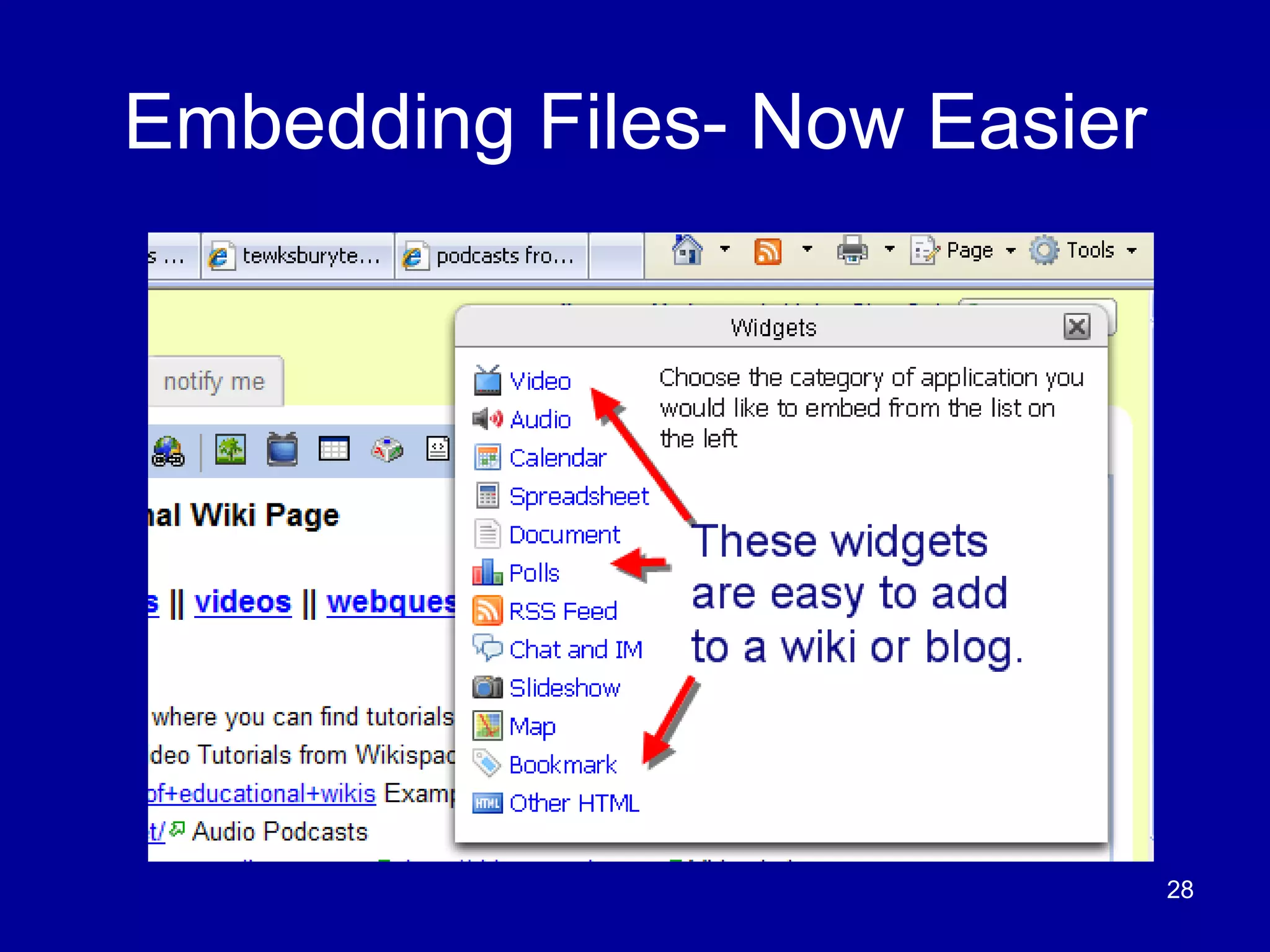
Wikispaces: Multimedia- Embed and/or Link Audio- Podcasts Blogs Images Live Chat PowerPoint Slideshows Videos  Written  Other- RSS
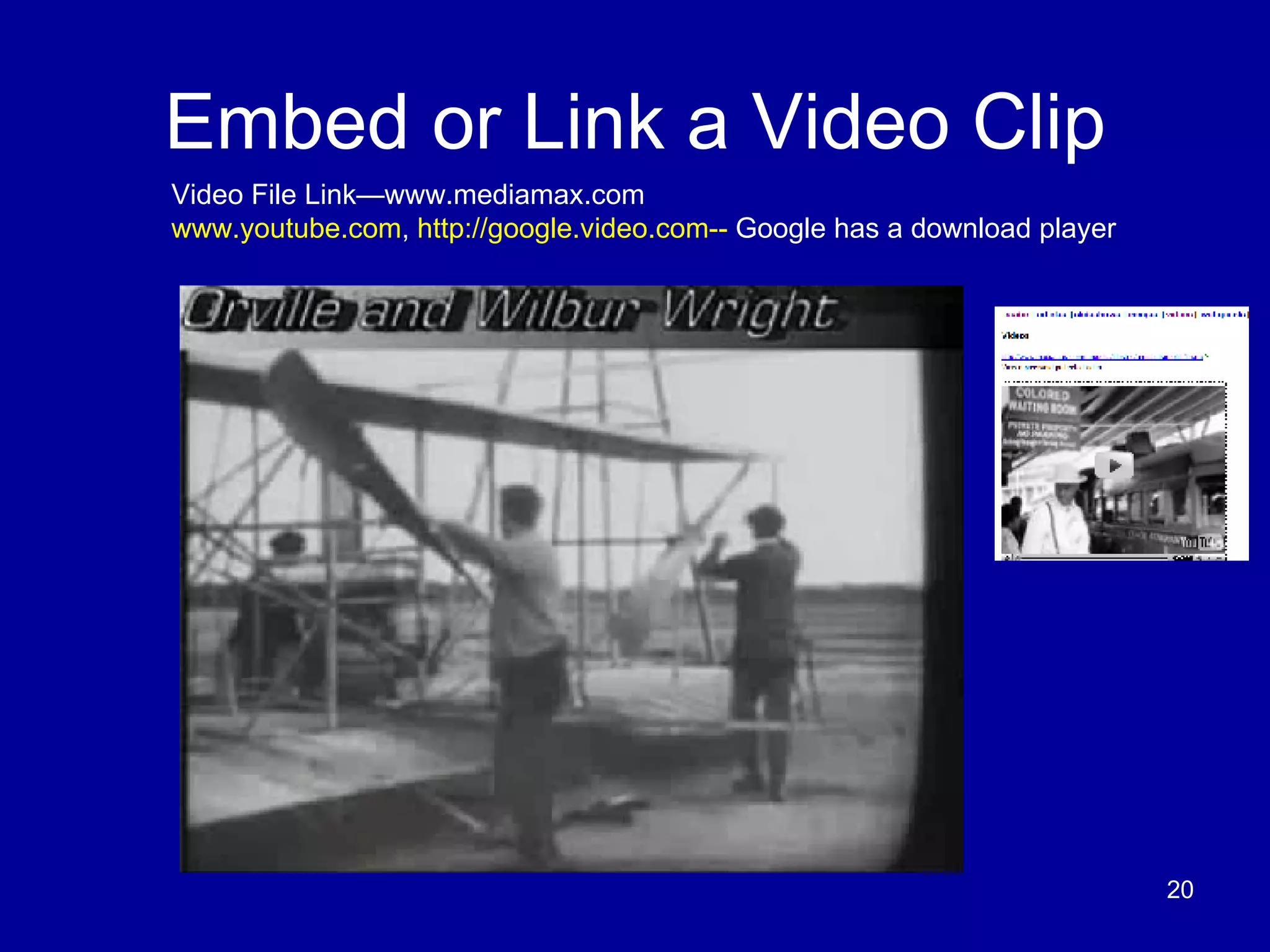
Embed or Link a Video Clip Video File Link—www.mediamax.com www.youtube.com ,  http://google.video.com--  Google has a download player
Wikis- Created by Educators Board of Education Led wiki for Technology Plan  http://tewksburytechforum.wikispaces.com Educational Wikis Source  http://educationalwikis.wikispaces.com/ Link to teacher sites   http://educationalwikis.wikispaces.com/Examples+of+educational+wikis Time 100 Project   https://bedminster-time100.wikispaces.com/ Fahrenheit 451 Projects   https://451projects.wikispaces.com/ Tech-8 th  Grade Flat Classroom Project  http://flatclassroomproject.wikispaces.com/
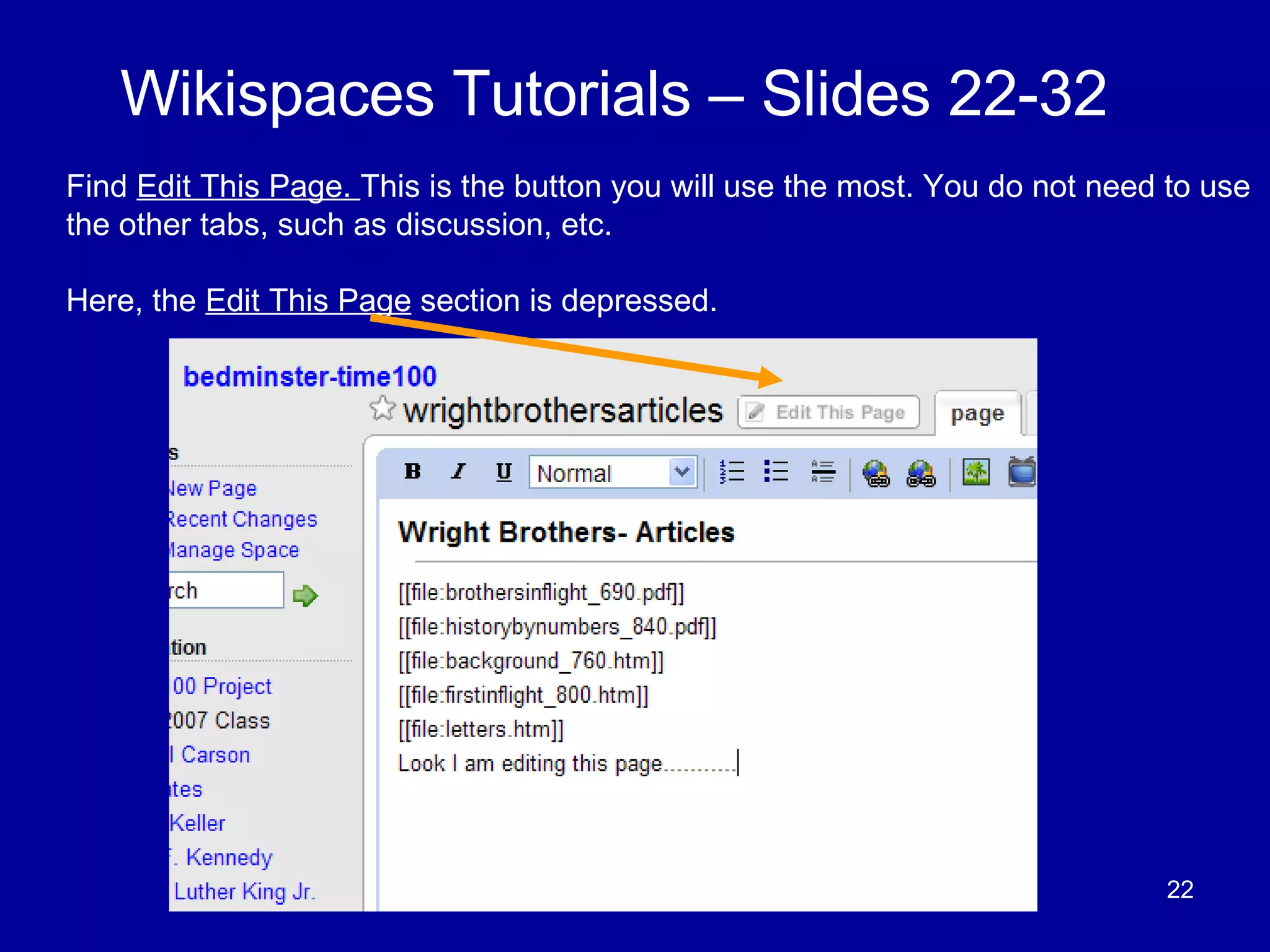
Wikispaces Tutorials – Slides 22-32 Find  Edit This Page.  This is the button you will use the most. You do not need to use the other tabs, such as discussion, etc.  Here, the  Edit This Page  section is depressed.
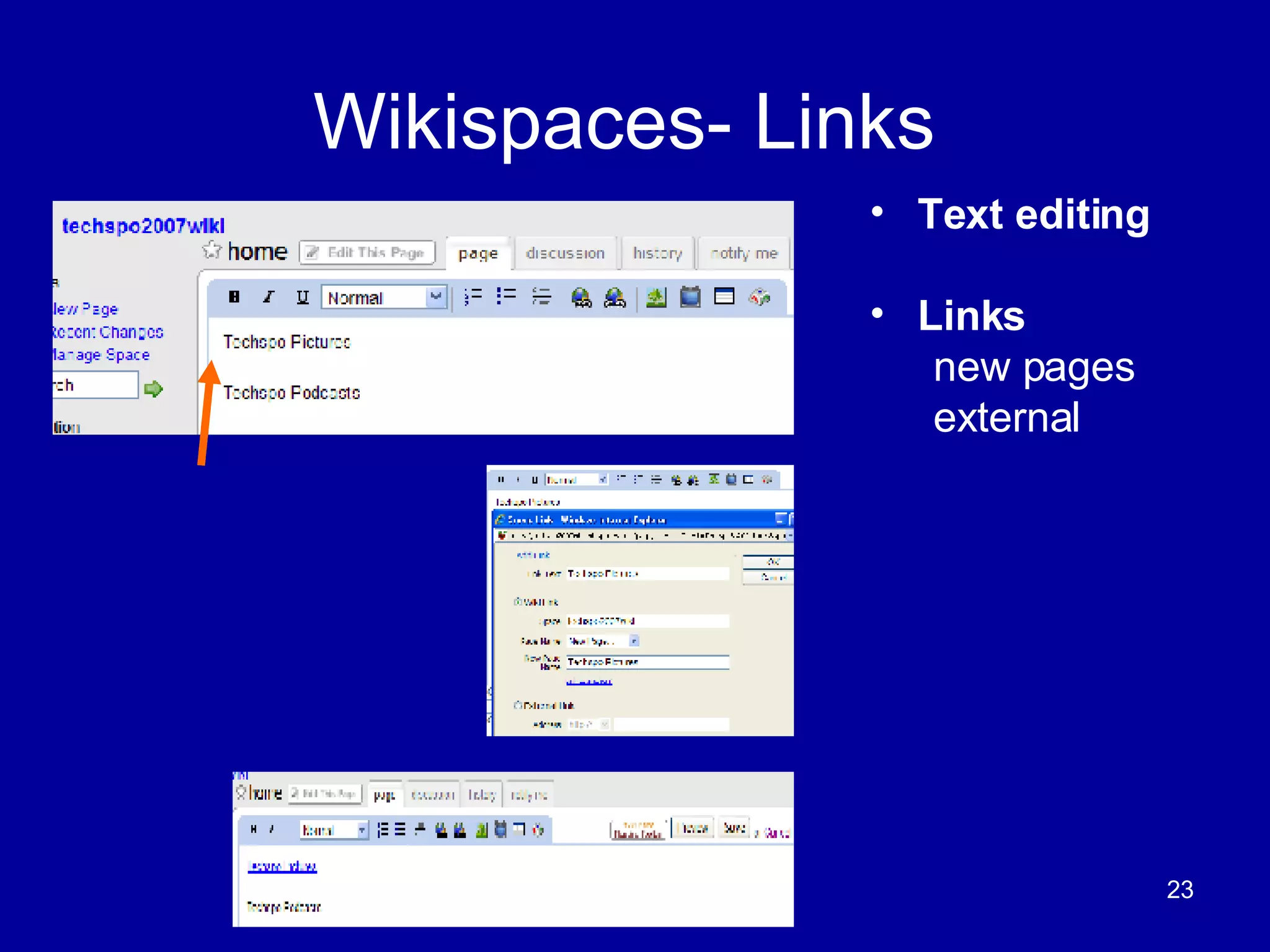
Wikispaces- Links  Text editing Links new pages external
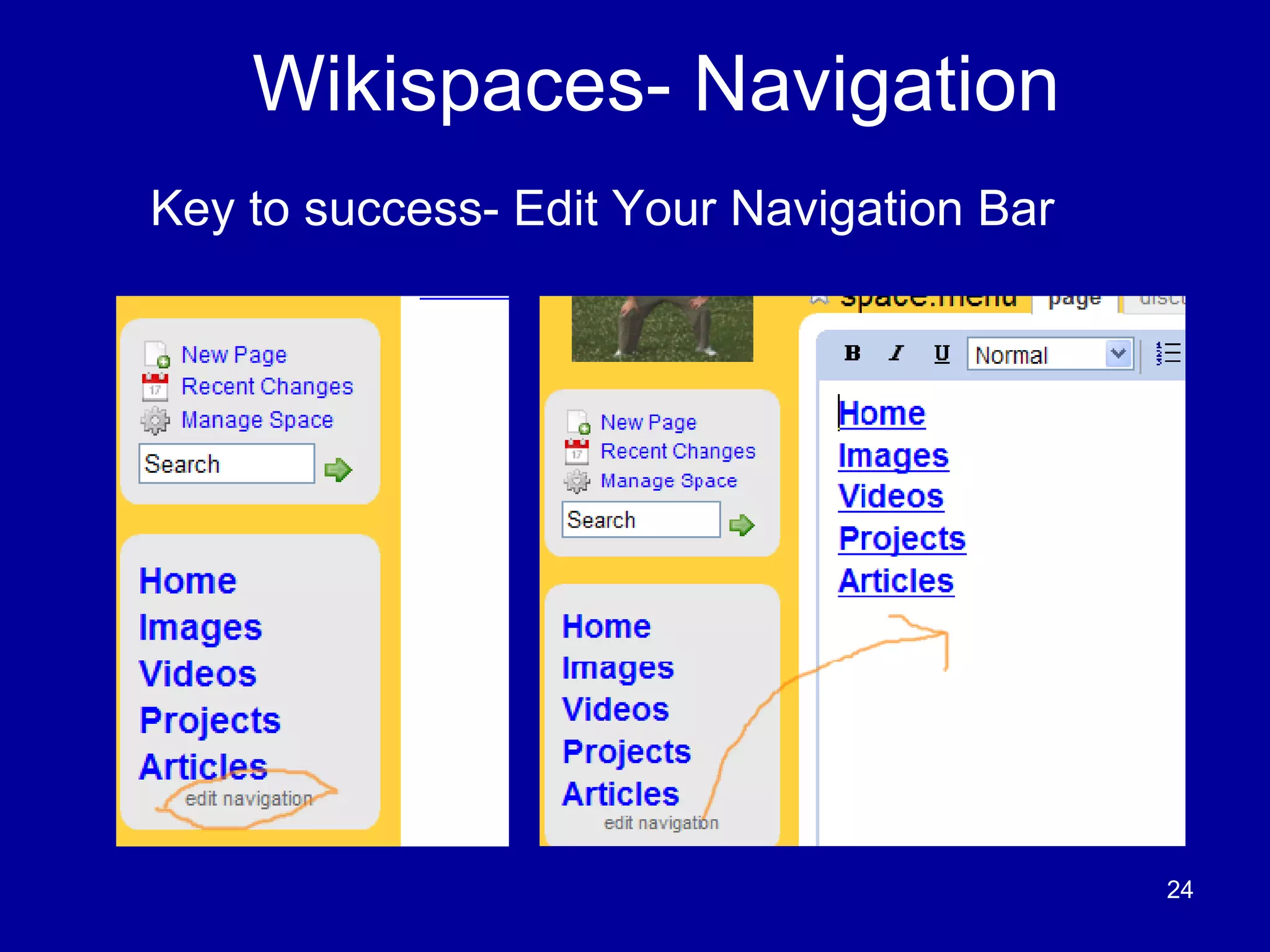
Wikispaces- Navigation Key to success- Edit Your Navigation Bar
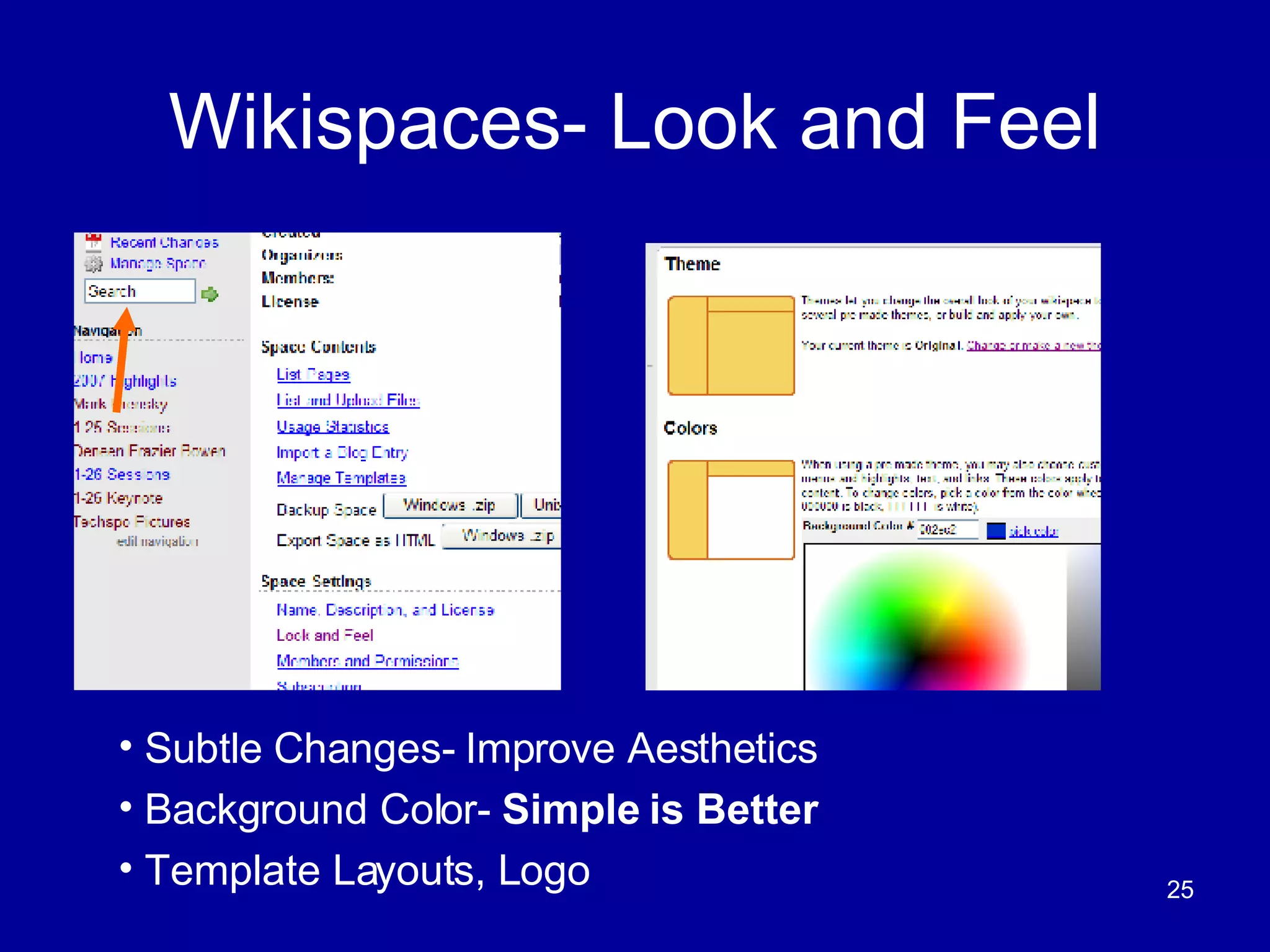
Wikispaces- Look and Feel Subtle Changes- Improve Aesthetics Background Color-  Simple is Better   Template Layouts, Logo
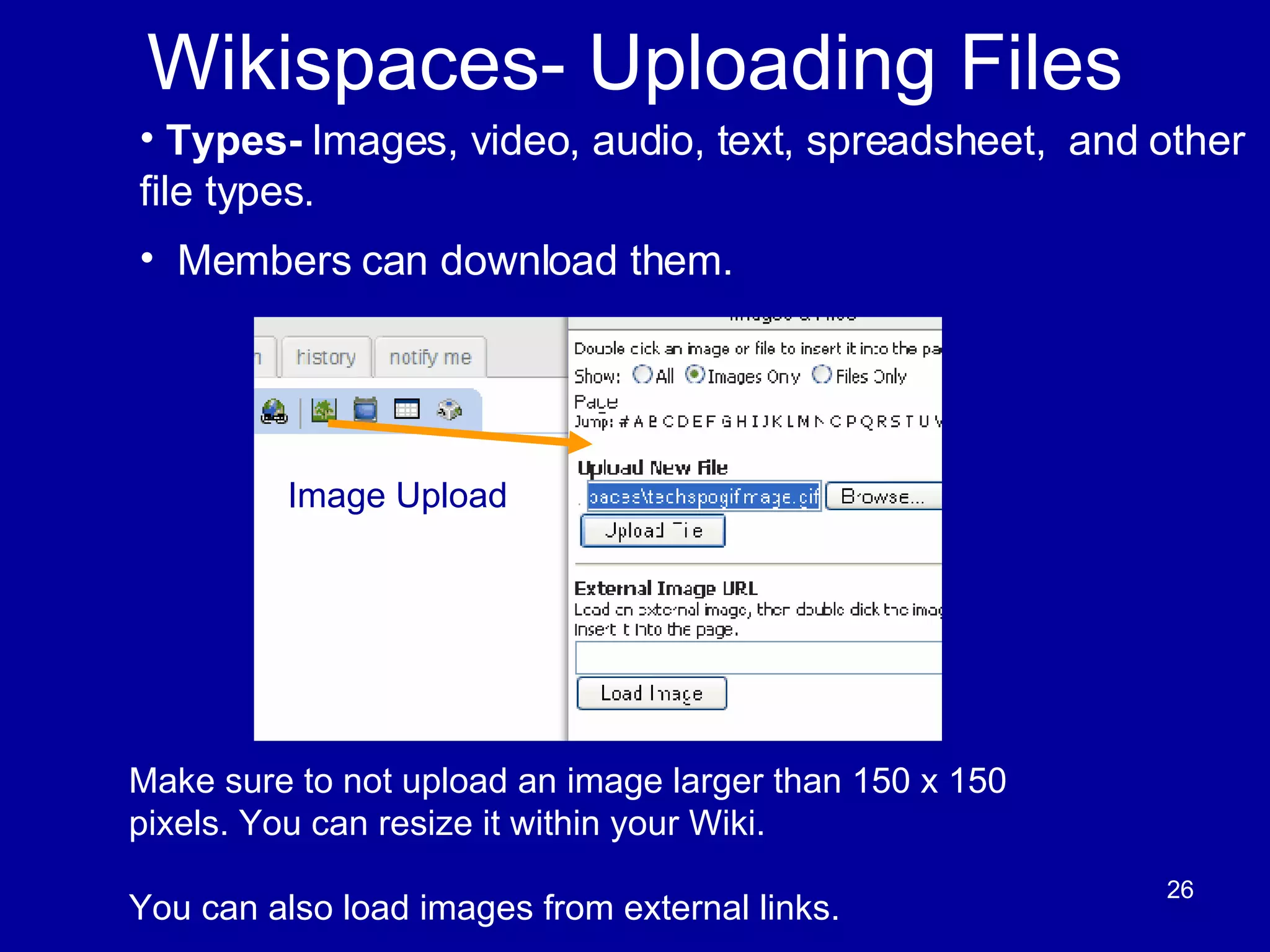
Wikispaces- Uploading Files Make sure to not upload an image larger than 150 x 150 pixels. You can resize it within your Wiki. You can also load images from external links.  Types-  Images, video, audio, text, spreadsheet,  and other file types.  Members can download them.  Image Upload
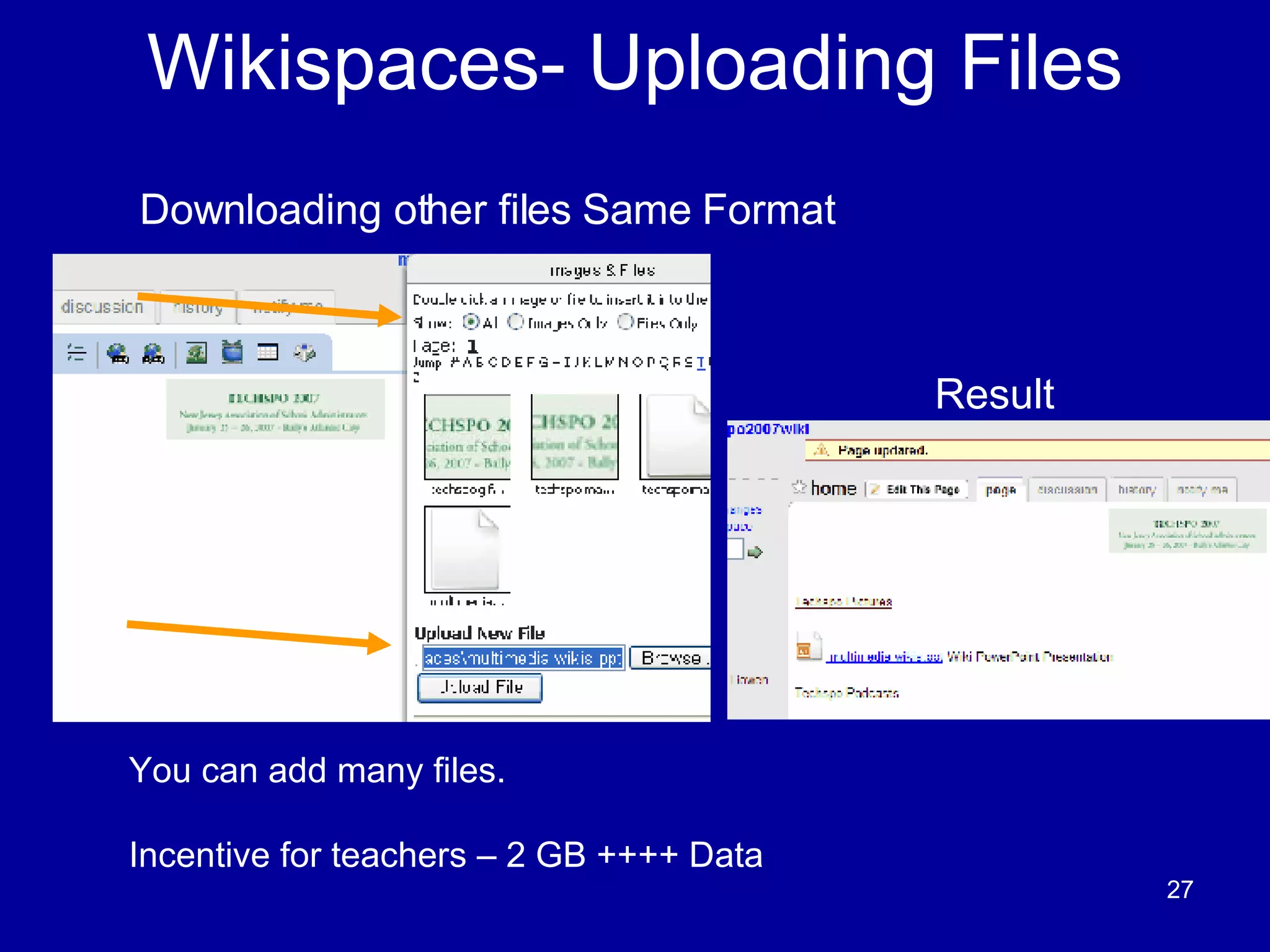
Wikispaces- Uploading Files You can add many files. Incentive for teachers – 2 GB ++++ Data Downloading other files Same Format  Image Upload Result
Embedding Files- Now Easier
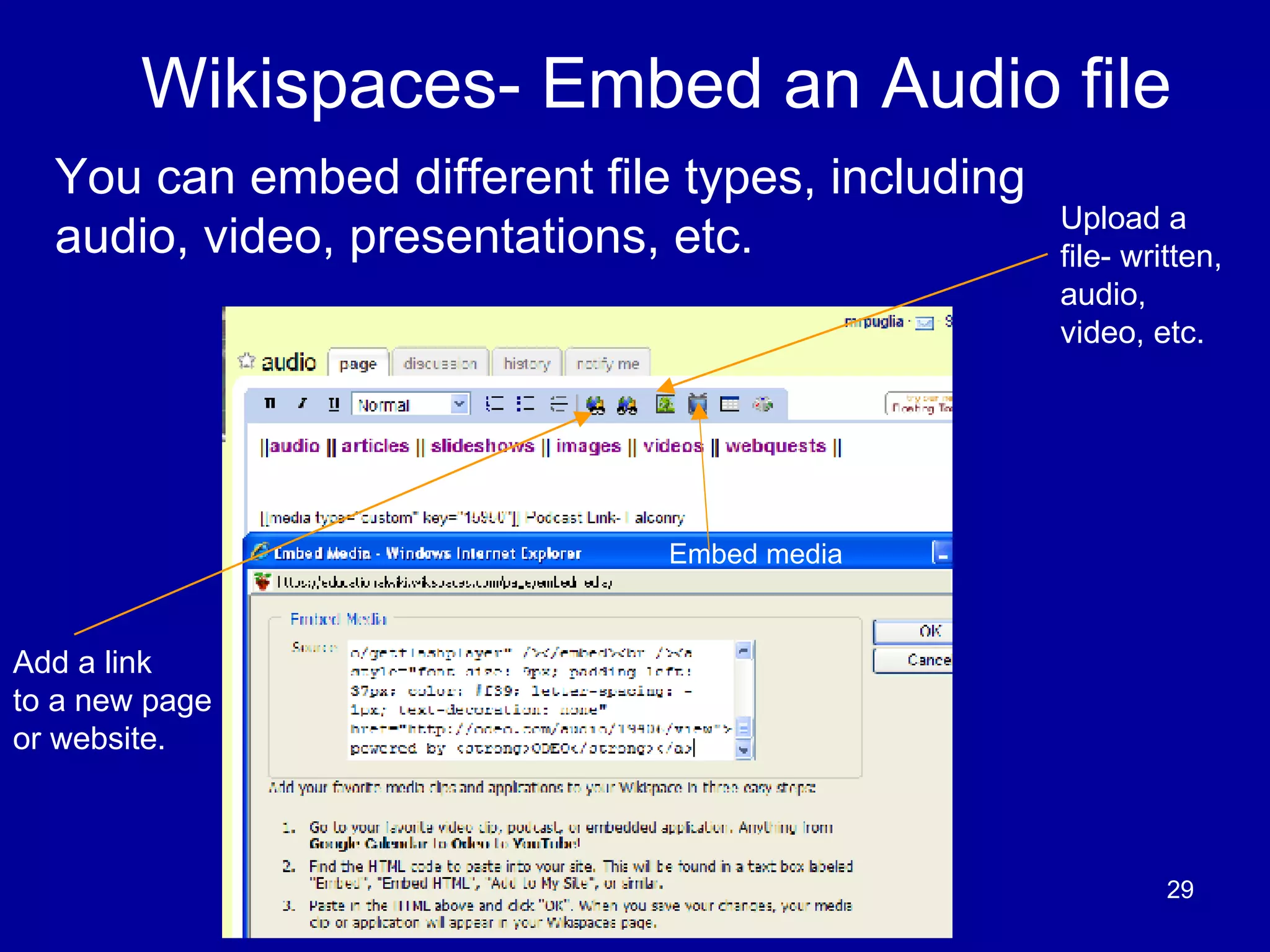
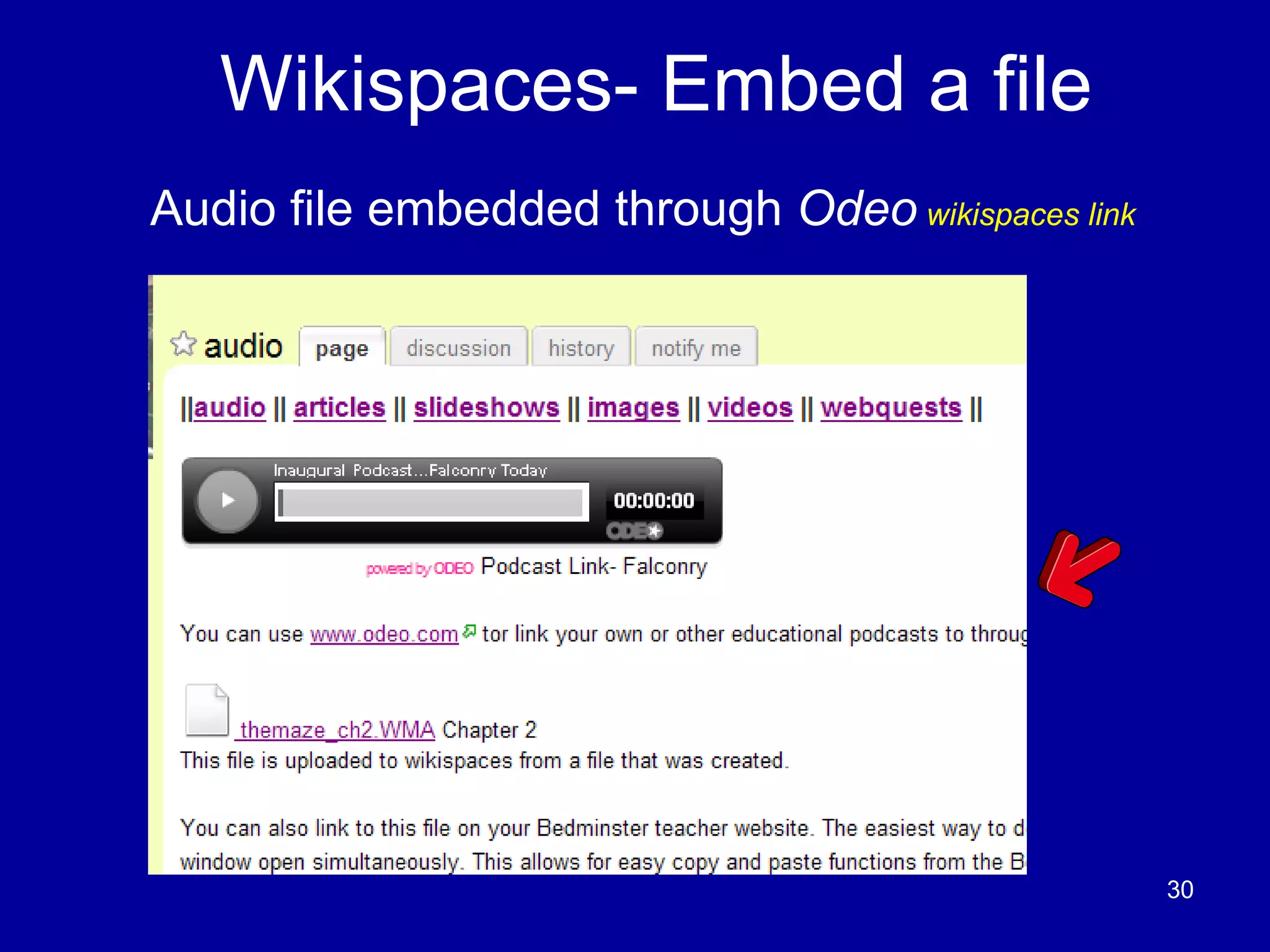
Wikispaces- Embed an Audio file You can embed different file types, including audio, video, presentations, etc. Add a link to a new page or website. Embed media Upload a file- written, audio, video, etc.
Wikispaces- Embed a file Audio file embedded through  Odeo   wikispaces link
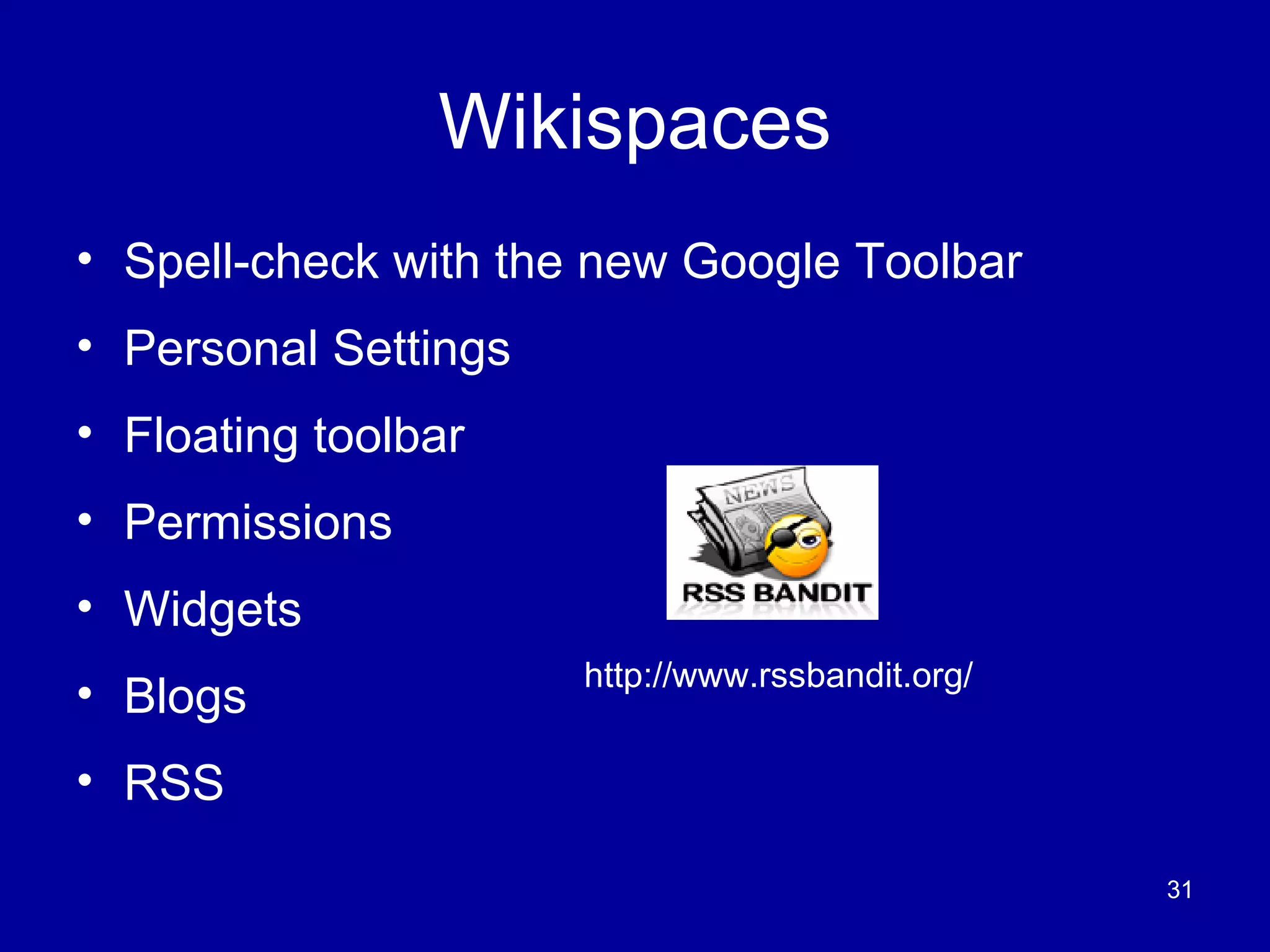
Wikispaces Spell-check with the new Google Toolbar Personal Settings Floating toolbar Permissions  Widgets Blogs  RSS  http://www.rssbandit.org/
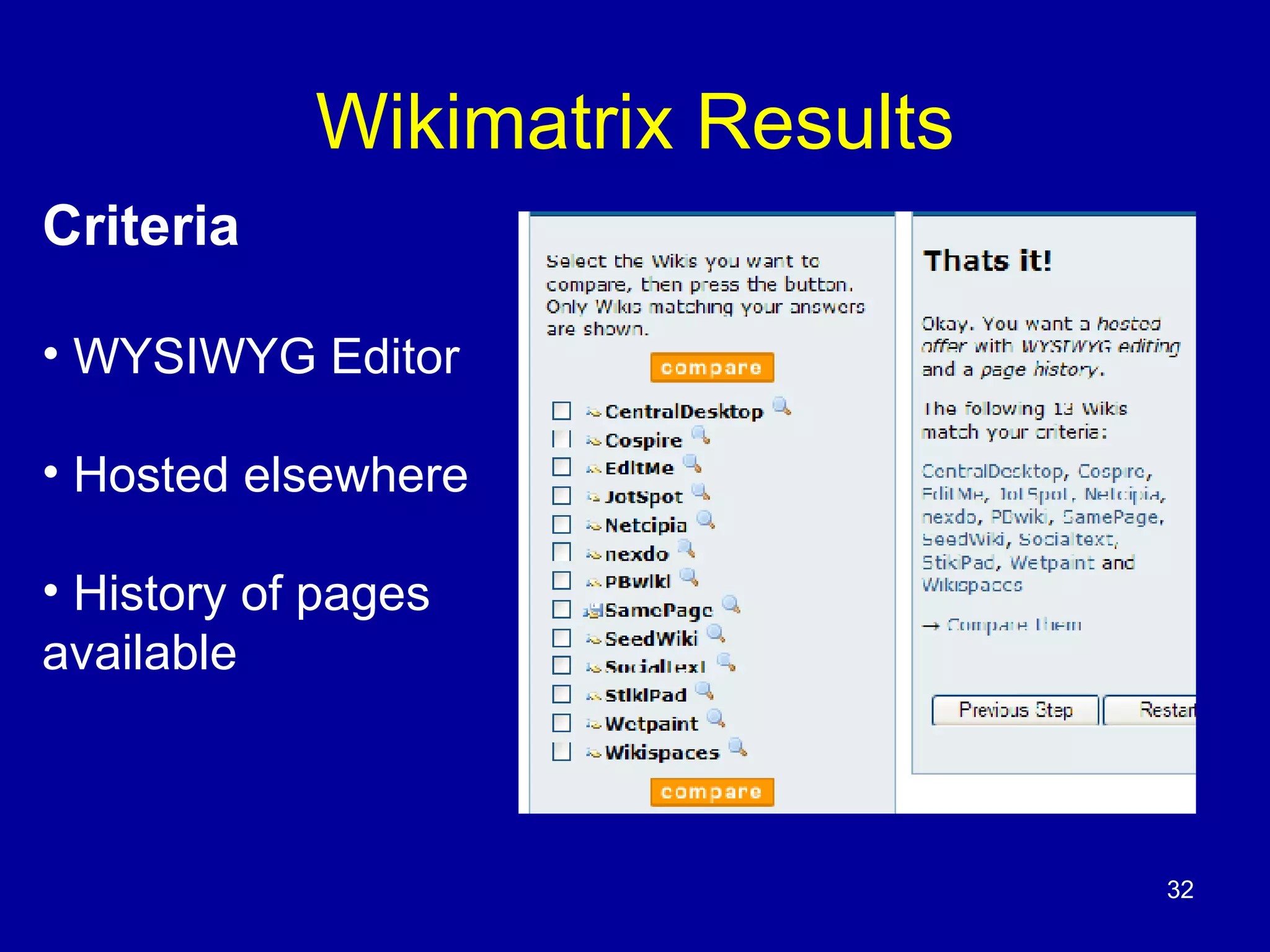
Wikimatrix Results Criteria WYSIWYG Editor Hosted elsewhere History of pages  available
Wikis- with embedded digital story
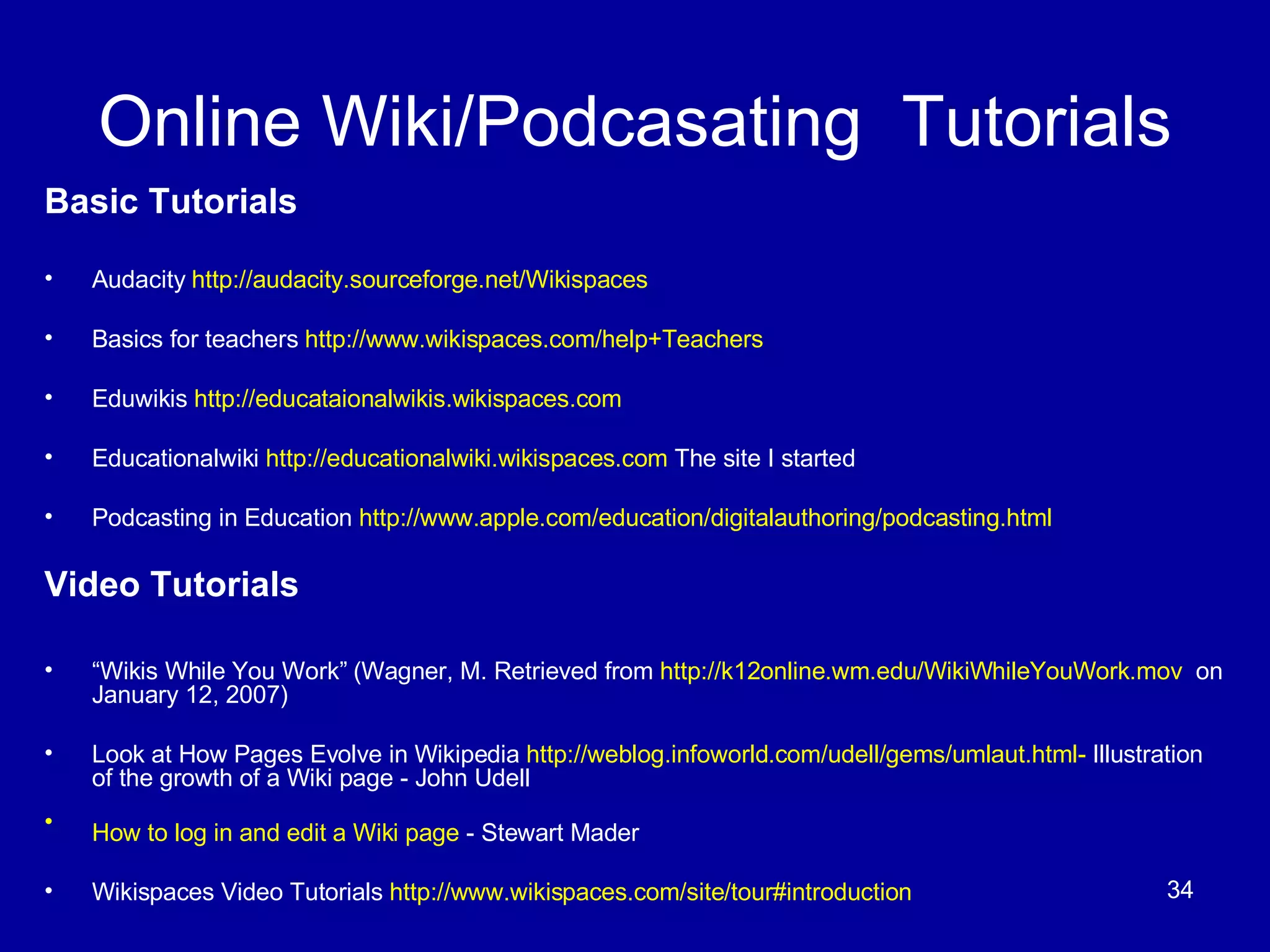
Online Wiki/Podcasating  Tutorials Basic Tutorials Audacity  http://audacity.sourceforge.net/Wikispaces   Basics for teachers  http://www.wikispaces.com/help+Teachers Eduwikis  http://educataionalwikis.wikispaces.com Educationalwiki  http://educationalwiki.wikispaces.com  The site I started Podcasting in Education  http://www.apple.com/education/digitalauthoring/podcasting.html   Video Tutorials “ Wikis While You Work” (Wagner, M. Retrieved from  http://k12online.wm.edu/WikiWhileYouWork.mov   on January 12, 2007) Look at How Pages Evolve in Wikipedia  http://weblog.infoworld.com/udell/gems/umlaut.html-  Illustration of the growth of a Wiki page - John Udell  How to log in and edit a Wiki page  - Stewart Mader   Wikispaces Video Tutorials  http://www.wikispaces.com/site/tour#introduction
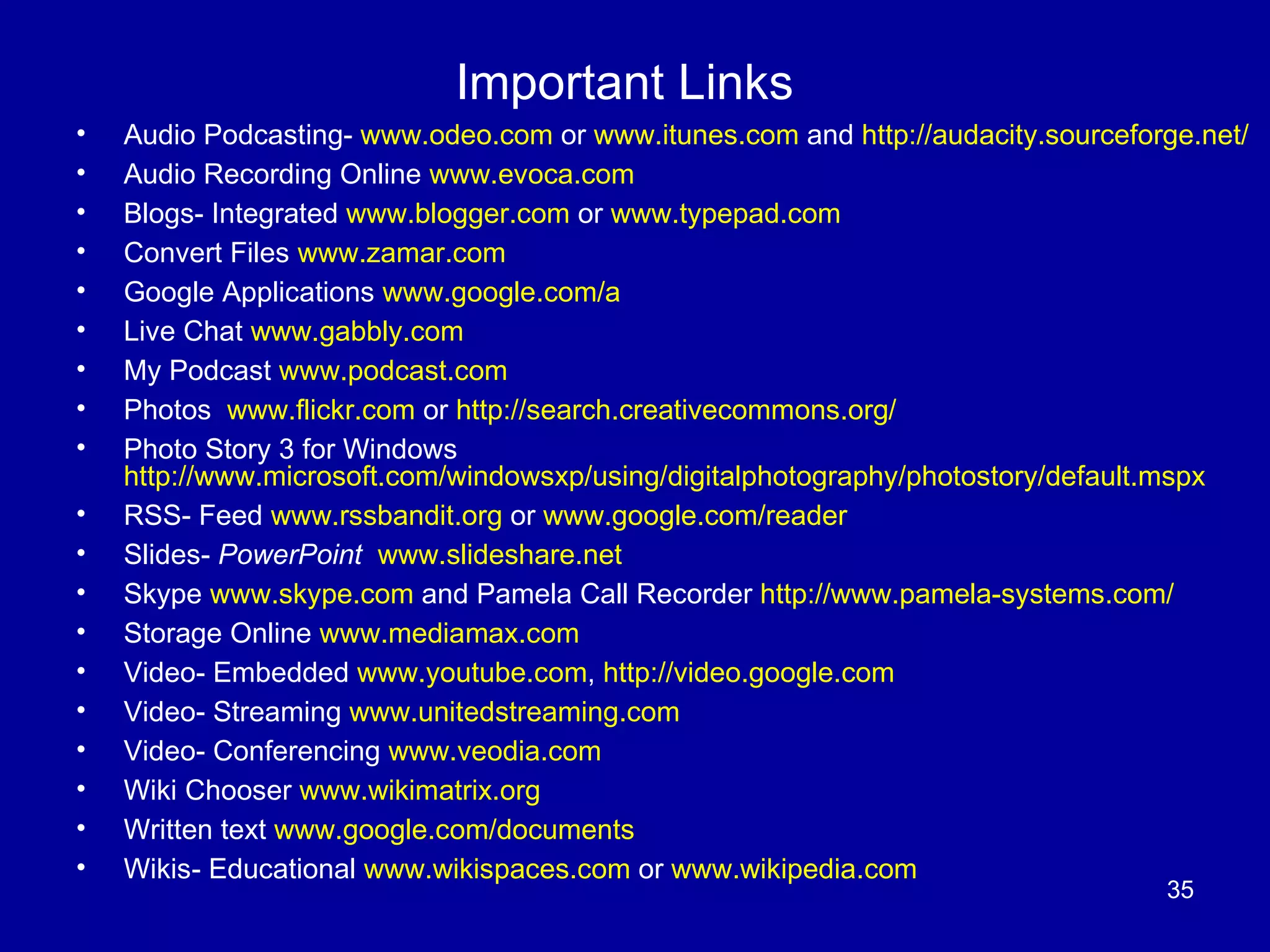
Important Links Audio Podcasting-  www.odeo.com  or  www.itunes.com  and  http://audacity.sourceforge.net/ Audio Recording Online  www.evoca.com Blogs- Integrated  www.blogger.com  or  www.typepad.com Convert Files  www.zamar.com Google Applications  www.google.com/a   Live Chat  www.gabbly.com My Podcast  www.podcast.com Photos  www.flickr.com  or  http://search.creativecommons.org/   Photo Story 3 for Windows  http://www.microsoft.com/windowsxp/using/digitalphotography/photostory/default.mspx   RSS- Feed  www.rssbandit.org  or  www.google.com/reader   Slides-  PowerPoint   www.slideshare.net Skype  www.skype.com  and Pamela Call Recorder  http://www.pamela-systems.com/   Storage Online  www.mediamax.com Video- Embedded  www.youtube.com ,  http://video.google.com Video- Streaming  www.unitedstreaming.com Video- Conferencing  www.veodia.com   Wiki Chooser  www.wikimatrix.org Written text  www.google.com/documents   Wikis- Educational  www.wikispaces.com  or  www.wikipedia.com
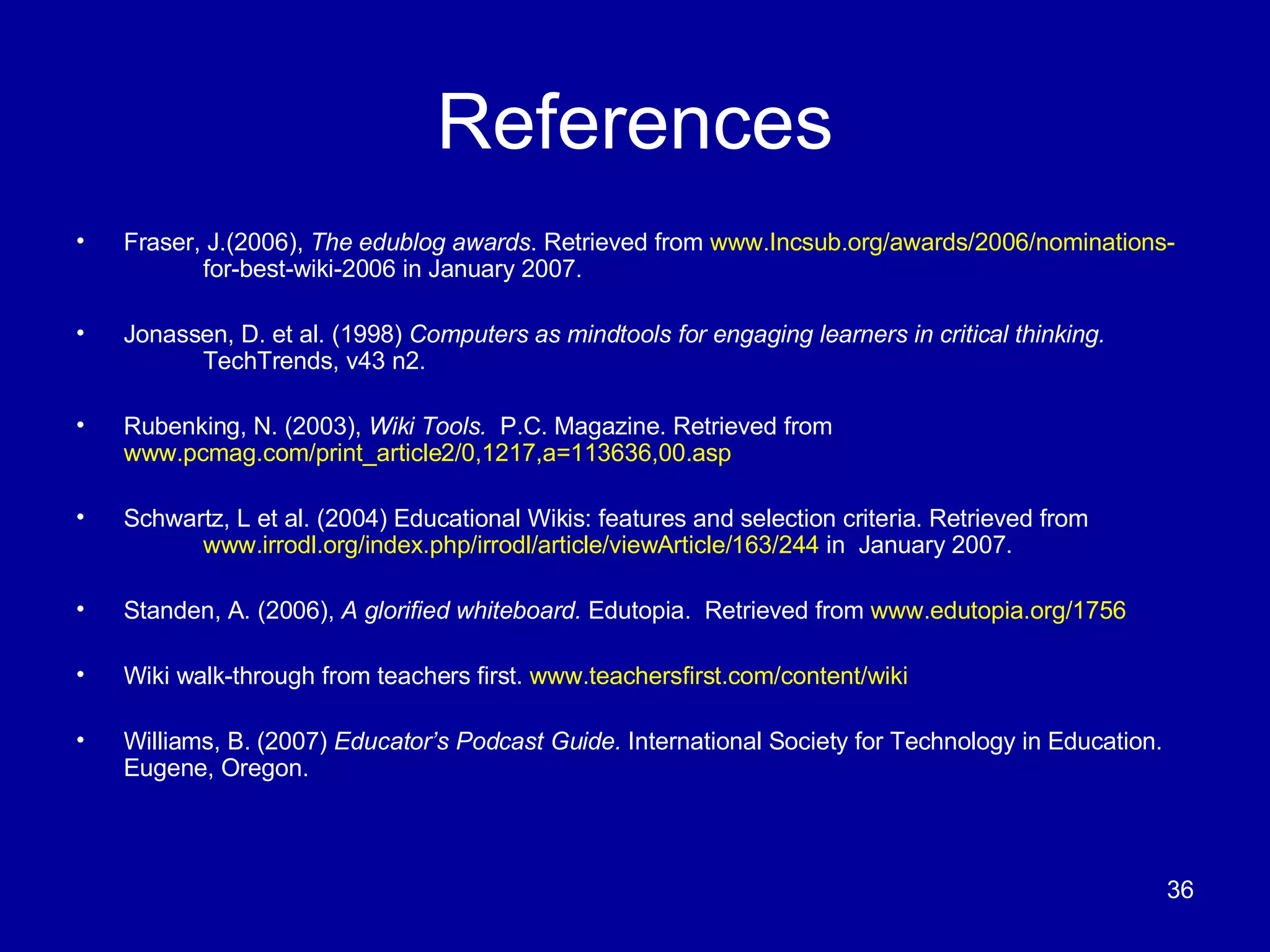
References Fraser, J.(2006),  The edublog awards . Retrieved from  www.Incsub.org/awards/2006/nominations- for-best-wiki-2006 in January 2007. Jonassen, D. et al. (1998)  Computers as mindtools for engaging learners in critical thinking.  TechTrends, v43 n2. Rubenking, N. (2003),  Wiki Tools.  P.C. Magazine. Retrieved from  www.pcmag.com/print_article2/0,1217,a=113636,00.asp Schwartz, L et al. (2004) Educational Wikis: features and selection criteria. Retrieved from  www.irrodl.org/index.php/irrodl/article/viewArticle/163/244  in  January 2007. Standen, A. (2006),  A glorified whiteboard.  Edutopia.  Retrieved from  www.edutopia.org/1756 Wiki walk-through from teachers first.  www.teachersfirst.com/content/wiki Williams, B. (2007)  Educator’s Podcast Guide.  International Society for Technology in Education. Eugene, Oregon.

NJSBA Podcasts, Wikis and Other Interactive Multimedia

  • 1.
    Instruction through Podcasts,Wikis and Other Interactive Multimedia Podcasts in Education Podcasts- Examples Podcasts- Create Wikis in Education Wikis- Multimedia Examples Wikis- Create Questions/Comments Source: wikispaces.com http://farm1.static.flickr.com/43/90655763_a98e2f83b6.jpg?v=0 retrieved from www.apple.com/itunes/podcasts
  • 2.
    Podcasting in EducationWhat is a podcast? The construction of audio or video content (podcast) that can be viewed live or downloaded later. View on computer, MP3 player (IPod), Digital Recorder or Mobile Phone. www.iste.org/store
  • 3.
    Why Podcast? DifferentiatedLearning Small file size Great for auditory learners Available anytime Verbal communication skills Easy to make and upload http://flickr.com/photos/tamaleaver/
  • 4.
    Podcasting Hardware Geta good microphone. For group podcasts, a desktop microphone will work. Digital recorders PC with XP/Vista or MAC with OSX http://flickr.com/photos/stevenraymondparker/ http://flickr.com/photos/roland/ http://flickr.com/photos/cgc/
  • 5.
    Podcasting Software Audacity is free software. Download the lame encoder to save .mp3 files PowerPoint (latest version) or Photo Story 3 (free download) Export the files as movies iTunes - send feeds- upload files to accessbile servers or websites Built in recorders for Vista with Windows and Garageband with Apple Other free Web 2.0 applications
  • 6.
    Science Podcasting ExamplesMinerals Rappers 7Matter3 8Cells3 Worms Enhanced Podcast via PowerPoint Wheelchair Project Enhanced Podcast via PowerPoint
  • 7.
    Audacity- Free PodcastingSoftware (PC/Mac) http://audacity.sourceforge.net/ http://flickr.com/photos/chieftain-y/sets/45802/
  • 8.
    What is aWiki? A Wiki is a website that enables users to easily add, remove, edit and change available content, including multimedia applications. Source: http://en.wikipedia.org/wiki/Wiki “ A little more than a web page with an edit button on it.” Adam Frey- Wikispaces Co-founder Source: www.edutopia.org “ A Wiki has turned out be much more than I imagined.” Ward Cunningham- First Wiki Release www.wiki.org Fordham Source: http://flickr.com/photos/noticias-tic
  • 9.
    Wikis vs. Blogsand Discussion Boards Source: Ferran, B. Retrieved on January 16, 2007 from www.wikis.cybernetic-meadows.net Difficult to follow Single author lead Many authors Debate in difficult to follow format. Debate over topics Working together Sometimes can’t be edited. Editing- constant False statements stay Correct inaccuracies Users can’t change content Can’t alter some content- link to past Content change- link to future More structured More flexible—can structure it also Disc. Boards Blogs- private or public Wikis- private or public
  • 10.
    Key Wiki PrinciplesCollaboration - during and outside of class structure- Student-centered learning. Content-driven -users can share different material. Sharing -ideas will be shared- Track history Social Constructivism- (Duffy, Jonassen, Piaget) Trust- people and the process
  • 11.
    Is it safe/easyto use for students? Private use Editor- WYSIWYG recommended Not Myspace Parents can be invited Emails not required School rules apply Track user comments Source: http://flickr.com/photos/sija/
  • 12.
    Is it safefrom vandals? History– People can check on it Revert back to an earlier form Protected by an active community (Barton, M., 2004) Image Source: http://farm1.static.flickr.com/67/180078244_301e04368e_m.jpg
  • 13.
    Educational Applications CollaborativeShared student projects- local and global Group/individual research project with comments Organizing documents resources Collect web resources Study bank for tests http://flickr.com/photos/stevenraymondparker/
  • 14.
    Educational Applications ContentDriven Science- Compare Planets within the Solar System Math- Share Group Project on Data Collection Multimedia- videos, Podcasts, live chat, Blogs, RSS feeds, PowerPoint, slideshows, etc. No room for fancy fonts, highlights, etc. Fancy colors are cool .
  • 15.
    Wikispaces-Make a WikiEducator Sign Up—A $50 value free for all K-12 educators http://www.wikispaces.com/site/for/teachers100k -Click on the image below. As of January 13, 2007 As of October 20, 2007
  • 16.
    Wikis- What dothey look like?
  • 17.
    Wikispaces- Inviting othersGo to manage space and click invite people. Alternatively, you can email the names and passwords to [email_address] and they will sign up your students. No emails are needed. Invite
  • 18.
    Embedding Podcasts inWikis Skype with plug-in voice recorder. Inexpensive and Easy –call from your phone. Simplicity - Young children can make podcasts. http://flickr.com/photos/ymimexico/ http://flickr.com/photos/85853969@N00/
  • 19.
    Wikispaces: Multimedia- Embedand/or Link Audio- Podcasts Blogs Images Live Chat PowerPoint Slideshows Videos Written Other- RSS
  • 20.
    Embed or Linka Video Clip Video File Link—www.mediamax.com www.youtube.com , http://google.video.com-- Google has a download player
  • 21.
    Wikis- Created byEducators Board of Education Led wiki for Technology Plan http://tewksburytechforum.wikispaces.com Educational Wikis Source http://educationalwikis.wikispaces.com/ Link to teacher sites http://educationalwikis.wikispaces.com/Examples+of+educational+wikis Time 100 Project https://bedminster-time100.wikispaces.com/ Fahrenheit 451 Projects https://451projects.wikispaces.com/ Tech-8 th Grade Flat Classroom Project http://flatclassroomproject.wikispaces.com/
  • 22.
    Wikispaces Tutorials –Slides 22-32 Find Edit This Page. This is the button you will use the most. You do not need to use the other tabs, such as discussion, etc. Here, the Edit This Page section is depressed.
  • 23.
    Wikispaces- Links Text editing Links new pages external
  • 24.
    Wikispaces- Navigation Keyto success- Edit Your Navigation Bar
  • 25.
    Wikispaces- Look andFeel Subtle Changes- Improve Aesthetics Background Color- Simple is Better Template Layouts, Logo
  • 26.
    Wikispaces- Uploading FilesMake sure to not upload an image larger than 150 x 150 pixels. You can resize it within your Wiki. You can also load images from external links. Types- Images, video, audio, text, spreadsheet, and other file types. Members can download them. Image Upload
  • 27.
    Wikispaces- Uploading FilesYou can add many files. Incentive for teachers – 2 GB ++++ Data Downloading other files Same Format Image Upload Result
  • 28.
  • 29.
    Wikispaces- Embed anAudio file You can embed different file types, including audio, video, presentations, etc. Add a link to a new page or website. Embed media Upload a file- written, audio, video, etc.
  • 30.
    Wikispaces- Embed afile Audio file embedded through Odeo wikispaces link
  • 31.
    Wikispaces Spell-check withthe new Google Toolbar Personal Settings Floating toolbar Permissions Widgets Blogs RSS http://www.rssbandit.org/
  • 32.
    Wikimatrix Results CriteriaWYSIWYG Editor Hosted elsewhere History of pages available
  • 33.
    Wikis- with embeddeddigital story
  • 34.
    Online Wiki/Podcasating Tutorials Basic Tutorials Audacity http://audacity.sourceforge.net/Wikispaces Basics for teachers http://www.wikispaces.com/help+Teachers Eduwikis http://educataionalwikis.wikispaces.com Educationalwiki http://educationalwiki.wikispaces.com The site I started Podcasting in Education http://www.apple.com/education/digitalauthoring/podcasting.html Video Tutorials “ Wikis While You Work” (Wagner, M. Retrieved from http://k12online.wm.edu/WikiWhileYouWork.mov on January 12, 2007) Look at How Pages Evolve in Wikipedia http://weblog.infoworld.com/udell/gems/umlaut.html- Illustration of the growth of a Wiki page - John Udell How to log in and edit a Wiki page - Stewart Mader Wikispaces Video Tutorials http://www.wikispaces.com/site/tour#introduction
  • 35.
    Important Links AudioPodcasting- www.odeo.com or www.itunes.com and http://audacity.sourceforge.net/ Audio Recording Online www.evoca.com Blogs- Integrated www.blogger.com or www.typepad.com Convert Files www.zamar.com Google Applications www.google.com/a Live Chat www.gabbly.com My Podcast www.podcast.com Photos www.flickr.com or http://search.creativecommons.org/ Photo Story 3 for Windows http://www.microsoft.com/windowsxp/using/digitalphotography/photostory/default.mspx RSS- Feed www.rssbandit.org or www.google.com/reader Slides- PowerPoint www.slideshare.net Skype www.skype.com and Pamela Call Recorder http://www.pamela-systems.com/ Storage Online www.mediamax.com Video- Embedded www.youtube.com , http://video.google.com Video- Streaming www.unitedstreaming.com Video- Conferencing www.veodia.com Wiki Chooser www.wikimatrix.org Written text www.google.com/documents Wikis- Educational www.wikispaces.com or www.wikipedia.com
  • 36.
    References Fraser, J.(2006), The edublog awards . Retrieved from www.Incsub.org/awards/2006/nominations- for-best-wiki-2006 in January 2007. Jonassen, D. et al. (1998) Computers as mindtools for engaging learners in critical thinking. TechTrends, v43 n2. Rubenking, N. (2003), Wiki Tools. P.C. Magazine. Retrieved from www.pcmag.com/print_article2/0,1217,a=113636,00.asp Schwartz, L et al. (2004) Educational Wikis: features and selection criteria. Retrieved from www.irrodl.org/index.php/irrodl/article/viewArticle/163/244 in January 2007. Standen, A. (2006), A glorified whiteboard. Edutopia. Retrieved from www.edutopia.org/1756 Wiki walk-through from teachers first. www.teachersfirst.com/content/wiki Williams, B. (2007) Educator’s Podcast Guide. International Society for Technology in Education. Eugene, Oregon.