
Is it usable for people with
disabilities?
Usability testing for accessible UX
Whitney Quesenbery
@whitneyq | @AWebforEveryone
Accessibility Summit – September 9, 2015
Whitney
UX research, plain language, accessibility, civic design
http://civicdesign.org
A Web for Everyone
A book with Sarah Horton from Rosenfeld Media
Free resources on the book sitehttp://rosenfeldmedia.com/books/a-web-for-
everyone/
A Podcast for Everyone
on UIE All You Can Learn, iTunes, Rosenfeld Media
http://rosenfeldmedia.com/books/a-web-for-everyone/#a-podcast-for-everyone
https://itunes.apple.com/us/podcast/a-podcast-for-everyone/id833646317
2
On today's agenda
ο‚§ Usability and accessibility
Real people. Real behavior. Real problems.
ο‚§ Find diverse participants
People with different interaction styles make
usability testing more valuable.
ο‚§ Rethink usability testing methods
Aim to learn when and why, not just how.
ο‚§ Work with your participants
Tips and tricks for successful usability sessions
with diverse users.
3
Usability and accessibility
are like twins separated at birth
4
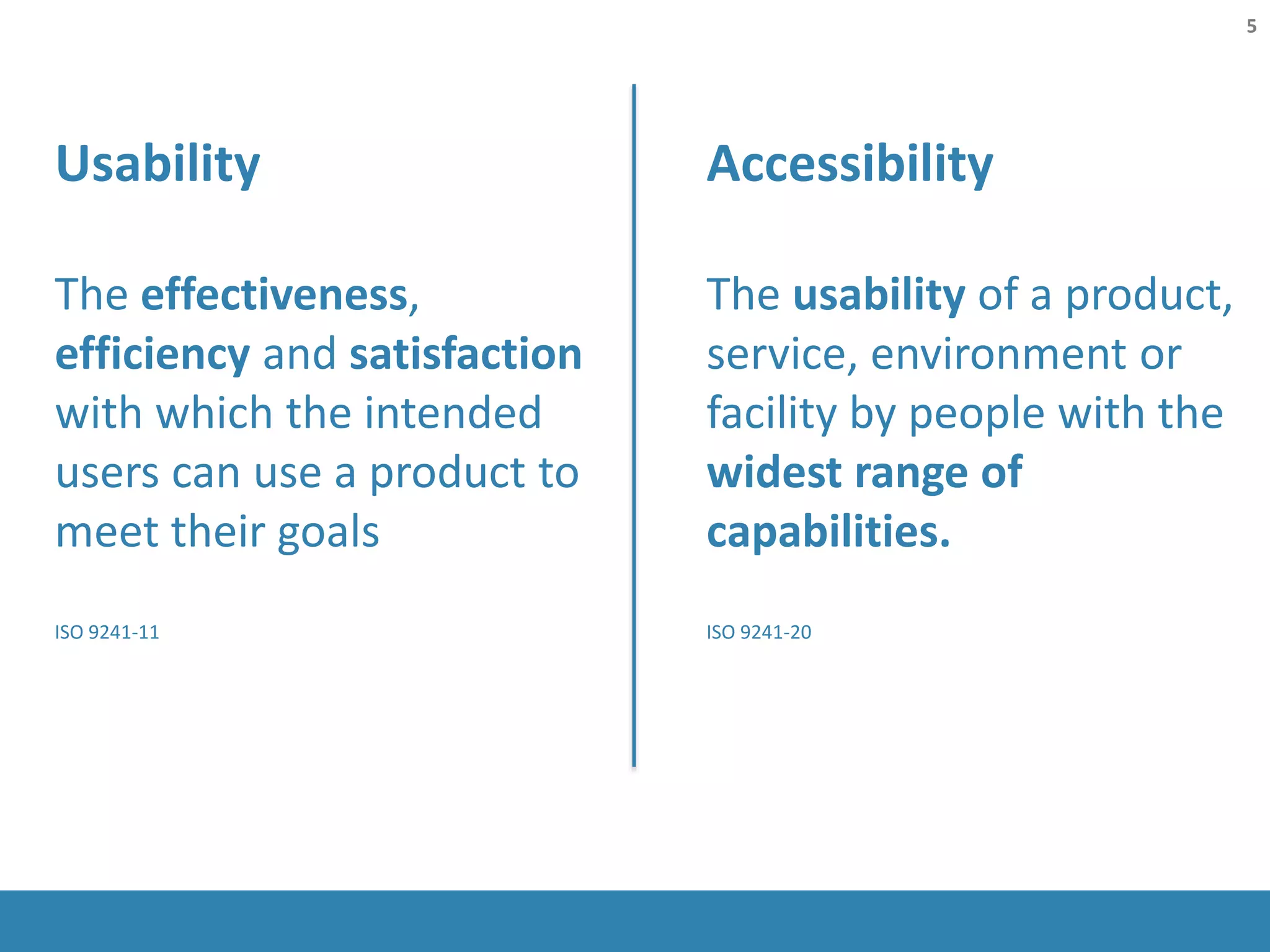
Accessibility
The usability of a product,
service, environment or
facility by people with the
widest range of
capabilities.
ISO 9241-20
Usability
The effectiveness,
efficiency and satisfaction
with which the intended
users can use a product to
meet their goals
ISO 9241-11
5
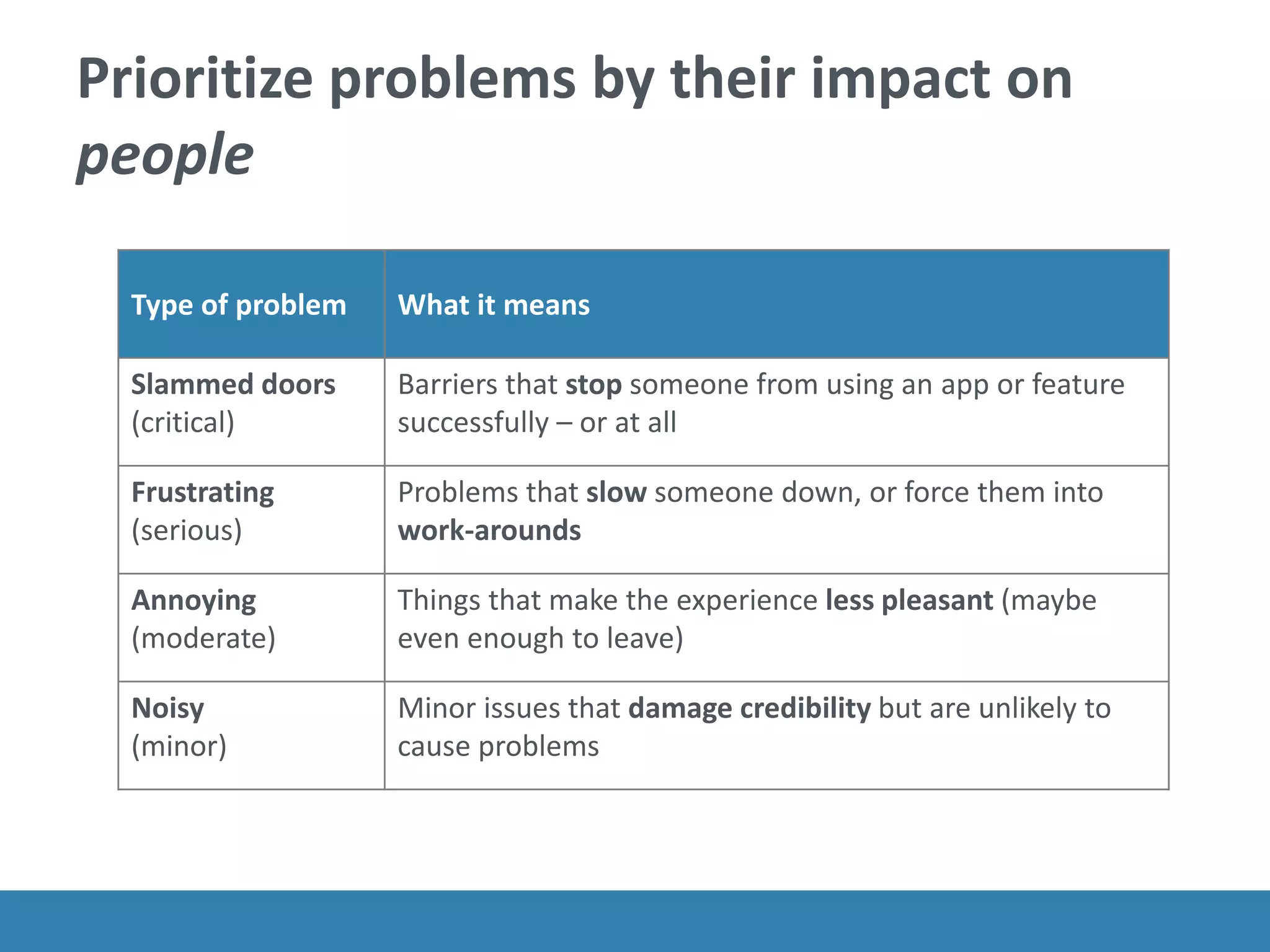
Prioritize problems by their impact on
people
Type of problem What it means
Slammed doors
(critical)
Barriers that stop someone from using an app or feature
successfully – or at all
Frustrating
(serious)
Problems that slow someone down, or force them into
work-arounds
Annoying
(moderate)
Things that make the experience less pleasant (maybe
even enough to leave)
Noisy
(minor)
Minor issues that damage credibility but are unlikely to
cause problems
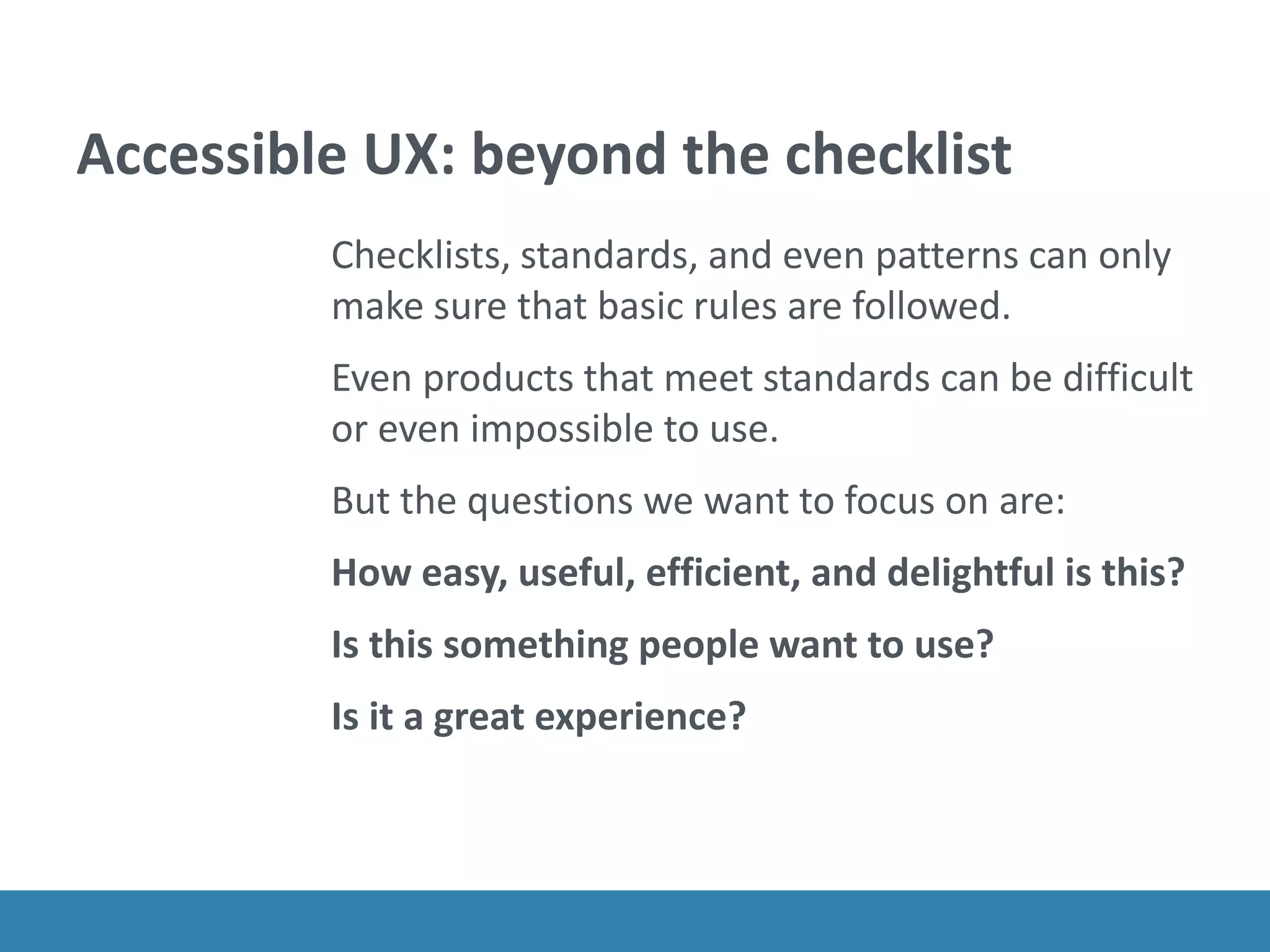
Accessible UX: beyond the checklist
Checklists, standards, and even patterns can only
make sure that basic rules are followed.
Even products that meet standards can be difficult
or even impossible to use.
But the questions we want to focus on are:
How easy, useful, efficient, and delightful is this?
Is this something people want to use?
Is it a great experience?
To understand accessible UX we
have to look at real people and real
behavior.
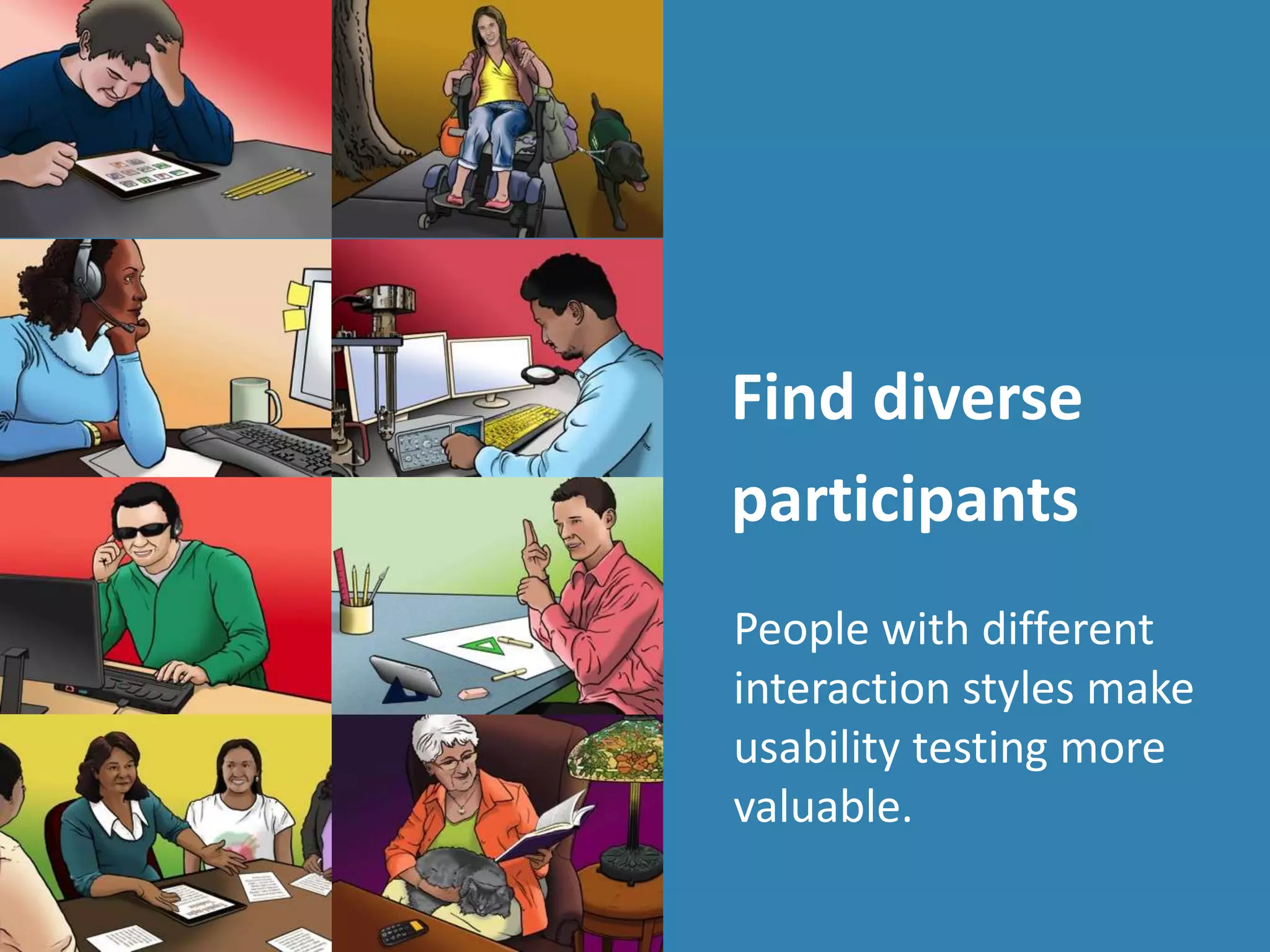
Find diverse
participants
People with different
interaction styles make
usability testing more
valuable.
People outside of the center of the bell
curve are often:
ο‚§ Invisible
ο‚§ Hidden
ο‚§ Misunderstood
To understand accessible UX, we
need to change our approach to
recruiting so everyone is
welcomed.
Recruit "people" not "disabilities"
ο‚§ Aptitude
motivation, emotion, risk tolerance,
persistence, optimism, tolerance for
frustration
ο‚§ Attitude
current knowledge, ability to make
inferences or innovate solutions, expertise,
habits
ο‚§ Ability
needs and preferences for interaction and
display, digital and reading literacy
http://www.slideshare.net/danachisnell/character-creator
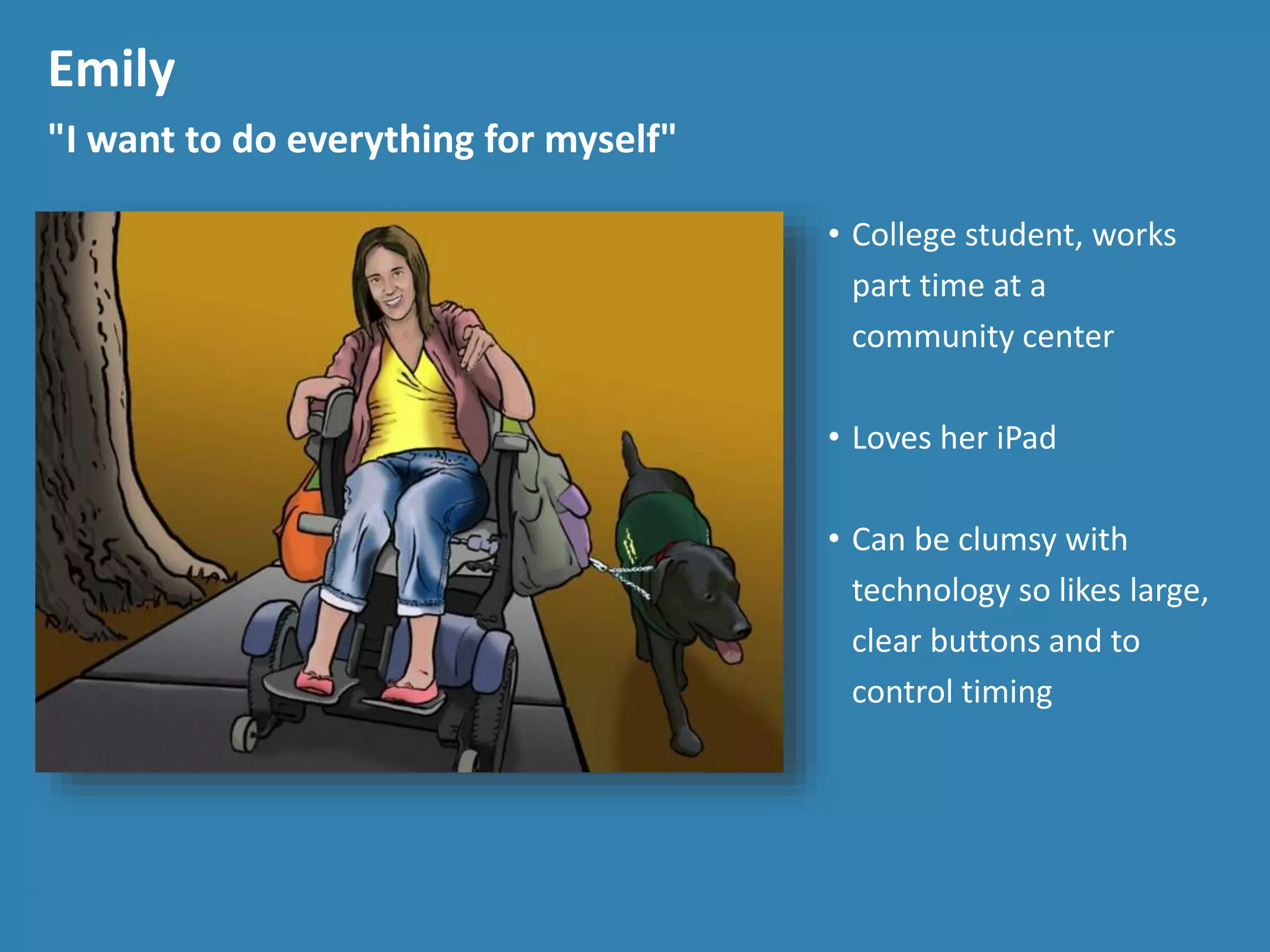
Emily
"I want to do everything for myself"
β€’ College student, works
part time at a
community center
β€’ Loves her iPad
β€’ Can be clumsy with
technology so likes large,
clear buttons and to
control timing
Emily
"I want to do everything for myself"
β€’ College student, works
part time at a
community center
β€’ Loves her iPad
β€’ Can be clumsy with
technology so likes large,
clear buttons and to
control timing
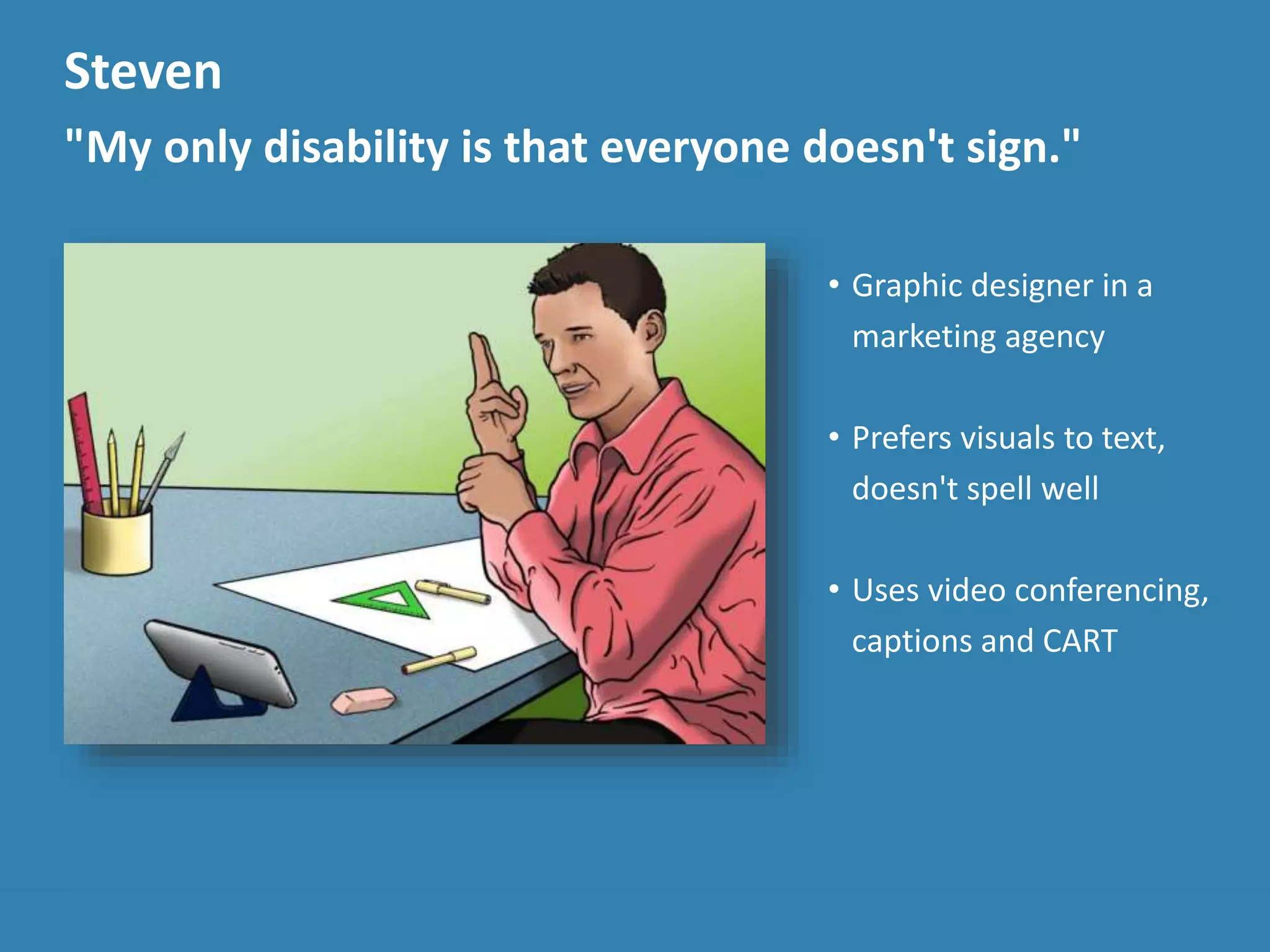
Steven
"My only disability is that everyone doesn't sign."
β€’ Graphic designer in a
marketing agency
β€’ Prefers visuals to text,
doesn't spell well
β€’ Uses video conferencing,
captions and CART
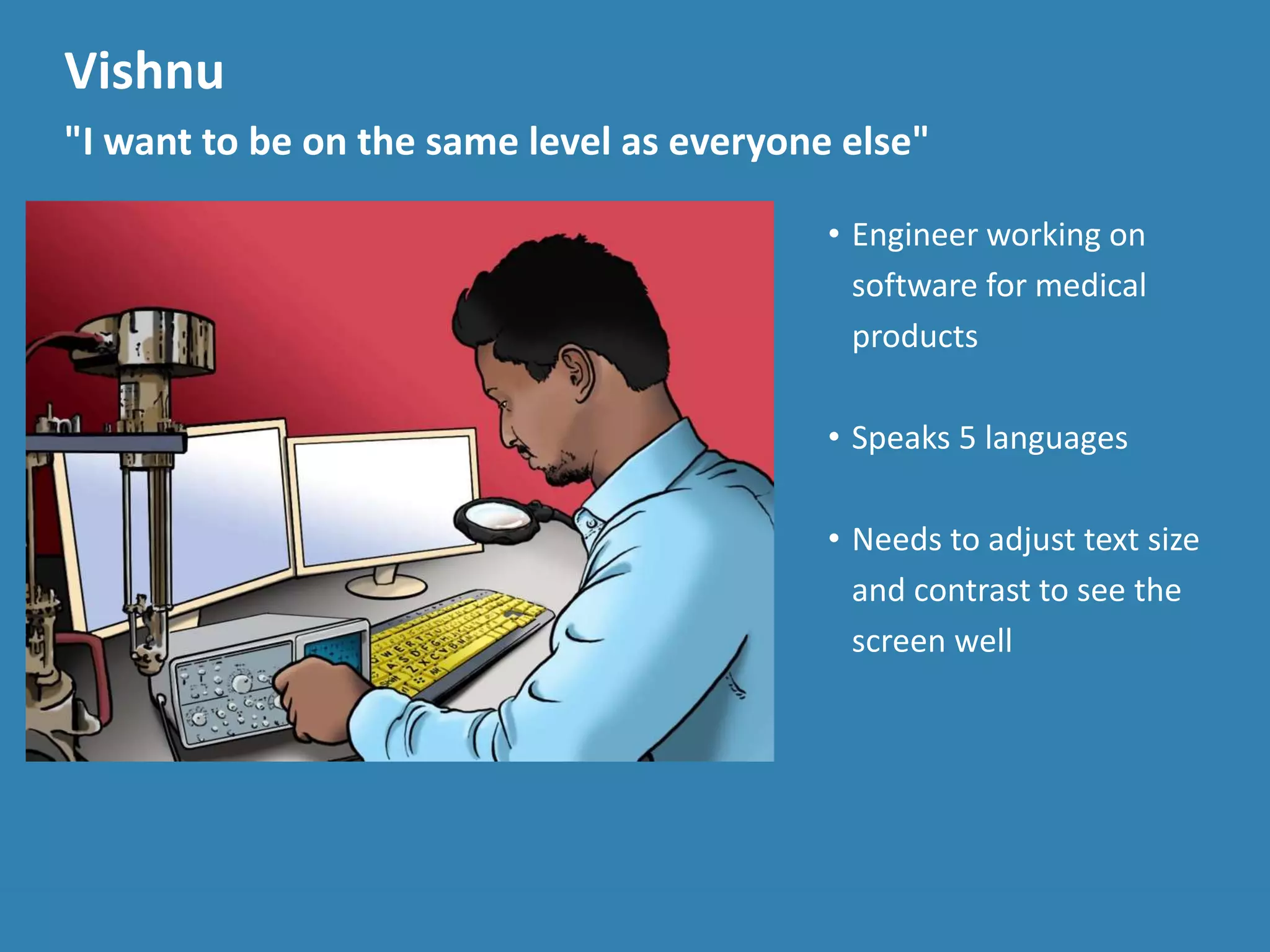
Vishnu
"I want to be on the same level as everyone else"
β€’ Engineer working on
software for medical
products
β€’ Speaks 5 languages
β€’ Needs to adjust text size
and contrast to see the
screen well
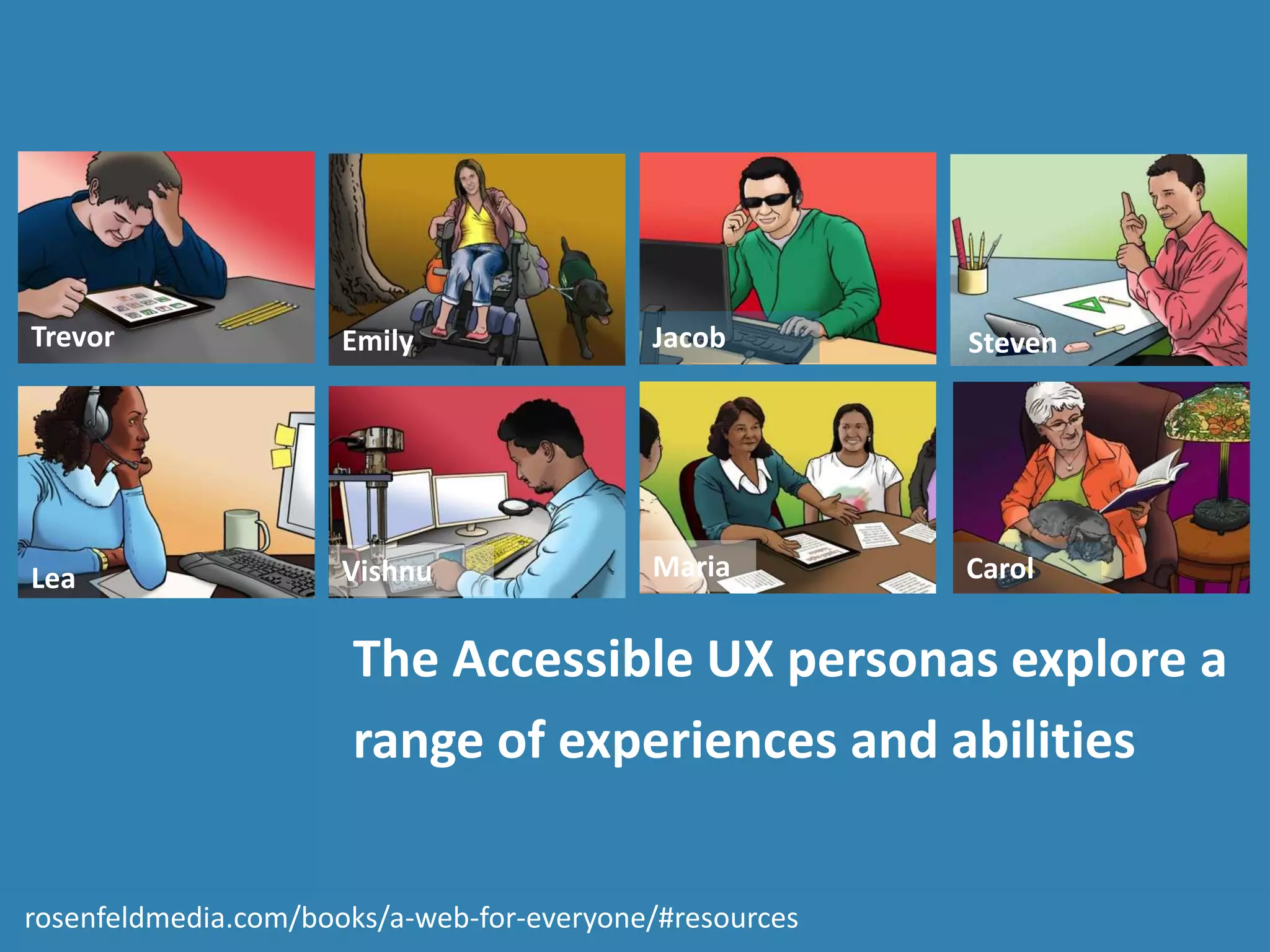
The Accessible UX personas explore a
range of experiences and abilities
Carol
Jacob
Lea
Emily Steven
Maria
Trevor
Vishnu
rosenfeldmedia.com/books/a-web-for-everyone/#resources
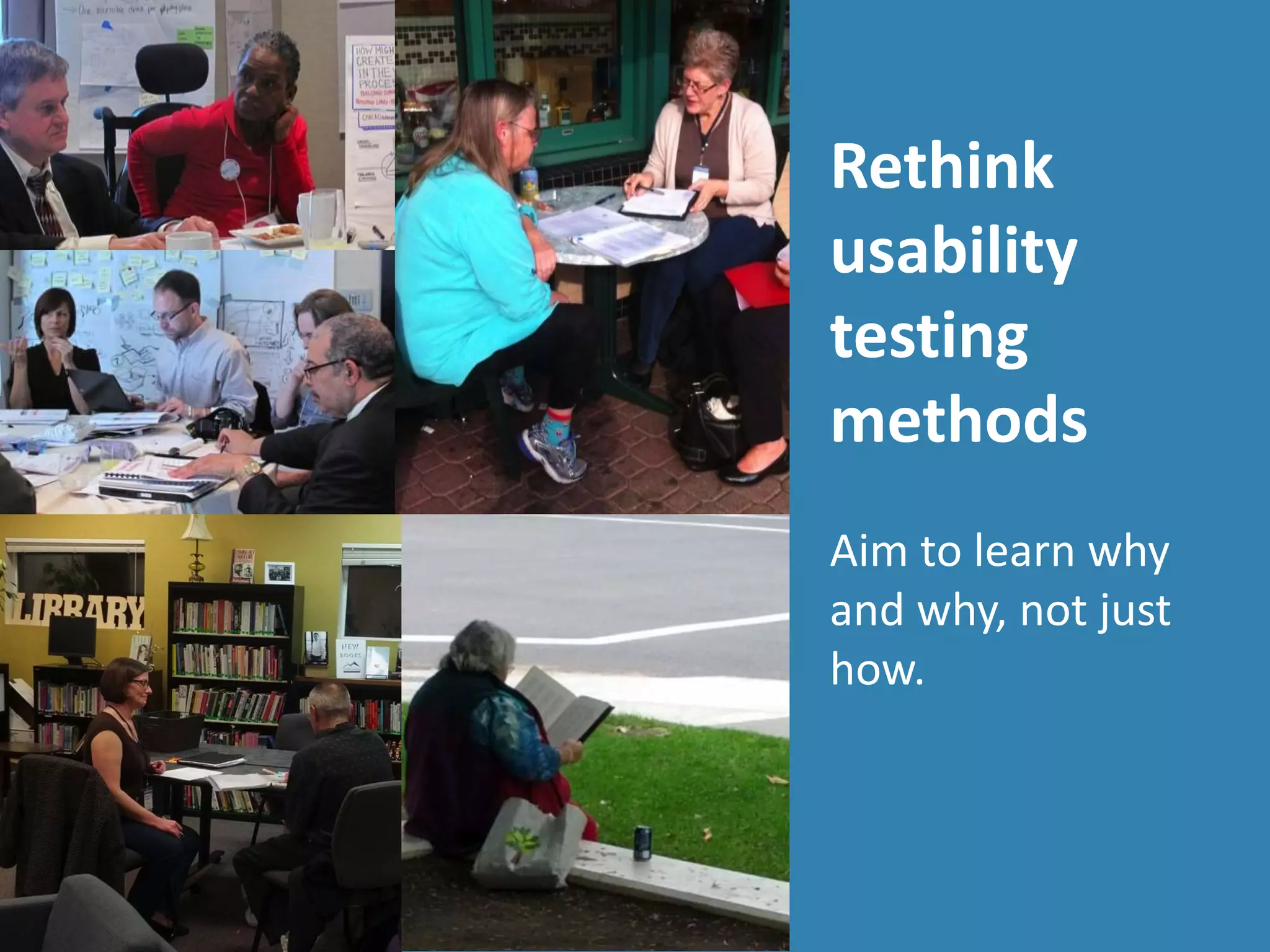
Rethink
usability
testing
methods
Aim to learn why
and why, not just
how.
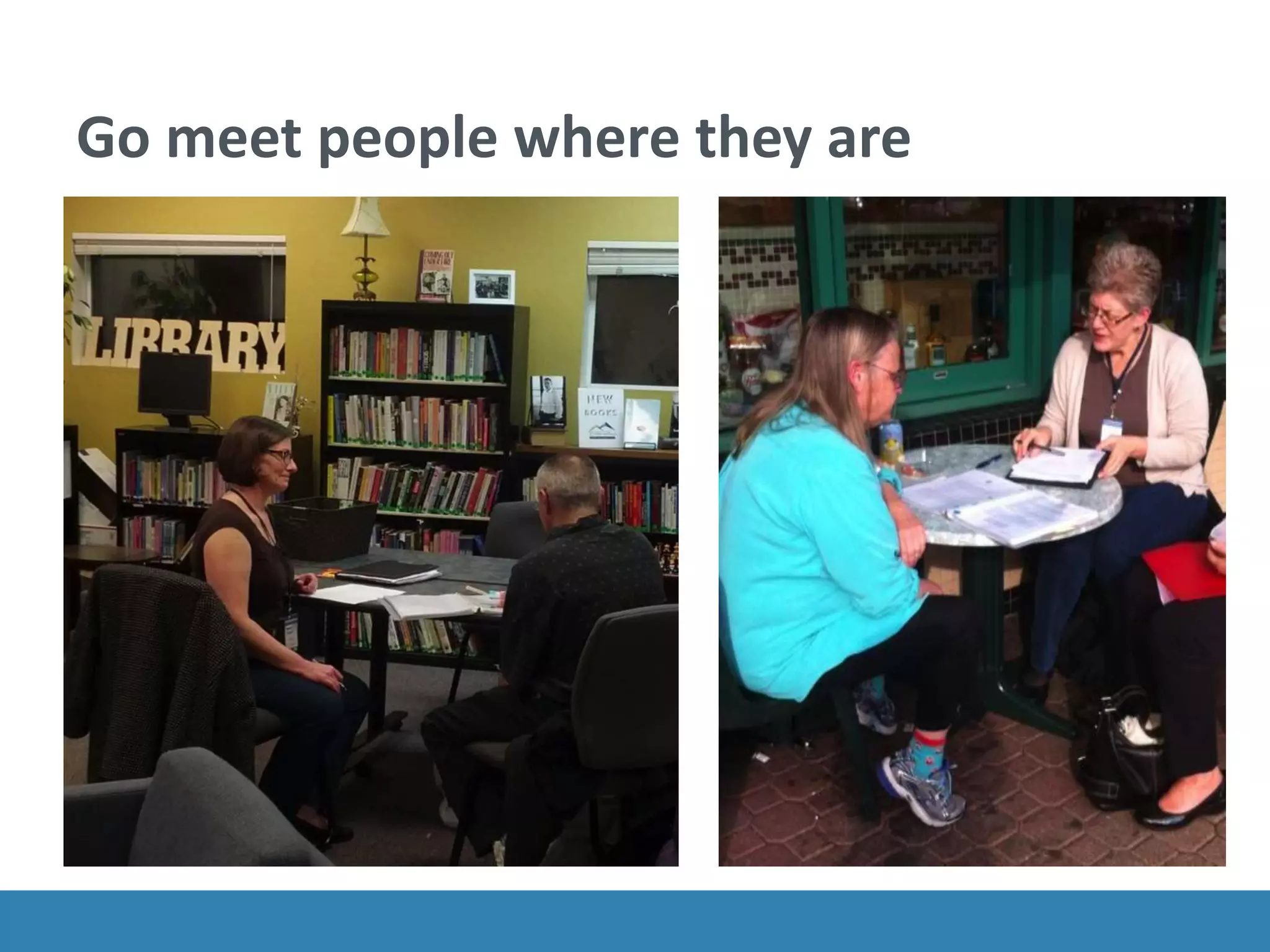
Go meet people where they are
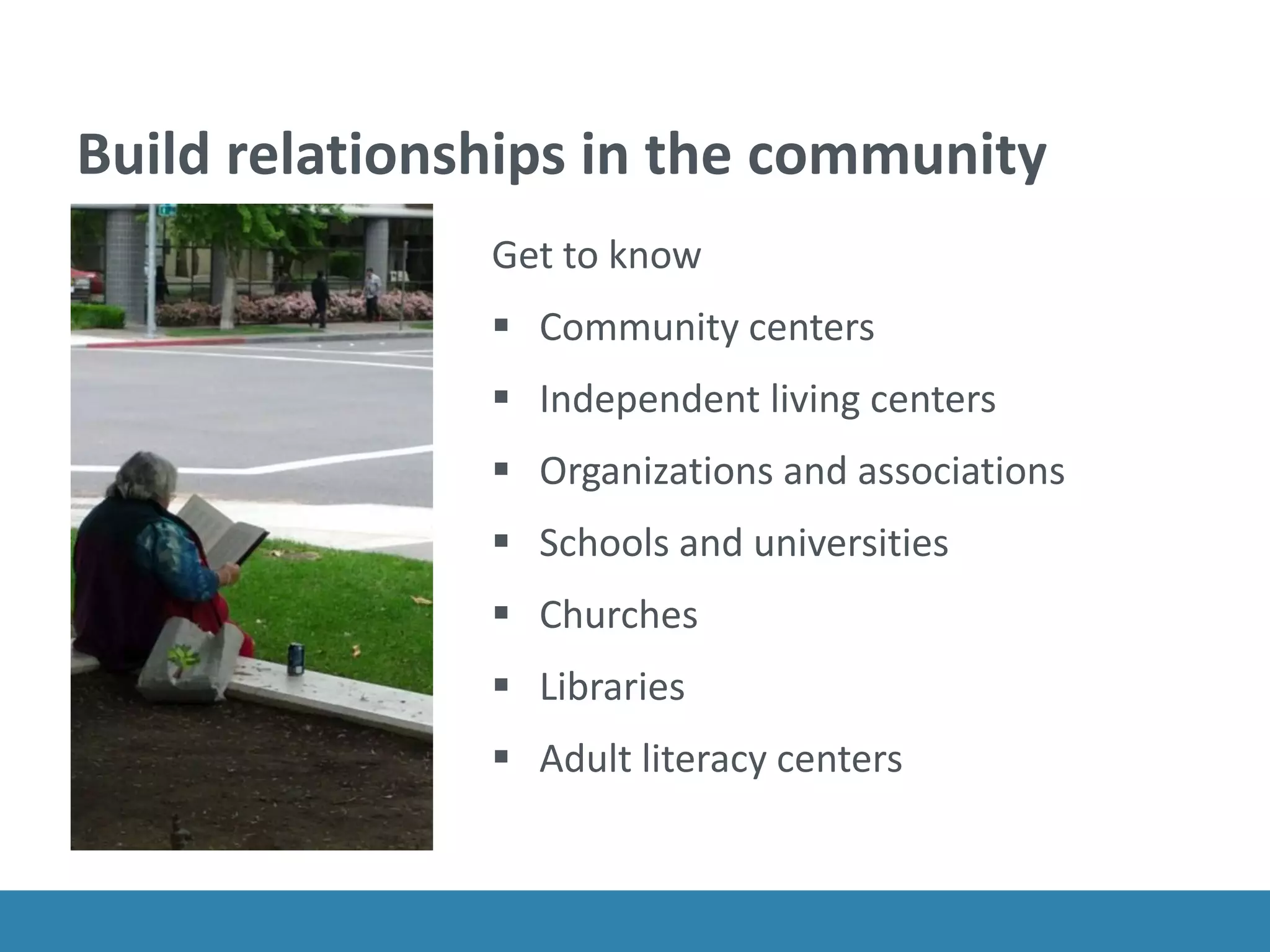
Build relationships in the community
Get to know
ο‚§ Community centers
ο‚§ Independent living centers
ο‚§ Organizations and associations
ο‚§ Schools and universities
ο‚§ Churches
ο‚§ Libraries
ο‚§ Adult literacy centers
Expand your recruiting reach
ο‚§ Think about where to advertise
ο‚§ Identify transit options in the notice
ο‚§ Use snowball methods
ο‚§ Ask for help reaching a new community
ο‚§ Be explicit about being inclusive
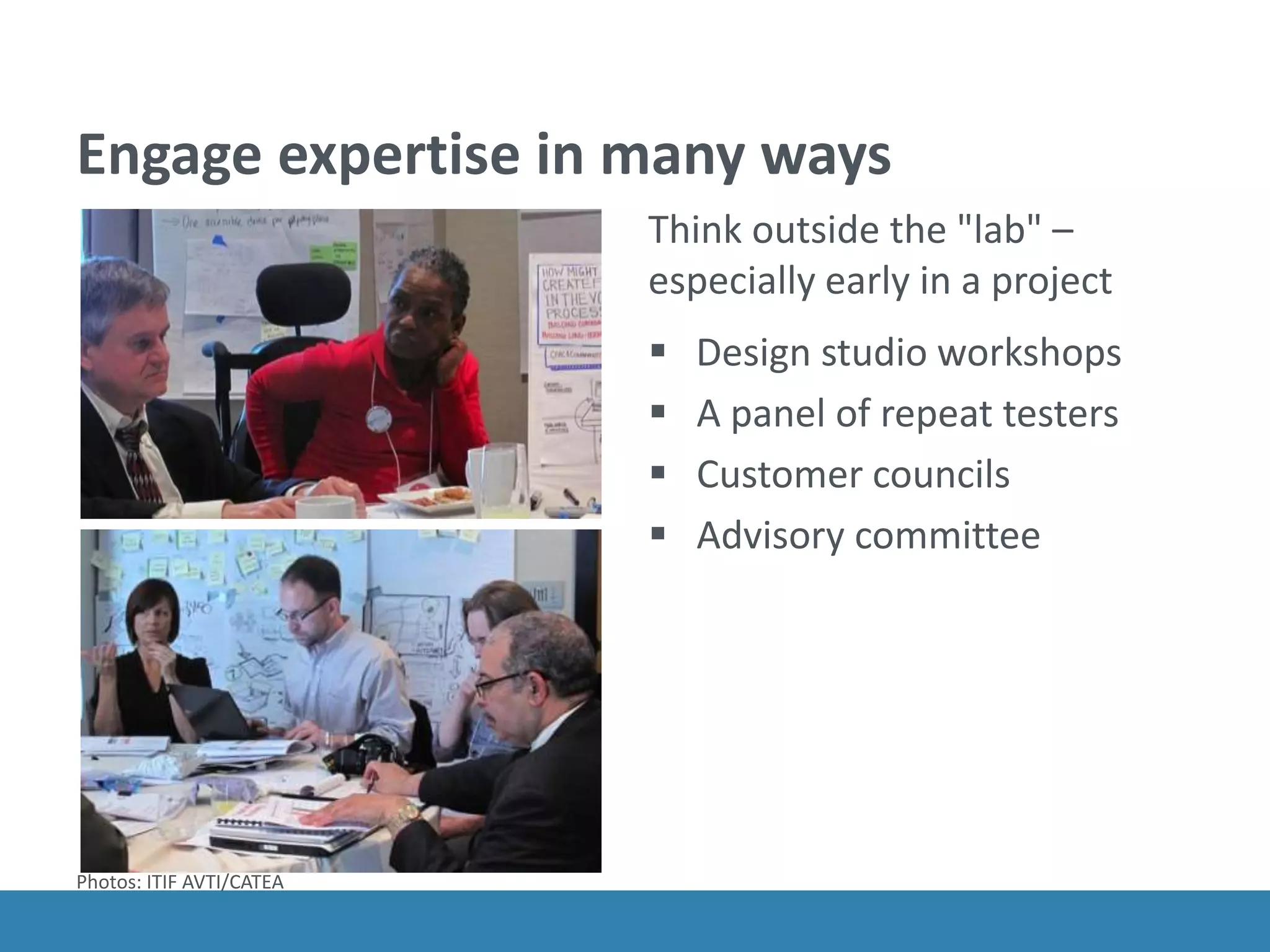
Engage expertise in many ways
Think outside the "lab" –
especially early in a project
ο‚§ Design studio workshops
ο‚§ A panel of repeat testers
ο‚§ Customer councils
ο‚§ Advisory committee
Photos: ITIF AVTI/CATEA
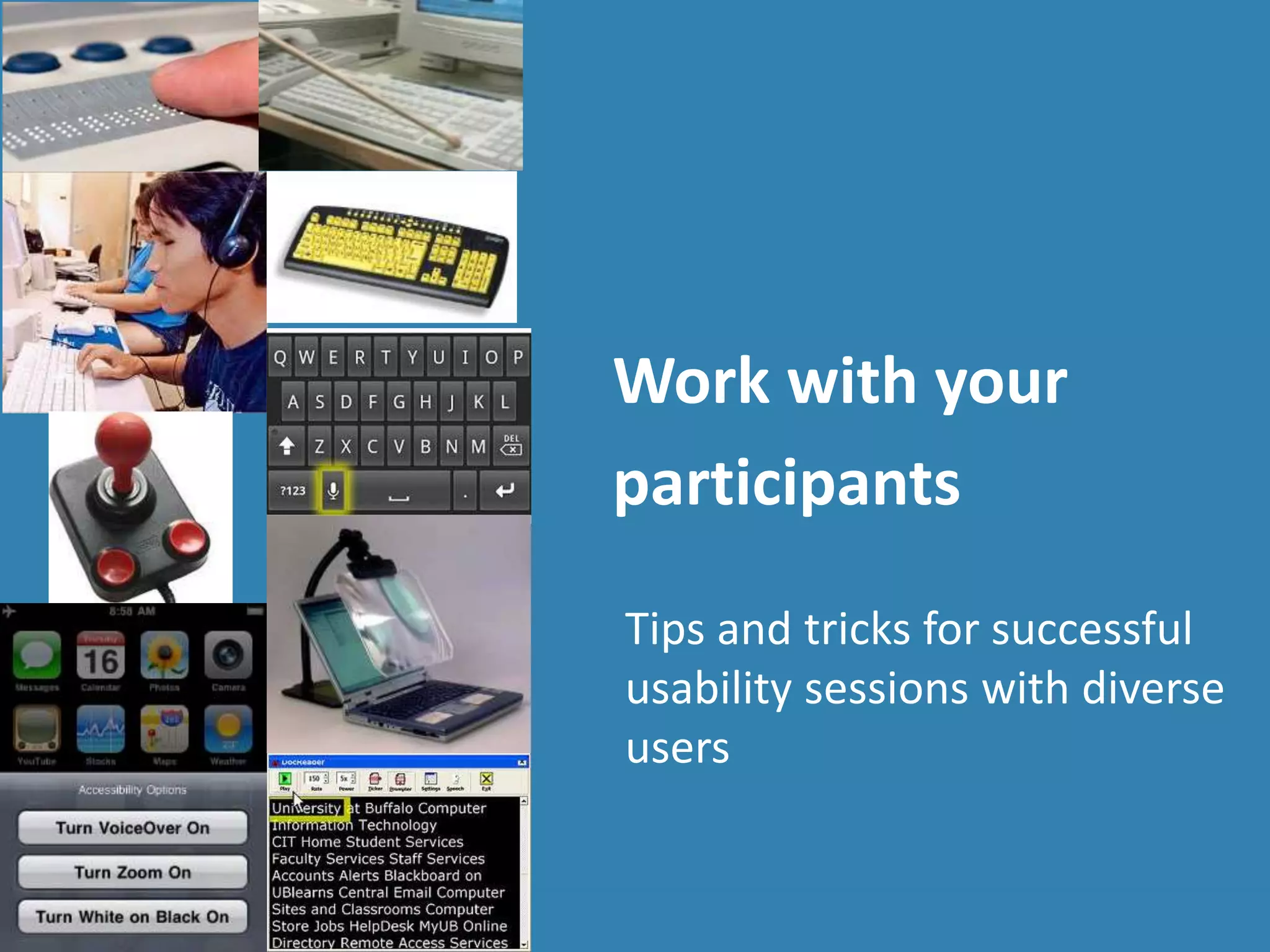
Work with your
participants
Tips and tricks for successful
usability sessions with diverse
users
Photo: mtstcil.org
Aim for a rich view
Take time to:
ο‚§ Ask how they work now
ο‚§ Talk to participants about their experiences
and preferences.
ο‚§ Get them to show you the products they use
(or even find delightful).
ο‚§ Explore what features are valuable, what
barriers tolerable (or not)
ο‚§ Go back over interactions to see why and how
they worked well (or not-so-well).
Getting set-up is part of the session
Watch how participants get comfortable in a new
place, on a new system, or in a new situation.
ο‚§ Allow time for participants to get settled in the
space and identify where everything is.
ο‚§ Make sure they are comfortable with your
system or that theirs connects to the network
and other technology.
ο‚§ Learn how they set audio volume, colors, or
speech speed.
Be flexible about devices
Using their device
ο‚§ Their choice of browsers or apps
ο‚§ Their assistive technology and settings
ο‚§ How they set up their preferences
ο‚§ But there may be problems with a prototype
Using your device
ο‚§ Tested with your app, site, prototype
ο‚§ Control of browser and application versions
ο‚§ But they on a system they don't know
ο‚§ Small differences in settings can be disorienting
Include a preliminary activity
Use this time to learn more about how they use
the web.
ο‚§ What strategies do they use with familiar and
trusted sites?
ο‚§ What strategies do they use to explore a new
site?
ο‚§ What cues help them assess the experience
they are about to encounter?
Think beyond the "task"
Are your research sessions flexible enough to
adapt to a range of interaction styles?
Are you open to variations in how they complete
tasks?
Are you flexible about the length of time for each
session?
Can you adapt the session to react to unexpected
barriers?
Decide on the research location
At your site, look for
ο‚§ Availability of public transportation, parking
ο‚§ Friendly reception area for an assistant
ο‚§ Space in the room for wheelchairs or dogs
At their site, be sure to check
ο‚§ Reliable internet
ο‚§ Quiet area for the session
ο‚§ Know how and exactly where you will meet
ο‚§ Rules for use of the space
Manage consent forms accessibly
Send consent forms in advance
ο‚§ In a Word or RTF file
ο‚§ If you use PDF, be sure it's accessible
ο‚§ Consider putting the text in an email
ο‚§ If you use an online system, is it accessible?
Options for signatures
ο‚§ Collect electronically signed copies
ο‚§ Have a signature guide to sign on paper
ο‚§ Can you accept an email as agreement?
ο‚§ Can you accept a recorded verbal agreement?
Consider your recording options
Check for conflicts between assistive technology
and recording software.
ο‚§ Avoid recording on the participant's computer. It
can interfere with AT the participant's interactions.
ο‚§ Use WebEx or GoToMeeting to display the
participant's screen on a second computer and
record from there.
ο‚§ Use an 'over-the-shoulder' camera to record the
screen.
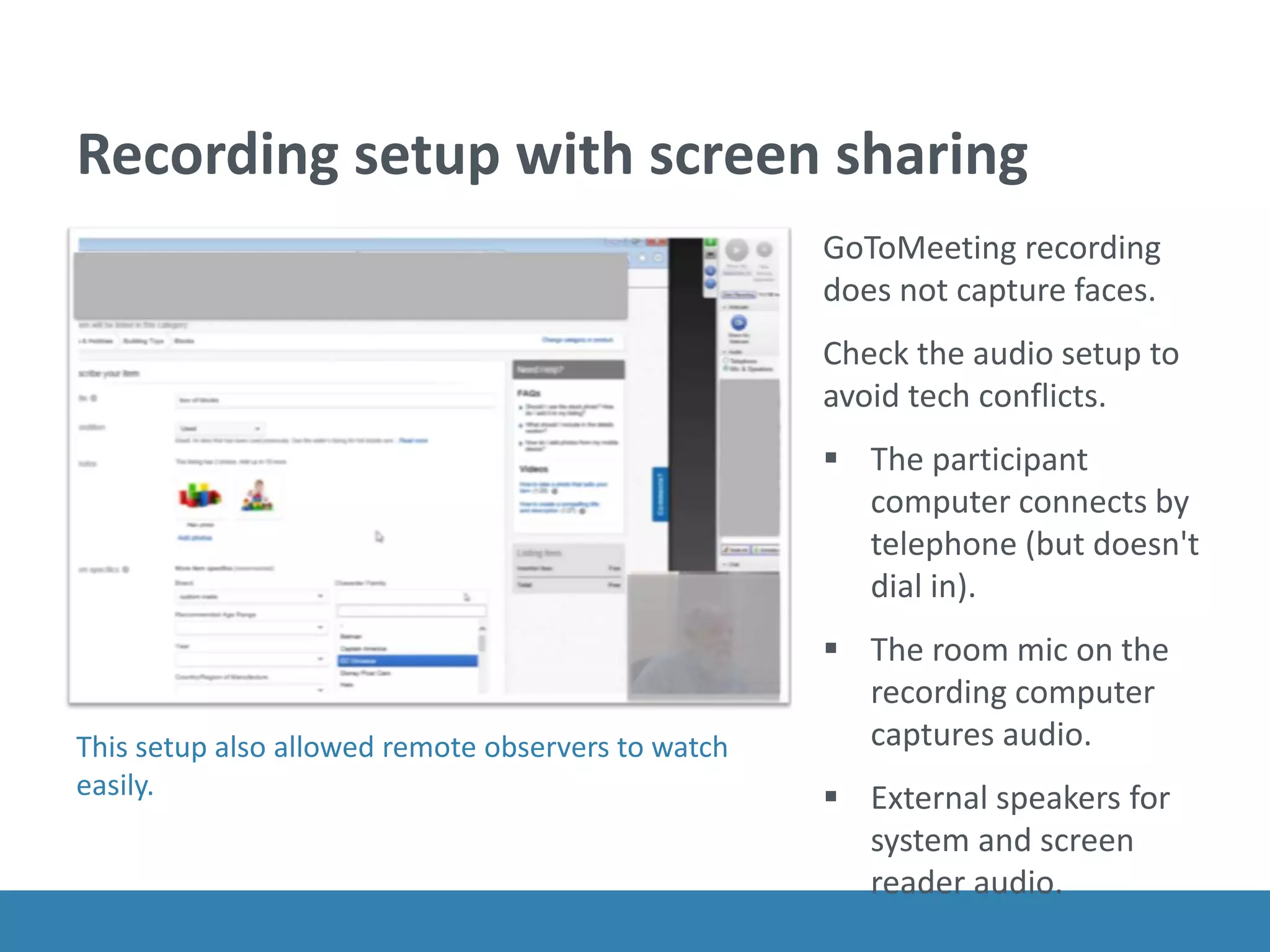
Recording setup with screen sharing
GoToMeeting recording
does not capture faces.
Check the audio setup to
avoid tech conflicts.
ο‚§ The participant
computer connects by
telephone (but doesn't
dial in).
ο‚§ The room mic on the
recording computer
captures audio.
ο‚§ External speakers for
system and screen
reader audio.
This setup also allowed remote observers to watch
easily.
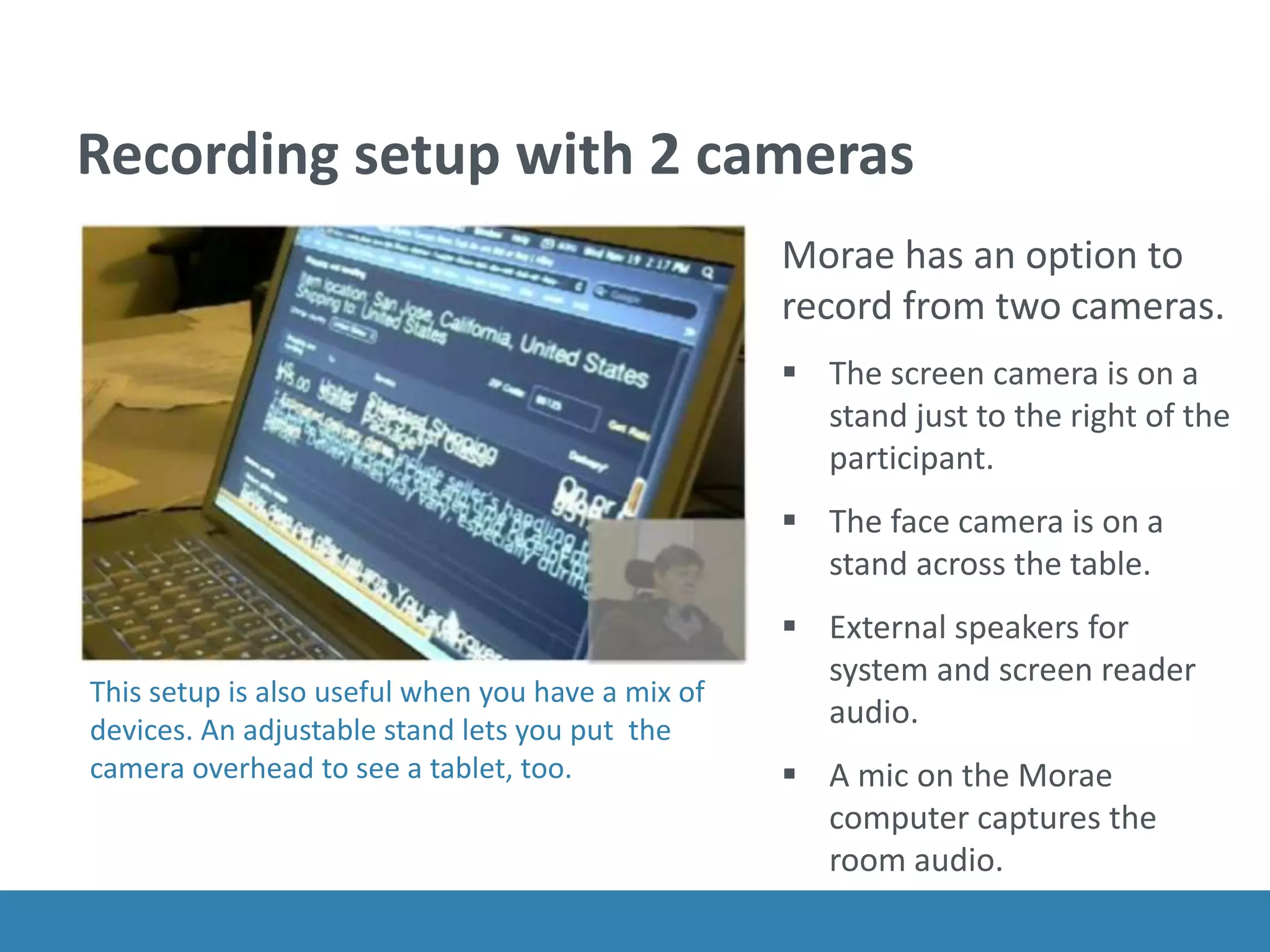
Recording setup with 2 cameras
Morae has an option to
record from two cameras.
ο‚§ The screen camera is on a
stand just to the right of the
participant.
ο‚§ The face camera is on a
stand across the table.
ο‚§ External speakers for
system and screen reader
audio.
ο‚§ A mic on the Morae
computer captures the
room audio.
This setup is also useful when you have a mix of
devices. An adjustable stand lets you put the
camera overhead to see a tablet, too.
Interacting with the participant
Don't distract
ο‚§ Give them time to get oriented on each page.
ο‚§ Let them tell you if they are lost or stuck.
ο‚§ Use small retrospectives instead of talk-aloud.
Watch and listen
ο‚§ How do they navigated efficiently? Solve problems? Stay
oriented?
ο‚§ Do they have any unexpected uses for the product?
ο‚§ What is novel or unexpectedly delightful for them?
ο‚§ And all the usual rules about staying neutral.
Be prepared. Don't panic.
Sharing a web address or task instructions
ο‚§ Set up bookmarks
ο‚§ Have easy-to-type page with links
ο‚§ Send a text message
Getting past accessibility barriers
ο‚§ Decide in advance how (and when) you will assist
with problems.
ο‚§ Be prepared by knowing the site well.
ο‚§ Know when you will abandon a task or ask them
to persist.
Above all, be human.
You can...
ο‚§ Help usability and accessibility reunite.
ο‚§ Look for ways that extreme interactions styles
can suggest innovation.
ο‚§ Look for personal adaptations that can suggest
useful design tactics
ο‚§ Include a wide range of people, not just those
who are technically adept.
ο‚§ Adjust your research methods to 'work with'
and learn from your participants.
Thank you.
@whitneyq @civicdesign
@awebforeveryone

Usability testing for accessible UX

  • 1.
    Is it usablefor people with disabilities? Usability testing for accessible UX Whitney Quesenbery @whitneyq | @AWebforEveryone Accessibility Summit – September 9, 2015
  • 2.
    Whitney UX research, plainlanguage, accessibility, civic design http://civicdesign.org A Web for Everyone A book with Sarah Horton from Rosenfeld Media Free resources on the book sitehttp://rosenfeldmedia.com/books/a-web-for- everyone/ A Podcast for Everyone on UIE All You Can Learn, iTunes, Rosenfeld Media http://rosenfeldmedia.com/books/a-web-for-everyone/#a-podcast-for-everyone https://itunes.apple.com/us/podcast/a-podcast-for-everyone/id833646317 2
  • 3.
    On today's agenda ο‚§Usability and accessibility Real people. Real behavior. Real problems. ο‚§ Find diverse participants People with different interaction styles make usability testing more valuable. ο‚§ Rethink usability testing methods Aim to learn when and why, not just how. ο‚§ Work with your participants Tips and tricks for successful usability sessions with diverse users. 3
  • 4.
    Usability and accessibility arelike twins separated at birth 4
  • 5.
    Accessibility The usability ofa product, service, environment or facility by people with the widest range of capabilities. ISO 9241-20 Usability The effectiveness, efficiency and satisfaction with which the intended users can use a product to meet their goals ISO 9241-11 5
  • 6.
    Prioritize problems bytheir impact on people Type of problem What it means Slammed doors (critical) Barriers that stop someone from using an app or feature successfully – or at all Frustrating (serious) Problems that slow someone down, or force them into work-arounds Annoying (moderate) Things that make the experience less pleasant (maybe even enough to leave) Noisy (minor) Minor issues that damage credibility but are unlikely to cause problems
  • 7.
    Accessible UX: beyondthe checklist Checklists, standards, and even patterns can only make sure that basic rules are followed. Even products that meet standards can be difficult or even impossible to use. But the questions we want to focus on are: How easy, useful, efficient, and delightful is this? Is this something people want to use? Is it a great experience?
  • 8.
    To understand accessibleUX we have to look at real people and real behavior.
  • 9.
    Find diverse participants People withdifferent interaction styles make usability testing more valuable.
  • 10.
    People outside ofthe center of the bell curve are often: ο‚§ Invisible ο‚§ Hidden ο‚§ Misunderstood To understand accessible UX, we need to change our approach to recruiting so everyone is welcomed.
  • 11.
    Recruit "people" not"disabilities" ο‚§ Aptitude motivation, emotion, risk tolerance, persistence, optimism, tolerance for frustration ο‚§ Attitude current knowledge, ability to make inferences or innovate solutions, expertise, habits ο‚§ Ability needs and preferences for interaction and display, digital and reading literacy http://www.slideshare.net/danachisnell/character-creator
  • 12.
    Emily "I want todo everything for myself" β€’ College student, works part time at a community center β€’ Loves her iPad β€’ Can be clumsy with technology so likes large, clear buttons and to control timing
  • 13.
    Emily "I want todo everything for myself" β€’ College student, works part time at a community center β€’ Loves her iPad β€’ Can be clumsy with technology so likes large, clear buttons and to control timing
  • 14.
    Steven "My only disabilityis that everyone doesn't sign." β€’ Graphic designer in a marketing agency β€’ Prefers visuals to text, doesn't spell well β€’ Uses video conferencing, captions and CART
  • 15.
    Vishnu "I want tobe on the same level as everyone else" β€’ Engineer working on software for medical products β€’ Speaks 5 languages β€’ Needs to adjust text size and contrast to see the screen well
  • 16.
    The Accessible UXpersonas explore a range of experiences and abilities Carol Jacob Lea Emily Steven Maria Trevor Vishnu rosenfeldmedia.com/books/a-web-for-everyone/#resources
  • 17.
  • 18.
    Go meet peoplewhere they are
  • 19.
    Build relationships inthe community Get to know ο‚§ Community centers ο‚§ Independent living centers ο‚§ Organizations and associations ο‚§ Schools and universities ο‚§ Churches ο‚§ Libraries ο‚§ Adult literacy centers
  • 20.
    Expand your recruitingreach ο‚§ Think about where to advertise ο‚§ Identify transit options in the notice ο‚§ Use snowball methods ο‚§ Ask for help reaching a new community ο‚§ Be explicit about being inclusive
  • 21.
    Engage expertise inmany ways Think outside the "lab" – especially early in a project ο‚§ Design studio workshops ο‚§ A panel of repeat testers ο‚§ Customer councils ο‚§ Advisory committee Photos: ITIF AVTI/CATEA
  • 22.
    Work with your participants Tipsand tricks for successful usability sessions with diverse users Photo: mtstcil.org
  • 23.
    Aim for arich view Take time to: ο‚§ Ask how they work now ο‚§ Talk to participants about their experiences and preferences. ο‚§ Get them to show you the products they use (or even find delightful). ο‚§ Explore what features are valuable, what barriers tolerable (or not) ο‚§ Go back over interactions to see why and how they worked well (or not-so-well).
  • 24.
    Getting set-up ispart of the session Watch how participants get comfortable in a new place, on a new system, or in a new situation. ο‚§ Allow time for participants to get settled in the space and identify where everything is. ο‚§ Make sure they are comfortable with your system or that theirs connects to the network and other technology. ο‚§ Learn how they set audio volume, colors, or speech speed.
  • 25.
    Be flexible aboutdevices Using their device ο‚§ Their choice of browsers or apps ο‚§ Their assistive technology and settings ο‚§ How they set up their preferences ο‚§ But there may be problems with a prototype Using your device ο‚§ Tested with your app, site, prototype ο‚§ Control of browser and application versions ο‚§ But they on a system they don't know ο‚§ Small differences in settings can be disorienting
  • 26.
    Include a preliminaryactivity Use this time to learn more about how they use the web. ο‚§ What strategies do they use with familiar and trusted sites? ο‚§ What strategies do they use to explore a new site? ο‚§ What cues help them assess the experience they are about to encounter?
  • 27.
    Think beyond the"task" Are your research sessions flexible enough to adapt to a range of interaction styles? Are you open to variations in how they complete tasks? Are you flexible about the length of time for each session? Can you adapt the session to react to unexpected barriers?
  • 28.
    Decide on theresearch location At your site, look for ο‚§ Availability of public transportation, parking ο‚§ Friendly reception area for an assistant ο‚§ Space in the room for wheelchairs or dogs At their site, be sure to check ο‚§ Reliable internet ο‚§ Quiet area for the session ο‚§ Know how and exactly where you will meet ο‚§ Rules for use of the space
  • 29.
    Manage consent formsaccessibly Send consent forms in advance ο‚§ In a Word or RTF file ο‚§ If you use PDF, be sure it's accessible ο‚§ Consider putting the text in an email ο‚§ If you use an online system, is it accessible? Options for signatures ο‚§ Collect electronically signed copies ο‚§ Have a signature guide to sign on paper ο‚§ Can you accept an email as agreement? ο‚§ Can you accept a recorded verbal agreement?
  • 30.
    Consider your recordingoptions Check for conflicts between assistive technology and recording software. ο‚§ Avoid recording on the participant's computer. It can interfere with AT the participant's interactions. ο‚§ Use WebEx or GoToMeeting to display the participant's screen on a second computer and record from there. ο‚§ Use an 'over-the-shoulder' camera to record the screen.
  • 31.
    Recording setup withscreen sharing GoToMeeting recording does not capture faces. Check the audio setup to avoid tech conflicts. ο‚§ The participant computer connects by telephone (but doesn't dial in). ο‚§ The room mic on the recording computer captures audio. ο‚§ External speakers for system and screen reader audio. This setup also allowed remote observers to watch easily.
  • 32.
    Recording setup with2 cameras Morae has an option to record from two cameras. ο‚§ The screen camera is on a stand just to the right of the participant. ο‚§ The face camera is on a stand across the table. ο‚§ External speakers for system and screen reader audio. ο‚§ A mic on the Morae computer captures the room audio. This setup is also useful when you have a mix of devices. An adjustable stand lets you put the camera overhead to see a tablet, too.
  • 33.
    Interacting with theparticipant Don't distract ο‚§ Give them time to get oriented on each page. ο‚§ Let them tell you if they are lost or stuck. ο‚§ Use small retrospectives instead of talk-aloud. Watch and listen ο‚§ How do they navigated efficiently? Solve problems? Stay oriented? ο‚§ Do they have any unexpected uses for the product? ο‚§ What is novel or unexpectedly delightful for them? ο‚§ And all the usual rules about staying neutral.
  • 34.
    Be prepared. Don'tpanic. Sharing a web address or task instructions ο‚§ Set up bookmarks ο‚§ Have easy-to-type page with links ο‚§ Send a text message Getting past accessibility barriers ο‚§ Decide in advance how (and when) you will assist with problems. ο‚§ Be prepared by knowing the site well. ο‚§ Know when you will abandon a task or ask them to persist.
  • 35.
  • 36.
    You can... ο‚§ Helpusability and accessibility reunite. ο‚§ Look for ways that extreme interactions styles can suggest innovation. ο‚§ Look for personal adaptations that can suggest useful design tactics ο‚§ Include a wide range of people, not just those who are technically adept. ο‚§ Adjust your research methods to 'work with' and learn from your participants.
  • 37.