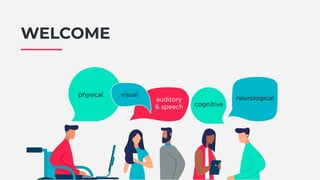
WELCOME
Building accessible products
takes practice
Chris Wait - Director of Engineering @ Passio
chris@passio.co.uk - @chriswaitwhat
Passio are a digital agency.
We build technology to help people with disabilities.
Hard Problems
Hard Problems (1)
"Building software that works for everyone is hard."
Design is hard.
People have vastly different needs from technology
● Functionality
● Presentation / Interaction
"Building software that works for everyone is hard."
In 2015, roughly 1 in 3 software projects were completed
● On Budget
● On Time
● On Target
Software Engineering Practice can help: "agile" projects were about 2 times more likely
to succeed than "waterfall" projects
[Standish Chaos]
Hard Problems (2)
Our Practice
(in theory)
How our Practice looks (1)
Some key concepts:
1. A Backlog of tasks
2. Prioritised by the Product Owner, estimated by the team
3. Completed in Iterations
How our Practice looks (2)
Iterations: Each sprint (a week or two) we go through the following steps:
● Work on items from the backlog until they're done
● Completed items are tested by the Product Owner and released
● New items are added to the backlog as they're discovered
● Review priorities and re-order the remaining backlog items
A major win: We can adapt to changing requirements and priorities
Discovering
Accessibility
Issues
1
Engaged Users
The Good:
● Your users know more than you about what they need
● Expert accessibility consulting
The Bad:
● A Bad Experience
● A lot of Bad Experiences?
(Your users can disagree with each other)
Your users tell you when you mess up
(sometimes)
Place a high value on your users' time
In my experience, they will love you for it
● They might keep teaching you
● They'll probably tell their friends
Be Responsive
Treat this feedback like any regular issue or feature request:
● Add them to the backlog
● Have a robust discussion about priorities
● Get them done
● Close the loop - get feedback from whoever raised the issue
In Practice
2
Design & Audits
In Practice
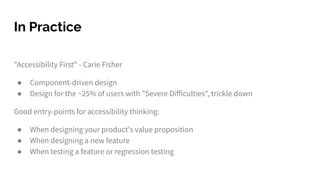
"Accessibility First" - Carie Fisher
● Component-driven design
● Design for the ~25% of users with "Severe Difficulties", trickle down
Good entry-points for accessibility thinking:
● When designing your product's value proposition
● When designing a new feature
● When testing a feature or regression testing
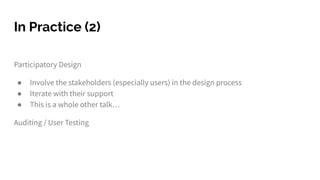
Participatory Design
● Involve the stakeholders (especially users) in the design process
● Iterate with their support
● This is a whole other talk…
Auditing / User Testing
In Practice (2)
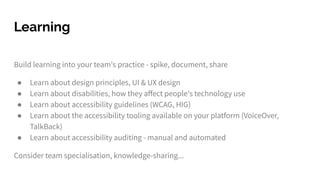
Build learning into your team's practice - spike, document, share
● Learn about design principles, UI & UX design
● Learn about disabilities, how they affect people's technology use
● Learn about accessibility guidelines (WCAG, HIG)
● Learn about the accessibility tooling available on your platform (VoiceOver,
TalkBack)
● Learn about accessibility auditing - manual and automated
Consider team specialisation, knowledge-sharing...
Learning
The Good:
● It's good to fix things before they break, before they go live
● When you're not firefighting, you can plan for larger, systemic fixes
● Broaden your UX thinking
The Bad:
● You don't know what you don't know
● Accessibility consultants are expensive
● Sometimes users can have a louder voice than designers
Good and Bad
One More Hard
Problem...
"Client management is hard"
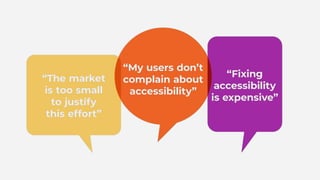
Your clients are under pressure to continuously complete features and add value.
Can you convince them to value accessibility?
(After all, we can't all work for Neatebox)
Hard Problems (3)
1. Value for money (clients generally love this)
● Cheaper to fix problems sooner rather than later
2. Reach a broader audience
● Approximately 11 million people in the UK have a disability
3. Corporate Social Responsibility
● Have a positive impact on the technology environment
Strategies
4. Legal Responsibilities
● Public Sector: EU Directive on the Accessibility of Public Sector Websites and
Mobile Applications
● Disability Discrimination Act - (RNIB & BMIBaby)
● Karl Groves "List of Web Accessibility-Related Litigation and Settlements"
More Strategies
Some resources
Standish Chaos - https://www.standishgroup.com/sample_research_files/CHAOSReport2015-Final.pdf
WCAG 2.1 - https://www.w3.org/TR/WCAG21/
HIG Accessibility - https://developer.apple.com/design/human-interface-guidelines/accessibility
Accessibility First (Carie Fisher) - https://www.24a11y.com/2017/accessibility-first/
RNIB - Tech Resource Hub - https://www.rnib.org.uk/practical-help/technology/resource-hub
Cool stuff to read
Thanks for coming.
You're all fantastic.
Approaching accessibility
testing
Iris Winter
Frontend Developer at Modulr
I am a frontend developer with a passion for accessibility.
Currently working in fintech but coming from an agency
background where I focused on raising awareness, educating
clients and developers to help small to large businesses reach an
inclusive audience
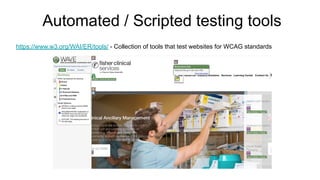
Automated / Scripted testing tools
https://www.w3.org/WAI/ER/tools/ - Collection of tools that test websites for WCAG standards
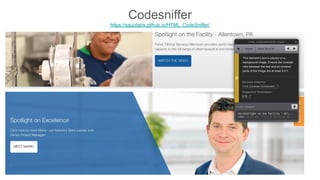
Codesniffer
https://squizlabs.github.io/HTML_CodeSniffer/
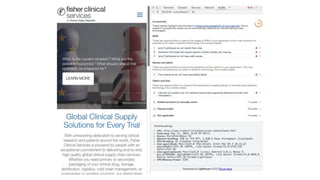
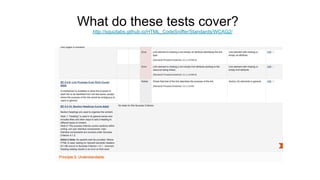
What do these tests cover?
http://squizlabs.github.io/HTML_CodeSniffer/Standards/WCAG2/
How do the results align with UAT?
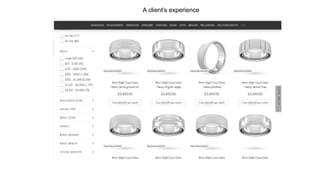
A client’s experience
Focusing on user testing
- Defining the target audience
- Defining clear user journeys
- Including a diverse user group in the testing process
- Testing early and with prototypes
Simulate user testing for accessibility
- Completing user journeys using a screen-reader (Jaws & NV Access)
- Completing user journeys using keyboard input only
- Simulating colour vision deficiency Chrome Plugin
- Disabling CSS
- Changing the browser font-size
- Zooming
- Completing user journeys with an understanding and awareness for
accessibility needs
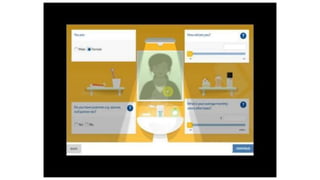
User testing a website
with a screen reader
What is the user journey?
What kind of website or tool is
being tested?
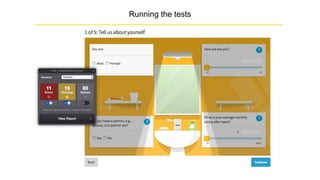
Running the tests
Thanks
BREAK TIME
© 2019 Neatebox SIGNA11Y - Discussing Accessibility
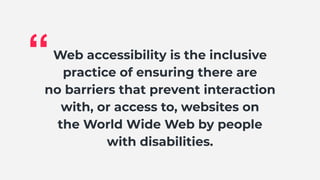
Web accessibility is the inclusive
practice of ensuring there are
no barriers that prevent interaction
with, or access to, websites on
the World Wide Web by people
with disabilities.
“
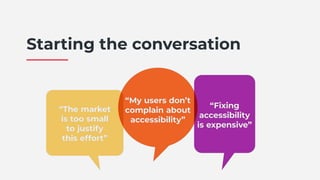
Starting the conversation
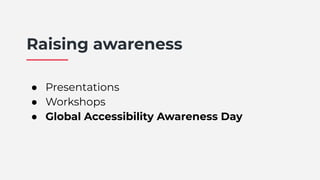
Raising awareness
● Presentations
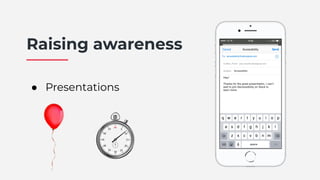
Raising awareness
● Presentations
Raising awareness
● Presentations
● Workshops
Raising awareness
● Presentations
● Workshops
● Global Accessibility Awareness Day
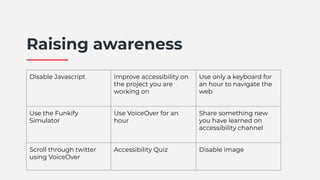
Disable Javascript Improve accessibility on
the project you are
working on
Use only a keyboard for
an hour to navigate the
web
Use the Funkify
Simulator
Use VoiceOver for an
hour
Share something new
you have learned on
accessibility channel
Scroll through twitter
using VoiceOver
Accessibility Quiz Disable image
Raising awareness
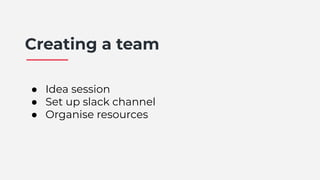
Creating a team
● Idea session
● Set up slack channel
● Organise resources
Q&A

SIGNA11Y - Speaker Presentations

  • 2.
  • 4.
    Building accessible products takespractice Chris Wait - Director of Engineering @ Passio chris@passio.co.uk - @chriswaitwhat
  • 5.
    Passio are adigital agency. We build technology to help people with disabilities.
  • 6.
  • 7.
    Hard Problems (1) "Buildingsoftware that works for everyone is hard." Design is hard. People have vastly different needs from technology ● Functionality ● Presentation / Interaction
  • 8.
    "Building software thatworks for everyone is hard." In 2015, roughly 1 in 3 software projects were completed ● On Budget ● On Time ● On Target Software Engineering Practice can help: "agile" projects were about 2 times more likely to succeed than "waterfall" projects [Standish Chaos] Hard Problems (2)
  • 10.
  • 11.
    How our Practicelooks (1) Some key concepts: 1. A Backlog of tasks 2. Prioritised by the Product Owner, estimated by the team 3. Completed in Iterations
  • 12.
    How our Practicelooks (2) Iterations: Each sprint (a week or two) we go through the following steps: ● Work on items from the backlog until they're done ● Completed items are tested by the Product Owner and released ● New items are added to the backlog as they're discovered ● Review priorities and re-order the remaining backlog items A major win: We can adapt to changing requirements and priorities
  • 13.
  • 14.
  • 15.
    The Good: ● Yourusers know more than you about what they need ● Expert accessibility consulting The Bad: ● A Bad Experience ● A lot of Bad Experiences? (Your users can disagree with each other) Your users tell you when you mess up (sometimes)
  • 16.
    Place a highvalue on your users' time In my experience, they will love you for it ● They might keep teaching you ● They'll probably tell their friends Be Responsive
  • 17.
    Treat this feedbacklike any regular issue or feature request: ● Add them to the backlog ● Have a robust discussion about priorities ● Get them done ● Close the loop - get feedback from whoever raised the issue In Practice
  • 18.
  • 19.
    In Practice "Accessibility First"- Carie Fisher ● Component-driven design ● Design for the ~25% of users with "Severe Difficulties", trickle down Good entry-points for accessibility thinking: ● When designing your product's value proposition ● When designing a new feature ● When testing a feature or regression testing
  • 20.
    Participatory Design ● Involvethe stakeholders (especially users) in the design process ● Iterate with their support ● This is a whole other talk… Auditing / User Testing In Practice (2)
  • 21.
    Build learning intoyour team's practice - spike, document, share ● Learn about design principles, UI & UX design ● Learn about disabilities, how they affect people's technology use ● Learn about accessibility guidelines (WCAG, HIG) ● Learn about the accessibility tooling available on your platform (VoiceOver, TalkBack) ● Learn about accessibility auditing - manual and automated Consider team specialisation, knowledge-sharing... Learning
  • 22.
    The Good: ● It'sgood to fix things before they break, before they go live ● When you're not firefighting, you can plan for larger, systemic fixes ● Broaden your UX thinking The Bad: ● You don't know what you don't know ● Accessibility consultants are expensive ● Sometimes users can have a louder voice than designers Good and Bad
  • 23.
  • 24.
    "Client management ishard" Your clients are under pressure to continuously complete features and add value. Can you convince them to value accessibility? (After all, we can't all work for Neatebox) Hard Problems (3)
  • 25.
    1. Value formoney (clients generally love this) ● Cheaper to fix problems sooner rather than later 2. Reach a broader audience ● Approximately 11 million people in the UK have a disability 3. Corporate Social Responsibility ● Have a positive impact on the technology environment Strategies
  • 26.
    4. Legal Responsibilities ●Public Sector: EU Directive on the Accessibility of Public Sector Websites and Mobile Applications ● Disability Discrimination Act - (RNIB & BMIBaby) ● Karl Groves "List of Web Accessibility-Related Litigation and Settlements" More Strategies
  • 27.
  • 28.
    Standish Chaos -https://www.standishgroup.com/sample_research_files/CHAOSReport2015-Final.pdf WCAG 2.1 - https://www.w3.org/TR/WCAG21/ HIG Accessibility - https://developer.apple.com/design/human-interface-guidelines/accessibility Accessibility First (Carie Fisher) - https://www.24a11y.com/2017/accessibility-first/ RNIB - Tech Resource Hub - https://www.rnib.org.uk/practical-help/technology/resource-hub Cool stuff to read
  • 29.
  • 31.
    Approaching accessibility testing Iris Winter FrontendDeveloper at Modulr I am a frontend developer with a passion for accessibility. Currently working in fintech but coming from an agency background where I focused on raising awareness, educating clients and developers to help small to large businesses reach an inclusive audience
  • 32.
    Automated / Scriptedtesting tools https://www.w3.org/WAI/ER/tools/ - Collection of tools that test websites for WCAG standards
  • 34.
  • 35.
    What do thesetests cover? http://squizlabs.github.io/HTML_CodeSniffer/Standards/WCAG2/
  • 36.
    How do theresults align with UAT?
  • 37.
  • 38.
    Focusing on usertesting - Defining the target audience - Defining clear user journeys - Including a diverse user group in the testing process - Testing early and with prototypes
  • 39.
    Simulate user testingfor accessibility - Completing user journeys using a screen-reader (Jaws & NV Access) - Completing user journeys using keyboard input only - Simulating colour vision deficiency Chrome Plugin - Disabling CSS - Changing the browser font-size - Zooming - Completing user journeys with an understanding and awareness for accessibility needs
  • 40.
    User testing awebsite with a screen reader
  • 42.
    What is theuser journey? What kind of website or tool is being tested?
  • 44.
  • 45.
  • 46.
  • 48.
    © 2019 NeateboxSIGNA11Y - Discussing Accessibility
  • 49.
    © 2019 NeateboxSIGNA11Y - Discussing Accessibility
  • 50.
    © 2019 NeateboxSIGNA11Y - Discussing Accessibility
  • 51.
    © 2019 NeateboxSIGNA11Y - Discussing Accessibility
  • 52.
    © 2019 NeateboxSIGNA11Y - Discussing Accessibility
  • 53.
    © 2019 NeateboxSIGNA11Y - Discussing Accessibility
  • 54.
    © 2019 NeateboxSIGNA11Y - Discussing Accessibility
  • 55.
    © 2019 NeateboxSIGNA11Y - Discussing Accessibility
  • 56.
    © 2019 NeateboxSIGNA11Y - Discussing Accessibility
  • 57.
    © 2019 NeateboxSIGNA11Y - Discussing Accessibility
  • 58.
    © 2019 NeateboxSIGNA11Y - Discussing Accessibility
  • 59.
    © 2019 NeateboxSIGNA11Y - Discussing Accessibility
  • 61.
    Web accessibility isthe inclusive practice of ensuring there are no barriers that prevent interaction with, or access to, websites on the World Wide Web by people with disabilities. “
  • 63.
  • 64.
  • 65.
  • 66.
  • 67.
    Raising awareness ● Presentations ●Workshops ● Global Accessibility Awareness Day
  • 68.
    Disable Javascript Improveaccessibility on the project you are working on Use only a keyboard for an hour to navigate the web Use the Funkify Simulator Use VoiceOver for an hour Share something new you have learned on accessibility channel Scroll through twitter using VoiceOver Accessibility Quiz Disable image Raising awareness
  • 69.
    Creating a team ●Idea session ● Set up slack channel ● Organise resources
  • 72.