Urban Planning Education In Context With Mobile Phones     [email_address]   John Cook Learning Technology Research Institute,  London Metropolitan University Slides available from http://www.slideshare.net/johnnigelcook
Structure Introduction Definitions CONTSENS Project description Evaluation results Future work Issues Questions & discussion
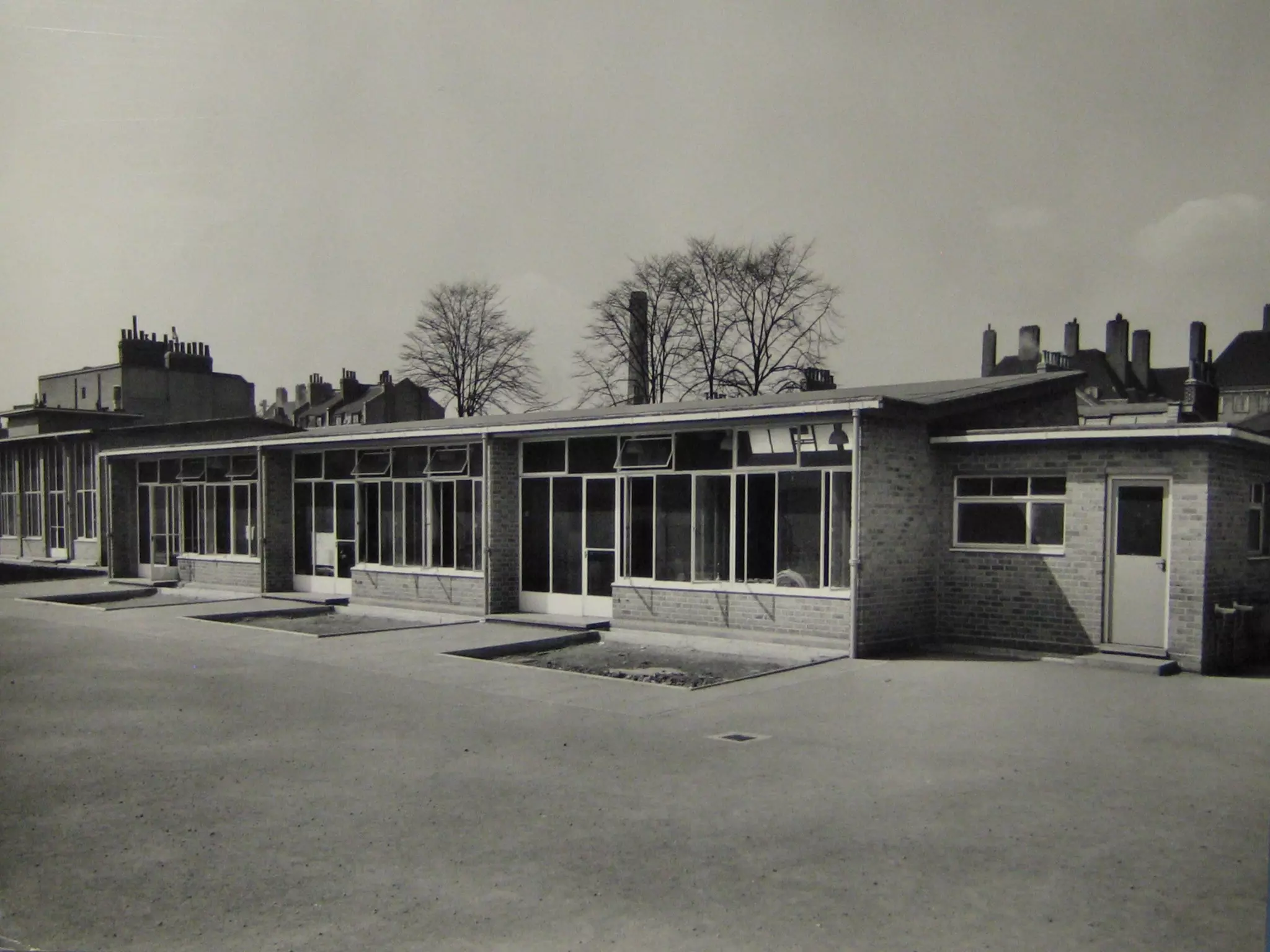
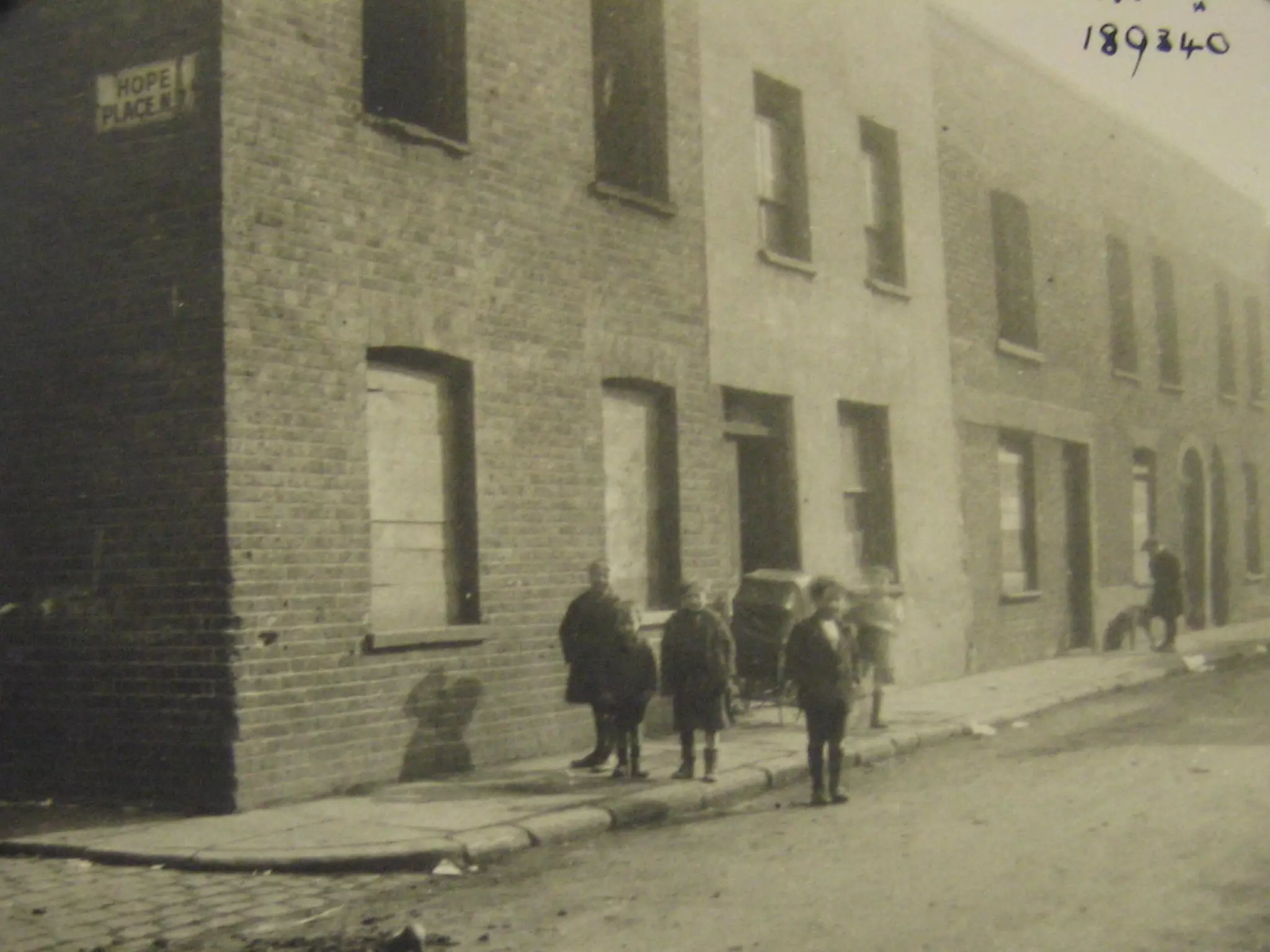
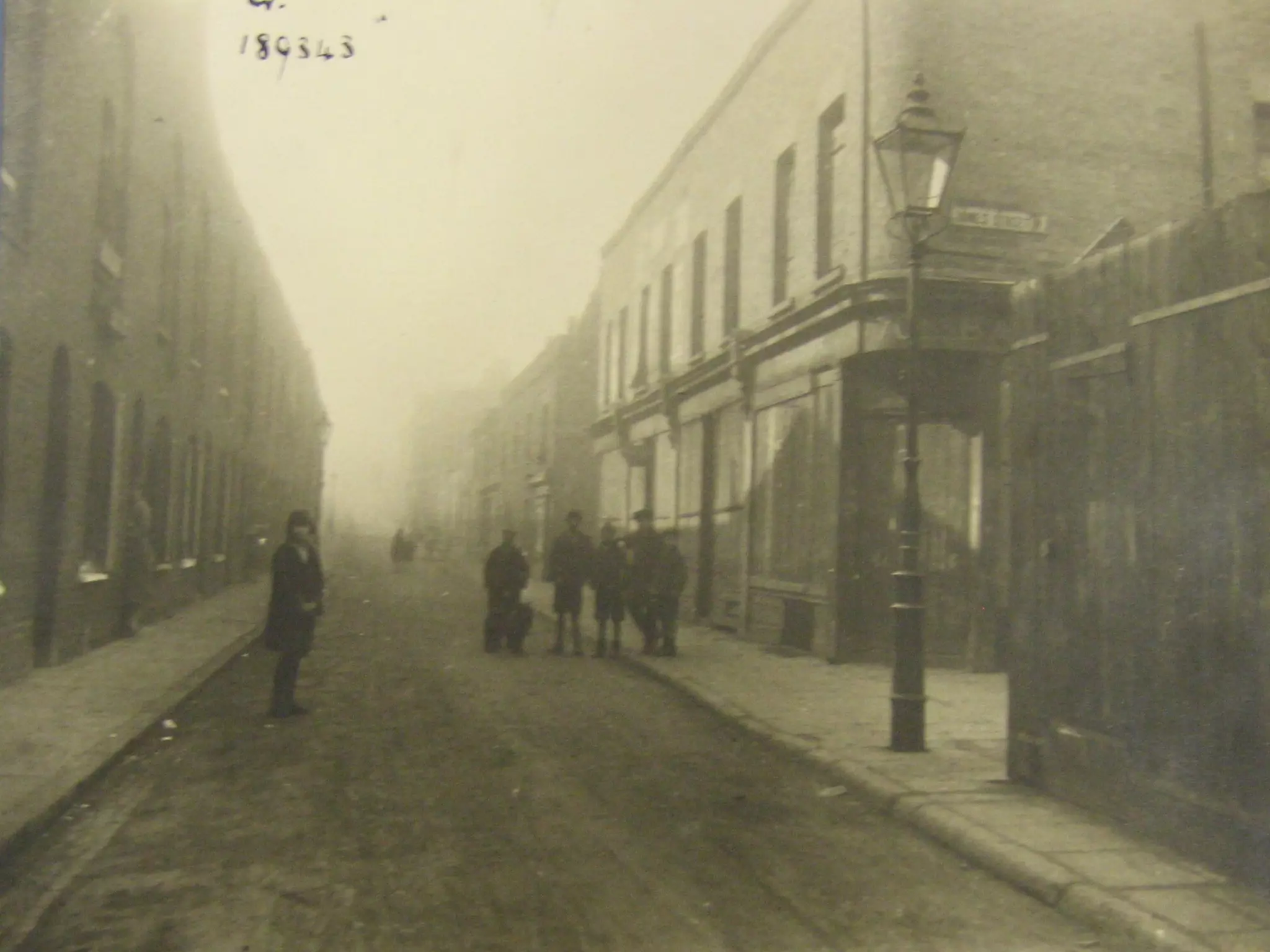
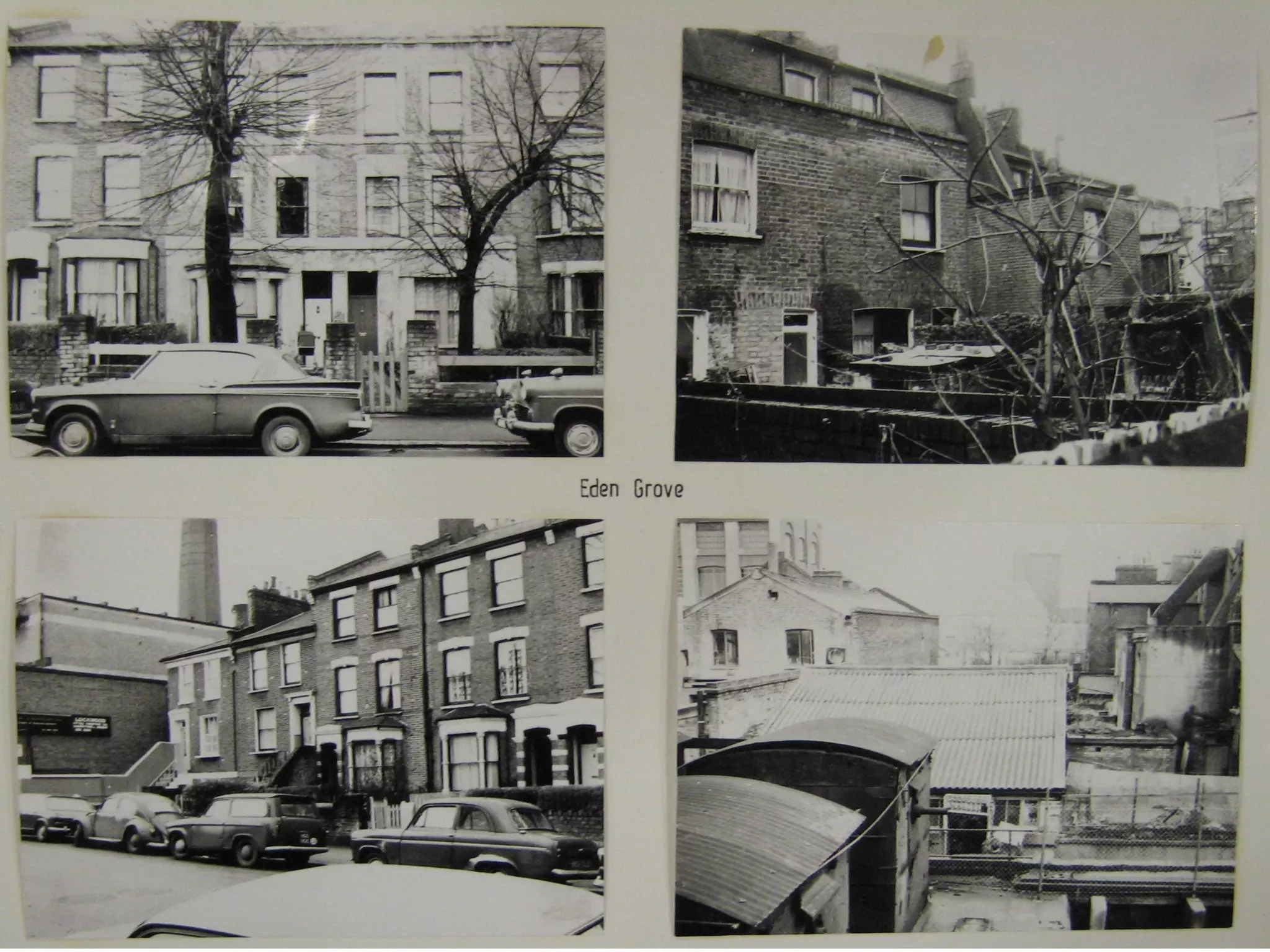
1. Introduction An urban area close to London Metropolitan University, from 1850 to the present day, is being used to explore how schools are signifiers of both urban change and continuity of educational policy and practice.  The aim of this project is to provide a contextualised, social and historical account of urban education, focusing on systems and beliefs that contribute to the construction of the surrounding discourses.  Another aim of this project is to scaffold the trainee teachers’ understanding of what is possible with mobile learning in terms of filed trips.
2. Definitions Location-aware services offer to transfer background information services such as finding places and giving directions help identify potential interactors in physical proximity of the learner Context-sensitive learning aware of the activities of learners and can thus offer to give assistance E.g. if a student’s course work is due in soon, the context-sensitive system can send a tip giving the location of resources that may help with an assignment continually derive what intervention is appropriate and can provide relevant services to aid learning
Context-aware learning could include (Sharples, 2006) location-based guides and customised help systems systems that enable activities in context, e.g. data logging game learning offering services and options such as communication and awareness of other game players customise content adaptive interface and interaction, where the level of detail and order of presentation can vary and be made appropriate for context and for display on different devices.
Context-sensitive learning is a fascinating area that holds great potential for enabling learners to engage in meaning-making through interactive practice.  Location-aware services, already used by emergency services, which use systems and tools that are able to detect the exact physical location of mobile device.  For example, if a learner is stood in front of a painting by Picasso in an art gallery, the location-aware system can offer to transfer background information on the painting and the artist.  In addition to services such as finding places and giving directions, location-aware systems can also help identify potential interactors in physical proximity of the learner.
Applets on mobile devices such as the iPhone or iPod Touch utilise location awareness to tell the user which of their ‘buddies’ and friends are in physical proximity.  Context-sensitive systems are aware of the activities of learners and can thus offer to give assistance. For example, if a student’s course work is due in soon, the context-sensitive system can send a tip giving the location of resources that may help with an assignment.  Thus, interaction based approach to context should, ideally, continually derive what intervention is appropriate and can provide relevant services to aid learning.
3. CONTSENS Partner in the Erricson led ‘CONTSENS’ EC project  http://tiny.cc/5wdUr WP4 we developed a series of mobile learning applications that are being used to support student teachers in exploring their knowledge and understanding of urban education in a meaningful context Smith, C., Cook, J. and Pratt-Adams, S. (2009).  Context Sensitive Mobile Learning: Designing a ‘Technoscape’ for Urban Planners.  Mobile Learning, Barcelona, 26-28 February.
4. Project description Enable urban planners to examine past and present representations of urban form using mobile learning technologies in context to see how the organisation and re/structuring of urban space related to educational discourse. The aim is to create a digital ‘technoscape’ (Appadurai 1996, Urry 2007) to represent urban land, space, and subjects using a combination of social and cultural scripts. The intention is for the urban planner to  move through  the re-constructed landscape and thus “perform that landscape” (Sheller and Urry 2006: 9)
CONTSENS Going for a local walkabout  (Smith, Cook and Bradley, 2009)


Script segments from the work package: Task:  Using the local maps and old photographs sketch the road layout of the area in the 19th century.


Outline of development/research process High end mobile phones (HTC diamond + Nokia N95) used by small groups of 2 or 3 students at a time. They allowed real research to be done on the move. The  voice recorder on the phones  used to allow report writing and note making for final presentations to be captured quickly and efficiently.  Students could also produce  video podcasts  of themselves and even edit the videos they make on site using the phones.
Images captured with the phones  automatically be geo-spatially tagged  with their location information using GPS (not yet!). These smart phones are also capable of instant upload of data to sites like Flickr.
The project used a combination of smart phones: HTC Advantage and HTC Diamond (running the Mediascape authoring environment http://www.mscapers.com/ on the Windows Mobile operating system) and Nokia phones for students to record their reflections about the various tasks. Users equipped with a mobile device running the Mscape player can move through the physical world and trigger digital media with GPS via an invisible interactive map, in response to their physical location. The map is then divided into areas or zones which are called when the GPS location matches the coordinates. Contextual information was provided in the form of audio commentaries that guided the tour and outlined the tasks, along with supplementary multimedia resources, such as photographs, maps, videos and QuickTime VR reconstructions of the inside of buildings.
 
MSCAPES Mscapes overlay digital sight, sounds and interactions onto the physical world to create immersive and interactive experiences. Users equipped with a mobile device running the mscape player can move through the physical world, triggering digital media - in response to physical events such as location, proximity, time and movement. The most commonly used trigger is GPS, but a range of sensors can be used and combined, such as Bluetooth, wifi, RFID tags.
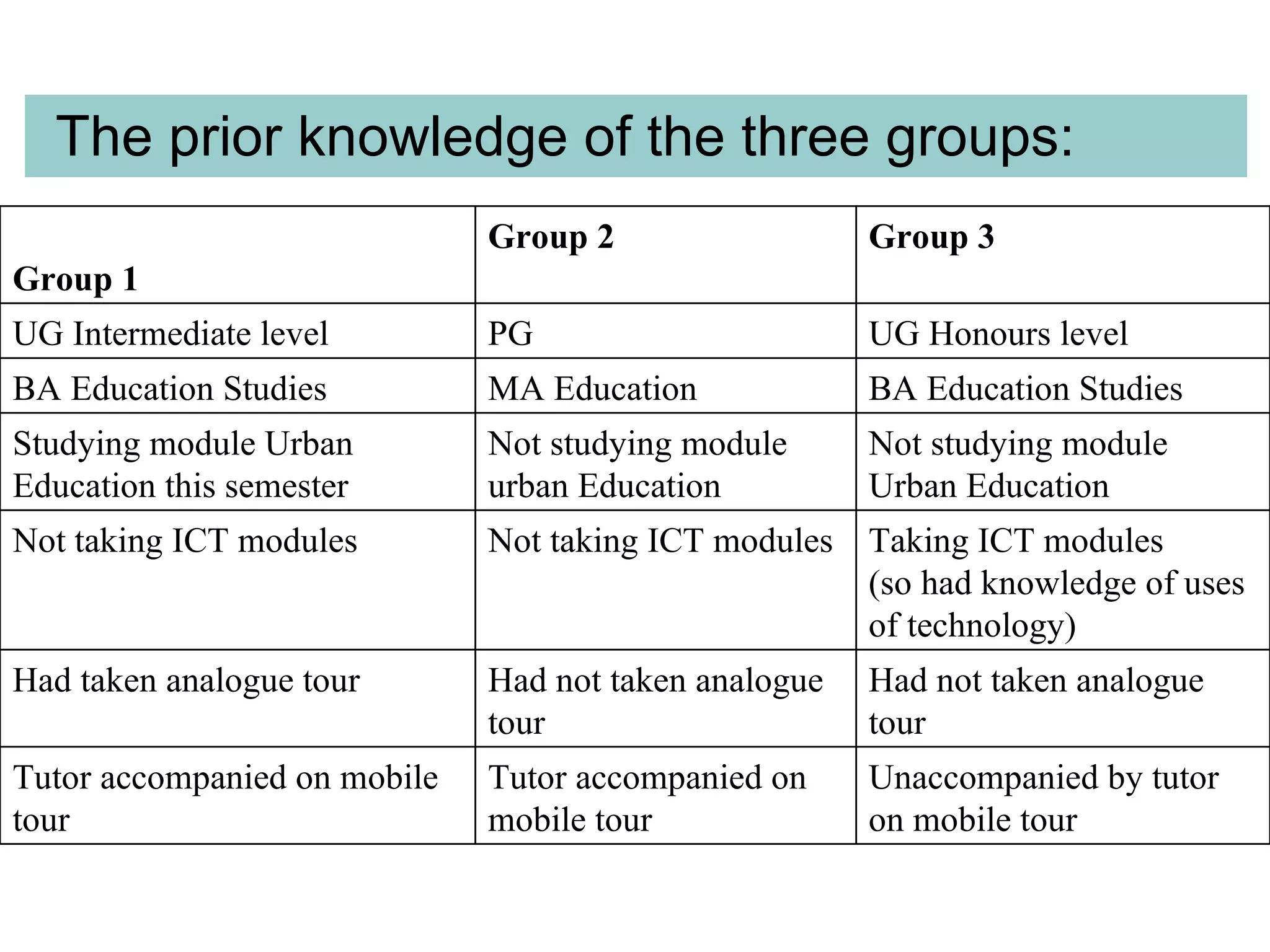
5. Evaluation results Students took part in the first trial in 3 distinct groups Quantative feedback: CONTSENS questionnaire informal group interviews afterwards Tutor feedback: interview
The prior knowledge of the three groups: Unaccompanied by tutor on mobile tour Tutor accompanied on mobile tour Tutor accompanied on mobile tour Had not taken analogue tour Had not taken analogue tour Had taken analogue tour Taking ICT modules  (so had knowledge of uses of technology) Not taking ICT modules Not taking ICT modules Not studying module Urban Education Not studying module urban Education Studying module Urban Education this semester BA Education Studies MA Education BA Education Studies  UG Honours level PG UG Intermediate level  Group 3 Group 2 Group 1
“ The information given was underlined by the 'experience' of the area and therefore  given context in both past and present. ”
“ “ it was triggering my own thoughts and I was getting to  think for myself  about the area and the buildings. ”
Key outcomes for the students were that the context-sensitive and location-aware GPS system made the tour easier because the information was sent to them on their devices.  As two students said, “a lot of past events/information was brought to my knowledge without much struggle to access them through other means”; “it made it easier than trying to find the information every time you got somewhere”.  One student said, “It gave a wider perspective for learning, it wasn't just standing looking at buildings, it gave you more information from the past with narration and images”,  And another when asked about the mix of media used said, “it contextualised the area very well”.   Several students commented that they were less passive than they would be on a tutor-led tour, and that the mobile tour encouraged active learning.
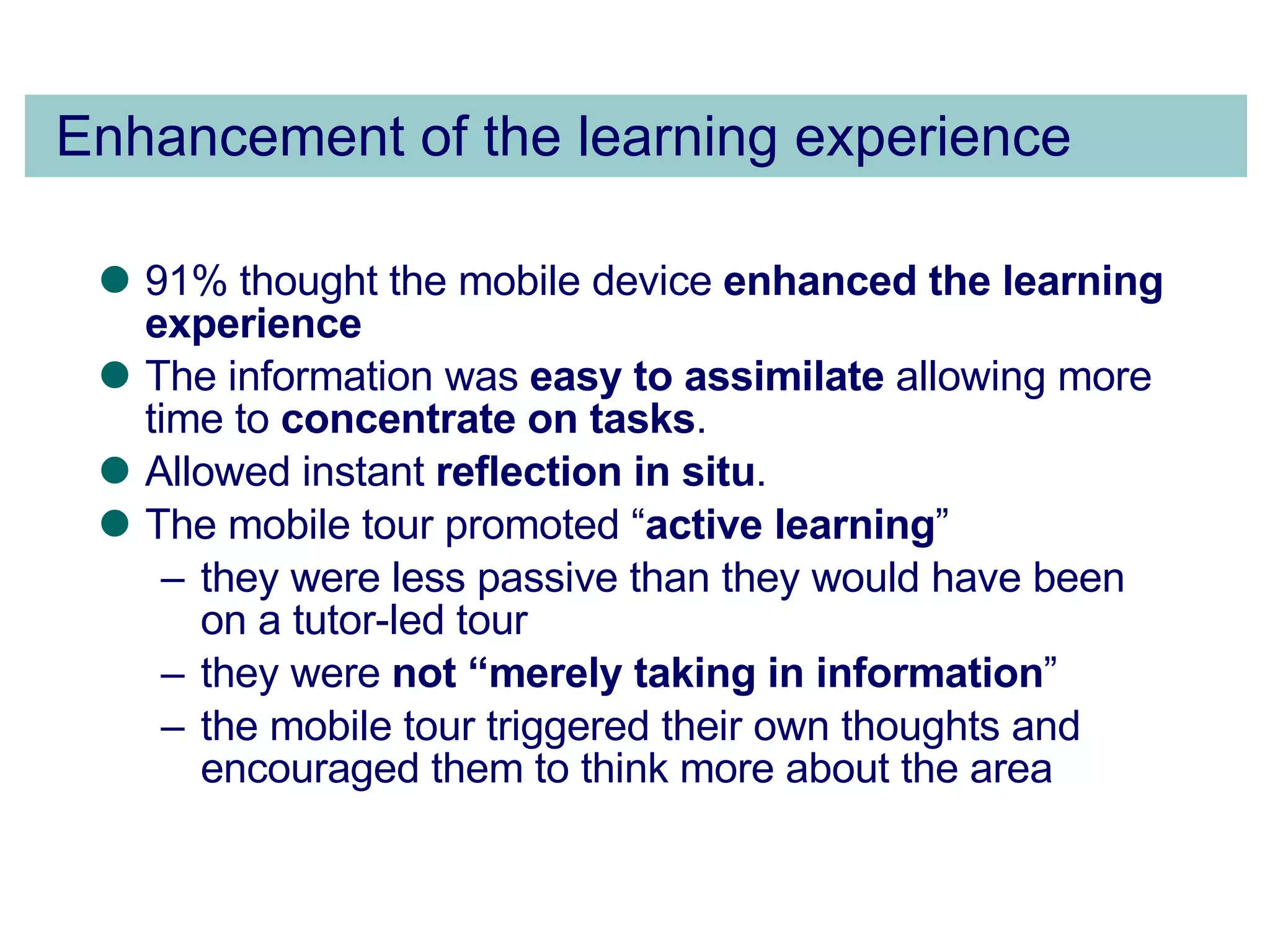
Enhancement of the learning experience 91% thought the mobile device  enhanced the learning experience The information was  easy to assimilate  allowing more time to  concentrate on tasks .  Allowed instant  reflection in situ . The mobile tour promoted “ active learning ”  they were less passive than they would have been on a tutor-led tour  they were  not “merely taking in information ”  the mobile tour triggered their own thoughts and encouraged them to think more about the area
6. Future work Future work in this area will revolve around these  context  questions.  Will learners follow a ‘learning pathway’ across multiple contexts for learning?  During their activity, what will the learning trail left behind by learners tell us as they move from one learning context to the next?  Will it be possible to produce intervention guidelines that can be used (perhaps in modified forms) across many contexts?
7. Issues There is still much work to do if mobile devices are to be widely adopted for learning in educational institutions. As Sharples (2006) pointed out, there are many issues that for schools to resolve, these include: How will schools respond to children bringing in their own mobile multimedia communications devices? How can schools manage the tension between informal networked learning and formal institutional learning? What types of mobile learning are appropriate and cost-effective for schools, colleges and universities?   Ethical issues surrounding tracking location and activity need constant attention.
Thank you Questions? & Discussion

Urban Planning Education In Context With Mobile Phones

  • 1.
    Urban Planning EducationIn Context With Mobile Phones [email_address] John Cook Learning Technology Research Institute, London Metropolitan University Slides available from http://www.slideshare.net/johnnigelcook
  • 2.
    Structure Introduction DefinitionsCONTSENS Project description Evaluation results Future work Issues Questions & discussion
  • 3.
    1. Introduction Anurban area close to London Metropolitan University, from 1850 to the present day, is being used to explore how schools are signifiers of both urban change and continuity of educational policy and practice. The aim of this project is to provide a contextualised, social and historical account of urban education, focusing on systems and beliefs that contribute to the construction of the surrounding discourses. Another aim of this project is to scaffold the trainee teachers’ understanding of what is possible with mobile learning in terms of filed trips.
  • 4.
    2. Definitions Location-awareservices offer to transfer background information services such as finding places and giving directions help identify potential interactors in physical proximity of the learner Context-sensitive learning aware of the activities of learners and can thus offer to give assistance E.g. if a student’s course work is due in soon, the context-sensitive system can send a tip giving the location of resources that may help with an assignment continually derive what intervention is appropriate and can provide relevant services to aid learning
  • 5.
    Context-aware learning couldinclude (Sharples, 2006) location-based guides and customised help systems systems that enable activities in context, e.g. data logging game learning offering services and options such as communication and awareness of other game players customise content adaptive interface and interaction, where the level of detail and order of presentation can vary and be made appropriate for context and for display on different devices.
  • 6.
    Context-sensitive learning isa fascinating area that holds great potential for enabling learners to engage in meaning-making through interactive practice. Location-aware services, already used by emergency services, which use systems and tools that are able to detect the exact physical location of mobile device. For example, if a learner is stood in front of a painting by Picasso in an art gallery, the location-aware system can offer to transfer background information on the painting and the artist. In addition to services such as finding places and giving directions, location-aware systems can also help identify potential interactors in physical proximity of the learner.
  • 7.
    Applets on mobiledevices such as the iPhone or iPod Touch utilise location awareness to tell the user which of their ‘buddies’ and friends are in physical proximity. Context-sensitive systems are aware of the activities of learners and can thus offer to give assistance. For example, if a student’s course work is due in soon, the context-sensitive system can send a tip giving the location of resources that may help with an assignment. Thus, interaction based approach to context should, ideally, continually derive what intervention is appropriate and can provide relevant services to aid learning.
  • 8.
    3. CONTSENS Partnerin the Erricson led ‘CONTSENS’ EC project http://tiny.cc/5wdUr WP4 we developed a series of mobile learning applications that are being used to support student teachers in exploring their knowledge and understanding of urban education in a meaningful context Smith, C., Cook, J. and Pratt-Adams, S. (2009). Context Sensitive Mobile Learning: Designing a ‘Technoscape’ for Urban Planners. Mobile Learning, Barcelona, 26-28 February.
  • 9.
    4. Project descriptionEnable urban planners to examine past and present representations of urban form using mobile learning technologies in context to see how the organisation and re/structuring of urban space related to educational discourse. The aim is to create a digital ‘technoscape’ (Appadurai 1996, Urry 2007) to represent urban land, space, and subjects using a combination of social and cultural scripts. The intention is for the urban planner to move through the re-constructed landscape and thus “perform that landscape” (Sheller and Urry 2006: 9)
  • 10.
    CONTSENS Going fora local walkabout (Smith, Cook and Bradley, 2009)
  • 11.
  • 12.
  • 13.
  • 14.
  • 15.
  • 16.
    Script segments fromthe work package: Task: Using the local maps and old photographs sketch the road layout of the area in the 19th century.
  • 17.
  • 18.
  • 19.
  • 20.
  • 21.
  • 22.
  • 23.
    Outline of development/researchprocess High end mobile phones (HTC diamond + Nokia N95) used by small groups of 2 or 3 students at a time. They allowed real research to be done on the move. The voice recorder on the phones used to allow report writing and note making for final presentations to be captured quickly and efficiently. Students could also produce video podcasts of themselves and even edit the videos they make on site using the phones.
  • 24.
    Images captured withthe phones automatically be geo-spatially tagged with their location information using GPS (not yet!). These smart phones are also capable of instant upload of data to sites like Flickr.
  • 25.
    The project useda combination of smart phones: HTC Advantage and HTC Diamond (running the Mediascape authoring environment http://www.mscapers.com/ on the Windows Mobile operating system) and Nokia phones for students to record their reflections about the various tasks. Users equipped with a mobile device running the Mscape player can move through the physical world and trigger digital media with GPS via an invisible interactive map, in response to their physical location. The map is then divided into areas or zones which are called when the GPS location matches the coordinates. Contextual information was provided in the form of audio commentaries that guided the tour and outlined the tasks, along with supplementary multimedia resources, such as photographs, maps, videos and QuickTime VR reconstructions of the inside of buildings.
  • 26.
  • 27.
    MSCAPES Mscapes overlaydigital sight, sounds and interactions onto the physical world to create immersive and interactive experiences. Users equipped with a mobile device running the mscape player can move through the physical world, triggering digital media - in response to physical events such as location, proximity, time and movement. The most commonly used trigger is GPS, but a range of sensors can be used and combined, such as Bluetooth, wifi, RFID tags.
  • 28.
    5. Evaluation resultsStudents took part in the first trial in 3 distinct groups Quantative feedback: CONTSENS questionnaire informal group interviews afterwards Tutor feedback: interview
  • 29.
    The prior knowledgeof the three groups: Unaccompanied by tutor on mobile tour Tutor accompanied on mobile tour Tutor accompanied on mobile tour Had not taken analogue tour Had not taken analogue tour Had taken analogue tour Taking ICT modules (so had knowledge of uses of technology) Not taking ICT modules Not taking ICT modules Not studying module Urban Education Not studying module urban Education Studying module Urban Education this semester BA Education Studies MA Education BA Education Studies UG Honours level PG UG Intermediate level Group 3 Group 2 Group 1
  • 30.
    “ The informationgiven was underlined by the 'experience' of the area and therefore given context in both past and present. ”
  • 31.
    “ “ itwas triggering my own thoughts and I was getting to think for myself about the area and the buildings. ”
  • 32.
    Key outcomes forthe students were that the context-sensitive and location-aware GPS system made the tour easier because the information was sent to them on their devices. As two students said, “a lot of past events/information was brought to my knowledge without much struggle to access them through other means”; “it made it easier than trying to find the information every time you got somewhere”. One student said, “It gave a wider perspective for learning, it wasn't just standing looking at buildings, it gave you more information from the past with narration and images”, And another when asked about the mix of media used said, “it contextualised the area very well”.  Several students commented that they were less passive than they would be on a tutor-led tour, and that the mobile tour encouraged active learning.
  • 33.
    Enhancement of thelearning experience 91% thought the mobile device enhanced the learning experience The information was easy to assimilate allowing more time to concentrate on tasks . Allowed instant reflection in situ . The mobile tour promoted “ active learning ” they were less passive than they would have been on a tutor-led tour they were not “merely taking in information ” the mobile tour triggered their own thoughts and encouraged them to think more about the area
  • 34.
    6. Future workFuture work in this area will revolve around these context questions. Will learners follow a ‘learning pathway’ across multiple contexts for learning? During their activity, what will the learning trail left behind by learners tell us as they move from one learning context to the next? Will it be possible to produce intervention guidelines that can be used (perhaps in modified forms) across many contexts?
  • 35.
    7. Issues Thereis still much work to do if mobile devices are to be widely adopted for learning in educational institutions. As Sharples (2006) pointed out, there are many issues that for schools to resolve, these include: How will schools respond to children bringing in their own mobile multimedia communications devices? How can schools manage the tension between informal networked learning and formal institutional learning? What types of mobile learning are appropriate and cost-effective for schools, colleges and universities? Ethical issues surrounding tracking location and activity need constant attention.
  • 36.

Editor's Notes

  • #2 Contact details: Professor John Cook, T10-01 Tower Building, North Campus, London Metropolitan University, 166-220 Holloway Road, London, N7 8DB Direct: +44 (0)20 7133 4341 john.cook@londonmet.ac.uk http://staffweb.londonmet.ac.uk/~cookj1/ http://twitter.com/johnnigelcook http://blogs.londonmet.ac.uk/tel http://www.facebook.com/home.php#/home.php?ref=home http://www.linkedin.com/myprofile?trk=hb_side_pro