UNREAL OPEN DAY 2017
UE4 for Mobile:
The Future of High Quality Mobile Games
UNREAL OPEN DAY 2017
Jack Porter
Unreal Engine 4 Mobile Team Lead
I’ve worked on Unreal Engine development since 1998!
Contributed to Unreal Tournament & Gears of War series
Intro
UNREAL OPEN DAY 2017
• Introduction
• The UE4 mobile rendering pipeline and features for AAA games
• High-end graphics with mobile using OpenGL ES 3.1, Vulkan and
Metal
• Upcoming UE4 mobile features
Outline
UNREAL OPEN DAY 2017
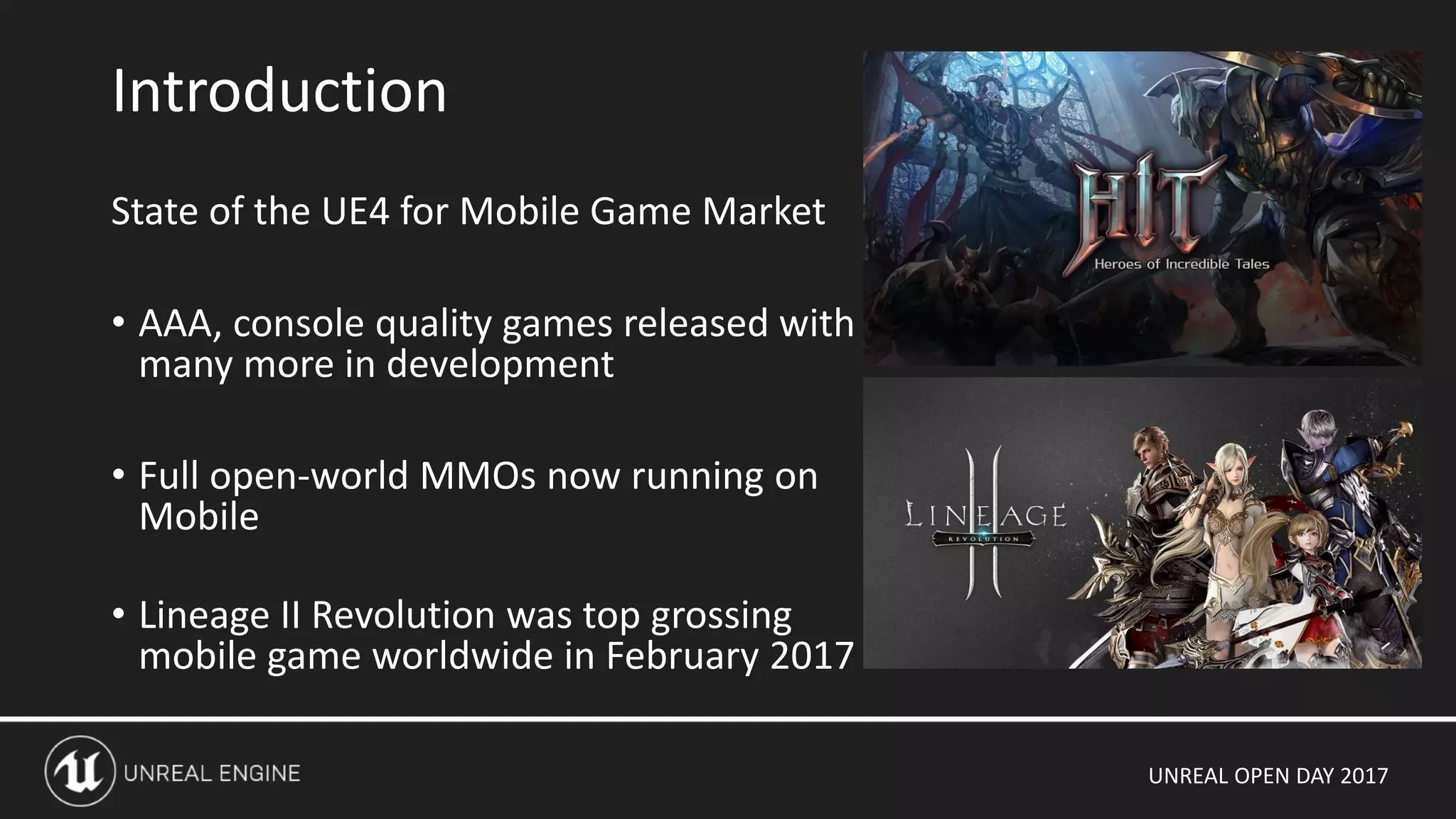
State of the UE4 for Mobile Game Market
• AAA, console quality games released with
many more in development
• Full open-world MMOs now running on
Mobile
• Lineage II Revolution was top grossing
mobile game worldwide in February 2017
Introduction
UNREAL OPEN DAY 2017
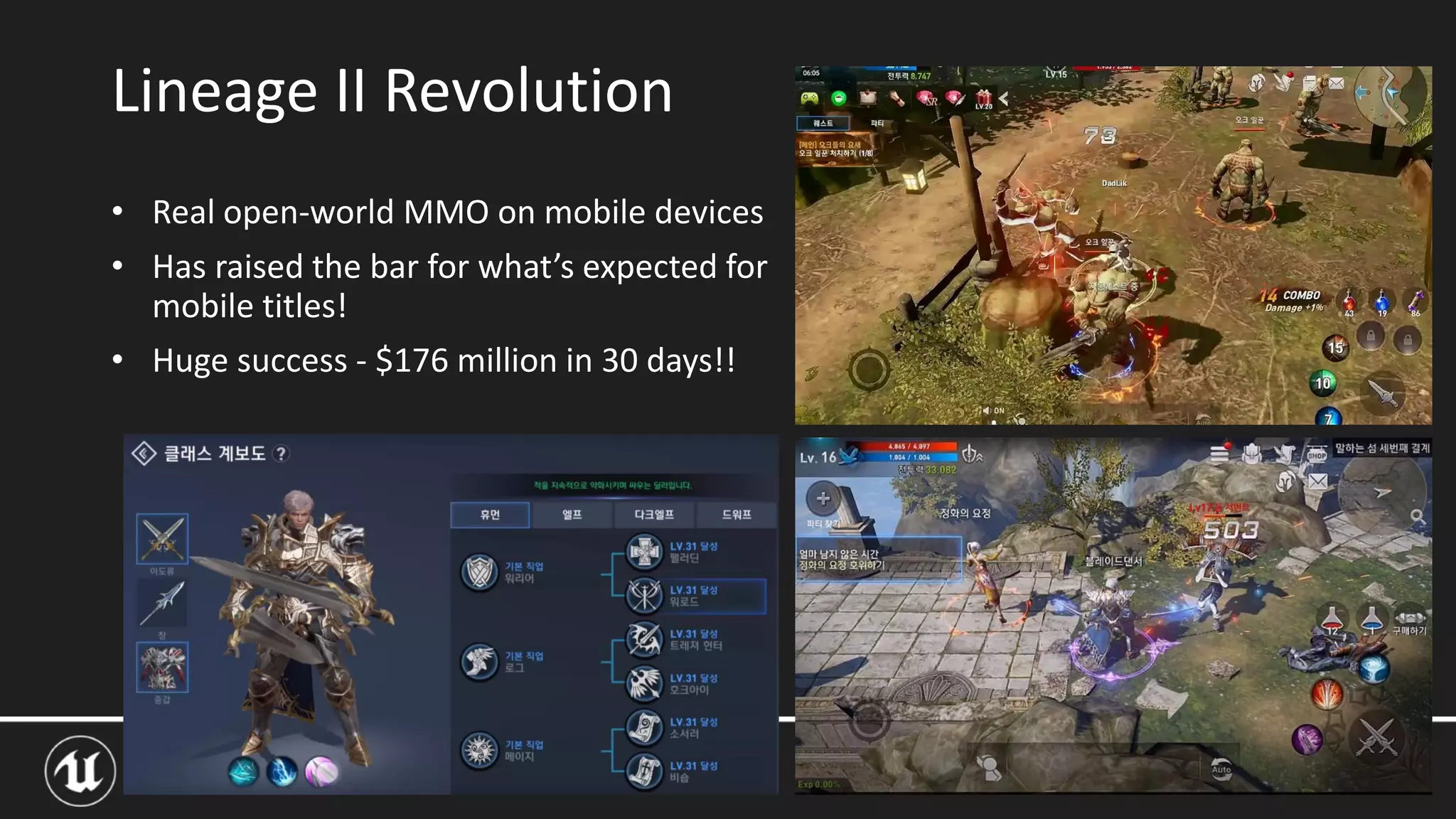
• Real open-world MMO on mobile devices
• Has raised the bar for what’s expected for
mobile titles!
• Huge success - $176 million in 30 days!!
Lineage II Revolution
UNREAL OPEN DAY 2017
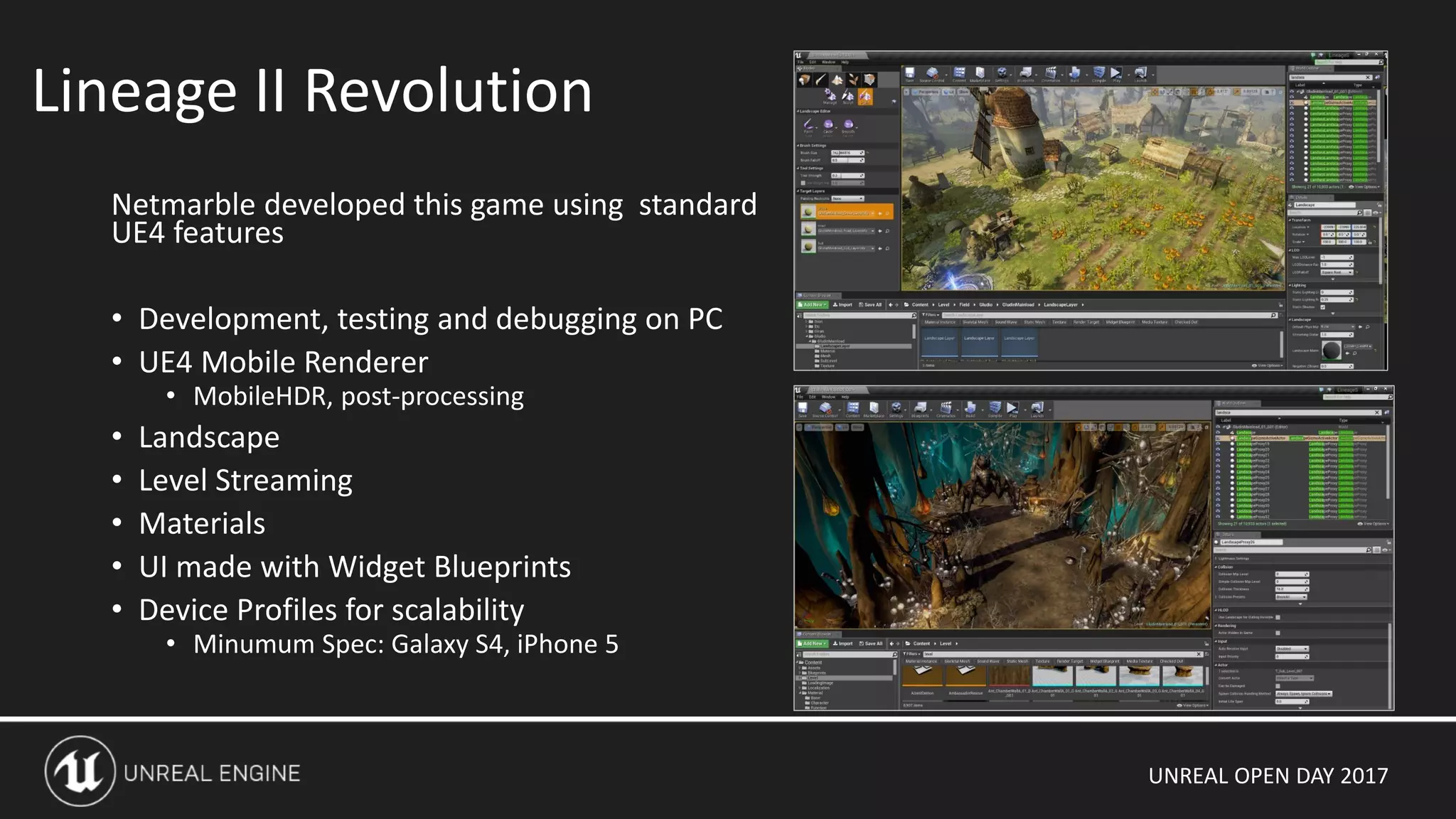
Netmarble developed this game using standard
UE4 features
• Development, testing and debugging on PC
• UE4 Mobile Renderer
• MobileHDR, post-processing
• Landscape
• Level Streaming
• Materials
• UI made with Widget Blueprints
• Device Profiles for scalability
• Minumum Spec: Galaxy S4, iPhone 5
Lineage II Revolution
UNREAL OPEN DAY 2017
UE4 Mobile Renderer
UNREAL OPEN DAY 2017
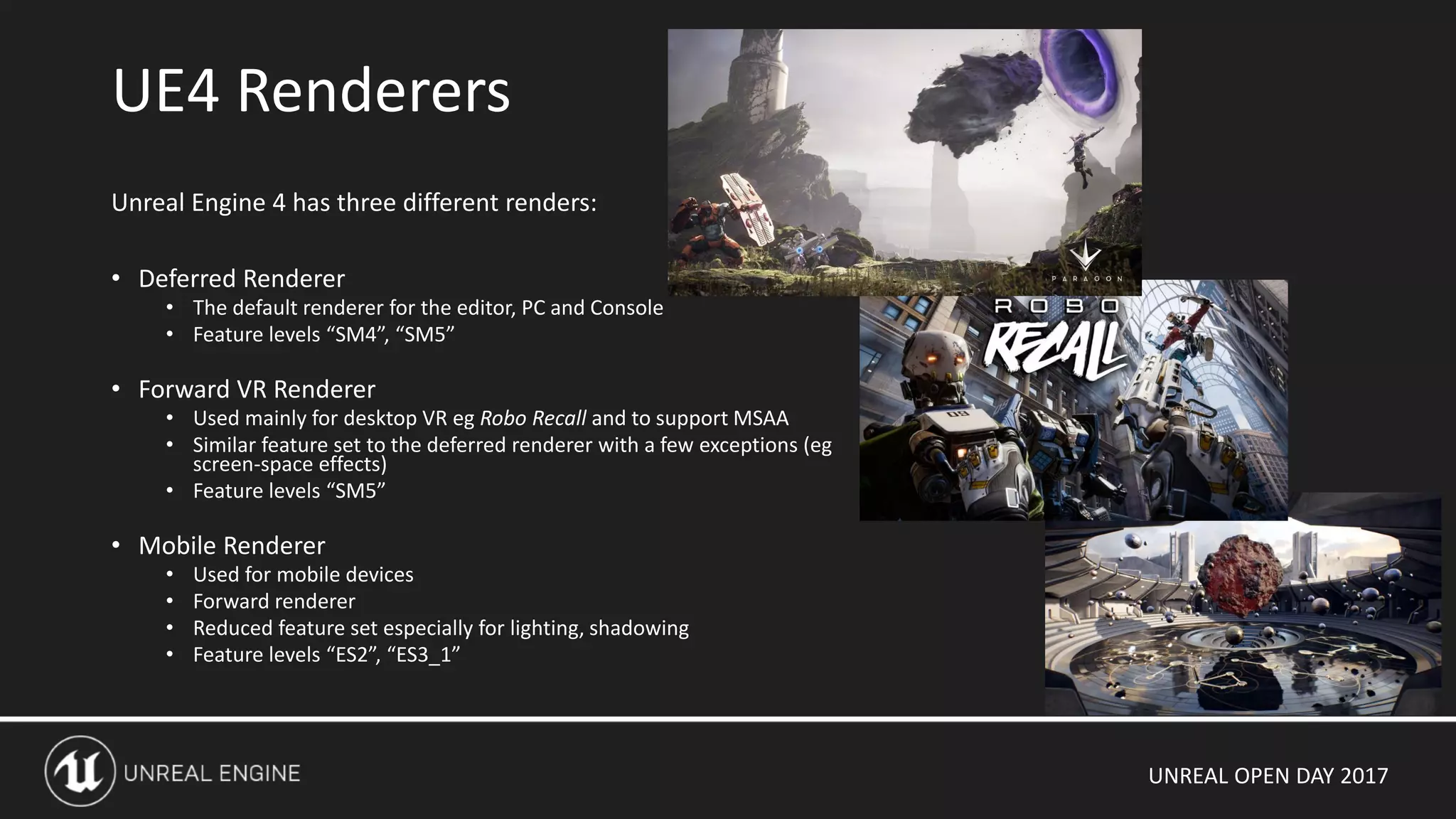
Unreal Engine 4 has three different renders:
• Deferred Renderer
• The default renderer for the editor, PC and Console
• Feature levels “SM4”, “SM5”
• Forward VR Renderer
• Used mainly for desktop VR eg Robo Recall and to support MSAA
• Similar feature set to the deferred renderer with a few exceptions (eg
screen-space effects)
• Feature levels “SM5”
• Mobile Renderer
• Used for mobile devices
• Forward renderer
• Reduced feature set especially for lighting, shadowing
• Feature levels “ES2”, “ES3_1”
UE4 Renderers
UNREAL OPEN DAY 2017
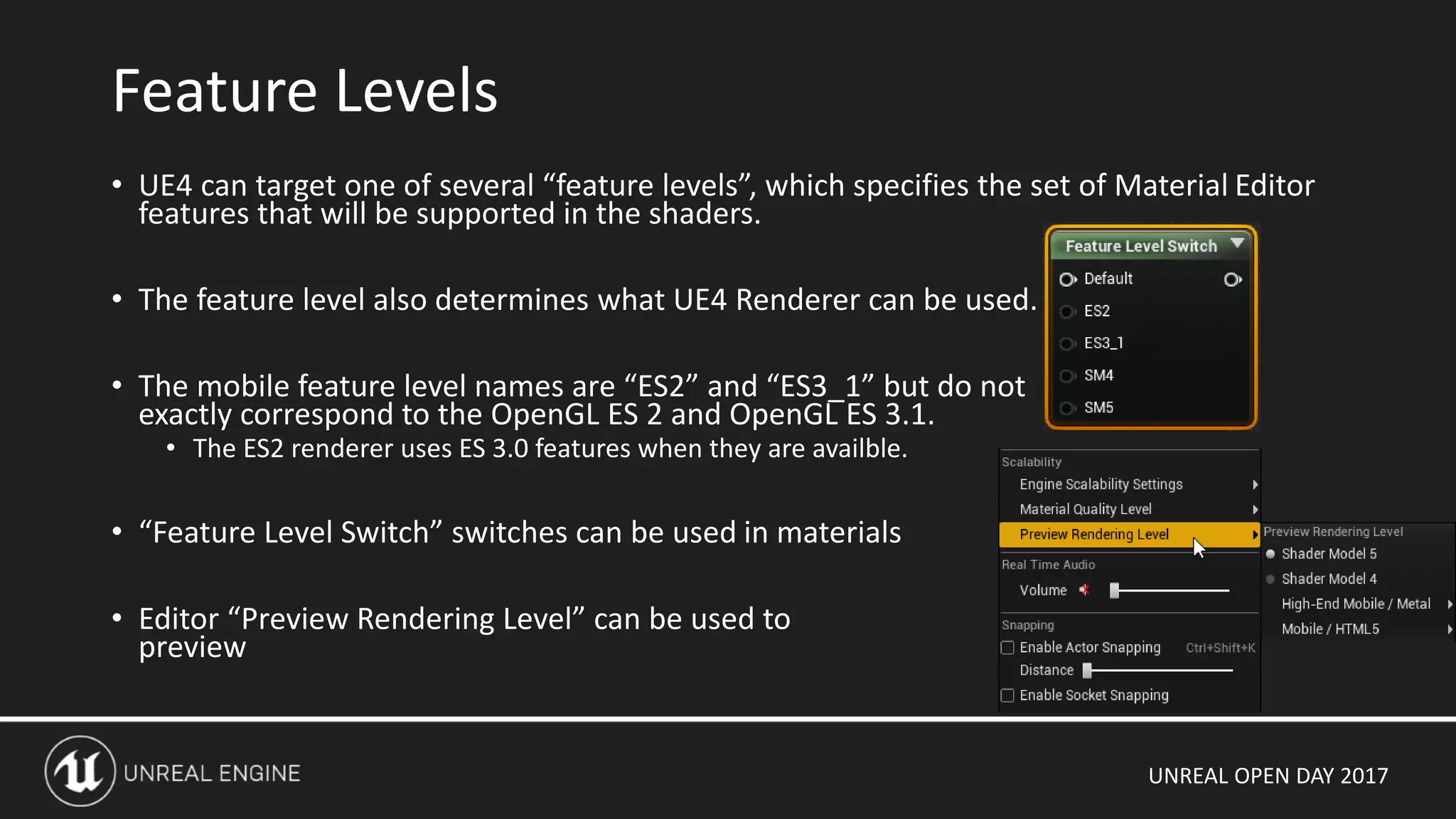
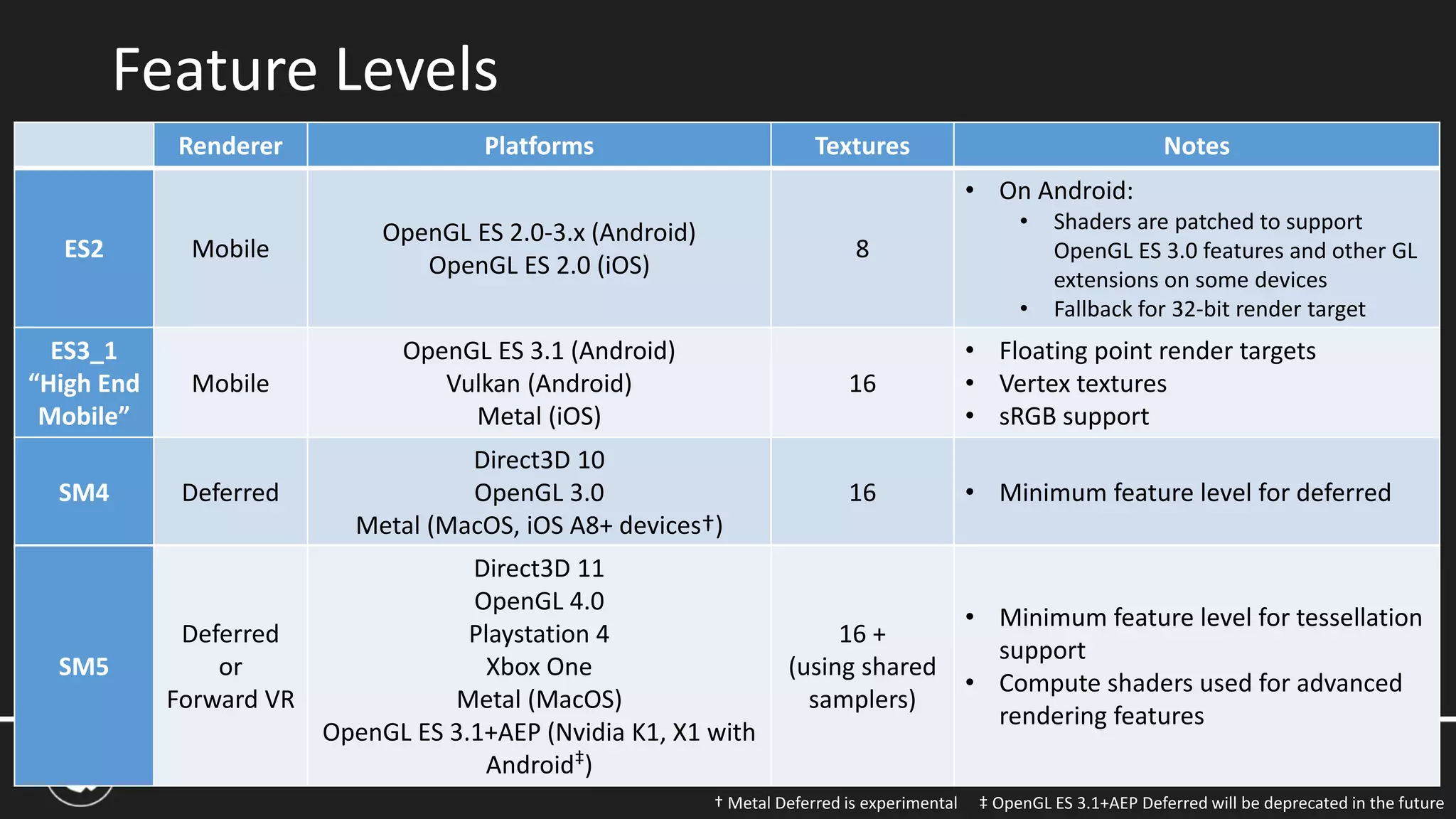
• UE4 can target one of several “feature levels”, which specifies the set of Material Editor
features that will be supported in the shaders.
• The feature level also determines what UE4 Renderer can be used.
• The mobile feature level names are “ES2” and “ES3_1” but do not
exactly correspond to the OpenGL ES 2 and OpenGL ES 3.1.
• The ES2 renderer uses ES 3.0 features when they are availble.
• “Feature Level Switch” switches can be used in materials
• Editor “Preview Rendering Level” can be used to
preview
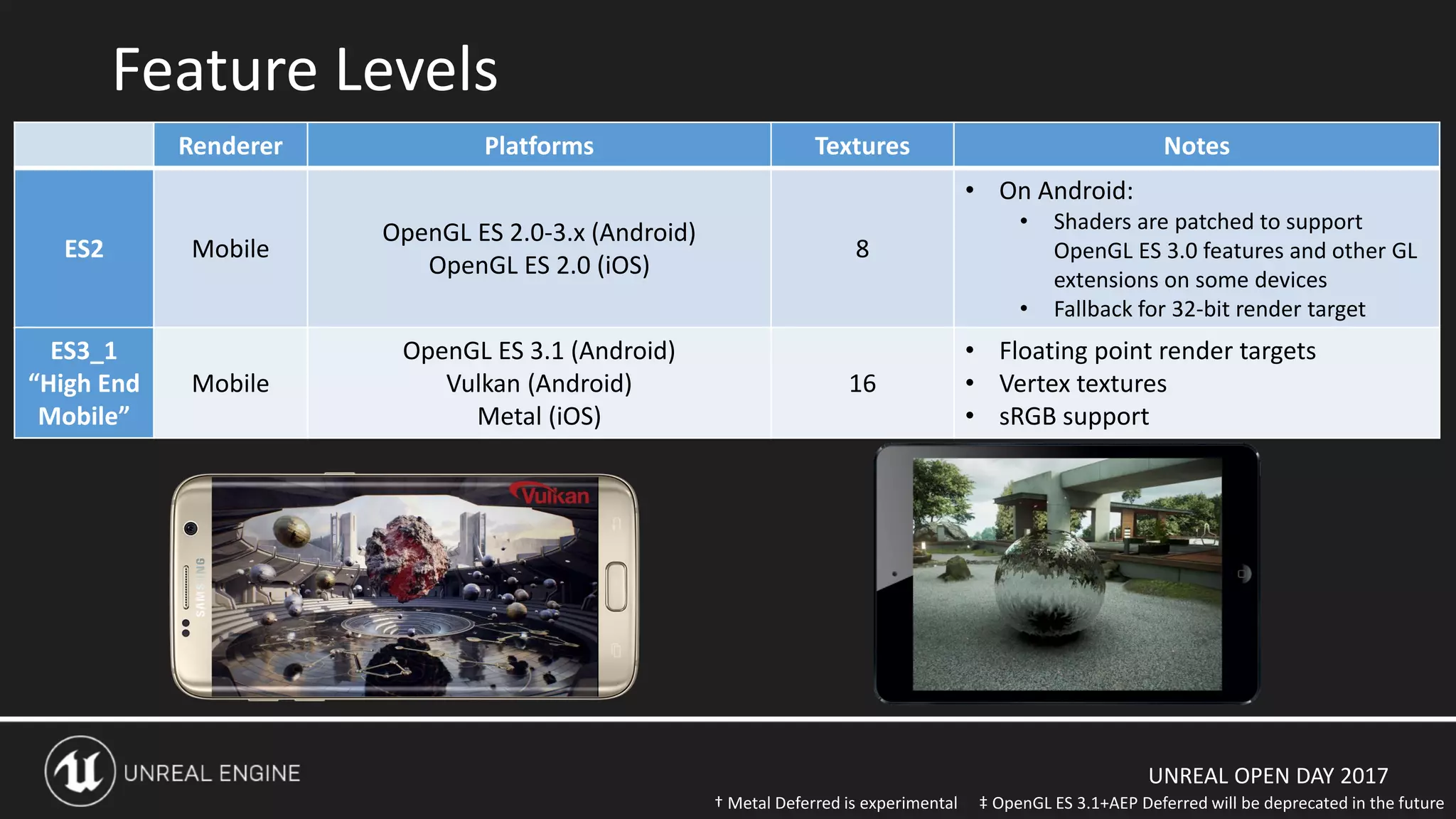
Feature Levels
UNREAL OPEN DAY 2017
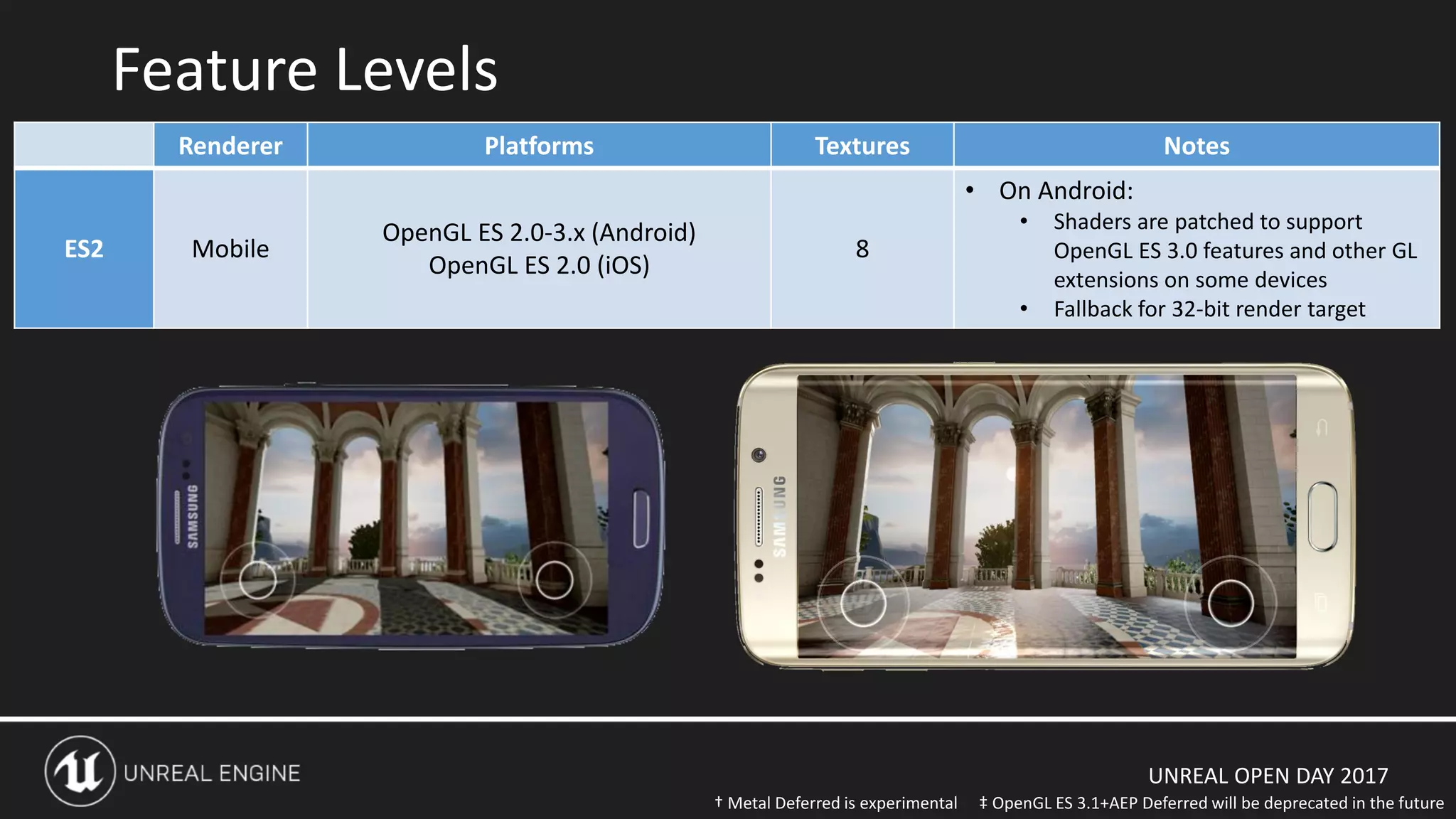
Feature Levels
Renderer Platforms Textures Notes
ES2 Mobile
OpenGL ES 2.0-3.x (Android)
OpenGL ES 2.0 (iOS)
8
• On Android:
• Shaders are patched to support
OpenGL ES 3.0 features and other GL
extensions on some devices
• Fallback for 32-bit render target
‡ OpenGL ES 3.1+AEP Deferred will be deprecated in the future† Metal Deferred is experimental
UNREAL OPEN DAY 2017
Feature Levels
Renderer Platforms Textures Notes
ES2 Mobile
OpenGL ES 2.0-3.x (Android)
OpenGL ES 2.0 (iOS)
8
• On Android:
• Shaders are patched to support
OpenGL ES 3.0 features and other GL
extensions on some devices
• Fallback for 32-bit render target
‡ OpenGL ES 3.1+AEP Deferred will be deprecated in the future
ES3_1
“High End
Mobile”
Mobile
OpenGL ES 3.1 (Android)
Vulkan (Android)
Metal (iOS)
16
• Floating point render targets
• Vertex textures
• sRGB support
† Metal Deferred is experimental
UNREAL OPEN DAY 2017
Feature Levels
Renderer Platforms Textures Notes
ES2 Mobile
OpenGL ES 2.0-3.x (Android)
OpenGL ES 2.0 (iOS)
8
• On Android:
• Shaders are patched to support
OpenGL ES 3.0 features and other GL
extensions on some devices
• Fallback for 32-bit render target
‡ OpenGL ES 3.1+AEP Deferred will be deprecated in the future
ES3_1
“High End
Mobile”
Mobile
OpenGL ES 3.1 (Android)
Vulkan (Android)
Metal (iOS)
16
• Floating point render targets
• Vertex textures
• sRGB support
SM4 Deferred
Direct3D 10
OpenGL 3.0
Metal (MacOS, iOS A8+ devices†)
16 • Minimum feature level for deferred
SM5
Deferred
or
Forward VR
Direct3D 11
OpenGL 4.0
Playstation 4
Xbox One
Metal (MacOS)
OpenGL ES 3.1+AEP (Nvidia K1, X1 with
Android‡)
16 +
(using shared
samplers)
• Minimum feature level for tessellation
support
• Compute shaders used for advanced
rendering features
† Metal Deferred is experimental
UNREAL OPEN DAY 2017
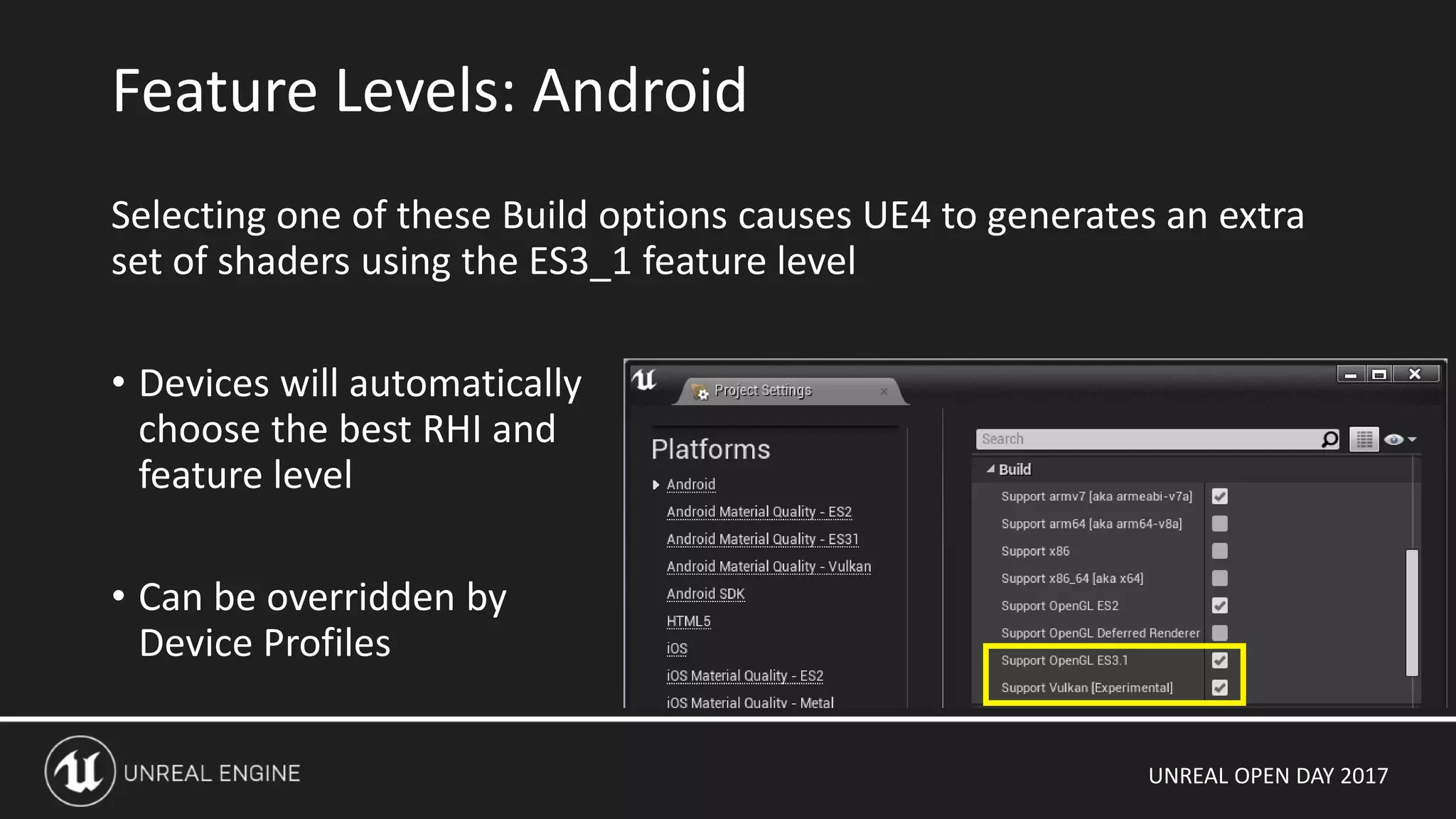
Selecting one of these Build options causes UE4 to generates an extra
set of shaders using the ES3_1 feature level
• Devices will automatically
choose the best RHI and
feature level
• Can be overridden by
Device Profiles
Feature Levels: Android
UNREAL OPEN DAY 2017
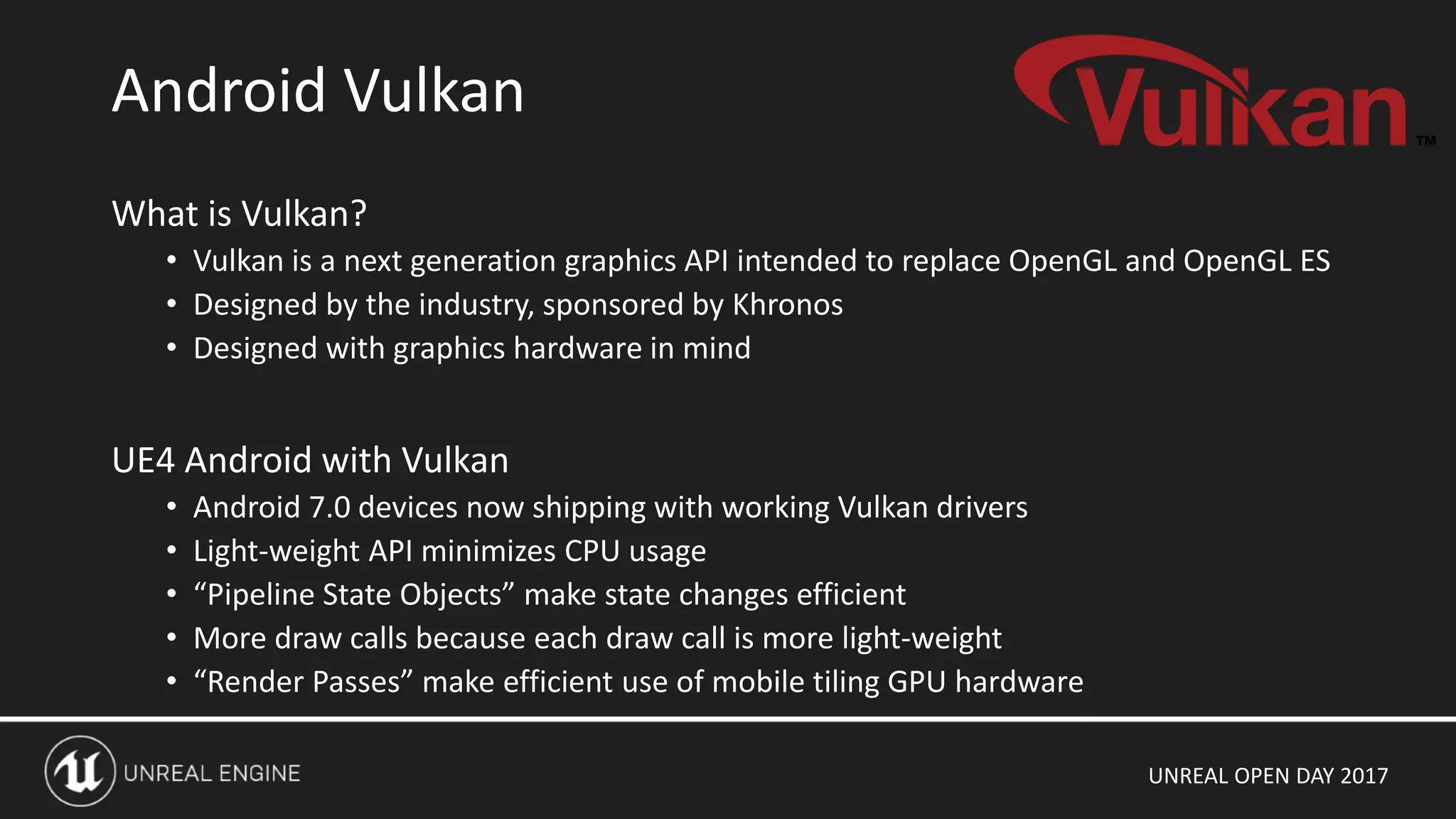
What is Vulkan?
• Vulkan is a next generation graphics API intended to replace OpenGL and OpenGL ES
• Designed by the industry, sponsored by Khronos
• Designed with graphics hardware in mind
UE4 Android with Vulkan
• Android 7.0 devices now shipping with working Vulkan drivers
• Light-weight API minimizes CPU usage
• “Pipeline State Objects” make state changes efficient
• More draw calls because each draw call is more light-weight
• “Render Passes” make efficient use of mobile tiling GPU hardware
Android Vulkan
UNREAL OPEN DAY 2017
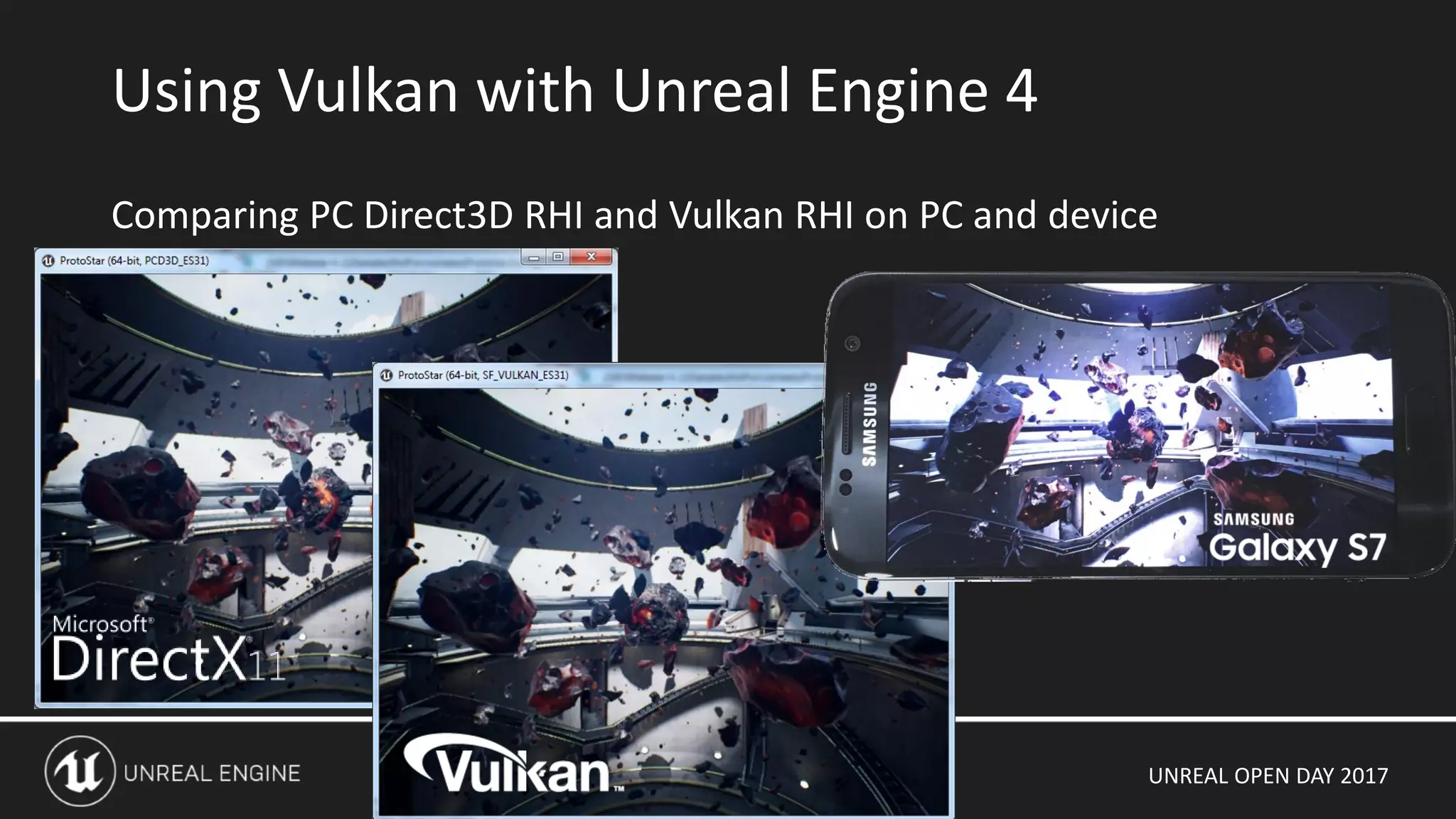
Comparing PC Direct3D RHI and Vulkan RHI on PC and device
Using Vulkan with Unreal Engine 4
UNREAL OPEN DAY 2017
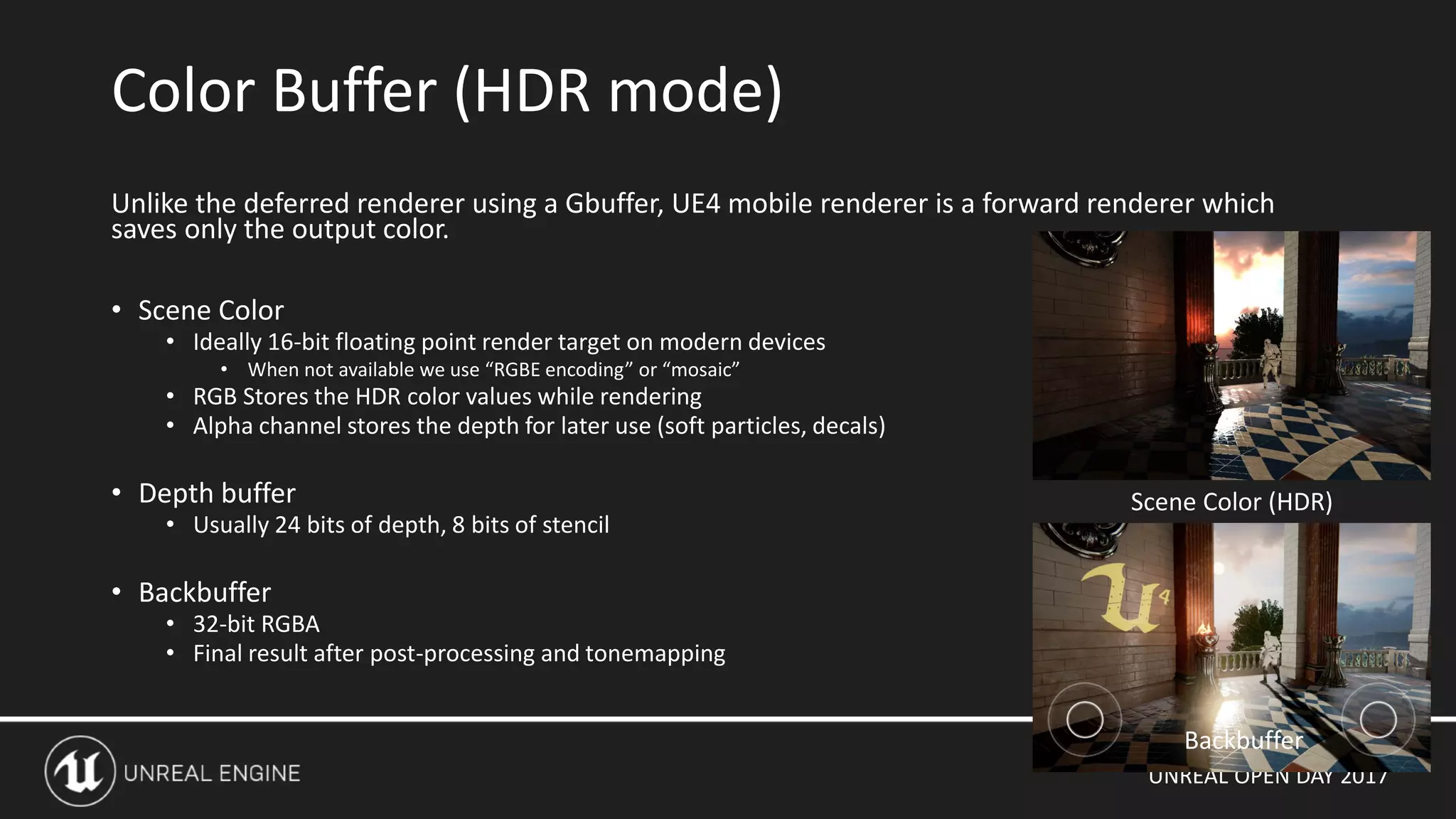
Unlike the deferred renderer using a Gbuffer, UE4 mobile renderer is a forward renderer which
saves only the output color.
• Scene Color
• Ideally 16-bit floating point render target on modern devices
• When not available we use “RGBE encoding” or “mosaic”
• RGB Stores the HDR color values while rendering
• Alpha channel stores the depth for later use (soft particles, decals)
• Depth buffer
• Usually 24 bits of depth, 8 bits of stencil
• Backbuffer
• 32-bit RGBA
• Final result after post-processing and tonemapping
Color Buffer (HDR mode)
Backbuffer
Scene Color (HDR)
UNREAL OPEN DAY 2017
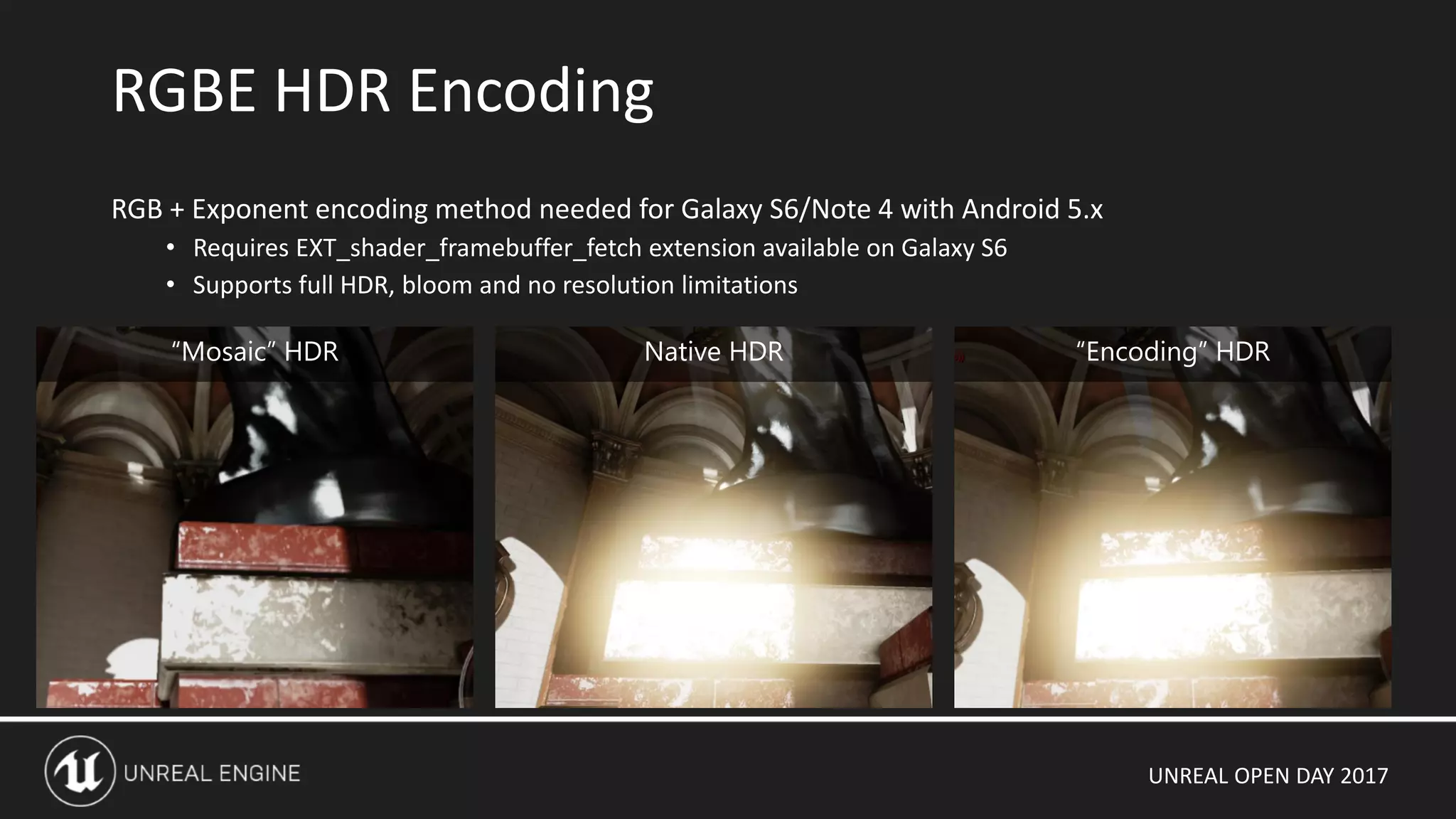
RGBE HDR Encoding
RGB + Exponent encoding method needed for Galaxy S6/Note 4 with Android 5.x
• Requires EXT_shader_framebuffer_fetch extension available on Galaxy S6
• Supports full HDR, bloom and no resolution limitations
“Mosaic” HDR Native HDR “Encoding” HDR
UNREAL OPEN DAY 2017
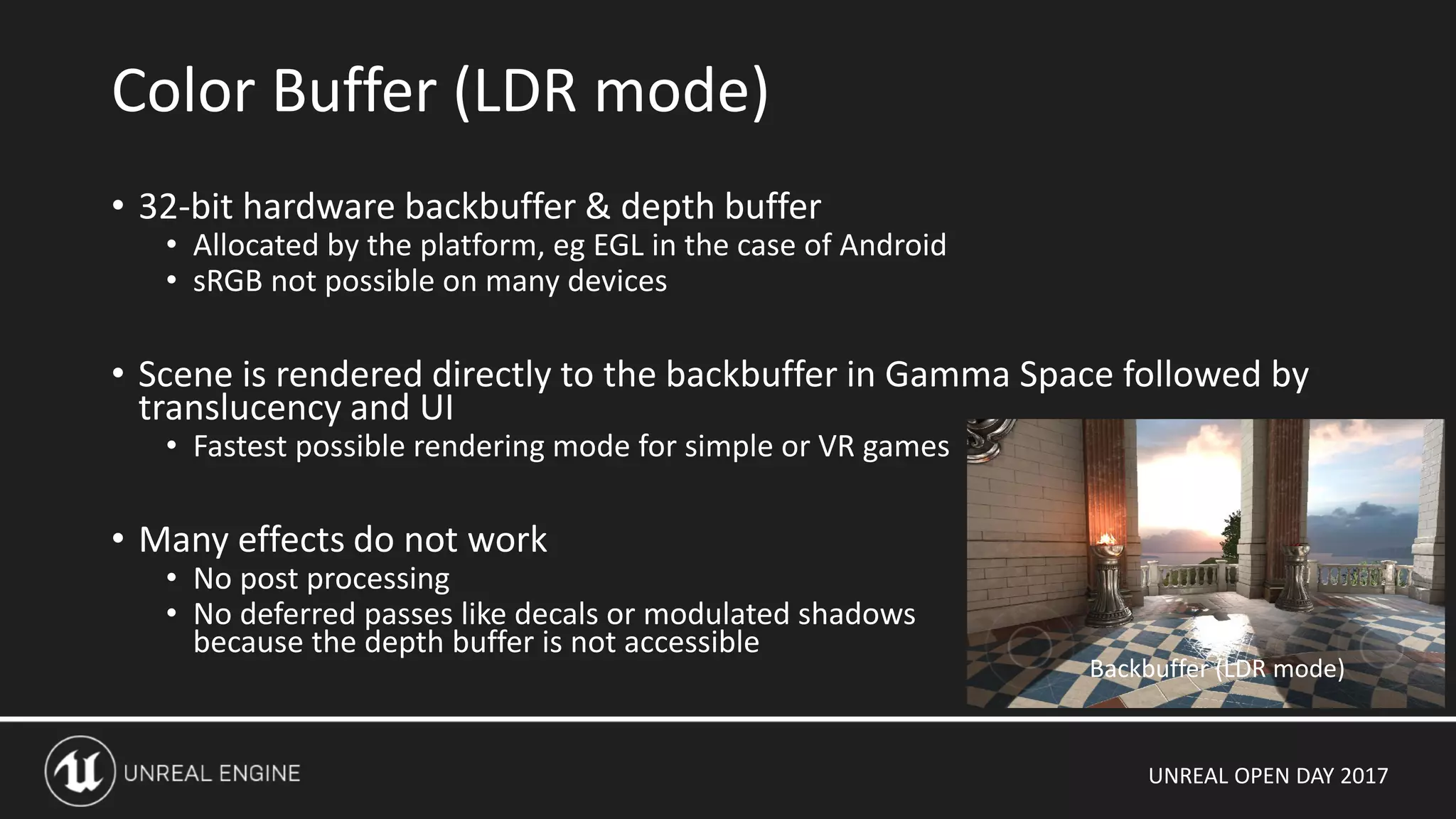
• 32-bit hardware backbuffer & depth buffer
• Allocated by the platform, eg EGL in the case of Android
• sRGB not possible on many devices
• Scene is rendered directly to the backbuffer in Gamma Space followed by
translucency and UI
• Fastest possible rendering mode for simple or VR games
• Many effects do not work
• No post processing
• No deferred passes like decals or modulated shadows
because the depth buffer is not accessible
Color Buffer (LDR mode)
Backbuffer (LDR mode)
UNREAL OPEN DAY 2017
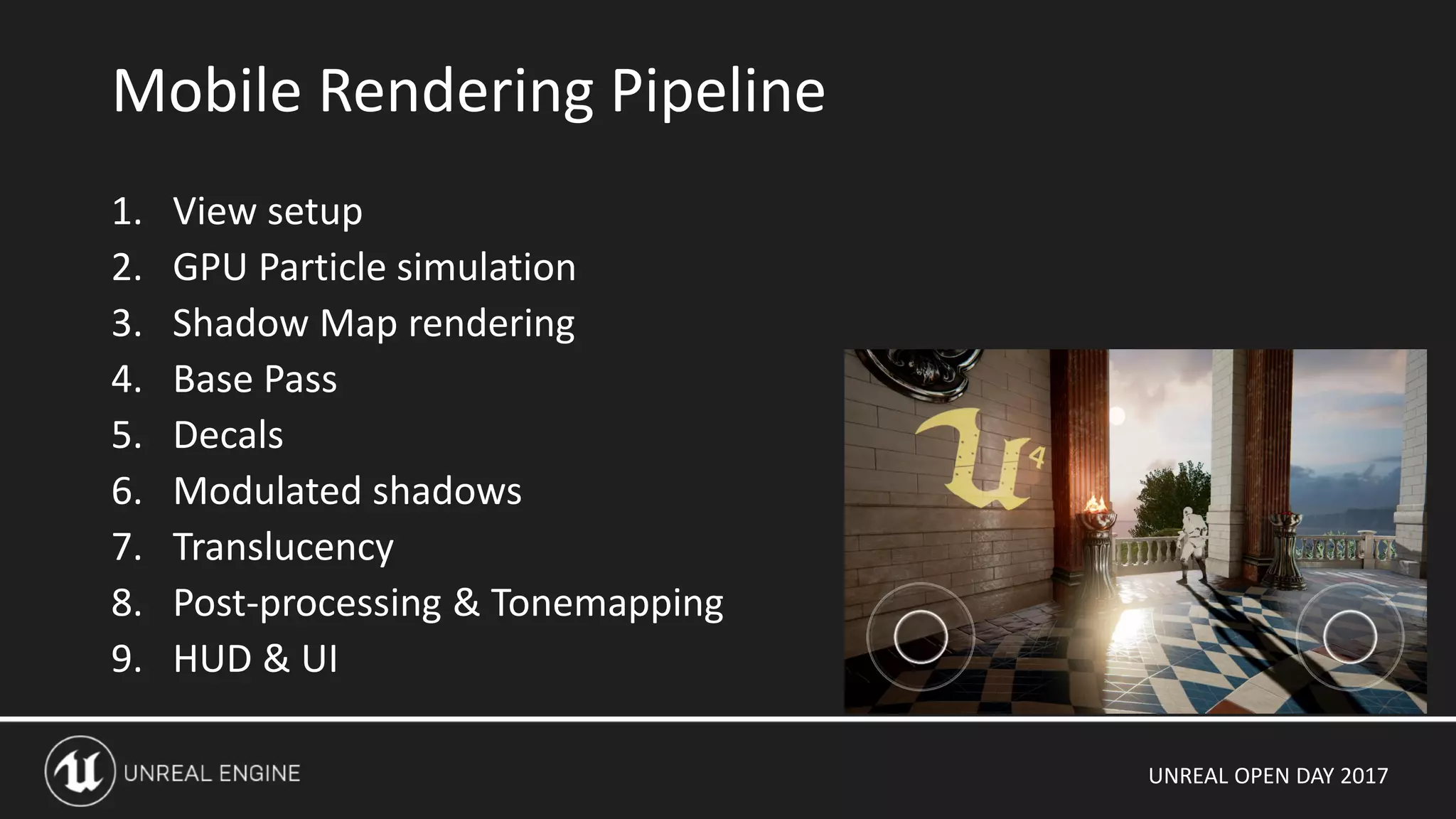
1. View setup
2. GPU Particle simulation
3. Shadow Map rendering
4. Base Pass
5. Decals
6. Modulated shadows
7. Translucency
8. Post-processing & Tonemapping
9. HUD & UI
Mobile Rendering Pipeline
UNREAL OPEN DAY 2017
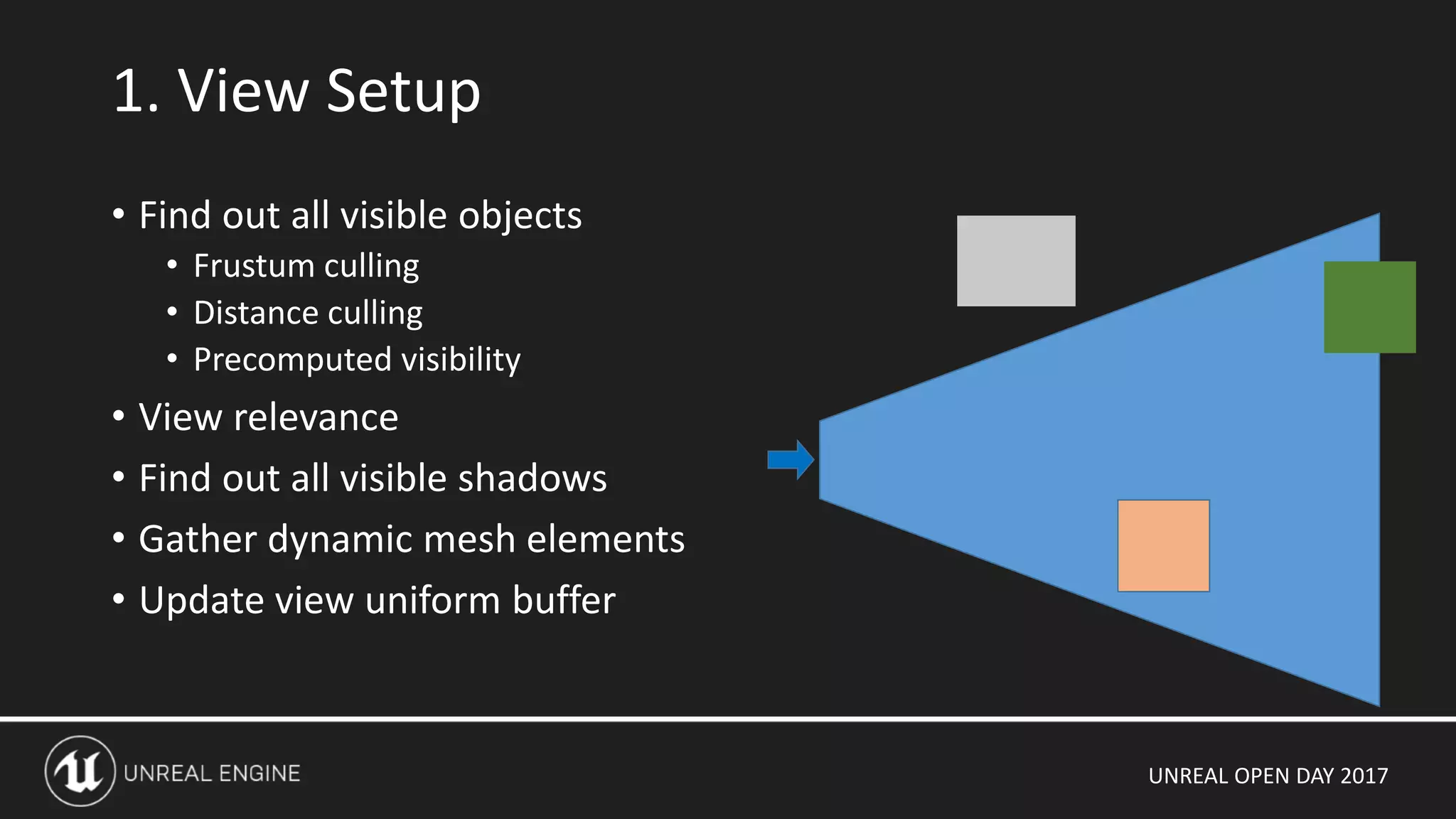
• Find out all visible objects
• Frustum culling
• Distance culling
• Precomputed visibility
• View relevance
• Find out all visible shadows
• Gather dynamic mesh elements
• Update view uniform buffer
1. View Setup
UNREAL OPEN DAY 2017
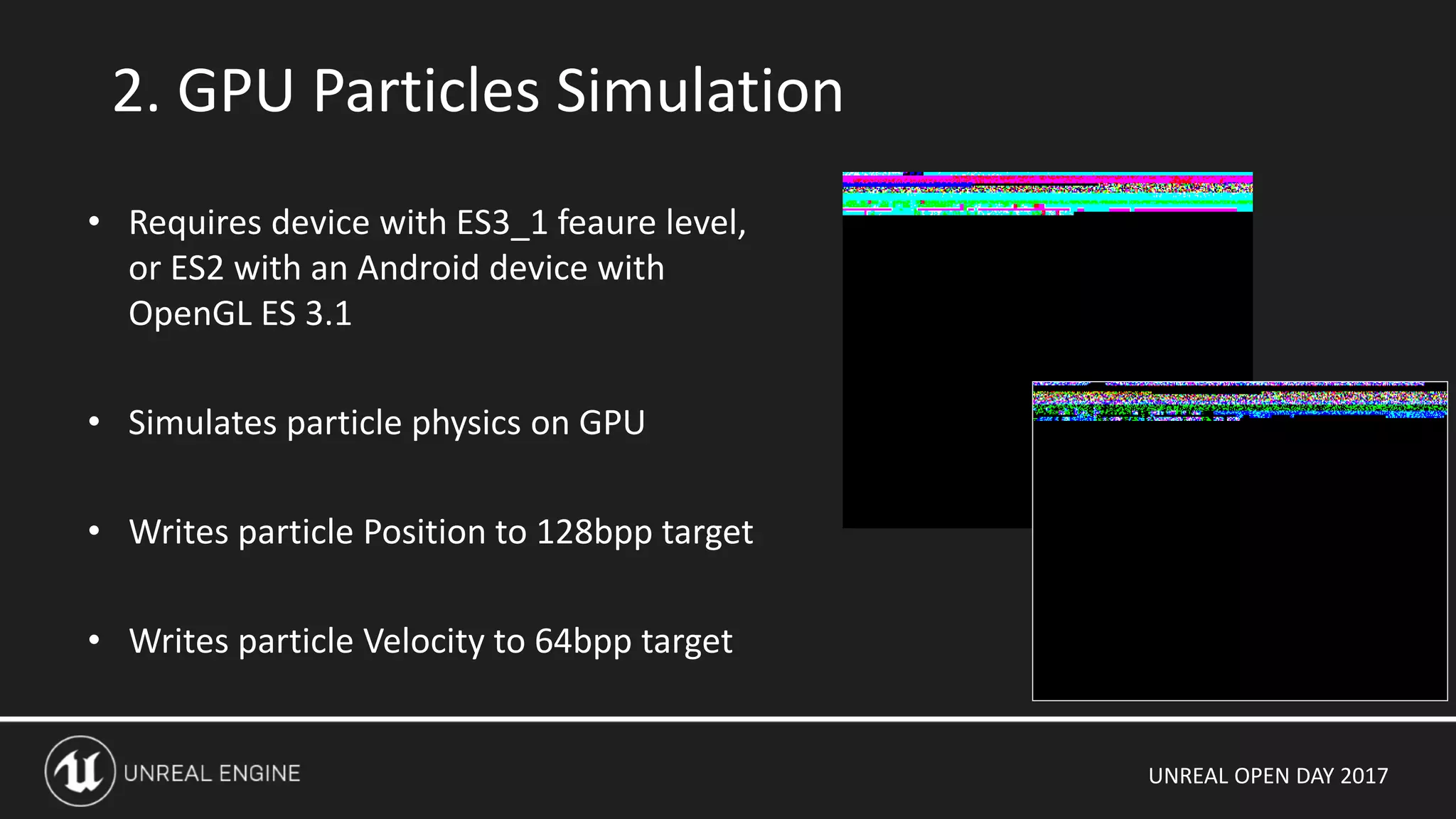
2. GPU Particles Simulation
• Requires device with ES3_1 feaure level,
or ES2 with an Android device with
OpenGL ES 3.1
• Simulates particle physics on GPU
• Writes particle Position to 128bpp target
• Writes particle Velocity to 64bpp target
UNREAL OPEN DAY 2017
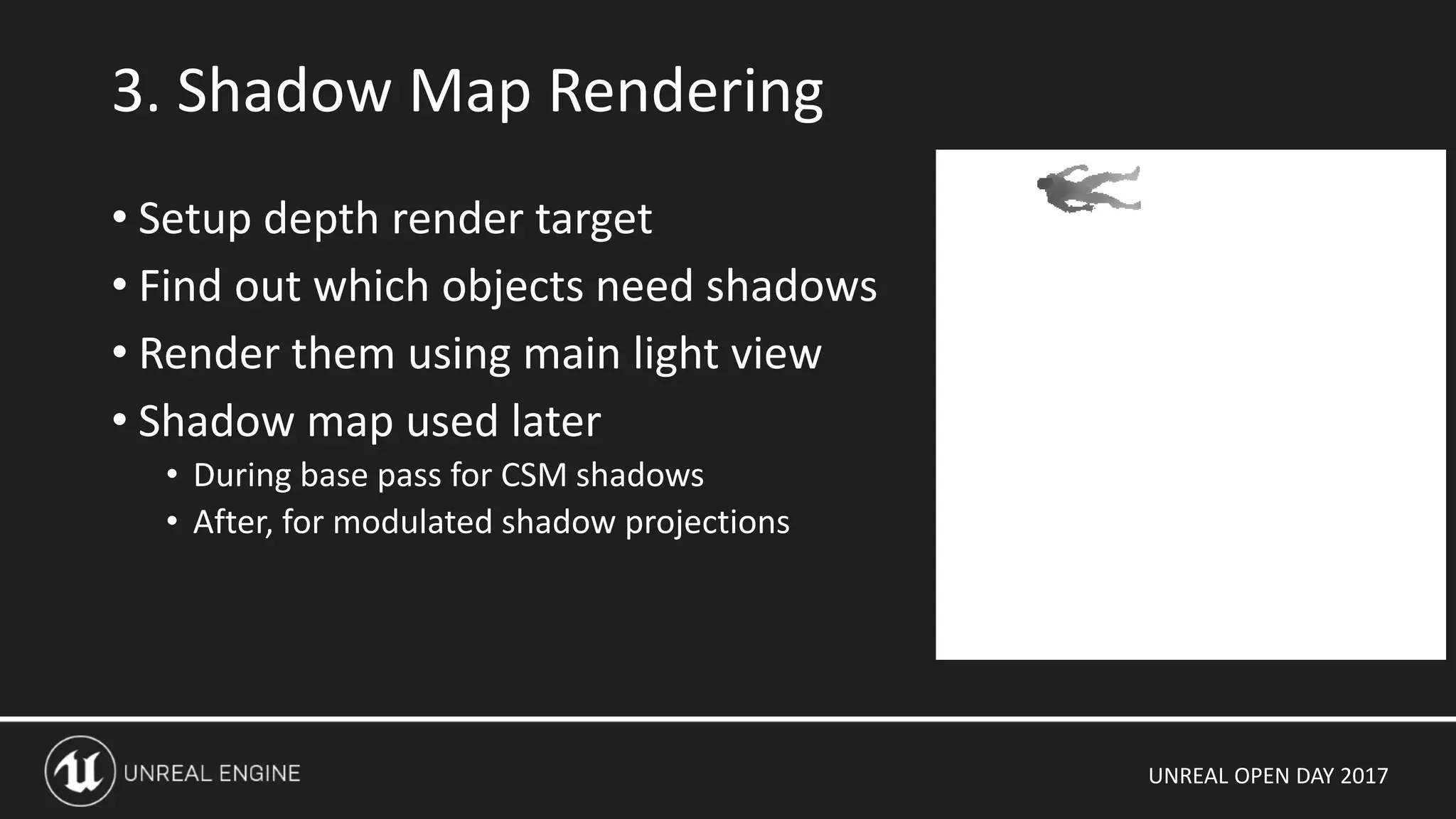
• Setup depth render target
• Find out which objects need shadows
• Render them using main light view
• Shadow map used later
• During base pass for CSM shadows
• After, for modulated shadow projections
3. Shadow Map Rendering
UNREAL OPEN DAY 2017
• Choose appropriate shaders depending on shadow and lighting properties
• Unlit
• Distance field shadows + LM
• Distance field shadows + LM + CSM
• Dynamic lighting (CSM)
• etc
• For dynamic elements, this happens every frame
• For static elements this occurs once when the scene is created, and the
mesh drawing state is added to a static draw list.
• Primitives are grouped by material, vertex factory to reduce OpenGL state changes
4. Base Pass (setup)
UNREAL OPEN DAY 2017
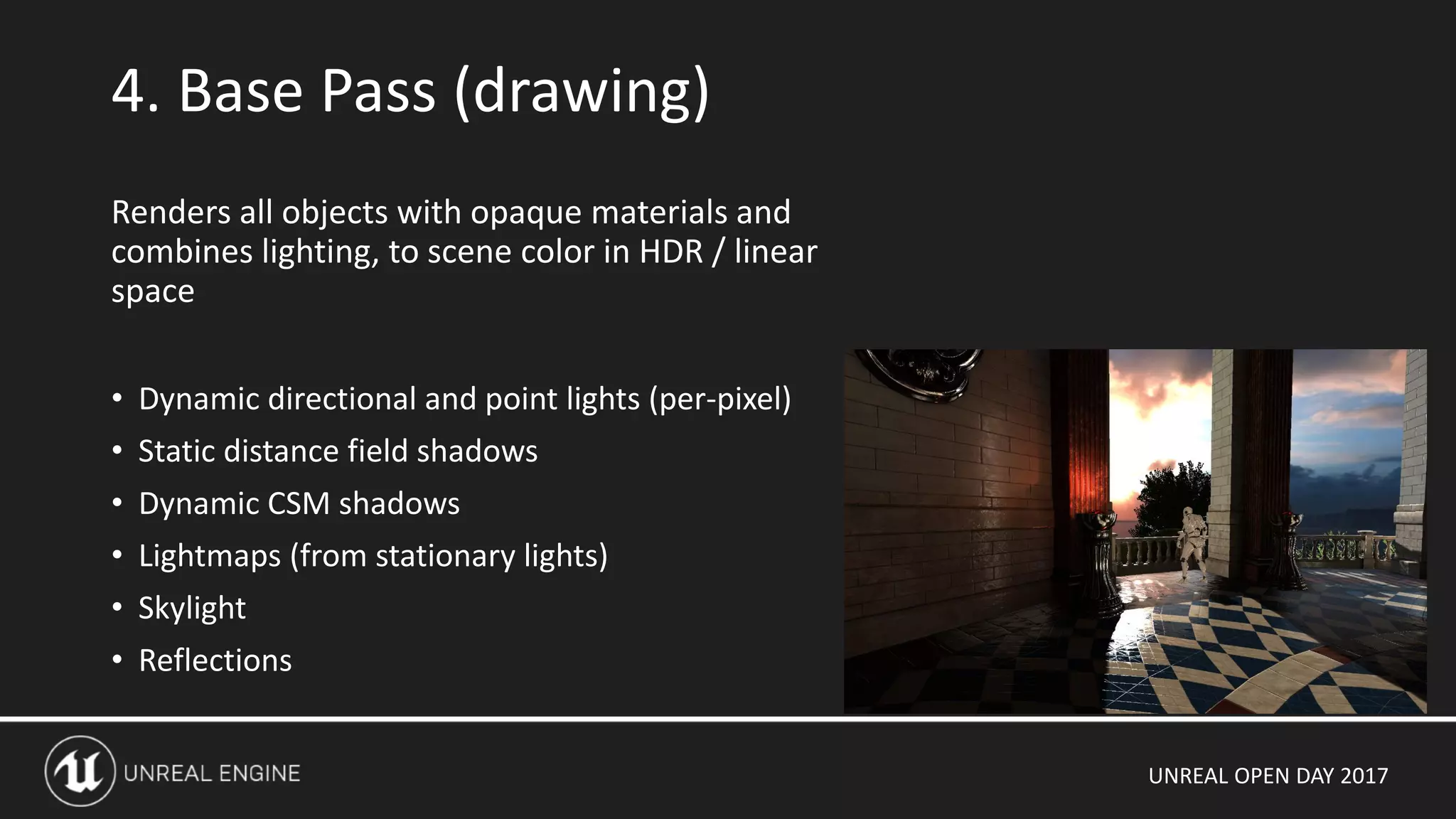
4. Base Pass (drawing)
Renders all objects with opaque materials and
combines lighting, to scene color in HDR / linear
space
• Dynamic directional and point lights (per-pixel)
• Static distance field shadows
• Dynamic CSM shadows
• Lightmaps (from stationary lights)
• Skylight
• Reflections
UNREAL OPEN DAY 2017
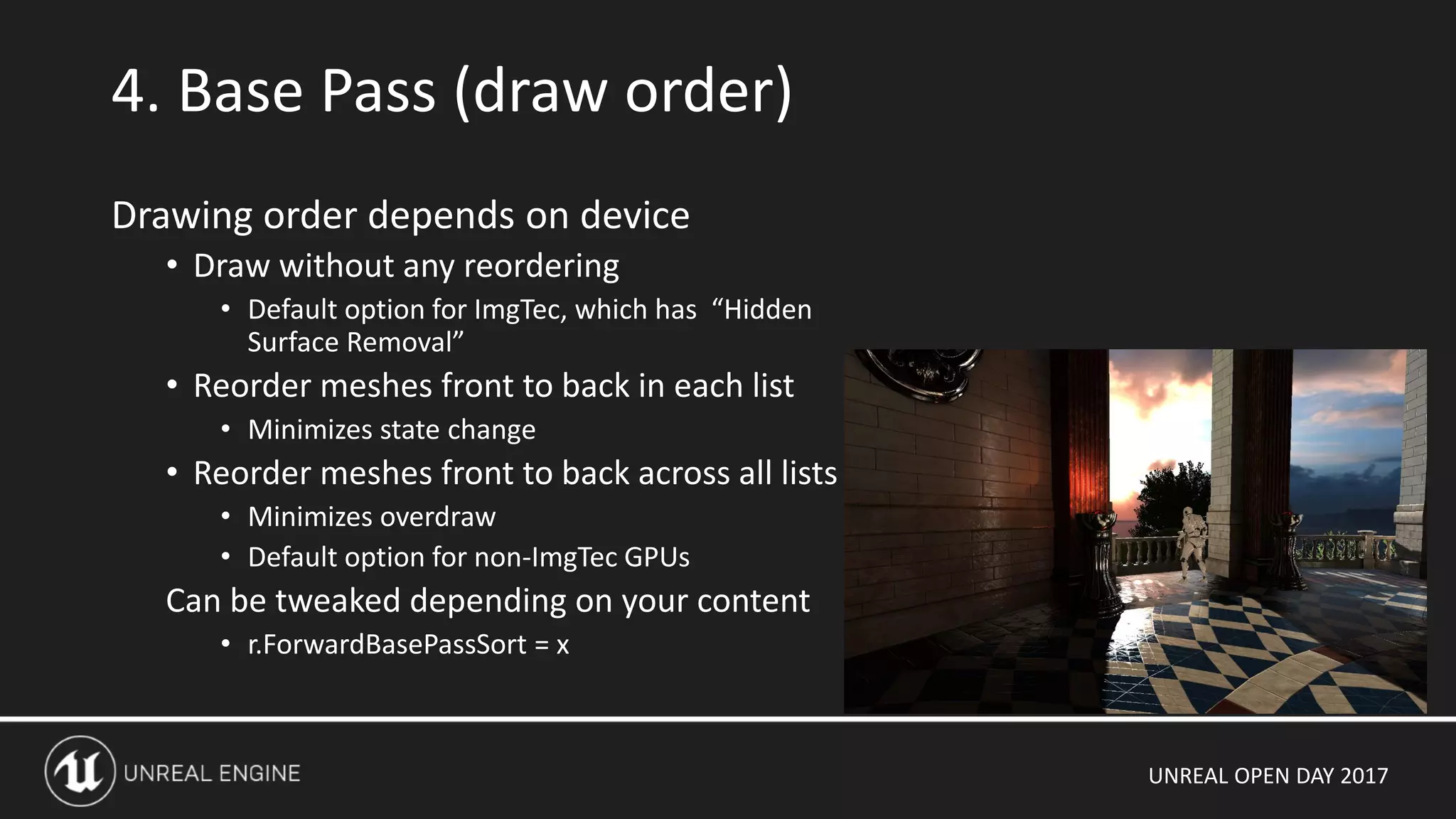
4. Base Pass (draw order)
Drawing order depends on device
• Draw without any reordering
• Default option for ImgTec, which has “Hidden
Surface Removal”
• Reorder meshes front to back in each list
• Minimizes state change
• Reorder meshes front to back across all lists
• Minimizes overdraw
• Default option for non-ImgTec GPUs
Can be tweaked depending on your content
• r.ForwardBasePassSort = x
UNREAL OPEN DAY 2017
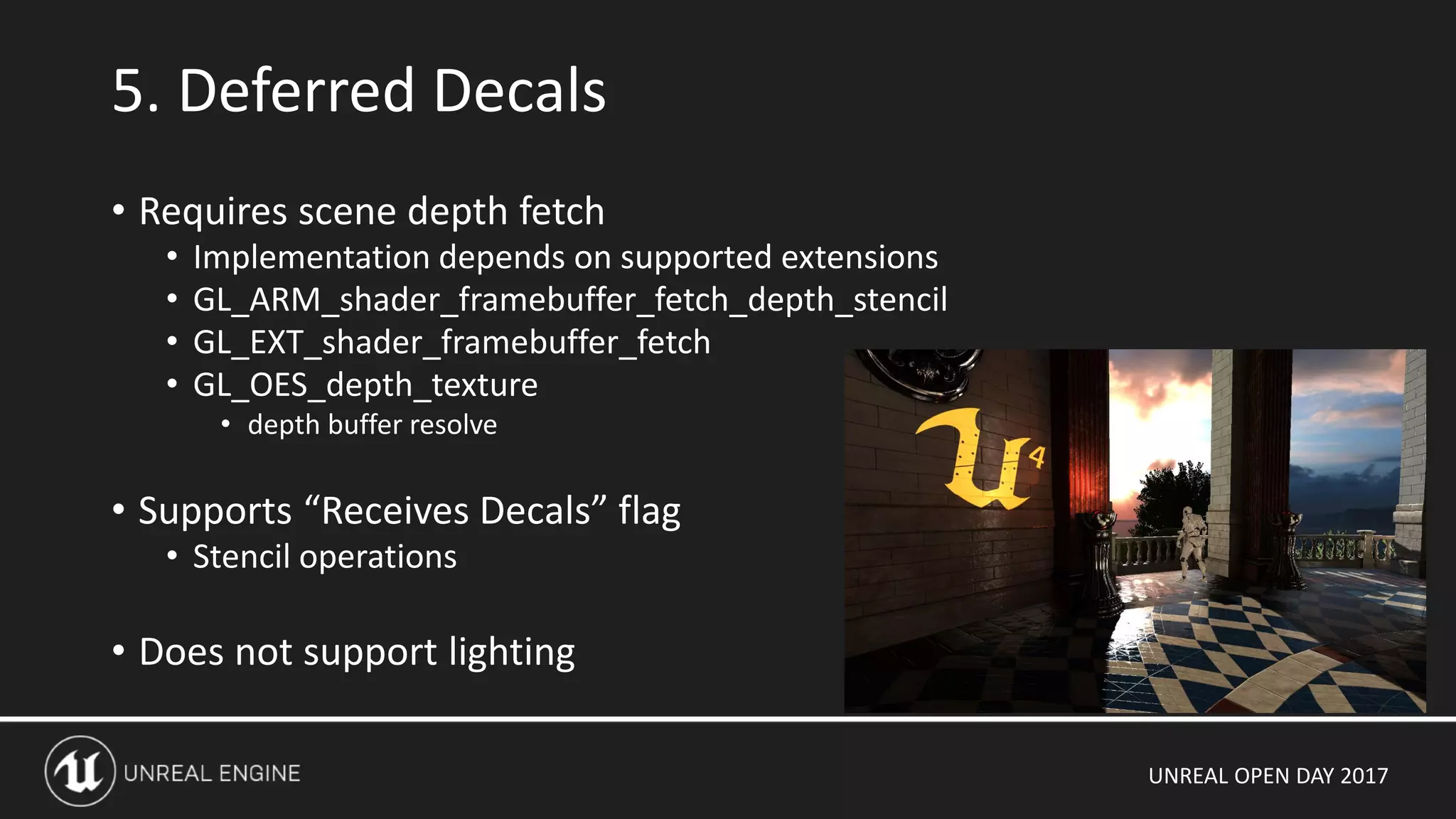
• Requires scene depth fetch
• Implementation depends on supported extensions
• GL_ARM_shader_framebuffer_fetch_depth_stencil
• GL_EXT_shader_framebuffer_fetch
• GL_OES_depth_texture
• depth buffer resolve
• Supports “Receives Decals” flag
• Stencil operations
• Does not support lighting
5. Deferred Decals
UNREAL OPEN DAY 2017
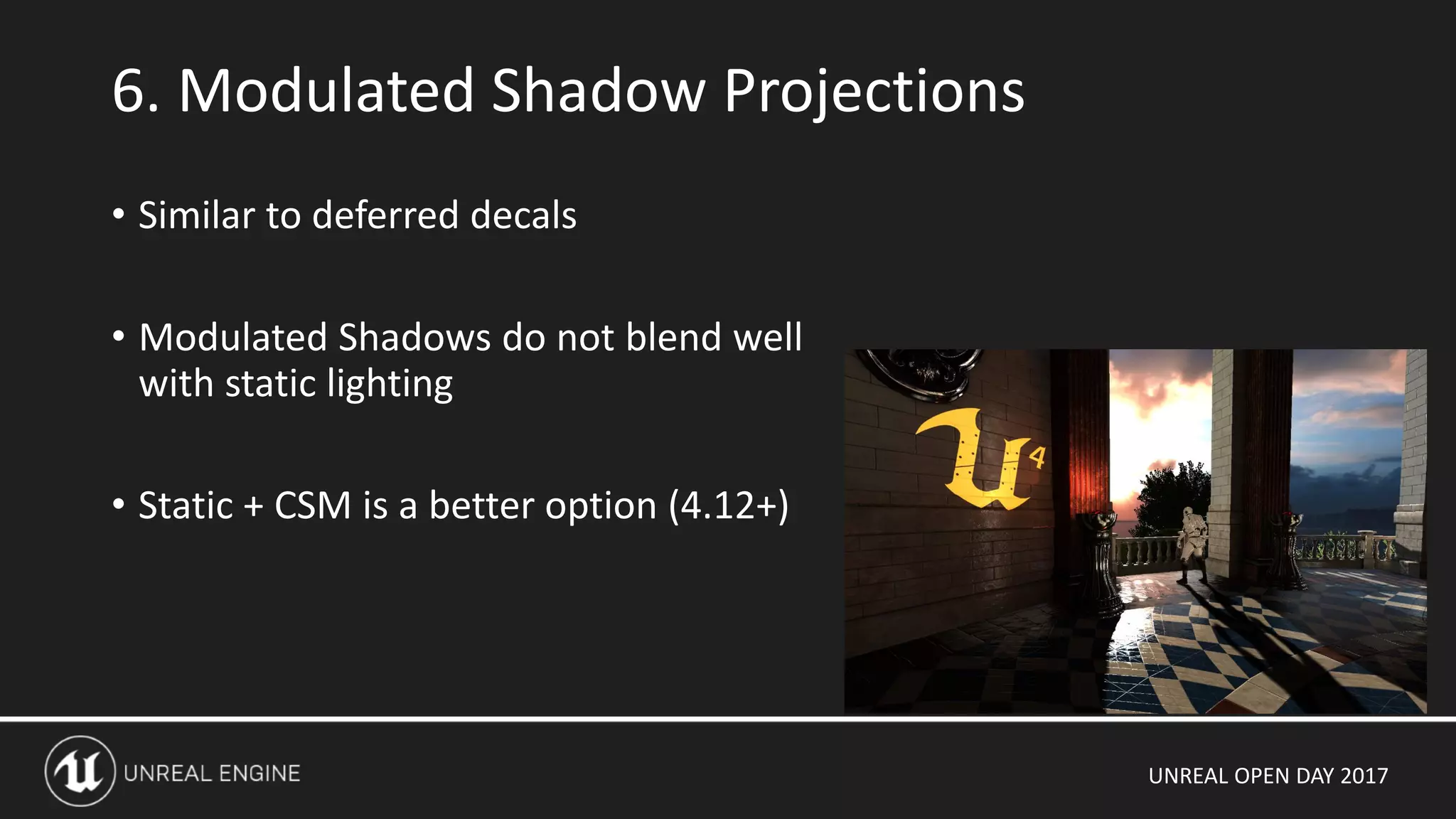
• Similar to deferred decals
• Modulated Shadows do not blend well
with static lighting
• Static + CSM is a better option (4.12+)
6. Modulated Shadow Projections
UNREAL OPEN DAY 2017
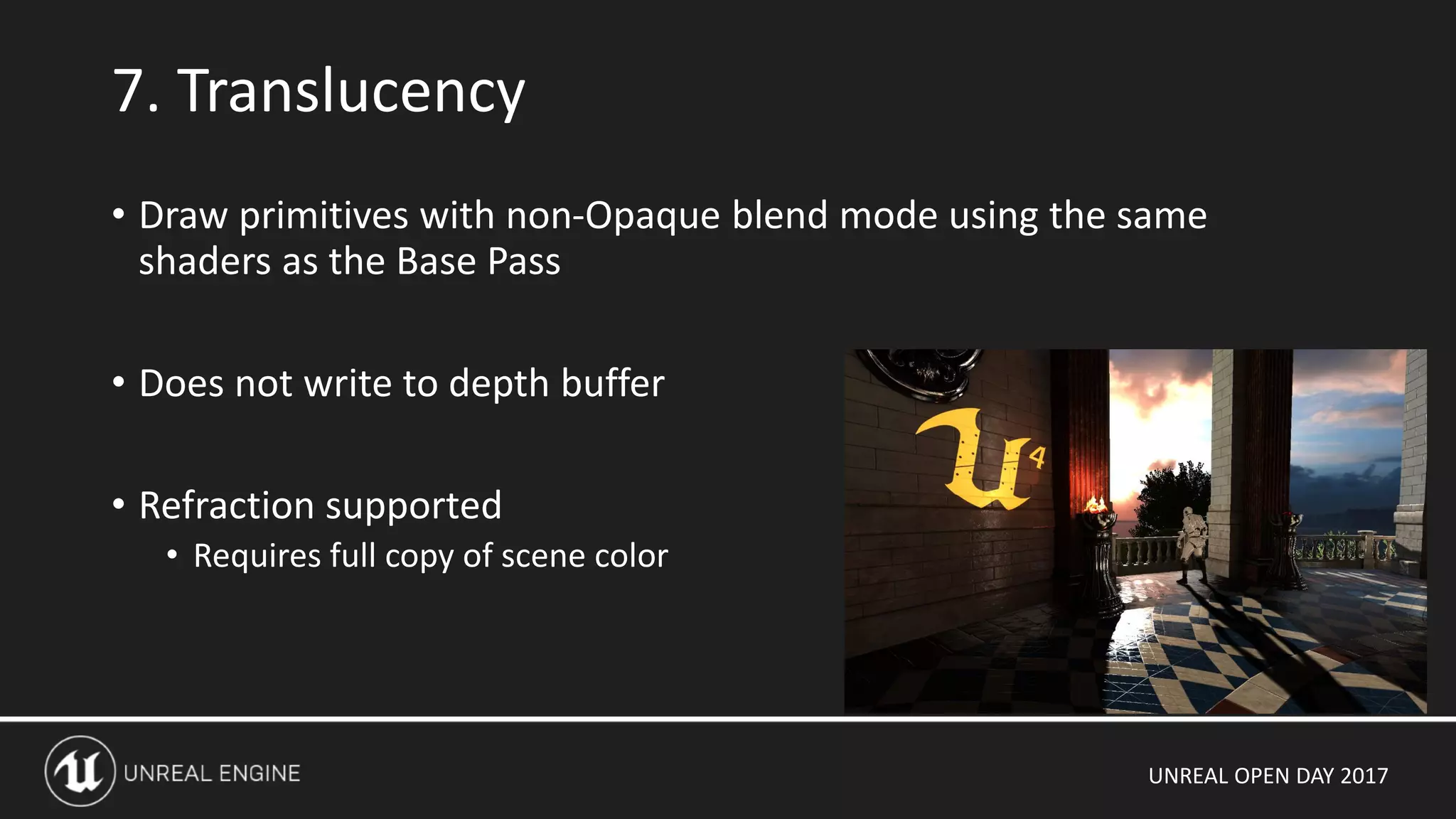
• Draw primitives with non-Opaque blend mode using the same
shaders as the Base Pass
• Does not write to depth buffer
• Refraction supported
• Requires full copy of scene color
7. Translucency
UNREAL OPEN DAY 2017
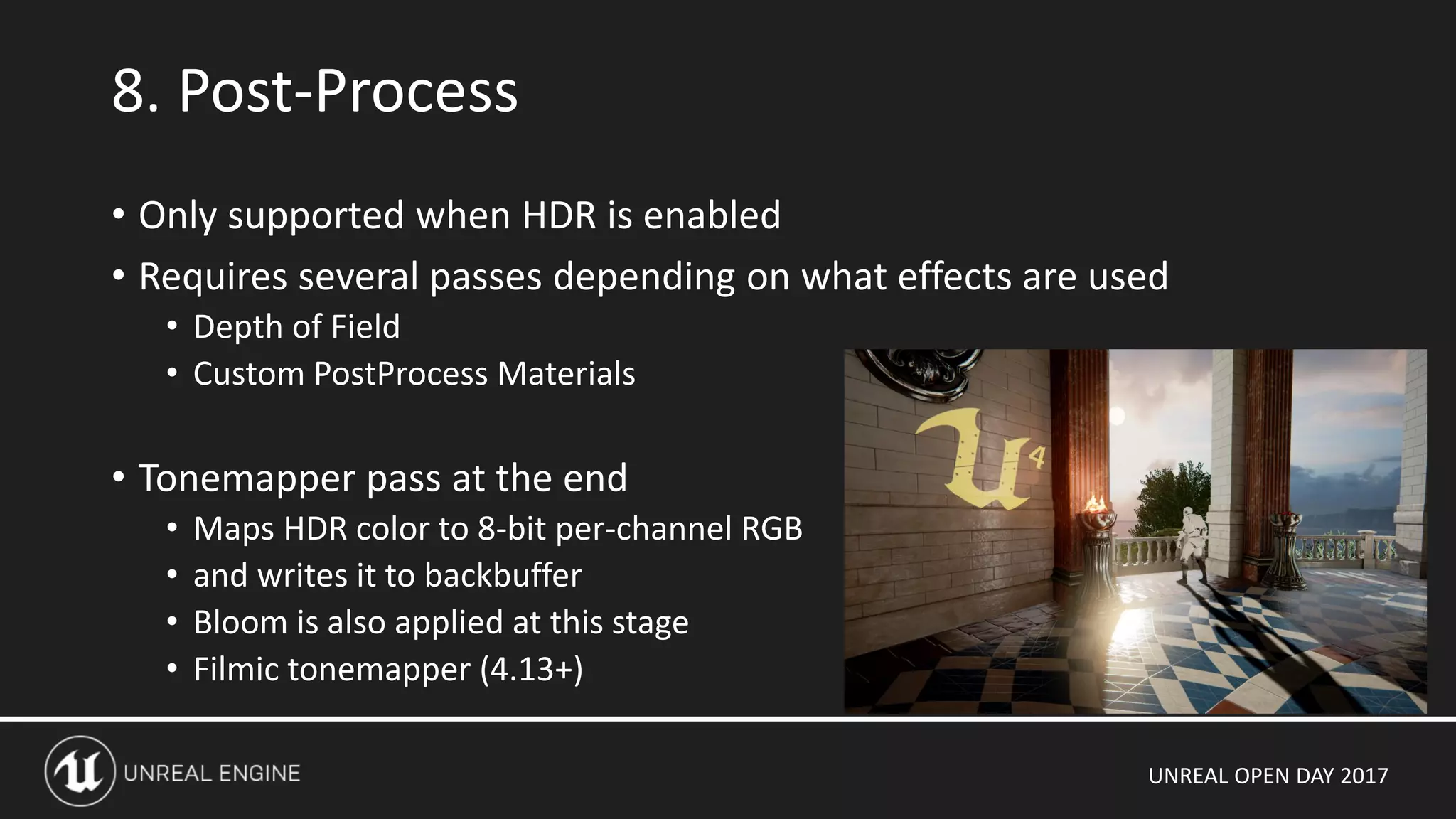
8. Post-Process
• Only supported when HDR is enabled
• Requires several passes depending on what effects are used
• Depth of Field
• Custom PostProcess Materials
• Tonemapper pass at the end
• Maps HDR color to 8-bit per-channel RGB
• and writes it to backbuffer
• Bloom is also applied at this stage
• Filmic tonemapper (4.13+)
UNREAL OPEN DAY 2017
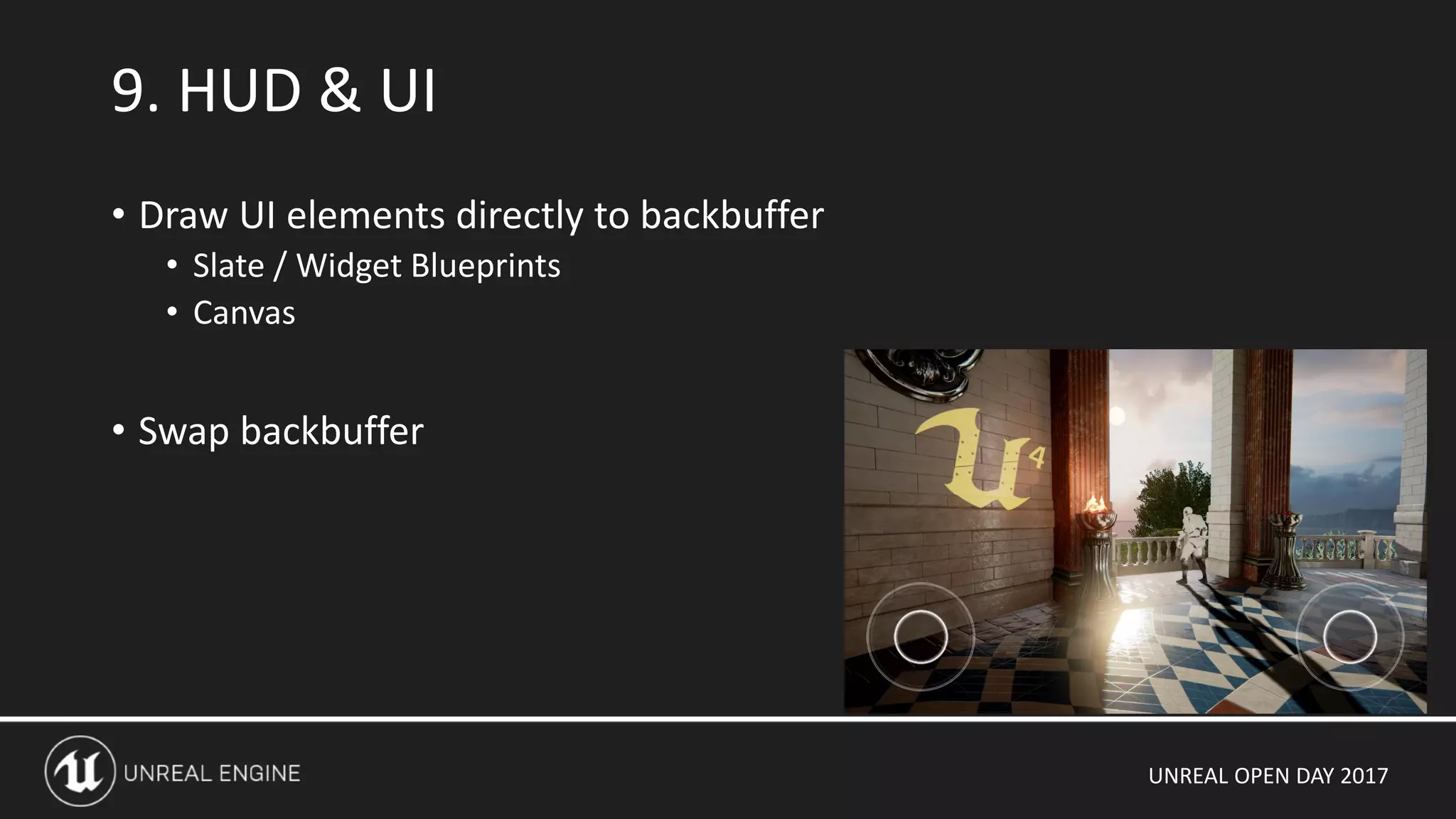
• Draw UI elements directly to backbuffer
• Slate / Widget Blueprints
• Canvas
• Swap backbuffer
9. HUD & UI
UNREAL OPEN DAY 2017
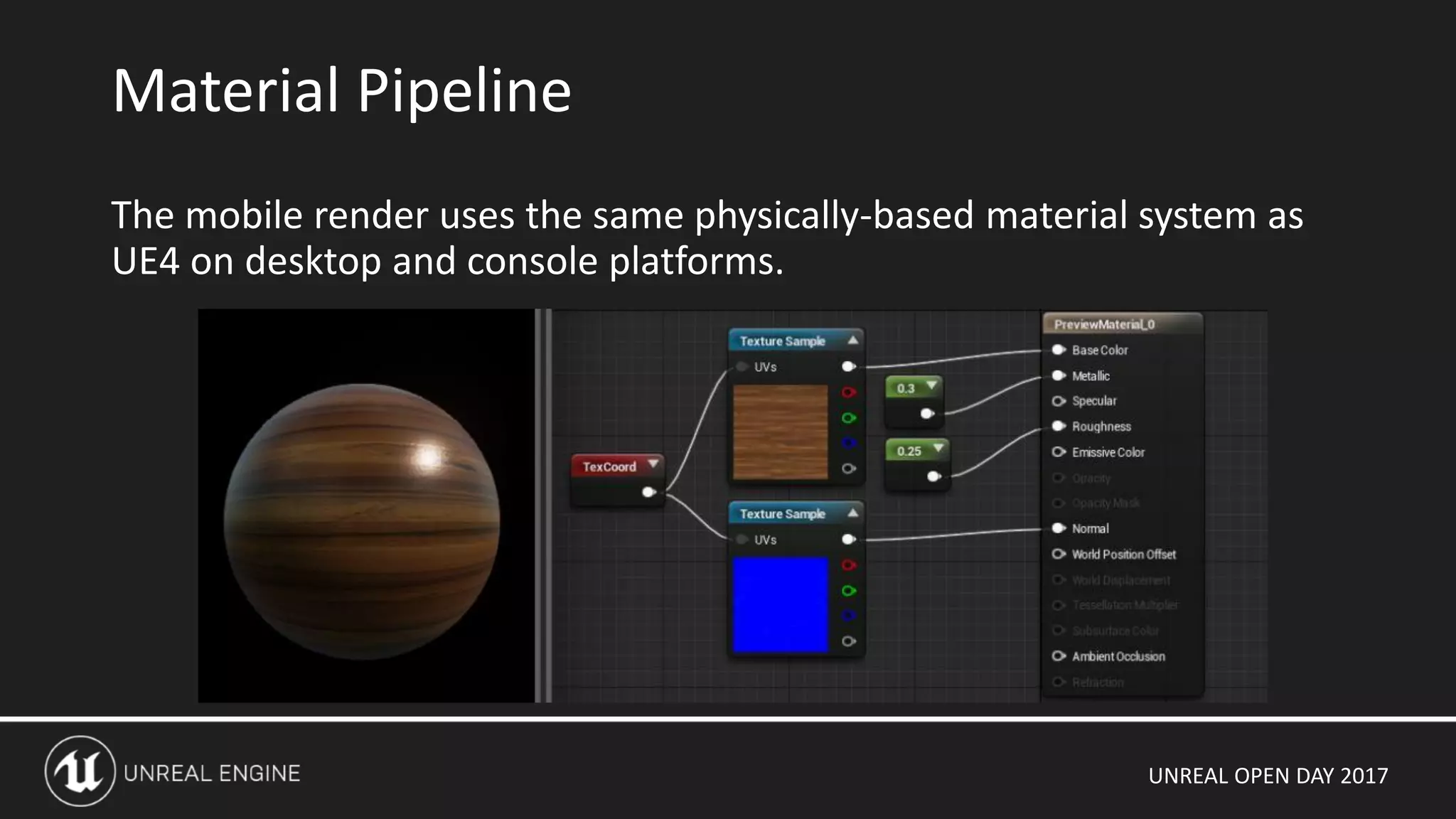
The mobile render uses the same physically-based material system as
UE4 on desktop and console platforms.
Material Pipeline
UNREAL OPEN DAY 2017
Material graph generates
HLSL functions
Combined with hand-written
HLSL source code for our
Physically Based lighting
model
We use this directly on PC
and Xbox One
Material Pipeline
half3 GetMaterialBaseColor(FMaterialPixelParameters Parameters)
{
MaterialFloat3 Local5 = (1.00000000 - Material.VectorExpressions[0].rgb);
MaterialFloat4 Local6 =
ProcessMaterialColorTextureLookup(Texture2DSample(Material.Texture2D_1,
Material.Texture2D_1Sampler, Parameters.TexCoords[0].xy));
MaterialFloat3 Local7 = (Local6.rgb + MaterialFloat3(0.00000000,
0.00000000, 0.00000000));
MaterialFloat Local8 = dot(Local6.rgb, MaterialFloat3(0.30000001,
0.58999997, 0.11000000));
MaterialFloat Local9 = (Local8 + -0.40000001);
MaterialFloat Local10 = (Local9 * -5.00000000);
MaterialFloat Local11 = min(max(Local10, 0.00000000), 1.00000000);
MaterialFloat Local12 = (Local8 + dot(MaterialFloat3(0.00000000,
0.00000000, 0.00000000), MaterialFloat3(0.30000001, 0.58999997,
0.11000000)));
MaterialFloat Local13 = (dot(MaterialFloat3(0.00000000, 0.00000000,
0.00000000), MaterialFloat3(0.30000001, 0.58999997, 0.11000000)) /
Local12);
MaterialFloat Local14 = (Local13 - 0.50000000);
MaterialFloat Local15 = (Local14 * 4.00000000);
MaterialFloat Local16 = (Local15 + 0.50000000);
MaterialFloat Local17 = min(max(Local16, 0.00000000), 1.00000000);
MaterialFloat Local18 = (Local11 * Local17);
MaterialFloat3 Local19 = lerp(Local6.rgb, Local7,
MaterialFloat(Local18));
MaterialFloat3 Local20 = (Local19 * Local5);
return Local20;;
}
UNREAL OPEN DAY 2017
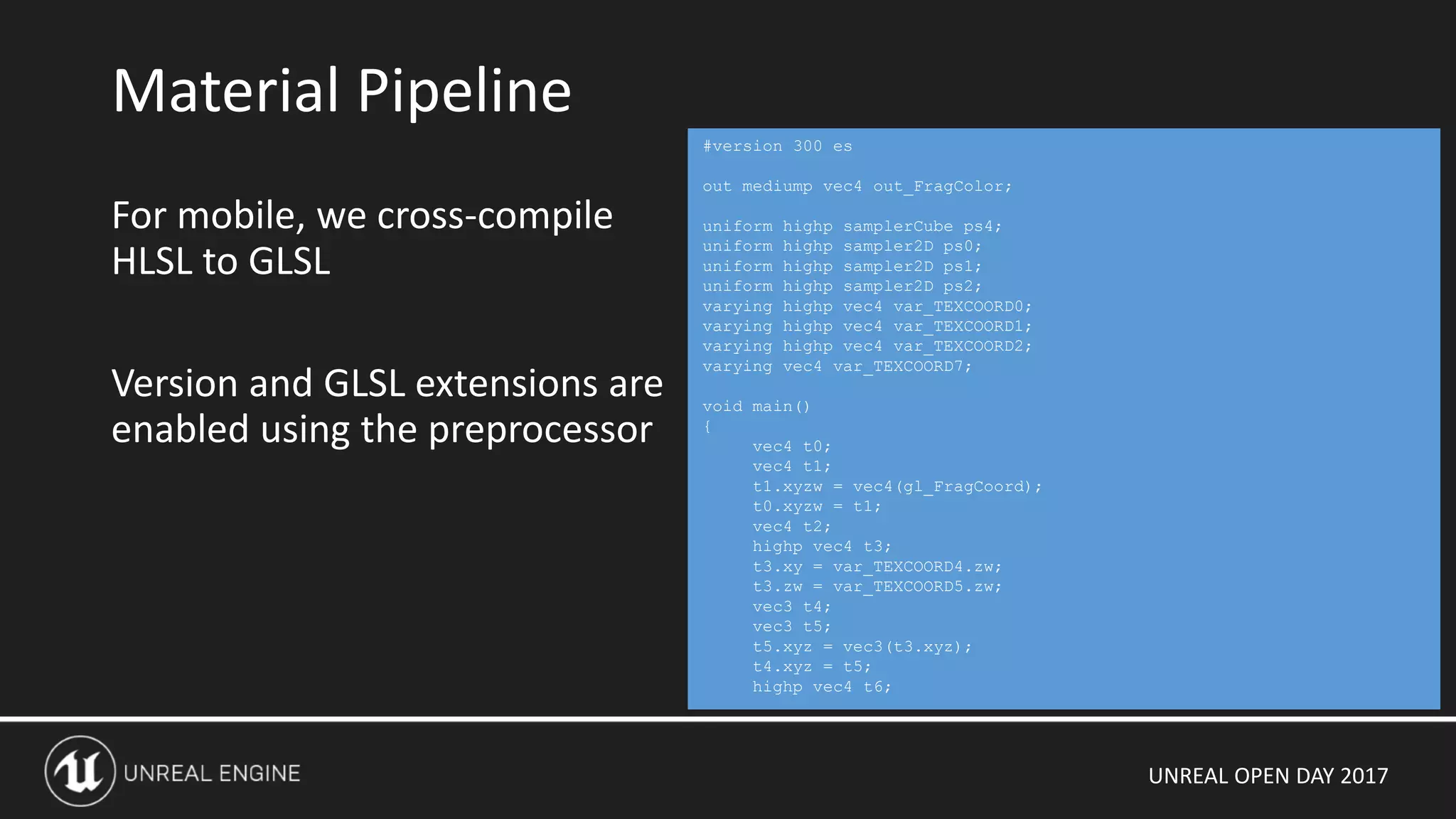
For mobile, we cross-compile
HLSL to GLSL
Version and GLSL extensions are
enabled using the preprocessor
Material Pipeline
#version 300 es
out mediump vec4 out_FragColor;
uniform highp samplerCube ps4;
uniform highp sampler2D ps0;
uniform highp sampler2D ps1;
uniform highp sampler2D ps2;
varying highp vec4 var_TEXCOORD0;
varying highp vec4 var_TEXCOORD1;
varying highp vec4 var_TEXCOORD2;
varying vec4 var_TEXCOORD7;
void main()
{
vec4 t0;
vec4 t1;
t1.xyzw = vec4(gl_FragCoord);
t0.xyzw = t1;
vec4 t2;
highp vec4 t3;
t3.xy = var_TEXCOORD4.zw;
t3.zw = var_TEXCOORD5.zw;
vec3 t4;
vec3 t5;
t5.xyz = vec3(t3.xyz);
t4.xyz = t5;
highp vec4 t6;
UNREAL OPEN DAY 2017
Movable Directional Light + Cascaded Shadow Map shadowing
• Editor setup
• Directional Light Component, set “Mobility” to Movable (1 supported)
• Set “Dynamic Shadow Distance Movable Light”
• Set “Num Dynamic Shadow Cascades”
Advantages
• Lighting is fully dynamic and can be changed at runtime
• Reduced memory usage and package size as there is no precomputed lighting data
Disadvantages
• All objects in the scene, static and dynamic, must be rendered into the CSM
• Extra draw calls and CSM generation cost
Lighting: Fully Dynamic Lighting
UNREAL OPEN DAY 2017
Simplest lighting setup for mobile
• Direct and Specular lighting calculated per pixel
• Intensity and color can be changed at runtime, but not direction
• Editor setup
• Directional Light Component, set “Mobility” to Stationary (1 supported)
• Set “Cast Dynamic Shadows” to False
Advantages
• Fastest to render
• High quality distance-field shadows
Disadvantages
• Light direction cannot be changed at runtime
• Only supports modulated player shadows
• Memory and package size footprint for precomputed shadowmaps
Stationary Directional Lighting
UNREAL OPEN DAY 2017
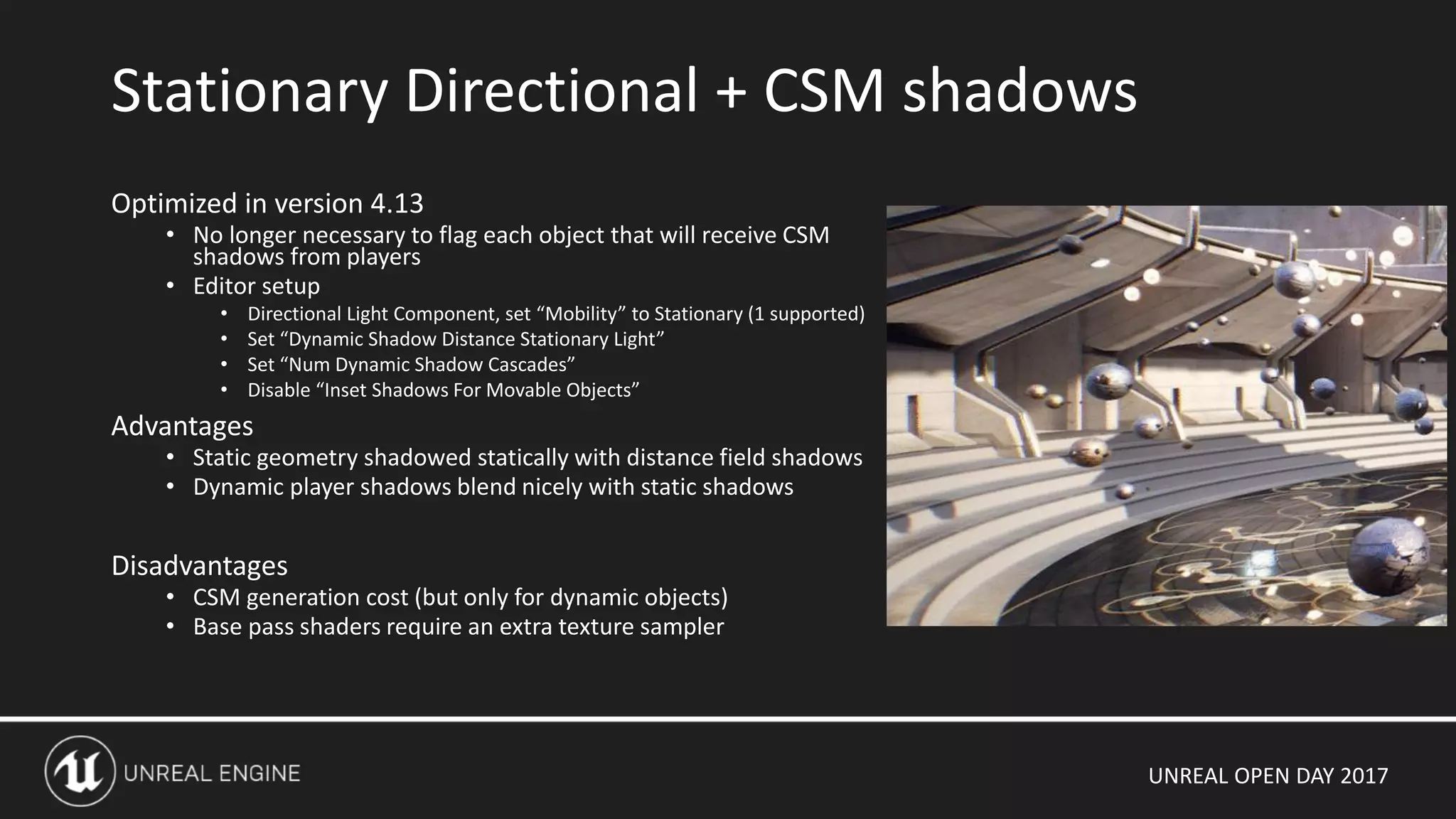
Optimized in version 4.13
• No longer necessary to flag each object that will receive CSM
shadows from players
• Editor setup
• Directional Light Component, set “Mobility” to Stationary (1 supported)
• Set “Dynamic Shadow Distance Stationary Light”
• Set “Num Dynamic Shadow Cascades”
• Disable “Inset Shadows For Movable Objects”
Advantages
• Static geometry shadowed statically with distance field shadows
• Dynamic player shadows blend nicely with static shadows
Disadvantages
• CSM generation cost (but only for dynamic objects)
• Base pass shaders require an extra texture sampler
Stationary Directional + CSM shadows
UNREAL OPEN DAY 2017
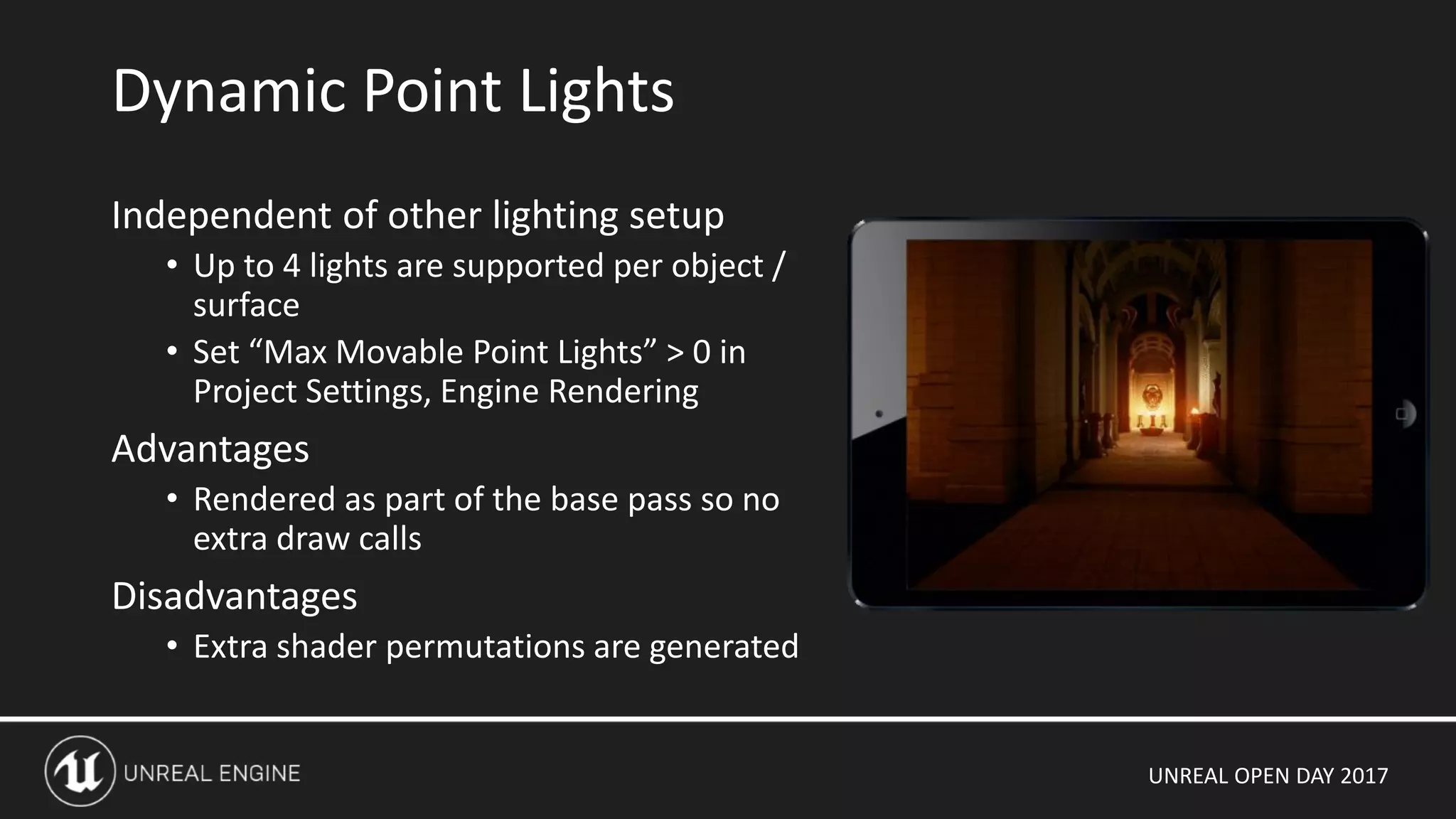
Independent of other lighting setup
• Up to 4 lights are supported per object /
surface
• Set “Max Movable Point Lights” > 0 in
Project Settings, Engine Rendering
Advantages
• Rendered as part of the base pass so no
extra draw calls
Disadvantages
• Extra shader permutations are generated
Dynamic Point Lights
UNREAL OPEN DAY 2017
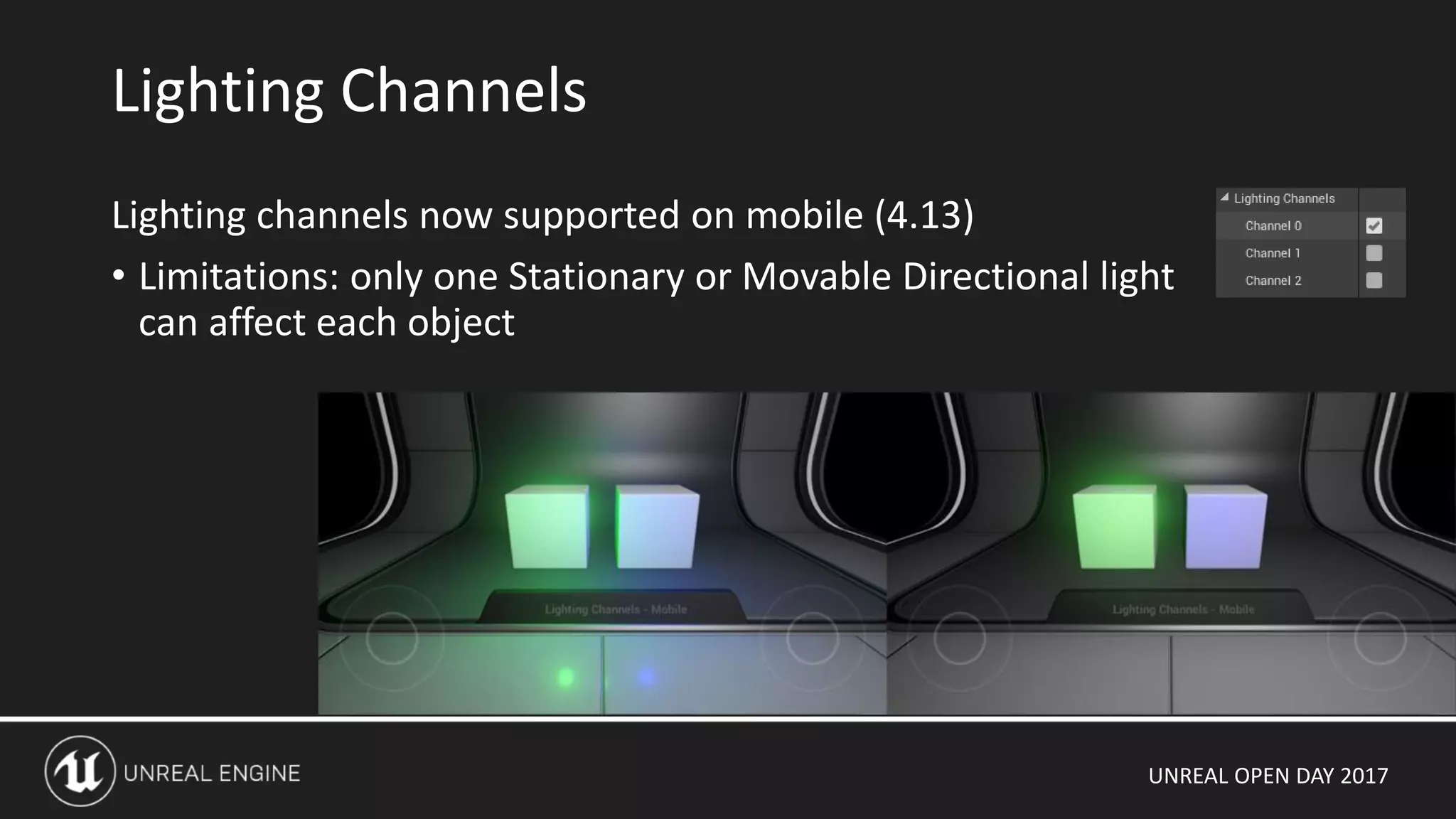
Lighting channels now supported on mobile (4.13)
• Limitations: only one Stationary or Movable Directional light
can affect each object
Lighting Channels
UNREAL OPEN DAY 2017
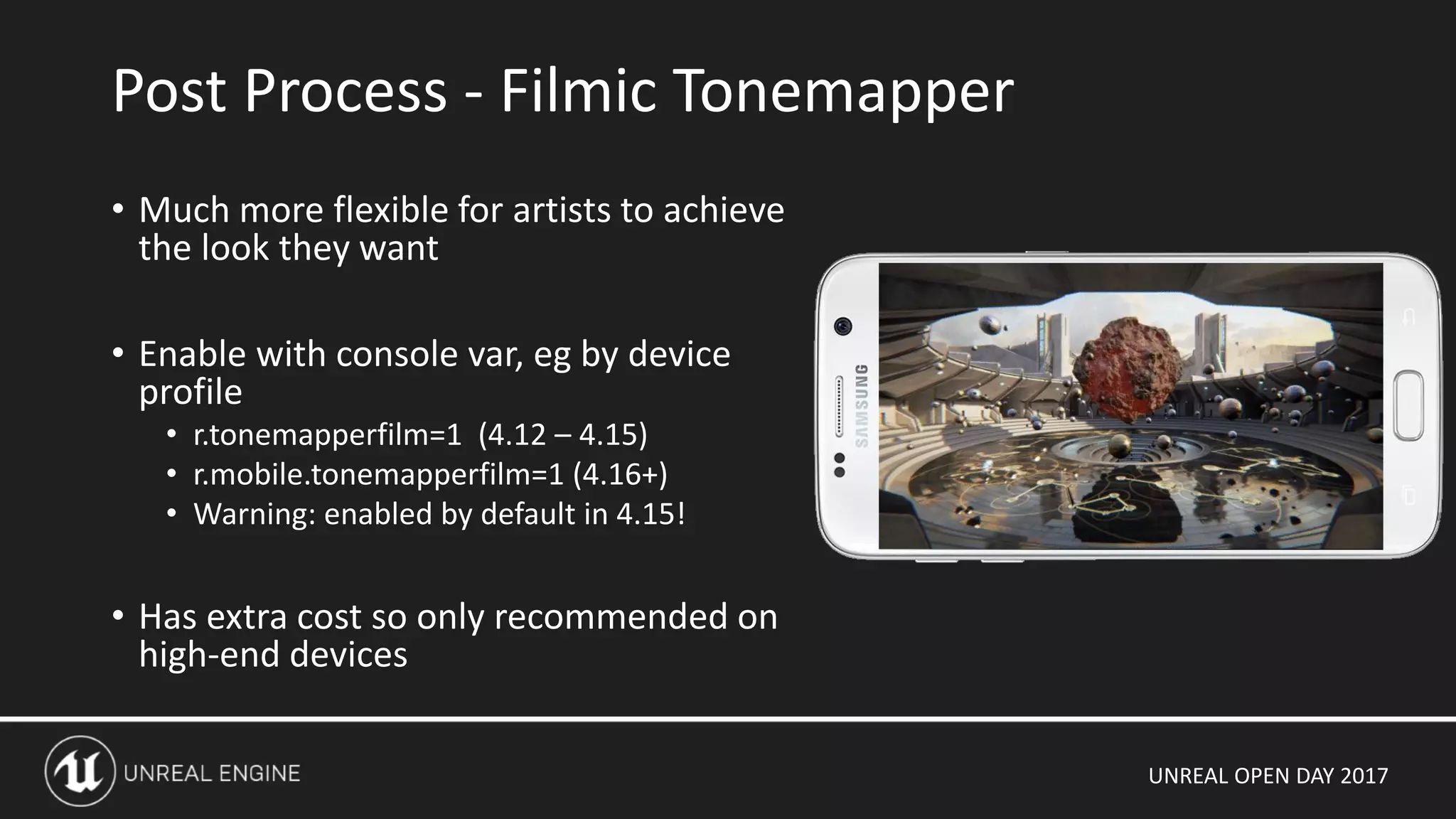
• Much more flexible for artists to achieve
the look they want
• Enable with console var, eg by device
profile
• r.tonemapperfilm=1 (4.12 – 4.15)
• r.mobile.tonemapperfilm=1 (4.16+)
• Warning: enabled by default in 4.15!
• Has extra cost so only recommended on
high-end devices
Post Process - Filmic Tonemapper
UNREAL OPEN DAY 2017
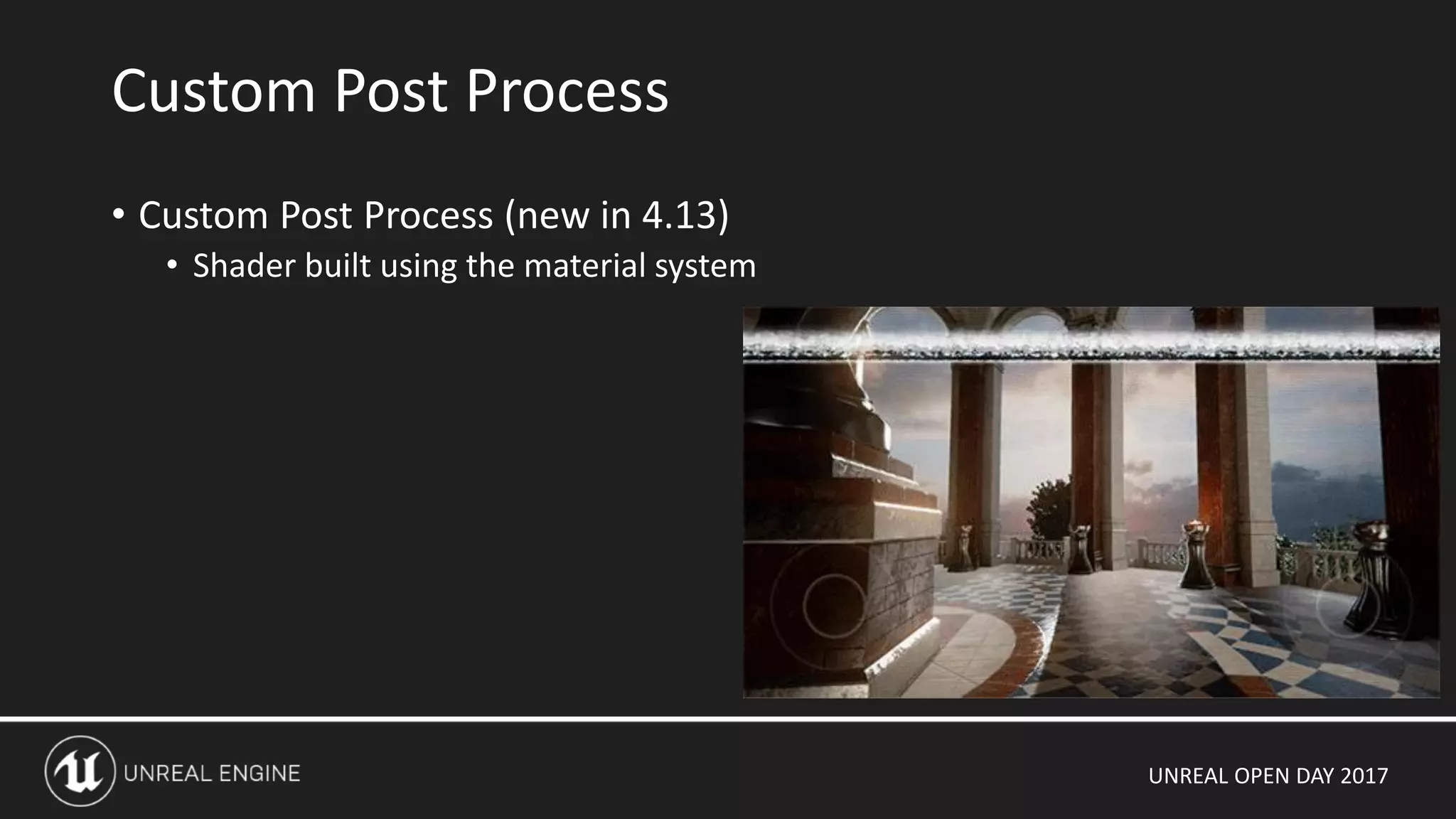
• Custom Post Process (new in 4.13)
• Shader built using the material system
Custom Post Process
UNREAL OPEN DAY 2017
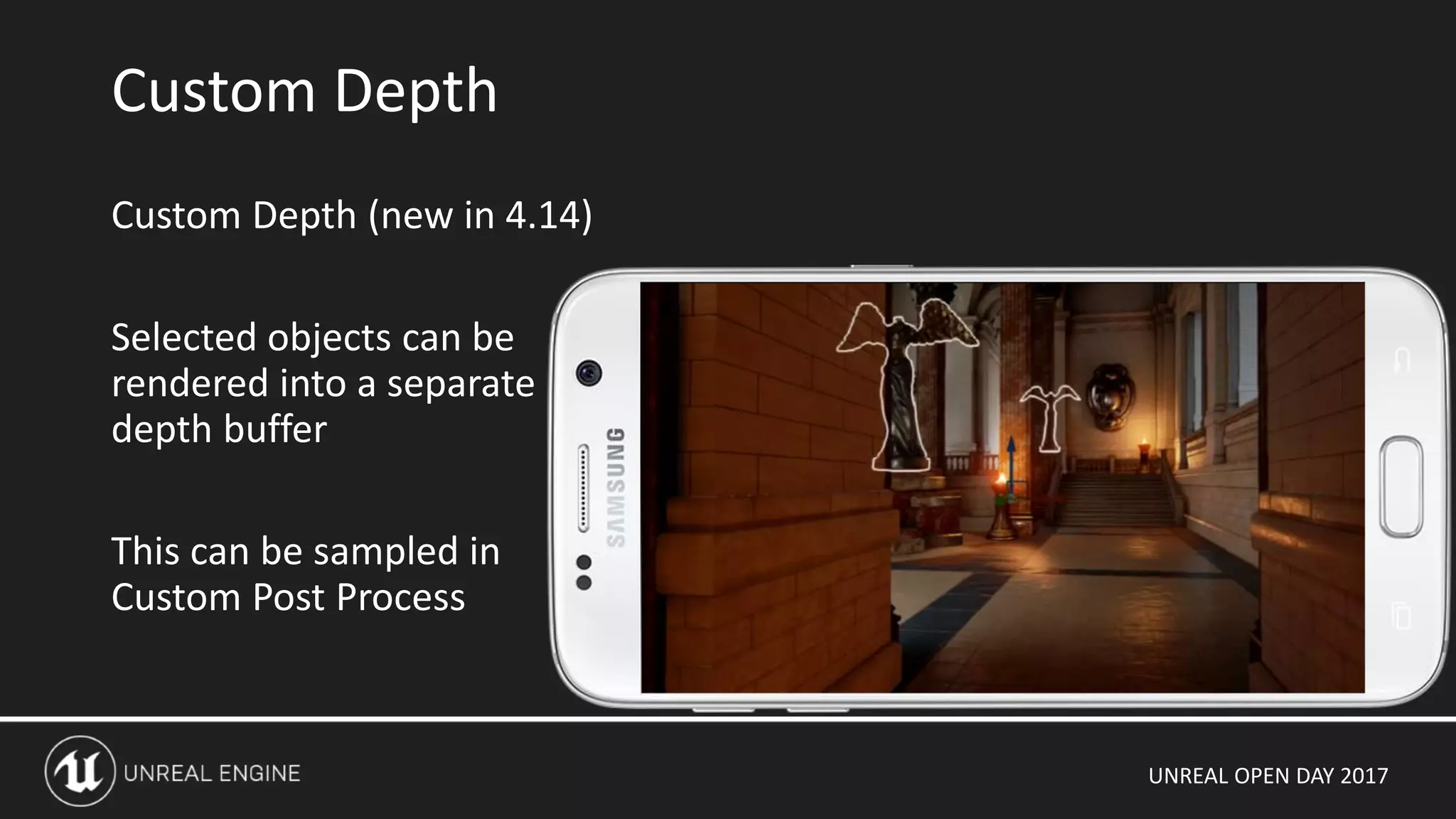
Custom Depth (new in 4.14)
Selected objects can be
rendered into a separate
depth buffer
This can be sampled in
Custom Post Process
Custom Depth
UNREAL OPEN DAY 2017
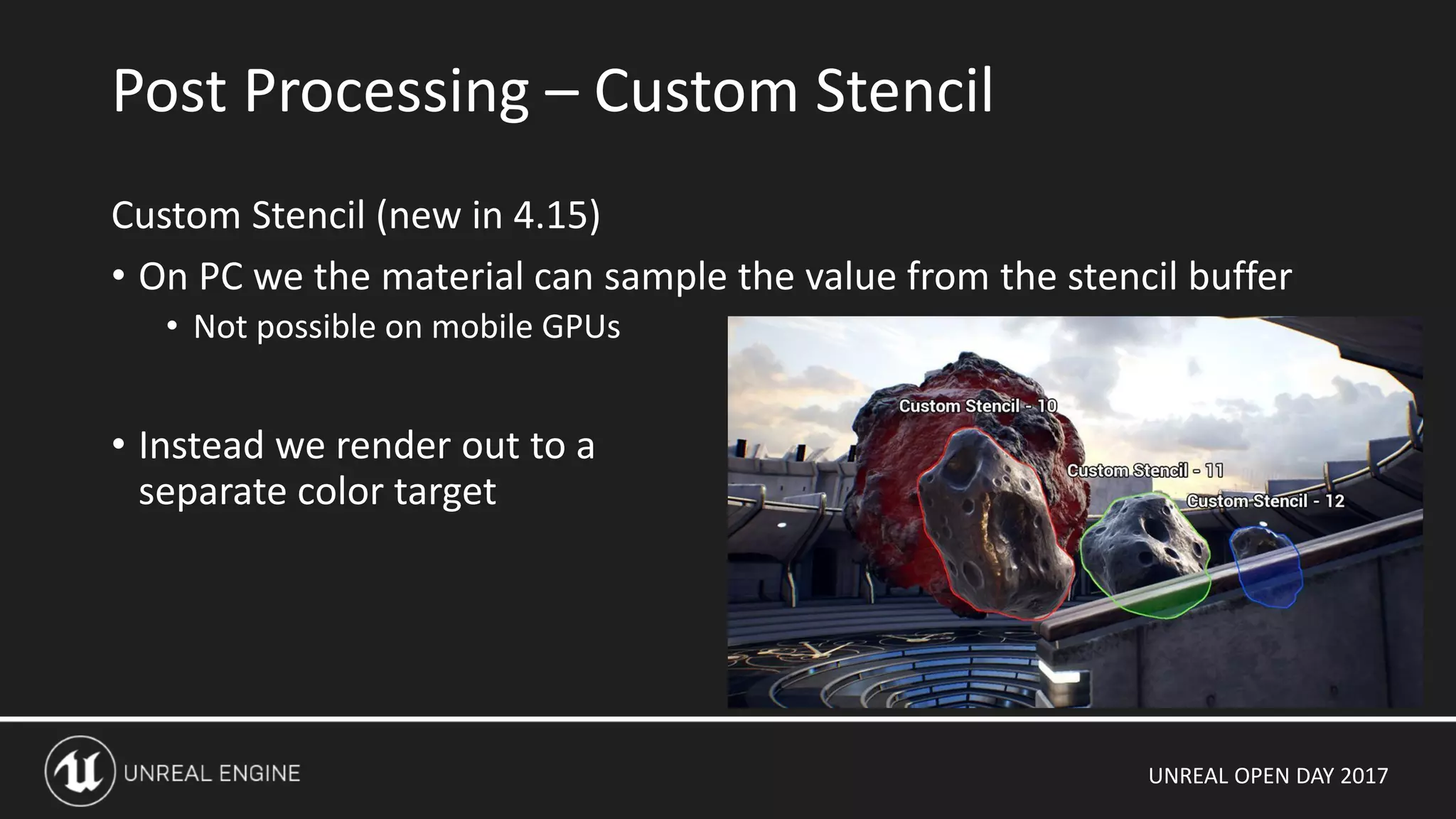
Custom Stencil (new in 4.15)
• On PC we the material can sample the value from the stencil buffer
• Not possible on mobile GPUs
• Instead we render out to a
separate color target
Post Processing – Custom Stencil
UNREAL OPEN DAY 2017
Non-Rendering
UNREAL OPEN DAY 2017
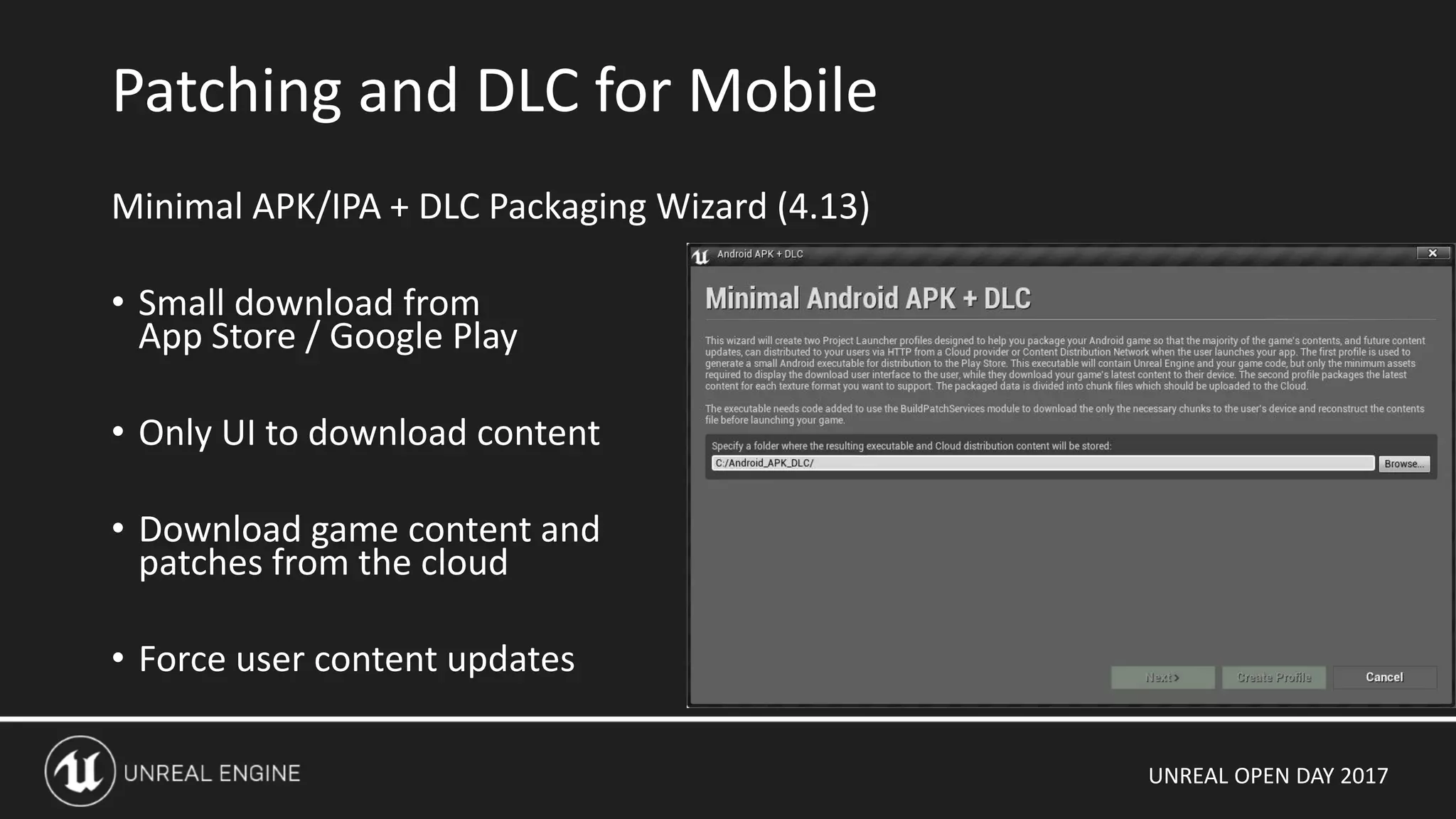
Minimal APK/IPA + DLC Packaging Wizard (4.13)
• Small download from
App Store / Google Play
• Only UI to download content
• Download game content and
patches from the cloud
• Force user content updates
Patching and DLC for Mobile
UNREAL OPEN DAY 2017
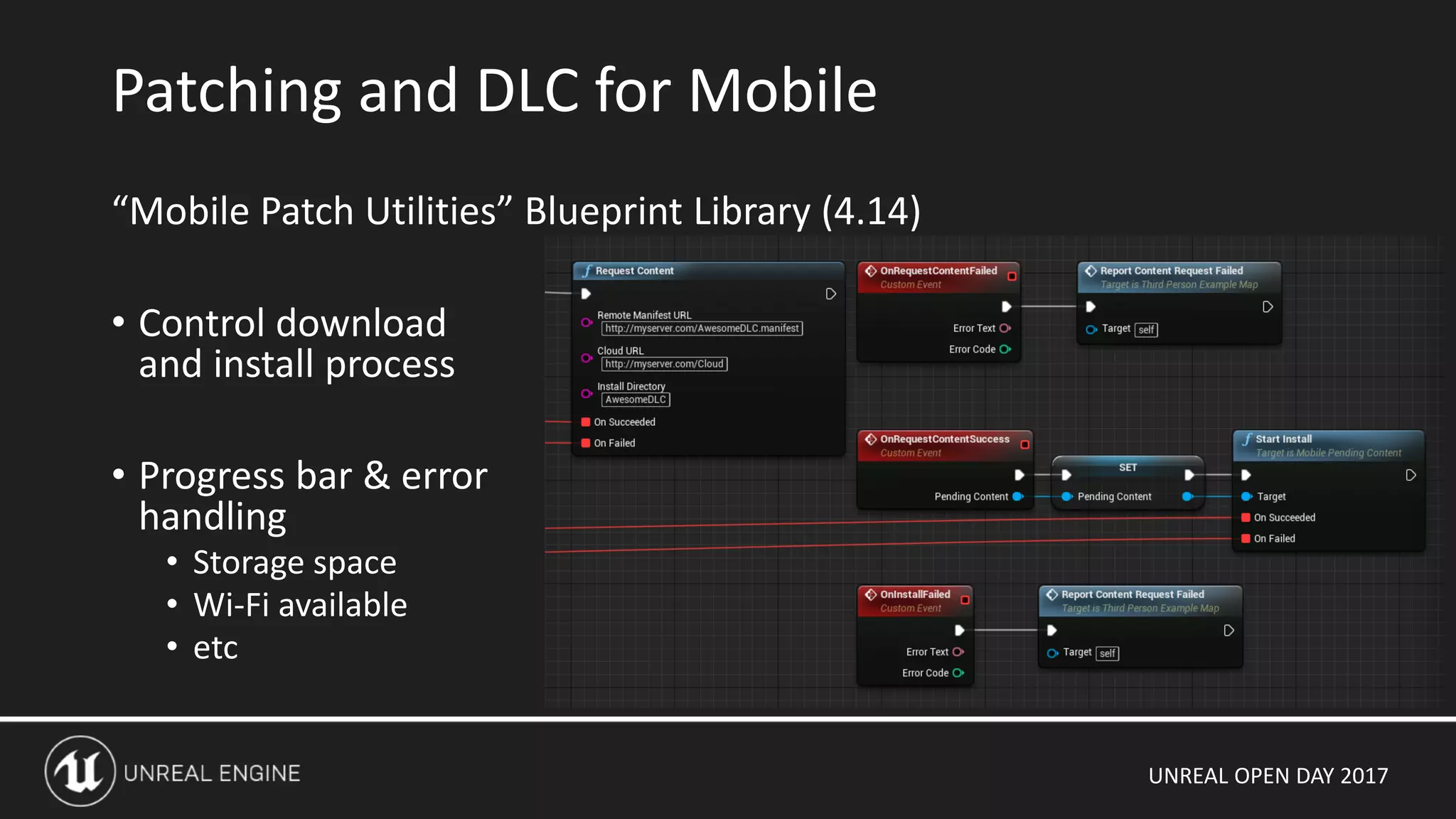
“Mobile Patch Utilities” Blueprint Library (4.14)
• Control download
and install process
• Progress bar & error
handling
• Storage space
• Wi-Fi available
• etc
Patching and DLC for Mobile
UNREAL OPEN DAY 2017
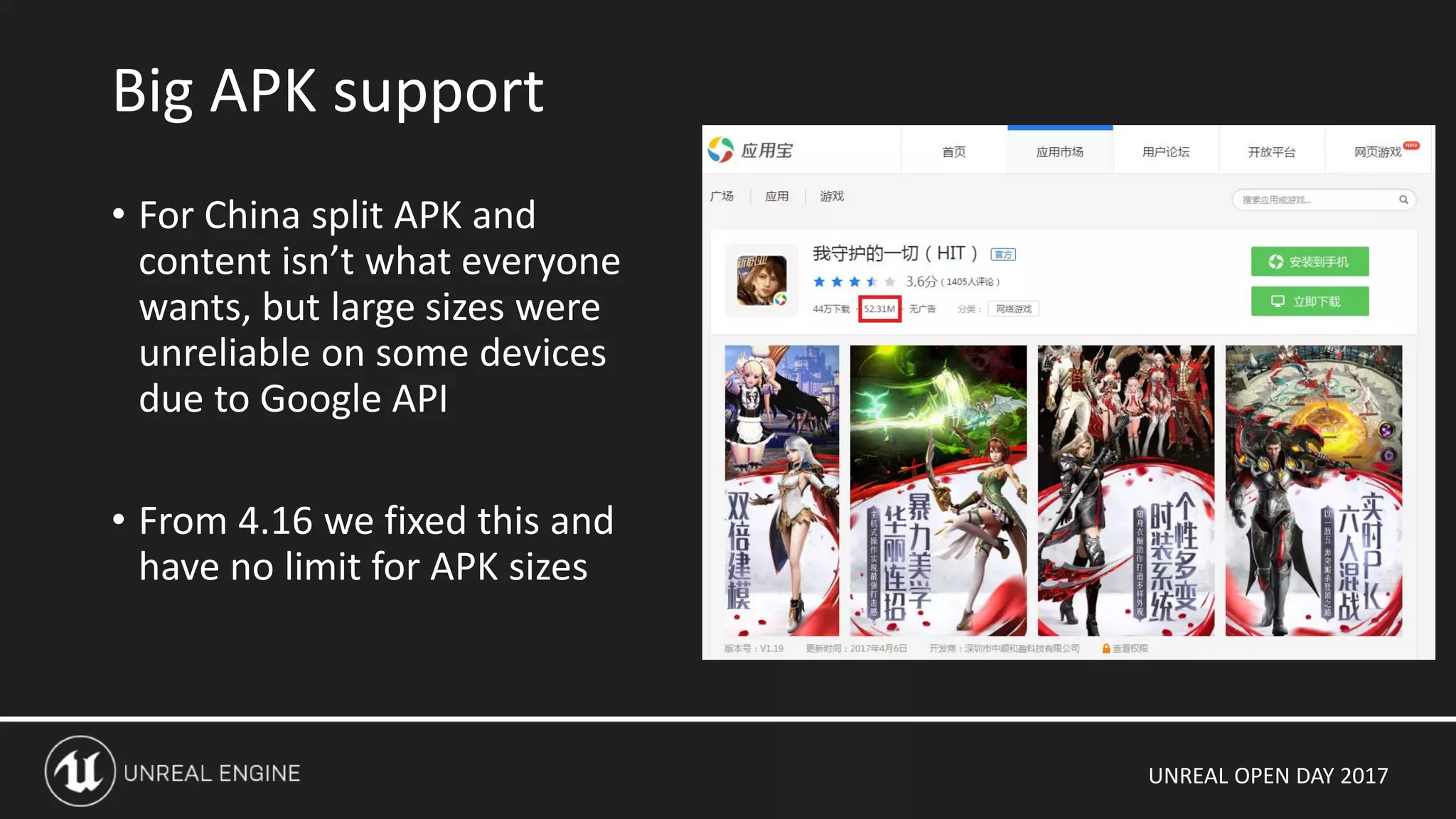
• For China split APK and
content isn’t what everyone
wants, but large sizes were
unreliable on some devices
due to Google API
• From 4.16 we fixed this and
have no limit for APK sizes
Big APK support
UNREAL OPEN DAY 2017
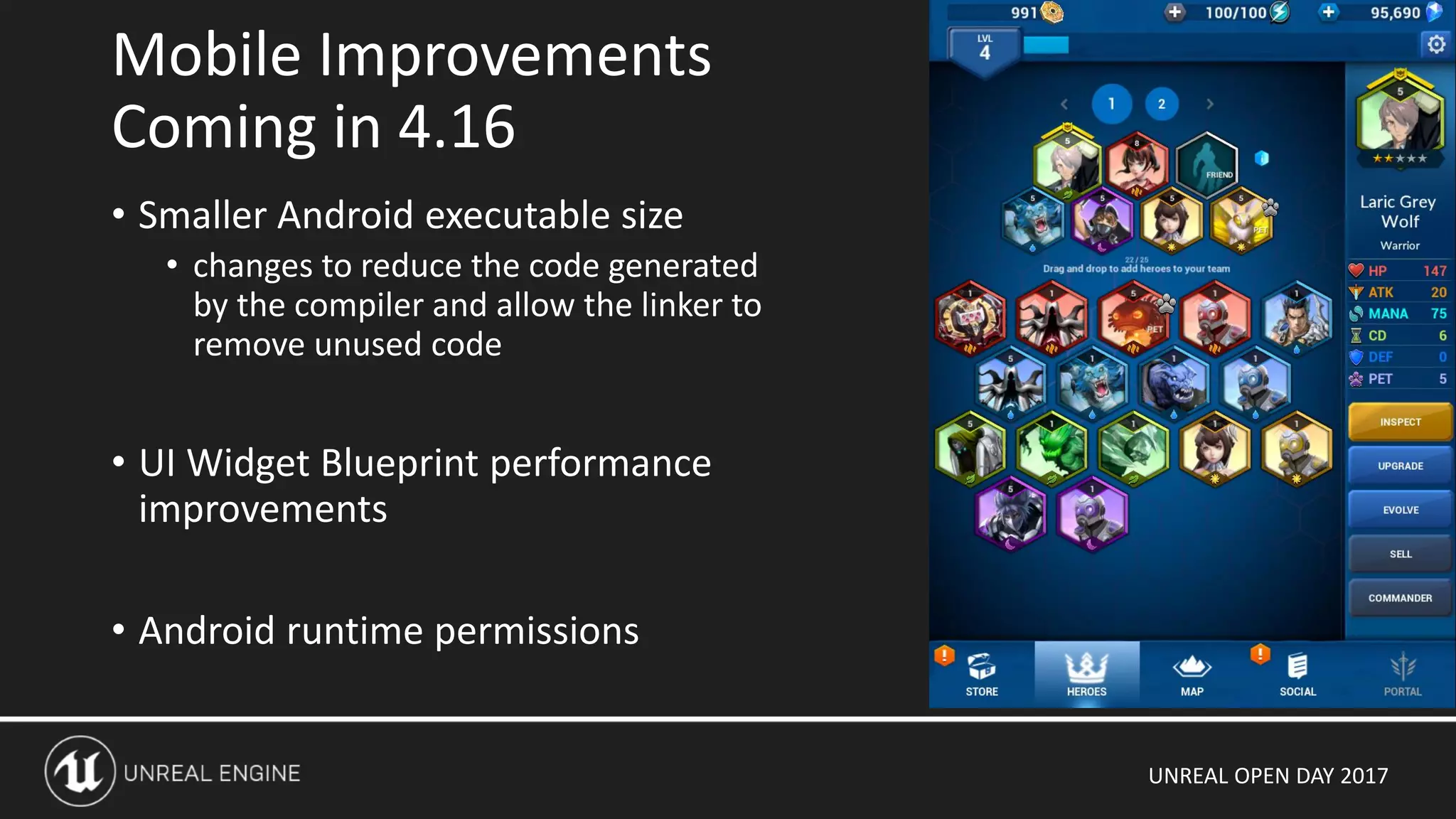
• Smaller Android executable size
• changes to reduce the code generated
by the compiler and allow the linker to
remove unused code
• UI Widget Blueprint performance
improvements
• Android runtime permissions
Mobile Improvements
Coming in 4.16
UNREAL OPEN DAY 2017
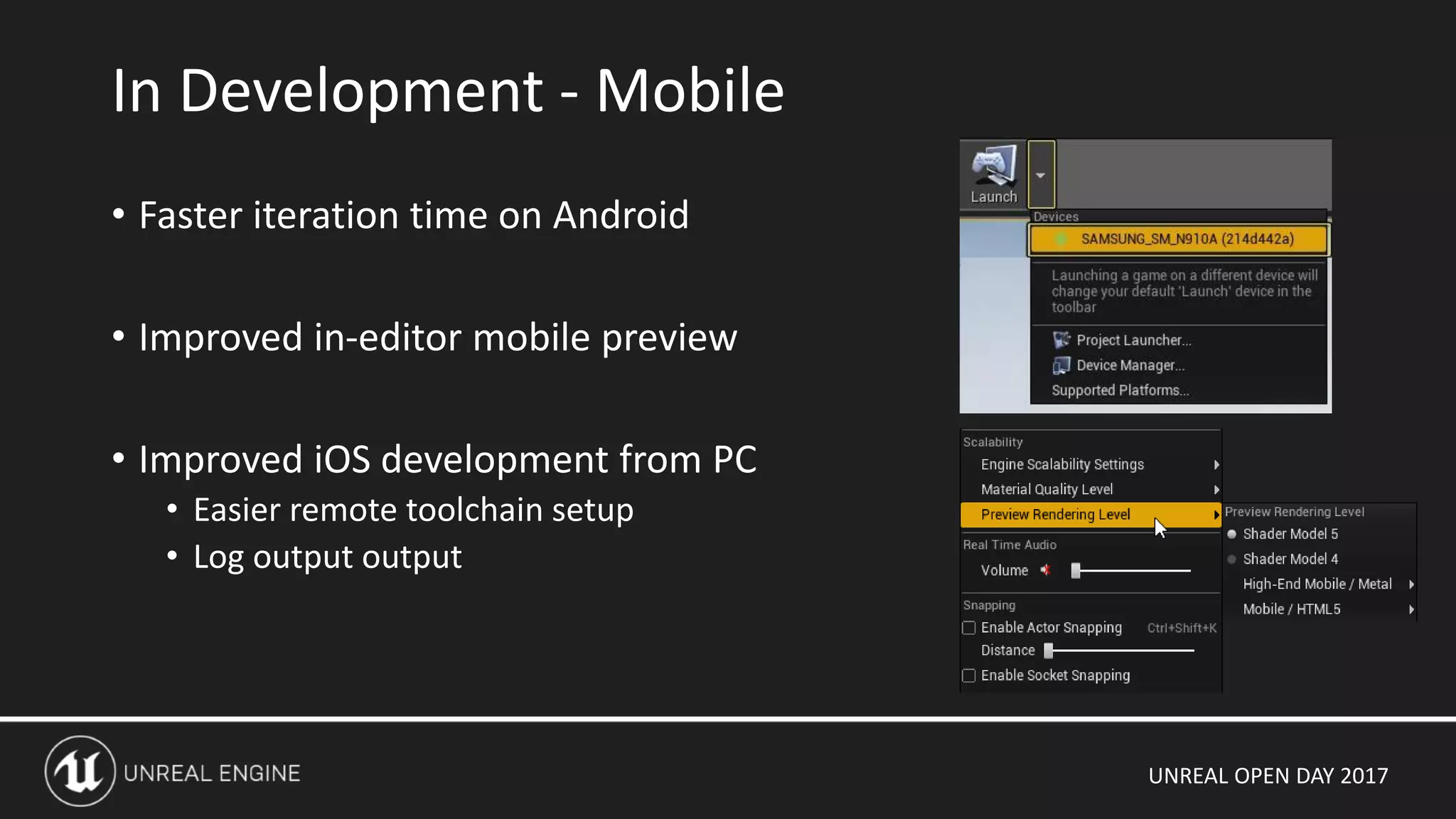
• Faster iteration time on Android
• Improved in-editor mobile preview
• Improved iOS development from PC
• Easier remote toolchain setup
• Log output output
In Development - Mobile
UNREAL OPEN DAY 2017
Thanks, Questions and Requests

Unreal Open Day 2017 UE4 for Mobile: The Future of High Quality Mobile Games

  • 1.
    UNREAL OPEN DAY2017 UE4 for Mobile: The Future of High Quality Mobile Games
  • 2.
    UNREAL OPEN DAY2017 Jack Porter Unreal Engine 4 Mobile Team Lead I’ve worked on Unreal Engine development since 1998! Contributed to Unreal Tournament & Gears of War series Intro
  • 3.
    UNREAL OPEN DAY2017 • Introduction • The UE4 mobile rendering pipeline and features for AAA games • High-end graphics with mobile using OpenGL ES 3.1, Vulkan and Metal • Upcoming UE4 mobile features Outline
  • 4.
    UNREAL OPEN DAY2017 State of the UE4 for Mobile Game Market • AAA, console quality games released with many more in development • Full open-world MMOs now running on Mobile • Lineage II Revolution was top grossing mobile game worldwide in February 2017 Introduction
  • 5.
    UNREAL OPEN DAY2017 • Real open-world MMO on mobile devices • Has raised the bar for what’s expected for mobile titles! • Huge success - $176 million in 30 days!! Lineage II Revolution
  • 6.
    UNREAL OPEN DAY2017 Netmarble developed this game using standard UE4 features • Development, testing and debugging on PC • UE4 Mobile Renderer • MobileHDR, post-processing • Landscape • Level Streaming • Materials • UI made with Widget Blueprints • Device Profiles for scalability • Minumum Spec: Galaxy S4, iPhone 5 Lineage II Revolution
  • 7.
    UNREAL OPEN DAY2017 UE4 Mobile Renderer
  • 8.
    UNREAL OPEN DAY2017 Unreal Engine 4 has three different renders: • Deferred Renderer • The default renderer for the editor, PC and Console • Feature levels “SM4”, “SM5” • Forward VR Renderer • Used mainly for desktop VR eg Robo Recall and to support MSAA • Similar feature set to the deferred renderer with a few exceptions (eg screen-space effects) • Feature levels “SM5” • Mobile Renderer • Used for mobile devices • Forward renderer • Reduced feature set especially for lighting, shadowing • Feature levels “ES2”, “ES3_1” UE4 Renderers
  • 9.
    UNREAL OPEN DAY2017 • UE4 can target one of several “feature levels”, which specifies the set of Material Editor features that will be supported in the shaders. • The feature level also determines what UE4 Renderer can be used. • The mobile feature level names are “ES2” and “ES3_1” but do not exactly correspond to the OpenGL ES 2 and OpenGL ES 3.1. • The ES2 renderer uses ES 3.0 features when they are availble. • “Feature Level Switch” switches can be used in materials • Editor “Preview Rendering Level” can be used to preview Feature Levels
  • 10.
    UNREAL OPEN DAY2017 Feature Levels Renderer Platforms Textures Notes ES2 Mobile OpenGL ES 2.0-3.x (Android) OpenGL ES 2.0 (iOS) 8 • On Android: • Shaders are patched to support OpenGL ES 3.0 features and other GL extensions on some devices • Fallback for 32-bit render target ‡ OpenGL ES 3.1+AEP Deferred will be deprecated in the future† Metal Deferred is experimental
  • 11.
    UNREAL OPEN DAY2017 Feature Levels Renderer Platforms Textures Notes ES2 Mobile OpenGL ES 2.0-3.x (Android) OpenGL ES 2.0 (iOS) 8 • On Android: • Shaders are patched to support OpenGL ES 3.0 features and other GL extensions on some devices • Fallback for 32-bit render target ‡ OpenGL ES 3.1+AEP Deferred will be deprecated in the future ES3_1 “High End Mobile” Mobile OpenGL ES 3.1 (Android) Vulkan (Android) Metal (iOS) 16 • Floating point render targets • Vertex textures • sRGB support † Metal Deferred is experimental
  • 12.
    UNREAL OPEN DAY2017 Feature Levels Renderer Platforms Textures Notes ES2 Mobile OpenGL ES 2.0-3.x (Android) OpenGL ES 2.0 (iOS) 8 • On Android: • Shaders are patched to support OpenGL ES 3.0 features and other GL extensions on some devices • Fallback for 32-bit render target ‡ OpenGL ES 3.1+AEP Deferred will be deprecated in the future ES3_1 “High End Mobile” Mobile OpenGL ES 3.1 (Android) Vulkan (Android) Metal (iOS) 16 • Floating point render targets • Vertex textures • sRGB support SM4 Deferred Direct3D 10 OpenGL 3.0 Metal (MacOS, iOS A8+ devices†) 16 • Minimum feature level for deferred SM5 Deferred or Forward VR Direct3D 11 OpenGL 4.0 Playstation 4 Xbox One Metal (MacOS) OpenGL ES 3.1+AEP (Nvidia K1, X1 with Android‡) 16 + (using shared samplers) • Minimum feature level for tessellation support • Compute shaders used for advanced rendering features † Metal Deferred is experimental
  • 13.
    UNREAL OPEN DAY2017 Selecting one of these Build options causes UE4 to generates an extra set of shaders using the ES3_1 feature level • Devices will automatically choose the best RHI and feature level • Can be overridden by Device Profiles Feature Levels: Android
  • 14.
    UNREAL OPEN DAY2017 What is Vulkan? • Vulkan is a next generation graphics API intended to replace OpenGL and OpenGL ES • Designed by the industry, sponsored by Khronos • Designed with graphics hardware in mind UE4 Android with Vulkan • Android 7.0 devices now shipping with working Vulkan drivers • Light-weight API minimizes CPU usage • “Pipeline State Objects” make state changes efficient • More draw calls because each draw call is more light-weight • “Render Passes” make efficient use of mobile tiling GPU hardware Android Vulkan
  • 15.
    UNREAL OPEN DAY2017 Comparing PC Direct3D RHI and Vulkan RHI on PC and device Using Vulkan with Unreal Engine 4
  • 16.
    UNREAL OPEN DAY2017 Unlike the deferred renderer using a Gbuffer, UE4 mobile renderer is a forward renderer which saves only the output color. • Scene Color • Ideally 16-bit floating point render target on modern devices • When not available we use “RGBE encoding” or “mosaic” • RGB Stores the HDR color values while rendering • Alpha channel stores the depth for later use (soft particles, decals) • Depth buffer • Usually 24 bits of depth, 8 bits of stencil • Backbuffer • 32-bit RGBA • Final result after post-processing and tonemapping Color Buffer (HDR mode) Backbuffer Scene Color (HDR)
  • 17.
    UNREAL OPEN DAY2017 RGBE HDR Encoding RGB + Exponent encoding method needed for Galaxy S6/Note 4 with Android 5.x • Requires EXT_shader_framebuffer_fetch extension available on Galaxy S6 • Supports full HDR, bloom and no resolution limitations “Mosaic” HDR Native HDR “Encoding” HDR
  • 18.
    UNREAL OPEN DAY2017 • 32-bit hardware backbuffer & depth buffer • Allocated by the platform, eg EGL in the case of Android • sRGB not possible on many devices • Scene is rendered directly to the backbuffer in Gamma Space followed by translucency and UI • Fastest possible rendering mode for simple or VR games • Many effects do not work • No post processing • No deferred passes like decals or modulated shadows because the depth buffer is not accessible Color Buffer (LDR mode) Backbuffer (LDR mode)
  • 19.
    UNREAL OPEN DAY2017 1. View setup 2. GPU Particle simulation 3. Shadow Map rendering 4. Base Pass 5. Decals 6. Modulated shadows 7. Translucency 8. Post-processing & Tonemapping 9. HUD & UI Mobile Rendering Pipeline
  • 20.
    UNREAL OPEN DAY2017 • Find out all visible objects • Frustum culling • Distance culling • Precomputed visibility • View relevance • Find out all visible shadows • Gather dynamic mesh elements • Update view uniform buffer 1. View Setup
  • 21.
    UNREAL OPEN DAY2017 2. GPU Particles Simulation • Requires device with ES3_1 feaure level, or ES2 with an Android device with OpenGL ES 3.1 • Simulates particle physics on GPU • Writes particle Position to 128bpp target • Writes particle Velocity to 64bpp target
  • 22.
    UNREAL OPEN DAY2017 • Setup depth render target • Find out which objects need shadows • Render them using main light view • Shadow map used later • During base pass for CSM shadows • After, for modulated shadow projections 3. Shadow Map Rendering
  • 23.
    UNREAL OPEN DAY2017 • Choose appropriate shaders depending on shadow and lighting properties • Unlit • Distance field shadows + LM • Distance field shadows + LM + CSM • Dynamic lighting (CSM) • etc • For dynamic elements, this happens every frame • For static elements this occurs once when the scene is created, and the mesh drawing state is added to a static draw list. • Primitives are grouped by material, vertex factory to reduce OpenGL state changes 4. Base Pass (setup)
  • 24.
    UNREAL OPEN DAY2017 4. Base Pass (drawing) Renders all objects with opaque materials and combines lighting, to scene color in HDR / linear space • Dynamic directional and point lights (per-pixel) • Static distance field shadows • Dynamic CSM shadows • Lightmaps (from stationary lights) • Skylight • Reflections
  • 25.
    UNREAL OPEN DAY2017 4. Base Pass (draw order) Drawing order depends on device • Draw without any reordering • Default option for ImgTec, which has “Hidden Surface Removal” • Reorder meshes front to back in each list • Minimizes state change • Reorder meshes front to back across all lists • Minimizes overdraw • Default option for non-ImgTec GPUs Can be tweaked depending on your content • r.ForwardBasePassSort = x
  • 26.
    UNREAL OPEN DAY2017 • Requires scene depth fetch • Implementation depends on supported extensions • GL_ARM_shader_framebuffer_fetch_depth_stencil • GL_EXT_shader_framebuffer_fetch • GL_OES_depth_texture • depth buffer resolve • Supports “Receives Decals” flag • Stencil operations • Does not support lighting 5. Deferred Decals
  • 27.
    UNREAL OPEN DAY2017 • Similar to deferred decals • Modulated Shadows do not blend well with static lighting • Static + CSM is a better option (4.12+) 6. Modulated Shadow Projections
  • 28.
    UNREAL OPEN DAY2017 • Draw primitives with non-Opaque blend mode using the same shaders as the Base Pass • Does not write to depth buffer • Refraction supported • Requires full copy of scene color 7. Translucency
  • 29.
    UNREAL OPEN DAY2017 8. Post-Process • Only supported when HDR is enabled • Requires several passes depending on what effects are used • Depth of Field • Custom PostProcess Materials • Tonemapper pass at the end • Maps HDR color to 8-bit per-channel RGB • and writes it to backbuffer • Bloom is also applied at this stage • Filmic tonemapper (4.13+)
  • 30.
    UNREAL OPEN DAY2017 • Draw UI elements directly to backbuffer • Slate / Widget Blueprints • Canvas • Swap backbuffer 9. HUD & UI
  • 31.
    UNREAL OPEN DAY2017 The mobile render uses the same physically-based material system as UE4 on desktop and console platforms. Material Pipeline
  • 32.
    UNREAL OPEN DAY2017 Material graph generates HLSL functions Combined with hand-written HLSL source code for our Physically Based lighting model We use this directly on PC and Xbox One Material Pipeline half3 GetMaterialBaseColor(FMaterialPixelParameters Parameters) { MaterialFloat3 Local5 = (1.00000000 - Material.VectorExpressions[0].rgb); MaterialFloat4 Local6 = ProcessMaterialColorTextureLookup(Texture2DSample(Material.Texture2D_1, Material.Texture2D_1Sampler, Parameters.TexCoords[0].xy)); MaterialFloat3 Local7 = (Local6.rgb + MaterialFloat3(0.00000000, 0.00000000, 0.00000000)); MaterialFloat Local8 = dot(Local6.rgb, MaterialFloat3(0.30000001, 0.58999997, 0.11000000)); MaterialFloat Local9 = (Local8 + -0.40000001); MaterialFloat Local10 = (Local9 * -5.00000000); MaterialFloat Local11 = min(max(Local10, 0.00000000), 1.00000000); MaterialFloat Local12 = (Local8 + dot(MaterialFloat3(0.00000000, 0.00000000, 0.00000000), MaterialFloat3(0.30000001, 0.58999997, 0.11000000))); MaterialFloat Local13 = (dot(MaterialFloat3(0.00000000, 0.00000000, 0.00000000), MaterialFloat3(0.30000001, 0.58999997, 0.11000000)) / Local12); MaterialFloat Local14 = (Local13 - 0.50000000); MaterialFloat Local15 = (Local14 * 4.00000000); MaterialFloat Local16 = (Local15 + 0.50000000); MaterialFloat Local17 = min(max(Local16, 0.00000000), 1.00000000); MaterialFloat Local18 = (Local11 * Local17); MaterialFloat3 Local19 = lerp(Local6.rgb, Local7, MaterialFloat(Local18)); MaterialFloat3 Local20 = (Local19 * Local5); return Local20;; }
  • 33.
    UNREAL OPEN DAY2017 For mobile, we cross-compile HLSL to GLSL Version and GLSL extensions are enabled using the preprocessor Material Pipeline #version 300 es out mediump vec4 out_FragColor; uniform highp samplerCube ps4; uniform highp sampler2D ps0; uniform highp sampler2D ps1; uniform highp sampler2D ps2; varying highp vec4 var_TEXCOORD0; varying highp vec4 var_TEXCOORD1; varying highp vec4 var_TEXCOORD2; varying vec4 var_TEXCOORD7; void main() { vec4 t0; vec4 t1; t1.xyzw = vec4(gl_FragCoord); t0.xyzw = t1; vec4 t2; highp vec4 t3; t3.xy = var_TEXCOORD4.zw; t3.zw = var_TEXCOORD5.zw; vec3 t4; vec3 t5; t5.xyz = vec3(t3.xyz); t4.xyz = t5; highp vec4 t6;
  • 34.
    UNREAL OPEN DAY2017 Movable Directional Light + Cascaded Shadow Map shadowing • Editor setup • Directional Light Component, set “Mobility” to Movable (1 supported) • Set “Dynamic Shadow Distance Movable Light” • Set “Num Dynamic Shadow Cascades” Advantages • Lighting is fully dynamic and can be changed at runtime • Reduced memory usage and package size as there is no precomputed lighting data Disadvantages • All objects in the scene, static and dynamic, must be rendered into the CSM • Extra draw calls and CSM generation cost Lighting: Fully Dynamic Lighting
  • 35.
    UNREAL OPEN DAY2017 Simplest lighting setup for mobile • Direct and Specular lighting calculated per pixel • Intensity and color can be changed at runtime, but not direction • Editor setup • Directional Light Component, set “Mobility” to Stationary (1 supported) • Set “Cast Dynamic Shadows” to False Advantages • Fastest to render • High quality distance-field shadows Disadvantages • Light direction cannot be changed at runtime • Only supports modulated player shadows • Memory and package size footprint for precomputed shadowmaps Stationary Directional Lighting
  • 36.
    UNREAL OPEN DAY2017 Optimized in version 4.13 • No longer necessary to flag each object that will receive CSM shadows from players • Editor setup • Directional Light Component, set “Mobility” to Stationary (1 supported) • Set “Dynamic Shadow Distance Stationary Light” • Set “Num Dynamic Shadow Cascades” • Disable “Inset Shadows For Movable Objects” Advantages • Static geometry shadowed statically with distance field shadows • Dynamic player shadows blend nicely with static shadows Disadvantages • CSM generation cost (but only for dynamic objects) • Base pass shaders require an extra texture sampler Stationary Directional + CSM shadows
  • 37.
    UNREAL OPEN DAY2017 Independent of other lighting setup • Up to 4 lights are supported per object / surface • Set “Max Movable Point Lights” > 0 in Project Settings, Engine Rendering Advantages • Rendered as part of the base pass so no extra draw calls Disadvantages • Extra shader permutations are generated Dynamic Point Lights
  • 38.
    UNREAL OPEN DAY2017 Lighting channels now supported on mobile (4.13) • Limitations: only one Stationary or Movable Directional light can affect each object Lighting Channels
  • 39.
    UNREAL OPEN DAY2017 • Much more flexible for artists to achieve the look they want • Enable with console var, eg by device profile • r.tonemapperfilm=1 (4.12 – 4.15) • r.mobile.tonemapperfilm=1 (4.16+) • Warning: enabled by default in 4.15! • Has extra cost so only recommended on high-end devices Post Process - Filmic Tonemapper
  • 40.
    UNREAL OPEN DAY2017 • Custom Post Process (new in 4.13) • Shader built using the material system Custom Post Process
  • 41.
    UNREAL OPEN DAY2017 Custom Depth (new in 4.14) Selected objects can be rendered into a separate depth buffer This can be sampled in Custom Post Process Custom Depth
  • 42.
    UNREAL OPEN DAY2017 Custom Stencil (new in 4.15) • On PC we the material can sample the value from the stencil buffer • Not possible on mobile GPUs • Instead we render out to a separate color target Post Processing – Custom Stencil
  • 43.
    UNREAL OPEN DAY2017 Non-Rendering
  • 44.
    UNREAL OPEN DAY2017 Minimal APK/IPA + DLC Packaging Wizard (4.13) • Small download from App Store / Google Play • Only UI to download content • Download game content and patches from the cloud • Force user content updates Patching and DLC for Mobile
  • 45.
    UNREAL OPEN DAY2017 “Mobile Patch Utilities” Blueprint Library (4.14) • Control download and install process • Progress bar & error handling • Storage space • Wi-Fi available • etc Patching and DLC for Mobile
  • 46.
    UNREAL OPEN DAY2017 • For China split APK and content isn’t what everyone wants, but large sizes were unreliable on some devices due to Google API • From 4.16 we fixed this and have no limit for APK sizes Big APK support
  • 47.
    UNREAL OPEN DAY2017 • Smaller Android executable size • changes to reduce the code generated by the compiler and allow the linker to remove unused code • UI Widget Blueprint performance improvements • Android runtime permissions Mobile Improvements Coming in 4.16
  • 48.
    UNREAL OPEN DAY2017 • Faster iteration time on Android • Improved in-editor mobile preview • Improved iOS development from PC • Easier remote toolchain setup • Log output output In Development - Mobile
  • 49.
    UNREAL OPEN DAY2017 Thanks, Questions and Requests