Webmastering BASICS Using
     Dreamweaver


           Unit 6
           Hosting and
           Maintenance
Choosing and Registering a
    Domain Name


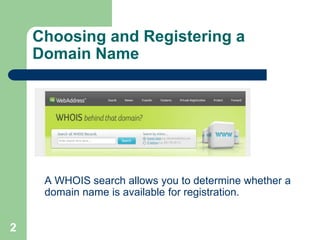
     A WHOIS search allows you to determine whether a
     domain name is available for registration.


2
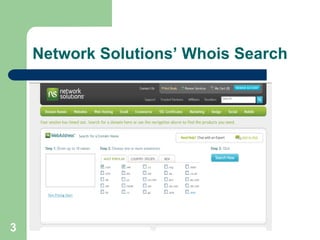
Network Solutions’ Whois Search


3
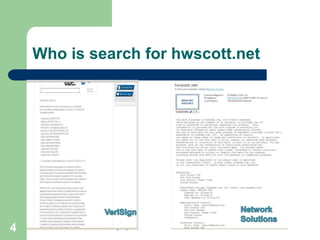
Who is search for hwscott.net


4
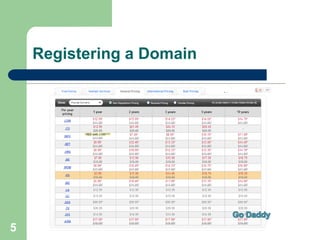
Registering a Domain


5
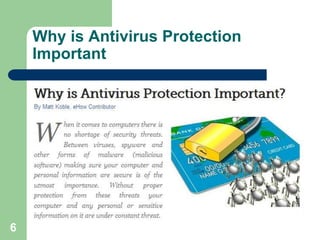
Why is Antivirus Protection
    Important


6
Security and Virus Protection

       Viruses can do everything from delete your
        files, prevent your computer from starting, or
        more commonly, use your computer to send
        spam or more viruses.
       If you run a windows machine, and are
        connected to the internet, virus scanning is a
        must.


7
What are Viruses?

       Computer viruses are named such due to their
        similarities to biological viruses.
       Computer viruses are malicious programming
        designed to replicate and spread.
       Though their purposes differ from virus to virus
        they commonly modify, delete or even steal
        data from your computer.


8
What are Viruses? continued

       They can also allow hackers access and
        control your PC over the Internet.
       Most viruses are designed to be covert, at
        least until they execute their main
        function, meaning without antivirus protection
        you may not even know when your computer
        is infected.


9
Macs and Security and Virus
     Protection

        If you run a Mac operating system, it is
         debatable whether you need virus protection.
         Generally the reason for having a virus
         scanner is to downstream check.
        Over 99.9% of viruses only work on
         windows, so your chances of getting a virus on
         a Mac system is very slim, but you can still
         pass them on.

10
Beware, viruses can be sent in
     files

        If you regularly send files to your friends via
         email (i.e., funny videos, pictures, word
         documents, games), and those friends use
         windows, you should consider virus scanning
         the files before sending them on.
        This is not necessary if you use a service that
         checks your emails for you, such as Hotmail
         or GMail. A good Mac virus scanner is
         ClamX.
11
Proxy Use

        It only takes one proxy to put a gaping hole in
         network security.
        Proxy sites help malware and other web-
         related threats to sneak into networks
         undetected.
        SSL proxies are a particular problem since
         the secure tunnels used allow viruses and
         worms to sidestep network anti-virus and web
         filtering security entirely.
12
Phishing and Password Theft

        Many proxy users are unaware of the risks to
         their own personal security and identity.
        Malicious proxy servers do exist and are
         capable of recording everything sent to the
         proxy, including unencrypted logins and
         passwords.


13
Phishing and Password Theft

        Although some proxy networks claim to only
         use „safe‟ servers, due to the „anonymous‟
         nature of these tools, proxy server safety is
         impossible to police.
        Users understand that whenever they use a
         proxy, they risk someone “in the middle”
         reading their data.


14
Copyright and Fair Use for
     Students

         Because you are a student, you can use
         copyrighted material.
        You have to follow certain guidelines when
         using copyrighted material.


15
Student Copyright Guidelines

        Web Images: You can use up to 10% or 15
         images (whichever is less) from any one
         collective work (such as a web page or a
         book) in your presentation.
        Music: You can include 10% or 30 seconds
         of a song (whichever is less) in your
         presentation.


16
Student Copyright Guidelines

        Illustrations: You may use no more than 5
         images by 1 artist.
        Motion: You may put 10% or 3 minutes
         (whichever is less) of a copyrighted film into
         your presentation.
        Any image that you find online needs a
         citation.
        Paste the URL of the image directly beneath
         it.
17
Copyright Resources

        http://www.cyberbee.com/cb_copyright.swf
        http://kb.iu.edu/data/arit.html
        http://www.copyrightkids.org/cbasicsframes.htm


18

Unit6

  • 1.
    Webmastering BASICS Using Dreamweaver Unit 6 Hosting and Maintenance
  • 2.
    Choosing and Registeringa Domain Name A WHOIS search allows you to determine whether a domain name is available for registration. 2
  • 3.
  • 4.
    Who is searchfor hwscott.net 4
  • 5.
  • 6.
    Why is AntivirusProtection Important 6
  • 7.
    Security and VirusProtection  Viruses can do everything from delete your files, prevent your computer from starting, or more commonly, use your computer to send spam or more viruses.  If you run a windows machine, and are connected to the internet, virus scanning is a must. 7
  • 8.
    What are Viruses?  Computer viruses are named such due to their similarities to biological viruses.  Computer viruses are malicious programming designed to replicate and spread.  Though their purposes differ from virus to virus they commonly modify, delete or even steal data from your computer. 8
  • 9.
    What are Viruses?continued  They can also allow hackers access and control your PC over the Internet.  Most viruses are designed to be covert, at least until they execute their main function, meaning without antivirus protection you may not even know when your computer is infected. 9
  • 10.
    Macs and Securityand Virus Protection  If you run a Mac operating system, it is debatable whether you need virus protection. Generally the reason for having a virus scanner is to downstream check.  Over 99.9% of viruses only work on windows, so your chances of getting a virus on a Mac system is very slim, but you can still pass them on. 10
  • 11.
    Beware, viruses canbe sent in files  If you regularly send files to your friends via email (i.e., funny videos, pictures, word documents, games), and those friends use windows, you should consider virus scanning the files before sending them on.  This is not necessary if you use a service that checks your emails for you, such as Hotmail or GMail. A good Mac virus scanner is ClamX. 11
  • 12.
    Proxy Use  It only takes one proxy to put a gaping hole in network security.  Proxy sites help malware and other web- related threats to sneak into networks undetected.  SSL proxies are a particular problem since the secure tunnels used allow viruses and worms to sidestep network anti-virus and web filtering security entirely. 12
  • 13.
    Phishing and PasswordTheft  Many proxy users are unaware of the risks to their own personal security and identity.  Malicious proxy servers do exist and are capable of recording everything sent to the proxy, including unencrypted logins and passwords. 13
  • 14.
    Phishing and PasswordTheft  Although some proxy networks claim to only use „safe‟ servers, due to the „anonymous‟ nature of these tools, proxy server safety is impossible to police.  Users understand that whenever they use a proxy, they risk someone “in the middle” reading their data. 14
  • 15.
    Copyright and FairUse for Students Because you are a student, you can use copyrighted material.  You have to follow certain guidelines when using copyrighted material. 15
  • 16.
    Student Copyright Guidelines  Web Images: You can use up to 10% or 15 images (whichever is less) from any one collective work (such as a web page or a book) in your presentation.  Music: You can include 10% or 30 seconds of a song (whichever is less) in your presentation. 16
  • 17.
    Student Copyright Guidelines  Illustrations: You may use no more than 5 images by 1 artist.  Motion: You may put 10% or 3 minutes (whichever is less) of a copyrighted film into your presentation.  Any image that you find online needs a citation.  Paste the URL of the image directly beneath it. 17
  • 18.
    Copyright Resources  http://www.cyberbee.com/cb_copyright.swf  http://kb.iu.edu/data/arit.html  http://www.copyrightkids.org/cbasicsframes.htm 18