Computer Concepts – Illustrated 8 th  edition Unit B: Computer Hardware
Objectives Examine input devices Examine display devices Compare printers Introduce data storage systems Compare data storage systems Computer Concepts – Illustrated 8th Edition Computer Concepts – Illustrated 8th Edition
Objectives (continued) Examine optical storage Examine solid-state storage Expand your computer Computer Concepts – Illustrated 8th Edition Computer Concepts – Illustrated 8th Edition
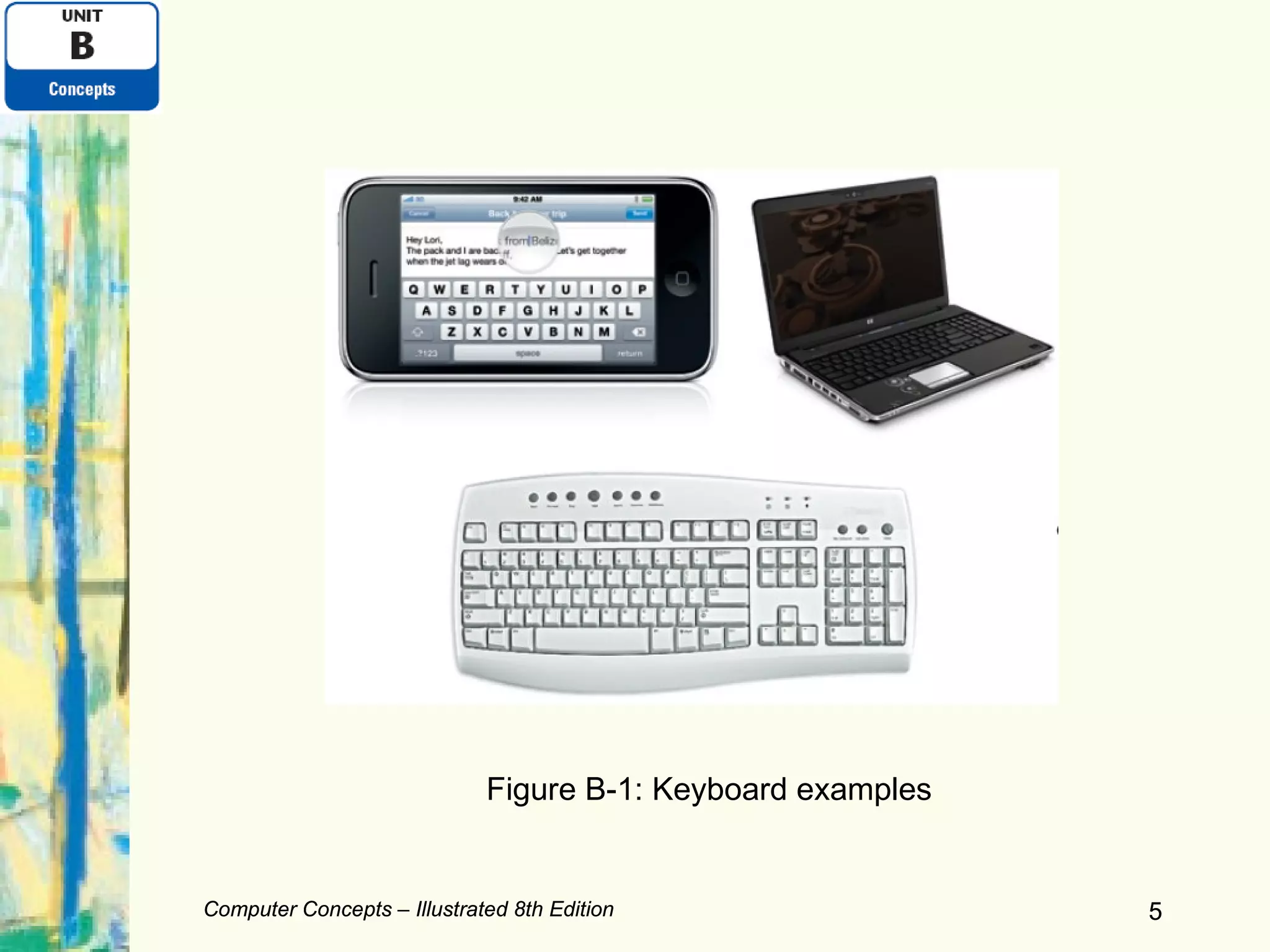
Examining Input Devices Most keyboards are similar Typing keypad: keys with letters, numbers Navigation keypad Keys such as Home, End, arrow keys, etc. Can be used to move the  insertion point  (or  cursor ) on the screen Mouse Used to control an on-screen pointer, etc. Optical mouse Laser mouse Computer Concepts – Illustrated 8th Edition Computer Concepts – Illustrated 8th Edition
Computer Concepts – Illustrated 8th Edition Computer Concepts – Illustrated 8th Edition Figure B-1: Keyboard examples
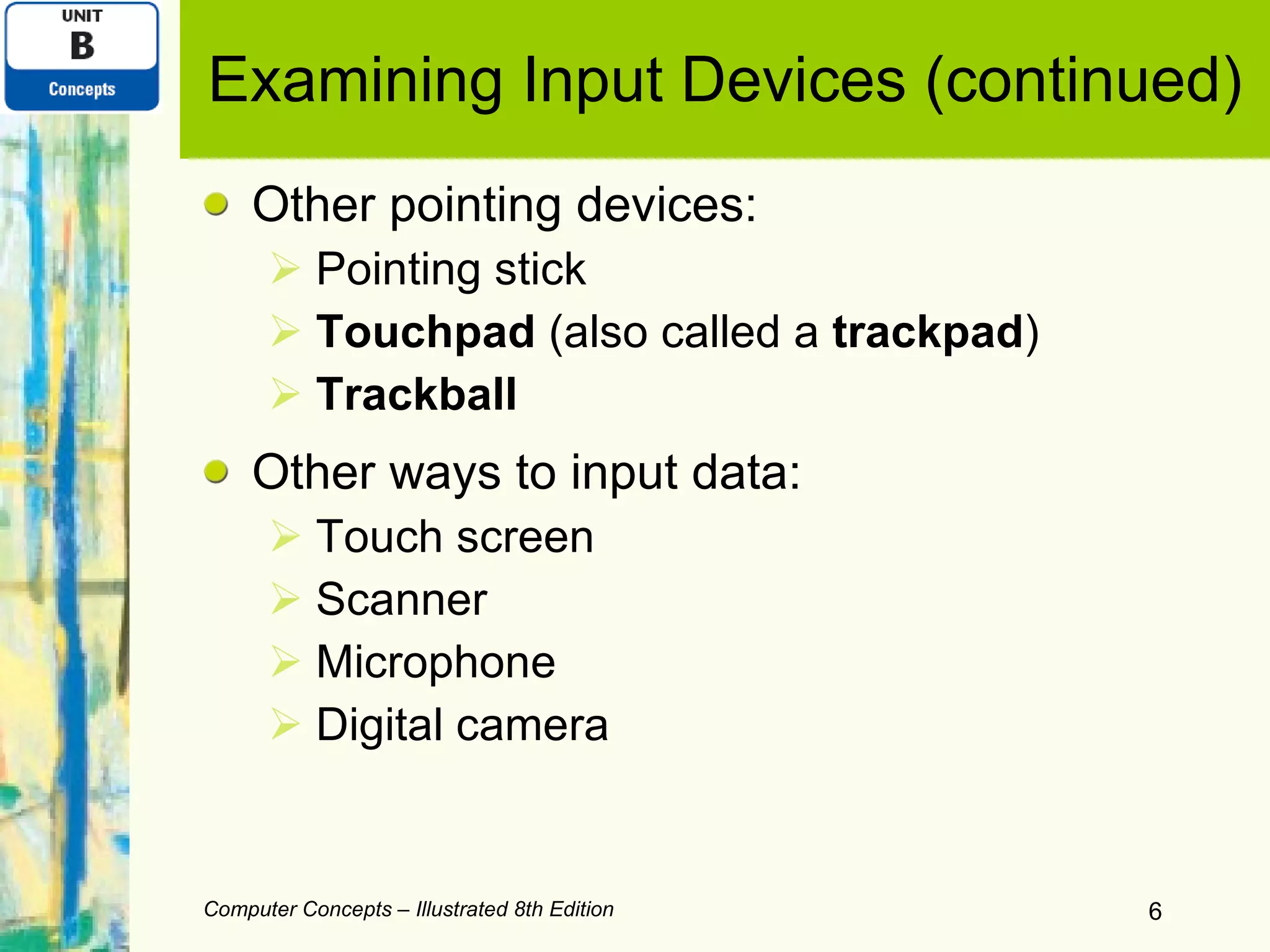
Examining Input Devices (continued) Other pointing devices: Pointing stick Touchpad  (also called a  trackpad ) Trackball Other ways to input data: Touch screen Scanner Microphone Digital camera Computer Concepts – Illustrated 8th Edition
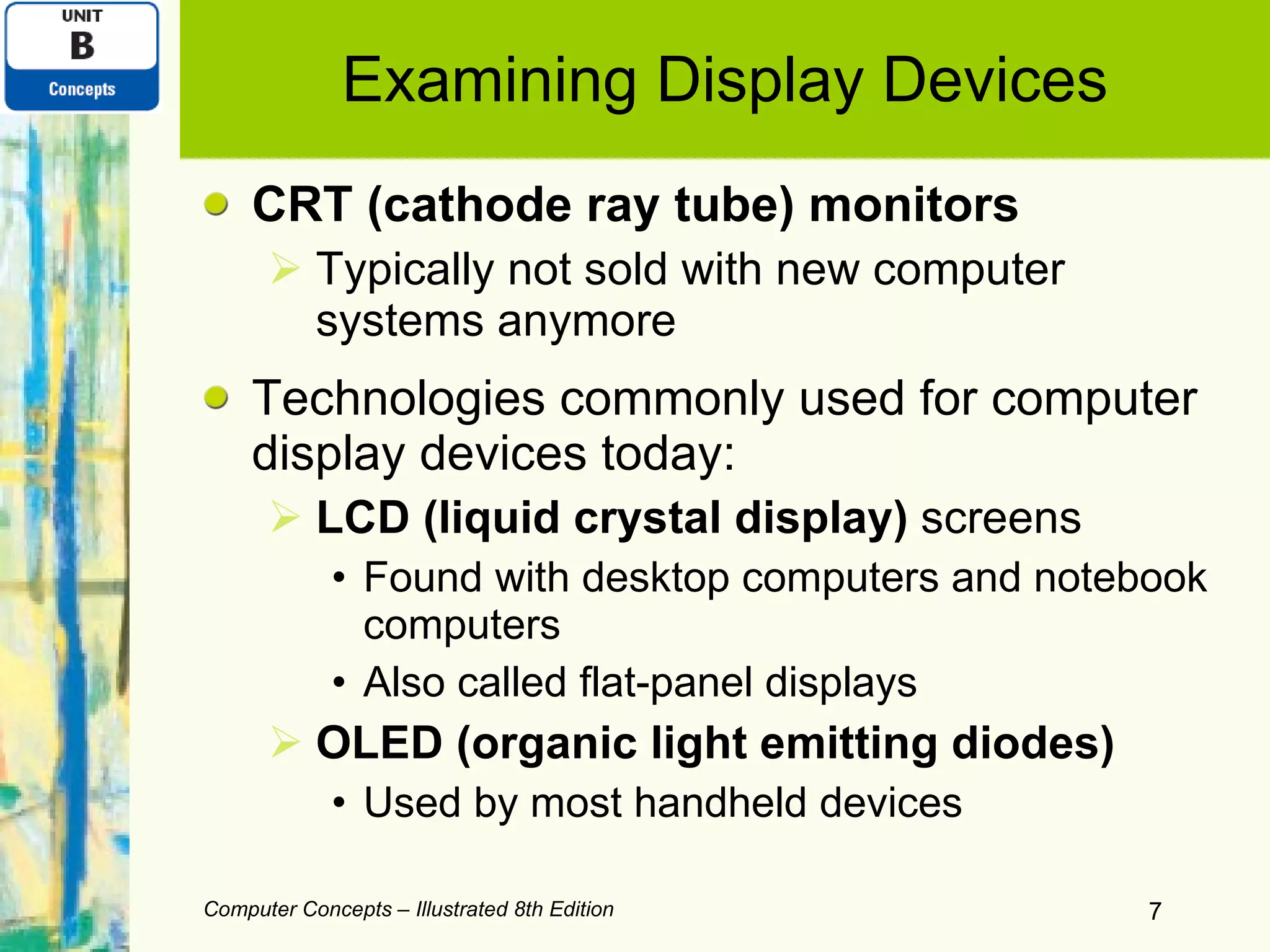
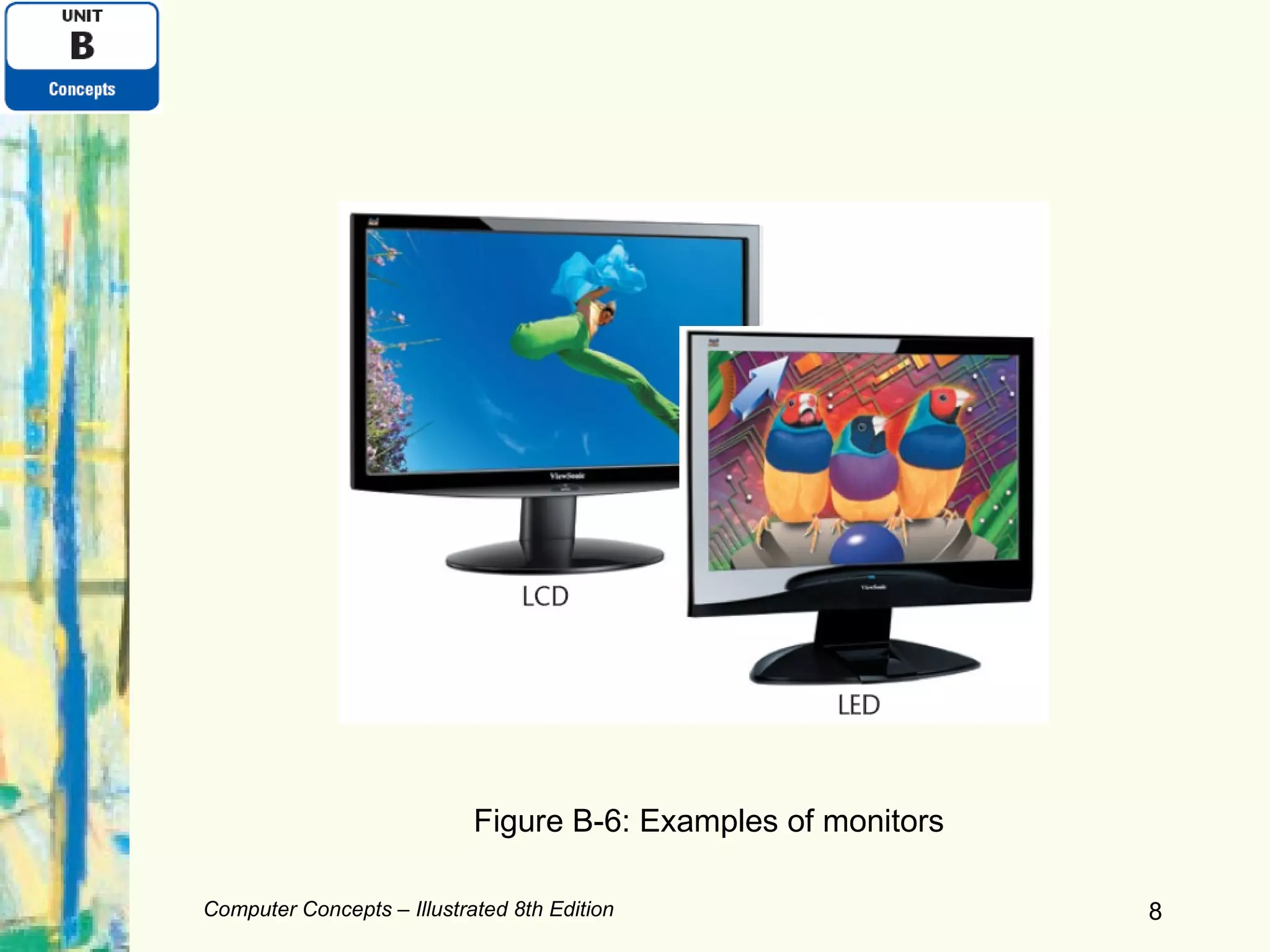
Examining Display Devices CRT (cathode ray tube) monitors Typically not sold with new computer systems anymore Technologies commonly used for computer display devices today: LCD (liquid crystal display)  screens Found with desktop computers and notebook computers Also called flat-panel displays OLED (organic light emitting diodes) Used by most handheld devices Computer Concepts – Illustrated 8th Edition
Computer Concepts – Illustrated 8th Edition Figure B-6: Examples of monitors
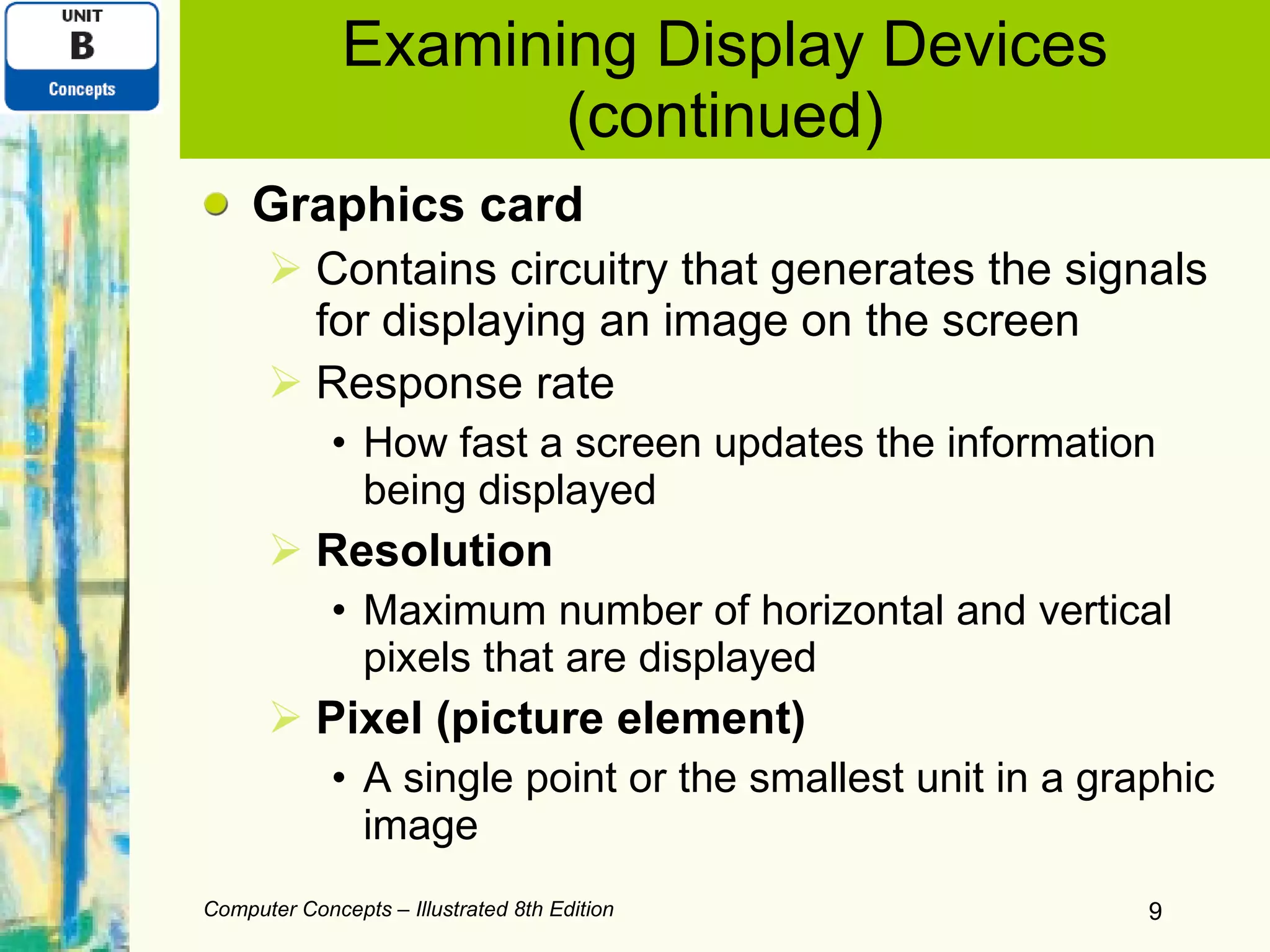
Examining Display Devices (continued) Graphics card Contains circuitry that generates the signals for displaying an image on the screen Response rate How fast a screen updates the information being displayed Resolution Maximum number of horizontal and vertical pixels that are displayed Pixel (picture element) A single point or the smallest unit in a graphic image Computer Concepts – Illustrated 8th Edition
Examining Display Devices (continued) Screen size Measurement in inches from one corner diagonally across to the opposite corner Dot pitch (dp) A measure of image clarity Color depth  or  bit depth Number of colors that a monitor and graphics card can display A computer monitor can be used to watch TV Computer Concepts – Illustrated 8th Edition
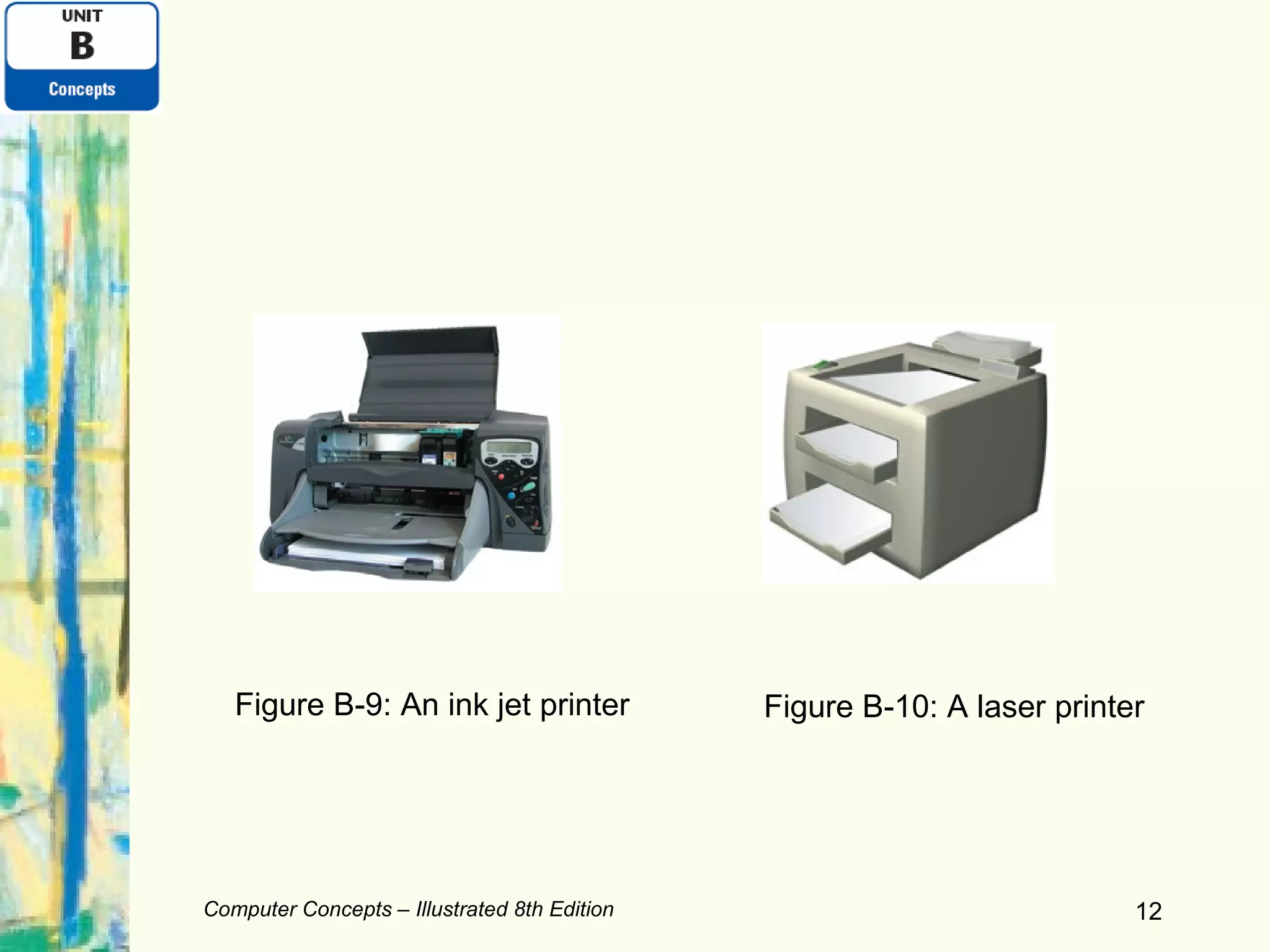
Comparing Printers Ink-jet printer Small, lightweight, inexpensive Produces very good-quality color output Ink cartridges can be expensive Laser printer Used in situations which require high-volume output or good-quality printouts Require  toner  cartridge refills or replacements Computer Concepts – Illustrated 8th Edition
Computer Concepts – Illustrated 8th Edition Figure B-9: An ink jet printer Figure B-10: A laser printer
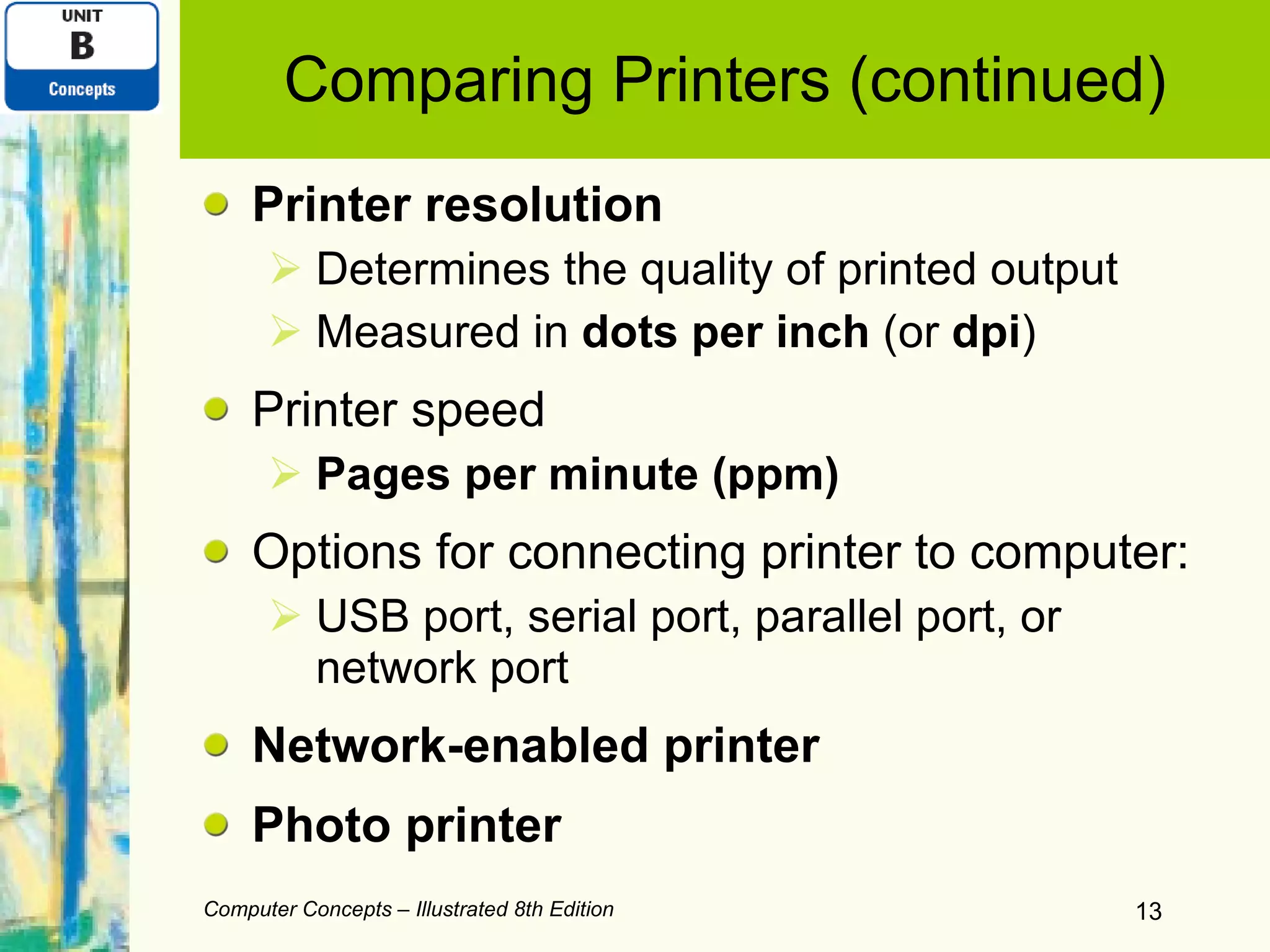
Comparing Printers (continued) Printer resolution Determines the quality of printed output Measured in  dots per inch  (or  dpi ) Printer speed Pages per minute (ppm) Options for connecting printer to computer: USB port, serial port, parallel port, or network port Network-enabled printer Photo printer Computer Concepts – Illustrated 8th Edition
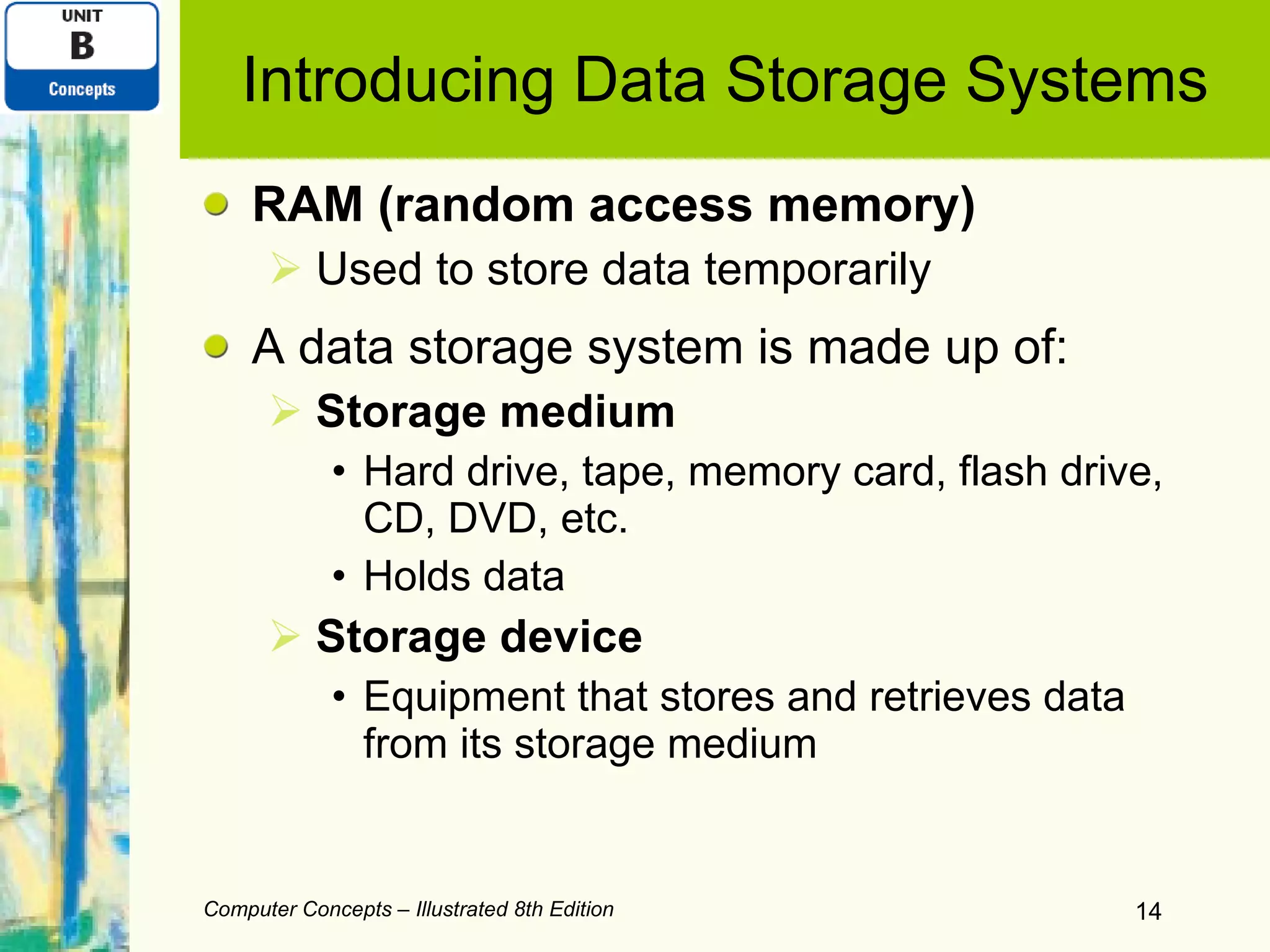
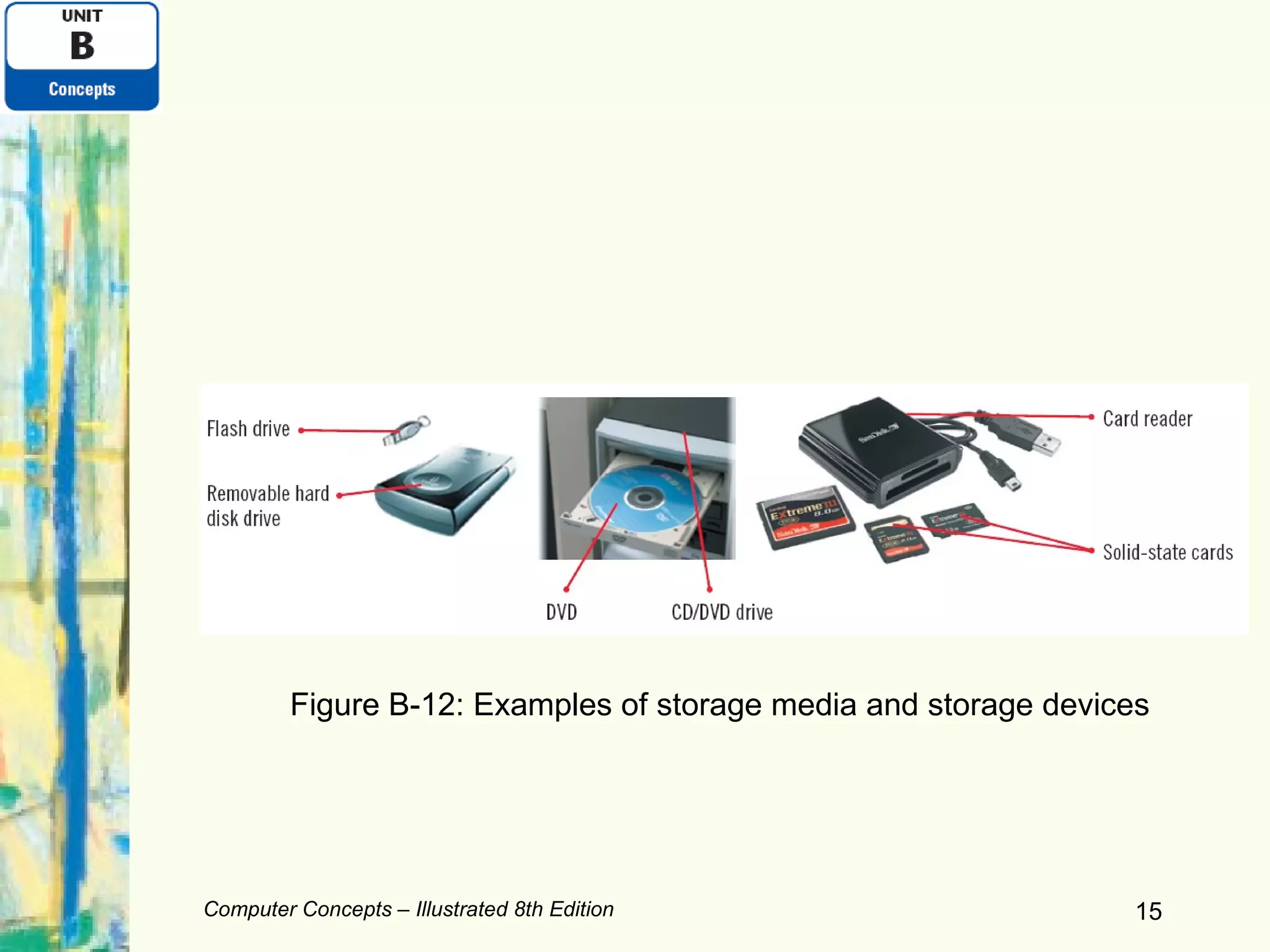
Introducing Data Storage Systems RAM (random access memory) Used to store data temporarily A data storage system is made up of: Storage medium Hard drive, tape, memory card, flash drive, CD, DVD, etc. Holds data Storage device Equipment that stores and retrieves data from its storage medium Computer Concepts – Illustrated 8th Edition
Computer Concepts – Illustrated 8th Edition Figure B-12: Examples of storage media and storage devices
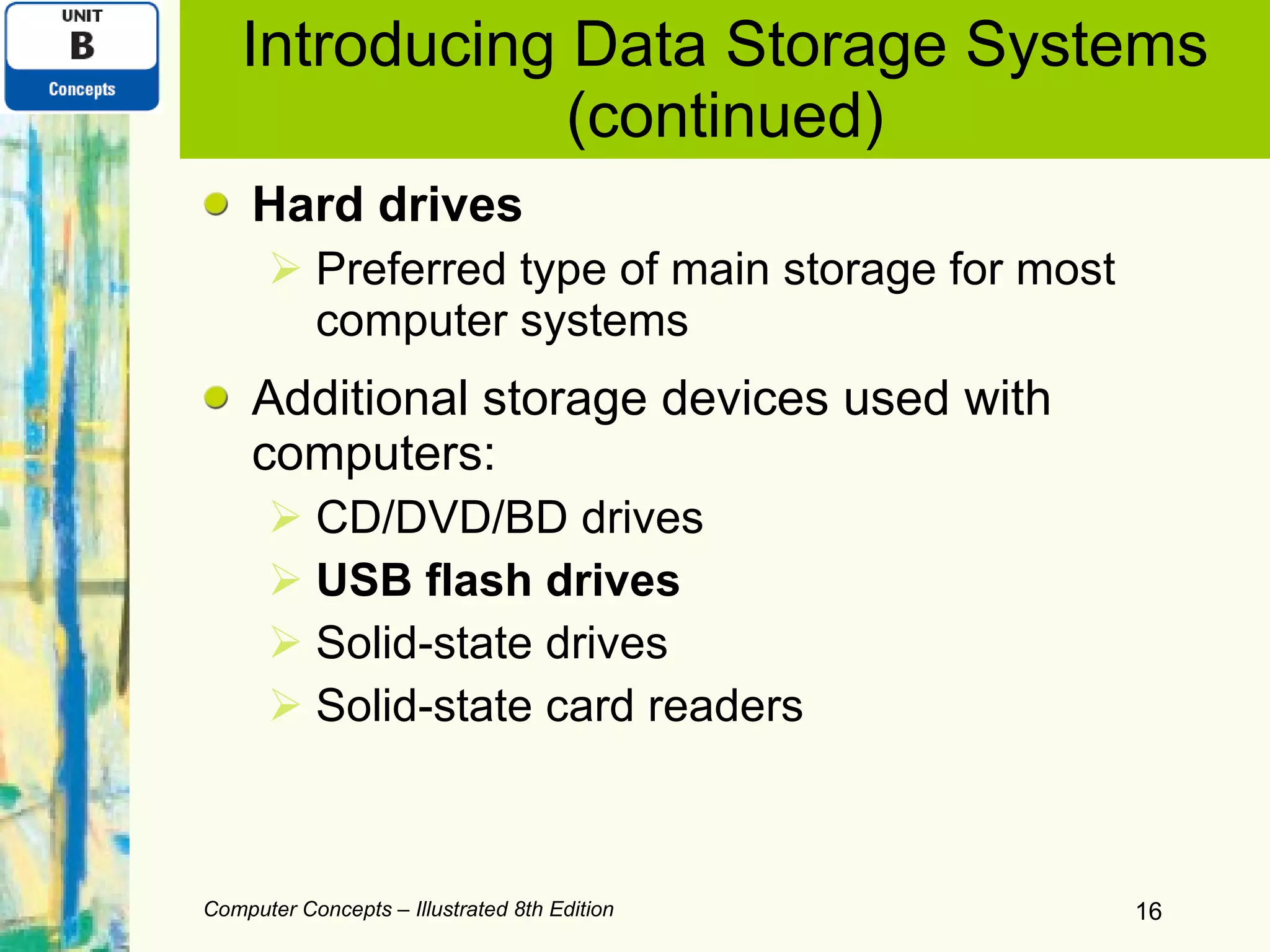
Introducing Data Storage Systems (continued) Hard drives Preferred type of main storage for most computer systems Additional storage devices used with computers: CD/DVD/BD drives USB flash drives Solid-state drives Solid-state card readers Computer Concepts – Illustrated 8th Edition
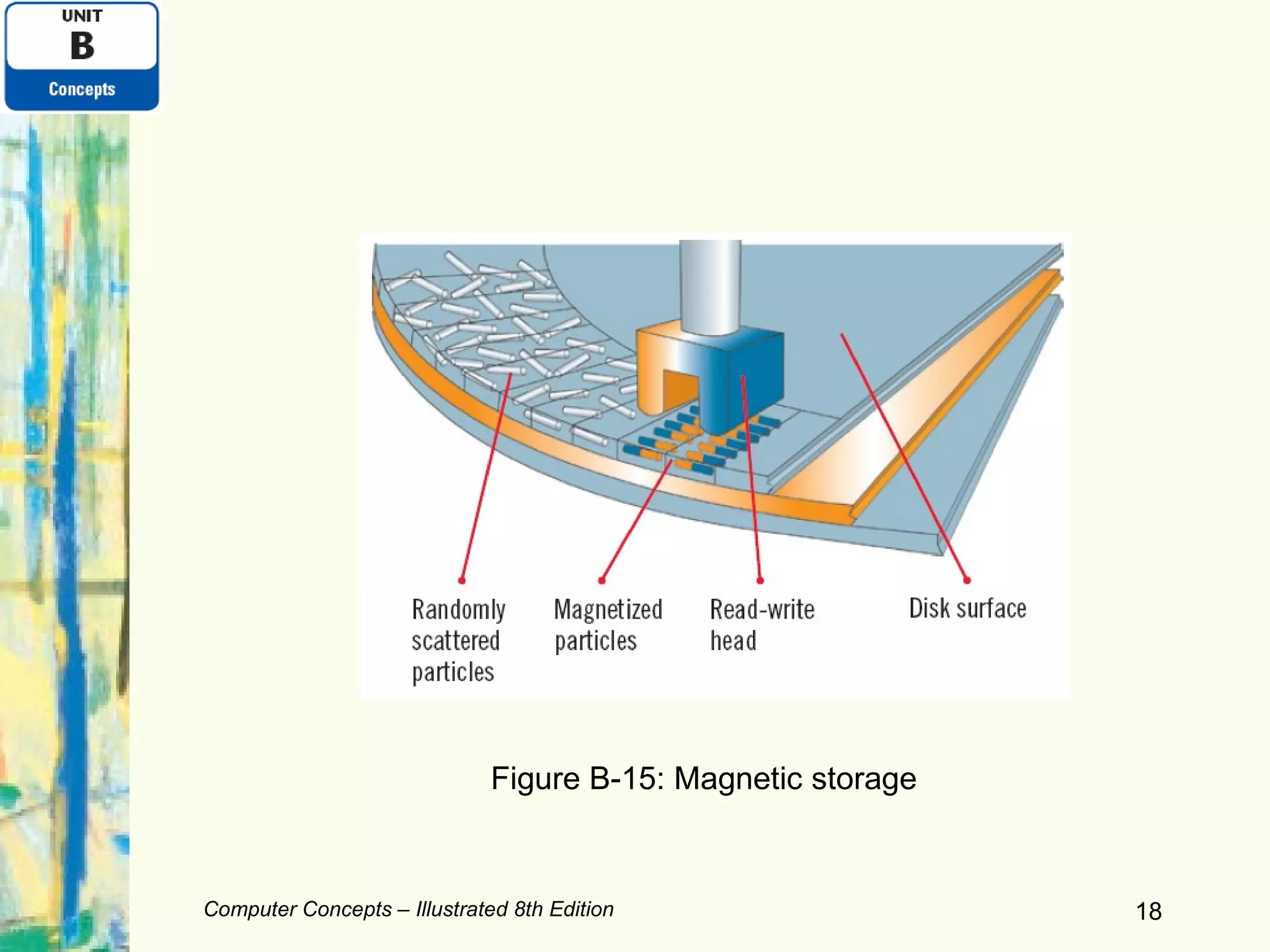
Comparing Data Storage Systems Random access  (also called direct access)  Can jump directly to the requested data Sequential access Reads through data from the beginning to the end Magnetic storage Stores data by magnetizing microscopic particles on the disk or tape surface Hard drives and tapes Computer Concepts – Illustrated 8th Edition
Computer Concepts – Illustrated 8th Edition Figure B-15: Magnetic storage
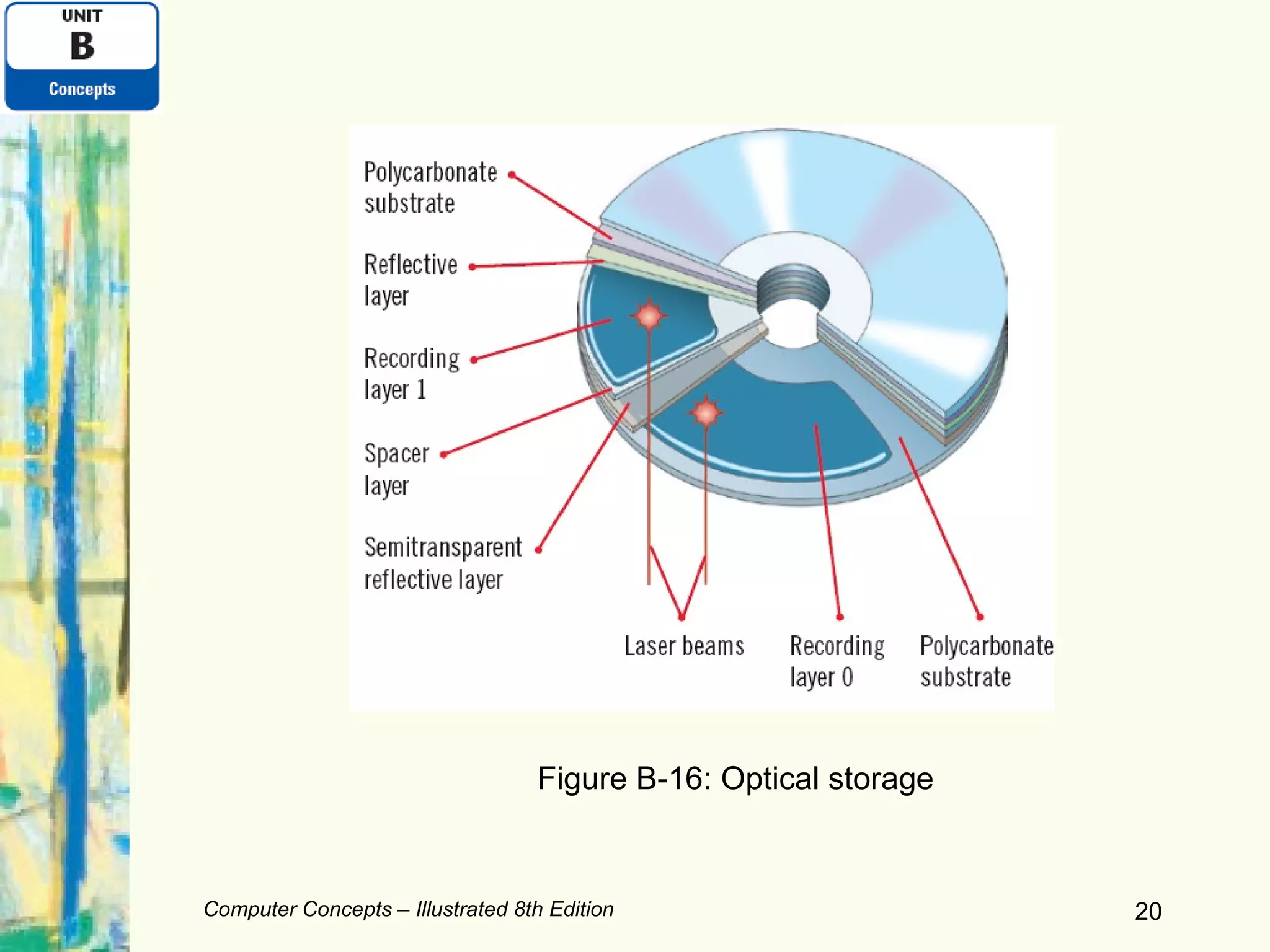
Comparing Data Storage Systems (continued) Optical storage Stores data as microscopic light and dark spots on the disc surface CDs, DVDs, and BDs Solid-state storage  Stores data in a nonvolatile, erasable, low-power chip Some hard drives, compact storage cards, thumb drives, flash drives, memory sticks Computer Concepts – Illustrated 8th Edition
Computer Concepts – Illustrated 8th Edition Figure B-16: Optical storage
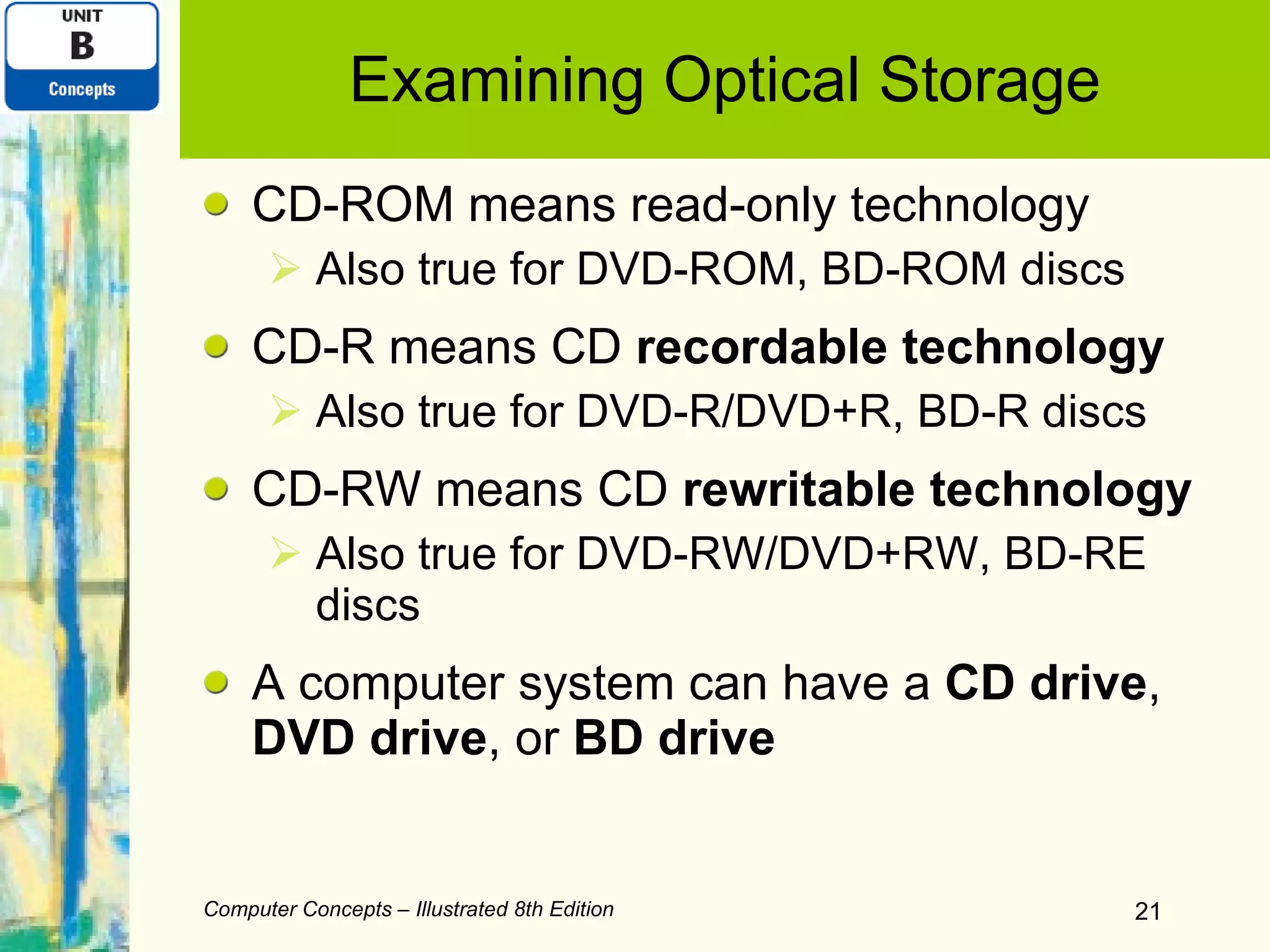
Examining Optical Storage CD-ROM means read-only technology Also true for DVD-ROM, BD-ROM discs CD-R means CD  recordable technology Also true for DVD-R/DVD+R, BD-R discs CD-RW means CD  rewritable technology Also true for DVD-RW/DVD+RW, BD-RE discs A computer system can have a  CD drive ,  DVD drive , or  BD drive Computer Concepts – Illustrated 8th Edition
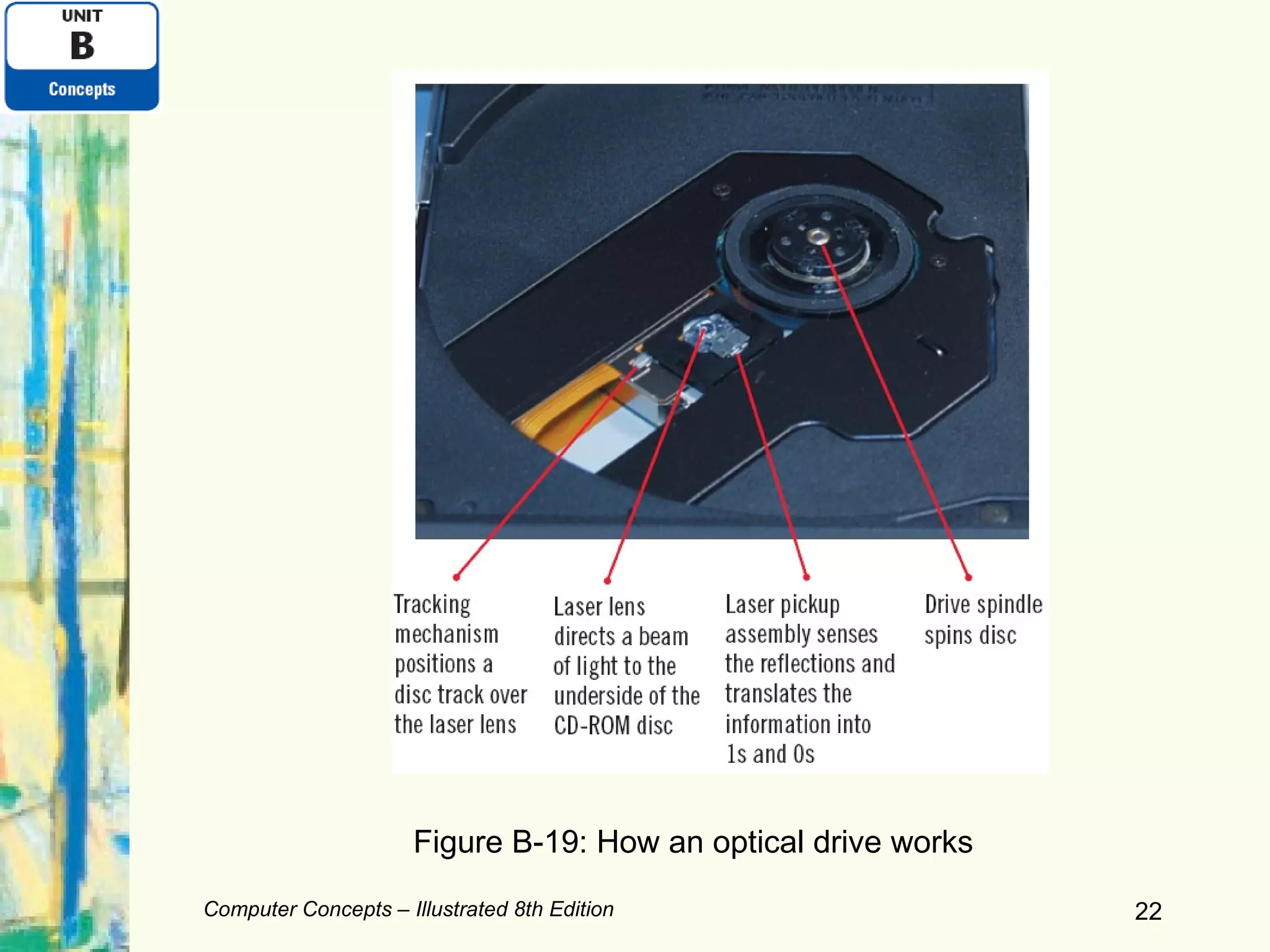
Computer Concepts – Illustrated 8th Edition Figure B-19: How an optical drive works
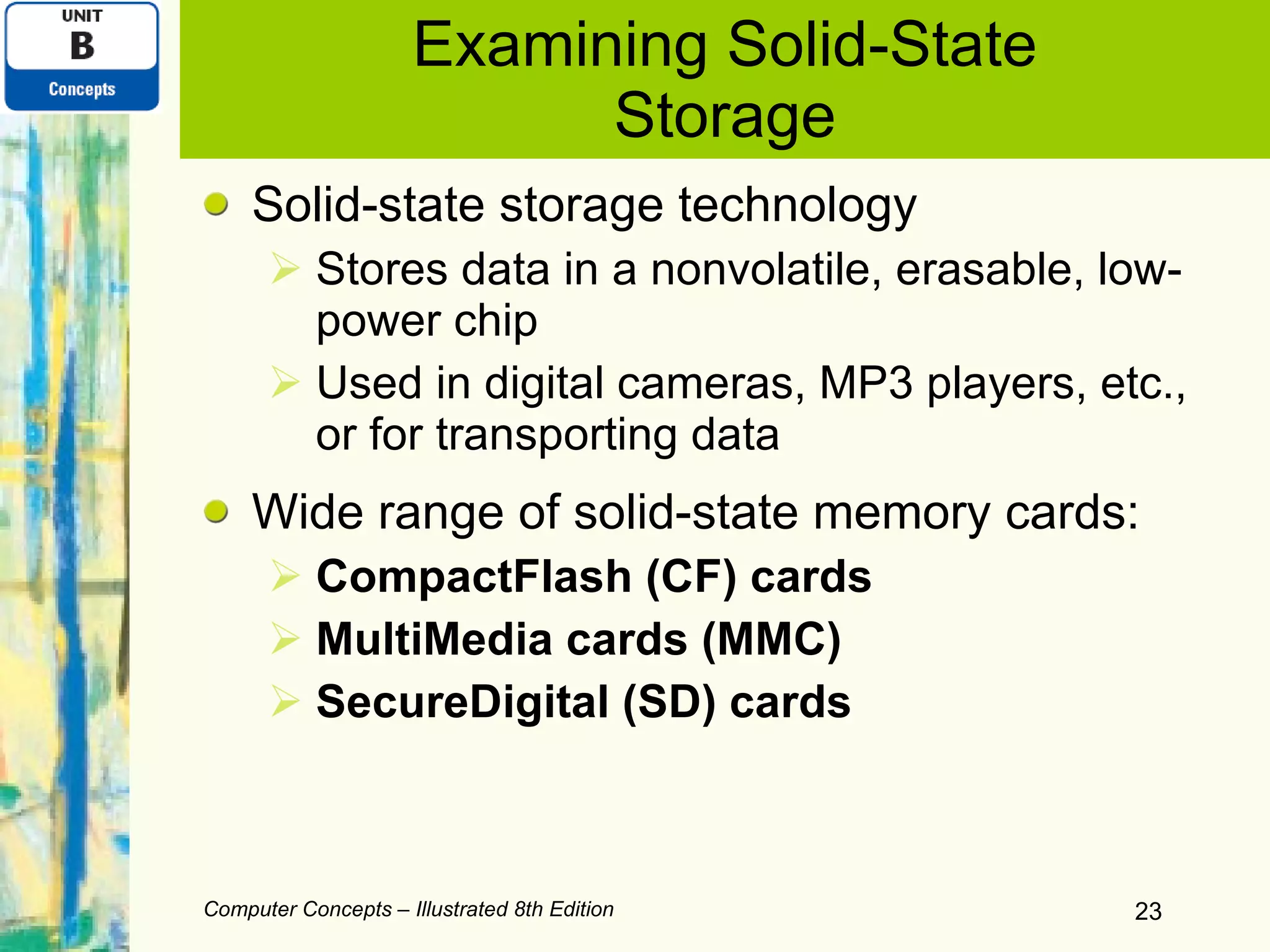
Examining Solid-State Storage Solid-state storage technology Stores data in a nonvolatile, erasable, low-power chip Used in digital cameras, MP3 players, etc., or for transporting data Wide range of solid-state memory cards: CompactFlash (CF) cards MultiMedia cards (MMC) SecureDigital (SD) cards Computer Concepts – Illustrated 8th Edition
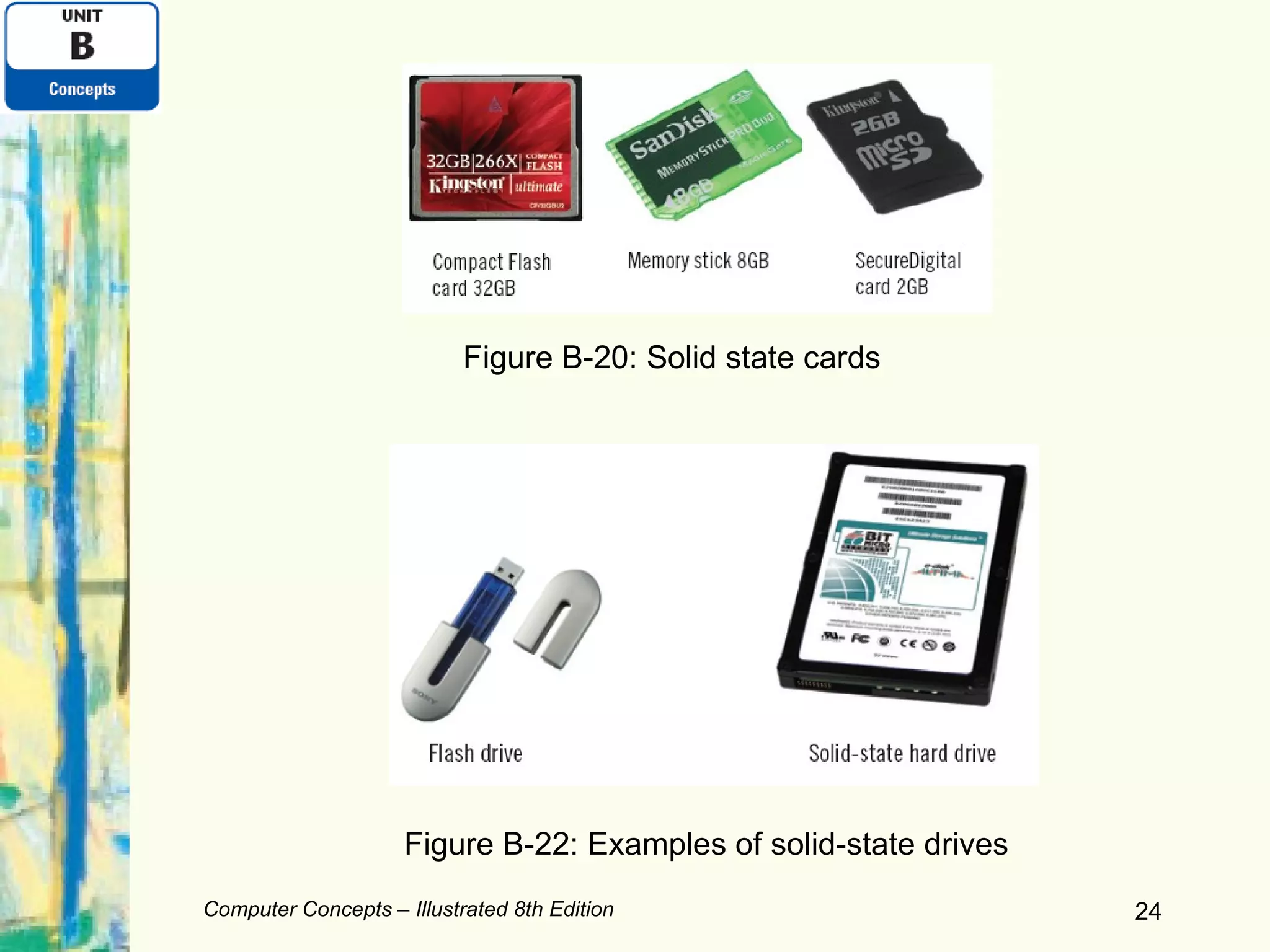
Computer Concepts – Illustrated 8th Edition Figure B-20: Solid state cards Figure B-22: Examples of solid-state drives
Examining Solid-State Storage (continued) Card reader Required   to transfer data to or from a computer using solid-state storage cards USB flash drives and solid-state drives (SSD)  Incorporate the memory and the reader into one device USB flash drives Easily transportable from one computer to another Computer Concepts – Illustrated 8th Edition
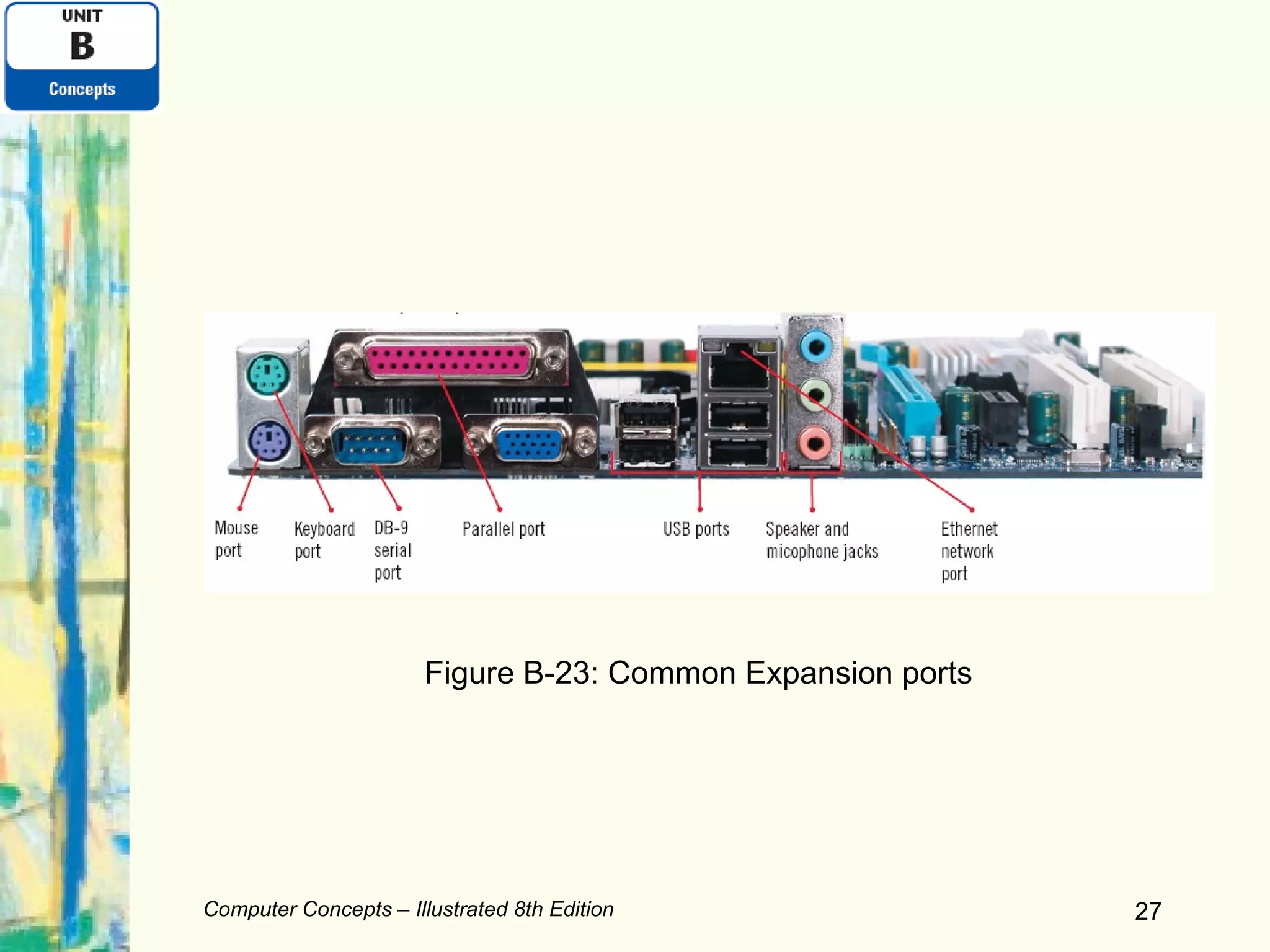
Expanding Your Computer Expansion port A connector that passes data between a computer and a peripheral device Expansion card A small circuit board that makes it possible for the computer to communicate with a peripheral device Expansion bus Segment of the data bus between RAM and the peripheral devices Computer Concepts – Illustrated 8th Edition
Computer Concepts – Illustrated 8th Edition Figure B-23: Common Expansion ports
Expanding Your Computer (continued) Expansion slot Long, narrow socket on the motherboard into which you can plug an expansion card Device driver Sets up communication between the computer and a peripheral device or expansion card USB (universal serial bus) port Used for connecting many peripheral devices Computer Concepts – Illustrated 8th Edition
Talking Points: Why Recycle Computers? U.S. landfills already hold more than 2 million tons of computer parts Computer parts contain toxic substances, such as lead, phosphorus, and mercury Better options for disposing of computers: Sell it, donate it, recycle it, or send it back to the manufacturer About half the states in the U.S. have taken legislative action to deal with the problem Computer Concepts – Illustrated 8th Edition
Summary This chapter introduced: Components of the computer hardware Computer storage systems Expanding the computer hardware you use with a computer Disposing of computer hardware in an environmentally friendly way Computer Concepts – Illustrated 8th Edition Computer Concepts – Illustrated 8th Edition

Unit B Computer Hardware

  • 1.
    Computer Concepts –Illustrated 8 th  edition Unit B: Computer Hardware
  • 2.
    Objectives Examine inputdevices Examine display devices Compare printers Introduce data storage systems Compare data storage systems Computer Concepts – Illustrated 8th Edition Computer Concepts – Illustrated 8th Edition
  • 3.
    Objectives (continued) Examineoptical storage Examine solid-state storage Expand your computer Computer Concepts – Illustrated 8th Edition Computer Concepts – Illustrated 8th Edition
  • 4.
    Examining Input DevicesMost keyboards are similar Typing keypad: keys with letters, numbers Navigation keypad Keys such as Home, End, arrow keys, etc. Can be used to move the insertion point (or cursor ) on the screen Mouse Used to control an on-screen pointer, etc. Optical mouse Laser mouse Computer Concepts – Illustrated 8th Edition Computer Concepts – Illustrated 8th Edition
  • 5.
    Computer Concepts –Illustrated 8th Edition Computer Concepts – Illustrated 8th Edition Figure B-1: Keyboard examples
  • 6.
    Examining Input Devices(continued) Other pointing devices: Pointing stick Touchpad (also called a trackpad ) Trackball Other ways to input data: Touch screen Scanner Microphone Digital camera Computer Concepts – Illustrated 8th Edition
  • 7.
    Examining Display DevicesCRT (cathode ray tube) monitors Typically not sold with new computer systems anymore Technologies commonly used for computer display devices today: LCD (liquid crystal display) screens Found with desktop computers and notebook computers Also called flat-panel displays OLED (organic light emitting diodes) Used by most handheld devices Computer Concepts – Illustrated 8th Edition
  • 8.
    Computer Concepts –Illustrated 8th Edition Figure B-6: Examples of monitors
  • 9.
    Examining Display Devices(continued) Graphics card Contains circuitry that generates the signals for displaying an image on the screen Response rate How fast a screen updates the information being displayed Resolution Maximum number of horizontal and vertical pixels that are displayed Pixel (picture element) A single point or the smallest unit in a graphic image Computer Concepts – Illustrated 8th Edition
  • 10.
    Examining Display Devices(continued) Screen size Measurement in inches from one corner diagonally across to the opposite corner Dot pitch (dp) A measure of image clarity Color depth or bit depth Number of colors that a monitor and graphics card can display A computer monitor can be used to watch TV Computer Concepts – Illustrated 8th Edition
  • 11.
    Comparing Printers Ink-jetprinter Small, lightweight, inexpensive Produces very good-quality color output Ink cartridges can be expensive Laser printer Used in situations which require high-volume output or good-quality printouts Require toner cartridge refills or replacements Computer Concepts – Illustrated 8th Edition
  • 12.
    Computer Concepts –Illustrated 8th Edition Figure B-9: An ink jet printer Figure B-10: A laser printer
  • 13.
    Comparing Printers (continued)Printer resolution Determines the quality of printed output Measured in dots per inch (or dpi ) Printer speed Pages per minute (ppm) Options for connecting printer to computer: USB port, serial port, parallel port, or network port Network-enabled printer Photo printer Computer Concepts – Illustrated 8th Edition
  • 14.
    Introducing Data StorageSystems RAM (random access memory) Used to store data temporarily A data storage system is made up of: Storage medium Hard drive, tape, memory card, flash drive, CD, DVD, etc. Holds data Storage device Equipment that stores and retrieves data from its storage medium Computer Concepts – Illustrated 8th Edition
  • 15.
    Computer Concepts –Illustrated 8th Edition Figure B-12: Examples of storage media and storage devices
  • 16.
    Introducing Data StorageSystems (continued) Hard drives Preferred type of main storage for most computer systems Additional storage devices used with computers: CD/DVD/BD drives USB flash drives Solid-state drives Solid-state card readers Computer Concepts – Illustrated 8th Edition
  • 17.
    Comparing Data StorageSystems Random access (also called direct access) Can jump directly to the requested data Sequential access Reads through data from the beginning to the end Magnetic storage Stores data by magnetizing microscopic particles on the disk or tape surface Hard drives and tapes Computer Concepts – Illustrated 8th Edition
  • 18.
    Computer Concepts –Illustrated 8th Edition Figure B-15: Magnetic storage
  • 19.
    Comparing Data StorageSystems (continued) Optical storage Stores data as microscopic light and dark spots on the disc surface CDs, DVDs, and BDs Solid-state storage Stores data in a nonvolatile, erasable, low-power chip Some hard drives, compact storage cards, thumb drives, flash drives, memory sticks Computer Concepts – Illustrated 8th Edition
  • 20.
    Computer Concepts –Illustrated 8th Edition Figure B-16: Optical storage
  • 21.
    Examining Optical StorageCD-ROM means read-only technology Also true for DVD-ROM, BD-ROM discs CD-R means CD recordable technology Also true for DVD-R/DVD+R, BD-R discs CD-RW means CD rewritable technology Also true for DVD-RW/DVD+RW, BD-RE discs A computer system can have a CD drive , DVD drive , or BD drive Computer Concepts – Illustrated 8th Edition
  • 22.
    Computer Concepts –Illustrated 8th Edition Figure B-19: How an optical drive works
  • 23.
    Examining Solid-State StorageSolid-state storage technology Stores data in a nonvolatile, erasable, low-power chip Used in digital cameras, MP3 players, etc., or for transporting data Wide range of solid-state memory cards: CompactFlash (CF) cards MultiMedia cards (MMC) SecureDigital (SD) cards Computer Concepts – Illustrated 8th Edition
  • 24.
    Computer Concepts –Illustrated 8th Edition Figure B-20: Solid state cards Figure B-22: Examples of solid-state drives
  • 25.
    Examining Solid-State Storage(continued) Card reader Required to transfer data to or from a computer using solid-state storage cards USB flash drives and solid-state drives (SSD) Incorporate the memory and the reader into one device USB flash drives Easily transportable from one computer to another Computer Concepts – Illustrated 8th Edition
  • 26.
    Expanding Your ComputerExpansion port A connector that passes data between a computer and a peripheral device Expansion card A small circuit board that makes it possible for the computer to communicate with a peripheral device Expansion bus Segment of the data bus between RAM and the peripheral devices Computer Concepts – Illustrated 8th Edition
  • 27.
    Computer Concepts –Illustrated 8th Edition Figure B-23: Common Expansion ports
  • 28.
    Expanding Your Computer(continued) Expansion slot Long, narrow socket on the motherboard into which you can plug an expansion card Device driver Sets up communication between the computer and a peripheral device or expansion card USB (universal serial bus) port Used for connecting many peripheral devices Computer Concepts – Illustrated 8th Edition
  • 29.
    Talking Points: WhyRecycle Computers? U.S. landfills already hold more than 2 million tons of computer parts Computer parts contain toxic substances, such as lead, phosphorus, and mercury Better options for disposing of computers: Sell it, donate it, recycle it, or send it back to the manufacturer About half the states in the U.S. have taken legislative action to deal with the problem Computer Concepts – Illustrated 8th Edition
  • 30.
    Summary This chapterintroduced: Components of the computer hardware Computer storage systems Expanding the computer hardware you use with a computer Disposing of computer hardware in an environmentally friendly way Computer Concepts – Illustrated 8th Edition Computer Concepts – Illustrated 8th Edition