Create a Moodboard
            Unit 201 – Lesson 7
Lesson Goals

 Be able to create a moodboard that could be used to help
  plan the movie

 Understand how to effectively review the moodboard
  against the client brief


                                             #moodboard #purpose
                                             #audience #review
Key Words

 Moodboard    A collage of images, colours, fabrics
                 to show an overall theme

 Audience     The person or group of people the
                 work will be aimed at

 Purpose      What the finished document will be
                 used for

 Review       To evaluate a piece of work against
                 the requirements of the brief
What is the purpose?
Think about your research…
Create an effective moodboard

Definition   Critically review the work


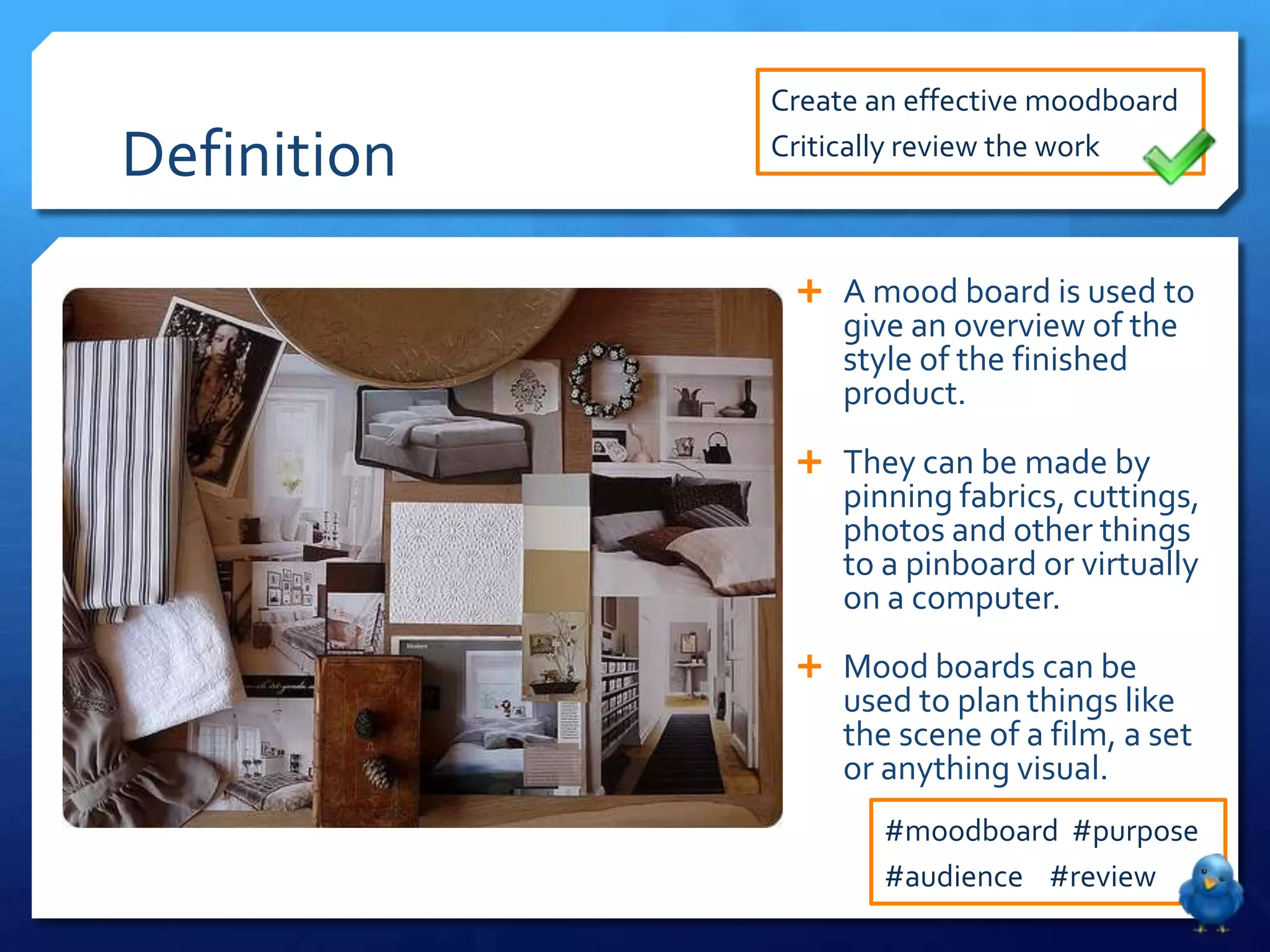
               A mood board is used to
                  give an overview of the
                  style of the finished
                  product.
               They can be made by
                  pinning fabrics, cuttings,
                  photos and other things
                  to a pinboard or virtually
                  on a computer.
               Mood boards can be
                  used to plan things like
                  the scene of a film, a set
                  or anything visual.
                     #moodboard #purpose
                     #audience #review
Create an effective moodboard

Your Task                                  Critically review the work


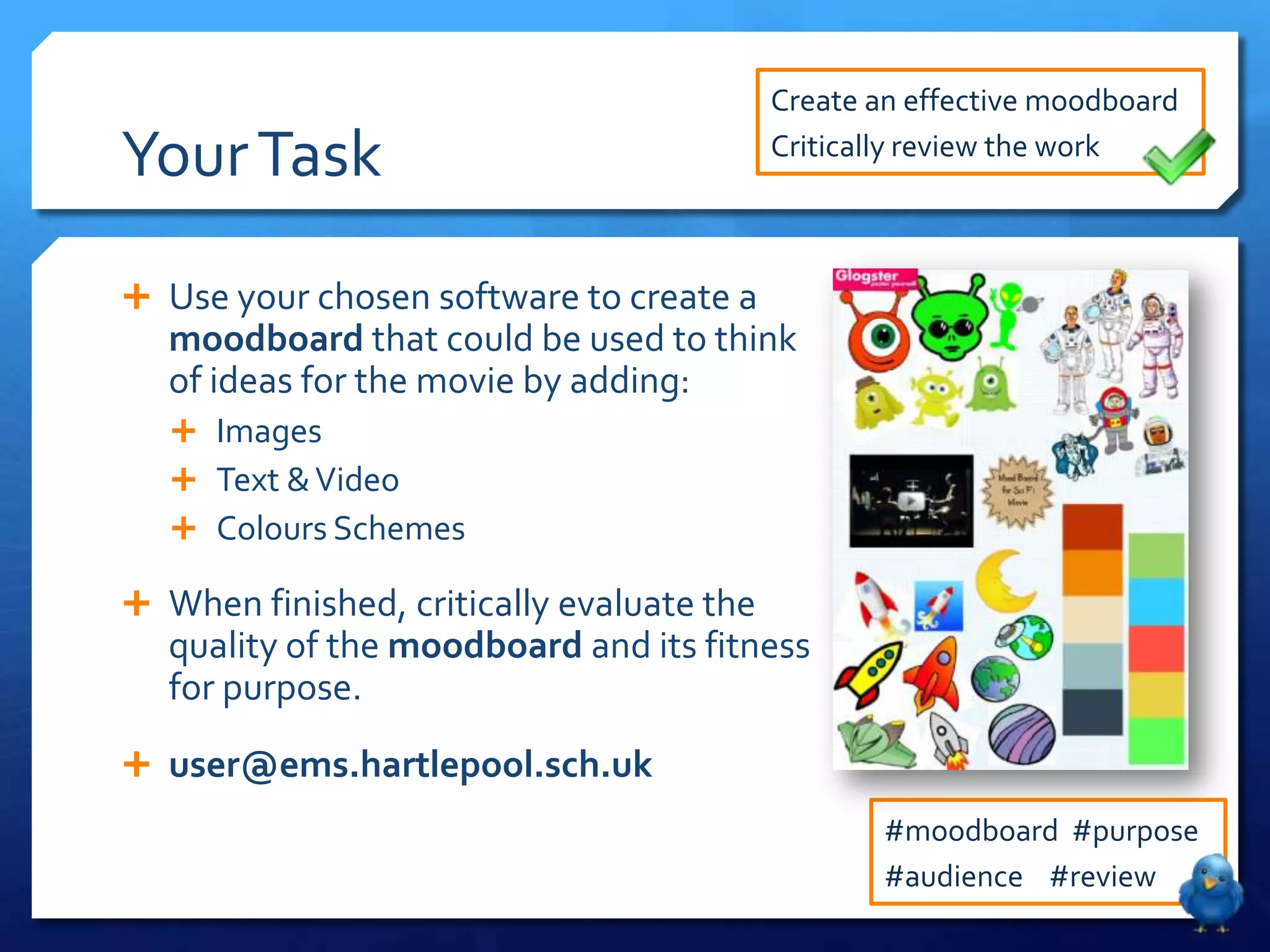
 Use your chosen software to create a
   moodboard that could be used to think
   of ideas for the movie by adding:
    Images
    Text & Video
    Colours Schemes

 When finished, critically evaluate the
   quality of the moodboard and its fitness
   for purpose.
 user@ems.hartlepool.sch.uk
                                                   #moodboard #purpose
                                                   #audience #review

Unit 201 - Lesson 7 - Make a Moodboard

  • 1.
    Create a Moodboard Unit 201 – Lesson 7
  • 2.
    Lesson Goals  Beable to create a moodboard that could be used to help plan the movie  Understand how to effectively review the moodboard against the client brief #moodboard #purpose #audience #review
  • 3.
    Key Words  Moodboard  A collage of images, colours, fabrics to show an overall theme  Audience  The person or group of people the work will be aimed at  Purpose  What the finished document will be used for  Review  To evaluate a piece of work against the requirements of the brief
  • 4.
    What is thepurpose? Think about your research…
  • 5.
    Create an effectivemoodboard Definition Critically review the work  A mood board is used to give an overview of the style of the finished product.  They can be made by pinning fabrics, cuttings, photos and other things to a pinboard or virtually on a computer.  Mood boards can be used to plan things like the scene of a film, a set or anything visual. #moodboard #purpose #audience #review
  • 6.
    Create an effectivemoodboard Your Task Critically review the work  Use your chosen software to create a moodboard that could be used to think of ideas for the movie by adding:  Images  Text & Video  Colours Schemes  When finished, critically evaluate the quality of the moodboard and its fitness for purpose.  user@ems.hartlepool.sch.uk #moodboard #purpose #audience #review