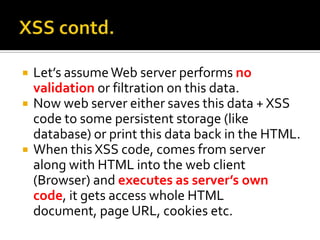
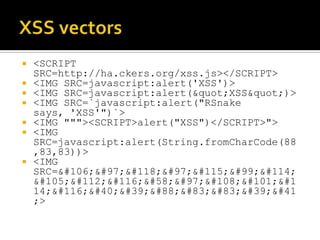
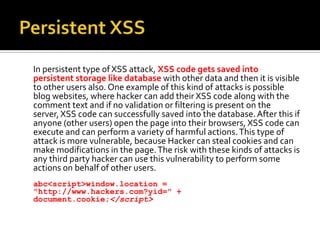
This document discusses cross-site scripting (XSS) vulnerabilities. It explains that XSS allows malicious users to insert client-side scripts into web pages that are then executed by a user's browser when they visit the page. This can enable attackers to steal cookies and private information, perform actions as the user, and redirect users to malicious sites. The document outlines different types of XSS attacks, including non-persistent XSS that only affects the current user, persistent XSS where malicious code is saved to a database and affects all users, and DOM-based XSS that modifies the DOM environment. It provides examples of how XSS payloads can be inserted and recommendations for preventing XSS like sanitizing user input and output










![Proxy - an intercepting HTTP/S proxy server which operates as a man-in-the-middle between the end
browser and the target web application, allowing you to intercept, inspect and modify the raw
traffic passing in both directions.
Spider - an intelligent application-aware web spider which allows complete enumeration of an
application's content and functionality.
Scanner [Pro version only] - an advanced tool for performing automated discovery of security
vulnerabilities in web applications.
Intruder - a highly configurable tool for automating customized attacks against web
applications, such as enumerating identifiers, harvesting useful data, and fuzzing for common
vulnerabilities.
Repeater - a tool for manually manipulating and re-issuing individual HTTP requests, and analyzing
the application's responses.
Sequencer - a tool for analyzing the quality of randomness in an application's session tokens or other
important data items which are intended to be unpredictable.
Decoder - a tool for performing manual or intelligent decoding and encoding of application data.
Comparer - a utility for performing a visual "diff" between any two items of data, normally pairs of
related requests and responses.](https://image.slidesharecdn.com/xss-100908063522-phpapp02-230501055527-48130b4a/85/xss-100908063522-phpapp02-pdf-26-320.jpg)


