TYPES OF RPA BOT
& TOOLS
By:
MEGHA YADAV
TYPES OF BOTS
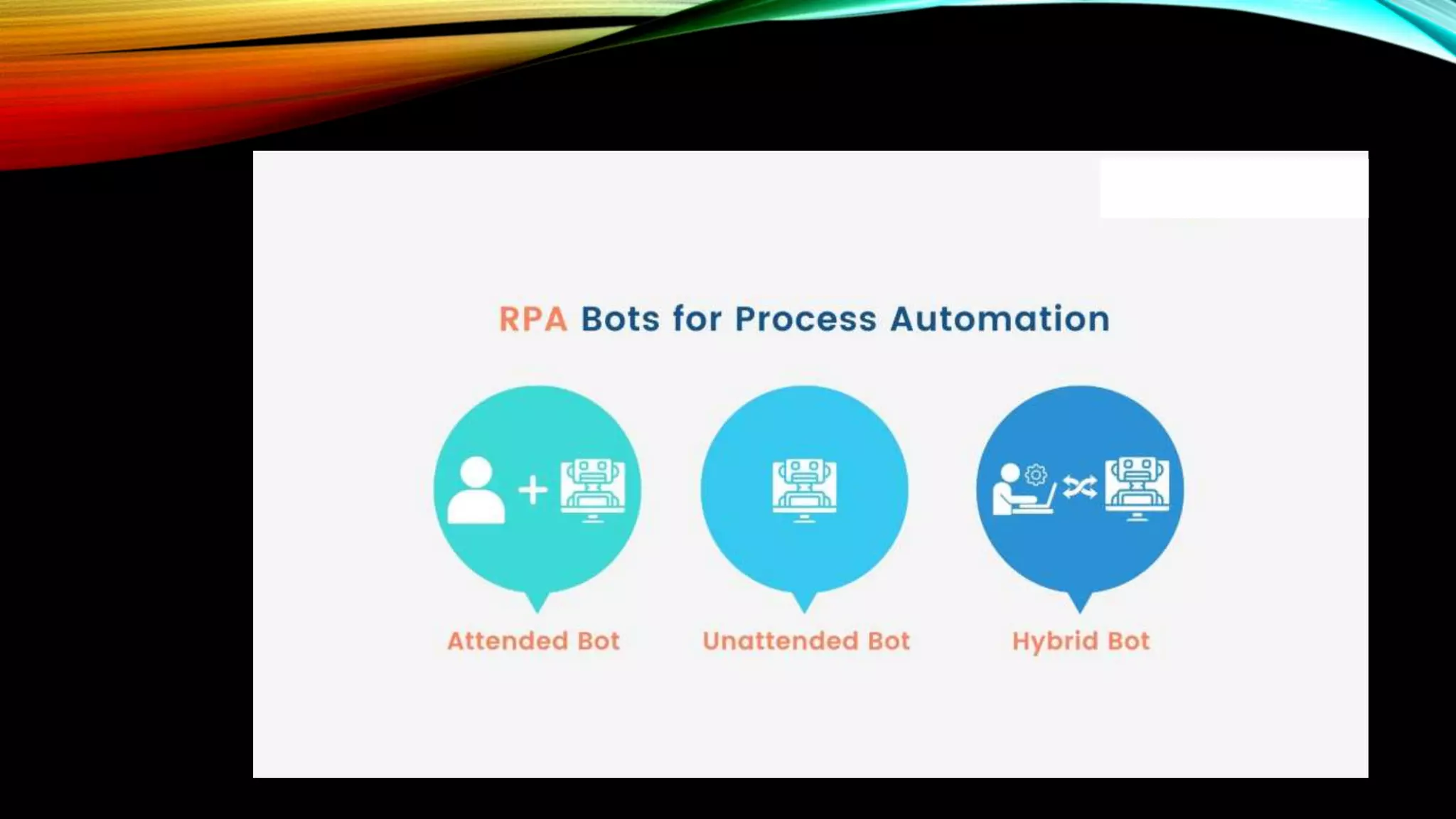
• Unattended Automation
• Attended Automation
• Hybrid RPA
UNATTENDED AUTOMATION:
• Ideal for reducing work like completing data processing tasks in the background.
• They don’t require any human intervention. Unattended automation can be
triggered in the following ways:
• data entry at a specified location,
• bot startup,
• orchestrator startup,
• specified intervals.
ATTENDED AUTOMATION
• These bots live on the user’s machine and are triggered by the user.
• Attended automation is best suited for jobs that are triggered at points that are
difficult to detect programmatically.
HYBRID RPA
• This is a combination of attended and unattended bots.
• These bots address front- and back-office tasks in the enterprise.
UIPATH
• UiPath is a highly extensible Robotic Process Automation tool that helps to
automate desktop or web applications.
• UiPath includes a community edition that comes with drag and drop feature.
• So, the users do not need programming knowledge to automate the tasks using
UiPath.
• The community edition is free for the people.
AUTOMATION ANYWHERE
• Automation Anywhere is one of the popular RPA vendors.
• This tool is a combination of all the core functions. It combines RPA with intellectual
elements like language understanding and reading any unstructured data.
• Automation Anywhere is a web-based administration system that provides
control to run and manage end-to-end automated business tasks for companies.
BLUE PRISM
• Blue Prism is an RPA Tool that provides a virtual workforce to the organizations.
• It helps organizations to automate manual, repetitive, and rule-based business
processes in an agile and cost-effective manner. It includes drag and drop support
to automate the tasks.
FEATURES OF BLUE PRISM
• It is platform-independent so that it can be used on any platform.
• It contains robust features like load balancing, data encryption, and end-to-end
auditing. Thus, every change is audited.
• Blue Prism also supports automation of codes written in Mainframe, Java, Windows
applications, and even web-based applications.
• It supports all major cloud platforms, like Microsoft Azure and Amazon AWS. So,
users can manage most of the tasks centrally.
COMPONENTS OF BLUE PRISM
• Blue Prism is a set of libraries, tools, and runtime environments for RPA.
• Every software robot has two main parts:
• Process Studio
• Object Studio
OBJECT STUDIO
• Object Studio in Blue Prism is used for building different objects. Object studio is
the place where we can create the Visual Business Object.
• It is abbreviated as VBO.
• VBO is created to interact with other applications. There are different types of
actions that can be performed within these objects in the Object Studio.
PROCESS STUDIO
• Process Studio is an area where an actual process is created.
• It looks similar to a traditional flowchart. It allows business logic, control loops,
variables, and object calls to be sequenced and tested in a visible business flow.
• A process acts like a human user.
• It implements a software robot’s logic.
Types of RPA BOT and Tools

Types of RPA BOT and Tools

  • 1.
    TYPES OF RPABOT & TOOLS By: MEGHA YADAV
  • 3.
    TYPES OF BOTS •Unattended Automation • Attended Automation • Hybrid RPA
  • 4.
    UNATTENDED AUTOMATION: • Idealfor reducing work like completing data processing tasks in the background. • They don’t require any human intervention. Unattended automation can be triggered in the following ways: • data entry at a specified location, • bot startup, • orchestrator startup, • specified intervals.
  • 5.
    ATTENDED AUTOMATION • Thesebots live on the user’s machine and are triggered by the user. • Attended automation is best suited for jobs that are triggered at points that are difficult to detect programmatically.
  • 6.
    HYBRID RPA • Thisis a combination of attended and unattended bots. • These bots address front- and back-office tasks in the enterprise.
  • 9.
    UIPATH • UiPath isa highly extensible Robotic Process Automation tool that helps to automate desktop or web applications. • UiPath includes a community edition that comes with drag and drop feature. • So, the users do not need programming knowledge to automate the tasks using UiPath. • The community edition is free for the people.
  • 11.
    AUTOMATION ANYWHERE • AutomationAnywhere is one of the popular RPA vendors. • This tool is a combination of all the core functions. It combines RPA with intellectual elements like language understanding and reading any unstructured data. • Automation Anywhere is a web-based administration system that provides control to run and manage end-to-end automated business tasks for companies.
  • 13.
    BLUE PRISM • BluePrism is an RPA Tool that provides a virtual workforce to the organizations. • It helps organizations to automate manual, repetitive, and rule-based business processes in an agile and cost-effective manner. It includes drag and drop support to automate the tasks.
  • 15.
    FEATURES OF BLUEPRISM • It is platform-independent so that it can be used on any platform. • It contains robust features like load balancing, data encryption, and end-to-end auditing. Thus, every change is audited. • Blue Prism also supports automation of codes written in Mainframe, Java, Windows applications, and even web-based applications. • It supports all major cloud platforms, like Microsoft Azure and Amazon AWS. So, users can manage most of the tasks centrally.
  • 16.
    COMPONENTS OF BLUEPRISM • Blue Prism is a set of libraries, tools, and runtime environments for RPA. • Every software robot has two main parts: • Process Studio • Object Studio
  • 18.
    OBJECT STUDIO • ObjectStudio in Blue Prism is used for building different objects. Object studio is the place where we can create the Visual Business Object. • It is abbreviated as VBO. • VBO is created to interact with other applications. There are different types of actions that can be performed within these objects in the Object Studio.
  • 19.
    PROCESS STUDIO • ProcessStudio is an area where an actual process is created. • It looks similar to a traditional flowchart. It allows business logic, control loops, variables, and object calls to be sequenced and tested in a visible business flow. • A process acts like a human user. • It implements a software robot’s logic.

Editor's Notes

  • #10 zsxcvhguihyijuiohokholho