Using social media
  for journalism
        Steve Buttry
     Bennington Banner
      March 18, 2013
Read more about it
•   stevebuttry.wordpress.com
•   slideshare.net/stevebuttry
•   @stevebuttry
•   zombiejournalism.com
•   stephenbuttry@gmail.com
Ways to use social media
•   Daily routine
•   Find sources
•   Breaking news
•   Crowdsourcing
•   Investigative reporting
•   Distribute content
Great for promotion, but also …
•   Great for reporting
•   Find story ideas
•   Crowdsource
•   Join the conversation (reply, retweet, ask
    questions)
• Many more users     • Great for breaking
• Much info private     news
• Tougher to search   • Great real-time
  (but search just      search
  changed)            • Engagement not as
• Not as immediate      intrusive
• Engage, don’t       • Hashtags help w/
  intrude               search, conversation
Personal vs. professional use
• Separate accounts OK but not necessary
• Always behave professionally, even on
  private accounts
• Be personable on pro accounts
• Presume boss will see all posts
• Don’t bore pro audience
• Connect w/ sources
  (balance, disclosure?)
• Check pages of agencies, people on beat
• Crowdsourcing (ask on their pages as
  well as yours)
• Look for people in the news
• Ask for permission to use photos
Options for journalists:
• Use personal FB account, all or most
  public
• Journalist page
• Personal account, enable subscriptions
  (decide which updates are public)
Engagement issues for newsroom pages:
• Images engage better than updates (put
  link in text)
• Not allowed to post AP photos
  (thumbnails OK)
• Questions engage
• Frame the debate
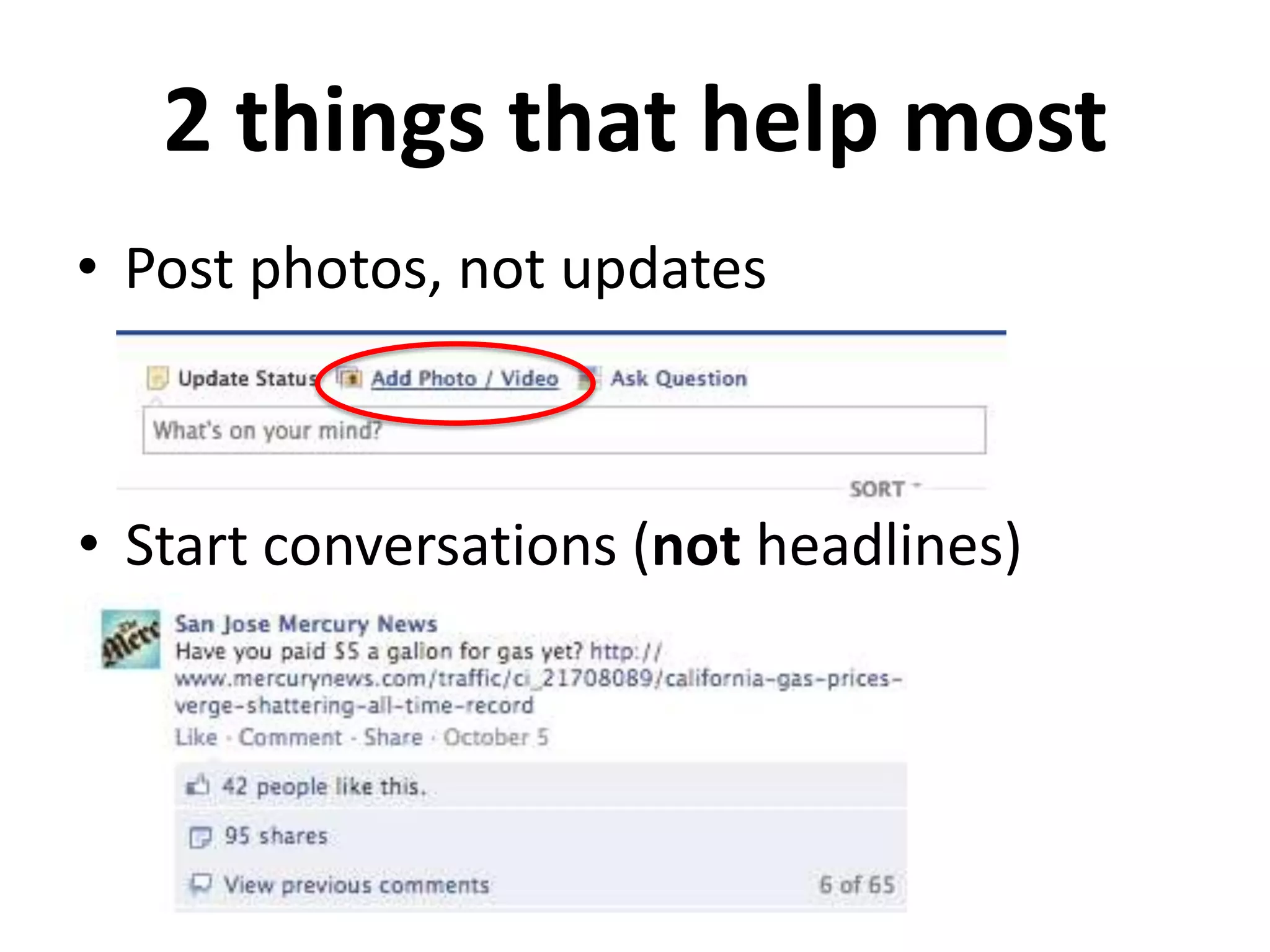
2 things that help most
• Post photos, not updates


• Start conversations (not headlines)
•   Important for search
•   Find sources
•   Connect w/ sources in Circles
•   Interview by video Hangouts
•   Livestream Hangouts on YouTube
• Do agencies, people on beat use?
• Watch for public videos getting attention
  (will often see links, mentions on Twitter)
• Search for videos to use in stories
• Embed in stories, blogs
•   Growing swiftly
•   Users share (pin, re-pin) visual content
•   80% of users are women
•   Heavy use for food, fashion, travel
•   Embeddable
•   How might you use?
Pottstown Mercury wanted posters
• 58% increase in arrests on outstanding
   warrants
• 1,218 followers
• Post to Facebook, too (bigger audience
   than Pinterest)
•   Do agencies on beat post photos?
•   Search for keywords, photos, hashtags
•   Invite people to contribute photos
•   Connect w/ people posting photos
•   Seek permission (check conditions)
•   Give credit
• “Mayor” may be good source about an
  org or venue (employee or customer)
• See who has checked in for event or
  breaking news story
• Tips might provide questions for stories
• Break story w/ Foursquare “shout”
• Connect with sources
• Find new sources through
  connections, groups
• Discussions help find experts
• Check updates, slides, travel
• Search by location & keyword
What is curation?
Museum curator:          Journalism curator:
• Studies topic          • Studies topic
• Chooses relevant       • Chooses relevant
  content (other           content (social
  sources & museum         media, blogs, staff)
  collection)            • Authenticates
• Authenticates          • Groups related items
• Groups related items   • Provides context
• Provides context       • Presents collected
• Presents exhibit         content
• Curate tweets, FB updates, videos, photos
• Can be main story or social media sidebar
• Easy to group related items, write text for
  lead, transitions
• Can embed in article template
Geofeedia
• Gathers social media reports around a
  particular location automatically
• DFM training just started
• Available to help Bennington: Ivan Lajara
Social fame is fleeting
Ethical issues
• Identify yourself as a journalist w/
  Bennington Banner
• Behave professionally on personal
  accounts
• Be personable on pro accounts
• Verify facts
• Discuss whether opinion is appropriate
Read more about it
•   stevebuttry.wordpress.com
•   slideshare.net/stevebuttry
•   @stevebuttry
•   zombiejournalism.com
•   stephenbuttry@gmail.com

Using social media for journalism

  • 1.
    Using social media for journalism Steve Buttry Bennington Banner March 18, 2013
  • 2.
    Read more aboutit • stevebuttry.wordpress.com • slideshare.net/stevebuttry • @stevebuttry • zombiejournalism.com • stephenbuttry@gmail.com
  • 4.
    Ways to usesocial media • Daily routine • Find sources • Breaking news • Crowdsourcing • Investigative reporting • Distribute content
  • 5.
    Great for promotion,but also … • Great for reporting • Find story ideas • Crowdsource • Join the conversation (reply, retweet, ask questions)
  • 6.
    • Many moreusers • Great for breaking • Much info private news • Tougher to search • Great real-time (but search just search changed) • Engagement not as • Not as immediate intrusive • Engage, don’t • Hashtags help w/ intrude search, conversation
  • 7.
    Personal vs. professionaluse • Separate accounts OK but not necessary • Always behave professionally, even on private accounts • Be personable on pro accounts • Presume boss will see all posts • Don’t bore pro audience
  • 8.
    • Connect w/sources (balance, disclosure?) • Check pages of agencies, people on beat • Crowdsourcing (ask on their pages as well as yours) • Look for people in the news • Ask for permission to use photos
  • 9.
    Options for journalists: •Use personal FB account, all or most public • Journalist page • Personal account, enable subscriptions (decide which updates are public)
  • 10.
    Engagement issues fornewsroom pages: • Images engage better than updates (put link in text) • Not allowed to post AP photos (thumbnails OK) • Questions engage • Frame the debate
  • 11.
    2 things thathelp most • Post photos, not updates • Start conversations (not headlines)
  • 12.
    • Important for search • Find sources • Connect w/ sources in Circles • Interview by video Hangouts • Livestream Hangouts on YouTube
  • 13.
    • Do agencies,people on beat use? • Watch for public videos getting attention (will often see links, mentions on Twitter) • Search for videos to use in stories • Embed in stories, blogs
  • 14.
    • Growing swiftly • Users share (pin, re-pin) visual content • 80% of users are women • Heavy use for food, fashion, travel • Embeddable • How might you use?
  • 15.
    Pottstown Mercury wantedposters • 58% increase in arrests on outstanding warrants • 1,218 followers • Post to Facebook, too (bigger audience than Pinterest)
  • 16.
    • Do agencies on beat post photos? • Search for keywords, photos, hashtags • Invite people to contribute photos • Connect w/ people posting photos • Seek permission (check conditions) • Give credit
  • 17.
    • “Mayor” maybe good source about an org or venue (employee or customer) • See who has checked in for event or breaking news story • Tips might provide questions for stories • Break story w/ Foursquare “shout”
  • 18.
    • Connect withsources • Find new sources through connections, groups • Discussions help find experts • Check updates, slides, travel • Search by location & keyword
  • 19.
    What is curation? Museumcurator: Journalism curator: • Studies topic • Studies topic • Chooses relevant • Chooses relevant content (other content (social sources & museum media, blogs, staff) collection) • Authenticates • Authenticates • Groups related items • Groups related items • Provides context • Provides context • Presents collected • Presents exhibit content
  • 20.
    • Curate tweets,FB updates, videos, photos • Can be main story or social media sidebar • Easy to group related items, write text for lead, transitions • Can embed in article template
  • 21.
    Geofeedia • Gathers socialmedia reports around a particular location automatically • DFM training just started • Available to help Bennington: Ivan Lajara
  • 22.
  • 23.
    Ethical issues • Identifyyourself as a journalist w/ Bennington Banner • Behave professionally on personal accounts • Be personable on pro accounts • Verify facts • Discuss whether opinion is appropriate
  • 24.
    Read more aboutit • stevebuttry.wordpress.com • slideshare.net/stevebuttry • @stevebuttry • zombiejournalism.com • stephenbuttry@gmail.com

Editor's Notes