A Wireless ISP Primer

           Tranzeo Wireless
 BC3/FNTC Regional Workshop
Who is Tranzeo?
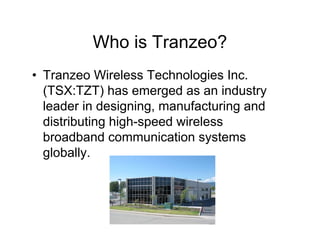
• Tranzeo Wireless Technologies Inc.
  (TSX:TZT) has emerged as an industry
  leader in designing, manufacturing and
  distributing high-speed wireless
  broadband communication systems
  globally.
Tranzeo’s Competitive Advantage
• Ease of doing business with us
• Quality & Reliability of our products
• Our very qualified Tech Support Group
• Sales Support – help design the most
  efficient & cost effective solutions
• Cost effective solutions/low risk solutions
Key Wireless Elements
• Proper preparation through site surveys,
  marketing and business plan
• The right equipment chosen for your
  unique location
• Great support staff to service all your
  wireless needs
• Professional Installers
• A strong working relationship between
  client and vendor
There is no WISP in a box
• Every location has unique needs
• There is no “Swiss Army Knife” of radios
• A good vendor will help you plan out the
  system based on your plans and your
  locations
Bandwidth Feed
• Make sure your feed meets your needs for
  the short term, and can be scaled up for a
  reasonable cost in the future
• The supplier of your bandwidth holds your
  business in their hands, choose wisely
Bandwidth Control
• Wireless requires bandwidth control
• Bandwidth should be controlled on two
  levels, intranet and internet
• Kazaa, games, virus of the hour, are not
  the only issue.
• Speeding up some classes of service at
  the expense of others makes for happier
  customers, i.e. high speed for Mail,VoiP,
  Video; low speed for Kazaa
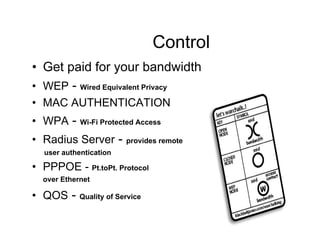
User Control
• Get paid for your bandwidth
• WEP - Wired Equivalent Privacy
• MAC AUTHENTICATION
• WPA -     Wi-Fi Protected Access

• Radius Server -        provides remote
  user authentication

• PPPOE - Pt.toPt. Protocol
  over Ethernet

• QOS -     Quality of Service
Site Survey
• Not a option in more crowded environments
• Calculations must be tested in the real world
• Put it up and see what happens is a recipe for
  disaster
Site Survey
• A site survey will:
  – Suggest the quantity and position of access
    points
  – What antenna type to use
  – What channels are available and work best
Access Point Location Selection
• Generally, cost determines the location,
  not RF, in the real world
• Where can you get tower space?
• Where can you get bandwidth?
• How much is it going to cost?
802.11b
• (DSSS) Direct Sequence Spread
  Spectrum
• Cost effective solution for Point to
  Multipoint
• Uses 2.4 GHz bandwidth.
• Bandwidth is becoming crowded in many
  areas
802.11a
• OFDM (Orthogonal Frequency Division Multiplexing)
• Cost effective solution for Point to Point
  feeds- up to 40 miles plus.
• Point to Multi-Point solutions for high
  throughput requirements
• Low cost client units now available
• Uses 5.2 to 5.8 GHz
Channels – 2.4GHz
• 802.11b operates in an unlicensed area of
  the 2.4GHz ISM (Industry, Scientific Medical)
  frequency band.
• Each channel is 22MHz wide
• To minimize interference each radio needs
  to be spaced 25MHz apart
Channels – 2.4GHz
• Since the spectrum is only 80 MHz wide,
  that means that in any area, you can have
  at most three non-interfering access
  points.
• Studies have shown that a 20 MHz spread
  has minimal effect
802.11a – 5.8 GHz
• 5 non-overlapping channels in upper band
• 4 non-overlapping channels in middle
  band
• Lower band is illegal in North America
• Channels are 20 MHz apart
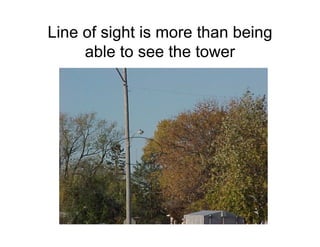
Line of sight is more than being
     able to see the tower
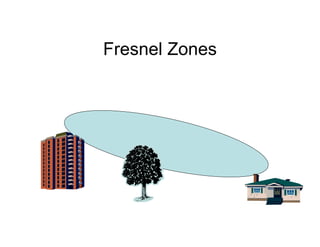
Fresnel Zones

• The Fresnel zone is a elliptical area which
  can not contain obstacles
Polarization
• Horizontal vs. Vertical
• Horizontal Benefits
  – +20 db from most sources of ISM (Industry,
    Scientific and Medical Band) noise

  – Better multipath results
• Vertical Benefits
  – Less Expensive
  – In the past it was easier to find Vertical
    Equipment
Weather
– As a general rule, wireless frequencies are
 not impacted by rains, snow, or thick fog
– At 2.4 GHz, attenuation is 0.01 dB/Km for
 150mm/hr of rain
Signal Propagation/Free Space
              Loss
• Radio Waves lose power over distance,
  according to a fixed formula, called the
  Free Space loss. The greater the
  distance, the more will be lost.
TX Power
• TX power is the amount of power a radio
  transmits. Generally, the longer the
  distance you want to go, the more power
  you need.
• Power is not the most important element
  of a link, receive is!
RX Power
• Rx Power is the lowest level at which a Radio
  can detect signal from noise.
• The Lower the level, the better the radio.

• As opposed to:
  RX Sensitivity – which is a measurement of the
  weakest signal a receiver can receive and still
  correctly translate it into data (-75dB is better
  than -90dB in actual performance)
EIRP (Effective Isotropic Radiated Power)
• A measurement of the total output of the
  system, including the antenna
• Legal limits exist on the amount of power
  you can emit.
DB vs DBi vs DBm
• A dB is unit of measure that allows for
  easy calculations. Every 3 db increase
  means a doubling of power. 20 db = 100
  mW, 23 db = 200 mW
• A d(Bm is means a db at a certain level of
  resistance. In RF, its 50 ohms. Therefore,
  0 dbm = 1 mW at 50 ohms
• A DBi is a measurement of how much an
  antenna focuses a signal (gain).
Radios
• Integrated Panel - combining both a radio and
  an antenna - some have fixed dBm output and
  the are some with controllable high gain output –
  can be used for outside or inside environments
• N-Connector Panel – radio only with an N-
  Connector – LMR cable is used to connect the
  unit to a separate antenna
• Indoor radios – radio with connector to allow a
  separate antenna to be connector inside or
  outside
Antenna Types
•   Omni
•   Directional (Parabolic Grids & Dishes)
•   Sectorized Panel
•   Panel
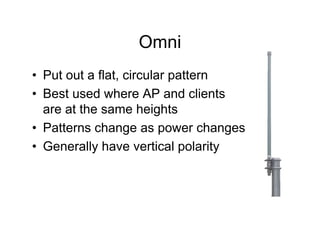
Omni
• Put out a flat, circular pattern
• Best used where AP and clients
  are at the same heights
• Patterns change as power changes
• Generally have vertical polarity
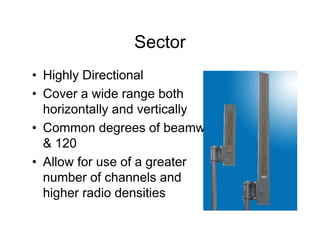
Sector
• Highly Directional
• Cover a wide range both
  horizontally and vertically
• Common degrees of beamwidth are 60, 90
  & 120
• Allow for use of a greater
  number of channels and
  higher radio densities
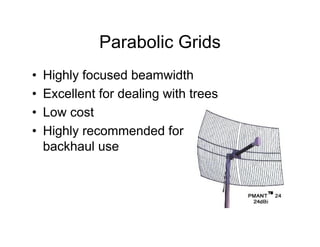
Parabolic Grids
•   Highly focused beamwidth
•   Excellent for dealing with trees
•   Low cost
•   Highly recommended for
    backhaul use
Interference Countermeasures
1. Try to keep links short, as Fresnel
  increases over distance
2. Avoid the noise by using tight Beam
  Antennas
3. Use a different Frequency or polarization
4. Try a different Antenna
5. Move the Antenna to a different location
Customer Premise Equipment
• Key to your success
• Proper device selection means no “truck
  rolls” (on site service)
• Improper solutions cost you customers
  and waste your time
Why not use a cheap SOHO device
• SOHO (small office, home office) devices are made
  to go hundreds of yards, proper CPE
  equipment is designed to go miles
• Generally vertically polarized
• Not FCC certified if modified.
• Warranty usually voided if modified
• Not tested for outdoor use
• Often use Omni or vertical Antennas
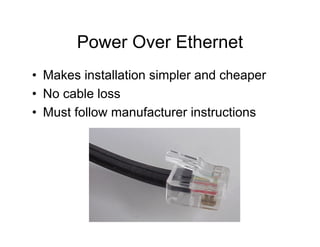
Power Over Ethernet
• Makes installation simpler and cheaper
• No cable loss
• Must follow manufacturer instructions
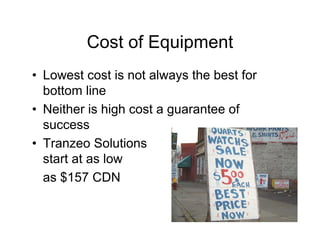
Cost of Equipment
• Lowest cost is not always the best for
  bottom line
• Neither is high cost a guarantee of
  success
• Tranzeo Solutions
  start at as low
  as $157 CDN
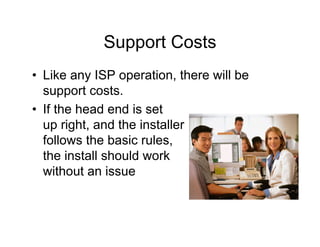
Support Costs
• Like any ISP operation, there will be
  support costs.
• If the head end is set
  up right, and the installer
  follows the basic rules,
  the install should work
  without an issue
Other items
• Plan for a 1% equipment fallout rate per
  year.
• Weather should not increase support calls,
  unless it is freezing rain
Optimizing ROI
• Standardize on two or three models.
• Use gear that can be repurposed.
• (Our products are backward compatible)
• Avoid proprietary standards if possible
• Plan to recover CPE costs as soon as
  possible
• Investigate leasing the equipment
What should a vendor Provide
• Support
  – How long is the support period? Ours is life of
    product.
  – How can I get in contact with support – toll
    free line
• Warranty
  – 1 Year from purchase
Vendors

•   Are they familiar with operating a WISP?
•   Tranzeo is – Whistler, Port Coquitlam
•   Do they offer training?
•   Are they FCC certified/certifiable?
•   What do other ISP’s think of them
•   Do they upgrade their technology in new
    units or firmware (internal software)
BC3/FNTC - Specific Topics
•   Implementation
•   Support
•   Range
•   Cost
•   Appropriate Conditions
•   Problems with product
Implementation
• How do we do this?
     - Business Plan – needs established? Budget?
     - How many clients – throughput
       expectations
     - what is the topography like? – line of
       sight issues? Maps/Photographs/Sketches
     - location of equipment – distances
• Time
     - when do you need to start/finish? Seasonal
     issues?
     - discuss with vendor equipment options &
       prices
Support
• Tranzeo Tech Support Group – 5 staff
     7:00 AM to 5:00 PM
• Training – at Tranzeo or on site – there is
     a cost!
• Your Regional Manager – provides
     information for the most efficient and
     cost effective solutions
Range
• 2.4 GHz
• Point to Multipoint – depending on radios and
  antennas used/line of sight – up to15 miles+
• Point to Point – up to 10 miles

• 5.8GHz
• Point to Multipoint – up to 10 miles
• Point to Point – up to 40 miles+
Cost
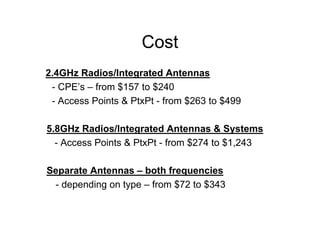
2.4GHz Radios/Integrated Antennas
 - CPE’s – from $157 to $240
 - Access Points & PtxPt - from $263 to $499

5.8GHz Radios/Integrated Antennas & Systems
  - Access Points & PtxPt - from $274 to $1,243

Separate Antennas – both frequencies
 - depending on type – from $72 to $343
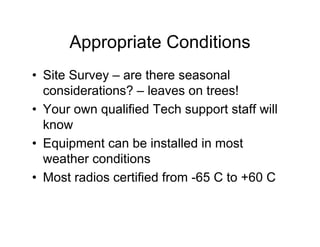
Appropriate Conditions
• Site Survey – are there seasonal
  considerations? – leaves on trees!
• Your own qualified Tech support staff will
  know
• Equipment can be installed in most
  weather conditions
• Most radios certified from -65 C to +60 C
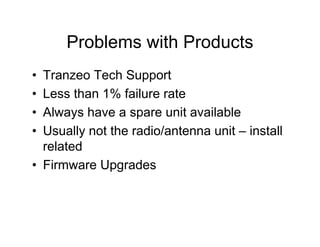
Problems with Products
• Tranzeo Tech Support
• Less than 1% failure rate
• Always have a spare unit available
• Usually not the radio/antenna unit – install
  related
• Firmware Upgrades
Questions:
•   Dieter Kloepper
•   Regional Manager, Western Canada & Middle East
•   Tranzeo Wireless Technologies Inc.
•   20155 Stewart Crescent (Moving soon to Pitt Meadows)
•   Maple Ridge BC, Canada V2X 0T6
•   Ph: 604-460-6002 local 111; Fax: 604-460-6005
•   Toll free: 1-866-872-6936
•   Tech Support direct: 1-888-460-6366
•   dkloepper@tranzeo.com
•   www.tranzeo.com
•   Product Feedback - feedback@tranzeo.com
•   Product wishlist - wishlist@tranzeo.com

•   Rob Campbell – Tranzeo Wireless Network Services – Whistler
•   rcampbell@tranzeo.com (1-604-935-4696)

Tranzeo%20 %20 Wireless%20 Isp%20 Primer

  • 1.
    A Wireless ISPPrimer Tranzeo Wireless BC3/FNTC Regional Workshop
  • 2.
    Who is Tranzeo? •Tranzeo Wireless Technologies Inc. (TSX:TZT) has emerged as an industry leader in designing, manufacturing and distributing high-speed wireless broadband communication systems globally.
  • 3.
    Tranzeo’s Competitive Advantage •Ease of doing business with us • Quality & Reliability of our products • Our very qualified Tech Support Group • Sales Support – help design the most efficient & cost effective solutions • Cost effective solutions/low risk solutions
  • 4.
    Key Wireless Elements •Proper preparation through site surveys, marketing and business plan • The right equipment chosen for your unique location • Great support staff to service all your wireless needs • Professional Installers • A strong working relationship between client and vendor
  • 5.
    There is noWISP in a box • Every location has unique needs • There is no “Swiss Army Knife” of radios • A good vendor will help you plan out the system based on your plans and your locations
  • 6.
    Bandwidth Feed • Makesure your feed meets your needs for the short term, and can be scaled up for a reasonable cost in the future • The supplier of your bandwidth holds your business in their hands, choose wisely
  • 7.
    Bandwidth Control • Wirelessrequires bandwidth control • Bandwidth should be controlled on two levels, intranet and internet • Kazaa, games, virus of the hour, are not the only issue. • Speeding up some classes of service at the expense of others makes for happier customers, i.e. high speed for Mail,VoiP, Video; low speed for Kazaa
  • 8.
    User Control • Getpaid for your bandwidth • WEP - Wired Equivalent Privacy • MAC AUTHENTICATION • WPA - Wi-Fi Protected Access • Radius Server - provides remote user authentication • PPPOE - Pt.toPt. Protocol over Ethernet • QOS - Quality of Service
  • 9.
    Site Survey • Nota option in more crowded environments • Calculations must be tested in the real world • Put it up and see what happens is a recipe for disaster
  • 10.
    Site Survey • Asite survey will: – Suggest the quantity and position of access points – What antenna type to use – What channels are available and work best
  • 11.
    Access Point LocationSelection • Generally, cost determines the location, not RF, in the real world • Where can you get tower space? • Where can you get bandwidth? • How much is it going to cost?
  • 12.
    802.11b • (DSSS) DirectSequence Spread Spectrum • Cost effective solution for Point to Multipoint • Uses 2.4 GHz bandwidth. • Bandwidth is becoming crowded in many areas
  • 13.
    802.11a • OFDM (OrthogonalFrequency Division Multiplexing) • Cost effective solution for Point to Point feeds- up to 40 miles plus. • Point to Multi-Point solutions for high throughput requirements • Low cost client units now available • Uses 5.2 to 5.8 GHz
  • 14.
    Channels – 2.4GHz •802.11b operates in an unlicensed area of the 2.4GHz ISM (Industry, Scientific Medical) frequency band. • Each channel is 22MHz wide • To minimize interference each radio needs to be spaced 25MHz apart
  • 15.
    Channels – 2.4GHz •Since the spectrum is only 80 MHz wide, that means that in any area, you can have at most three non-interfering access points. • Studies have shown that a 20 MHz spread has minimal effect
  • 16.
    802.11a – 5.8GHz • 5 non-overlapping channels in upper band • 4 non-overlapping channels in middle band • Lower band is illegal in North America • Channels are 20 MHz apart
  • 17.
    Line of sightis more than being able to see the tower
  • 18.
    Fresnel Zones • TheFresnel zone is a elliptical area which can not contain obstacles
  • 19.
    Polarization • Horizontal vs.Vertical • Horizontal Benefits – +20 db from most sources of ISM (Industry, Scientific and Medical Band) noise – Better multipath results • Vertical Benefits – Less Expensive – In the past it was easier to find Vertical Equipment
  • 20.
    Weather – As ageneral rule, wireless frequencies are not impacted by rains, snow, or thick fog – At 2.4 GHz, attenuation is 0.01 dB/Km for 150mm/hr of rain
  • 21.
    Signal Propagation/Free Space Loss • Radio Waves lose power over distance, according to a fixed formula, called the Free Space loss. The greater the distance, the more will be lost.
  • 22.
    TX Power • TXpower is the amount of power a radio transmits. Generally, the longer the distance you want to go, the more power you need. • Power is not the most important element of a link, receive is!
  • 23.
    RX Power • RxPower is the lowest level at which a Radio can detect signal from noise. • The Lower the level, the better the radio. • As opposed to: RX Sensitivity – which is a measurement of the weakest signal a receiver can receive and still correctly translate it into data (-75dB is better than -90dB in actual performance)
  • 24.
    EIRP (Effective IsotropicRadiated Power) • A measurement of the total output of the system, including the antenna • Legal limits exist on the amount of power you can emit.
  • 25.
    DB vs DBivs DBm • A dB is unit of measure that allows for easy calculations. Every 3 db increase means a doubling of power. 20 db = 100 mW, 23 db = 200 mW • A d(Bm is means a db at a certain level of resistance. In RF, its 50 ohms. Therefore, 0 dbm = 1 mW at 50 ohms • A DBi is a measurement of how much an antenna focuses a signal (gain).
  • 26.
    Radios • Integrated Panel- combining both a radio and an antenna - some have fixed dBm output and the are some with controllable high gain output – can be used for outside or inside environments • N-Connector Panel – radio only with an N- Connector – LMR cable is used to connect the unit to a separate antenna • Indoor radios – radio with connector to allow a separate antenna to be connector inside or outside
  • 27.
    Antenna Types • Omni • Directional (Parabolic Grids & Dishes) • Sectorized Panel • Panel
  • 28.
    Omni • Put outa flat, circular pattern • Best used where AP and clients are at the same heights • Patterns change as power changes • Generally have vertical polarity
  • 29.
    Sector • Highly Directional •Cover a wide range both horizontally and vertically • Common degrees of beamwidth are 60, 90 & 120 • Allow for use of a greater number of channels and higher radio densities
  • 30.
    Parabolic Grids • Highly focused beamwidth • Excellent for dealing with trees • Low cost • Highly recommended for backhaul use
  • 31.
    Interference Countermeasures 1. Tryto keep links short, as Fresnel increases over distance 2. Avoid the noise by using tight Beam Antennas 3. Use a different Frequency or polarization 4. Try a different Antenna 5. Move the Antenna to a different location
  • 32.
    Customer Premise Equipment •Key to your success • Proper device selection means no “truck rolls” (on site service) • Improper solutions cost you customers and waste your time
  • 33.
    Why not usea cheap SOHO device • SOHO (small office, home office) devices are made to go hundreds of yards, proper CPE equipment is designed to go miles • Generally vertically polarized • Not FCC certified if modified. • Warranty usually voided if modified • Not tested for outdoor use • Often use Omni or vertical Antennas
  • 34.
    Power Over Ethernet •Makes installation simpler and cheaper • No cable loss • Must follow manufacturer instructions
  • 35.
    Cost of Equipment •Lowest cost is not always the best for bottom line • Neither is high cost a guarantee of success • Tranzeo Solutions start at as low as $157 CDN
  • 36.
    Support Costs • Likeany ISP operation, there will be support costs. • If the head end is set up right, and the installer follows the basic rules, the install should work without an issue
  • 37.
    Other items • Planfor a 1% equipment fallout rate per year. • Weather should not increase support calls, unless it is freezing rain
  • 38.
    Optimizing ROI • Standardizeon two or three models. • Use gear that can be repurposed. • (Our products are backward compatible) • Avoid proprietary standards if possible • Plan to recover CPE costs as soon as possible • Investigate leasing the equipment
  • 39.
    What should avendor Provide • Support – How long is the support period? Ours is life of product. – How can I get in contact with support – toll free line • Warranty – 1 Year from purchase
  • 40.
    Vendors • Are they familiar with operating a WISP? • Tranzeo is – Whistler, Port Coquitlam • Do they offer training? • Are they FCC certified/certifiable? • What do other ISP’s think of them • Do they upgrade their technology in new units or firmware (internal software)
  • 41.
    BC3/FNTC - SpecificTopics • Implementation • Support • Range • Cost • Appropriate Conditions • Problems with product
  • 42.
    Implementation • How dowe do this? - Business Plan – needs established? Budget? - How many clients – throughput expectations - what is the topography like? – line of sight issues? Maps/Photographs/Sketches - location of equipment – distances • Time - when do you need to start/finish? Seasonal issues? - discuss with vendor equipment options & prices
  • 43.
    Support • Tranzeo TechSupport Group – 5 staff 7:00 AM to 5:00 PM • Training – at Tranzeo or on site – there is a cost! • Your Regional Manager – provides information for the most efficient and cost effective solutions
  • 44.
    Range • 2.4 GHz •Point to Multipoint – depending on radios and antennas used/line of sight – up to15 miles+ • Point to Point – up to 10 miles • 5.8GHz • Point to Multipoint – up to 10 miles • Point to Point – up to 40 miles+
  • 45.
    Cost 2.4GHz Radios/Integrated Antennas - CPE’s – from $157 to $240 - Access Points & PtxPt - from $263 to $499 5.8GHz Radios/Integrated Antennas & Systems - Access Points & PtxPt - from $274 to $1,243 Separate Antennas – both frequencies - depending on type – from $72 to $343
  • 46.
    Appropriate Conditions • SiteSurvey – are there seasonal considerations? – leaves on trees! • Your own qualified Tech support staff will know • Equipment can be installed in most weather conditions • Most radios certified from -65 C to +60 C
  • 47.
    Problems with Products •Tranzeo Tech Support • Less than 1% failure rate • Always have a spare unit available • Usually not the radio/antenna unit – install related • Firmware Upgrades
  • 48.
    Questions: • Dieter Kloepper • Regional Manager, Western Canada & Middle East • Tranzeo Wireless Technologies Inc. • 20155 Stewart Crescent (Moving soon to Pitt Meadows) • Maple Ridge BC, Canada V2X 0T6 • Ph: 604-460-6002 local 111; Fax: 604-460-6005 • Toll free: 1-866-872-6936 • Tech Support direct: 1-888-460-6366 • dkloepper@tranzeo.com • www.tranzeo.com • Product Feedback - feedback@tranzeo.com • Product wishlist - wishlist@tranzeo.com • Rob Campbell – Tranzeo Wireless Network Services – Whistler • rcampbell@tranzeo.com (1-604-935-4696)