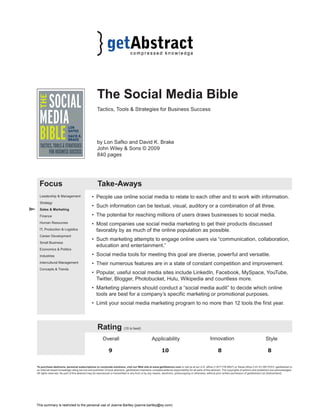
The Social Media Bible 
Tactics, Tools & Strategies for Business Success 
by Lon Safko and David K. Brake 
John Wiley & Sons © 2009 
840 pages 
Focus Take-Aways 
• People use online social media to relate to each other and to work with information. 
• Such information can be textual, visual, auditory or a combination of all three. 
• The potential for reaching millions of users draws businesses to social media. 
• Most companies use social media marketing to get their products discussed 
favorably by as much of the online population as possible. 
• Such marketing attempts to engage online users via “communication, collaboration, 
education and entertainment.” 
• Social media tools for meeting this goal are diverse, powerful and versatile. 
• Their numerous features are in a state of constant competition and improvement. 
• Popular, useful social media sites include LinkedIn, Facebook, MySpace, YouTube, 
Twitter, Blogger, Photobucket, Hulu, Wikipedia and countless more. 
• Marketing planners should conduct a “social media audit” to decide which online 
tools are best for a company’s specific marketing or promotional purposes. 
• Limit your social media marketing program to no more than 12 tools the first year. 
Rating (10 is best) 
Overall Applicability Innovation Style 
9 10 8 8 
Leadership & Management 
Strategy 
Sales & Marketing 
Finance 
Human Resources 
IT, Production & Logistics 
Career Development 
Small Business 
Economics & Politics 
Industries 
Intercultural Management 
Concepts & Trends 
To purchase abstracts, personal subscriptions or corporate solutions, visit our Web site at www.getAbstract.com or call us at our U.S. office (1-877-778-6627) or Swiss office (+41-41-367-5151). getAbstract is 
an Internet-based knowledge rating service and publisher of book abstracts. getAbstract maintains complete editorial responsibility for all parts of this abstract. The copyrights of authors and publishers are acknowledged. 
All rights reserved. No part of this abstract may be reproduced or transmitted in any form or by any means, electronic, photocopying or otherwise, without prior written permission of getAbstract Ltd (Switzerland). 
This summary is restricted to the personal use of Joanne Bartley (joanne.bartley@ey.com)
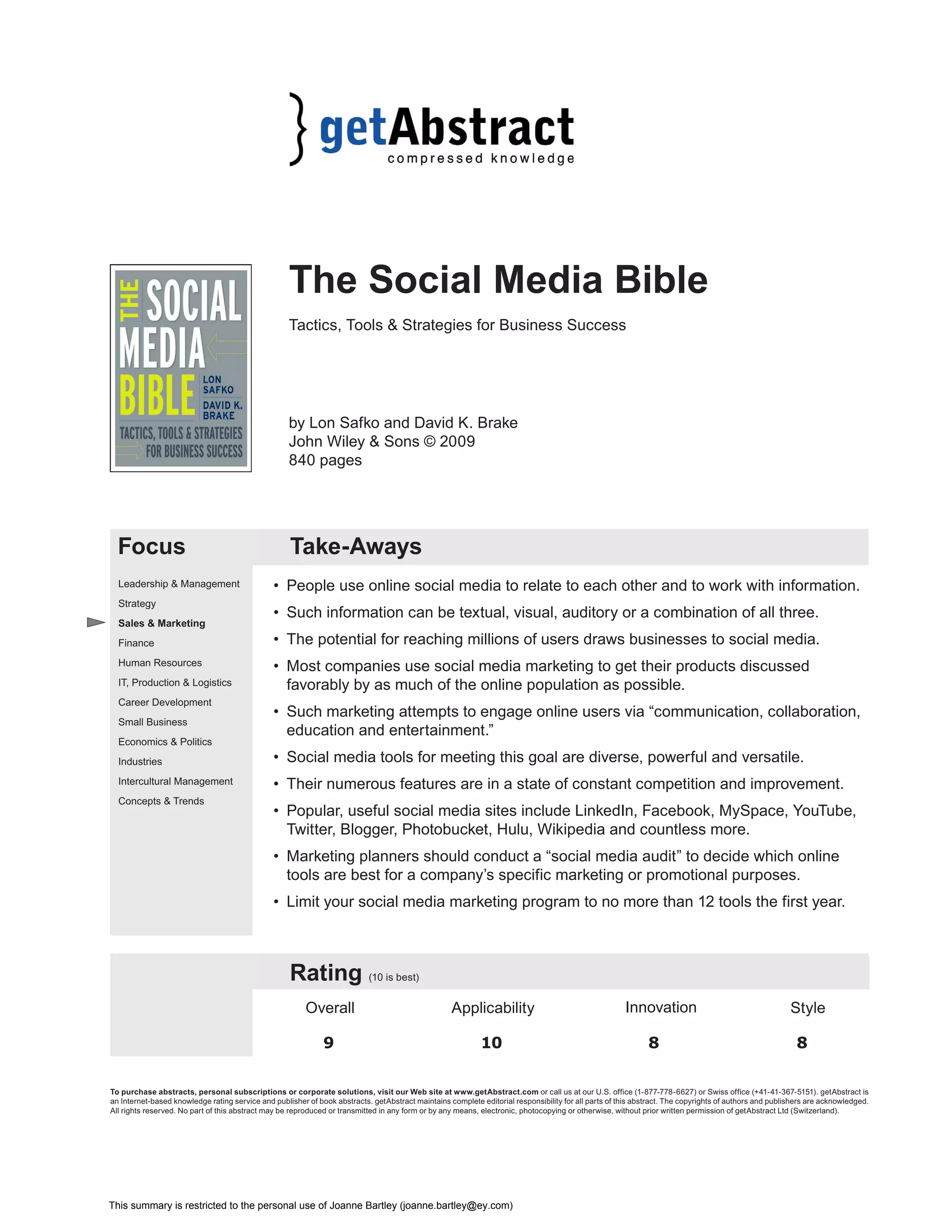
Relevance 
What You Will Learn 
In this Abstract, you will learn: 1) What the online social media is; 2) What you can do 
with certain social media sites; and 3) How to start a social media marketing program. 
Recommendation 
Do you tweet or troll? Lurk or plurk? Do you have Facebook friends or a LinkedIn list? 
Are you a virtual world resident with a beguiling or scary avatar? What is your favorite 
aggregator or rich site summary (RSS) service? Are you happy with your Yelp rating? 
Do you have a Meebo login? You know Google, but do you know Redlasso or IceRocket? 
What is your favorite wiki beyond Wikipedia? Like it or not, it is increasingly difficult 
to function in today’s technology-obsessed world without becoming an Internet geek. 
You need to know how to get the most out of the Web. For that, turn to Lon Safko and 
David K. Brake. Their comprehensive guide to the perplexing online world explains 
the Internet-based social media, including how to use its networks and tools to build a 
marketing campaign. getAbstract recommends this smart, thorough, useful book to any 
businessperson who sees a single unfamiliar word in this paragraph. 
Abstract 
Social Media 
The countless Web sites that make up the online social media promote communication 
and conversations among millions of people – but you can use them to reach even a small 
target audience. Social media content includes “words, pictures, videos and audios,” and 
many individuals and groups connect to it constantly, from YouTube users and Facebook 
members to people who read – or write – blogs. Most of these individuals use products 
or services like the ones you sell. Heads-up businesspeople are learning how to leverage 
social media tools to encourage the online population to talk positively about their 
products. This level of engagement has four aspects: 
1. “Communication” – The Internet and its social media exist to communicate, from 
e-mail to “tweeting” (Twitter), “jotting” (Jott), blogging and surveying. For instance, 
you can use SurveyMonkey for quick market research. To begin communicating with 
your stakeholders, you could develop an e-mail newsletter. To see if it works well, 
turn to an online resource like Constant Contact. 
2. “Collaboration” – The Internet is a robust global tool for professionals who want 
to work together. To get employees to collaborate, you could create a company wiki. 
You may even want to engage customers. Charles Schwab developed the collaborative 
Schwab Client Forum for this purpose. 
3. “Education” – Organizations use social media to spread information about their 
products, services, causes or classes. The Web provides amazing versatility in 
this regard; for example, you can download lectures on nearly any subject. One 
application might be to develop a blog to involve customers in discussing your 
products or services. 
4. “Entertainment” – Firms that entertain people while communicating about their 
products can sell more. An off-the-wall creative approach can get people talking 
about your product. Test your idea first. The Web world is very diverse and what is 
The Social Media Bible © Copyright 2009 getAbstract 2 of 5 
“Social media is 
already redefi ning 
the way people live 
and do business.” 
“A picture is worth 
a thousand words, 
an audio podcast is 
worth a thousand 
pictures and a 
video is worth a 
thousand audios.”
funny to some may offend others. Always remember that, on the Internet, negative 
emotions can rapidly turn frighteningly viral. To use entertainment effectively, you 
could create and upload a YouTube video that tickles customers’ funny bones about 
your product line. Blendtec did this beautifully with popular videos showing its 
appliance “blending,” actually pulverizing, such objects as metal money clips, soda 
cans and iPhones. 
The World Wide Toolbox 
Social media tools and applications are diversified, versatile, feature-laden and powerful. 
The most common categories of social media sites, tools and applications are: 
• “Social networking” – Use these sites to connect with other people and to share 
information, not unlike traditional networking. Popular tools include Facebook, 
Friendster, LinkedIn, Ning, Orkut, Bebo, KickApps, MOLI, Fast Pitch! and Plaxo. 
Facebook enables Internet users to connect via numerous clever applications. 
Businesses use it to promote products or services with word-of-mouth advertising. 
Facebook is also useful for contacts within organizations. MySpace, one of the first, 
most popular social network sites, grows daily by 230,000 new users working in 15 
different languages. It is great for reaching targeted groups, and features numerous 
popular applications, including blogs, instant messaging and widgets, which are 
on-screen tools, such as clocks and weather reports. LinkedIn, a primary business 
network, has 24 million professionals in 150 industries. It’s a good source of job 
listings and candidates’ résumés. 
• “Publish” – These sites disseminate information, for instance, data about your 
company or products. Publishing sites include TypePad, Blogger, Wikipedia and 
Joomla. Blogger allows Internet users to publish their own materials on any topic. 
Available in 41 languages, it enables the instantaneous sharing of all types of 
information in multiple formats, including video, making it a superior marketing 
tool. Millions of bloggers use WordPress, which employs “open-source software” to 
let users develop their own blogs or Web sites. Multiple authors can co-develop blogs 
on WordPress, which offers 60 templates to simplify Web site construction. 
• “Photo sharing” – Popular photo-posting tools include Radar.net, SmugMug, 
Zooomr, Flickr, Picasa, Photobucket and Twitxr. Flickr lets users share visual content 
easily. People at different locations can work together to organize photos and videos, 
so this is a great application for families and friends, as well as businesses that 
want to distribute visual images. Flickr account holders can upload 100 megabits of 
visuals monthly. It has more than three million users. 
• “Audio” – It’s not just used for music. Some firms communicate with their employees 
and customers via audio files over the Web. Popular tools include iTunes, Rhapsody 
and Podbean. Podcast.com enables you to podcast (personal on demand broadcast) 
digital audio or video files to selected users. Marketers can use podcasts to reach 
targeted consumers and professionals can use them to showcase their expertise. 
• “Video” – In a world where almost everyone grew up watching TV, videos are 
powerful and compelling. Popular tools include YouTube, Metacafe, Hulu, Viddler and 
Google Video. YouTube, an Internet sensation, enables users to share their videos with 
the world. Businesses use YouTube to market products and services. Highly versatile, 
YouTube even works with the Apple iPhone. Brightcove, an online video publishing 
service, lets companies display films to build brand awareness and disseminate 
recruitment information. It is also an effective platform for distance learning. 
The Social Media Bible © Copyright 2009 getAbstract 3 of 5 
“In the vast social 
media ecosystem 
that lies outside 
your company... 
there are no set 
rules of behavior.” 
“A jungle is 
nothing more 
than a defi ned 
area where things 
eat each other to 
survive. What a 
perfect metaphor 
for business.” 
“You fi rst have 
to be at the 
party, and then 
select a group, 
listen to them 
– and then join 
in with something 
valuable. That’s 
how you…build 
trust both off-line 
and online.” 
“Contextual 
advertising on a 
MySpace page can 
bring in $15,000 
per day if visitors 
listen to 1.5 million 
streams (which 
[rapper] T.I. will 
easily exceed 
today). These 
streams would 
generate even 
more revenue if 
the songs had an 
Amazon.com 
buy button.”
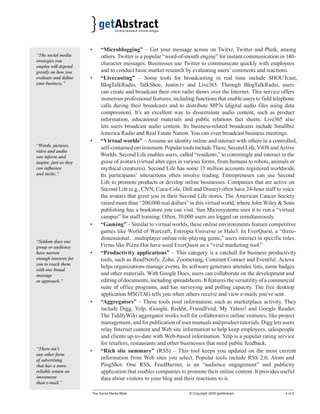
• “Microblogging” – Get your message across on Twitxr, Twitter and Plurk, among 
others. Twitter is a popular “word-of-mouth engine” for instant communication in 140- 
character messages. Businesses use Twitter to communicate quickly with employees 
and to conduct basic market research by evaluating users’ comments and reactions. 
• “Livecasting” – Some tools for broadcasting in real time include SHOUTcast, 
BlogTalkRadio, TalkShoe, Justin.tv and Live365. Through BlogTalkRadio, users 
can create and broadcast their own radio shows over the Internet. This service offers 
numerous professional features, including functions that enable users to field telephone 
calls during their broadcasts and to distribute MP3s (digital audio files using data 
compression). It’s an excellent way to disseminate audio content, such as product 
information, educational materials and public relations fact sheets. Live365 also 
lets users broadcast audio content. Its business-related broadcasts include Smallbiz 
America Radio and Real Estate Nation. You can even broadcast business meetings. 
• “Virtual worlds” – Assume an identity online and interact with others in a controlled, 
self-contained environment. Popular tools include There, Second Life, ViOS and Active 
Worlds. Second Life enables users, called “residents,” to commingle and interact in the 
guise of avatars (virtual alter egos in various forms, from humans to robots, animals or 
mythical creatures). Second Life has some 15 million accounts registered worldwide. 
Its participants’ interactions often involve trading. Entrepreneurs can use Second 
Life to promote products or develop online businesses. Companies that are active on 
Second Life (e.g., CNN, Coca-Cola, Dell and Disney) often have 24-hour staff to voice 
the avatars that greet you in their Second Life stores. The American Cancer Society 
raised more than “200,000 real dollars” in this virtual world, where John Wiley & Sons 
publishing has a bookstore you can visit. Sun Microsystems uses it to run a “virtual 
campus” for staff training. Often, 70,000 users are logged on simultaneously. 
• “Gaming” – Similar to virtual worlds, these online environments feature competitive 
games like World of Warcraft, Entropia Universe or Halo3. In EverQuest, a “three-dimensional… 
multiplayer online role-playing game,” users interact in specific roles. 
Firms like Pizza Hut have used EverQuest as a “viral marketing tool.” 
• “Productivity applications” – This category is a catchall for business productivity 
tools, such as ReadNotify, Zoho, Zoomerang, Constant Contact and Eventful. Acteva 
helps organizations manage events. Its software generates attendee lists, name badges 
and other materials. With Google Docs, users can collaborate on the development and 
editing of documents, including spreadsheets. It features the versatility of a commercial 
suite of office programs, and has surveying and polling capacity. The free desktop 
application MSGTAG tells you when others receive and view e-mails you’ve sent. 
• “Aggregators” – These tools pool information, such as marketplace activity. They 
include Digg, Yelp, iGoogle, Reddit, FriendFeed, My Yahoo! and Google Reader. 
The TiddlyWiki aggregator works well for collaborative online ventures, like project 
management, and for publication of user manuals and product tutorials. Digg lets users 
relay Internet content and Web site information to help keep employees, salespeople 
and clients up-to-date with Web-based information. Yelp is a popular rating service 
for retailers, restaurants and other businesses that need public feedback. 
• “Rich site summary” (RSS) – This tool keeps you updated on the most current 
information from Web sites you select. Popular tools include RSS 2.0, Atom and 
PingShot. One RSS, FeedBurner, is an “audience engagement” and publicity 
application that enables companies to promote their online content. It provides useful 
data about visitors to your blog and their reactions to it. 
The Social Media Bible © Copyright 2009 getAbstract 4 of 5 
“The social media 
strategies you 
employ will depend 
greatly on how you 
evaluate and defi ne 
your business.” 
“Words, pictures, 
video and audio 
can inform and 
inspire, just as they 
can infl uence 
and incite.” 
“Seldom does one 
group or audience 
have narrow 
enough interests for 
you to reach them 
with one broad 
message 
or approach.” 
“There isn’t 
any other form 
of advertising 
that has a more 
reliable return on 
investment 
than e-mail.”
• “Search” – These tools help you find what you want on the Web. Popular versions 
include Technorati, Redlasso, EveryZing, MetaTube, Yahoo! Search and IceRocket. 
Google Search is the Internet’s most popular search application (130 million U.S. 
users in May, 2008). It lets companies link their Web pages and targeted online ads 
to pages that searchers select and visit often. 
• “Mobile” – Many businesspeople see their cellphones as their most crucial 
technological devices. Useful social media cellphone tools include Jumbuck, 
CallWave, airG, Jott and Brightkite. Jott, a “voice transcription service,” lets you 
call a number from your cell to transcribe a note to anyone, including yourself. It 
is an effortless way to remind yourself of upcoming tasks and meetings. CallWave 
offers a lot of cellphone tools, like voicemail-to-text, “synchronized video,” audio 
conferences and e-mail faxes. 
• “Interpersonal” – These Web sites help people communicate with each other. They 
include WebEx, iChat, Meebo, Acrobat Connect and Skype. Go To Meeting is a 
popular online meeting application that also offers VoIP (voice over internet protocol), 
“meeting recording” and multiple-user screen sharing, which is great for slide shows. 
Strategy 
Your choice of social media tools for promotion depends on your marketing strategy. 
Begin by assessing whether your company is already engaging online audiences. Where 
are you active and what results are you achieving? In each area, social media offer 
methods for securing valuable feedback on your PR, marketing or online advertising. 
Sorting through all your social media options can be bewildering. Approach the 
decision by using a rating scale that ranks social media options from zero to four to 
denote gradations from “not valuable” to “extremely valuable.” Or, develop your 
strategy by using a “SWOT analysis” to evaluate “strengths and weaknesses,” as well 
as “opportunities and threats.” To determine strengths and weakness, ask what your 
company does best – and worst – and how those attributes will translate via social media 
tools. For opportunities and threats, ask what external factors might work against your 
firm online and what elements might work for it. This audit will point you in the right 
direction. As you plan, develop and implement your strategy, follow three basic rules for 
social media marketing: 
1. Your goal is to enable positive online conversations about your products. 
2. The Internet is about influence, not control. You cannot control how people react to 
your firm and its social media activities – but you can influence their responses. 
3. All online business relationships fully depend on this form of influence. 
With these rules in mind, create a realistic, 12-month “social media macro strategy.” 
Focus on no more than 12 online tools to start. Introduce one each month. Use your staff, 
customers and other constituents to measure your progress. The Web is a nearly infinite 
expansion of word-of-mouth advertising, but don’t get paranoid about online chatter. Just 
fully leverage its positive aspects. 
About the Authors 
Lon Safko is an entrepreneur and the founder of eight companies. David K. Brake is 
the CEO and founder of a technology-based publishing company that tests and develops 
online content. 
The Social Media Bible © Copyright 2009 getAbstract 5 of 5 
“Most online 
communities 
created by 
businesses fail 
because ‘most 
businesses focus 
on the value the 
online community 
can provide 
themselves, not the 
community’.” 
[ – The Wall Street 
Journal Online] 
“If technology 
trends continue, 
there will be more 
convergence to 
free Web-based 
applications that 
make using social 
media tools easier, 
more powerful and 
more accessible.” 
“With social 
media, everyone is 
a publisher.”

The Social Media Bible

  • 1.
    The Social MediaBible Tactics, Tools & Strategies for Business Success by Lon Safko and David K. Brake John Wiley & Sons © 2009 840 pages Focus Take-Aways • People use online social media to relate to each other and to work with information. • Such information can be textual, visual, auditory or a combination of all three. • The potential for reaching millions of users draws businesses to social media. • Most companies use social media marketing to get their products discussed favorably by as much of the online population as possible. • Such marketing attempts to engage online users via “communication, collaboration, education and entertainment.” • Social media tools for meeting this goal are diverse, powerful and versatile. • Their numerous features are in a state of constant competition and improvement. • Popular, useful social media sites include LinkedIn, Facebook, MySpace, YouTube, Twitter, Blogger, Photobucket, Hulu, Wikipedia and countless more. • Marketing planners should conduct a “social media audit” to decide which online tools are best for a company’s specific marketing or promotional purposes. • Limit your social media marketing program to no more than 12 tools the first year. Rating (10 is best) Overall Applicability Innovation Style 9 10 8 8 Leadership & Management Strategy Sales & Marketing Finance Human Resources IT, Production & Logistics Career Development Small Business Economics & Politics Industries Intercultural Management Concepts & Trends To purchase abstracts, personal subscriptions or corporate solutions, visit our Web site at www.getAbstract.com or call us at our U.S. office (1-877-778-6627) or Swiss office (+41-41-367-5151). getAbstract is an Internet-based knowledge rating service and publisher of book abstracts. getAbstract maintains complete editorial responsibility for all parts of this abstract. The copyrights of authors and publishers are acknowledged. All rights reserved. No part of this abstract may be reproduced or transmitted in any form or by any means, electronic, photocopying or otherwise, without prior written permission of getAbstract Ltd (Switzerland). This summary is restricted to the personal use of Joanne Bartley (joanne.bartley@ey.com)
  • 2.
    Relevance What YouWill Learn In this Abstract, you will learn: 1) What the online social media is; 2) What you can do with certain social media sites; and 3) How to start a social media marketing program. Recommendation Do you tweet or troll? Lurk or plurk? Do you have Facebook friends or a LinkedIn list? Are you a virtual world resident with a beguiling or scary avatar? What is your favorite aggregator or rich site summary (RSS) service? Are you happy with your Yelp rating? Do you have a Meebo login? You know Google, but do you know Redlasso or IceRocket? What is your favorite wiki beyond Wikipedia? Like it or not, it is increasingly difficult to function in today’s technology-obsessed world without becoming an Internet geek. You need to know how to get the most out of the Web. For that, turn to Lon Safko and David K. Brake. Their comprehensive guide to the perplexing online world explains the Internet-based social media, including how to use its networks and tools to build a marketing campaign. getAbstract recommends this smart, thorough, useful book to any businessperson who sees a single unfamiliar word in this paragraph. Abstract Social Media The countless Web sites that make up the online social media promote communication and conversations among millions of people – but you can use them to reach even a small target audience. Social media content includes “words, pictures, videos and audios,” and many individuals and groups connect to it constantly, from YouTube users and Facebook members to people who read – or write – blogs. Most of these individuals use products or services like the ones you sell. Heads-up businesspeople are learning how to leverage social media tools to encourage the online population to talk positively about their products. This level of engagement has four aspects: 1. “Communication” – The Internet and its social media exist to communicate, from e-mail to “tweeting” (Twitter), “jotting” (Jott), blogging and surveying. For instance, you can use SurveyMonkey for quick market research. To begin communicating with your stakeholders, you could develop an e-mail newsletter. To see if it works well, turn to an online resource like Constant Contact. 2. “Collaboration” – The Internet is a robust global tool for professionals who want to work together. To get employees to collaborate, you could create a company wiki. You may even want to engage customers. Charles Schwab developed the collaborative Schwab Client Forum for this purpose. 3. “Education” – Organizations use social media to spread information about their products, services, causes or classes. The Web provides amazing versatility in this regard; for example, you can download lectures on nearly any subject. One application might be to develop a blog to involve customers in discussing your products or services. 4. “Entertainment” – Firms that entertain people while communicating about their products can sell more. An off-the-wall creative approach can get people talking about your product. Test your idea first. The Web world is very diverse and what is The Social Media Bible © Copyright 2009 getAbstract 2 of 5 “Social media is already redefi ning the way people live and do business.” “A picture is worth a thousand words, an audio podcast is worth a thousand pictures and a video is worth a thousand audios.”
  • 3.
    funny to somemay offend others. Always remember that, on the Internet, negative emotions can rapidly turn frighteningly viral. To use entertainment effectively, you could create and upload a YouTube video that tickles customers’ funny bones about your product line. Blendtec did this beautifully with popular videos showing its appliance “blending,” actually pulverizing, such objects as metal money clips, soda cans and iPhones. The World Wide Toolbox Social media tools and applications are diversified, versatile, feature-laden and powerful. The most common categories of social media sites, tools and applications are: • “Social networking” – Use these sites to connect with other people and to share information, not unlike traditional networking. Popular tools include Facebook, Friendster, LinkedIn, Ning, Orkut, Bebo, KickApps, MOLI, Fast Pitch! and Plaxo. Facebook enables Internet users to connect via numerous clever applications. Businesses use it to promote products or services with word-of-mouth advertising. Facebook is also useful for contacts within organizations. MySpace, one of the first, most popular social network sites, grows daily by 230,000 new users working in 15 different languages. It is great for reaching targeted groups, and features numerous popular applications, including blogs, instant messaging and widgets, which are on-screen tools, such as clocks and weather reports. LinkedIn, a primary business network, has 24 million professionals in 150 industries. It’s a good source of job listings and candidates’ résumés. • “Publish” – These sites disseminate information, for instance, data about your company or products. Publishing sites include TypePad, Blogger, Wikipedia and Joomla. Blogger allows Internet users to publish their own materials on any topic. Available in 41 languages, it enables the instantaneous sharing of all types of information in multiple formats, including video, making it a superior marketing tool. Millions of bloggers use WordPress, which employs “open-source software” to let users develop their own blogs or Web sites. Multiple authors can co-develop blogs on WordPress, which offers 60 templates to simplify Web site construction. • “Photo sharing” – Popular photo-posting tools include Radar.net, SmugMug, Zooomr, Flickr, Picasa, Photobucket and Twitxr. Flickr lets users share visual content easily. People at different locations can work together to organize photos and videos, so this is a great application for families and friends, as well as businesses that want to distribute visual images. Flickr account holders can upload 100 megabits of visuals monthly. It has more than three million users. • “Audio” – It’s not just used for music. Some firms communicate with their employees and customers via audio files over the Web. Popular tools include iTunes, Rhapsody and Podbean. Podcast.com enables you to podcast (personal on demand broadcast) digital audio or video files to selected users. Marketers can use podcasts to reach targeted consumers and professionals can use them to showcase their expertise. • “Video” – In a world where almost everyone grew up watching TV, videos are powerful and compelling. Popular tools include YouTube, Metacafe, Hulu, Viddler and Google Video. YouTube, an Internet sensation, enables users to share their videos with the world. Businesses use YouTube to market products and services. Highly versatile, YouTube even works with the Apple iPhone. Brightcove, an online video publishing service, lets companies display films to build brand awareness and disseminate recruitment information. It is also an effective platform for distance learning. The Social Media Bible © Copyright 2009 getAbstract 3 of 5 “In the vast social media ecosystem that lies outside your company... there are no set rules of behavior.” “A jungle is nothing more than a defi ned area where things eat each other to survive. What a perfect metaphor for business.” “You fi rst have to be at the party, and then select a group, listen to them – and then join in with something valuable. That’s how you…build trust both off-line and online.” “Contextual advertising on a MySpace page can bring in $15,000 per day if visitors listen to 1.5 million streams (which [rapper] T.I. will easily exceed today). These streams would generate even more revenue if the songs had an Amazon.com buy button.”
  • 4.
    • “Microblogging” –Get your message across on Twitxr, Twitter and Plurk, among others. Twitter is a popular “word-of-mouth engine” for instant communication in 140- character messages. Businesses use Twitter to communicate quickly with employees and to conduct basic market research by evaluating users’ comments and reactions. • “Livecasting” – Some tools for broadcasting in real time include SHOUTcast, BlogTalkRadio, TalkShoe, Justin.tv and Live365. Through BlogTalkRadio, users can create and broadcast their own radio shows over the Internet. This service offers numerous professional features, including functions that enable users to field telephone calls during their broadcasts and to distribute MP3s (digital audio files using data compression). It’s an excellent way to disseminate audio content, such as product information, educational materials and public relations fact sheets. Live365 also lets users broadcast audio content. Its business-related broadcasts include Smallbiz America Radio and Real Estate Nation. You can even broadcast business meetings. • “Virtual worlds” – Assume an identity online and interact with others in a controlled, self-contained environment. Popular tools include There, Second Life, ViOS and Active Worlds. Second Life enables users, called “residents,” to commingle and interact in the guise of avatars (virtual alter egos in various forms, from humans to robots, animals or mythical creatures). Second Life has some 15 million accounts registered worldwide. Its participants’ interactions often involve trading. Entrepreneurs can use Second Life to promote products or develop online businesses. Companies that are active on Second Life (e.g., CNN, Coca-Cola, Dell and Disney) often have 24-hour staff to voice the avatars that greet you in their Second Life stores. The American Cancer Society raised more than “200,000 real dollars” in this virtual world, where John Wiley & Sons publishing has a bookstore you can visit. Sun Microsystems uses it to run a “virtual campus” for staff training. Often, 70,000 users are logged on simultaneously. • “Gaming” – Similar to virtual worlds, these online environments feature competitive games like World of Warcraft, Entropia Universe or Halo3. In EverQuest, a “three-dimensional… multiplayer online role-playing game,” users interact in specific roles. Firms like Pizza Hut have used EverQuest as a “viral marketing tool.” • “Productivity applications” – This category is a catchall for business productivity tools, such as ReadNotify, Zoho, Zoomerang, Constant Contact and Eventful. Acteva helps organizations manage events. Its software generates attendee lists, name badges and other materials. With Google Docs, users can collaborate on the development and editing of documents, including spreadsheets. It features the versatility of a commercial suite of office programs, and has surveying and polling capacity. The free desktop application MSGTAG tells you when others receive and view e-mails you’ve sent. • “Aggregators” – These tools pool information, such as marketplace activity. They include Digg, Yelp, iGoogle, Reddit, FriendFeed, My Yahoo! and Google Reader. The TiddlyWiki aggregator works well for collaborative online ventures, like project management, and for publication of user manuals and product tutorials. Digg lets users relay Internet content and Web site information to help keep employees, salespeople and clients up-to-date with Web-based information. Yelp is a popular rating service for retailers, restaurants and other businesses that need public feedback. • “Rich site summary” (RSS) – This tool keeps you updated on the most current information from Web sites you select. Popular tools include RSS 2.0, Atom and PingShot. One RSS, FeedBurner, is an “audience engagement” and publicity application that enables companies to promote their online content. It provides useful data about visitors to your blog and their reactions to it. The Social Media Bible © Copyright 2009 getAbstract 4 of 5 “The social media strategies you employ will depend greatly on how you evaluate and defi ne your business.” “Words, pictures, video and audio can inform and inspire, just as they can infl uence and incite.” “Seldom does one group or audience have narrow enough interests for you to reach them with one broad message or approach.” “There isn’t any other form of advertising that has a more reliable return on investment than e-mail.”
  • 5.
    • “Search” –These tools help you find what you want on the Web. Popular versions include Technorati, Redlasso, EveryZing, MetaTube, Yahoo! Search and IceRocket. Google Search is the Internet’s most popular search application (130 million U.S. users in May, 2008). It lets companies link their Web pages and targeted online ads to pages that searchers select and visit often. • “Mobile” – Many businesspeople see their cellphones as their most crucial technological devices. Useful social media cellphone tools include Jumbuck, CallWave, airG, Jott and Brightkite. Jott, a “voice transcription service,” lets you call a number from your cell to transcribe a note to anyone, including yourself. It is an effortless way to remind yourself of upcoming tasks and meetings. CallWave offers a lot of cellphone tools, like voicemail-to-text, “synchronized video,” audio conferences and e-mail faxes. • “Interpersonal” – These Web sites help people communicate with each other. They include WebEx, iChat, Meebo, Acrobat Connect and Skype. Go To Meeting is a popular online meeting application that also offers VoIP (voice over internet protocol), “meeting recording” and multiple-user screen sharing, which is great for slide shows. Strategy Your choice of social media tools for promotion depends on your marketing strategy. Begin by assessing whether your company is already engaging online audiences. Where are you active and what results are you achieving? In each area, social media offer methods for securing valuable feedback on your PR, marketing or online advertising. Sorting through all your social media options can be bewildering. Approach the decision by using a rating scale that ranks social media options from zero to four to denote gradations from “not valuable” to “extremely valuable.” Or, develop your strategy by using a “SWOT analysis” to evaluate “strengths and weaknesses,” as well as “opportunities and threats.” To determine strengths and weakness, ask what your company does best – and worst – and how those attributes will translate via social media tools. For opportunities and threats, ask what external factors might work against your firm online and what elements might work for it. This audit will point you in the right direction. As you plan, develop and implement your strategy, follow three basic rules for social media marketing: 1. Your goal is to enable positive online conversations about your products. 2. The Internet is about influence, not control. You cannot control how people react to your firm and its social media activities – but you can influence their responses. 3. All online business relationships fully depend on this form of influence. With these rules in mind, create a realistic, 12-month “social media macro strategy.” Focus on no more than 12 online tools to start. Introduce one each month. Use your staff, customers and other constituents to measure your progress. The Web is a nearly infinite expansion of word-of-mouth advertising, but don’t get paranoid about online chatter. Just fully leverage its positive aspects. About the Authors Lon Safko is an entrepreneur and the founder of eight companies. David K. Brake is the CEO and founder of a technology-based publishing company that tests and develops online content. The Social Media Bible © Copyright 2009 getAbstract 5 of 5 “Most online communities created by businesses fail because ‘most businesses focus on the value the online community can provide themselves, not the community’.” [ – The Wall Street Journal Online] “If technology trends continue, there will be more convergence to free Web-based applications that make using social media tools easier, more powerful and more accessible.” “With social media, everyone is a publisher.”