How the UJ Library can assist you in getting published  Sophie van der Walt: Subject Librarian  X2641  [email_address]
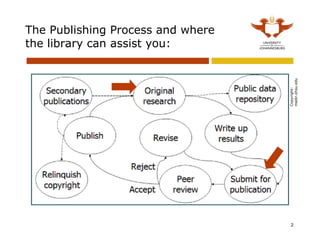
The Publishing Process and where the library can assist you: Copyright: medir.ohsu.edu
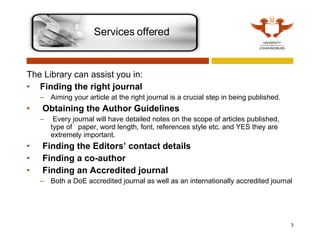
The Library can assist you in: Finding the right journal   Aiming your article at the right journal is a crucial step in being published.     Obtaining the Author Guidelines   Every journal will have detailed notes on the scope of articles published, type of  paper, word length, font, references style etc. and YES they are extremely important.   Finding the Editors’ contact details   Finding a co-author   Finding an Accredited journal Both a DoE accredited journal as well as an internationally accredited journal Services offered
Find the right journal  Aiming your article at the right journal is a crucial step in being published.   To find possible journals for your article: Do  searches on the databases  for articles on similar topics and see what journals they are published in. (Remember to limit your search to Academic journals.  Use the  ISI Journal Citation Report  (JCR) to find the  highly cited journals .  click on  ISI Web of Knowledge  on the list of database then on  Additional Resources  and  then on  Journal Citation Report  to find highly cited journals for your subject area.  Management  falls under Social Sciences  while  Business  is a separate category in JCR.   
For a guide on how to search in the databases, please have a look at the following slideshow: Library Research Guide   slide show Or make an appointment with me for training and help Remember: It is considered very poor etiquette to submit an article for consideration to more than one journal at a time. If you have not heard from the editor, contact them and inform them that you will now submit the article to another publisher.  Search the databases
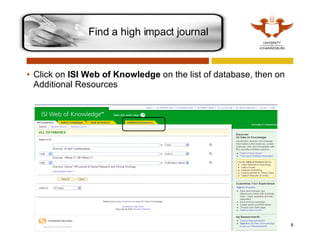
Click on  ISI Web of Knowledge  on the list of database, then on  Additional Resources Find a high impact journal
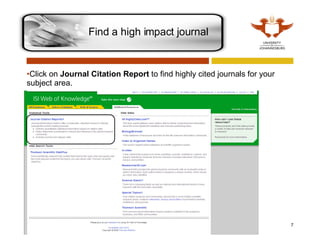
Click on  Journal Citation Report  to find highly cited journals for your subject area.  Find a high impact journal
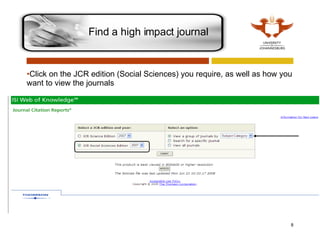
Click on the JCR edition (Social Sciences) you require, as well as how you want to view the journals Find a high impact journal
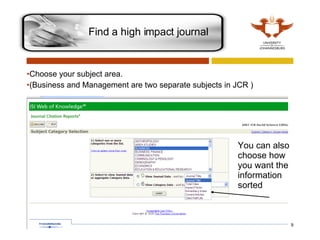
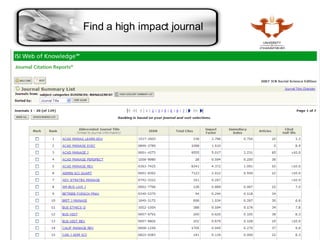
Choose your subject area.  (Business and Management are two separate subjects in JCR ) You can also choose how you want the information sorted Find a high impact journal
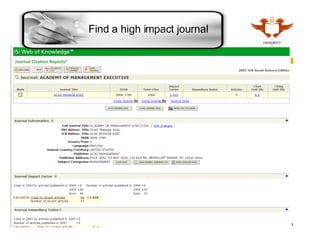
Find a high impact journal
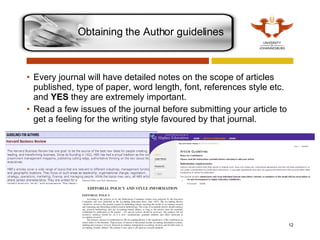
Every journal will have detailed notes on the scope of articles published, type of paper, word length, font, references style etc. and  YES  they are extremely important. Read a few issues of the journal before submitting your article to get a feeling for the writing style favoured by that journal. Obtaining the Author guidelines
You can find all the submission details (editor email etc) on the journal or publisher’s web site.   There are two ways of getting to the journal site: Go to the A-Z list, type in the journal name and follow the links to the journal site on the database Go to  Google , type in the journal name and follow the link to the journal or publisher website Finding the Editors’ contact details
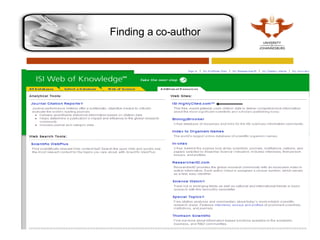
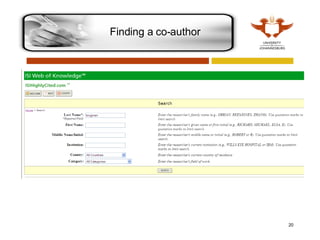
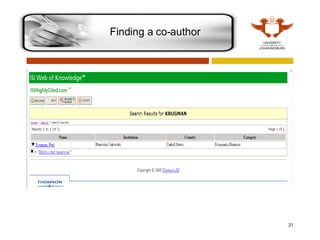
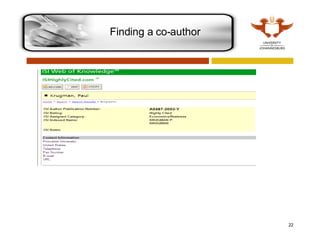
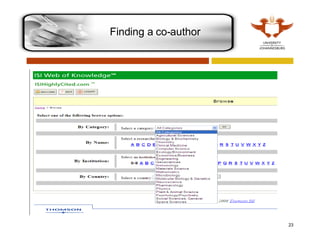
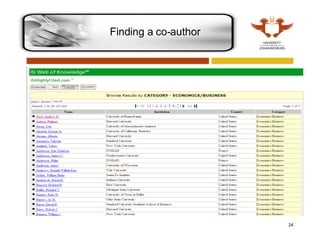
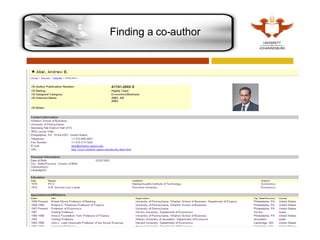
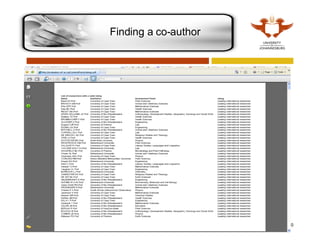
By doing searches on the databases in your topic/theme you can see which authors are prolific writers on that topic Cross check these authors with the  ISI Highly Cited Researches click on  ISI Web of Knowledge  on the list of database then click on  Additional Resources  and  then on Highly Cited to find highly cited authors for your subject area.  Finding a co-author
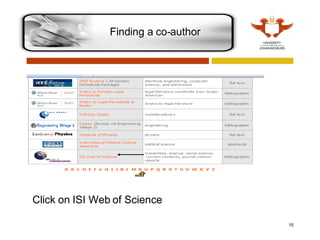
Finding a co-author Click on ISI Web of Science
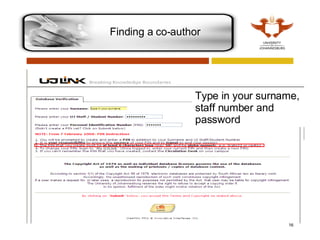
Finding a co-author Type in your surname, staff number and password
Finding a co-author
Finding a co-author
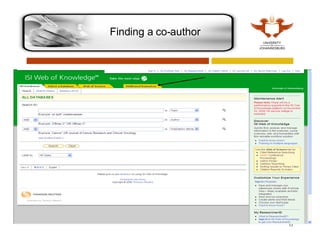
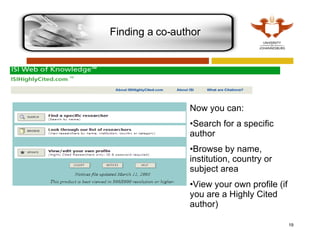
Finding a co-author Now you can: Search for a specific author Browse by name, institution, country or subject area View your own profile (if you are a Highly Cited author)
Finding a co-author
Finding a co-author
Finding a co-author
Finding a co-author
Finding a co-author
Finding a co-author
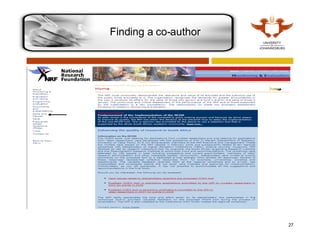
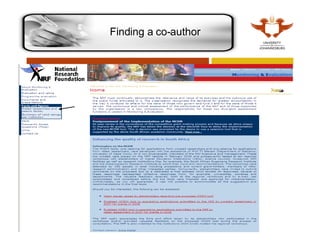
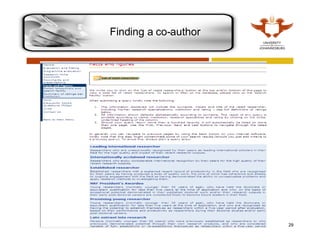
You can also use the  NRF Rated Researchers  at: www.evaluation.nrf.ac.za ,  click on  Facts and Figures  on the left and  then on the search link.  The NRF divides researchers into categories:  Leading international researchers Internationally acclaimed researchers Established researchers Finding a co-author
Finding a co-author
Finding a co-author
Finding a co-author
Finding a co-author
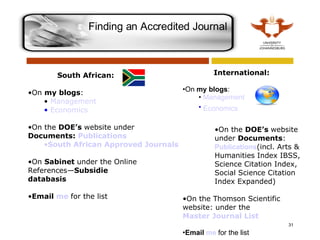
Finding an Accredited Journal  South African:  On  my blogs : Management   Economics   On the  DOE’s  website under  Documents:  Publications  South African Approved Journals On  Sabinet  under the Online References— Subsidie databasis Email  me  for the list International: On  my blogs : Management   Economics   On the  DOE’s  website under  Documents :  Publications (incl. Arts & Humanities Index IBSS, Science Citation Index, Social Science Citation Index Expanded) On the Thomson Scientific website: under the  Master Journal List Email  me  for the list
If you have any questions please phone me on x2641 or send me an email to  [email_address]   03

How the Library Can Help You Get Published

  • 1.
    How the UJLibrary can assist you in getting published Sophie van der Walt: Subject Librarian X2641 [email_address]
  • 2.
    The Publishing Processand where the library can assist you: Copyright: medir.ohsu.edu
  • 3.
    The Library canassist you in: Finding the right journal Aiming your article at the right journal is a crucial step in being published.   Obtaining the Author Guidelines   Every journal will have detailed notes on the scope of articles published, type of paper, word length, font, references style etc. and YES they are extremely important.   Finding the Editors’ contact details   Finding a co-author   Finding an Accredited journal Both a DoE accredited journal as well as an internationally accredited journal Services offered
  • 4.
    Find the rightjournal Aiming your article at the right journal is a crucial step in being published. To find possible journals for your article: Do searches on the databases for articles on similar topics and see what journals they are published in. (Remember to limit your search to Academic journals. Use the ISI Journal Citation Report (JCR) to find the highly cited journals . click on ISI Web of Knowledge on the list of database then on Additional Resources and then on Journal Citation Report to find highly cited journals for your subject area. Management falls under Social Sciences while Business is a separate category in JCR.  
  • 5.
    For a guideon how to search in the databases, please have a look at the following slideshow: Library Research Guide slide show Or make an appointment with me for training and help Remember: It is considered very poor etiquette to submit an article for consideration to more than one journal at a time. If you have not heard from the editor, contact them and inform them that you will now submit the article to another publisher. Search the databases
  • 6.
    Click on ISI Web of Knowledge on the list of database, then on Additional Resources Find a high impact journal
  • 7.
    Click on Journal Citation Report to find highly cited journals for your subject area. Find a high impact journal
  • 8.
    Click on theJCR edition (Social Sciences) you require, as well as how you want to view the journals Find a high impact journal
  • 9.
    Choose your subjectarea. (Business and Management are two separate subjects in JCR ) You can also choose how you want the information sorted Find a high impact journal
  • 10.
    Find a highimpact journal
  • 11.
    Find a highimpact journal
  • 12.
    Every journal willhave detailed notes on the scope of articles published, type of paper, word length, font, references style etc. and YES they are extremely important. Read a few issues of the journal before submitting your article to get a feeling for the writing style favoured by that journal. Obtaining the Author guidelines
  • 13.
    You can findall the submission details (editor email etc) on the journal or publisher’s web site.   There are two ways of getting to the journal site: Go to the A-Z list, type in the journal name and follow the links to the journal site on the database Go to Google , type in the journal name and follow the link to the journal or publisher website Finding the Editors’ contact details
  • 14.
    By doing searcheson the databases in your topic/theme you can see which authors are prolific writers on that topic Cross check these authors with the ISI Highly Cited Researches click on ISI Web of Knowledge on the list of database then click on Additional Resources and then on Highly Cited to find highly cited authors for your subject area. Finding a co-author
  • 15.
    Finding a co-authorClick on ISI Web of Science
  • 16.
    Finding a co-authorType in your surname, staff number and password
  • 17.
  • 18.
  • 19.
    Finding a co-authorNow you can: Search for a specific author Browse by name, institution, country or subject area View your own profile (if you are a Highly Cited author)
  • 20.
  • 21.
  • 22.
  • 23.
  • 24.
  • 25.
  • 26.
    You can alsouse the NRF Rated Researchers at: www.evaluation.nrf.ac.za , click on Facts and Figures on the left and then on the search link. The NRF divides researchers into categories: Leading international researchers Internationally acclaimed researchers Established researchers Finding a co-author
  • 27.
  • 28.
  • 29.
  • 30.
  • 31.
    Finding an AccreditedJournal South African: On my blogs : Management Economics On the DOE’s website under Documents: Publications South African Approved Journals On Sabinet under the Online References— Subsidie databasis Email me for the list International: On my blogs : Management Economics On the DOE’s website under Documents : Publications (incl. Arts & Humanities Index IBSS, Science Citation Index, Social Science Citation Index Expanded) On the Thomson Scientific website: under the Master Journal List Email me for the list
  • 32.
    If you haveany questions please phone me on x2641 or send me an email to [email_address] 03