






The 10 Step SEO Audit10 Steps to SEO Success
Francis Skipper
Executive Vice President
617-259-1605
francis@451marketing.com
linkedin.com/in/francisskipper
@fskip
www.451Marketing.com
National Public Relations, Social
Media, and Search Marketing Agency
Founded in 2004
Headquartered in Boston and
representing Los Angeles, New York,
San Diego, and Las Vegas
Recognized as a 2011, 2012, 2013
an award recognizing the fastest
growing private companies
headquartered in Massachusetts
About 451 Marketing
About 451 Marketing
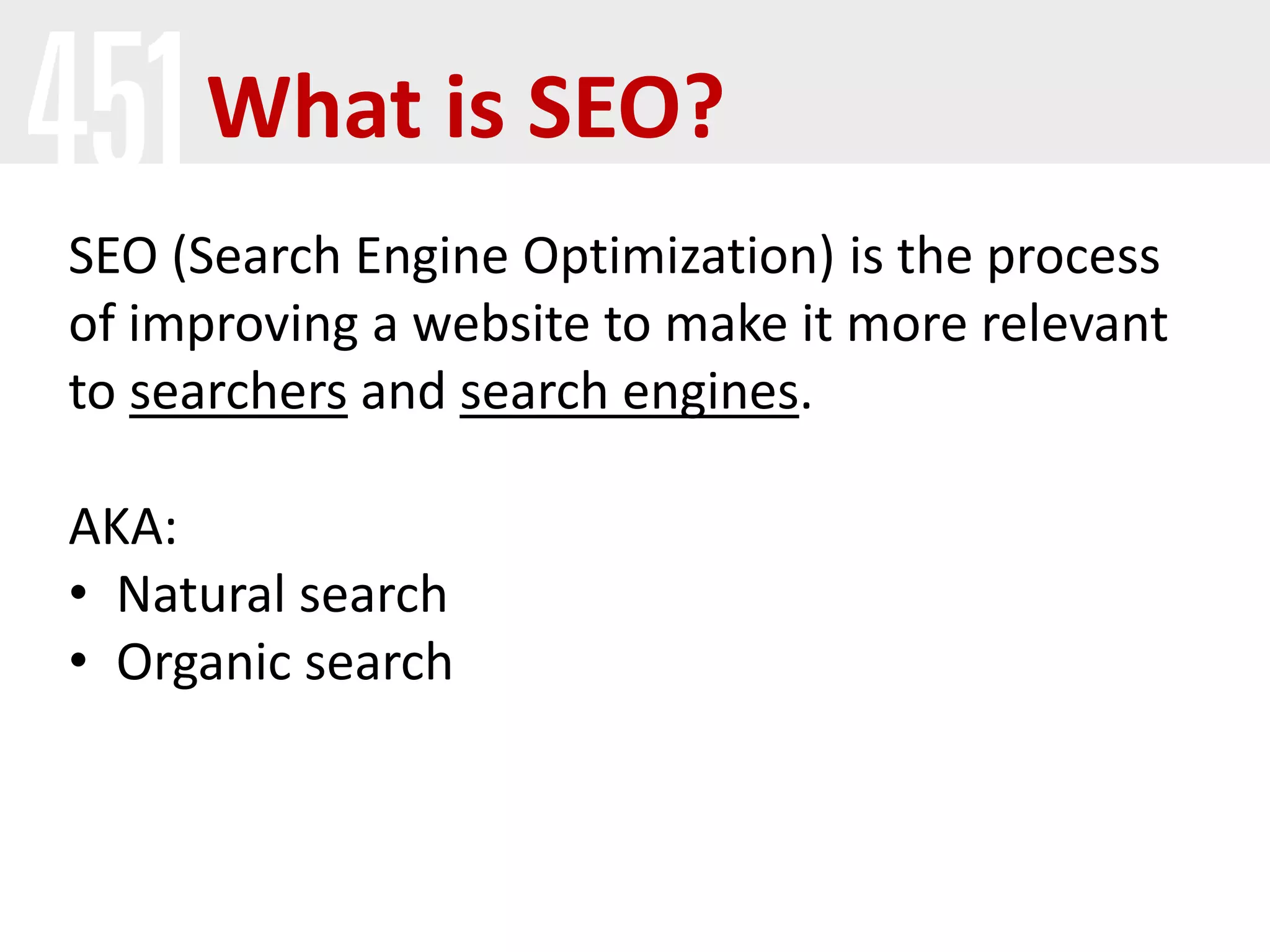
What is SEO?
SEO (Search Engine Optimization) is the process
of improving a website to make it more relevant
to searchers and search engines.
AKA:
• Natural search
• Organic search
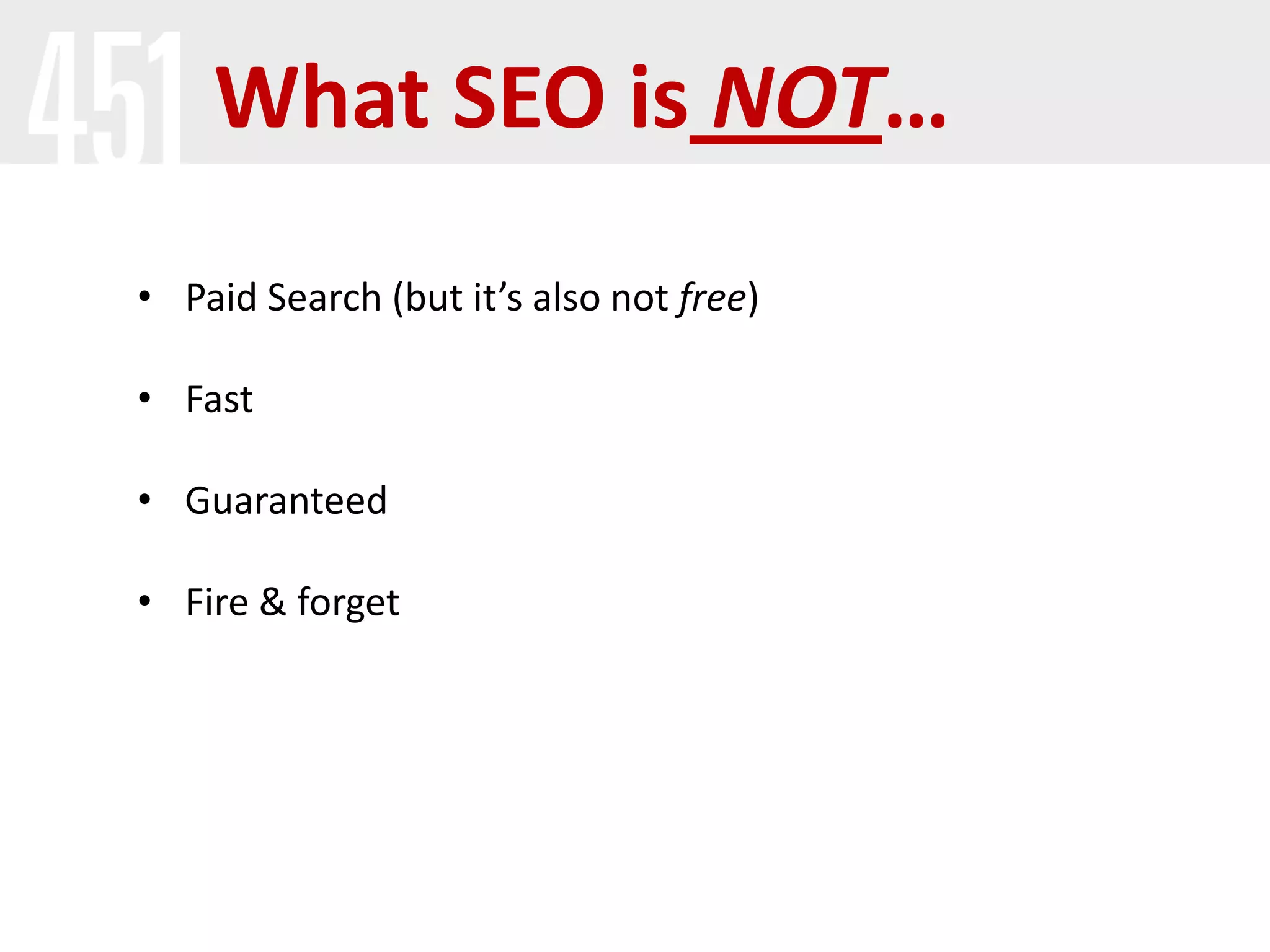
What SEO is NOT…
• Paid Search (but it’s also not free)
• Fast
• Guaranteed
• Fire & forget
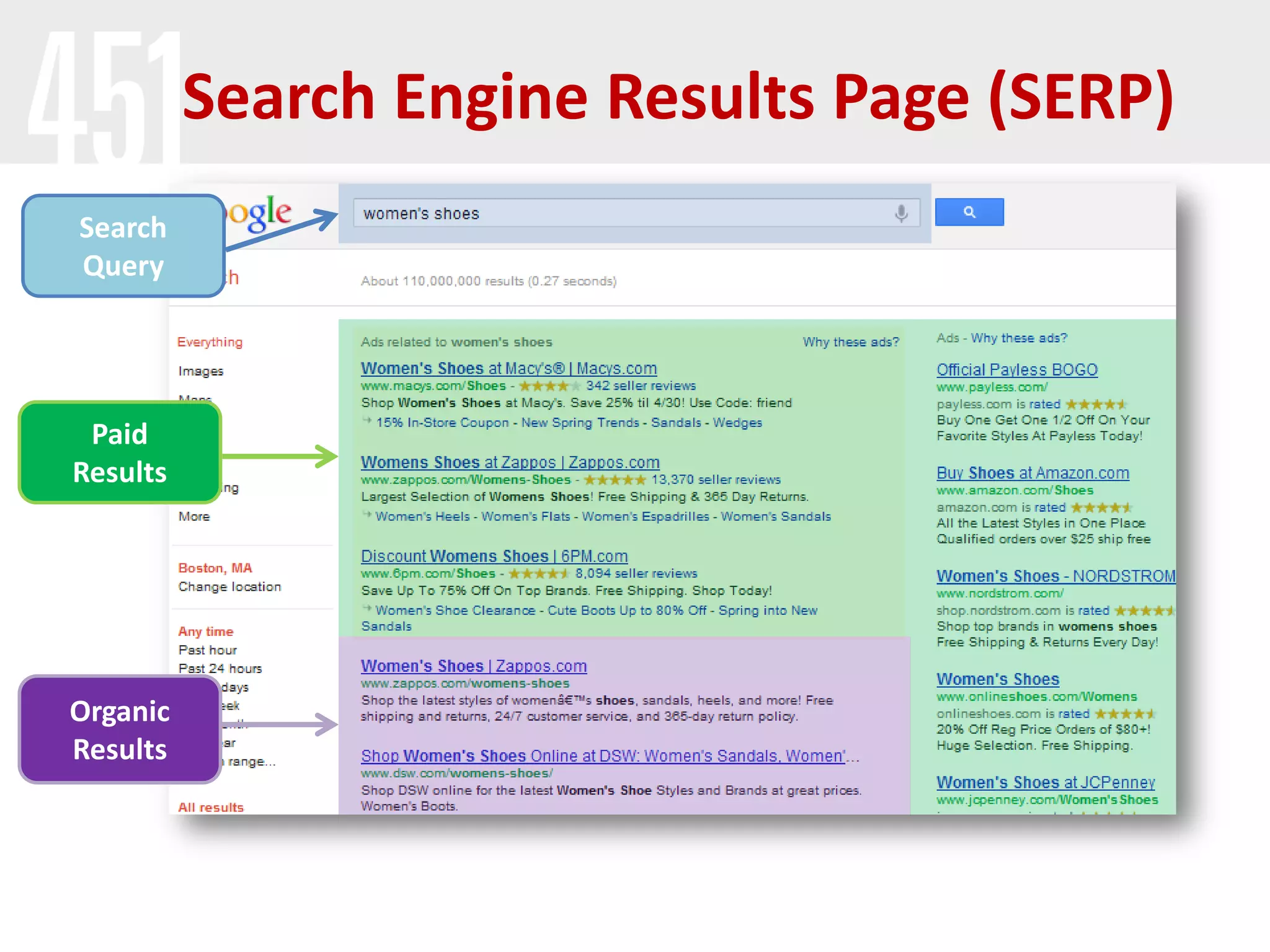
Paid
Results
Organic
Results
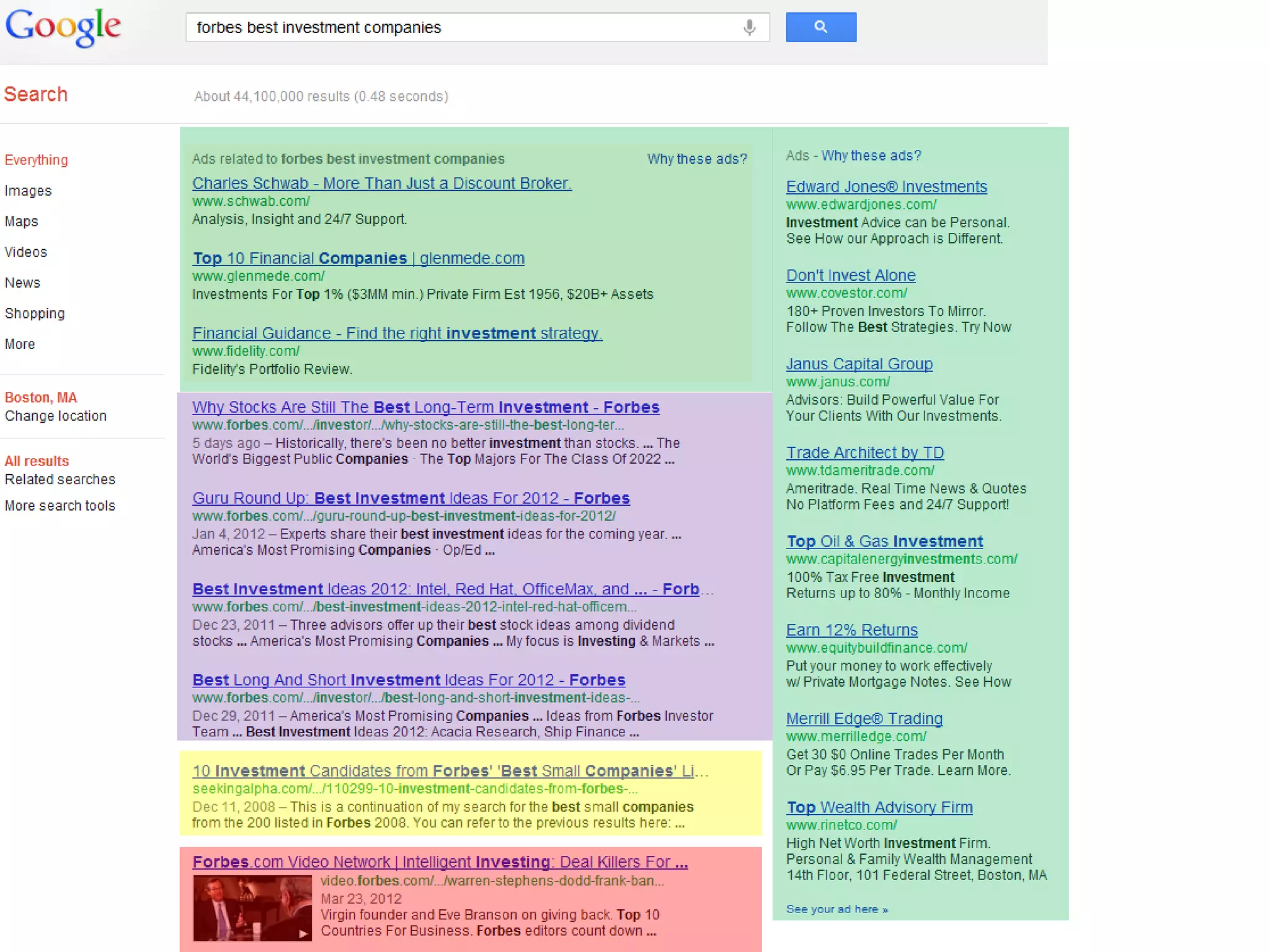
Search Engine Results Page (SERP)
Search
Query
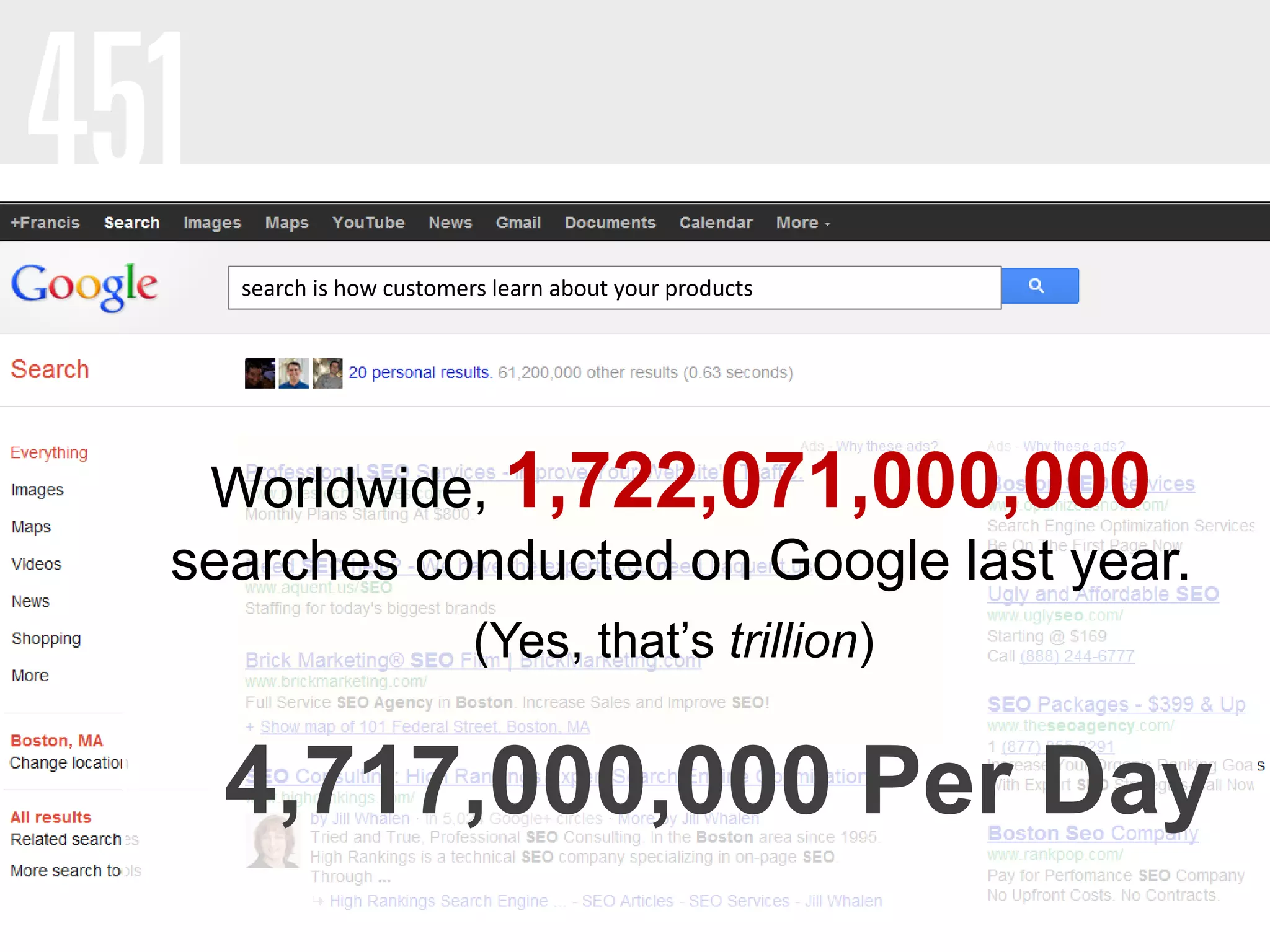
search is how customers learn about your products
4,717,000,000 Per Day
Worldwide, 1,722,071,000,000
searches conducted on Google last year.
(Yes, that’s trillion)
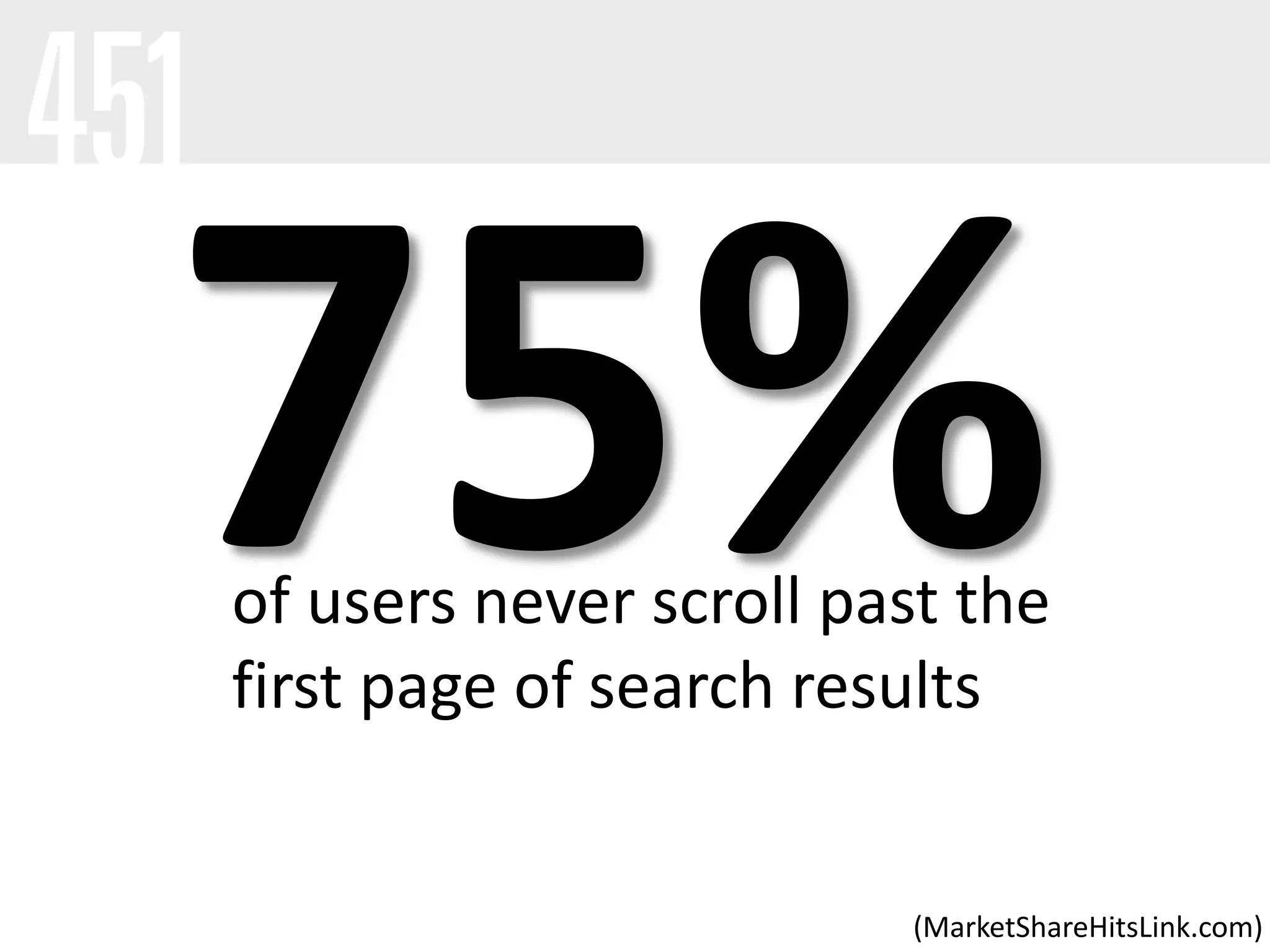
(MarketShareHitsLink.com)
of users never scroll past the
first page of search results
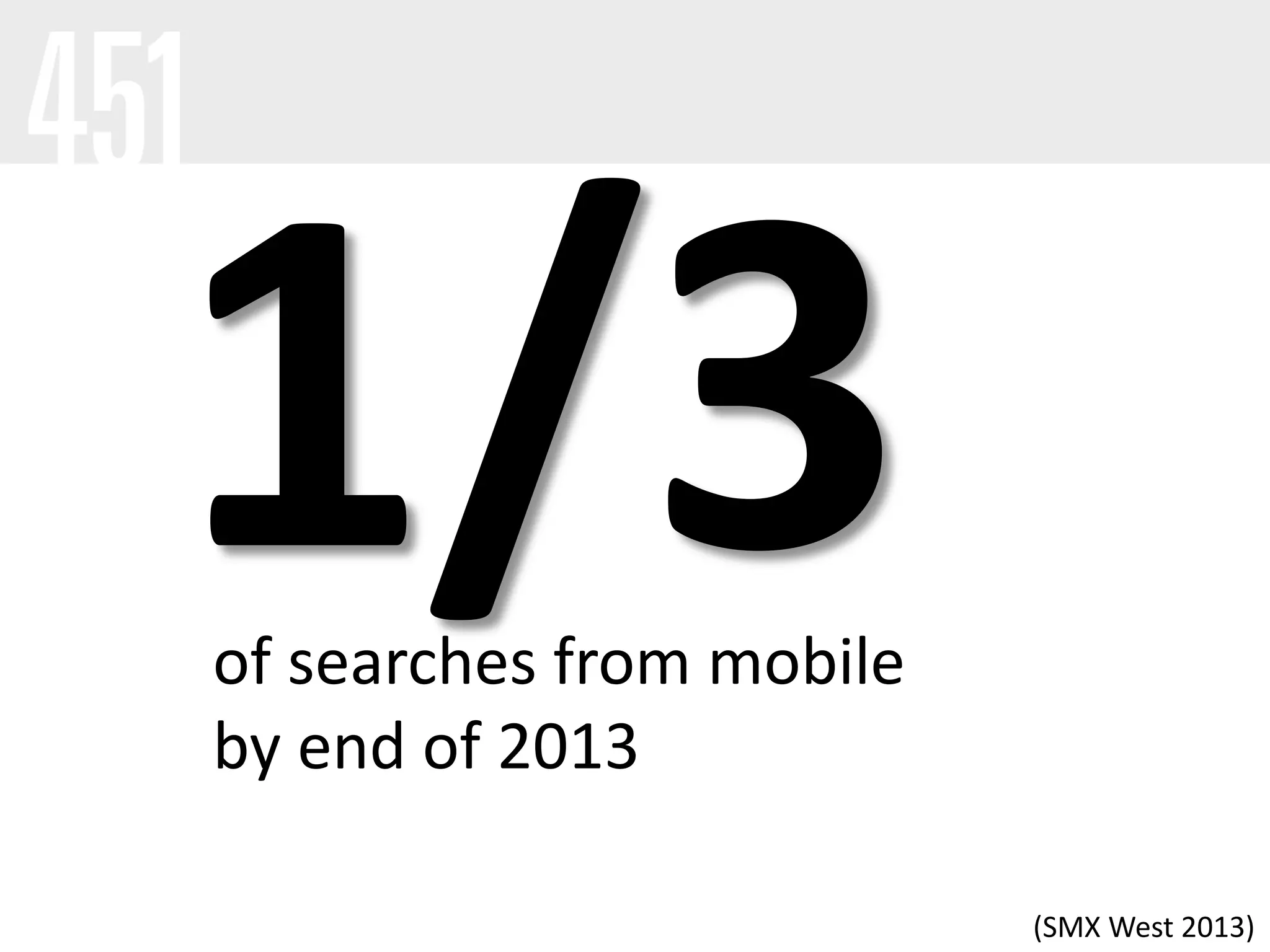
of searches from mobile
by end of 2013
(SMX West 2013)
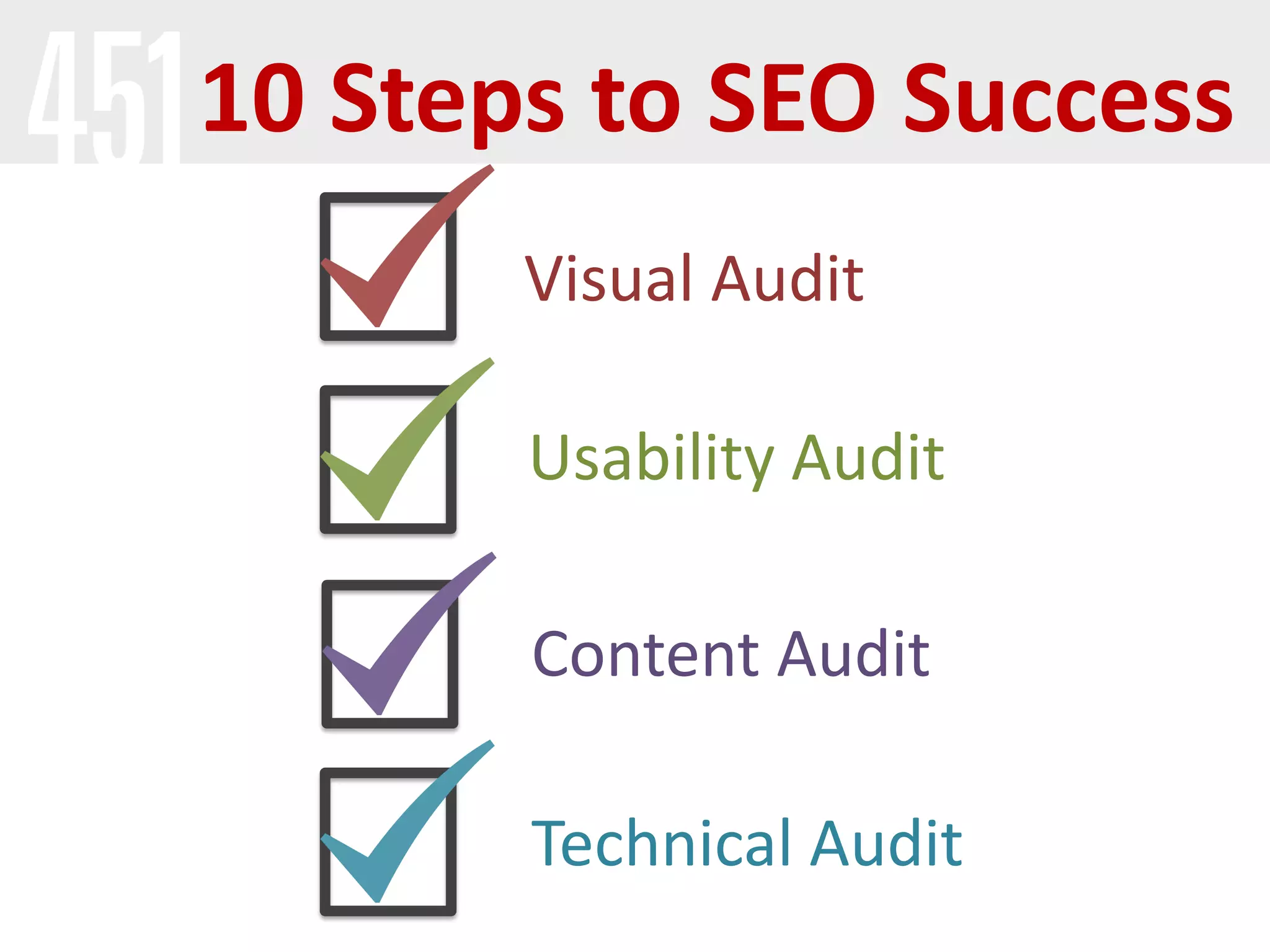
10 Steps to SEO Success
Visual Audit
Usability Audit
Content Audit
Technical Audit
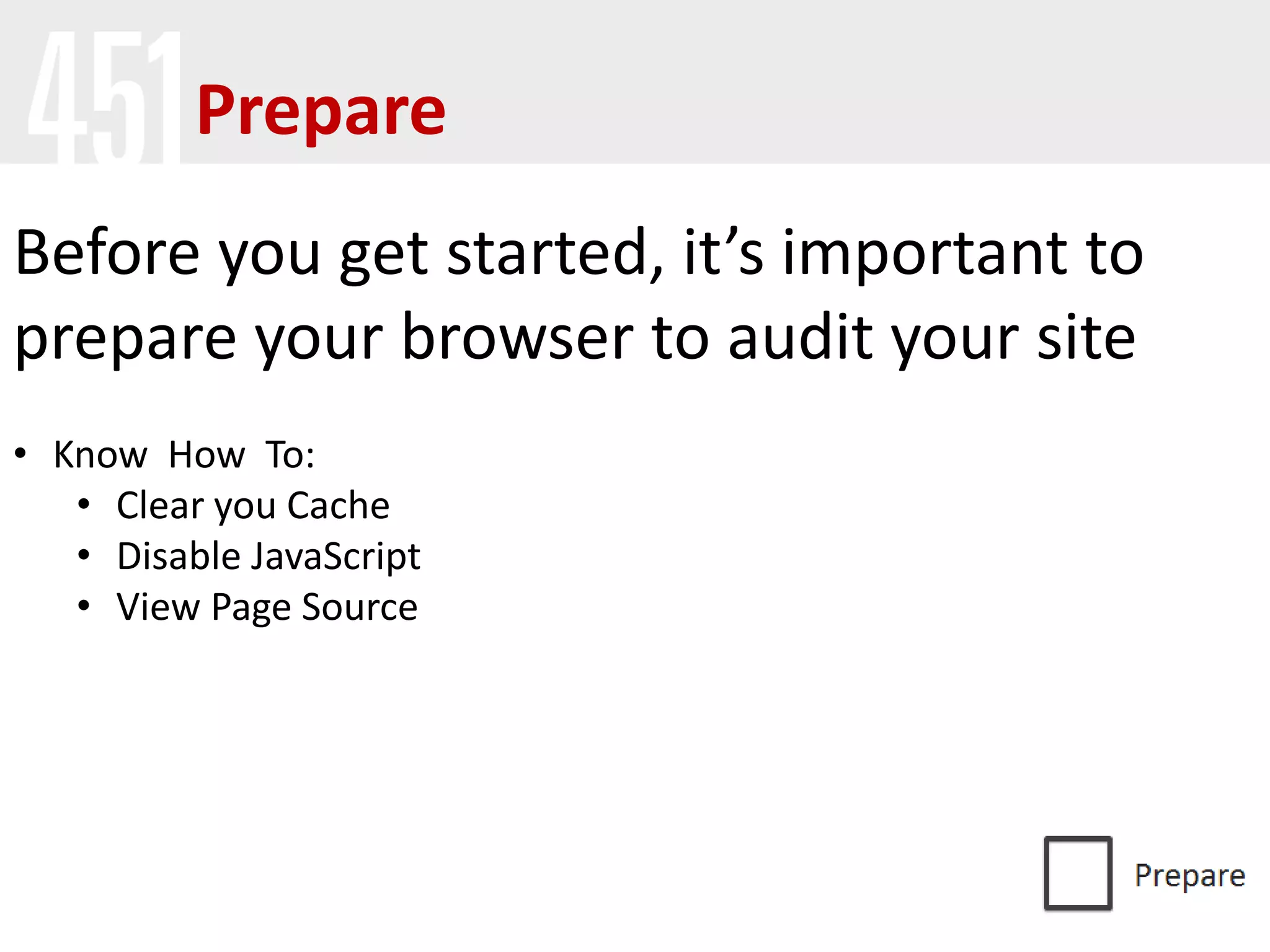
Prepare
Before you get started, it’s important to
prepare your browser to audit your site
• Know How To:
• Clear you Cache
• Disable JavaScript
• View Page Source
Prepare
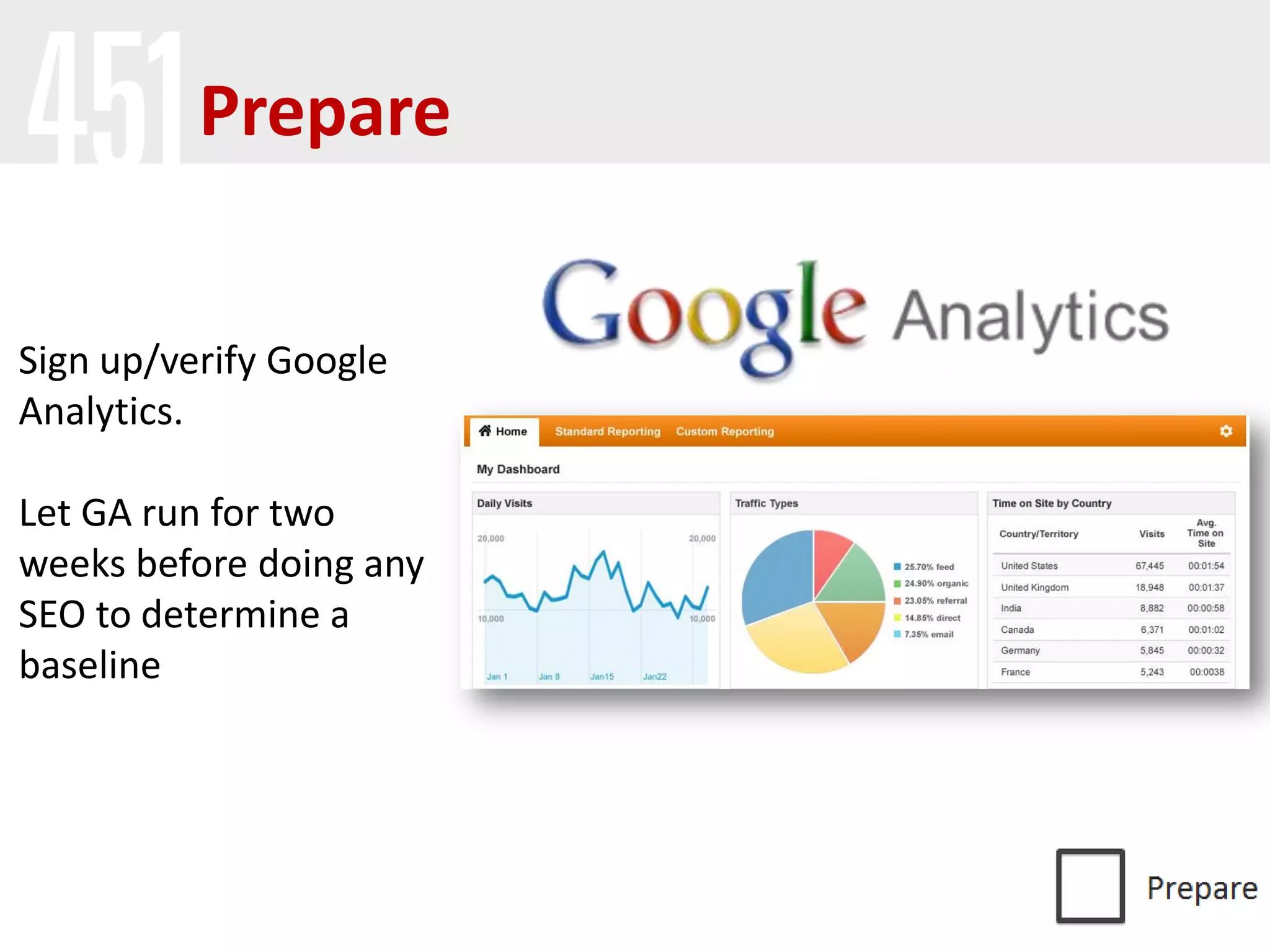
Sign up/verify Google
Analytics.
Let GA run for two
weeks before doing any
SEO to determine a
baseline
Visual
First Impressions
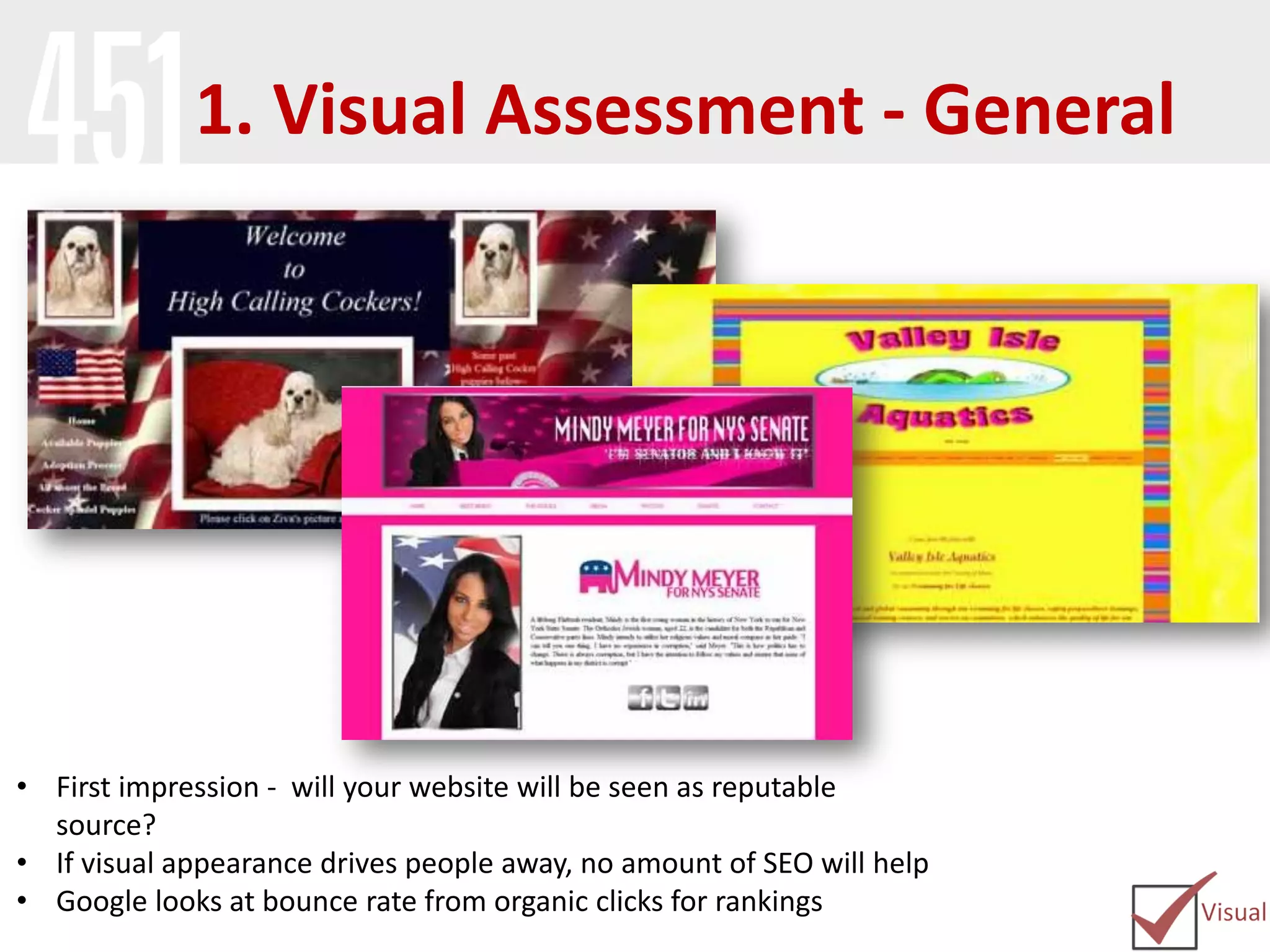
1. Visual Assessment - General
• First impression - will your website will be seen as reputable
source?
• If visual appearance drives people away, no amount of SEO will help
• Google looks at bounce rate from organic clicks for rankings
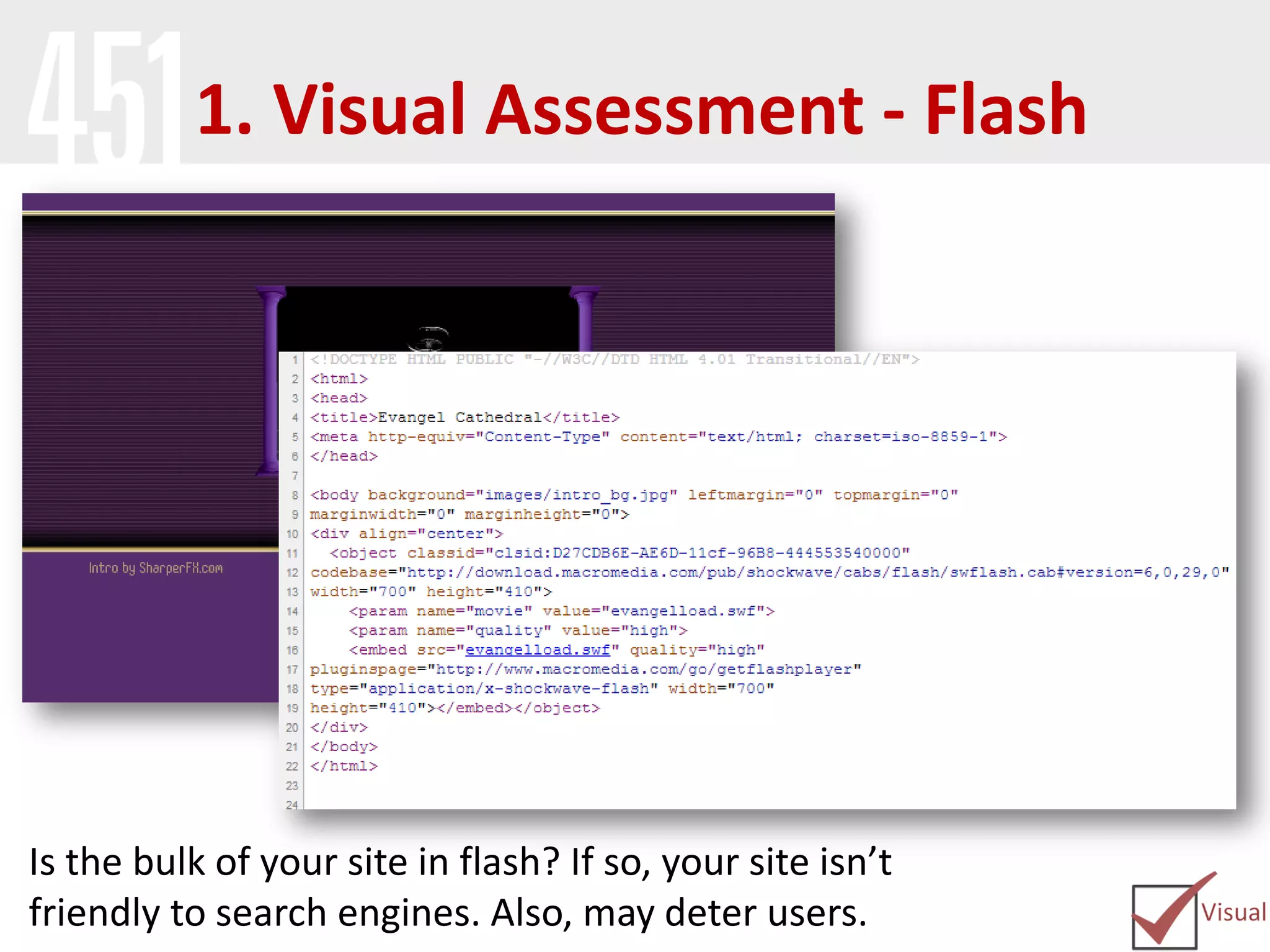
1. Visual Assessment - Flash
Is the bulk of your site in flash? If so, your site isn’t
friendly to search engines. Also, may deter users.
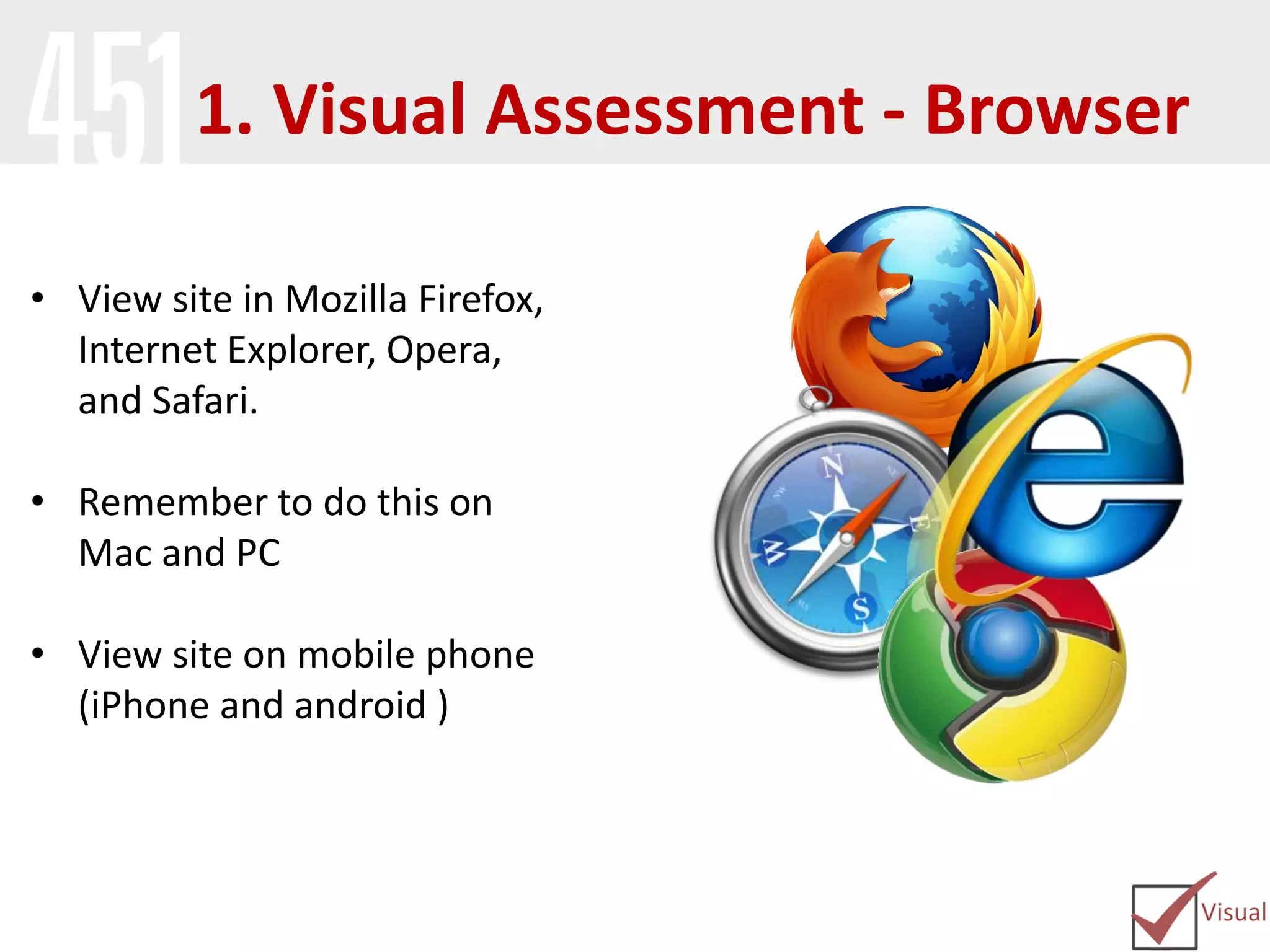
• View site in Mozilla Firefox,
Internet Explorer, Opera,
and Safari.
• Remember to do this on
Mac and PC
• View site on mobile phone
(iPhone and android )
1. Visual Assessment - Browser
Usability
Removing Roadblocks
2. Site Navigation/Information
Architecture
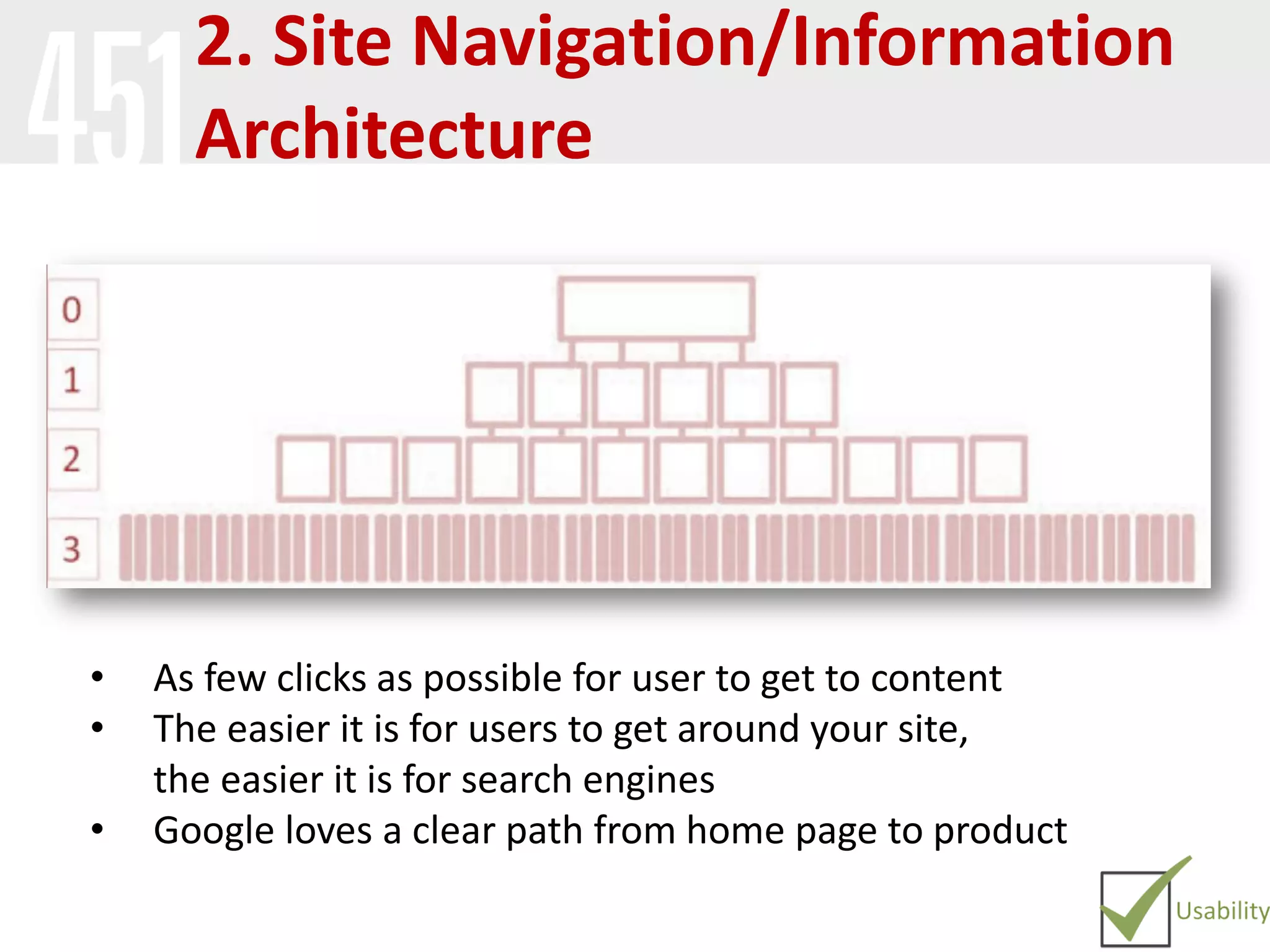
• As few clicks as possible for user to get to content
• The easier it is for users to get around your site,
the easier it is for search engines
• Google loves a clear path from home page to product
2. Category/Subcategory Pages
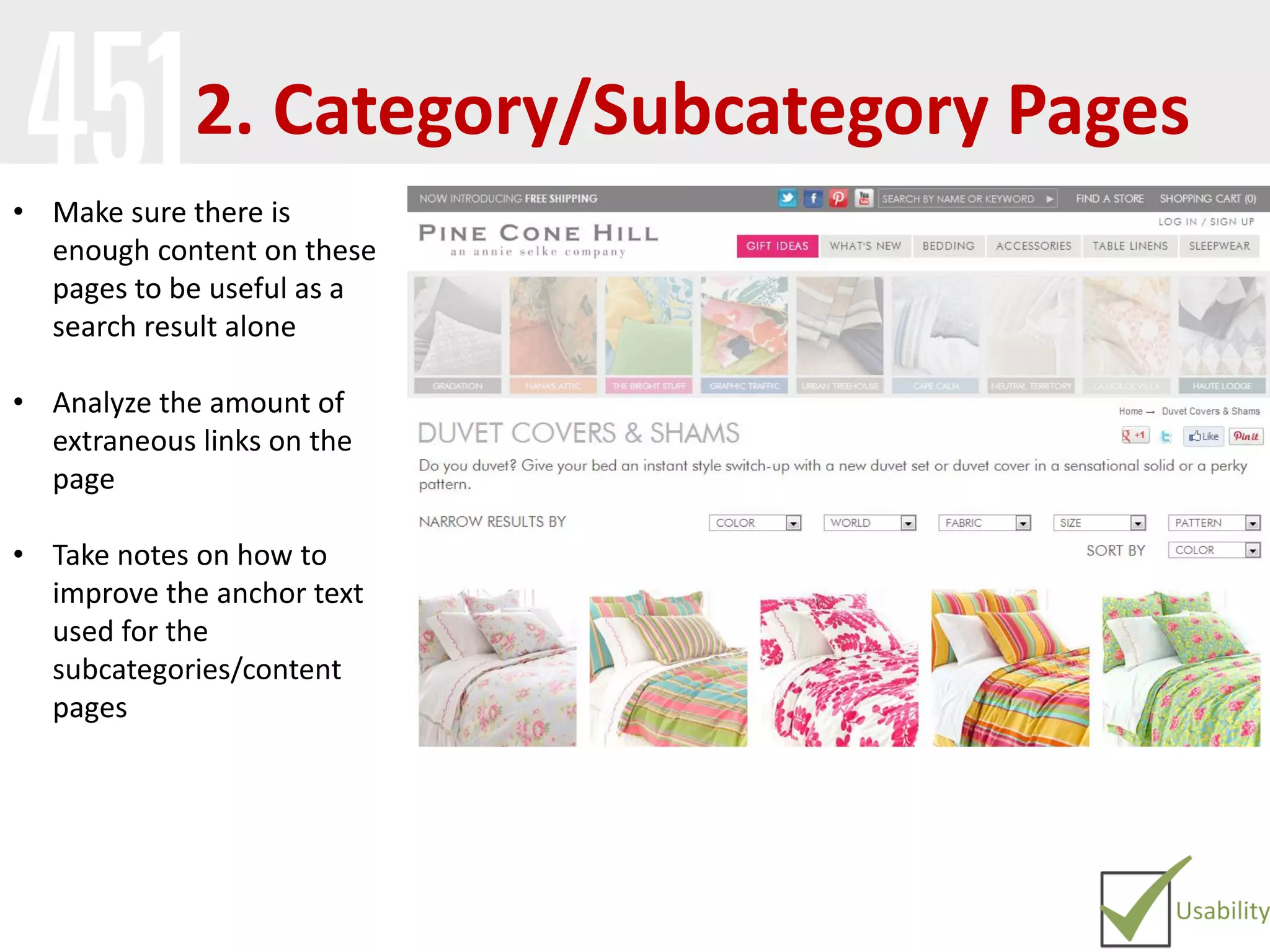
• Make sure there is
enough content on these
pages to be useful as a
search result alone
• Analyze the amount of
extraneous links on the
page
• Take notes on how to
improve the anchor text
used for the
subcategories/content
pages
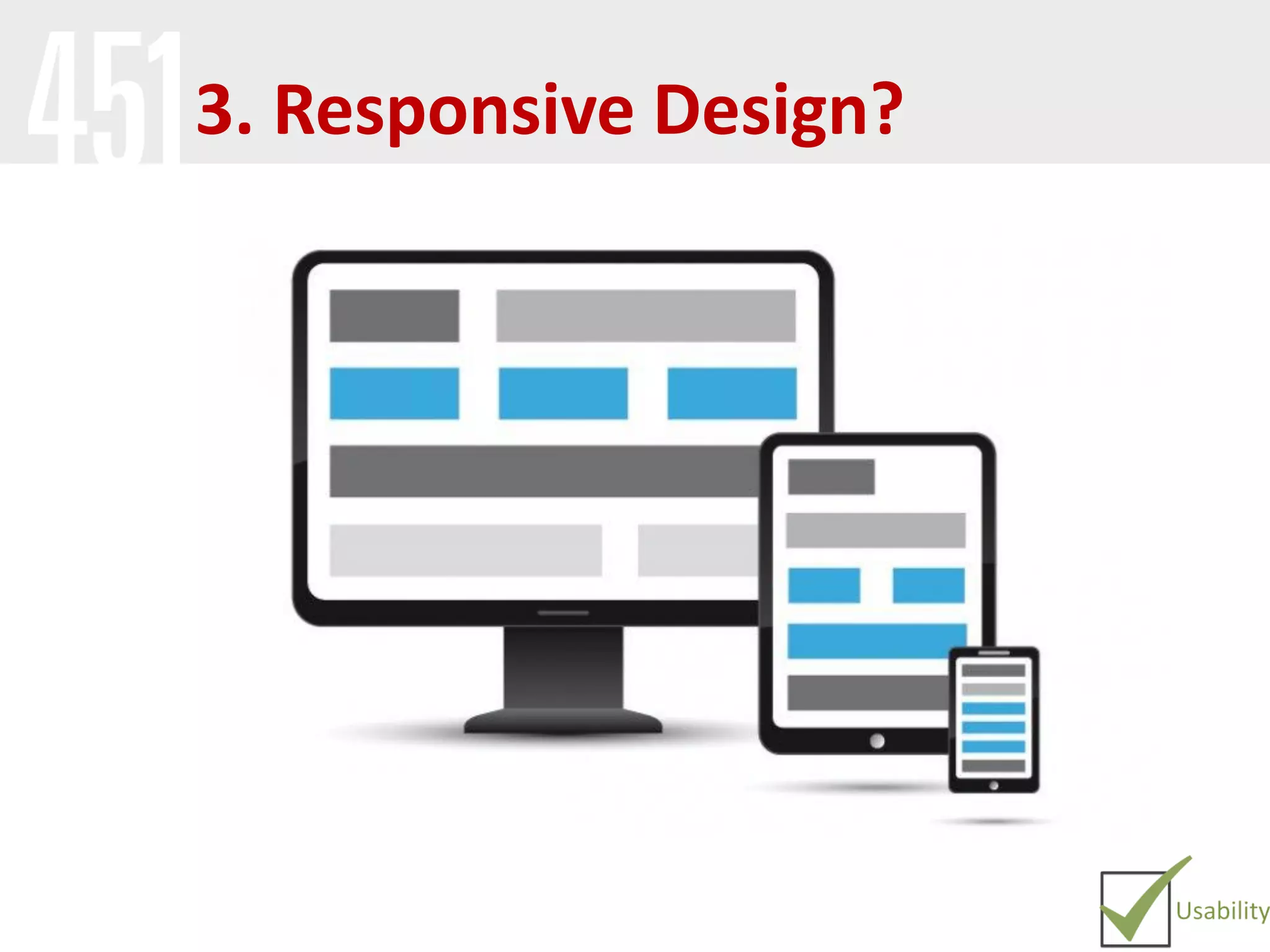
3. Responsive Design?
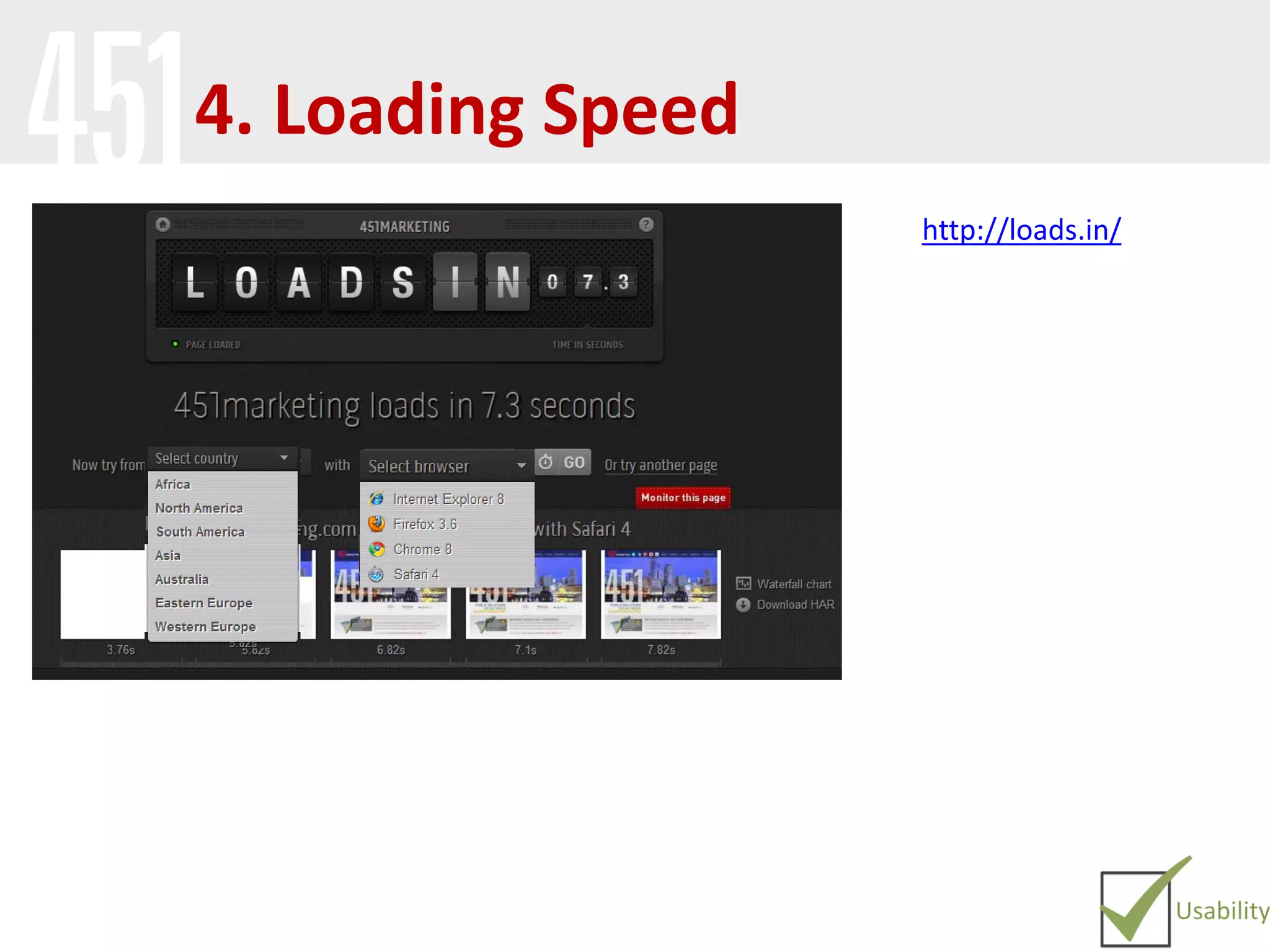
4. Loading Speed
http://loads.in/
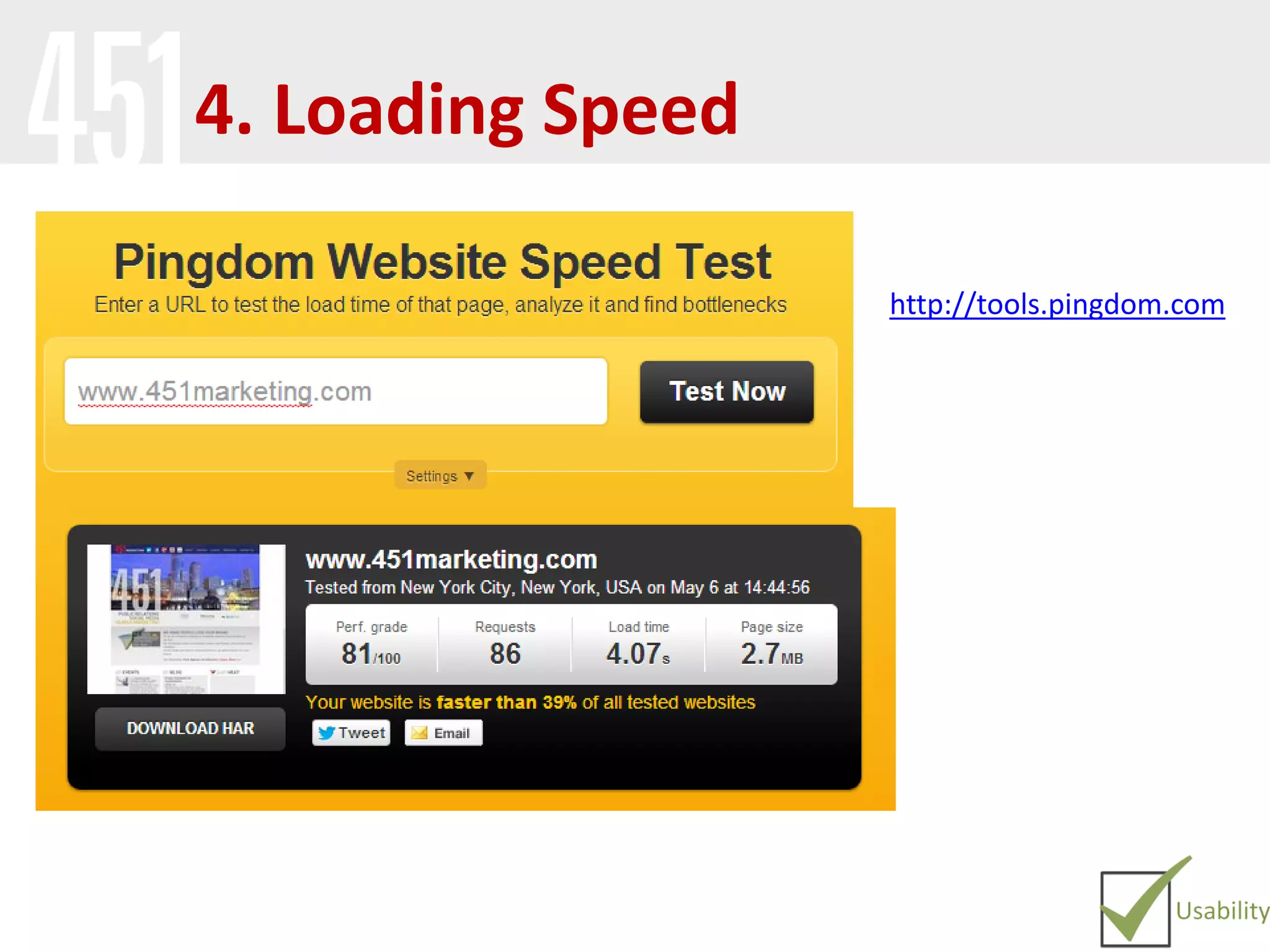
4. Loading Speed
http://tools.pingdom.com
Content
Relevant Content
and Context
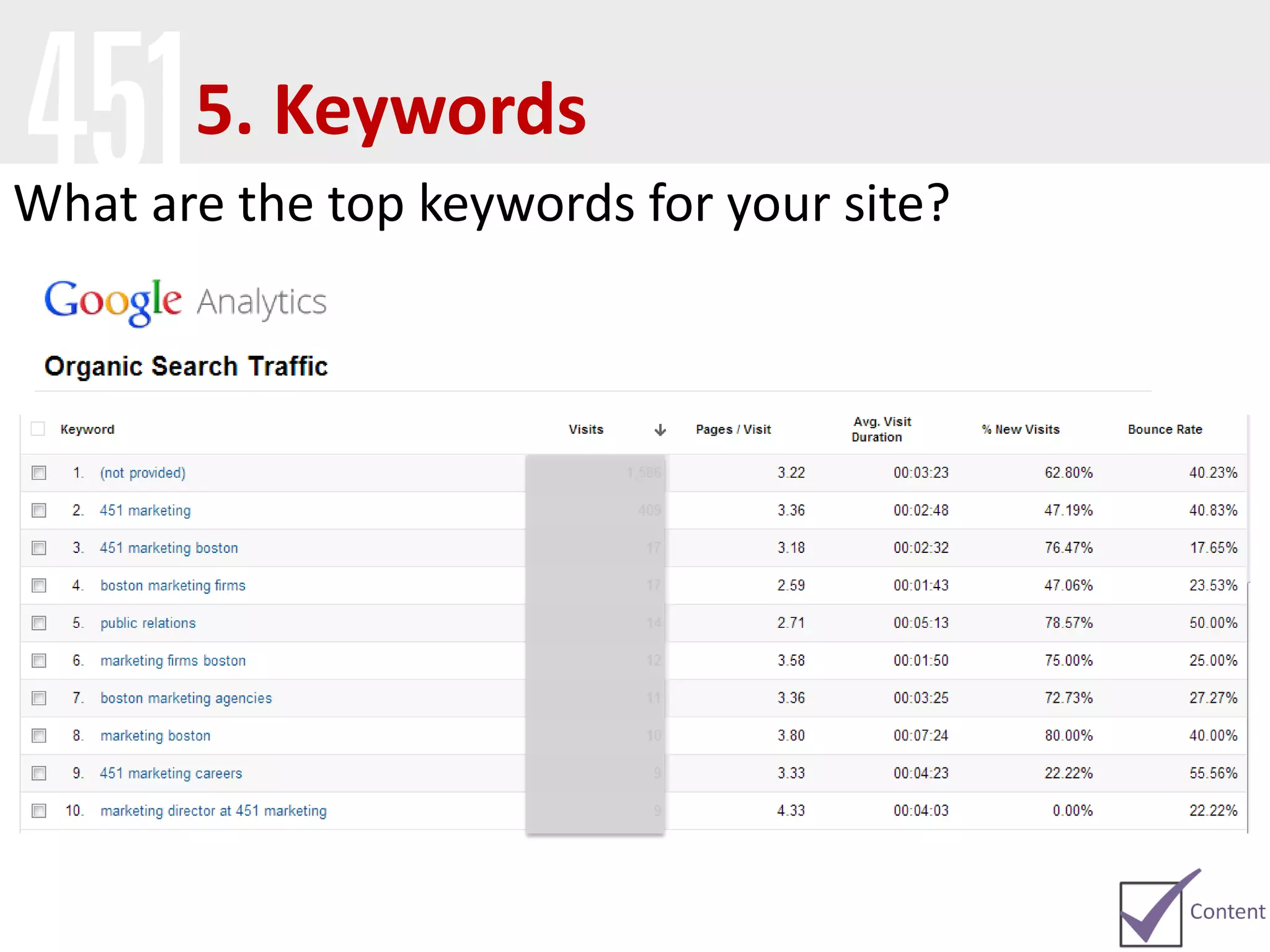
5. Keywords
What are the top keywords for your site?
5. Keywords
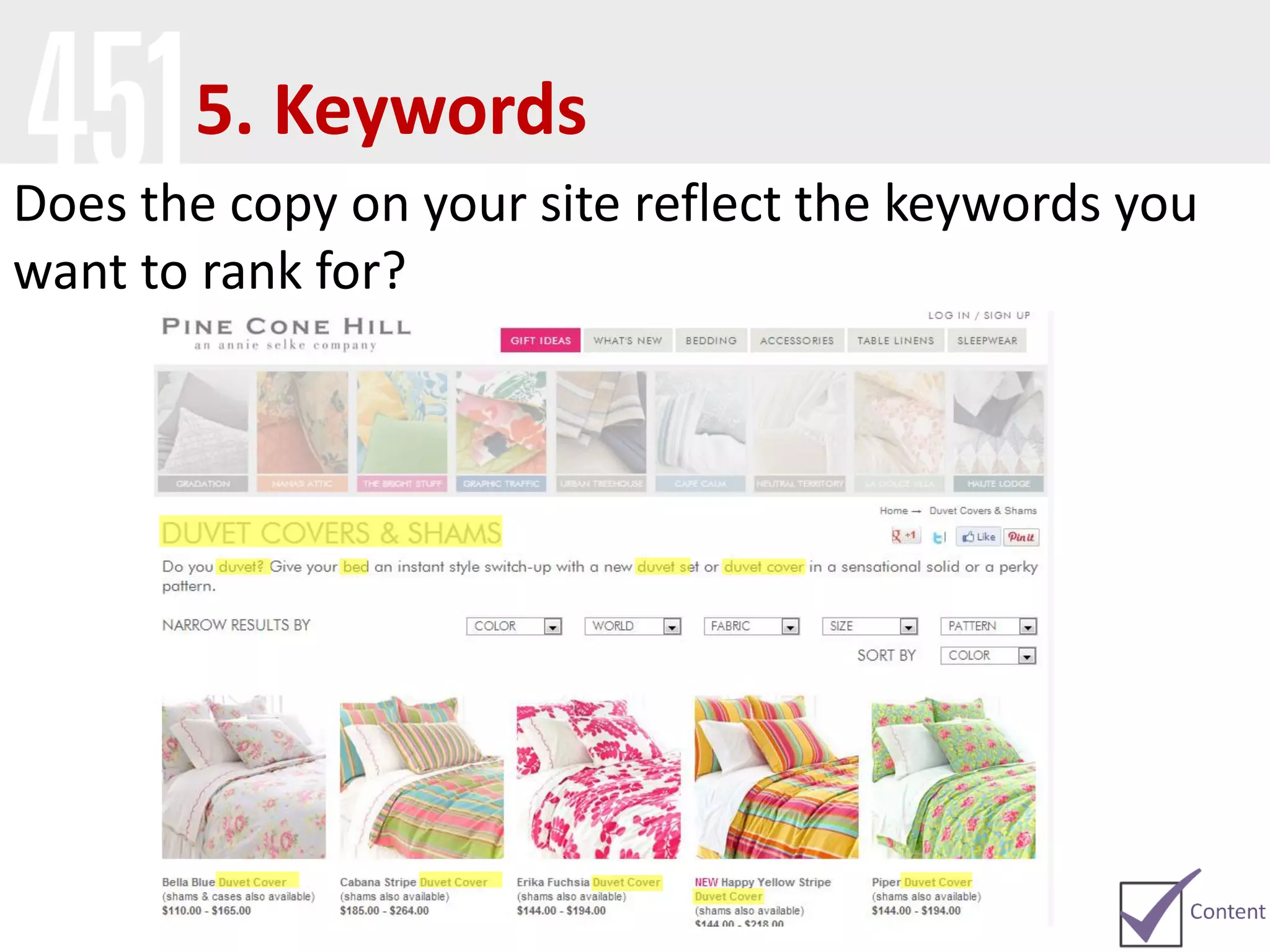
Does the copy on your site reflect the keywords you
want to rank for?
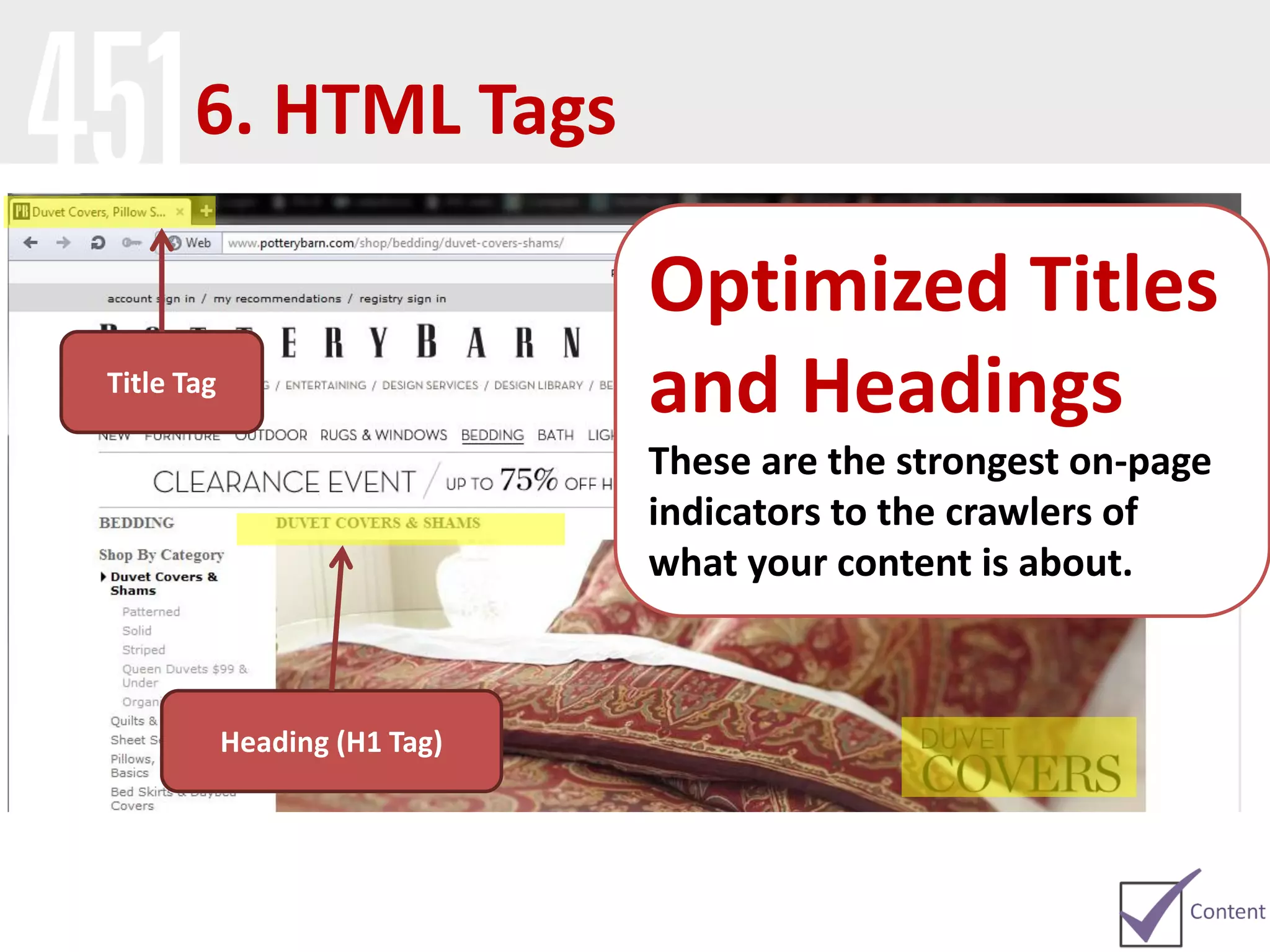
Optimized Titles
and Headings
These are the strongest on-page
indicators to the crawlers of
what your content is about.
Title Tag
Heading (H1 Tag)
6. HTML Tags
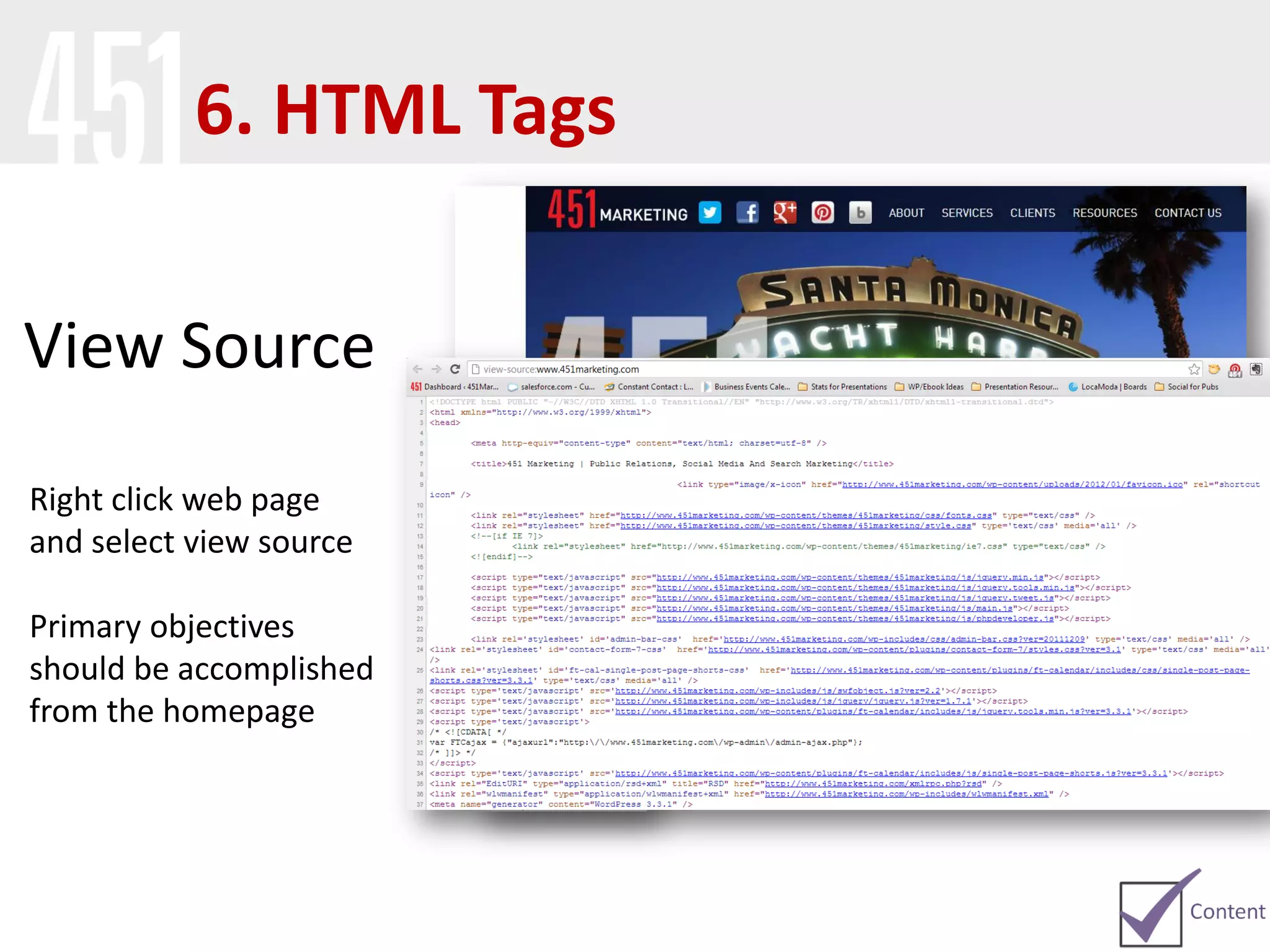
View Source
Right click web page
and select view source
Primary objectives
should be accomplished
from the homepage
6. HTML Tags
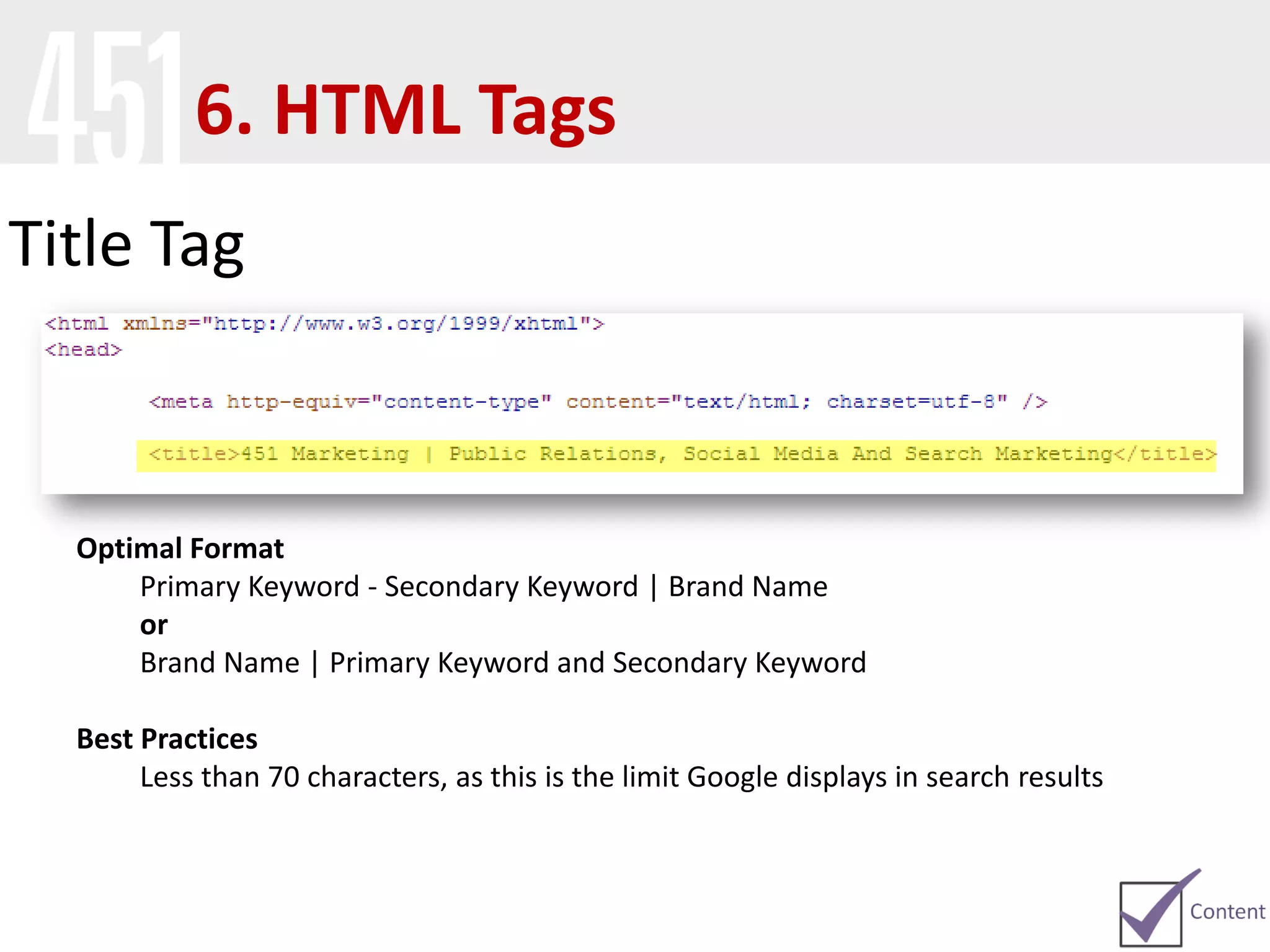
Title Tag
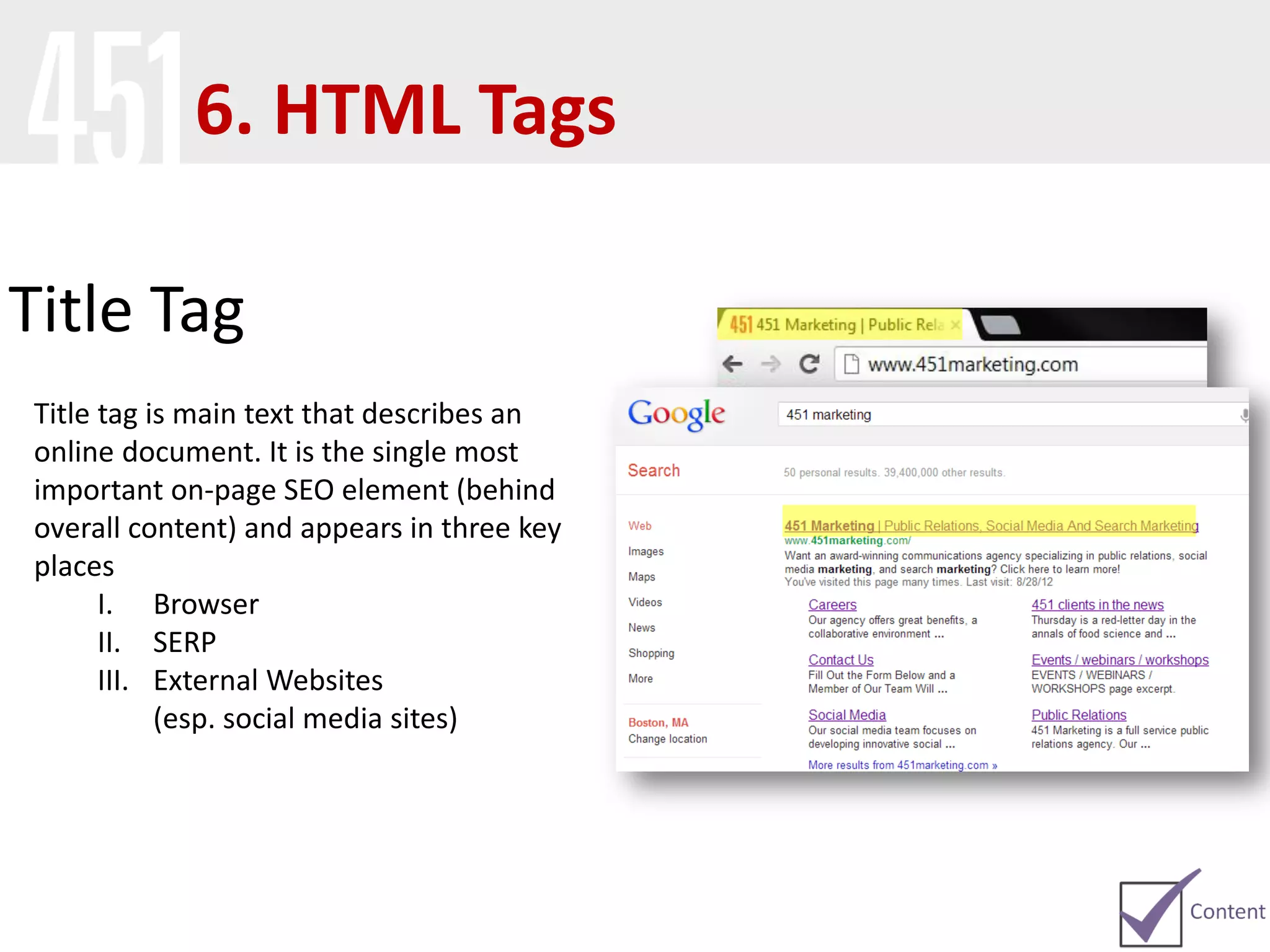
Title tag is main text that describes an
online document. It is the single most
important on-page SEO element (behind
overall content) and appears in three key
places
I. Browser
II. SERP
III. External Websites
(esp. social media sites)
6. HTML Tags
Title Tag
Optimal Format
Primary Keyword - Secondary Keyword | Brand Name
or
Brand Name | Primary Keyword and Secondary Keyword
Best Practices
Less than 70 characters, as this is the limit Google displays in search results
6. HTML Tags
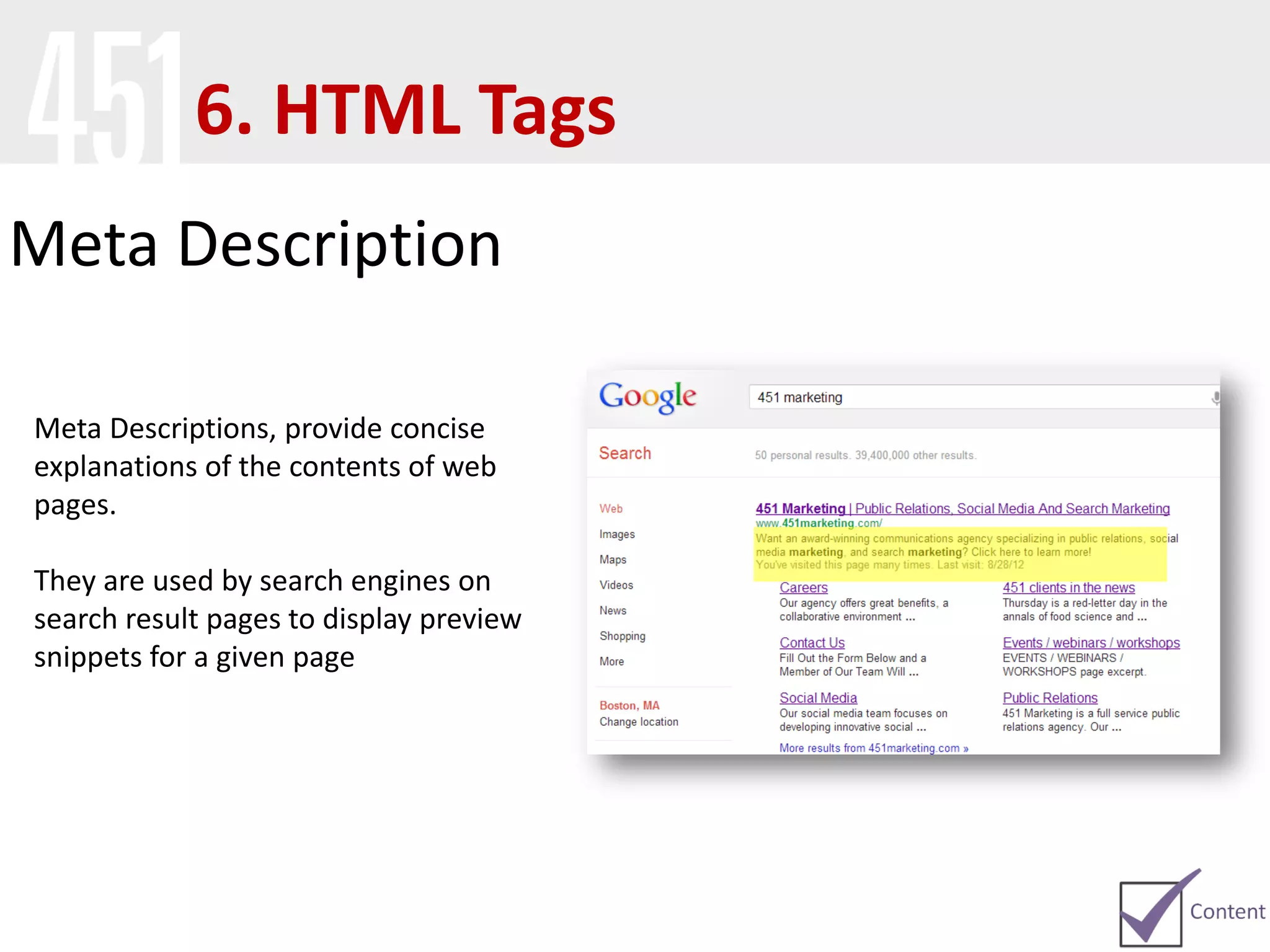
Meta Description
Meta Descriptions, provide concise
explanations of the contents of web
pages.
They are used by search engines on
search result pages to display preview
snippets for a given page
6. HTML Tags
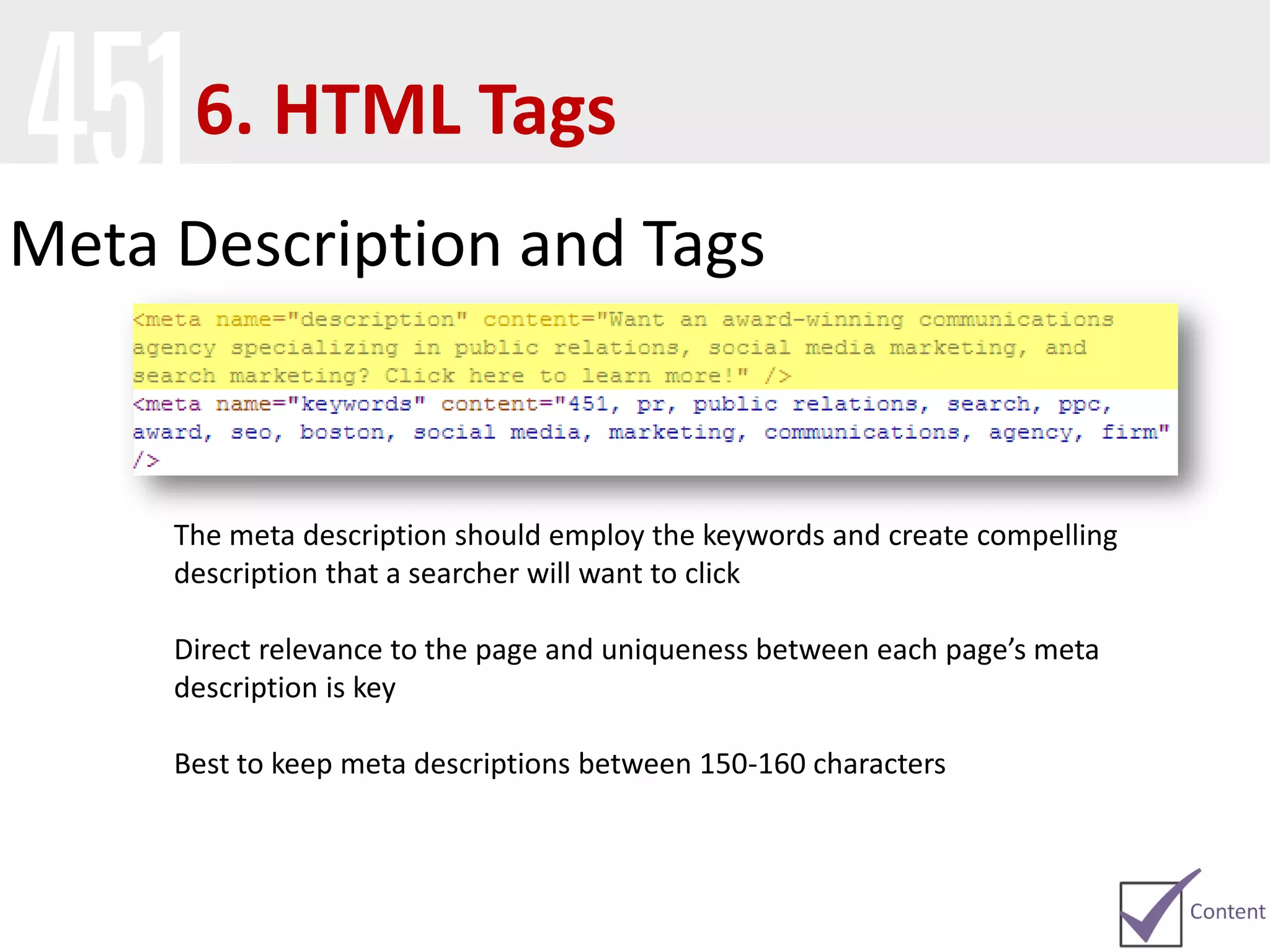
Meta Description and Tags
The meta description should employ the keywords and create compelling
description that a searcher will want to click
Direct relevance to the page and uniqueness between each page’s meta
description is key
Best to keep meta descriptions between 150-160 characters
6. HTML Tags
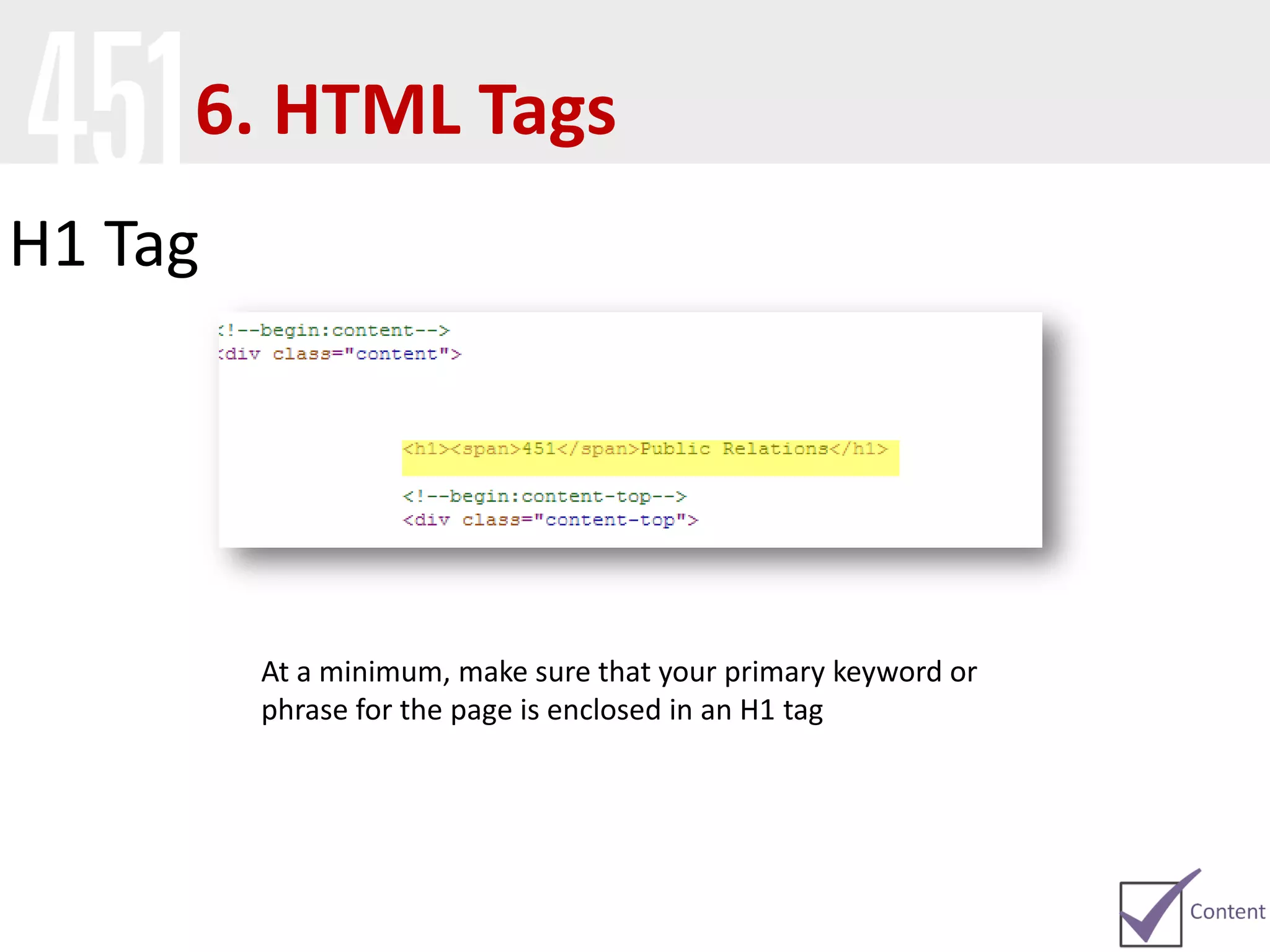
H1 Tag
At a minimum, make sure that your primary keyword or
phrase for the page is enclosed in an H1 tag
6. HTML Tags
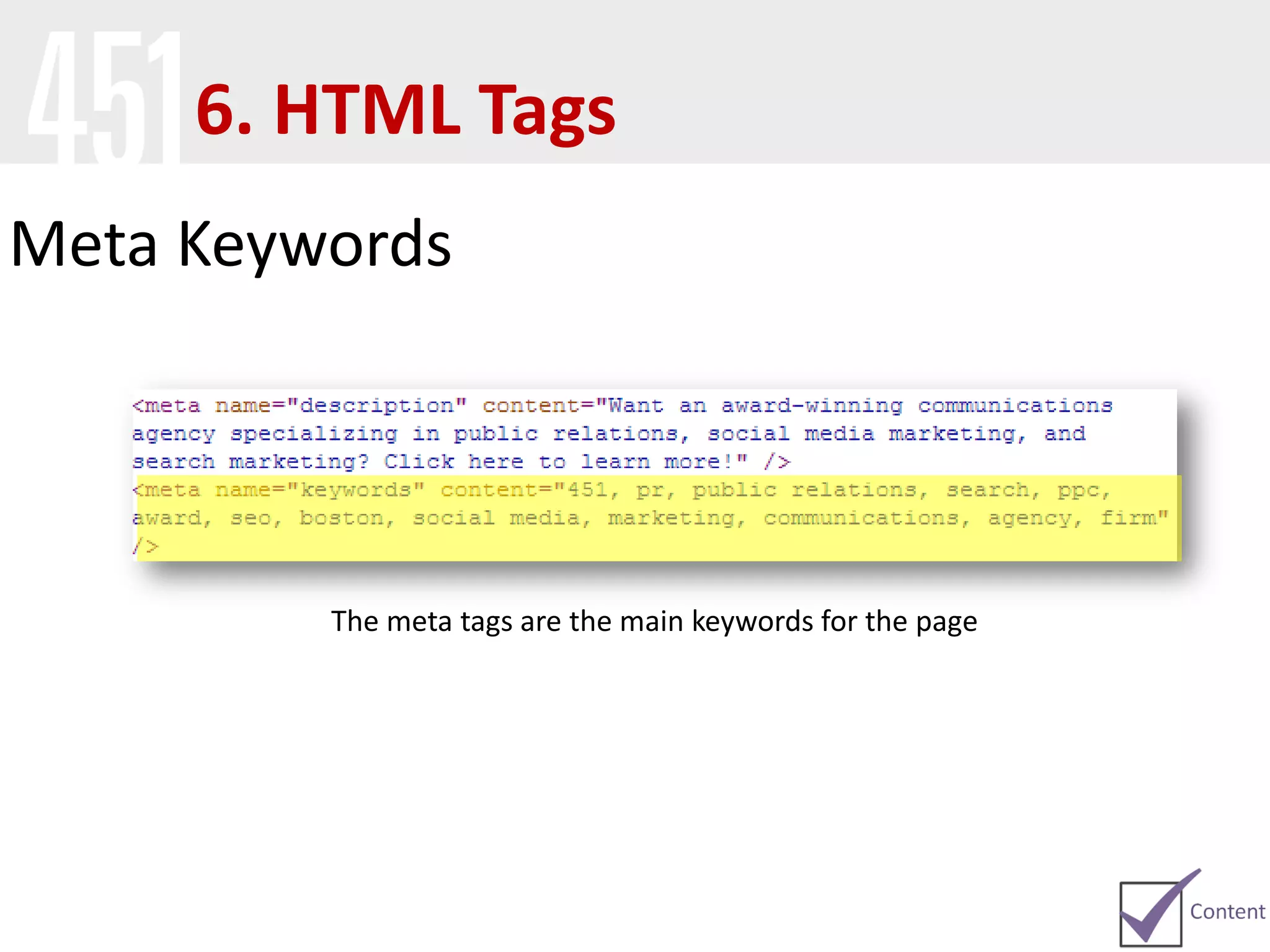
Meta Keywords
The meta tags are the main keywords for the page
6. HTML Tags
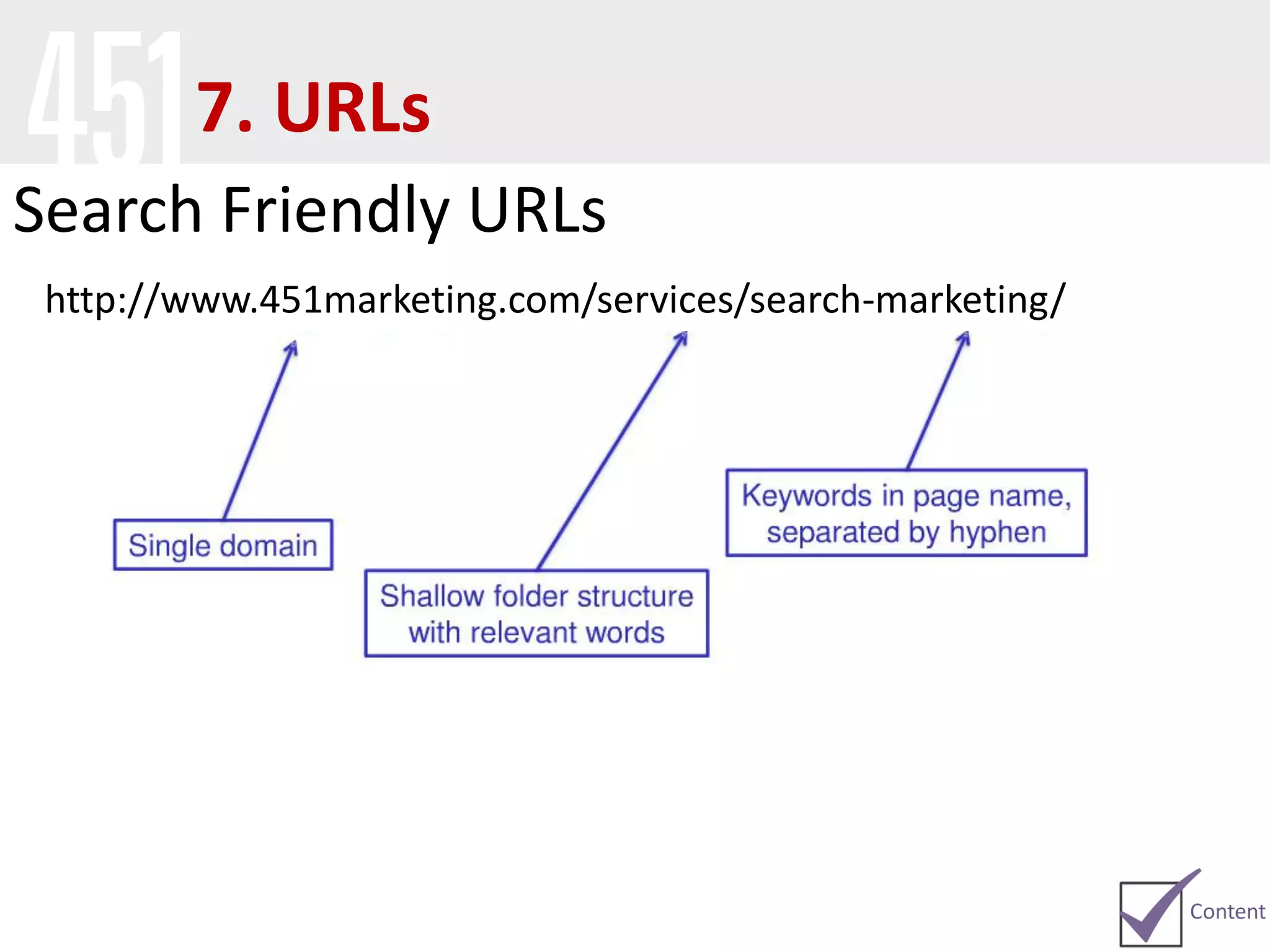
Search Friendly URLs
http://www.451marketing.com/services/search-marketing/
7. URLs
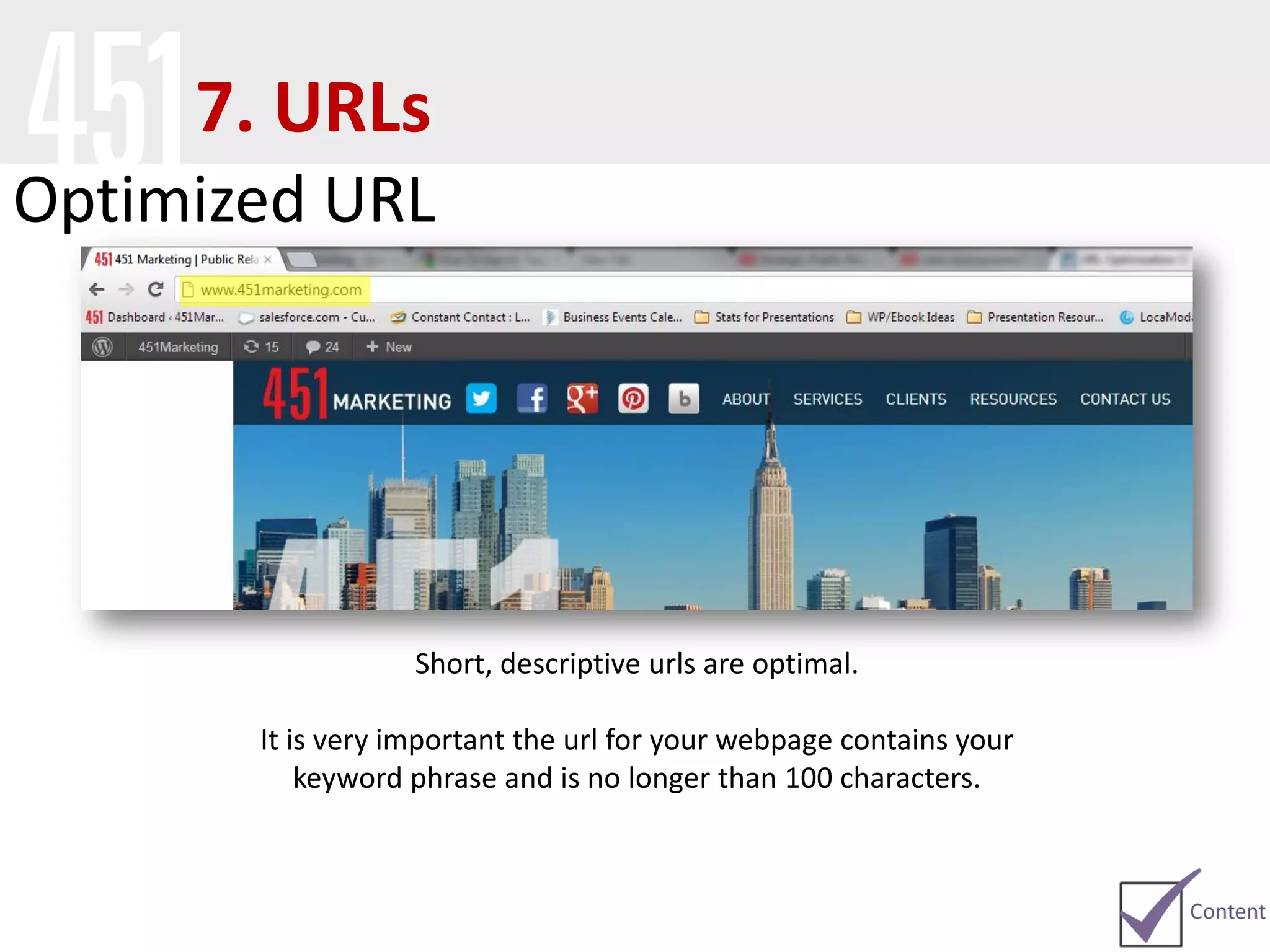
Optimized URL
Short, descriptive urls are optimal.
It is very important the url for your webpage contains your
keyword phrase and is no longer than 100 characters.
7. URLs
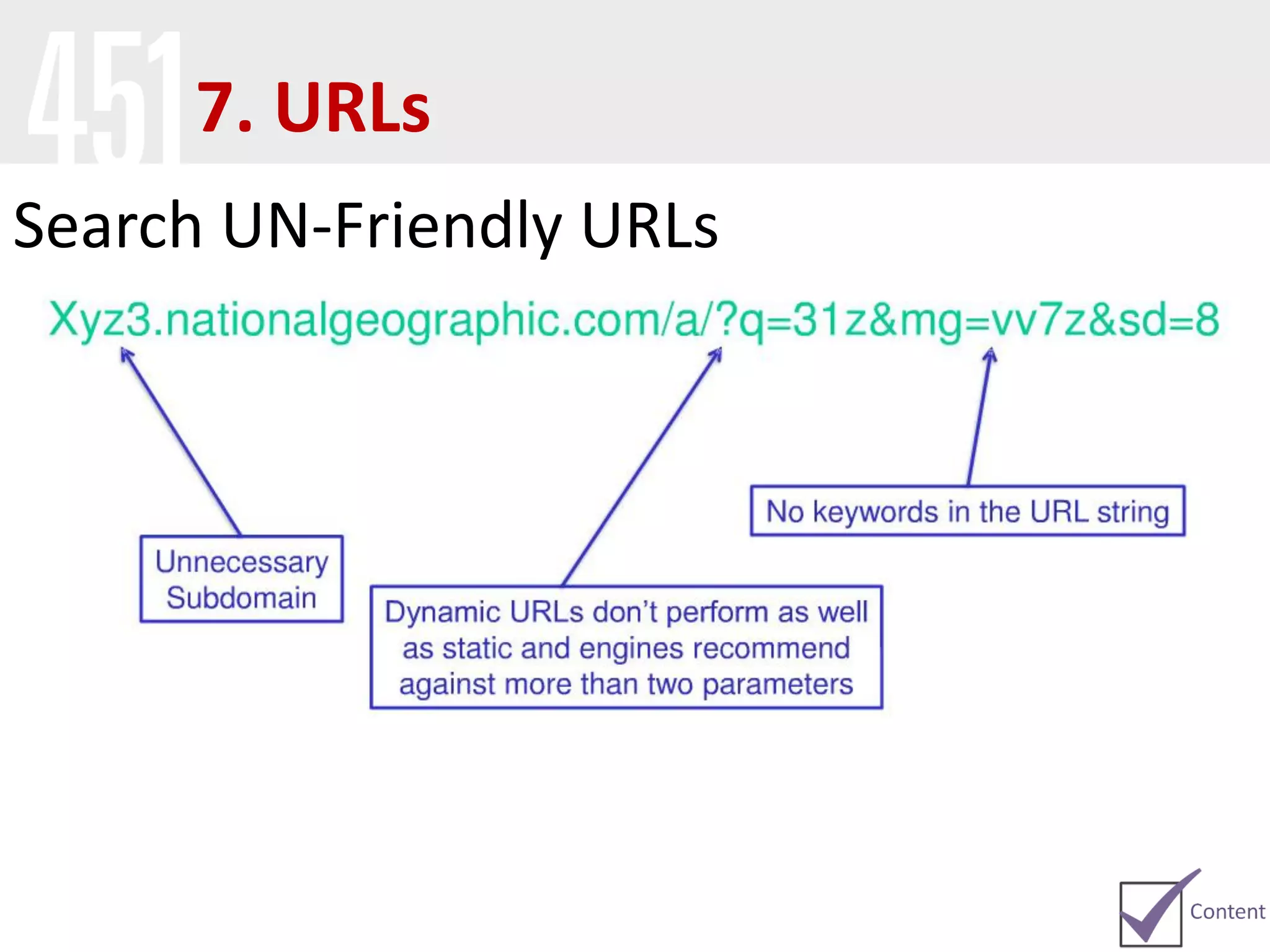
Search UN-Friendly URLs
7. URLs
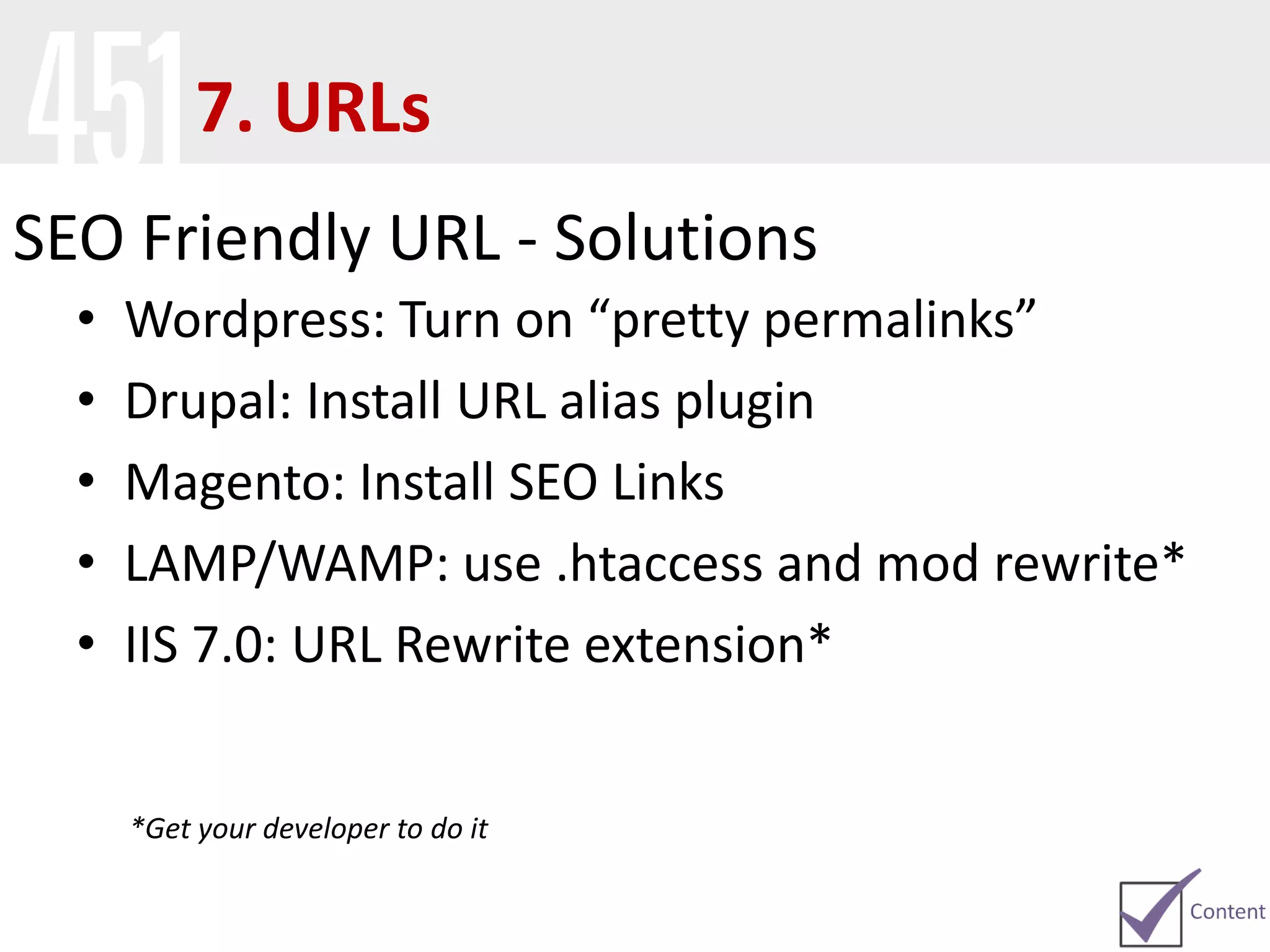
SEO Friendly URL - Solutions
• Wordpress: Turn on “pretty permalinks”
• Drupal: Install URL alias plugin
• Magento: Install SEO Links
• LAMP/WAMP: use .htaccess and mod rewrite*
• IIS 7.0: URL Rewrite extension*
*Get your developer to do it
7. URLs
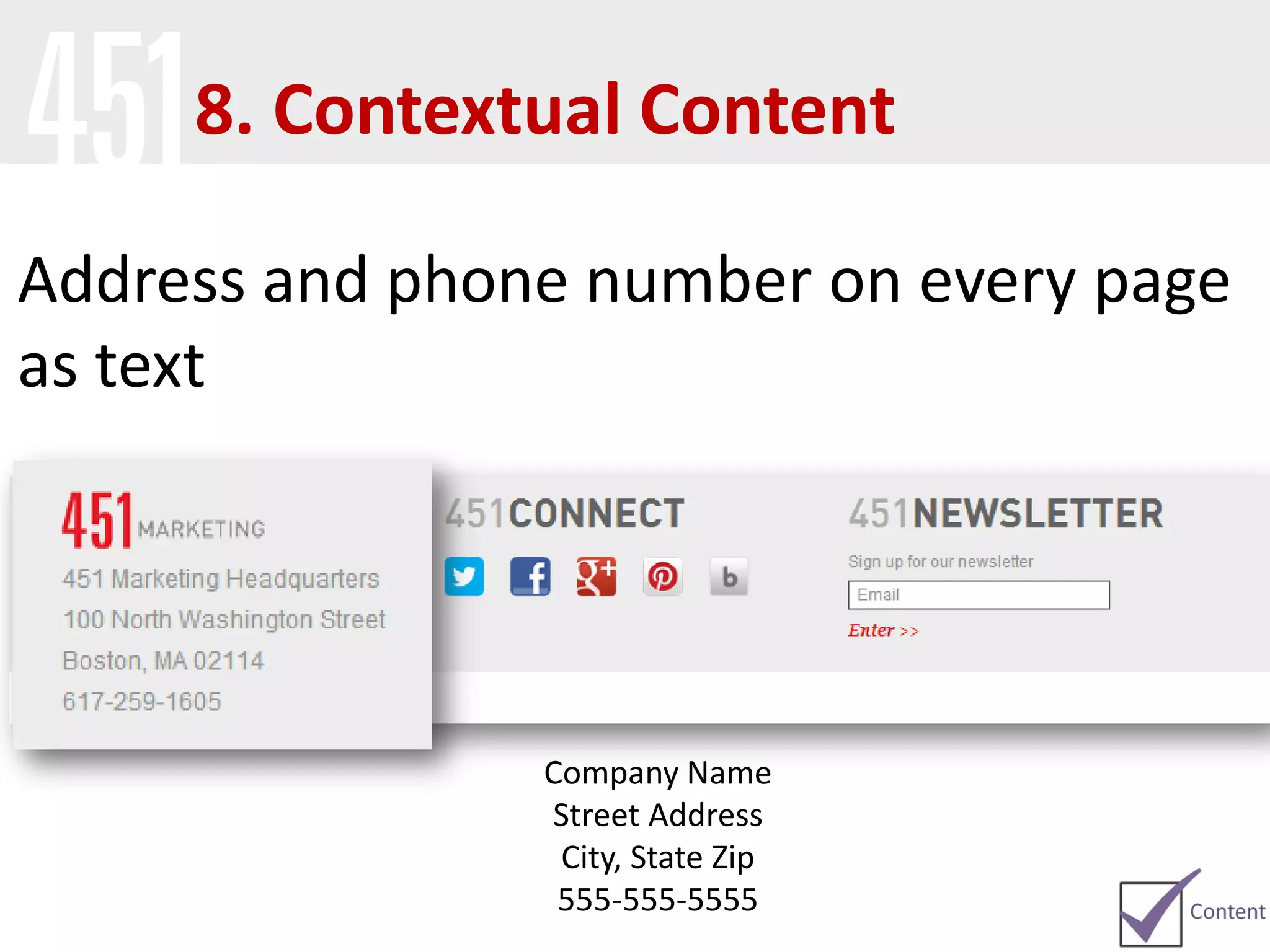
Address and phone number on every page
as text
Company Name
Street Address
City, State Zip
555-555-5555
8. Contextual Content
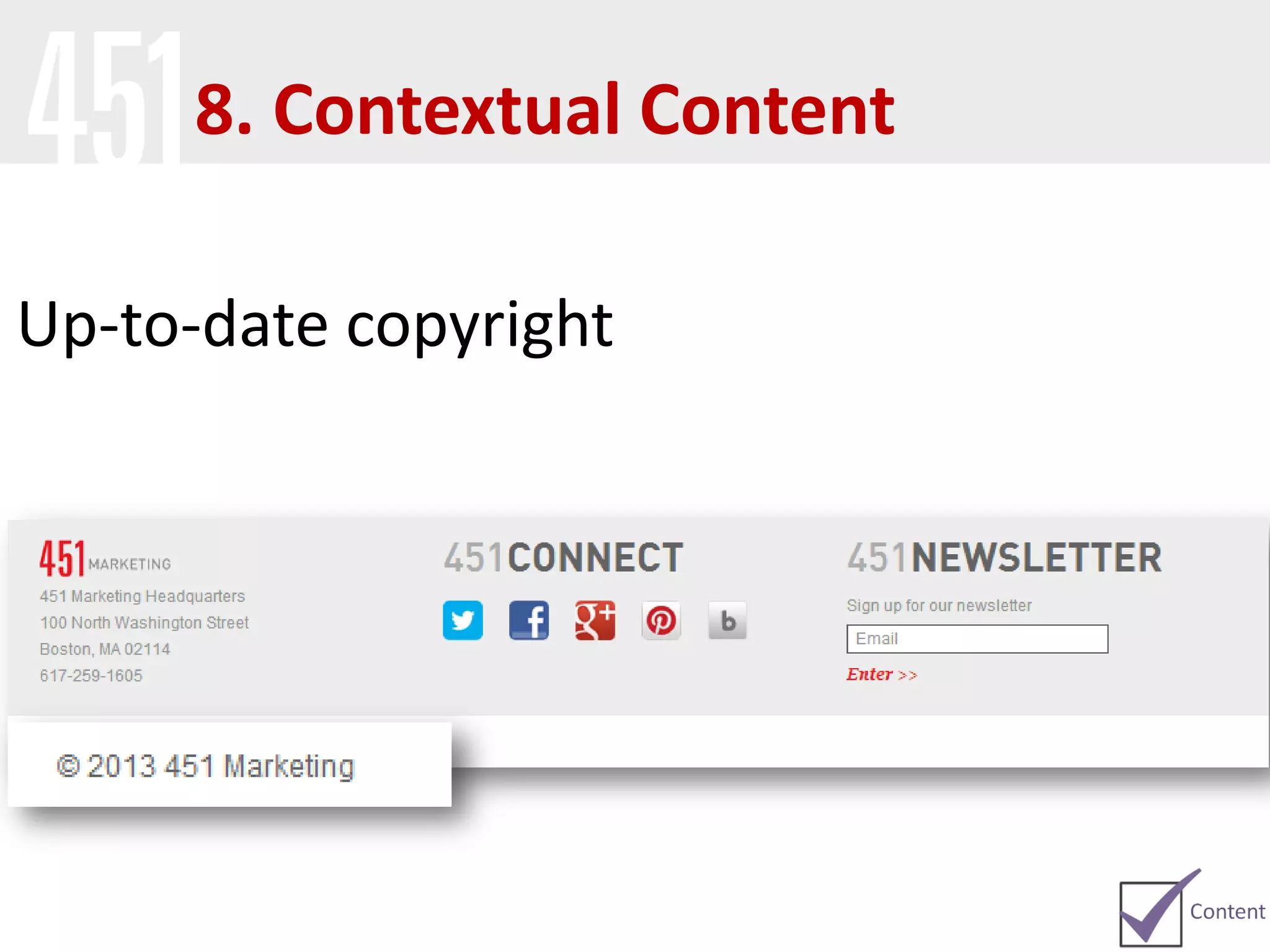
Up-to-date copyright
8. Contextual Content
Technical
Is Your Site
Technically Sound?
9. Indexing
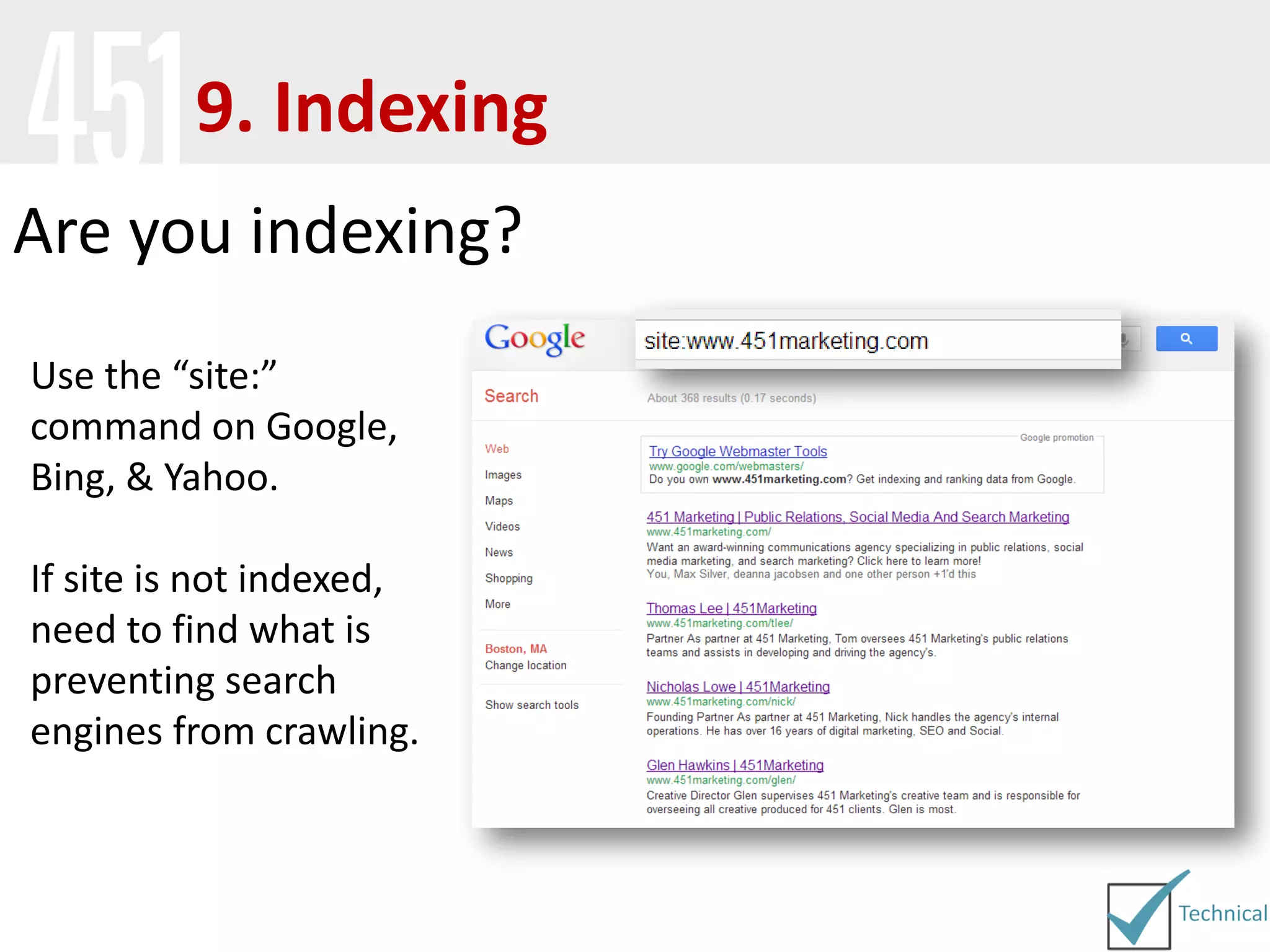
Use the “site:”
command on Google,
Bing, & Yahoo.
If site is not indexed,
need to find what is
preventing search
engines from crawling.
Are you indexing?
Robots.txt
What is Robots.txt?
The robots exclusion protocol (REP), or robots.txt is a text file webmasters create to
instruct robots (typically search engine robots) on how to crawl & index pages on their
website.
http://www.451marketing.com/robots.txt
9. Indexing
Robots.txt
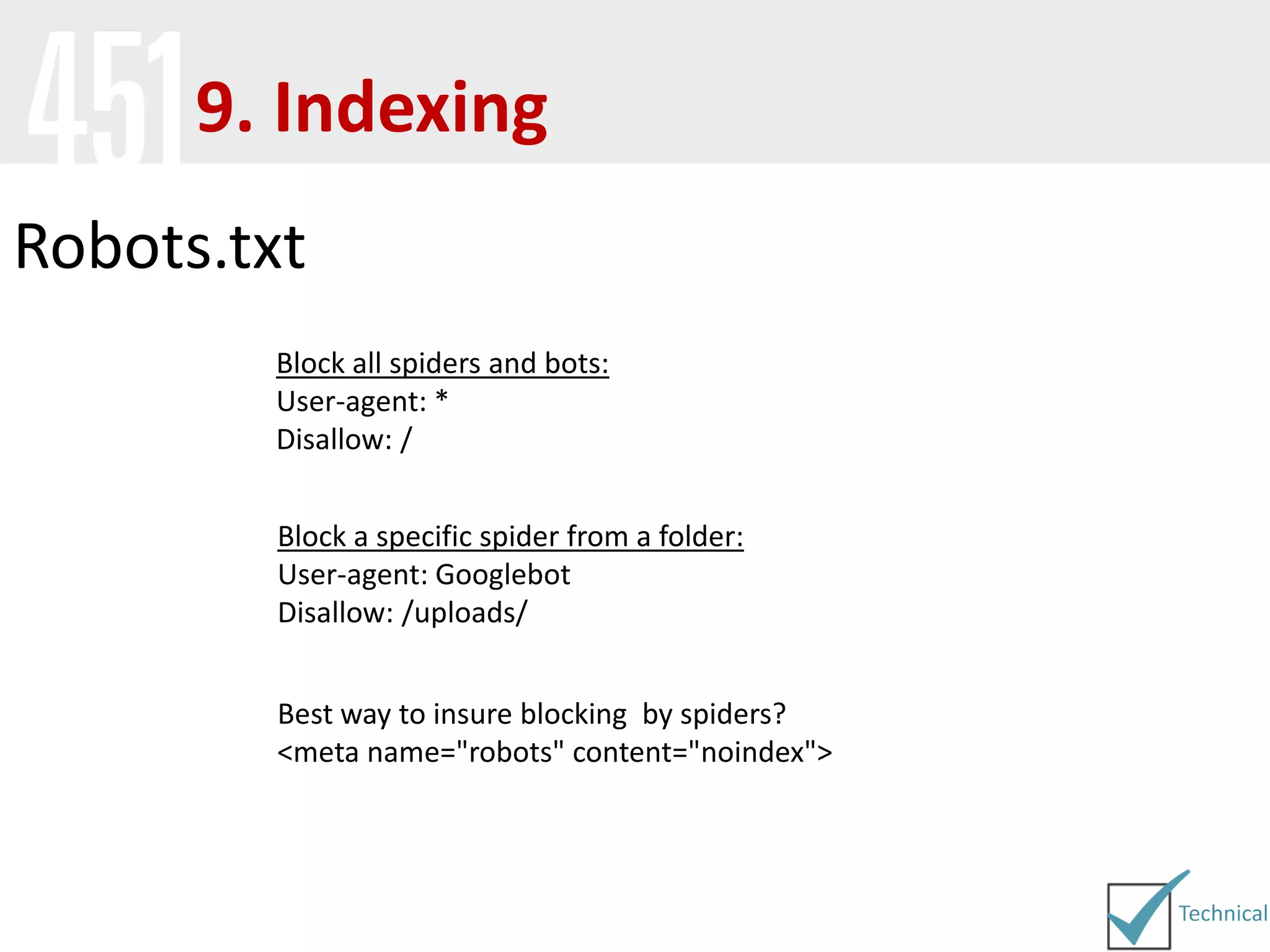
Best way to insure blocking by spiders?
<meta name="robots" content="noindex">
Block all spiders and bots:
User-agent: *
Disallow: /
Block a specific spider from a folder:
User-agent: Googlebot
Disallow: /uploads/
9. Indexing
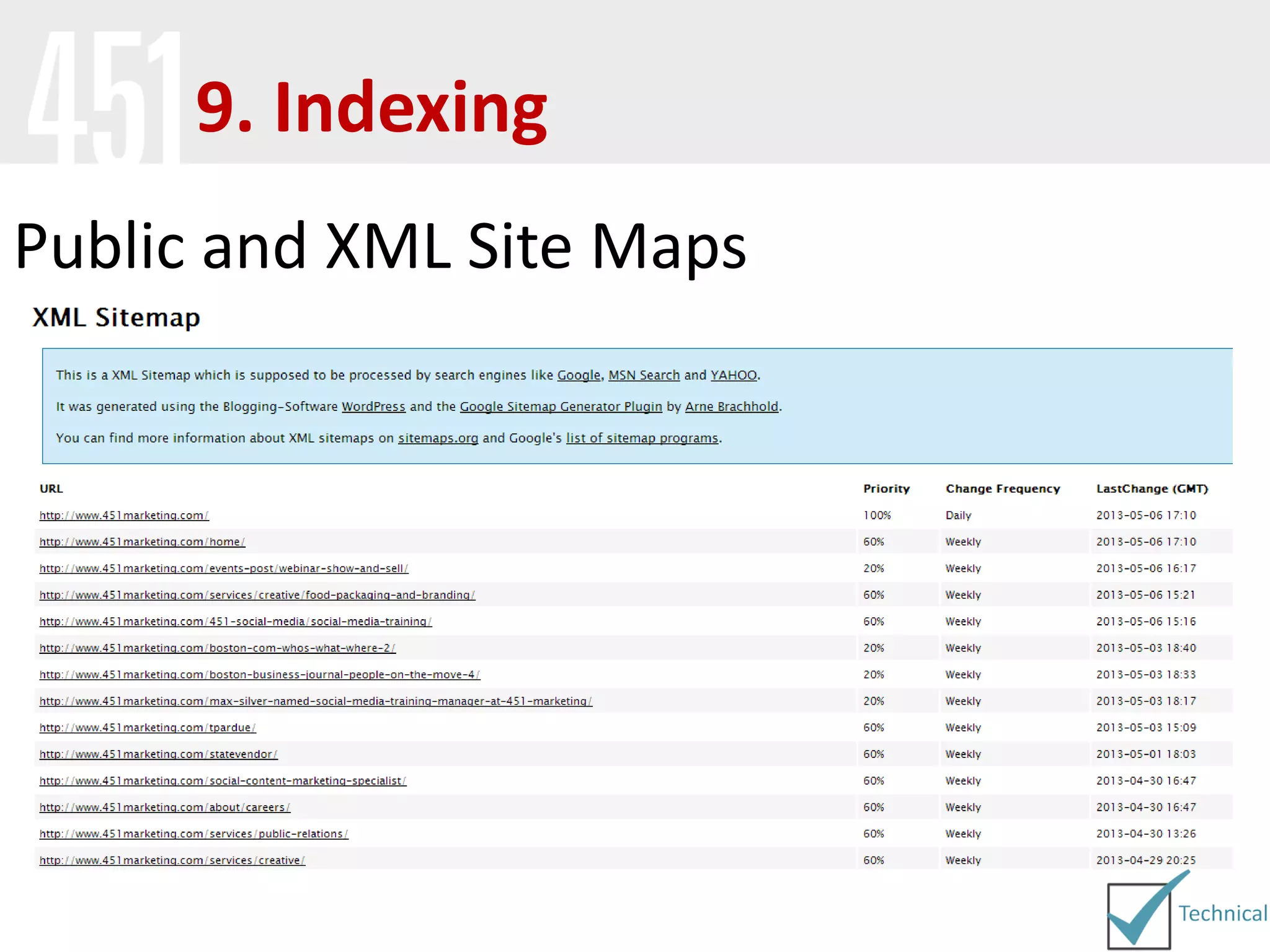
Public and XML Site Maps
9. Indexing
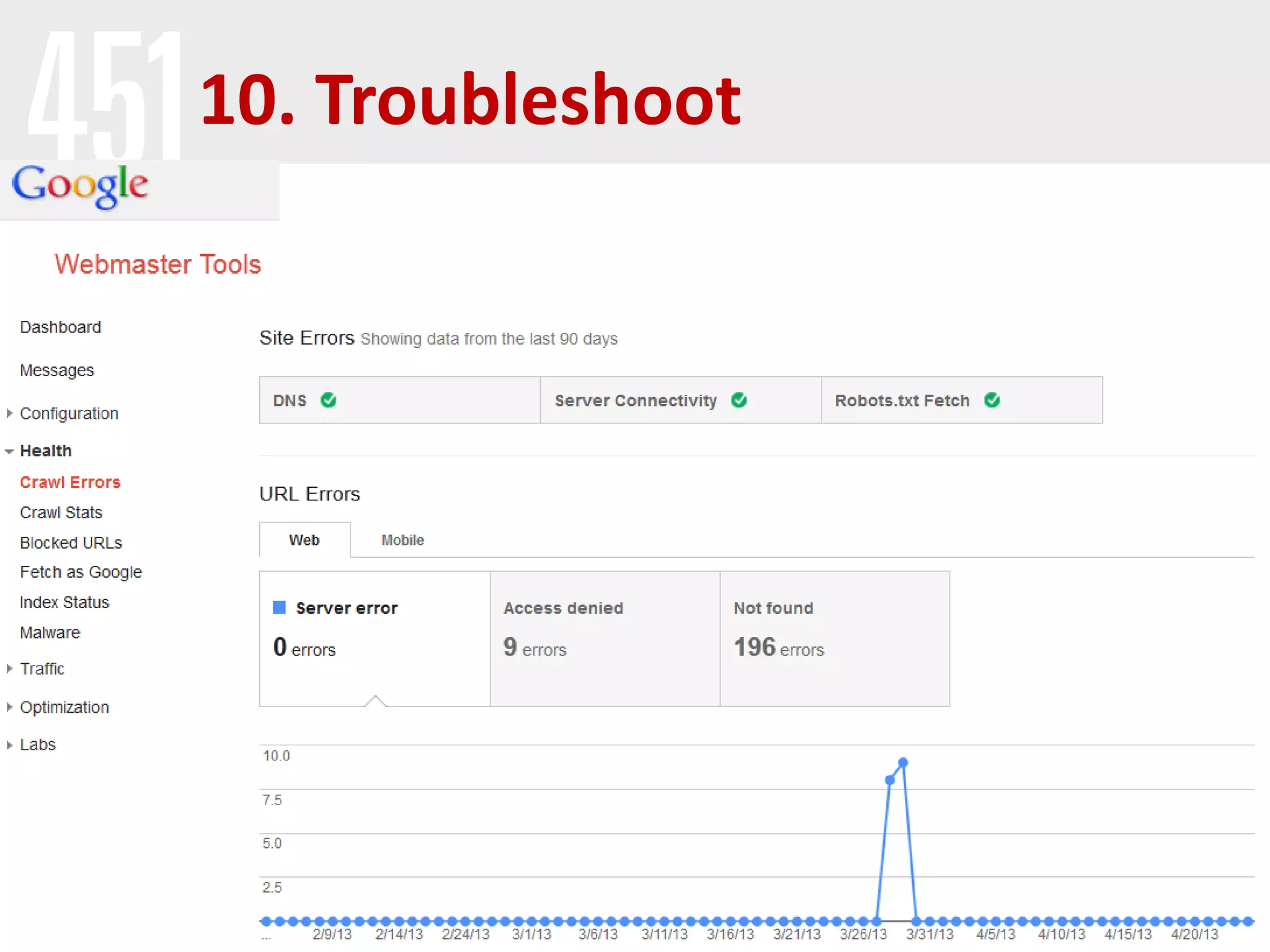
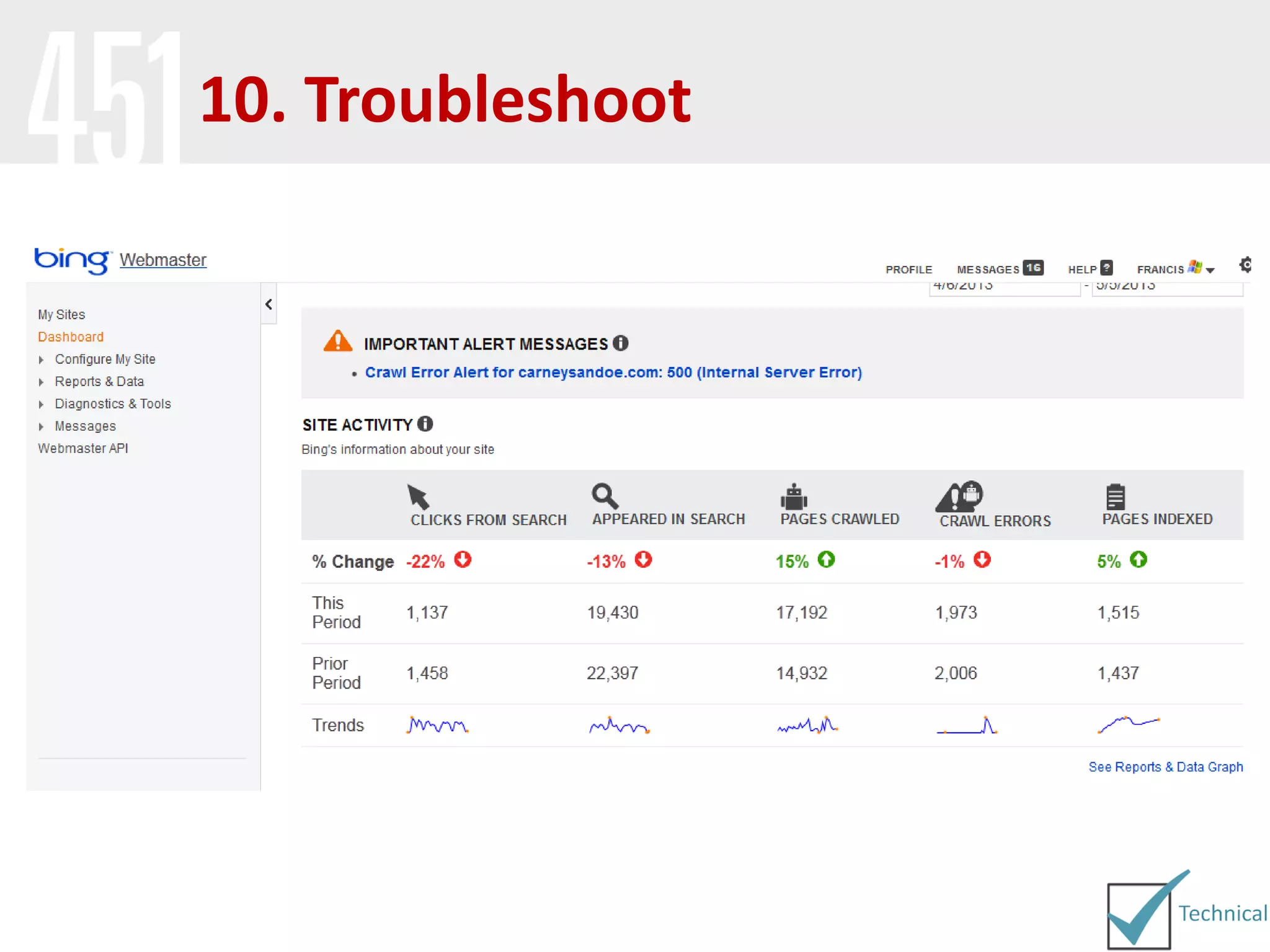
10. Troubleshoot
10. Troubleshoot
Visual Audit
Usability Audit
Content Audit
Technical Audit
1. Visual assessment and
browser compatibility
2. Site navigation
3. Responsive design
4. Loading speed
5. Keywords
6. HTML tags
7. URLs
8. Local content
9. Indexing
10. Webmaster tools and server
logs
Takeaways:
Questions?
The 10 Step SEO AuditThe 10 Step SEO Audit

10 Steps to SEO Success

  • 1.
    The 10 StepSEO Audit10 Steps to SEO Success
  • 2.
    Francis Skipper Executive VicePresident 617-259-1605 francis@451marketing.com linkedin.com/in/francisskipper @fskip www.451Marketing.com
  • 3.
    National Public Relations,Social Media, and Search Marketing Agency Founded in 2004 Headquartered in Boston and representing Los Angeles, New York, San Diego, and Las Vegas Recognized as a 2011, 2012, 2013 an award recognizing the fastest growing private companies headquartered in Massachusetts About 451 Marketing
  • 4.
  • 5.
    What is SEO? SEO(Search Engine Optimization) is the process of improving a website to make it more relevant to searchers and search engines. AKA: • Natural search • Organic search
  • 6.
    What SEO isNOT… • Paid Search (but it’s also not free) • Fast • Guaranteed • Fire & forget
  • 7.
  • 9.
    search is howcustomers learn about your products 4,717,000,000 Per Day Worldwide, 1,722,071,000,000 searches conducted on Google last year. (Yes, that’s trillion)
  • 10.
    (MarketShareHitsLink.com) of users neverscroll past the first page of search results
  • 11.
    of searches frommobile by end of 2013 (SMX West 2013)
  • 12.
    10 Steps toSEO Success Visual Audit Usability Audit Content Audit Technical Audit
  • 13.
    Prepare Before you getstarted, it’s important to prepare your browser to audit your site • Know How To: • Clear you Cache • Disable JavaScript • View Page Source
  • 14.
    Prepare Sign up/verify Google Analytics. LetGA run for two weeks before doing any SEO to determine a baseline
  • 15.
  • 16.
  • 17.
    1. Visual Assessment- General • First impression - will your website will be seen as reputable source? • If visual appearance drives people away, no amount of SEO will help • Google looks at bounce rate from organic clicks for rankings
  • 18.
    1. Visual Assessment- Flash Is the bulk of your site in flash? If so, your site isn’t friendly to search engines. Also, may deter users.
  • 19.
    • View sitein Mozilla Firefox, Internet Explorer, Opera, and Safari. • Remember to do this on Mac and PC • View site on mobile phone (iPhone and android ) 1. Visual Assessment - Browser
  • 20.
  • 21.
  • 22.
    2. Site Navigation/Information Architecture •As few clicks as possible for user to get to content • The easier it is for users to get around your site, the easier it is for search engines • Google loves a clear path from home page to product
  • 23.
    2. Category/Subcategory Pages •Make sure there is enough content on these pages to be useful as a search result alone • Analyze the amount of extraneous links on the page • Take notes on how to improve the anchor text used for the subcategories/content pages
  • 24.
  • 25.
  • 26.
  • 27.
  • 28.
  • 29.
    5. Keywords What arethe top keywords for your site?
  • 30.
    5. Keywords Does thecopy on your site reflect the keywords you want to rank for?
  • 31.
    Optimized Titles and Headings Theseare the strongest on-page indicators to the crawlers of what your content is about. Title Tag Heading (H1 Tag) 6. HTML Tags
  • 32.
    View Source Right clickweb page and select view source Primary objectives should be accomplished from the homepage 6. HTML Tags
  • 33.
    Title Tag Title tagis main text that describes an online document. It is the single most important on-page SEO element (behind overall content) and appears in three key places I. Browser II. SERP III. External Websites (esp. social media sites) 6. HTML Tags
  • 34.
    Title Tag Optimal Format PrimaryKeyword - Secondary Keyword | Brand Name or Brand Name | Primary Keyword and Secondary Keyword Best Practices Less than 70 characters, as this is the limit Google displays in search results 6. HTML Tags
  • 35.
    Meta Description Meta Descriptions,provide concise explanations of the contents of web pages. They are used by search engines on search result pages to display preview snippets for a given page 6. HTML Tags
  • 36.
    Meta Description andTags The meta description should employ the keywords and create compelling description that a searcher will want to click Direct relevance to the page and uniqueness between each page’s meta description is key Best to keep meta descriptions between 150-160 characters 6. HTML Tags
  • 37.
    H1 Tag At aminimum, make sure that your primary keyword or phrase for the page is enclosed in an H1 tag 6. HTML Tags
  • 38.
    Meta Keywords The metatags are the main keywords for the page 6. HTML Tags
  • 39.
  • 40.
    Optimized URL Short, descriptiveurls are optimal. It is very important the url for your webpage contains your keyword phrase and is no longer than 100 characters. 7. URLs
  • 41.
  • 42.
    SEO Friendly URL- Solutions • Wordpress: Turn on “pretty permalinks” • Drupal: Install URL alias plugin • Magento: Install SEO Links • LAMP/WAMP: use .htaccess and mod rewrite* • IIS 7.0: URL Rewrite extension* *Get your developer to do it 7. URLs
  • 43.
    Address and phonenumber on every page as text Company Name Street Address City, State Zip 555-555-5555 8. Contextual Content
  • 44.
  • 45.
  • 46.
  • 47.
    9. Indexing Use the“site:” command on Google, Bing, & Yahoo. If site is not indexed, need to find what is preventing search engines from crawling. Are you indexing?
  • 48.
    Robots.txt What is Robots.txt? Therobots exclusion protocol (REP), or robots.txt is a text file webmasters create to instruct robots (typically search engine robots) on how to crawl & index pages on their website. http://www.451marketing.com/robots.txt 9. Indexing
  • 49.
    Robots.txt Best way toinsure blocking by spiders? <meta name="robots" content="noindex"> Block all spiders and bots: User-agent: * Disallow: / Block a specific spider from a folder: User-agent: Googlebot Disallow: /uploads/ 9. Indexing
  • 50.
    Public and XMLSite Maps 9. Indexing
  • 51.
  • 52.
  • 53.
    Visual Audit Usability Audit ContentAudit Technical Audit 1. Visual assessment and browser compatibility 2. Site navigation 3. Responsive design 4. Loading speed 5. Keywords 6. HTML tags 7. URLs 8. Local content 9. Indexing 10. Webmaster tools and server logs Takeaways:
  • 54.
  • 55.
    The 10 StepSEO AuditThe 10 Step SEO Audit