WordPress SEO: Best
Practices Developers
Should Follow
Surat WordPress Meetup September 2024
Presented by:
Kaushik Kathiriya
AGENDA
01.
02.
HOW SEARCH ENGINE WORK
WHY SEO REQUIRED?
03. PRE-SEO CONSIDERATIONS
04.
05.
ON-PAGE SEO STRATEGIES
WHAT IS SCHEMA MARKUP?
06.
07.
TECHNICAL SEO STRATEGIES
08.
AVOID SILLY MISTAKE
09.
SEO TOOLS & PLUGINS FOR DEVELOPERS
CONCLUSION & Q&A
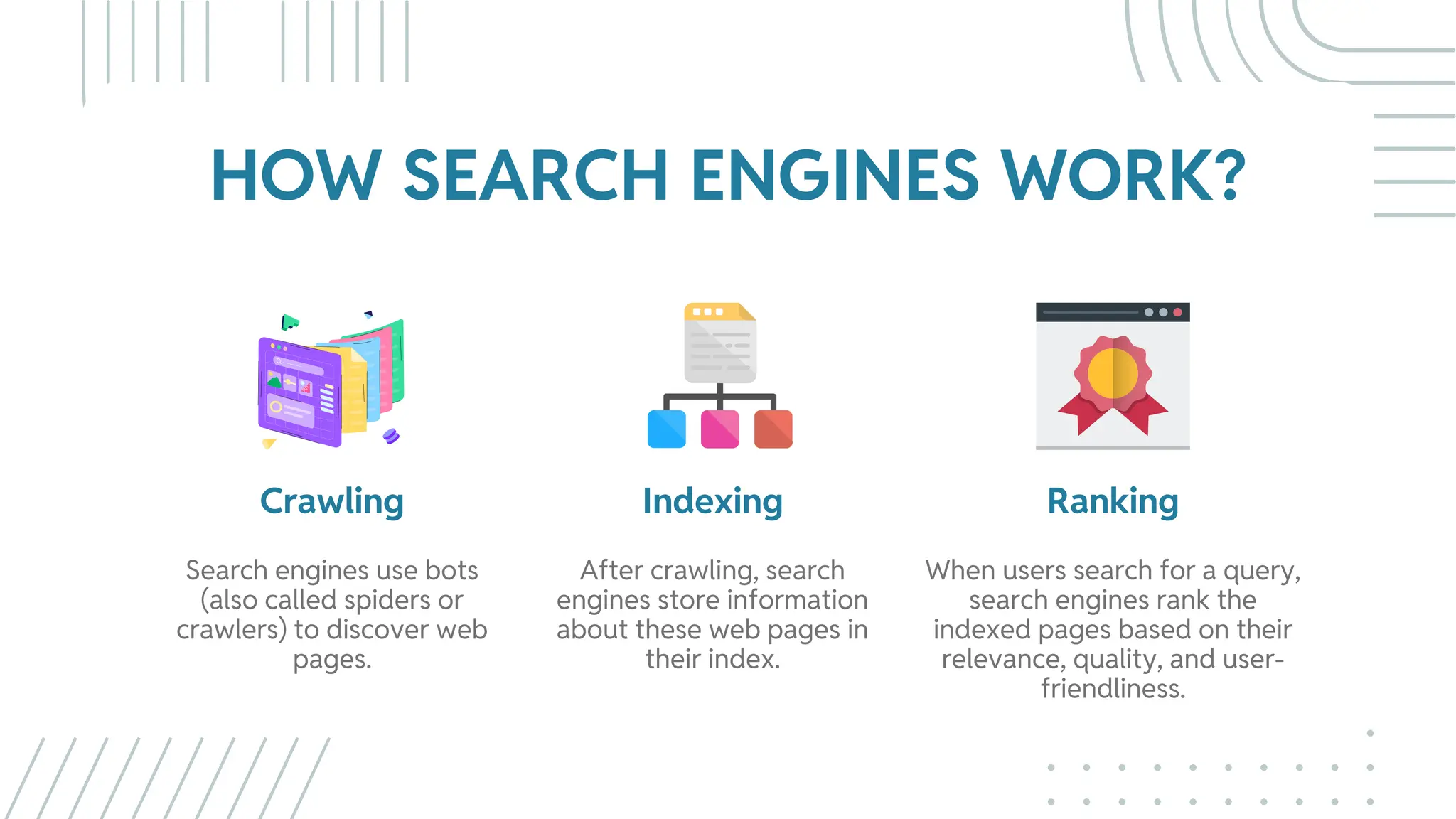
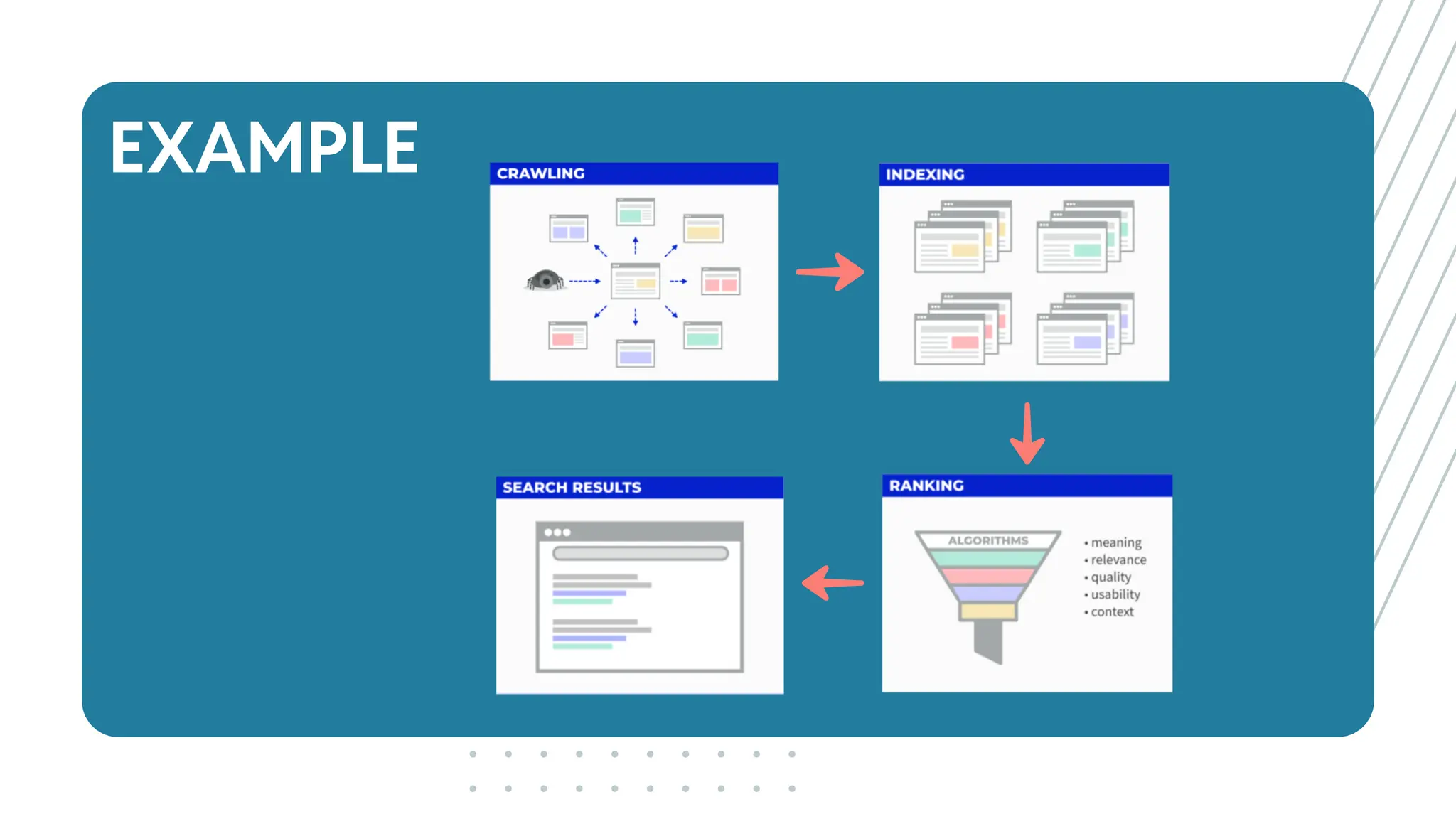
HOW SEARCH ENGINES WORK?
Crawling
Search engines use bots
(also called spiders or
crawlers) to discover web
pages.
Indexing
After crawling, search
engines store information
about these web pages in
their index.
Ranking
When users search for a query,
search engines rank the
indexed pages based on their
relevance, quality, and user-
friendliness.
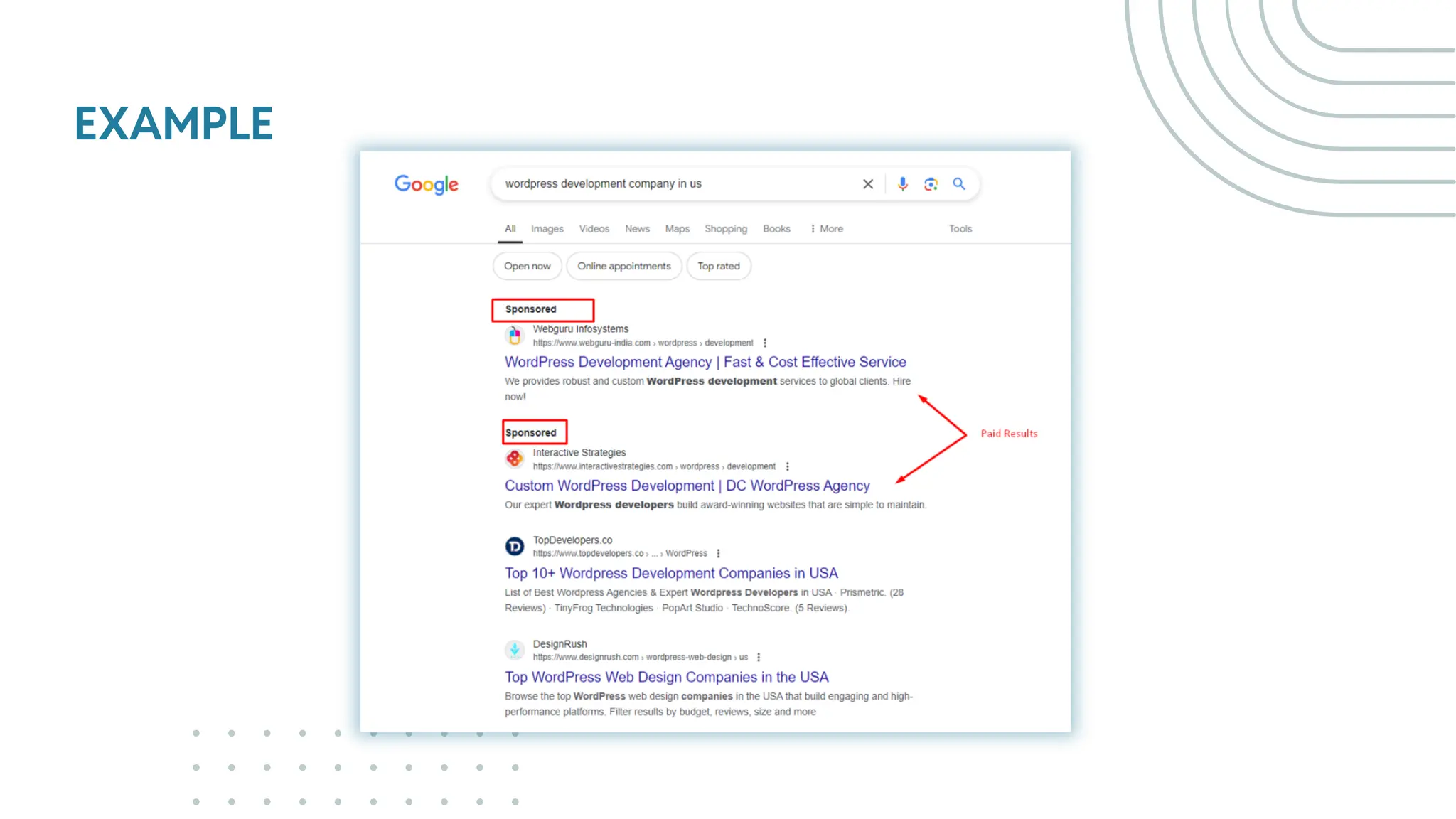
EXAMPLE
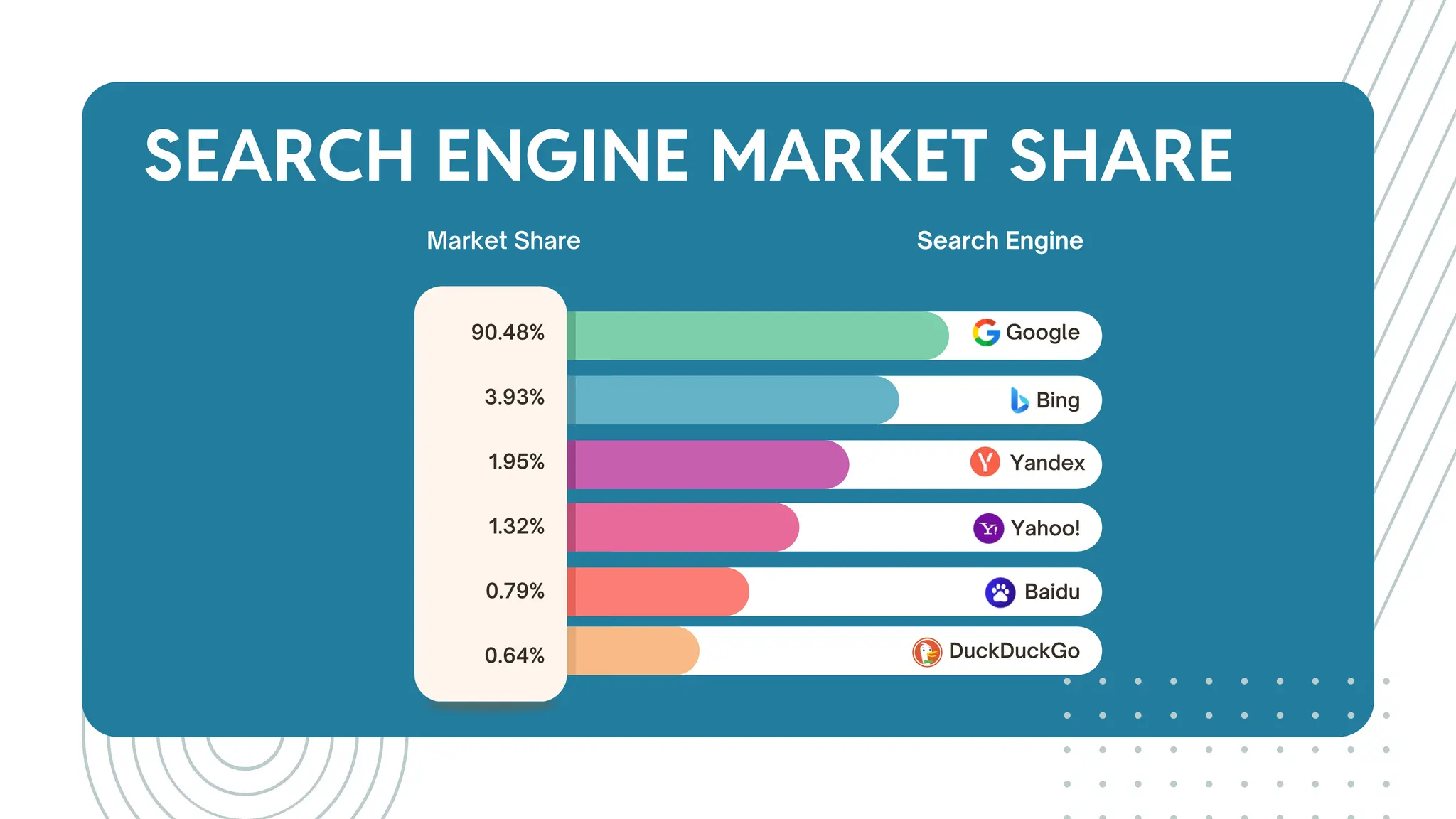
SEARCH ENGINE MARKET SHARE
Search Engine
Market Share
Google
Bing
Yandex
Yahoo!
Baidu
DuckDuckGo
90.48%
3.93%
1.95%
1.32%
0.79%
0.64%
WHY SEO
REQUIRED?
02.
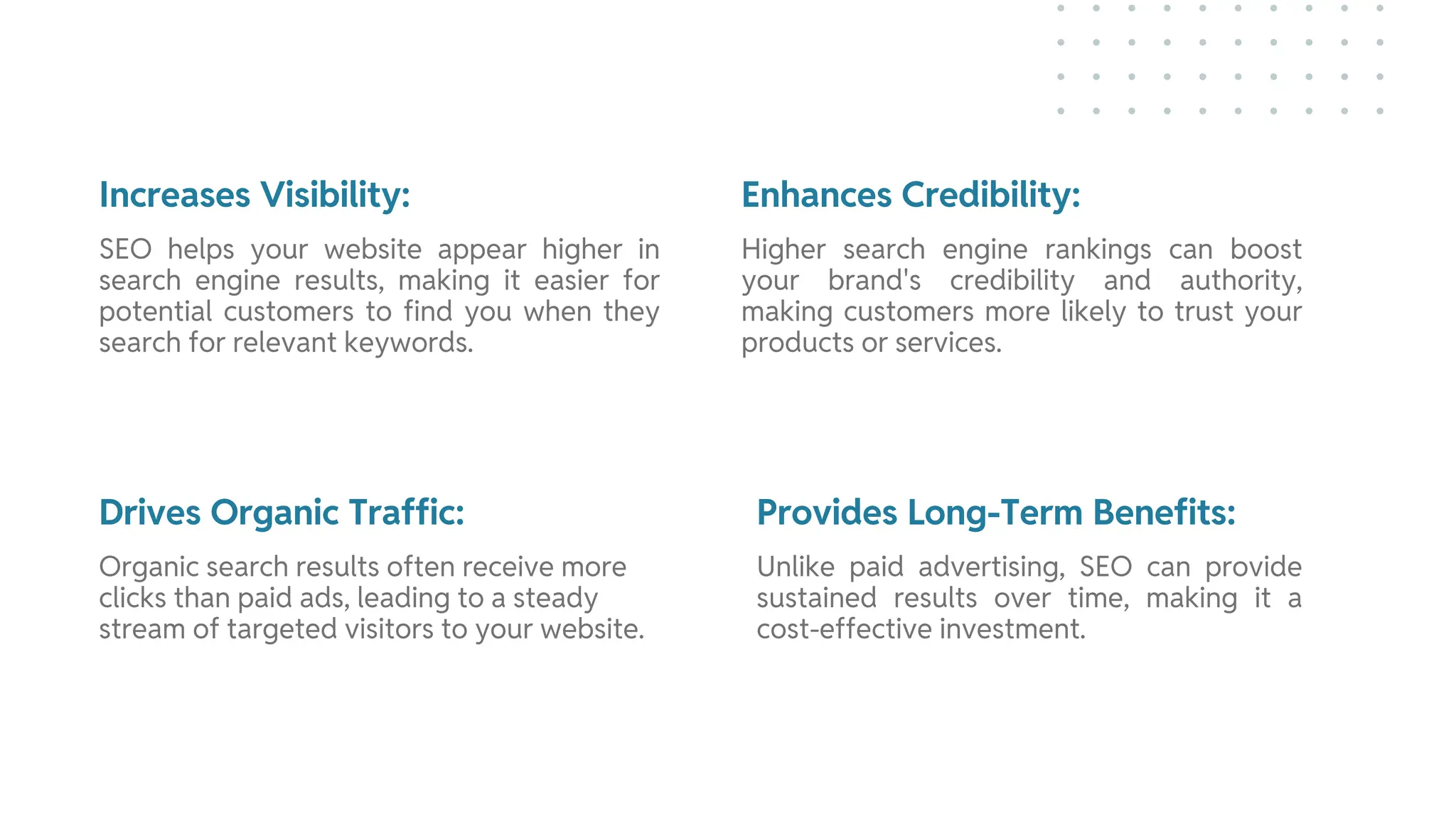
Increases Visibility: Enhances Credibility:
Drives Organic Traffic: Provides Long-Term Benefits:
SEO helps your website appear higher in
search engine results, making it easier for
potential customers to find you when they
search for relevant keywords.
Higher search engine rankings can boost
your brand's credibility and authority,
making customers more likely to trust your
products or services.
Organic search results often receive more
clicks than paid ads, leading to a steady
stream of targeted visitors to your website.
Unlike paid advertising, SEO can provide
sustained results over time, making it a
cost-effective investment.
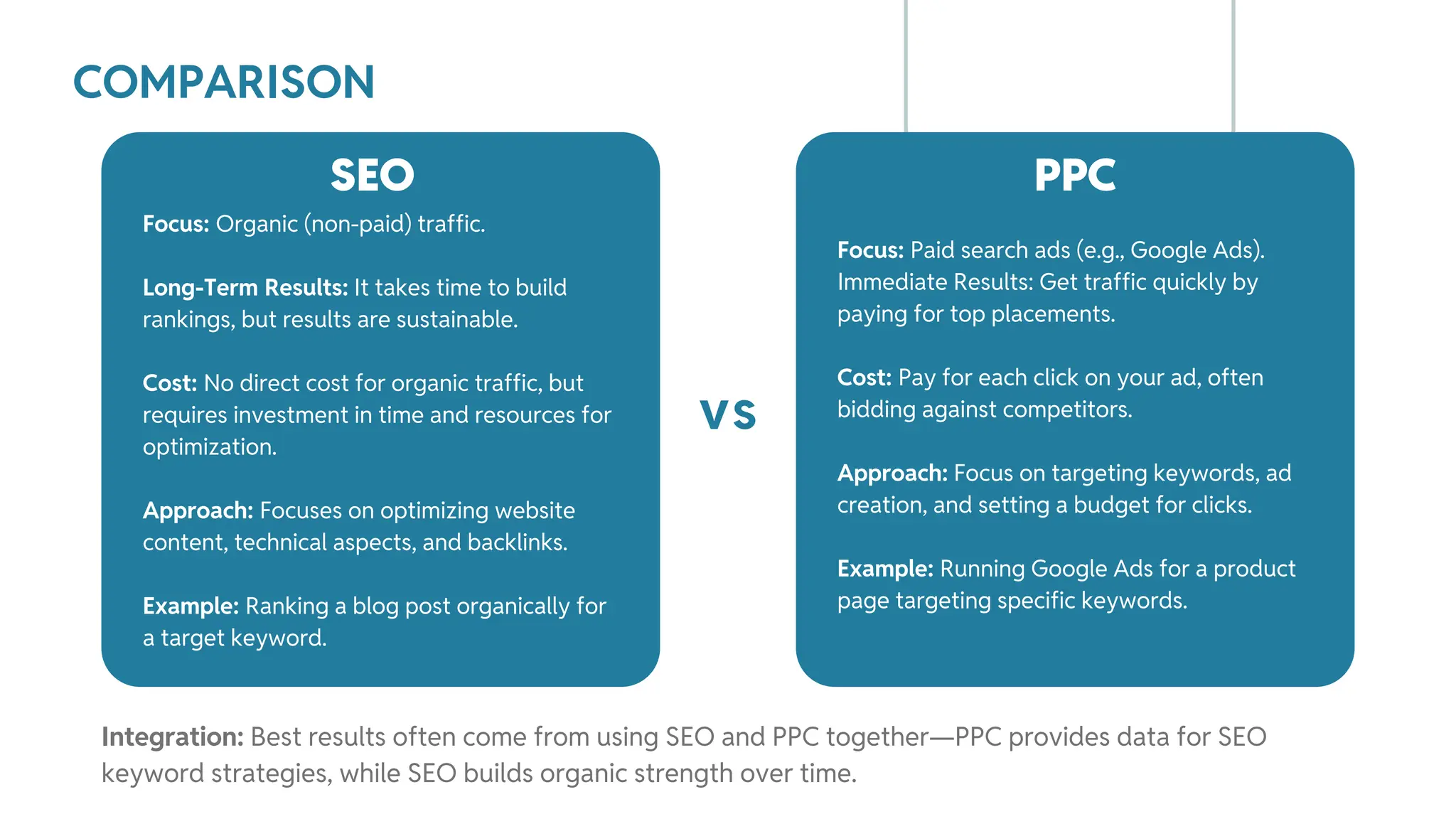
COMPARISON
Focus: Organic (non-paid) traffic.
Long-Term Results: It takes time to build
rankings, but results are sustainable.
Cost: No direct cost for organic traffic, but
requires investment in time and resources for
optimization.
Approach: Focuses on optimizing website
content, technical aspects, and backlinks.
Example: Ranking a blog post organically for
a target keyword.
SEO
vs
PPC
Focus: Paid search ads (e.g., Google Ads).
Immediate Results: Get traffic quickly by
paying for top placements.
Cost: Pay for each click on your ad, often
bidding against competitors.
Approach: Focus on targeting keywords, ad
creation, and setting a budget for clicks.
Example: Running Google Ads for a product
page targeting specific keywords.
Integration: Best results often come from using SEO and PPC together—PPC provides data for SEO
keyword strategies, while SEO builds organic strength over time.
EXAMPLE
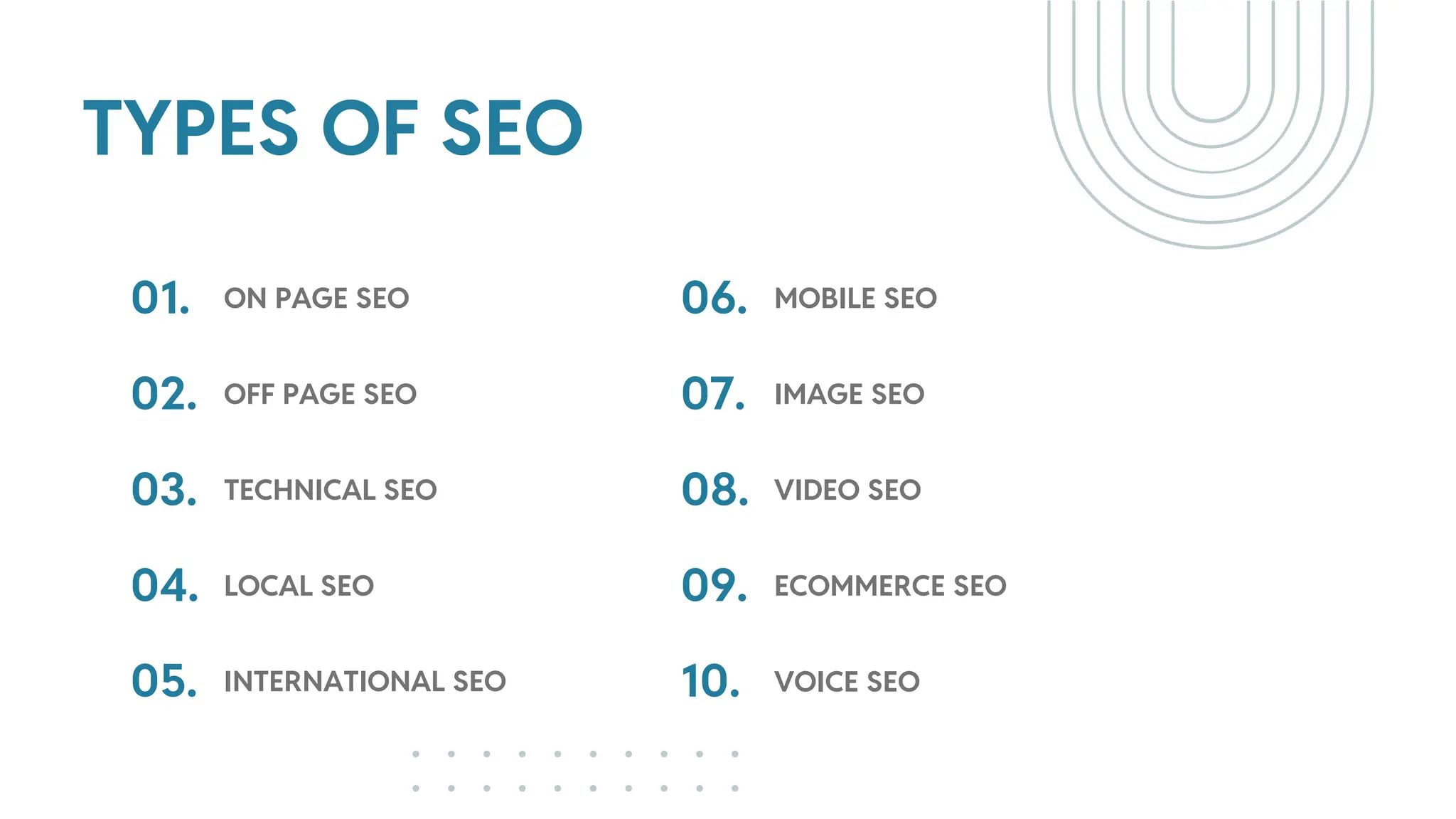
TYPES OF SEO
01.
02.
ON PAGE SEO
OFF PAGE SEO
03. TECHNICAL SEO
04.
05.
LOCAL SEO
INTERNATIONAL SEO
06.
07.
MOBILE SEO
IMAGE SEO
08. VIDEO SEO
09.
10.
ECOMMERCE SEO
VOICE SEO
PRE SEO
CONSIDERATION
03.
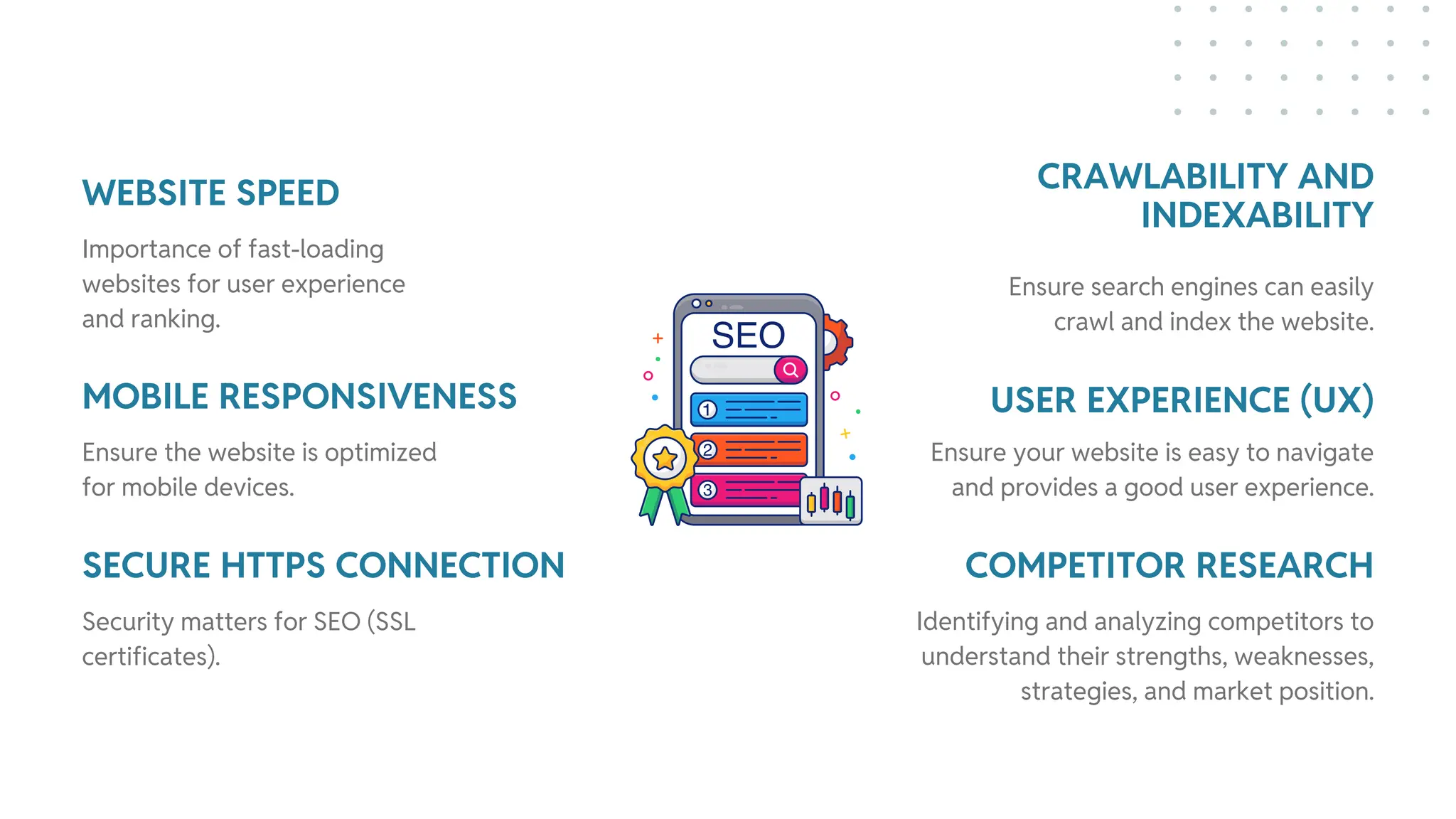
WEBSITE SPEED CRAWLABILITY AND
INDEXABILITY
MOBILE RESPONSIVENESS
SECURE HTTPS CONNECTION
USER EXPERIENCE (UX)
COMPETITOR RESEARCH
Importance of fast-loading
websites for user experience
and ranking.
Ensure search engines can easily
crawl and index the website.
Ensure the website is optimized
for mobile devices.
Security matters for SEO (SSL
certificates).
Ensure your website is easy to navigate
and provides a good user experience.
Identifying and analyzing competitors to
understand their strengths, weaknesses,
strategies, and market position.
ON-PAGE SEO
BEST PRACTICES
04.
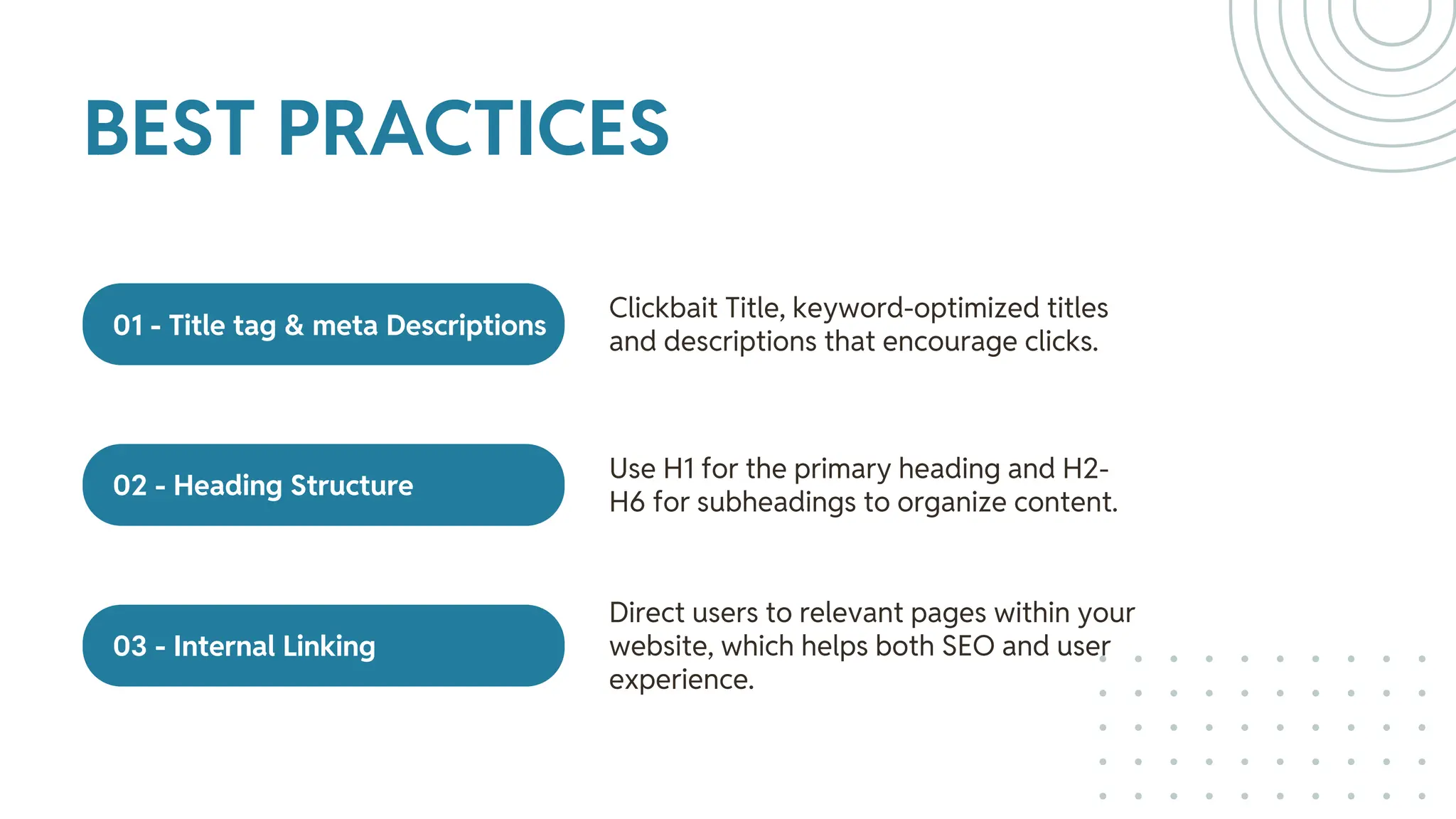
01 - Title tag & meta Descriptions
02 - Heading Structure
03 - Internal Linking
Clickbait Title, keyword-optimized titles
and descriptions that encourage clicks.
Use H1 for the primary heading and H2-
H6 for subheadings to organize content.
Direct users to relevant pages within your
website, which helps both SEO and user
experience.
BEST PRACTICES
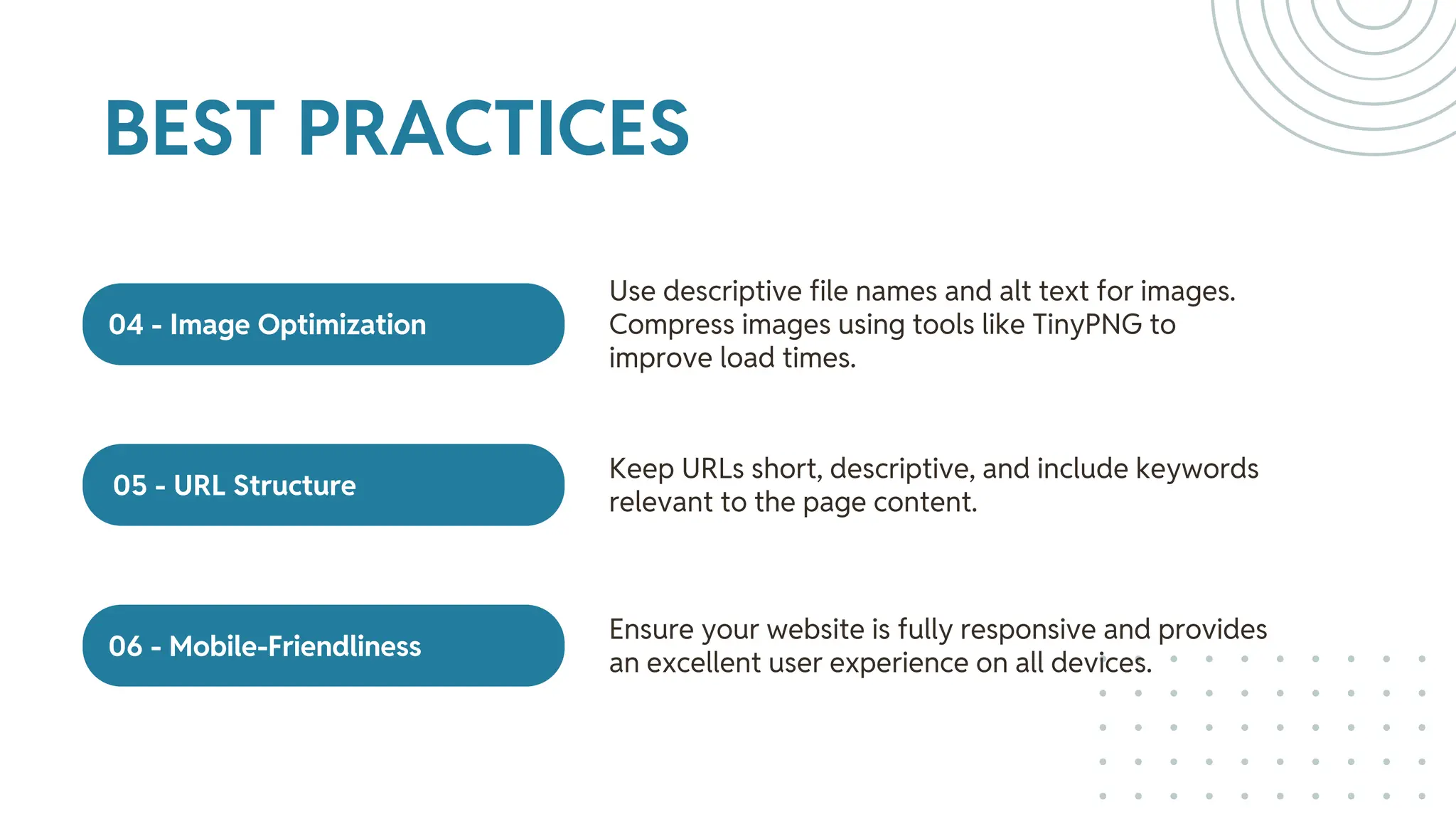
04 - Image Optimization
05 - URL Structure
06 - Mobile-Friendliness
Use descriptive file names and alt text for images.
Compress images using tools like TinyPNG to
improve load times.
Keep URLs short, descriptive, and include keywords
relevant to the page content.
Ensure your website is fully responsive and provides
an excellent user experience on all devices.
BEST PRACTICES
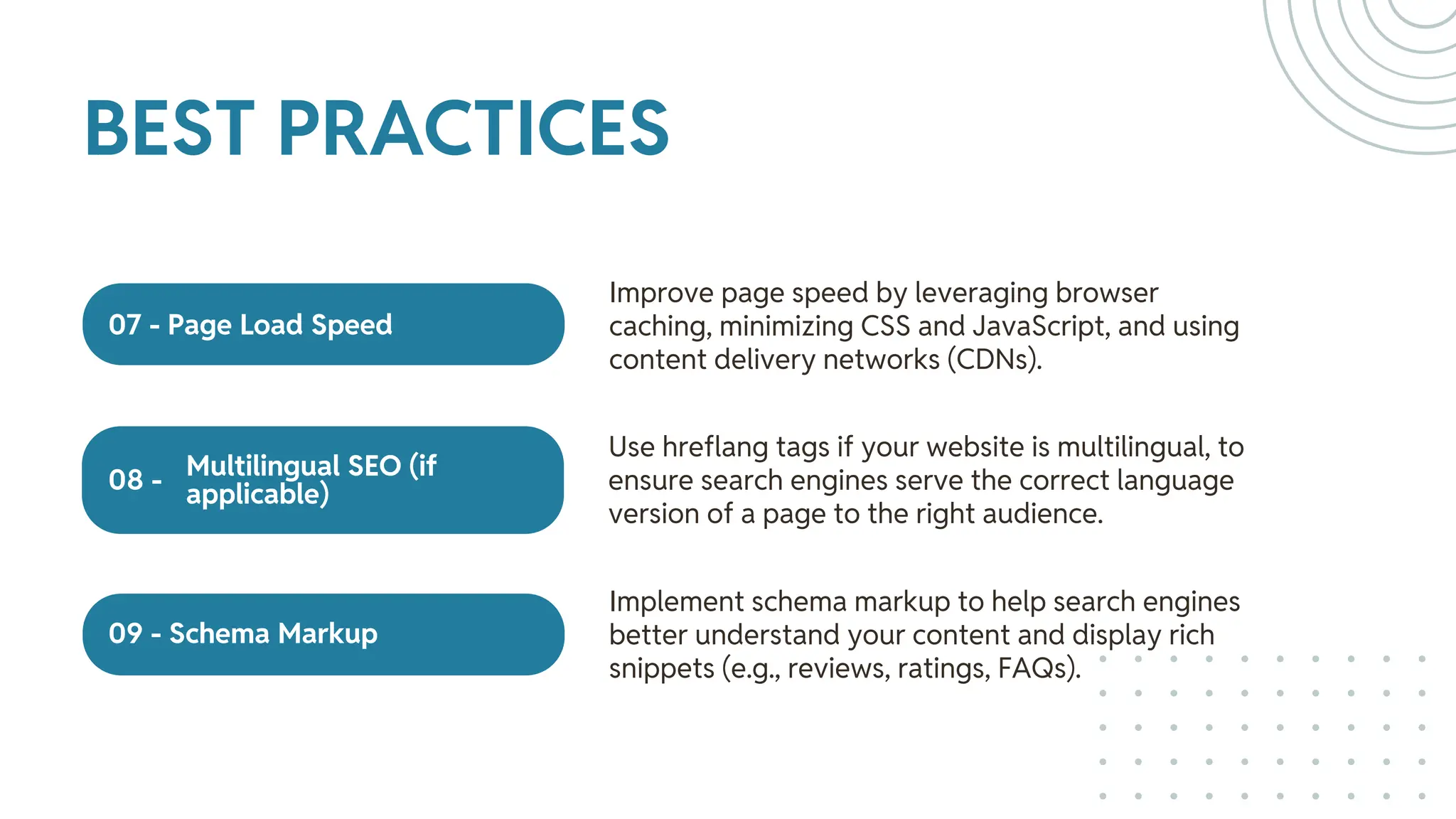
07 - Page Load Speed
09 - Schema Markup
Multilingual SEO (if
applicable)
08 -
Improve page speed by leveraging browser
caching, minimizing CSS and JavaScript, and using
content delivery networks (CDNs).
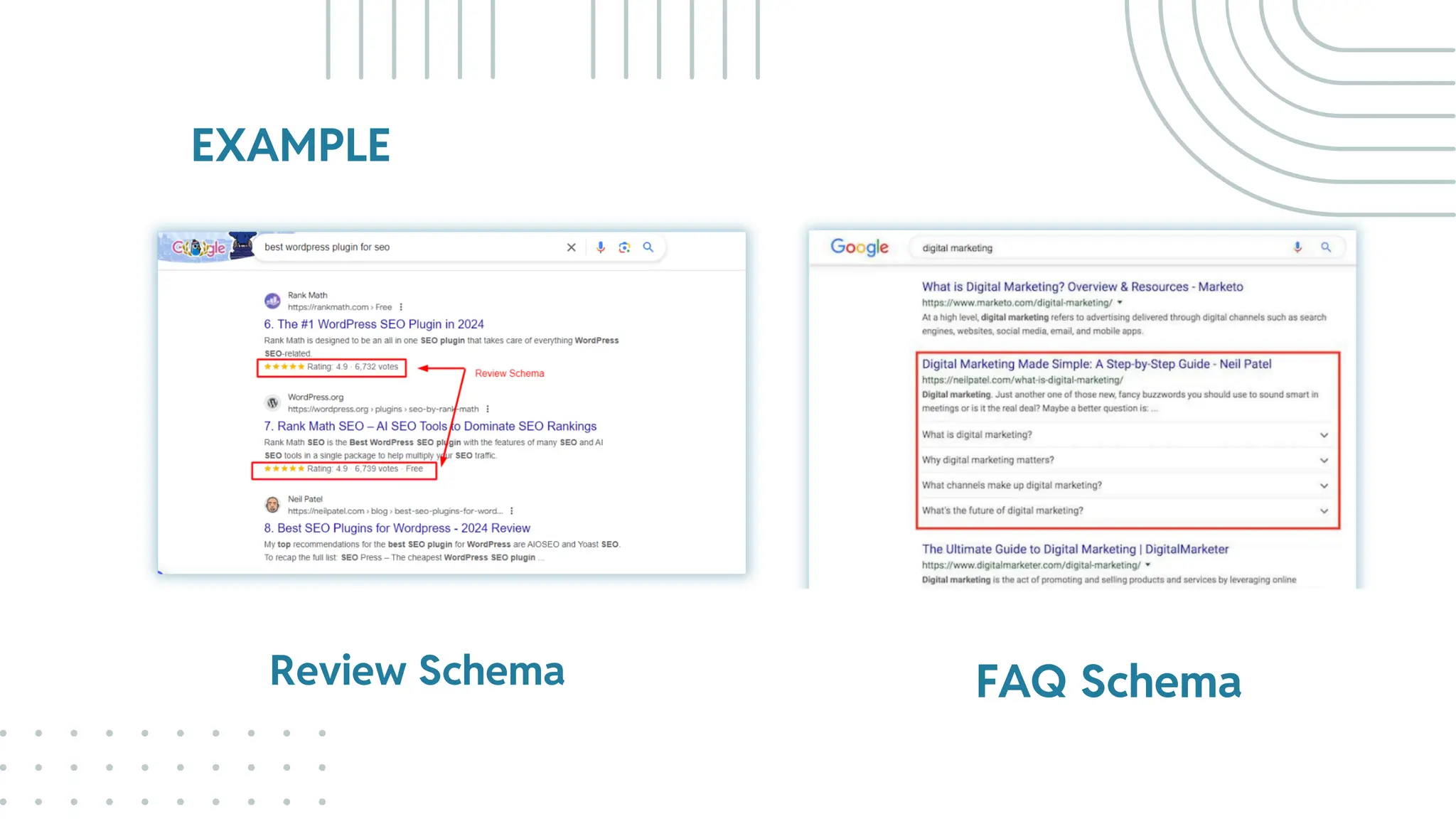
Implement schema markup to help search engines
better understand your content and display rich
snippets (e.g., reviews, ratings, FAQs).
Use hreflang tags if your website is multilingual, to
ensure search engines serve the correct language
version of a page to the right audience.
BEST PRACTICES
WHAT IS SCHEMA
MARKUP?
05.
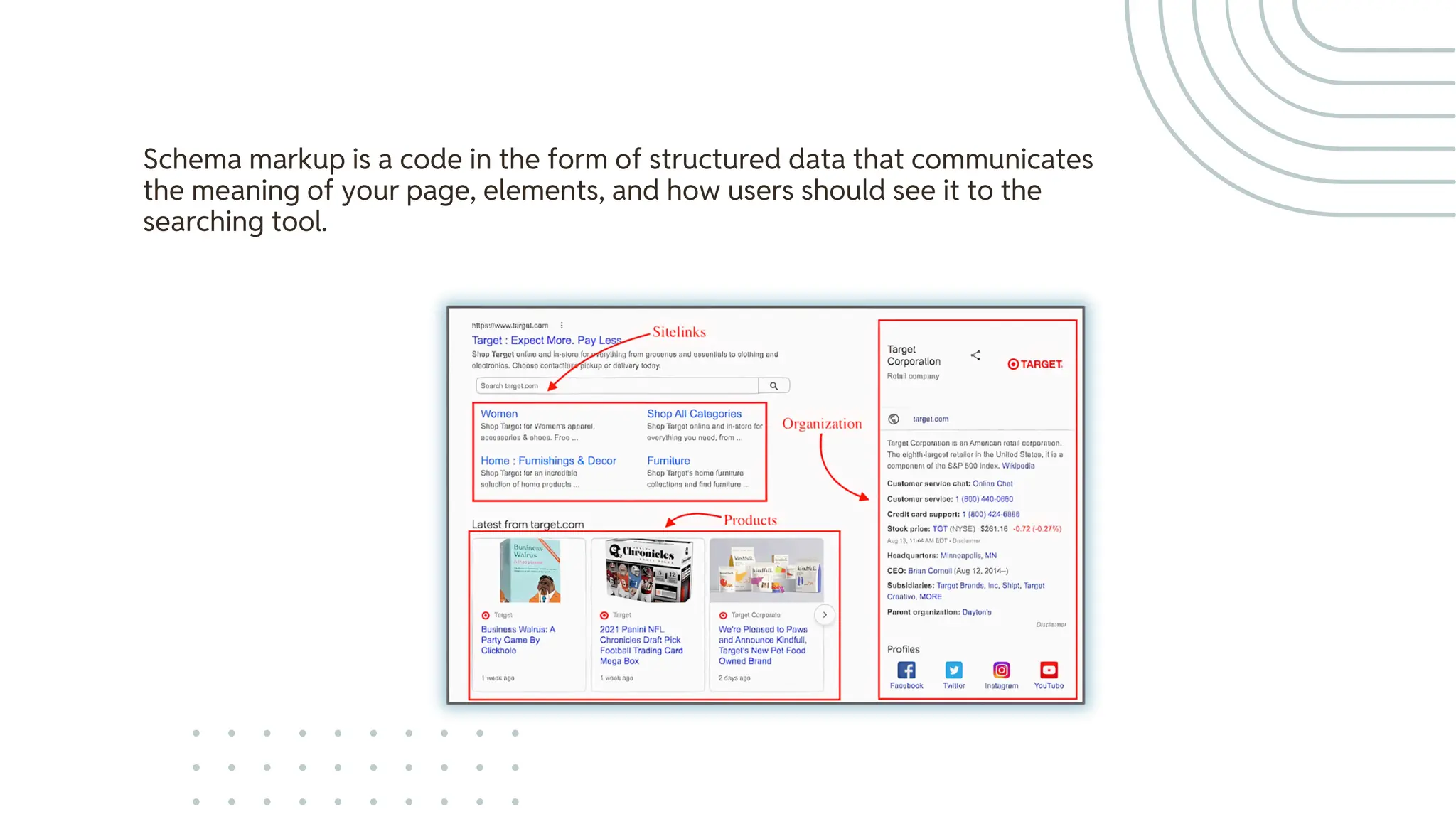
Schema markup is a code in the form of structured data that communicates
the meaning of your page, elements, and how users should see it to the
searching tool.
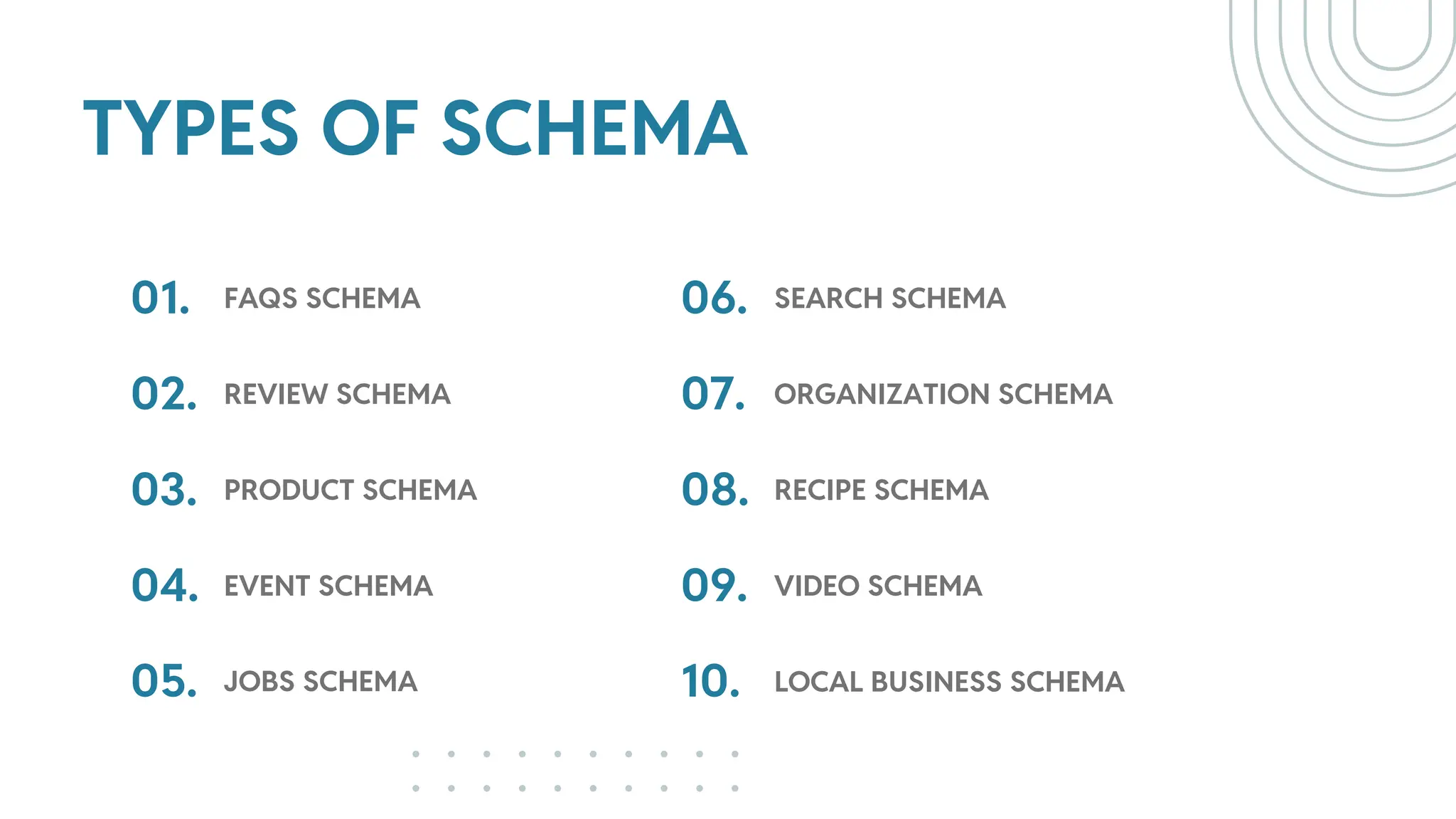
TYPES OF SCHEMA
01.
02.
FAQS SCHEMA
REVIEW SCHEMA
03. PRODUCT SCHEMA
04.
05.
EVENT SCHEMA
JOBS SCHEMA
06.
07.
SEARCH SCHEMA
ORGANIZATION SCHEMA
08. RECIPE SCHEMA
09.
10.
VIDEO SCHEMA
LOCAL BUSINESS SCHEMA
EXAMPLE
Review Schema FAQ Schema
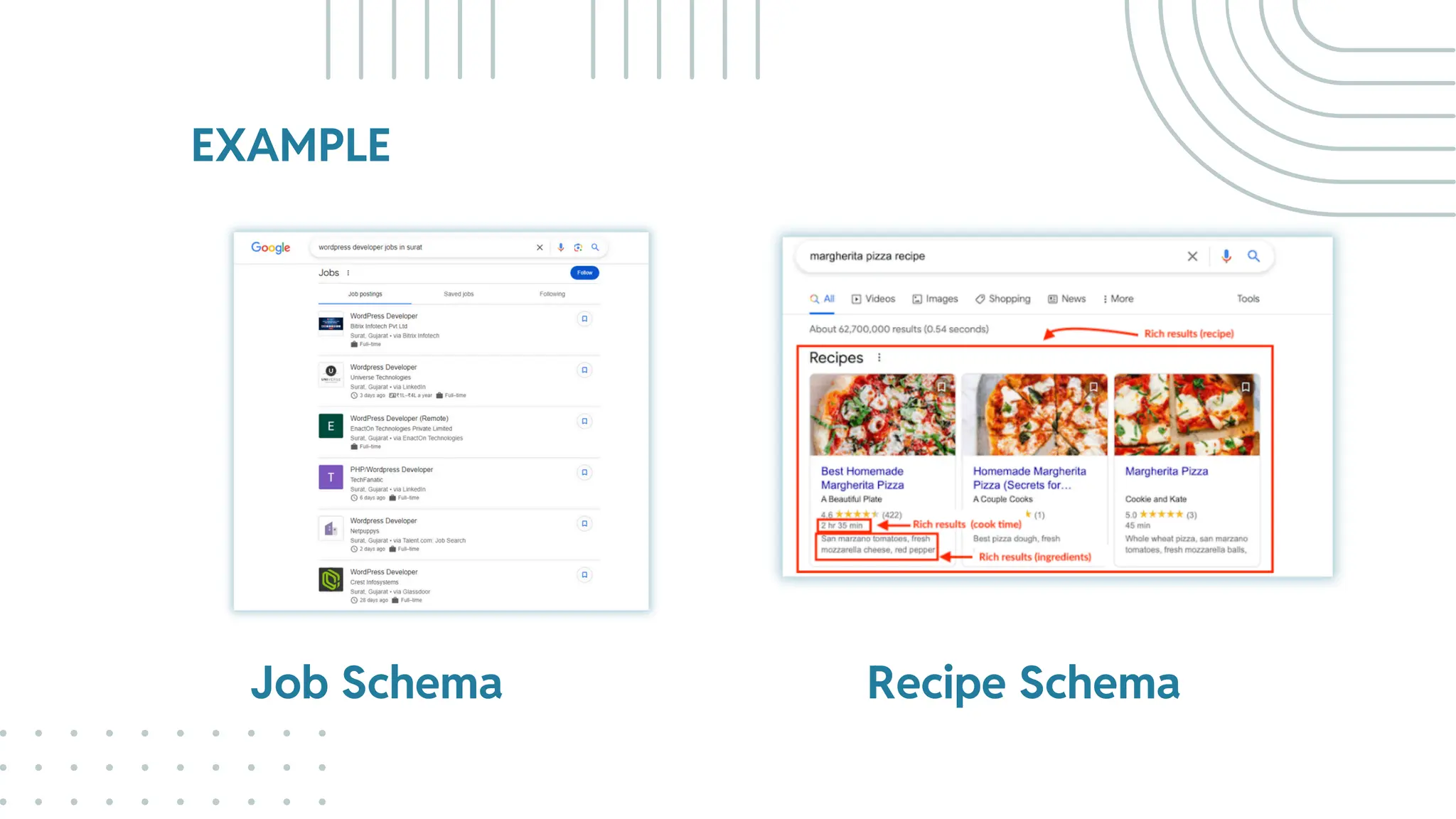
EXAMPLE
Job Schema Recipe Schema
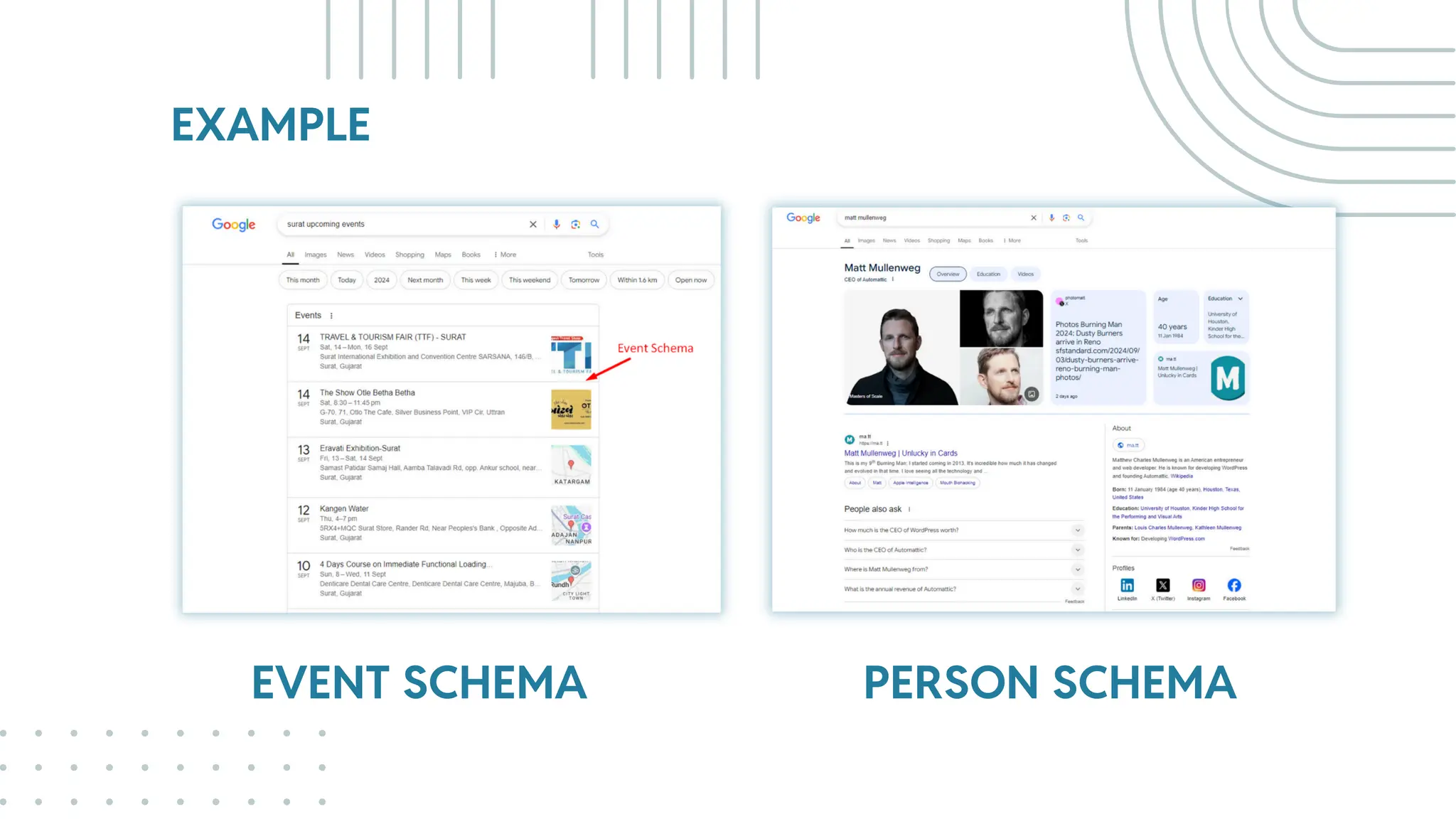
EXAMPLE
EVENT SCHEMA PERSON SCHEMA
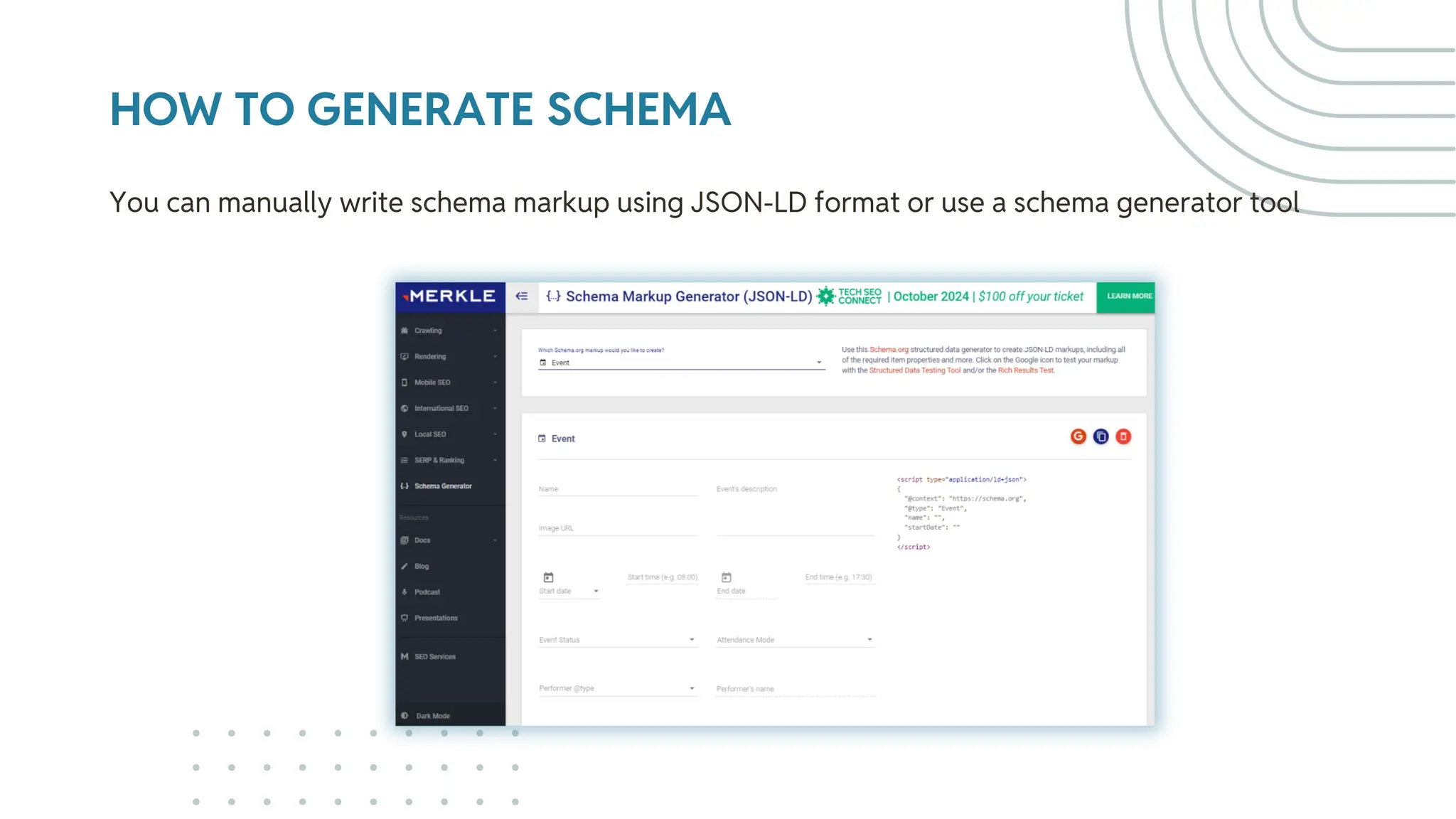
HOW TO GENERATE SCHEMA
You can manually write schema markup using JSON-LD format or use a schema generator tool
TECHNICAL SEO
STRETEGIES
06.
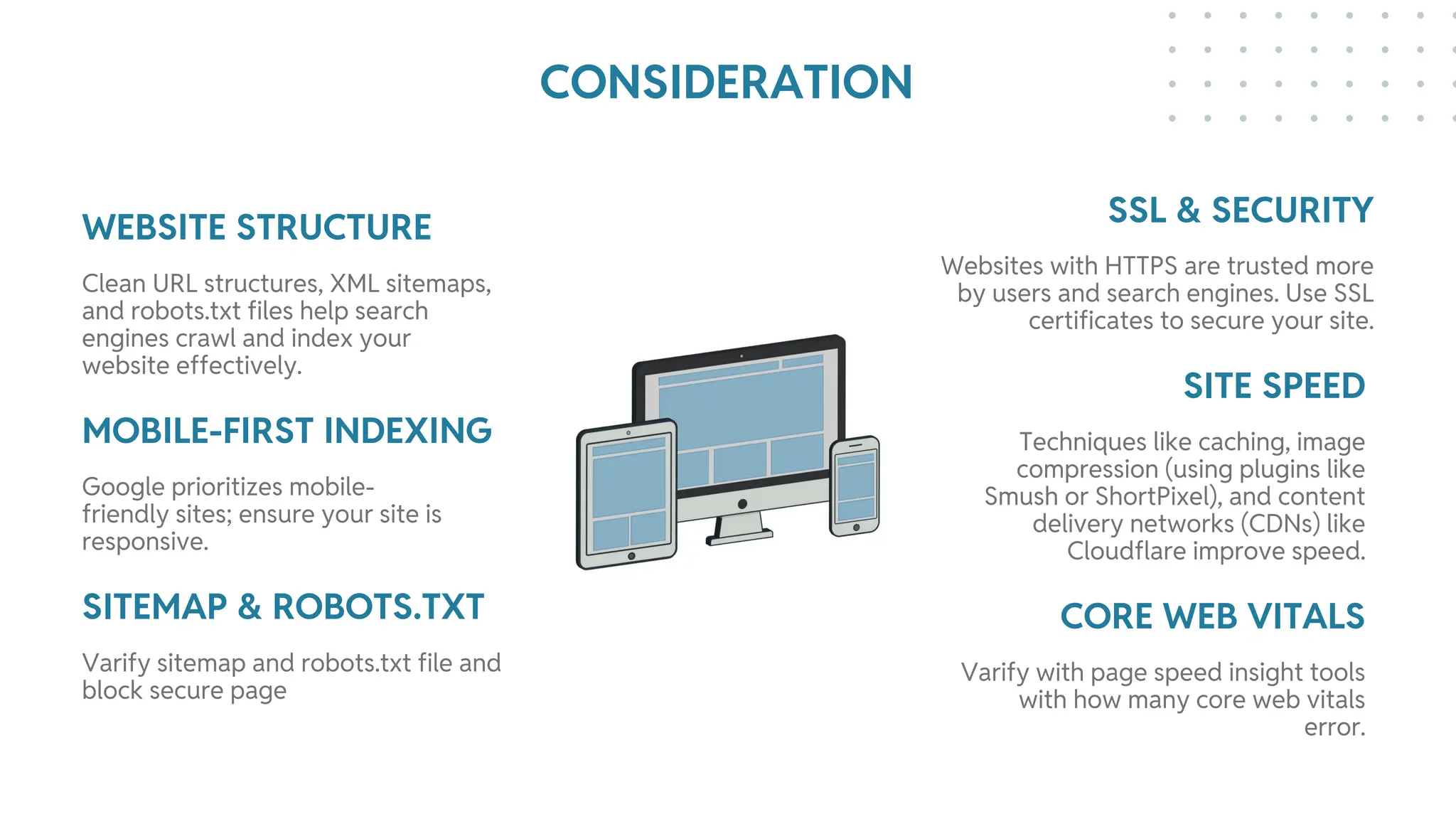
WEBSITE STRUCTURE SSL & SECURITY
MOBILE-FIRST INDEXING
SITEMAP & ROBOTS.TXT
SITE SPEED
CORE WEB VITALS
Clean URL structures, XML sitemaps,
and robots.txt files help search
engines crawl and index your
website effectively.
Websites with HTTPS are trusted more
by users and search engines. Use SSL
certificates to secure your site.
Google prioritizes mobile-
friendly sites; ensure your site is
responsive.
Varify sitemap and robots.txt file and
block secure page
Techniques like caching, image
compression (using plugins like
Smush or ShortPixel), and content
delivery networks (CDNs) like
Cloudflare improve speed.
Varify with page speed insight tools
with how many core web vitals
error.
CONSIDERATION
Optimizing for
Core Web
Vitals
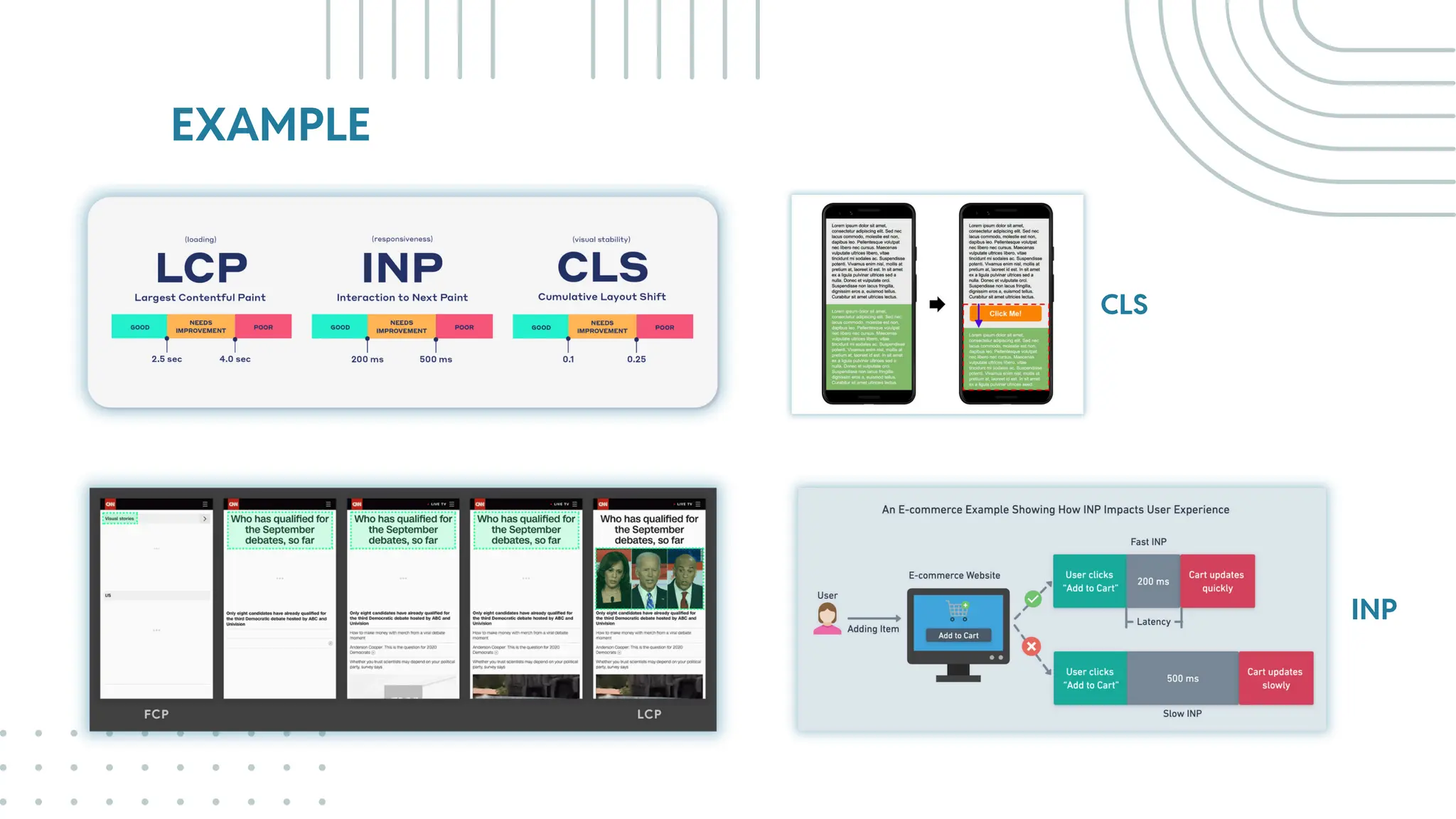
Core Metrics: Largest Contentful
Paint (LCP), First Input Delay
(FID), Cumulative Layout Shift
(CLS), Interaction to next paint
(INP).
Why Core Web Vitals Matter:
Core Web Vitals are directly tied
to Google’s ranking algorithm,
affecting SEO.
Checking tools: Google
PageSpeed Insights, Lighthouse,
and Web Vitals extension.
WordPress Tools: How plugins
like WP Rocket and W3 Total
Cache and other cashing plugins
can help.
Best Practices: Lazy loading,
minimizing CSS and JavaScript,
server response time.
EXAMPLE
CLS
INP
WHAT KIND OF SILLY
MISTAKE WE CAN AVOID
DURING THE DEVELOPMENT
07.
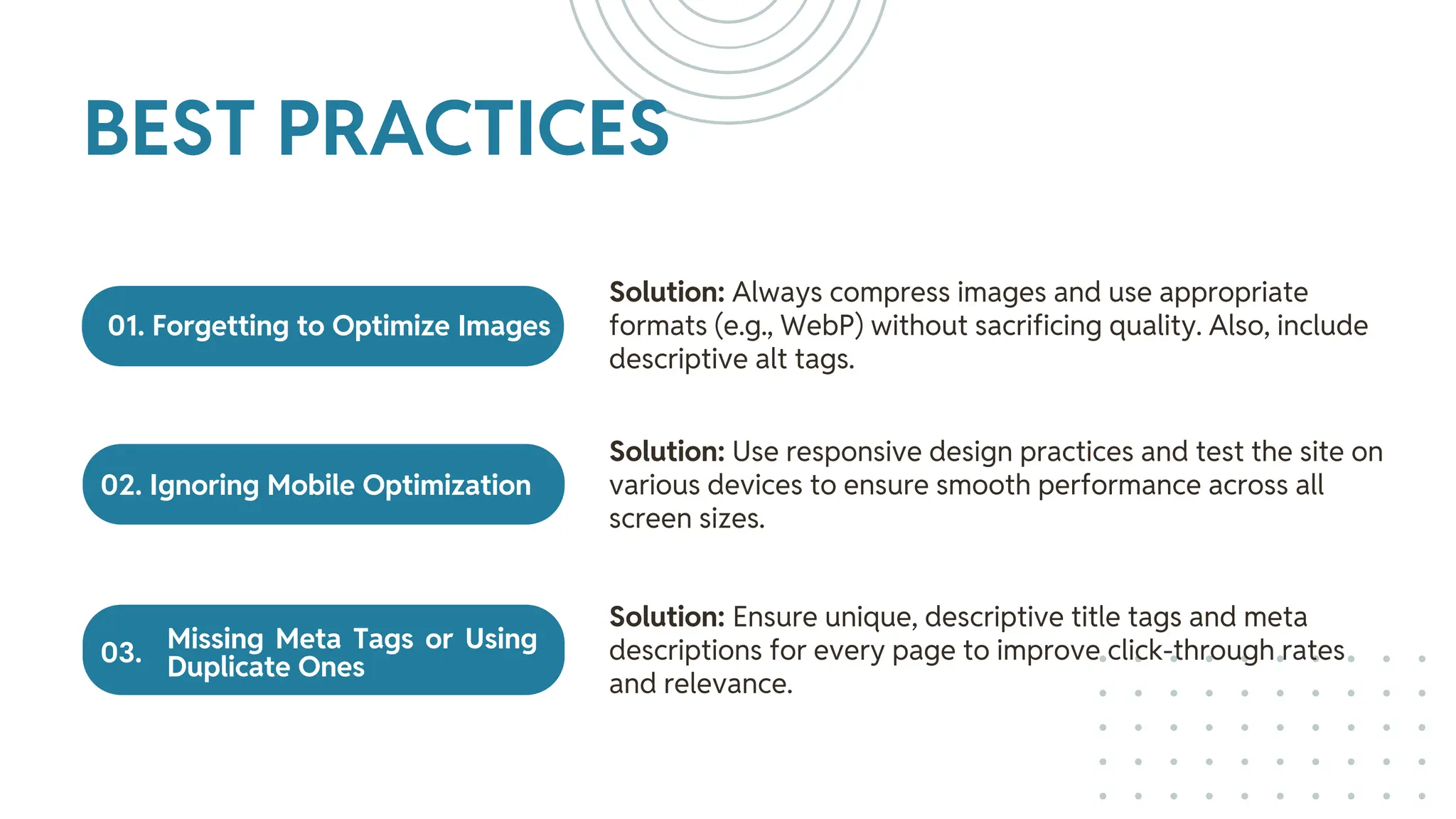
01. Forgetting to Optimize Images
02. Ignoring Mobile Optimization
Missing Meta Tags or Using
Duplicate Ones
Solution: Always compress images and use appropriate
formats (e.g., WebP) without sacrificing quality. Also, include
descriptive alt tags.
Solution: Use responsive design practices and test the site on
various devices to ensure smooth performance across all
screen sizes.
Solution: Ensure unique, descriptive title tags and meta
descriptions for every page to improve click-through rates
and relevance.
BEST PRACTICES
03.
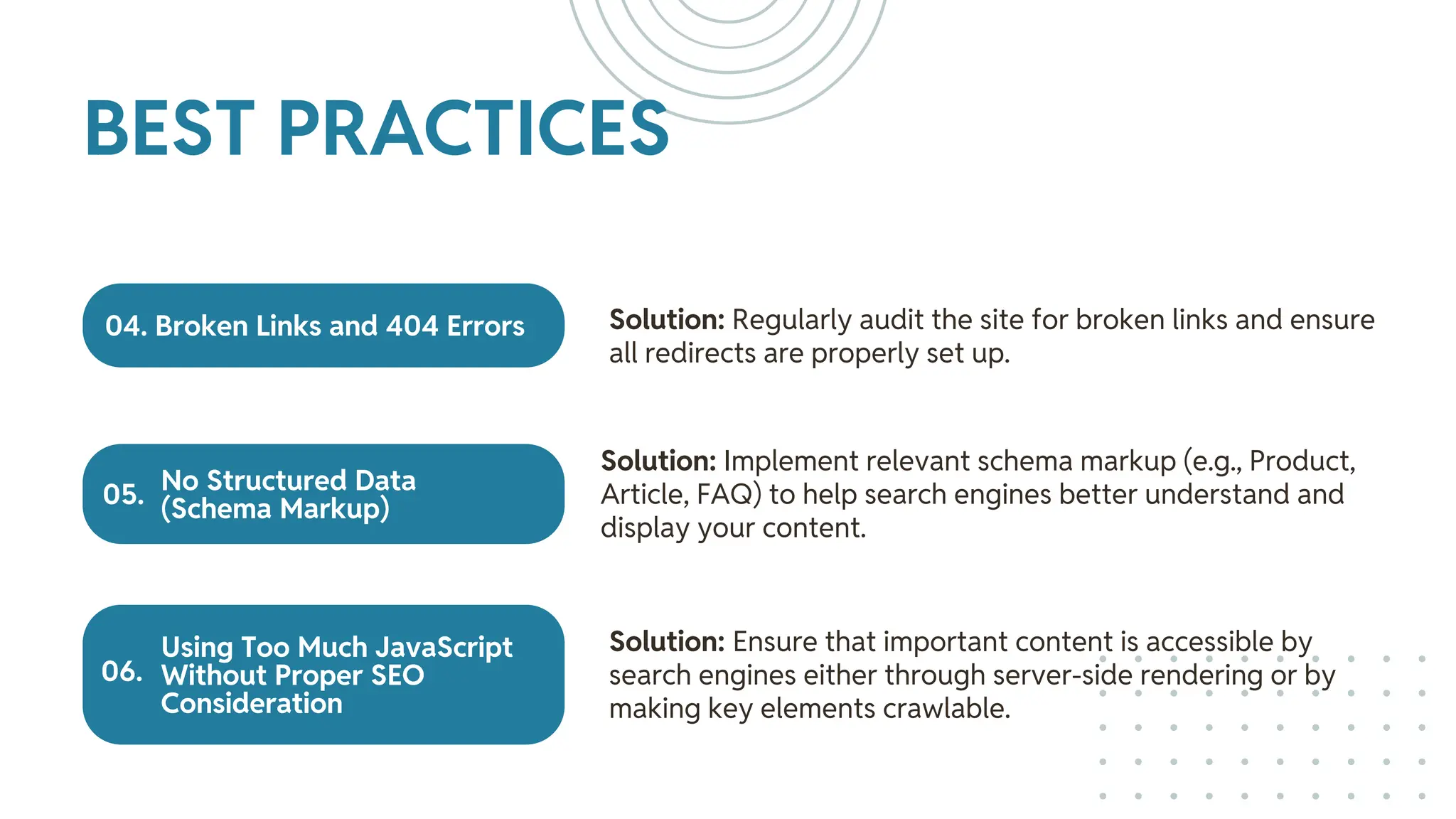
04. Broken Links and 404 Errors
No Structured Data
(Schema Markup)
Using Too Much JavaScript
Without Proper SEO
Consideration
Solution: Regularly audit the site for broken links and ensure
all redirects are properly set up.
Solution: Implement relevant schema markup (e.g., Product,
Article, FAQ) to help search engines better understand and
display your content.
Solution: Ensure that important content is accessible by
search engines either through server-side rendering or by
making key elements crawlable.
BEST PRACTICES
05.
06.
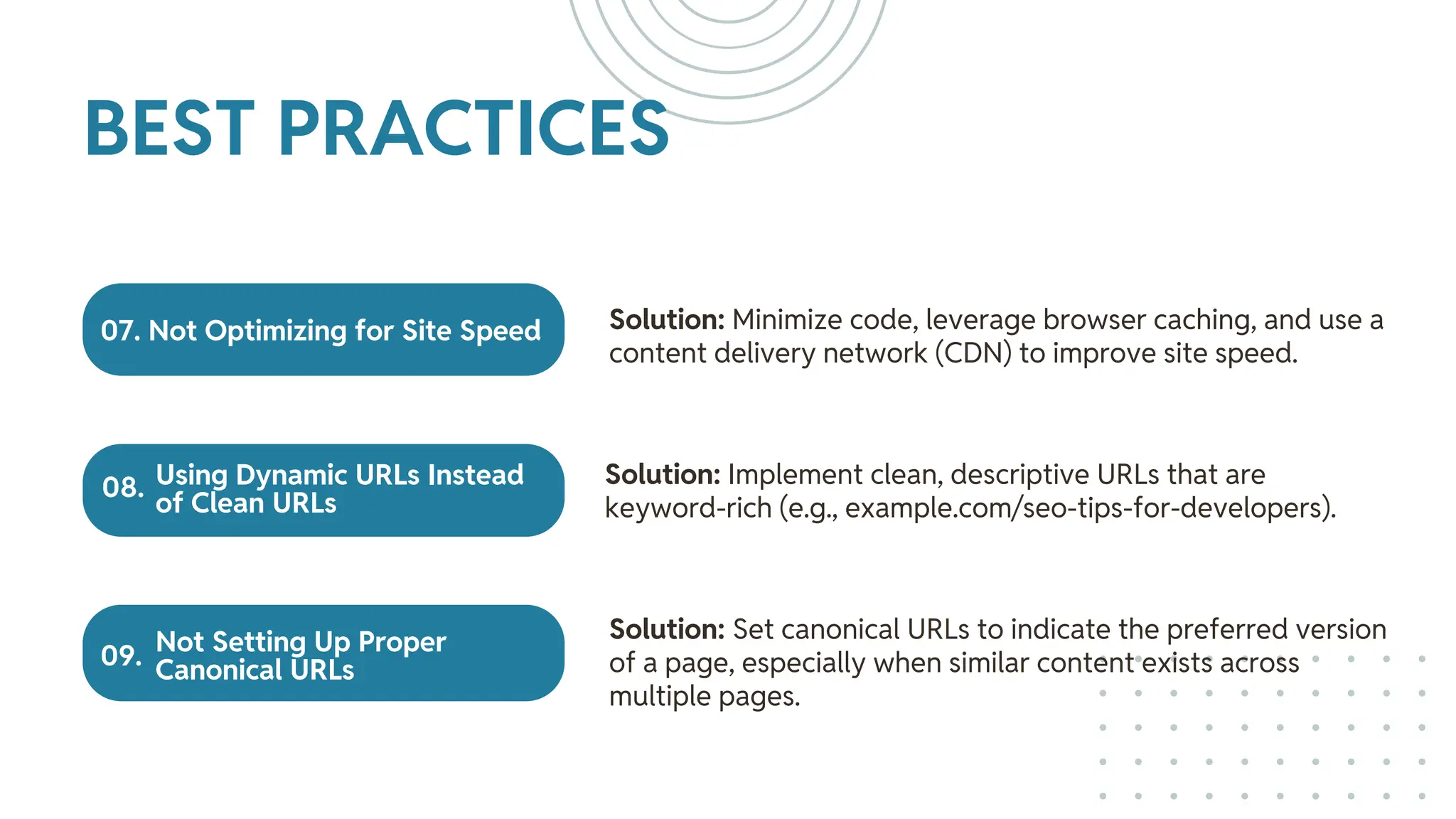
07. Not Optimizing for Site Speed
Using Dynamic URLs Instead
of Clean URLs
Not Setting Up Proper
Canonical URLs
Solution: Minimize code, leverage browser caching, and use a
content delivery network (CDN) to improve site speed.
Solution: Implement clean, descriptive URLs that are
keyword-rich (e.g., example.com/seo-tips-for-developers).
Solution: Set canonical URLs to indicate the preferred version
of a page, especially when similar content exists across
multiple pages.
BEST PRACTICES
08.
09.
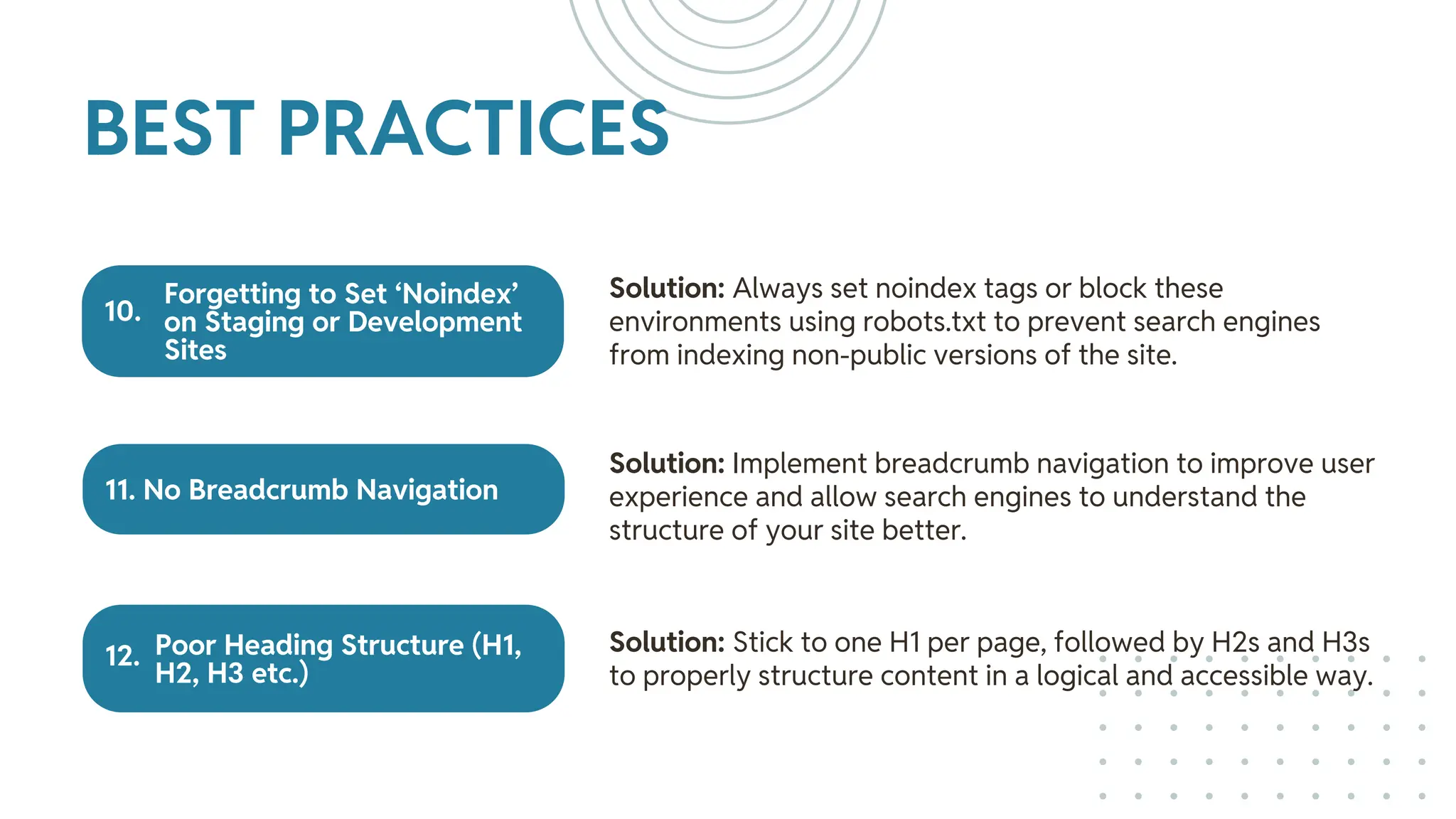
Forgetting to Set ‘Noindex’
on Staging or Development
Sites
11. No Breadcrumb Navigation
Poor Heading Structure (H1,
H2, H3 etc.)
Solution: Always set noindex tags or block these
environments using robots.txt to prevent search engines
from indexing non-public versions of the site.
Solution: Implement breadcrumb navigation to improve user
experience and allow search engines to understand the
structure of your site better.
Solution: Stick to one H1 per page, followed by H2s and H3s
to properly structure content in a logical and accessible way.
BEST PRACTICES
12.
10.
SEO TOOLS &
PLUGINS FOR
DEVELOPERS
08.
SEO TOOLS
AND PLUGINS
FOR WP
Yoast SEO vs. Rank Math: Both
are excellent tools, but Yoast is
user-friendly, while Rank Math
provides more advanced options.
Ahrefs and SEMrush:
Comprehensive tools for
keyword research, backlink
analysis, and site audits.
Google Search Console: Monitor
performance, page track issues,
schema issues and submit
sitemaps.
Google Analytics: Analyze
traffic sources, user behavior,
and set goals to track
conversions.
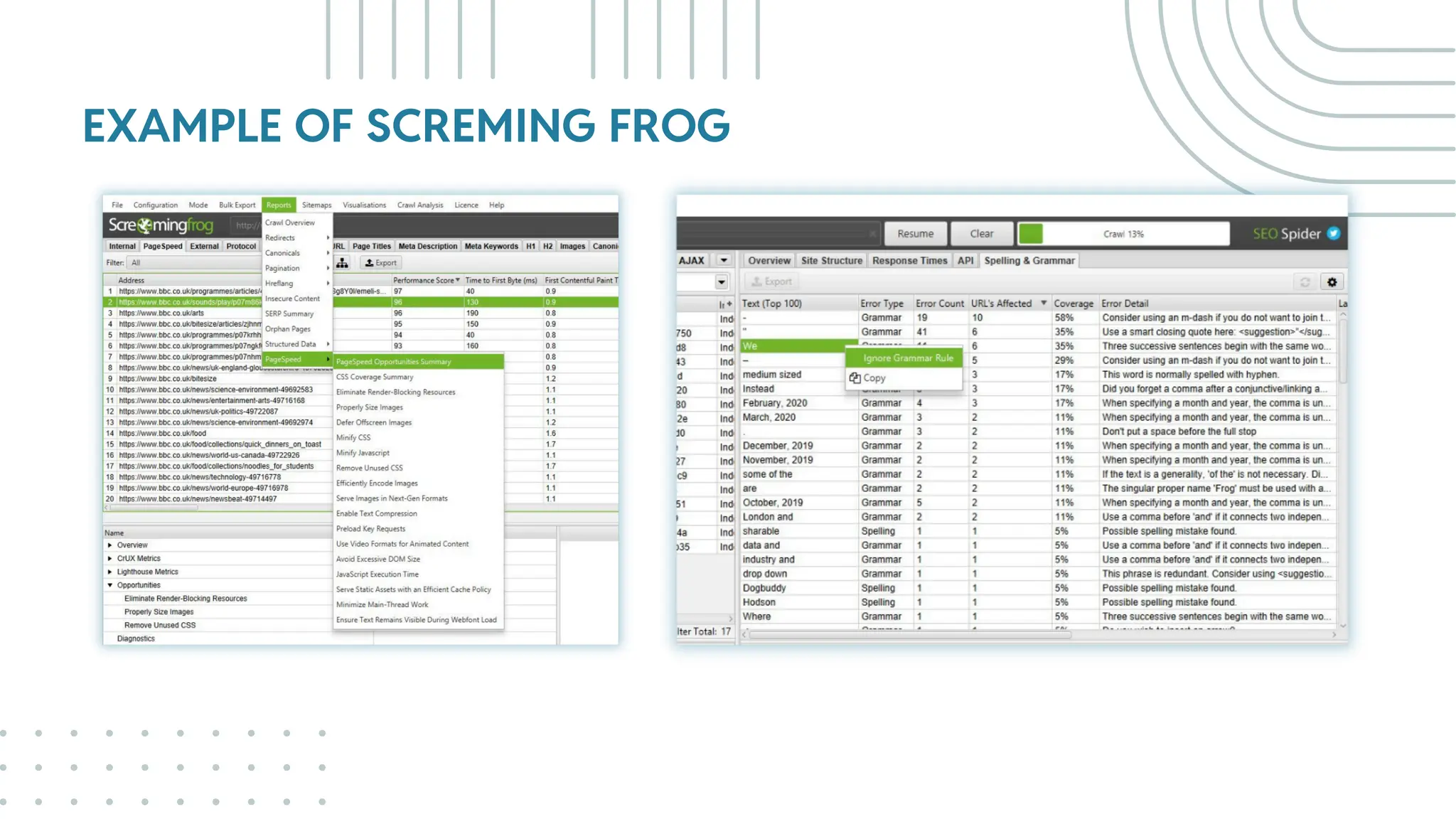
Screaming Frog: A website
crawler for in-depth technical
SEO audits.
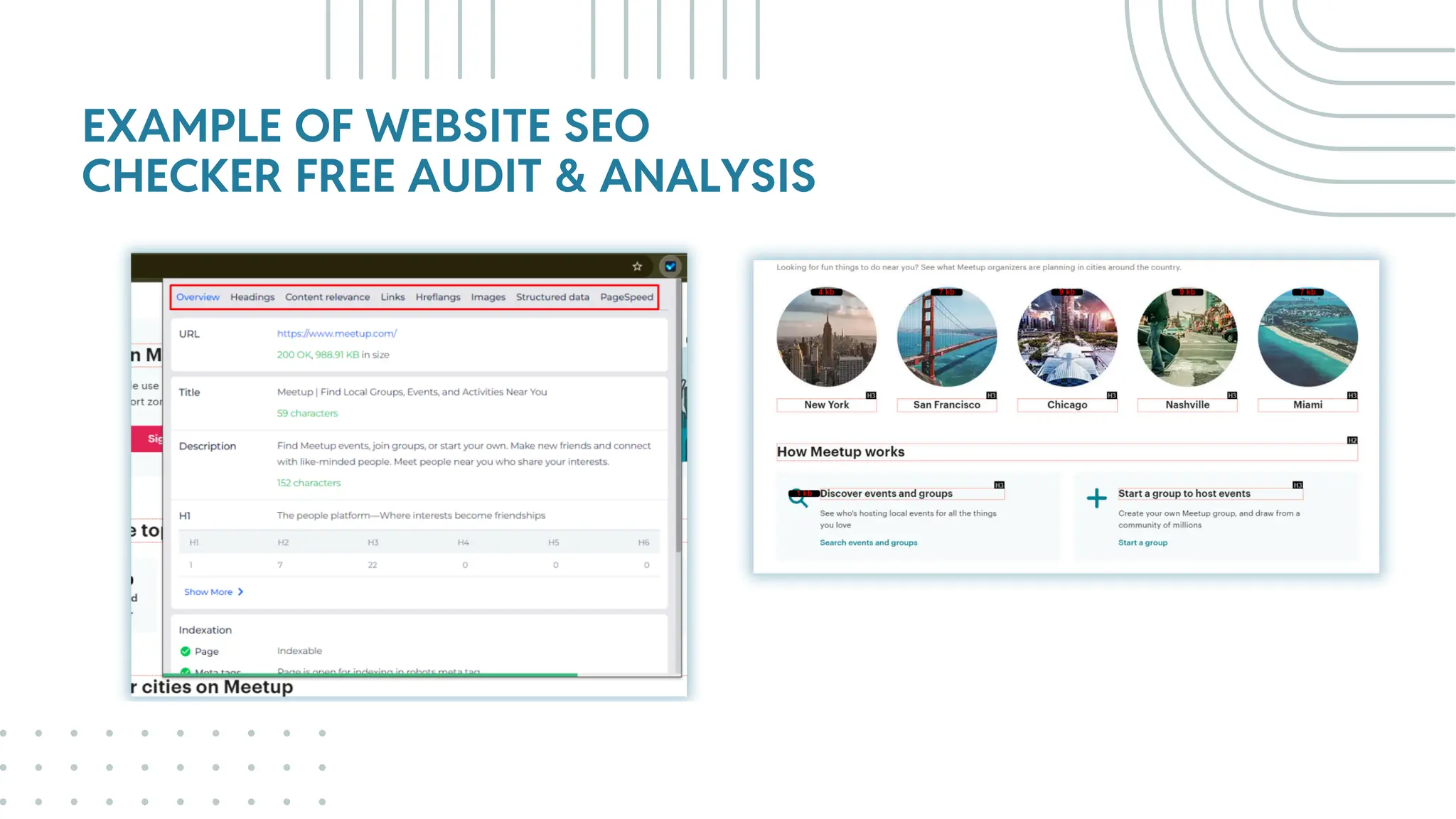
Website SEO Checker Free
Audit & Analysis Extension:
Every imaginable SEO Metric
within a browser plugin. Keyword
Rankings, Backlinks, On-Page
Elements, Tech Audit & More
SEO TOOLS
AND PLUGINS
FOR WP
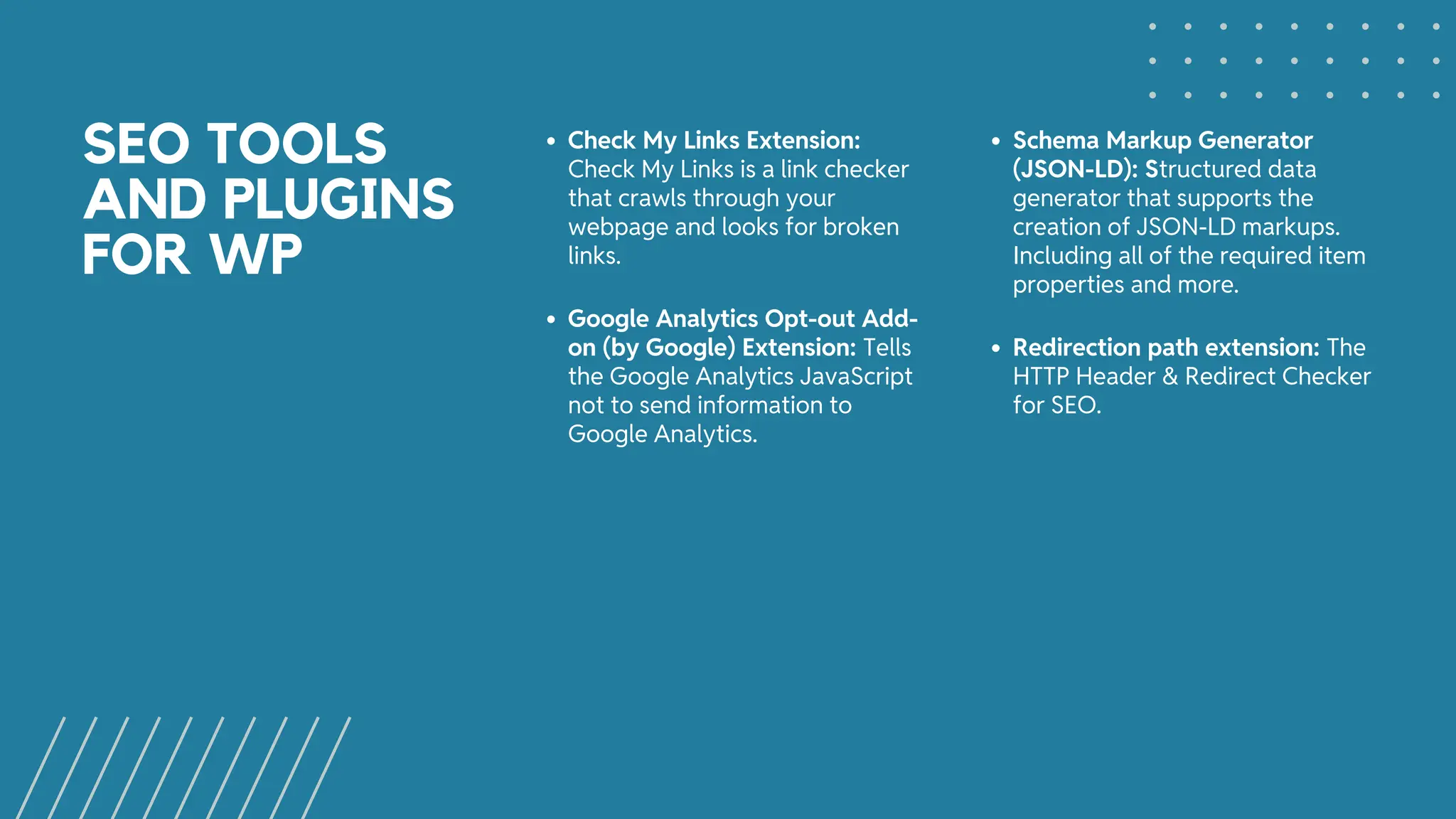
Check My Links Extension:
Check My Links is a link checker
that crawls through your
webpage and looks for broken
links.
Schema Markup Generator
(JSON-LD): Structured data
generator that supports the
creation of JSON-LD markups.
Including all of the required item
properties and more.
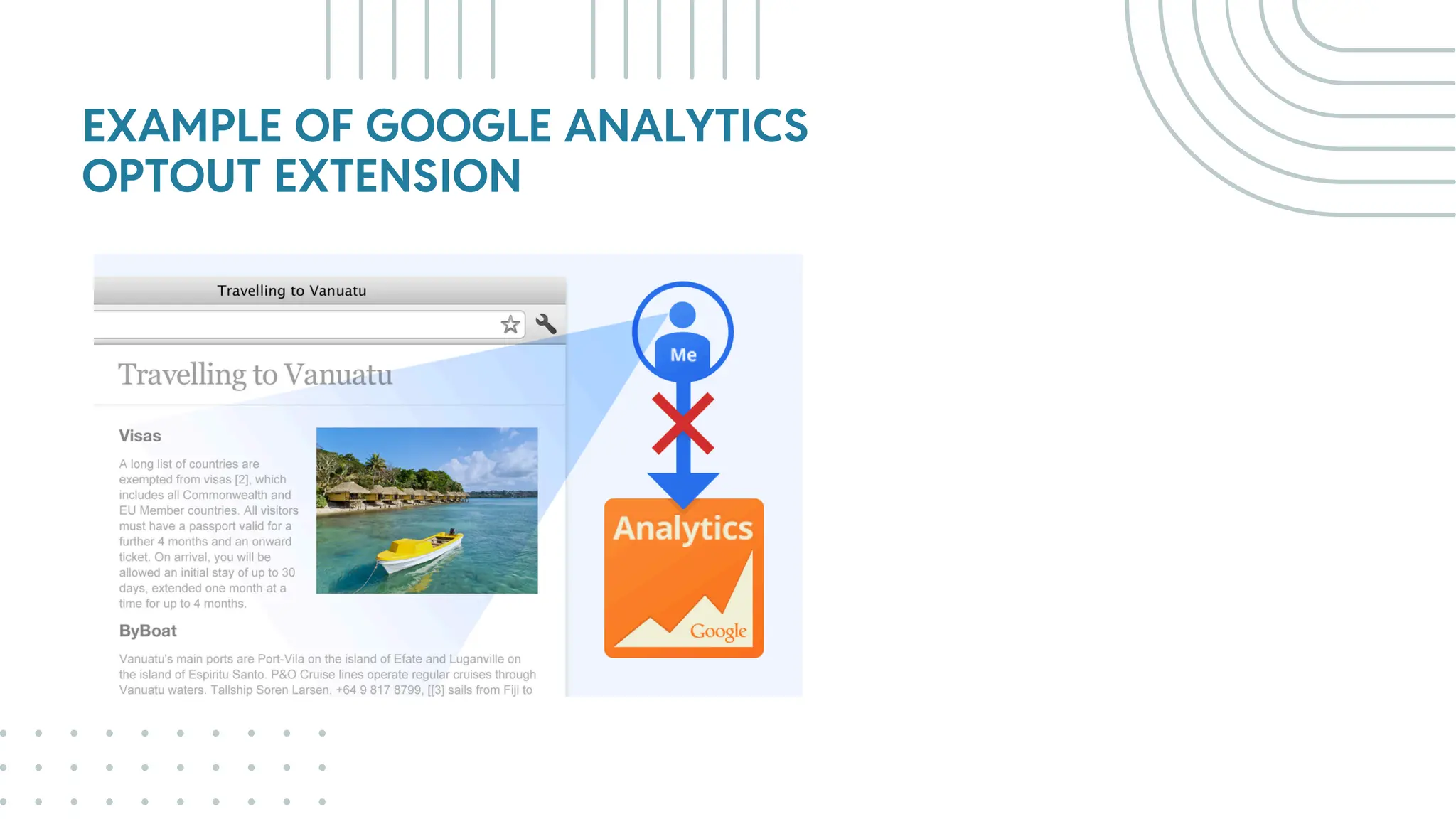
Google Analytics Opt-out Add-
on (by Google) Extension: Tells
the Google Analytics JavaScript
not to send information to
Google Analytics.
Redirection path extension: The
HTTP Header & Redirect Checker
for SEO.
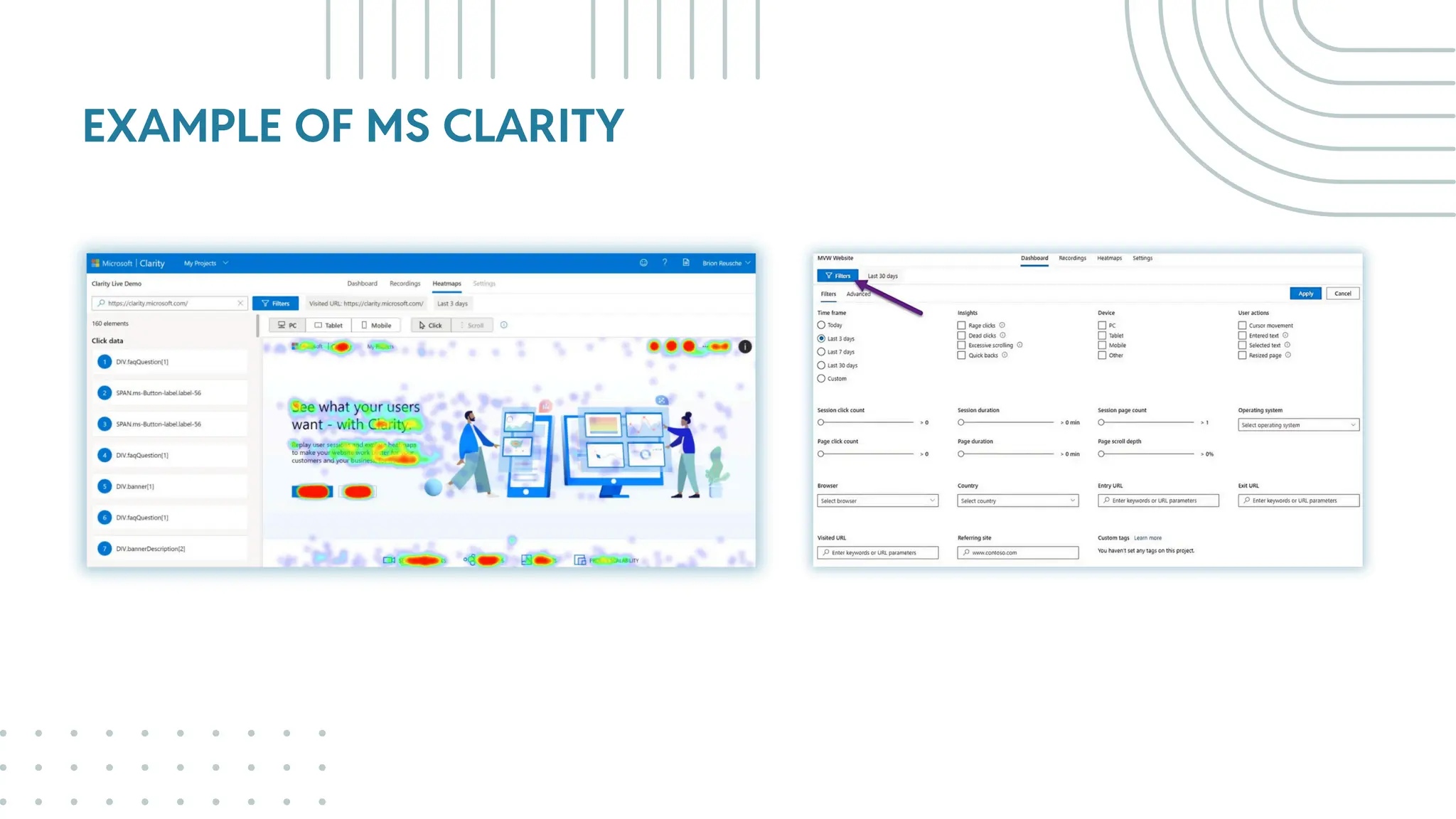
EXAMPLE OF MS CLARITY
EXAMPLE OF SCREMING FROG
EXAMPLE OF WEBSITE SEO
CHECKER FREE AUDIT & ANALYSIS
EXAMPLE OF GOOGLE ANALYTICS
OPTOUT EXTENSION
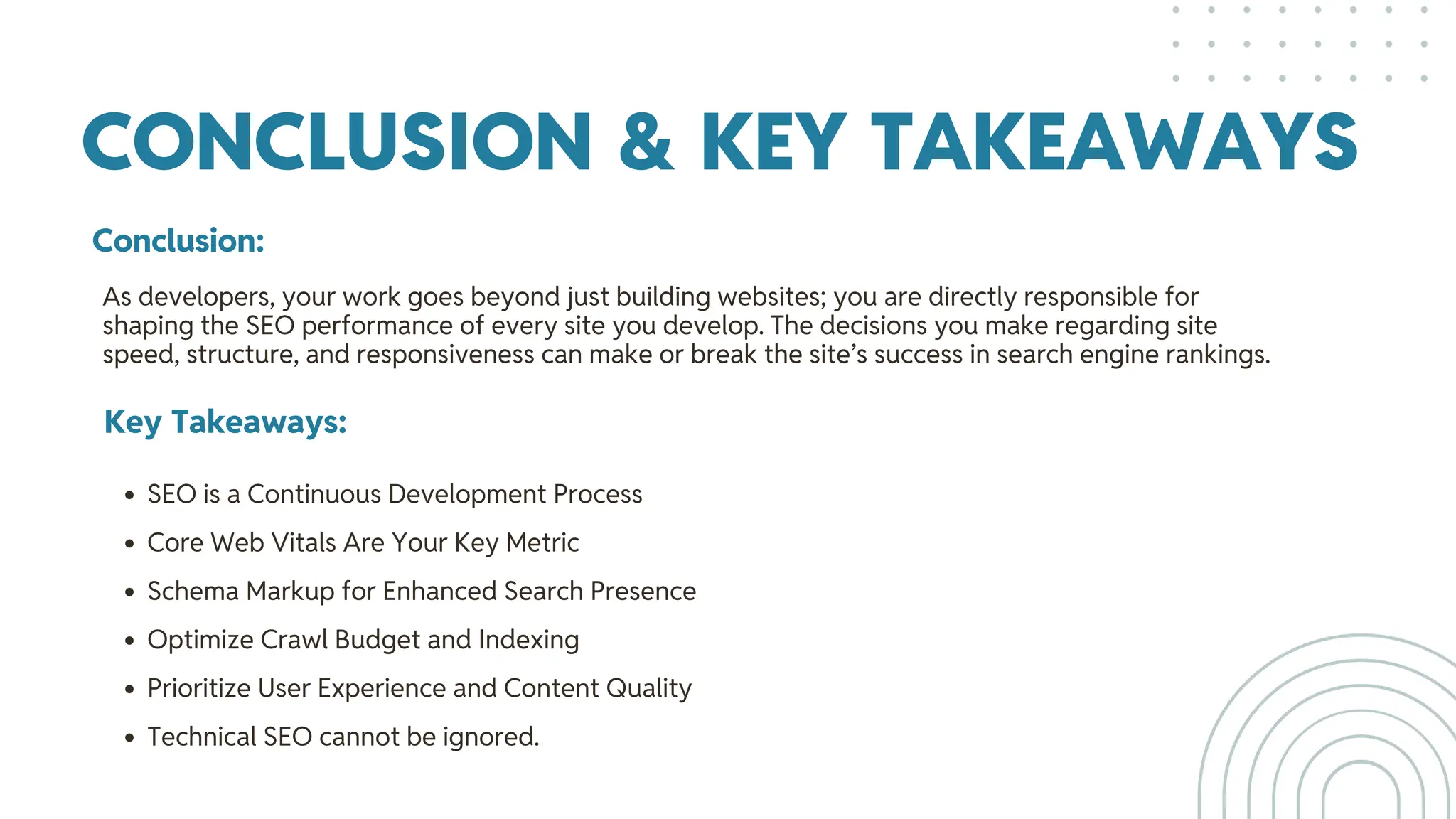
CONCLUSION & KEY TAKEAWAYS
Conclusion:
Key Takeaways:
SEO is a Continuous Development Process
Core Web Vitals Are Your Key Metric
Schema Markup for Enhanced Search Presence
Optimize Crawl Budget and Indexing
Prioritize User Experience and Content Quality
Technical SEO cannot be ignored.
As developers, your work goes beyond just building websites; you are directly responsible for
shaping the SEO performance of every site you develop. The decisions you make regarding site
speed, structure, and responsiveness can make or break the site’s success in search engine rankings.
THANK YOU
Do you have any question?

WordPress SEO -Best Practices Developers Should Follow.pdf

  • 1.
    WordPress SEO: Best PracticesDevelopers Should Follow Surat WordPress Meetup September 2024 Presented by: Kaushik Kathiriya
  • 2.
    AGENDA 01. 02. HOW SEARCH ENGINEWORK WHY SEO REQUIRED? 03. PRE-SEO CONSIDERATIONS 04. 05. ON-PAGE SEO STRATEGIES WHAT IS SCHEMA MARKUP? 06. 07. TECHNICAL SEO STRATEGIES 08. AVOID SILLY MISTAKE 09. SEO TOOLS & PLUGINS FOR DEVELOPERS CONCLUSION & Q&A
  • 3.
    HOW SEARCH ENGINESWORK? Crawling Search engines use bots (also called spiders or crawlers) to discover web pages. Indexing After crawling, search engines store information about these web pages in their index. Ranking When users search for a query, search engines rank the indexed pages based on their relevance, quality, and user- friendliness.
  • 4.
  • 5.
    SEARCH ENGINE MARKETSHARE Search Engine Market Share Google Bing Yandex Yahoo! Baidu DuckDuckGo 90.48% 3.93% 1.95% 1.32% 0.79% 0.64%
  • 6.
  • 7.
    Increases Visibility: EnhancesCredibility: Drives Organic Traffic: Provides Long-Term Benefits: SEO helps your website appear higher in search engine results, making it easier for potential customers to find you when they search for relevant keywords. Higher search engine rankings can boost your brand's credibility and authority, making customers more likely to trust your products or services. Organic search results often receive more clicks than paid ads, leading to a steady stream of targeted visitors to your website. Unlike paid advertising, SEO can provide sustained results over time, making it a cost-effective investment.
  • 8.
    COMPARISON Focus: Organic (non-paid)traffic. Long-Term Results: It takes time to build rankings, but results are sustainable. Cost: No direct cost for organic traffic, but requires investment in time and resources for optimization. Approach: Focuses on optimizing website content, technical aspects, and backlinks. Example: Ranking a blog post organically for a target keyword. SEO vs PPC Focus: Paid search ads (e.g., Google Ads). Immediate Results: Get traffic quickly by paying for top placements. Cost: Pay for each click on your ad, often bidding against competitors. Approach: Focus on targeting keywords, ad creation, and setting a budget for clicks. Example: Running Google Ads for a product page targeting specific keywords. Integration: Best results often come from using SEO and PPC together—PPC provides data for SEO keyword strategies, while SEO builds organic strength over time.
  • 9.
  • 10.
    TYPES OF SEO 01. 02. ONPAGE SEO OFF PAGE SEO 03. TECHNICAL SEO 04. 05. LOCAL SEO INTERNATIONAL SEO 06. 07. MOBILE SEO IMAGE SEO 08. VIDEO SEO 09. 10. ECOMMERCE SEO VOICE SEO
  • 11.
  • 12.
    WEBSITE SPEED CRAWLABILITYAND INDEXABILITY MOBILE RESPONSIVENESS SECURE HTTPS CONNECTION USER EXPERIENCE (UX) COMPETITOR RESEARCH Importance of fast-loading websites for user experience and ranking. Ensure search engines can easily crawl and index the website. Ensure the website is optimized for mobile devices. Security matters for SEO (SSL certificates). Ensure your website is easy to navigate and provides a good user experience. Identifying and analyzing competitors to understand their strengths, weaknesses, strategies, and market position.
  • 13.
  • 14.
    01 - Titletag & meta Descriptions 02 - Heading Structure 03 - Internal Linking Clickbait Title, keyword-optimized titles and descriptions that encourage clicks. Use H1 for the primary heading and H2- H6 for subheadings to organize content. Direct users to relevant pages within your website, which helps both SEO and user experience. BEST PRACTICES
  • 15.
    04 - ImageOptimization 05 - URL Structure 06 - Mobile-Friendliness Use descriptive file names and alt text for images. Compress images using tools like TinyPNG to improve load times. Keep URLs short, descriptive, and include keywords relevant to the page content. Ensure your website is fully responsive and provides an excellent user experience on all devices. BEST PRACTICES
  • 16.
    07 - PageLoad Speed 09 - Schema Markup Multilingual SEO (if applicable) 08 - Improve page speed by leveraging browser caching, minimizing CSS and JavaScript, and using content delivery networks (CDNs). Implement schema markup to help search engines better understand your content and display rich snippets (e.g., reviews, ratings, FAQs). Use hreflang tags if your website is multilingual, to ensure search engines serve the correct language version of a page to the right audience. BEST PRACTICES
  • 17.
  • 18.
    Schema markup isa code in the form of structured data that communicates the meaning of your page, elements, and how users should see it to the searching tool.
  • 19.
    TYPES OF SCHEMA 01. 02. FAQSSCHEMA REVIEW SCHEMA 03. PRODUCT SCHEMA 04. 05. EVENT SCHEMA JOBS SCHEMA 06. 07. SEARCH SCHEMA ORGANIZATION SCHEMA 08. RECIPE SCHEMA 09. 10. VIDEO SCHEMA LOCAL BUSINESS SCHEMA
  • 20.
  • 21.
  • 22.
  • 23.
    HOW TO GENERATESCHEMA You can manually write schema markup using JSON-LD format or use a schema generator tool
  • 24.
  • 25.
    WEBSITE STRUCTURE SSL& SECURITY MOBILE-FIRST INDEXING SITEMAP & ROBOTS.TXT SITE SPEED CORE WEB VITALS Clean URL structures, XML sitemaps, and robots.txt files help search engines crawl and index your website effectively. Websites with HTTPS are trusted more by users and search engines. Use SSL certificates to secure your site. Google prioritizes mobile- friendly sites; ensure your site is responsive. Varify sitemap and robots.txt file and block secure page Techniques like caching, image compression (using plugins like Smush or ShortPixel), and content delivery networks (CDNs) like Cloudflare improve speed. Varify with page speed insight tools with how many core web vitals error. CONSIDERATION
  • 26.
    Optimizing for Core Web Vitals CoreMetrics: Largest Contentful Paint (LCP), First Input Delay (FID), Cumulative Layout Shift (CLS), Interaction to next paint (INP). Why Core Web Vitals Matter: Core Web Vitals are directly tied to Google’s ranking algorithm, affecting SEO. Checking tools: Google PageSpeed Insights, Lighthouse, and Web Vitals extension. WordPress Tools: How plugins like WP Rocket and W3 Total Cache and other cashing plugins can help. Best Practices: Lazy loading, minimizing CSS and JavaScript, server response time.
  • 27.
  • 28.
    WHAT KIND OFSILLY MISTAKE WE CAN AVOID DURING THE DEVELOPMENT 07.
  • 29.
    01. Forgetting toOptimize Images 02. Ignoring Mobile Optimization Missing Meta Tags or Using Duplicate Ones Solution: Always compress images and use appropriate formats (e.g., WebP) without sacrificing quality. Also, include descriptive alt tags. Solution: Use responsive design practices and test the site on various devices to ensure smooth performance across all screen sizes. Solution: Ensure unique, descriptive title tags and meta descriptions for every page to improve click-through rates and relevance. BEST PRACTICES 03.
  • 30.
    04. Broken Linksand 404 Errors No Structured Data (Schema Markup) Using Too Much JavaScript Without Proper SEO Consideration Solution: Regularly audit the site for broken links and ensure all redirects are properly set up. Solution: Implement relevant schema markup (e.g., Product, Article, FAQ) to help search engines better understand and display your content. Solution: Ensure that important content is accessible by search engines either through server-side rendering or by making key elements crawlable. BEST PRACTICES 05. 06.
  • 31.
    07. Not Optimizingfor Site Speed Using Dynamic URLs Instead of Clean URLs Not Setting Up Proper Canonical URLs Solution: Minimize code, leverage browser caching, and use a content delivery network (CDN) to improve site speed. Solution: Implement clean, descriptive URLs that are keyword-rich (e.g., example.com/seo-tips-for-developers). Solution: Set canonical URLs to indicate the preferred version of a page, especially when similar content exists across multiple pages. BEST PRACTICES 08. 09.
  • 32.
    Forgetting to Set‘Noindex’ on Staging or Development Sites 11. No Breadcrumb Navigation Poor Heading Structure (H1, H2, H3 etc.) Solution: Always set noindex tags or block these environments using robots.txt to prevent search engines from indexing non-public versions of the site. Solution: Implement breadcrumb navigation to improve user experience and allow search engines to understand the structure of your site better. Solution: Stick to one H1 per page, followed by H2s and H3s to properly structure content in a logical and accessible way. BEST PRACTICES 12. 10.
  • 33.
    SEO TOOLS & PLUGINSFOR DEVELOPERS 08.
  • 34.
    SEO TOOLS AND PLUGINS FORWP Yoast SEO vs. Rank Math: Both are excellent tools, but Yoast is user-friendly, while Rank Math provides more advanced options. Ahrefs and SEMrush: Comprehensive tools for keyword research, backlink analysis, and site audits. Google Search Console: Monitor performance, page track issues, schema issues and submit sitemaps. Google Analytics: Analyze traffic sources, user behavior, and set goals to track conversions. Screaming Frog: A website crawler for in-depth technical SEO audits. Website SEO Checker Free Audit & Analysis Extension: Every imaginable SEO Metric within a browser plugin. Keyword Rankings, Backlinks, On-Page Elements, Tech Audit & More
  • 35.
    SEO TOOLS AND PLUGINS FORWP Check My Links Extension: Check My Links is a link checker that crawls through your webpage and looks for broken links. Schema Markup Generator (JSON-LD): Structured data generator that supports the creation of JSON-LD markups. Including all of the required item properties and more. Google Analytics Opt-out Add- on (by Google) Extension: Tells the Google Analytics JavaScript not to send information to Google Analytics. Redirection path extension: The HTTP Header & Redirect Checker for SEO.
  • 36.
  • 37.
  • 38.
    EXAMPLE OF WEBSITESEO CHECKER FREE AUDIT & ANALYSIS
  • 39.
    EXAMPLE OF GOOGLEANALYTICS OPTOUT EXTENSION
  • 40.
    CONCLUSION & KEYTAKEAWAYS Conclusion: Key Takeaways: SEO is a Continuous Development Process Core Web Vitals Are Your Key Metric Schema Markup for Enhanced Search Presence Optimize Crawl Budget and Indexing Prioritize User Experience and Content Quality Technical SEO cannot be ignored. As developers, your work goes beyond just building websites; you are directly responsible for shaping the SEO performance of every site you develop. The decisions you make regarding site speed, structure, and responsiveness can make or break the site’s success in search engine rankings.
  • 41.
    THANK YOU Do youhave any question?