

FRIENDS
OF SEARCH

HARDENING WORDPRESS
VARIOUS TWEAKS FOR BETTER WP SECURITY
WHAT REALLY MATTERS: TOP 3!
IF YOU HAVE 5 MINS TO SPARE, JUST DO THESE…
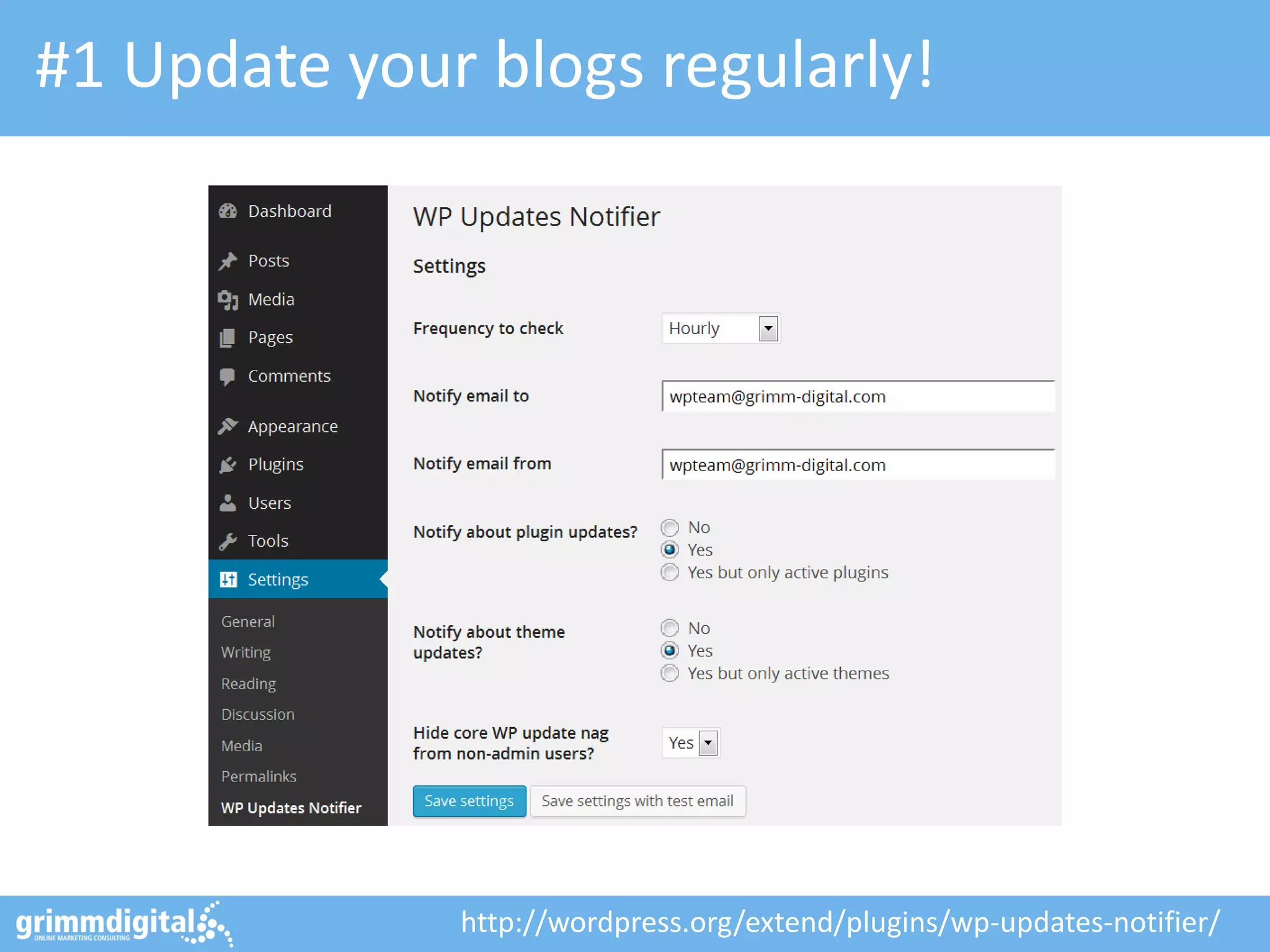
#1 Update your blogs regularly!

http://wordpress.org/extend/plugins/wp-updates-notifier/
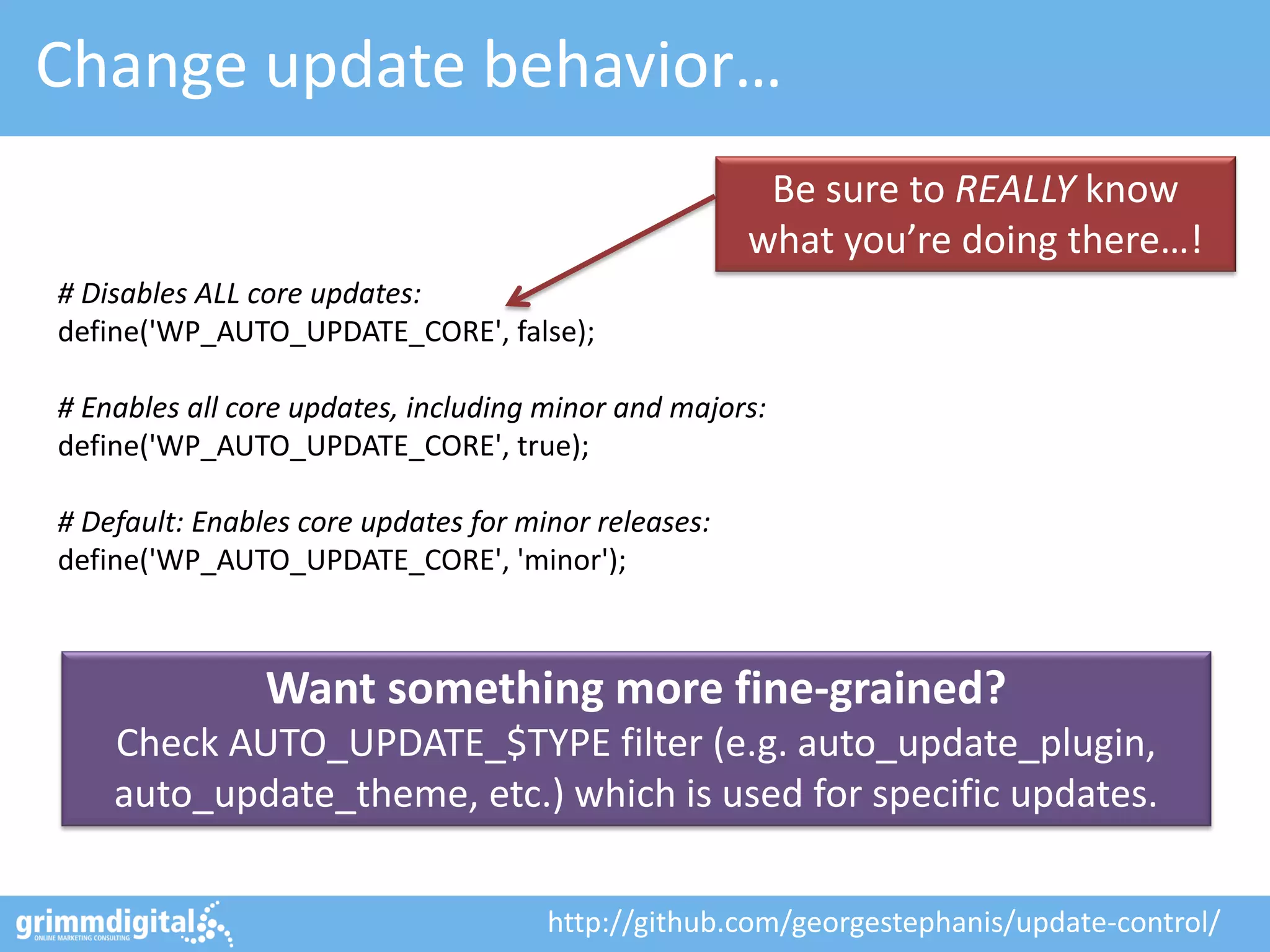
Change update behavior…
Be sure to REALLY know
what you’re doing there…!
# Disables ALL core updates:
define('WP_AUTO_UPDATE_CORE', false);
# Enables all core updates, including minor and majors:
define('WP_AUTO_UPDATE_CORE', true);
# Default: Enables core updates for minor releases:
define('WP_AUTO_UPDATE_CORE', 'minor');

Want something more fine-grained?
Check AUTO_UPDATE_$TYPE filter (e.g. auto_update_plugin,
auto_update_theme, etc.) which is used for specific updates.
http://github.com/georgestephanis/update-control/
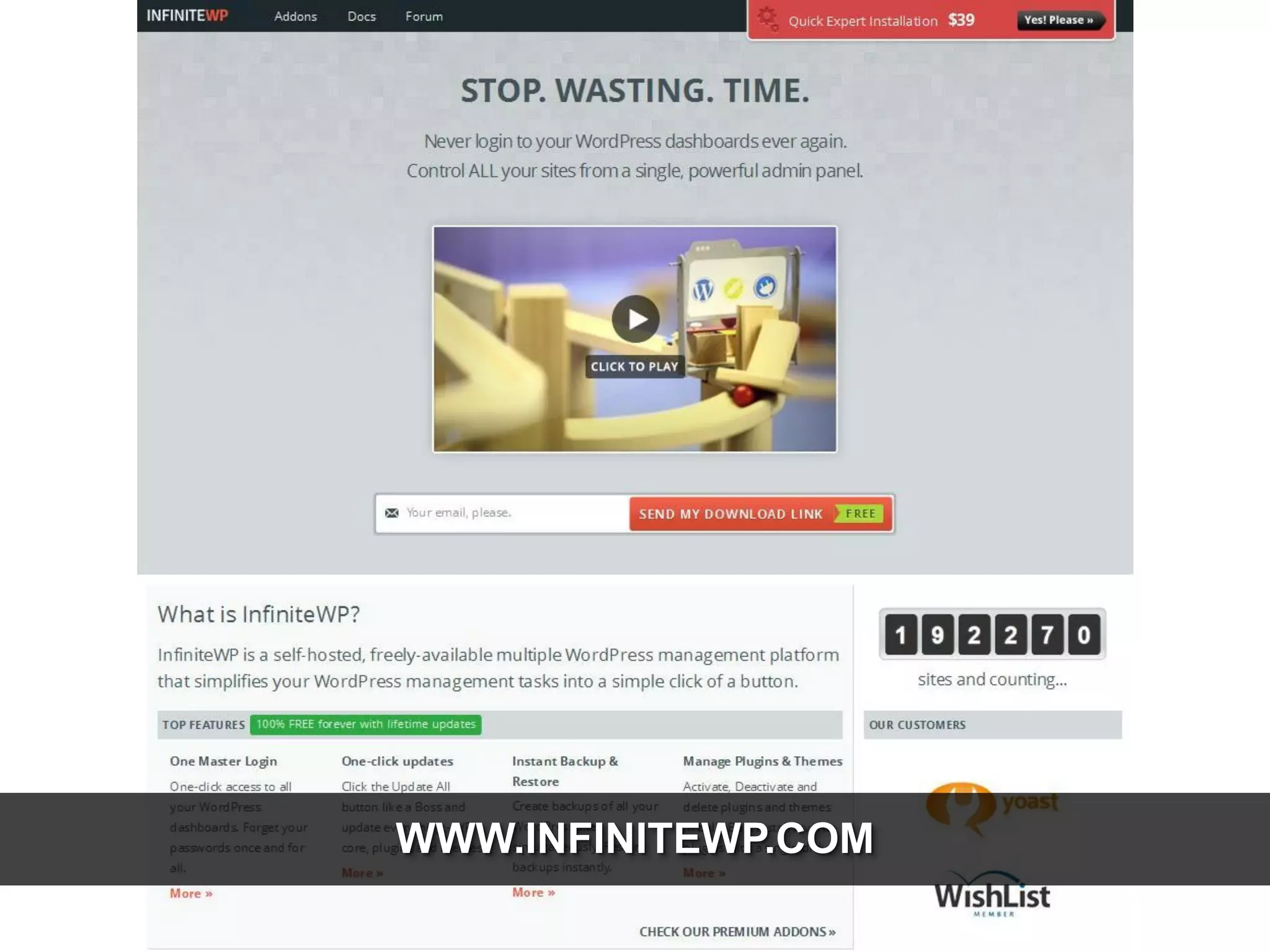
WWW.INFINITEWP.COM
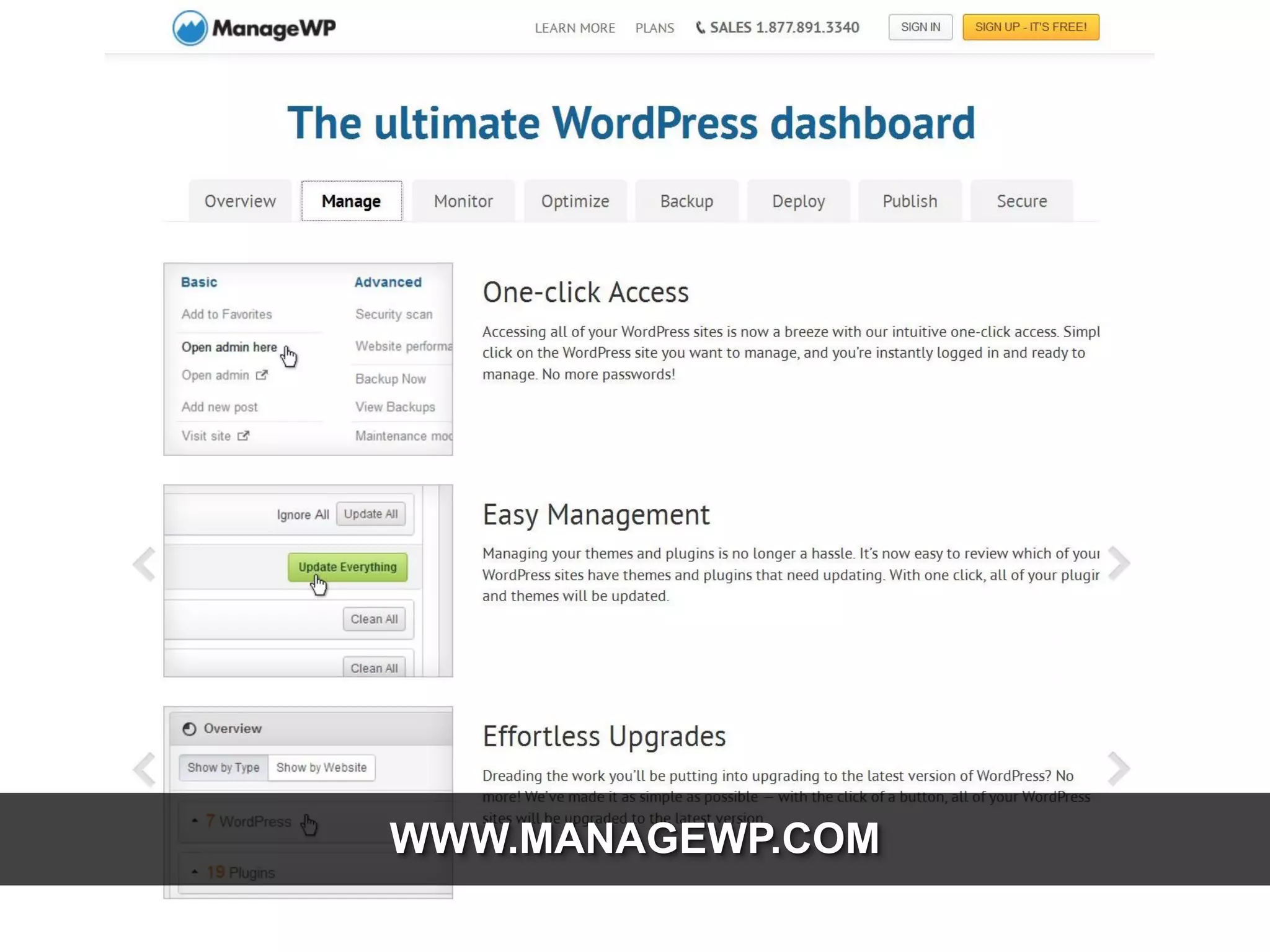
WWW.MANAGEWP.COM
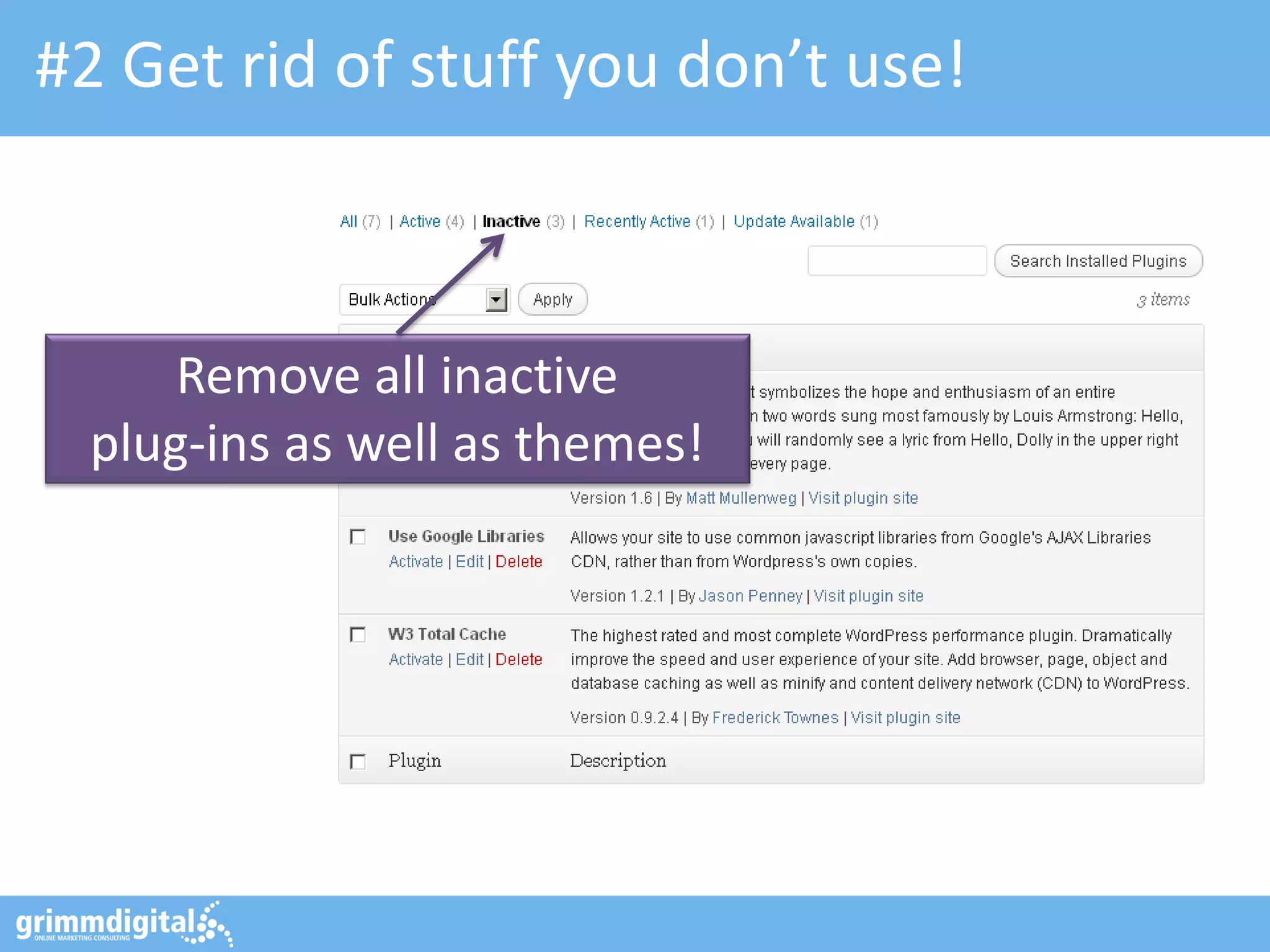
#2 Get rid of stuff you don’t use!

Remove all inactive
plug-ins as well as themes!
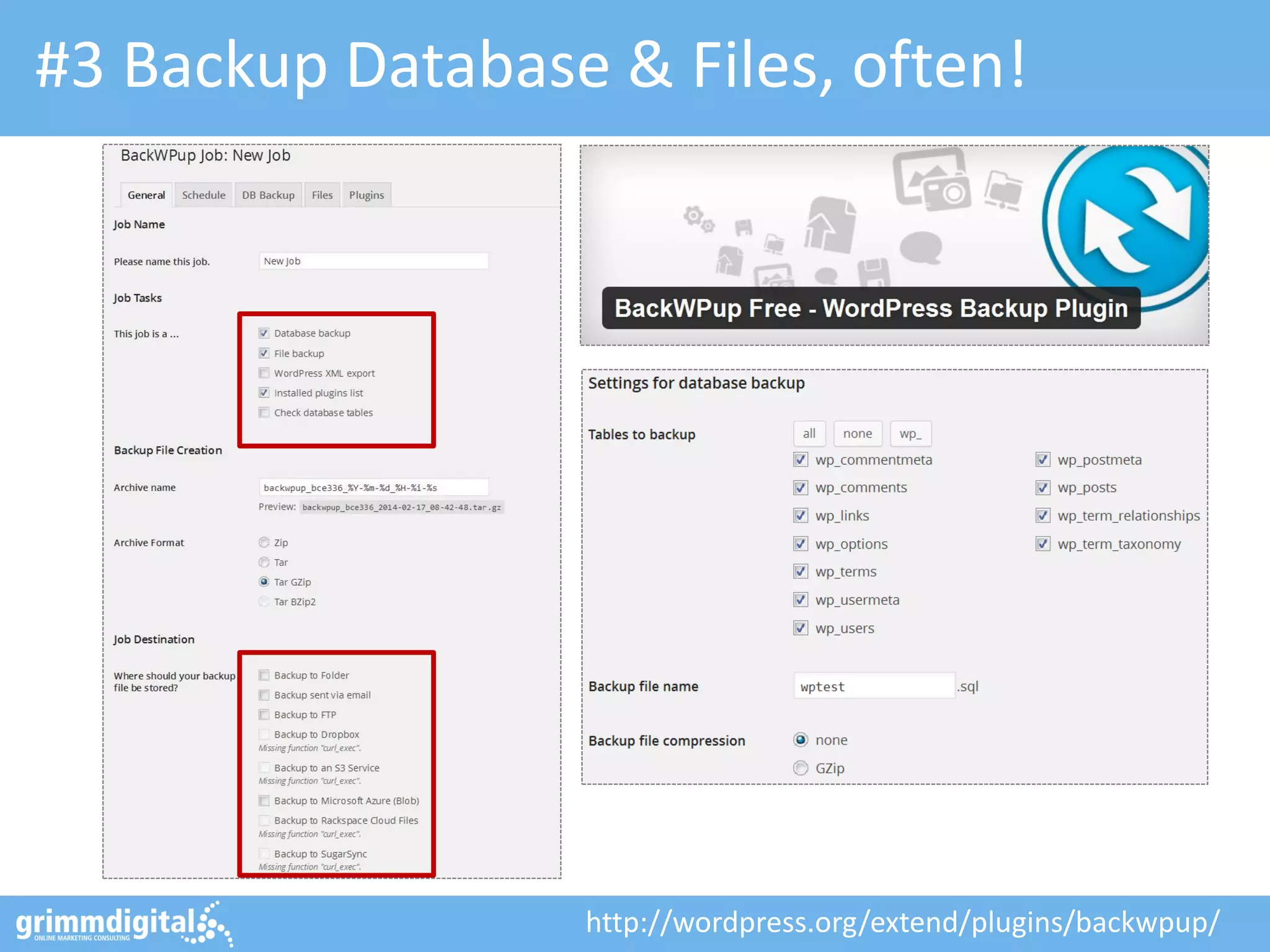
#3 Backup Database & Files, often!

http://wordpress.org/extend/plugins/backwpup/
SECURITY STARTS AT SETUP
MAKE THINGS RIGHT FROM THE BEGINNING…!
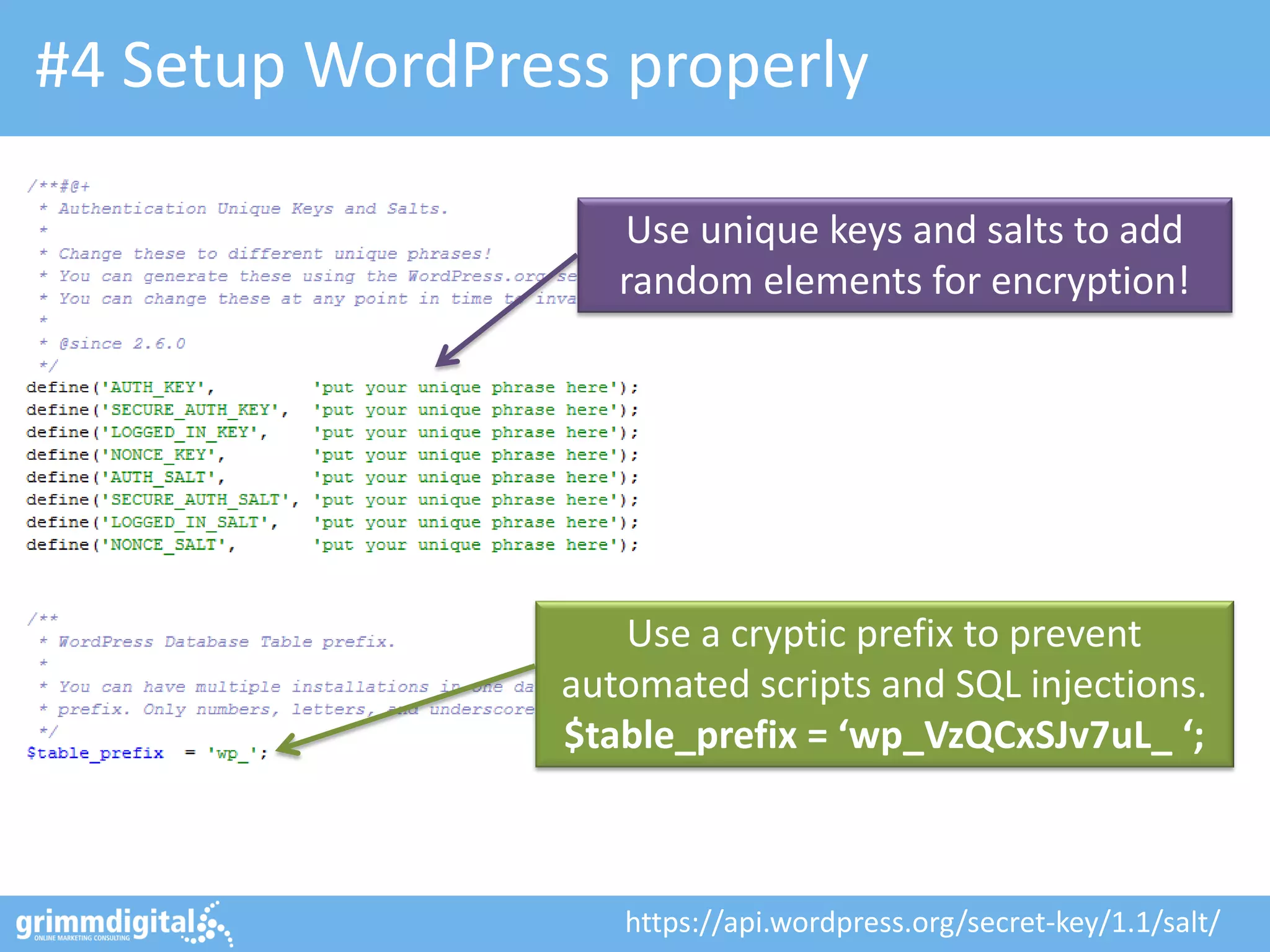
#4 Setup WordPress properly
Use unique keys and salts to add
random elements for encryption!

Use a cryptic prefix to prevent
automated scripts and SQL injections.
$table_prefix = ‘wp_VzQCxSJv7uL_ ‘;

https://api.wordpress.org/secret-key/1.1/salt/
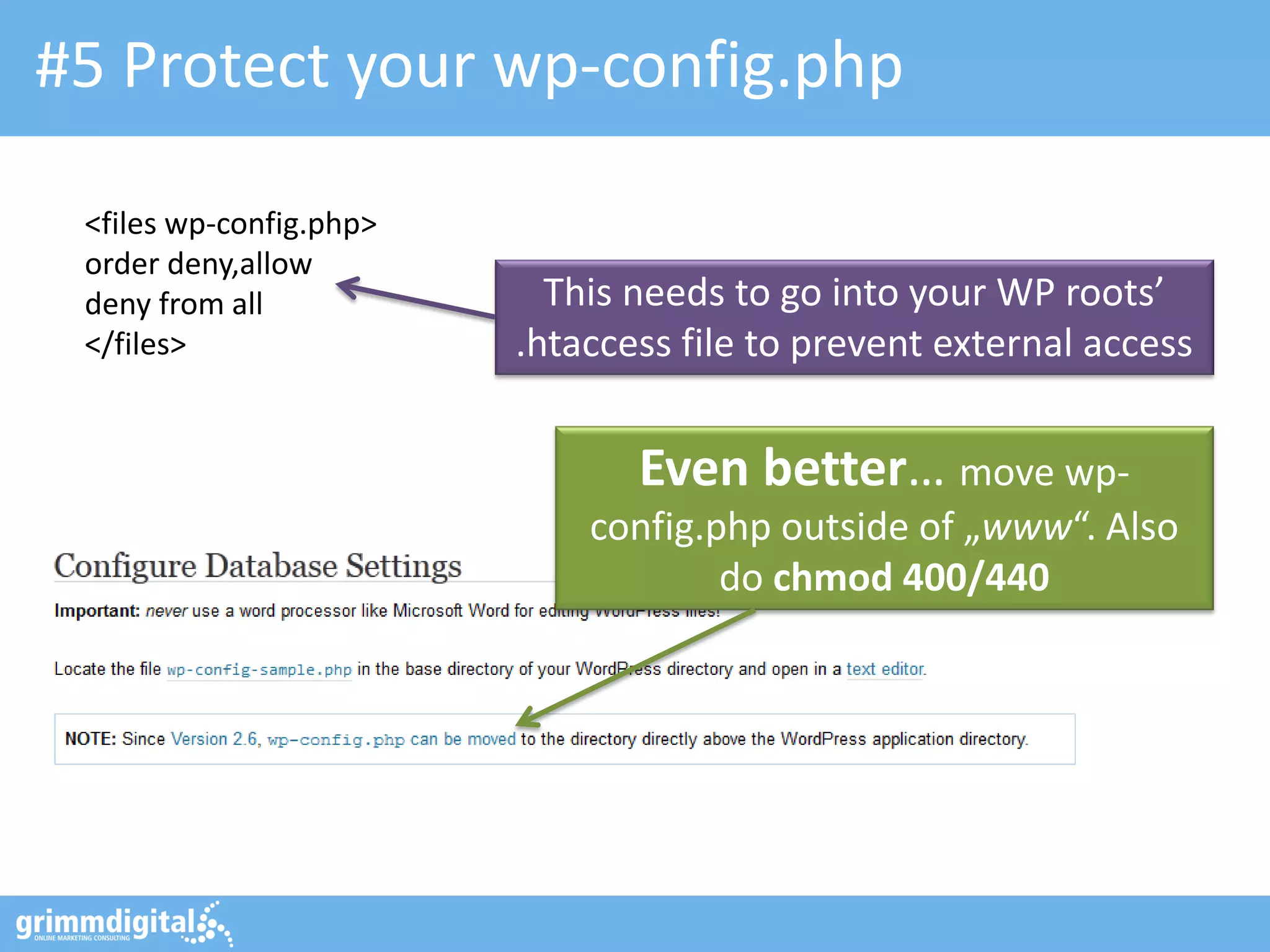
#5 Protect your wp-config.php
<files wp-config.php>
order deny,allow
deny from all
</files>

This needs to go into your WP roots’
.htaccess file to prevent external access

Even better… move wpconfig.php outside of „www“. Also
do chmod 400/440
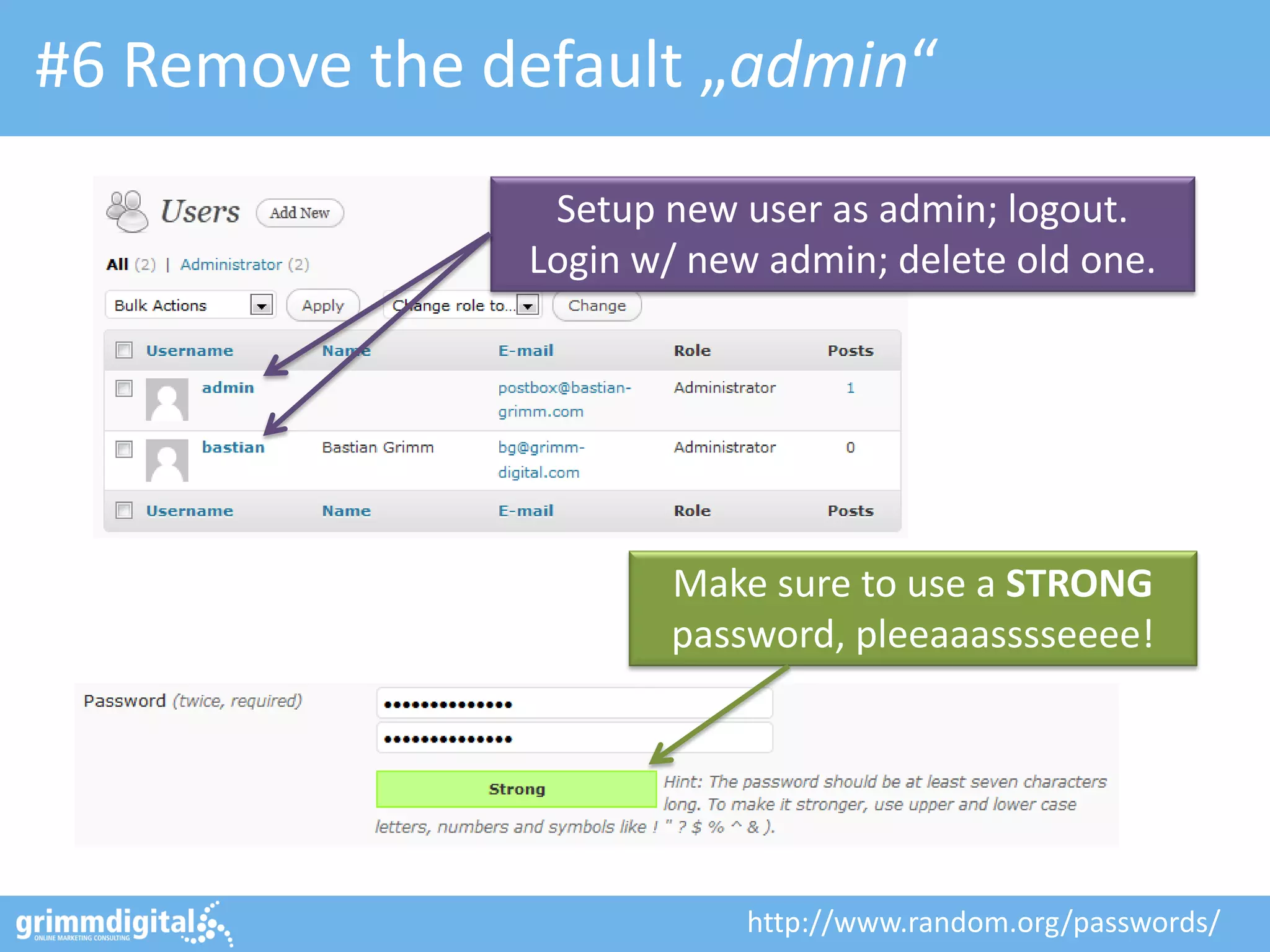
#6 Remove the default „admin“
Setup new user as admin; logout.
Login w/ new admin; delete old one.

Make sure to use a STRONG
password, pleeaaasssseeee!

http://www.random.org/passwords/
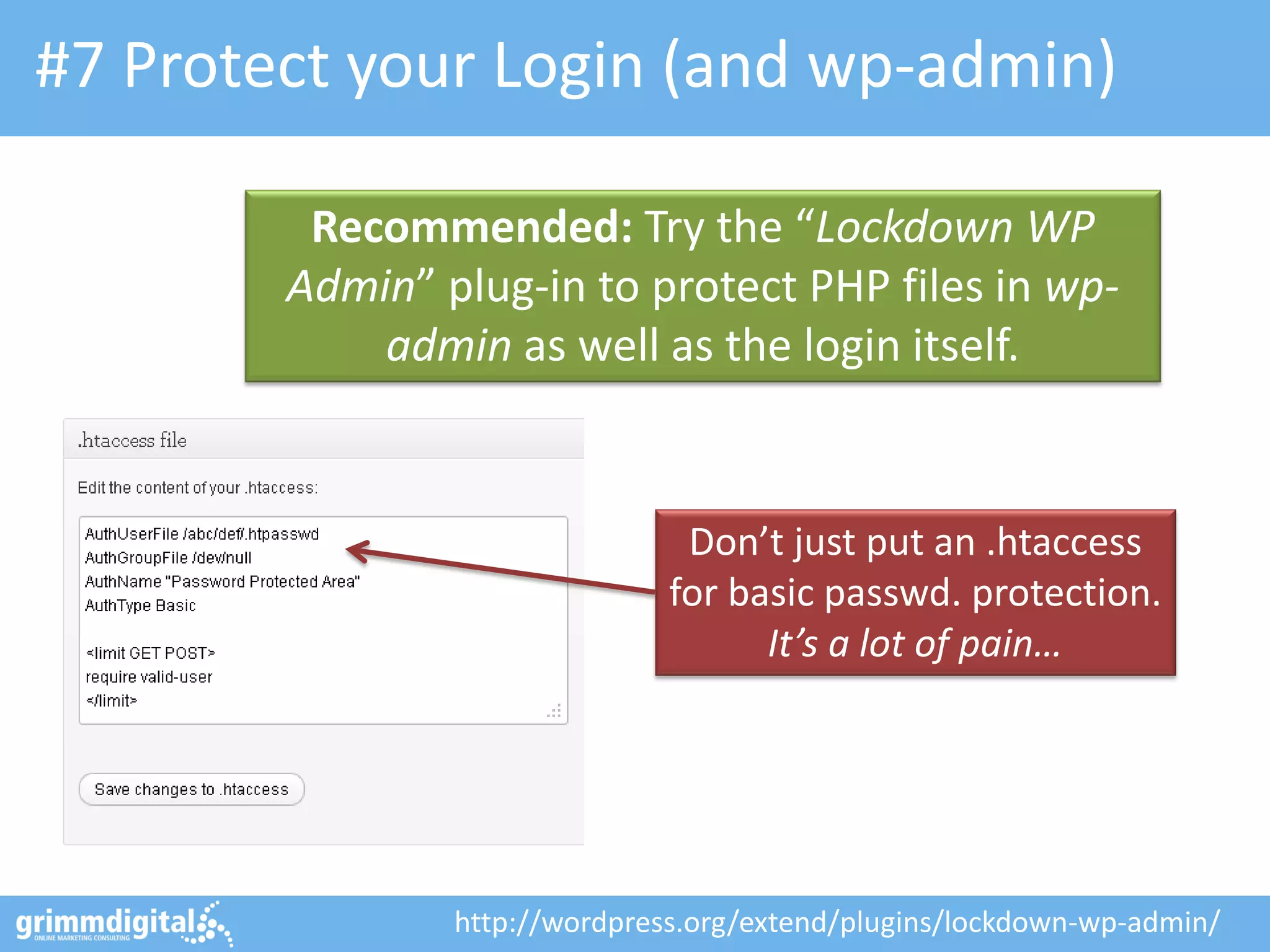
#7 Protect your Login (and wp-admin)
Recommended: Try the “Lockdown WP
Admin” plug-in to protect PHP files in wpadmin as well as the login itself.

Don’t just put an .htaccess
for basic passwd. protection.
It’s a lot of pain…

http://wordpress.org/extend/plugins/lockdown-wp-admin/
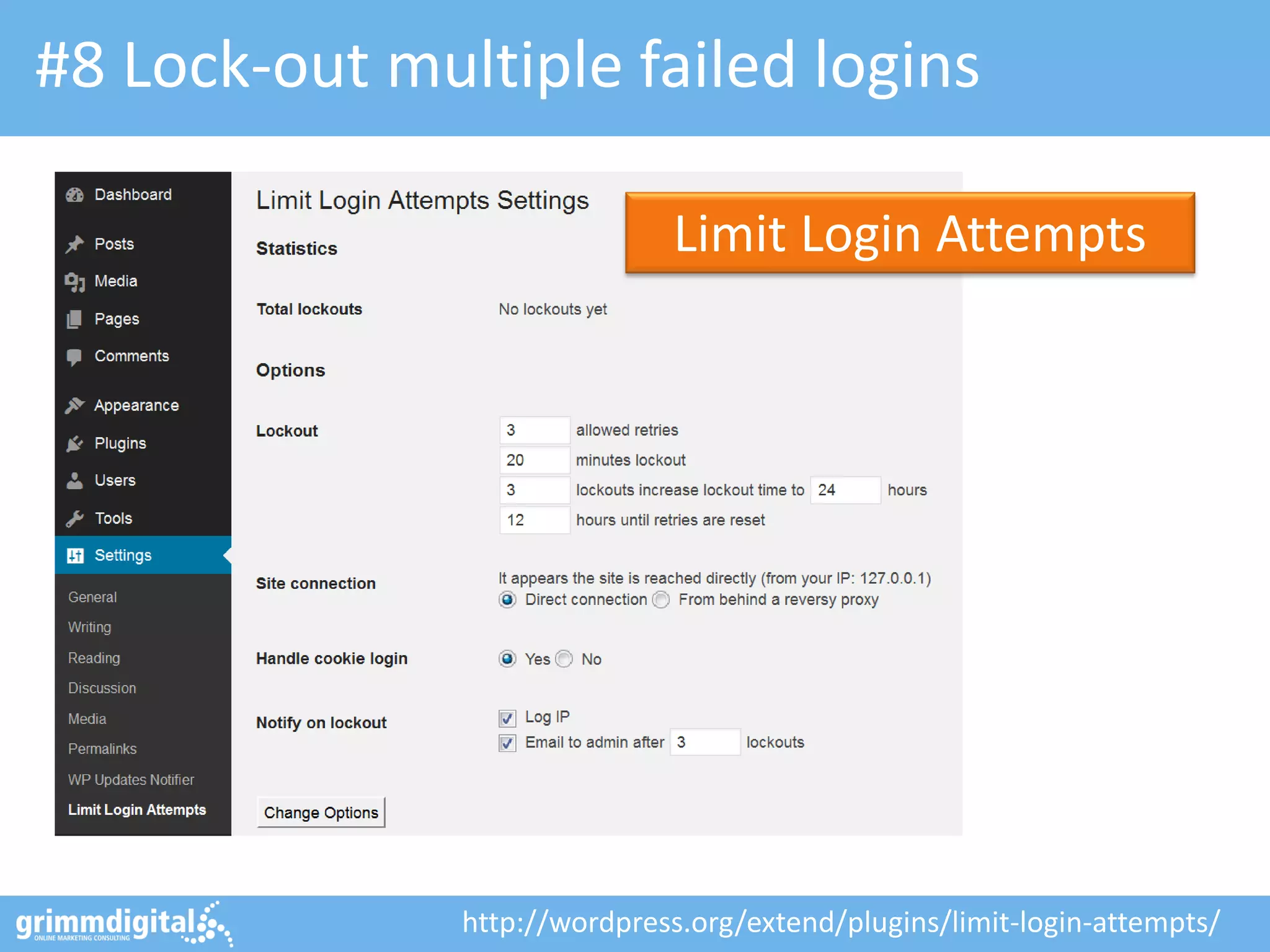
#8 Lock-out multiple failed logins
Limit Login Attempts

http://wordpress.org/extend/plugins/limit-login-attempts/
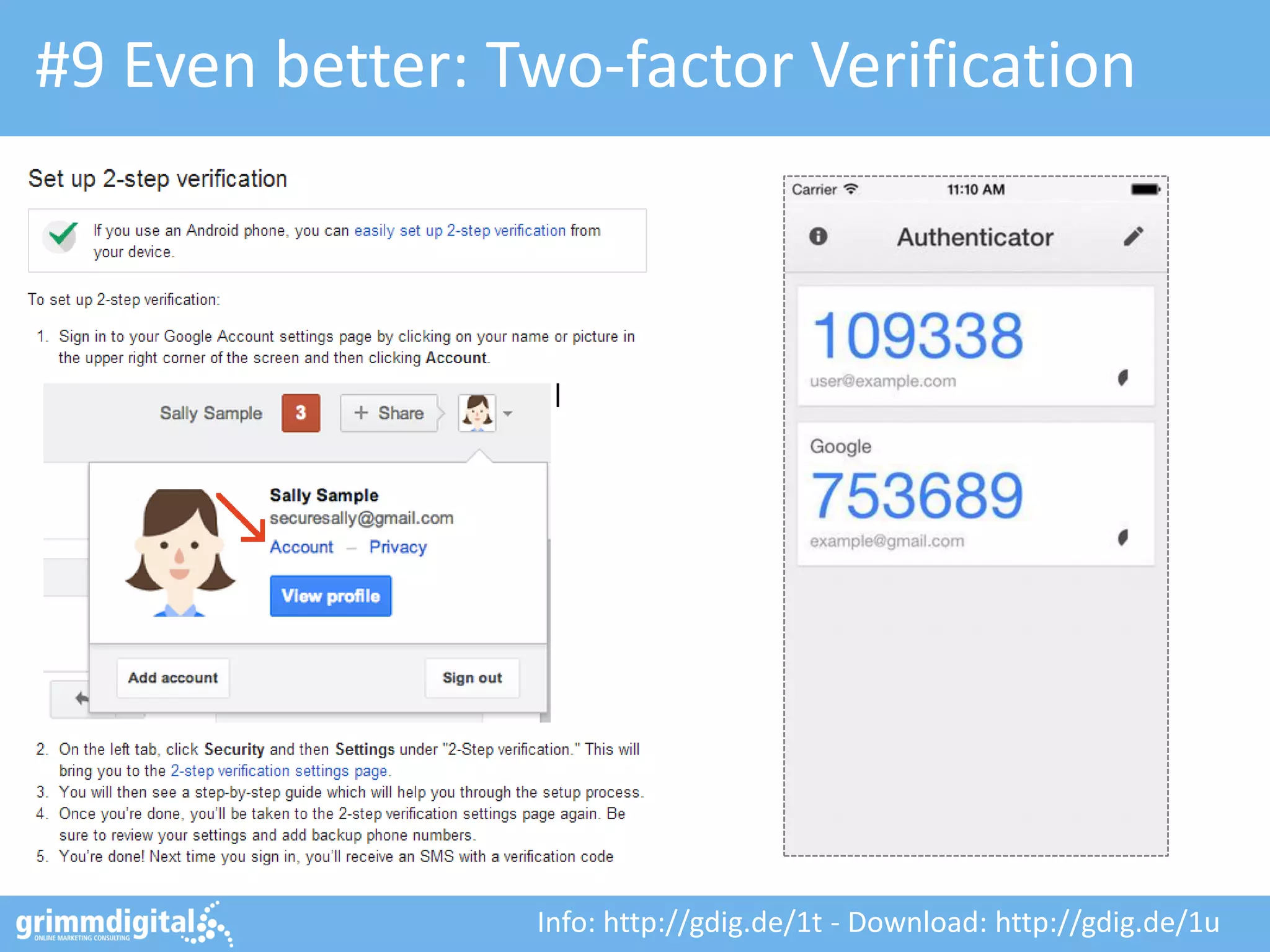
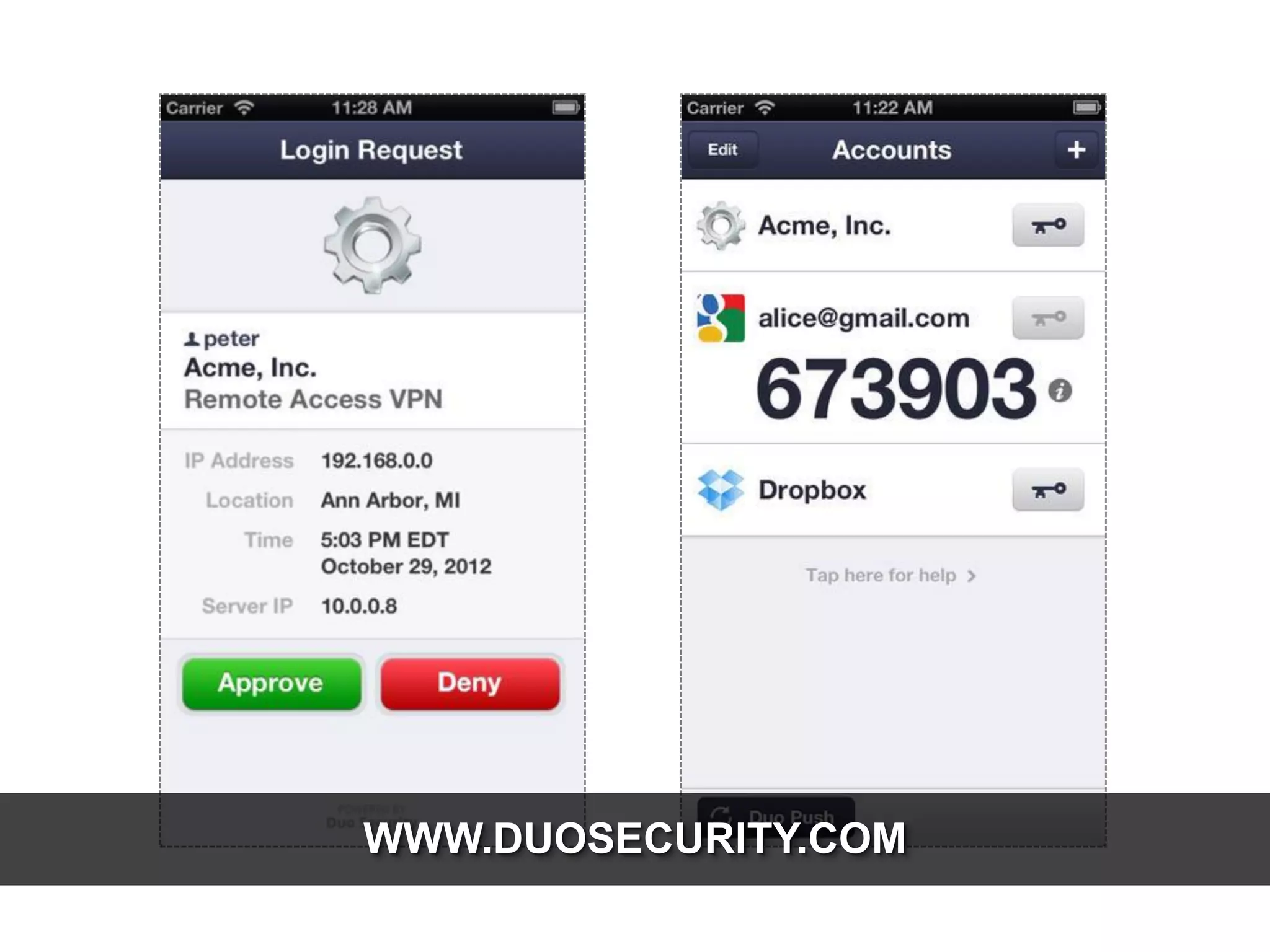
#9 Even better: Two-factor Verification

Info: http://gdig.de/1t - Download: http://gdig.de/1u
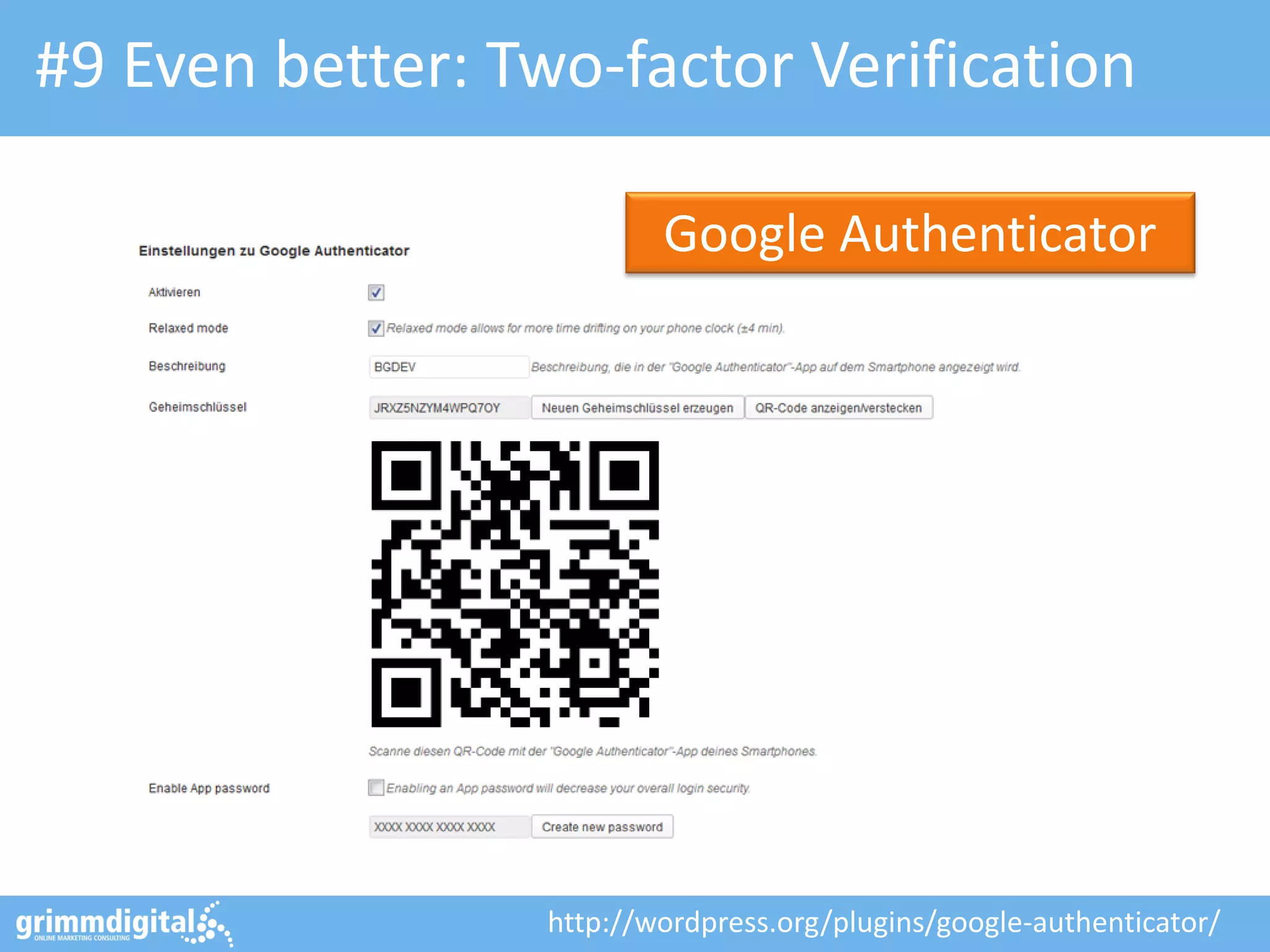
#9 Even better: Two-factor Verification
Google Authenticator

http://wordpress.org/plugins/google-authenticator/
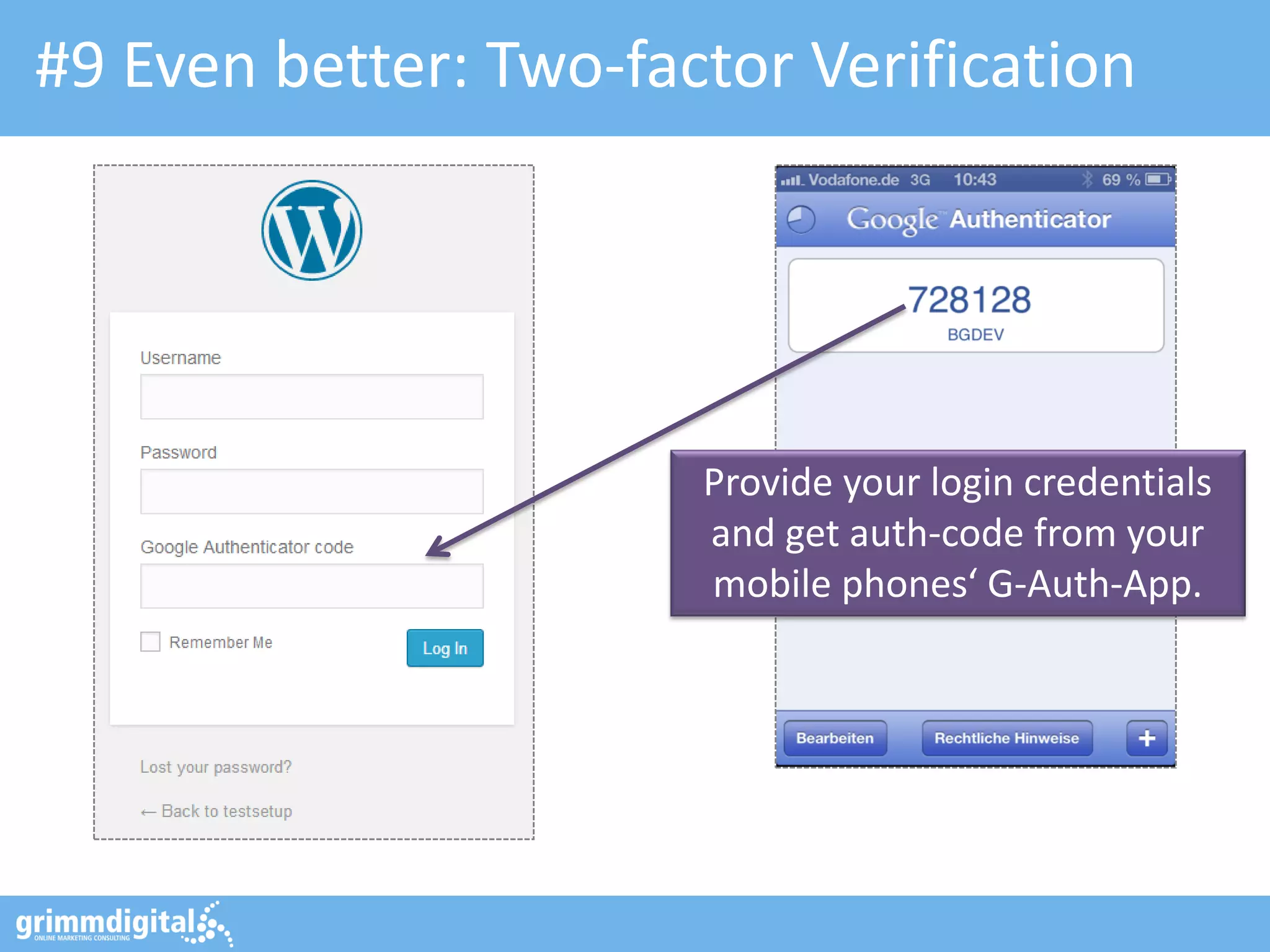
#9 Even better: Two-factor Verification

Provide your login credentials
and get auth-code from your
mobile phones‘ G-Auth-App.
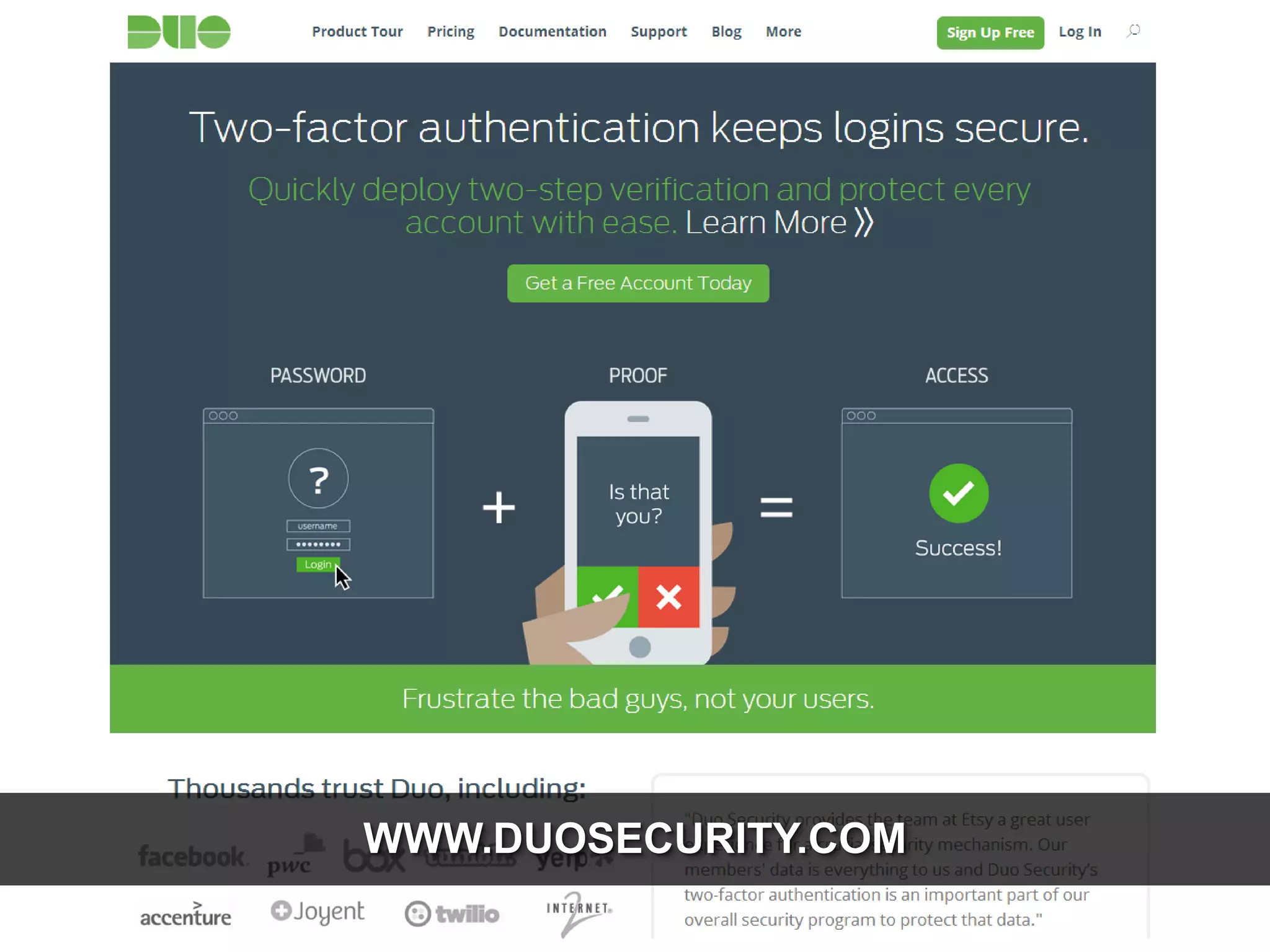
WWW.DUOSECURITY.COM
WWW.DUOSECURITY.COM
WWW.GETCLEF.COM
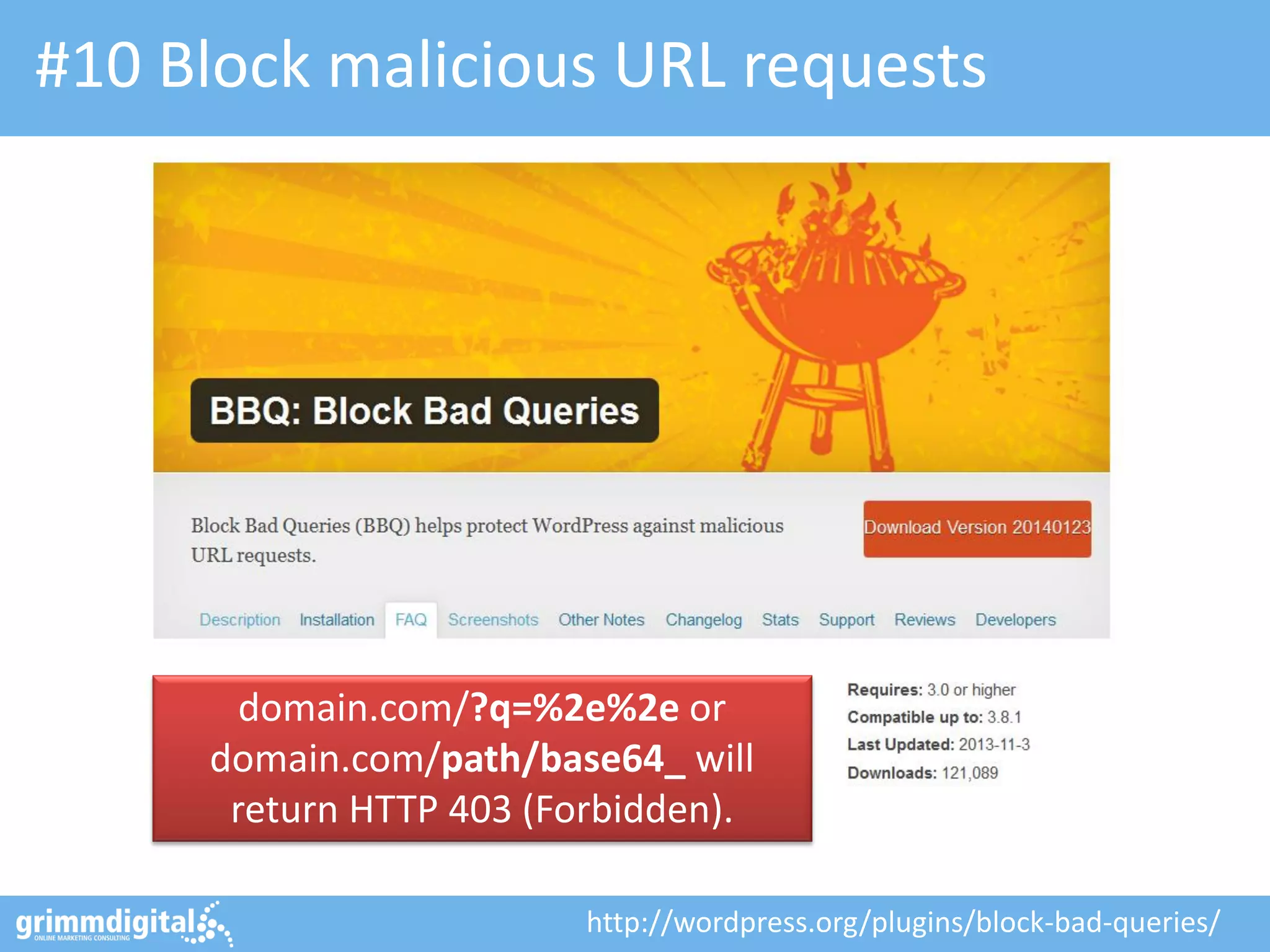
#10 Block malicious URL requests

domain.com/?q=%2e%2e or
domain.com/path/base64_ will
return HTTP 403 (Forbidden).
http://wordpress.org/plugins/block-bad-queries/
ADDITIONAL TWEAKS
THINGS YOU COULD DO IN YOUR CONFIG AS WELL…
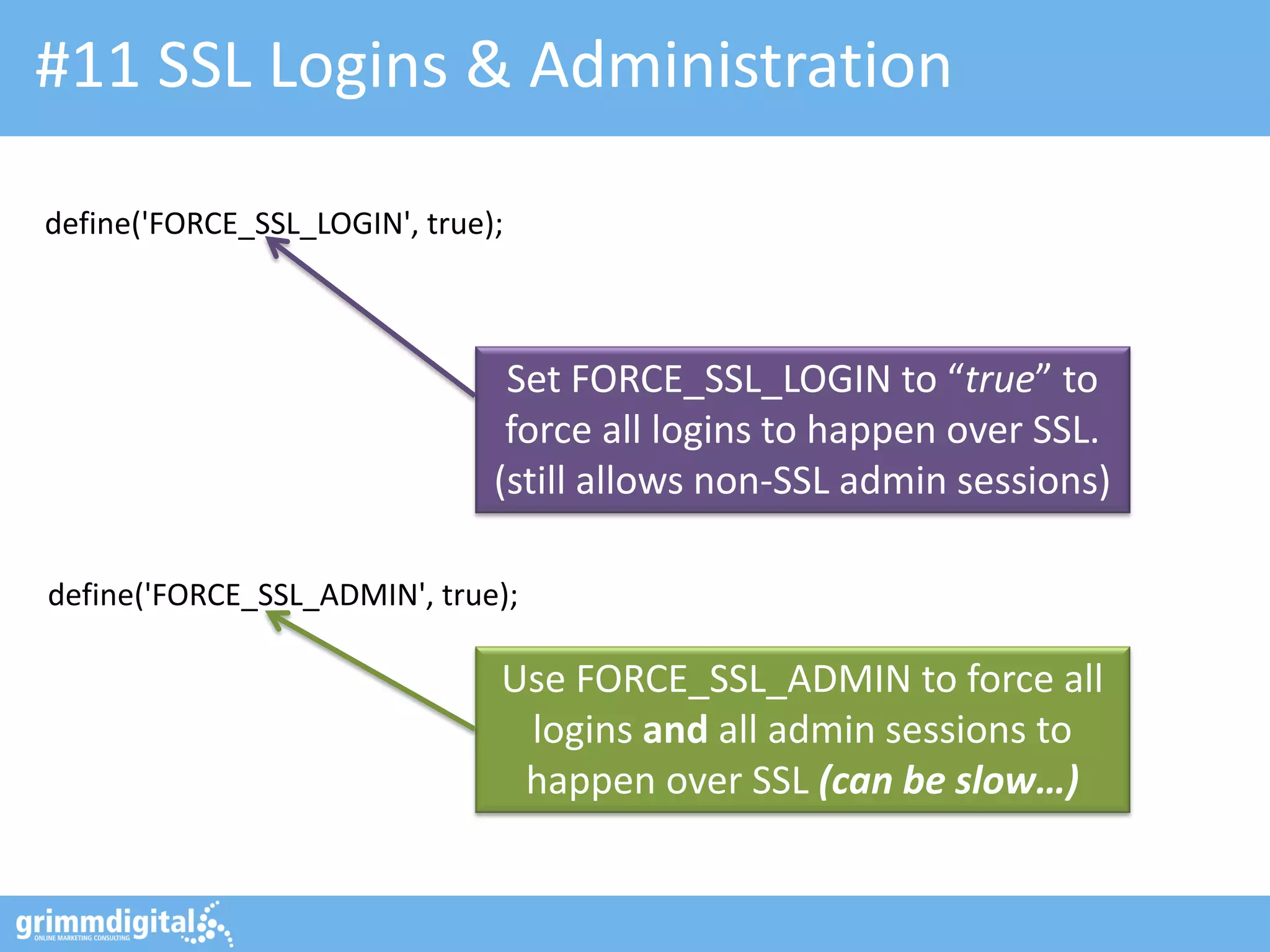
#11 SSL Logins & Administration
define('FORCE_SSL_LOGIN', true);

Set FORCE_SSL_LOGIN to “true” to
force all logins to happen over SSL.
(still allows non-SSL admin sessions)
define('FORCE_SSL_ADMIN', true);

Use FORCE_SSL_ADMIN to force all
logins and all admin sessions to
happen over SSL (can be slow…)
#12 Move the “wp-content” folder
define('WP_CONTENT_DIR', $_SERVER['DOCUMENT_ROOT'].'/blog/my-wp-content');

WP_CONTENT_DIR points to “new”
the full local path (no trailing slash)

define('WP_CONTENT_URL', 'http://domain.com/blog/my-wp-content');

WP_CONTENT_URL points to “new”
full URI (no trailing slash either)
#13 Disable File Editing
define('DISALLOW_FILE_EDIT', true);

Set DISALLOW_FILE_EDIT to “true” to
disable editing files from dashboard.

By default, admins are allowed to edit PHP files. Setting
the above is equivalent to removing the 'edit_themes',
'edit_plugins' and 'edit_files' capabilities of all users.
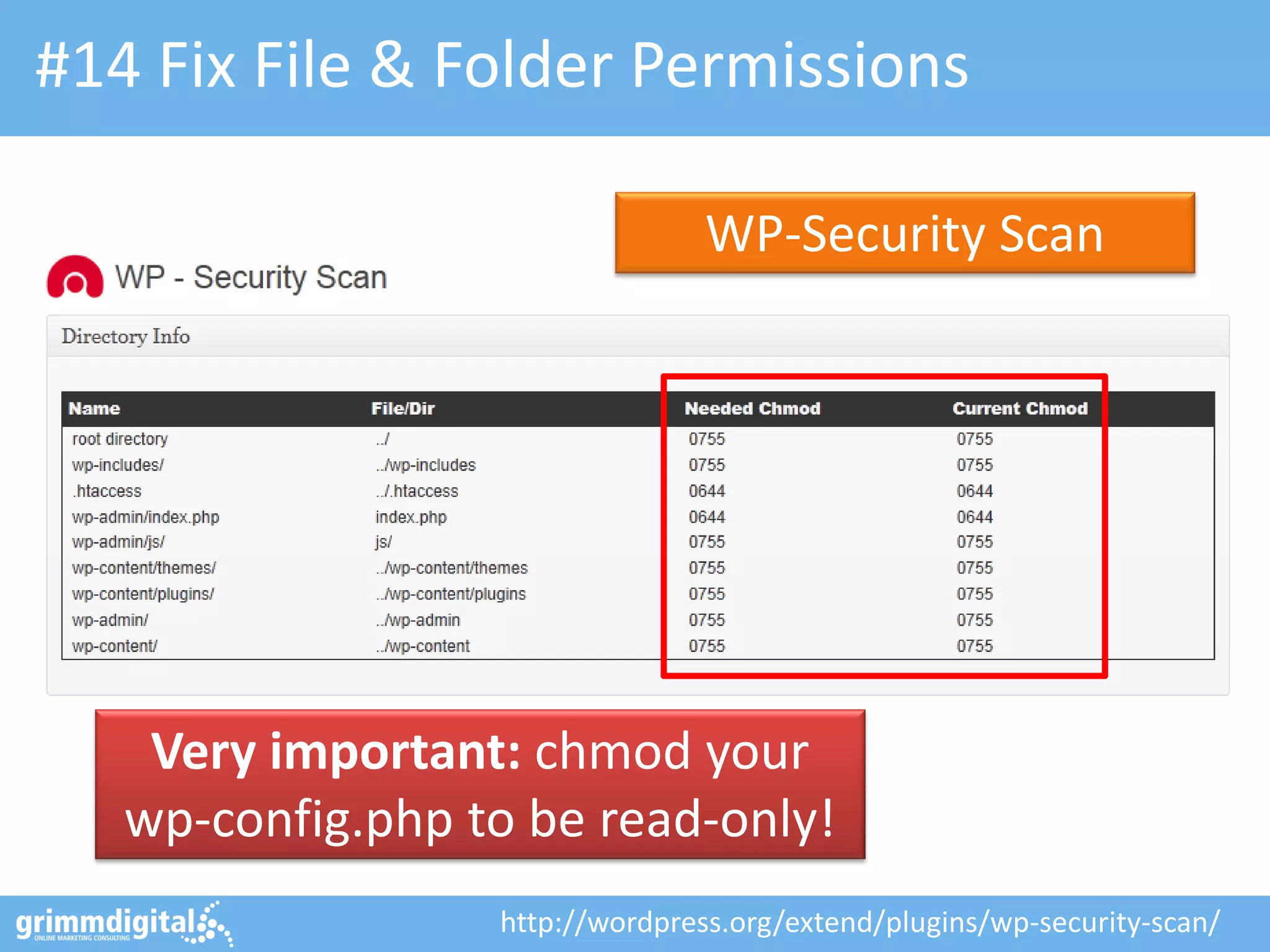
#14 Fix File & Folder Permissions
WP-Security Scan

Very important: chmod your
wp-config.php to be read-only!
http://wordpress.org/extend/plugins/wp-security-scan/
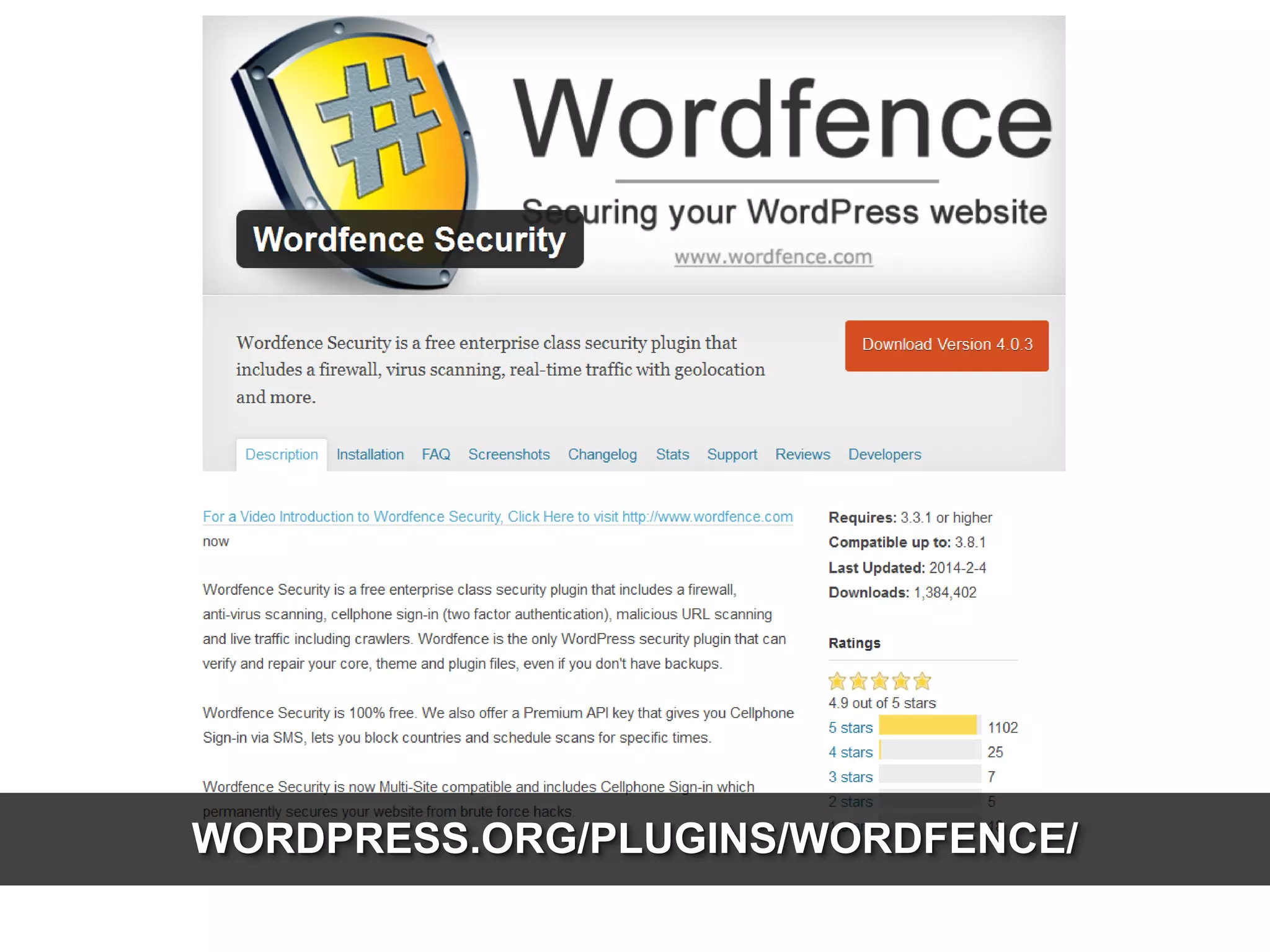
WORDPRESS.ORG/PLUGINS/WORDFENCE/
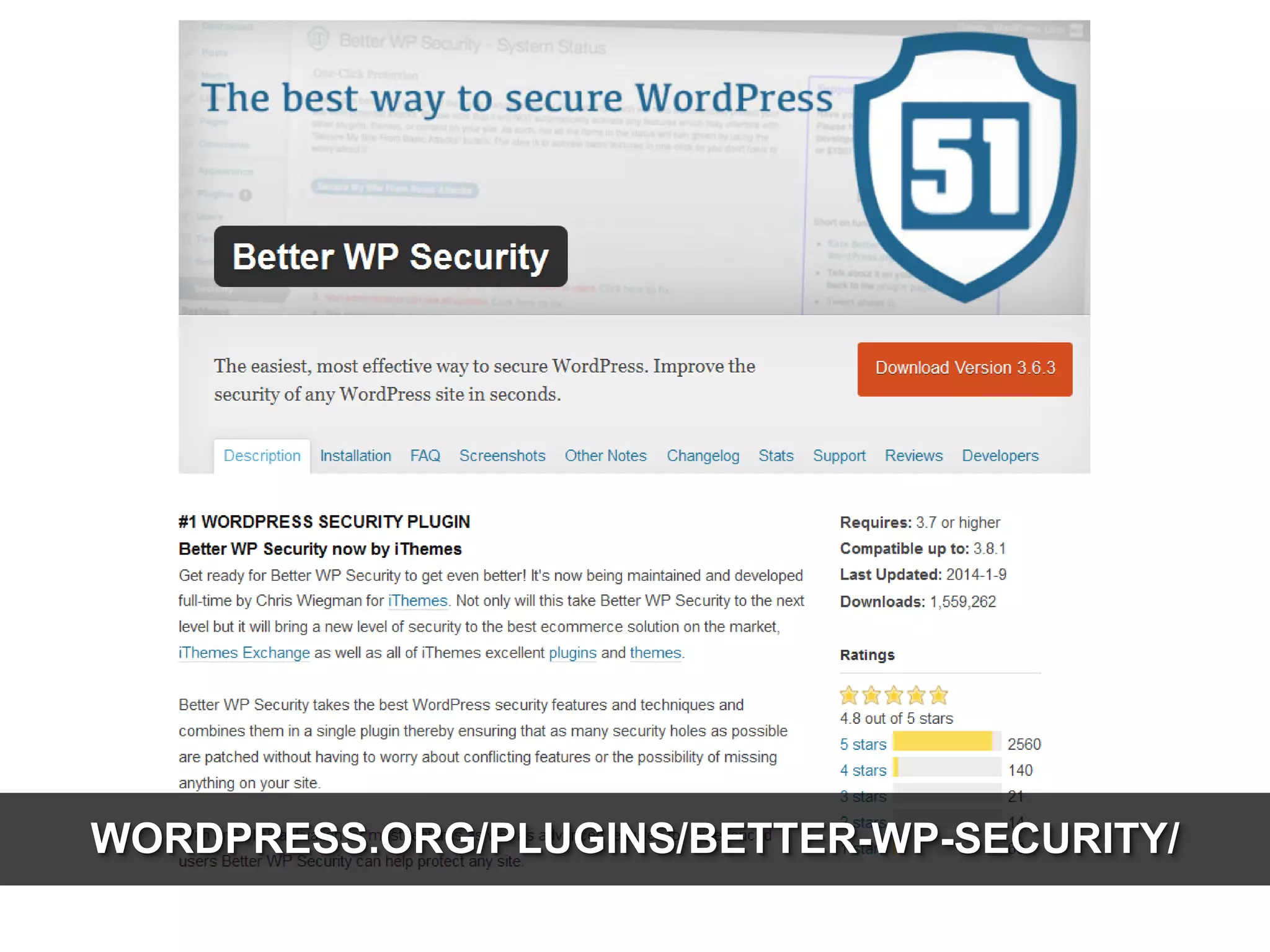
WORDPRESS.ORG/PLUGINS/BETTER-WP-SECURITY/
@basgr
SEO Trainings, Seminars & Strategy Consulting

Berlin-based Full-Service Performance Marketing Agency

WordPress Security, Consulting & Development

www.bg.vu/fos14

Hardening WordPress - Friends of Search 2014 (WordPress Security)

  • 1.
    FRIENDS OF SEARCH HARDENING WORDPRESS VARIOUSTWEAKS FOR BETTER WP SECURITY
  • 2.
    WHAT REALLY MATTERS:TOP 3! IF YOU HAVE 5 MINS TO SPARE, JUST DO THESE…
  • 3.
    #1 Update yourblogs regularly! http://wordpress.org/extend/plugins/wp-updates-notifier/
  • 4.
    Change update behavior… Besure to REALLY know what you’re doing there…! # Disables ALL core updates: define('WP_AUTO_UPDATE_CORE', false); # Enables all core updates, including minor and majors: define('WP_AUTO_UPDATE_CORE', true); # Default: Enables core updates for minor releases: define('WP_AUTO_UPDATE_CORE', 'minor'); Want something more fine-grained? Check AUTO_UPDATE_$TYPE filter (e.g. auto_update_plugin, auto_update_theme, etc.) which is used for specific updates. http://github.com/georgestephanis/update-control/
  • 5.
  • 6.
  • 7.
    #2 Get ridof stuff you don’t use! Remove all inactive plug-ins as well as themes!
  • 8.
    #3 Backup Database& Files, often! http://wordpress.org/extend/plugins/backwpup/
  • 9.
    SECURITY STARTS ATSETUP MAKE THINGS RIGHT FROM THE BEGINNING…!
  • 10.
    #4 Setup WordPressproperly Use unique keys and salts to add random elements for encryption! Use a cryptic prefix to prevent automated scripts and SQL injections. $table_prefix = ‘wp_VzQCxSJv7uL_ ‘; https://api.wordpress.org/secret-key/1.1/salt/
  • 11.
    #5 Protect yourwp-config.php <files wp-config.php> order deny,allow deny from all </files> This needs to go into your WP roots’ .htaccess file to prevent external access Even better… move wpconfig.php outside of „www“. Also do chmod 400/440
  • 12.
    #6 Remove thedefault „admin“ Setup new user as admin; logout. Login w/ new admin; delete old one. Make sure to use a STRONG password, pleeaaasssseeee! http://www.random.org/passwords/
  • 13.
    #7 Protect yourLogin (and wp-admin) Recommended: Try the “Lockdown WP Admin” plug-in to protect PHP files in wpadmin as well as the login itself. Don’t just put an .htaccess for basic passwd. protection. It’s a lot of pain… http://wordpress.org/extend/plugins/lockdown-wp-admin/
  • 14.
    #8 Lock-out multiplefailed logins Limit Login Attempts http://wordpress.org/extend/plugins/limit-login-attempts/
  • 15.
    #9 Even better:Two-factor Verification Info: http://gdig.de/1t - Download: http://gdig.de/1u
  • 16.
    #9 Even better:Two-factor Verification Google Authenticator http://wordpress.org/plugins/google-authenticator/
  • 17.
    #9 Even better:Two-factor Verification Provide your login credentials and get auth-code from your mobile phones‘ G-Auth-App.
  • 18.
  • 19.
  • 20.
  • 21.
    #10 Block maliciousURL requests domain.com/?q=%2e%2e or domain.com/path/base64_ will return HTTP 403 (Forbidden). http://wordpress.org/plugins/block-bad-queries/
  • 22.
    ADDITIONAL TWEAKS THINGS YOUCOULD DO IN YOUR CONFIG AS WELL…
  • 23.
    #11 SSL Logins& Administration define('FORCE_SSL_LOGIN', true); Set FORCE_SSL_LOGIN to “true” to force all logins to happen over SSL. (still allows non-SSL admin sessions) define('FORCE_SSL_ADMIN', true); Use FORCE_SSL_ADMIN to force all logins and all admin sessions to happen over SSL (can be slow…)
  • 24.
    #12 Move the“wp-content” folder define('WP_CONTENT_DIR', $_SERVER['DOCUMENT_ROOT'].'/blog/my-wp-content'); WP_CONTENT_DIR points to “new” the full local path (no trailing slash) define('WP_CONTENT_URL', 'http://domain.com/blog/my-wp-content'); WP_CONTENT_URL points to “new” full URI (no trailing slash either)
  • 25.
    #13 Disable FileEditing define('DISALLOW_FILE_EDIT', true); Set DISALLOW_FILE_EDIT to “true” to disable editing files from dashboard. By default, admins are allowed to edit PHP files. Setting the above is equivalent to removing the 'edit_themes', 'edit_plugins' and 'edit_files' capabilities of all users.
  • 26.
    #14 Fix File& Folder Permissions WP-Security Scan Very important: chmod your wp-config.php to be read-only! http://wordpress.org/extend/plugins/wp-security-scan/
  • 27.
  • 28.
  • 29.
    @basgr SEO Trainings, Seminars& Strategy Consulting Berlin-based Full-Service Performance Marketing Agency WordPress Security, Consulting & Development www.bg.vu/fos14