10/9/2012


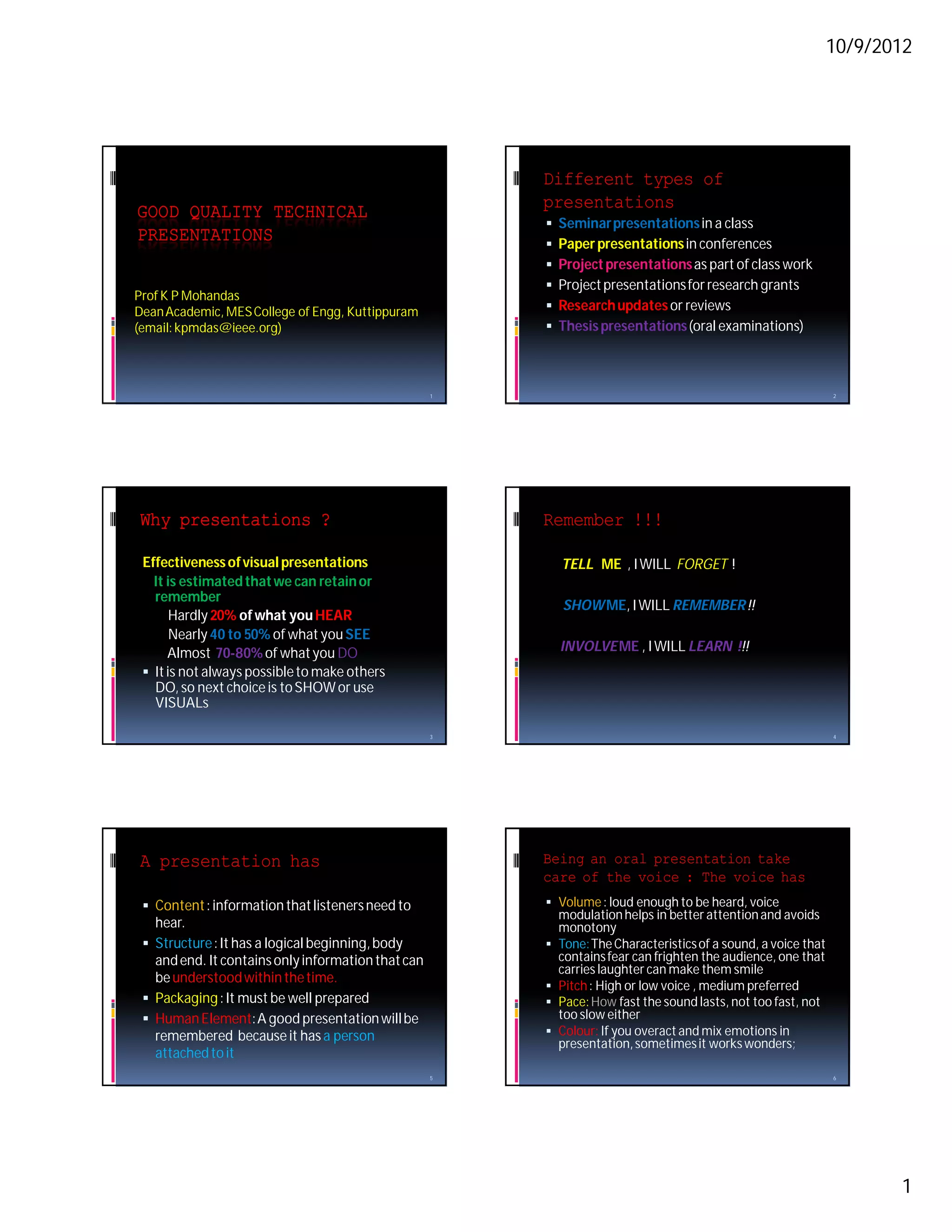
                                                        Different types of
                                                        presentations
GOOD QUALITY TECHNICAL
                                                           Seminar presentations in a class
PRESENTATIONS                                              Paper presentations in conferences
                                                           Project presentations as part of class work
                                                           Project presentations for research grants
Prof K P Mohandas
Dean Academic, MES College of Engg, Kuttippuram            Research updates or reviews
(email: kpmdas@ieee.org)                                   Thesis presentations (oral examinations)


                                                    1                                                            2


Why presentations ?                                     Remember !!!

 Effectiveness of visual presentations                      TELL ME , I WILL FORGET !
   It is estimated that we can retain or
   remember
                                                            SHOW ME, I WILL REMEMBER !!
       Hardly 20% of what you HEAR
       Nearly 40 to 50% of what you SEE
      Almost 70-80% of what you DO                          INVOLVE ME , I WILL LEARN !!!
  It is not always possible to make others
   DO, so next choice is to SHOW or use
   VISUALs

                                                    3                                                            4


A presentation has                                      Being an oral presentation take
                                                        care of the voice : The voice has
  Content : information that listeners need to          Volume : loud enough to be heard, voice
                                                            modulation helps in better attention and avoids
   hear.                                                    monotony
  Structure : It has a logical beginning, body            Tone: The Characteristics of a sound, a voice that
   and end. It contains only information that can           contains fear can frighten the audience, one that
                                                            carries laughter can make them smile
   be understood within the time.
                                                           Pitch : High or low voice , medium preferred
  Packaging : It must be well prepared                    Pace: How fast the sound lasts, not too fast, not
  Human Element: A good presentation will be               too slow either
   remembered because it has a person                      Colour: If you overact and mix emotions in
                                                            presentation, sometimes it works wonders;
   attached to it
                                                    5                                                            6


                                                                                                                        1
10/9/2012


If you want to improve your                                              HOW TO PRESENT THINGS?
voice
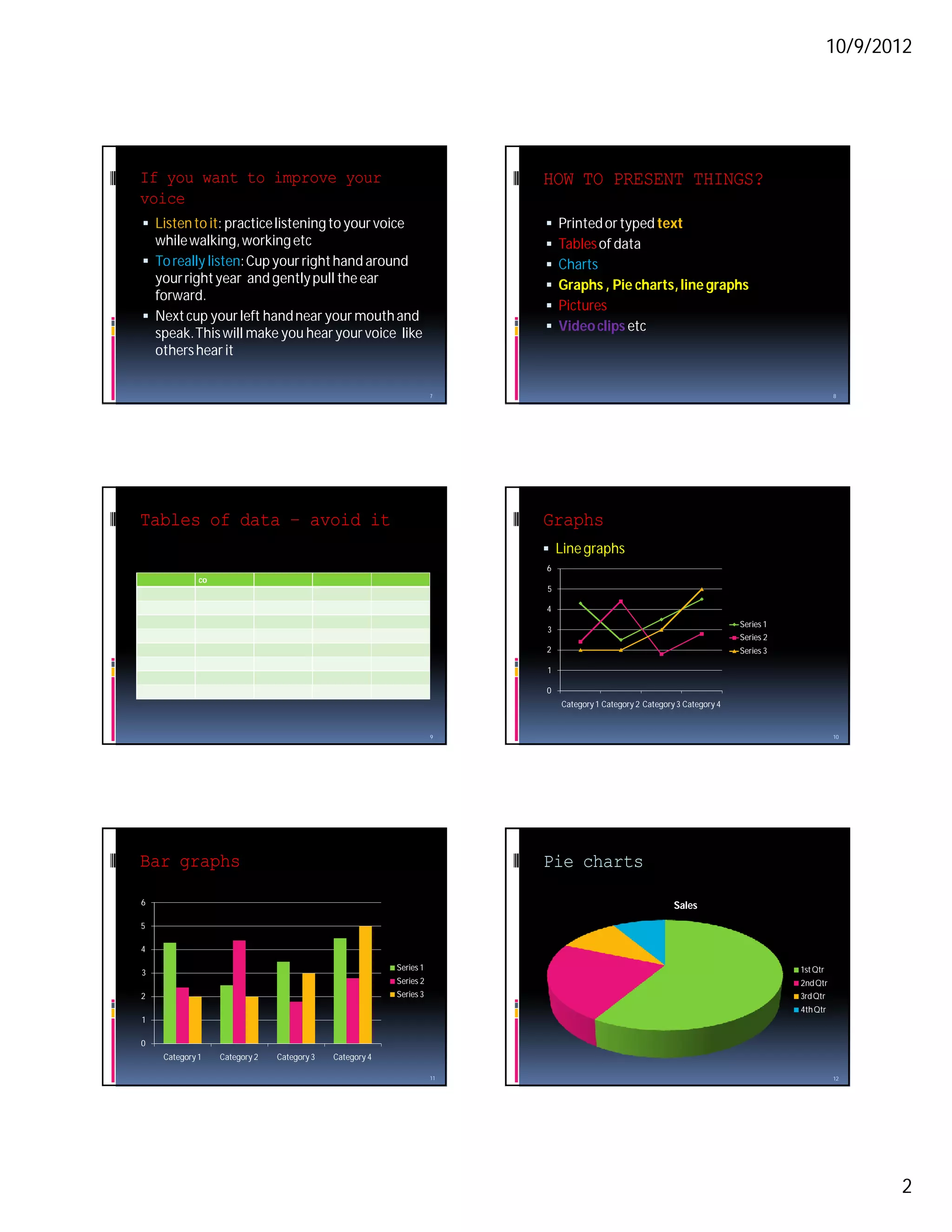
 Listen to it: practice listening to your voice                            Printed or typed text
  while walking, working etc                                                Tables of data
 To really listen: Cup your right hand around                              Charts
  your right year and gently pull the ear                                   Graphs , Pie charts, line graphs
  forward.
                                                                            Pictures
 Next cup your left hand near your mouth and
  speak. This will make you hear your voice like                            Video clips etc
  others hear it

                                                                    7                                                                           8


Tables of data – avoid it                                                Graphs
                                                                          Line graphs
                                                                         6
             co
                                                                         5

                                                                         4
                                                                                                                           Series 1
                                                                         3
                                                                                                                           Series 2
                                                                         2                                                 Series 3

                                                                         1

                                                                         0
                                                                             Category 1 Category 2 Category 3 Category 4


                                                                    9                                                                           10


Bar graphs                                                               Pie charts

6                                                                                                          Sales
5

4

                                                         Series 1                                                                     1st Qtr
3
                                                         Series 2                                                                     2nd Qtr
2                                                        Series 3                                                                     3rd Qtr
                                                                                                                                      4th Qtr
1

0
    Category 1    Category 2   Category 3   Category 4

                                                                    11                                                                          12


                                                                                                                                                       2
10/9/2012


Why use tools?                                             Body Language

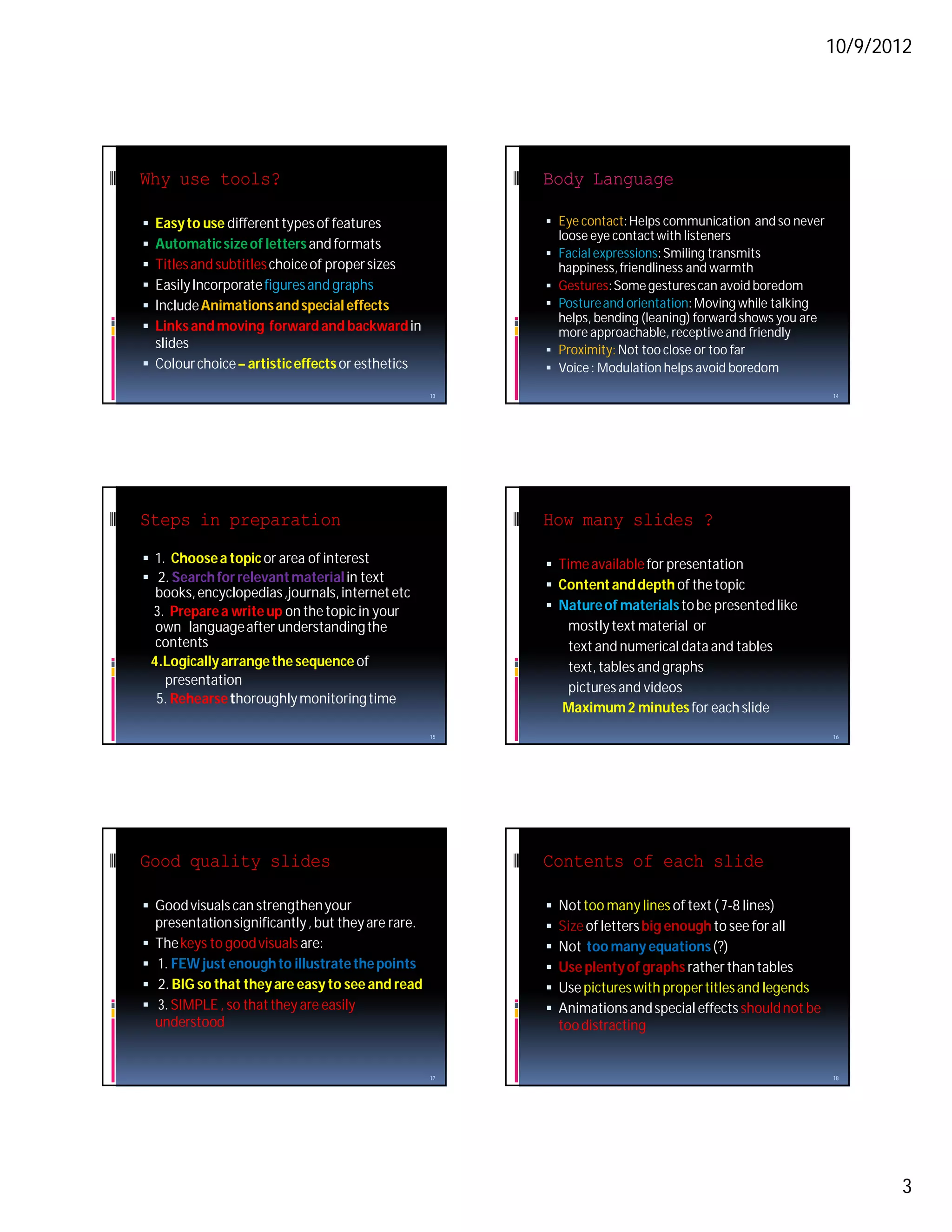
 Easy to use different types of features                   Eye contact: Helps communication and so never
                                                               loose eye contact with listeners
 Automatic size of letters and formats
                                                            Facial expressions: Smiling transmits
 Titles and subtitles choice of proper sizes                  happiness, friendliness and warmth
 Easily Incorporate figures and graphs                     Gestures: Some gestures can avoid boredom
 Include Animations and special effects                    Posture and orientation: Moving while talking
                                                             helps, bending (leaning) forward shows you are
 Links and moving forward and backward in                   more approachable, receptive and friendly
  slides                                                    Proximity: Not too close or too far
 Colour choice – artistic effects or esthetics             Voice : Modulation helps avoid boredom

                                                      13                                                      14


Steps in preparation                                       How many slides ?
 1. Choose a topic or area of interest                     Time available for presentation
 2. Search for relevant material in text
                                                            Content and depth of the topic
     books, encyclopedias ,journals, internet etc
    3. Prepare a write up on the topic in your              Nature of materials to be presented like
     own language after understanding the                      mostly text material or
     contents                                                  text and numerical data and tables
    4.Logically arrange the sequence of                        text, tables and graphs
      presentation
                                                               pictures and videos
     5. Rehearse thoroughly monitoring time
                                                               Maximum 2 minutes for each slide
                                                      15                                                      16


Good quality slides                                        Contents of each slide

 Good visuals can strengthen your                            Not too many lines of text ( 7-8 lines)
    presentation significantly , but they are rare.           Size of letters big enough to see for all
   The keys to good visuals are:                             Not too many equations (?)
   1. FEW just enough to illustrate the points               Use plenty of graphs rather than tables
   2. BIG so that they are easy to see and read              Use pictures with proper titles and legends
   3. SIMPLE , so that they are easily                       Animations and special effects should not be
    understood                                                 too distracting


                                                      17                                                      18


                                                                                                                     3
10/9/2012


Language in presentation                                    Things not to be done

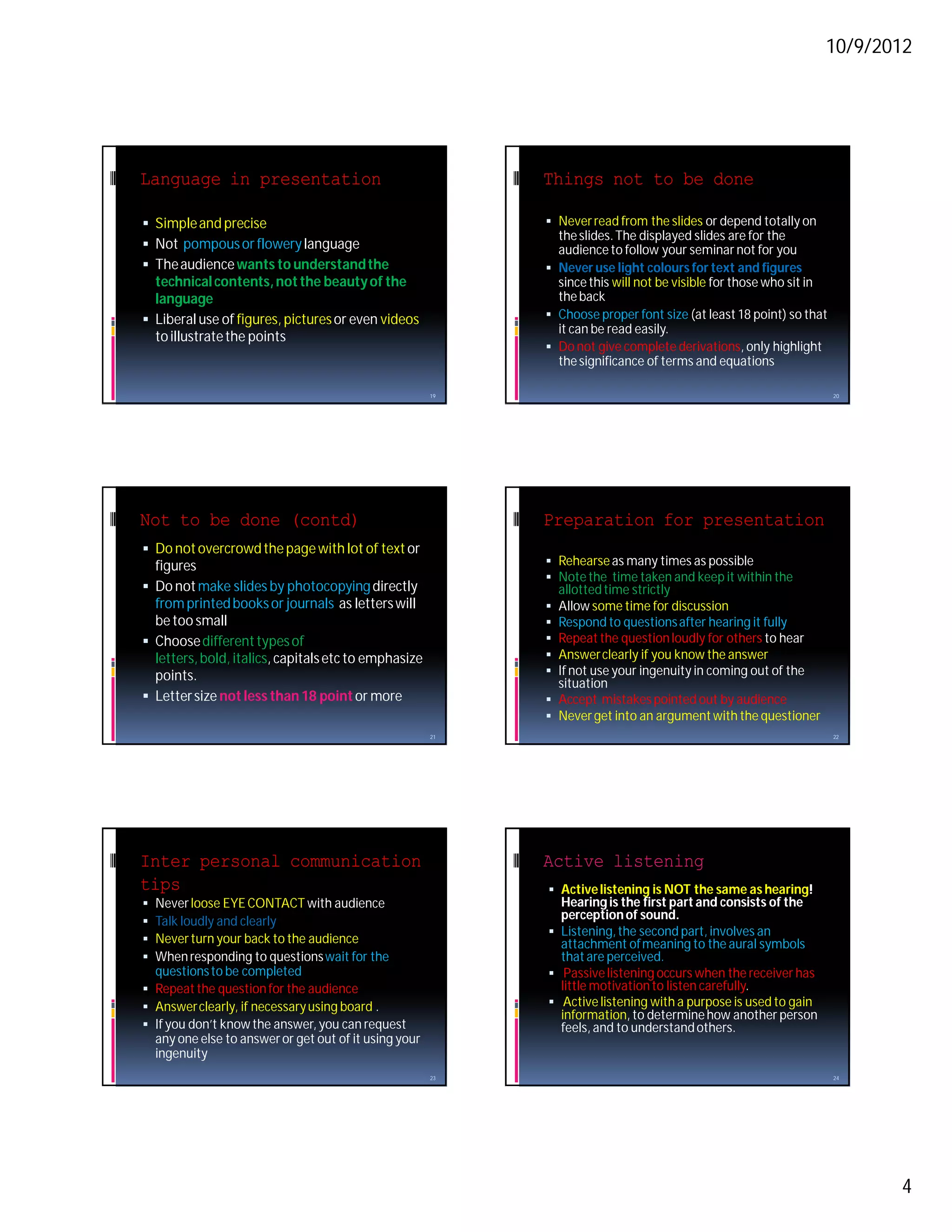
 Simple and precise                                         Never read from the slides or depend totally on
                                                              the slides. The displayed slides are for the
 Not pompous or flowery language                             audience to follow your seminar not for you
 The audience wants to understand the                       Never use light colours for text and figures
  technical contents, not the beauty of the                   since this will not be visible for those who sit in
  language                                                    the back
 Liberal use of figures, pictures or even videos            Choose proper font size (at least 18 point) so that
                                                              it can be read easily.
  to illustrate the points
                                                             Do not give complete derivations, only highlight
                                                              the significance of terms and equations

                                                       19                                                           20


Not to be done (contd)                                      Preparation for presentation
 Do not overcrowd the page with lot of text or
  figures                                                    Rehearse as many times as possible
                                                             Note the time taken and keep it within the
 Do not make slides by photocopying directly                 allotted time strictly
  from printed books or journals as letters will             Allow some time for discussion
  be too small                                               Respond to questions after hearing it fully
 Choose different types of                                  Repeat the question loudly for others to hear
  letters, bold, italics, capitals etc to emphasize          Answer clearly if you know the answer
  points.                                                    If not use your ingenuity in coming out of the
                                                              situation
 Letter size not less than 18 point or more                 Accept mistakes pointed out by audience
                                                             Never get into an argument with the questioner
                                                       21                                                           22


Inter personal communication                                Active listening
tips                                                         Active listening is NOT the same as hearing!
 Never loose EYE CONTACT with audience                       Hearing is the first part and consists of the
 Talk loudly and clearly                                     perception of sound.
                                                             Listening, the second part, involves an
 Never turn your back to the audience                        attachment of meaning to the aural symbols
 When responding to questions wait for the                   that are perceived.
  questions to be completed                                  Passive listening occurs when the receiver has
 Repeat the question for the audience                        little motivation to listen carefully.
 Answer clearly, if necessary using board .                 Active listening with a purpose is used to gain
                                                              information, to determine how another person
 If you don’t know the answer, you can request               feels, and to understand others.
  any one else to answer or get out of it using your
  ingenuity
                                                       23                                                           24


                                                                                                                         4
10/9/2012


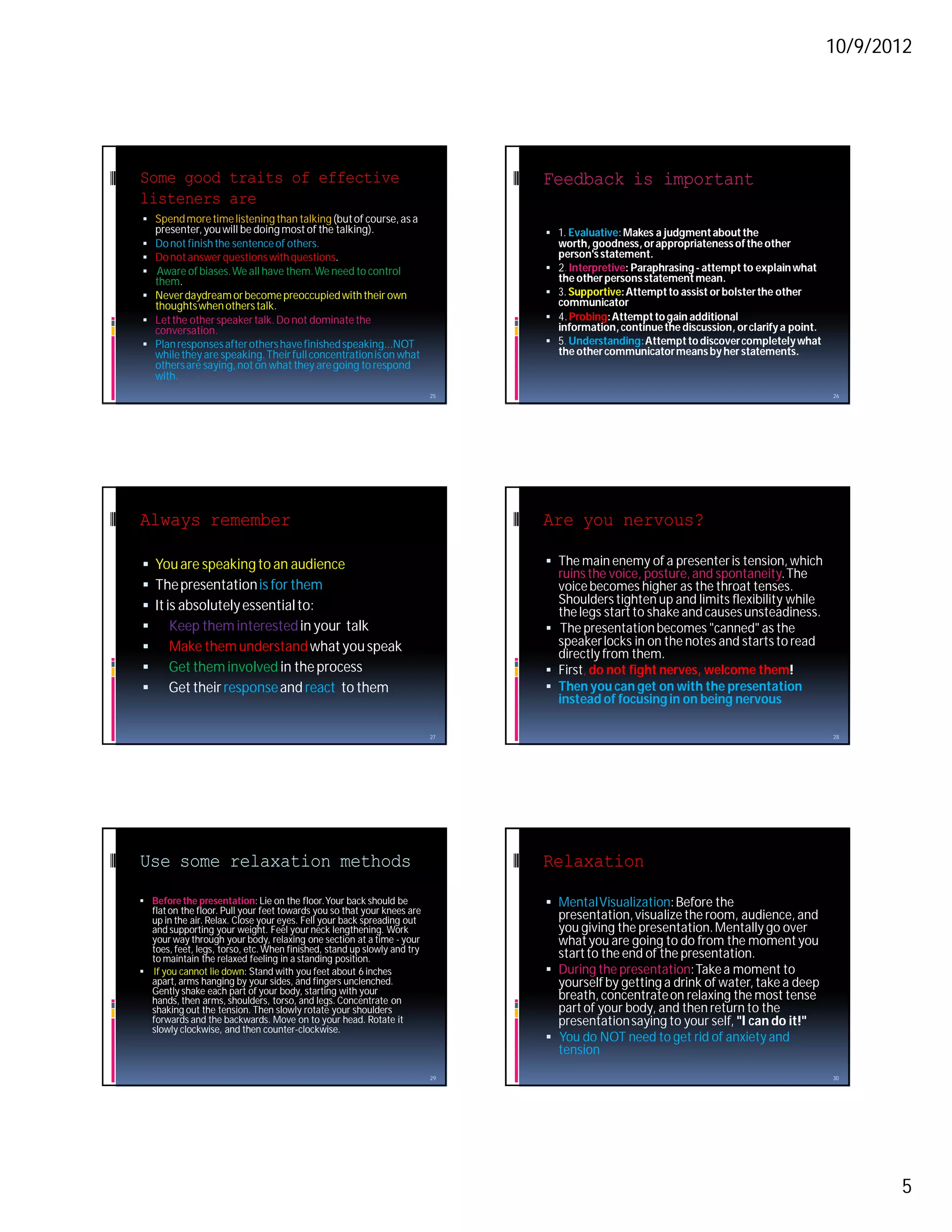
Some good traits of effective                                                 Feedback is important
listeners are
 Spend more time listening than talking (but of course, as a
   presenter, you will be doing most of the talking).                          1. Evaluative: Makes a judgment about the
 Do not finish the sentence of others.                                           worth, goodness, or appropriateness of the other
 Do not answer questions with questions.                                         person's statement.
 Aware of biases. We all have them. We need to control                          2. Interpretive: Paraphrasing - attempt to explain what
  them.                                                                           the other persons statement mean.
 Never daydream or become preoccupied with their own                            3. Supportive: Attempt to assist or bolster the other
  thoughts when others talk.                                                      communicator
 Let the other speaker talk. Do not dominate the                                4. Probing: Attempt to gain additional
  conversation.                                                                   information, continue the discussion, or clarify a point.
 Plan responses after others have finished speaking...NOT                       5. Understanding: Attempt to discover completely what
  while they are speaking. Their full concentration is on what                    the other communicator means by her statements.
  others are saying, not on what they are going to respond
  with.
                                                                         25                                                                   26


Always remember                                                               Are you nervous?

 You are speaking to an audience                                              The main enemy of a presenter is tension, which
                                                                                ruins the voice, posture, and spontaneity. The
 The presentation is for them                                                  voice becomes higher as the throat tenses.
 It is absolutely essential to:                                                Shoulders tighten up and limits flexibility while
                                                                                the legs start to shake and causes unsteadiness.
 Keep them interested in your talk                                            The presentation becomes "canned" as the
 Make them understand what you speak                                           speaker locks in on the notes and starts to read
                                                                                directly from them.
 Get them involved in the process                                             First, do not fight nerves, welcome them!
 Get their response and react to them                                         Then you can get on with the presentation
                                                                                instead of focusing in on being nervous

                                                                         27                                                                   28


Use some relaxation methods                                                   Relaxation
 Before the presentation: Lie on the floor. Your back should be               Mental Visualization: Before the
  flat on the floor. Pull your feet towards you so that your knees are
  up in the air. Relax. Close your eyes. Fell your back spreading out           presentation, visualize the room, audience, and
  and supporting your weight. Feel your neck lengthening. Work                  you giving the presentation. Mentally go over
  your way through your body, relaxing one section at a time - your             what you are going to do from the moment you
  toes, feet, legs, torso, etc. When finished, stand up slowly and try
  to maintain the relaxed feeling in a standing position.                       start to the end of the presentation.
 If you cannot lie down: Stand with you feet about 6 inches                   During the presentation: Take a moment to
  apart, arms hanging by your sides, and fingers unclenched.                    yourself by getting a drink of water, take a deep
  Gently shake each part of your body, starting with your
  hands, then arms, shoulders, torso, and legs. Concentrate on                  breath, concentrate on relaxing the most tense
  shaking out the tension. Then slowly rotate your shoulders                    part of your body, and then return to the
  forwards and the backwards. Move on to your head. Rotate it                   presentation saying to your self, "I can do it!"
  slowly clockwise, and then counter-clockwise.
                                                                               You do NOT need to get rid of anxiety and
                                                                                tension
                                                                         29                                                                   30


                                                                                                                                                     5
10/9/2012


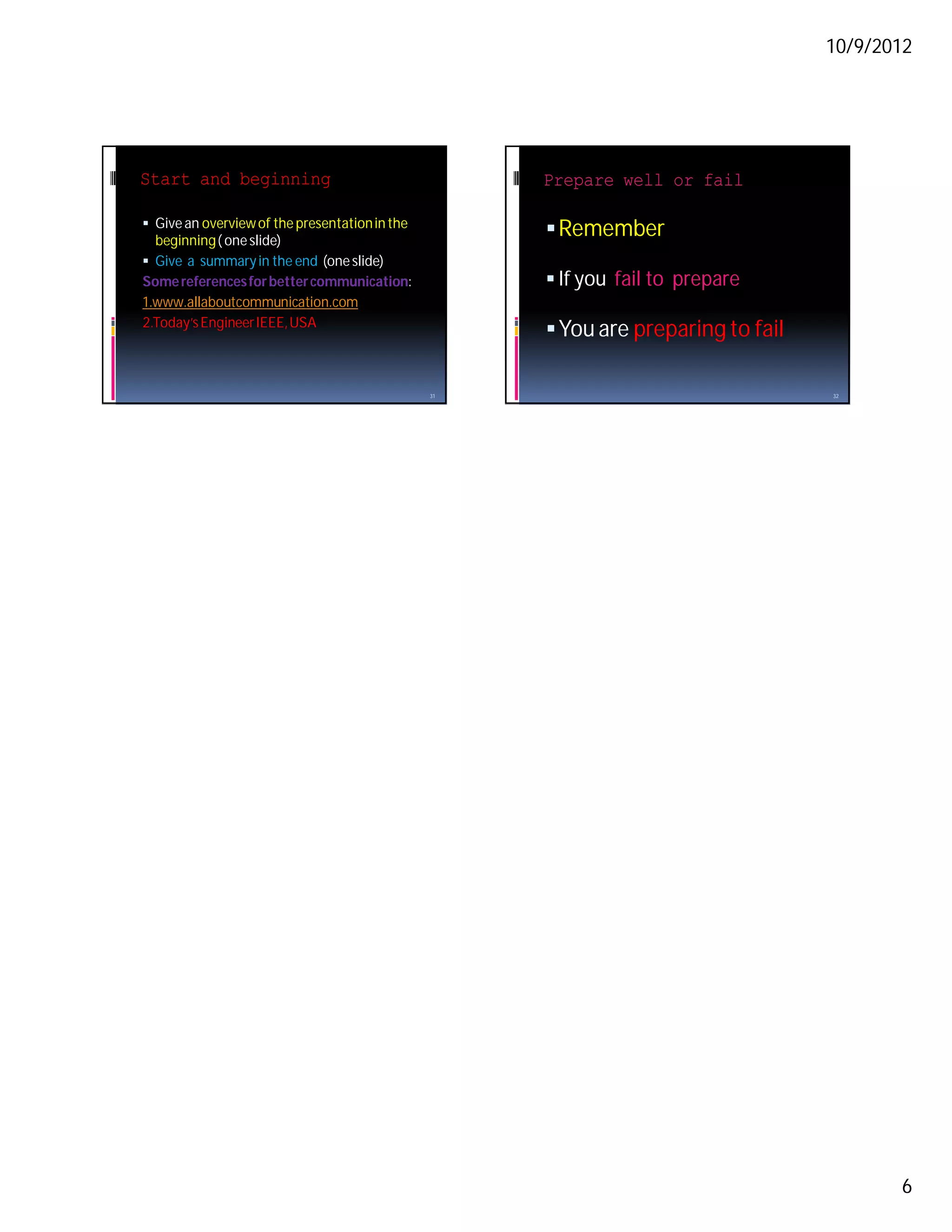
Start and beginning                                  Prepare well or fail

 Give an overview of the presentation in the
  beginning ( one slide)
                                                      Remember
 Give a summary in the end (one slide)
Some references for better communication:             If you fail to prepare
1.www.allaboutcommunication.com
2.Today’s Engineer IEEE, USA
                                                      You are preparing to fail

                                                31                                 32


                                                                                          6

Technical presentations

  • 1.
    10/9/2012 Different types of presentations GOOD QUALITY TECHNICAL  Seminar presentations in a class PRESENTATIONS  Paper presentations in conferences  Project presentations as part of class work  Project presentations for research grants Prof K P Mohandas Dean Academic, MES College of Engg, Kuttippuram  Research updates or reviews (email: kpmdas@ieee.org)  Thesis presentations (oral examinations) 1 2 Why presentations ? Remember !!! Effectiveness of visual presentations TELL ME , I WILL FORGET ! It is estimated that we can retain or remember SHOW ME, I WILL REMEMBER !! Hardly 20% of what you HEAR Nearly 40 to 50% of what you SEE Almost 70-80% of what you DO INVOLVE ME , I WILL LEARN !!!  It is not always possible to make others DO, so next choice is to SHOW or use VISUALs 3 4 A presentation has Being an oral presentation take care of the voice : The voice has  Content : information that listeners need to  Volume : loud enough to be heard, voice modulation helps in better attention and avoids hear. monotony  Structure : It has a logical beginning, body  Tone: The Characteristics of a sound, a voice that and end. It contains only information that can contains fear can frighten the audience, one that carries laughter can make them smile be understood within the time.  Pitch : High or low voice , medium preferred  Packaging : It must be well prepared  Pace: How fast the sound lasts, not too fast, not  Human Element: A good presentation will be too slow either remembered because it has a person  Colour: If you overact and mix emotions in presentation, sometimes it works wonders; attached to it 5 6 1
  • 2.
    10/9/2012 If you wantto improve your HOW TO PRESENT THINGS? voice  Listen to it: practice listening to your voice  Printed or typed text while walking, working etc  Tables of data  To really listen: Cup your right hand around  Charts your right year and gently pull the ear  Graphs , Pie charts, line graphs forward.  Pictures  Next cup your left hand near your mouth and speak. This will make you hear your voice like  Video clips etc others hear it 7 8 Tables of data – avoid it Graphs  Line graphs 6 co 5 4 Series 1 3 Series 2 2 Series 3 1 0 Category 1 Category 2 Category 3 Category 4 9 10 Bar graphs Pie charts 6 Sales 5 4 Series 1 1st Qtr 3 Series 2 2nd Qtr 2 Series 3 3rd Qtr 4th Qtr 1 0 Category 1 Category 2 Category 3 Category 4 11 12 2
  • 3.
    10/9/2012 Why use tools? Body Language  Easy to use different types of features  Eye contact: Helps communication and so never loose eye contact with listeners  Automatic size of letters and formats  Facial expressions: Smiling transmits  Titles and subtitles choice of proper sizes happiness, friendliness and warmth  Easily Incorporate figures and graphs  Gestures: Some gestures can avoid boredom  Include Animations and special effects  Posture and orientation: Moving while talking helps, bending (leaning) forward shows you are  Links and moving forward and backward in more approachable, receptive and friendly slides  Proximity: Not too close or too far  Colour choice – artistic effects or esthetics  Voice : Modulation helps avoid boredom 13 14 Steps in preparation How many slides ?  1. Choose a topic or area of interest  Time available for presentation  2. Search for relevant material in text  Content and depth of the topic books, encyclopedias ,journals, internet etc 3. Prepare a write up on the topic in your  Nature of materials to be presented like own language after understanding the mostly text material or contents text and numerical data and tables 4.Logically arrange the sequence of text, tables and graphs presentation pictures and videos 5. Rehearse thoroughly monitoring time Maximum 2 minutes for each slide 15 16 Good quality slides Contents of each slide  Good visuals can strengthen your  Not too many lines of text ( 7-8 lines) presentation significantly , but they are rare.  Size of letters big enough to see for all  The keys to good visuals are:  Not too many equations (?)  1. FEW just enough to illustrate the points  Use plenty of graphs rather than tables  2. BIG so that they are easy to see and read  Use pictures with proper titles and legends  3. SIMPLE , so that they are easily  Animations and special effects should not be understood too distracting 17 18 3
  • 4.
    10/9/2012 Language in presentation Things not to be done  Simple and precise  Never read from the slides or depend totally on the slides. The displayed slides are for the  Not pompous or flowery language audience to follow your seminar not for you  The audience wants to understand the  Never use light colours for text and figures technical contents, not the beauty of the since this will not be visible for those who sit in language the back  Liberal use of figures, pictures or even videos  Choose proper font size (at least 18 point) so that it can be read easily. to illustrate the points  Do not give complete derivations, only highlight the significance of terms and equations 19 20 Not to be done (contd) Preparation for presentation  Do not overcrowd the page with lot of text or figures  Rehearse as many times as possible  Note the time taken and keep it within the  Do not make slides by photocopying directly allotted time strictly from printed books or journals as letters will  Allow some time for discussion be too small  Respond to questions after hearing it fully  Choose different types of  Repeat the question loudly for others to hear letters, bold, italics, capitals etc to emphasize  Answer clearly if you know the answer points.  If not use your ingenuity in coming out of the situation  Letter size not less than 18 point or more  Accept mistakes pointed out by audience  Never get into an argument with the questioner 21 22 Inter personal communication Active listening tips  Active listening is NOT the same as hearing!  Never loose EYE CONTACT with audience Hearing is the first part and consists of the  Talk loudly and clearly perception of sound.  Listening, the second part, involves an  Never turn your back to the audience attachment of meaning to the aural symbols  When responding to questions wait for the that are perceived. questions to be completed  Passive listening occurs when the receiver has  Repeat the question for the audience little motivation to listen carefully.  Answer clearly, if necessary using board .  Active listening with a purpose is used to gain information, to determine how another person  If you don’t know the answer, you can request feels, and to understand others. any one else to answer or get out of it using your ingenuity 23 24 4
  • 5.
    10/9/2012 Some good traitsof effective Feedback is important listeners are  Spend more time listening than talking (but of course, as a presenter, you will be doing most of the talking).  1. Evaluative: Makes a judgment about the  Do not finish the sentence of others. worth, goodness, or appropriateness of the other  Do not answer questions with questions. person's statement.  Aware of biases. We all have them. We need to control  2. Interpretive: Paraphrasing - attempt to explain what them. the other persons statement mean.  Never daydream or become preoccupied with their own  3. Supportive: Attempt to assist or bolster the other thoughts when others talk. communicator  Let the other speaker talk. Do not dominate the  4. Probing: Attempt to gain additional conversation. information, continue the discussion, or clarify a point.  Plan responses after others have finished speaking...NOT  5. Understanding: Attempt to discover completely what while they are speaking. Their full concentration is on what the other communicator means by her statements. others are saying, not on what they are going to respond with. 25 26 Always remember Are you nervous?  You are speaking to an audience  The main enemy of a presenter is tension, which ruins the voice, posture, and spontaneity. The  The presentation is for them voice becomes higher as the throat tenses.  It is absolutely essential to: Shoulders tighten up and limits flexibility while the legs start to shake and causes unsteadiness.  Keep them interested in your talk  The presentation becomes "canned" as the  Make them understand what you speak speaker locks in on the notes and starts to read directly from them.  Get them involved in the process  First, do not fight nerves, welcome them!  Get their response and react to them  Then you can get on with the presentation instead of focusing in on being nervous 27 28 Use some relaxation methods Relaxation  Before the presentation: Lie on the floor. Your back should be  Mental Visualization: Before the flat on the floor. Pull your feet towards you so that your knees are up in the air. Relax. Close your eyes. Fell your back spreading out presentation, visualize the room, audience, and and supporting your weight. Feel your neck lengthening. Work you giving the presentation. Mentally go over your way through your body, relaxing one section at a time - your what you are going to do from the moment you toes, feet, legs, torso, etc. When finished, stand up slowly and try to maintain the relaxed feeling in a standing position. start to the end of the presentation.  If you cannot lie down: Stand with you feet about 6 inches  During the presentation: Take a moment to apart, arms hanging by your sides, and fingers unclenched. yourself by getting a drink of water, take a deep Gently shake each part of your body, starting with your hands, then arms, shoulders, torso, and legs. Concentrate on breath, concentrate on relaxing the most tense shaking out the tension. Then slowly rotate your shoulders part of your body, and then return to the forwards and the backwards. Move on to your head. Rotate it presentation saying to your self, "I can do it!" slowly clockwise, and then counter-clockwise.  You do NOT need to get rid of anxiety and tension 29 30 5
  • 6.
    10/9/2012 Start and beginning Prepare well or fail  Give an overview of the presentation in the beginning ( one slide)  Remember  Give a summary in the end (one slide) Some references for better communication:  If you fail to prepare 1.www.allaboutcommunication.com 2.Today’s Engineer IEEE, USA  You are preparing to fail 31 32 6