Unrestricted ©2024 PLM Nordic AS. All Rights Reserved
1
Introduction
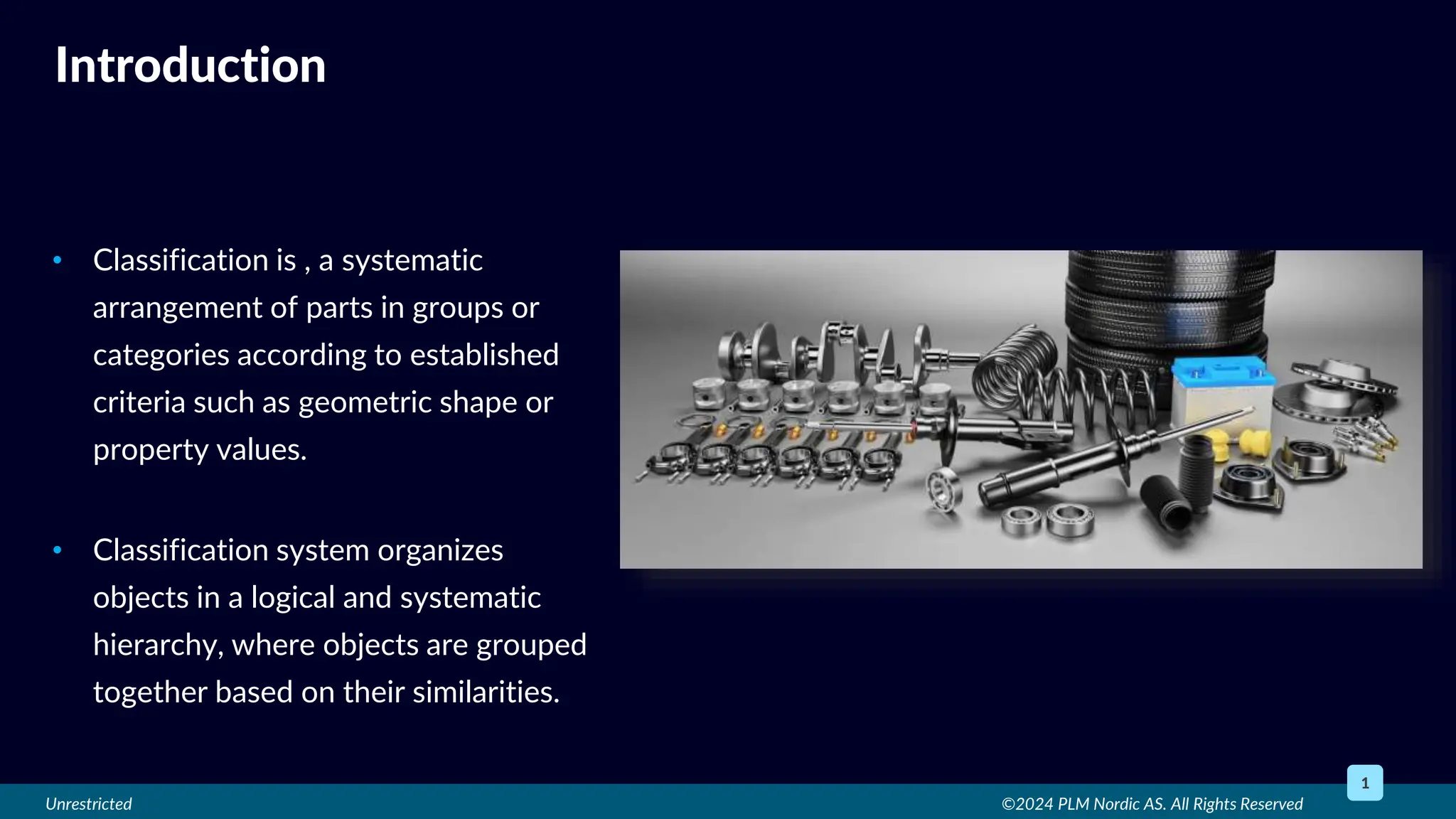
• Classification is , a systematic
arrangement of parts in groups or
categories according to established
criteria such as geometric shape or
property values.
• Classification system organizes
objects in a logical and systematic
hierarchy, where objects are grouped
together based on their similarities.
Unrestricted
• Search the right part in the vast
database – Less reuse
• Increase in duplicity - No standard
system
• To manage vast database – Time
consuming and tedious
©2024 PLM Nordic AS. All Rights Reserved
2
Present Difficulties
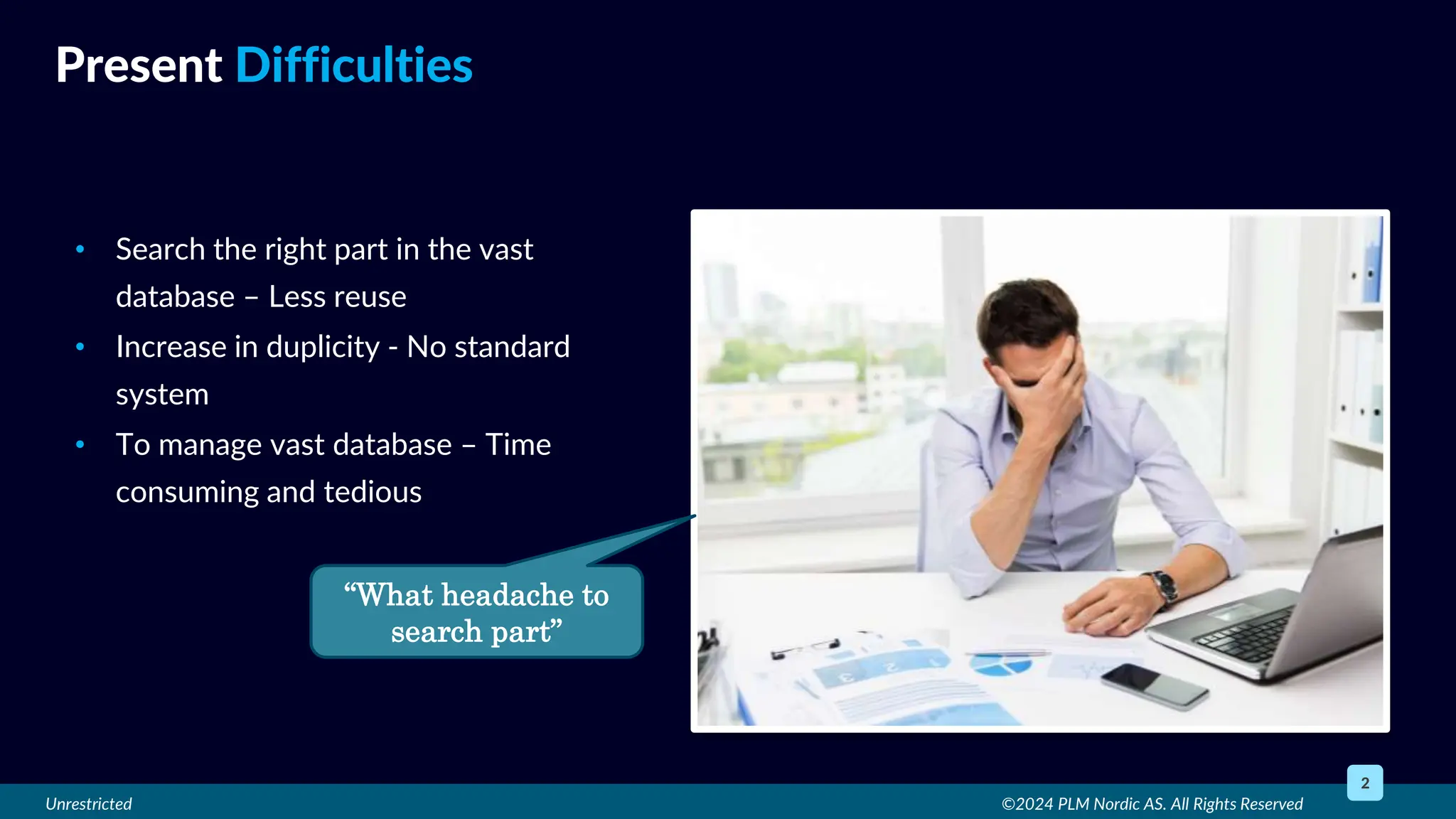
“What headache to
search part”
Unrestricted
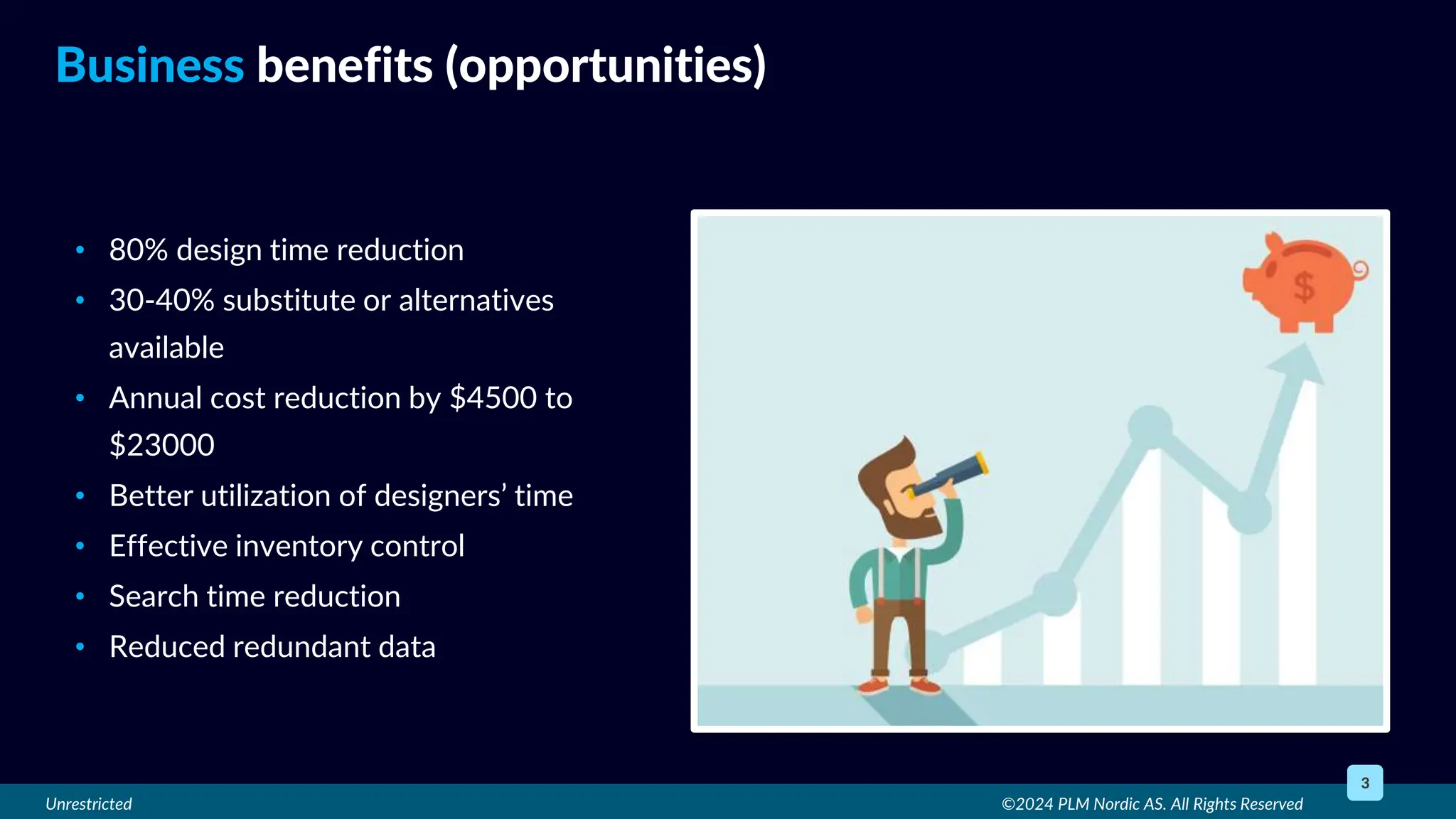
• 80% design time reduction
• 30-40% substitute or alternatives
available
• Annual cost reduction by $4500 to
$23000
• Better utilization of designers’ time
• Effective inventory control
• Search time reduction
• Reduced redundant data
©2024 PLM Nordic AS. All Rights Reserved
3
Business benefits (opportunities)
Unrestricted
• User-friendly structure
• Better Visual Navigation
• Resizable panels and Flexible layout
• Extremely versatile search engine
• Shape search functionality
• Filter and compare objects
• Integrated JT file viewer
• ECLASS Library
• Classify with AI
©2024 PLM Nordic AS. All Rights Reserved
4
TC Classification Capabilities
Unrestricted ©2024 PLM Nordic AS. All Rights Reserved
5
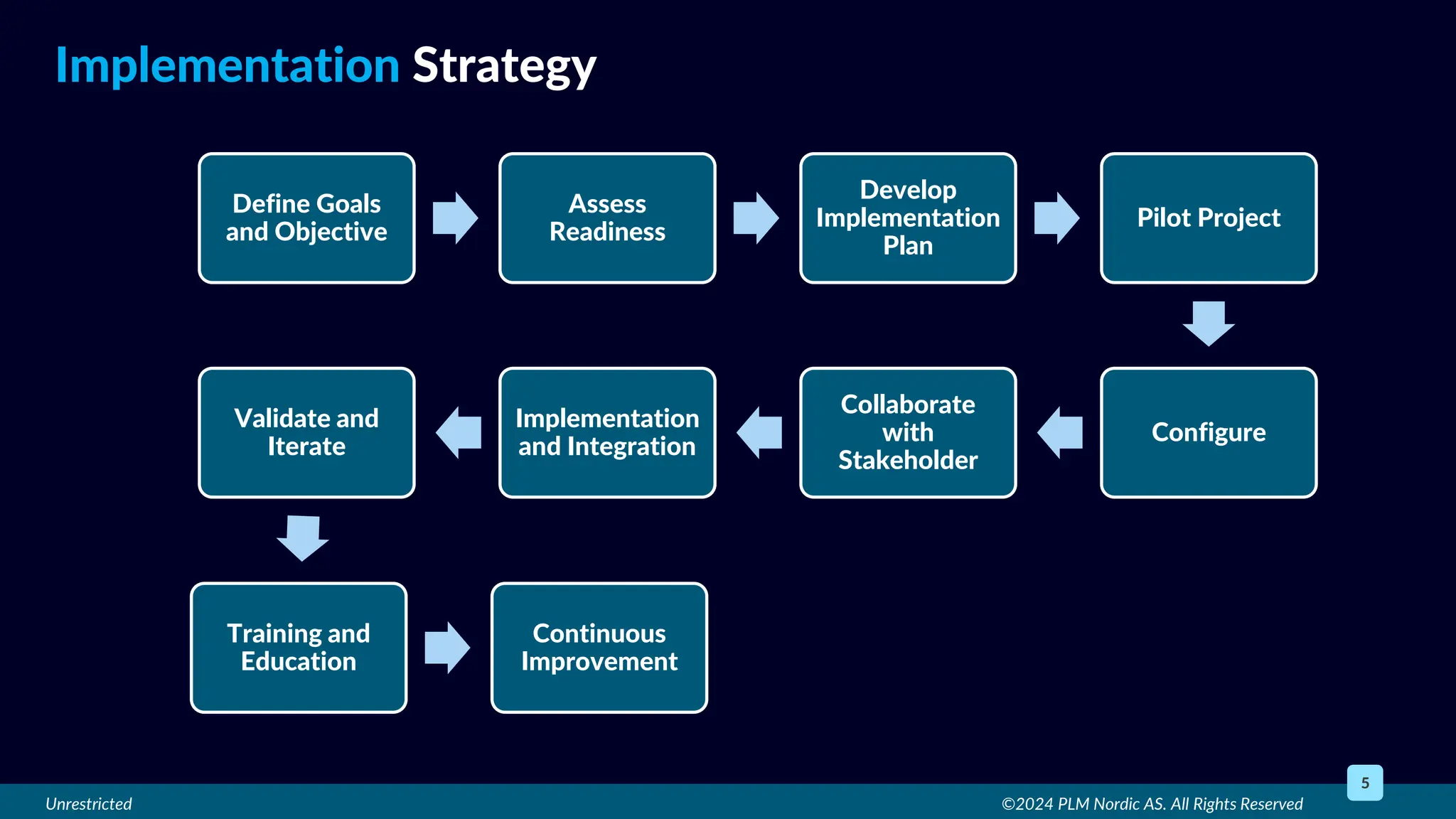
Implementation Strategy
Define Goals
and Objective
Assess
Readiness
Develop
Implementation
Plan
Pilot Project
Configure
Collaborate
with
Stakeholder
Implementation
and Integration
Validate and
Iterate
Training and
Education
Continuous
Improvement
Unrestricted
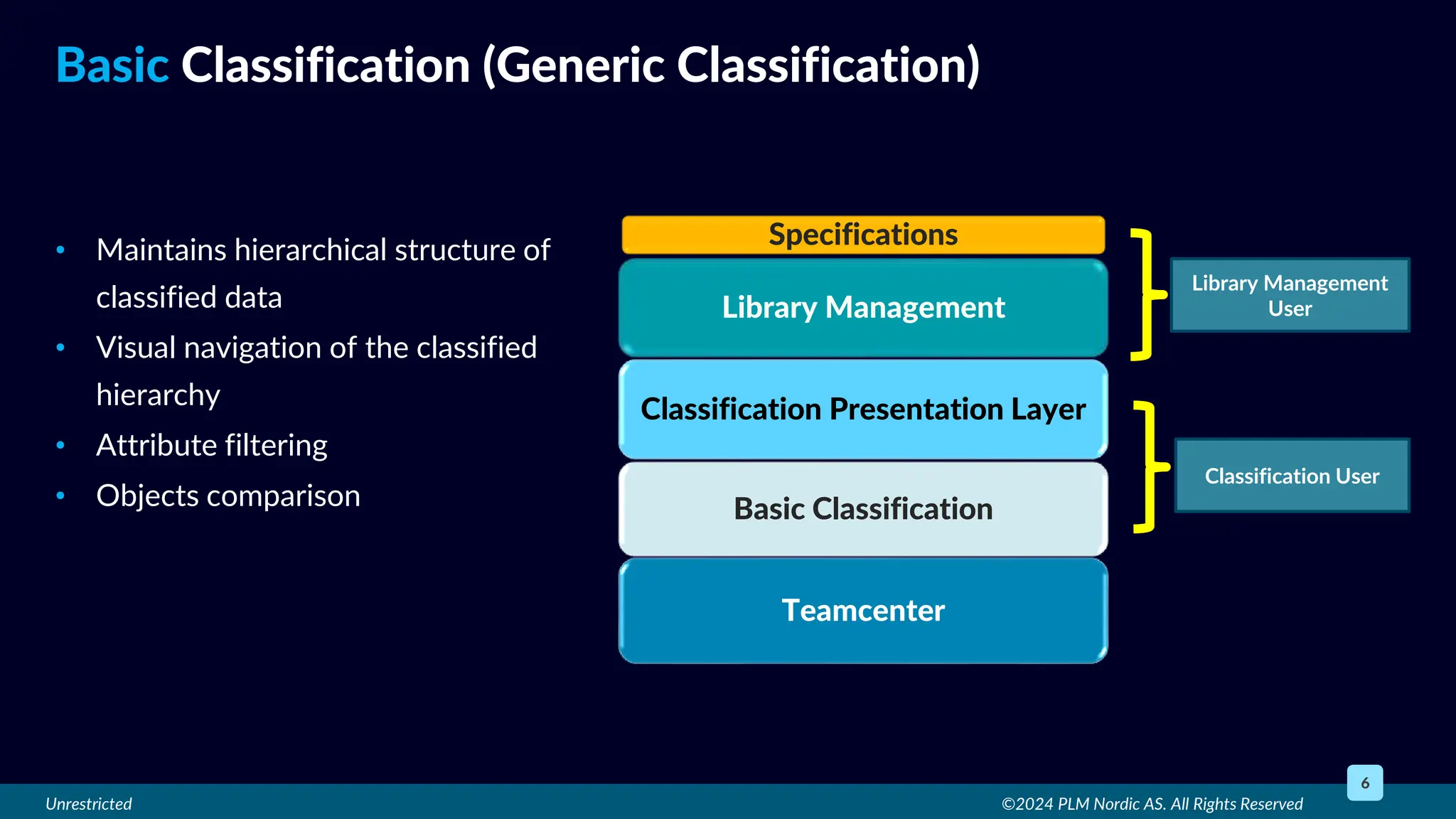
• Maintains hierarchical structure of
classified data
• Visual navigation of the classified
hierarchy
• Attribute filtering
• Objects comparison
©2024 PLM Nordic AS. All Rights Reserved
6
Basic Classification (Generic Classification)
Teamcenter
Basic Classification
Classification Presentation Layer
Specifications
Library Management
Classification User
Library Management
User
Unrestricted ©2024 PLM Nordic AS. All Rights Reserved
7
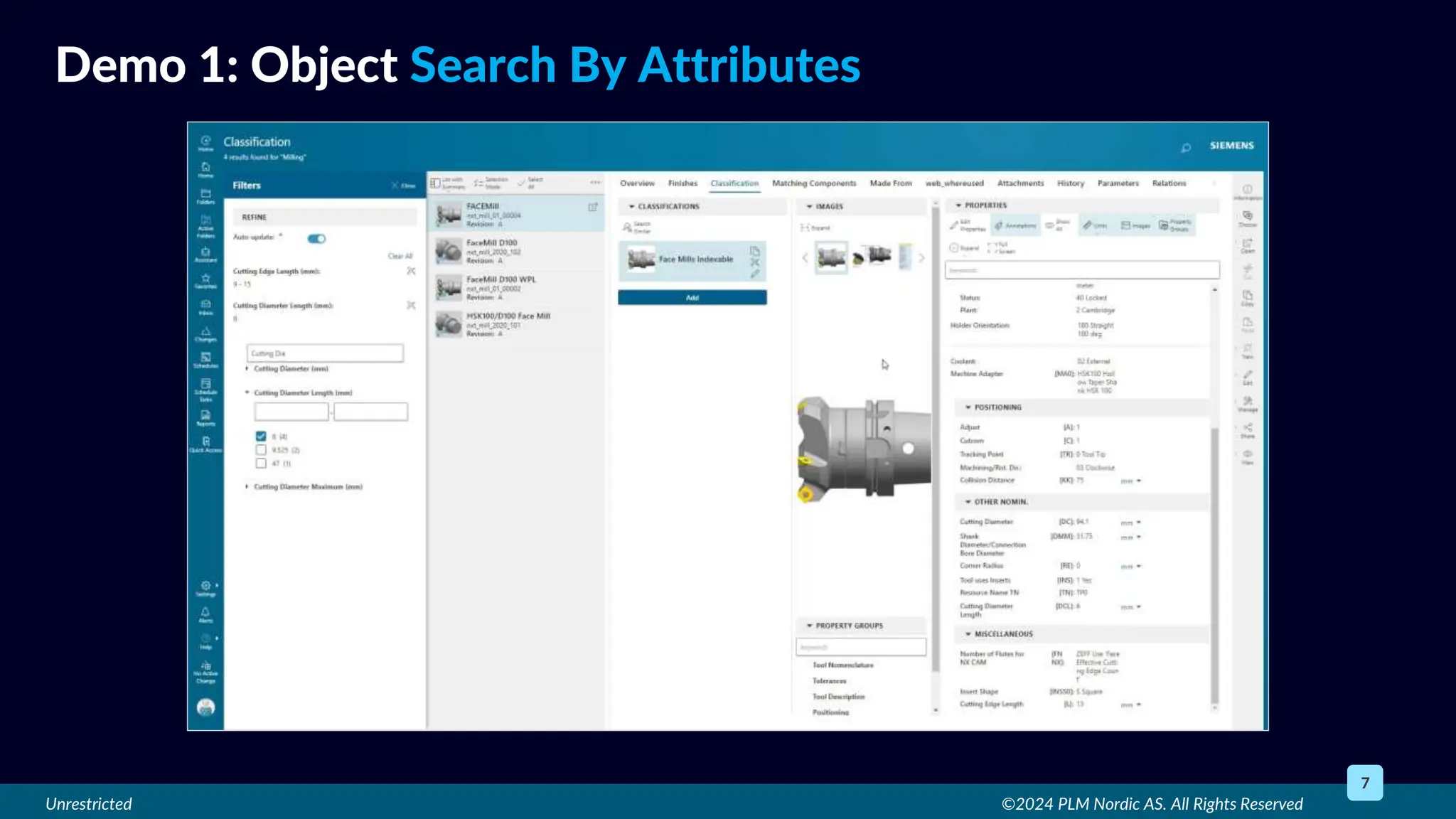
Demo 1: Object Search By Attributes
Unrestricted ©2024 PLM Nordic AS. All Rights Reserved
8
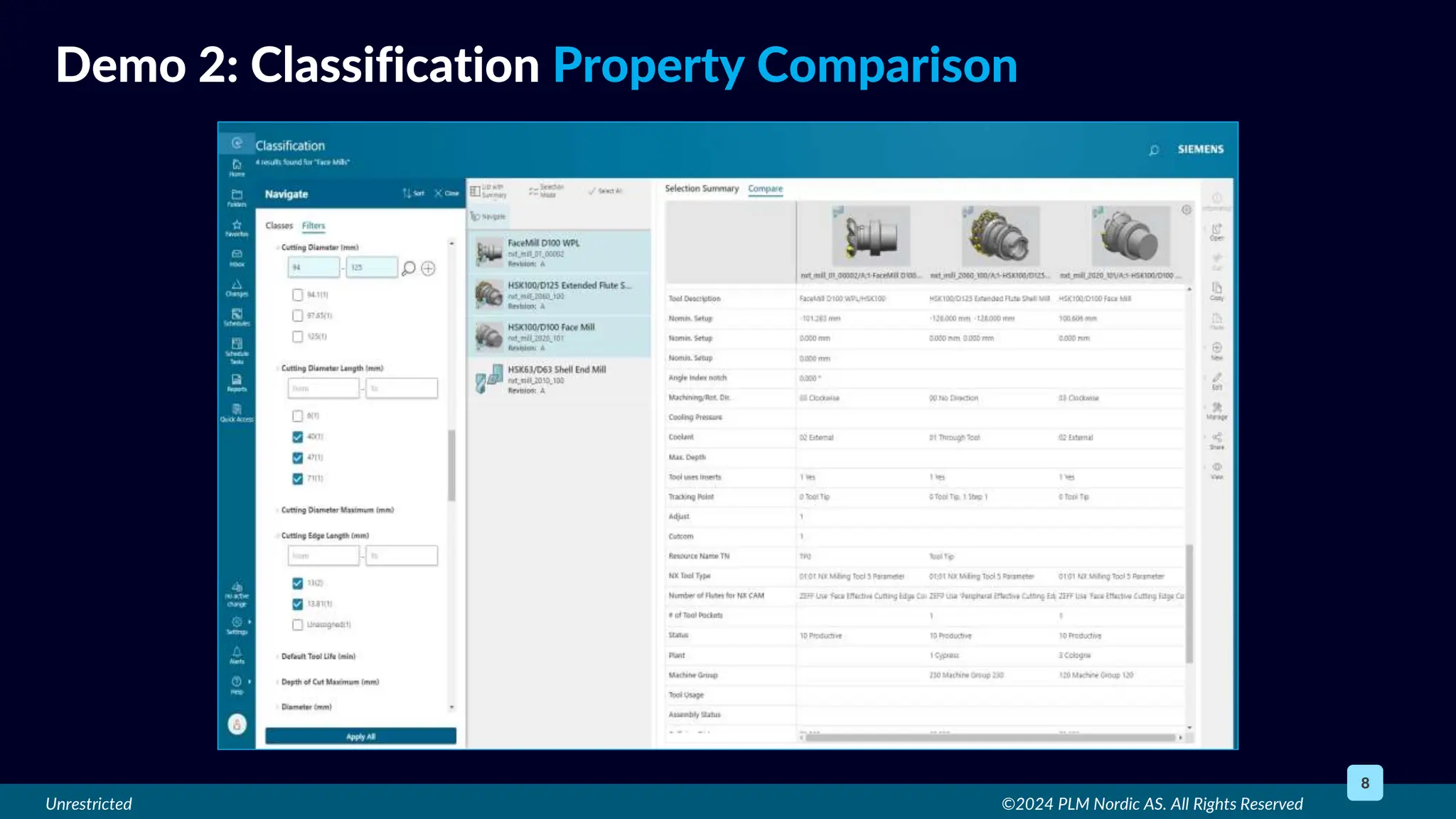
Demo 2: Classification Property Comparison
Unrestricted
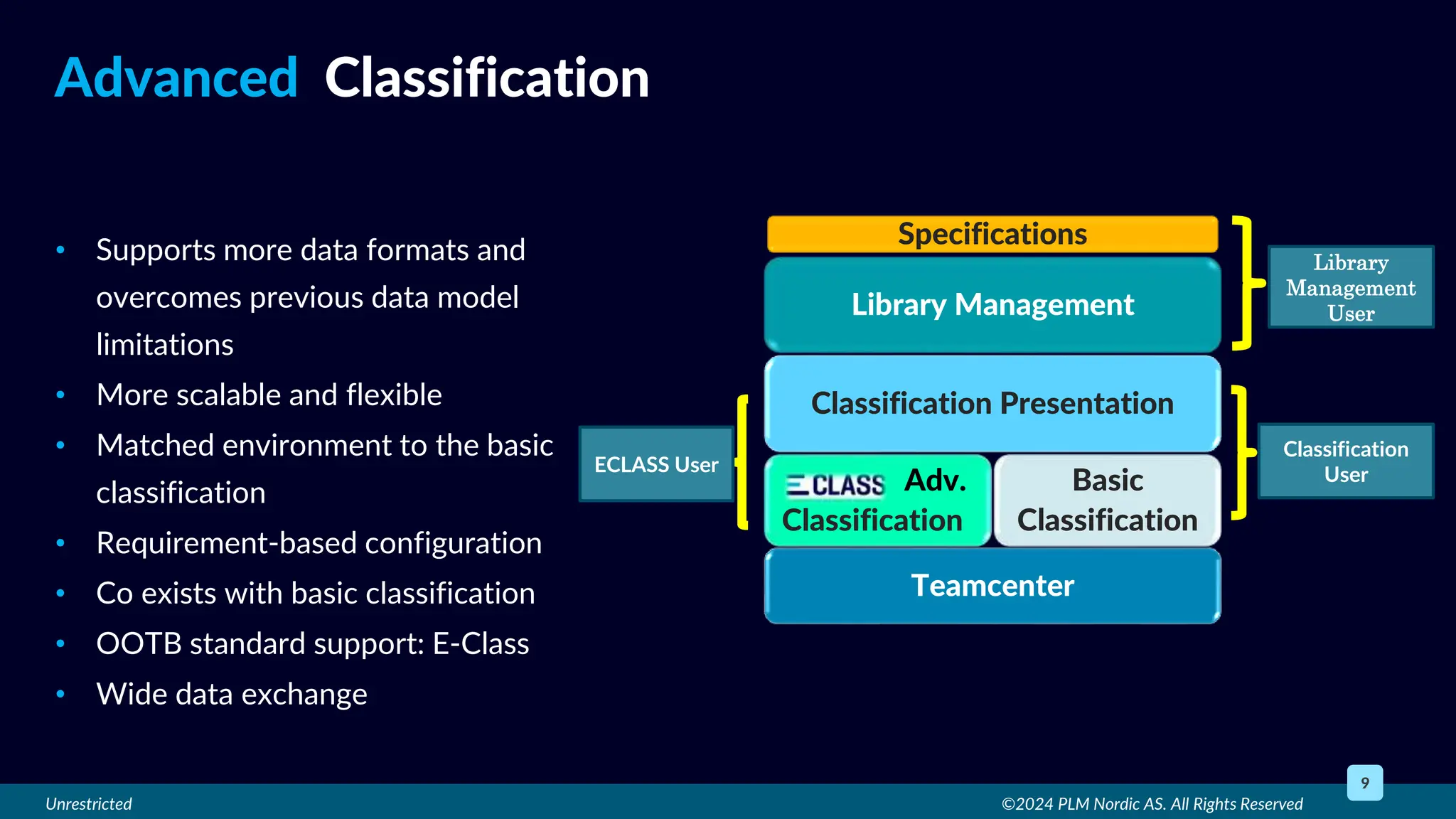
• Supports more data formats and
overcomes previous data model
limitations
• More scalable and flexible
• Matched environment to the basic
classification
• Requirement-based configuration
• Co exists with basic classification
• OOTB standard support: E-Class
• Wide data exchange
©2024 PLM Nordic AS. All Rights Reserved
9
Advanced Classification
Teamcenter
Basic
Classification
Classification Presentation
Specifications
Library Management
Adv.
Classification
Library
Management
User
Classification
User
ECLASS User
Unrestricted
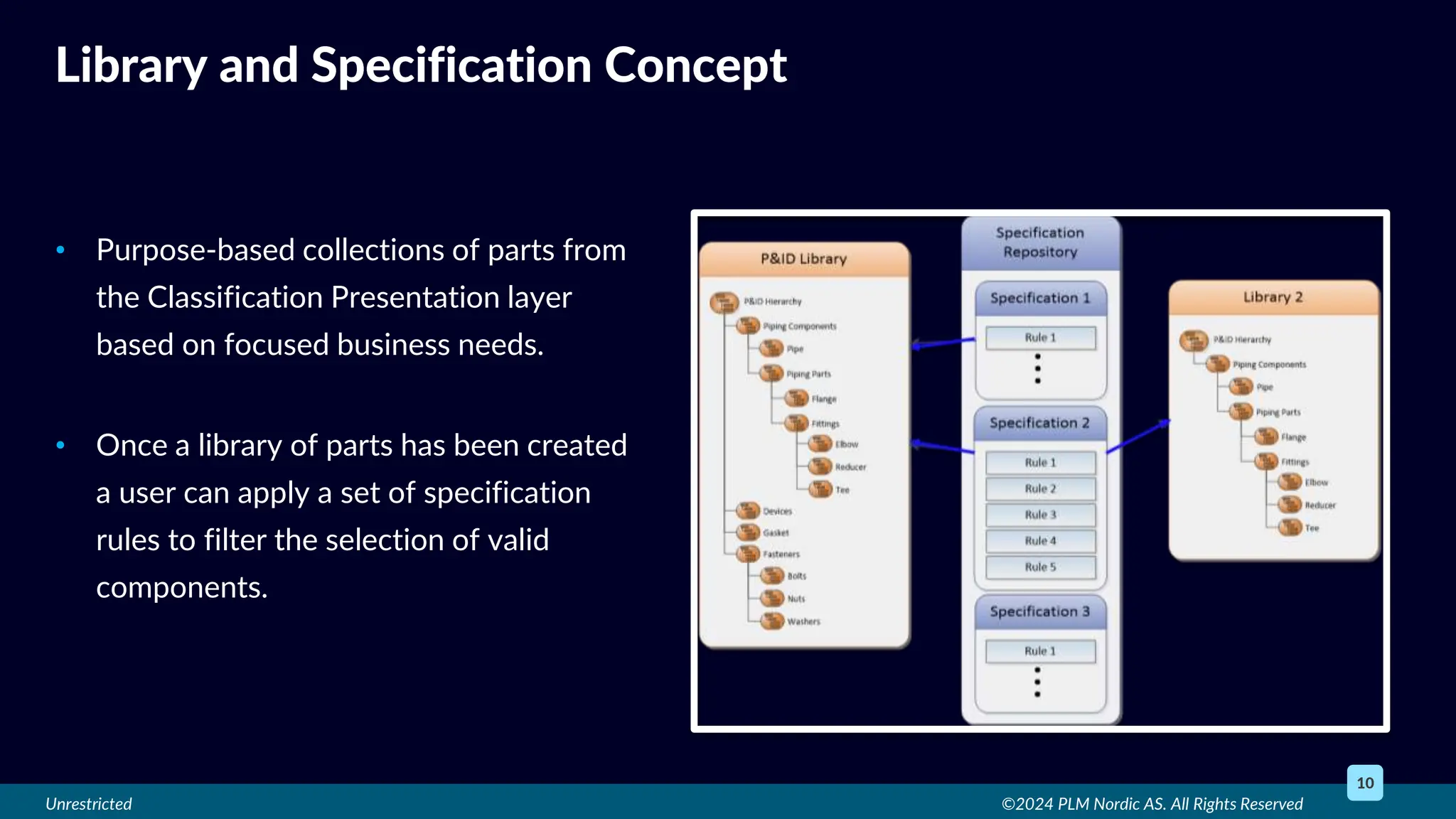
• Purpose-based collections of parts from
the Classification Presentation layer
based on focused business needs.
• Once a library of parts has been created
a user can apply a set of specification
rules to filter the selection of valid
components.
©2024 PLM Nordic AS. All Rights Reserved
10
Library and Specification Concept
Unrestricted ©2024 PLM Nordic AS. All Rights Reserved
11
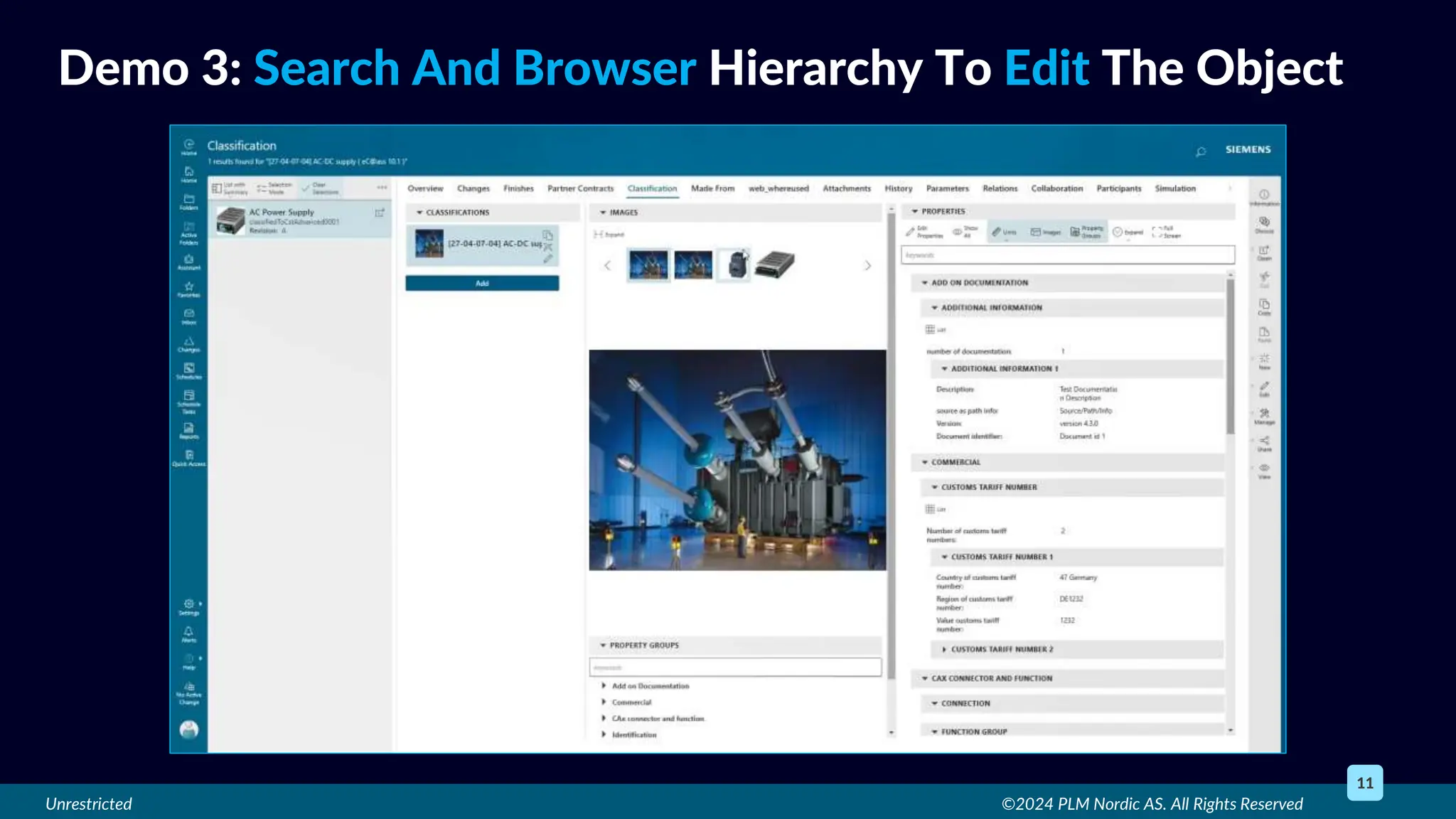
Demo 3: Search And Browser Hierarchy To Edit The Object
Unrestricted ©2024 PLM Nordic AS. All Rights Reserved
12
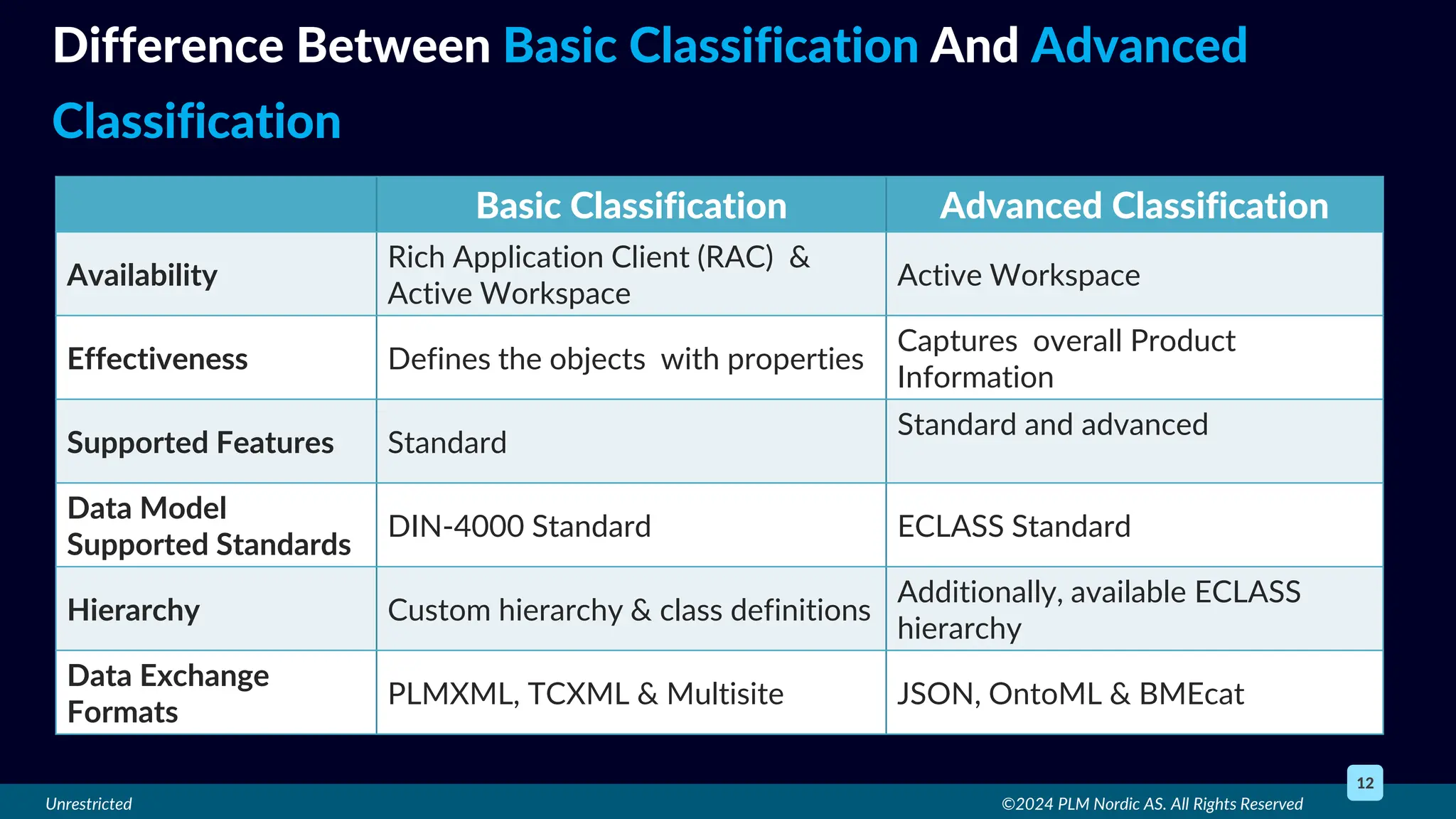
Difference Between Basic Classification And Advanced
Classification
Basic Classification Advanced Classification
Availability
Rich Application Client (RAC) &
Active Workspace
Active Workspace
Effectiveness Defines the objects with properties
Captures overall Product
Information
Supported Features Standard
Standard and advanced
Data Model
Supported Standards
DIN-4000 Standard ECLASS Standard
Hierarchy Custom hierarchy & class definitions
Additionally, available ECLASS
hierarchy
Data Exchange
Formats
PLMXML, TCXML & Multisite JSON, OntoML & BMEcat
Unrestricted
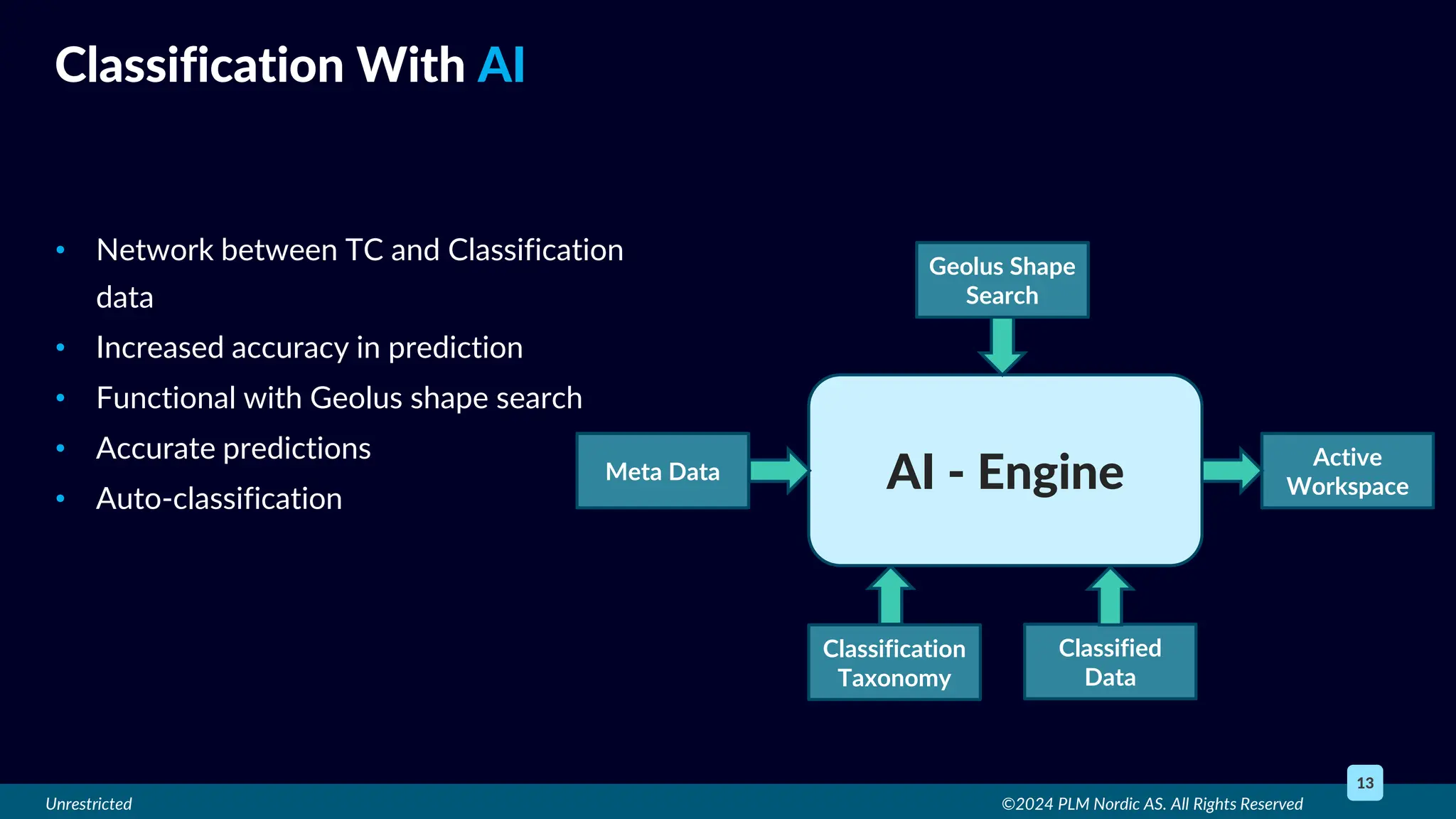
• Network between TC and Classification
data
• Increased accuracy in prediction
• Functional with Geolus shape search
• Accurate predictions
• Auto-classification
©2024 PLM Nordic AS. All Rights Reserved
13
Classification With AI
AI - Engine
Geolus Shape
Search
Active
Workspace
Meta Data
Classification
Taxonomy
Classified
Data

Teamcenter Classification How does Teamcenter Classification play a vital role in handling vast amounts of industry data.pptx

  • 1.
    Unrestricted ©2024 PLMNordic AS. All Rights Reserved 1 Introduction • Classification is , a systematic arrangement of parts in groups or categories according to established criteria such as geometric shape or property values. • Classification system organizes objects in a logical and systematic hierarchy, where objects are grouped together based on their similarities.
  • 2.
    Unrestricted • Search theright part in the vast database – Less reuse • Increase in duplicity - No standard system • To manage vast database – Time consuming and tedious ©2024 PLM Nordic AS. All Rights Reserved 2 Present Difficulties “What headache to search part”
  • 3.
    Unrestricted • 80% designtime reduction • 30-40% substitute or alternatives available • Annual cost reduction by $4500 to $23000 • Better utilization of designers’ time • Effective inventory control • Search time reduction • Reduced redundant data ©2024 PLM Nordic AS. All Rights Reserved 3 Business benefits (opportunities)
  • 4.
    Unrestricted • User-friendly structure •Better Visual Navigation • Resizable panels and Flexible layout • Extremely versatile search engine • Shape search functionality • Filter and compare objects • Integrated JT file viewer • ECLASS Library • Classify with AI ©2024 PLM Nordic AS. All Rights Reserved 4 TC Classification Capabilities
  • 5.
    Unrestricted ©2024 PLMNordic AS. All Rights Reserved 5 Implementation Strategy Define Goals and Objective Assess Readiness Develop Implementation Plan Pilot Project Configure Collaborate with Stakeholder Implementation and Integration Validate and Iterate Training and Education Continuous Improvement
  • 6.
    Unrestricted • Maintains hierarchicalstructure of classified data • Visual navigation of the classified hierarchy • Attribute filtering • Objects comparison ©2024 PLM Nordic AS. All Rights Reserved 6 Basic Classification (Generic Classification) Teamcenter Basic Classification Classification Presentation Layer Specifications Library Management Classification User Library Management User
  • 7.
    Unrestricted ©2024 PLMNordic AS. All Rights Reserved 7 Demo 1: Object Search By Attributes
  • 8.
    Unrestricted ©2024 PLMNordic AS. All Rights Reserved 8 Demo 2: Classification Property Comparison
  • 9.
    Unrestricted • Supports moredata formats and overcomes previous data model limitations • More scalable and flexible • Matched environment to the basic classification • Requirement-based configuration • Co exists with basic classification • OOTB standard support: E-Class • Wide data exchange ©2024 PLM Nordic AS. All Rights Reserved 9 Advanced Classification Teamcenter Basic Classification Classification Presentation Specifications Library Management Adv. Classification Library Management User Classification User ECLASS User
  • 10.
    Unrestricted • Purpose-based collectionsof parts from the Classification Presentation layer based on focused business needs. • Once a library of parts has been created a user can apply a set of specification rules to filter the selection of valid components. ©2024 PLM Nordic AS. All Rights Reserved 10 Library and Specification Concept
  • 11.
    Unrestricted ©2024 PLMNordic AS. All Rights Reserved 11 Demo 3: Search And Browser Hierarchy To Edit The Object
  • 12.
    Unrestricted ©2024 PLMNordic AS. All Rights Reserved 12 Difference Between Basic Classification And Advanced Classification Basic Classification Advanced Classification Availability Rich Application Client (RAC) & Active Workspace Active Workspace Effectiveness Defines the objects with properties Captures overall Product Information Supported Features Standard Standard and advanced Data Model Supported Standards DIN-4000 Standard ECLASS Standard Hierarchy Custom hierarchy & class definitions Additionally, available ECLASS hierarchy Data Exchange Formats PLMXML, TCXML & Multisite JSON, OntoML & BMEcat
  • 13.
    Unrestricted • Network betweenTC and Classification data • Increased accuracy in prediction • Functional with Geolus shape search • Accurate predictions • Auto-classification ©2024 PLM Nordic AS. All Rights Reserved 13 Classification With AI AI - Engine Geolus Shape Search Active Workspace Meta Data Classification Taxonomy Classified Data

Editor's Notes

  • #2 Ok Now lets start with the introduction first and get to know about what is classification? Classification is , a systematic arrangement of part models in groups or categories according to established criteria such as geometric shape or property values.  Generally, a classification system organizes objects in a logical and systematic hierarchy, where objects are grouped together based on their similarities.  And we all know that In the design industry, having the right tool and quick access to data—such as reusable components or other standard parts—is critical. And Because time is of the essence in every industry, Teamcenter Classification plays an important role in classifying company data such as standard parts, manufacturing equipment and other relevant technology data as per the need which results in time savings and cost reductions by allowing you to reuse existing parts and combine or remove duplicate or outdated parts. The implementation of an object classification and retrieval system helps reduce design and manufacturing costs by enabling previous design work and parts to be easily located and re-used.
  • #3 Now let’s talk about present difficulties in industry and then how classification plays a role in overcoming it. To search the right part at the time of need is very difficult without classification as parts are not reused, there are many duplicate parts, and it takes time to search parts in database. Secondly more duplicate parts make reuse even more difficult. Overall to manage vast amounts of data such as standard parts and other machinery parts so that duplicity cannot occur is time consuming and hectic work without any standard system.
  • #4 As we have talked about the present difficulties, classification provides aid here to overcome it Classification reduces 80% of the time spent on design for brand-new products with a high reuse rate.  It Facilitates designers in concentrating their efforts on the most viable innovations of a product by making it easy for them to find required data on time. Classification reduces 30–40% duplicity of parts supplied by manufacturer as most of the parts already have suitable alternatives.  So instead of buying or creating new part, using the suitable alternative can very annual cost roughly $4,500 to $23,000 which was more likely going to be used for creation or buying of new part. Classification promotes the use of standardized design components, makes easy to find them and reuse components so it makes easy to control inventory, reduces the designers time and gets rid of redundant definition data across several systems.
  • #5 Now lets deep dive more into classification and see some of its capabilities It provides Comprehensive user-definable classification structures. As per industry requirement. Visual Navigation for browsing classification hierarchy make it more convenient. Re-sizable panel allows leveraging full functionality of the classification application when classifying the objects Its Flexible layout allows viewing more information as per user need It has highly flexible search engine enabling the use of all defined attributes, Boolean operations, wild cards and ranges Shape Search engine makes finding similar objects easy It narrow downs the objects search by applying attribute filters Ability to find and compare object properties which makes decision making easy. Integrated 2D/3D viewer based on JT file format Additional ECLASS functionality establishes common classification scheme that everyone can use. It simplifies electronic information exchange across-industry segments by using standardized product terms/descriptions so that product data can be exchanged across sectors, countries, languages, and industries conveniently. Use of AI make the work easy by auto classification hence results in time reduction.
  • #6  If we talk about implementation Strategy for classification, it goes through various stages as shown in the image for successful implementation. Define Goals and Objective: Assess Readiness: Develop Implementation Plan: Pilot Project: Configure:  Collaborate with Stakeholder: Implementation and Integration: Strategies for effective implementation by classifying the data and reusing it along with design tool Validate and Iterate: Training and Education: Importance of training and ongoing support for users to maximize the benefits of the integrated tool Continuous Improvement:
  • #7 Basic classification is used to create and maintain a hierarchical classification structure based on the attribute values of your workspace objects.  Provides functionality for attribute filtering based on properties that narrow down the objects by applying attribute filters Compare the objects for making informed design decisions The maximum 200 number of attributes can be created Teamcenter uses a Classification Presentation layer to assure interoperability between the Rich Application Client and the preferable Active Workspace clients to provide users with an intuitive, visual interface that supports added features which do not exist in the Rich Application Client. We will talk about Library management and specification management in the Advanced classification. Or  if in case it needed to be talk about Library and Specification management: Atop the presentation layer, Teamcenter offers a Library Management layer that leverages underlying classification information and where companies can populate purpose-based collections of parts from the Classification Presentation layer based on focused business needs. In addition, Teamcenter supports a Specification Management module where constraints can be applied from designer tools such as NX to offer only valid design data. Once a library of parts has been created a user can apply a set of specification rules to filter the selection of valid components.  For example, if the designer is selecting components for a marine industry piping design and has constraints that they must match a stainless-steel pipe, 3-inch diameter, and rated for a specific temperature and pressure, only components honoring those constraints will be shown.(Refer image in the script for example)
  • #8 Demo1:  In this demo we will see some the classification capabilities such as: How to Navigate or use Visual Navigation for browsing the classification hierarchy? How to Select desired class to find classified objects? To Narrow down the objects by applying attribute filters Compare the similar objects to make informed decision How to Go through class images / drawings / data sheets and See focused group of properties with Property Groups
  • #9 Demo 2: in this demo we will use shape search functionality and Compare classification properties of selected objects We will Find the desired component using search Then we will use Shape Search engine for finding similar objects On the top of that we will apply advanced filtering with classification properties  And compare the objects for making informed design decisions
  • #10 If we talk about Advanced classification, it has much more improved and additional functionalities comparing to the basic classification.  It supports more data formats and overcomes previous data model limitations.  It is more scalable and flexible, previously in basic classification there was limit of 200 attributes which is overcome in Advanced classification.  It has similar environment to basic classification so that giving choices to customer to align their business processes smoothly. Supports more industry-wide data exchange mechanisms – JSON, BMEcat, OntoML (planned AASX, PLMXML, TCXML) Out of the box support for Classification Standards like ECLASS conforming to underlying ISO, IEC and DIN Standards also allows it to integrate with other Industry 4.0 application ecosystems like SAP, PIM, MDM etc. Siemens brings an advanced classification capability using the ECLASS Standard. “ECLASS is a hierarchical system for grouping materials, products and services according to a logical structure with a level of detail that corresponds to the product-specific properties ECLASS assists users in capturing a wholistic product description. It provides clean and unambiguous terminology for data exchange between customers and suppliers. Import eCl@ss data with advanced modeling constructs (including attribute blocks, aspects, cardinality and polymorphism) into Teamcenter 
  • #11 Lets talk about Library Management and Specifications Management Atop the presentation layer, Teamcenter offers a Library Management layer that leverages underlying classification information and where companies can populate purpose-based collections of parts from the Classification Presentation layer based on focused business needs. In addition, Teamcenter supports a Specification Management module where constraints can be applied from designer tools such as NX to offer only valid design data. Once a library of parts has been created a user can apply a set of specification rules to filter the selection of valid components.  For example, if the designer is selecting components for a marine industry piping design and has constraints that they must match a stainless-steel pipe, 3-inch diameter, and rated for a specific temperature and pressure, only components honoring those constraints will be shown. 
  • #12 Demo 3: In this demo we will see about searching and browsing object functionality through ECLASS Hierarchy We will Filter Properties Go through the Property Group Navigation Edit Object Classification And Add/modify property values
  • #13 We discussed basic and advanced classification. Now lets talk about the difference between them so it can clear out any doubts. 1 BC: Available on Rich Application Client (RAC) and Active Workspace AC: Available on Active Workspace 2 BC: Traditional Classification is effective in defining the objects uniquely with the help of properties capturing for reuse AC: Advanced Classification is effective is capturing overall Product Information (including Classification), which can be further leveraged in PIM/MDM systems with ECLASS Standard 3 BC: Supports standard features like Classification Hierarchical representation Flat list of properties List of Values Unit of Measure Support for Views Limited to maximum of 200 Properties in a class AC: In addition, supports advanced features like  - Support for Views (FY24)                          - Class Definition versioning  - Flexible Data Modeling with:                     - Native Data Storage - Attribute Blocks & Aspects            - Support for Name Spaces - Cardinality                                      - Unlimited number of properties  - Polymorphism                                - No Array limitations   - Complex Data Type Attributes  4 BC: Data Model supports DIN-4000 Standard Conforms to underlying specifications of ISO/TS-13399 Standard AC: Data Model supports ECLASS Standard Conforms to underlying specifications of DIN 4002, ISO 13584-32, ISO 13584-42, IEC 61360 Standards 5 BC: Customer needs to define their own custom hierarchy and class definitions to classify their objects AC: In addition, customers can get started with ready Standard based ECLASS hierarchy spanning more than 48 domains Offers native support to AAS (Asset Admin Shell) including PCF, Sustainability and Building Information       Management schemas and submodels Enabler for Digital Name Plate & Digital Product Passport 6 BC: Supports Data Exchange based on traditional PLMXML, TCXML and Multisite AC: Supports Data Exchange with newer formats like JSON, OntoML, BMEcat (Roadmap plans to support for PLMXML, TCXML and Multisite)
  • #14 Siemens has introduced AI machine learning into Teamcenter’s classification module.  An AI engine learns from the classification of objects in Teamcenter and builds a neural network of classification knowledge.  As more components are classified, the neural network is incrementally updated to provide improved prediction accuracy.  The AI engine can optionally work with Siemens’ Geolus shape search solution (optional; available if ecosystem permits), for more accurate classification, a Closed Loop Weighted algorithm (patent pending) integrates meta-data and shape recommendations.  Users can run auto-classifications as background jobs with built-in review mechanisms for subject matter experts to validate or change classifications.