Teaching with Social Media Tools
Michael Rees
School of Information Technology
Bond University
@mrees
Slides available via http://smcgoldcoast.com
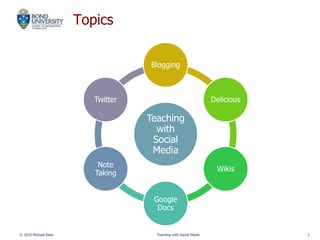
Topics
© 2010 Michael Rees Teaching with Social Media 2
Teaching
with
Social
Media
Blogging
Delicious
Wikis
Google
Docs
Note
Taking
Twitter
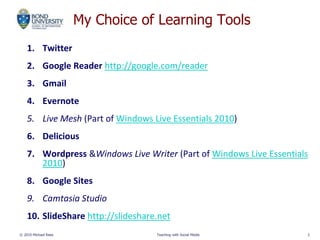
My Choice of Learning Tools
1. Twitter
2. Google Reader http://google.com/reader
3. Gmail
4. Evernote
5. Live Mesh (Part of Windows Live Essentials 2010)
6. Delicious
7. Wordpress &Windows Live Writer (Part of Windows Live Essentials
2010)
8. Google Sites
9. Camtasia Studio
10. SlideShare http://slideshare.net
© 2010 Michael Rees Teaching with Social Media 3
My Blogging
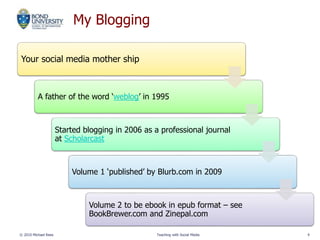
Your social media mother ship
A father of the word ‘weblog’ in 1995
Started blogging in 2006 as a professional journal
at Scholarcast
Volume 1 ‘published’ by Blurb.com in 2009
Volume 2 to be ebook in epub format – see
BookBrewer.com and Zinepal.com
© 2010 Michael Rees Teaching with Social Media 4
Student Blogging
© 2010 Michael Rees Teaching with Social Media 5
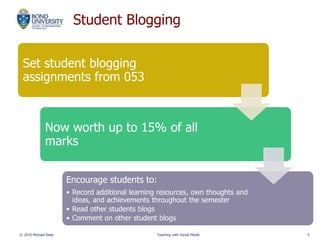
Set student blogging
assignments from 053
Now worth up to 15% of all
marks
Encourage students to:
• Record additional learning resources, own thoughts and
ideas, and achievements throughout the semester
• Read other students blogs
• Comment on other student blogs
Wordpress Blogs
© 2010 Michael Rees Teaching with Social Media 6
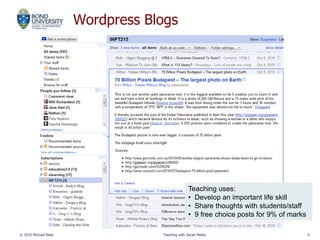
Teaching uses:
• Develop an important life skill
• Share thoughts with students/staff
• 9 free choice posts for 9% of marks
Delicious Social Bookmarking
© 2010 Michael Rees Teaching with Social Media 7
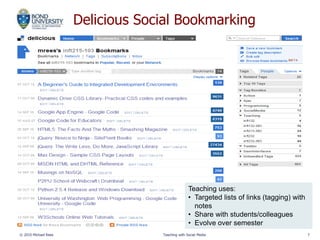
Teaching uses:
• Targeted lists of links (tagging) with
notes
• Share with students/colleagues
• Evolve over semester
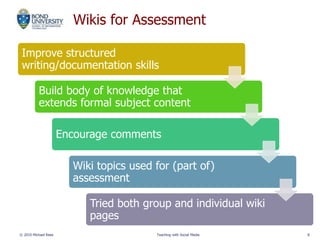
Wikis for Assessment
Improve structured
writing/documentation skills
Build body of knowledge that
extends formal subject content
Encourage comments
Wiki topics used for (part of)
assessment
Tried both group and individual wiki
pages
© 2010 Michael Rees Teaching with Social Media 8
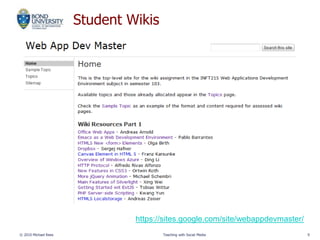
Student Wikis
© 2010 Michael Rees Teaching with Social Media 9
https://sites.google.com/site/webappdevmaster/
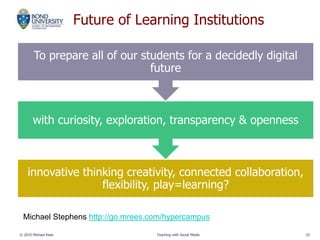
Future of Learning Institutions
innovative thinking creativity, connected collaboration,
flexibility, play=learning?
with curiosity, exploration, transparency & openness
To prepare all of our students for a decidedly digital
future
© 2010 Michael Rees Teaching with Social Media 10
Michael Stephens http://go.mrees.com/hypercampus
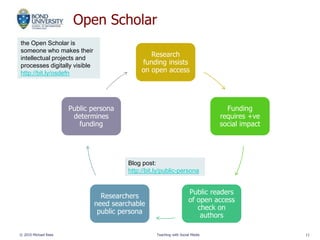
Open Scholar
Research
funding insists
on open access
Funding
requires +ve
social impact
Public readers
of open access
check on
authors
Researchers
need searchable
public persona
Public persona
determines
funding
© 2010 Michael Rees Teaching with Social Media 11
Blog post:
http://bit.ly/public-persona
the Open Scholar is
someone who makes their
intellectual projects and
processes digitally visible
http://bit.ly/osdefn

Teaching with Social Media

  • 1.
    Teaching with SocialMedia Tools Michael Rees School of Information Technology Bond University @mrees Slides available via http://smcgoldcoast.com
  • 2.
    Topics © 2010 MichaelRees Teaching with Social Media 2 Teaching with Social Media Blogging Delicious Wikis Google Docs Note Taking Twitter
  • 3.
    My Choice ofLearning Tools 1. Twitter 2. Google Reader http://google.com/reader 3. Gmail 4. Evernote 5. Live Mesh (Part of Windows Live Essentials 2010) 6. Delicious 7. Wordpress &Windows Live Writer (Part of Windows Live Essentials 2010) 8. Google Sites 9. Camtasia Studio 10. SlideShare http://slideshare.net © 2010 Michael Rees Teaching with Social Media 3
  • 4.
    My Blogging Your socialmedia mother ship A father of the word ‘weblog’ in 1995 Started blogging in 2006 as a professional journal at Scholarcast Volume 1 ‘published’ by Blurb.com in 2009 Volume 2 to be ebook in epub format – see BookBrewer.com and Zinepal.com © 2010 Michael Rees Teaching with Social Media 4
  • 5.
    Student Blogging © 2010Michael Rees Teaching with Social Media 5 Set student blogging assignments from 053 Now worth up to 15% of all marks Encourage students to: • Record additional learning resources, own thoughts and ideas, and achievements throughout the semester • Read other students blogs • Comment on other student blogs
  • 6.
    Wordpress Blogs © 2010Michael Rees Teaching with Social Media 6 Teaching uses: • Develop an important life skill • Share thoughts with students/staff • 9 free choice posts for 9% of marks
  • 7.
    Delicious Social Bookmarking ©2010 Michael Rees Teaching with Social Media 7 Teaching uses: • Targeted lists of links (tagging) with notes • Share with students/colleagues • Evolve over semester
  • 8.
    Wikis for Assessment Improvestructured writing/documentation skills Build body of knowledge that extends formal subject content Encourage comments Wiki topics used for (part of) assessment Tried both group and individual wiki pages © 2010 Michael Rees Teaching with Social Media 8
  • 9.
    Student Wikis © 2010Michael Rees Teaching with Social Media 9 https://sites.google.com/site/webappdevmaster/
  • 10.
    Future of LearningInstitutions innovative thinking creativity, connected collaboration, flexibility, play=learning? with curiosity, exploration, transparency & openness To prepare all of our students for a decidedly digital future © 2010 Michael Rees Teaching with Social Media 10 Michael Stephens http://go.mrees.com/hypercampus
  • 11.
    Open Scholar Research funding insists onopen access Funding requires +ve social impact Public readers of open access check on authors Researchers need searchable public persona Public persona determines funding © 2010 Michael Rees Teaching with Social Media 11 Blog post: http://bit.ly/public-persona the Open Scholar is someone who makes their intellectual projects and processes digitally visible http://bit.ly/osdefn