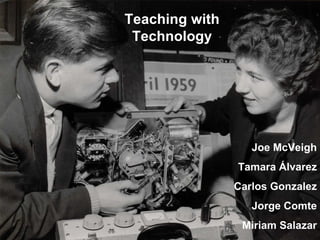
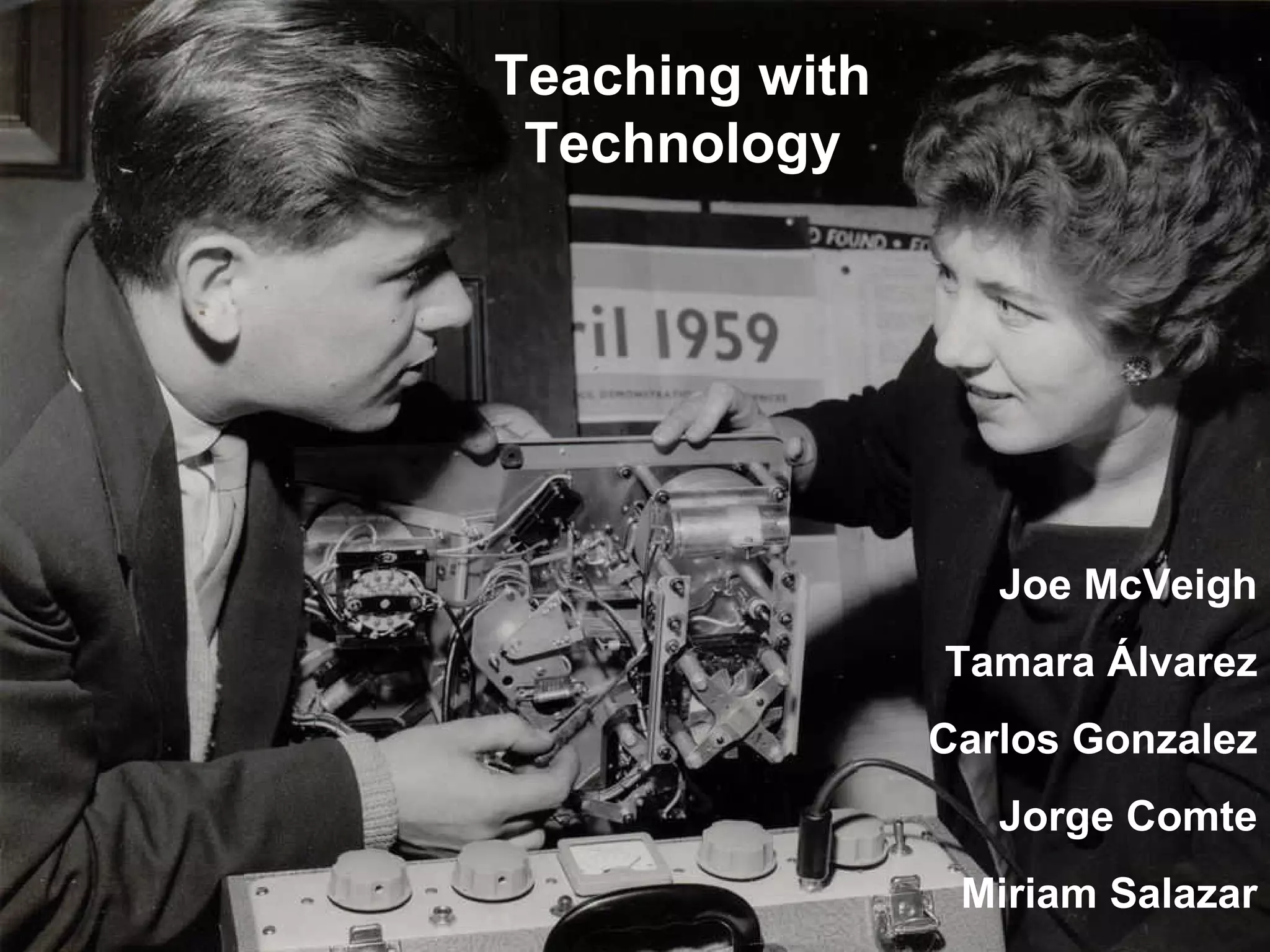
Teaching with Technology Joe McVeigh Tamara  Á lvarez Carlos Gonzalez Jorge Comte Miriam Salazar
This slide deck accompanies a talk given by Joe McVeigh at the Universidad Andres Bello in Santiago, Chile on May 27, 2009 and again in Vina del Mar, Chile on May 28, 2009. The presentation is structured with introductory remarks and other comments by Joe, interspersed with UNAB teachers describing their own experiences with technology. The focus of the talk is the use of technology in the teaching of English as a second language.
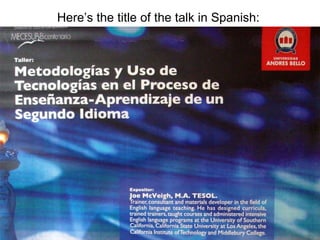
Here’s the title of the talk in Spanish:
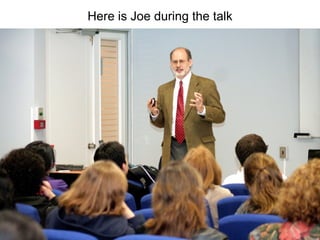
Here is Joe during the talk
Much of the presentation is highly visual in nature, so take a look at the pictures and imagine how they relate to language teaching and technology. Almost all the photos came from flickr and are used with a Creative Commons License. Photo credits are at the end of the presentation. Thanks everyone!
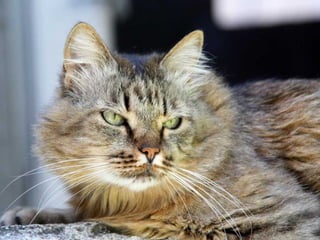
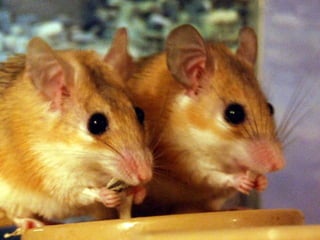
First came a story about some mice who were being attacked by a cat. The mother mouse barked like a dog scaring the cat away. She then explained to her children the importance of learning a second language.


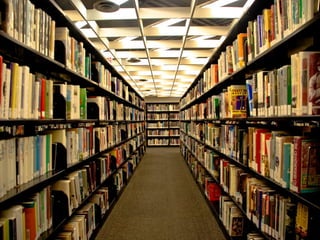
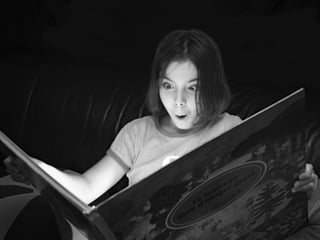
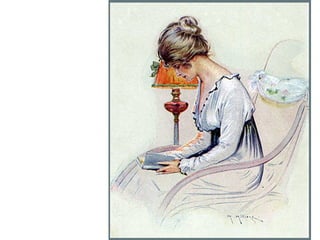
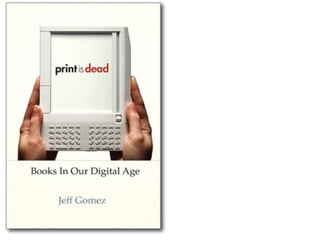
Then came a discussion of how books have traditionally been the primary means of learning and teaching but how some people now are suggesting that books may be passé and that the future is in technology.


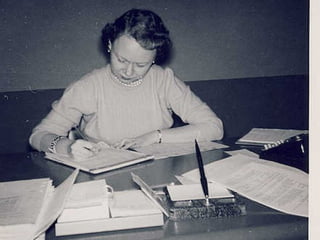
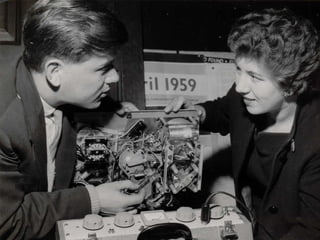
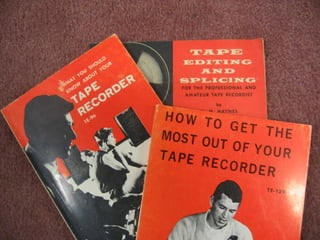
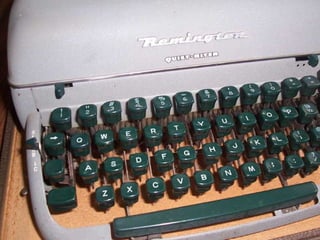
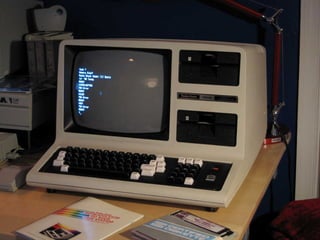
Technology has been around in many forms for a long time as can be seen in these photos.  Imagine how innovative tape recorders and typewriters must once have appeared to the first users.


Session overview Introduction Presentations by the guest speaker Presentations by colleagues from UNAB Questions
PowerPoint slides available www.joemcveigh.org
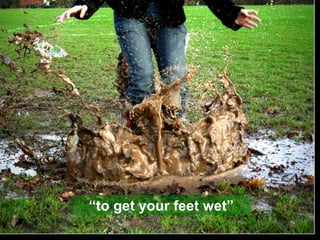
“ to get your feet wet”
 
Questions What are some advantages of using technology in language teaching? What are some drawbacks of using technology? What keeps you from using technology more in your teaching?
 
 
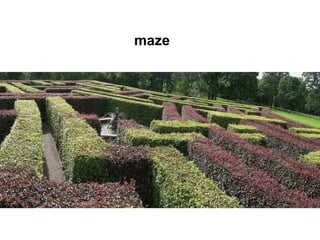
maze
Technology will not replace teachers, but teachers who understand technology will replace those who do not. — Ray Clifford
Use technology in the service of pedagogy, not vice-versa. —Siskin & Reynolds
Use technology that is  appropriate  for the teaching situation.
Teaching aids Blackboard Whiteboard Photographs Felt board Movable words Games
Electric but without computers Tape recorders Video players (cassette and DVD) Slide projectors Overhead projectors Movies Radio Television
Computer-aided Language labs Software Electronic whiteboards Websites Blogs Content management systems (Blackboard, Moodle, Segue)
Computer-aided email VOIP telephone and video (Skype)  Simulations (Second Life) Online distance education Online surveys (Survey Monkey) Online journals Social networking sites  Blogs
Computer-aided Photo-sharing web sites (Flickr) Video-sharing web sites (Youtube) Online crossword puzzle makers Online word montages (Wordle) Podcasts Online professional development Online sources of authentic materials
 
Using Technology in the Lab English Phonetics Tamara Álvarez
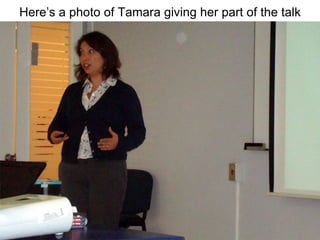
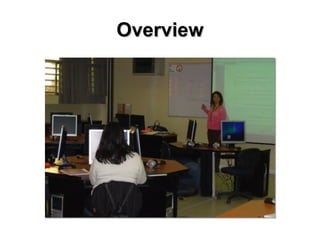
Here’s a photo of Tamara giving her part of the talk
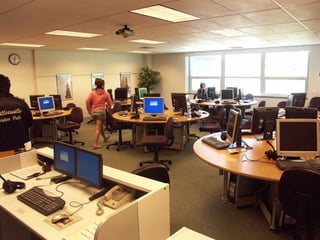
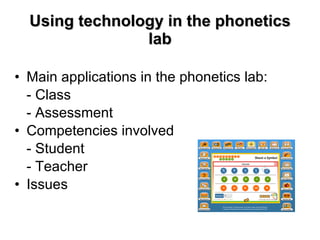
Using technology in the phonetics lab Main applications in the phonetics lab:  - Class  - Assessment Competencies involved - Student - Teacher Issues
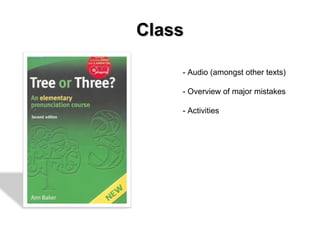
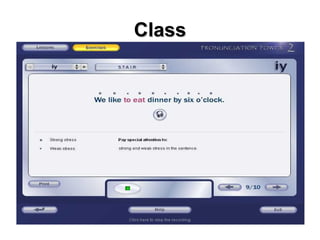
Class - Audio (amongst other texts) - Overview of major mistakes - Activities
Overview
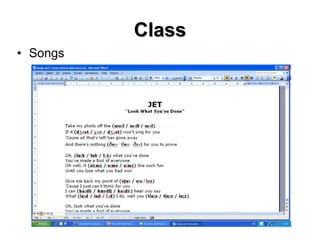
Class Songs
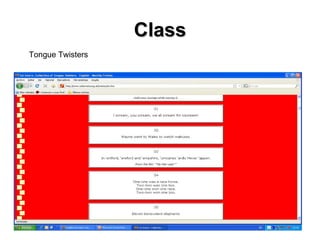
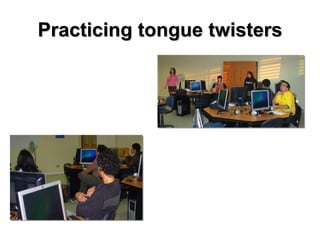
Class Tongue Twisters
Sample tongue-twisters They’re thirsty every Thursday Six thick thistle sticks (twice) Elizabeth’s birthday is on the third Thursday of this month. Thousand of thinkers were thinking how did the other three thieves go through
Practicing tongue twisters
Class
 
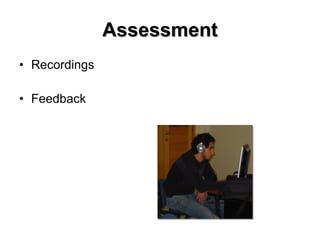
Assessment Recordings Feedback
Competencies involved Student Teacher
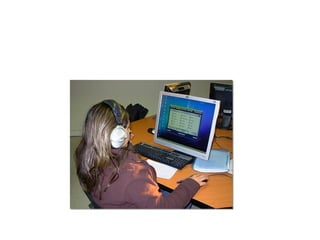
Issues Know how (recording timing) Functioning computers Headphones Lab management system
German Coast Guard example http://www.youtube.com/watch?v=rD4roXEY8hk
References Source of computer geek cartoon http :// rlv.zcache.com / funny_computer_geek_cartoon_sticker -p217005805728649639qjcl_400. jpg Source of computer cat cartoon http :// www.snapshots.net / cartoons /00736- funny - cartoons - computer - cat.gif Screenshot of Cambridge English online course http :// www.ihes.com / bcn / tt / eltblog /blog/ uploaded_images / phonetics -707401. gif
Thank you
CMS (Course Management System) Blackboard http://www.youtube.com/watch?v=g5HM0IjmIAA Moodle Segue (Middlebury College) http://www.joemcveigh.org/ Click on “Joe’s Intro to TESOL Course”
Internet sources of authentic materials Newspapers New York Times USA Today Radio National Public Radio BBC Song Lyrics Film Scripts Drew’s Script-o-rama http://www.script-o-rama.com/
Internet sources of film scripts Drew’s  Script- o-rama Film Scripts Film Transcripts TV Scripts
Samples of recently available filmscripts The Curious Case Of Benjamin Button The Dark Knight Gran Torino Milk Rachel Getting Married The Reader Slumdog Millionaire Twilight Wall-E
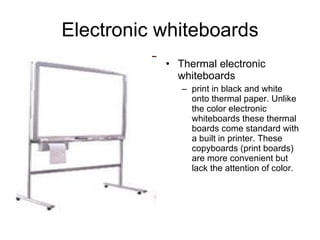
Electronic whiteboards Thermal electronic whiteboards print in black and white onto thermal paper. Unlike the color electronic whiteboards these thermal boards come standard with a built in printer. These copyboards (print boards) are more convenient but lack the attention of color.
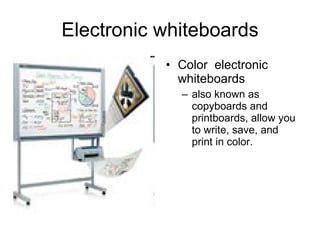
Electronic whiteboards Color  electronic whiteboards also known as copyboards and printboards, allow you to write, save, and print in color.
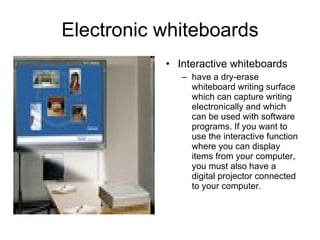
Electronic whiteboards Interactive whiteboards have a dry-erase whiteboard writing surface which can capture writing electronically and which can be used with software programs. If you want to use the interactive function where you can display items from your computer, you must also have a digital projector connected to your computer.
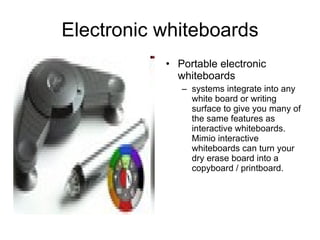
Electronic whiteboards Portable electronic whiteboards systems integrate into any white board or writing surface to give you many of the same features as interactive whiteboards. Mimio interactive whiteboards can turn your dry erase board into a copyboard / printboard.
A demonstration of the Mimio portable electronic whiteboard Carlos Gonzalez Jorge Comte
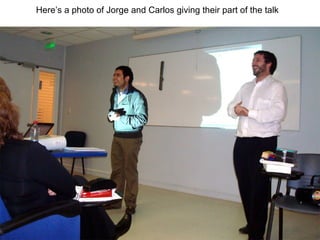
Here’s a photo of Jorge and Carlos giving their part of the talk
They didn’t use any PowerPoint slides, but they were very good, and quite amusing, too.
Technology Competencies What should a teacher know in order to be a competent user of technology? TESOL Technology Standards Checklists What should a student be able to do?
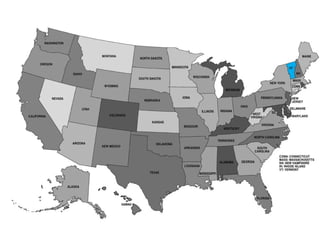
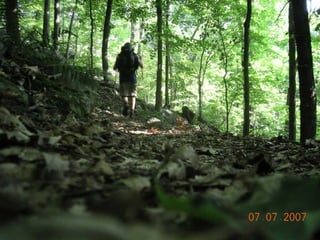
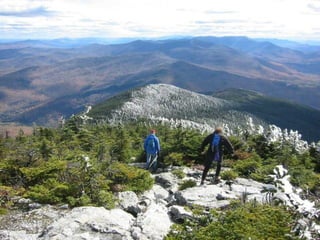
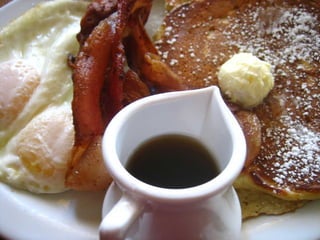
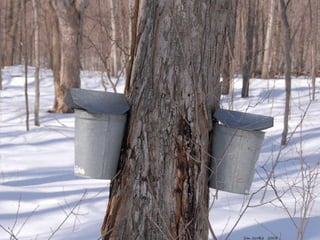
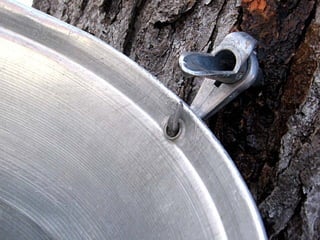
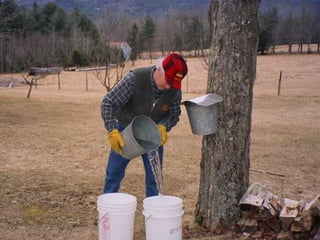
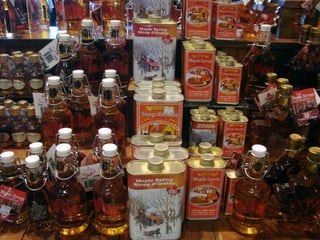
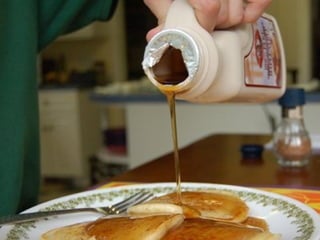
Here’s an example of how you can use with a Creative Commons License to get great images to create a short culture lesson.  This one is about Vermont, where Joe lives. You’ll see beautiful landscapes, leaves, people hiking, and the process of making maple syrup.


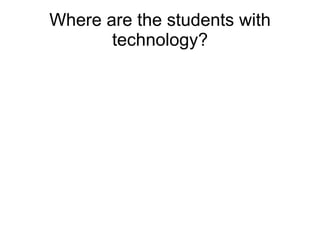
Where are the students with technology?
 
 
Student-created websites www.joemcveigh.org Click on “Middlebury Slang Project”


A Blogging Experience Miriam Salazar Véjar May, 2009
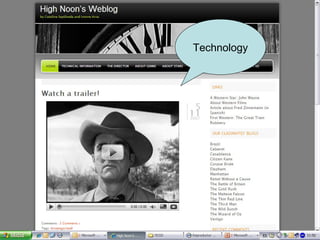
What? A Blog… …  a free Internet resource …  an online personal diary …  a new means of communication …  a new type of (online) community
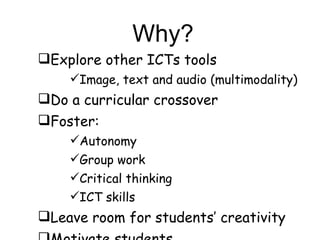
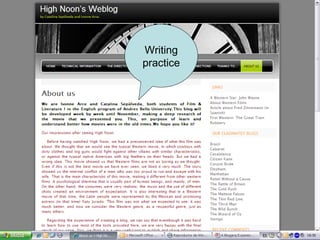
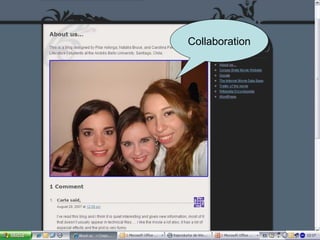
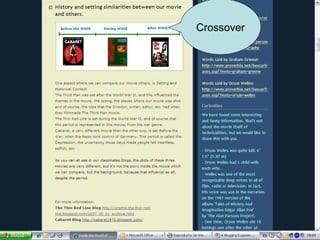
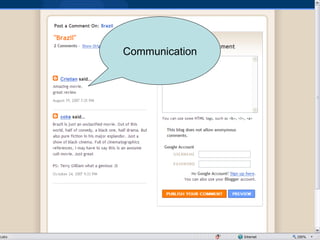
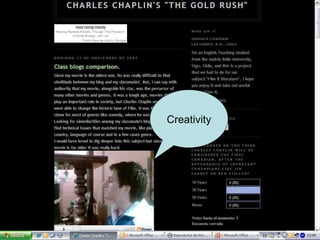
Why? Explore other ICTs tools Image, text and audio (multimodality) Do a curricular crossover Foster:  Autonomy Group work Critical thinking ICT skills Leave room for students’ creativity Motivate students
How? Provide guidelines  Learning objective(s) & tasks Grading Rubric (if) Dos & Don’ts Follow up system Feedback
Examples…
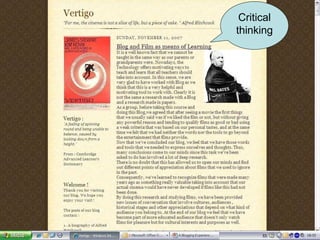
Critical thinking
Writing practice
Collaboration
Crossover
Communication
Technology
Creativity
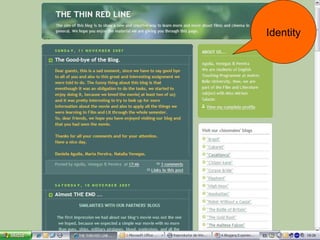
Identity
Some useful links http://highnoonmovie.wordpress.com www.blogger.com www.wordpress.com http://universityofblogs.com/ http://www.angelamaiers.com/ http://www.freetech4teachers.com/ http://jeffreyhill.typepad.com/english/
Thank you!


Podcasts English as a Second Language Podcast http://www.eslpod.com Lucy Tse & Jeff McQuillan
Online professional development TESOL Resource Center (must be a member of TESOL)  www.tesol.org IATEFL (free, but must register) http://iatefl.britishcouncil.org/2009/ ESL Advantage (Heinle Cengage) (costs $65 per course) http://elt.heinle.com/namerica/en_us/eltadvantage/
Other interesting things to do online Crossword puzzle creator http://www.crosswordpuzzlegames.com/create.html Vocabulary analyzer http://ec.hku.hk/vocabulary/profile.htm Wordle http://www.wordle.net/
Problems with Technology An early example of problems with technology: the Medieval Helpdesk http://www.youtube.com/watch?v=pQHX-SjgQvQ


Gracias Download the PowerPoint slides  with the web site addresses at www.joemcveigh.org/resources
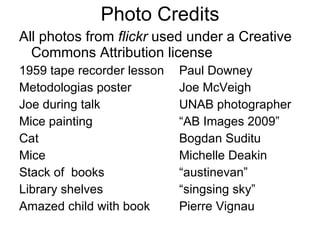
Photo Credits All photos from  flickr  used under a Creative Commons Attribution license  1959 tape recorder lesson Paul Downey Metodologias poster Joe McVeigh Joe during talk UNAB photographer Mice painting “AB Images 2009” Cat Bogdan Suditu Mice Michelle Deakin Stack of  books “austinevan” Library shelves “singsing sky” Amazed child with book Pierre Vignau
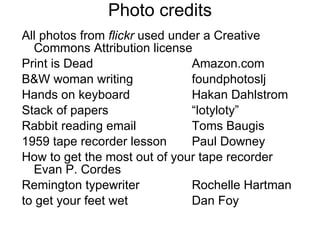
Photo credits All photos from  flickr  used under a Creative Commons Attribution license  Print is Dead Amazon.com B&W woman writing foundphotoslj Hands on keyboard Hakan Dahlstrom Stack of papers “lotyloty” Rabbit reading email Toms Baugis 1959 tape recorder lesson Paul Downey How to get the most out of your tape recorder  Evan P. Cordes Remington typewriter Rochelle Hartman to get your feet wet Dan Foy
Photo credits All photos from  flickr  used under a Creative Commons Attribution license  Hand-drawn question mark Ethan Lofton Woman with hand out Sara Petegna Who moved my cheese? Amazon.com Maze “shadowgate” Computer language lab “Tom in NYC” Tamara talking Andrea Casals Electronic whiteboard photos officetronics.com Jorge and Carlos talking Andrea Casals Stowe Vermont church Patrick Breen
Photo credits All photos from  flickr  used under a Creative Commons Attribution license  Dirt road “dvs” Lake with fall leaves Joe McVeigh Hiking in the woods “Broken Images” Hiking on top of mountain “dvs” Pitcher of syrup with pancakes “adactio” Red maple leaf “802” Buckets on trees “jsorbieus” Tap with bucket close-up “ButterflySha” Man emptying sap Reed Uhlman
Photo credits All photos from  flickr  used under a Creative Commons Attribution license  Syrup on display Jim Milles Pouring syrup on pancakes Jennifer      “jspatchwork” Cow appreciation day Caitlin Regan Punk girl reading “txd” Facebook screenshot “jurvetson” American currency “borman818” Camel train in desert “bachmont” People on stepping stones Paul Stevenson Older computer “borman818”
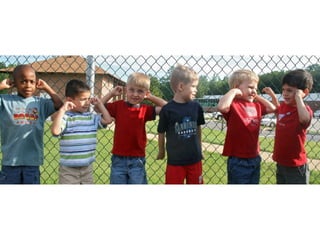
Photo credits All photos from  flickr  used under a Creative Commons Attribution license  Kids holding ears “WoodleyWonderworks” Miriam’s students blogs  Miriam Salazar Curious woman Dan Foy Hot stove burner Matthew Rogers Gears “Ralphbijkers” Convertible Marya “emdot” Dinosaur classroom “worldislandinfo.com” Laser-eyed cat “flikr” Puzzle “Antoanetta”
Photo credits All photos from  flickr  used under a Creative Commons Attribution license  Chilis Nicolas Longchamp Hand-drawn question mark Ethan Lofton Flower and sky Joanne Quirante-Escober

Teaching Languages With Technology

  • 1.
    Teaching with TechnologyJoe McVeigh Tamara Á lvarez Carlos Gonzalez Jorge Comte Miriam Salazar
  • 2.
    This slide deckaccompanies a talk given by Joe McVeigh at the Universidad Andres Bello in Santiago, Chile on May 27, 2009 and again in Vina del Mar, Chile on May 28, 2009. The presentation is structured with introductory remarks and other comments by Joe, interspersed with UNAB teachers describing their own experiences with technology. The focus of the talk is the use of technology in the teaching of English as a second language.
  • 3.
    Here’s the titleof the talk in Spanish:
  • 4.
    Here is Joeduring the talk
  • 5.
    Much of thepresentation is highly visual in nature, so take a look at the pictures and imagine how they relate to language teaching and technology. Almost all the photos came from flickr and are used with a Creative Commons License. Photo credits are at the end of the presentation. Thanks everyone!
  • 6.
    First came astory about some mice who were being attacked by a cat. The mother mouse barked like a dog scaring the cat away. She then explained to her children the importance of learning a second language.
  • 7.
  • 8.
  • 9.
  • 10.
    Then came adiscussion of how books have traditionally been the primary means of learning and teaching but how some people now are suggesting that books may be passé and that the future is in technology.
  • 11.
  • 12.
  • 13.
  • 14.
  • 15.
  • 16.
  • 17.
  • 18.
  • 19.
  • 20.
    Technology has beenaround in many forms for a long time as can be seen in these photos. Imagine how innovative tape recorders and typewriters must once have appeared to the first users.
  • 21.
  • 22.
  • 23.
  • 24.
    Session overview IntroductionPresentations by the guest speaker Presentations by colleagues from UNAB Questions
  • 25.
    PowerPoint slides availablewww.joemcveigh.org
  • 26.
    “ to getyour feet wet”
  • 27.
  • 28.
    Questions What aresome advantages of using technology in language teaching? What are some drawbacks of using technology? What keeps you from using technology more in your teaching?
  • 29.
  • 30.
  • 31.
  • 32.
    Technology will notreplace teachers, but teachers who understand technology will replace those who do not. — Ray Clifford
  • 33.
    Use technology inthe service of pedagogy, not vice-versa. —Siskin & Reynolds
  • 34.
    Use technology thatis appropriate for the teaching situation.
  • 35.
    Teaching aids BlackboardWhiteboard Photographs Felt board Movable words Games
  • 36.
    Electric but withoutcomputers Tape recorders Video players (cassette and DVD) Slide projectors Overhead projectors Movies Radio Television
  • 37.
    Computer-aided Language labsSoftware Electronic whiteboards Websites Blogs Content management systems (Blackboard, Moodle, Segue)
  • 38.
    Computer-aided email VOIPtelephone and video (Skype) Simulations (Second Life) Online distance education Online surveys (Survey Monkey) Online journals Social networking sites Blogs
  • 39.
    Computer-aided Photo-sharing websites (Flickr) Video-sharing web sites (Youtube) Online crossword puzzle makers Online word montages (Wordle) Podcasts Online professional development Online sources of authentic materials
  • 40.
  • 41.
    Using Technology inthe Lab English Phonetics Tamara Álvarez
  • 42.
    Here’s a photoof Tamara giving her part of the talk
  • 43.
    Using technology inthe phonetics lab Main applications in the phonetics lab: - Class - Assessment Competencies involved - Student - Teacher Issues
  • 44.
    Class - Audio(amongst other texts) - Overview of major mistakes - Activities
  • 45.
  • 46.
  • 47.
  • 48.
    Sample tongue-twisters They’rethirsty every Thursday Six thick thistle sticks (twice) Elizabeth’s birthday is on the third Thursday of this month. Thousand of thinkers were thinking how did the other three thieves go through
  • 49.
  • 50.
  • 51.
  • 52.
  • 53.
  • 54.
    Issues Know how(recording timing) Functioning computers Headphones Lab management system
  • 55.
    German Coast Guardexample http://www.youtube.com/watch?v=rD4roXEY8hk
  • 56.
    References Source ofcomputer geek cartoon http :// rlv.zcache.com / funny_computer_geek_cartoon_sticker -p217005805728649639qjcl_400. jpg Source of computer cat cartoon http :// www.snapshots.net / cartoons /00736- funny - cartoons - computer - cat.gif Screenshot of Cambridge English online course http :// www.ihes.com / bcn / tt / eltblog /blog/ uploaded_images / phonetics -707401. gif
  • 57.
  • 58.
    CMS (Course ManagementSystem) Blackboard http://www.youtube.com/watch?v=g5HM0IjmIAA Moodle Segue (Middlebury College) http://www.joemcveigh.org/ Click on “Joe’s Intro to TESOL Course”
  • 59.
    Internet sources ofauthentic materials Newspapers New York Times USA Today Radio National Public Radio BBC Song Lyrics Film Scripts Drew’s Script-o-rama http://www.script-o-rama.com/
  • 60.
    Internet sources offilm scripts Drew’s Script- o-rama Film Scripts Film Transcripts TV Scripts

  • 61.
    Samples of recentlyavailable filmscripts The Curious Case Of Benjamin Button The Dark Knight Gran Torino Milk Rachel Getting Married The Reader Slumdog Millionaire Twilight Wall-E
  • 62.
    Electronic whiteboards Thermalelectronic whiteboards print in black and white onto thermal paper. Unlike the color electronic whiteboards these thermal boards come standard with a built in printer. These copyboards (print boards) are more convenient but lack the attention of color.
  • 63.
    Electronic whiteboards Color electronic whiteboards also known as copyboards and printboards, allow you to write, save, and print in color.
  • 64.
    Electronic whiteboards Interactivewhiteboards have a dry-erase whiteboard writing surface which can capture writing electronically and which can be used with software programs. If you want to use the interactive function where you can display items from your computer, you must also have a digital projector connected to your computer.
  • 65.
    Electronic whiteboards Portableelectronic whiteboards systems integrate into any white board or writing surface to give you many of the same features as interactive whiteboards. Mimio interactive whiteboards can turn your dry erase board into a copyboard / printboard.
  • 66.
    A demonstration ofthe Mimio portable electronic whiteboard Carlos Gonzalez Jorge Comte
  • 67.
    Here’s a photoof Jorge and Carlos giving their part of the talk
  • 68.
    They didn’t useany PowerPoint slides, but they were very good, and quite amusing, too.
  • 69.
    Technology Competencies Whatshould a teacher know in order to be a competent user of technology? TESOL Technology Standards Checklists What should a student be able to do?
  • 70.
    Here’s an exampleof how you can use with a Creative Commons License to get great images to create a short culture lesson. This one is about Vermont, where Joe lives. You’ll see beautiful landscapes, leaves, people hiking, and the process of making maple syrup.
  • 71.
  • 72.
  • 73.
  • 74.
  • 75.
  • 76.
  • 77.
  • 78.
  • 79.
  • 80.
  • 81.
  • 82.
  • 83.
  • 84.
  • 85.
    Where are thestudents with technology?
  • 86.
  • 87.
  • 88.
    Student-created websites www.joemcveigh.orgClick on “Middlebury Slang Project”
  • 89.
  • 90.
  • 91.
  • 92.
  • 93.
  • 94.
    A Blogging ExperienceMiriam Salazar Véjar May, 2009
  • 95.
    What? A Blog…… a free Internet resource … an online personal diary … a new means of communication … a new type of (online) community
  • 96.
    Why? Explore otherICTs tools Image, text and audio (multimodality) Do a curricular crossover Foster: Autonomy Group work Critical thinking ICT skills Leave room for students’ creativity Motivate students
  • 97.
    How? Provide guidelines Learning objective(s) & tasks Grading Rubric (if) Dos & Don’ts Follow up system Feedback
  • 98.
  • 99.
  • 100.
  • 101.
  • 102.
  • 103.
  • 104.
  • 105.
  • 106.
  • 107.
    Some useful linkshttp://highnoonmovie.wordpress.com www.blogger.com www.wordpress.com http://universityofblogs.com/ http://www.angelamaiers.com/ http://www.freetech4teachers.com/ http://jeffreyhill.typepad.com/english/
  • 108.
  • 109.
  • 110.
  • 111.
  • 112.
  • 113.
  • 114.
    Podcasts English asa Second Language Podcast http://www.eslpod.com Lucy Tse & Jeff McQuillan
  • 115.
    Online professional developmentTESOL Resource Center (must be a member of TESOL) www.tesol.org IATEFL (free, but must register) http://iatefl.britishcouncil.org/2009/ ESL Advantage (Heinle Cengage) (costs $65 per course) http://elt.heinle.com/namerica/en_us/eltadvantage/
  • 116.
    Other interesting thingsto do online Crossword puzzle creator http://www.crosswordpuzzlegames.com/create.html Vocabulary analyzer http://ec.hku.hk/vocabulary/profile.htm Wordle http://www.wordle.net/
  • 117.
    Problems with TechnologyAn early example of problems with technology: the Medieval Helpdesk http://www.youtube.com/watch?v=pQHX-SjgQvQ
  • 118.
  • 119.
  • 120.
  • 121.
  • 122.
    Gracias Download thePowerPoint slides with the web site addresses at www.joemcveigh.org/resources
  • 123.
    Photo Credits Allphotos from flickr used under a Creative Commons Attribution license 1959 tape recorder lesson Paul Downey Metodologias poster Joe McVeigh Joe during talk UNAB photographer Mice painting “AB Images 2009” Cat Bogdan Suditu Mice Michelle Deakin Stack of books “austinevan” Library shelves “singsing sky” Amazed child with book Pierre Vignau
  • 124.
    Photo credits Allphotos from flickr used under a Creative Commons Attribution license Print is Dead Amazon.com B&W woman writing foundphotoslj Hands on keyboard Hakan Dahlstrom Stack of papers “lotyloty” Rabbit reading email Toms Baugis 1959 tape recorder lesson Paul Downey How to get the most out of your tape recorder Evan P. Cordes Remington typewriter Rochelle Hartman to get your feet wet Dan Foy
  • 125.
    Photo credits Allphotos from flickr used under a Creative Commons Attribution license Hand-drawn question mark Ethan Lofton Woman with hand out Sara Petegna Who moved my cheese? Amazon.com Maze “shadowgate” Computer language lab “Tom in NYC” Tamara talking Andrea Casals Electronic whiteboard photos officetronics.com Jorge and Carlos talking Andrea Casals Stowe Vermont church Patrick Breen
  • 126.
    Photo credits Allphotos from flickr used under a Creative Commons Attribution license Dirt road “dvs” Lake with fall leaves Joe McVeigh Hiking in the woods “Broken Images” Hiking on top of mountain “dvs” Pitcher of syrup with pancakes “adactio” Red maple leaf “802” Buckets on trees “jsorbieus” Tap with bucket close-up “ButterflySha” Man emptying sap Reed Uhlman
  • 127.
    Photo credits Allphotos from flickr used under a Creative Commons Attribution license Syrup on display Jim Milles Pouring syrup on pancakes Jennifer “jspatchwork” Cow appreciation day Caitlin Regan Punk girl reading “txd” Facebook screenshot “jurvetson” American currency “borman818” Camel train in desert “bachmont” People on stepping stones Paul Stevenson Older computer “borman818”
  • 128.
    Photo credits Allphotos from flickr used under a Creative Commons Attribution license Kids holding ears “WoodleyWonderworks” Miriam’s students blogs Miriam Salazar Curious woman Dan Foy Hot stove burner Matthew Rogers Gears “Ralphbijkers” Convertible Marya “emdot” Dinosaur classroom “worldislandinfo.com” Laser-eyed cat “flikr” Puzzle “Antoanetta”
  • 129.
    Photo credits Allphotos from flickr used under a Creative Commons Attribution license Chilis Nicolas Longchamp Hand-drawn question mark Ethan Lofton Flower and sky Joanne Quirante-Escober