Linking Search and Social
through G+ and Blogging
Debra Zahay-Blatz
Professor of Marketing
Aurora University
Todd Kelsey
Communicaions for the World.
MMA New Orleans
9/20/2013
Agenda
• What is Web Analytics?
• Why is Web Analytics Important?
– Pressure for Return on Investment
• Pedagogical Challenges
– Technical Hurdles
– Varying backgrounds
– Intimidation Factor
• Debra’s Personal Analytics Story
• Possible Classroom Solution
What is Web Analytics?
A simple definition:
• Web Analytics = analyzing data to provide
insight about behavior and performance
• Ex: data about people visiting a website, the
effectiveness of an online ad campaign
Why Web Analytics Important?
• Web analytics are increasingly important as
businesses place greater emphasis on tracking
return on investment.
• ROI Example: Click on Google Ad > Visit
Website > Make Purchase
• Tracking allows you to know what works.
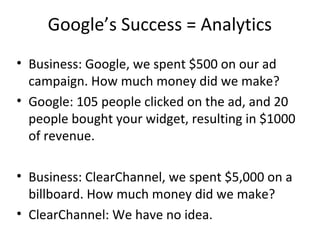
Google’s Success = Analytics
• Business: Google, we spent $500 on our ad
campaign. How much money did we make?
• Google: 105 people clicked on the ad, and 20
people bought your widget, resulting in $1000
of revenue.
• Business: ClearChannel, we spent $5,000 on a
billboard. How much money did we make?
• ClearChannel: We have no idea.
Pedagogical Challenges:
The Analytics Dragon
• Technical hurdles, setup, configuration
• Students: varying backgrounds, levels
knowledge
• Intimidation factor
A Starting Point for Students
• Needed: something students can relate to
• Google has free tools - Blogger, Google
Analytics
• Easy to set up, builds confidence in students
and educators
• It’s fun!
(ex: looking at the number of visitors to your
blog)
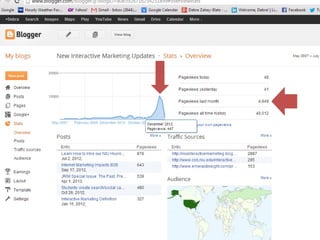
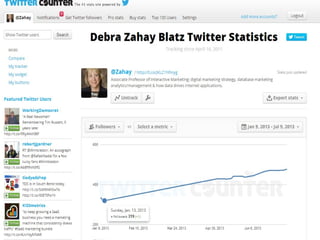
Personal Analytics Experience
• Debra’s experience
• Show dashboards, stats
• Briefly show how easy it is to plug the UA #
into Blogger
• Next Steps: try it, link for slideshare, short link
for free ebook on facebook ads, google
adwords (including google analytics)
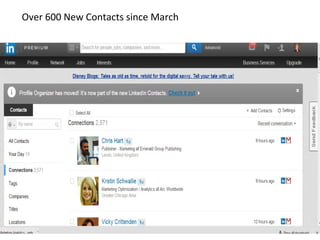
Over 600 New Contacts since March
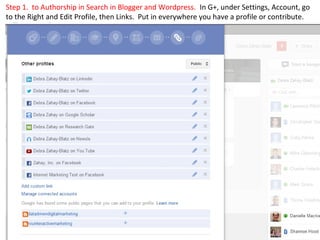
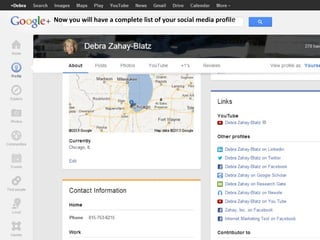
Step 1. to Authorship in Search in Blogger and Wordpress. In G+, under Settings, Account, go
to the Right and Edit Profile, then Links. Put in everywhere you have a profile or contribute.
Now you will have a complete list of your social media profile
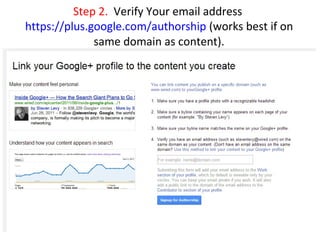
Step 2. Verify Your email address
https://plus.google.com/authorship (works best if on
same domain as content).
SAMPLE
By FIRSTNAME LASTNAME.<br />
You can find <a href="http://LINKTOYOURWEBSITE"> FIRSTNAME </a> on <a
href="https://plus.google.com/u/0/YOURGOOGLEPLUSPROFILEID?rel=author"
rel="author" target="_blank">Google+</a> and <a
href="http://www.twitter.com/YOURTWITTERID" target="_blank">Twitter</a> as
well as <a href="http://www.linkedin.com/in/YOURLINKEDINID">LinkedIn</a>.
ANOTHER SAMPLE AUTHOR BOX
Andy Crestodina is the Strategic Director of Orbit Media, a <a
href=”http://www.orbitmedia.com”>web design company</a> in Chicago. You
can find Andy on <a title="Author: Andy Crestodina on Google+" rel="author"
href="https://plus.google.com/1734272729328712178697?rel=author"
target="_blank">Google+</a> and <a title="Andy Crestodina on Twitter"
href="http://www.twitter.com/crestodina" target="_blank">Twitter</a>.
http://www.orbitmedia.com/blog/google-authorship-author-stats
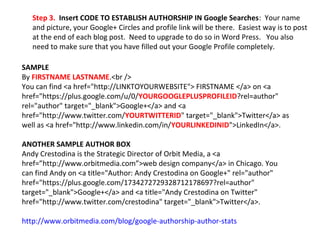
Step 3. Insert CODE TO ESTABLISH AUTHORSHIP IN Google Searches: Your name
and picture, your Google+ Circles and profile link will be there. Easiest way is to post
at the end of each blog post. Need to upgrade to do so in Word Press. You also
need to make sure that you have filled out your Google Profile completely.
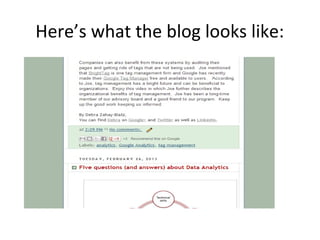
Here’s what the blog looks like:
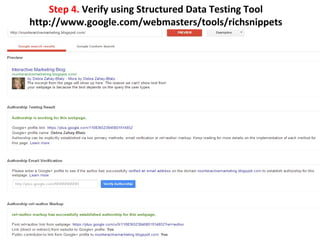
Step 4. Verify using Structured Data Testing Tool
http://www.google.com/webmasters/tools/richsnippets
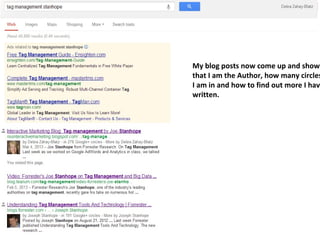
My blog posts now come up and show
that I am the Author, how many circles
I am in and how to find out more I have
written.
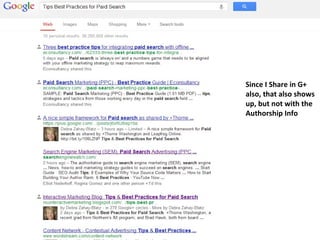
Since I Share in G+
also, that also shows
up, but not with the
Authorship Info
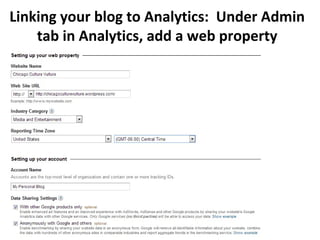
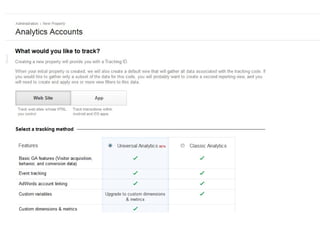
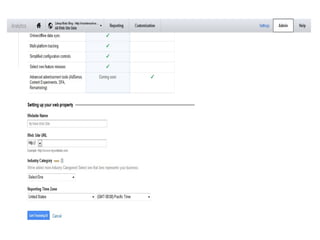
Linking your blog to Analytics: Under Admin
tab in Analytics, add a web property
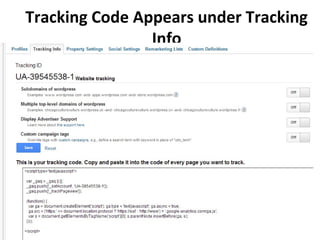
Tracking Code Appears under Tracking
Info
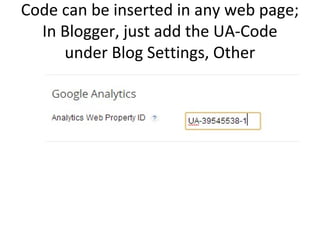
Code can be inserted in any web page;
In Blogger, just add the UA-Code
under Blog Settings, Other
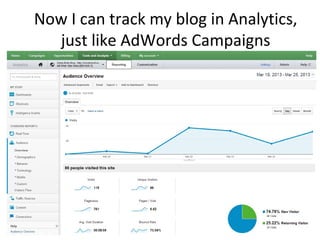
Now I can track my blog in Analytics,
just like AdWords Campaigns
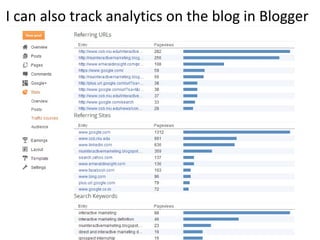
I can also track analytics on the blog in Blogger
Questions?
• Contact us:
– tekelsey@gmail.com
– dzahayblatz@aurora.edu

Teaching Analytics through G+ and Blogger

  • 1.
    Linking Search andSocial through G+ and Blogging Debra Zahay-Blatz Professor of Marketing Aurora University Todd Kelsey Communicaions for the World. MMA New Orleans 9/20/2013
  • 2.
    Agenda • What isWeb Analytics? • Why is Web Analytics Important? – Pressure for Return on Investment • Pedagogical Challenges – Technical Hurdles – Varying backgrounds – Intimidation Factor • Debra’s Personal Analytics Story • Possible Classroom Solution
  • 3.
    What is WebAnalytics? A simple definition: • Web Analytics = analyzing data to provide insight about behavior and performance • Ex: data about people visiting a website, the effectiveness of an online ad campaign
  • 4.
    Why Web AnalyticsImportant? • Web analytics are increasingly important as businesses place greater emphasis on tracking return on investment. • ROI Example: Click on Google Ad > Visit Website > Make Purchase • Tracking allows you to know what works.
  • 5.
    Google’s Success =Analytics • Business: Google, we spent $500 on our ad campaign. How much money did we make? • Google: 105 people clicked on the ad, and 20 people bought your widget, resulting in $1000 of revenue. • Business: ClearChannel, we spent $5,000 on a billboard. How much money did we make? • ClearChannel: We have no idea.
  • 6.
    Pedagogical Challenges: The AnalyticsDragon • Technical hurdles, setup, configuration • Students: varying backgrounds, levels knowledge • Intimidation factor
  • 7.
    A Starting Pointfor Students • Needed: something students can relate to • Google has free tools - Blogger, Google Analytics • Easy to set up, builds confidence in students and educators • It’s fun! (ex: looking at the number of visitors to your blog)
  • 8.
    Personal Analytics Experience •Debra’s experience • Show dashboards, stats • Briefly show how easy it is to plug the UA # into Blogger • Next Steps: try it, link for slideshare, short link for free ebook on facebook ads, google adwords (including google analytics)
  • 10.
    Over 600 NewContacts since March
  • 12.
    Step 1. toAuthorship in Search in Blogger and Wordpress. In G+, under Settings, Account, go to the Right and Edit Profile, then Links. Put in everywhere you have a profile or contribute.
  • 13.
    Now you willhave a complete list of your social media profile
  • 14.
    Step 2. VerifyYour email address https://plus.google.com/authorship (works best if on same domain as content).
  • 15.
    SAMPLE By FIRSTNAME LASTNAME.<br/> You can find <a href="http://LINKTOYOURWEBSITE"> FIRSTNAME </a> on <a href="https://plus.google.com/u/0/YOURGOOGLEPLUSPROFILEID?rel=author" rel="author" target="_blank">Google+</a> and <a href="http://www.twitter.com/YOURTWITTERID" target="_blank">Twitter</a> as well as <a href="http://www.linkedin.com/in/YOURLINKEDINID">LinkedIn</a>. ANOTHER SAMPLE AUTHOR BOX Andy Crestodina is the Strategic Director of Orbit Media, a <a href=”http://www.orbitmedia.com”>web design company</a> in Chicago. You can find Andy on <a title="Author: Andy Crestodina on Google+" rel="author" href="https://plus.google.com/1734272729328712178697?rel=author" target="_blank">Google+</a> and <a title="Andy Crestodina on Twitter" href="http://www.twitter.com/crestodina" target="_blank">Twitter</a>. http://www.orbitmedia.com/blog/google-authorship-author-stats Step 3. Insert CODE TO ESTABLISH AUTHORSHIP IN Google Searches: Your name and picture, your Google+ Circles and profile link will be there. Easiest way is to post at the end of each blog post. Need to upgrade to do so in Word Press. You also need to make sure that you have filled out your Google Profile completely.
  • 16.
    Here’s what theblog looks like:
  • 17.
    Step 4. Verifyusing Structured Data Testing Tool http://www.google.com/webmasters/tools/richsnippets
  • 18.
    My blog postsnow come up and show that I am the Author, how many circles I am in and how to find out more I have written.
  • 19.
    Since I Sharein G+ also, that also shows up, but not with the Authorship Info
  • 20.
    Linking your blogto Analytics: Under Admin tab in Analytics, add a web property
  • 21.
    Tracking Code Appearsunder Tracking Info
  • 24.
    Code can beinserted in any web page; In Blogger, just add the UA-Code under Blog Settings, Other
  • 25.
    Now I cantrack my blog in Analytics, just like AdWords Campaigns
  • 26.
    I can alsotrack analytics on the blog in Blogger
  • 27.
    Questions? • Contact us: –tekelsey@gmail.com – dzahayblatz@aurora.edu