Teacher Tech Tools for the ClassroomBy: Dawn WalkerConnect3  ConferenceESC 12 ~ June 9-10, 2011
Contact InformationFree Template from www.brainybetty.com2Email: dwalker@robinson.k12.tx.uswalkersbiologyclass@hotmail.com(This one won’t catch your email in the spam filter!)Blog: http://dwalker.risdblogs.orgRobinson High School Technology Blog:http://hstechnology.risdblogs.org
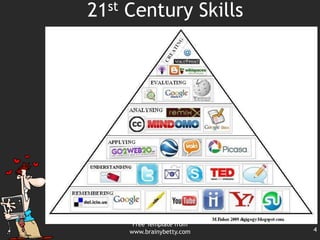
21st Century SkillsLife and Career SkillsFlexibility and AdaptabilityAdapt to Change; Be FlexibleInitiative and Self-DirectionManage Goals and Time; Be Self-directed LearnersSocial and Cross Cultural Skills 	Interact Effectively with OthersProductivity and Accountability Manage Projects; Produce ResultsLeadership and Responsibilty
21st Century SkillsFree Template from www.brainybetty.com4
Don’t forget: You can copy-paste this slide into other presentations, and move or resize the poll.
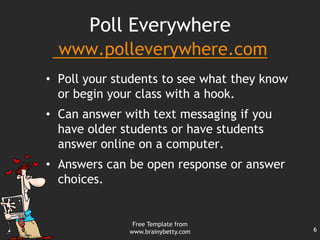
Poll Everywherewww.polleverywhere.comPoll your students to see what they know  or begin your class with a hook.
Can answer with text messaging if you have older students or have students answer online on a computer.
Answers can be open response or answer choices.Free Template from www.brainybetty.com6
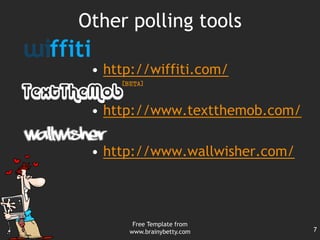
Other polling toolshttp://wiffiti.com/http://www.textthemob.com/http://www.wallwisher.com/Free Template from www.brainybetty.com7
Free Template from www.brainybetty.com8Pete’s PowerPoint Stationhttp://pppst.comDownload and edit PowerPoints that are already made
Free Clip ArtFree Template from www.brainybetty.com9Game Templateshttp://technologyrocksseriously.blogspot.com/PowerPoint Game TemplatesPowerPoint ScoreboardsNon-linear PowerPointsSmartBoard  activities
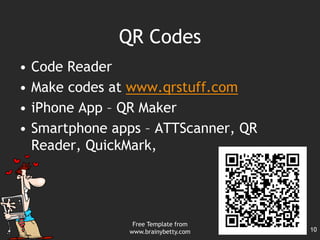
QR CodesCode ReaderMake codes at www.qrstuff.comiPhone App – QR MakerSmartphone apps – ATTScanner, QR Reader, QuickMark,Free Template from www.brainybetty.com10
Free Template from www.brainybetty.com11http://blabberize.com/Upload picturesCut out mouth Add voice to the pictures to make them talk.
http://prezi.com/index/Presentation maker that has the look of a posterInclude motion and zoomingFree Template from www.brainybetty.com12
Free Template from www.brainybetty.com13www.animoto.comA video presentation maker Upload photos or PowerPoint slides
Add words and music
Get a free downloadable video
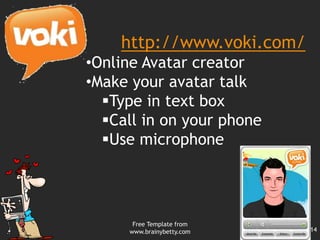
Phone app availableFree Template from www.brainybetty.com14http://www.voki.com/Online Avatar creator
Make your avatar talk
Type in text box
Call in on your phone
Use microphoneFree Template from www.brainybetty.com15
www.slideshare.netSlideshare uploads PowerPoint files into embeddable presentations. Free Template from www.brainybetty.com16
http://edu.glogster.comOnline poster makerUpload video, sound, and image fileshttp://dawnwalker.glogster.com/aw-root-beer/Free Template from www.brainybetty.com17
Free Template from www.brainybetty.com18http://www.classtools.net/
Random Name/Word Picker
Vista Printfree printed materials – you just pay shippingUrban Font– Can be a little tricky to save for use. Ask A tech person to help you get started
Timer - www.online-stopwatch.comFree Template from www.brainybetty.com19

Teacher tech tools connect3

Editor's Notes

  • #5 Core subject – 3R’s taught in the context of themes like global awareness and civic literacyLife and Career Skills – The ability to be flexible, adaptable, self-directed, socially aware, accountable, and responsibleLearning and Innovation Skills – 4C’s: Communication, Collaboration, Critical Thinking, and CreativityInformation, Media, and Technology Skills – Info. Literacy, Media Literacy, and Technology Literacy
  • #6 Press F5 or enter presentation mode to view the poll\r\nIn an emergency during your presentation, if the poll isn't showing, navigate to this link in your web browser:\r\nhttp://www.polleverywhere.com/multiple_choice_polls/MjY0OTAzNzgIf you like, you can use this slide as a template for your own voting slides. You might use a slide like this if you feel your audience would benefit from the picture showing a text message on a phone.
  • #7 To start my safety lesson in biology, I start out with the poll everywhere question, “What would the world be like without rules?”.Essential Question
  • #10 Share some of scoreboards and game templates.
  • #11 QR ideas – Labeling parts of skeleton, Review around the room, School scavenger hunt.
  • #12 Leave instructions for your class by uploading your picture and making yourself talk. Upload picture of an important person to tell about themselves.