TABLET
• Tablet computers fill a niche between 
smartphones and personal computers 
• tablets tend to have faster processors 
than your typical smartphone but fall 
short of the processing power find in an 
average computer. 
• One can watch videos, listen to music, 
surf the Web, read electronic 
documents, play games and launch apps 
from a tablet.
So what exactly is a tablet? 
• a tablet PC is a mobile computing device 
that's larger than a smartphone or personal 
digital assistant. There's not a strict cutoff size 
for tablet devices -- the iPad line sports a 
screen size of just under 10 inches but other 
tablets can be larger or smaller. In general, if 
the computing device uses an on-screen 
interface and doesn't include a phone, it's a 
tablet.
So what exactly is a tablet? 
• some manufacturers produce hybrid devices 
that are part tablet, part laptop computer. The 
device might come with an attached keyboard 
-- the screen swivels or folds down to cover 
the keyboard and voila, you have a tablet!
History of Tablets 
• in 1968, a computer scientist named Alan Kay 
proposed that with advances in flat-panel display 
technology, user interfaces, miniaturization of 
computer components and some experimental 
work in WiFi technology, you could develop an 
all-in-one computing device. He developed the 
idea further, suggesting that such a device would 
be perfect as an educational tool for 
schoolchildren. In 1972, he published a paper 
about the device and called it the Dynabook.
History of Tablets 
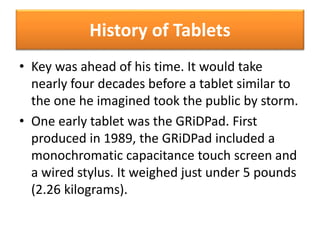
• Key was ahead of his time. It would take 
nearly four decades before a tablet similar to 
the one he imagined took the public by storm. 
• One early tablet was the GRiDPad. First 
produced in 1989, the GRiDPad included a 
monochromatic capacitance touch screen and 
a wired stylus. It weighed just under 5 pounds 
(2.26 kilograms).
History of Tablets 
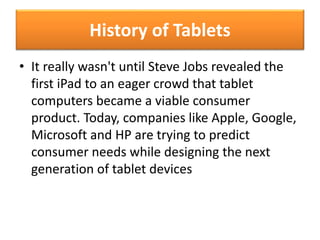
• It really wasn't until Steve Jobs revealed the 
first iPad to an eager crowd that tablet 
computers became a viable consumer 
product. Today, companies like Apple, Google, 
Microsoft and HP are trying to predict 
consumer needs while designing the next 
generation of tablet devices
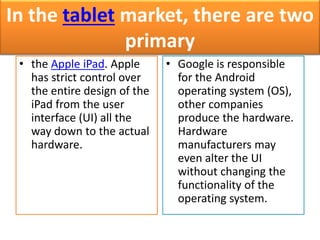
In the tablet market, there are two 
primary 
• the Apple iPad. Apple 
has strict control over 
the entire design of the 
iPad from the user 
interface (UI) all the 
way down to the actual 
hardware. 
• Google is responsible 
for the Android 
operating system (OS), 
other companies 
produce the hardware. 
Hardware 
manufacturers may 
even alter the UI 
without changing the 
functionality of the 
operating system.
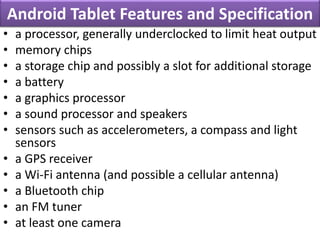
Android Tablet Features and Specification 
• a processor, generally underclocked to limit heat output 
• memory chips 
• a storage chip and possibly a slot for additional storage 
• a battery 
• a graphics processor 
• a sound processor and speakers 
• sensors such as accelerometers, a compass and light 
sensors 
• a GPS receiver 
• a Wi-Fi antenna (and possible a cellular antenna) 
• a Bluetooth chip 
• an FM tuner 
• at least one camera
INSIDE TABLET 
• The brain of a tablet is its microprocessor. 
Typically, tablets use smaller processors than full-fledged 
computers. This helps save on space and 
cuts down on heat generation. Heat is bad for 
computers -- it tends to cause mechanical 
failures. 
• Tablet computers typically draw power from a 
rechargeable battery. Battery life for tablets 
varies between models, with eight to 10 hours 
being the average.
INSIDE TABLET 
• Depending on the manufacturer, a tablet computer may be 
underpowered on purpose. Computer CPUs execute 
commands in clock cycles. The more clock cycles a CPU 
runs per second, the more instructions it can process. Some 
tablets have underclocked processors, meaning the CPU is 
set to run fewer instructions per second than it's capable of 
executing. The reason for making a CPU underperform on 
purpose is to reduce heat production and conserve battery 
life. 
• the truth is most tablets don't need the extra processing 
power. Programs for tablets tend to be less complex and 
robust than computer programs. The common term for 
these programs is applications or apps.
How to Choose an Android Tablet 
• Before you set out to buy an Android tablet, 
you need to ask yourself a few questions. Are 
you prepared for a device that has a learning 
curve? Navigating an Android device is a 
learning experience. 
• The next question to ask is how much are you 
willing to spend? Because there are dozens of 
different Android tablets from various 
manufacturers on the market
How to Choose an Android Tablet 
• Researching the products is important. If you 
want a device that can run the latest apps and 
has all the features Android allows, you'll want 
to concentrate on the tablets with the most 
recent build of the Android operating system. 
• Not all Android tablets are equal. If you want a 
tablet that lets you make video calls, you'll 
want one that has a forward-facing camera.
How to Choose an Android Tablet 
• If you plan to store a lot of content on your 
device, including movies, music and apps, 
you'll probably want a tablet with expandable 
storage like an SD-card slot. 
• Will you want to use your Android tablet on 
the road? If so, you may want one with a 
cellular antenna so that you can access the 
Internet

Tablet NOTES

  • 1.
  • 2.
    • Tablet computersfill a niche between smartphones and personal computers • tablets tend to have faster processors than your typical smartphone but fall short of the processing power find in an average computer. • One can watch videos, listen to music, surf the Web, read electronic documents, play games and launch apps from a tablet.
  • 3.
    So what exactlyis a tablet? • a tablet PC is a mobile computing device that's larger than a smartphone or personal digital assistant. There's not a strict cutoff size for tablet devices -- the iPad line sports a screen size of just under 10 inches but other tablets can be larger or smaller. In general, if the computing device uses an on-screen interface and doesn't include a phone, it's a tablet.
  • 4.
    So what exactlyis a tablet? • some manufacturers produce hybrid devices that are part tablet, part laptop computer. The device might come with an attached keyboard -- the screen swivels or folds down to cover the keyboard and voila, you have a tablet!
  • 5.
    History of Tablets • in 1968, a computer scientist named Alan Kay proposed that with advances in flat-panel display technology, user interfaces, miniaturization of computer components and some experimental work in WiFi technology, you could develop an all-in-one computing device. He developed the idea further, suggesting that such a device would be perfect as an educational tool for schoolchildren. In 1972, he published a paper about the device and called it the Dynabook.
  • 6.
    History of Tablets • Key was ahead of his time. It would take nearly four decades before a tablet similar to the one he imagined took the public by storm. • One early tablet was the GRiDPad. First produced in 1989, the GRiDPad included a monochromatic capacitance touch screen and a wired stylus. It weighed just under 5 pounds (2.26 kilograms).
  • 7.
    History of Tablets • It really wasn't until Steve Jobs revealed the first iPad to an eager crowd that tablet computers became a viable consumer product. Today, companies like Apple, Google, Microsoft and HP are trying to predict consumer needs while designing the next generation of tablet devices
  • 8.
    In the tabletmarket, there are two primary • the Apple iPad. Apple has strict control over the entire design of the iPad from the user interface (UI) all the way down to the actual hardware. • Google is responsible for the Android operating system (OS), other companies produce the hardware. Hardware manufacturers may even alter the UI without changing the functionality of the operating system.
  • 9.
    Android Tablet Featuresand Specification • a processor, generally underclocked to limit heat output • memory chips • a storage chip and possibly a slot for additional storage • a battery • a graphics processor • a sound processor and speakers • sensors such as accelerometers, a compass and light sensors • a GPS receiver • a Wi-Fi antenna (and possible a cellular antenna) • a Bluetooth chip • an FM tuner • at least one camera
  • 10.
    INSIDE TABLET •The brain of a tablet is its microprocessor. Typically, tablets use smaller processors than full-fledged computers. This helps save on space and cuts down on heat generation. Heat is bad for computers -- it tends to cause mechanical failures. • Tablet computers typically draw power from a rechargeable battery. Battery life for tablets varies between models, with eight to 10 hours being the average.
  • 11.
    INSIDE TABLET •Depending on the manufacturer, a tablet computer may be underpowered on purpose. Computer CPUs execute commands in clock cycles. The more clock cycles a CPU runs per second, the more instructions it can process. Some tablets have underclocked processors, meaning the CPU is set to run fewer instructions per second than it's capable of executing. The reason for making a CPU underperform on purpose is to reduce heat production and conserve battery life. • the truth is most tablets don't need the extra processing power. Programs for tablets tend to be less complex and robust than computer programs. The common term for these programs is applications or apps.
  • 12.
    How to Choosean Android Tablet • Before you set out to buy an Android tablet, you need to ask yourself a few questions. Are you prepared for a device that has a learning curve? Navigating an Android device is a learning experience. • The next question to ask is how much are you willing to spend? Because there are dozens of different Android tablets from various manufacturers on the market
  • 13.
    How to Choosean Android Tablet • Researching the products is important. If you want a device that can run the latest apps and has all the features Android allows, you'll want to concentrate on the tablets with the most recent build of the Android operating system. • Not all Android tablets are equal. If you want a tablet that lets you make video calls, you'll want one that has a forward-facing camera.
  • 14.
    How to Choosean Android Tablet • If you plan to store a lot of content on your device, including movies, music and apps, you'll probably want a tablet with expandable storage like an SD-card slot. • Will you want to use your Android tablet on the road? If so, you may want one with a cellular antenna so that you can access the Internet