Visualization and Level-of-detail
  of Metadata for Interactive
  Exploration of Sensor Web
                Byounghyun Yoo

   Center for Environmental Sensing and Modeling
Singapore-MIT Alliance for Research and Technology
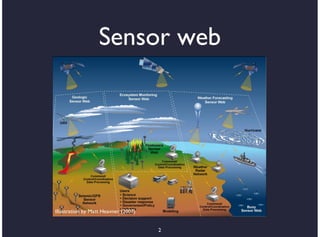
Sensor web


Illustration by Matt Heavner (2007)


                                      2
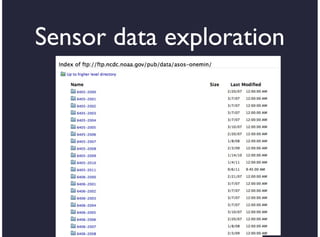
Sensor data exploration


           3
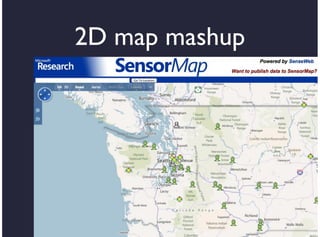
2D map mashup


      4
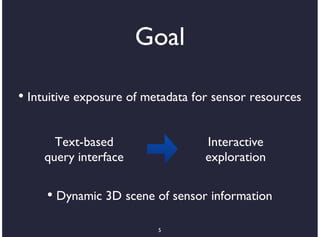
Goal

• Intuitive exposure of metadata for sensor resources

      Text-based                   Interactive
    query interface                exploration

     • Dynamic 3D scene of sensor information

                          5
Related work
•    Aditya 2007, Aim4GDI: Mapping and
    superimpositions of metadata summaries

•     Wood 2007, Interactive visual exploration of a
    large spatio-temporal dataset

•     Dörk 2008, VisGets: Coordinated visualization
    for Web-based information exploration

•    Sandvik 2008, Using KML for thematic mapping

                          6
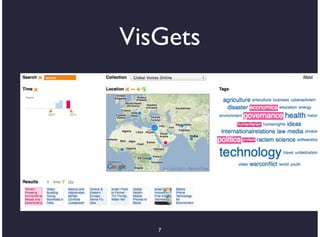
VisGets


   7
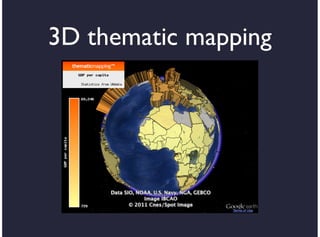
3D thematic mapping
Design goal
•    Enable casual formulation of geospatial
    semantic queries

•    Summarize information collections visually

•    Use integrated dynamic visualization

•    Optimize the amount of data transmission

•     Conform to open standards for
    interoperability  9
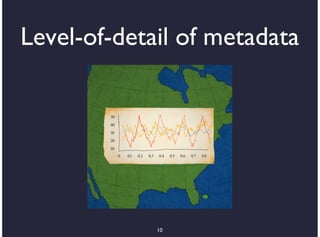
Level-of-detail of metadata


             10
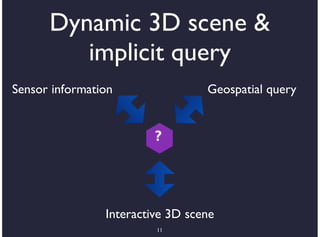
Dynamic 3D scene &
         implicit query
Sensor information                Geospatial query


                         ?


                Interactive 3D scene
                         11
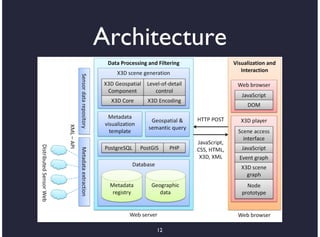
Architecture


     12
X3D Geospatial Component
  •       All the benefits of X3D

      •     Open royalty-free ISO-approved Web
          standards
      •    Partnerships with OGC and W3C
      •    Choice of implementations and tools
      •    Scripting capabilities
      •    Powerful browsers

  •       Geospatial accuracy (WGS84, UTM, etc.)
                               13
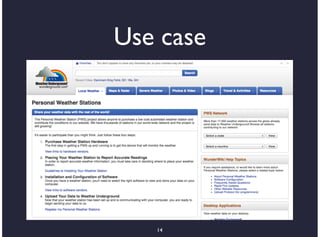
Use case
•    Search and exploration of sensor
    resources

•       PWS project

    •     34,700 personal weather stations

•       Local weather stations

    •     32 micro weather stations
                         14
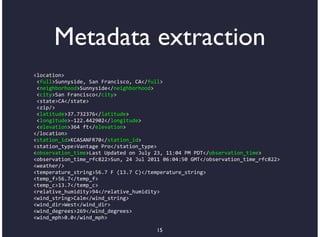
Metadata extraction
<location>
*<full>Sunnyside,*San*Francisco,*CA</full>
*<neighborhood>Sunnyside</neighborhood>
*<city>San*Francisco</city>
*<state>CA</state>
*<zip/>
*<latitude>37.732376</latitude>
*<longitude>B122.442902</longitude>
*<elevation>364*ft</elevation>
</location>
<station_id>KCASANFR70</station_id>
<station_type>Vantage*Pro</station_type>
<observation_time>Last*Updated*on*July*23,*11:04*PM*PDT</observation_time>
<observation_time_rfc822>Sun,*24*Jul*2011*06:04:50*GMT</observation_time_rfc822>
<weather/>
<temperature_string>56.7*F*(13.7*C)</temperature_string>
<temp_f>56.7</temp_f>
<temp_c>13.7</temp_c>
<relative_humidity>94</relative_humidity>
<wind_string>Calm</wind_string>
<wind_dir>West</wind_dir>
<wind_degrees>269</wind_degrees>
<wind_mph>0.0</wind_mph>

                                        15
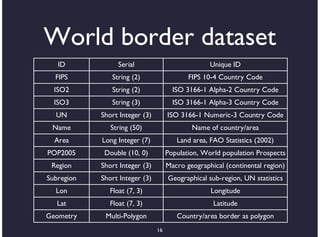
World border dataset
   ID             Serial                           Unique ID
  FIPS         String (2)                   FIPS 10-4 Country Code
  ISO2         String (2)              ISO 3166-1 Alpha-2 Country Code
  ISO3         String (3)              ISO 3166-1 Alpha-3 Country Code
  UN        Short Integer (3)        ISO 3166-1 Numeric-3 Country Code
 Name          String (50)                   Name of country/area
  Area      Long Integer (7)            Land area, FAO Statistics (2002)
POP2005      Double (10, 0)          Population, World population Prospects
 Region     Short Integer (3)        Macro geographical (continental region)
Subregion   Short Integer (3)        Geographical sub-region, UN statistics
  Lon          Float (7, 3)                        Longitude
   Lat         Float (7, 3)                         Latitude
Geometry     Multi-Polygon              Country/area border as polygon
                                16
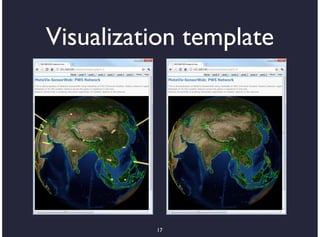
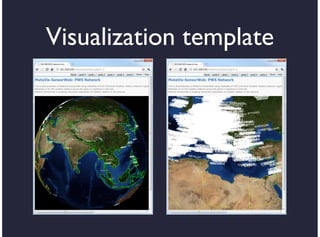
Visualization template


          17
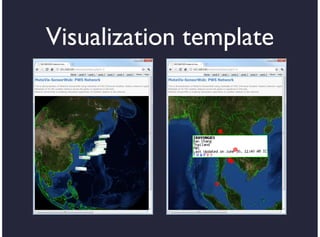
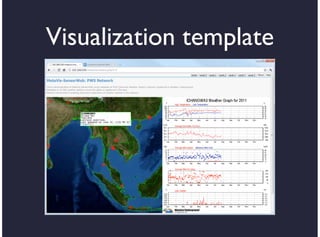
Visualization template
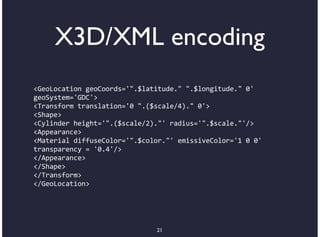
X3D/XML encoding
<GeoLocation+geoCoords='".$latitude."+".$longitude."+0'
geoSystem='GDC'>
<Transform+translation='0+".($scale/4)."+0'>
<Shape>
<Cylinder+height='".($scale/2)."'+radius='".$scale."'/>
<Appearance>
<Material+diffuseColor='".$color."'+emissiveColor='1+0+0'
transparency+=+'0.4'/>
</Appearance>
</Shape>
</Transform>
</GeoLocation>


                              21
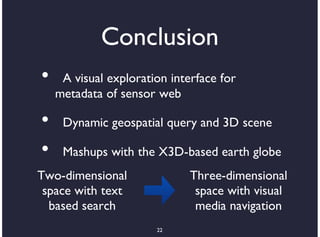
Conclusion
•    A visual exploration interface for
    metadata of sensor web

•    Dynamic geospatial query and 3D scene

•    Mashups with the X3D-based earth globe
Two-dimensional               Three-dimensional
 space with text               space with visual
  based search                 media navigation
                       22
Future work
★ Seamless dynamic exploration
 •    Extend visual representation and query
     variations

 •       X3D node specification

 •       New framework: HTML5, CSS3

     •    Include X3D elements as part of
                         23
Thank you
Content
•   Introduction

•   Previous work

•   Design of metadata visualization

•   Progress

•   Future work

                     25
Sensor resources

•   Discovery

•   Exploration

•   Sharing


                  26
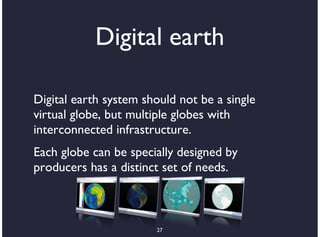
Digital earth

Digital earth system should not be a single
virtual globe, but multiple globes with
interconnected infrastructure.
Each globe can be specially designed by
producers has a distinct set of needs.


                       27
3D Geo-browser
•       Google Earth

    •    Pro: KML, easy to use, broad
        acceptance

    •     Con: Limited functionality & API

•       Alternatives

    •     Other geo-browsers
                         28
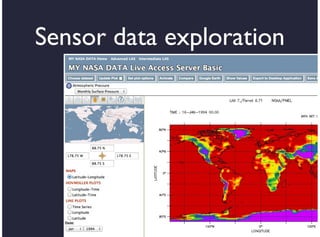
Sensor data exploration


           29
Sensor data discovery


•   Ordinary text query

•   Tree-based hierarchical exploration


                     30
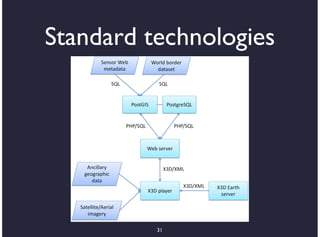
Standard technologies


          31
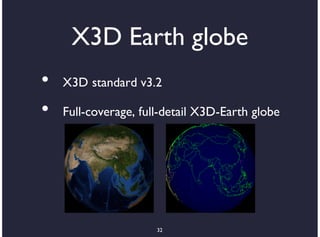
X3D Earth globe
•   X3D standard v3.2

•   Full-coverage, full-detail X3D-Earth globe


                      32
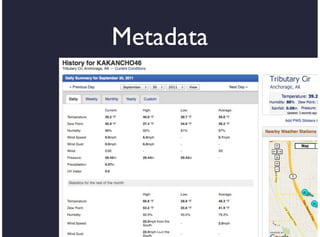
Metadata


   33

Visualization and Level-of-detail of Metadata for Interactive Exploration of Sensor Web