















Congratulations, you've
successfully deployed IBM
    Connections 4.x!
     Now what?

       Stuart McIntyre, BLUG 2013
Your Speaker
Stuart McIntyre

CTO of Collaboration Matters, a Social Business Consultancy

IBM Champion 2011/2012

Blogger (stuart-mcintyre.com), Tweeter (@stuartmcintyre) and all around Social
Media advocate

Podcaster

Feel free to contact me, socially of course!

                                                                                 2
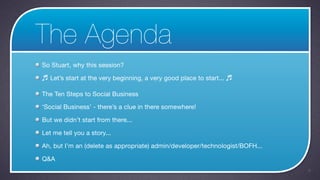
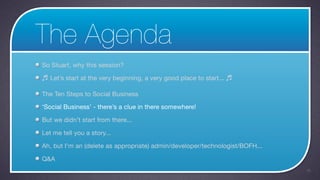
The Agenda
So Stuart, why this session?

♬ Let’s start at the very beginning, a very good place to start... ♬

The Ten Steps to Social Business

‘Social Business’ - there’s a clue in there somewhere!

But we didn’t start from there...

Let me tell you a story...

Ah, but I’m an (delete as appropriate) admin/developer/technologist/BOFH...

Q&A
                                                                              3
The Agenda
So Stuart, why this session?

♬ Let’s start at the very beginning, a very good place to start... ♬

The Ten Steps to Social Business

‘Social Business’ - there’s a clue in there somewhere!

But we didn’t start from there...

Let me tell you a story...

Ah, but I’m an (delete as appropriate) admin/developer/technologist/BOFH...

Q&A
                                                                              4
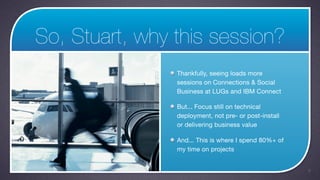
So, Stuart, why this session?
                Thankfully, seeing loads more
                sessions on Connections & Social
                Business at LUGs and IBM Connect

                But... Focus still on technical
                deployment, not pre- or post-install
                or delivering business value

                And... This is where I spend 80%+ of
                my time on projects


                                                       5
The Agenda
So Stuart, why this session?

♬ Let’s start at the very beginning, a very good place to start... ♬

The Ten Steps to Social Business

‘Social Business’ - there’s a clue in there somewhere!

But we didn’t start from there...

Let me tell you a story...

Ah, but I’m an (delete as appropriate) admin/developer/technologist/BOFH...

Q&A
                                                                              6
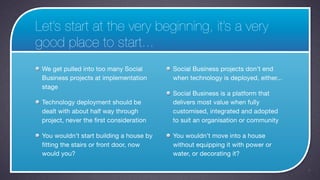
Let’s start at the very beginning, it’s a very
good place to start...
 We get pulled into too many Social       Social Business projects don’t end
 Business projects at implementation      when technology is deployed, either...
 stage
                                          Social Business is a platform that
 Technology deployment should be          delivers most value when fully
 dealt with about half way through        customised, integrated and adopted
 project, never the first consideration   to suit an organisation or community

 You wouldn’t start building a house by   You wouldn’t move into a house
 fitting the stairs or front door, now    without equipping it with power or
 would you?                               water, or decorating it?

                                                                                   7
‘Start at the beginning’


The Right Way...


                           8
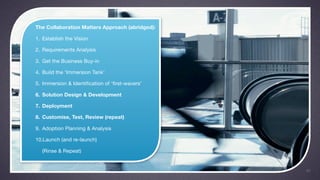
The Collaboration Matters Approach (abridged):

1. Establish the Vision

2. Requirements Analysis

3. Get the Business Buy-in

4. Build the ‘Immersion Tank’

5. Immersion & Identification of ‘first-wavers’

6. Solution Design & Development

7. Deployment

8. Customise, Test, Review (repeat)

9. Adoption Planning & Analysis

10.Launch (and re-launch)

   (Rinse & Repeat)


                                                  9
Also, 10 Steps to Social Business (Alan Hamilton):

1. Integrate Social into your business processes

2. Customize the experience

3. Set Governance and Social Policy Rules

4. Hire Community Managers and Social Job Roles

5. Leaders Must Show the Way

6. Evangelize and Enable

7. Communicate the What, Why and How of your
   Social Business Plan

8. Motivate and Engage

9. Reverse Mentor your Leaders

10.Show the Metrics of Value


                                                     10
The Collaboration Matters Approach (abridged):

1. Establish the Vision

2. Requirements Analysis

3. Get the Business Buy-in

4. Build the ‘Immersion Tank’

5. Immersion & Identification of ‘first-wavers’

6. Solution Design & Development

7. Deployment

8. Customise, Test, Review (repeat)

9. Adoption Planning & Analysis

10.Launch (and re-launch)

   (Rinse & Repeat)


                                                  11
‘Start at the beginning’


The Wrong Way...


                           12
‘I wouldn’t start from here’:

  ‘Hey we’re entitled to Files and
  Profiles... Who wants to download
  Connections from Passport
  Advantage?’

  ‘I think Connections would be great
  for our team, lets install it onto our
  department server...’

  ‘I think what we need is a pilot...’
  etc.


                                           13
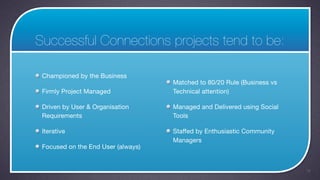
Successful Connections projects tend to be:

 Championed by the Business
                                    Matched to 80/20 Rule (Business vs
 Firmly Project Managed             Technical attention)

 Driven by User & Organisation      Managed and Delivered using Social
 Requirements                       Tools

 Iterative                          Staffed by Enthusiastic Community
                                    Managers
 Focused on the End User (always)


                                                                         14
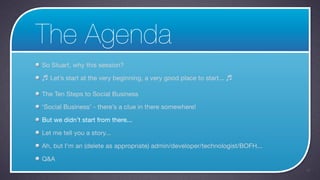
The Agenda
So Stuart, why this session?

♬ Let’s start at the very beginning, a very good place to start... ♬

The Ten Steps to Social Business

‘Social Business’ - there’s a clue in there somewhere!

But we didn’t start from there...

Let me tell you a story...

Ah, but I’m an (delete as appropriate) admin/developer/technologist/BOFH...

Q&A
                                                                              15
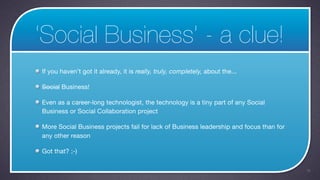
‘Social Business’ - a clue!
If you haven’t got it already, it is really, truly, completely, about the...

Social Business!

Even as a career-long technologist, the technology is a tiny part of any Social
Business or Social Collaboration project

More Social Business projects fail for lack of Business leadership and focus than for
any other reason

Got that? ;-)

                                                                                        16
The Agenda
So Stuart, why this session?

♬ Let’s start at the very beginning, a very good place to start... ♬

The Ten Steps to Social Business

‘Social Business’ - there’s a clue in there somewhere!

But we didn’t start from there...

Let me tell you a story...

Ah, but I’m an (delete as appropriate) admin/developer/technologist/BOFH...

Q&A
                                                                              17
But we didn’t start from there...


This session is called ‘Congratulations, you've successfully deployed IBM
Connections 4.x! Now what?’

                                                                            18
So, let’s assume...
You’re an existing IBM customer

You’ve deployed IBM Connections using the docs, some training, or the excellent
Connections101.net resources

You’ve completed some elements of the overall project organisation as detailed
here


What’s next?

                                                                                  19
1. Scenarios


               20
1a. Analyse
An empty Connections system is just
that... A void. Avoid.

Survey your key champions and
departments/teams (ideally non-IT)

What are their key pain points today?

Where do their workflows fail?

Where does collaboration break
down?

                                        21
1b. Develop
Take results of analysis and build 3-5
scenarios demonstrating pains

Use mix of real and pseudo users

Develop these into Connections-
based workflows that demonstrate:

1) the pain

2) the resolution using Social
Business tools

                                         22
1c. Demonstrate
Organise workshops with key
stakeholders and known
‘collaborators’ to work through
scenarios

If possible, get users to access
system using pseudo IDs themselves

Gauge accuracy and response then
iterate scenarios

Work to identify ‘first-wavers’

                                     23
1d. Build
Successful scenarios (and solutions)
become first Connections communities

Those that are identified as being
passionate or insightful during
workshops can be identified as
potential Community Managers

Rinse and repeat

Remove pseudo users and content
before go-live

                                       24
2. Identities


                25
2a. Research
There is no social collaboration turn-
off worse than an empty profile

Audit the best resources for Profiles
data around the organisation or
community

HR systems, spreadsheets, image
libraries, security/pass systems,
telephone directories etc.


                                         26
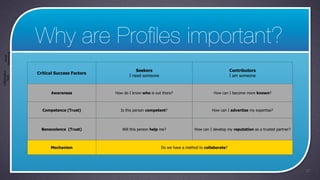
Why are Profiles important?
 Networking
   Social


                                                      Seekers                                             Contributors
                Critical Success Factors
Collaborative


                                                  I need someone                                          I am someone
    Tools


                      Awareness            How do I know who is out there?                     How can I become more known?


                  Competence (Trust)         Is this person competent?                        How can I advertise my expertise?


                  Benevolence (Trust)         Will this person help me?              How can I develop my reputation as a trusted partner?


                      Mechanism                                     Do we have a method to collaborate?


                                                                                                                                             27
2b. Analyse
Which resources can be trusted for
which attributes?

Which system holds the source or
originating data?

Do users have successful
established online methods of
editing data?

Are there tried and tested layouts or
workflows?

                                        28
2c. Aggregate

Working on paper...

Build workflows for construction of
Profiles, editing of Profiles data and
sharing with other systems

(Not all attributes should be
considered editable in Connections)


                                         29
2d. Build
Use combination of:

 Included TDI assembly lines
 (population/sync of data into
 Connections)

 Custom TDI assembly lines

 Event Handlers (can capture writes of
 Connections data and push to other
 systems)

 Additional intermediary databases

                                         30
2e. Finally

Connections has significant advantages
in this area over competing systems

Come to my other session this
afternoon for much more on this topic


                                         31
3. PWYP


Possibly the most important point made in this session...


                                                            32
3a. Learn
The project team for your Social
Business / Connections project must
know how to use (not admin/
develop/implement) the tools

That means knowing how to use the
platform in the real world, not just
conceptually...


                                       33
3b. Plan
So how should you run your Social
Business project?

In Connections, of course...

So plan to use all elements of
Connections to deliver the project -
particularly Communities, Activities,
Files and Status Updates


                                        34
“Email is where
knowledge goes to die”
     Bill French


                                                                                      35
                         Source: http://bfrench.info/public/item/5994 (April, 2003)
3c. Don’t...
Don’t use Email!

Make a commitment to avoid email
wherever possible through the
project

We have a great case study where an
international organisation new to
Social are delivering entire project
without email communication


                                       36
4. Engage, engage!


                     37
4a. There’s no substitute!
At the risk of repeating myself...

Social Business is not an IT project, it’s an Business Change project

Whilst appropriate IT processes and project management are vital - don’t spend
your time looking inward... Look outwards, always...

Embrace the first-wavers. Build a user council. Push all ideas and planned changes
through the council early on.

Community managers are key to the success of the project

                                                                                     38
5. Embrace the Community!


                            39
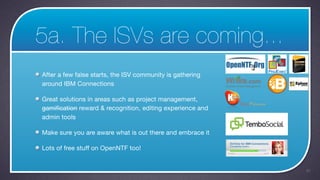
5a. The ISVs are coming...
After a few false starts, the ISV community is gathering
around IBM Connections

Great solutions in areas such as project management,
gamification reward & recognition, editing experience and
admin tools

Make sure you are aware what is out there and embrace it

Lots of free stuff on OpenNTF too!


                                                            40
The Agenda
So Stuart, why this session?

♬ Let’s start at the very beginning, a very good place to start... ♬

‘Social Business’ - there’s a clue in there somewhere!

But we didn’t start from there...

Let me tell you a story...

Ah, but I’m an (delete as appropriate) admin/developer/technologist/BOFH...

We’re just starting out, how should we do it?
                                                                              41
Let me tell you a story...


                             42
The Agenda
So Stuart, why this session?

♬ Let’s start at the very beginning, a very good place to start... ♬

‘Social Business’ - there’s a clue in there somewhere!

But we didn’t start from there...

Let me tell you a story...

Ah, but I’m an (delete as appropriate) admin/developer/technologist/BOFH...

Q&A
                                                                              43
But I’m a...

All this business/adoption/change stuff... What’s in it for me as a technologist?


                                                                                    44
The Collaboration Matters Approach (abridged):

1. Establish the Vision

2. Requirements Analysis

3. Get the Business Buy-in

4. Build the ‘Immersion Tank’

5. Immersion & Identification of ‘first-wavers’

6. Solution Design & Development

7. Deployment

8. Customise, Test, Review (repeat)

9. Adoption Planning & Analysis

10.Launch (and re-launch)

  (Rinse & Repeat)


                                                  45
An Admin?

Connections is complex. That spells risk, but also real opportunity...

Connections ships with some well judged defaults, but also a lot of areas where
things can be improved


                                                                                  46
An Admin Hit List
        1. Design & Scalability - your biggest responsibility

        2. Security - tweak those feature security settings and bullet-
           proof your SSO

        3. Search - enable multi-lingual and advanced searcg

        4. Enable @mentions in 4.0

        5. Add free version of Kudos Badges

        6. Fine tune TDI sync process

        7. Deploy plugins. Everywhere.

        8. Patch and Upgrade. Regularly.

                                                                          47
A Dev?

Connections is a development platform, just like Domino

Few are truly embracing it today - very limited skills available - in great demand!

OpenNTF are running regular contests to stimulate Connections development


                                                                                      48
A Dev Hit List
        1. Community and Homepage widgets

        2. Activity Streams and Open Social

        3. User management and Profiles

        4. Login pages and password management

        5. Usage of Social Graph data and business cards in
           external applications

        6. Themes and templates *


                                                              49
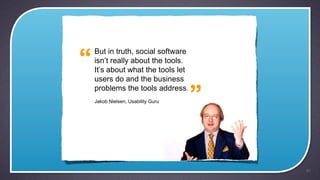
But in truth, social software


users do and the business
problems the tools address.
Jakob Nielsen, Usability Guru


                                50
The Agenda
So Stuart, why this session?

♬ Let’s start at the very beginning, a very good place to start... ♬

The Ten Steps to Social Business

‘Social Business’ - there’s a clue in there somewhere!

But we didn’t start from there...

Let me tell you a story...

Ah, but I’m an (delete as appropriate) admin/developer/technologist/BOFH...

Q&A
                                                                              51
Thank You!

Congratulations, you've successfully deployed IBM Connections 4.x! Now what?

  • 1.
    Congratulations, you've successfully deployedIBM Connections 4.x! Now what? Stuart McIntyre, BLUG 2013
  • 2.
    Your Speaker Stuart McIntyre CTOof Collaboration Matters, a Social Business Consultancy IBM Champion 2011/2012 Blogger (stuart-mcintyre.com), Tweeter (@stuartmcintyre) and all around Social Media advocate Podcaster Feel free to contact me, socially of course! 2
  • 3.
    The Agenda So Stuart,why this session? ♬ Let’s start at the very beginning, a very good place to start... ♬ The Ten Steps to Social Business ‘Social Business’ - there’s a clue in there somewhere! But we didn’t start from there... Let me tell you a story... Ah, but I’m an (delete as appropriate) admin/developer/technologist/BOFH... Q&A 3
  • 4.
    The Agenda So Stuart,why this session? ♬ Let’s start at the very beginning, a very good place to start... ♬ The Ten Steps to Social Business ‘Social Business’ - there’s a clue in there somewhere! But we didn’t start from there... Let me tell you a story... Ah, but I’m an (delete as appropriate) admin/developer/technologist/BOFH... Q&A 4
  • 5.
    So, Stuart, whythis session? Thankfully, seeing loads more sessions on Connections & Social Business at LUGs and IBM Connect But... Focus still on technical deployment, not pre- or post-install or delivering business value And... This is where I spend 80%+ of my time on projects 5
  • 6.
    The Agenda So Stuart,why this session? ♬ Let’s start at the very beginning, a very good place to start... ♬ The Ten Steps to Social Business ‘Social Business’ - there’s a clue in there somewhere! But we didn’t start from there... Let me tell you a story... Ah, but I’m an (delete as appropriate) admin/developer/technologist/BOFH... Q&A 6
  • 7.
    Let’s start atthe very beginning, it’s a very good place to start... We get pulled into too many Social Social Business projects don’t end Business projects at implementation when technology is deployed, either... stage Social Business is a platform that Technology deployment should be delivers most value when fully dealt with about half way through customised, integrated and adopted project, never the first consideration to suit an organisation or community You wouldn’t start building a house by You wouldn’t move into a house fitting the stairs or front door, now without equipping it with power or would you? water, or decorating it? 7
  • 8.
    ‘Start at thebeginning’ The Right Way... 8
  • 9.
    The Collaboration MattersApproach (abridged): 1. Establish the Vision 2. Requirements Analysis 3. Get the Business Buy-in 4. Build the ‘Immersion Tank’ 5. Immersion & Identification of ‘first-wavers’ 6. Solution Design & Development 7. Deployment 8. Customise, Test, Review (repeat) 9. Adoption Planning & Analysis 10.Launch (and re-launch) (Rinse & Repeat) 9
  • 10.
    Also, 10 Stepsto Social Business (Alan Hamilton): 1. Integrate Social into your business processes 2. Customize the experience 3. Set Governance and Social Policy Rules 4. Hire Community Managers and Social Job Roles 5. Leaders Must Show the Way 6. Evangelize and Enable 7. Communicate the What, Why and How of your Social Business Plan 8. Motivate and Engage 9. Reverse Mentor your Leaders 10.Show the Metrics of Value 10
  • 11.
    The Collaboration MattersApproach (abridged): 1. Establish the Vision 2. Requirements Analysis 3. Get the Business Buy-in 4. Build the ‘Immersion Tank’ 5. Immersion & Identification of ‘first-wavers’ 6. Solution Design & Development 7. Deployment 8. Customise, Test, Review (repeat) 9. Adoption Planning & Analysis 10.Launch (and re-launch) (Rinse & Repeat) 11
  • 12.
    ‘Start at thebeginning’ The Wrong Way... 12
  • 13.
    ‘I wouldn’t startfrom here’: ‘Hey we’re entitled to Files and Profiles... Who wants to download Connections from Passport Advantage?’ ‘I think Connections would be great for our team, lets install it onto our department server...’ ‘I think what we need is a pilot...’ etc. 13
  • 14.
    Successful Connections projectstend to be: Championed by the Business Matched to 80/20 Rule (Business vs Firmly Project Managed Technical attention) Driven by User & Organisation Managed and Delivered using Social Requirements Tools Iterative Staffed by Enthusiastic Community Managers Focused on the End User (always) 14
  • 15.
    The Agenda So Stuart,why this session? ♬ Let’s start at the very beginning, a very good place to start... ♬ The Ten Steps to Social Business ‘Social Business’ - there’s a clue in there somewhere! But we didn’t start from there... Let me tell you a story... Ah, but I’m an (delete as appropriate) admin/developer/technologist/BOFH... Q&A 15
  • 16.
    ‘Social Business’ -a clue! If you haven’t got it already, it is really, truly, completely, about the... Social Business! Even as a career-long technologist, the technology is a tiny part of any Social Business or Social Collaboration project More Social Business projects fail for lack of Business leadership and focus than for any other reason Got that? ;-) 16
  • 17.
    The Agenda So Stuart,why this session? ♬ Let’s start at the very beginning, a very good place to start... ♬ The Ten Steps to Social Business ‘Social Business’ - there’s a clue in there somewhere! But we didn’t start from there... Let me tell you a story... Ah, but I’m an (delete as appropriate) admin/developer/technologist/BOFH... Q&A 17
  • 18.
    But we didn’tstart from there... This session is called ‘Congratulations, you've successfully deployed IBM Connections 4.x! Now what?’ 18
  • 19.
    So, let’s assume... You’rean existing IBM customer You’ve deployed IBM Connections using the docs, some training, or the excellent Connections101.net resources You’ve completed some elements of the overall project organisation as detailed here What’s next? 19
  • 20.
  • 21.
    1a. Analyse An emptyConnections system is just that... A void. Avoid. Survey your key champions and departments/teams (ideally non-IT) What are their key pain points today? Where do their workflows fail? Where does collaboration break down? 21
  • 22.
    1b. Develop Take resultsof analysis and build 3-5 scenarios demonstrating pains Use mix of real and pseudo users Develop these into Connections- based workflows that demonstrate: 1) the pain 2) the resolution using Social Business tools 22
  • 23.
    1c. Demonstrate Organise workshopswith key stakeholders and known ‘collaborators’ to work through scenarios If possible, get users to access system using pseudo IDs themselves Gauge accuracy and response then iterate scenarios Work to identify ‘first-wavers’ 23
  • 24.
    1d. Build Successful scenarios(and solutions) become first Connections communities Those that are identified as being passionate or insightful during workshops can be identified as potential Community Managers Rinse and repeat Remove pseudo users and content before go-live 24
  • 25.
  • 26.
    2a. Research There isno social collaboration turn- off worse than an empty profile Audit the best resources for Profiles data around the organisation or community HR systems, spreadsheets, image libraries, security/pass systems, telephone directories etc. 26
  • 27.
    Why are Profilesimportant? Networking Social Seekers Contributors Critical Success Factors Collaborative I need someone I am someone Tools Awareness How do I know who is out there? How can I become more known? Competence (Trust) Is this person competent? How can I advertise my expertise? Benevolence (Trust) Will this person help me? How can I develop my reputation as a trusted partner? Mechanism Do we have a method to collaborate? 27
  • 28.
    2b. Analyse Which resourcescan be trusted for which attributes? Which system holds the source or originating data? Do users have successful established online methods of editing data? Are there tried and tested layouts or workflows? 28
  • 29.
    2c. Aggregate Working onpaper... Build workflows for construction of Profiles, editing of Profiles data and sharing with other systems (Not all attributes should be considered editable in Connections) 29
  • 30.
    2d. Build Use combinationof: Included TDI assembly lines (population/sync of data into Connections) Custom TDI assembly lines Event Handlers (can capture writes of Connections data and push to other systems) Additional intermediary databases 30
  • 31.
    2e. Finally Connections hassignificant advantages in this area over competing systems Come to my other session this afternoon for much more on this topic 31
  • 32.
    3. PWYP Possibly themost important point made in this session... 32
  • 33.
    3a. Learn The projectteam for your Social Business / Connections project must know how to use (not admin/ develop/implement) the tools That means knowing how to use the platform in the real world, not just conceptually... 33
  • 34.
    3b. Plan So howshould you run your Social Business project? In Connections, of course... So plan to use all elements of Connections to deliver the project - particularly Communities, Activities, Files and Status Updates 34
  • 35.
    “Email is where knowledgegoes to die” Bill French 35 Source: http://bfrench.info/public/item/5994 (April, 2003)
  • 36.
    3c. Don’t... Don’t useEmail! Make a commitment to avoid email wherever possible through the project We have a great case study where an international organisation new to Social are delivering entire project without email communication 36
  • 37.
  • 38.
    4a. There’s nosubstitute! At the risk of repeating myself... Social Business is not an IT project, it’s an Business Change project Whilst appropriate IT processes and project management are vital - don’t spend your time looking inward... Look outwards, always... Embrace the first-wavers. Build a user council. Push all ideas and planned changes through the council early on. Community managers are key to the success of the project 38
  • 39.
    5. Embrace theCommunity! 39
  • 40.
    5a. The ISVsare coming... After a few false starts, the ISV community is gathering around IBM Connections Great solutions in areas such as project management, gamification reward & recognition, editing experience and admin tools Make sure you are aware what is out there and embrace it Lots of free stuff on OpenNTF too! 40
  • 41.
    The Agenda So Stuart,why this session? ♬ Let’s start at the very beginning, a very good place to start... ♬ ‘Social Business’ - there’s a clue in there somewhere! But we didn’t start from there... Let me tell you a story... Ah, but I’m an (delete as appropriate) admin/developer/technologist/BOFH... We’re just starting out, how should we do it? 41
  • 42.
    Let me tellyou a story... 42
  • 43.
    The Agenda So Stuart,why this session? ♬ Let’s start at the very beginning, a very good place to start... ♬ ‘Social Business’ - there’s a clue in there somewhere! But we didn’t start from there... Let me tell you a story... Ah, but I’m an (delete as appropriate) admin/developer/technologist/BOFH... Q&A 43
  • 44.
    But I’m a... Allthis business/adoption/change stuff... What’s in it for me as a technologist? 44
  • 45.
    The Collaboration MattersApproach (abridged): 1. Establish the Vision 2. Requirements Analysis 3. Get the Business Buy-in 4. Build the ‘Immersion Tank’ 5. Immersion & Identification of ‘first-wavers’ 6. Solution Design & Development 7. Deployment 8. Customise, Test, Review (repeat) 9. Adoption Planning & Analysis 10.Launch (and re-launch) (Rinse & Repeat) 45
  • 46.
    An Admin? Connections iscomplex. That spells risk, but also real opportunity... Connections ships with some well judged defaults, but also a lot of areas where things can be improved 46
  • 47.
    An Admin HitList 1. Design & Scalability - your biggest responsibility 2. Security - tweak those feature security settings and bullet- proof your SSO 3. Search - enable multi-lingual and advanced searcg 4. Enable @mentions in 4.0 5. Add free version of Kudos Badges 6. Fine tune TDI sync process 7. Deploy plugins. Everywhere. 8. Patch and Upgrade. Regularly. 47
  • 48.
    A Dev? Connections isa development platform, just like Domino Few are truly embracing it today - very limited skills available - in great demand! OpenNTF are running regular contests to stimulate Connections development 48
  • 49.
    A Dev HitList 1. Community and Homepage widgets 2. Activity Streams and Open Social 3. User management and Profiles 4. Login pages and password management 5. Usage of Social Graph data and business cards in external applications 6. Themes and templates * 49
  • 50.
    But in truth,social software users do and the business problems the tools address. Jakob Nielsen, Usability Guru 50
  • 51.
    The Agenda So Stuart,why this session? ♬ Let’s start at the very beginning, a very good place to start... ♬ The Ten Steps to Social Business ‘Social Business’ - there’s a clue in there somewhere! But we didn’t start from there... Let me tell you a story... Ah, but I’m an (delete as appropriate) admin/developer/technologist/BOFH... Q&A 51
  • 52.