String
Functions in SQL
•SQL string functions are used primarily for string
manipulation.
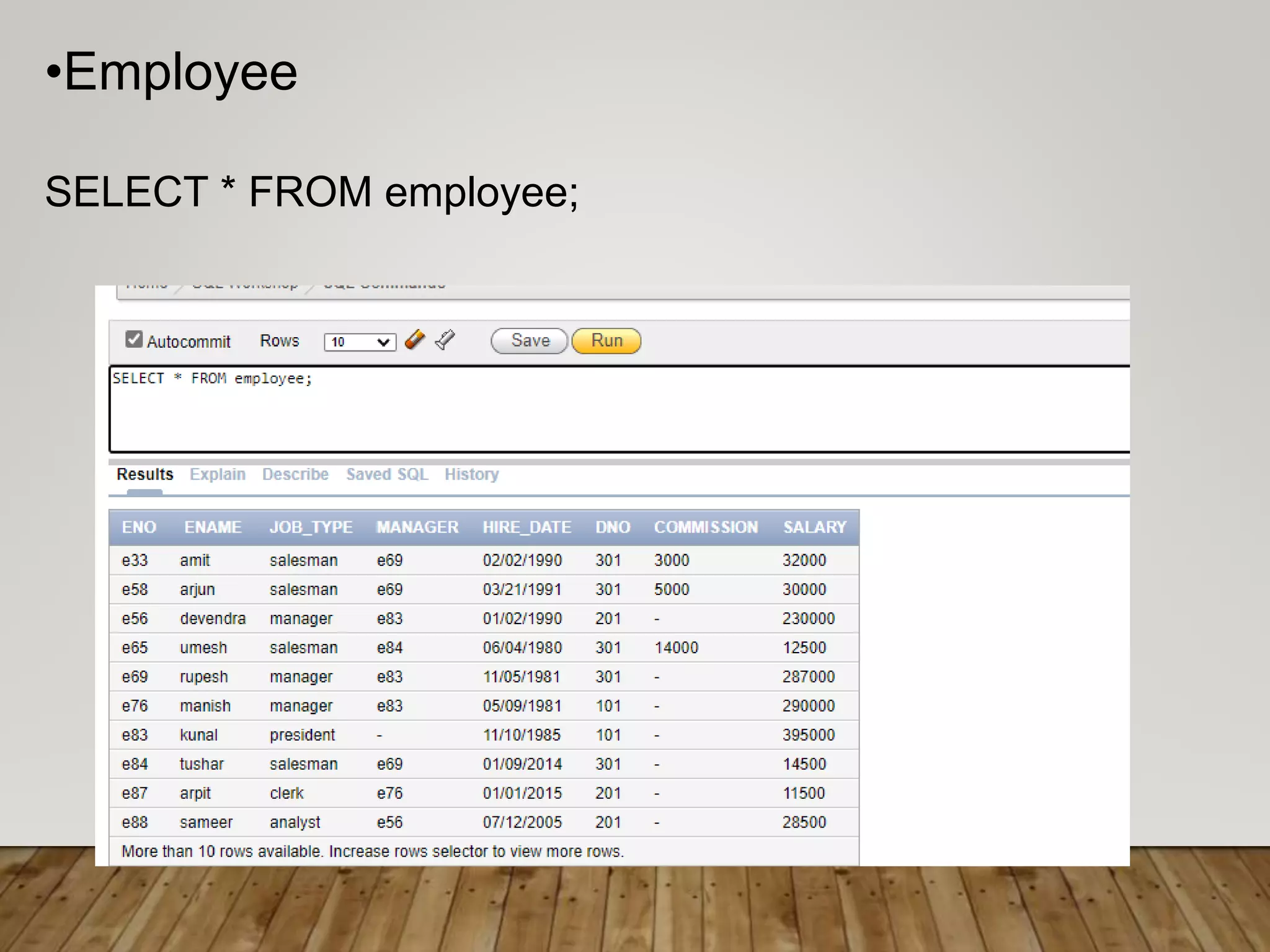
•Employee
SELECT * FROM employee;
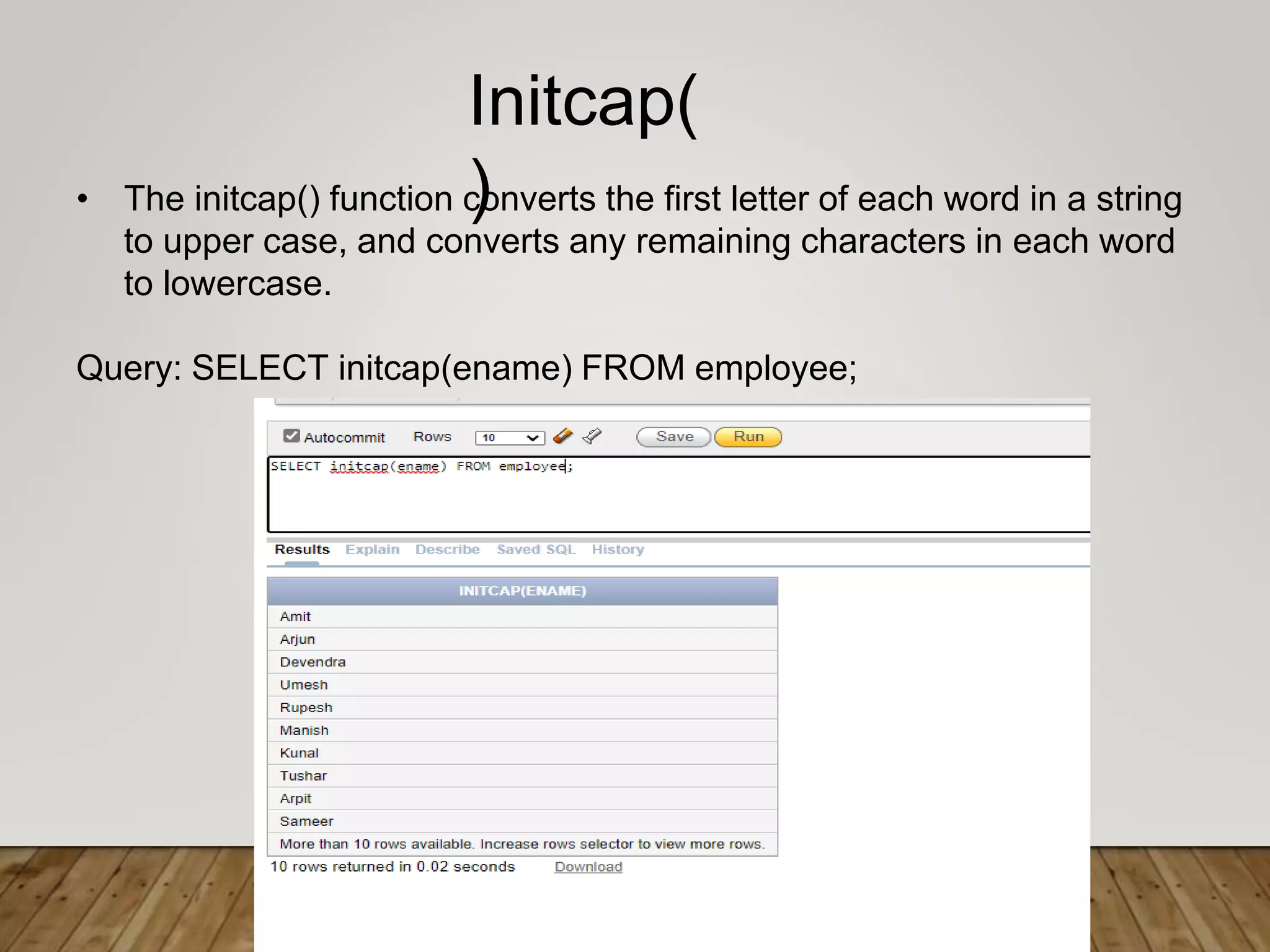
• The initcap() function converts the first letter of each word in a string
to upper case, and converts any remaining characters in each word
to lowercase.
Query: SELECT initcap(ename) FROM employee;
Initcap(
)
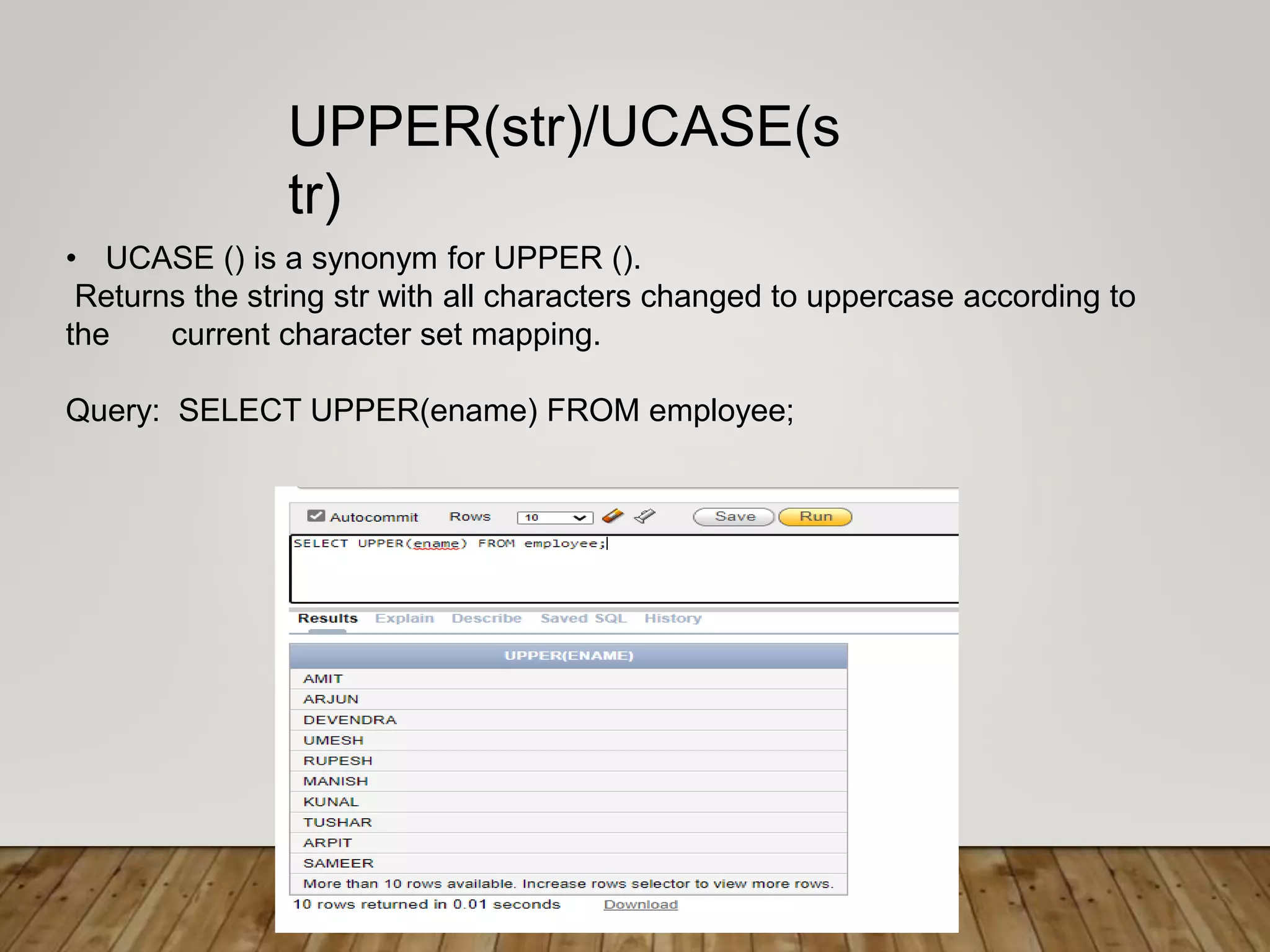
• UCASE () is a synonym for UPPER ().
Returns the string str with all characters changed to uppercase according to
the current character set mapping.
Query: SELECT UPPER(ename) FROM employee;
UPPER(str)/UCASE(s
tr)
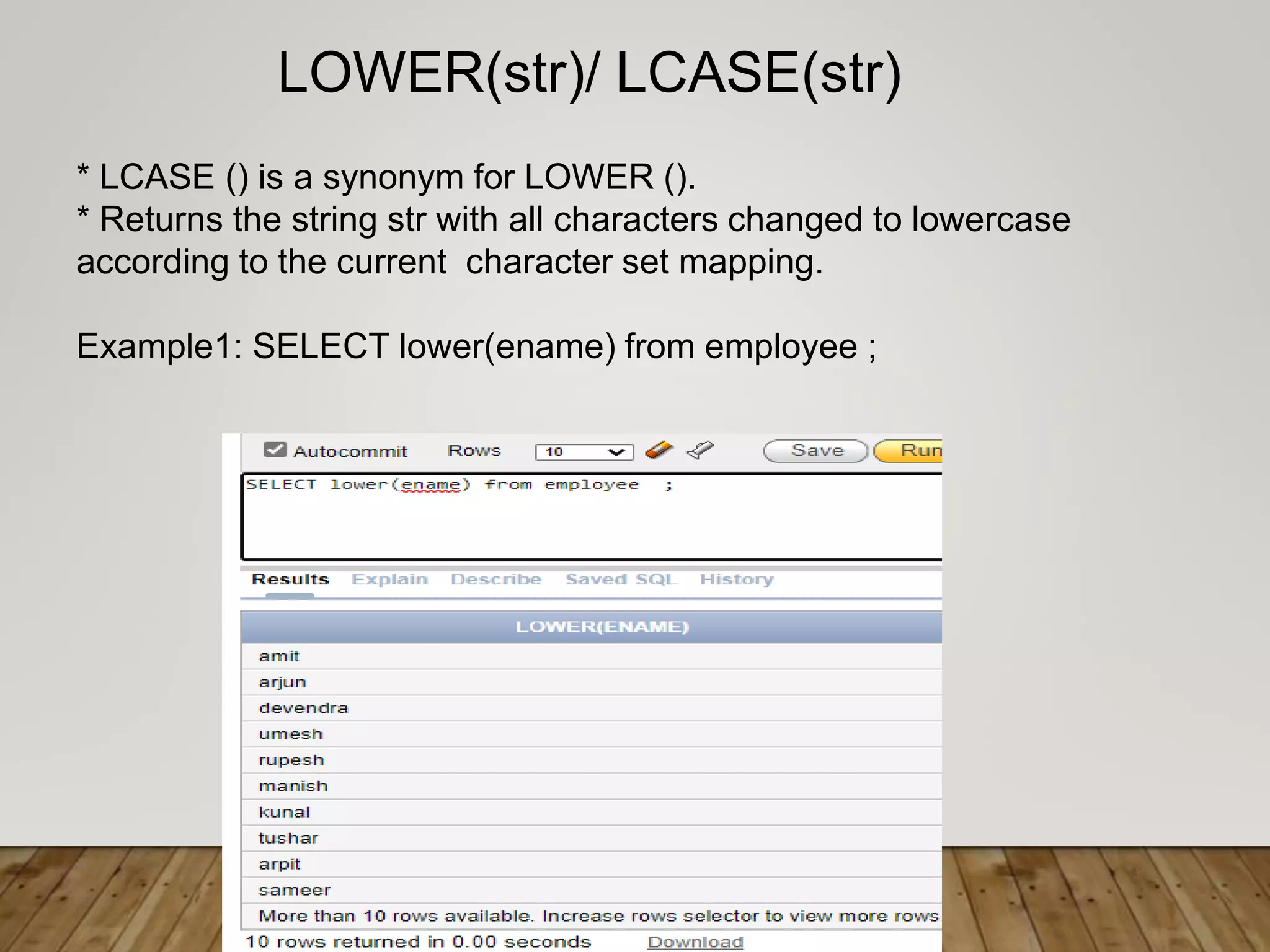
* LCASE () is a synonym for LOWER ().
* Returns the string str with all characters changed to lowercase
according to the current character set mapping.
Example1: SELECT lower(ename) from employee ;
LOWER(str)/ LCASE(str)
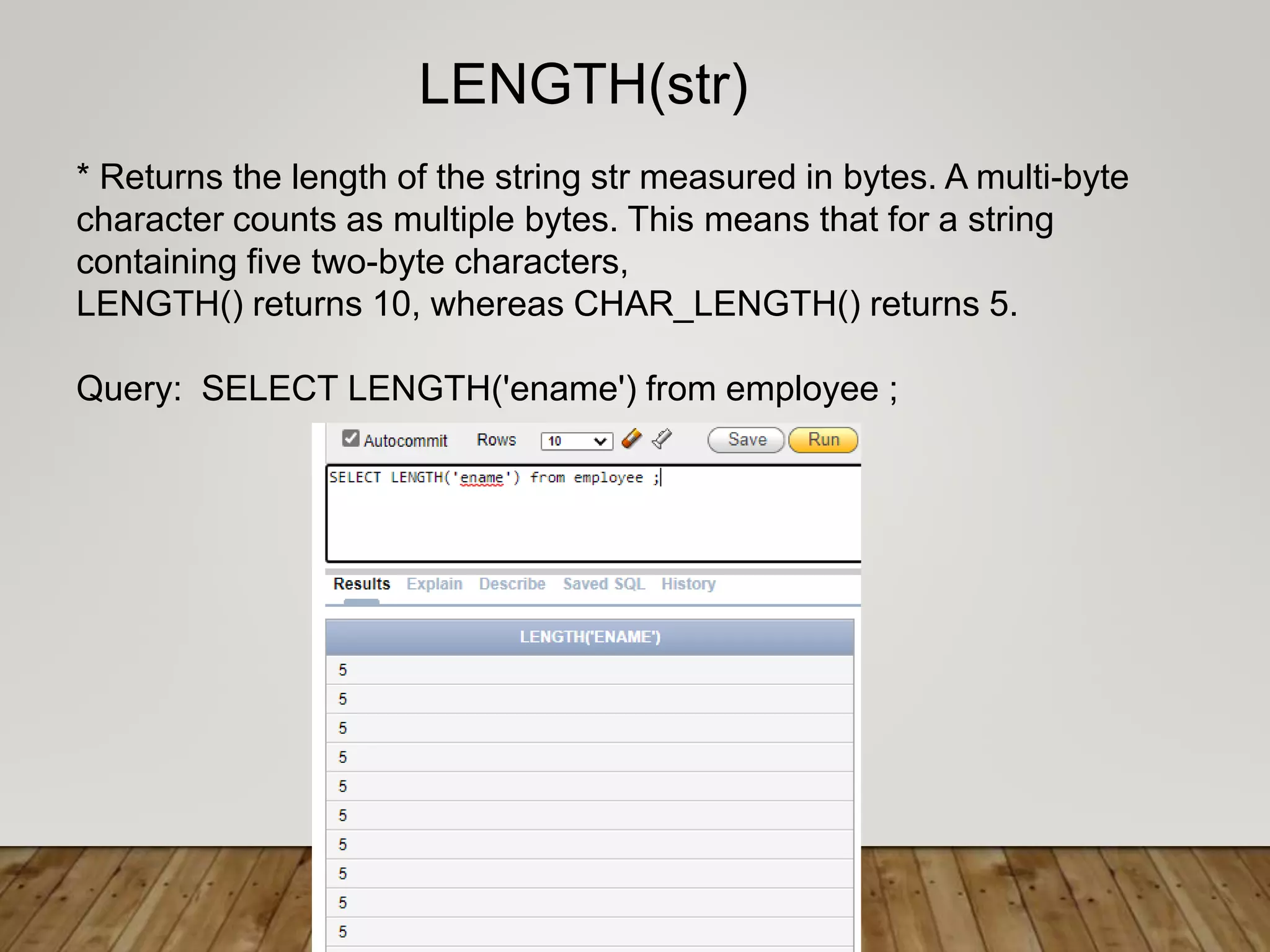
* Returns the length of the string str measured in bytes. A multi-byte
character counts as multiple bytes. This means that for a string
containing five two-byte characters,
LENGTH() returns 10, whereas CHAR_LENGTH() returns 5.
Query: SELECT LENGTH('ename') from employee ;
LENGTH(str)
• Returns the string str with all remstr prefixes or suffixes removed. If
none of the specifiers BOTH, LEADING, or TRAILING is given,
BOTH is assumed. remstr is optional and, if not specified, spaces
are removed.
Example: SELECT TRIM(‘ reena ') from dual;
TRIM
([{BOTH | LEADING | TRAILING} [remstr] FROM] str)/
TRIM([remstr FROM] str)
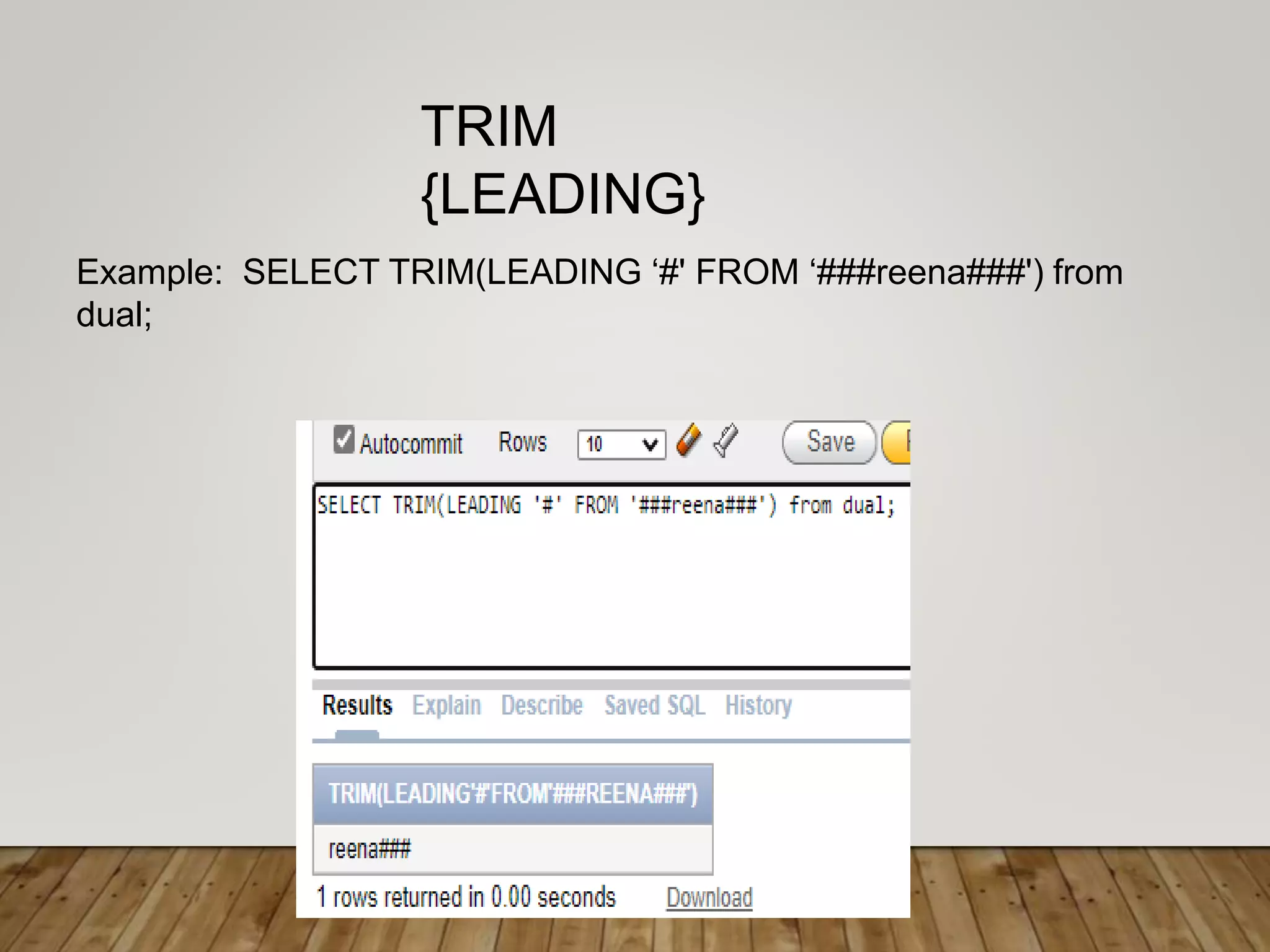
Example: SELECT TRIM(LEADING ‘#' FROM ‘###reena###') from
dual;
TRIM
{LEADING}
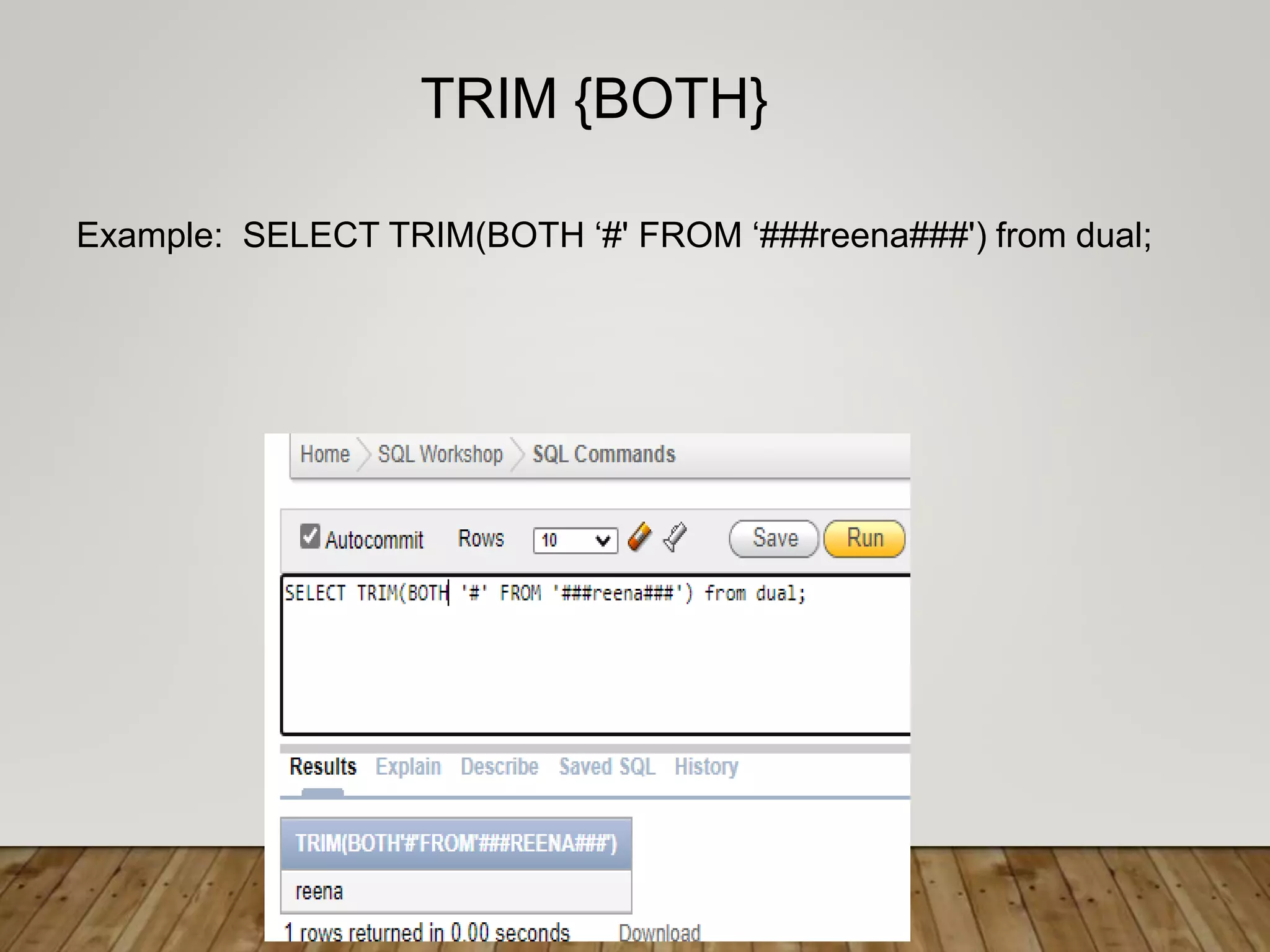
Example: SELECT TRIM(BOTH ‘#' FROM ‘###reena###') from dual;
TRIM {BOTH}
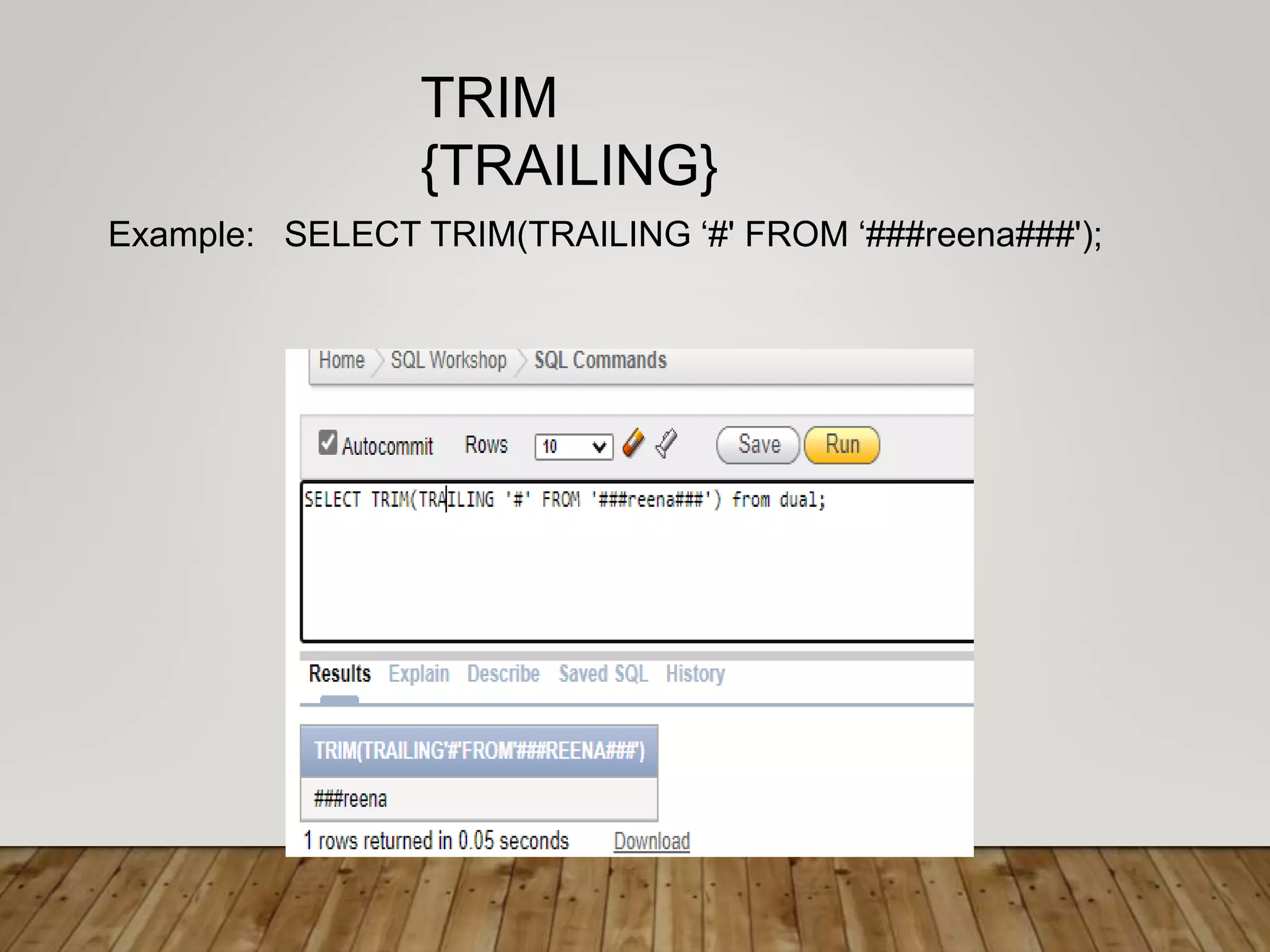
Example: SELECT TRIM(TRAILING ‘#' FROM ‘###reena###');
TRIM
{TRAILING}
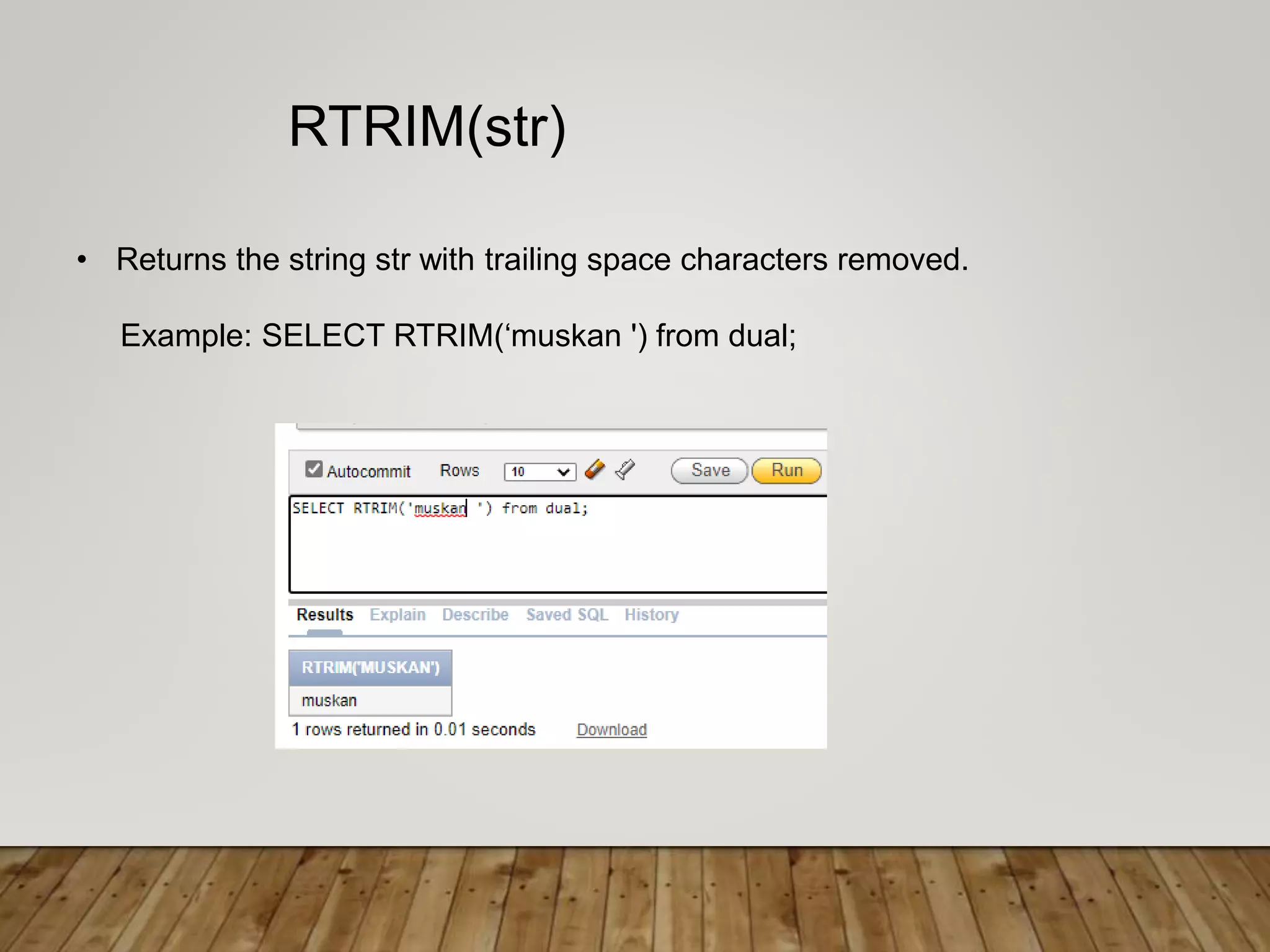
• Returns the string str with trailing space characters removed.
Example: SELECT RTRIM(‘muskan ') from dual;
RTRIM(str)
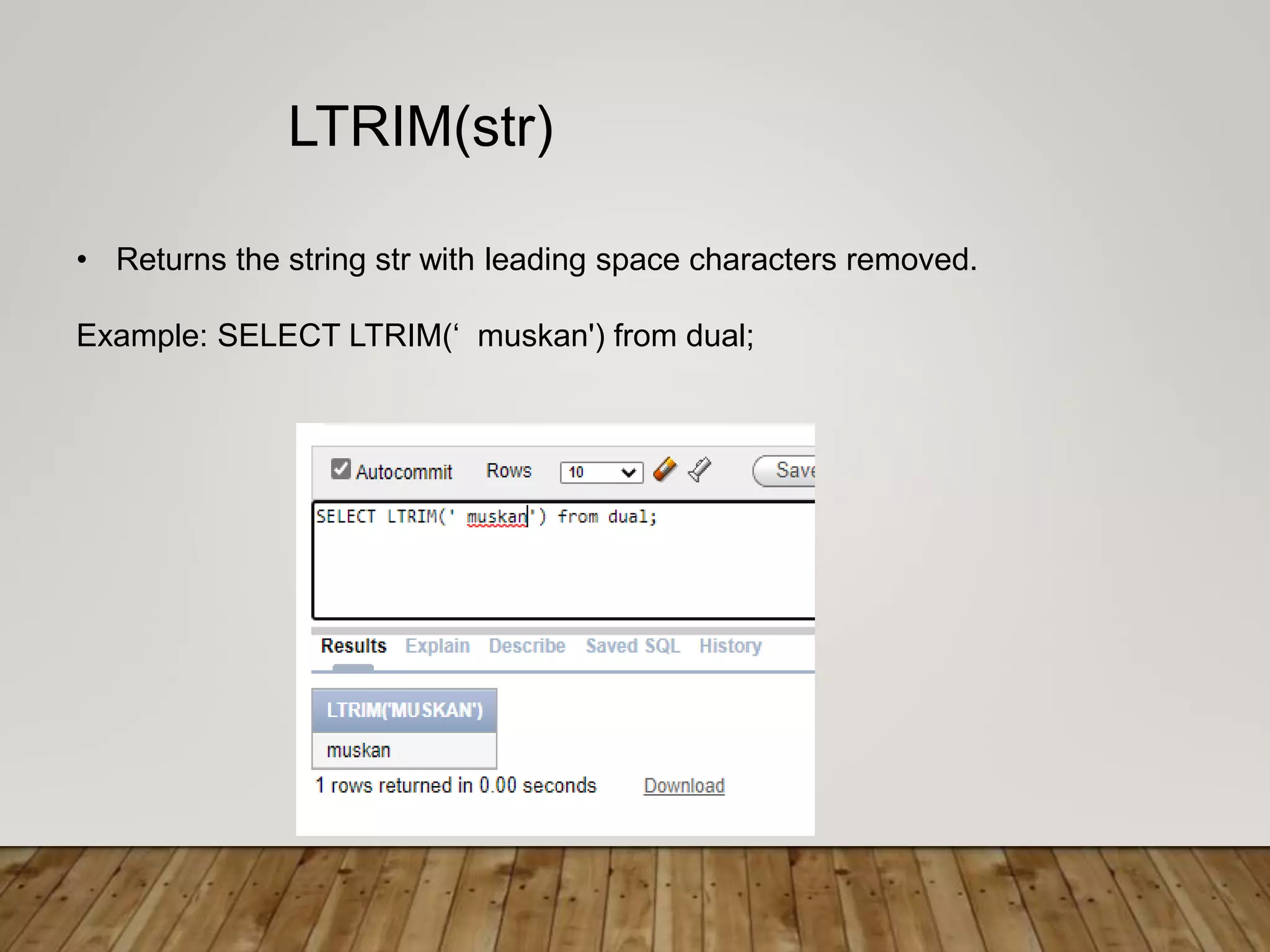
• Returns the string str with leading space characters removed.
Example: SELECT LTRIM(‘ muskan') from dual;
LTRIM(str)
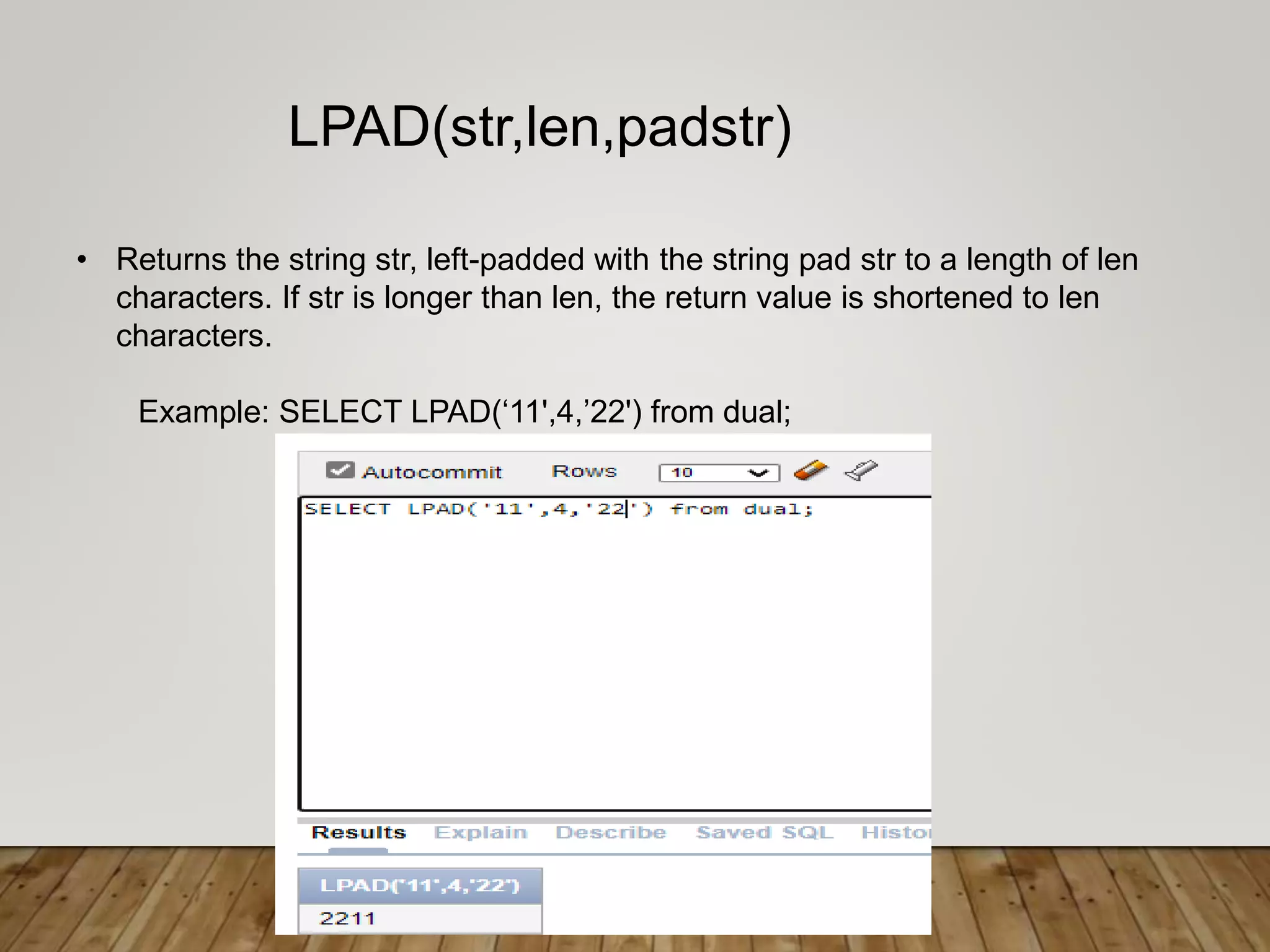
• Returns the string str, left-padded with the string pad str to a length of len
characters. If str is longer than len, the return value is shortened to len
characters.
Example: SELECT LPAD(‘11',4,’22') from dual;
LPAD(str,len,padstr)
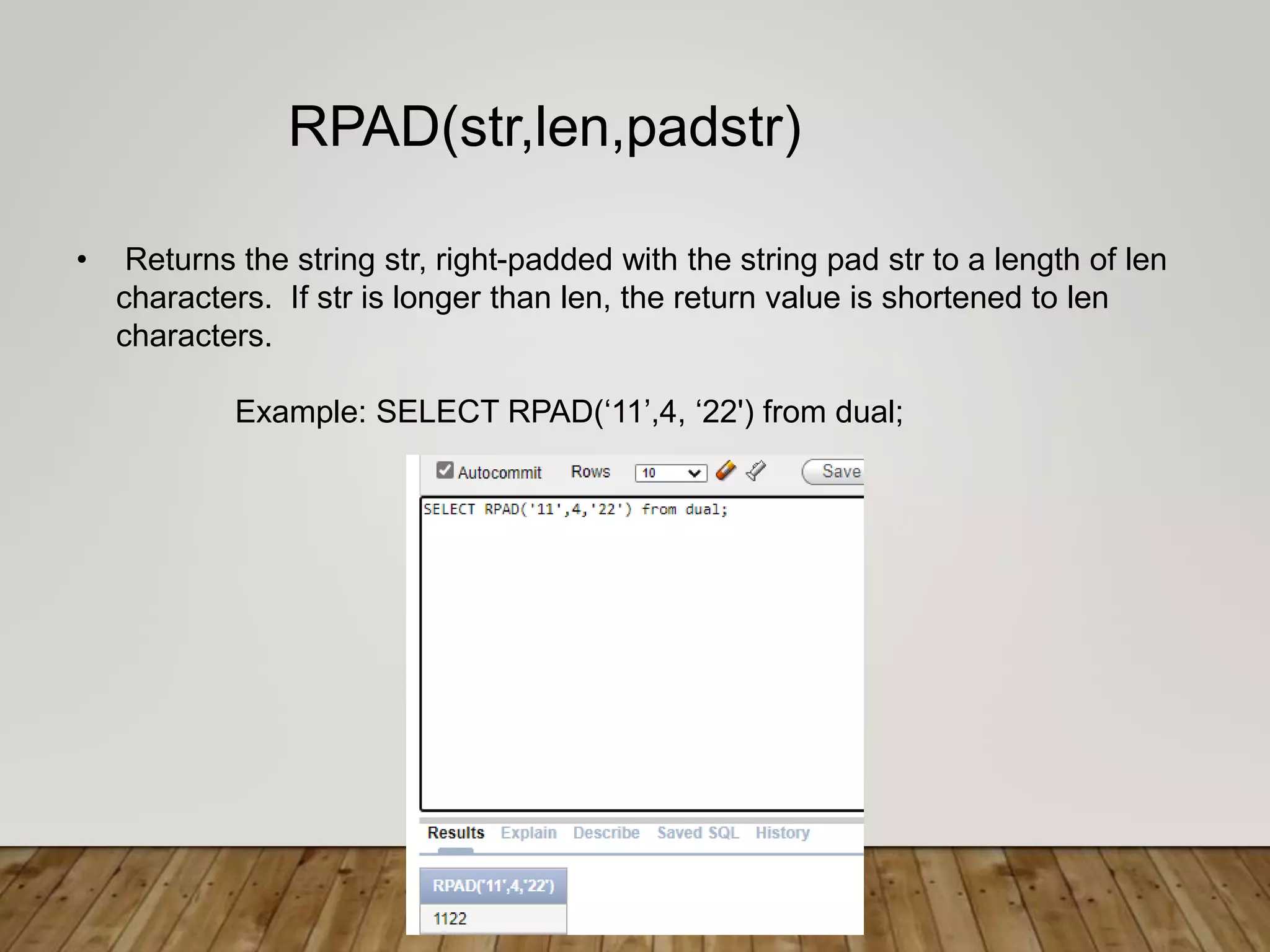
• Returns the string str, right-padded with the string pad str to a length of len
characters. If str is longer than len, the return value is shortened to len
characters.
Example: SELECT RPAD(‘11’,4, ‘22') from dual;
RPAD(str,len,padstr)
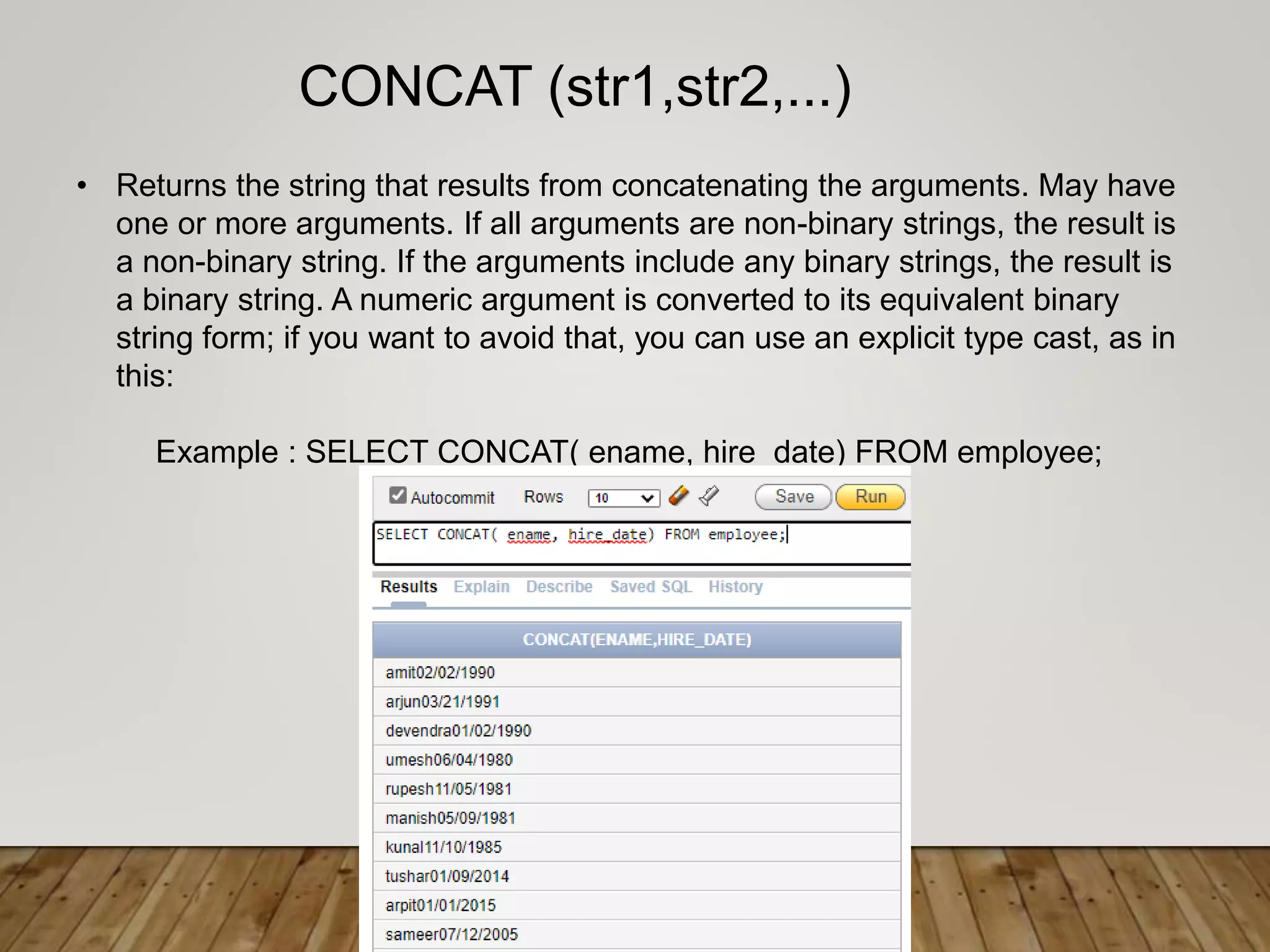
• Returns the string that results from concatenating the arguments. May have
one or more arguments. If all arguments are non-binary strings, the result is
a non-binary string. If the arguments include any binary strings, the result is
a binary string. A numeric argument is converted to its equivalent binary
string form; if you want to avoid that, you can use an explicit type cast, as in
this:
Example : SELECT CONCAT( ename, hire_date) FROM employee;
CONCAT (str1,str2,...)
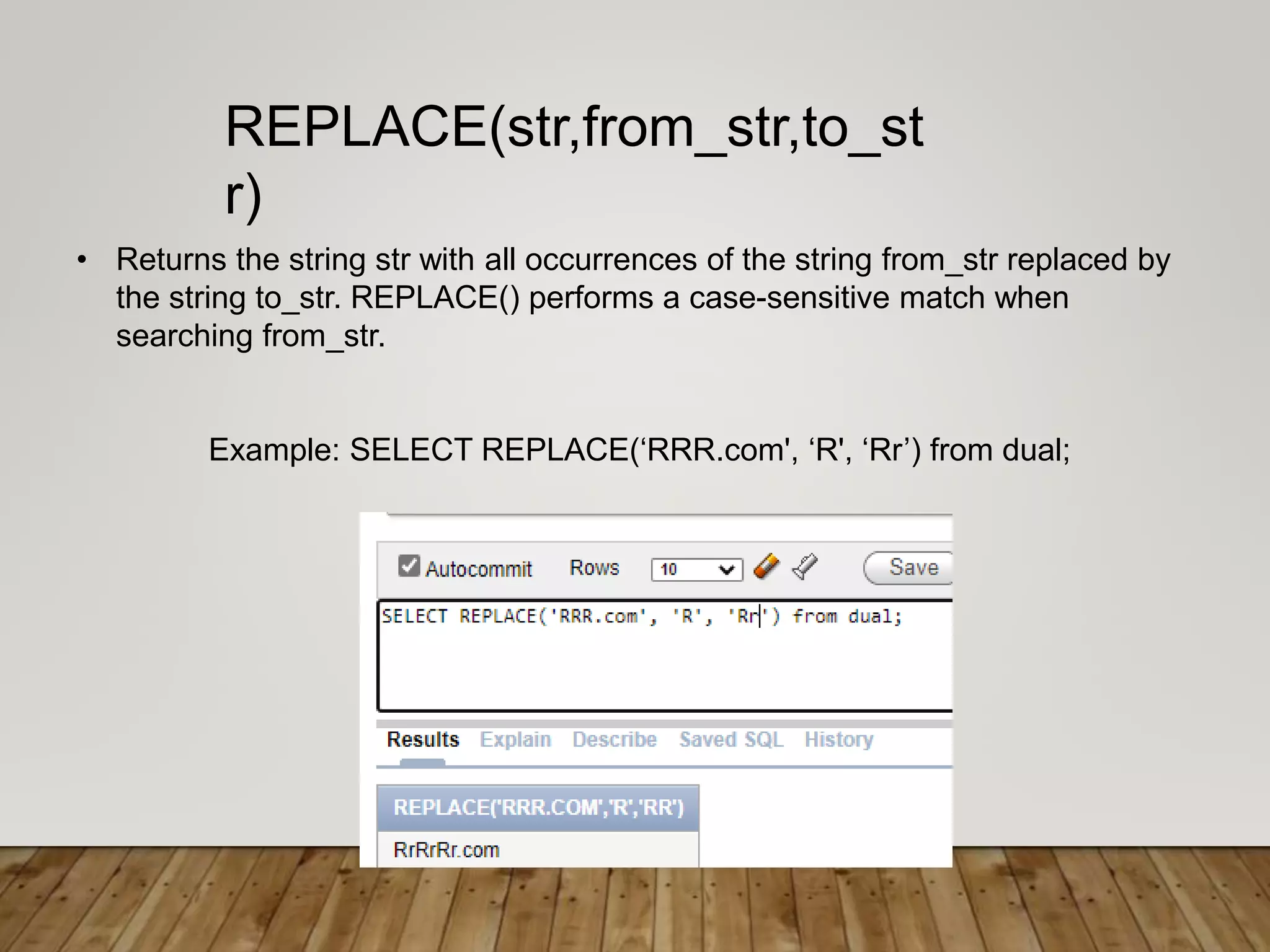
• Returns the string str with all occurrences of the string from_str replaced by
the string to_str. REPLACE() performs a case-sensitive match when
searching from_str.
Example: SELECT REPLACE(‘RRR.com', ‘R', ‘Rr’) from dual;
REPLACE(str,from_str,to_st
r)
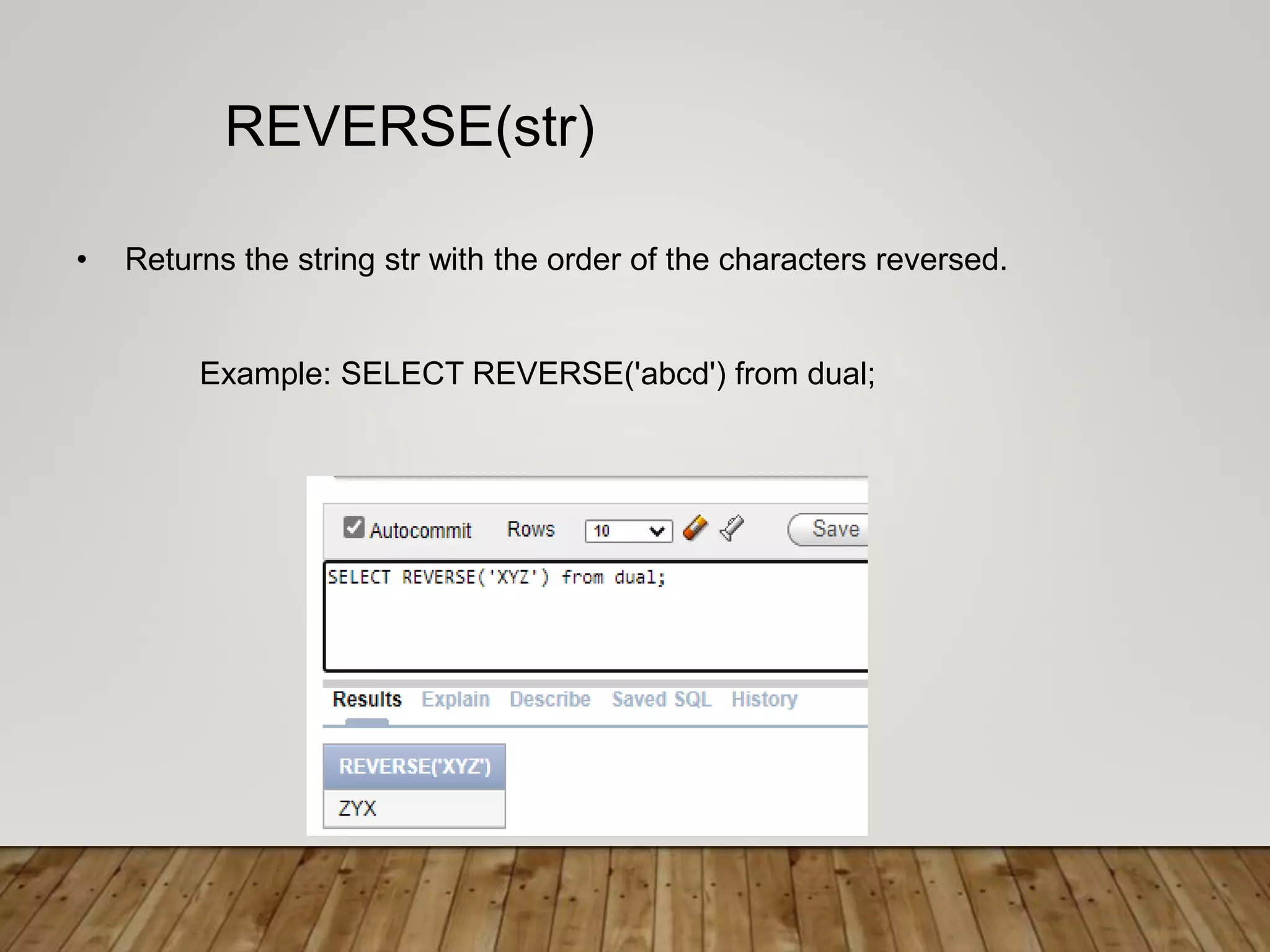
• Returns the string str with the order of the characters reversed.
Example: SELECT REVERSE('abcd') from dual;
REVERSE(str)
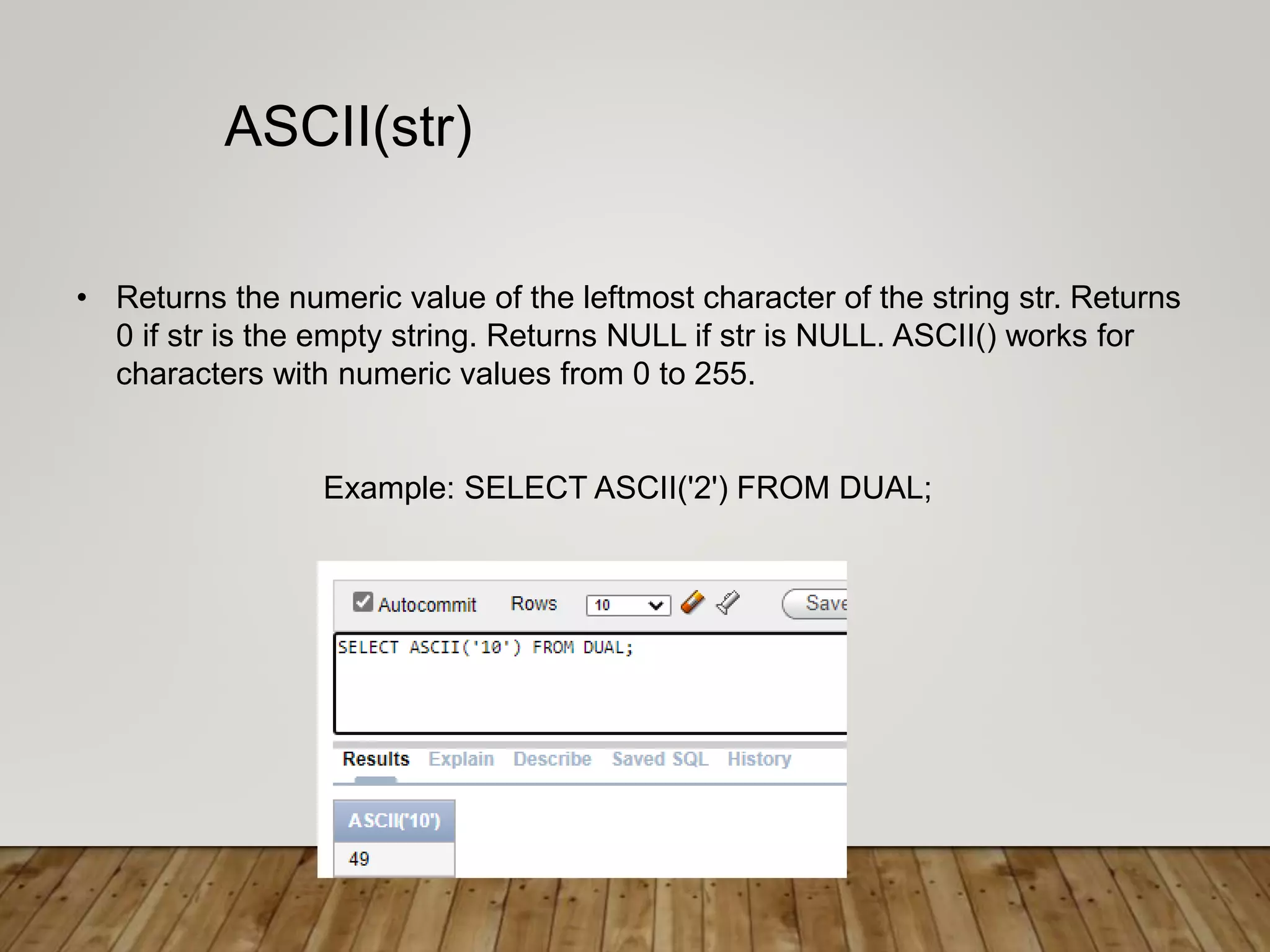
• Returns the numeric value of the leftmost character of the string str. Returns
0 if str is the empty string. Returns NULL if str is NULL. ASCII() works for
characters with numeric values from 0 to 255.
Example: SELECT ASCII('2') FROM DUAL;
ASCII(str)
string functions in SQL ujjwal matoliya.pptx

string functions in SQL ujjwal matoliya.pptx

  • 2.
    String Functions in SQL •SQLstring functions are used primarily for string manipulation.
  • 3.
  • 4.
    • The initcap()function converts the first letter of each word in a string to upper case, and converts any remaining characters in each word to lowercase. Query: SELECT initcap(ename) FROM employee; Initcap( )
  • 5.
    • UCASE ()is a synonym for UPPER (). Returns the string str with all characters changed to uppercase according to the current character set mapping. Query: SELECT UPPER(ename) FROM employee; UPPER(str)/UCASE(s tr)
  • 6.
    * LCASE ()is a synonym for LOWER (). * Returns the string str with all characters changed to lowercase according to the current character set mapping. Example1: SELECT lower(ename) from employee ; LOWER(str)/ LCASE(str)
  • 7.
    * Returns thelength of the string str measured in bytes. A multi-byte character counts as multiple bytes. This means that for a string containing five two-byte characters, LENGTH() returns 10, whereas CHAR_LENGTH() returns 5. Query: SELECT LENGTH('ename') from employee ; LENGTH(str)
  • 8.
    • Returns thestring str with all remstr prefixes or suffixes removed. If none of the specifiers BOTH, LEADING, or TRAILING is given, BOTH is assumed. remstr is optional and, if not specified, spaces are removed. Example: SELECT TRIM(‘ reena ') from dual; TRIM ([{BOTH | LEADING | TRAILING} [remstr] FROM] str)/ TRIM([remstr FROM] str)
  • 9.
    Example: SELECT TRIM(LEADING‘#' FROM ‘###reena###') from dual; TRIM {LEADING}
  • 10.
    Example: SELECT TRIM(BOTH‘#' FROM ‘###reena###') from dual; TRIM {BOTH}
  • 11.
    Example: SELECT TRIM(TRAILING‘#' FROM ‘###reena###'); TRIM {TRAILING}
  • 12.
    • Returns thestring str with trailing space characters removed. Example: SELECT RTRIM(‘muskan ') from dual; RTRIM(str)
  • 13.
    • Returns thestring str with leading space characters removed. Example: SELECT LTRIM(‘ muskan') from dual; LTRIM(str)
  • 14.
    • Returns thestring str, left-padded with the string pad str to a length of len characters. If str is longer than len, the return value is shortened to len characters. Example: SELECT LPAD(‘11',4,’22') from dual; LPAD(str,len,padstr)
  • 15.
    • Returns thestring str, right-padded with the string pad str to a length of len characters. If str is longer than len, the return value is shortened to len characters. Example: SELECT RPAD(‘11’,4, ‘22') from dual; RPAD(str,len,padstr)
  • 16.
    • Returns thestring that results from concatenating the arguments. May have one or more arguments. If all arguments are non-binary strings, the result is a non-binary string. If the arguments include any binary strings, the result is a binary string. A numeric argument is converted to its equivalent binary string form; if you want to avoid that, you can use an explicit type cast, as in this: Example : SELECT CONCAT( ename, hire_date) FROM employee; CONCAT (str1,str2,...)
  • 17.
    • Returns thestring str with all occurrences of the string from_str replaced by the string to_str. REPLACE() performs a case-sensitive match when searching from_str. Example: SELECT REPLACE(‘RRR.com', ‘R', ‘Rr’) from dual; REPLACE(str,from_str,to_st r)
  • 18.
    • Returns thestring str with the order of the characters reversed. Example: SELECT REVERSE('abcd') from dual; REVERSE(str)
  • 19.
    • Returns thenumeric value of the leftmost character of the string str. Returns 0 if str is the empty string. Returns NULL if str is NULL. ASCII() works for characters with numeric values from 0 to 255. Example: SELECT ASCII('2') FROM DUAL; ASCII(str)