Set Up your DevOps
Process for Office
365/SharePoint
Or the path to dev awesomeness
Vincent Biret
@baywet
#SPSMonaco
#SPSMonaco
Vincent Biret
@baywet
bit.ly/vince365
MVP Office Servers and Services
Azure and Office 365 developer @ 2ToLead
Who’s this session for?
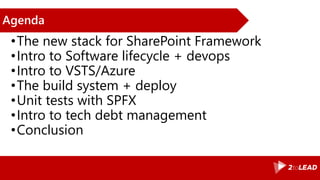
Agenda
•The new stack for SharePoint Framework
•Intro to Software lifecycle + devops
•Intro to VSTS/Azure
•The build system + deploy
•Unit tests with SPFX
•Intro to tech debt management
•Conclusion
Ready?
Modern toolchain for SharePoint/Office 365 developers at last
The new stack
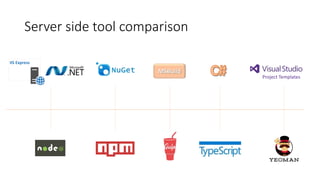
IIS Express
Project Templates
Server side tool comparison
Bill is awesome!
Please tweet!
@williambaer is awesome! #spfx CC @baywet
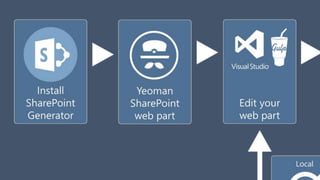
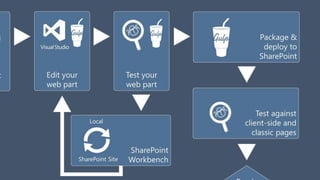
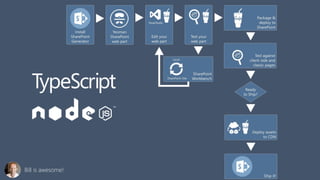
The webpart project
Demo
Where it all begins
Software lifecycle
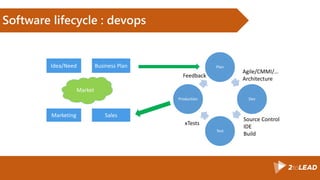
Software lifecycle : devops
Plan
Dev
Test
Production
Idea/Need Business Plan
Marketing Sales
Market
Feedback
Agile/CMMI/…
Architecture
Source Control
IDE
Build
xTests
Let’s talk about tooling
Visual Studio Team Services and Azure
You’ve probably heard about it
Azure
•Microsoft’s Cloud platform
•IaaS, PaaS, SaaS
•Literaly tons of services
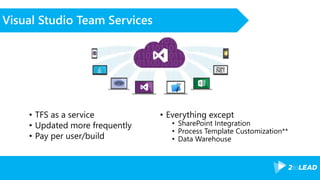
Visual Studio Team Services
• TFS as a service
• Updated more frequently
• Pay per user/build
• Everything except
• SharePoint Integration
• Process Template Customization**
• Data Warehouse
Code as a team, not a guy in a cave
Branch management
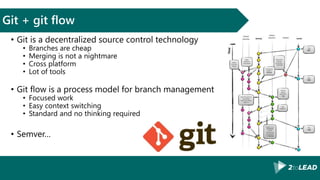
Git + git flow
• Git is a decentralized source control technology
• Branches are cheap
• Merging is not a nightmare
• Cross platform
• Lot of tools
• Git flow is a process model for branch management
• Focused work
• Easy context switching
• Standard and no thinking required
• Semver…
Let’s increase the quality of releases
Build
Automated builds
•Predictable result
•Constant quality
•Time saving
Build 2015
•JSON definition
•Web edition
•Lot of third parties integrations
•Tasks on github! (see notes)
•Agent auto updates!
Agents
•Hosted Agents
•BaaS
•Installed Agents
•Azure, or anywhere else
Build section, build agents 2015
Demo
Automate all the things!
Deploy
Pick and choose!
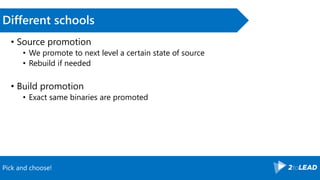
Different schools
• Source promotion
• We promote to next level a certain state of source
• Rebuild if needed
• Build promotion
• Exact same binaries are promoted
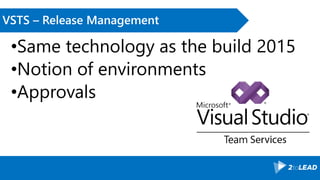
VSTS – Release Management
•Same technology as the build 2015
•Notion of environments
•Approvals
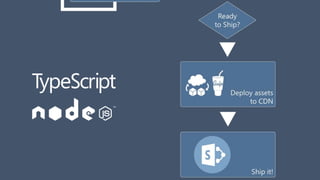
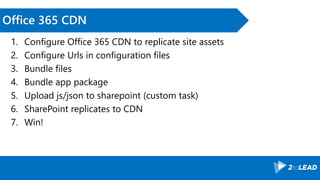
Office 365 CDN
1. Configure Office 365 CDN to replicate site assets
2. Configure Urls in configuration files
3. Bundle files
4. Bundle app package
5. Upload js/json to sharepoint (custom task)
6. SharePoint replicates to CDN
7. Win!
MH and small project deployment with RM
Demo
Final touch to QA
Test
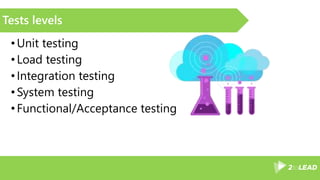
Tests levels
•Unit testing
•Load testing
•Integration testing
•System testing
•Functional/Acceptance testing
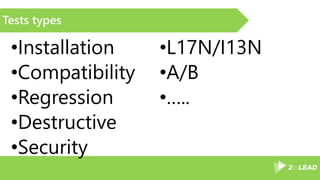
Tests types
•Installation
•Compatibility
•Regression
•Destructive
•Security
•L17N/I13N
•A/B
•…..
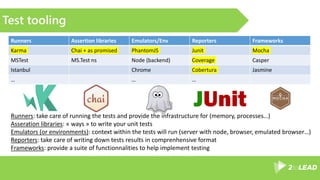
Test tooling
Runners Assertion libraries Emulators/Env Reporters Frameworks
Karma Chai + as promised PhantomJS Junit Mocha
MSTest MS.Test ns Node (backend) Coverage Casper
Istanbul Chrome Cobertura Jasmine
… … …
Runners: take care of running the tests and provide the infrastructure for (memory, processes…)
Asseration libraries: « ways » to write your unit tests
Emulators (or environments): context within the tests will run (server with node, browser, emulated browser…)
Reporters: take care of writing down tests results in comprenhensive format
Frameworks: provide a suite of functionnalities to help implement testing
Unit tests of demo webpart
Demo
Or how to avoid digging your own grave
Technical debt management
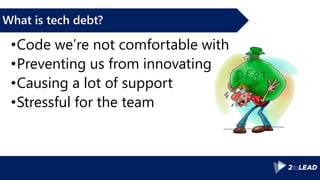
What is tech debt?
•Code we’re not comfortable with
•Preventing us from innovating
•Causing a lot of support
•Stressful for the team
Solutions?
•Rewrite everything every 2 years
•Pair coding
•Static analysis + linting
SonarQube for MH, linting for demo webpart
Demo
I swear, I’m going to stop talking soon and let you free
Conclusion
Conclusion
•Lot of time saved
•Consistent builds
•Automated tests
•Quality increased
•Money saved
Thanks
Vincent Biret
Office 365 and Azure Developer, 2toLead.
#SPSMonaco

Sps monaco vincent biret spfx devops

Editor's Notes

  • #5 Devs, devops, qa people, deciders Why should you care? ALM = time saved, happy devs, money saved and better products/services
  • #7 Gestion des questions, interaction, ok avec ce programme?
  • #17 Might be a little bit different when doing consulting but same idea
  • #20 https://www.visualstudio.com/get-started/overview-of-get-started-tasks-vs Unlimited storage, team projects, everything, 5 free users, free for users with msdn subscriptions, free for stakeholders Data Warehouse can be replaced by powerbi or dashboard being delivered http://blog-eng.dbtek.it/2014/03/visual-studio-online-vso-vs-team.html
  • #26 New, hasn’t yet the build quality information and integration with RM + tests manager. Only on vsonline right now https://github.com/Microsoft/vsts-agent-tasks
  • #27 Build as a Service (billed by minutes building), Hosted agents have foundation edition of sharepoint installed. Installed agents only need internet access.
  • #31 powershell + Tasks = quick win Tip: use –verbose everywhere!
  • #32 Use Office 365 + CDN to quickly RM to an environment https://www.eliostruyf.com/automate-publishing-of-your-sharepoint-framework-scripts-to-office-365-public-cdn/ https://dev.office.com/blogs/office-365-public-cdn-developer-preview-release
  • #36 Goal of this section is not to cover everything, but more what we can achieve in the SharePoint world
  • #41 If the static analysis could be automated, wouldn’t be it great?
  • #44 Money save = dev time saved, less support to provide, better product/service