Daniel Mann
Senior Software Development Consultant
InCycle Software
Release Management in TFS 2015
We Help Customers
Achieve the Next Level of Success
Gold
Gold
ALM Senior Consultants and Azure
Architects across North America
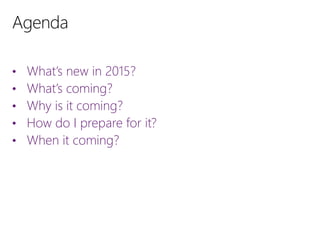
• What’s new in 2015?
• What’s coming?
• Why is it coming?
• How do I prepare for it?
• When it coming?
• Client-side performance improvements
• Client-side display tweaks (builds are ordered
alphabetically)
• Ability to release “vNext” (task-based) Builds
• Release Management 2013 / 2015
vs
• Release Management Service
• Agent-based release template
vs
• vNext release template
Release Management Server is not
going anywhere!
• Release capabilities natively integrated into Team
Foundation Server
• Robust web UI – no more client software
• Some concepts will carry over, some will not
• Separation of Release and Deployment
Release:
• What software am I releasing?
• To what environment am I releasing it?
• Who is responsible for approving/validating the release?
• Release metrics (time between releases, length of release, etc)
Deployment:
• How do I configure this environment so it can run my software?
• How do I install my software?
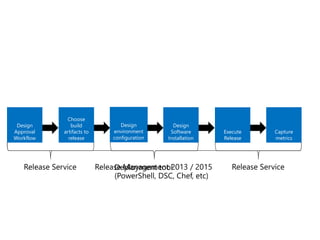
Design
Approval
Workflow
Design
environment
configuration
Choose
build
artifacts to
release
Execute
Release
Capture
metrics
Design
Software
Installation
• Ease of use
• Tighter integration with TFS / VSO
• Huge focus on going cross-platform and cross-technology
• Existing RM deployment model was tightly coupled to Windows
and .NET
• Plenty of other deployment tools out there that are already
mature and feature-rich
• “Classic” release templates don’t scale well
• “Classic” release templates don’t enforce Configuration As Code
• Your environment configuration and deployment
should ideally be:
Comprehensible (to everyone!)
Source-controlled
Versioned along with the application(s) being deployed
• Why?
Prevents configuration drift
Better auditing
Better understanding of environment capabilities
• If you’re using actions in “classic” (agent-based)
release templates, avoid using that model for new
projects
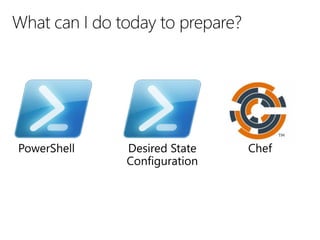
• Start deploying new projects with PowerShell
scripts, DSC, or Chef
• Use Release Management to invoke those scripts
and manage the approval workflows
• Consider redesigning existing releases using the
above model
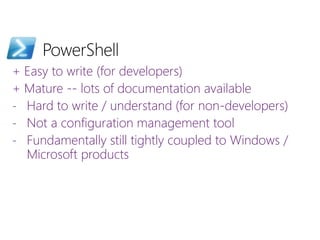
+ Easy to write (for developers)
+ Mature -- lots of documentation available
- Hard to write / understand (for non-developers)
- Not a configuration management tool
- Fundamentally still tightly coupled to Windows /
Microsoft products
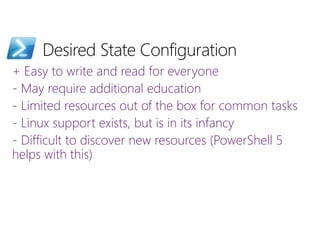
+ Easy to write and read for everyone
- May require additional education
- Limited resources out of the box for common tasks
- Linux support exists, but is in its infancy
- Difficult to discover new resources (PowerShell 5
helps with this)
+ Large community
+ Large repository of cookbooks for common tasks
- Chef server requires Linux
- Recipes are all written in Ruby
- Requires Chef client to be installed on all target
machines
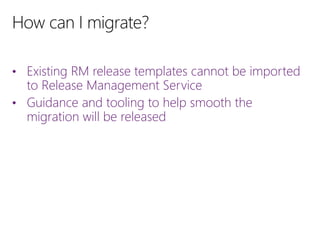
• Existing RM release templates cannot be imported
to Release Management Service
• Guidance and tooling to help smooth the
migration will be released
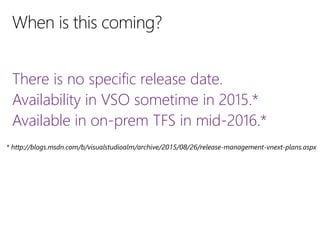
There is no specific release date.
Availability in VSO sometime in 2015.*
Available in on-prem TFS in mid-2016.*
Book Your TFS
2015 Upgrade
by December
31st!
Microsoft
Program
/InCycleSoftware @InCycleSoftware /company/incycle-software incyclesoftware.com/blog/
Contact us: info@incyclesoftware.com
1-(800) 565-0510
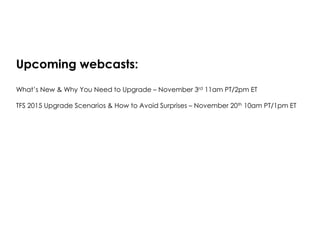
Upcoming webcasts:
What’s New & Why You Need to Upgrade – November 3rd 11am PT/2pm ET
TFS 2015 Upgrade Scenarios & How to Avoid Surprises – November 20th 10am PT/1pm ET

Release Management in TFS 2015

  • 1.
    Daniel Mann Senior SoftwareDevelopment Consultant InCycle Software Release Management in TFS 2015
  • 2.
    We Help Customers Achievethe Next Level of Success Gold Gold ALM Senior Consultants and Azure Architects across North America
  • 3.
    • What’s newin 2015? • What’s coming? • Why is it coming? • How do I prepare for it? • When it coming?
  • 4.
    • Client-side performanceimprovements • Client-side display tweaks (builds are ordered alphabetically) • Ability to release “vNext” (task-based) Builds
  • 5.
    • Release Management2013 / 2015 vs • Release Management Service • Agent-based release template vs • vNext release template
  • 6.
    Release Management Serveris not going anywhere!
  • 7.
    • Release capabilitiesnatively integrated into Team Foundation Server • Robust web UI – no more client software • Some concepts will carry over, some will not • Separation of Release and Deployment
  • 8.
    Release: • What softwaream I releasing? • To what environment am I releasing it? • Who is responsible for approving/validating the release? • Release metrics (time between releases, length of release, etc) Deployment: • How do I configure this environment so it can run my software? • How do I install my software?
  • 9.
  • 10.
    • Ease ofuse • Tighter integration with TFS / VSO • Huge focus on going cross-platform and cross-technology • Existing RM deployment model was tightly coupled to Windows and .NET • Plenty of other deployment tools out there that are already mature and feature-rich • “Classic” release templates don’t scale well • “Classic” release templates don’t enforce Configuration As Code
  • 11.
    • Your environmentconfiguration and deployment should ideally be: Comprehensible (to everyone!) Source-controlled Versioned along with the application(s) being deployed • Why? Prevents configuration drift Better auditing Better understanding of environment capabilities
  • 12.
    • If you’reusing actions in “classic” (agent-based) release templates, avoid using that model for new projects • Start deploying new projects with PowerShell scripts, DSC, or Chef • Use Release Management to invoke those scripts and manage the approval workflows • Consider redesigning existing releases using the above model
  • 14.
    + Easy towrite (for developers) + Mature -- lots of documentation available - Hard to write / understand (for non-developers) - Not a configuration management tool - Fundamentally still tightly coupled to Windows / Microsoft products
  • 15.
    + Easy towrite and read for everyone - May require additional education - Limited resources out of the box for common tasks - Linux support exists, but is in its infancy - Difficult to discover new resources (PowerShell 5 helps with this)
  • 16.
    + Large community +Large repository of cookbooks for common tasks - Chef server requires Linux - Recipes are all written in Ruby - Requires Chef client to be installed on all target machines
  • 17.
    • Existing RMrelease templates cannot be imported to Release Management Service • Guidance and tooling to help smooth the migration will be released
  • 18.
    There is nospecific release date. Availability in VSO sometime in 2015.* Available in on-prem TFS in mid-2016.*
  • 20.
    Book Your TFS 2015Upgrade by December 31st! Microsoft Program /InCycleSoftware @InCycleSoftware /company/incycle-software incyclesoftware.com/blog/ Contact us: info@incyclesoftware.com 1-(800) 565-0510
  • 21.
    Upcoming webcasts: What’s New& Why You Need to Upgrade – November 3rd 11am PT/2pm ET TFS 2015 Upgrade Scenarios & How to Avoid Surprises – November 20th 10am PT/1pm ET