Introduction to Microsoft
Graph
Vincent Biret
Passionate about technologies, development and community
Vincent Biret
@baywet
bit.ly/vince365
Microsoft Office Dev MVP
Azure and Office 365 developer @ 2toLead
Build apps with the
Microsoft Graph REST
API
Build applications using Microsoft Graph REST API
Microsoft Graph
REST API
Intro to the Microsoft Graph REST
API
Getting started
SDKs & Code Samples
Resources
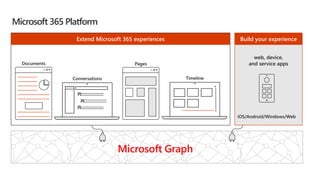
Microsoft 365 Platform
web, device,
and service apps
Extend Microsoft 365 experiences
1
iOS/Android/Windows/Web
Build your experience
Microsoft Graph
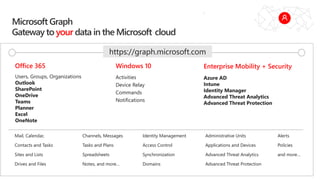
Microsoft Graph
Gateway to your data in the Microsoft-cloud
Users, Groups, Organizations
Outlook
SharePoint
OneDrive
Teams
Planner
Excel
OneNote
Activities
Device Relay
Commands
Notifications
Azure AD
Intune
Identity Manager
Advanced Threat Analytics
Advanced Threat Protection
Mail, Calendar,
Contacts and Tasks
Sites and Lists
Drives and Files
Channels, Messages
Tasks and Plans
Spreadsheets
Notes, and more…
Identity Management
Access Control
Synchronization
Domains
Administrative Units
Applications and Devices
Advanced Threat Analytics
Advanced Threat Protection
Alerts
Policies
and more…
Office 365 Windows 10 Enterprise Mobility + Security
https://graph.microsoft.com
Microsoft Graph, gateway to Office 365
Single resource that proxies multiple Microsoft services
Allows for easy traversal of objects and relationships
Simplifies token acquisition and management
Eliminates the need to traditional discovery (using “me” and “myorganization”)
Office 365 direct API Endpoints
Direct API endpoints for all the Office 365 Services may also be invoked
Outlook, OneDrive, OneNote, etc.
Direct endpoints have new functionality before it is exposed via the Graph API
Examples:
Outlook web hooks
Time zone on calendar
Accessing the Microsoft Graph
Direct REST API
• Any platform
• Any language
• Any framework
Native SDKs
• Utilize framework & platform specific implementations
• Abstracts the details of constructing & processing REST requests over HTTP
• .NET, iOS, Android, PhP, Ruby, JavaScript, etc.
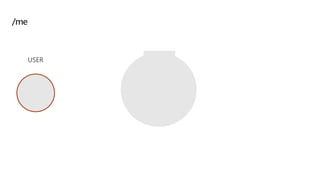
Microsoft Graph
REST API
USER
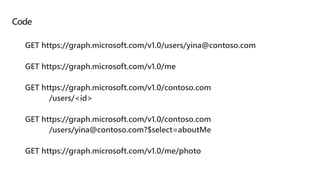
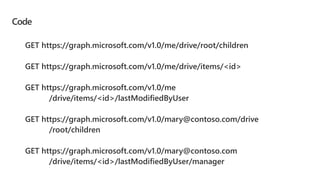
Code
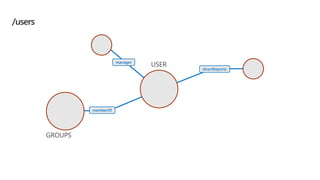
manager
directReports
GROUPS
memberOf
USER
/users
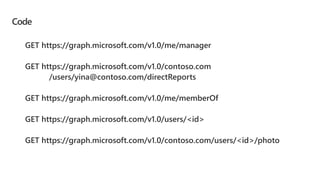
Code
manager
directReports
GROUPS
memberOf
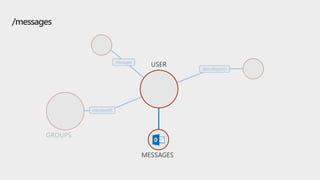
/messages
MESSAGES
USER
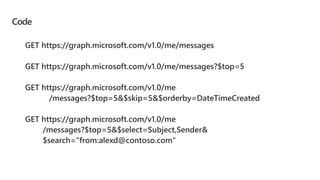
Code
MESSAGES
manager
directReports
GROUPS
memberOf
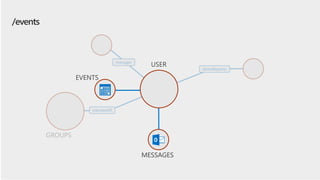
/events
MESSAGES
EVENTS
USER
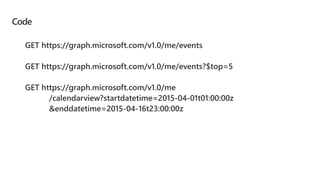
Code
EVENTS
MESSAGES
manager
directReports
GROUPS
memberOf
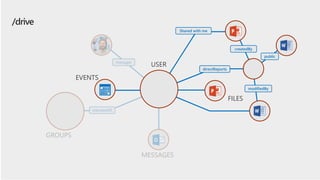
/drive
EVENTS
Shared with me
modifiedBy
FILES
createdBy
directReports
USER
public
Code
trendingAround
trendingAround
directReports
workingWith
workingWith
createdBy
FILES
CONVERSATIONS
EVENTS
GROUPS
memberOf
directReports
Shared with me
modifiedBy
FILES
createdBy
directReports
public
EVENTS
MESSAGES
manager
GROUPS
memberOf
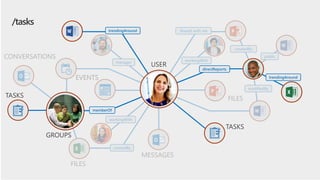
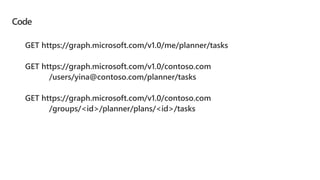
/tasks
TASKS
TASKS
GROUPS
memberOf
trendingAround
trendingAround
directReports
USER
Code
TASKS
manager
memberOf
FILES
MESSAGES
workingWith
Shared with me
directReports
createdBy
FILES
CONVERSATIONS
createdBy
workingWith
EVENTS
trendingAround
GROUPS
TASKS
NOTES
NOTES
public
modifiedBy
USER
trendingAround
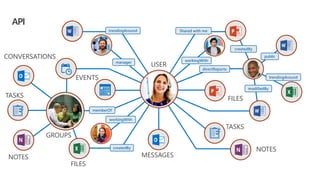
API
Azure AD Applications: The Microsoft Graph Dependency
All Microsoft Graph access options (REST API / SDKs) depend on Azure
AD
Must register an Azure AD application to access the Microsoft Graph
Use the Azure AD application to authenticate, gain authorization &
obtain an access token
Access token included in the underlying HTTP request to call the
Microsoft Graph endpoint
Single authentication flow for Office 365
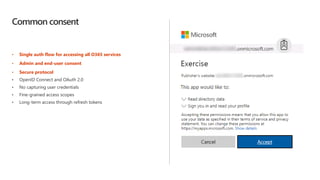
Common consent
• Single auth flow for accessing all O365 services
• Admin and end-user consent
• Secure protocol
• OpenID Connect and OAuth 2.0
• No capturing user credentials
• Fine-grained access scopes
• Long-term access through refresh tokens
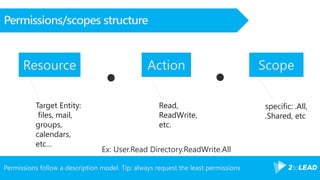
Permissions follow a description model. Tip: always request the least permissions
Permissions/scopes structure
specific: .All,
.Shared, etc
Read,
ReadWrite,
etc.
Target Entity:
files, mail,
groups,
calendars,
etc…
Ex: User.Read Directory.ReadWrite.All
Resource Action Scope
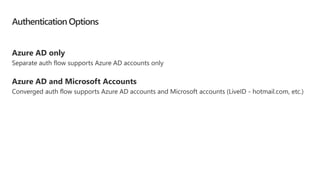
Authentication Options
Azure AD only
Separate auth flow supports Azure AD accounts only
Azure AD and Microsoft Accounts
Converged auth flow supports Azure AD accounts and Microsoft accounts (LiveID - hotmail.com, etc.)
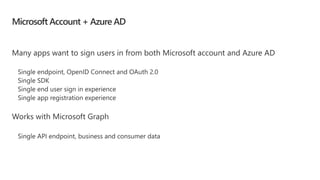
Microsoft Account + Azure AD
Many apps want to sign users in from both Microsoft account and Azure AD
Works with Microsoft Graph
Demo
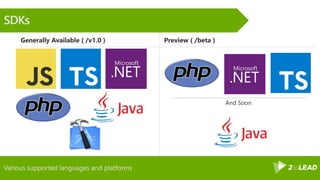
Various supported languages and platforms
SDKs
Generally Available ( /v1.0 ) Preview ( /beta )
And Soon
Build React SPA apps
with the
Microsoft Graph
Building Microsoft
Graph applications
Getting started
SDKs & Code Samples
Resources
Creating an React single page
application configured with
MSAL for authentication with
Azure AD
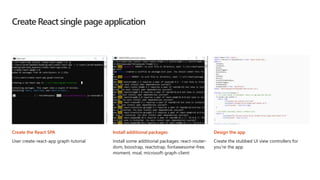
Create React single page application
Create the React SPA
User create-react-app graph-tutorial
Install additional packages
Install some additional packages: react-router-
dom, boostrap, reactstrap, fontawesome-free,
moment, msal, microsoft-graph-client
Design the app
Create the stubbed UI view controllers for
you’re the app
LAB
https://github.com/microsoftgraph/msgraph-training-reactspa
Correction & answers
TODO
Bit.ly/vince365 @baywet slideshare.net/VincentBIRET
Thanks!/Questions?
Vincent Biret
Office 365 and Azure
Developer, 2toLead
@baywet
Bit.ly/vince365

MS365 Dev Bootcamp Montreal 2019 - Microsoft graph introduction

Editor's Notes

  • #7 Our Office 365 developer vision focuses on the Users’ experience and their data. As a developer you can bring your applications into their user experience. With over 1.2+ billion users of Office Worldwide, this is a huge opportunity to provide a window into your applications. As well as being able to connect into their data and add intelligence to your applications. There are currently 850 million events created a month and a total of 470Pb+ of data stored in the service that can add value to for our Users’.
  • #32 Demo graph explorer, samples, modules de formation
  • #33 https://github.com/microsoftgraph 
  • #40 Install-Package “Microsoft.Graph” The Microsoft.Graph.Core package will be installed with Microsoft.Graph as a dependency, as will Newtonsoft.Json.
  • #45 Once the access token is acquired, your application continues to call the Graph API without going through the steps to obtain an access token, it just caches it locally and keeps using it. At some point, the token expires. A refresh token is used to obtain a new access token without requiring the user to log in again. To understand why the MSAL library is important, it’s necessary to understand what it is handling for you. Your code follows a simple pattern to acquire a token silently, and if that fails, acquire a token interactively. Your code does not need to manage the login pop up screen, the interaction for obtaining consent, and does not need to manage token lifetimes. The call to /common/OAuth/v2.0/authorize will pop up a login screen and request permissions consent. It is important to cache the refresh token to request a new access token. This is what the MSAL library does for you, there is no action for you as a developer to manage the refresh token. You can create a custom cache for persistence, but MSAL manages the token lifetime. It is important, however, to understand what the library is doing.