



SOCIAL MEDIA CAPACITY BUILDINGStep by Step Solutions for Your Nonprofit OrganizationSusan Tenby  @SuzboopOnline Community & Social Media DirectorTechSoup Global
Social Media Conversation in CommunitySusan TenbyOnline Community/Social Media Director,TechSoup Globalsusan@techsoup.org@suzboopSusantenby.com
We are working toward a time when every nonprofit and social benefit organization on the planet has the technology resources and knowledge they need to operate at their full potential
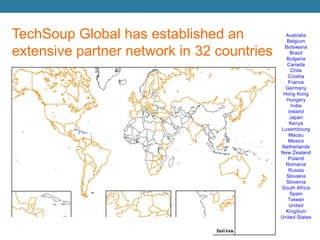
TechSoup Global has established an extensive partner network in 32 countriesAustraliaBelgium BotswanaBrazilBulgariaCanada Chile CroatiaFranceGermany Hong Kong HungaryIndia IrelandJapan Kenya Luxembourg MacauMexico Netherlands New Zealand Poland RomaniaRussiaSlovakiaSloveniaSouth AfricaSpainTaiwanUnited KingdomUnited States
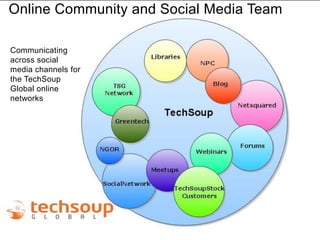
Online Community and Social Media TeamDouble-click to enter titleCommunicating across social media channels for the TechSoup Global online networksDouble-click to enter text
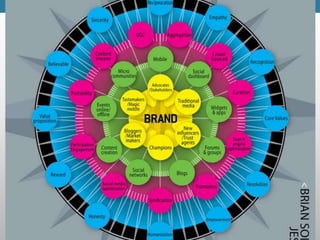
CAPACITY BUILDINGBegins with creating a map of social engagement
Cause, campaign or organizational plan?
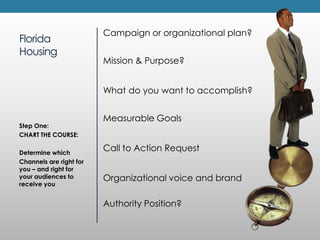
FloridaHousingCampaignor organizational plan?Mission & Purpose?What do you want to accomplish?Measurable GoalsCall to Action RequestOrganizational voice and brandAuthority Position?Step One:CHART THE COURSE:Determine whichChannels are right for you – and right for your audiences to receive you
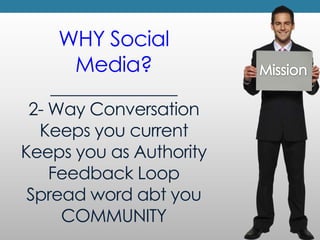
WHY Social Media?_______________2- Way ConversationKeeps you currentKeeps you as AuthorityFeedback LoopSpread word abt youCOMMUNITYMission
Measurable GoalsConnected to Specific outcomesCall to Action RequestWhat do you want to accomplish?
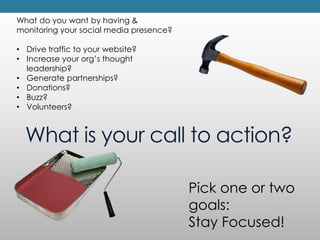
What do you want by having & monitoring your social media presence?Drive traffic to your website?
Increase your org’s thought leadership?
Generate partnerships?
Donations?
Buzz?
Volunteers?What is your call to action?Pick one or two goals: Stay Focused!
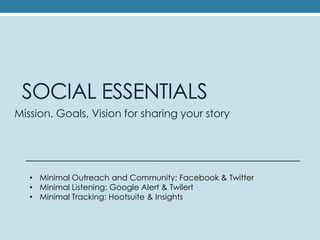
SOCIAL ESSENTIALSMission, Goals, Vision for sharing your storyMinimal Outreach and Community: Facebook & Twitter
Minimal Listening: Google Alert & Twilert
Minimal Tracking: Hootsuite & Insights
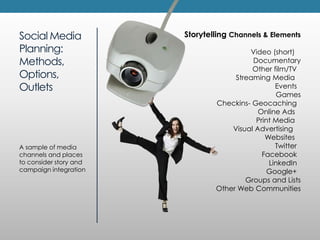
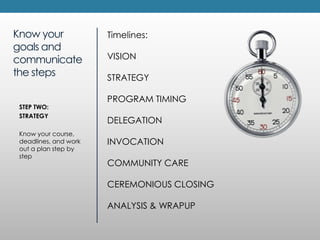
Social Media Planning: Methods,Options, Outlets Storytelling Channels & ElementsVideo (short)   Documentary Other film/TV  Streaming Media   Events  Games Checkins- Geocaching  Online Ads   Print Media   Visual Advertising    Websites   Twitter  Facebook  LinkedIn  Google+  Groups and ListsOther Web CommunitiesA sample of media channels and places to consider story and campaign integration
The Right Formula = Your Secret Sauce
Managing your internal voicesListening to your external voices
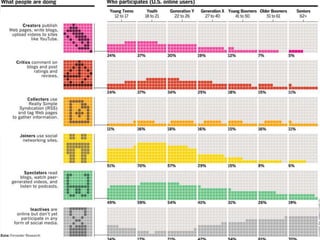
Who do you want to participate?How do they participate?At a minimum...When setting up your networks, make sure you include the following:1) Photo and/or logo2) Links back to your website3) Content about you or your organization
DigiTAL STORYTELLINGhttp://tiny.cc/tsdigsSocial stories shared amongst trusted friends
What is your story?
Organizational voice and branding…What is yourAuthority Position?
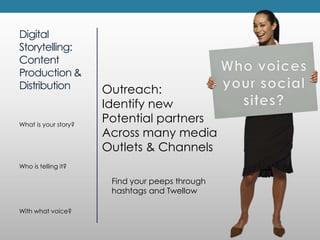
Digital Storytelling: Content Production &DistributionWho voicesyour social sites? Outreach:Identify newPotential partnersAcross many media Outlets & ChannelsWhat is your story?Who is telling it?With what voice?Find your peeps through hashtags and Twellow
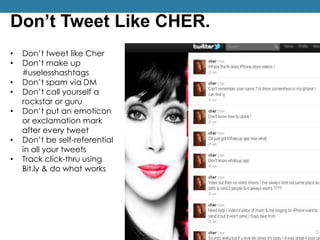
Don’t Tweet Like CHER.Don’t tweet like Cher
Don’t make up #uselesshashtags
Don’t spam via DM
Don’t call yourself a rockstar or guru
Don’t put an emoticon or exclamation mark after every tweet
Don’t be self-referential in all your tweets
Track click-thru using Bit.ly & do what works
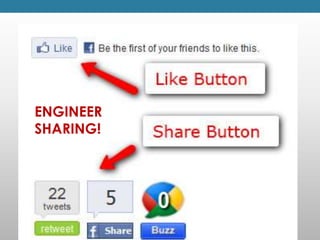
ENGINEER SHARING!
CONVERSATION
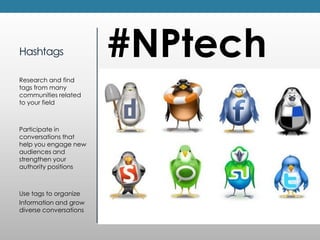
Hashtags#NPtechResearch and find tags from many communities related to your fieldParticipate in conversations that help you engage new audiences and strengthen your authority positionsUse tags to organizeInformation and grow diverse conversations
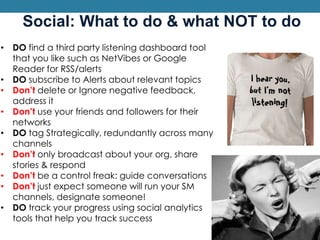
Social: What to do & what NOT to doDO find a third party listening dashboard tool that you like such as NetVibesor Google Reader for RSS/alerts
DO subscribe to Alerts about relevant topics
Don’t delete or Ignore negative feedback, address it
Don’t use your friends and followers for their networks
DO tag Strategically, redundantly across many channels
Don’t only broadcast about your org, share stories & respond
Don’t be a control freak: guide conversations
Don’t just expect someone will run your SM channels, designate someone!
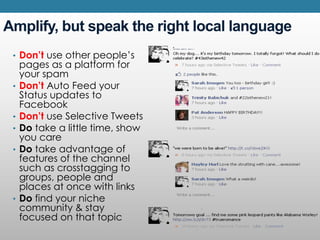
DO track your progress using social analytics tools that help you track success Amplify, but speak the right local language Don’t use other people’s pages as a platform for your spamDon’tAuto Feed your Status updates to FacebookDon’t use Selective TweetsDo take a little time, show you careDo take advantage of features of the channel such as crosstagging to groups, people and places at once with linksDo find your niche community & stay focused on that topic
LISTENING
A few good dashboards
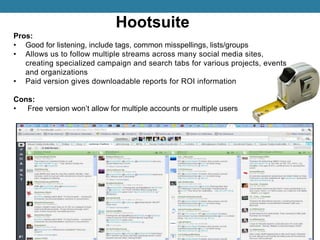
HootsuitePros:Good for listening, include tags, common misspellings, lists/groups
Allows us to follow multiple streams across many social media sites, creating specialized campaign and search tabs for various projects, events and organizations
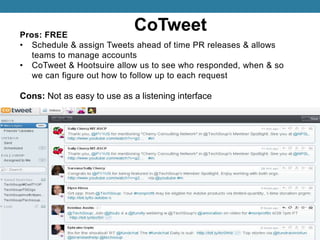
Paid version gives downloadable reports for ROI informationCons: Free version won’t allow for multiple accounts or multiple usersCoTweetPros: FREESchedule & assign Tweets ahead of time PR releases & allows teams to manage accounts
CoTweet & Hootsuire allow us to see who responded, when & so we can figure out how to follow up to each requestCons: Not as easy to use as a listening interface

Social Media Capacity Building

  • 1.
    SOCIAL MEDIA CAPACITYBUILDINGStep by Step Solutions for Your Nonprofit OrganizationSusan Tenby @SuzboopOnline Community & Social Media DirectorTechSoup Global
  • 2.
    Social Media Conversationin CommunitySusan TenbyOnline Community/Social Media Director,TechSoup Globalsusan@techsoup.org@suzboopSusantenby.com
  • 3.
    We are workingtoward a time when every nonprofit and social benefit organization on the planet has the technology resources and knowledge they need to operate at their full potential
  • 4.
    TechSoup Global hasestablished an extensive partner network in 32 countriesAustraliaBelgium BotswanaBrazilBulgariaCanada Chile CroatiaFranceGermany Hong Kong HungaryIndia IrelandJapan Kenya Luxembourg MacauMexico Netherlands New Zealand Poland RomaniaRussiaSlovakiaSloveniaSouth AfricaSpainTaiwanUnited KingdomUnited States
  • 5.
    Online Community andSocial Media TeamDouble-click to enter titleCommunicating across social media channels for the TechSoup Global online networksDouble-click to enter text
  • 7.
    CAPACITY BUILDINGBegins withcreating a map of social engagement
  • 8.
    Cause, campaign ororganizational plan?
  • 10.
    FloridaHousingCampaignor organizational plan?Mission& Purpose?What do you want to accomplish?Measurable GoalsCall to Action RequestOrganizational voice and brandAuthority Position?Step One:CHART THE COURSE:Determine whichChannels are right for you – and right for your audiences to receive you
  • 11.
    WHY Social Media?_______________2-Way ConversationKeeps you currentKeeps you as AuthorityFeedback LoopSpread word abt youCOMMUNITYMission
  • 12.
    Measurable GoalsConnected toSpecific outcomesCall to Action RequestWhat do you want to accomplish?
  • 13.
    What do youwant by having & monitoring your social media presence?Drive traffic to your website?
  • 14.
    Increase your org’sthought leadership?
  • 15.
  • 16.
  • 17.
  • 18.
    Volunteers?What is yourcall to action?Pick one or two goals: Stay Focused!
  • 19.
    SOCIAL ESSENTIALSMission, Goals,Vision for sharing your storyMinimal Outreach and Community: Facebook & Twitter
  • 20.
  • 21.
  • 24.
    Social Media Planning:Methods,Options, Outlets Storytelling Channels & ElementsVideo (short)   Documentary Other film/TV  Streaming Media   Events  Games Checkins- Geocaching  Online Ads   Print Media   Visual Advertising    Websites   Twitter  Facebook  LinkedIn  Google+  Groups and ListsOther Web CommunitiesA sample of media channels and places to consider story and campaign integration
  • 25.
    The Right Formula= Your Secret Sauce
  • 26.
    Managing your internalvoicesListening to your external voices
  • 27.
    Who do youwant to participate?How do they participate?At a minimum...When setting up your networks, make sure you include the following:1) Photo and/or logo2) Links back to your website3) Content about you or your organization
  • 29.
  • 30.
  • 31.
    Organizational voice andbranding…What is yourAuthority Position?
  • 32.
    Digital Storytelling: ContentProduction &DistributionWho voicesyour social sites? Outreach:Identify newPotential partnersAcross many media Outlets & ChannelsWhat is your story?Who is telling it?With what voice?Find your peeps through hashtags and Twellow
  • 33.
    Don’t Tweet LikeCHER.Don’t tweet like Cher
  • 34.
    Don’t make up#uselesshashtags
  • 35.
  • 36.
    Don’t call yourselfa rockstar or guru
  • 37.
    Don’t put anemoticon or exclamation mark after every tweet
  • 38.
    Don’t be self-referentialin all your tweets
  • 39.
    Track click-thru usingBit.ly & do what works
  • 40.
  • 41.
  • 42.
    Hashtags#NPtechResearch and findtags from many communities related to your fieldParticipate in conversations that help you engage new audiences and strengthen your authority positionsUse tags to organizeInformation and grow diverse conversations
  • 43.
    Social: What todo & what NOT to doDO find a third party listening dashboard tool that you like such as NetVibesor Google Reader for RSS/alerts
  • 44.
    DO subscribe toAlerts about relevant topics
  • 45.
    Don’t delete orIgnore negative feedback, address it
  • 46.
    Don’t use yourfriends and followers for their networks
  • 47.
    DO tag Strategically,redundantly across many channels
  • 48.
    Don’t only broadcastabout your org, share stories & respond
  • 49.
    Don’t be acontrol freak: guide conversations
  • 50.
    Don’t just expectsomeone will run your SM channels, designate someone!
  • 51.
    DO track yourprogress using social analytics tools that help you track success Amplify, but speak the right local language Don’t use other people’s pages as a platform for your spamDon’tAuto Feed your Status updates to FacebookDon’t use Selective TweetsDo take a little time, show you careDo take advantage of features of the channel such as crosstagging to groups, people and places at once with linksDo find your niche community & stay focused on that topic
  • 52.
  • 54.
    A few gooddashboards
  • 55.
    HootsuitePros:Good for listening,include tags, common misspellings, lists/groups
  • 56.
    Allows us tofollow multiple streams across many social media sites, creating specialized campaign and search tabs for various projects, events and organizations
  • 57.
    Paid version givesdownloadable reports for ROI informationCons: Free version won’t allow for multiple accounts or multiple usersCoTweetPros: FREESchedule & assign Tweets ahead of time PR releases & allows teams to manage accounts
  • 58.
    CoTweet & Hootsuireallow us to see who responded, when & so we can figure out how to follow up to each requestCons: Not as easy to use as a listening interface

Editor's Notes

  • #28 Cher uses ALL CAPS, tweets longer than 140 so her stream is one long, disjointed tweet
  • #33 Janetfouts.com/listen and http://janetfouts.com/controlling-the-conversation/
  • #34 Take advantage of FB’s graphical interface, don’t usehashtags, they aren’t serving their purpose on FB, tag via FB’s tagging convention.
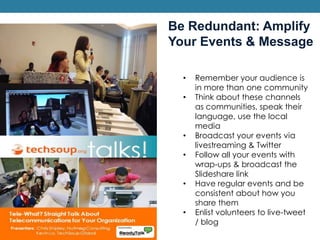
  • #44 Having events gives you a reason to share with your community, helps you reach outside communities, gives you the opportunity to be found on topical communities in the archiving, like Slideshare. Enlisting volunteer bloggers and tweeters opens your community up to more people, giving them ownership of the community. Helps create user-generated content.