The Foundation Center November 1, 2011 Doing More With Less:  Social Media Tips and  Trends for 2012
About Us Tuvel Communications  is a digital communications firm with a keen understanding of using the Internet to find “hidden” supporters, to get people talking about your brand, and to keep supporters coming back — again and again. Nonprofit & association clients: Share Our Strength Robert Wood Johnson Foundation Venture Philanthropy Partners National Association of Broadcasters  Tech Council Maryland Mitch Arnowitz  – Managing Director Kari Rippetoe  – Social Media & Community Outreach Manager
Tweeting This Seminar? Hashtag:  #FCSM Mitch on Twitter:  @mitcharno Kari on Twitter:  @KariRippetoe SB on Twitter:  @socialbullets
What is “social media”? The term  Social Media  refers to the use of web-based and mobile technologies to share information and turn communication into an interactive dialogue.  Social media engages rather than broadcasts.
The Many Forms of Social Media Internet forums   Instant Messaging (IM) Texting E-mail discussion lists  Location-based services  Blogs   Social media isn’t just Twitter, Facebook  and LinkedIn! Online communities  Microblogging   Wikis   Podcasts   Photo &  video  sharing  Social bookmarking
Why Social Media? Listening & participating Identifying targeted contacts Building thought-leadership Supporter communications
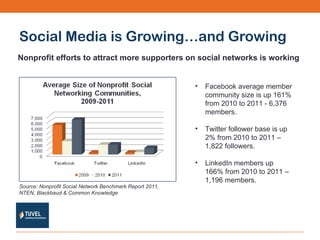
Social Media is Growing…and Growing Nonprofit efforts to attract more supporters on social networks is working Source: Nonprofit Social Network Benchmark Report 2011, NTEN, Blackbaud & Common Knowledge Facebook average member community size is up 161% from 2010 to 2011 - 6,376 members. Twitter follower base is up 2% from 2010 to 2011 – 1,822 followers. LinkedIn members up 166% from 2010 to 2011 – 1,196 members.
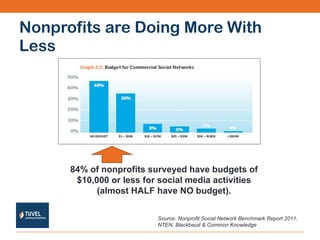
Nonprofits are Doing More With Less 84% of nonprofits surveyed have budgets of $10,000 or less for social media activities (almost HALF have NO budget). Source: Nonprofit Social Network Benchmark Report 2011, NTEN, Blackbaud & Common Knowledge
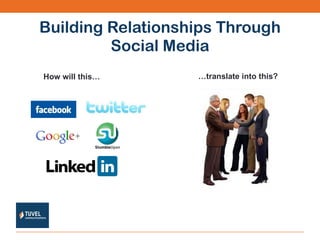
Building Relationships Through Social Media How will this… … translate into this?
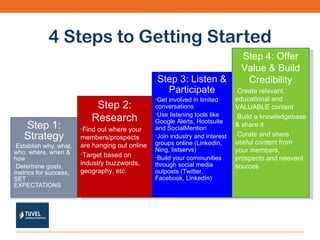
4 Steps to Getting Started Step 1: Strategy Establish why, what, who, where, when & how Determine goals, metrics for success, SET EXPECTATIONS Step 2: Research Find out where your members/prospects are hanging out online Target based on industry buzzwords, geography, etc. Step 3: Listen & Participate Get involved in limited conversations Use listening tools like Google Alerts, Hootsuite and SocialMention  Join industry and interest groups online (LinkedIn, Ning, listservs) Build your communities through social media outposts (Twitter, Facebook, LinkedIn) Step 4: Offer Value & Build Credibility Create relevant, educational and VALUABLE content Build a knowledgebase & share it Curate and share useful content from your members, prospects and relevant sources
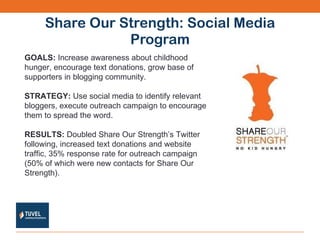
Share Our Strength: Social Media Program GOALS:  Increase awareness about childhood hunger, encourage text donations, grow base of supporters in blogging community. STRATEGY:  Use social media to identify relevant bloggers, execute outreach campaign to encourage them to spread the word. RESULTS:  Doubled Share Our Strength’s Twitter following, increased text donations and website traffic, 35% response rate for outreach campaign (50% of which were new contacts for Share Our Strength).
Robert Wood Johnson Foundation:  Social Media Program GOALS:   To explore and identify exciting, provocative ideas that challenge the status quo and remove the barriers that prevent people from getting the mental-health care they need, especially among vulnerable populations. STRATEGY:   Drive traffic to an online competition where people were prompted to share information through nominations, entries, and discussions.  RESULTS:   Produced a database of 350 social networkers that led to 72 links and references to the “Rethinking Mental Health” Competition. The campaign garnished a 20.5% response vs. a typical direct response rate of 0.5%. Positively impacted RWJF’s ranking in search engines.
Looking for ideas? Use social networking sites to communicate with members and supporters.  Survey your members and supporters about their online interests. Create a organizational blog, look for external guest writing opps, write press releases. Make it easy for your organization to be found & for people to engage with you. Conduct a limited influencer outreach campaign. Build a house file & maintain it. Create contests & promotions. Use digital communications to drive offline traffic (i.e. events). Look for special online marketing opportunities for nonprofits, i.e.  Google Grants ,  Stumbling For Good
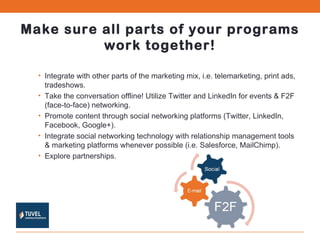
Make sure all parts of your programs work together! Integrate with other parts of the marketing mix, i.e. telemarketing, print ads, tradeshows. Take the conversation offline! Utilize Twitter and LinkedIn for events & F2F (face-to-face) networking. Promote content through social networking platforms (Twitter, LinkedIn, Facebook, Google+). Integrate social networking technology with relationship management tools & marketing platforms whenever possible (i.e. Salesforce, MailChimp). Explore partnerships.
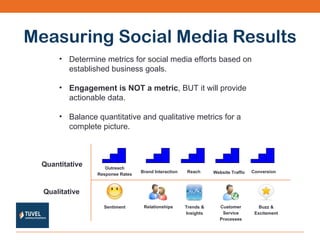
Measuring Social Media Results Determine metrics for social media efforts based on established business goals. Engagement is NOT a metric , BUT it will provide actionable data. Balance quantitative and qualitative metrics for a complete picture. Quantitative Qualitative Outreach Response Rates Brand Interaction Reach Website Traffic Conversion Sentiment Relationships Trends & Insights Customer Service Processes Buzz & Excitement
Social Media Trends for 2012
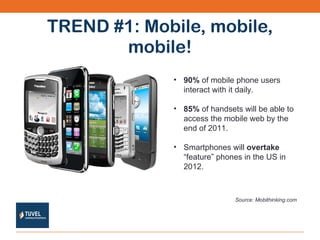
TREND #1: Mobile, mobile, mobile! 90%  of mobile phone users interact with it daily. 85%  of handsets will be able to access the mobile web by the end of 2011. Smartphones will  overtake  “feature” phones in the US in 2012. Source: Mobithinking.com
Mobile Giving is On the Rise According to the 2011  Kaptivate-AFP (Association of Fundraising Professionals) Mobile Report:  New Directions: Mobile’s adoption  momentum continues to grow A  shift away from SMS text and toward mobile web media  is in progress The motivation for launching a mobile capability is now  increasingly focused on audience engagement  versus donation flow
Ideas & Tools You Can Use QR Codes : easy and free way to deliver content to mobile devices from an offline location. Delivr QR Code Generator Bitly   Location-Based Services : Put your org on the map & get supporters involved on a local level. Foursquare  for check-ins at an event (i.e. conference, fundraising event Work with corporate sponsors for LBS promotion – win-win for everyone. Mobile Apps:  Get supporters interacting with your org & deliver content to them AppMakr
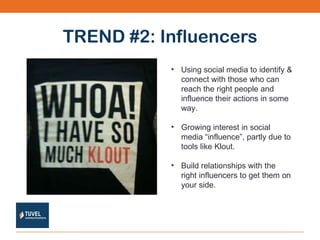
TREND #2: Influencers Using social media to identify & connect with those who can reach the right people and influence their actions in some way. Growing interest in social media “influence”, partly due to tools like Klout. Build relationships with the right influencers to get them on your side.
Ideas & Tools You Can Use Identify your influencers  – bloggers, social networkers, discussion lists admins, forum moderators, group leaders  Profile Builder  – build social profiles from your existing lists BlogDash ,  GroupHigh Your own Twitter followers ,  Twellow , LinkedIn,  Klout Boardreader ,  Omgili Directories:  Technorati ,  CataList Listen & participate  – follow influencers, comment on their blogs, monitor & join discussions Conduct a limited influencer outreach campaign Send personal messages customized to their interests. Offer value. Follow up on responses & build relationships.
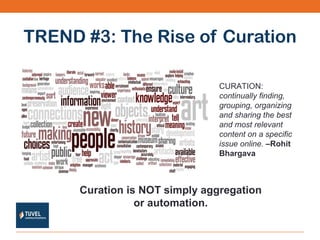
TREND #3: The Rise of Curation CURATION:  continually finding, grouping, organizing and sharing the best and most relevant content on a specific issue online.  –Rohit Bhargava Curation is NOT simply aggregation or automation.
Ideas & Tools You Can Use Gather and share the stories your supporters are most interested in  Content curation services:  Paper.li ,  Storify ,  Magnify  (video) Wikis:  Wikispaces Share valuable resources you’ve found on different topics/issues RSS feeds Mix content creation with curation  – share original content, but balance with outside content
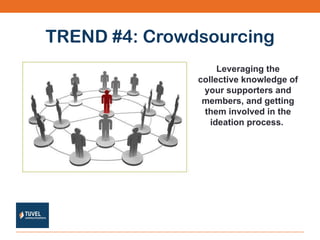
TREND #4: Crowdsourcing Leveraging the collective knowledge of your supporters and members, and getting them involved in the ideation process.
Ideas & Tools You Can Use Survey your supporters & members - gather feedback & suggestions Fundraising Contests “ Crowdfunding” tools:  Crowdrise ,  Wowcrowd Collaborate & generate ideas  SurveyMonkey Google Moderator Vyew Blog posts  Social Networks: Twitter, LinkedIn group, Facebook
TREND #5: Targeted Social Networks More targeted, focused social networking through “Circles”
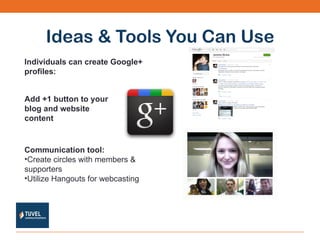
Ideas & Tools You Can Use Individuals can create Google+ profiles: Communication tool:   Create circles with members & supporters Utilize Hangouts for webcasting Add +1 button to your blog and website content
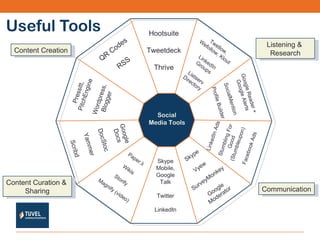
Useful Tools Social Media Tools Hootsuite Tweetdeck Thrive Google Reader + Google Alerts SocialMention Profile Builder Twellow, Wefollow, Klout LinkedIn Groups Listserv Directory Pressitt, PitchEngine Wordpress, Blogger Google Docs DocStoc Yammer Scribd Skype Mobile, Google Talk Twitter LinkedIn Skype Vyew SurveyMonkey Google Moderator Paper.li Wikis Storify Magnify (video) LinkedIn Ads Stumbling For Good (Stumbleupon) Facebook Ads QR Codes RSS Listening &  Research Content Creation Communication Content Curation &  Sharing
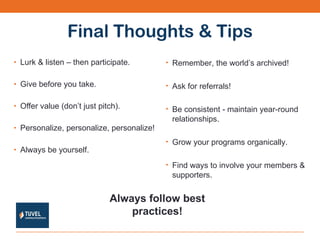
Final Thoughts & Tips Lurk & listen – then participate. Give before you take. Offer value (don’t just pitch). Personalize, personalize, personalize! Always be yourself. Remember, the world’s archived! Ask for referrals! Be consistent - maintain year-round relationships. Grow your programs organically. Find ways to involve your members & supporters. Always follow best practices!
APPENDIX OF SOCIAL MEDIA TOOLS
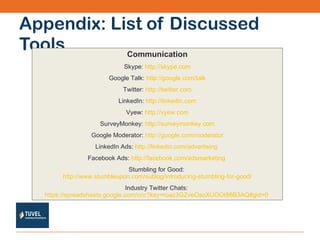
Appendix: List of Discussed Tools Communication Skype:  http://skype.com Google Talk:  http://google.com/talk Twitter:  http://twitter.com LinkedIn:  http://linkedin.com Vyew:  http://vyew.com SurveyMonkey:  http://surveymonkey.com Google Moderator:  http://google.com/moderator LinkedIn Ads:  http://linkedin.com/advertising   Facebook Ads:  http://facebook.com/adsmarketing   Stumbling for Good:  http://www.stumbleupon.com/sublog/introducing-stumbling-for-good/ Industry Twitter Chats:  https://spreadsheets.google.com/ccc?key=ruaz3GZveOsoXUOOt86B3AQ#gid=0
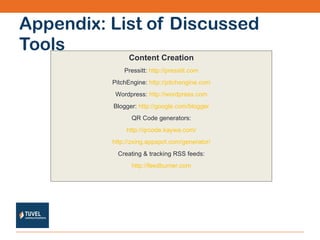
Appendix: List of Discussed Tools Content Creation Pressitt:  http://pressitt.com PitchEngine:  http://pitchengine.com Wordpress:  http://wordpress.com Blogger:  http://google.com/blogger QR Code generators: http://qrcode.kaywa.com/ http://zxing.appspot.com/generator/ Creating & tracking RSS feeds: http://feedburner.com
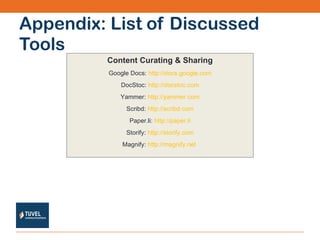
Appendix: List of Discussed Tools Content Curating & Sharing Google Docs:  http://docs.google.com DocStoc:  http://docstoc.com Yammer:  http://yammer.com Scribd:  http://scribd.com Paper.li:  http://paper.li Storify:  http://storify.com Magnify:  http://magnify.net
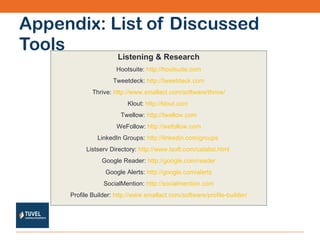
Appendix: List of Discussed Tools Listening & Research Hootsuite:  http://hootsuite.com Tweetdeck:  http://tweetdeck.com Thrive:  http://www.smallact.com/software/thrive/ Klout:  http://klout.com   Twellow:  http://twellow.com WeFollow:  http://wefollow.com LinkedIn Groups:  http://linkedin.com/groups   Listserv Directory:  http://www.lsoft.com/catalist.html   Google Reader:  http://google.com/reader Google Alerts:  http://google.com/alerts SocialMention:  http://socialmention.com Profile Builder:  http://www.smallact.com/software/profile-builder/
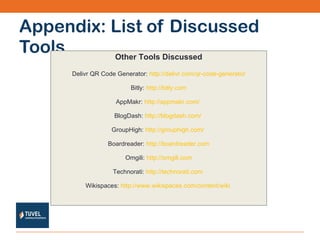
Appendix: List of Discussed Tools Other Tools Discussed Delivr QR Code Generator:  http://delivr.com/qr-code-generator Bitly:  http://bitly.com AppMakr:  http://appmakr.com/   BlogDash:  http://blogdash.com/   GroupHigh:  http://grouphigh.com/   Boardreader:  http://boardreader.com Omgili:  http://omgili.com Technorati:  http://technorati.com   Wikispaces:  http://www.wikispaces.com/content/wiki
Appendix: List of Discussed Tools Other Tools Discussed (cont.) Crowdrise:  http://crowdrise.com   Wowcrowd:  http://wowcrowd.com   Google Plus:  http://plus.google.com
Thanks for listening! Steven Black Webmaster, Consultant  Social Bullets E:  [email_address] @socialbullets   Visit us online:  http://www.tuvel.com http://www.socialbullets.com Mitch Arnowitz Managing Director,  Tuvel Communications E:  [email_address] @mitcharno   M: 301.524.1587 Kari Rippetoe Community Outreach Manager,  Tuvel Communications E:  [email_address] @KariRippetoe   M: 434.996.3144

Social Media Trends and Tips for 2012

  • 1.
    The Foundation CenterNovember 1, 2011 Doing More With Less: Social Media Tips and Trends for 2012
  • 2.
    About Us TuvelCommunications is a digital communications firm with a keen understanding of using the Internet to find “hidden” supporters, to get people talking about your brand, and to keep supporters coming back — again and again. Nonprofit & association clients: Share Our Strength Robert Wood Johnson Foundation Venture Philanthropy Partners National Association of Broadcasters Tech Council Maryland Mitch Arnowitz – Managing Director Kari Rippetoe – Social Media & Community Outreach Manager
  • 3.
    Tweeting This Seminar?Hashtag: #FCSM Mitch on Twitter: @mitcharno Kari on Twitter: @KariRippetoe SB on Twitter: @socialbullets
  • 4.
    What is “socialmedia”? The term  Social Media  refers to the use of web-based and mobile technologies to share information and turn communication into an interactive dialogue.  Social media engages rather than broadcasts.
  • 5.
    The Many Formsof Social Media Internet forums   Instant Messaging (IM) Texting E-mail discussion lists Location-based services  Blogs   Social media isn’t just Twitter, Facebook and LinkedIn! Online communities  Microblogging   Wikis   Podcasts Photo &  video  sharing  Social bookmarking
  • 6.
    Why Social Media?Listening & participating Identifying targeted contacts Building thought-leadership Supporter communications
  • 7.
    Social Media isGrowing…and Growing Nonprofit efforts to attract more supporters on social networks is working Source: Nonprofit Social Network Benchmark Report 2011, NTEN, Blackbaud & Common Knowledge Facebook average member community size is up 161% from 2010 to 2011 - 6,376 members. Twitter follower base is up 2% from 2010 to 2011 – 1,822 followers. LinkedIn members up 166% from 2010 to 2011 – 1,196 members.
  • 8.
    Nonprofits are DoingMore With Less 84% of nonprofits surveyed have budgets of $10,000 or less for social media activities (almost HALF have NO budget). Source: Nonprofit Social Network Benchmark Report 2011, NTEN, Blackbaud & Common Knowledge
  • 9.
    Building Relationships ThroughSocial Media How will this… … translate into this?
  • 10.
    4 Steps toGetting Started Step 1: Strategy Establish why, what, who, where, when & how Determine goals, metrics for success, SET EXPECTATIONS Step 2: Research Find out where your members/prospects are hanging out online Target based on industry buzzwords, geography, etc. Step 3: Listen & Participate Get involved in limited conversations Use listening tools like Google Alerts, Hootsuite and SocialMention Join industry and interest groups online (LinkedIn, Ning, listservs) Build your communities through social media outposts (Twitter, Facebook, LinkedIn) Step 4: Offer Value & Build Credibility Create relevant, educational and VALUABLE content Build a knowledgebase & share it Curate and share useful content from your members, prospects and relevant sources
  • 11.
    Share Our Strength:Social Media Program GOALS: Increase awareness about childhood hunger, encourage text donations, grow base of supporters in blogging community. STRATEGY: Use social media to identify relevant bloggers, execute outreach campaign to encourage them to spread the word. RESULTS: Doubled Share Our Strength’s Twitter following, increased text donations and website traffic, 35% response rate for outreach campaign (50% of which were new contacts for Share Our Strength).
  • 12.
    Robert Wood JohnsonFoundation: Social Media Program GOALS: To explore and identify exciting, provocative ideas that challenge the status quo and remove the barriers that prevent people from getting the mental-health care they need, especially among vulnerable populations. STRATEGY: Drive traffic to an online competition where people were prompted to share information through nominations, entries, and discussions.  RESULTS: Produced a database of 350 social networkers that led to 72 links and references to the “Rethinking Mental Health” Competition. The campaign garnished a 20.5% response vs. a typical direct response rate of 0.5%. Positively impacted RWJF’s ranking in search engines.
  • 13.
    Looking for ideas?Use social networking sites to communicate with members and supporters. Survey your members and supporters about their online interests. Create a organizational blog, look for external guest writing opps, write press releases. Make it easy for your organization to be found & for people to engage with you. Conduct a limited influencer outreach campaign. Build a house file & maintain it. Create contests & promotions. Use digital communications to drive offline traffic (i.e. events). Look for special online marketing opportunities for nonprofits, i.e. Google Grants , Stumbling For Good
  • 14.
    Make sure allparts of your programs work together! Integrate with other parts of the marketing mix, i.e. telemarketing, print ads, tradeshows. Take the conversation offline! Utilize Twitter and LinkedIn for events & F2F (face-to-face) networking. Promote content through social networking platforms (Twitter, LinkedIn, Facebook, Google+). Integrate social networking technology with relationship management tools & marketing platforms whenever possible (i.e. Salesforce, MailChimp). Explore partnerships.
  • 15.
    Measuring Social MediaResults Determine metrics for social media efforts based on established business goals. Engagement is NOT a metric , BUT it will provide actionable data. Balance quantitative and qualitative metrics for a complete picture. Quantitative Qualitative Outreach Response Rates Brand Interaction Reach Website Traffic Conversion Sentiment Relationships Trends & Insights Customer Service Processes Buzz & Excitement
  • 16.
  • 17.
    TREND #1: Mobile,mobile, mobile! 90% of mobile phone users interact with it daily. 85% of handsets will be able to access the mobile web by the end of 2011. Smartphones will overtake “feature” phones in the US in 2012. Source: Mobithinking.com
  • 18.
    Mobile Giving isOn the Rise According to the 2011 Kaptivate-AFP (Association of Fundraising Professionals) Mobile Report: New Directions: Mobile’s adoption momentum continues to grow A shift away from SMS text and toward mobile web media is in progress The motivation for launching a mobile capability is now increasingly focused on audience engagement versus donation flow
  • 19.
    Ideas & ToolsYou Can Use QR Codes : easy and free way to deliver content to mobile devices from an offline location. Delivr QR Code Generator Bitly Location-Based Services : Put your org on the map & get supporters involved on a local level. Foursquare for check-ins at an event (i.e. conference, fundraising event Work with corporate sponsors for LBS promotion – win-win for everyone. Mobile Apps: Get supporters interacting with your org & deliver content to them AppMakr
  • 20.
    TREND #2: InfluencersUsing social media to identify & connect with those who can reach the right people and influence their actions in some way. Growing interest in social media “influence”, partly due to tools like Klout. Build relationships with the right influencers to get them on your side.
  • 21.
    Ideas & ToolsYou Can Use Identify your influencers – bloggers, social networkers, discussion lists admins, forum moderators, group leaders Profile Builder – build social profiles from your existing lists BlogDash , GroupHigh Your own Twitter followers , Twellow , LinkedIn, Klout Boardreader , Omgili Directories: Technorati , CataList Listen & participate – follow influencers, comment on their blogs, monitor & join discussions Conduct a limited influencer outreach campaign Send personal messages customized to their interests. Offer value. Follow up on responses & build relationships.
  • 22.
    TREND #3: TheRise of Curation CURATION: continually finding, grouping, organizing and sharing the best and most relevant content on a specific issue online. –Rohit Bhargava Curation is NOT simply aggregation or automation.
  • 23.
    Ideas & ToolsYou Can Use Gather and share the stories your supporters are most interested in Content curation services: Paper.li , Storify , Magnify (video) Wikis: Wikispaces Share valuable resources you’ve found on different topics/issues RSS feeds Mix content creation with curation – share original content, but balance with outside content
  • 24.
    TREND #4: CrowdsourcingLeveraging the collective knowledge of your supporters and members, and getting them involved in the ideation process.
  • 25.
    Ideas & ToolsYou Can Use Survey your supporters & members - gather feedback & suggestions Fundraising Contests “ Crowdfunding” tools: Crowdrise , Wowcrowd Collaborate & generate ideas SurveyMonkey Google Moderator Vyew Blog posts Social Networks: Twitter, LinkedIn group, Facebook
  • 26.
    TREND #5: TargetedSocial Networks More targeted, focused social networking through “Circles”
  • 27.
    Ideas & ToolsYou Can Use Individuals can create Google+ profiles: Communication tool: Create circles with members & supporters Utilize Hangouts for webcasting Add +1 button to your blog and website content
  • 28.
    Useful Tools SocialMedia Tools Hootsuite Tweetdeck Thrive Google Reader + Google Alerts SocialMention Profile Builder Twellow, Wefollow, Klout LinkedIn Groups Listserv Directory Pressitt, PitchEngine Wordpress, Blogger Google Docs DocStoc Yammer Scribd Skype Mobile, Google Talk Twitter LinkedIn Skype Vyew SurveyMonkey Google Moderator Paper.li Wikis Storify Magnify (video) LinkedIn Ads Stumbling For Good (Stumbleupon) Facebook Ads QR Codes RSS Listening & Research Content Creation Communication Content Curation & Sharing
  • 29.
    Final Thoughts &Tips Lurk & listen – then participate. Give before you take. Offer value (don’t just pitch). Personalize, personalize, personalize! Always be yourself. Remember, the world’s archived! Ask for referrals! Be consistent - maintain year-round relationships. Grow your programs organically. Find ways to involve your members & supporters. Always follow best practices!
  • 30.
    APPENDIX OF SOCIALMEDIA TOOLS
  • 31.
    Appendix: List ofDiscussed Tools Communication Skype: http://skype.com Google Talk: http://google.com/talk Twitter: http://twitter.com LinkedIn: http://linkedin.com Vyew: http://vyew.com SurveyMonkey: http://surveymonkey.com Google Moderator: http://google.com/moderator LinkedIn Ads: http://linkedin.com/advertising Facebook Ads: http://facebook.com/adsmarketing Stumbling for Good: http://www.stumbleupon.com/sublog/introducing-stumbling-for-good/ Industry Twitter Chats: https://spreadsheets.google.com/ccc?key=ruaz3GZveOsoXUOOt86B3AQ#gid=0
  • 32.
    Appendix: List ofDiscussed Tools Content Creation Pressitt: http://pressitt.com PitchEngine: http://pitchengine.com Wordpress: http://wordpress.com Blogger: http://google.com/blogger QR Code generators: http://qrcode.kaywa.com/ http://zxing.appspot.com/generator/ Creating & tracking RSS feeds: http://feedburner.com
  • 33.
    Appendix: List ofDiscussed Tools Content Curating & Sharing Google Docs: http://docs.google.com DocStoc: http://docstoc.com Yammer: http://yammer.com Scribd: http://scribd.com Paper.li: http://paper.li Storify: http://storify.com Magnify: http://magnify.net
  • 34.
    Appendix: List ofDiscussed Tools Listening & Research Hootsuite: http://hootsuite.com Tweetdeck: http://tweetdeck.com Thrive: http://www.smallact.com/software/thrive/ Klout: http://klout.com Twellow: http://twellow.com WeFollow: http://wefollow.com LinkedIn Groups: http://linkedin.com/groups Listserv Directory: http://www.lsoft.com/catalist.html Google Reader: http://google.com/reader Google Alerts: http://google.com/alerts SocialMention: http://socialmention.com Profile Builder: http://www.smallact.com/software/profile-builder/
  • 35.
    Appendix: List ofDiscussed Tools Other Tools Discussed Delivr QR Code Generator: http://delivr.com/qr-code-generator Bitly: http://bitly.com AppMakr: http://appmakr.com/ BlogDash: http://blogdash.com/ GroupHigh: http://grouphigh.com/ Boardreader: http://boardreader.com Omgili: http://omgili.com Technorati: http://technorati.com Wikispaces: http://www.wikispaces.com/content/wiki
  • 36.
    Appendix: List ofDiscussed Tools Other Tools Discussed (cont.) Crowdrise: http://crowdrise.com Wowcrowd: http://wowcrowd.com Google Plus: http://plus.google.com
  • 37.
    Thanks for listening!Steven Black Webmaster, Consultant Social Bullets E: [email_address] @socialbullets Visit us online: http://www.tuvel.com http://www.socialbullets.com Mitch Arnowitz Managing Director, Tuvel Communications E: [email_address] @mitcharno M: 301.524.1587 Kari Rippetoe Community Outreach Manager, Tuvel Communications E: [email_address] @KariRippetoe M: 434.996.3144