











Social Media Strategy for Beginners

                                      October 26, 2011
reminders
 You can hear us, but we can’t hear you
 Turn up your computer’s volume
 Presentation slides will be available on
  www.mycharityconnects.org/pastwebinars
 For the best webinar experience, close all other applications
 Have questions? Type questions in the Questions Log
What is CanadaHelps?
  A public charitable foundation that provides accessible and
  affordable online technology to both donors and charities.

For Charities
   A cost-effective means of raising funds online.

For Donors
   A one-stop-shop for giving.

              CanadaHelps is a charity helping charities.
                 CanadaHelps is giving made simple.
Today’s Presenter


Kirstin Beardsley
     Marketing & Communications Manager
     CanadaHelps
Basic Social Media Strategy
BE SOCIAL
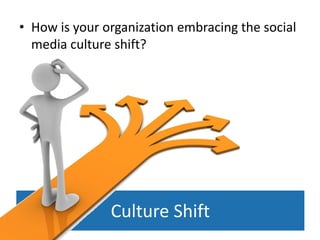
• How is your organization embracing the social
  media culture shift?


               Culture Shift
Always Be Listening
• Google alerts
• Follow example organizations
• Google Reader, Twitter, e-newsletters
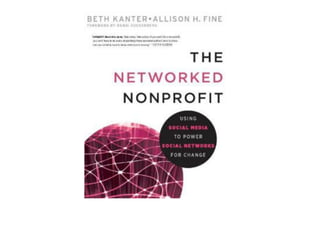
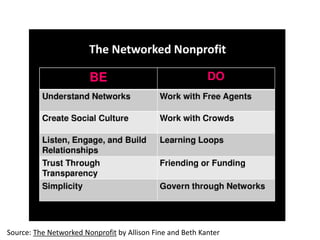
Source: The Networked Nonprofit by Allison Fine and Beth Kanter
Tips for Getting Buy-In
• Sign staff up for tools to reduce fear (Twitter,
  Google Reader, alerts etc…)
• Seek out example organizations and show their
  success
• Bust myths:
   – 73% of donors gave online last year
   – Baby boomers are the biggest cohort of online donors
     in Canada
   – More than 17 million Canadians use Facebook
   – Per capita, Canadians watch more Youtube videos
     than any other country
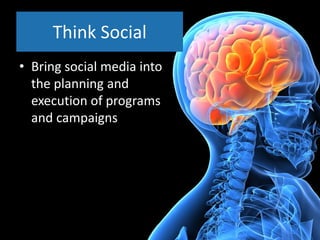
Think Social
• Bring social media into
  the planning and
  execution of programs
  and campaigns
PLANNING
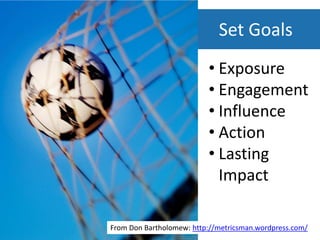
Set Goals
                          • Exposure
                          • Engagement
                          • Influence
                          • Action
                          • Lasting
                            Impact

From Don Bartholomew: http://metricsman.wordpress.com/
How your organization uses social media
                        •   Marketing and publicity
                        •   Fundraising, donor engagement
                            and retention
                        •   Connecting with others around
                            your cause
                        •   Building relationship and online
                            community
                        •   Collaboration and collective action
                        •   Sharing expertise on our issues
                        •   Movement building and social
                            change
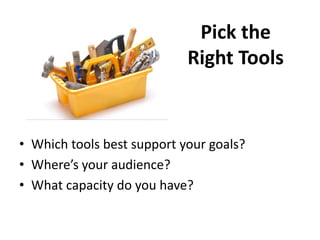
Pick the
                            Right Tools


• Which tools best support your goals?
• Where’s your audience?
• What capacity do you have?
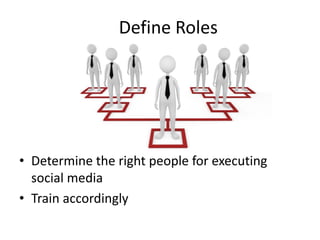
Define Roles


• Determine the right people for executing
  social media
• Train accordingly
Draft your Social Media Guidelines
•   Responsibility            •   Respect
•   Transparency              •   Good judgement
•   Copyright                 •   Productivity
•   Proprietary Information   •   Personal use of social
                                  media
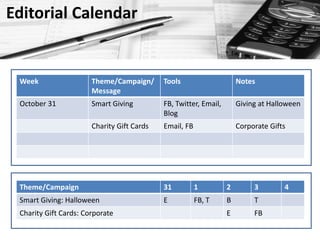
Editorial Calendar


 Week                  Theme/Campaign/      Tools                     Notes
                       Message
 October 31            Smart Giving         FB, Twitter, Email,       Giving at Halloween
                                            Blog
                       Charity Gift Cards   Email, FB                 Corporate Gifts


 Theme/Campaign                             31          1         2        3        4
 Smart Giving: Halloween                    E           FB, T     B        T
 Charity Gift Cards: Corporate                                    E        FB
CONTENT
Principles of Social Content

•   Short
•   Personal
•   Shareable
•   Easy calls to action
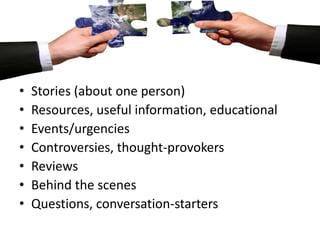
•   Stories (about one person)
•   Resources, useful information, educational
•   Events/urgencies
•   Controversies, thought-provokers
•   Reviews
•   Behind the scenes
•   Questions, conversation-starters
The rule of thirds
Socialize existing content
              •   Annual reports
              •   Volunteer stories
              •   Donor stories
              •   Editorial pieces
Recycle Content Across Channels
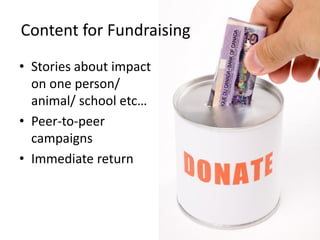
Content for Fundraising
• Stories about impact
  on one person/
  animal/ school etc…
• Peer-to-peer
  campaigns
• Immediate return
TO-DOs
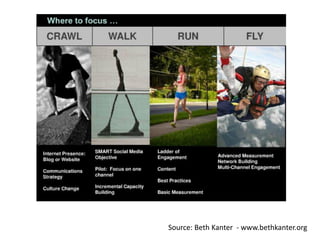
Source: Beth Kanter - www.bethkanter.org
Daily To-Dos
• Scan feeds
  – Retweet, Like, Comment
• Review alerts, mentions, comments &
  continue the conversation
• Post, schedule posts (1/3 rule)
• Seek out resources, information for posting
Scheduling
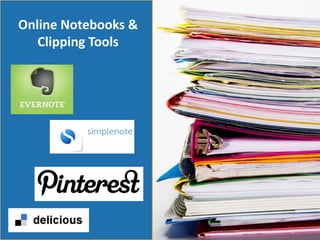
Online Notebooks &
   Clipping Tools
Weekly To-Dos
•   Planning for the week
•   Writing/creating posts
•   Recording data
•   Update your networks
Monthly To-Dos
• Review metrics, KPIs.
  – Note trends, surprises, strong content etc…
• Review editorial calendar & adjust
Quarterly To-Dos
• Review your objectives
• Key learnings from measurment
• Take action
MEASURE & LEARN
STEP 1: Set Clear Objectives
• Review your goals
• Set measurable
  objectives that will
  allow you to achieve
  your goals
Smart Objectives
 •   Specific
 •   Measurable
 •   Actionable
 •   Realistic
 •   Time-specfic
What are you trying to achieve?
  GOAL
  • ABC charity will become an expert and trusted
    resource in our local community about adult literacy.

               AUDIENCE
               • Local literacy service providing organizations, local
                 media outlets

                                     TOOL
                                     • Blog
Smart Objectives
• Increase blog subscribers
  by 50% over the next 12
  months
• 30% of blog posts contain
  active discussion in the
  comments about the issues
  raised – more than 3
  comments
• Increase website traffic
  from blog by 100% over
  next 12 months
STEP 2: Select Metrics
Social Media Data

•   Subscribers/ Unsubscribes
•   Followers/ Unfollows
•   Comments/ Unique commenters
•   Favourites
•   Video/photo views
•   Retweets
•   Likes
•   Page/post views
•   # of posts
Social Media Data
•   Most popular posts
•   Conversations
•   Feedback
•   Repeat supporters
•   Comments
•   Recommendations
•   Click-throughs
•   Donations
•   Sign-ups
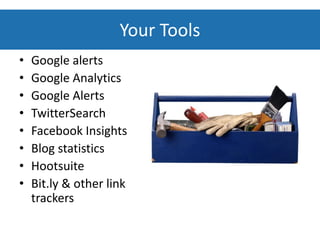
Your Tools
•   Google alerts
•   Google Analytics
•   Google Alerts
•   TwitterSearch
•   Facebook Insights
•   Blog statistics
•   Hootsuite
•   Bit.ly & other link
    trackers
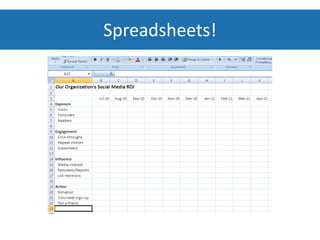
Spreadsheets!
STEP 3: Learn & Take Action!
ABOUT MYCHARITYCONNECTS
www.mycharityconnects.org
free online resources
 Information about technology
 Video demonstrations
 More webinars
 Past webinar recordings & slides
 Learning opportunities
 Events across the country
Upcoming Webinars
       www.mycharityconnects.org/webinars

• November 9th – Making Twitter
  Your Best Friend: Twitter Strategies
  Exposed (guest: Heather Morrison,
  Sequentia Environics)
• November 23rd – Cutting Edge
  Charities
• December 7th – Looking Up: Life's
  Better in the Cloud (guest: Amanda
  Grainger, Framework)
Keep in touch!
        info@canadahelps.org


    www.twitter.com/canadahelps


www.slideshare.net/MyCharityConnects


   www.facebook.com/canadahelps


   www.youtube.com/canadahelps

Social Media Strategy for Beginners

  • 1.
    Social Media Strategyfor Beginners October 26, 2011
  • 2.
    reminders  You canhear us, but we can’t hear you  Turn up your computer’s volume  Presentation slides will be available on www.mycharityconnects.org/pastwebinars  For the best webinar experience, close all other applications  Have questions? Type questions in the Questions Log
  • 3.
    What is CanadaHelps? A public charitable foundation that provides accessible and affordable online technology to both donors and charities. For Charities A cost-effective means of raising funds online. For Donors A one-stop-shop for giving. CanadaHelps is a charity helping charities. CanadaHelps is giving made simple.
  • 4.
    Today’s Presenter Kirstin Beardsley Marketing & Communications Manager CanadaHelps
  • 5.
  • 6.
  • 7.
    • How isyour organization embracing the social media culture shift? Culture Shift
  • 8.
    Always Be Listening •Google alerts • Follow example organizations • Google Reader, Twitter, e-newsletters
  • 10.
    Source: The NetworkedNonprofit by Allison Fine and Beth Kanter
  • 11.
    Tips for GettingBuy-In • Sign staff up for tools to reduce fear (Twitter, Google Reader, alerts etc…) • Seek out example organizations and show their success • Bust myths: – 73% of donors gave online last year – Baby boomers are the biggest cohort of online donors in Canada – More than 17 million Canadians use Facebook – Per capita, Canadians watch more Youtube videos than any other country
  • 12.
    Think Social • Bringsocial media into the planning and execution of programs and campaigns
  • 13.
  • 14.
    Set Goals • Exposure • Engagement • Influence • Action • Lasting Impact From Don Bartholomew: http://metricsman.wordpress.com/
  • 15.
    How your organizationuses social media • Marketing and publicity • Fundraising, donor engagement and retention • Connecting with others around your cause • Building relationship and online community • Collaboration and collective action • Sharing expertise on our issues • Movement building and social change
  • 16.
    Pick the Right Tools • Which tools best support your goals? • Where’s your audience? • What capacity do you have?
  • 17.
    Define Roles • Determinethe right people for executing social media • Train accordingly
  • 18.
    Draft your SocialMedia Guidelines • Responsibility • Respect • Transparency • Good judgement • Copyright • Productivity • Proprietary Information • Personal use of social media
  • 19.
    Editorial Calendar Week Theme/Campaign/ Tools Notes Message October 31 Smart Giving FB, Twitter, Email, Giving at Halloween Blog Charity Gift Cards Email, FB Corporate Gifts Theme/Campaign 31 1 2 3 4 Smart Giving: Halloween E FB, T B T Charity Gift Cards: Corporate E FB
  • 20.
  • 21.
    Principles of SocialContent • Short • Personal • Shareable • Easy calls to action
  • 22.
    Stories (about one person) • Resources, useful information, educational • Events/urgencies • Controversies, thought-provokers • Reviews • Behind the scenes • Questions, conversation-starters
  • 23.
  • 24.
    Socialize existing content • Annual reports • Volunteer stories • Donor stories • Editorial pieces
  • 25.
  • 26.
    Content for Fundraising •Stories about impact on one person/ animal/ school etc… • Peer-to-peer campaigns • Immediate return
  • 27.
  • 28.
    Source: Beth Kanter- www.bethkanter.org
  • 29.
    Daily To-Dos • Scanfeeds – Retweet, Like, Comment • Review alerts, mentions, comments & continue the conversation • Post, schedule posts (1/3 rule) • Seek out resources, information for posting
  • 30.
  • 31.
    Online Notebooks & Clipping Tools
  • 32.
    Weekly To-Dos • Planning for the week • Writing/creating posts • Recording data • Update your networks
  • 33.
    Monthly To-Dos • Reviewmetrics, KPIs. – Note trends, surprises, strong content etc… • Review editorial calendar & adjust
  • 34.
    Quarterly To-Dos • Reviewyour objectives • Key learnings from measurment • Take action
  • 35.
  • 36.
    STEP 1: SetClear Objectives • Review your goals • Set measurable objectives that will allow you to achieve your goals
  • 37.
    Smart Objectives • Specific • Measurable • Actionable • Realistic • Time-specfic
  • 38.
    What are youtrying to achieve? GOAL • ABC charity will become an expert and trusted resource in our local community about adult literacy. AUDIENCE • Local literacy service providing organizations, local media outlets TOOL • Blog
  • 39.
    Smart Objectives • Increaseblog subscribers by 50% over the next 12 months • 30% of blog posts contain active discussion in the comments about the issues raised – more than 3 comments • Increase website traffic from blog by 100% over next 12 months
  • 40.
  • 41.
    Social Media Data • Subscribers/ Unsubscribes • Followers/ Unfollows • Comments/ Unique commenters • Favourites • Video/photo views • Retweets • Likes • Page/post views • # of posts
  • 42.
    Social Media Data • Most popular posts • Conversations • Feedback • Repeat supporters • Comments • Recommendations • Click-throughs • Donations • Sign-ups
  • 43.
    Your Tools • Google alerts • Google Analytics • Google Alerts • TwitterSearch • Facebook Insights • Blog statistics • Hootsuite • Bit.ly & other link trackers
  • 44.
  • 45.
    STEP 3: Learn& Take Action!
  • 47.
  • 48.
    www.mycharityconnects.org free online resources Information about technology  Video demonstrations  More webinars  Past webinar recordings & slides  Learning opportunities  Events across the country
  • 49.
    Upcoming Webinars www.mycharityconnects.org/webinars • November 9th – Making Twitter Your Best Friend: Twitter Strategies Exposed (guest: Heather Morrison, Sequentia Environics) • November 23rd – Cutting Edge Charities • December 7th – Looking Up: Life's Better in the Cloud (guest: Amanda Grainger, Framework)
  • 50.
    Keep in touch! info@canadahelps.org www.twitter.com/canadahelps www.slideshare.net/MyCharityConnects www.facebook.com/canadahelps www.youtube.com/canadahelps