Downloaded 139 times

![Why “Social Networking”? What is ‘ social networking ’? A part of the ‘New Media’ [blogs, podcasts, wikis, etc.] Key elements: people, participation, persuasion Before : Static , one-way provision of information [websites, media organizations] “ S.N.”](https://image.slidesharecdn.com/socialnetworking032109copy-090321145358-phpapp02/85/Social-Networking-De-Mystifying-the-Trend-3-320.jpg)
![Wikipedia: “S.N.” A set of social actors [ e.g. people, organizations, communities] coupled with A set of social relationships [ e.g. friendship, professional, group support] Interactive, sharing, cooperating, d emocratic, individualistic](https://image.slidesharecdn.com/socialnetworking032109copy-090321145358-phpapp02/85/Social-Networking-De-Mystifying-the-Trend-4-320.jpg)
![Web 2.0 & communication Blogging [Wordpress, TypePad, Blogger...] Facebook, MySpace, LiveJournal, . . . LinkedIN Twitter Flickr/Picasa Pandora [music] www.uberreview.com / wp-content/uploads/web-20.jpg](https://image.slidesharecdn.com/socialnetworking032109copy-090321145358-phpapp02/85/Social-Networking-De-Mystifying-the-Trend-6-320.jpg)
![Blogging A type of website with regular entries of commentary, descriptions, graphics, generally displayed in reverse-chronological order. personal blogs [e.g., travel, special occasion] issue blogs [e.g., politics, Macs, recent news] media blogs [e.b., video , music, sketches, photographs]](https://image.slidesharecdn.com/socialnetworking032109copy-090321145358-phpapp02/85/Social-Networking-De-Mystifying-the-Trend-7-320.jpg)

![Blogger [Google] Blogger requires Gmail account [both free] Sign in/Create Blog Go to Manage Account/Settings Set up your Profile](https://image.slidesharecdn.com/socialnetworking032109copy-090321145358-phpapp02/85/Social-Networking-De-Mystifying-the-Trend-10-320.jpg)
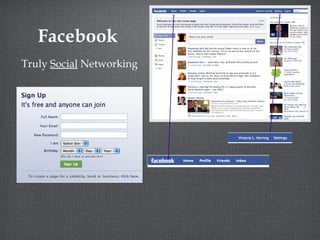
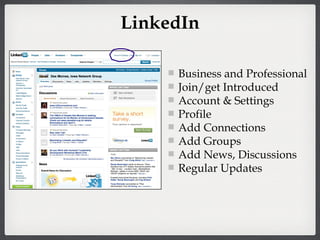
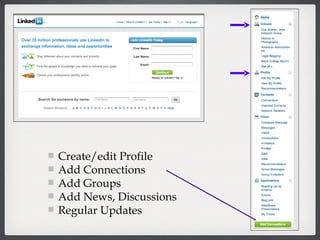
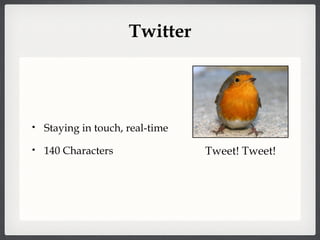
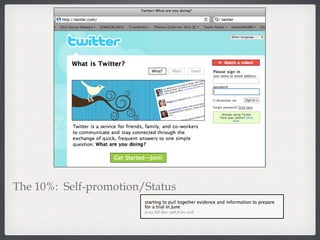
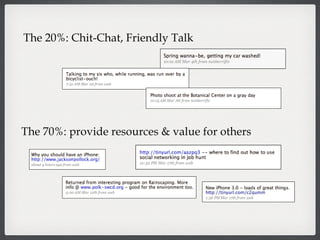
![KISS: Keep it Short, Silly! You can either answer the Q [ What are you doing? ] or just state whatever it is you want everyone to know. 70-20-10 70: provide resources & value for others 20: chit chat, friendly comment 10: promote yourself](https://image.slidesharecdn.com/socialnetworking032109copy-090321145358-phpapp02/85/Social-Networking-De-Mystifying-the-Trend-15-320.jpg)
![Steps to take Select your tool/media [Facebook, Twitter, Flickr, etc.] Sign up ; to start with use simple password [make it more difficult later, but don’t forget to do that.] First, go to settings and set your various preferences Second, find a photograph and upload it. Third, create your profile [see Maria’s Guides on that]](https://image.slidesharecdn.com/socialnetworking032109copy-090321145358-phpapp02/85/Social-Networking-De-Mystifying-the-Trend-19-320.jpg)
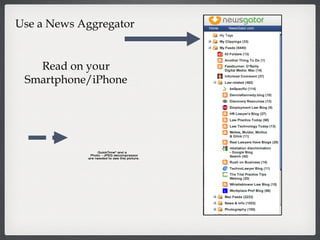
![Helpful Tools www.iGoogle.com www.ning.com ht tp://friendf eed.com http: //traffikd.com/social -media-websites/ http: //www.doshdosh.com/list-of-social-media-ne ws-websites/ http://findasocialnetwork.com http://www.atomkeep.com/ [not currently accepting accounts ] Aggregate your S.N. Tools](https://image.slidesharecdn.com/socialnetworking032109copy-090321145358-phpapp02/85/Social-Networking-De-Mystifying-the-Trend-21-320.jpg)
![Set up a QuicKey/Tool to automatically open S.N. sites each day [close them if you don’t want to post] Connect these S.N. tools together, e.g. , so when you Twitter and it goes to Facebook](https://image.slidesharecdn.com/socialnetworking032109copy-090321145358-phpapp02/85/Social-Networking-De-Mystifying-the-Trend-22-320.jpg)
![Read others’s comments & postings [scan for what you want/need] See what you can respond to or create your own new message Use RSS feeds or other tools to cut down on email use.](https://image.slidesharecdn.com/socialnetworking032109copy-090321145358-phpapp02/85/Social-Networking-De-Mystifying-the-Trend-23-320.jpg)
![Rules to Follow As with anything on the internet, the first step is to go to Settings and fill in your preferences [more or less privacy, who sees what, notifications] Remember: Once it is on the Internet, it is there forever and it is open to [almost] anyone. If it doesn’t pass the “Mom Test”, don’t do it.](https://image.slidesharecdn.com/socialnetworking032109copy-090321145358-phpapp02/85/Social-Networking-De-Mystifying-the-Trend-24-320.jpg)
![REFERENCES The Twitter Handbook , D. Micek & W. Whitlock, http://twitterhandbook.com [free] MASHABLE.COM , http://mashable .com Wikipedia , http://simple.wikipedia.org or en.wikipedia.org Google “social networking...” tools, options, etc. go2web20.net : visualize Web 2.0 tools & apps. Maria’s Guides: www.mariasguides.com](https://image.slidesharecdn.com/socialnetworking032109copy-090321145358-phpapp02/85/Social-Networking-De-Mystifying-the-Trend-26-320.jpg)


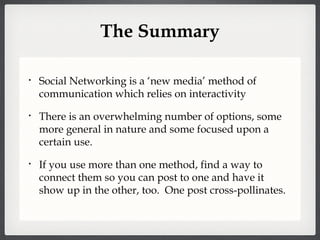
The document explores social networking as a form of 'new media' characterized by interactivity and participation. It discusses the evolution of communication tools and provides guidance on selecting, using, and connecting various social networking platforms. Recommendations include establishing preferences, creating profiles, and ensuring the permanence of online content.


![Mac Tech Resources for Lawyers [outline] [Jan 2015]](https://cdn.slidesharecdn.com/ss_thumbnails/mactechresourcesforlawyersoutlinejan2015-150302182126-conversion-gate01-thumbnail.jpg?width=640&height=640&fit=bounds)


![Mac OS X and iOS resources for litigators [GPSolo Magazine, SeptOct 2014]](https://cdn.slidesharecdn.com/ss_thumbnails/maciosresourcesforlitigatorsgpsolo-septoct2014-150302182125-conversion-gate01-thumbnail.jpg?width=640&height=640&fit=bounds)


![Note Taking Applications for Mac Users [2010]](https://cdn.slidesharecdn.com/ss_thumbnails/10note-takingapplicationsforappleusers-110326172159-phpapp02-thumbnail.jpg?width=640&height=640&fit=bounds)
![Macs at Trial [2009]](https://cdn.slidesharecdn.com/ss_thumbnails/09macsattrial-110326172041-phpapp02-thumbnail.jpg?width=640&height=640&fit=bounds)
![Ditch the Laptop for the iPhone 3G [2008]](https://cdn.slidesharecdn.com/ss_thumbnails/08ditchthatlaptop-110326171814-phpapp02-thumbnail.jpg?width=640&height=640&fit=bounds)
![iPhone, you phone, we all phone [2010]](https://cdn.slidesharecdn.com/ss_thumbnails/08phoneyouphoneweallphone-110326171423-phpapp02-thumbnail.jpg?width=640&height=640&fit=bounds)


