For Business Success Jonnie Jensen Digital Coach Twitter @jonniejensen jonniejensen@tobesocial.com  Jonnie Jensen helps businesses match their internet marketing with their business objectives. He’ll help you succeed. For a copy of this presentation visit  Linkedin.com/in/jonniejensen http://linkedIn.com/in/jonniejensen http://facebook.com/tobsocial jonniejensen http://twitter.com/tobsocial
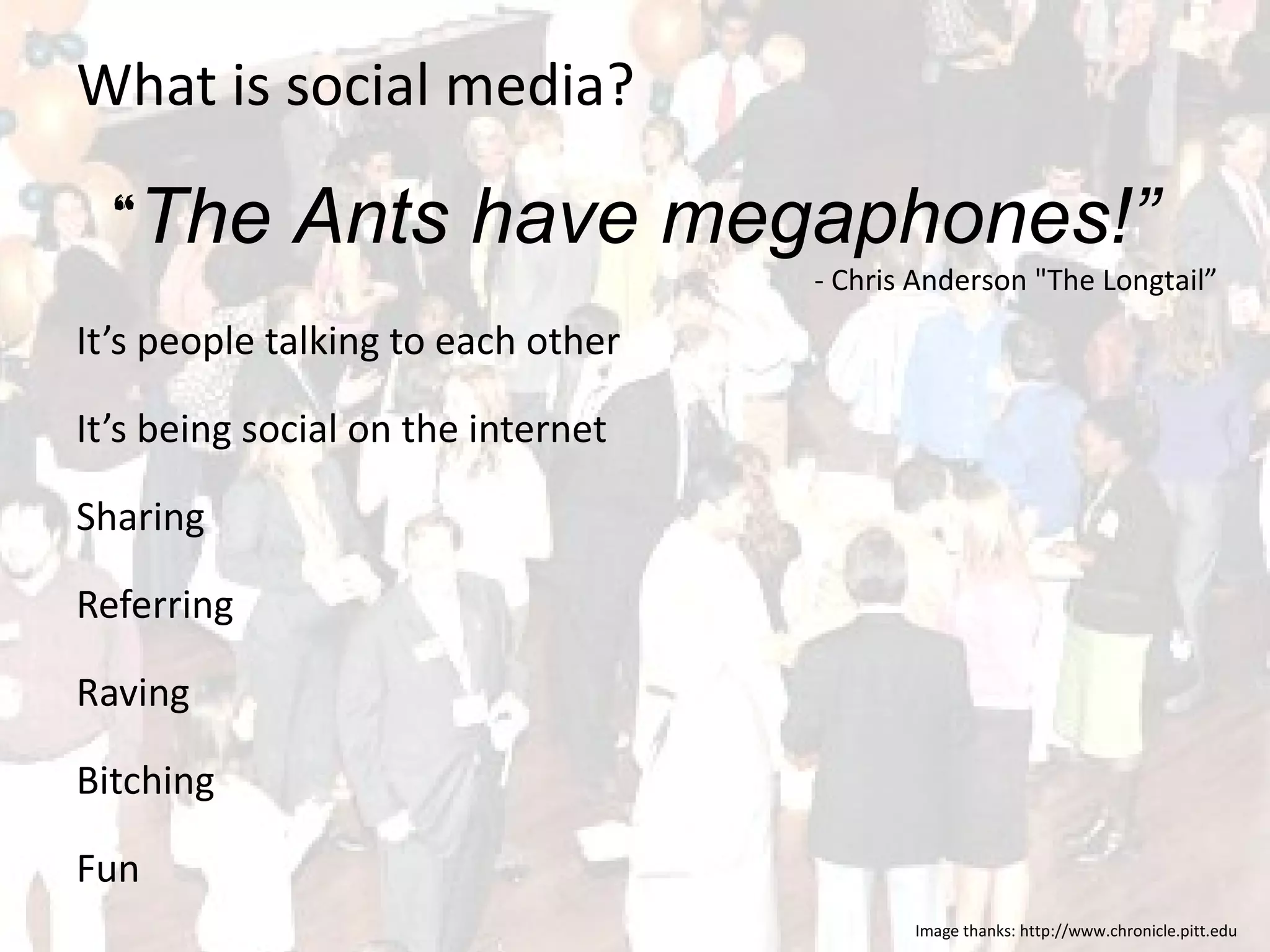
What is social media? It’s people talking to each other It’s being social on the internet Sharing Referring Raving  Bitching Fun Image thanks: http://www.chronicle.pitt.edu “ The Ants have megaphones!” - Chris Anderson "The Longtail”
Why is social media good for business? Improve your search results Build your online profile and reputation Targeted visitor traffic to your company website The ability to interact with customers and potential customers Networking increases your reach Directly through your contacts Indirectly through your contacts contacts Increased sales through increased brand awareness
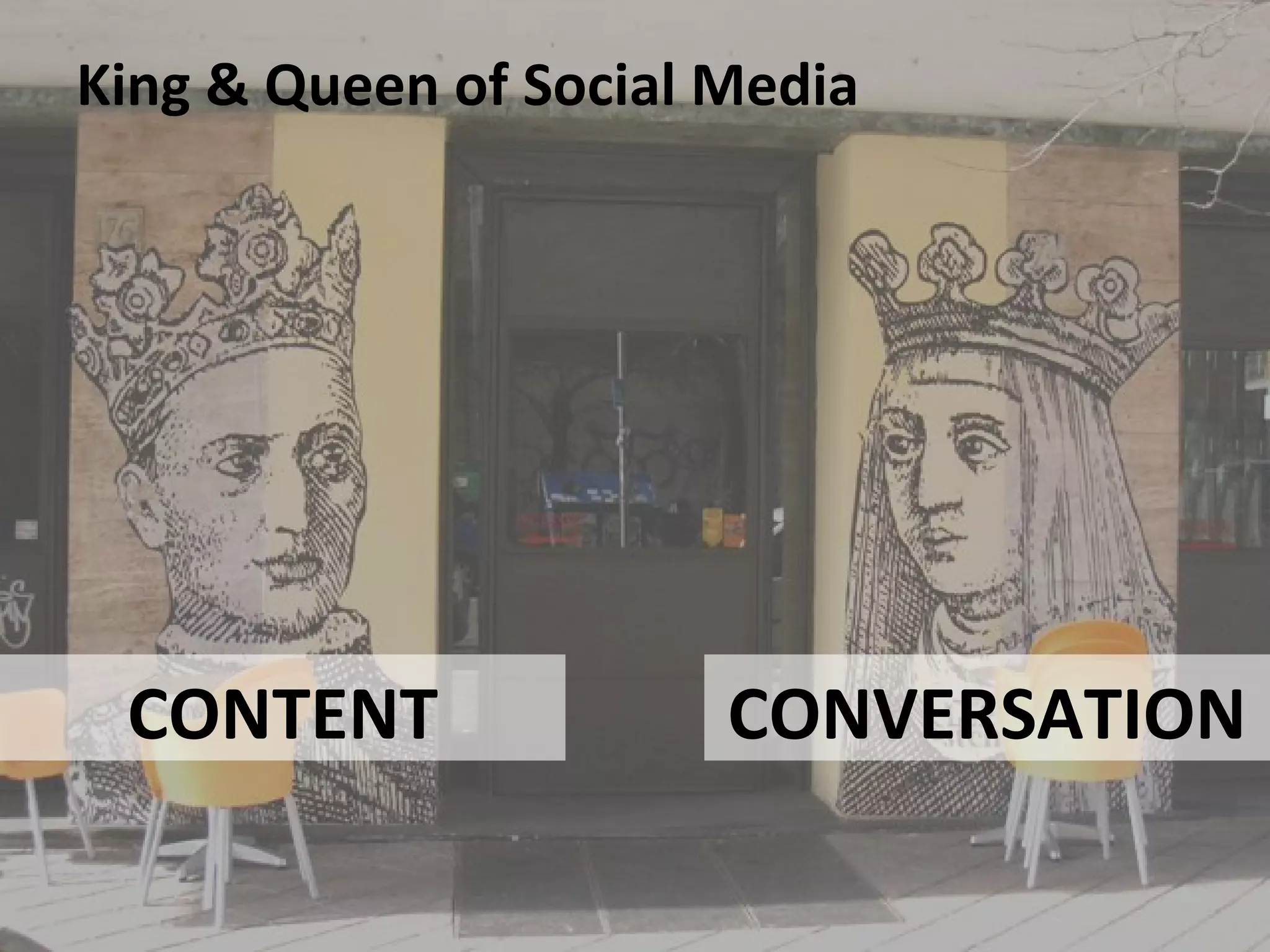
King & Queen of Social Media CONTENT CONVERSATION
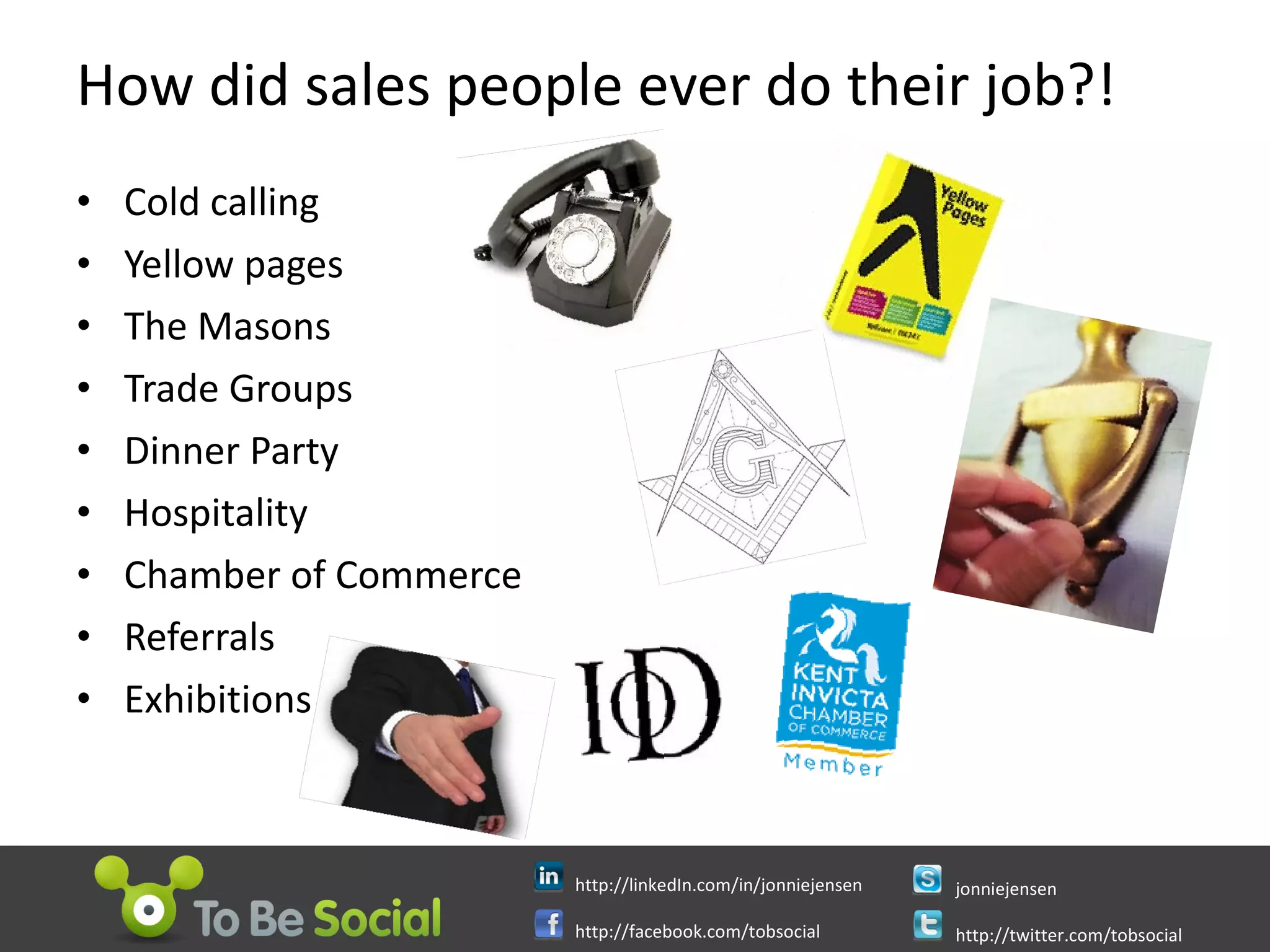
How did sales people ever do their job?! Cold calling Yellow pages The Masons Trade Groups Dinner Party Hospitality Chamber of Commerce Referrals Exhibitions
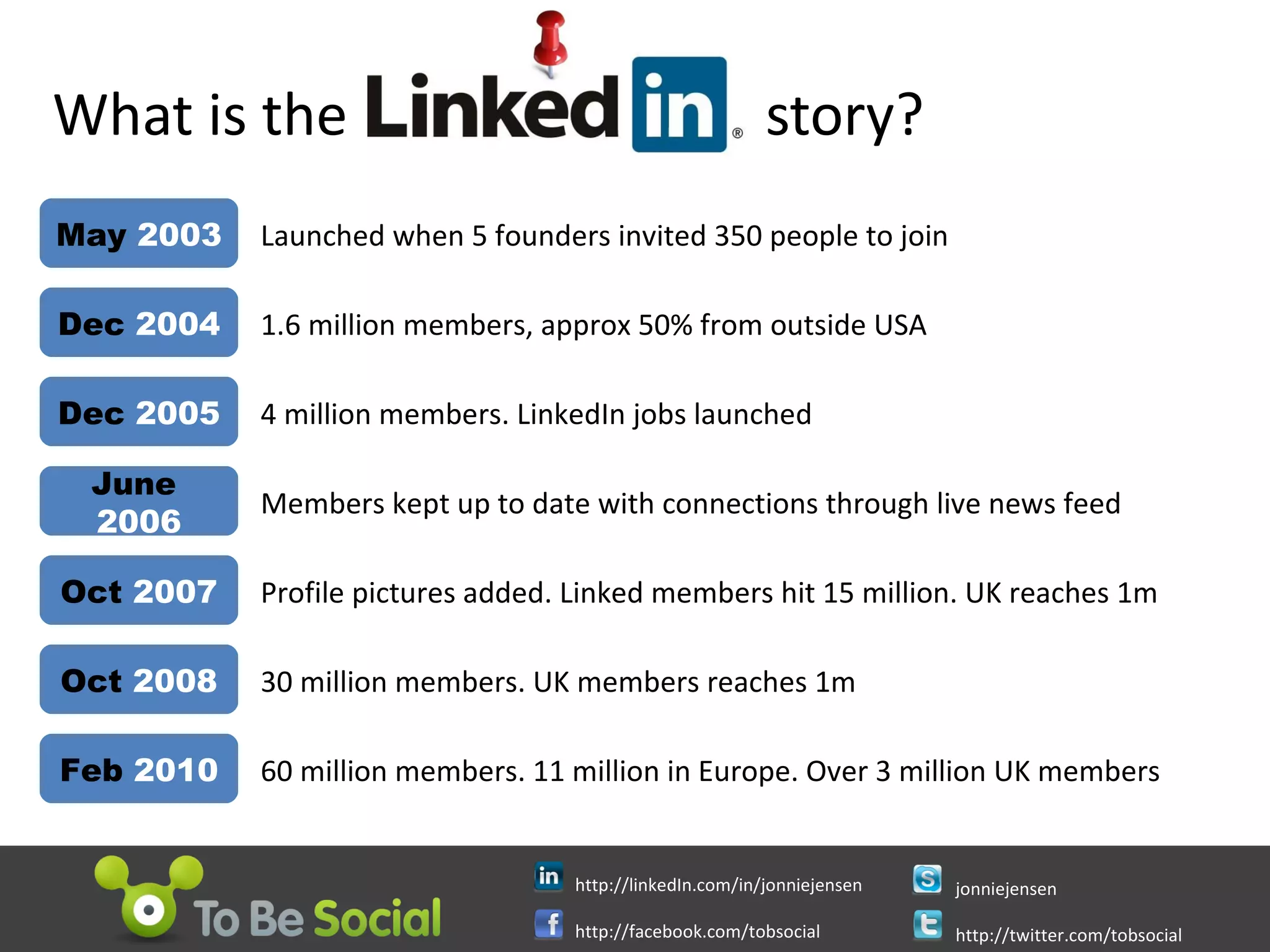
What is the  story?  Launched when 5 founders invited 350 people to join May  2003 Dec  2004 1.6 million members, approx 50% from outside USA Dec  2005 4 million members. LinkedIn jobs launched June   2006 Members kept up to date with connections through live news feed Oct  2007 Profile pictures added. Linked members hit 15 million. UK reaches 1m Oct  2008 30 million members. UK members reaches 1m Feb  2010 60 million members. 11 million in Europe. Over 3 million UK members
What today will not be about Using LinkedIn for job search Using LinkedIn for recruitment Using LinkedIn to stalk people Using LinkedIn to mount hostile take over bids Using LinkedIn to find investors Using LinkedIn to get a promotion
Why LinkedIn? Acquire new customers through online recommendations and word of mouth. Keep in touch with people who care most about your business. Find the right vendors to outsource services you’re not an expert on. Build your industry network—online and in person. Get answers to tough business questions with a little help from your real friends. Win new business by answering questions in your area of expertise. Raise funding Identify mentors Network with peers in your industry for repeat business referrals. Convince potential customers of your expertise by sharing unique blog content. Keep your friends close and your competition closer. ...with thanks to  Guy Kawasaki image from  sissnitz
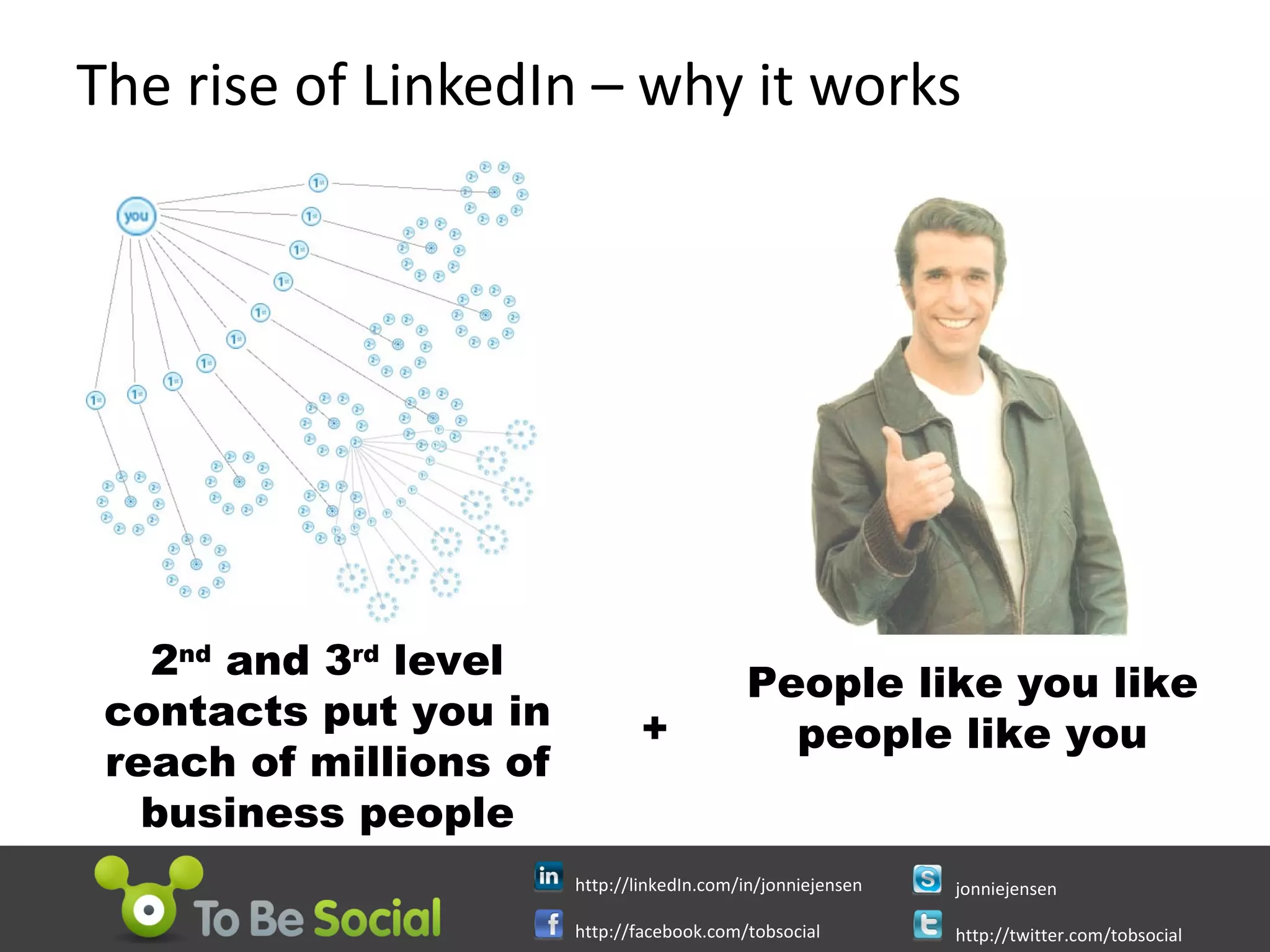
The rise of LinkedIn – why it works People like you like people like you 2 nd  and 3 rd  level contacts put you in reach of millions of business people +
It’s No Time To Be Shy Before you get started, write down What are you brilliant at What services you provide Your previous jobs and successes Your professional interests Your ultimate mentors list Who do you want to speak to / meet What do you want from them What can you give them What will be your measures of success Scheduled time each week for your LinkedIn activity
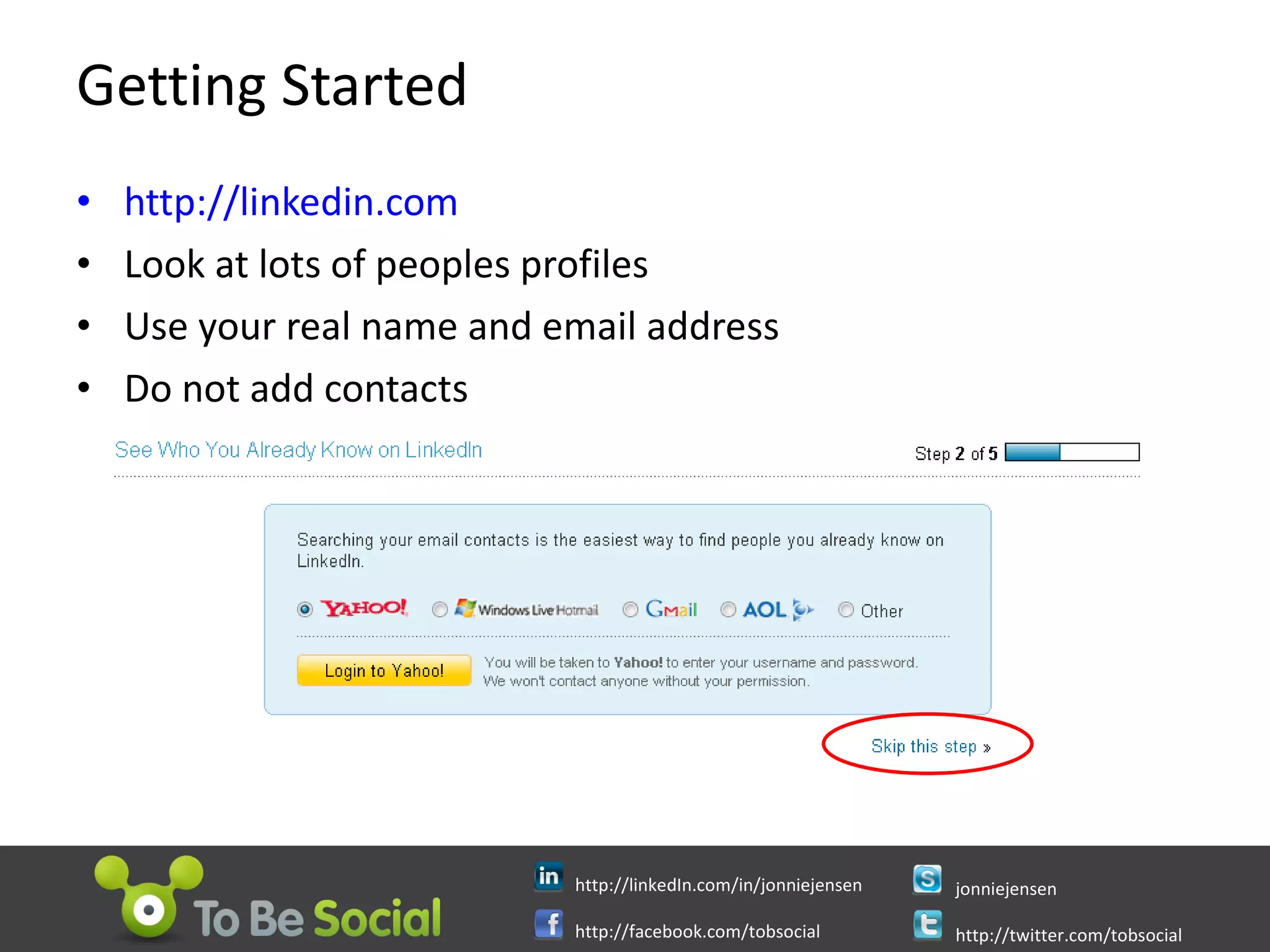
Getting Started http://linkedin.com Look at lots of peoples profiles Use your real name and email address Do not add contacts
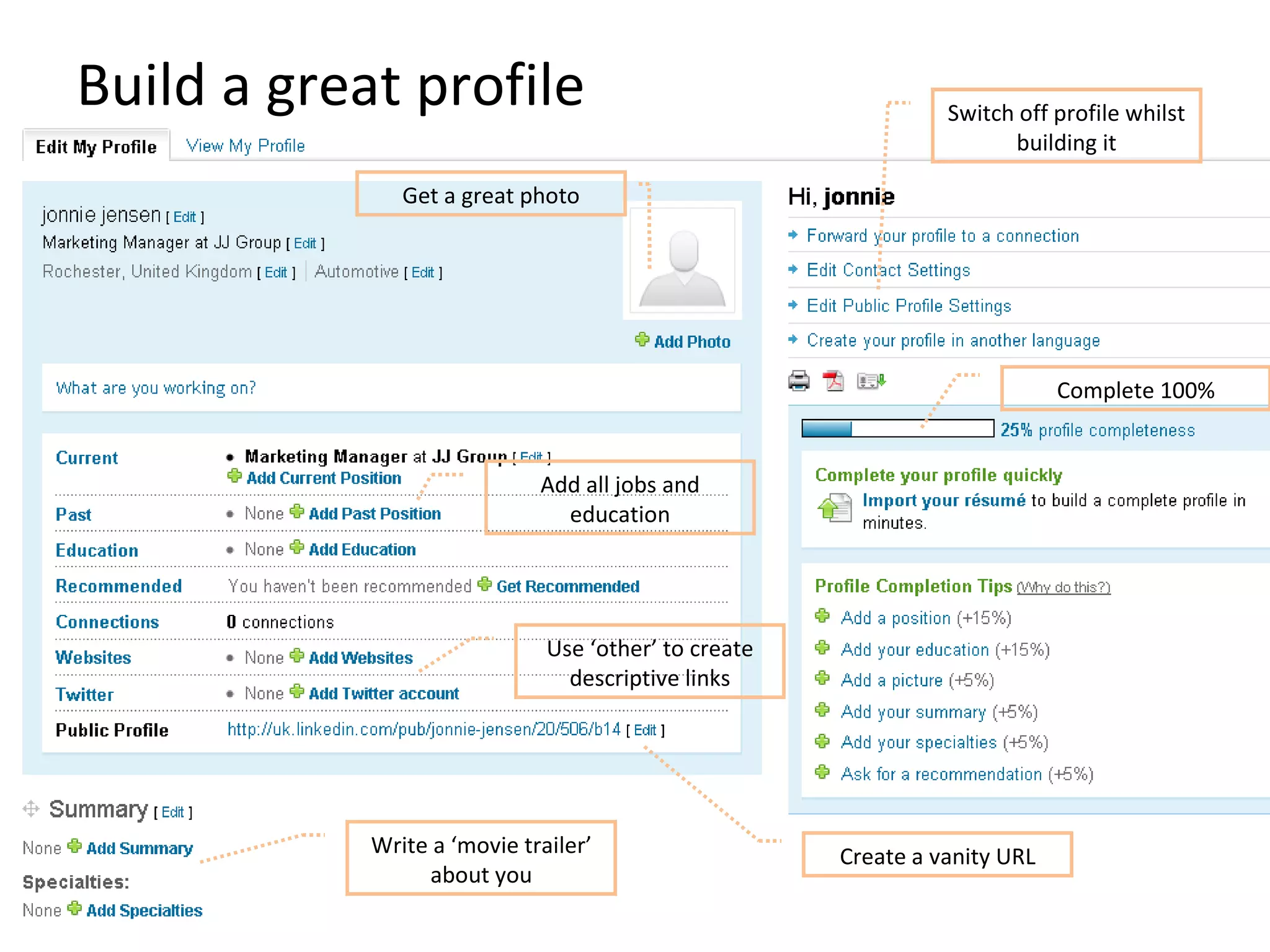
Build a great profile Write a ‘movie trailer’ about you Create a vanity URL Get a great photo Use ‘other’ to create descriptive links Complete 100% Add all jobs and education Switch off profile whilst building it
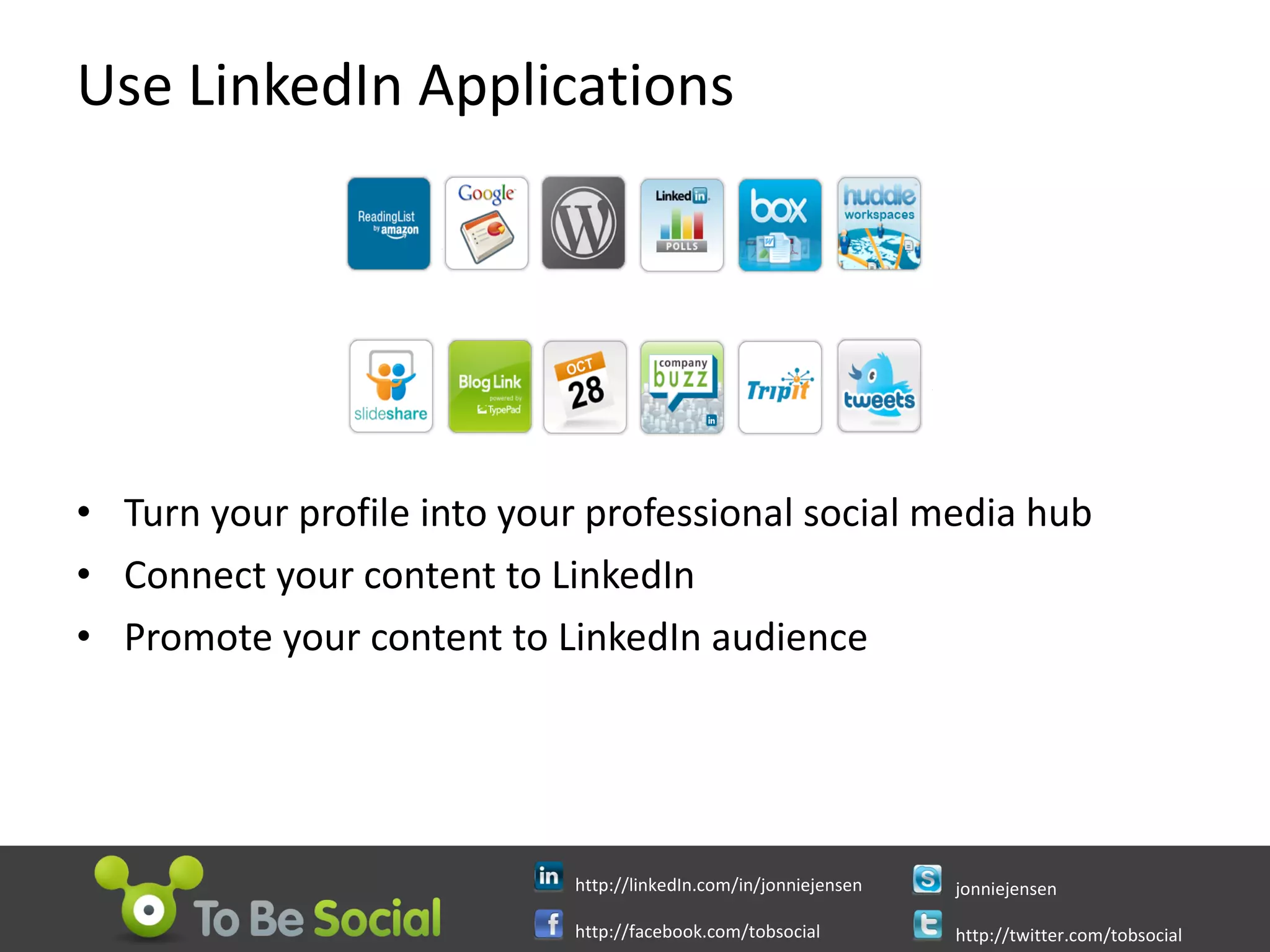
Use LinkedIn Applications Turn your profile into your professional social media hub Connect your content to LinkedIn Promote your content to LinkedIn audience
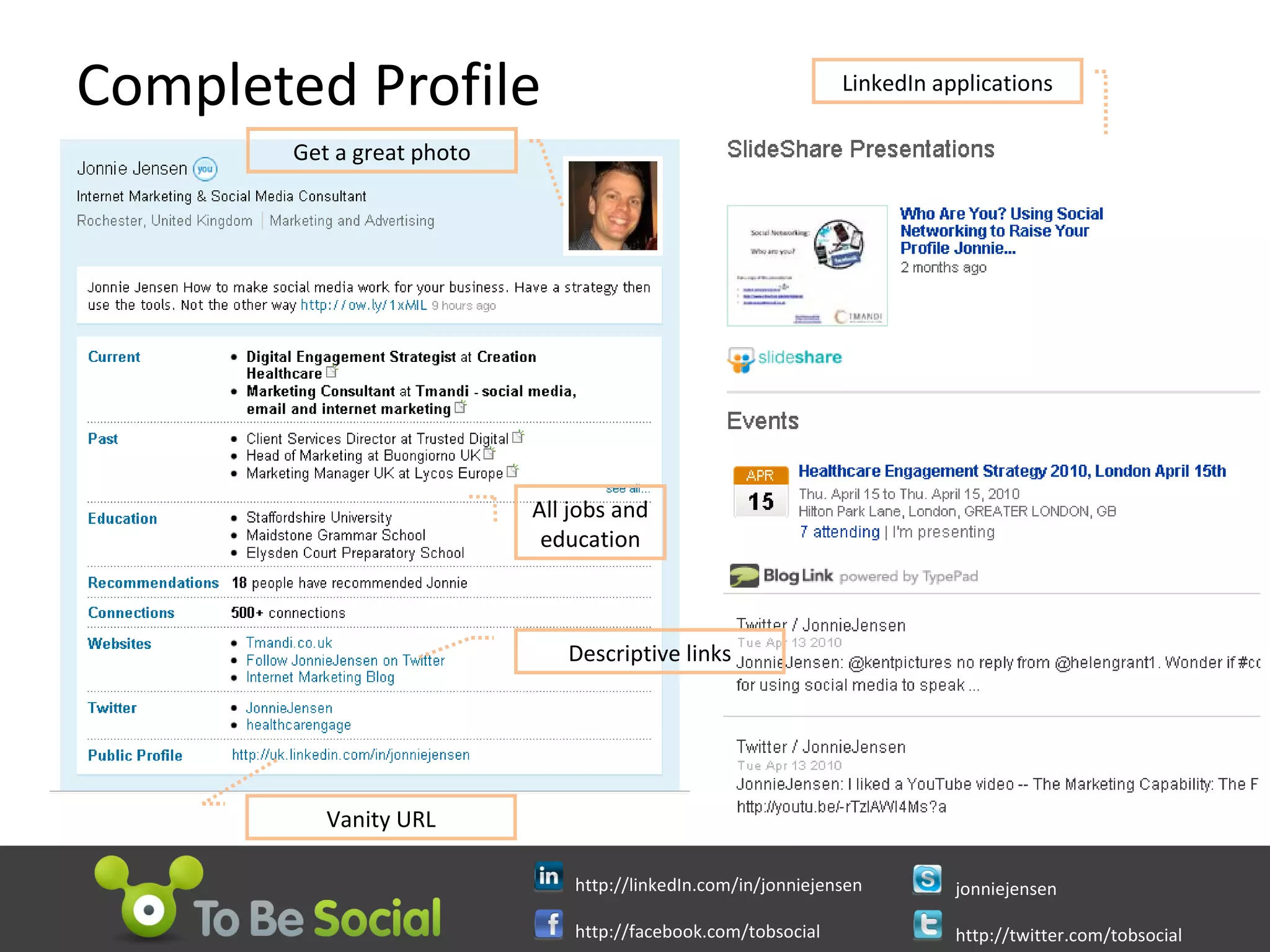
Completed Profile Get a great photo All jobs and education Descriptive links Vanity URL LinkedIn applications
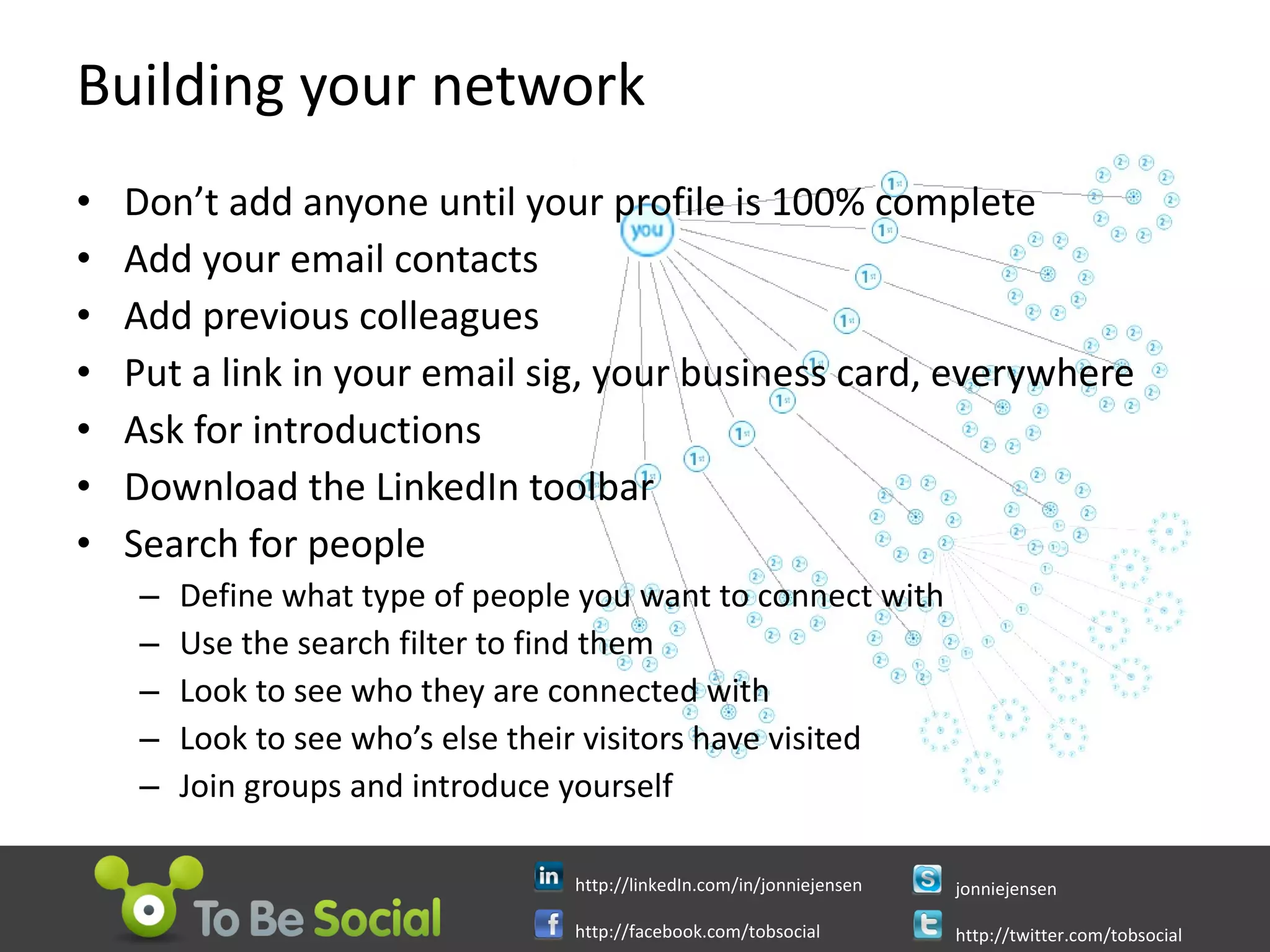
Building your network Don’t add anyone until your profile is 100% complete Add your email contacts Add previous colleagues Put a link in your email sig, your business card, everywhere Ask for introductions Download the LinkedIn toolbar Search for people Define what type of people you want to connect with Use the search filter to find them Look to see who they are connected with Look to see who’s else their visitors have visited Join groups and introduce yourself
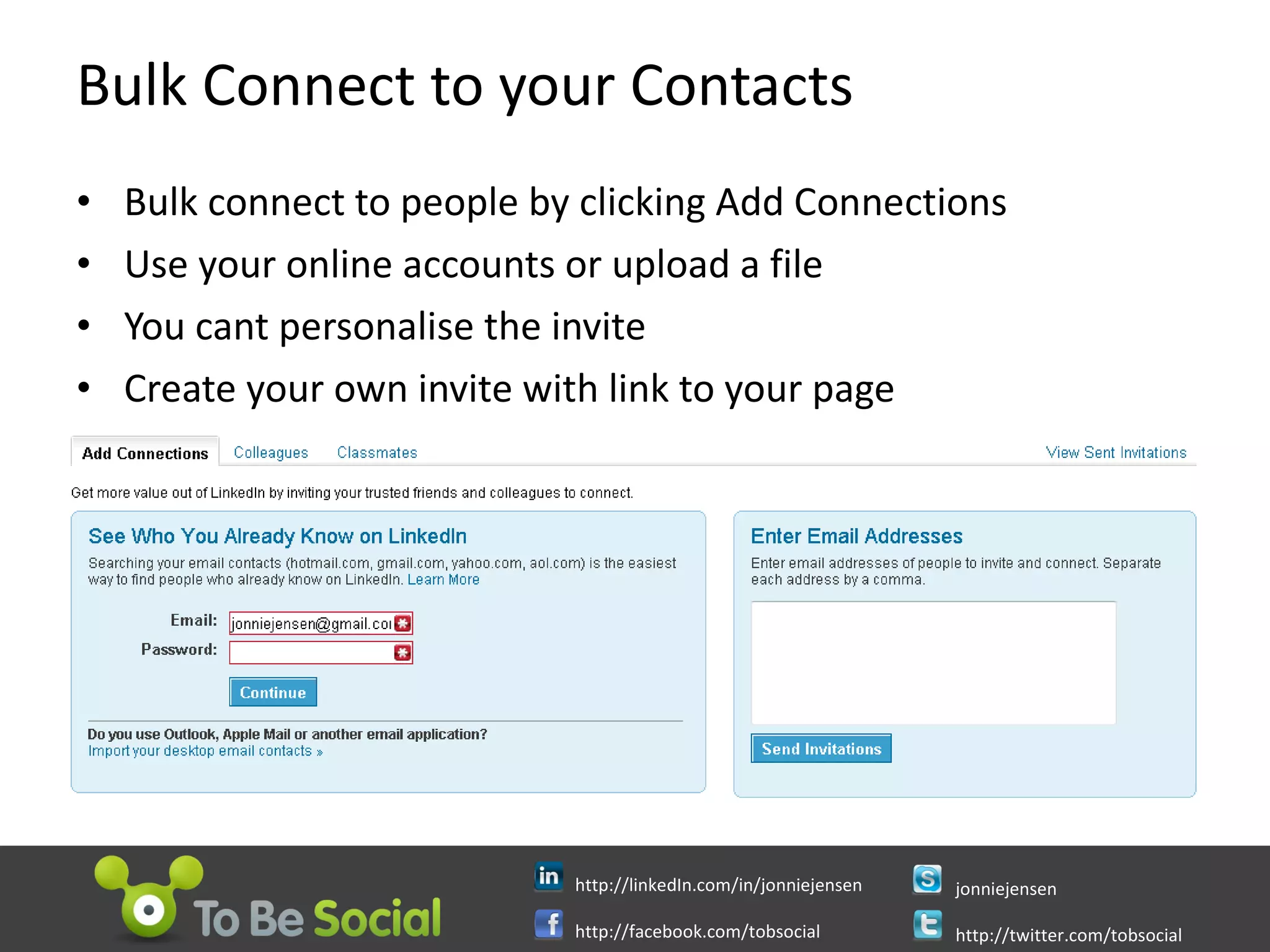
Bulk Connect to your Contacts Bulk connect to people by clicking Add Connections Use your online accounts or upload a file  You cant personalise the invite  Create your own invite with link to your page
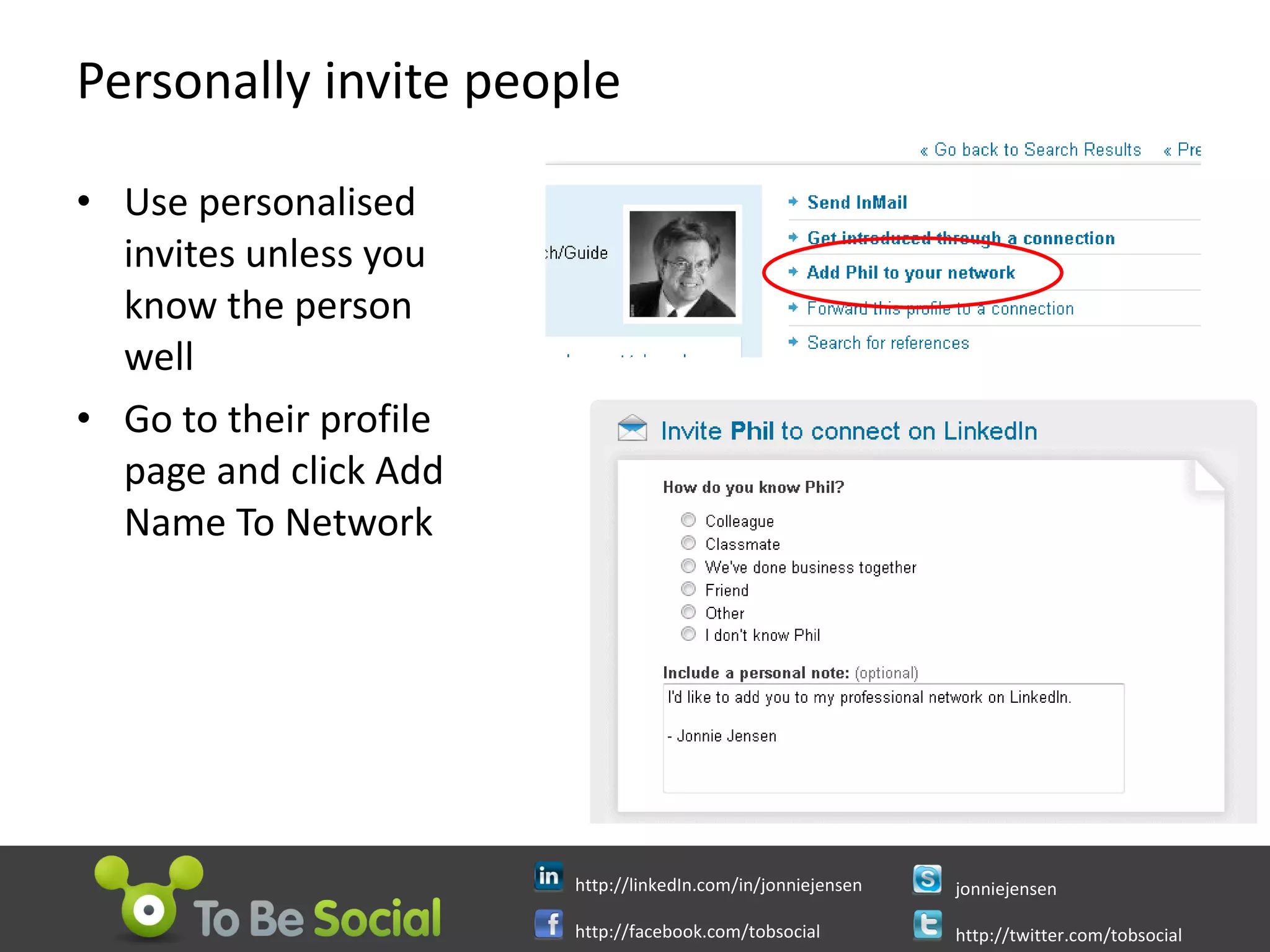
Personally invite people Use personalised invites unless you know the person well Go to their profile page and click Add Name To Network
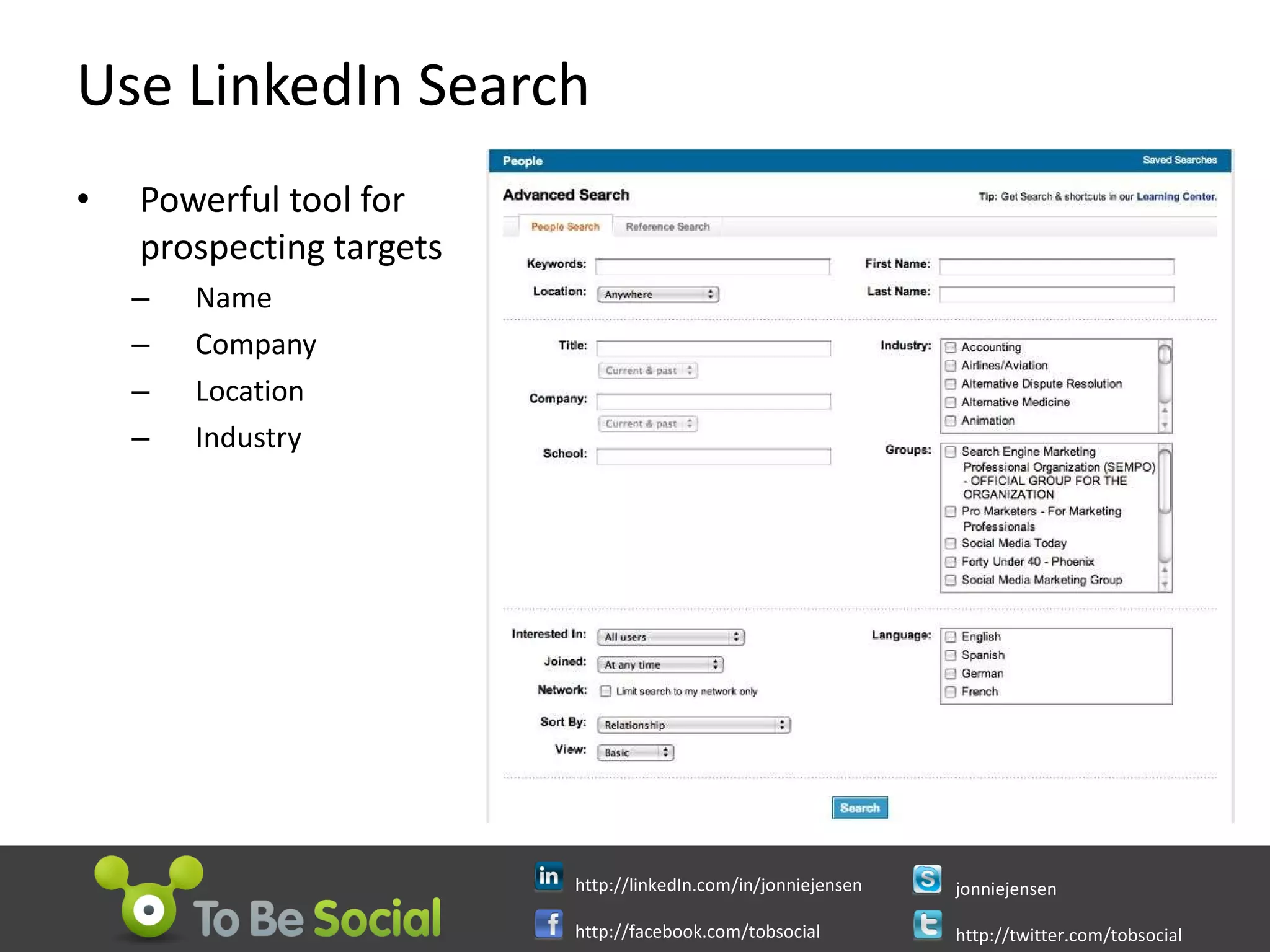
Use LinkedIn Search Powerful tool for prospecting targets Name Company  Location  Industry
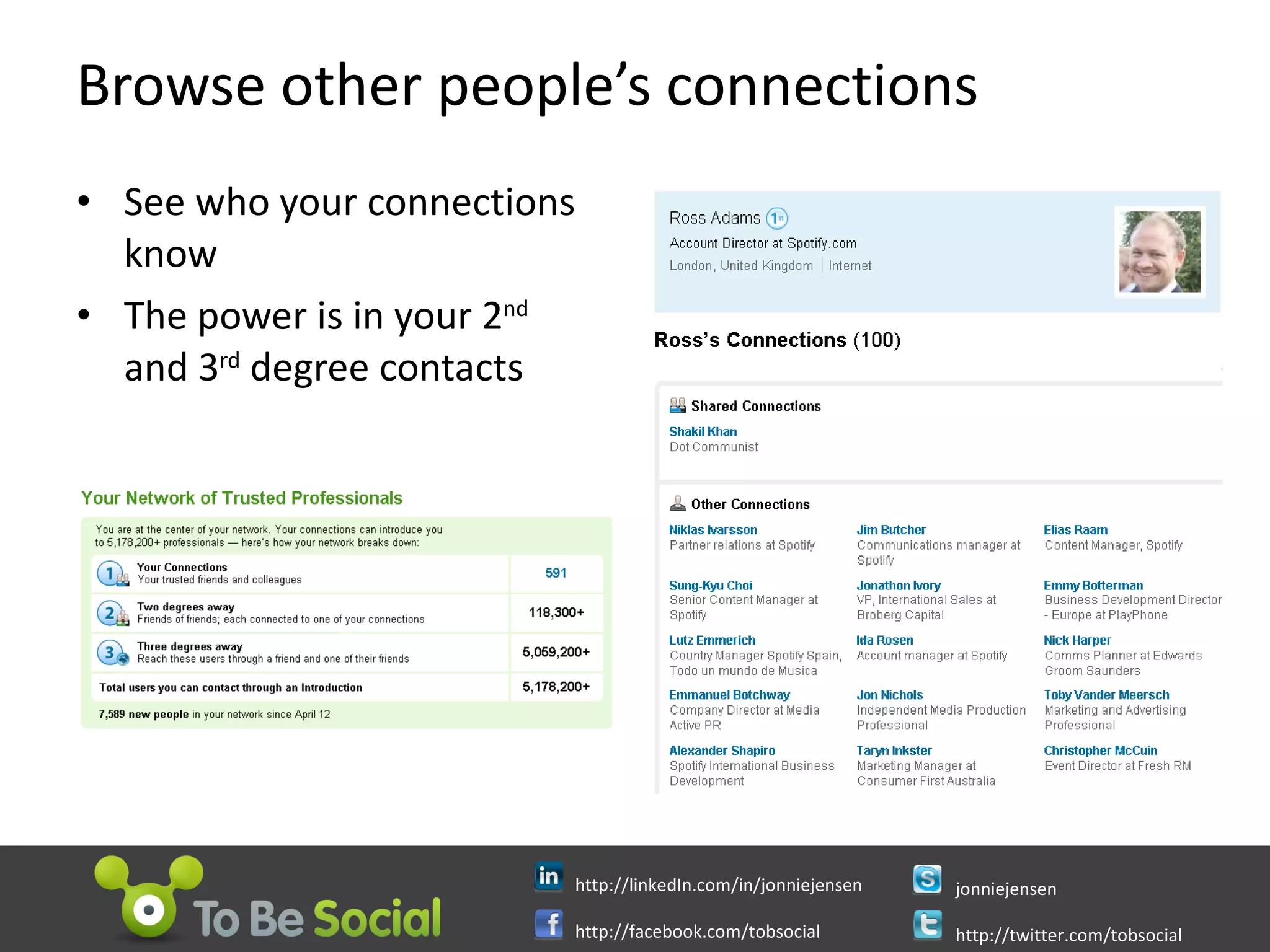
Browse other people’s connections See who your connections know The power is in your 2 nd  and 3 rd  degree contacts
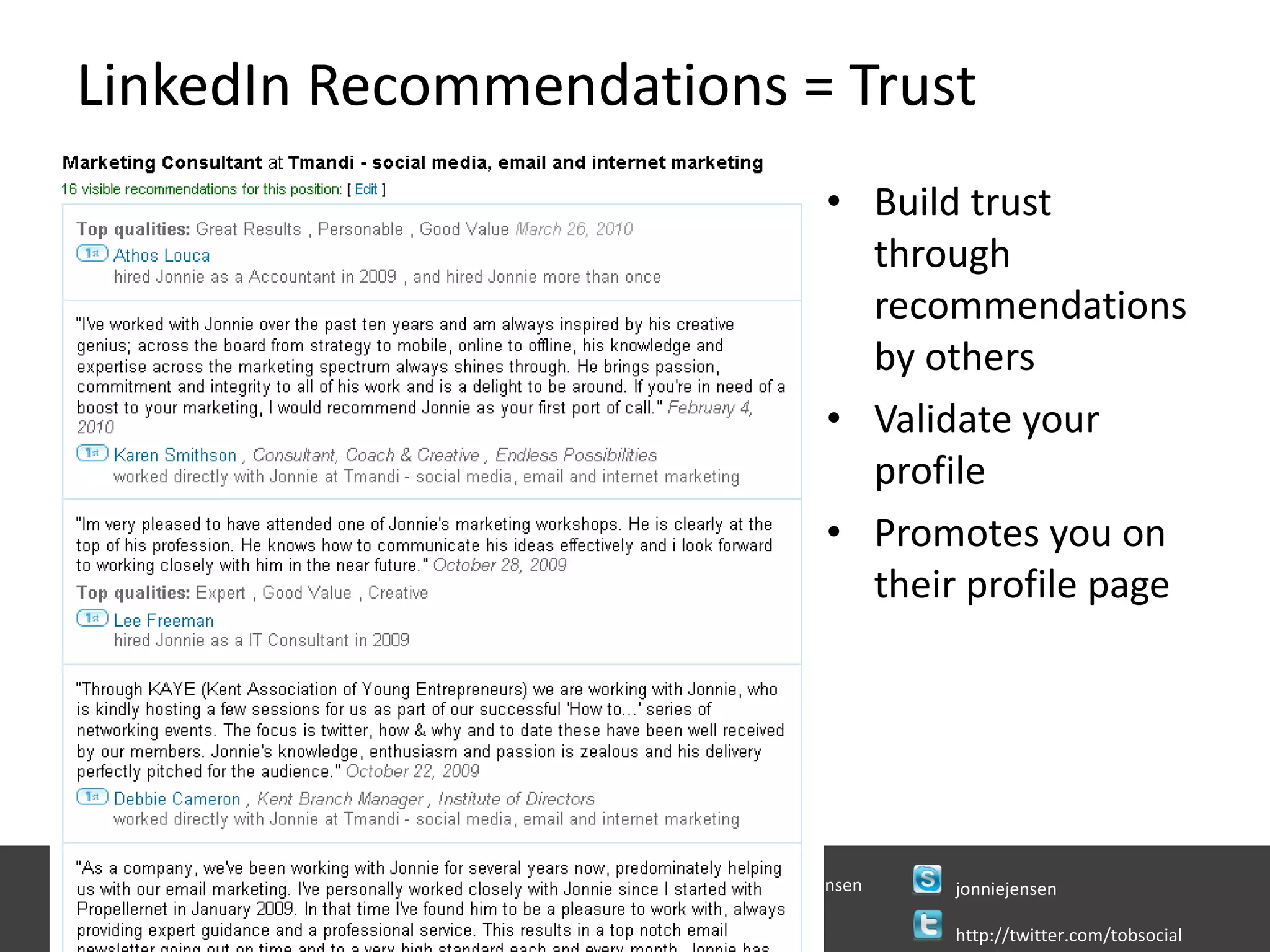
LinkedIn Recommendations = Trust Build trust through recommendations by others Validate your profile Promotes you on their profile page
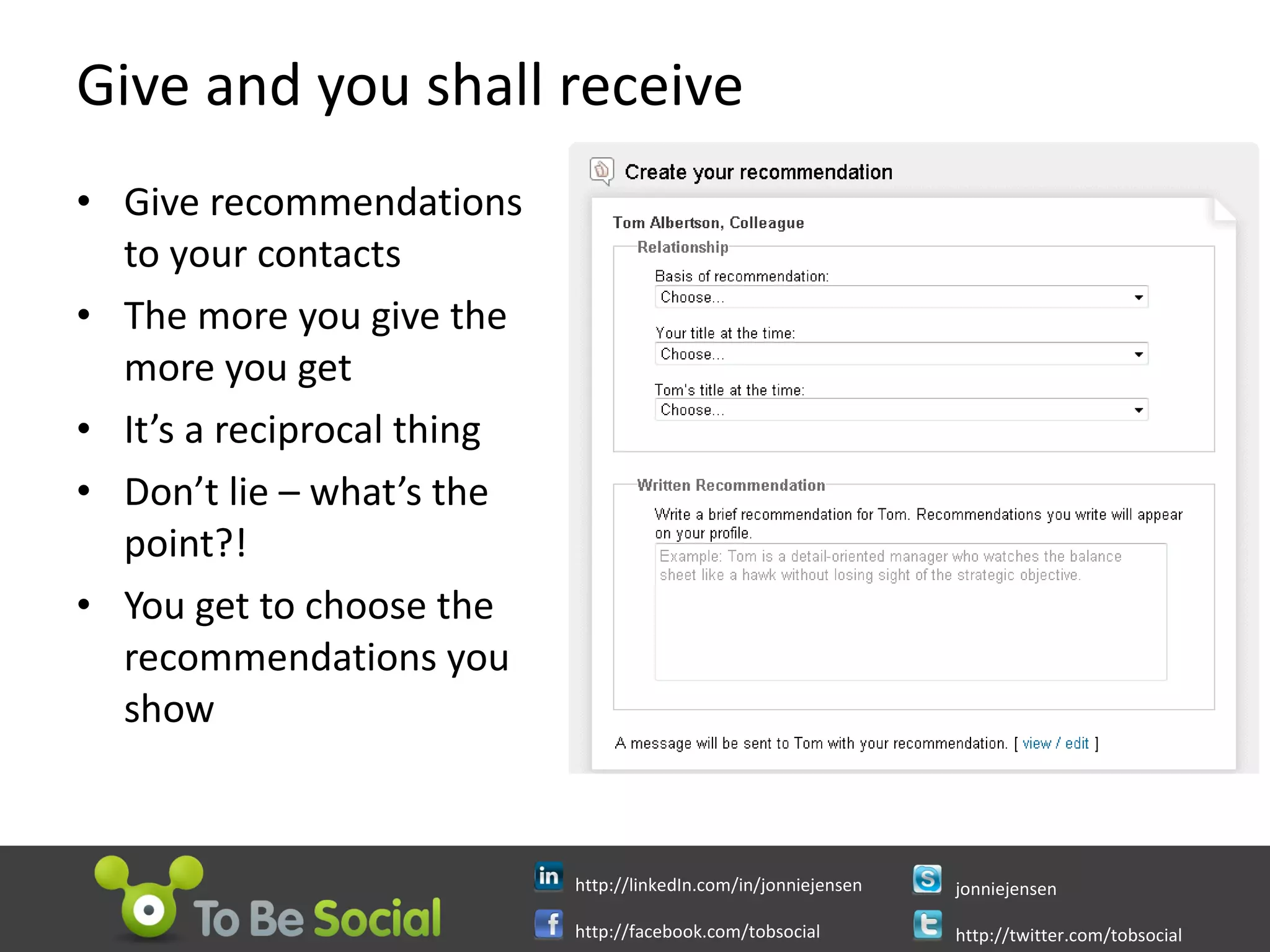
Give and you shall receive Give recommendations  to your contacts The more you give the more you get It’s a reciprocal thing Don’t lie – what’s the point?! You get to choose the recommendations you show
Raise your profile Update your status Amending your profile notifies all your contacts Participate in LinkedIn answers Be influential in a group Start your own groups Start discussions Participate in other discussions Add value to key influencers Create links to your site and outposts
Making Groups work for you Search for groups that interest you  Include your hobbies: all work and no play is very dull! Join groups and participate Find prospects – engage them Raise your profile – be an opinion leader Receive group messages immediately or daily digest Set up email rule to alert you of keywords Reply early and keep adding to the conversation Note who else is and see who they are connected with Set up your own group Make sure there is not a successful group already  Become a figure head, steer the conversation and orchestrate the members
Tips for successful LinkedIn discussions Watch blogs for what content is being commented on Start conversations in your communities Good for research Invite people to the conversation  Generate conversation around your content Do not sell Keep conversation on LinkedIn Offer links to relevant content Be concise Be honest and genuine Give back to the community – share findings with respondents
Promoting your events on LinkedIn Post events on LinkedIn  Gets promoted to groups and contacts Anyone that chooses to attend will automatically promote it to all their contacts Find Questions in LinkedIn Answers that your event is appropriate to and mention it in an answer Ask attendees to confirm their attendance in LinkedIn event tell them they can meet other delegates in advance
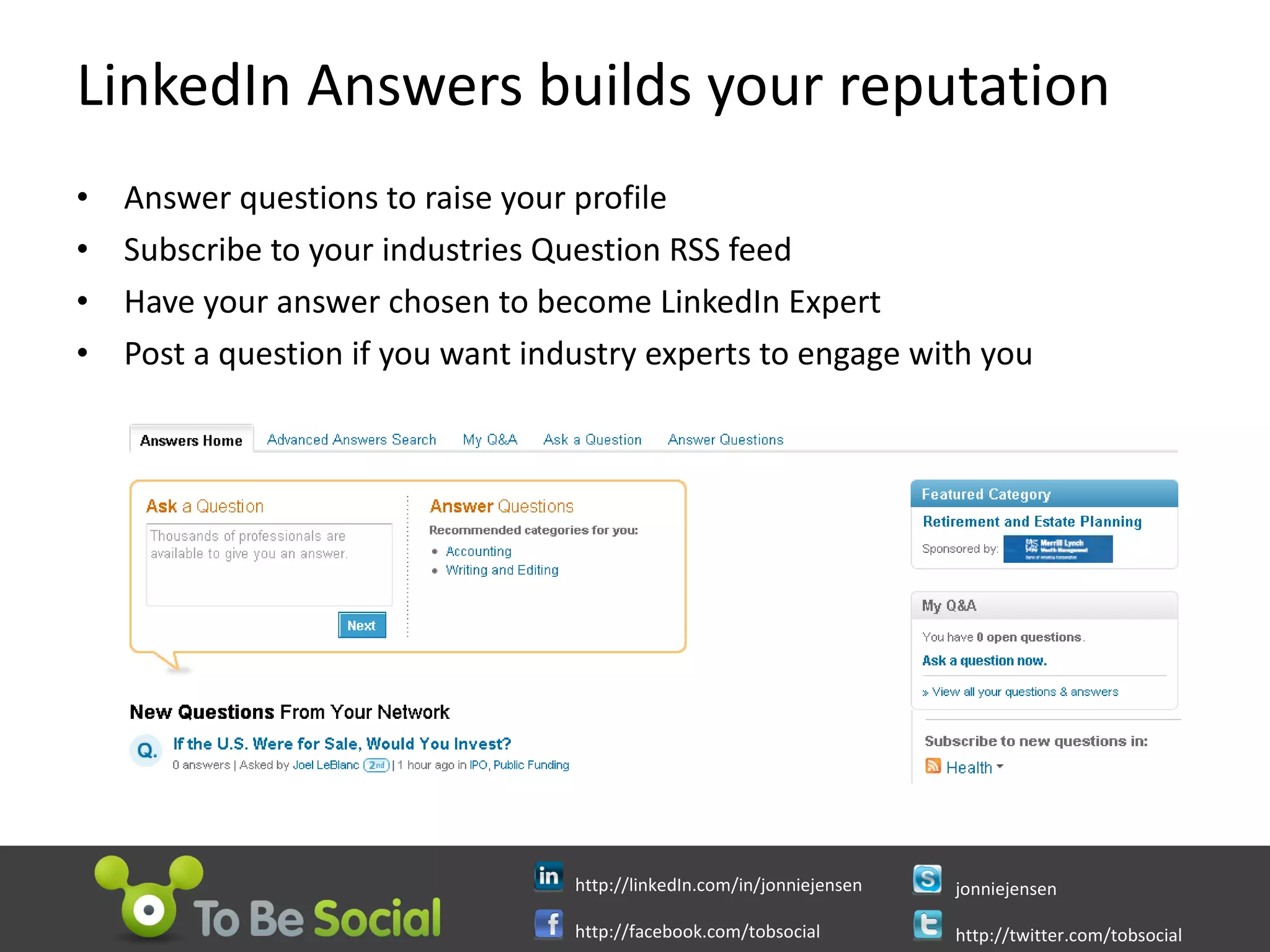
LinkedIn Answers builds your reputation Answer questions to raise your profile Subscribe to your industries Question RSS feed Have your answer chosen to become LinkedIn Expert Post a question if you want industry experts to engage with you
Optimise your settings Public photo – visible to everyone Public profile – display full profile Status visibility – everyone Member feed visibility – everyone Contact settings – receiving Introductions and InMails Invitation filtering – receiving all invitations Private RSS feed – enable Group invitations – receiving Profile updates – yes, notify Connections browse – allow
LinkedIn works – use it Register Have a nose around Pimp your CV Hook up your online content Invite contacts and customers Target prospects and key influencers Use RSS feeds to monitor Participate Image thanks: http://russelldavies.typepad.com
For Business Success Jonnie Jensen Digital Coach Twitter @jonniejensen jonniejensen@tobesocial.com  Jonnie Jensen helps businesses match their internet marketing with their business objectives. He’ll help you succeed. For a copy of this presentation visit  Linkedin.com/in/jonniejensen http://linkedIn.com/in/jonniejensen http://facebook.com/tobsocial Jonniejensen http://twitter.com/tobsocial

Linked In For Business The What, Why And How To Get Started Jonnie Jensen Digital Coach To Be Social

  • 1.
    For Business SuccessJonnie Jensen Digital Coach Twitter @jonniejensen jonniejensen@tobesocial.com Jonnie Jensen helps businesses match their internet marketing with their business objectives. He’ll help you succeed. For a copy of this presentation visit Linkedin.com/in/jonniejensen http://linkedIn.com/in/jonniejensen http://facebook.com/tobsocial jonniejensen http://twitter.com/tobsocial
  • 2.
    What is socialmedia? It’s people talking to each other It’s being social on the internet Sharing Referring Raving Bitching Fun Image thanks: http://www.chronicle.pitt.edu “ The Ants have megaphones!” - Chris Anderson "The Longtail”
  • 3.
    Why is socialmedia good for business? Improve your search results Build your online profile and reputation Targeted visitor traffic to your company website The ability to interact with customers and potential customers Networking increases your reach Directly through your contacts Indirectly through your contacts contacts Increased sales through increased brand awareness
  • 4.
    King & Queenof Social Media CONTENT CONVERSATION
  • 5.
    How did salespeople ever do their job?! Cold calling Yellow pages The Masons Trade Groups Dinner Party Hospitality Chamber of Commerce Referrals Exhibitions
  • 6.
    What is the story? Launched when 5 founders invited 350 people to join May 2003 Dec 2004 1.6 million members, approx 50% from outside USA Dec 2005 4 million members. LinkedIn jobs launched June 2006 Members kept up to date with connections through live news feed Oct 2007 Profile pictures added. Linked members hit 15 million. UK reaches 1m Oct 2008 30 million members. UK members reaches 1m Feb 2010 60 million members. 11 million in Europe. Over 3 million UK members
  • 7.
    What today willnot be about Using LinkedIn for job search Using LinkedIn for recruitment Using LinkedIn to stalk people Using LinkedIn to mount hostile take over bids Using LinkedIn to find investors Using LinkedIn to get a promotion
  • 8.
    Why LinkedIn? Acquirenew customers through online recommendations and word of mouth. Keep in touch with people who care most about your business. Find the right vendors to outsource services you’re not an expert on. Build your industry network—online and in person. Get answers to tough business questions with a little help from your real friends. Win new business by answering questions in your area of expertise. Raise funding Identify mentors Network with peers in your industry for repeat business referrals. Convince potential customers of your expertise by sharing unique blog content. Keep your friends close and your competition closer. ...with thanks to Guy Kawasaki image from sissnitz
  • 9.
    The rise ofLinkedIn – why it works People like you like people like you 2 nd and 3 rd level contacts put you in reach of millions of business people +
  • 10.
    It’s No TimeTo Be Shy Before you get started, write down What are you brilliant at What services you provide Your previous jobs and successes Your professional interests Your ultimate mentors list Who do you want to speak to / meet What do you want from them What can you give them What will be your measures of success Scheduled time each week for your LinkedIn activity
  • 11.
    Getting Started http://linkedin.comLook at lots of peoples profiles Use your real name and email address Do not add contacts
  • 12.
    Build a greatprofile Write a ‘movie trailer’ about you Create a vanity URL Get a great photo Use ‘other’ to create descriptive links Complete 100% Add all jobs and education Switch off profile whilst building it
  • 13.
    Use LinkedIn ApplicationsTurn your profile into your professional social media hub Connect your content to LinkedIn Promote your content to LinkedIn audience
  • 14.
    Completed Profile Geta great photo All jobs and education Descriptive links Vanity URL LinkedIn applications
  • 15.
    Building your networkDon’t add anyone until your profile is 100% complete Add your email contacts Add previous colleagues Put a link in your email sig, your business card, everywhere Ask for introductions Download the LinkedIn toolbar Search for people Define what type of people you want to connect with Use the search filter to find them Look to see who they are connected with Look to see who’s else their visitors have visited Join groups and introduce yourself
  • 16.
    Bulk Connect toyour Contacts Bulk connect to people by clicking Add Connections Use your online accounts or upload a file You cant personalise the invite Create your own invite with link to your page
  • 17.
    Personally invite peopleUse personalised invites unless you know the person well Go to their profile page and click Add Name To Network
  • 18.
    Use LinkedIn SearchPowerful tool for prospecting targets Name Company Location Industry
  • 19.
    Browse other people’sconnections See who your connections know The power is in your 2 nd and 3 rd degree contacts
  • 20.
    LinkedIn Recommendations =Trust Build trust through recommendations by others Validate your profile Promotes you on their profile page
  • 21.
    Give and youshall receive Give recommendations to your contacts The more you give the more you get It’s a reciprocal thing Don’t lie – what’s the point?! You get to choose the recommendations you show
  • 22.
    Raise your profileUpdate your status Amending your profile notifies all your contacts Participate in LinkedIn answers Be influential in a group Start your own groups Start discussions Participate in other discussions Add value to key influencers Create links to your site and outposts
  • 23.
    Making Groups workfor you Search for groups that interest you Include your hobbies: all work and no play is very dull! Join groups and participate Find prospects – engage them Raise your profile – be an opinion leader Receive group messages immediately or daily digest Set up email rule to alert you of keywords Reply early and keep adding to the conversation Note who else is and see who they are connected with Set up your own group Make sure there is not a successful group already Become a figure head, steer the conversation and orchestrate the members
  • 24.
    Tips for successfulLinkedIn discussions Watch blogs for what content is being commented on Start conversations in your communities Good for research Invite people to the conversation Generate conversation around your content Do not sell Keep conversation on LinkedIn Offer links to relevant content Be concise Be honest and genuine Give back to the community – share findings with respondents
  • 25.
    Promoting your eventson LinkedIn Post events on LinkedIn Gets promoted to groups and contacts Anyone that chooses to attend will automatically promote it to all their contacts Find Questions in LinkedIn Answers that your event is appropriate to and mention it in an answer Ask attendees to confirm their attendance in LinkedIn event tell them they can meet other delegates in advance
  • 26.
    LinkedIn Answers buildsyour reputation Answer questions to raise your profile Subscribe to your industries Question RSS feed Have your answer chosen to become LinkedIn Expert Post a question if you want industry experts to engage with you
  • 27.
    Optimise your settingsPublic photo – visible to everyone Public profile – display full profile Status visibility – everyone Member feed visibility – everyone Contact settings – receiving Introductions and InMails Invitation filtering – receiving all invitations Private RSS feed – enable Group invitations – receiving Profile updates – yes, notify Connections browse – allow
  • 28.
    LinkedIn works –use it Register Have a nose around Pimp your CV Hook up your online content Invite contacts and customers Target prospects and key influencers Use RSS feeds to monitor Participate Image thanks: http://russelldavies.typepad.com
  • 29.
    For Business SuccessJonnie Jensen Digital Coach Twitter @jonniejensen jonniejensen@tobesocial.com Jonnie Jensen helps businesses match their internet marketing with their business objectives. He’ll help you succeed. For a copy of this presentation visit Linkedin.com/in/jonniejensen http://linkedIn.com/in/jonniejensen http://facebook.com/tobsocial Jonniejensen http://twitter.com/tobsocial

Editor's Notes

  • #7 LinkedIn has more than 60 million users worldwide, of which approximately half are in the United States. 11 million are from Europe. With 3 million users, India is the fastest-growing country as of 2009. The Netherlands has the highest adoption rate per capita at 30%
  • #10 The purpose of the site is to allow registered users to maintain a list of contact details of people they know and trust in business. The people in the list are called Connections . Users can invite anyone (whether a site user or not) to become a connection. This list of connections can then be used in a number of ways: A contact network is built up consisting of their direct connections, the connections of each of their connections (termed second-degree connections ) and also the connections of second-degree connections (termed third-degree connections ). This can be used to gain an introduction to someone a person wishes to know through a mutual, trusted contact. It can then be used to find jobs, people and business opportunities recommended by someone in one's contact network. Employers can list jobs and search for potential candidates. Job seekers can review the profile of hiring managers and discover which of their existing contacts can introduce them.
  • #24 Set up your own group Make sure there is not a successful group already Be different or better Ask members what is wrong with group Look at successful groups and copy Why: to control the conversation and orchestrate the members For clients For target audience For profile raising