Class 3
Drives Traffic – engaging content encourages linking Reputation Management – a great listening tool Brand Recognition Blended Results – your content on other sites gets ranked, other content types appear in Search Engine Results
You must be willing and able to engage Requires constant attention and interaction Honest/Authentic message Conversation not Conversion Interacting not Advertising
 
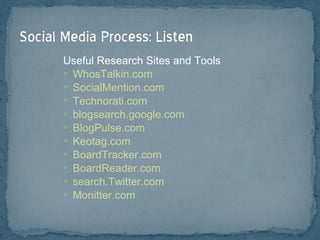
Useful Research Sites and Tools WhosTalkin.com SocialMention.com Technorati.com blogsearch.google.com BlogPulse.com Keotag.com BoardTracker.com BoardReader.com  search.Twitter.com Monitter.com
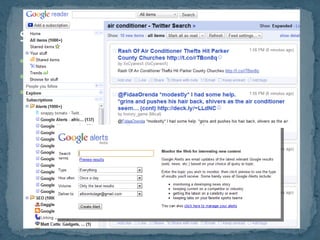
setup RSS feeds setup Google alerts  http://www.google.com/alerts No more Google Realtime Results… for now.
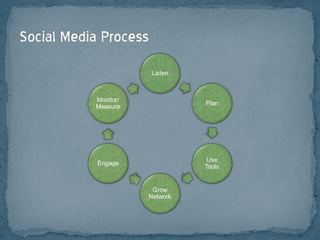
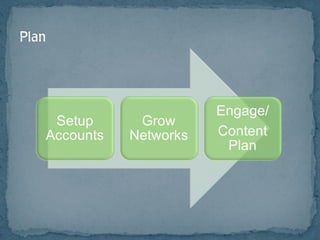
Find Your Market  Find Your Voice Define Goals
Find Your Market  What are they saying about: Your brand Products/Services in general The industry Your competition Their problems, complaints Their hopes, dreams, what makes them happy Find Your Voice Define Goals
Find Your Market Find Your Voice Humor Controversy Information Educational Define Goals
Find Your Market Find Your Voice Define Goals Improve reputation Increase sales Increase visits/traffic Increase leads Generate awareness Build relationships Build trust Focus groups Combat negative comments Customer service
Focus on goals Who and How Often: Schedule Join Conversation First,  Then  Convert Them
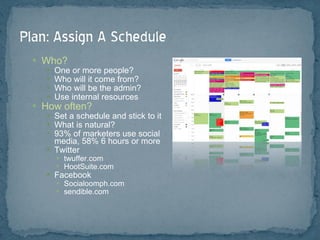
Who? One or more people? Who will it come from? Who will be the admin? Use internal resources How often? Set a schedule and stick to it What is natural? 93% of marketers use social media, 58% 6 hours or more Twitter twuffer.com HootSuite.com Facebook Socialoomph.com sendible.com
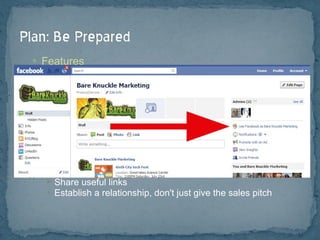
Features Know the basic commands (hashtag, retweet, like, etc.) Create custom apps Hide time wasting apps Know how to login, post updates, act as PAGE Best Practices Don't spam Create social media policy (rules and ethics) Don't retweet too much Remember to use keywords Create content that is useful Share useful links Establish a relationship, don't just give the sales pitch
 
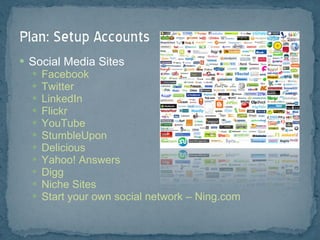
Social Media Sites Facebook Twitter LinkedIn Flickr YouTube StumbleUpon Delicious Yahoo! Answers Digg Niche Sites Start your own social network – Ning.com
knowem.com or namechk.com Create keyword rich and interesting profiles so you appear in more searches Use your brand and/or keywords as your username Create custom backgrounds and avatars Setup tracking on all accounts, where possible, and track initiatives
HootSuite TweetDeck Phone Apps TweetDeck Foursquare QR Code Scanners Network Specific  (Facebook, Twitter, LinkedIn) cotweet.com
General Tips Share with existing friends Reciprocal befriending Send email invite Be interesting Deliver value Follow industry leaders Link to your profiles Add “Like” button http://developers.facebook.com
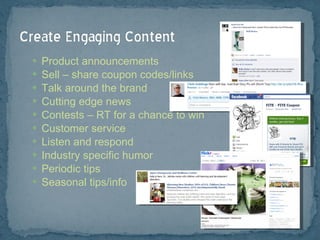
Product announcements Sell – share coupon codes/links Talk around the brand Cutting edge news Contests – RT for a chance to win Customer service Listen and respond Industry specific humor Periodic tips Seasonal tips/info
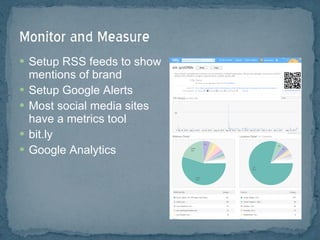
Setup RSS feeds to show mentions of brand Setup Google Alerts Most social media sites have a metrics tool bit.ly Google Analytics
Don’t focus on proving direct ROI Benefits are often secondary or tertiary Focus on interaction, value of content, not numbers Focus on Branding Measure actions, not just size of network Track your time/costs
Baseline Data How many fans, followers, bookmarks, etc.  Search Engine rankings Referrers Number of meaningful comments/interactions Subscribers & Interactions Interaction – are users engaging in a conversation? Twitter: retweets, answering questions, driving traffic to site, increasing followers? Facebook: likes, comments, wall posts, mentions? YouTube: views, comments, embeds? Conversions – are your sales, leads, etc. increasing? Rankings – increasing, adding to the long tail? Retention rates, Repeat business
 
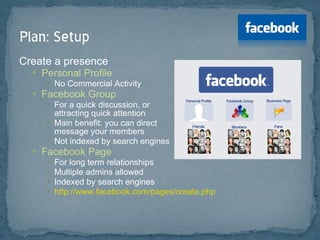
Create a presence Personal Profile No Commercial Activity Facebook Group  For a quick discussion, or attracting quick attention Main benefit: you can direct message your members Not indexed by search engines  Facebook Page For long term relationships Multiple admins allowed Indexed by search engines http://www.facebook.com/pages/create.php
Add Applications:  Facebook.com/apps Vanity URL:  Facebook.com/username  (need 25 likes) Export updates to Twitter: Facebook.com/twitter Import Blog:  Social   RSS
Be searchable – consider setting profile to public Control who sees what with Friend Groups and Custom Privacy Settings Account > Edit Friends > Create a List Account > Privacy Settings > Customize Settings Connect with industry leaders/influencers Join groups in your market/network Follow limits - 5000 friends, unlimited fans
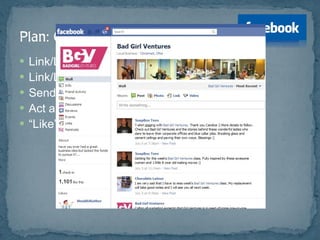
Link/Logo on site Link/Logo in email signature, print materials Send Email Request Act as page, interact on other pages “ Like” other pages/content, as company
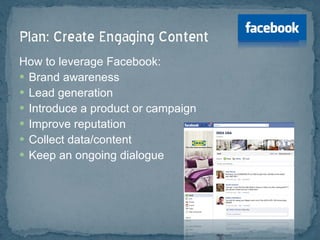
How to leverage Facebook: Brand awareness Lead generation Introduce a product or campaign Improve reputation Collect data/content Keep an ongoing dialogue
How to do it, and Drive more traffic: Run promotions Create polls Extend the page with custom applications  http://developers.facebook.com/ If a user interacts with your page, it shows up on their “wall” = free advertising Allow fans to upload photos Create events that users can RSVP to Best times for business use:  Tuesday & Wednesday (yours may vary)
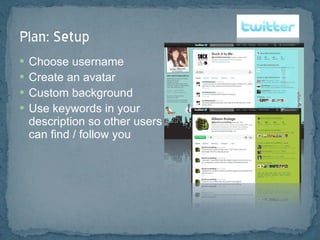
Choose username Create an avatar Custom background Use keywords in your  description so other users  can find / follow you
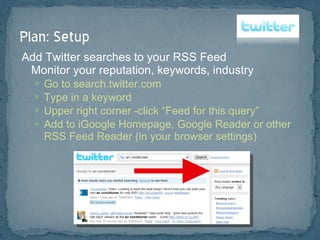
Add Twitter searches to your RSS Feed Monitor your reputation, keywords, industry Go to search.twitter.com Type in a keyword Upper right corner -click “Feed for this query” Add to iGoogle Homepage, Google Reader or other RSS Feed Reader (in your browser settings)
Use various tools to find Twitter users to follow twellow.com Twitter search “Who to Follow” Follow well known Twitter users Twitter lists Follow people that engage and influence Who do the industry leaders follow or RT or mention frequently? Block “Adult” accounts that follow you – they can damage credibility Follow back those that follow you Don’t auto follow  everyone  back If you follow too many people, it can be too noisy Follow who your network is following Find local users: Cincinnati Twitter List/Database
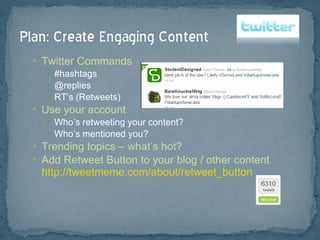
Twitter Commands #hashtags @replies RT’s (Retweets) Use your account Who’s retweeting your content? Who’s mentioned you? Trending topics – what’s hot? Add Retweet Button to your blog / other content http://tweetmeme.com/about/retweet_button
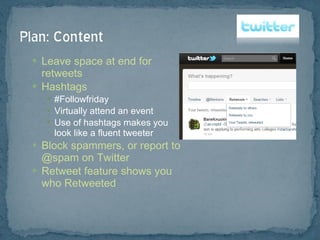
Leave space at end for retweets Hashtags #Followfriday Virtually attend an event Use of hashtags makes you look like a fluent tweeter Block spammers, or report to @spam on Twitter Retweet feature shows you who Retweeted
Product testing Create an online persona Be entertaining Respond within 24 hours Post links to your content People love lists  Use trending keywords Contests, prizes are often shared Allow users to share Launch a help center
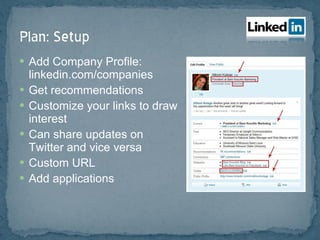
Add Company Profile: linkedin.com/companies Get recommendations Customize your links to draw interest Can share updates on Twitter and vice versa Custom URL Add applications
Import contact list Send invites Connect to everyone you know Business cards at networking events?  Look them up or invite! Follow up with custom request Join groups and connect Join Q&A Email blast
Career/job postings Start discussions Status updates show in email messages events.linkedin.com Join groups and contribute to Q&A
Create Company Channel  How to Rank Higher: Likes Views Keyword relevance Choose a good thumbnail Use Tags
Network within YouTube Embed on Facebook Add Annotations Gain Subscribers Link to other content Add link to email signature, print, site, etc. Embed video in Email signature Embed video on site
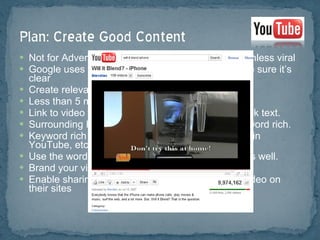
Not for Advertisements. Don’t post commercials, unless viral Google uses voice recognition technology so make sure it’s clear  Create relevant, unique, informative content Less than 5 minutes is generally a good rule Link to video from your site with keywords in the link text. Surrounding HTML should be descriptive and keyword rich. Keyword rich descriptions in video title, in the tags in YouTube, etc. Use the word “video” as a keyword in these tags as well.  Brand your video. Enable sharing and allow people to embed your video on their sites
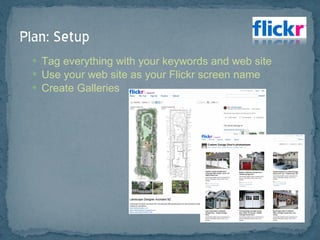
Tag everything with your keywords and web site Use your web site as your Flickr screen name Create Galleries
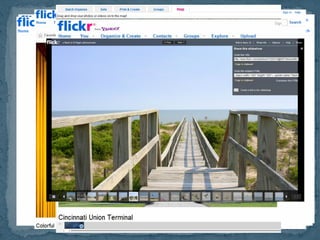
Join groups & post photos  http://www.flickr.com/groups/ Comment on other photos & link back to your site where relevant GeoTag Content http://www.flickr.com/places/ Embed Flickr stream on your site
Post your photos & use Creative Commons licensing  Allows others to use as long as they give you credit Credit = link to your Flickr account Post links to your site in your tags on your photos Look for photos in Flickr that you can use on your own site Embed in your blog post, article, or other content Let the photographer know you used their photo Add comment on their photo with link to your article, blog, etc. Photographer may even brag about it and link to you! Try to engage the user who posted the photo as well
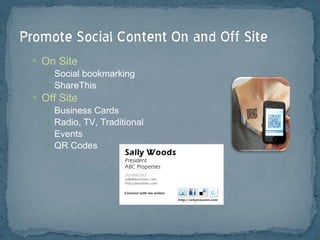
On Site Social bookmarking ShareThis Off Site Business Cards Radio, TV, Traditional Events QR Codes
Don’t Spam Be Respectful & Friendly It’s OK to be a “Real” Person Provide Quality Content – The purpose of these sites is to share relevant content. You’re there to establish a relationship, not just to make a sales pitch. Social Media Policy – many companies are implementing these now. Use your “What if my mother saw this?” filter
Class 4:  Advanced Digital Strategies, Metrics Analysis, and Open Q&A Bring Your Questions! [email_address]

Centennial Barn Social Media Class - Week 3

  • 1.
  • 2.
    Drives Traffic –engaging content encourages linking Reputation Management – a great listening tool Brand Recognition Blended Results – your content on other sites gets ranked, other content types appear in Search Engine Results
  • 3.
    You must bewilling and able to engage Requires constant attention and interaction Honest/Authentic message Conversation not Conversion Interacting not Advertising
  • 4.
  • 5.
    Useful Research Sitesand Tools WhosTalkin.com SocialMention.com Technorati.com blogsearch.google.com BlogPulse.com Keotag.com BoardTracker.com BoardReader.com search.Twitter.com Monitter.com
  • 6.
    setup RSS feedssetup Google alerts http://www.google.com/alerts No more Google Realtime Results… for now.
  • 7.
    Find Your Market Find Your Voice Define Goals
  • 8.
    Find Your Market What are they saying about: Your brand Products/Services in general The industry Your competition Their problems, complaints Their hopes, dreams, what makes them happy Find Your Voice Define Goals
  • 9.
    Find Your MarketFind Your Voice Humor Controversy Information Educational Define Goals
  • 10.
    Find Your MarketFind Your Voice Define Goals Improve reputation Increase sales Increase visits/traffic Increase leads Generate awareness Build relationships Build trust Focus groups Combat negative comments Customer service
  • 11.
    Focus on goalsWho and How Often: Schedule Join Conversation First, Then Convert Them
  • 12.
    Who? One ormore people? Who will it come from? Who will be the admin? Use internal resources How often? Set a schedule and stick to it What is natural? 93% of marketers use social media, 58% 6 hours or more Twitter twuffer.com HootSuite.com Facebook Socialoomph.com sendible.com
  • 13.
    Features Know thebasic commands (hashtag, retweet, like, etc.) Create custom apps Hide time wasting apps Know how to login, post updates, act as PAGE Best Practices Don't spam Create social media policy (rules and ethics) Don't retweet too much Remember to use keywords Create content that is useful Share useful links Establish a relationship, don't just give the sales pitch
  • 14.
  • 15.
    Social Media SitesFacebook Twitter LinkedIn Flickr YouTube StumbleUpon Delicious Yahoo! Answers Digg Niche Sites Start your own social network – Ning.com
  • 16.
    knowem.com or namechk.comCreate keyword rich and interesting profiles so you appear in more searches Use your brand and/or keywords as your username Create custom backgrounds and avatars Setup tracking on all accounts, where possible, and track initiatives
  • 17.
    HootSuite TweetDeck PhoneApps TweetDeck Foursquare QR Code Scanners Network Specific (Facebook, Twitter, LinkedIn) cotweet.com
  • 18.
    General Tips Sharewith existing friends Reciprocal befriending Send email invite Be interesting Deliver value Follow industry leaders Link to your profiles Add “Like” button http://developers.facebook.com
  • 19.
    Product announcements Sell– share coupon codes/links Talk around the brand Cutting edge news Contests – RT for a chance to win Customer service Listen and respond Industry specific humor Periodic tips Seasonal tips/info
  • 20.
    Setup RSS feedsto show mentions of brand Setup Google Alerts Most social media sites have a metrics tool bit.ly Google Analytics
  • 21.
    Don’t focus onproving direct ROI Benefits are often secondary or tertiary Focus on interaction, value of content, not numbers Focus on Branding Measure actions, not just size of network Track your time/costs
  • 22.
    Baseline Data Howmany fans, followers, bookmarks, etc. Search Engine rankings Referrers Number of meaningful comments/interactions Subscribers & Interactions Interaction – are users engaging in a conversation? Twitter: retweets, answering questions, driving traffic to site, increasing followers? Facebook: likes, comments, wall posts, mentions? YouTube: views, comments, embeds? Conversions – are your sales, leads, etc. increasing? Rankings – increasing, adding to the long tail? Retention rates, Repeat business
  • 23.
  • 24.
    Create a presencePersonal Profile No Commercial Activity Facebook Group For a quick discussion, or attracting quick attention Main benefit: you can direct message your members Not indexed by search engines Facebook Page For long term relationships Multiple admins allowed Indexed by search engines http://www.facebook.com/pages/create.php
  • 25.
    Add Applications: Facebook.com/apps Vanity URL: Facebook.com/username (need 25 likes) Export updates to Twitter: Facebook.com/twitter Import Blog: Social RSS
  • 26.
    Be searchable –consider setting profile to public Control who sees what with Friend Groups and Custom Privacy Settings Account > Edit Friends > Create a List Account > Privacy Settings > Customize Settings Connect with industry leaders/influencers Join groups in your market/network Follow limits - 5000 friends, unlimited fans
  • 27.
    Link/Logo on siteLink/Logo in email signature, print materials Send Email Request Act as page, interact on other pages “ Like” other pages/content, as company
  • 28.
    How to leverageFacebook: Brand awareness Lead generation Introduce a product or campaign Improve reputation Collect data/content Keep an ongoing dialogue
  • 29.
    How to doit, and Drive more traffic: Run promotions Create polls Extend the page with custom applications http://developers.facebook.com/ If a user interacts with your page, it shows up on their “wall” = free advertising Allow fans to upload photos Create events that users can RSVP to Best times for business use: Tuesday & Wednesday (yours may vary)
  • 30.
    Choose username Createan avatar Custom background Use keywords in your description so other users can find / follow you
  • 31.
    Add Twitter searchesto your RSS Feed Monitor your reputation, keywords, industry Go to search.twitter.com Type in a keyword Upper right corner -click “Feed for this query” Add to iGoogle Homepage, Google Reader or other RSS Feed Reader (in your browser settings)
  • 32.
    Use various toolsto find Twitter users to follow twellow.com Twitter search “Who to Follow” Follow well known Twitter users Twitter lists Follow people that engage and influence Who do the industry leaders follow or RT or mention frequently? Block “Adult” accounts that follow you – they can damage credibility Follow back those that follow you Don’t auto follow everyone back If you follow too many people, it can be too noisy Follow who your network is following Find local users: Cincinnati Twitter List/Database
  • 33.
    Twitter Commands #hashtags@replies RT’s (Retweets) Use your account Who’s retweeting your content? Who’s mentioned you? Trending topics – what’s hot? Add Retweet Button to your blog / other content http://tweetmeme.com/about/retweet_button
  • 34.
    Leave space atend for retweets Hashtags #Followfriday Virtually attend an event Use of hashtags makes you look like a fluent tweeter Block spammers, or report to @spam on Twitter Retweet feature shows you who Retweeted
  • 35.
    Product testing Createan online persona Be entertaining Respond within 24 hours Post links to your content People love lists Use trending keywords Contests, prizes are often shared Allow users to share Launch a help center
  • 36.
    Add Company Profile:linkedin.com/companies Get recommendations Customize your links to draw interest Can share updates on Twitter and vice versa Custom URL Add applications
  • 37.
    Import contact listSend invites Connect to everyone you know Business cards at networking events? Look them up or invite! Follow up with custom request Join groups and connect Join Q&A Email blast
  • 38.
    Career/job postings Startdiscussions Status updates show in email messages events.linkedin.com Join groups and contribute to Q&A
  • 39.
    Create Company Channel How to Rank Higher: Likes Views Keyword relevance Choose a good thumbnail Use Tags
  • 40.
    Network within YouTubeEmbed on Facebook Add Annotations Gain Subscribers Link to other content Add link to email signature, print, site, etc. Embed video in Email signature Embed video on site
  • 41.
    Not for Advertisements.Don’t post commercials, unless viral Google uses voice recognition technology so make sure it’s clear Create relevant, unique, informative content Less than 5 minutes is generally a good rule Link to video from your site with keywords in the link text. Surrounding HTML should be descriptive and keyword rich. Keyword rich descriptions in video title, in the tags in YouTube, etc. Use the word “video” as a keyword in these tags as well. Brand your video. Enable sharing and allow people to embed your video on their sites
  • 42.
    Tag everything withyour keywords and web site Use your web site as your Flickr screen name Create Galleries
  • 43.
    Join groups &post photos http://www.flickr.com/groups/ Comment on other photos & link back to your site where relevant GeoTag Content http://www.flickr.com/places/ Embed Flickr stream on your site
  • 44.
    Post your photos& use Creative Commons licensing Allows others to use as long as they give you credit Credit = link to your Flickr account Post links to your site in your tags on your photos Look for photos in Flickr that you can use on your own site Embed in your blog post, article, or other content Let the photographer know you used their photo Add comment on their photo with link to your article, blog, etc. Photographer may even brag about it and link to you! Try to engage the user who posted the photo as well
  • 45.
    On Site Socialbookmarking ShareThis Off Site Business Cards Radio, TV, Traditional Events QR Codes
  • 46.
    Don’t Spam BeRespectful & Friendly It’s OK to be a “Real” Person Provide Quality Content – The purpose of these sites is to share relevant content. You’re there to establish a relationship, not just to make a sales pitch. Social Media Policy – many companies are implementing these now. Use your “What if my mother saw this?” filter
  • 47.
    Class 4: Advanced Digital Strategies, Metrics Analysis, and Open Q&A Bring Your Questions! [email_address]