Checkerboard Rendering in
Dark Souls: Remastered
(Or how to git gud and save frametime)
ABOUT US
Markus Pursche
Andreas Vennström
Porting Programmers @ QLOC, Warsaw
Dark Souls: Remastered
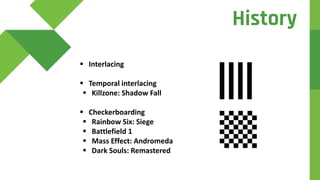
 Brief History
 Theory
 Frame Walkthrough
 Results
Agenda
 Interlacing
 Temporal interlacing
 Killzone: Shadow Fall
 Checkerboarding
 Rainbow Six: Siege
 Battlefield 1
 Mass Effect: Andromeda
 Dark Souls: Remastered
History
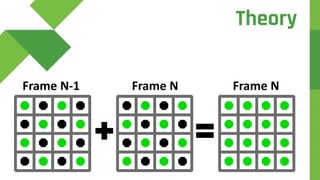
Frame NFrame N-1 Frame N
Theory
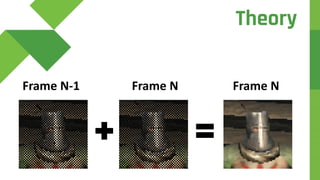
Frame NFrame N-1 Frame N
Theory
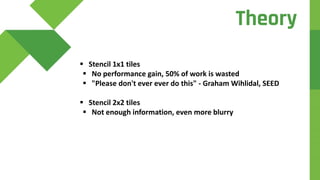
 Stencil 1x1 tiles
 No performance gain, 50% of work is wasted
 "Please don't ever ever do this" - Graham Wihlidal, SEED
 Stencil 2x2 tiles
 Not enough information, even more blurry
Theory
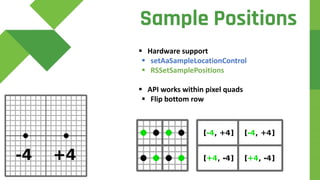
Sample Positions
 Hardware support
 setAaSampleLocationControl
 RSSetSamplePositions
 API works within pixel quads
 Flip bottom row
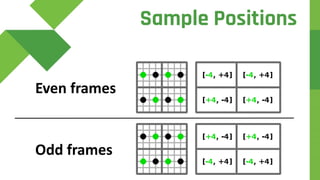
Even frames
Odd frames
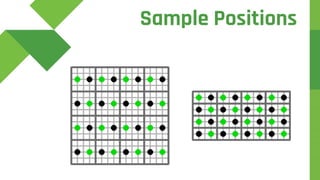
Sample Positions
Sample Positions
Depth
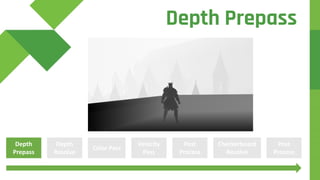
Prepass
Color Pass
Velocity
Pass
Depth
Resolve
Post
Process
Checkerboard
Resolve
Post
Process
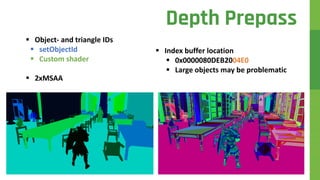
Depth Prepass
 Object- and triangle IDs
 setObjectId
 Custom shader
 2xMSAA
Depth Prepass
 Index buffer location
 0x0000080DEB2004E0
 Large objects may be problematic
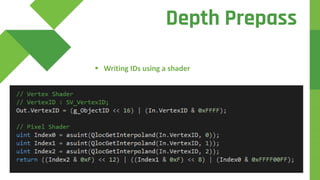
 Writing IDs using a shader
Depth Prepass
d
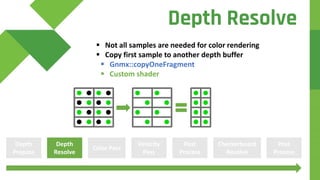
 Not all samples are needed for color rendering
 Copy first sample to another depth buffer
 Gnmx::copyOneFragment
 Custom shader
Depth
Prepass
Color Pass
Velocity
Pass
Depth
Resolve
Post
Process
Checkerboard
Resolve
Post
Process
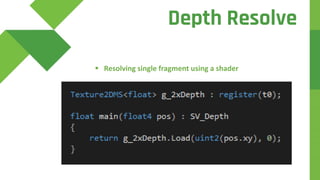
Depth Resolve
d
 Resolving single fragment using a shader
Depth Resolve
d
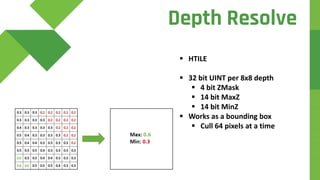
 HTILE
 32 bit UINT per 8x8 depth
 4 bit ZMask
 14 bit MaxZ
 14 bit MinZ
 Works as a bounding box
 Cull 64 pixels at a time
Depth Resolve
d
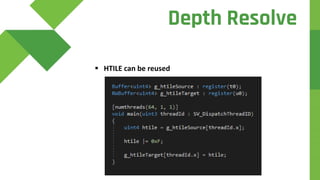
 HTILE can be reused
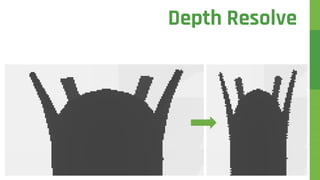
Depth Resolve
Depth Resolve
Depth
Prepass
Color Pass
Velocity
Pass
Depth
Resolve
Post
Process
Checkerboard
Resolve
Post
Process
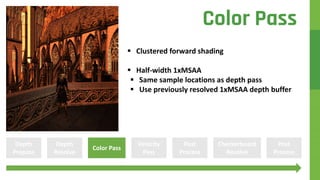
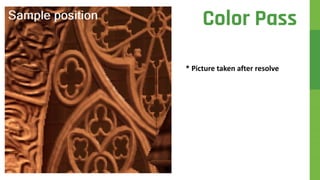
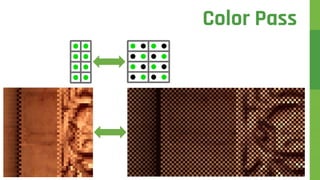
Color Pass
 Clustered forward shading
 Half-width 1xMSAA
 Same sample locations as depth pass
 Use previously resolved 1xMSAA depth buffer
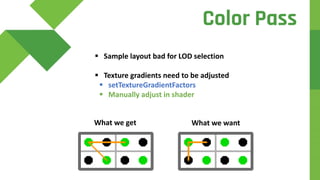
 Sample layout bad for LOD selection
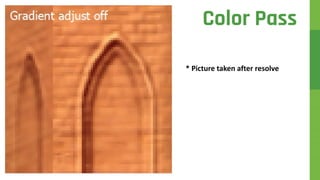
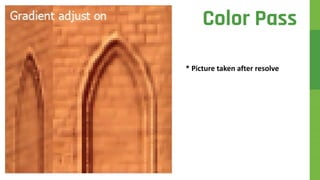
 Texture gradients need to be adjusted
 setTextureGradientFactors
 Manually adjust in shader
What we get What we want
Color Pass
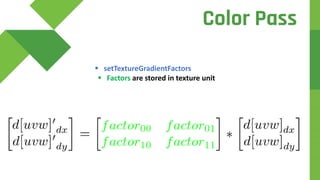
 setTextureGradientFactors
 Factors are stored in texture unit
Color Pass
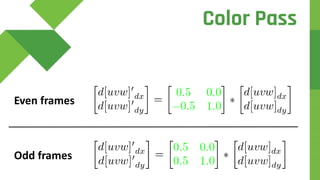
Even frames
Odd frames
Color Pass
* Picture taken after resolve
Color Pass
* Picture taken after resolve
Color Pass
d
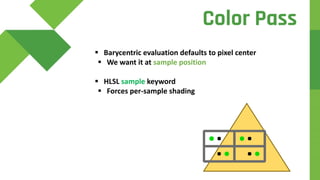
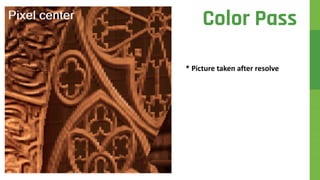
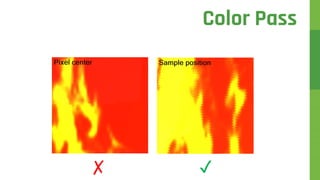
 Barycentric evaluation defaults to pixel center
 We want it at sample position
 HLSL sample keyword
 Forces per-sample shading
Color Pass
* Picture taken after resolve
Color Pass
* Picture taken after resolve
Color Pass
Color Pass
d
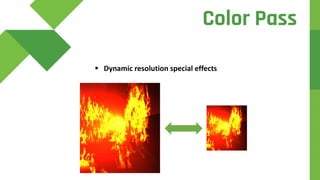
 Dynamic resolution special effects
Color Pass
d
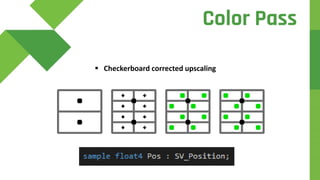
 Checkerboard corrected upscaling
Color Pass
✓✗
Color Pass
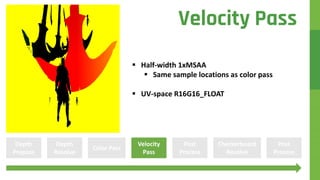
 Half-width 1xMSAA
 Same sample locations as color pass
 UV-space R16G16_FLOAT
Depth
Prepass
Color Pass
Velocity
Pass
Depth
Resolve
Post
Process
Checkerboard
Resolve
Post
Process
Velocity Pass
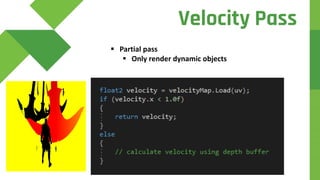
 Partial pass
 Only render dynamic objects
Velocity Pass
 Separable Subsurface Scattering [1]
 Bloom
 Gaussian blur offsets
 Luminosity estimation
 Tone mapping [2]
Depth
Prepass
Color Pass
Velocity
Pass
Depth
Resolve
Post
Process
Checkerboard
Resolve
Post
Process
Post Processing
Depth
Prepass
Color Pass
Velocity
Pass
Depth
Resolve
Post
Process
Checkerboard
Resolve
Post
Process
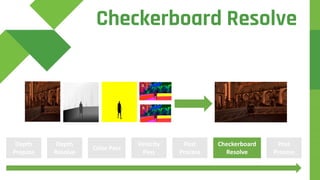
Checkerboard Resolve
 Started with PS4 Pro reference implementation
 Improvements
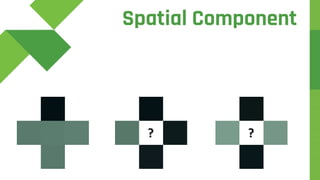
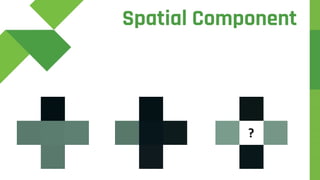
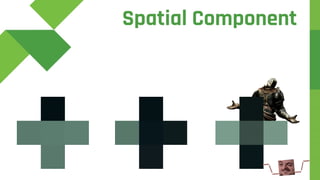
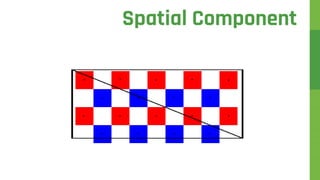
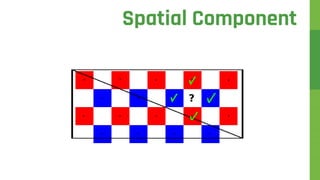
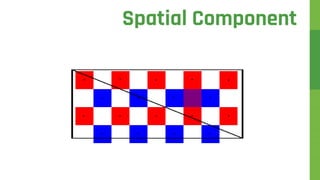
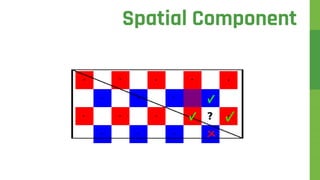
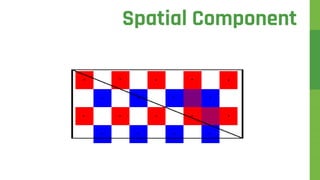
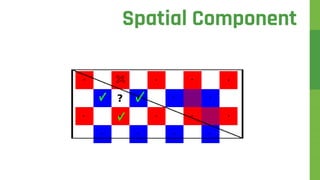
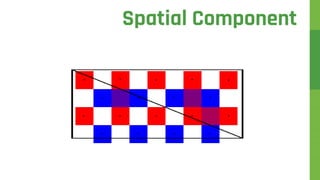
 Spatial component
 Figure out the color of the missing samples
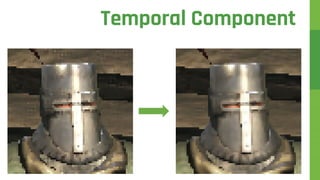
 Temporal component
 Re-project color from previous frame
Checkerboard Resolve
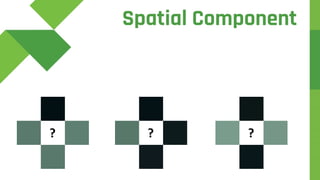
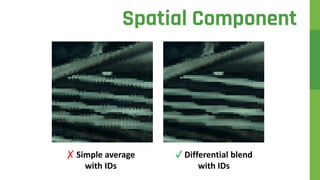
 Average all neighbors
(up + left + down + right) / 4
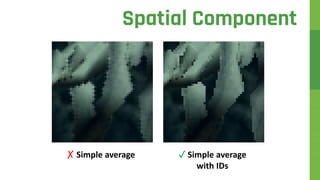
 Take advantage of full-resolution IDs
 Only average neighbors of the same triangle
if (ids[DIR] == id) sum += colors[DIR]
...
sum / num_neighbors_inside_triangle
Spatial Component
✗ Simple average
Spatial Component
✓ Simple average
with IDs
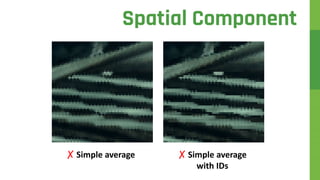
✗ Simple average
Spatial Component
✗ Simple average
with IDs
Spatial Component
? ? ?
Spatial Component
? ?
Spatial Component
?
Spatial Component
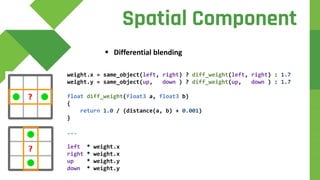
 Differential blending
Spatial Component
weight.x = same_object(left, right) ? diff_weight(left, right) : 1.7
weight.y = same_object(up, down ) ? diff_weight(up, down ) : 1.7
float diff_weight(float3 a, float3 b)
{
return 1.0 / (distance(a, b) + 0.001)
}
...
left * weight.x
right * weight.x
up * weight.y
down * weight.y
✗ Simple average
with IDs
Spatial Component
✓ Differential blend
with IDs
Spatial Component
Spatial Component
Spatial Component
Spatial Component
Spatial Component
Spatial Component
Spatial Component
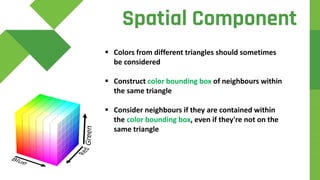
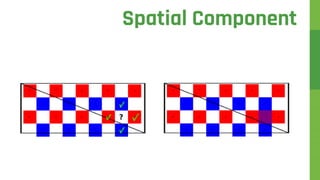
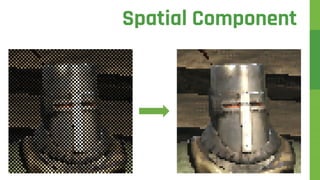
 Colors from different triangles should sometimes
be considered
 Construct color bounding box of neighbours within
the same triangle
 Consider neighbours if they are contained within
the color bounding box, even if they're not on the
same triangle
Spatial Component
Spatial Component
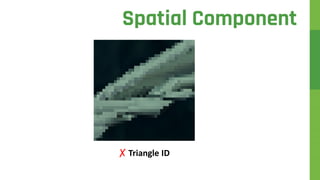
✗ Triangle ID
Spatial Component
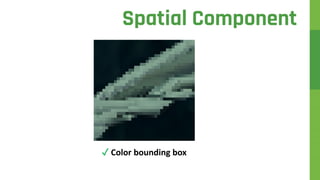
✓ Color bounding box
Spatial Component
Spatial Component
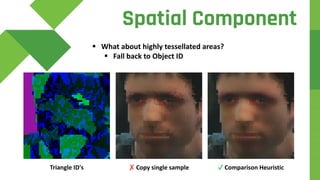
 What about highly tessellated areas?
 Fall back to Object ID
✓ Comparison Heuristic✗ Copy single sampleTriangle ID's
Spatial Component
Spatial
Component
Spatial
Component
Spatial
Component
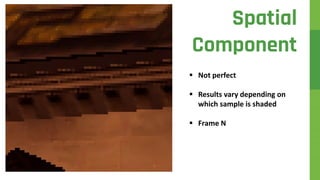
 Not perfect
 Results vary depending on
which sample is shaded
 Frame N
Spatial
Component
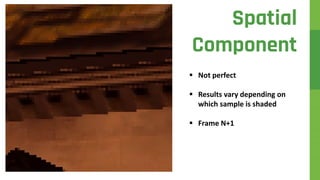
 Not perfect
 Results vary depending on
which sample is shaded
 Frame N+1
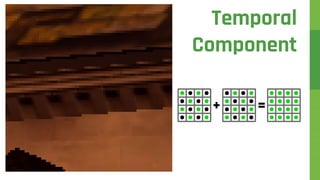
Temporal
Component
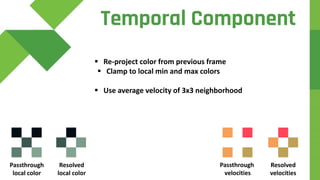
 Re-project color from previous frame
 Clamp to local min and max colors
 Use average velocity of 3x3 neighborhood
Passthrough
velocities
Resolved
velocities
Passthrough
local color
Temporal Component
Resolved
local color
Temporal Component
Temporal
Component
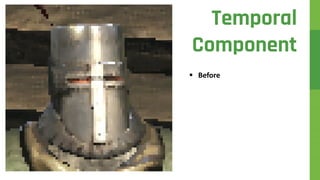
 Before
Temporal
Component
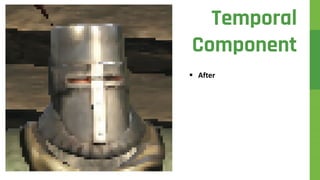
 After
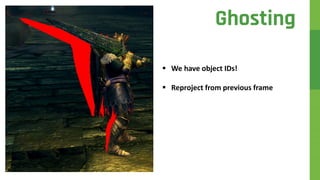
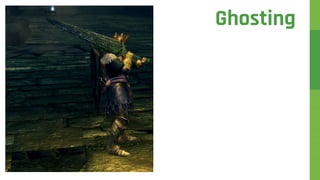
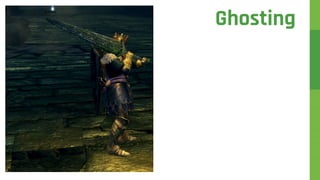
 Ghosting
 Uncharted 4 uses stencil
to distinguish objects [3]
Ghosting
 Ghosting
 Uncharted 4 uses stencil
to distinguish objects [3]
Ghosting
 We have object IDs!
 Reproject from previous frame
Ghosting
Ghosting
Ghosting
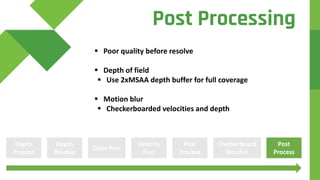
 Poor quality before resolve
 Depth of field
 Use 2xMSAA depth buffer for full coverage
 Motion blur
 Checkerboarded velocities and depth
Depth
Prepass
Color Pass
Velocity
Pass
Depth
Resolve
Post
Process
Checkerboard
Resolve
Post
Process
Post Processing
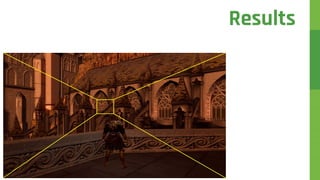
Results
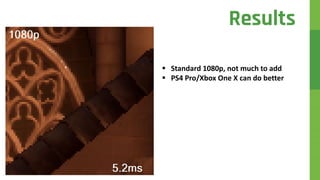
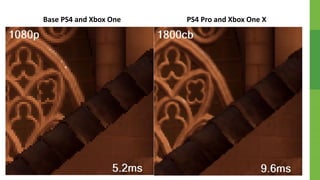
 Standard 1080p, not much to add
 PS4 Pro/Xbox One X can do better
Results
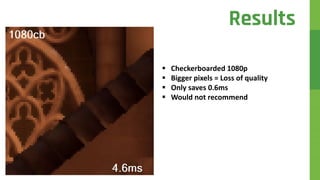
 Checkerboarded 1080p
 Bigger pixels = Loss of quality
 Only saves 0.6ms
 Would not recommend
Results
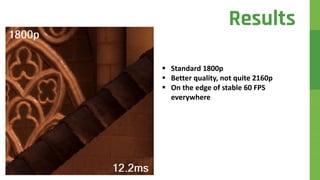
 Standard 1800p
 Better quality, not quite 2160p
 On the edge of stable 60 FPS
everywhere
Results
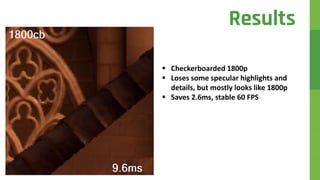
 Checkerboarded 1800p
 Loses some specular highlights and
details, but mostly looks like 1800p
 Saves 2.6ms, stable 60 FPS
Results
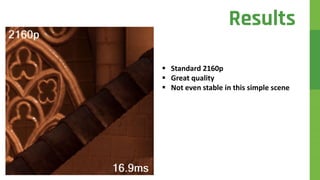
 Standard 2160p
 Great quality
 Not even stable in this simple scene
Results
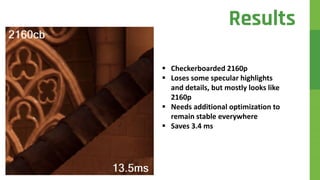
 Checkerboarded 2160p
 Loses some specular highlights
and details, but mostly looks like
2160p
 Needs additional optimization to
remain stable everywhere
 Saves 3.4 ms
Results
Base PS4 and Xbox One PS4 Pro and Xbox One X
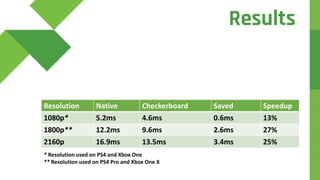
Resolution Native Checkerboard Saved Speedup
1080p* 5.2ms 4.6ms 0.6ms 13%
1800p** 12.2ms 9.6ms 2.6ms 27%
2160p 16.9ms 13.5ms 3.4ms 25%
* Resolution used on PS4 and Xbox One
** Resolution used on PS4 Pro and Xbox One X
Results
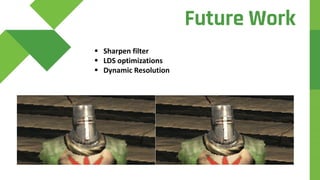
 Sharpen filter
 LDS optimizations
 Dynamic Resolution
Future Work
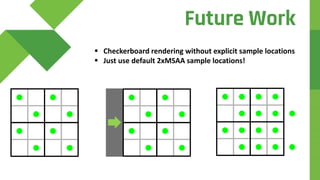
 Checkerboard rendering without explicit sample locations
 Just use default 2xMSAA sample locations!
Future Work
JOIN US
www.q-loc.com/careers
 C++ Programmers (Warsaw and Gdansk)
 Rendering Engineer (Gdansk)
 Development Project Manager/Producer (Warsaw)
 Japanese Relations Specialist (Warsaw)
 Linguistic and Functionality Video Game Testers (Warsaw)
QUESTIONS?
THANK YOU
Contact us at
avennstrom@q-loc.com
mpursche@q-loc.com
Special Thanks
Graham Wihlidal
Artur Grochowski
Piotr Aleksandrow
Piotr Michniewski
Special Thanks
Wiktor Ozimek
Cyryl Matuszewski
Tomas Olander
References
1. Separable Subsurface Scattering
2. Filmic Tonemapping Operators – John Hable
3. Temporal Antialiasing in Uncharted 4 - Ke Xu
4. Radeon Evergreen/Northern Islands Acceleration
5. 4K Checkerboard in Battlefield 1 and Mass Effect

Checkerboard Rendering in Dark Souls: Remastered by QLOC