










SharePoint Framework,
React, and Office UI Fabric
Sonja Madsen
Office Blog
blogs.office.com
SharePoint
Dev Kitchen
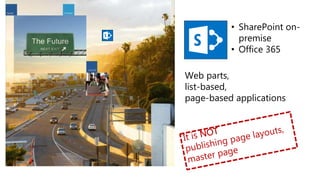
SharePoint Future
Web parts,
list-based,
page-based applications
• SharePoint on-
premise
• Office 365
Sonja Madsen
@sonjamadsen dev@sonjasapps.com
Sonja Madsen
Microsoft MVP, SONJAsAPPS
Best International Developer
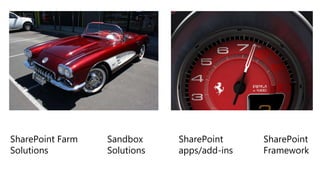
SharePoint Farm
Solutions
Sandbox
Solutions
SharePoint
apps/add-ins
SharePoint
Framework
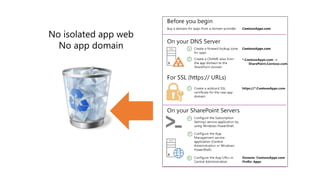
No isolated app web
No app domain
Development
• Visual Studio Code, Visual Studio
• TypeScript
• React is a suggested framework
• Office UI Fabric
Development
&
Visual Studio Code
Visual Studio
& WORKBENCH
DEMO
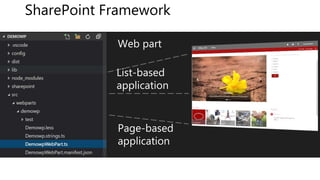
Web part
Page-based
application
SharePoint Framework
List-based
application
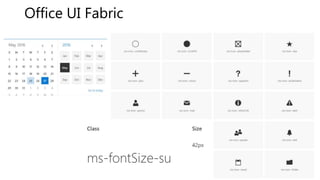
Office UI Fabric
• dev.office.com/fabric/styles
• Fonts, colors
• Grid
• Icons
• Controls
Office UI Fabric
The Grid
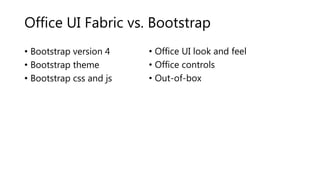
Office UI Fabric vs. Bootstrap
• Bootstrap version 4
• Bootstrap theme
• Bootstrap css and js
• Office UI look and feel
• Office controls
• Out-of-box
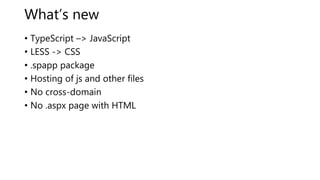
What’s new
• TypeScript –> JavaScript
• LESS -> CSS
• .spapp package
• Hosting of js and other files
• No cross-domain
• No .aspx page with HTML
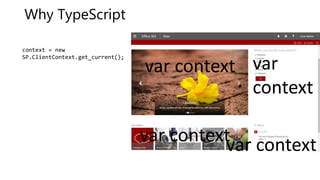
Why TypeScript
context = new
SP.ClientContext.get_current();
var contextvar context
var
context
var context
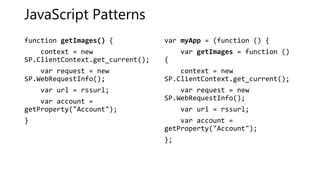
JavaScript Patterns
function getImages() {
context = new
SP.ClientContext.get_current();
var request = new
SP.WebRequestInfo();
var url = rssurl;
var account =
getProperty("Account");
}
var myApp = (function () {
var getImages = function ()
{
context = new
SP.ClientContext.get_current();
var request = new
SP.WebRequestInfo();
var url = rssurl;
var account =
getProperty("Account");
};
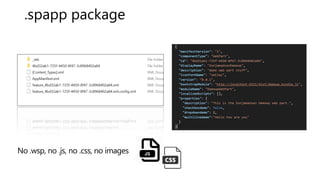
.spapp package
No .wsp, no .js, no .css, no images
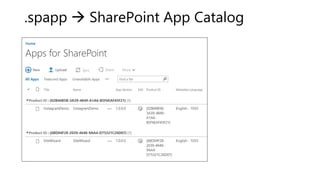
.spapp  SharePoint App Catalog
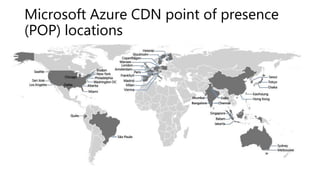
Microsoft Azure CDN point of presence
(POP) locations
.js file on
CDN
.js file in
Style Library
.js file in the
Scripts folder
.js file in
Style Library
Hosting on a CDN or remote server
• Updates and versioning
• Price
• IP: Anonymous access to .js and .css files that are no longer
within the app
• CDN hosting and security: files that have access to your data
• Reference my .js files - highjack functionality and design
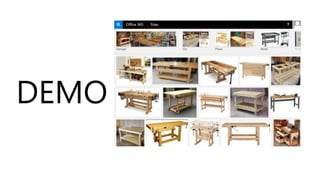
DEMO
Reactjs
• React is front end library developed by Facebook
• Used for handling view layer for web and mobile apps
• JSX − JSX is JavaScript syntax extension
• Components − everything is a component
• Unidirectional data flow and Flux − React implements one way
data flow
• Virtual DOM which is JavaScript object
• Inline templating and JSX
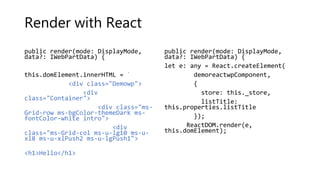
Render with React
public render(mode: DisplayMode,
data?: IWebPartData) {
this.domElement.innerHTML = `
<div class="Demowp">
<div
class="Container">
<div class="ms-
Grid-row ms-bgColor-themeDark ms-
fontColor-white intro">
<div
class="ms-Grid-col ms-u-lg10 ms-u-
xl8 ms-u-xlPush2 ms-u-lgPush1">
<h1>Hello</h1>
public render(mode: DisplayMode,
data?: IWebPartData) {
let e: any = React.createElement(
demoreactwpComponent,
{
store: this._store,
listTitle:
this.properties.listTitle
});
ReactDOM.render(e,
this.domElement);
DEMO
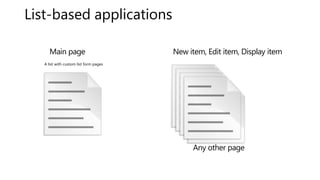
List-based applications
A list with custom list form pages
Main page
Any other page
New item, Edit item, Display item
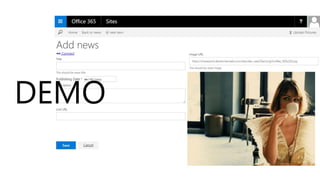
DEMO
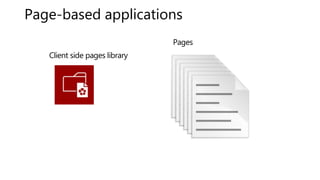
Page-based applications
Client side pages library
Pages
DEMO
SharePoint Add-ins - Advantages
• You can hide the lists from end-user
• Both pages and an app part
• .aspx page – HTML
• Images, scripts, stylesheets hosted on SharePoint
• Isolated is not always a bad thing
SharePoint Framework - Advantages
• Responsive mobile friendly
• No iframe
• Dynamic properties
• Webhooks
• List-based and Page-based
• No need for cross-domain library to access SharePoint resources
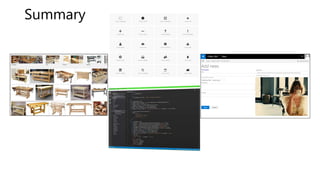
Summary
@sonjamadsen
sp2013.blogspot.com
dev@sonjasapps.com

SharePoint Framework, React, and Office UI sps Silicon Valley