EARNING CA$H ON MS
OFFICE WITH JS
Vjekoslav Ratkajec
FEW STARTING WORDS…
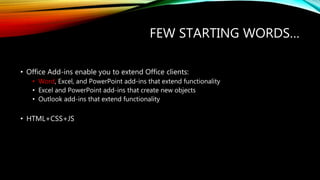
• Office Add-ins enable you to extend Office clients:
• Word, Excel, and PowerPoint add-ins that extend functionality
• Excel and PowerPoint add-ins that create new objects
• Outlook add-ins that extend functionality
• HTML+CSS+JS
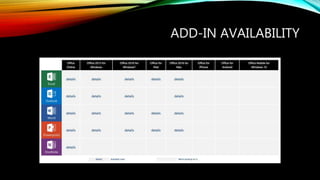
ADD-IN AVAILABILITY
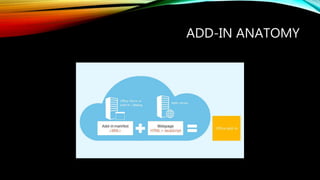
ADD-IN ANATOMY
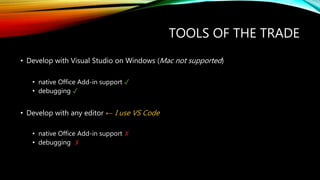
TOOLS OF THE TRADE
• Develop with Visual Studio on Windows (Mac not supported)
• native Office Add-in support ✓
• debugging ✓
• Develop with any editor ← I use VS Code
• native Office Add-in support ✗
• debugging ✗
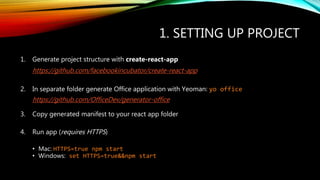
1. SETTING UP PROJECT
1. Generate project structure with create-react-app
https://github.com/facebookincubator/create-react-app
2. In separate folder generate Office application with Yeoman: yo office
https://github.com/OfficeDev/generator-office
3. Copy generated manifest to your react app folder
4. Run app (requires HTTPS)
• Mac: HTTPS=true npm start
• Windows: set HTTPS=true&&npm start
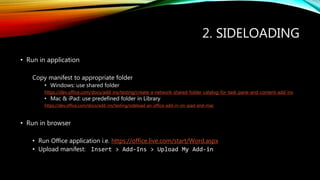
2. SIDELOADING
• Run in application
Copy manifest to appropriate folder
• Windows: use shared folder
https://dev.office.com/docs/add-ins/testing/create-a-network-shared-folder-catalog-for-task-pane-and-content-add-ins
• Mac & iPad: use predefined folder in Library
https://dev.office.com/docs/add-ins/testing/sideload-an-office-add-in-on-ipad-and-mac
• Run in browser
• Run Office application i.e. https://office.live.com/start/Word.aspx
• Upload manifest: Insert > Add-Ins > Upload My Add-in
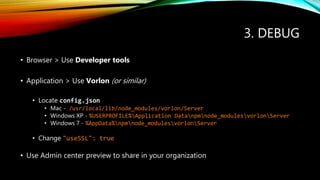
3. DEBUG
• Browser > Use Developer tools
• Application > Use Vorlon (or similar)
• Locate config.json
• Mac - /usr/local/lib/node_modules/vorlon/Server
• Windows XP - %USERPROFILE%Application Datanpmnode_modulesvorlonServer
• Windows 7 - %AppData%npmnode_modulesvorlonServer
• Change "useSSL": true
• Use Admin center preview to share in your organization
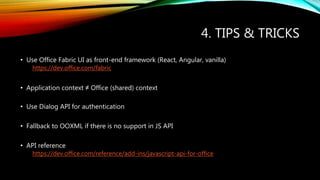
4. TIPS & TRICKS
• Use Office Fabric UI as front-end framework (React, Angular, vanilla)
https://dev.office.com/fabric
• Application context ≠ Office (shared) context
• Use Dialog API for authentication
• Fallback to OOXML if there is no support in JS API
• API reference
https://dev.office.com/reference/add-ins/javascript-api-for-office
HOW TO MAKE MONEY?
• Deploy add-in to Office Store
• Free (allowed to run ads)
• One-time payment
• Subscription
• Give 20% to M$
• Office store guidelines
• https://msdn.microsoft.com/en-us/library/office/jj220035.aspx
WE’RE LOOKING FOR JS DEV!
ReadCube's web, desktop, and mobile reference management apps, improve the way researchers discover, organize, read, share,
and cite research literature.
ReadCube’s core technology, the Enhanced PDF - core reading environment by leading publication platforms.
THANK YOU!
Interested in working with us? Shoot me an email.
vjeko@readcube.com

Office Add-in development

  • 1.
    EARNING CA$H ONMS OFFICE WITH JS Vjekoslav Ratkajec
  • 2.
    FEW STARTING WORDS… •Office Add-ins enable you to extend Office clients: • Word, Excel, and PowerPoint add-ins that extend functionality • Excel and PowerPoint add-ins that create new objects • Outlook add-ins that extend functionality • HTML+CSS+JS
  • 3.
  • 4.
  • 5.
    TOOLS OF THETRADE • Develop with Visual Studio on Windows (Mac not supported) • native Office Add-in support ✓ • debugging ✓ • Develop with any editor ← I use VS Code • native Office Add-in support ✗ • debugging ✗
  • 6.
    1. SETTING UPPROJECT 1. Generate project structure with create-react-app https://github.com/facebookincubator/create-react-app 2. In separate folder generate Office application with Yeoman: yo office https://github.com/OfficeDev/generator-office 3. Copy generated manifest to your react app folder 4. Run app (requires HTTPS) • Mac: HTTPS=true npm start • Windows: set HTTPS=true&&npm start
  • 7.
    2. SIDELOADING • Runin application Copy manifest to appropriate folder • Windows: use shared folder https://dev.office.com/docs/add-ins/testing/create-a-network-shared-folder-catalog-for-task-pane-and-content-add-ins • Mac & iPad: use predefined folder in Library https://dev.office.com/docs/add-ins/testing/sideload-an-office-add-in-on-ipad-and-mac • Run in browser • Run Office application i.e. https://office.live.com/start/Word.aspx • Upload manifest: Insert > Add-Ins > Upload My Add-in
  • 8.
    3. DEBUG • Browser> Use Developer tools • Application > Use Vorlon (or similar) • Locate config.json • Mac - /usr/local/lib/node_modules/vorlon/Server • Windows XP - %USERPROFILE%Application Datanpmnode_modulesvorlonServer • Windows 7 - %AppData%npmnode_modulesvorlonServer • Change "useSSL": true • Use Admin center preview to share in your organization
  • 9.
    4. TIPS &TRICKS • Use Office Fabric UI as front-end framework (React, Angular, vanilla) https://dev.office.com/fabric • Application context ≠ Office (shared) context • Use Dialog API for authentication • Fallback to OOXML if there is no support in JS API • API reference https://dev.office.com/reference/add-ins/javascript-api-for-office
  • 11.
    HOW TO MAKEMONEY? • Deploy add-in to Office Store • Free (allowed to run ads) • One-time payment • Subscription • Give 20% to M$ • Office store guidelines • https://msdn.microsoft.com/en-us/library/office/jj220035.aspx
  • 12.
    WE’RE LOOKING FORJS DEV! ReadCube's web, desktop, and mobile reference management apps, improve the way researchers discover, organize, read, share, and cite research literature. ReadCube’s core technology, the Enhanced PDF - core reading environment by leading publication platforms.
  • 13.
    THANK YOU! Interested inworking with us? Shoot me an email. vjeko@readcube.com

Editor's Notes

  • #7 create-react-app will generate correct project structure and enable us to run npm start install Yeoman install office extension and use yo office to create project structure but more importantly - manifest