SharePoint High Availability and
      Disaster Recovery

          Michael Noel
         @MichaelTNoel
Michael Noel
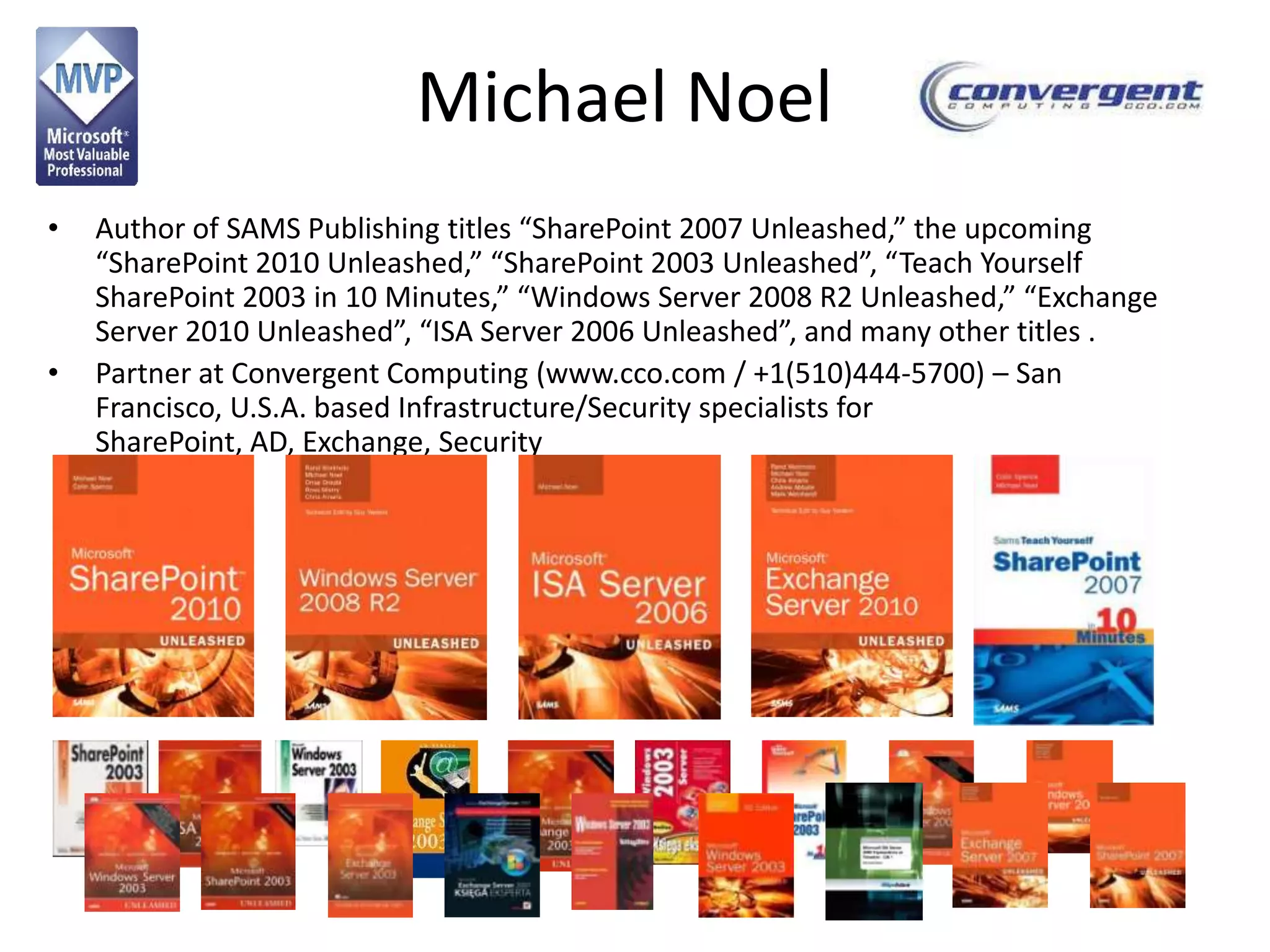
•   Author of SAMS Publishing titles “SharePoint 2007 Unleashed,” the upcoming
    “SharePoint 2010 Unleashed,” “SharePoint 2003 Unleashed”, “Teach Yourself
    SharePoint 2003 in 10 Minutes,” “Windows Server 2008 R2 Unleashed,” “Exchange
    Server 2010 Unleashed”, “ISA Server 2006 Unleashed”, and many other titles .
•   Partner at Convergent Computing (www.cco.com / +1(510)444-5700) – San
    Francisco, U.S.A. based Infrastructure/Security specialists for
    SharePoint, AD, Exchange, Security
What we will cover
• SharePoint 2010 Structure
• SharePoint Component Redundancy
• Sample Architecture of Redundant/Highly Available
  Deployments
   –   Smallest redundant/highly available farm
   –   Mid-sized farms
   –   Large farms
   –   Virtualization farm architecture
• SQL Mirroring of Content Databases
   – Synchronous Mirroring in Single Site Model
   – Synchronous Mirroring in Highly Connected DR Site Model
   – Asynchronous Mirroring in DR Site Model
• Backup/Restore Tips, including info on DPM 2010 Snapshot-
  based backup for SharePoint
SHAREPOINT 2010 COMPONENT
       REDUNDANCY
SharePoint 2010 Component
             Redundancy
• Each SharePoint 2010 server type has
  different redundancy/availability concerns.
  – Web Server
  – Search Service Application Role
  – Other Service Application Roles
  – Database Server
SharePoint 2010 Component Redundancy
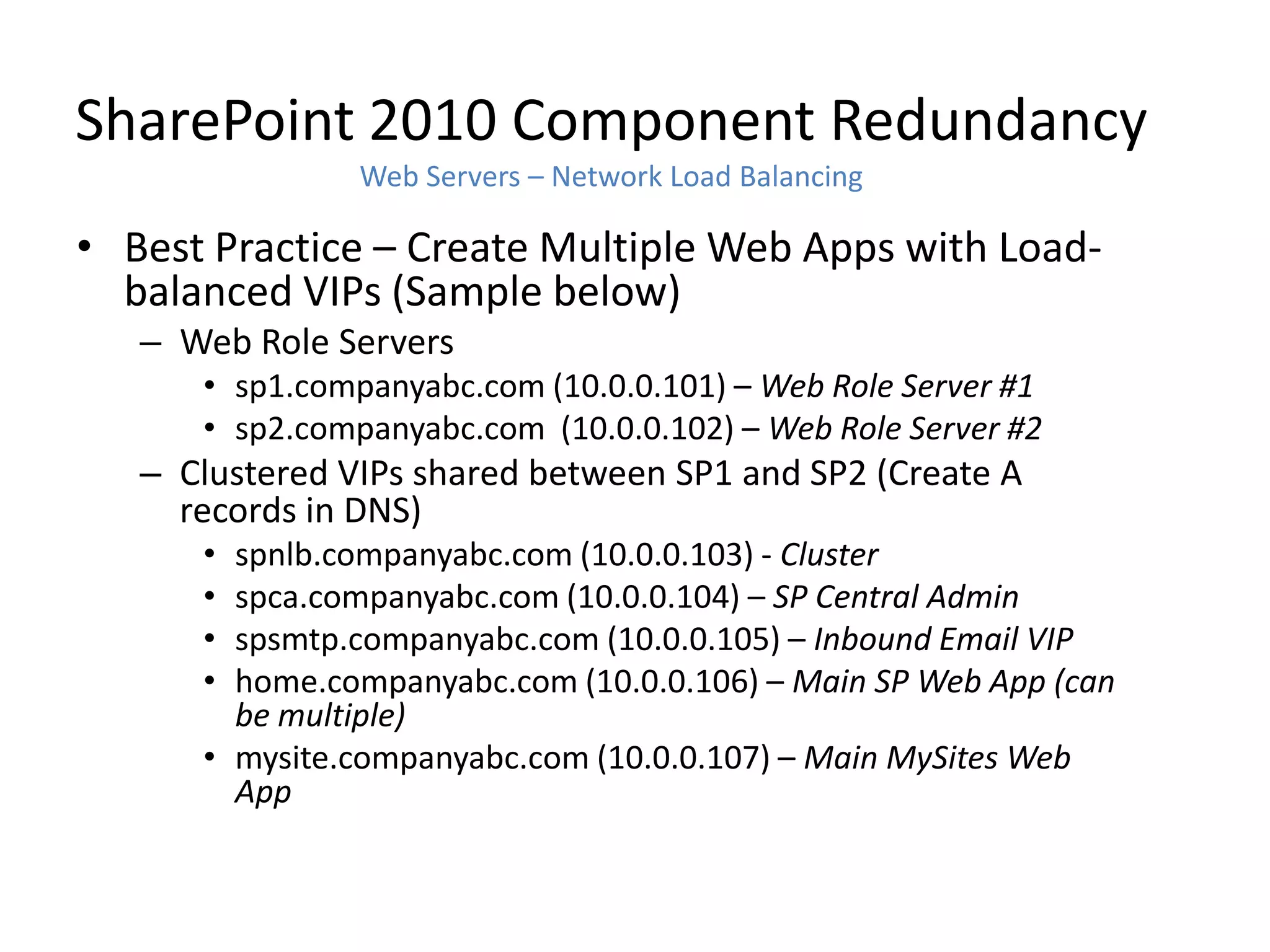
                  Web Servers – Network Load Balancing

• Hardware Based Load Balancing
  (F5, Cisco, Citrix NetScaler – Best
  performance and scalability
• Software Windows Network Load
  Balancing fully supported by MS, but
  requires Layer 2 VLAN (all packets
  must reach all hosts.) Layer 3
  Switches must be configured to allow
  Layer 2 to the specific VLAN.
• If using Unicast, use two NICs on the
  server, one for communications
  between nodes.
• If using Multicast, be sure to
  configure routers appropriately
• Set Affinity to Single (Sticky Sessions)
• If using VMware, note fix to NLB
  RARP issue
  (http://tinyurl.com/vmwarenlbfix)
SharePoint 2010 Component Redundancy
                Web Servers – Network Load Balancing

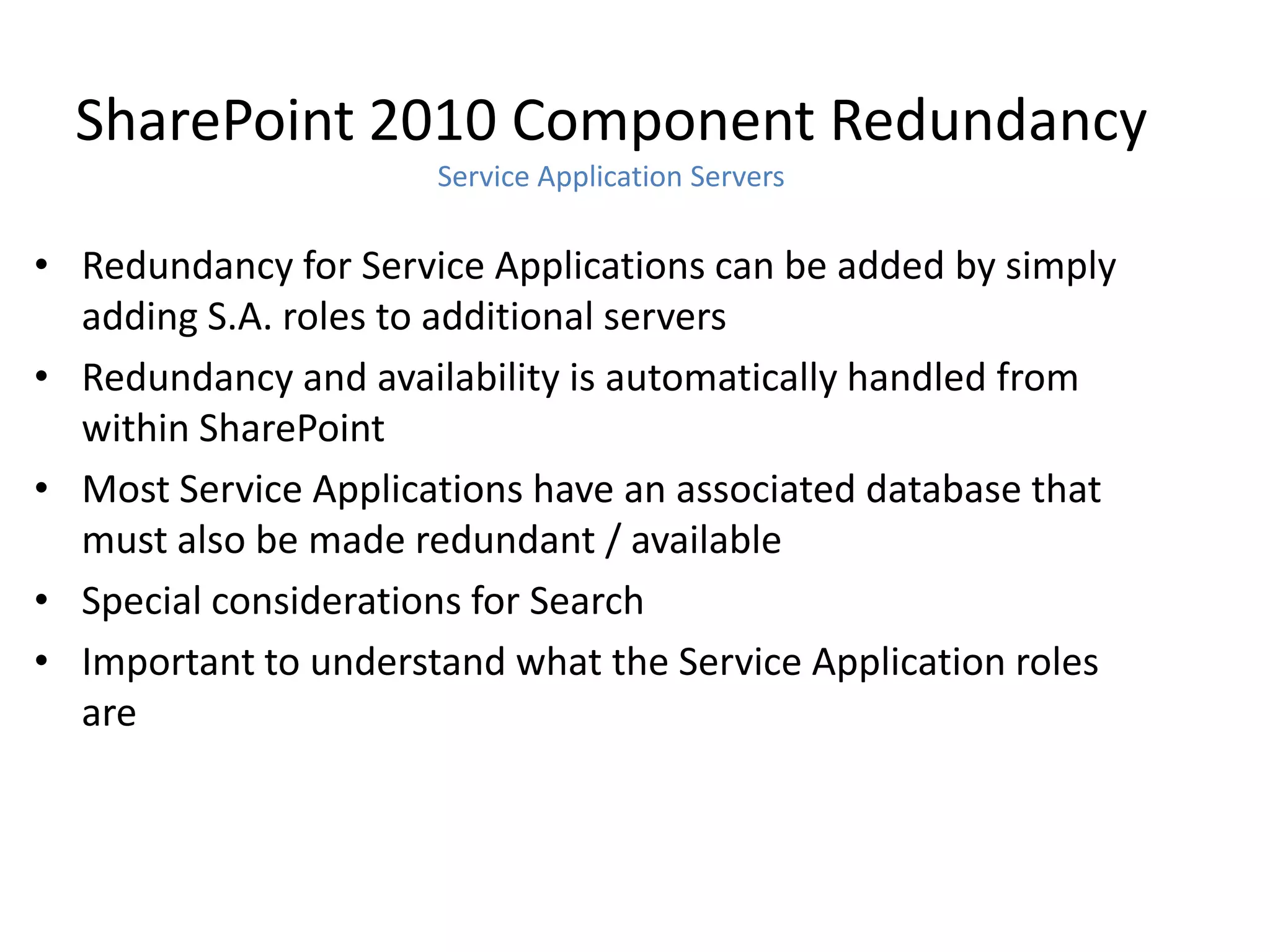
• Best Practice – Create Multiple Web Apps with Load-
  balanced VIPs (Sample below)
   – Web Role Servers
      • sp1.companyabc.com (10.0.0.101) – Web Role Server #1
      • sp2.companyabc.com (10.0.0.102) – Web Role Server #2
   – Clustered VIPs shared between SP1 and SP2 (Create A
     records in DNS)
      • spnlb.companyabc.com (10.0.0.103) - Cluster
      • spca.companyabc.com (10.0.0.104) – SP Central Admin
      • spsmtp.companyabc.com (10.0.0.105) – Inbound Email VIP
      • home.companyabc.com (10.0.0.106) – Main SP Web App (can
        be multiple)
      • mysite.companyabc.com (10.0.0.107) – Main MySites Web
        App
SharePoint 2010 Component Redundancy
                      Service Application Servers

• Redundancy for Service Applications can be added by simply
  adding S.A. roles to additional servers
• Redundancy and availability is automatically handled from
  within SharePoint
• Most Service Applications have an associated database that
  must also be made redundant / available
• Special considerations for Search
• Important to understand what the Service Application roles
  are
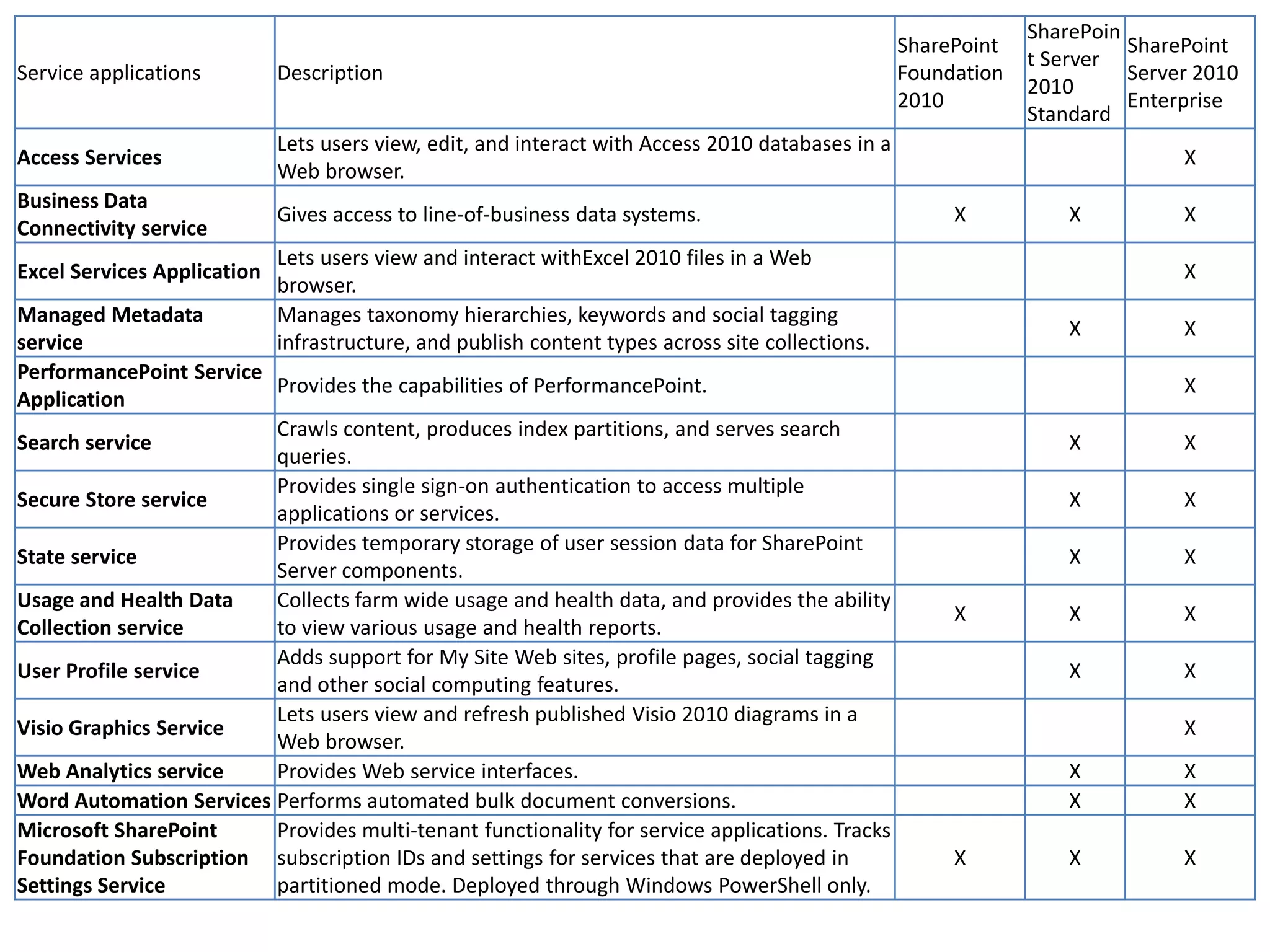
SharePoin
                                                                                                   SharePoint             SharePoint
                                                                                                                t Server
Service applications         Description                                                           Foundation             Server 2010
                                                                                                                2010
                                                                                                   2010                   Enterprise
                                                                                                                Standard
                             Lets users view, edit, and interact with Access 2010 databases in a
Access Services                                                                                                                X
                             Web browser.
Business Data
                             Gives access to line-of-business data systems.                             X           X          X
Connectivity service
                             Lets users view and interact withExcel 2010 files in a Web
Excel Services Application                                                                                                     X
                             browser.
Managed Metadata             Manages taxonomy hierarchies, keywords and social tagging
                                                                                                                    X          X
service                      infrastructure, and publish content types across site collections.
PerformancePoint Service
                         Provides the capabilities of PerformancePoint.                                                        X
Application
                         Crawls content, produces index partitions, and serves search
Search service                                                                                                      X          X
                         queries.
                         Provides single sign-on authentication to access multiple
Secure Store service                                                                                                X          X
                         applications or services.
                         Provides temporary storage of user session data for SharePoint
State service                                                                                                       X          X
                         Server components.
Usage and Health Data    Collects farm wide usage and health data, and provides the ability
                                                                                                        X           X          X
Collection service       to view various usage and health reports.
                         Adds support for My Site Web sites, profile pages, social tagging
User Profile service                                                                                                X          X
                         and other social computing features.
                         Lets users view and refresh published Visio 2010 diagrams in a
Visio Graphics Service                                                                                                         X
                         Web browser.
Web Analytics service    Provides Web service interfaces.                                                           X          X
Word Automation Services Performs automated bulk document conversions.                                              X          X
Microsoft SharePoint     Provides multi-tenant functionality for service applications. Tracks
Foundation Subscription subscription IDs and settings for services that are deployed in                 X           X          X
Settings Service         partitioned mode. Deployed through Windows PowerShell only.
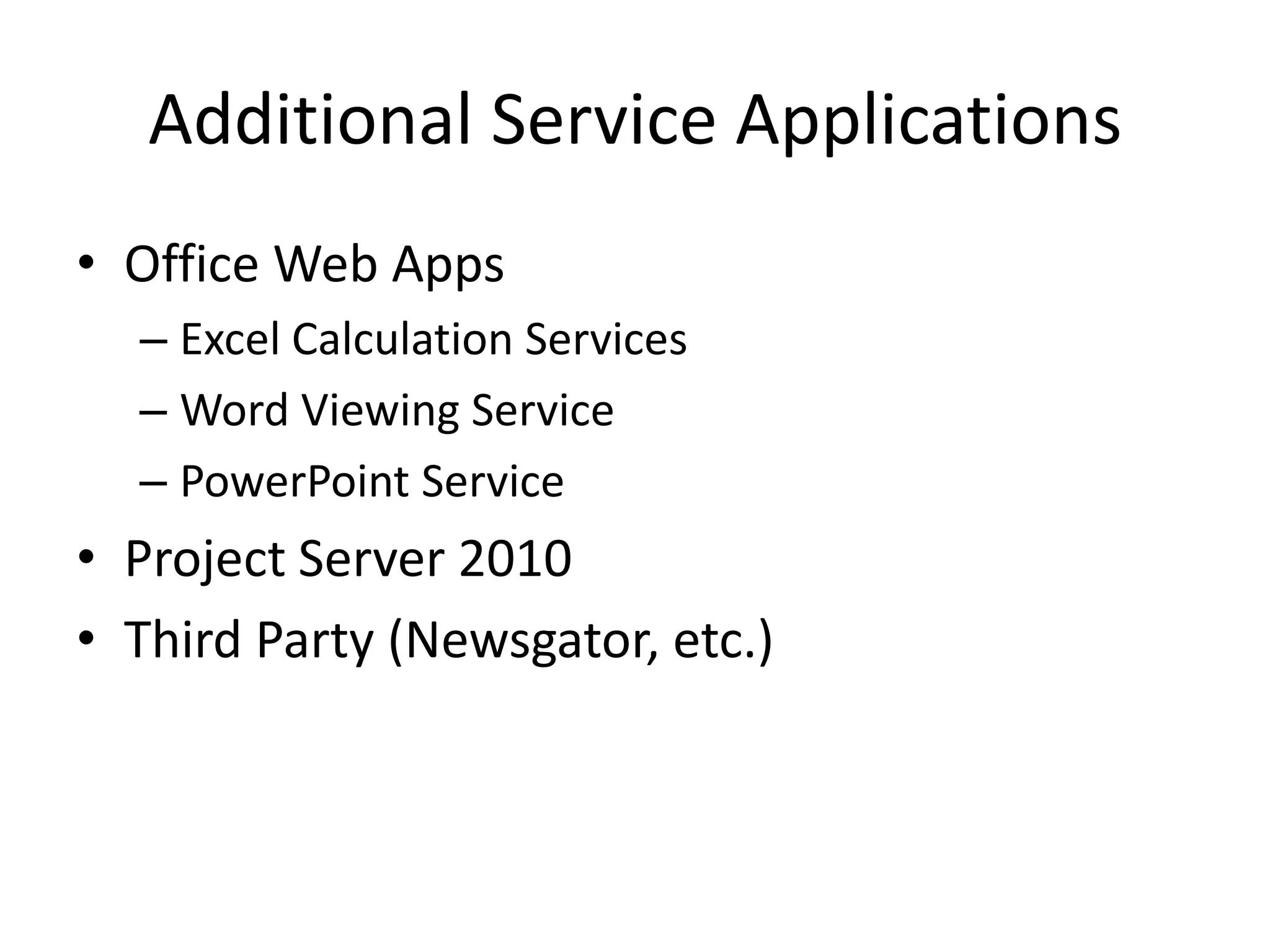
Additional Service Applications
• Office Web Apps
  – Excel Calculation Services
  – Word Viewing Service
  – PowerPoint Service
• Project Server 2010
• Third Party (Newsgator, etc.)
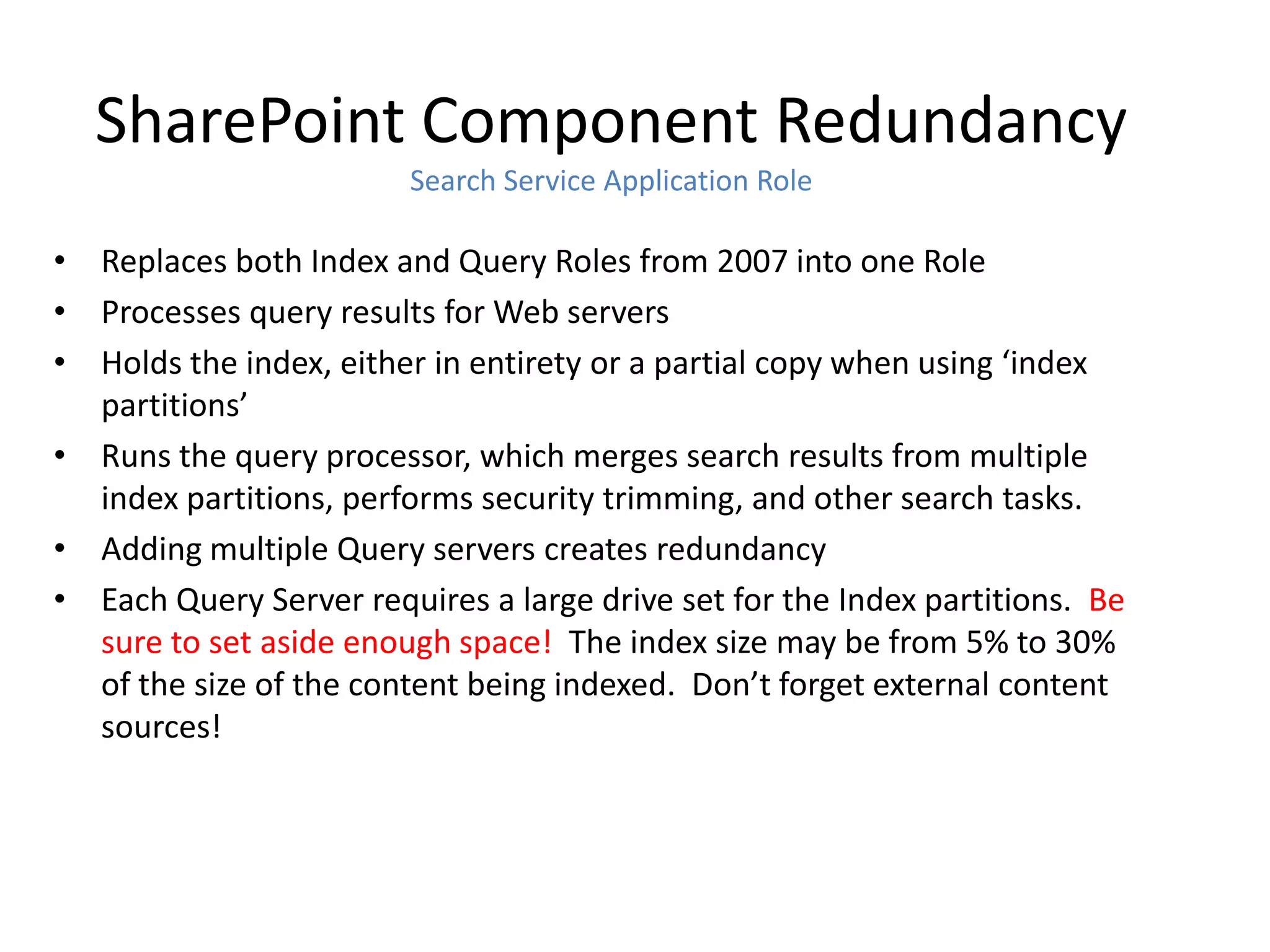
SharePoint Component Redundancy
                        Search Service Application Role

• Replaces both Index and Query Roles from 2007 into one Role
• Processes query results for Web servers
• Holds the index, either in entirety or a partial copy when using ‘index
  partitions’
• Runs the query processor, which merges search results from multiple
  index partitions, performs security trimming, and other search tasks.
• Adding multiple Query servers creates redundancy
• Each Query Server requires a large drive set for the Index partitions. Be
  sure to set aside enough space! The index size may be from 5% to 30%
  of the size of the content being indexed. Don’t forget external content
  sources!
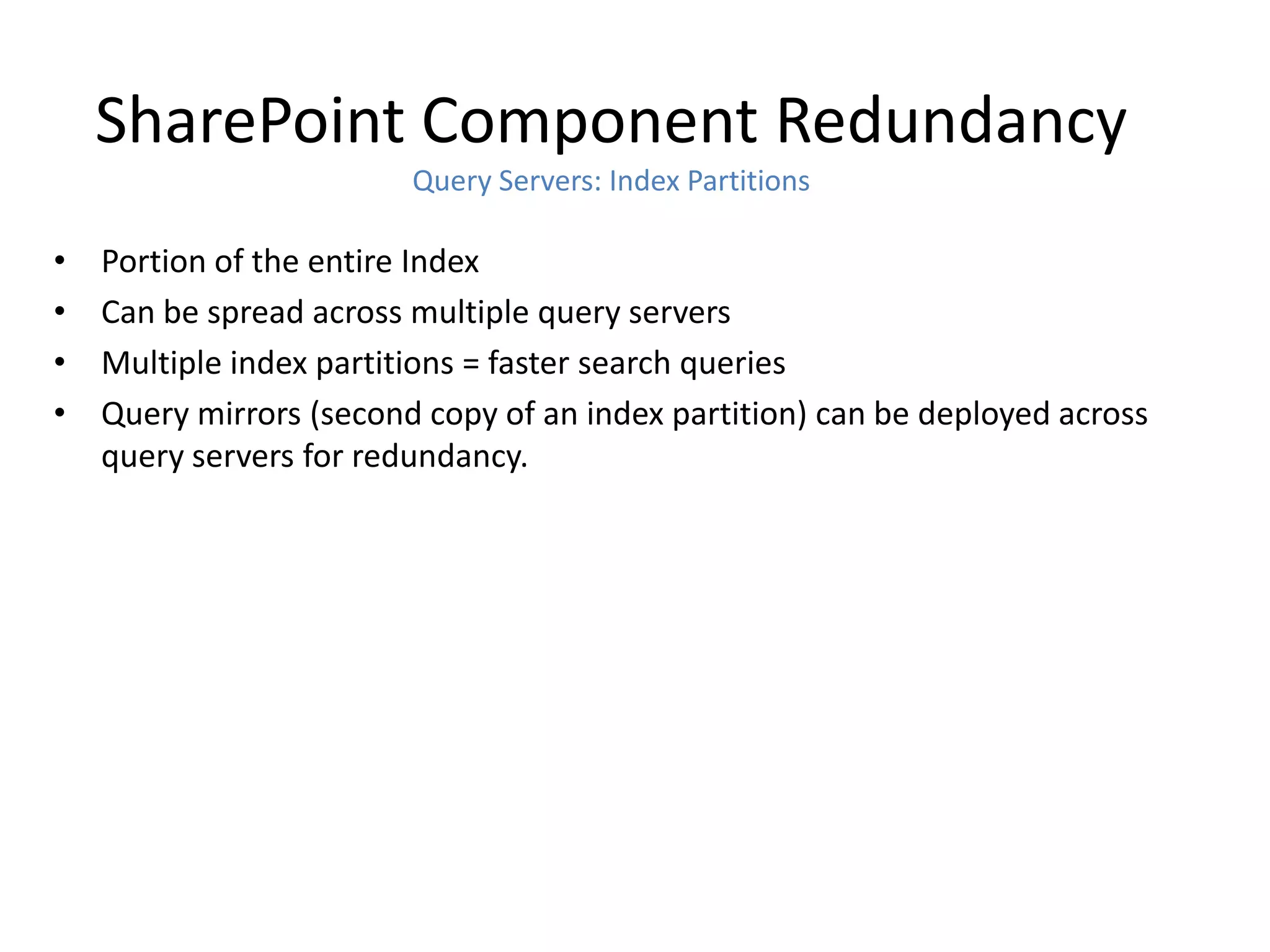
SharePoint Component Redundancy
                         Query Servers: Index Partitions

•   Portion of the entire Index
•   Can be spread across multiple query servers
•   Multiple index partitions = faster search queries
•   Query mirrors (second copy of an index partition) can be deployed across
    query servers for redundancy.
SharePoint Component Redundancy
                                 Crawl Servers

• Runs the Crawl component, which creates index partitions and
  propagates them to query servers
• Typically used to house the Search Administration component
• Multiple crawl servers provide High Availability for the crawl architecture
• Crawl database(s) and Property Database(s) utilized for crawl
  information and history, and properties for crawled data
• Multiple crawlers can be associated with each crawl database
• Can be run on a server with Web role or Query role
SharePoint Component Redundancy
                             Database Role

• Shared Storage Clustering (MSCS) can be used for local server High
  Availability
• Mirroring of Content Databases to remote SQL instance is supported
  (and recommended) More on this…
• SQL Server 2005/2008/2008R2 Standard Edition supports two-node
  Cluster and synchronous mirroring.
• SQL Server 2005/2008/2008R2 Enterprise Edition supports more than
  two-nodes, asynchronous mirroring, and Transparent Data Encryption
  (SQL 2008 only)
• SQL Server 2012 (Denali) has potential…not yet released
SharePoint Component Redundancy
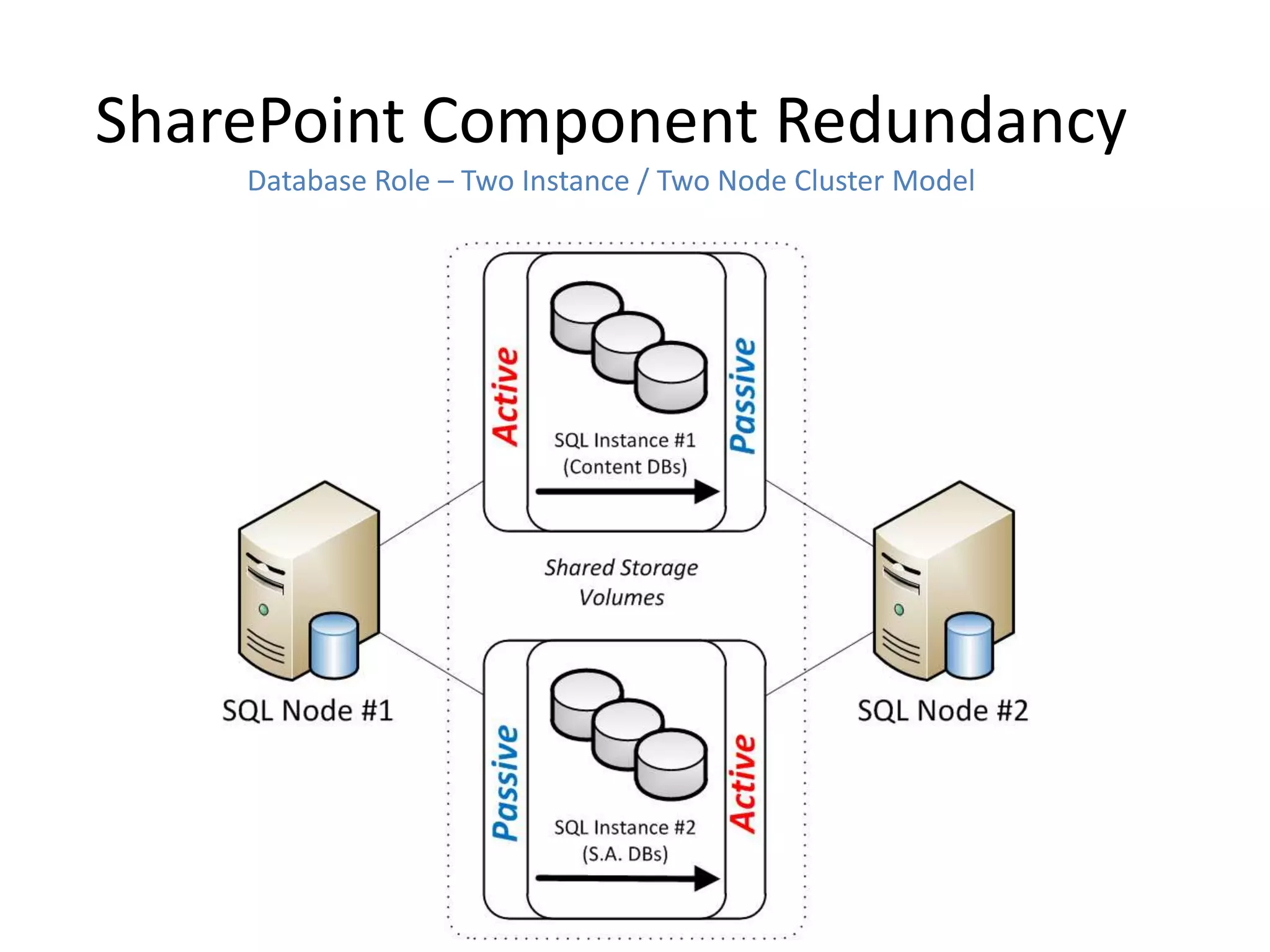
    Database Role – Two Instance / Two Node Cluster Model
SharePoint Component Redundancy
              Redundancy/HA of Database Server Instance

• Use SQL Client Aliases for Config DB Server (i.e.
  spsqlfarm.companyabc.com)
• Use a second SQL Client Alias for Content DBs (i.e.
  spsqlcontent.companyabc.com)
• Loss of SQL Server can be mitigated by simply pointing the
  alias to a new SQL instance.
• Be sure to add the Kerberos SPNs to the aliases
SAMPLE HIGHLY AVAILABLE
ARCHITECTURE FOR SP2010
Farm Architecture
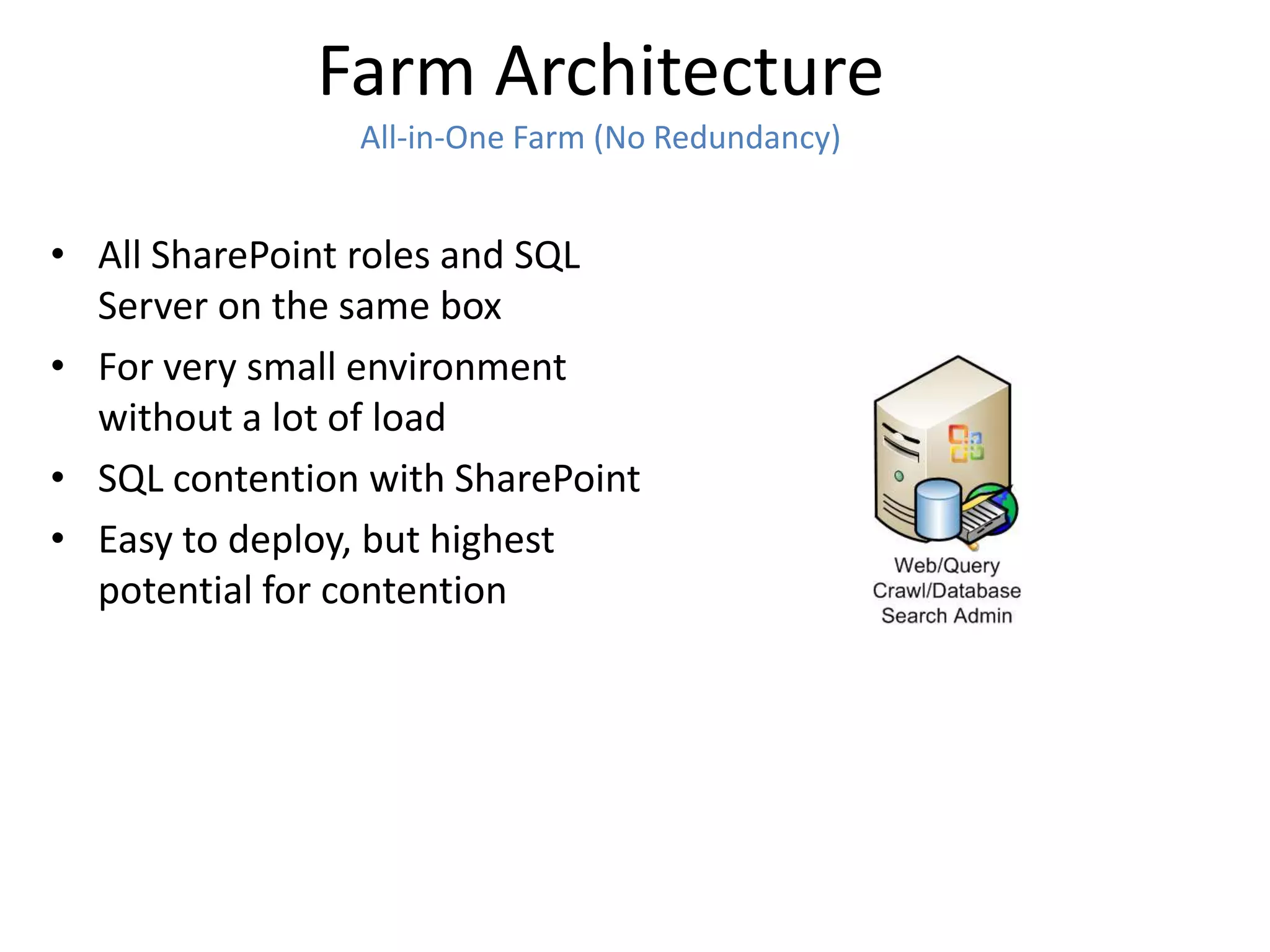
                All-in-One Farm (No Redundancy)


• All SharePoint roles and SQL
  Server on the same box
• For very small environment
  without a lot of load
• SQL contention with SharePoint
• Easy to deploy, but highest
  potential for contention
Farm Architecture
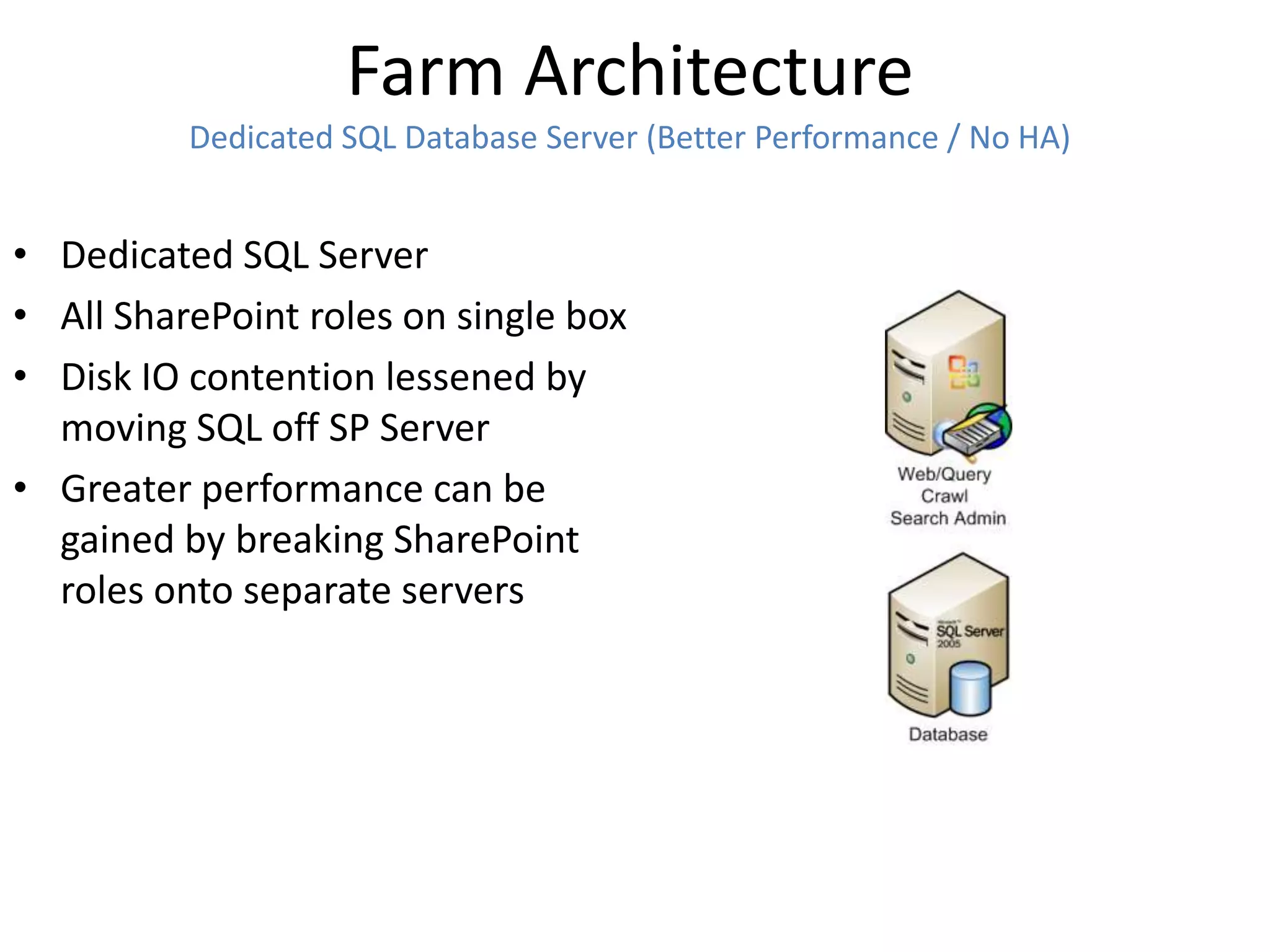
          Dedicated SQL Database Server (Better Performance / No HA)


• Dedicated SQL Server
• All SharePoint roles on single box
• Disk IO contention lessened by
  moving SQL off SP Server
• Greater performance can be
  gained by breaking SharePoint
  roles onto separate servers
Farm Architecture
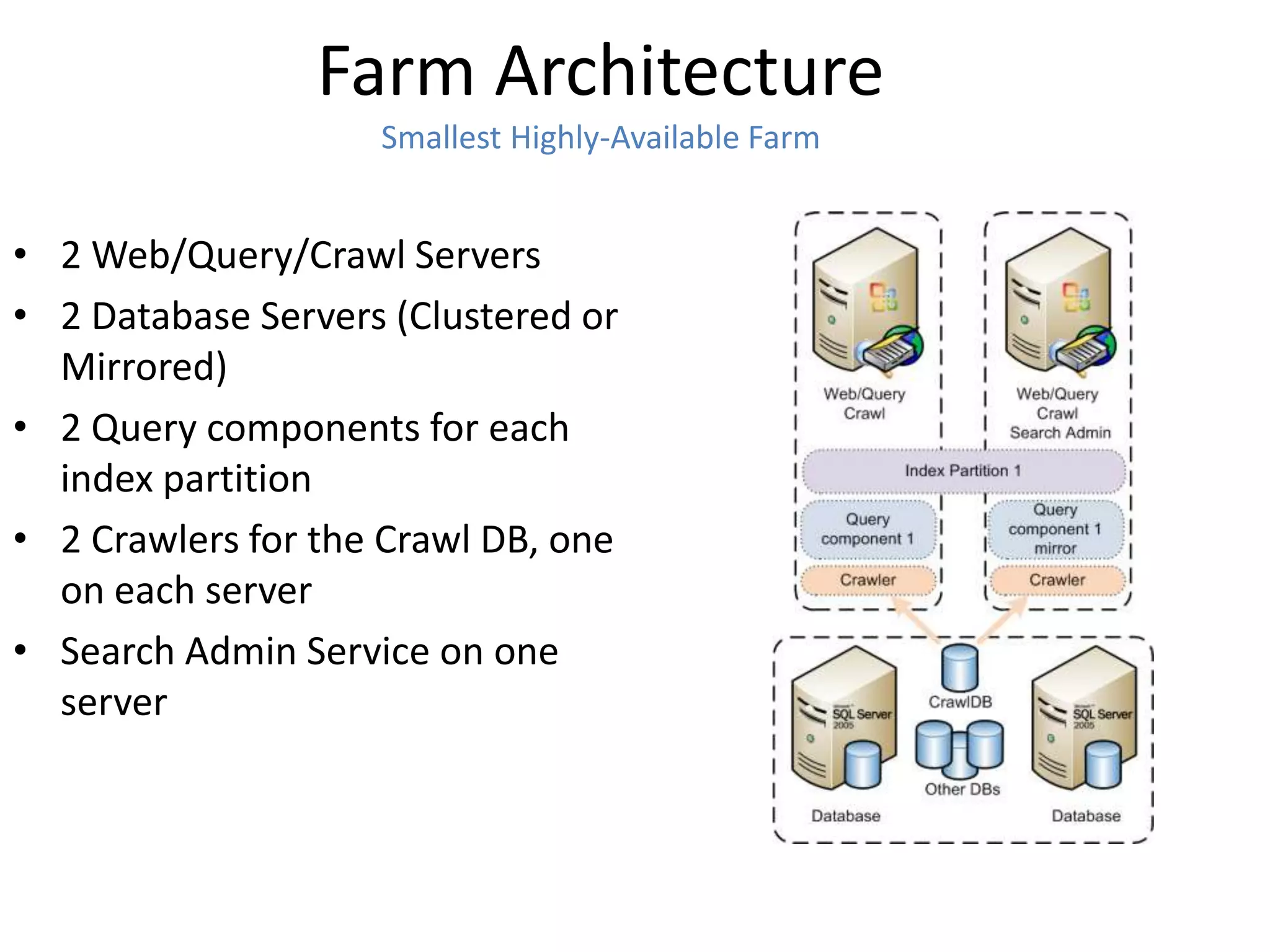
                    Smallest Highly-Available Farm


• 2 Web/Query/Crawl Servers
• 2 Database Servers (Clustered or
  Mirrored)
• 2 Query components for each
  index partition
• 2 Crawlers for the Crawl DB, one
  on each server
• Search Admin Service on one
  server
Farm Architecture
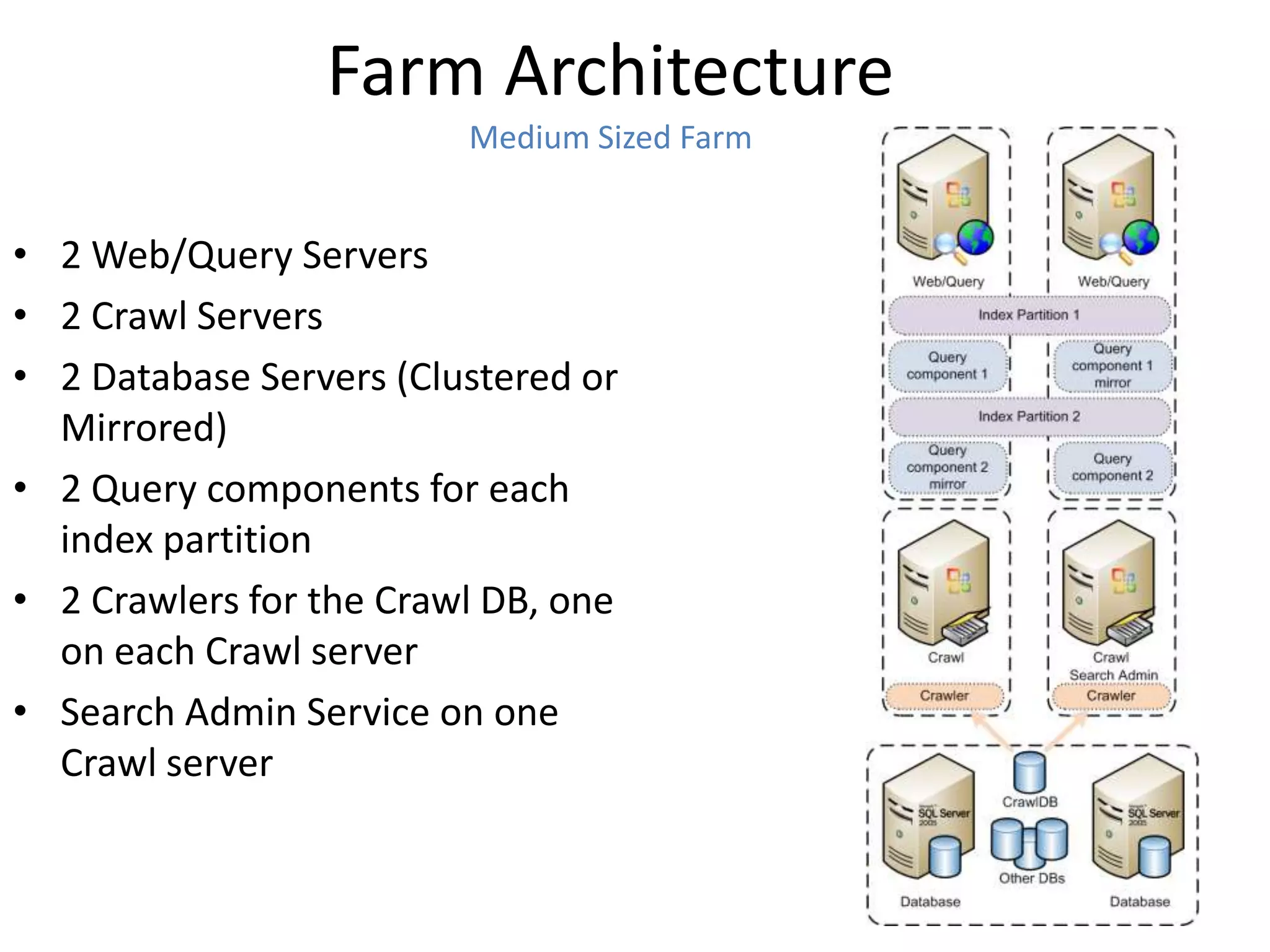
                         Medium Sized Farm


• 2 Web/Query Servers
• 2 Crawl Servers
• 2 Database Servers (Clustered or
  Mirrored)
• 2 Query components for each
  index partition
• 2 Crawlers for the Crawl DB, one
  on each Crawl server
• Search Admin Service on one
  Crawl server
Farm Architecture
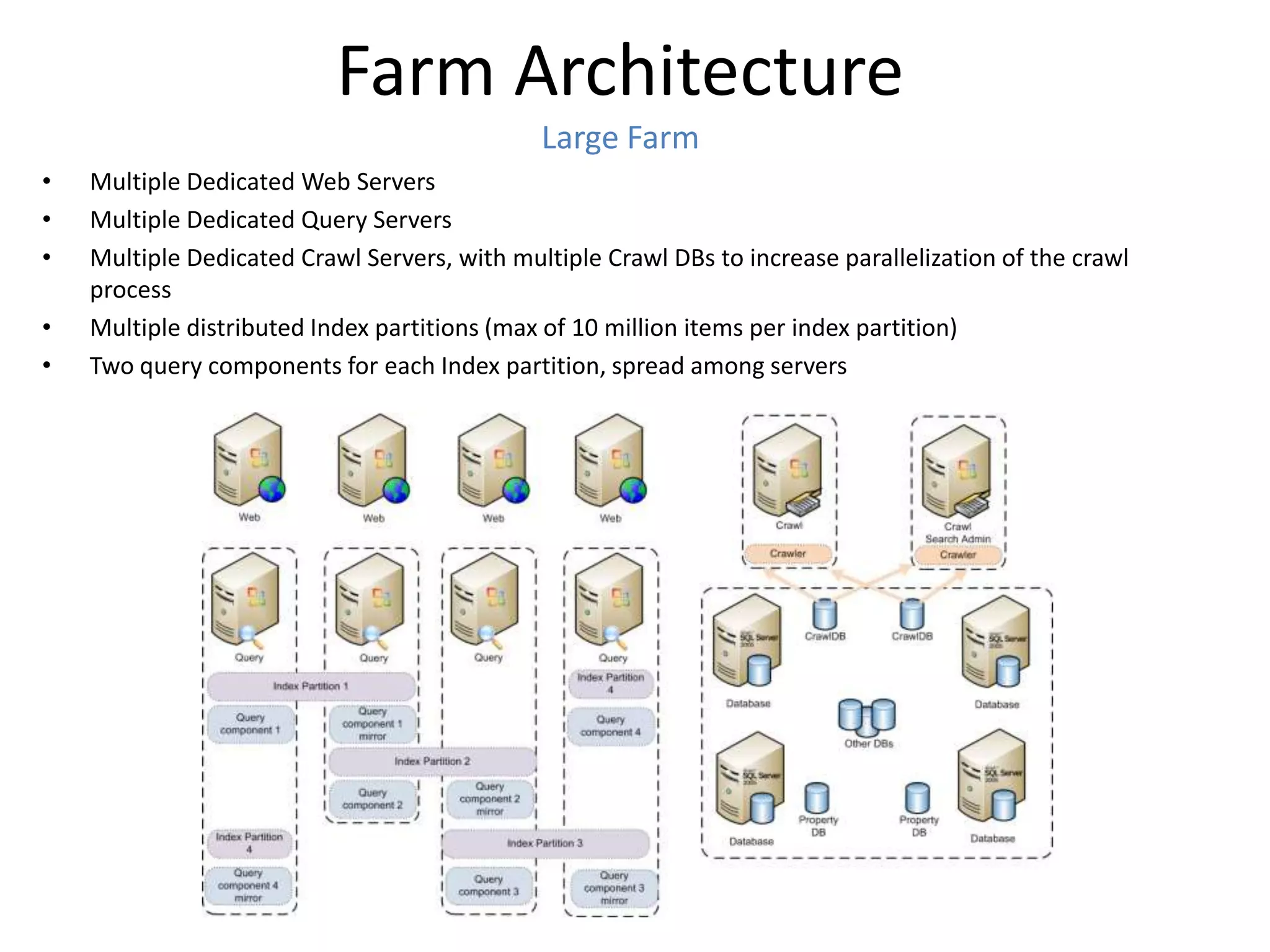
                                              Large Farm
•   Multiple Dedicated Web Servers
•   Multiple Dedicated Query Servers
•   Multiple Dedicated Crawl Servers, with multiple Crawl DBs to increase parallelization of the crawl
    process
•   Multiple distributed Index partitions (max of 10 million items per index partition)
•   Two query components for each Index partition, spread among servers
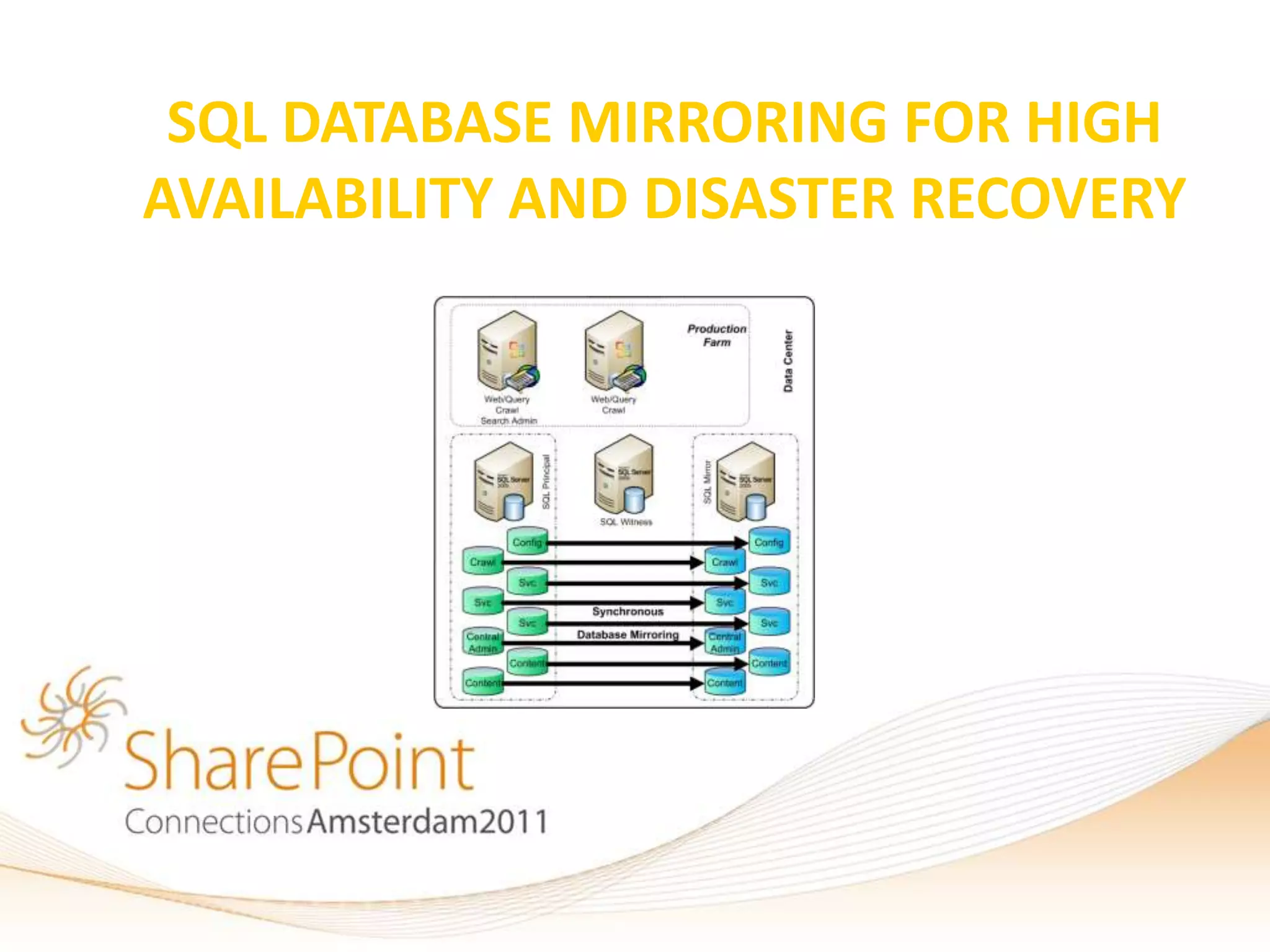
SQL DATABASE MIRRORING FOR HIGH
AVAILABILITY AND DISASTER RECOVERY
SQL Database Mirroring
                 Clustering vs. Mirroring

• Clustering is Shared Storage, can’t survive
  storage failure, makes Mirroring more
  attractive
• Clustering fails over more quickly
• Mirroring is not supported for all databases,
  but Clustering is
• Both Clustering and Mirroring can be used at
  the same time (Instance to Instance)
SQL Database Mirroring
                        History of Mirroring
• Introduced in SQL 2005 SP1
• Greatly improved in SQL 2008 and now SQL 2008 R2
• Available in Enterprise and Standard (Synchronous only)
  editions
• Works by keeping a mirror copy of a database or databases on
  two servers
• Can be used locally, or the mirror can be remote
• Can be set to use a two-phase commit process to ensure
  integrity of data across both servers
• Can be combined with traditional shared storage clustering to
  further improve redundancy
• SharePoint 2010 is now Mirroring aware!
SQL Database Mirroring
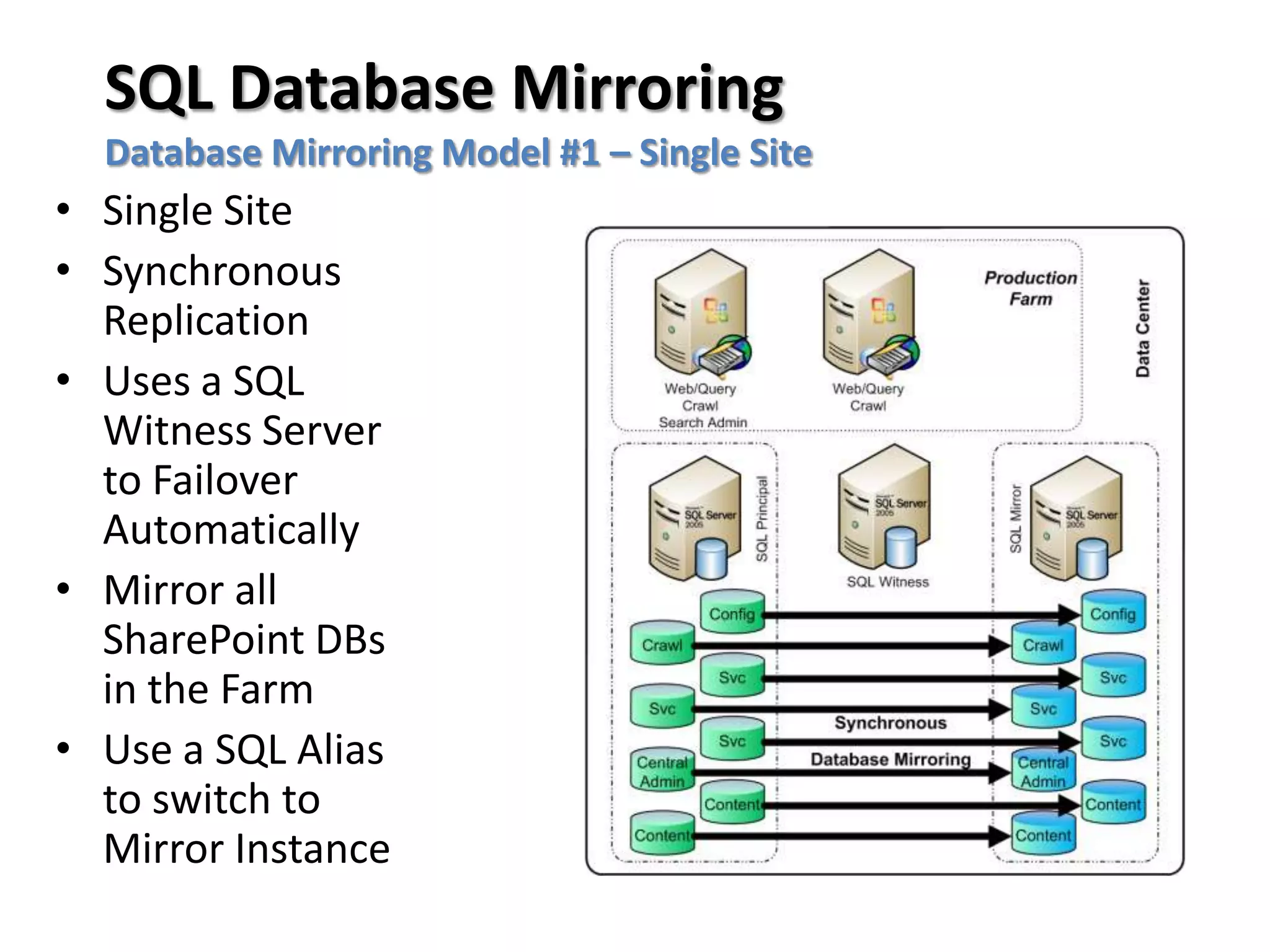
  Database Mirroring Model #1 – Single Site
• Single Site
• Synchronous
  Replication
• Uses a SQL
  Witness Server
  to Failover
  Automatically
• Mirror all
  SharePoint DBs
  in the Farm
• Use a SQL Alias
  to switch to
  Mirror Instance
SQL Database Mirroring
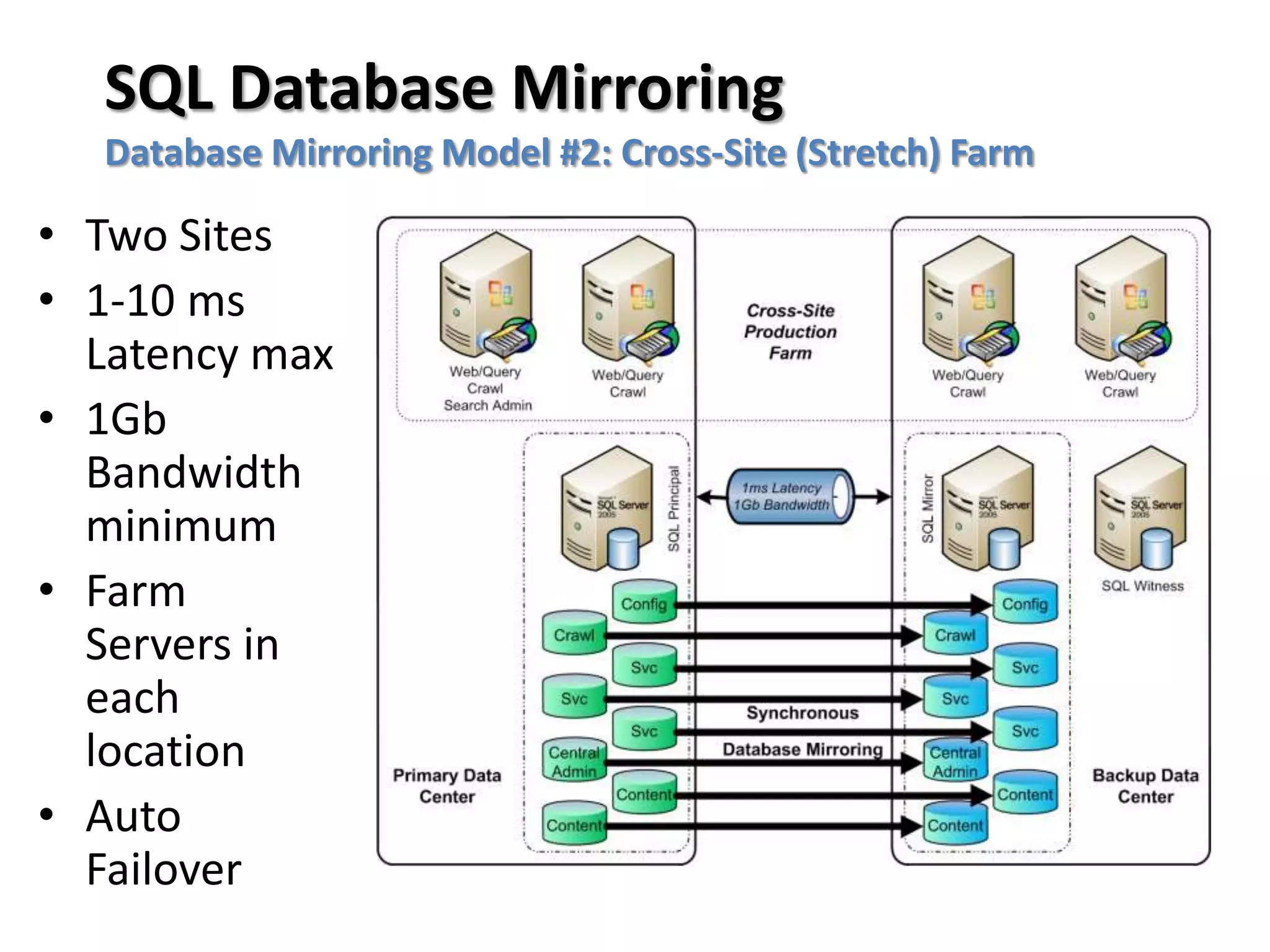
  Database Mirroring Model #2: Cross-Site (Stretch) Farm

• Two Sites
• 1-10 ms
  Latency max
• 1Gb
  Bandwidth
  minimum
• Farm
  Servers in
  each
  location
• Auto
  Failover
SQL Database Mirroring
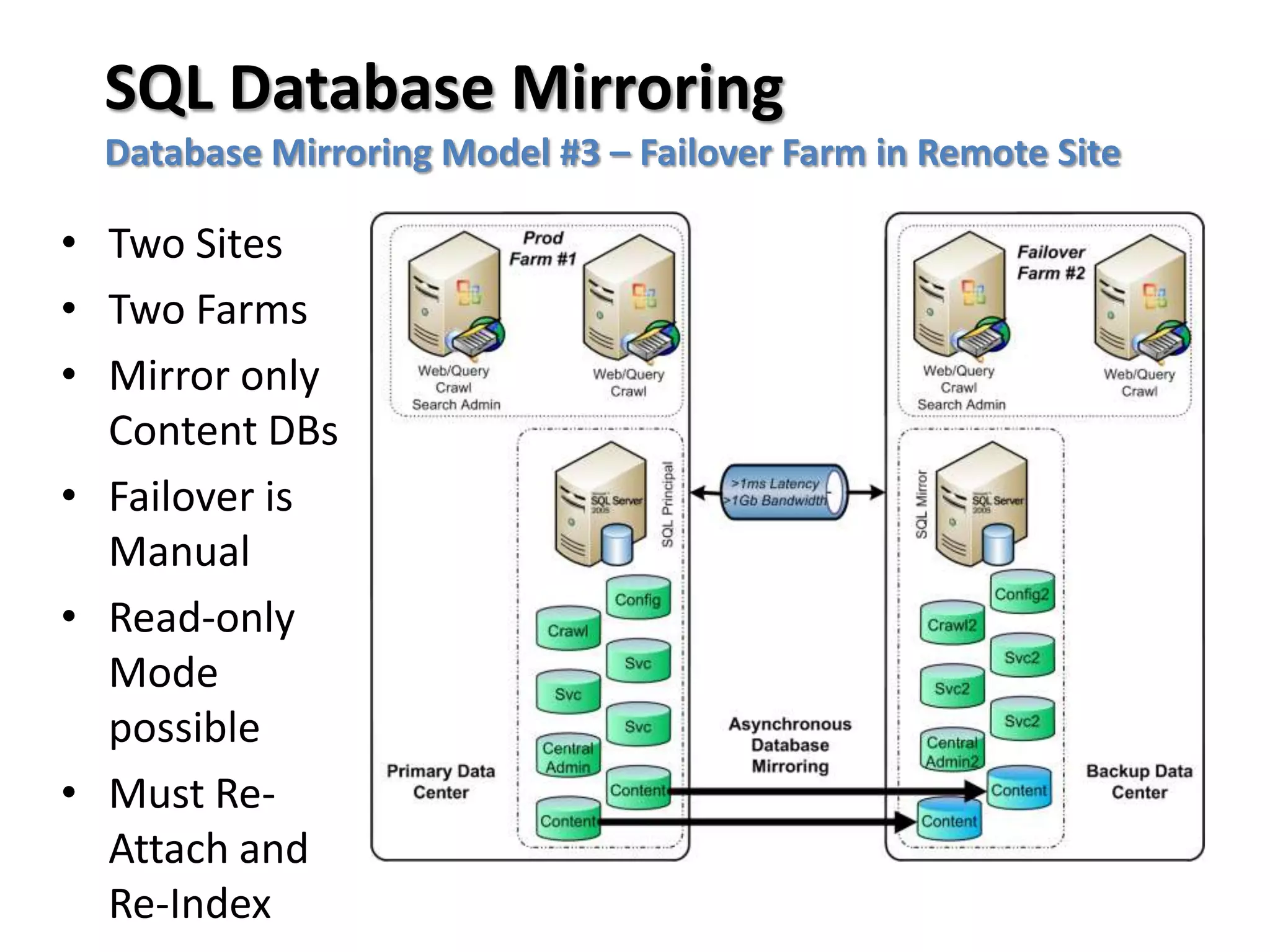
  Database Mirroring Model #3 – Failover Farm in Remote Site

• Two Sites
• Two Farms
• Mirror only
  Content DBs
• Failover is
  Manual
• Read-only
  Mode
  possible
• Must Re-
  Attach and
  Re-Index
SQL Database Mirroring
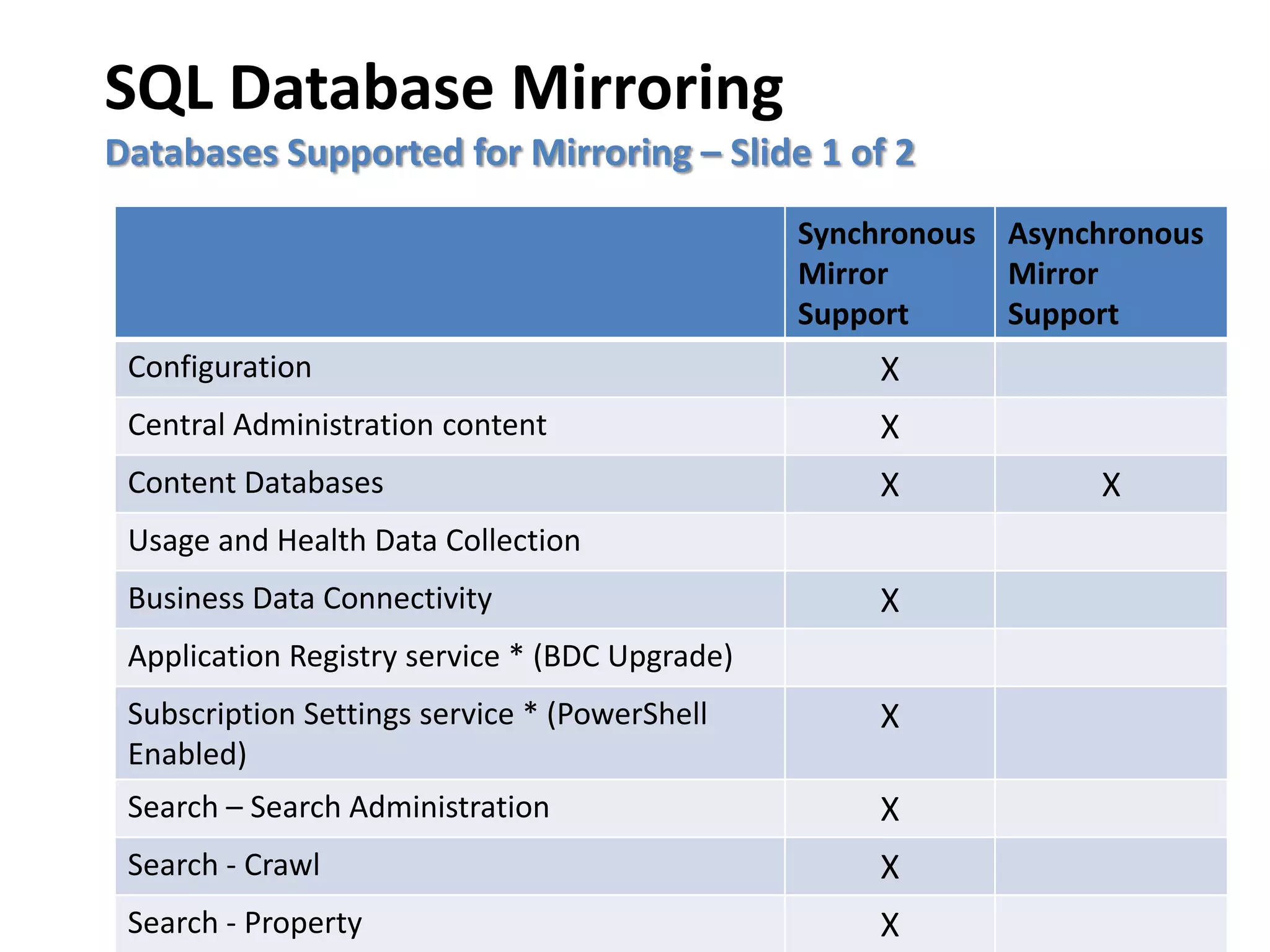
Databases Supported for Mirroring – Slide 1 of 2
                                                Synchronous Asynchronous
                                                Mirror      Mirror
                                                Support     Support
 Configuration                                      X
 Central Administration content                     X
 Content Databases                                  X            X
 Usage and Health Data Collection
 Business Data Connectivity                         X
 Application Registry service * (BDC Upgrade)
 Subscription Settings service * (PowerShell        X
 Enabled)
 Search – Search Administration                     X
 Search - Crawl                                     X
 Search - Property                                  X
SQL Database Mirroring
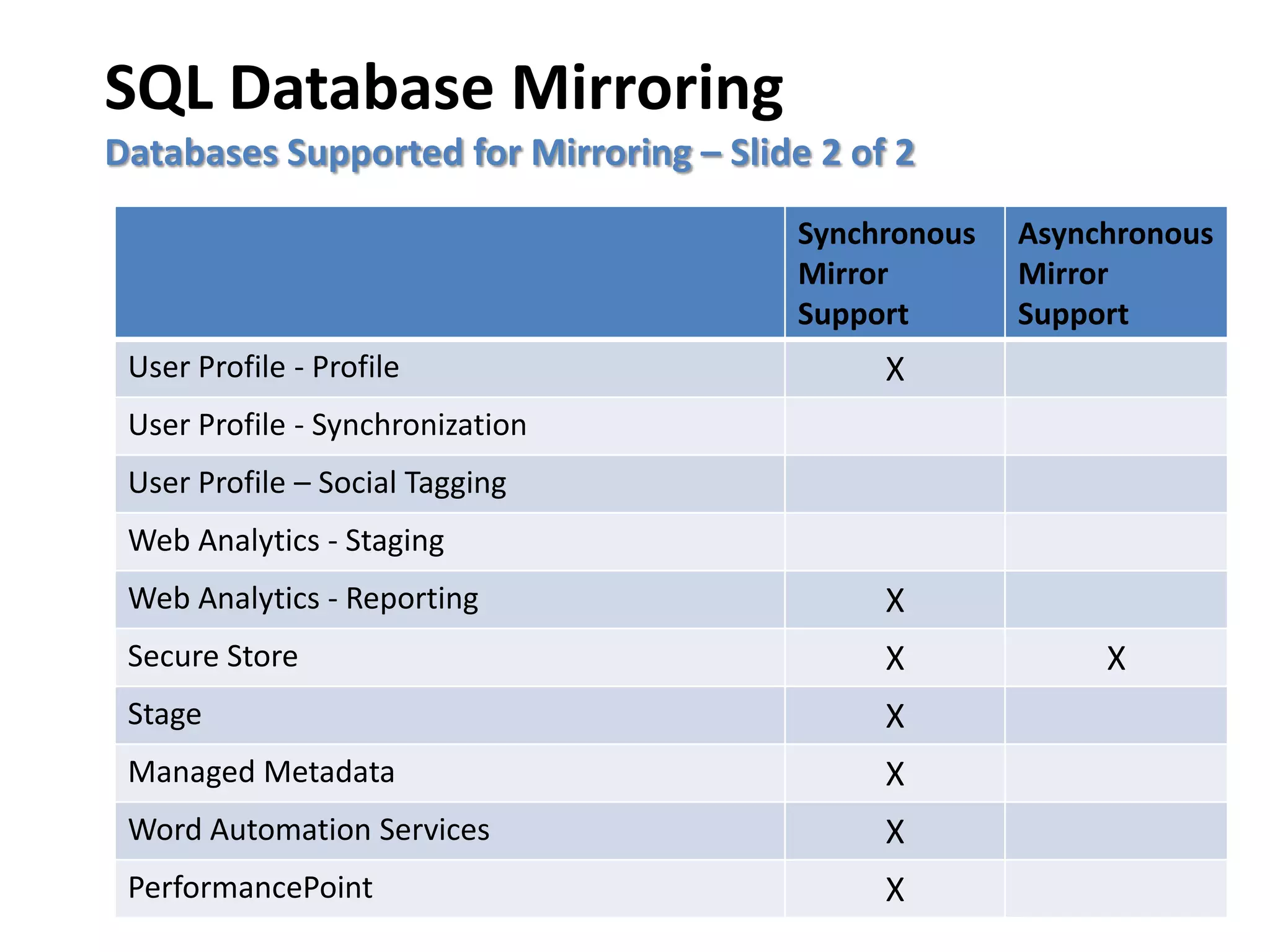
Databases Supported for Mirroring – Slide 2 of 2
                                         Synchronous   Asynchronous
                                         Mirror        Mirror
                                         Support       Support
 User Profile - Profile                       X
 User Profile - Synchronization
 User Profile – Social Tagging
 Web Analytics - Staging
 Web Analytics - Reporting                    X
 Secure Store                                 X             X
 Stage                                        X
 Managed Metadata                             X
 Word Automation Services                     X
 PerformancePoint                             X
SHAREPOINT DATA
  REDUNDANCY
SharePoint Data Redundancy
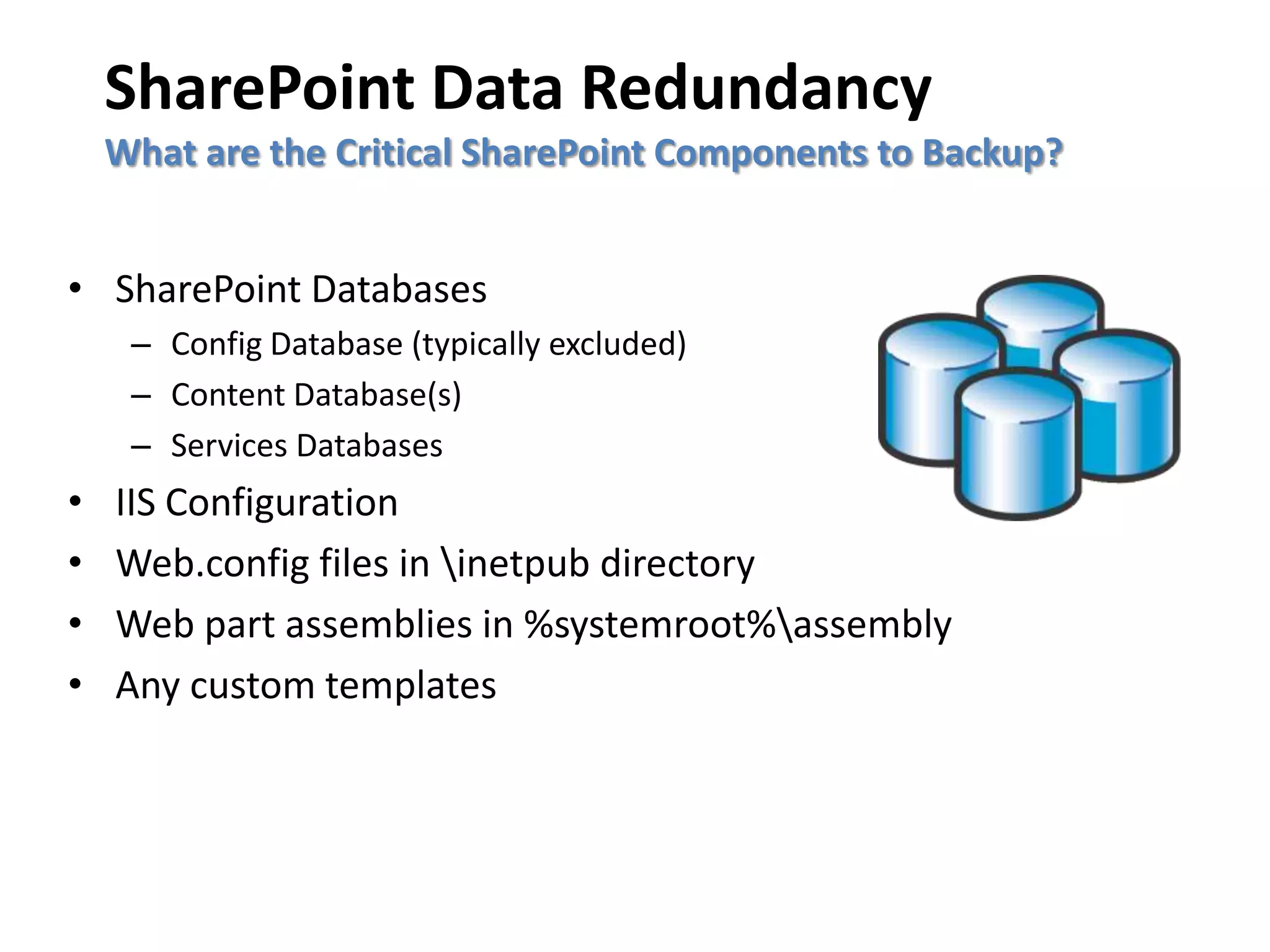
    What are the Critical SharePoint Components to Backup?


• SharePoint Databases
     – Config Database (typically excluded)
     – Content Database(s)
     – Services Databases
•   IIS Configuration
•   Web.config files in inetpub directory
•   Web part assemblies in %systemroot%assembly
•   Any custom templates
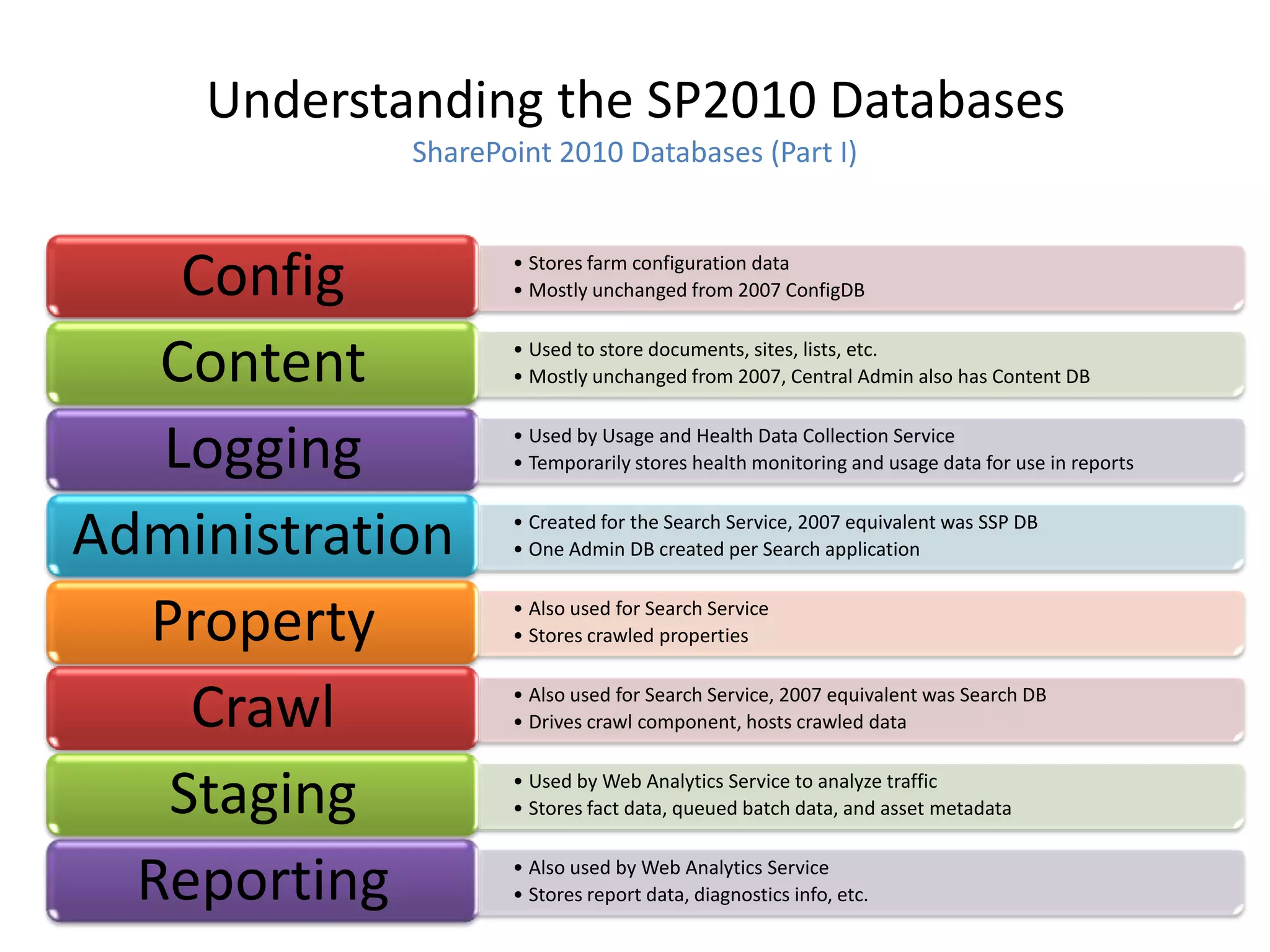
Understanding the SP2010 Databases
            SharePoint 2010 Databases (Part I)


    Config         • Stores farm configuration data
                   • Mostly unchanged from 2007 ConfigDB


   Content         • Used to store documents, sites, lists, etc.
                   • Mostly unchanged from 2007, Central Admin also has Content DB


   Logging         • Used by Usage and Health Data Collection Service
                   • Temporarily stores health monitoring and usage data for use in reports


Administration     • Created for the Search Service, 2007 equivalent was SSP DB
                   • One Admin DB created per Search application


  Property         • Also used for Search Service
                   • Stores crawled properties


    Crawl          • Also used for Search Service, 2007 equivalent was Search DB
                   • Drives crawl component, hosts crawled data


   Staging         • Used by Web Analytics Service to analyze traffic
                   • Stores fact data, queued batch data, and asset metadata


  Reporting        • Also used by Web Analytics Service
                   • Stores report data, diagnostics info, etc.
Understanding the SP2010 Databases
             SharePoint 2010 Databases (Part II)


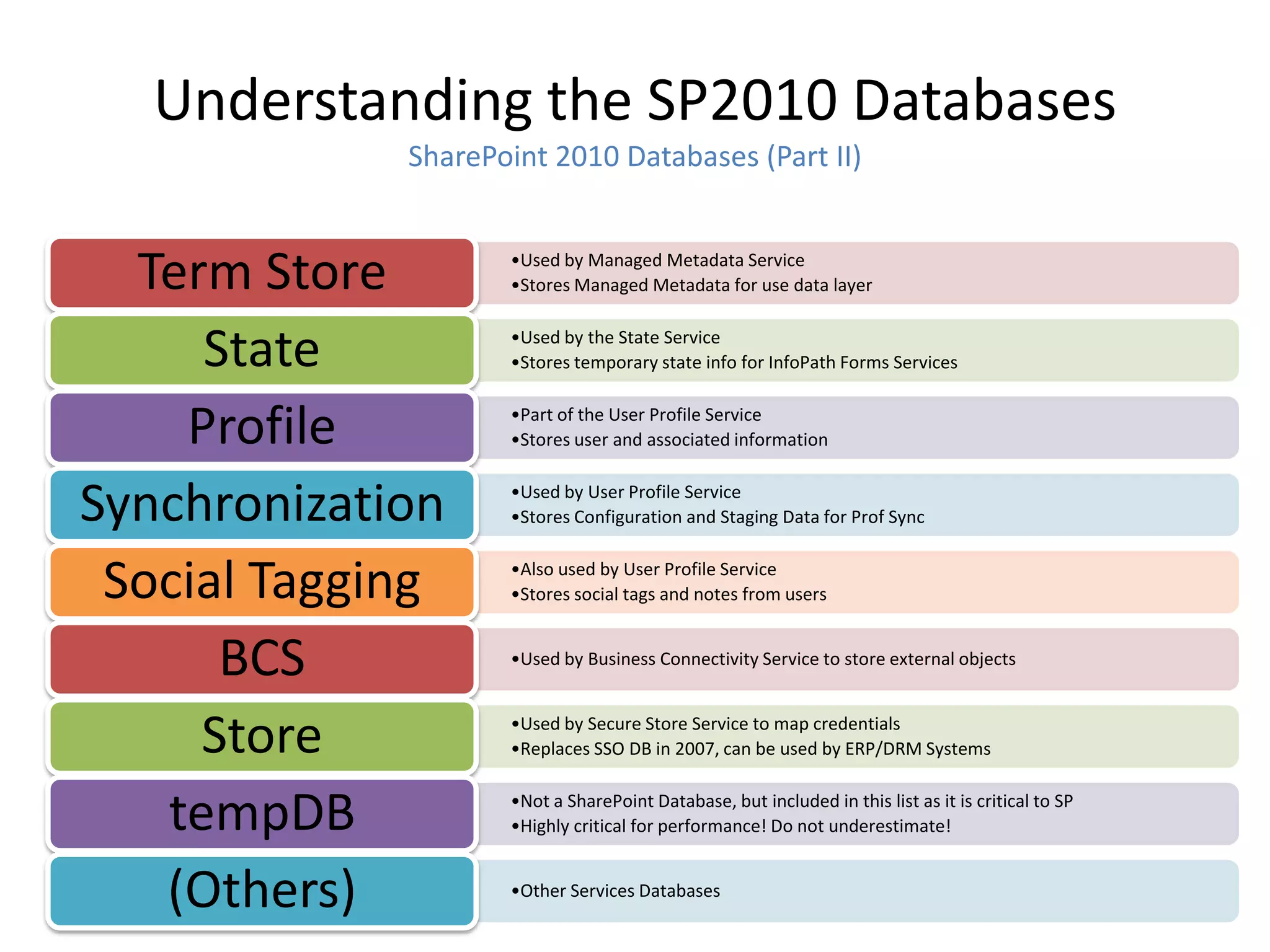
  Term Store        •Used by Managed Metadata Service
                    •Stores Managed Metadata for use data layer


     State          •Used by the State Service
                    •Stores temporary state info for InfoPath Forms Services


    Profile         •Part of the User Profile Service
                    •Stores user and associated information


Synchronization     •Used by User Profile Service
                    •Stores Configuration and Staging Data for Prof Sync


 Social Tagging     •Also used by User Profile Service
                    •Stores social tags and notes from users


      BCS           •Used by Business Connectivity Service to store external objects


     Store          •Used by Secure Store Service to map credentials
                    •Replaces SSO DB in 2007, can be used by ERP/DRM Systems


   tempDB           •Not a SharePoint Database, but included in this list as it is critical to SP
                    •Highly critical for performance! Do not underestimate!


   (Others)         •Other Services Databases
SharePoint Data Redundancy
Tools available for Backup and Restore

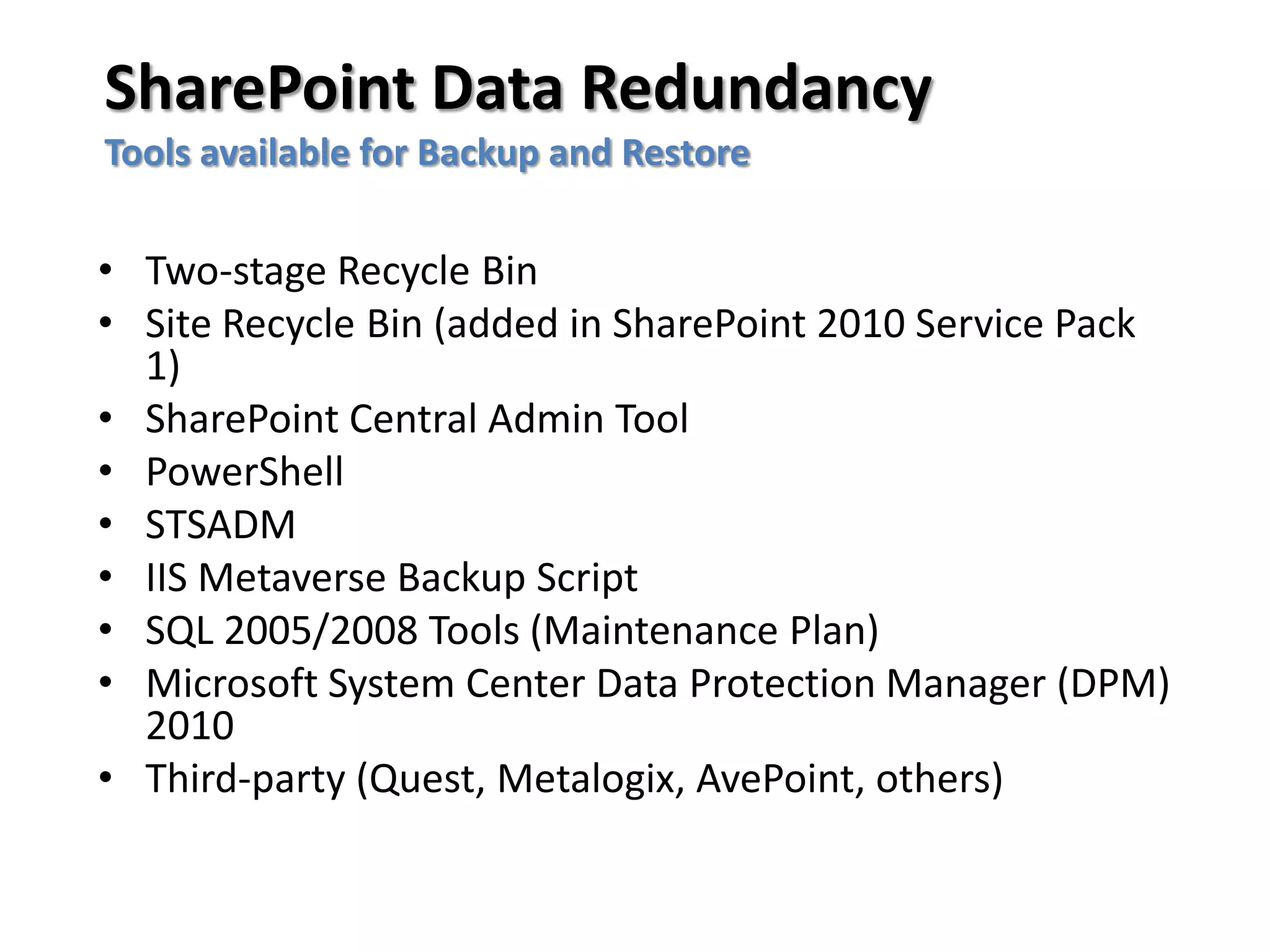
• Two-stage Recycle Bin
• Site Recycle Bin (added in SharePoint 2010 Service Pack
  1)
• SharePoint Central Admin Tool
• PowerShell
• STSADM
• IIS Metaverse Backup Script
• SQL 2005/2008 Tools (Maintenance Plan)
• Microsoft System Center Data Protection Manager (DPM)
  2010
• Third-party (Quest, Metalogix, AvePoint, others)
BACKUP WITH THE
SHAREPOINT CENTRAL ADMIN
          TOOL
What does the Central Admin Backup Tool
                  do?
• Full fidelity backups of all SharePoint content and
  indexes
• Backs up all SharePoint databases except Config DB,
  which is not needed.
• Similar to SQL level backup, except can be more
  granular at the Web Application level
• SP2010 now has status indicators
• SP2010 now allows for Site Collection Backup from
  Central Admin
Disadvantages of Central Admin Backup
                   Tool
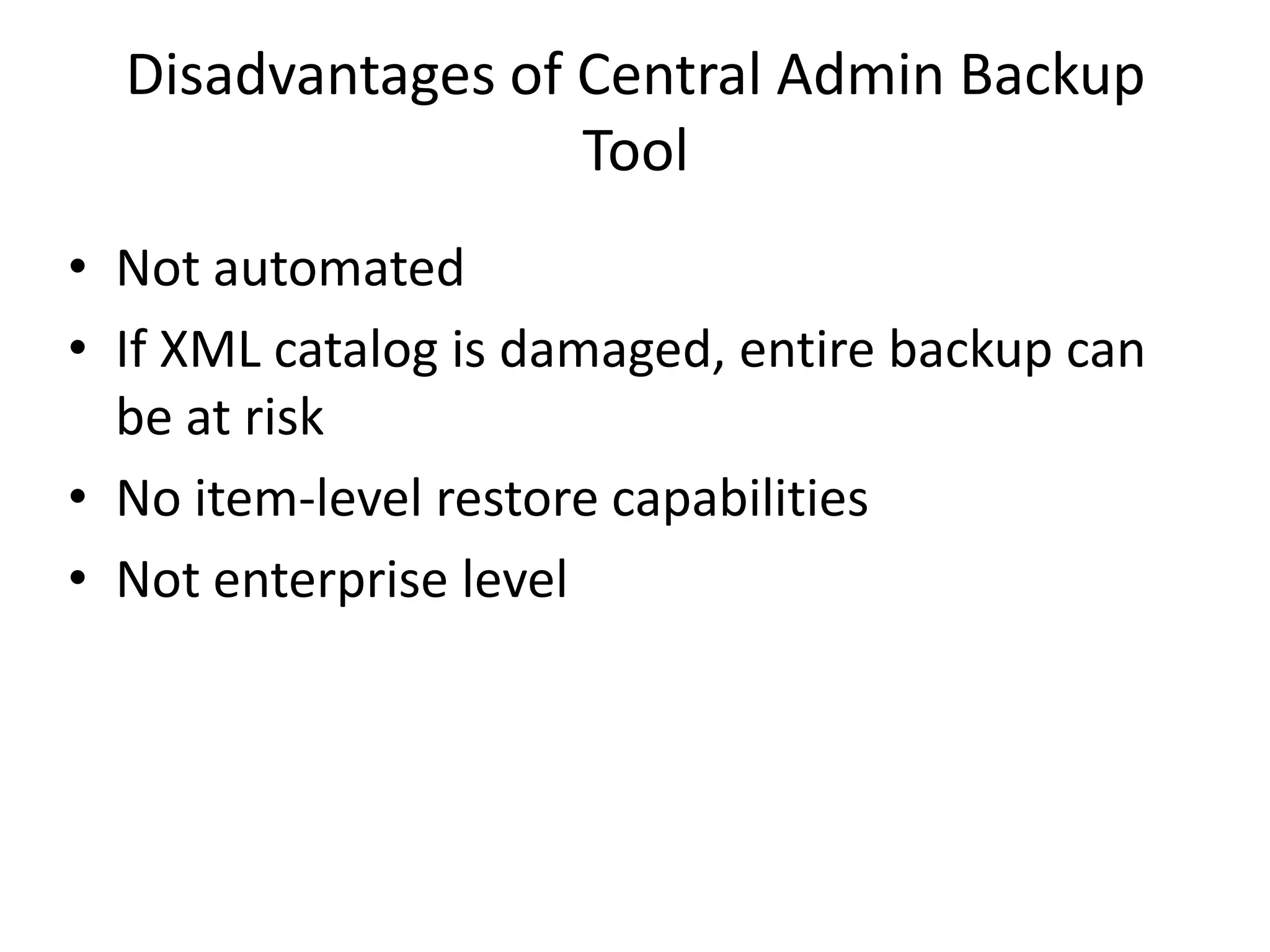
• Not automated
• If XML catalog is damaged, entire backup can
  be at risk
• No item-level restore capabilities
• Not enterprise level
POWERSHELL BACKUPS
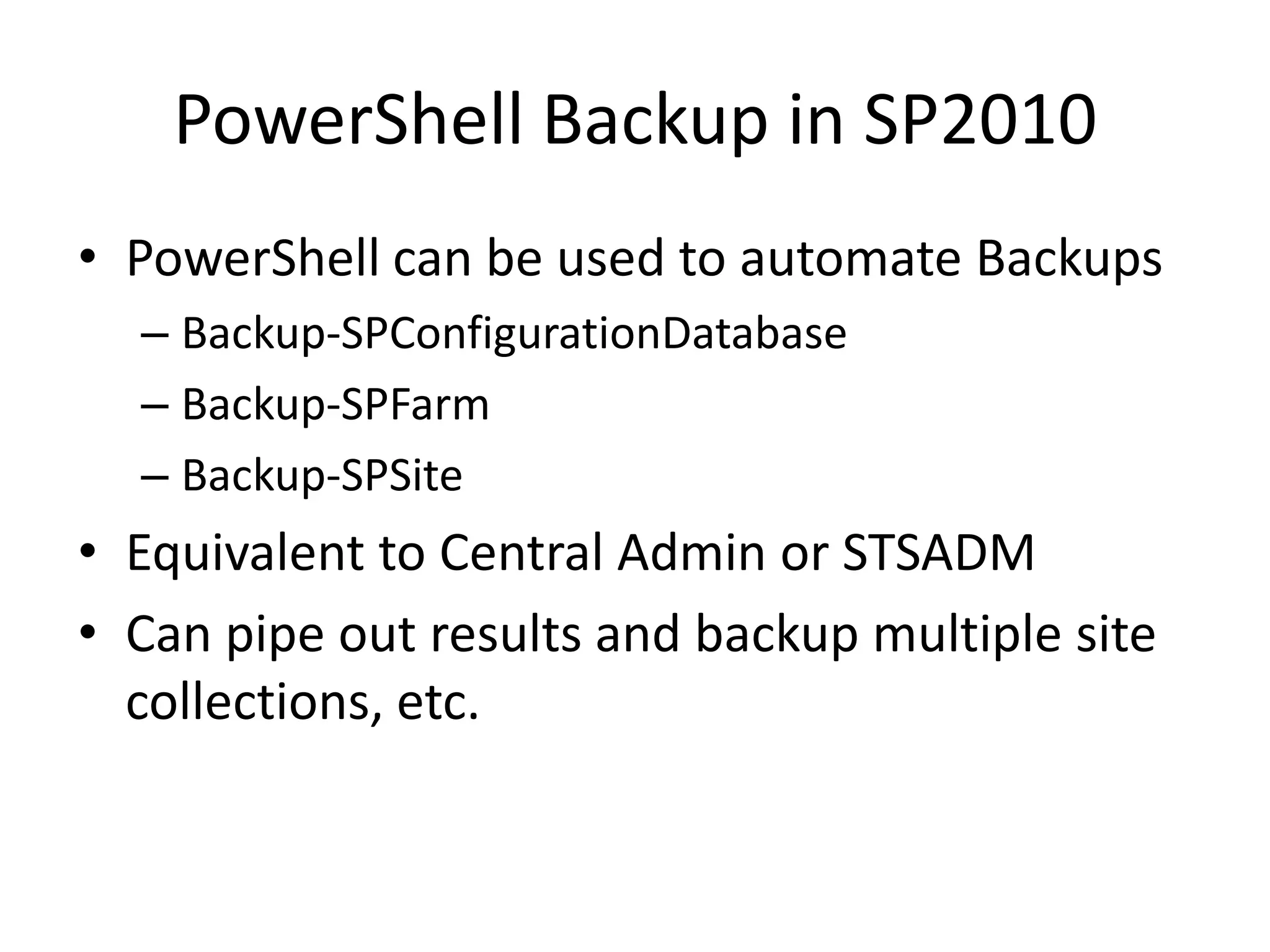
PowerShell Backup in SP2010
• PowerShell can be used to automate Backups
  – Backup-SPConfigurationDatabase
  – Backup-SPFarm
  – Backup-SPSite
• Equivalent to Central Admin or STSADM
• Can pipe out results and backup multiple site
  collections, etc.
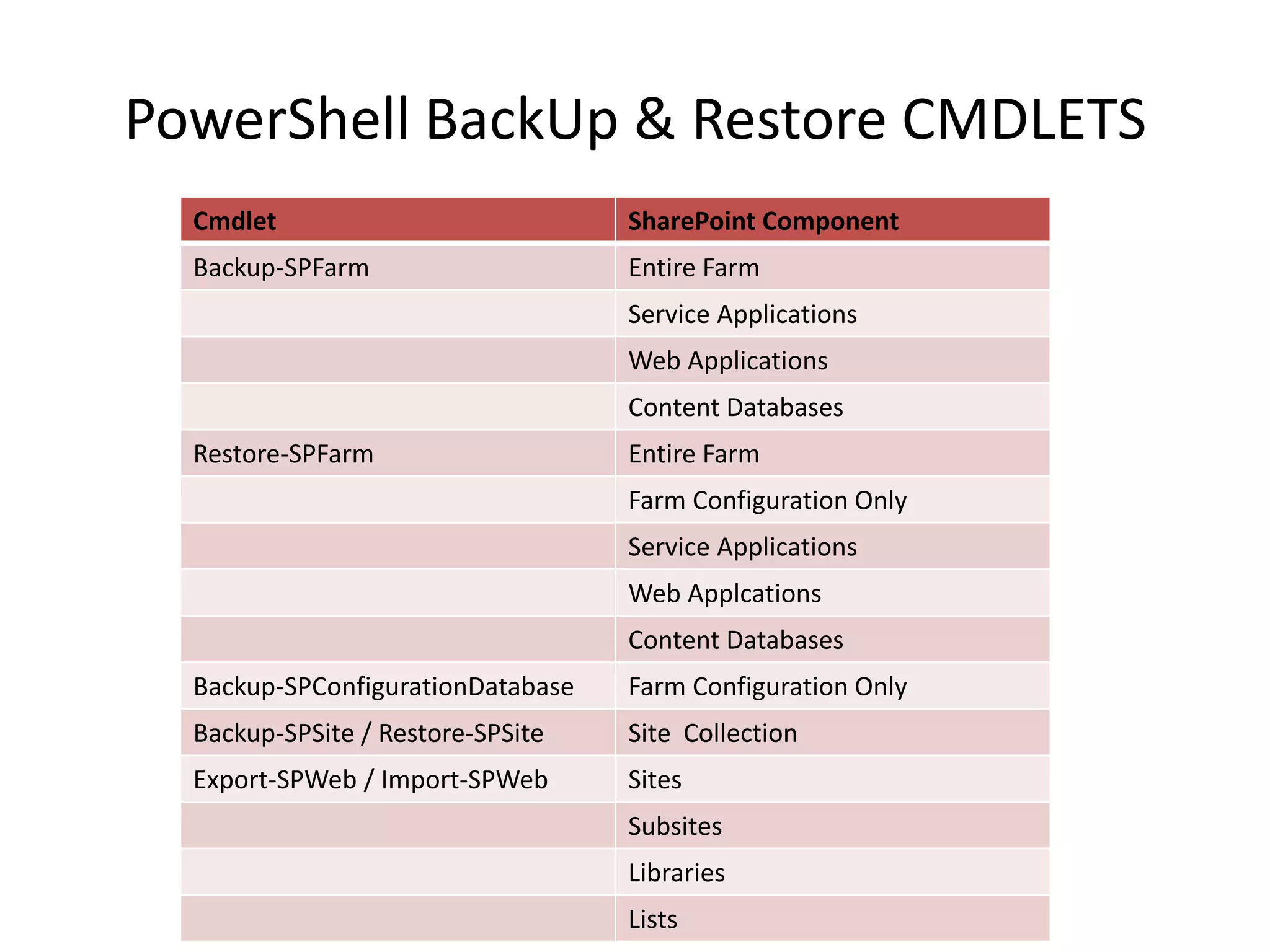
PowerShell BackUp & Restore CMDLETS
  Cmdlet                           SharePoint Component
  Backup-SPFarm                    Entire Farm
                                   Service Applications
                                   Web Applications
                                   Content Databases
  Restore-SPFarm                   Entire Farm
                                   Farm Configuration Only
                                   Service Applications
                                   Web Applcations
                                   Content Databases
  Backup-SPConfigurationDatabase   Farm Configuration Only
  Backup-SPSite / Restore-SPSite   Site Collection
  Export-SPWeb / Import-SPWeb      Sites
                                   Subsites
                                   Libraries
                                   Lists
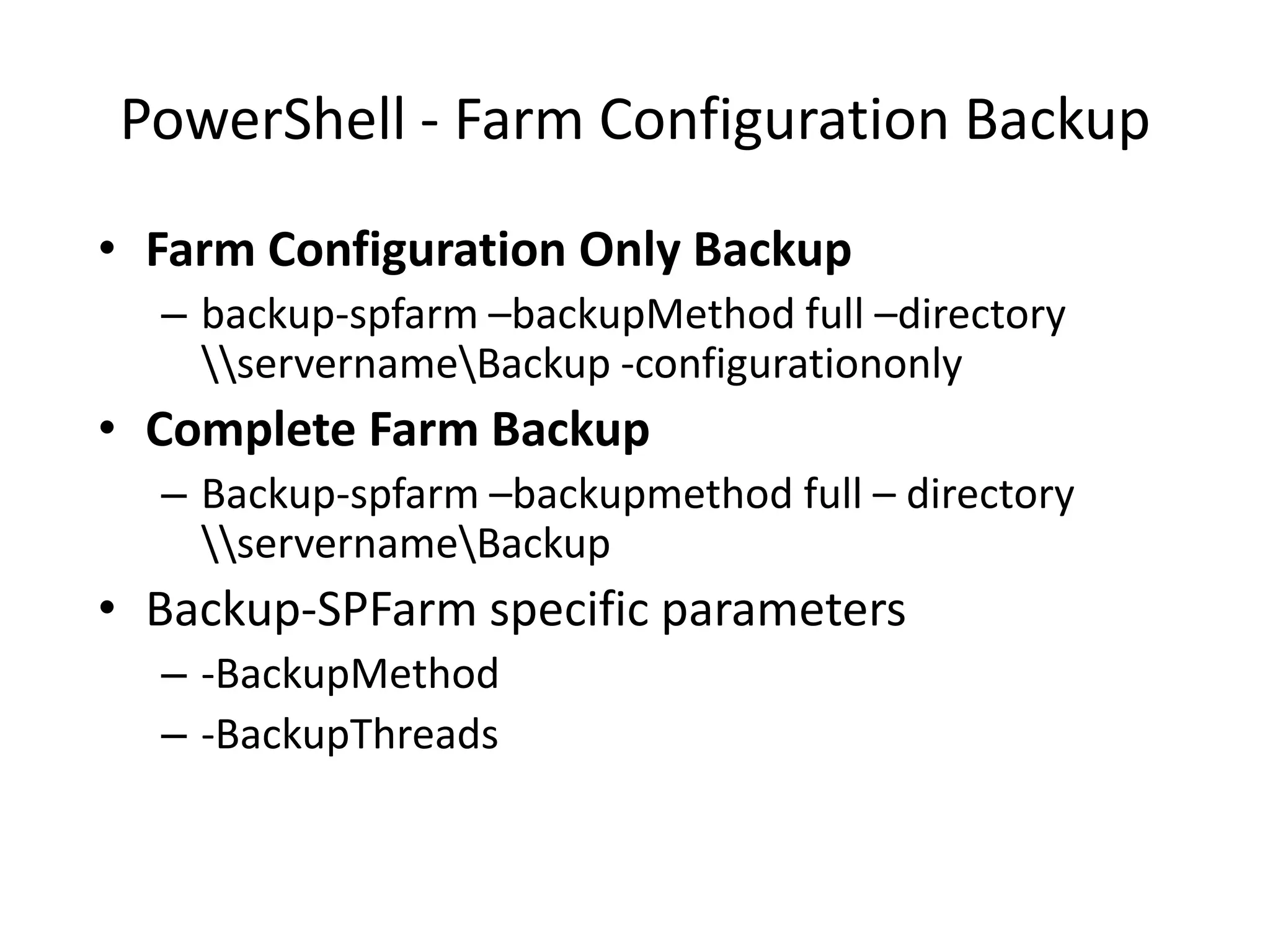
PowerShell - Farm Configuration Backup
• Farm Configuration Only Backup
  – backup-spfarm –backupMethod full –directory
    servernameBackup -configurationonly
• Complete Farm Backup
  – Backup-spfarm –backupmethod full – directory
    servernameBackup
• Backup-SPFarm specific parameters
  – -BackupMethod
  – -BackupThreads
PowerShell - Configuration DB Backup
• Configuration Database Backup
   – Backup-spconfigurationdatabase –directory
     servernamesp2010backup –databaseserver server –
     databasename mss_configdb
• Backup Farm Configuration Information
   –   Information Rights Management
   –   Workflow
   –   Diagnostic logging
   –   Customizations [solutions deployed]
   –   Outbound e-mail configuration
   –   Antivirus settings
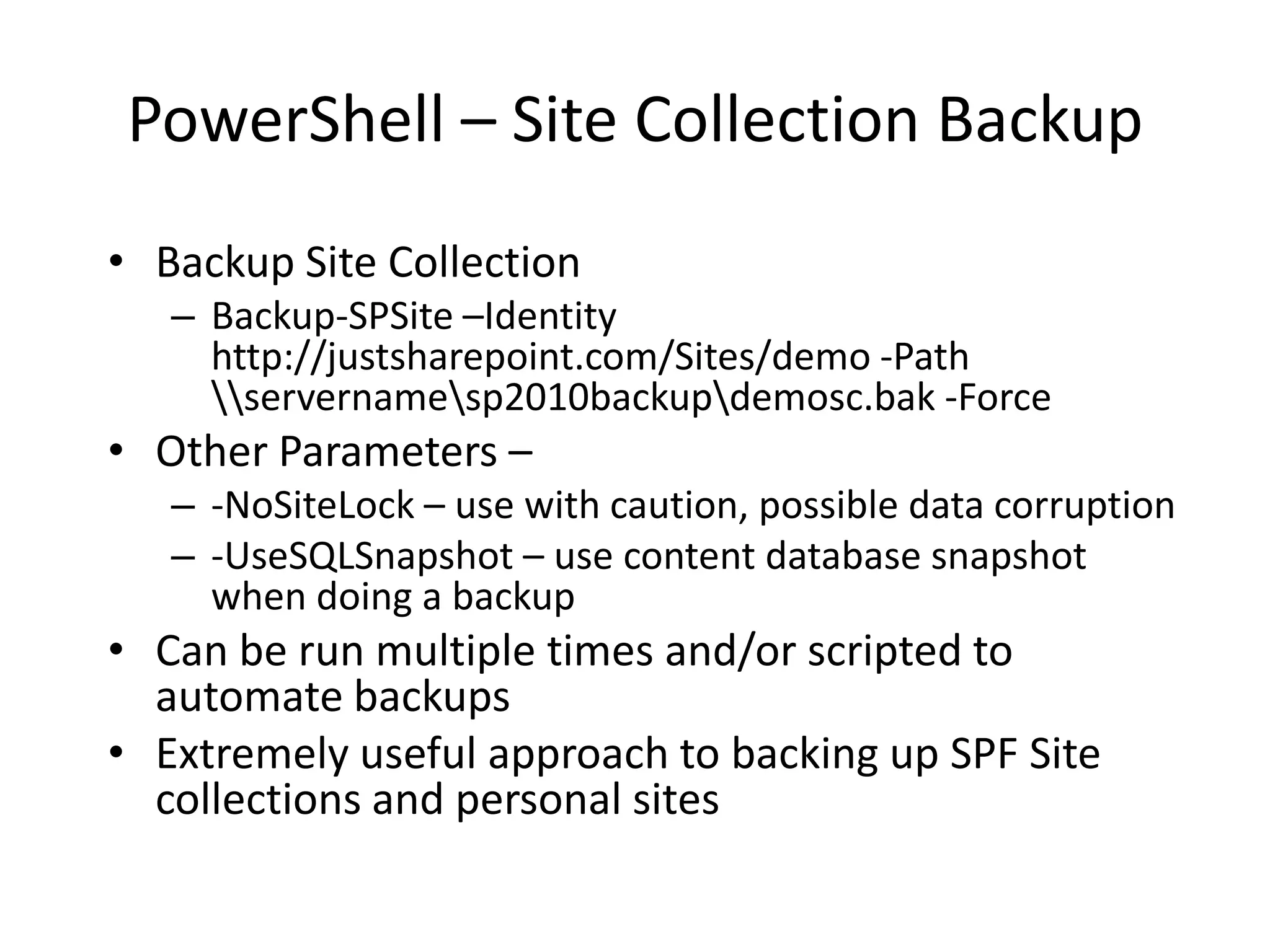
PowerShell – Site Collection Backup
• Backup Site Collection
   – Backup-SPSite –Identity
     http://justsharepoint.com/Sites/demo -Path
     servernamesp2010backupdemosc.bak -Force
• Other Parameters –
   – -NoSiteLock – use with caution, possible data corruption
   – -UseSQLSnapshot – use content database snapshot
     when doing a backup
• Can be run multiple times and/or scripted to
  automate backups
• Extremely useful approach to backing up SPF Site
  collections and personal sites
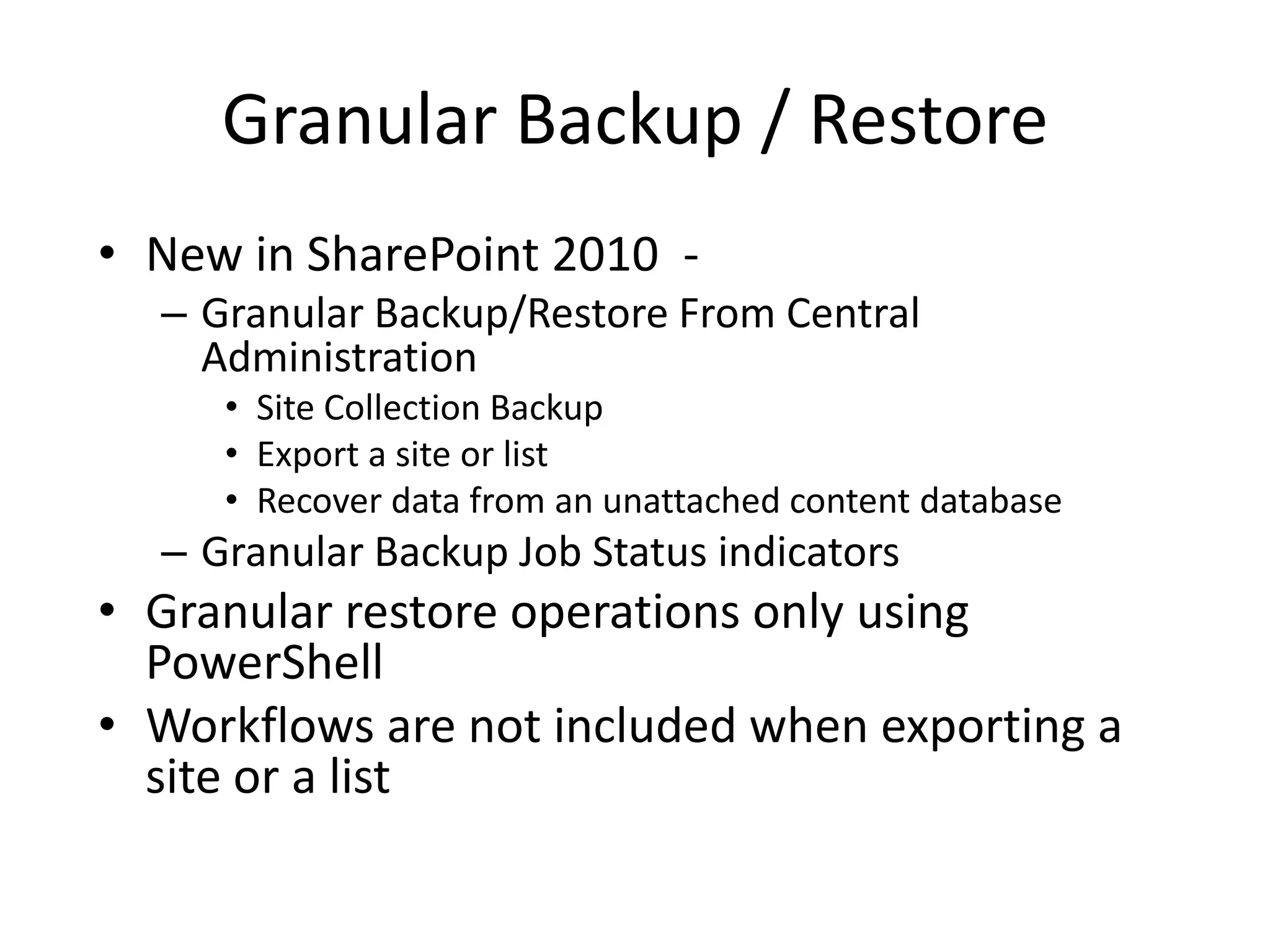
Granular Backup / Restore
• New in SharePoint 2010 -
  – Granular Backup/Restore From Central
    Administration
     • Site Collection Backup
     • Export a site or list
     • Recover data from an unattached content database
  – Granular Backup Job Status indicators
• Granular restore operations only using
  PowerShell
• Workflows are not included when exporting a
  site or a list
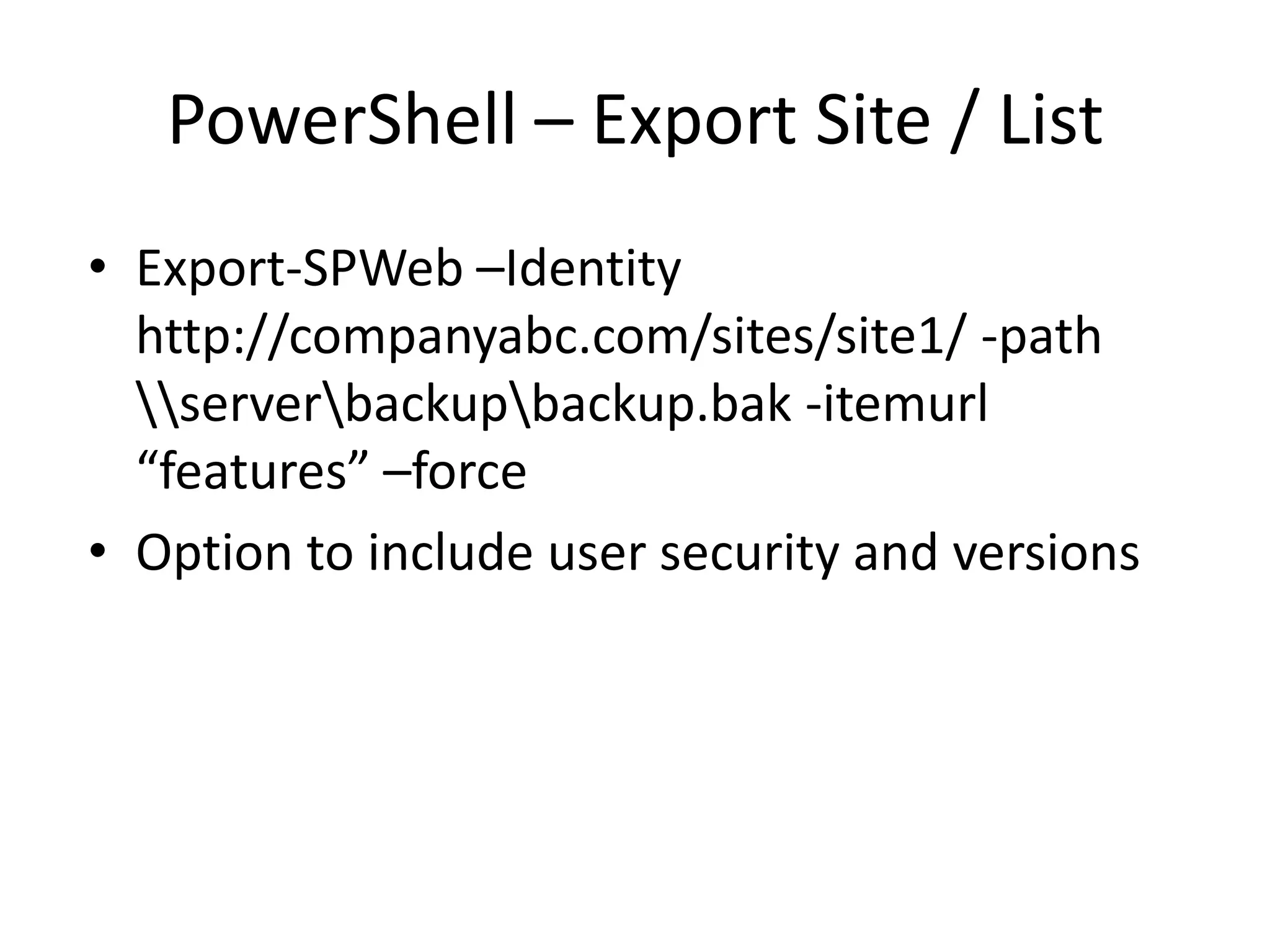
PowerShell – Export Site / List
• Export-SPWeb –Identity
  http://companyabc.com/sites/site1/ -path
  serverbackupbackup.bak -itemurl
  “features” –force
• Option to include user security and versions
Unattached Content Databases
•   New feature of SharePoint 2010
•   Granular restores of SharePoint content
•   Read-only content databases
•   Restored SharePoint content databases
•   Content database snapshots
•   Restore Site Collections, Sites, Libraries and
    Lists
How to backup the IISv7 Config
• Open a command prompt by using the Run as
  Administrator option and change directory to
  %windir%system32inetsrv.
• At the command prompt, type appcmd add
  backup <backupname>. If you do not include
  the name of the backup, the system will name
  it for you by using a date, time format.
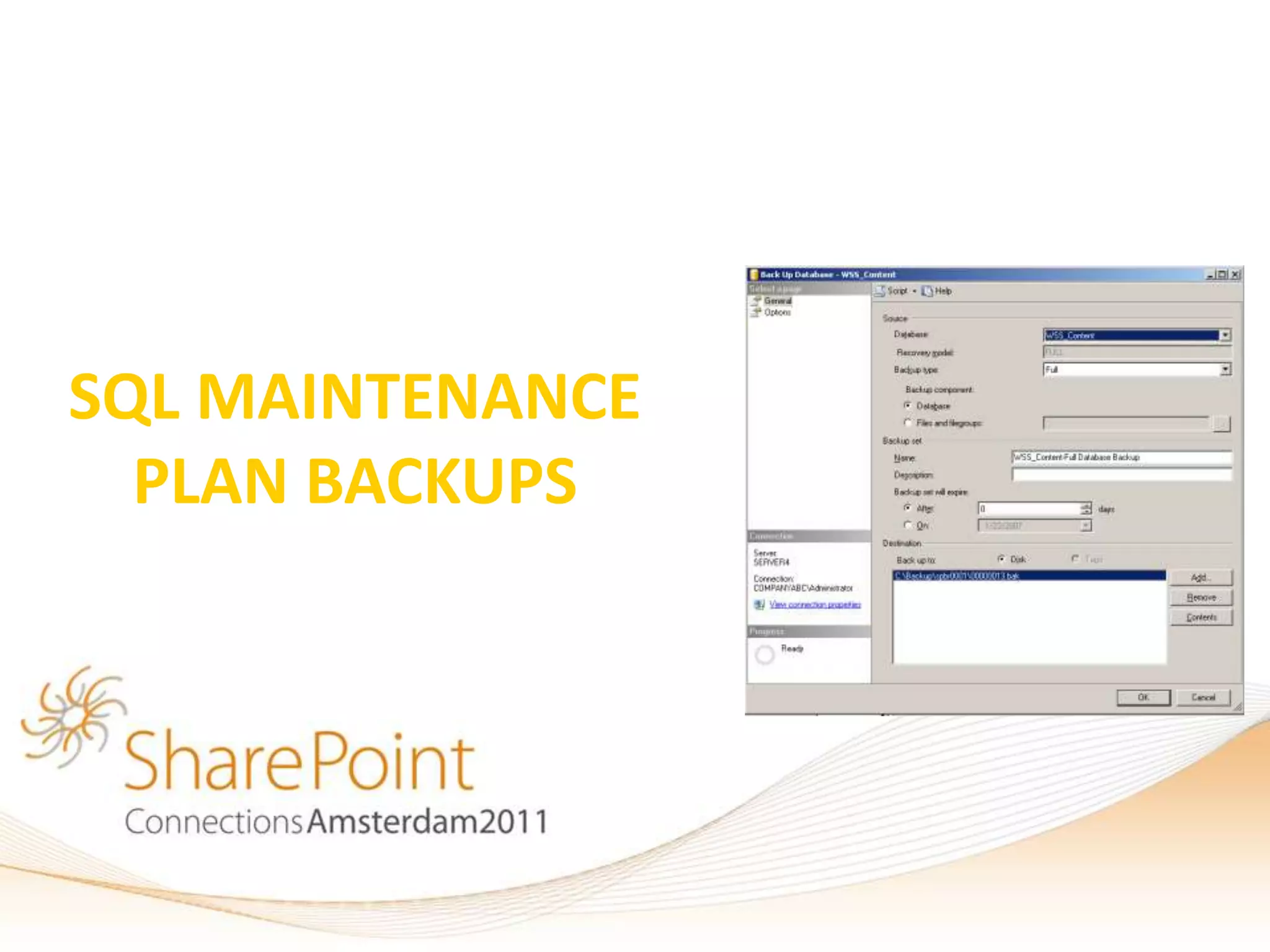
SQL MAINTENANCE
  PLAN BACKUPS
Backing up using SQL Tools
• SQL 2005/2008/2008 R2 Management Studio can
  be used to backup all Databases
• Same as Central Admin Backup, but only backs up
  SQL databases, not index
• Can be scheduled as part of a SQL Maintenance
  Plan
• Can backup as Full, Differential, or Incremental
• Can backup Config DB, but normally not needed
  (only supported scenario is during a SAN
  Snapshot)
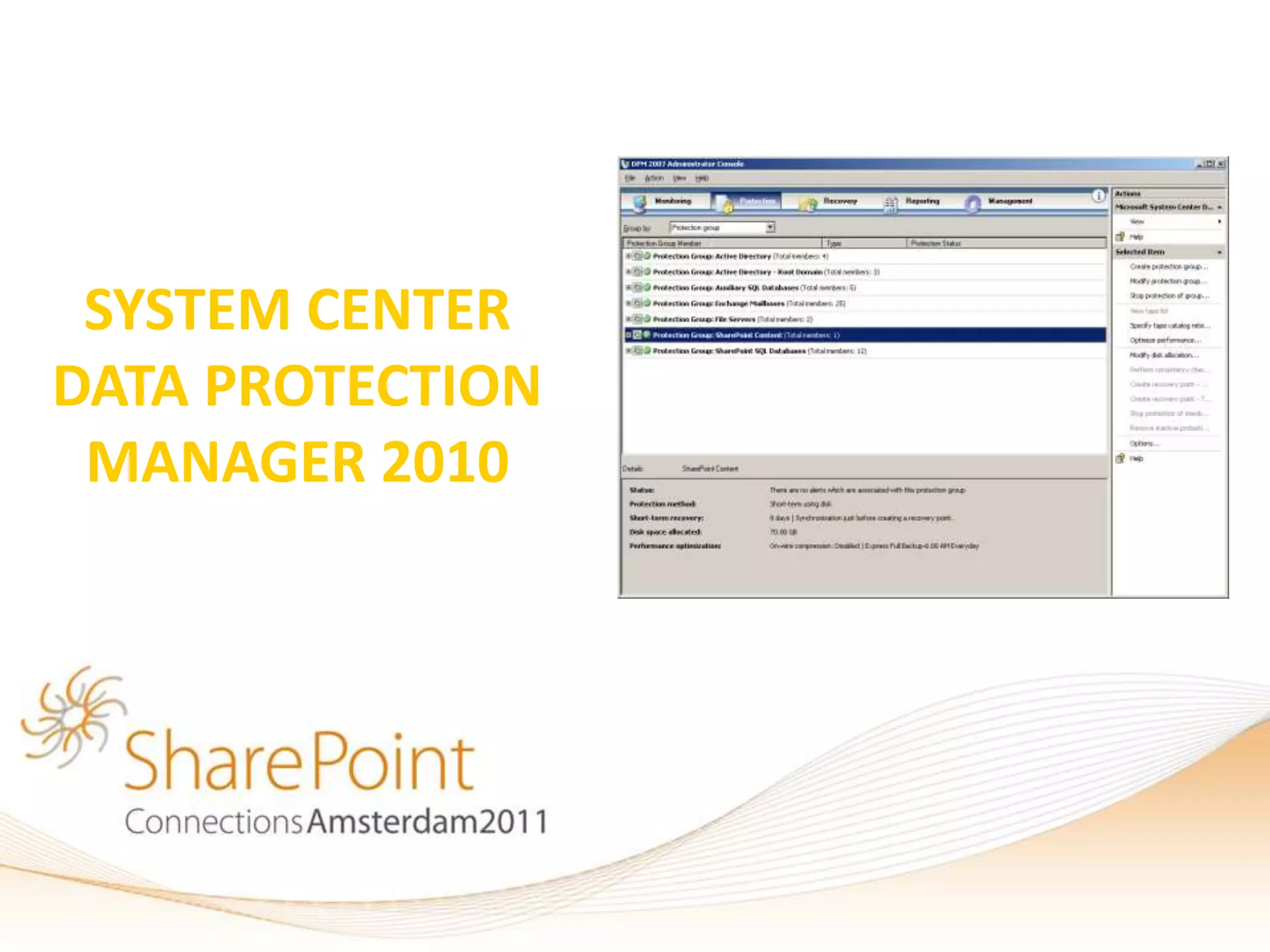
SYSTEM CENTER
DATA PROTECTION
 MANAGER 2010
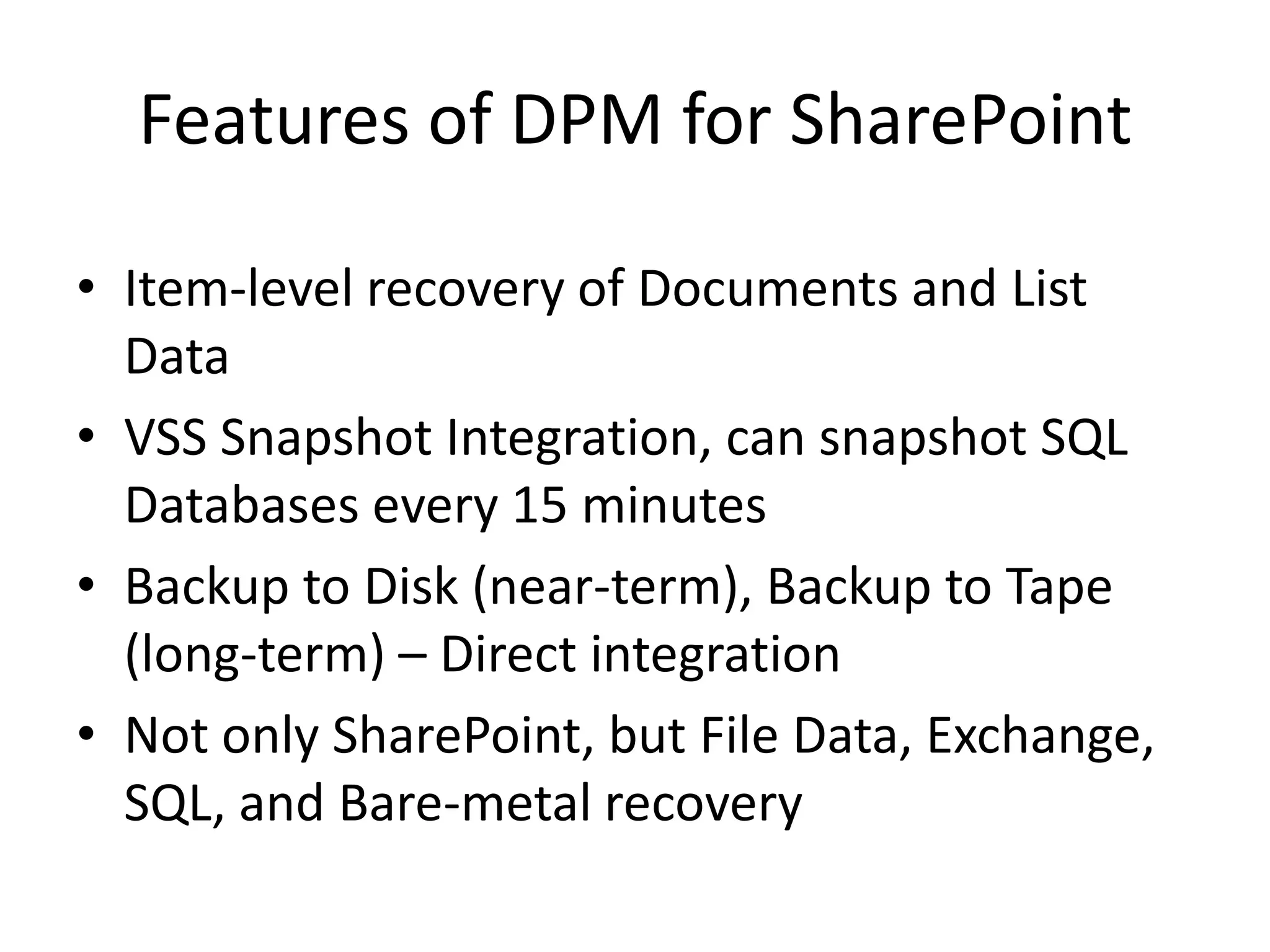
Features of DPM for SharePoint

• Item-level recovery of Documents and List
  Data
• VSS Snapshot Integration, can snapshot SQL
  Databases every 15 minutes
• Backup to Disk (near-term), Backup to Tape
  (long-term) – Direct integration
• Not only SharePoint, but File Data, Exchange,
  SQL, and Bare-metal recovery
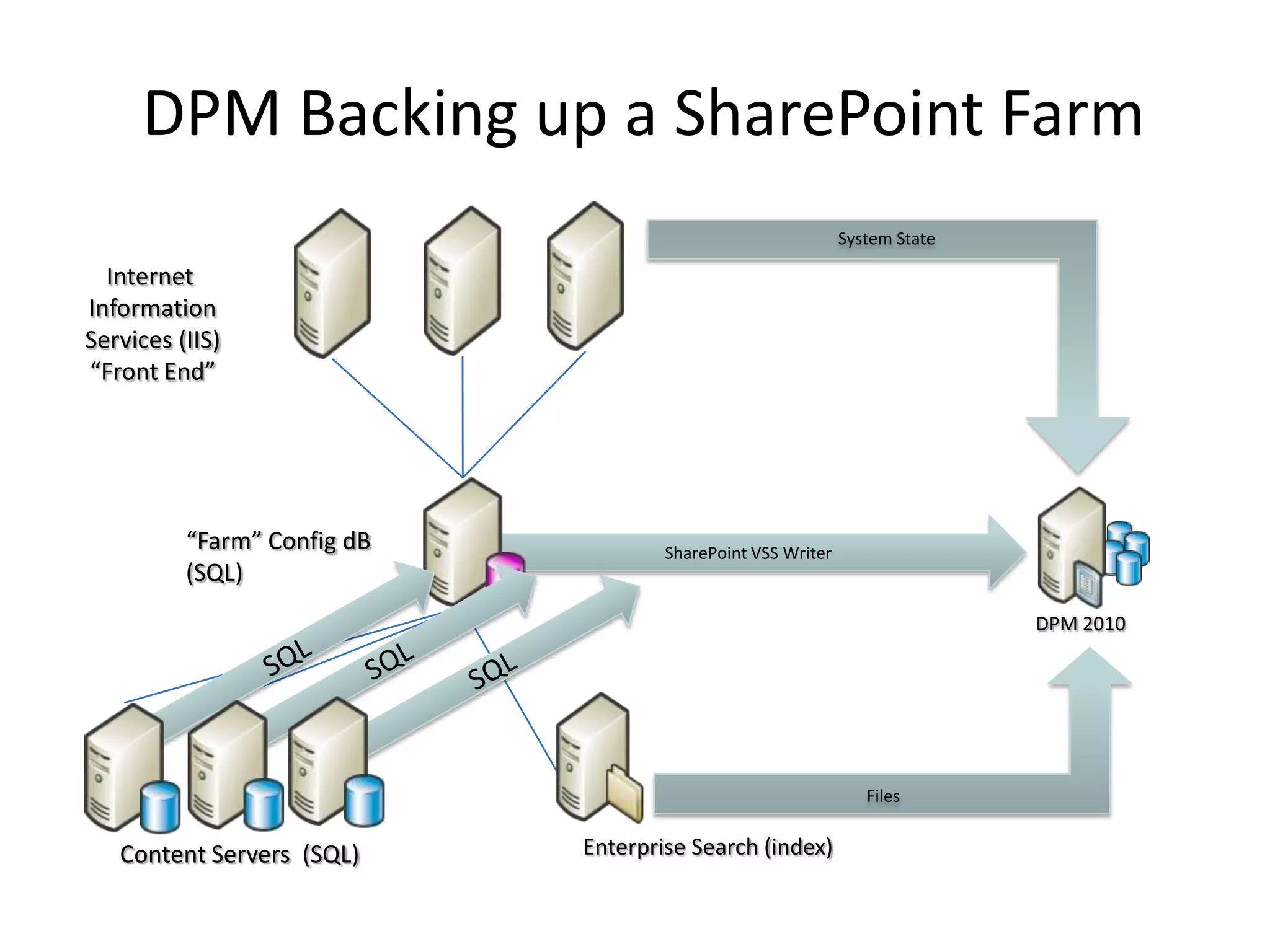
DPM Backing up a SharePoint Farm
                                                             System State

  Internet
Information
Services (IIS)
“Front End”


          “Farm” Config dB           SharePoint VSS Writer
          (SQL)
                                                                            DPM 2010


                                                                Files


   Content Servers (SQL)     Enterprise Search (index)
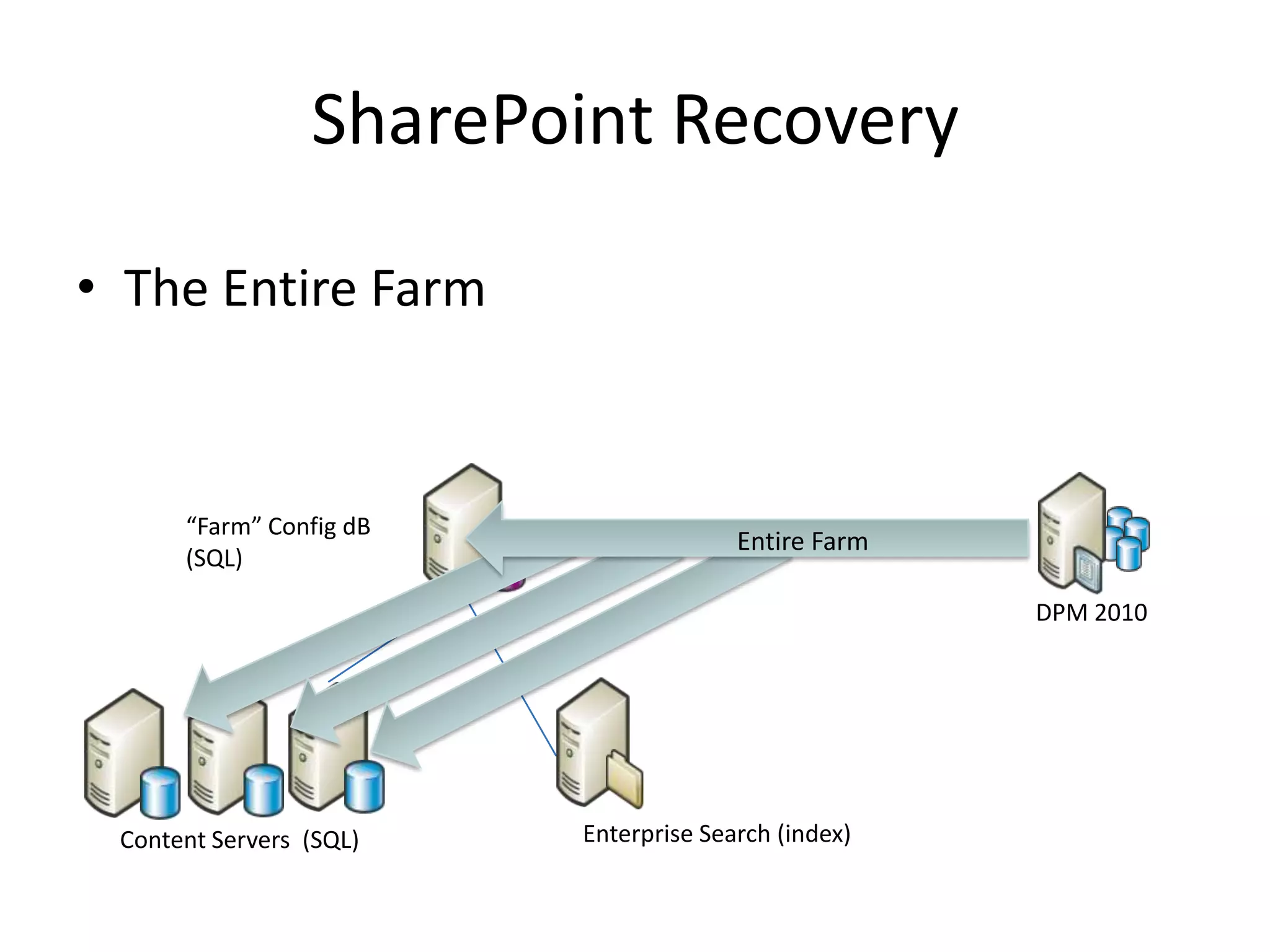
SharePoint Recovery

• The Entire Farm


      “Farm” Config dB
                                       Entire Farm
      (SQL)

                                                     DPM 2010


 Content Servers (SQL)   Enterprise Search (index)
SharePoint Recovery

• The Entire Farm
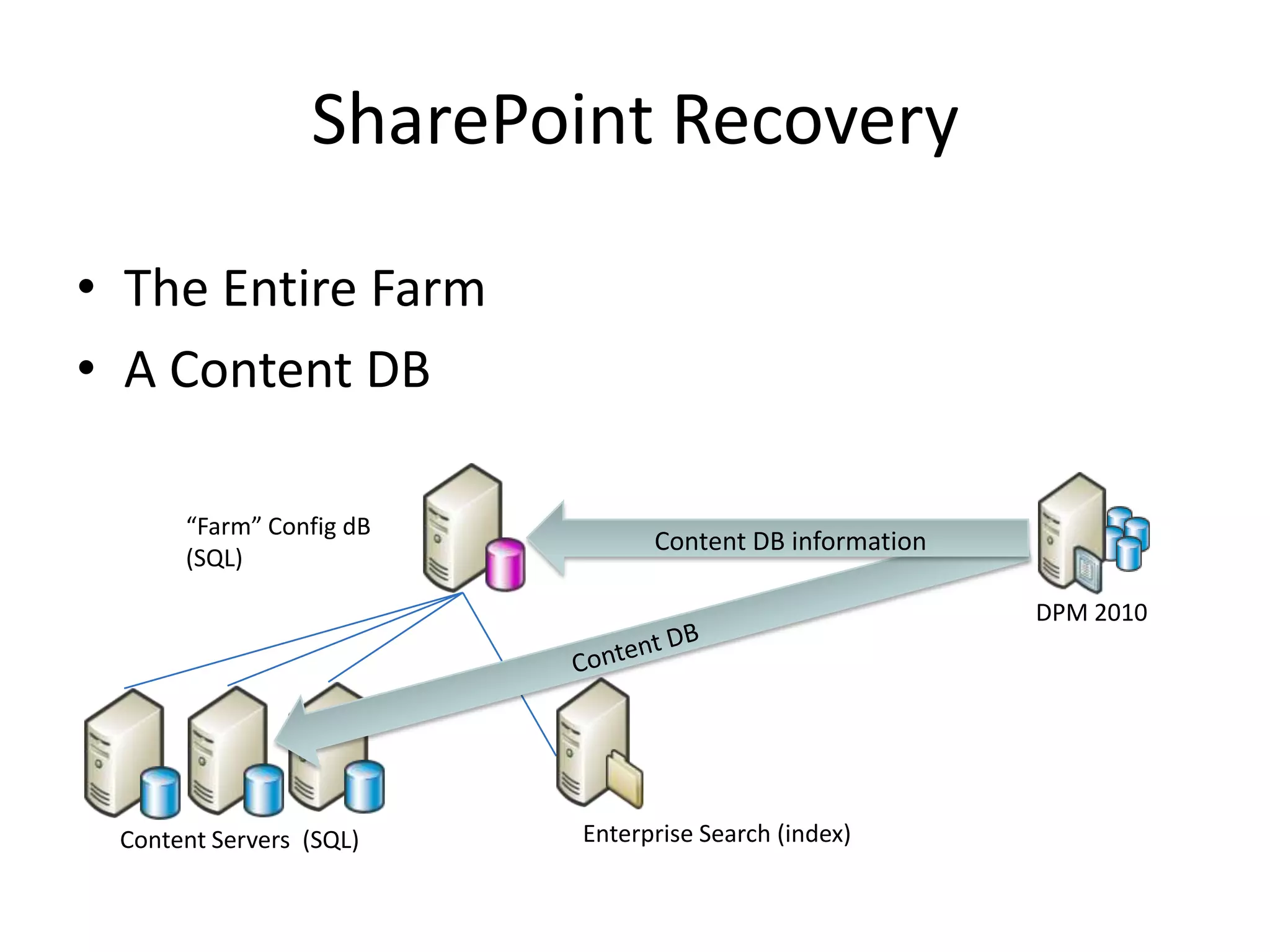
• A Content DB

      “Farm” Config dB
                               Content DB information
      (SQL)

                                                        DPM 2010


 Content Servers (SQL)   Enterprise Search (index)
SharePoint Recovery
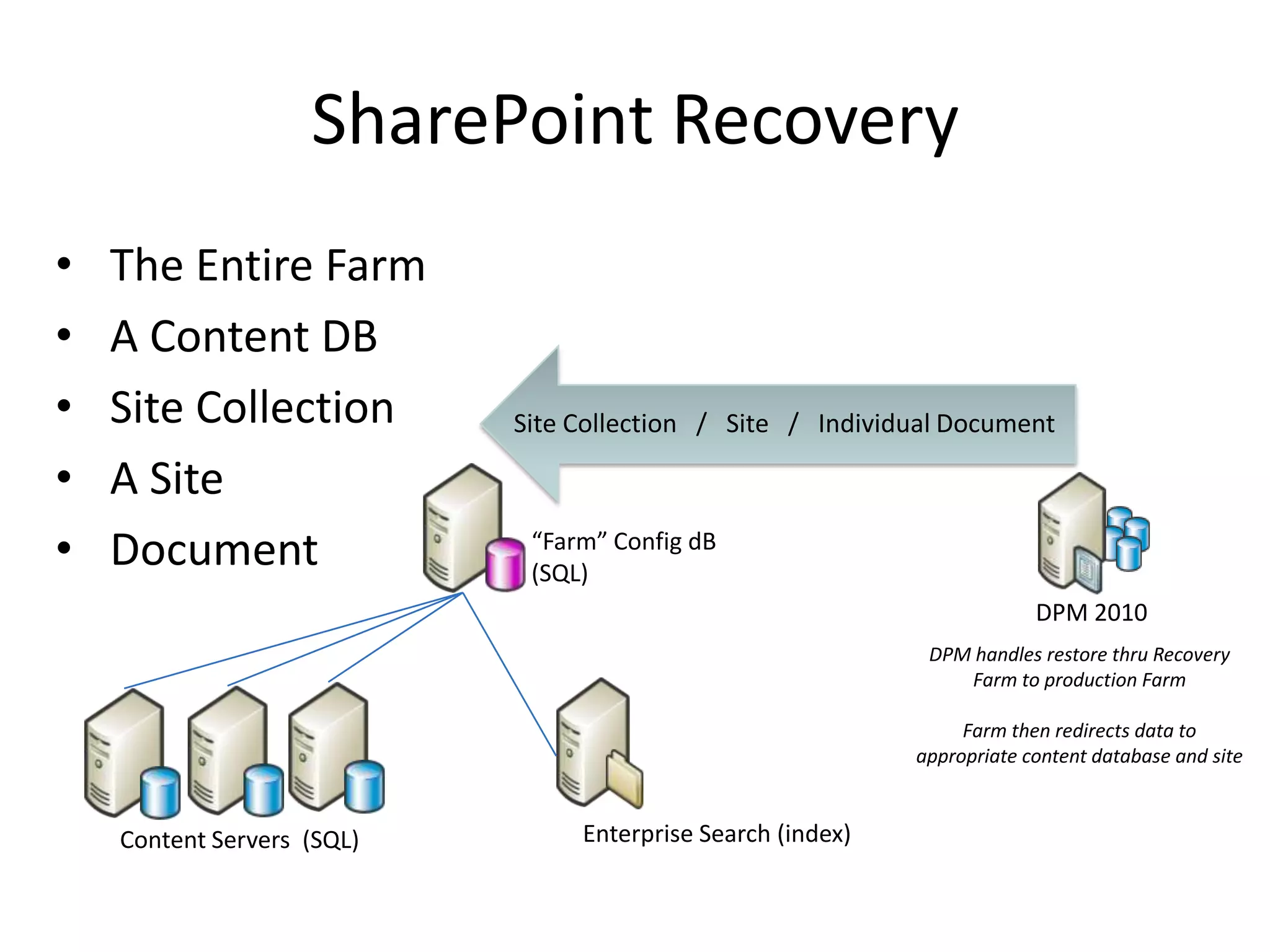
•   The Entire Farm
•   A Content DB
•   Site Collection
•   A Site
•   Document                “Farm” Config dB
                            (SQL)
                                                                         DPM 2010
                                                             DPM handles restore thru Recovery
                                                                Farm to production Farm

                                                                 Farm then redirects data to
                                                            appropriate content database and site


    Content Servers (SQL)       Enterprise Search (index)
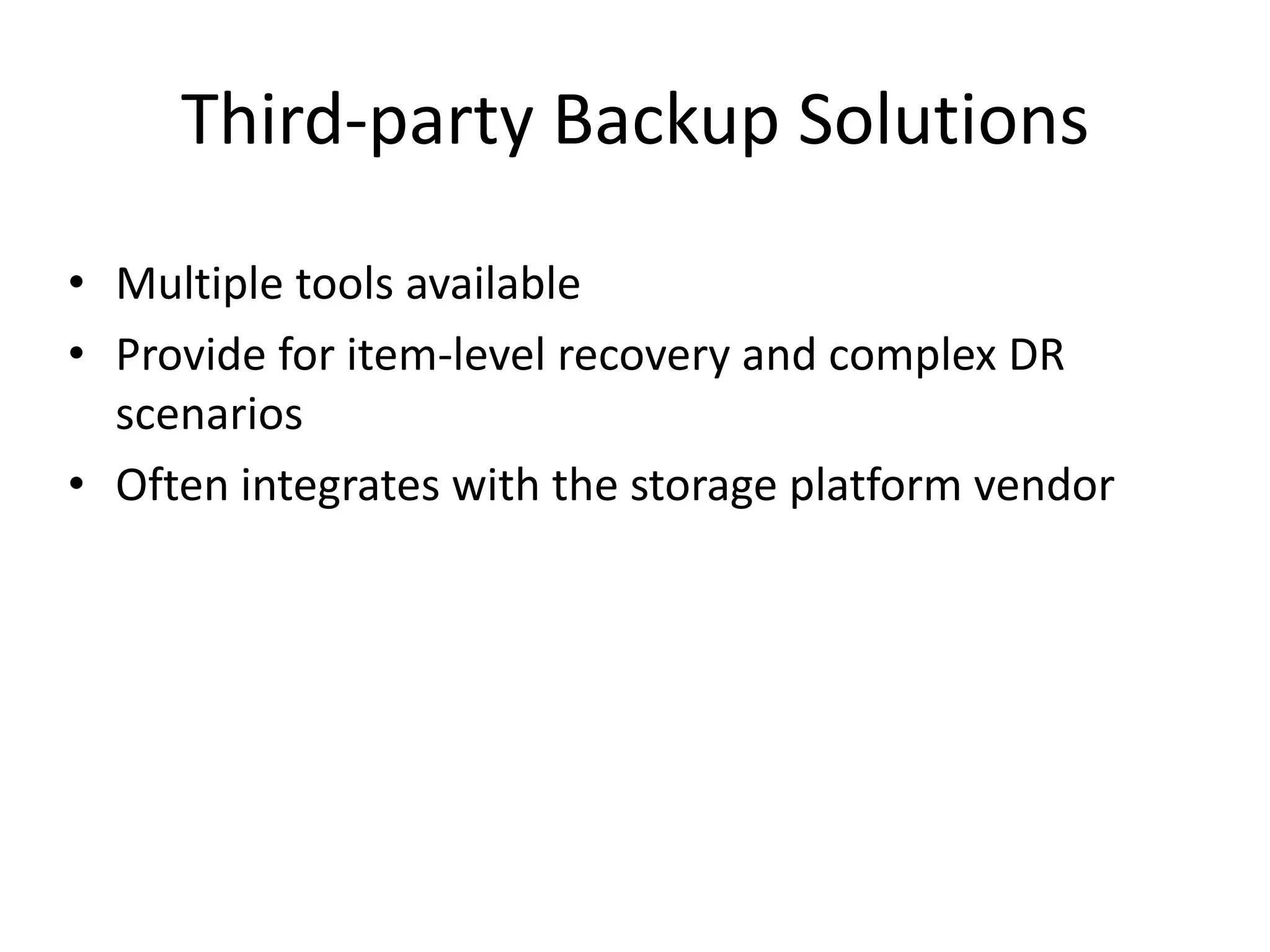
Third-party Backup Solutions
• Multiple tools available
• Provide for item-level recovery and complex DR
  scenarios
• Often integrates with the storage platform vendor
For More Information
•   SharePoint 2010 Unleashed and SharePoint 2007 Unleashed (SAMS Publishing)
    (http://www.samspublishing.com)
•   Microsoft SQL Mirroring for SharePoint 2007 Whitepaper
    (http://tinyurl.com/mirrorsp)
•   Microsoft SQL Mirroring for SharePoint 2007 Case Study
    (http://tinyurl.com/mirrorspcs)
•   Microsoft Virtualizing SharePoint 2007 Whitepaper (http://tinyurl.com/virtualsp)
•   Microsoft SharePoint 2010 Search Architecture Diagrams
    (http://tinyurl.com/searchsp)
Your Feedback is Important
Please fill out a session evaluation form drop it
     off at the conference registration desk.

                  Thank you!
Michael Noel
     Twitter: @MichaelTNoel
            www.cco.com
Slides: slideshare.net/michaeltnoel

SharePoint 2010 High Availability and Disaster Recovery - SharePoint Connections Amsterdam 2011

  • 1.
    SharePoint High Availabilityand Disaster Recovery Michael Noel @MichaelTNoel
  • 2.
    Michael Noel • Author of SAMS Publishing titles “SharePoint 2007 Unleashed,” the upcoming “SharePoint 2010 Unleashed,” “SharePoint 2003 Unleashed”, “Teach Yourself SharePoint 2003 in 10 Minutes,” “Windows Server 2008 R2 Unleashed,” “Exchange Server 2010 Unleashed”, “ISA Server 2006 Unleashed”, and many other titles . • Partner at Convergent Computing (www.cco.com / +1(510)444-5700) – San Francisco, U.S.A. based Infrastructure/Security specialists for SharePoint, AD, Exchange, Security
  • 3.
    What we willcover • SharePoint 2010 Structure • SharePoint Component Redundancy • Sample Architecture of Redundant/Highly Available Deployments – Smallest redundant/highly available farm – Mid-sized farms – Large farms – Virtualization farm architecture • SQL Mirroring of Content Databases – Synchronous Mirroring in Single Site Model – Synchronous Mirroring in Highly Connected DR Site Model – Asynchronous Mirroring in DR Site Model • Backup/Restore Tips, including info on DPM 2010 Snapshot- based backup for SharePoint
  • 4.
  • 5.
    SharePoint 2010 Component Redundancy • Each SharePoint 2010 server type has different redundancy/availability concerns. – Web Server – Search Service Application Role – Other Service Application Roles – Database Server
  • 6.
    SharePoint 2010 ComponentRedundancy Web Servers – Network Load Balancing • Hardware Based Load Balancing (F5, Cisco, Citrix NetScaler – Best performance and scalability • Software Windows Network Load Balancing fully supported by MS, but requires Layer 2 VLAN (all packets must reach all hosts.) Layer 3 Switches must be configured to allow Layer 2 to the specific VLAN. • If using Unicast, use two NICs on the server, one for communications between nodes. • If using Multicast, be sure to configure routers appropriately • Set Affinity to Single (Sticky Sessions) • If using VMware, note fix to NLB RARP issue (http://tinyurl.com/vmwarenlbfix)
  • 7.
    SharePoint 2010 ComponentRedundancy Web Servers – Network Load Balancing • Best Practice – Create Multiple Web Apps with Load- balanced VIPs (Sample below) – Web Role Servers • sp1.companyabc.com (10.0.0.101) – Web Role Server #1 • sp2.companyabc.com (10.0.0.102) – Web Role Server #2 – Clustered VIPs shared between SP1 and SP2 (Create A records in DNS) • spnlb.companyabc.com (10.0.0.103) - Cluster • spca.companyabc.com (10.0.0.104) – SP Central Admin • spsmtp.companyabc.com (10.0.0.105) – Inbound Email VIP • home.companyabc.com (10.0.0.106) – Main SP Web App (can be multiple) • mysite.companyabc.com (10.0.0.107) – Main MySites Web App
  • 8.
    SharePoint 2010 ComponentRedundancy Service Application Servers • Redundancy for Service Applications can be added by simply adding S.A. roles to additional servers • Redundancy and availability is automatically handled from within SharePoint • Most Service Applications have an associated database that must also be made redundant / available • Special considerations for Search • Important to understand what the Service Application roles are
  • 9.
    SharePoin SharePoint SharePoint t Server Service applications Description Foundation Server 2010 2010 2010 Enterprise Standard Lets users view, edit, and interact with Access 2010 databases in a Access Services X Web browser. Business Data Gives access to line-of-business data systems. X X X Connectivity service Lets users view and interact withExcel 2010 files in a Web Excel Services Application X browser. Managed Metadata Manages taxonomy hierarchies, keywords and social tagging X X service infrastructure, and publish content types across site collections. PerformancePoint Service Provides the capabilities of PerformancePoint. X Application Crawls content, produces index partitions, and serves search Search service X X queries. Provides single sign-on authentication to access multiple Secure Store service X X applications or services. Provides temporary storage of user session data for SharePoint State service X X Server components. Usage and Health Data Collects farm wide usage and health data, and provides the ability X X X Collection service to view various usage and health reports. Adds support for My Site Web sites, profile pages, social tagging User Profile service X X and other social computing features. Lets users view and refresh published Visio 2010 diagrams in a Visio Graphics Service X Web browser. Web Analytics service Provides Web service interfaces. X X Word Automation Services Performs automated bulk document conversions. X X Microsoft SharePoint Provides multi-tenant functionality for service applications. Tracks Foundation Subscription subscription IDs and settings for services that are deployed in X X X Settings Service partitioned mode. Deployed through Windows PowerShell only.
  • 10.
    Additional Service Applications •Office Web Apps – Excel Calculation Services – Word Viewing Service – PowerPoint Service • Project Server 2010 • Third Party (Newsgator, etc.)
  • 11.
    SharePoint Component Redundancy Search Service Application Role • Replaces both Index and Query Roles from 2007 into one Role • Processes query results for Web servers • Holds the index, either in entirety or a partial copy when using ‘index partitions’ • Runs the query processor, which merges search results from multiple index partitions, performs security trimming, and other search tasks. • Adding multiple Query servers creates redundancy • Each Query Server requires a large drive set for the Index partitions. Be sure to set aside enough space! The index size may be from 5% to 30% of the size of the content being indexed. Don’t forget external content sources!
  • 12.
    SharePoint Component Redundancy Query Servers: Index Partitions • Portion of the entire Index • Can be spread across multiple query servers • Multiple index partitions = faster search queries • Query mirrors (second copy of an index partition) can be deployed across query servers for redundancy.
  • 13.
    SharePoint Component Redundancy Crawl Servers • Runs the Crawl component, which creates index partitions and propagates them to query servers • Typically used to house the Search Administration component • Multiple crawl servers provide High Availability for the crawl architecture • Crawl database(s) and Property Database(s) utilized for crawl information and history, and properties for crawled data • Multiple crawlers can be associated with each crawl database • Can be run on a server with Web role or Query role
  • 14.
    SharePoint Component Redundancy Database Role • Shared Storage Clustering (MSCS) can be used for local server High Availability • Mirroring of Content Databases to remote SQL instance is supported (and recommended) More on this… • SQL Server 2005/2008/2008R2 Standard Edition supports two-node Cluster and synchronous mirroring. • SQL Server 2005/2008/2008R2 Enterprise Edition supports more than two-nodes, asynchronous mirroring, and Transparent Data Encryption (SQL 2008 only) • SQL Server 2012 (Denali) has potential…not yet released
  • 15.
    SharePoint Component Redundancy Database Role – Two Instance / Two Node Cluster Model
  • 16.
    SharePoint Component Redundancy Redundancy/HA of Database Server Instance • Use SQL Client Aliases for Config DB Server (i.e. spsqlfarm.companyabc.com) • Use a second SQL Client Alias for Content DBs (i.e. spsqlcontent.companyabc.com) • Loss of SQL Server can be mitigated by simply pointing the alias to a new SQL instance. • Be sure to add the Kerberos SPNs to the aliases
  • 17.
  • 18.
    Farm Architecture All-in-One Farm (No Redundancy) • All SharePoint roles and SQL Server on the same box • For very small environment without a lot of load • SQL contention with SharePoint • Easy to deploy, but highest potential for contention
  • 19.
    Farm Architecture Dedicated SQL Database Server (Better Performance / No HA) • Dedicated SQL Server • All SharePoint roles on single box • Disk IO contention lessened by moving SQL off SP Server • Greater performance can be gained by breaking SharePoint roles onto separate servers
  • 20.
    Farm Architecture Smallest Highly-Available Farm • 2 Web/Query/Crawl Servers • 2 Database Servers (Clustered or Mirrored) • 2 Query components for each index partition • 2 Crawlers for the Crawl DB, one on each server • Search Admin Service on one server
  • 21.
    Farm Architecture Medium Sized Farm • 2 Web/Query Servers • 2 Crawl Servers • 2 Database Servers (Clustered or Mirrored) • 2 Query components for each index partition • 2 Crawlers for the Crawl DB, one on each Crawl server • Search Admin Service on one Crawl server
  • 22.
    Farm Architecture Large Farm • Multiple Dedicated Web Servers • Multiple Dedicated Query Servers • Multiple Dedicated Crawl Servers, with multiple Crawl DBs to increase parallelization of the crawl process • Multiple distributed Index partitions (max of 10 million items per index partition) • Two query components for each Index partition, spread among servers
  • 23.
    SQL DATABASE MIRRORINGFOR HIGH AVAILABILITY AND DISASTER RECOVERY
  • 24.
    SQL Database Mirroring Clustering vs. Mirroring • Clustering is Shared Storage, can’t survive storage failure, makes Mirroring more attractive • Clustering fails over more quickly • Mirroring is not supported for all databases, but Clustering is • Both Clustering and Mirroring can be used at the same time (Instance to Instance)
  • 25.
    SQL Database Mirroring History of Mirroring • Introduced in SQL 2005 SP1 • Greatly improved in SQL 2008 and now SQL 2008 R2 • Available in Enterprise and Standard (Synchronous only) editions • Works by keeping a mirror copy of a database or databases on two servers • Can be used locally, or the mirror can be remote • Can be set to use a two-phase commit process to ensure integrity of data across both servers • Can be combined with traditional shared storage clustering to further improve redundancy • SharePoint 2010 is now Mirroring aware!
  • 26.
    SQL Database Mirroring Database Mirroring Model #1 – Single Site • Single Site • Synchronous Replication • Uses a SQL Witness Server to Failover Automatically • Mirror all SharePoint DBs in the Farm • Use a SQL Alias to switch to Mirror Instance
  • 27.
    SQL Database Mirroring Database Mirroring Model #2: Cross-Site (Stretch) Farm • Two Sites • 1-10 ms Latency max • 1Gb Bandwidth minimum • Farm Servers in each location • Auto Failover
  • 28.
    SQL Database Mirroring Database Mirroring Model #3 – Failover Farm in Remote Site • Two Sites • Two Farms • Mirror only Content DBs • Failover is Manual • Read-only Mode possible • Must Re- Attach and Re-Index
  • 29.
    SQL Database Mirroring DatabasesSupported for Mirroring – Slide 1 of 2 Synchronous Asynchronous Mirror Mirror Support Support Configuration X Central Administration content X Content Databases X X Usage and Health Data Collection Business Data Connectivity X Application Registry service * (BDC Upgrade) Subscription Settings service * (PowerShell X Enabled) Search – Search Administration X Search - Crawl X Search - Property X
  • 30.
    SQL Database Mirroring DatabasesSupported for Mirroring – Slide 2 of 2 Synchronous Asynchronous Mirror Mirror Support Support User Profile - Profile X User Profile - Synchronization User Profile – Social Tagging Web Analytics - Staging Web Analytics - Reporting X Secure Store X X Stage X Managed Metadata X Word Automation Services X PerformancePoint X
  • 31.
    SHAREPOINT DATA REDUNDANCY
  • 32.
    SharePoint Data Redundancy What are the Critical SharePoint Components to Backup? • SharePoint Databases – Config Database (typically excluded) – Content Database(s) – Services Databases • IIS Configuration • Web.config files in inetpub directory • Web part assemblies in %systemroot%assembly • Any custom templates
  • 33.
    Understanding the SP2010Databases SharePoint 2010 Databases (Part I) Config • Stores farm configuration data • Mostly unchanged from 2007 ConfigDB Content • Used to store documents, sites, lists, etc. • Mostly unchanged from 2007, Central Admin also has Content DB Logging • Used by Usage and Health Data Collection Service • Temporarily stores health monitoring and usage data for use in reports Administration • Created for the Search Service, 2007 equivalent was SSP DB • One Admin DB created per Search application Property • Also used for Search Service • Stores crawled properties Crawl • Also used for Search Service, 2007 equivalent was Search DB • Drives crawl component, hosts crawled data Staging • Used by Web Analytics Service to analyze traffic • Stores fact data, queued batch data, and asset metadata Reporting • Also used by Web Analytics Service • Stores report data, diagnostics info, etc.
  • 34.
    Understanding the SP2010Databases SharePoint 2010 Databases (Part II) Term Store •Used by Managed Metadata Service •Stores Managed Metadata for use data layer State •Used by the State Service •Stores temporary state info for InfoPath Forms Services Profile •Part of the User Profile Service •Stores user and associated information Synchronization •Used by User Profile Service •Stores Configuration and Staging Data for Prof Sync Social Tagging •Also used by User Profile Service •Stores social tags and notes from users BCS •Used by Business Connectivity Service to store external objects Store •Used by Secure Store Service to map credentials •Replaces SSO DB in 2007, can be used by ERP/DRM Systems tempDB •Not a SharePoint Database, but included in this list as it is critical to SP •Highly critical for performance! Do not underestimate! (Others) •Other Services Databases
  • 35.
    SharePoint Data Redundancy Toolsavailable for Backup and Restore • Two-stage Recycle Bin • Site Recycle Bin (added in SharePoint 2010 Service Pack 1) • SharePoint Central Admin Tool • PowerShell • STSADM • IIS Metaverse Backup Script • SQL 2005/2008 Tools (Maintenance Plan) • Microsoft System Center Data Protection Manager (DPM) 2010 • Third-party (Quest, Metalogix, AvePoint, others)
  • 36.
    BACKUP WITH THE SHAREPOINTCENTRAL ADMIN TOOL
  • 37.
    What does theCentral Admin Backup Tool do? • Full fidelity backups of all SharePoint content and indexes • Backs up all SharePoint databases except Config DB, which is not needed. • Similar to SQL level backup, except can be more granular at the Web Application level • SP2010 now has status indicators • SP2010 now allows for Site Collection Backup from Central Admin
  • 38.
    Disadvantages of CentralAdmin Backup Tool • Not automated • If XML catalog is damaged, entire backup can be at risk • No item-level restore capabilities • Not enterprise level
  • 39.
  • 40.
    PowerShell Backup inSP2010 • PowerShell can be used to automate Backups – Backup-SPConfigurationDatabase – Backup-SPFarm – Backup-SPSite • Equivalent to Central Admin or STSADM • Can pipe out results and backup multiple site collections, etc.
  • 41.
    PowerShell BackUp &Restore CMDLETS Cmdlet SharePoint Component Backup-SPFarm Entire Farm Service Applications Web Applications Content Databases Restore-SPFarm Entire Farm Farm Configuration Only Service Applications Web Applcations Content Databases Backup-SPConfigurationDatabase Farm Configuration Only Backup-SPSite / Restore-SPSite Site Collection Export-SPWeb / Import-SPWeb Sites Subsites Libraries Lists
  • 42.
    PowerShell - FarmConfiguration Backup • Farm Configuration Only Backup – backup-spfarm –backupMethod full –directory servernameBackup -configurationonly • Complete Farm Backup – Backup-spfarm –backupmethod full – directory servernameBackup • Backup-SPFarm specific parameters – -BackupMethod – -BackupThreads
  • 43.
    PowerShell - ConfigurationDB Backup • Configuration Database Backup – Backup-spconfigurationdatabase –directory servernamesp2010backup –databaseserver server – databasename mss_configdb • Backup Farm Configuration Information – Information Rights Management – Workflow – Diagnostic logging – Customizations [solutions deployed] – Outbound e-mail configuration – Antivirus settings
  • 44.
    PowerShell – SiteCollection Backup • Backup Site Collection – Backup-SPSite –Identity http://justsharepoint.com/Sites/demo -Path servernamesp2010backupdemosc.bak -Force • Other Parameters – – -NoSiteLock – use with caution, possible data corruption – -UseSQLSnapshot – use content database snapshot when doing a backup • Can be run multiple times and/or scripted to automate backups • Extremely useful approach to backing up SPF Site collections and personal sites
  • 45.
    Granular Backup /Restore • New in SharePoint 2010 - – Granular Backup/Restore From Central Administration • Site Collection Backup • Export a site or list • Recover data from an unattached content database – Granular Backup Job Status indicators • Granular restore operations only using PowerShell • Workflows are not included when exporting a site or a list
  • 46.
    PowerShell – ExportSite / List • Export-SPWeb –Identity http://companyabc.com/sites/site1/ -path serverbackupbackup.bak -itemurl “features” –force • Option to include user security and versions
  • 47.
    Unattached Content Databases • New feature of SharePoint 2010 • Granular restores of SharePoint content • Read-only content databases • Restored SharePoint content databases • Content database snapshots • Restore Site Collections, Sites, Libraries and Lists
  • 48.
    How to backupthe IISv7 Config • Open a command prompt by using the Run as Administrator option and change directory to %windir%system32inetsrv. • At the command prompt, type appcmd add backup <backupname>. If you do not include the name of the backup, the system will name it for you by using a date, time format.
  • 49.
    SQL MAINTENANCE PLAN BACKUPS
  • 50.
    Backing up usingSQL Tools • SQL 2005/2008/2008 R2 Management Studio can be used to backup all Databases • Same as Central Admin Backup, but only backs up SQL databases, not index • Can be scheduled as part of a SQL Maintenance Plan • Can backup as Full, Differential, or Incremental • Can backup Config DB, but normally not needed (only supported scenario is during a SAN Snapshot)
  • 51.
  • 52.
    Features of DPMfor SharePoint • Item-level recovery of Documents and List Data • VSS Snapshot Integration, can snapshot SQL Databases every 15 minutes • Backup to Disk (near-term), Backup to Tape (long-term) – Direct integration • Not only SharePoint, but File Data, Exchange, SQL, and Bare-metal recovery
  • 53.
    DPM Backing upa SharePoint Farm System State Internet Information Services (IIS) “Front End” “Farm” Config dB SharePoint VSS Writer (SQL) DPM 2010 Files Content Servers (SQL) Enterprise Search (index)
  • 54.
    SharePoint Recovery • TheEntire Farm “Farm” Config dB Entire Farm (SQL) DPM 2010 Content Servers (SQL) Enterprise Search (index)
  • 55.
    SharePoint Recovery • TheEntire Farm • A Content DB “Farm” Config dB Content DB information (SQL) DPM 2010 Content Servers (SQL) Enterprise Search (index)
  • 56.
    SharePoint Recovery • The Entire Farm • A Content DB • Site Collection • A Site • Document “Farm” Config dB (SQL) DPM 2010 DPM handles restore thru Recovery Farm to production Farm Farm then redirects data to appropriate content database and site Content Servers (SQL) Enterprise Search (index)
  • 57.
    Third-party Backup Solutions •Multiple tools available • Provide for item-level recovery and complex DR scenarios • Often integrates with the storage platform vendor
  • 58.
    For More Information • SharePoint 2010 Unleashed and SharePoint 2007 Unleashed (SAMS Publishing) (http://www.samspublishing.com) • Microsoft SQL Mirroring for SharePoint 2007 Whitepaper (http://tinyurl.com/mirrorsp) • Microsoft SQL Mirroring for SharePoint 2007 Case Study (http://tinyurl.com/mirrorspcs) • Microsoft Virtualizing SharePoint 2007 Whitepaper (http://tinyurl.com/virtualsp) • Microsoft SharePoint 2010 Search Architecture Diagrams (http://tinyurl.com/searchsp)
  • 59.
    Your Feedback isImportant Please fill out a session evaluation form drop it off at the conference registration desk. Thank you!
  • 60.
    Michael Noel Twitter: @MichaelTNoel www.cco.com Slides: slideshare.net/michaeltnoel

Editor's Notes

  • #46 Export-SPWeb –Identity http://App01/Sites/ContosoPortal/ -Path \\\\App01\\SharePointBackups\\SharedDocuments.bak -Itemurl “Shared Documents” -ForceImport-SPWeb –Identity http://App01/Sites/ContosoPortal/ -Path \\\\App01\\SharePointBackups\\SharedDocuments.bak -Force -IncludeUserSecurity