365;
Understanding the Tools
and Features of Office 365
MICHAEL NOEL, CCO
Michael Noel @MichaelTNoel
Authored 20 books including the best
selling SharePoint, Exchange, and
Windows Unleashed series
Presented at over 220 events in over 80
countries around the world
Microsoft MVP, first awarded in 2007
Partner at Convergent Computing in the
San Francisco Bay Area (cco.com)
Office 365 as a Suite with Core Pillars
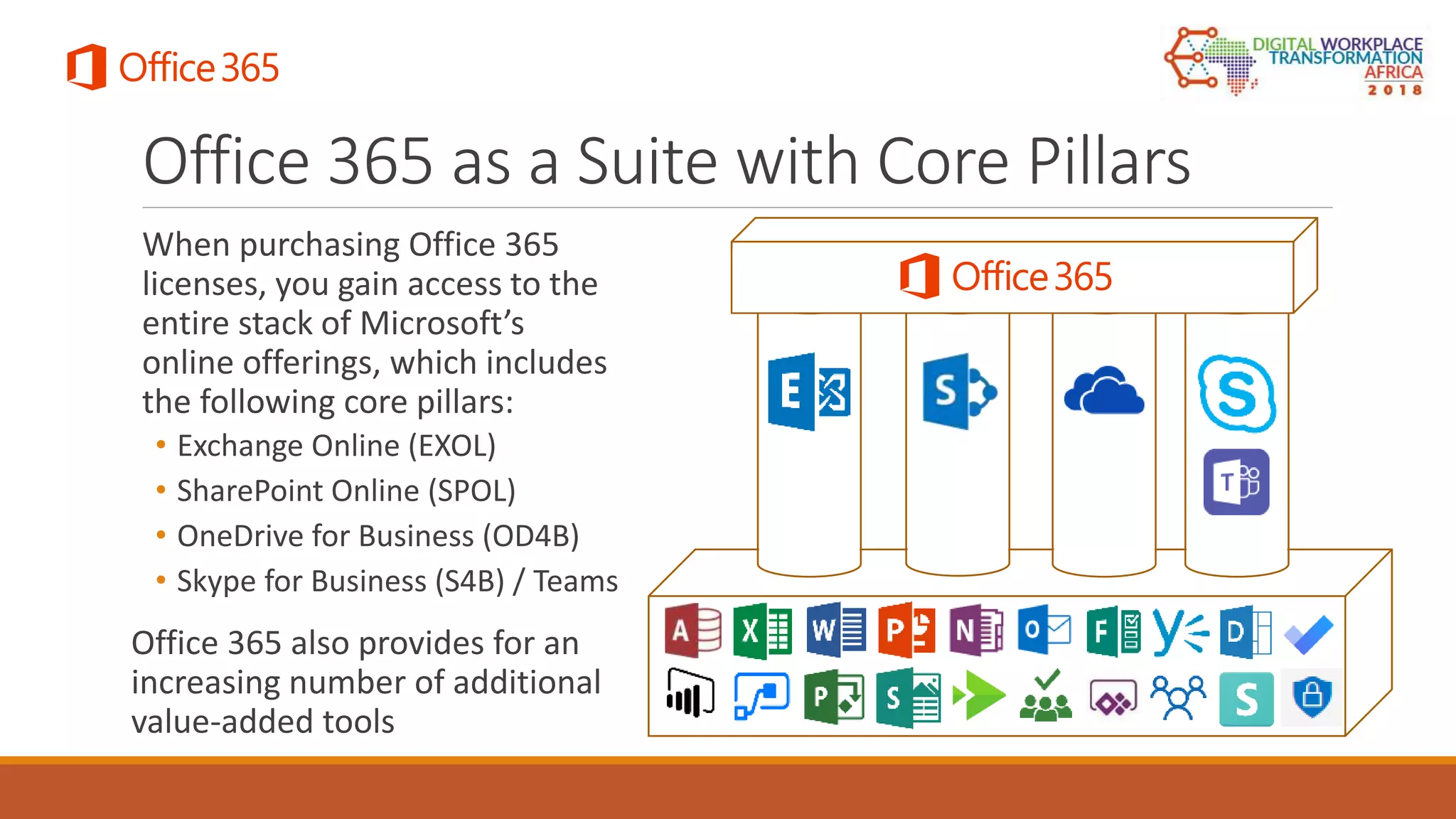
When purchasing Office 365
licenses, you gain access to the
entire stack of Microsoft’s
online offerings, which includes
the following core pillars:
• Exchange Online (EXOL)
• SharePoint Online (SPOL)
• OneDrive for Business (OD4B)
• Skype for Business (S4B) / Teams
Office 365 also provides for an
increasing number of additional
value-added tools
Exchange Online
THE MESSAGING PILLAR IN OFFICE 365
Overview of Features in Exchange Online
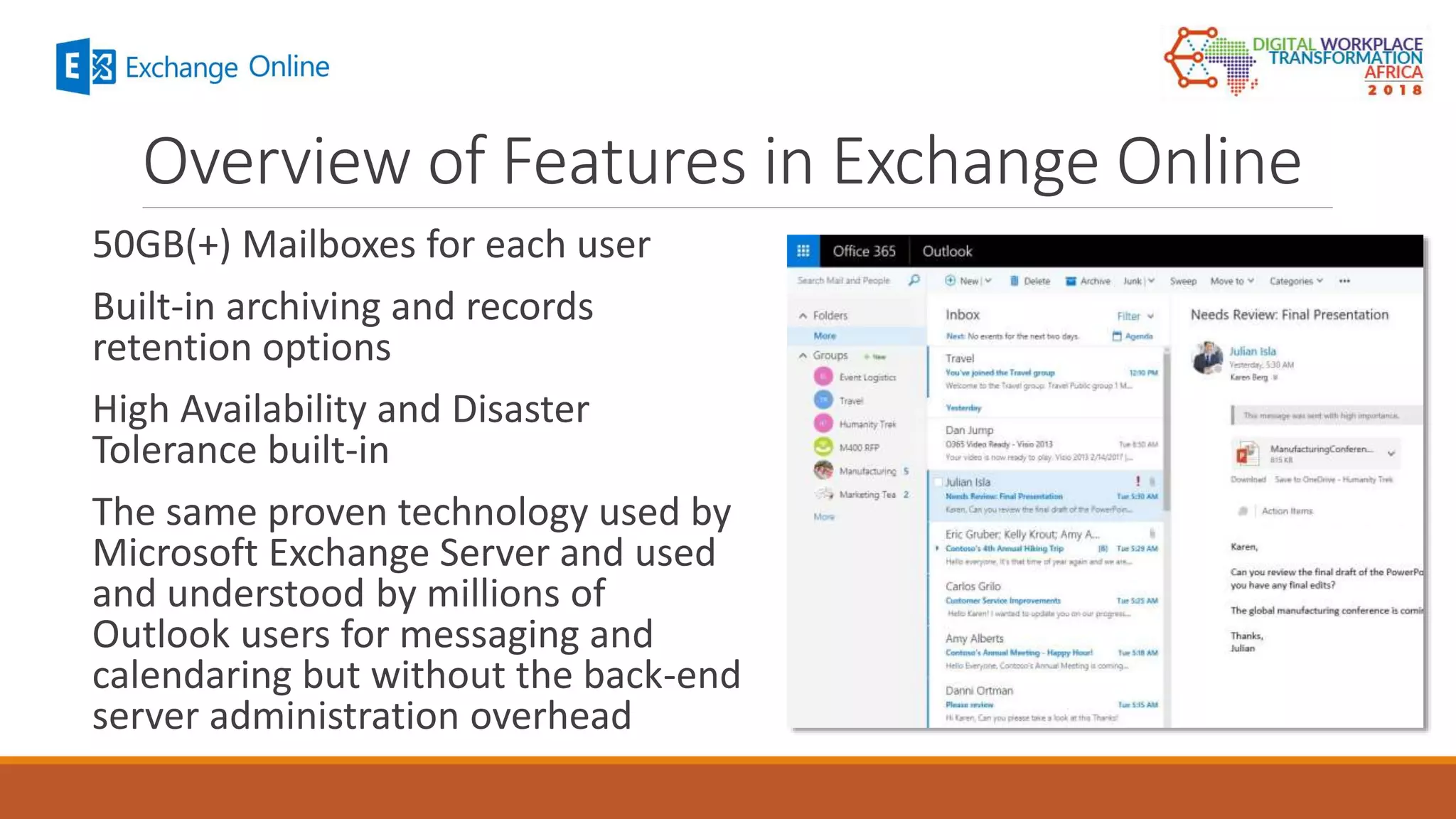
50GB(+) Mailboxes for each user
Built-in archiving and records
retention options
High Availability and Disaster
Tolerance built-in
The same proven technology used by
Microsoft Exchange Server and used
and understood by millions of
Outlook users for messaging and
calendaring but without the back-end
server administration overhead
SharePoint Online
THE COLLABORATION AND DOCUMENT MANAGEMENT PILLAR IN
OFFICE 365
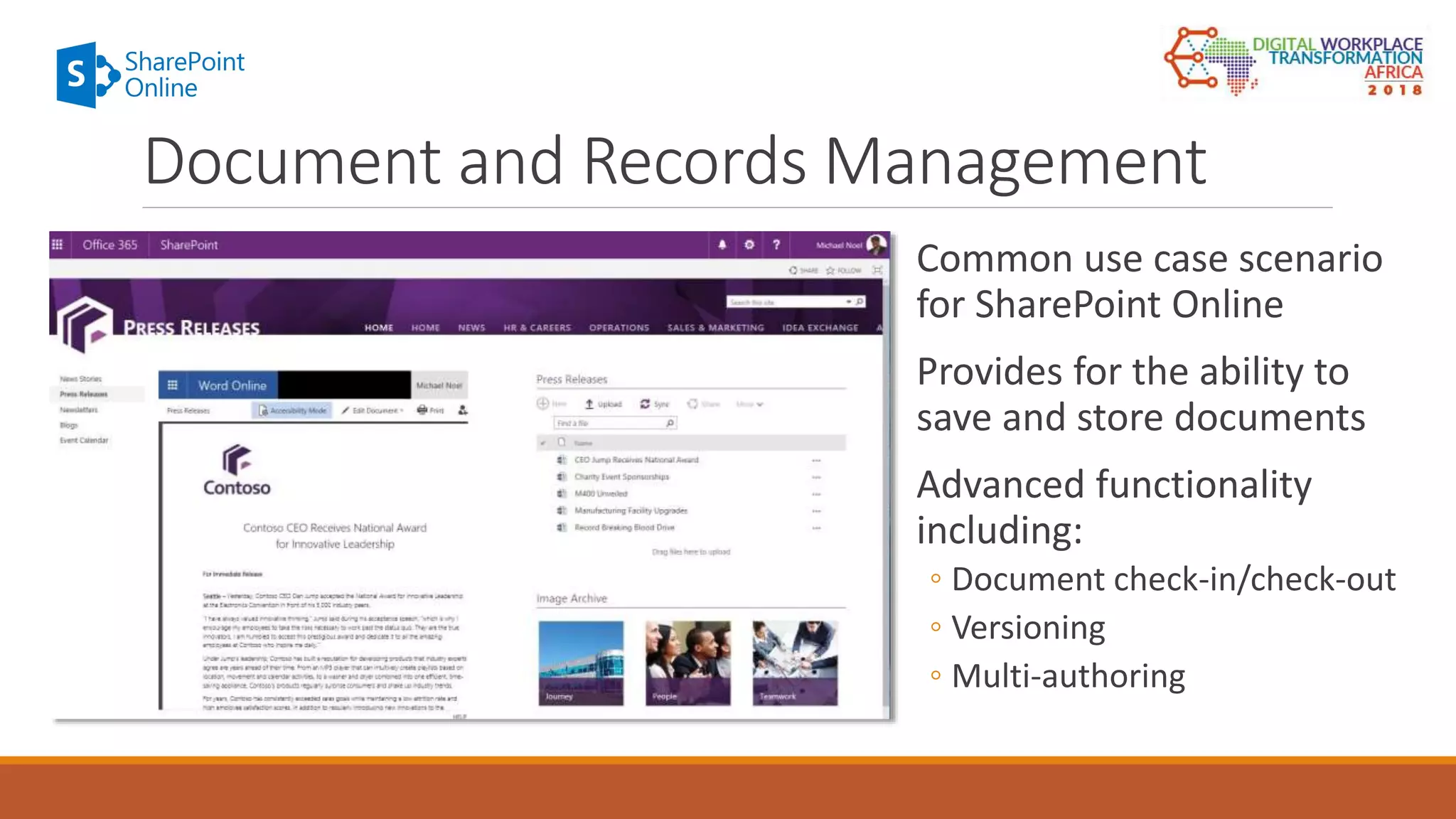
Common use case scenario
for SharePoint Online
Provides for the ability to
save and store documents
Advanced functionality
including:
◦ Document check-in/check-out
◦ Versioning
◦ Multi-authoring
Document and Records Management
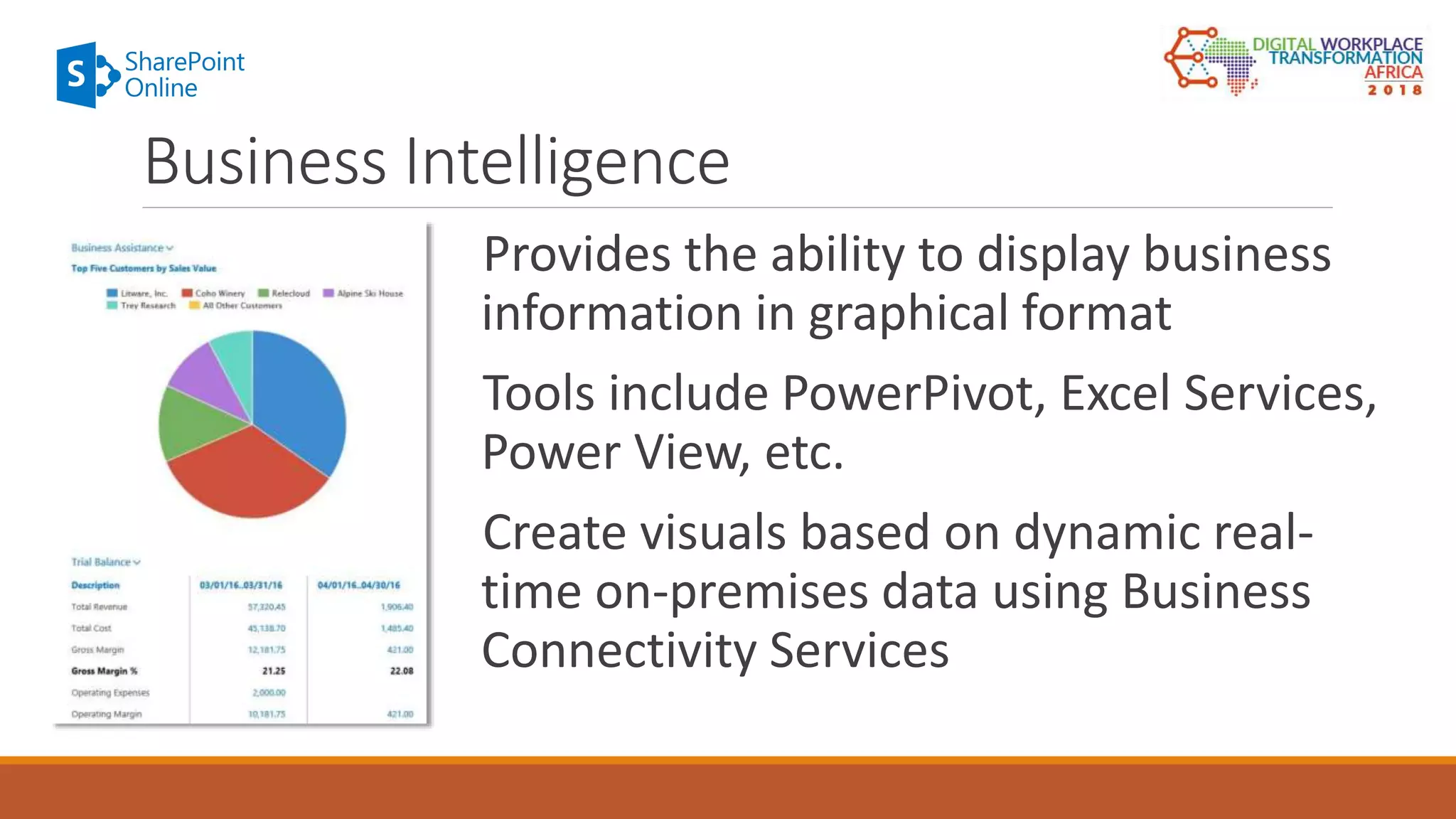
Provides the ability to display business
information in graphical format
Tools include PowerPivot, Excel Services,
Power View, etc.
Create visuals based on dynamic real-
time on-premises data using Business
Connectivity Services
Business Intelligence
Skype for Business
THE INSTANT MESSAGING AND AUDIO/VIDEO CONFERENCING
PILLAR IN OFFICE 365
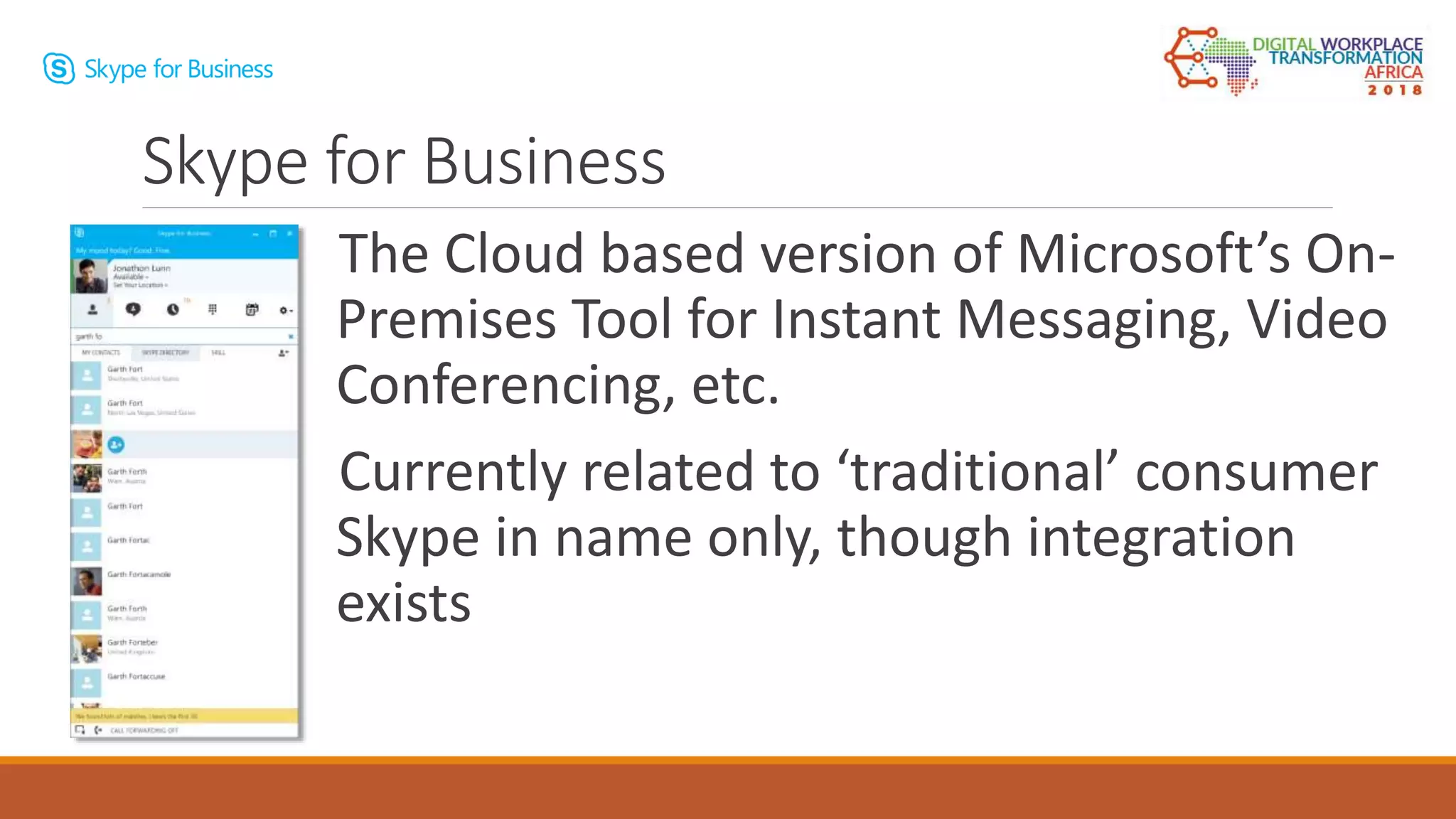
The Cloud based version of Microsoft’s On-
Premises Tool for Instant Messaging, Video
Conferencing, etc.
Currently related to ‘traditional’ consumer
Skype in name only, though integration
exists
Skype for Business
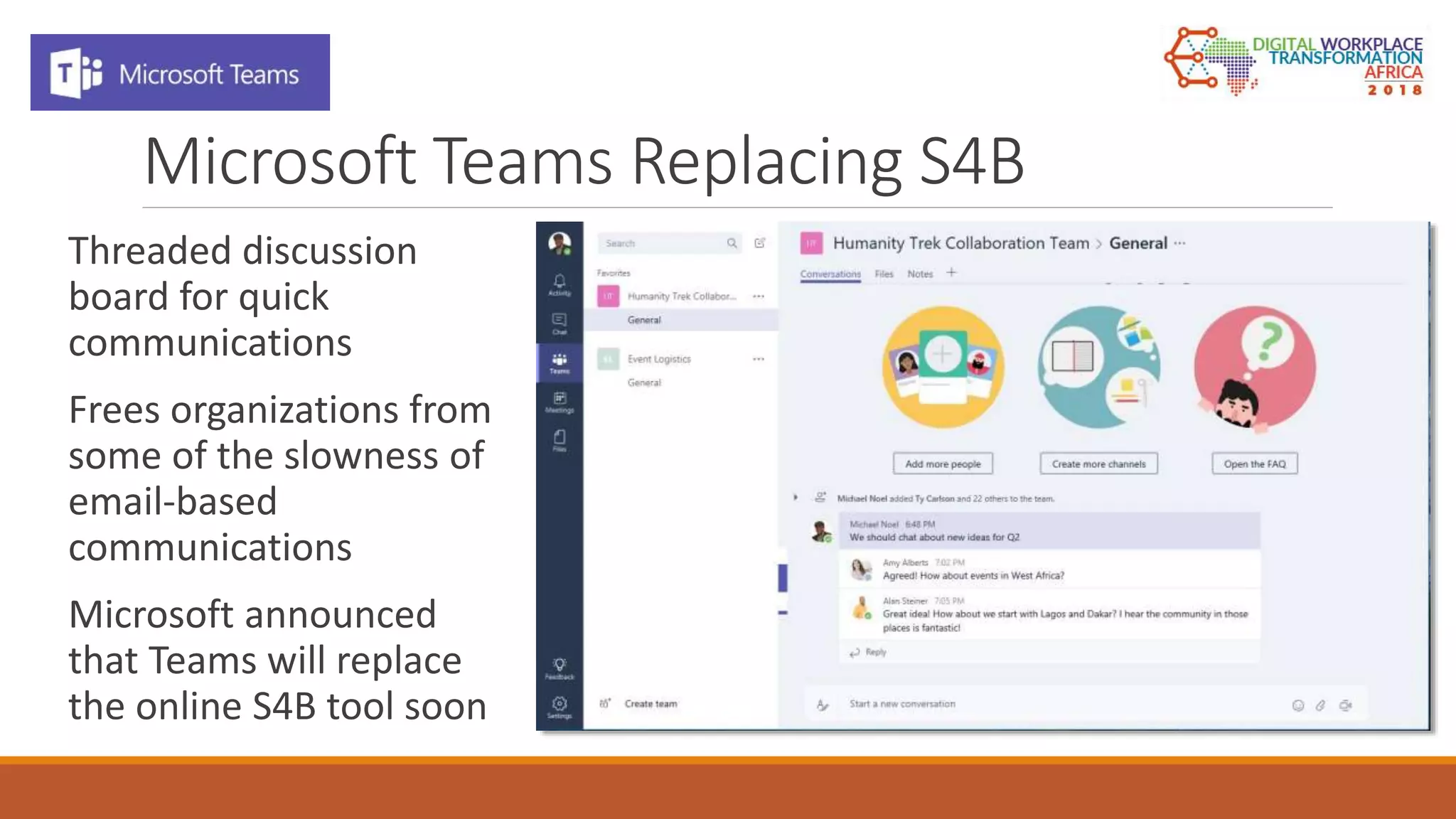
Microsoft Teams Replacing S4B
Threaded discussion
board for quick
communications
Frees organizations from
some of the slowness of
email-based
communications
Microsoft announced
that Teams will replace
the online S4B tool soon
OneDrive for Business
THE EXTERNAL AND INTERNAL FILE SHARING PILLAR IN OFFICE 365
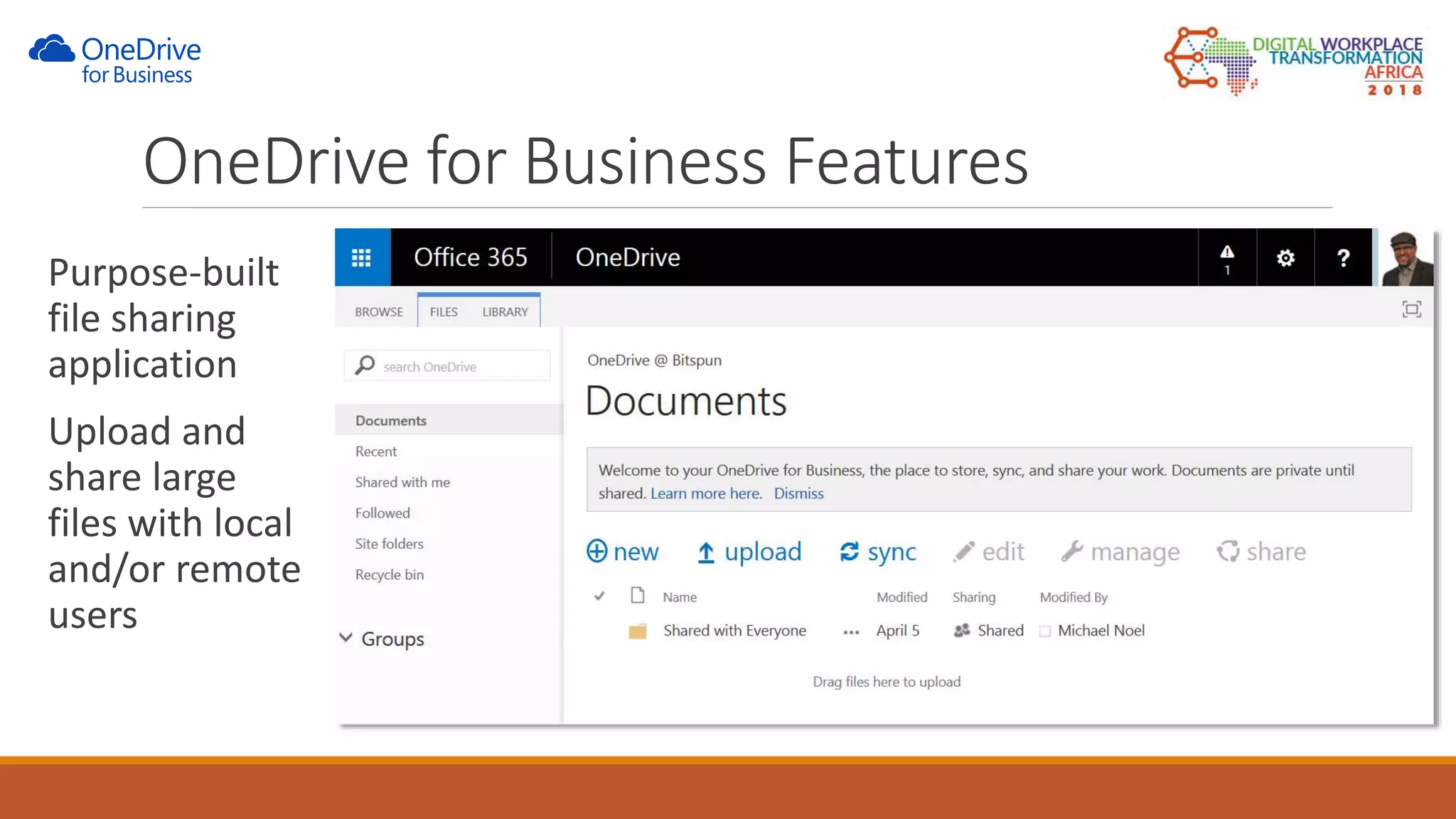
Purpose-built
file sharing
application
Upload and
share large
files with local
and/or remote
users
OneDrive for Business Features
Additional Tools
EXAMINING THE GROWING NUMBER OF BUILT-IN ADDITIONAL
TOOLS IN OFFICE 365
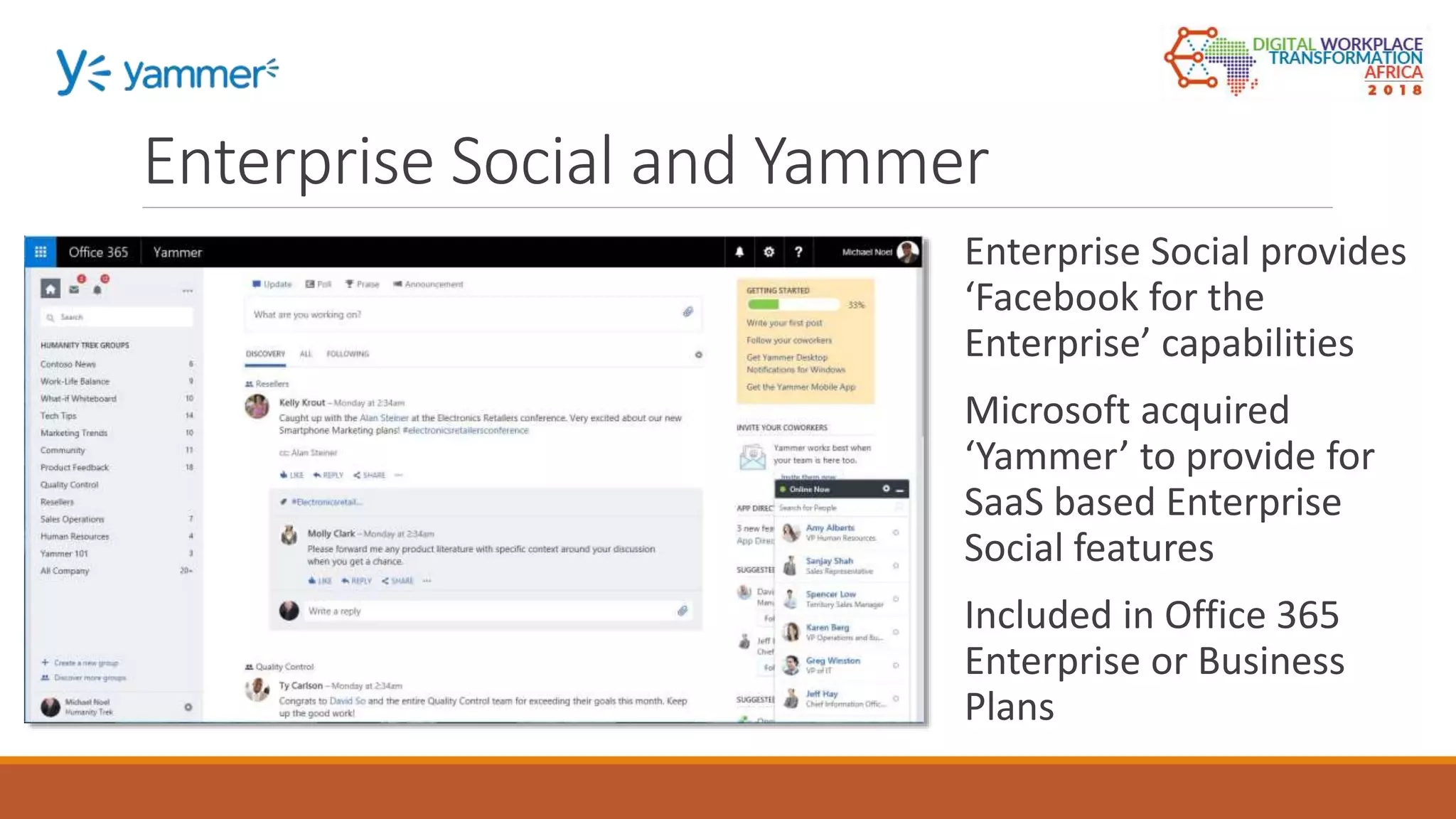
Enterprise Social provides
‘Facebook for the
Enterprise’ capabilities
Microsoft acquired
‘Yammer’ to provide for
SaaS based Enterprise
Social features
Included in Office 365
Enterprise or Business
Plans
Enterprise Social and Yammer
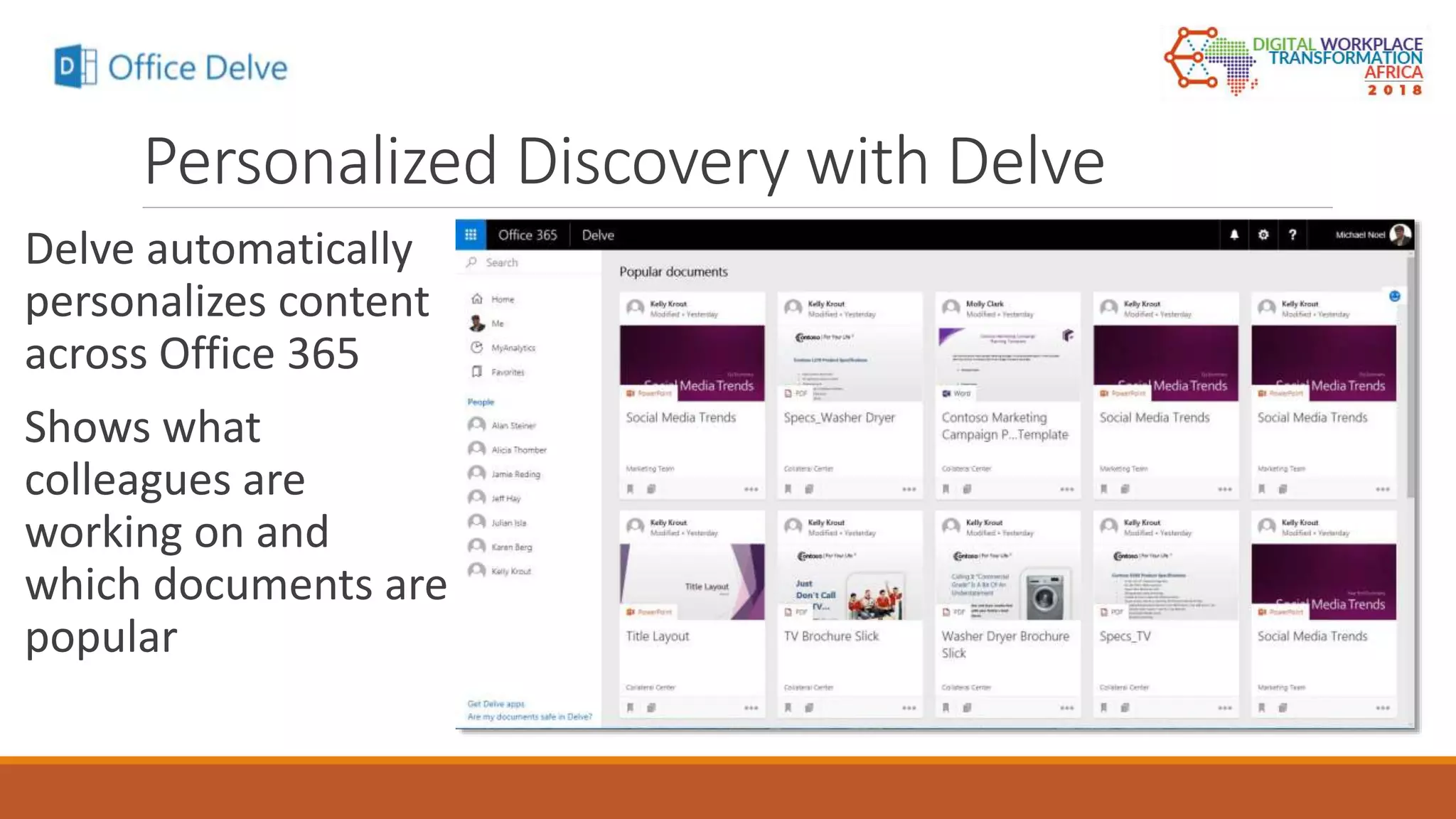
Personalized Discovery with Delve
Delve automatically
personalizes content
across Office 365
Shows what
colleagues are
working on and
which documents are
popular
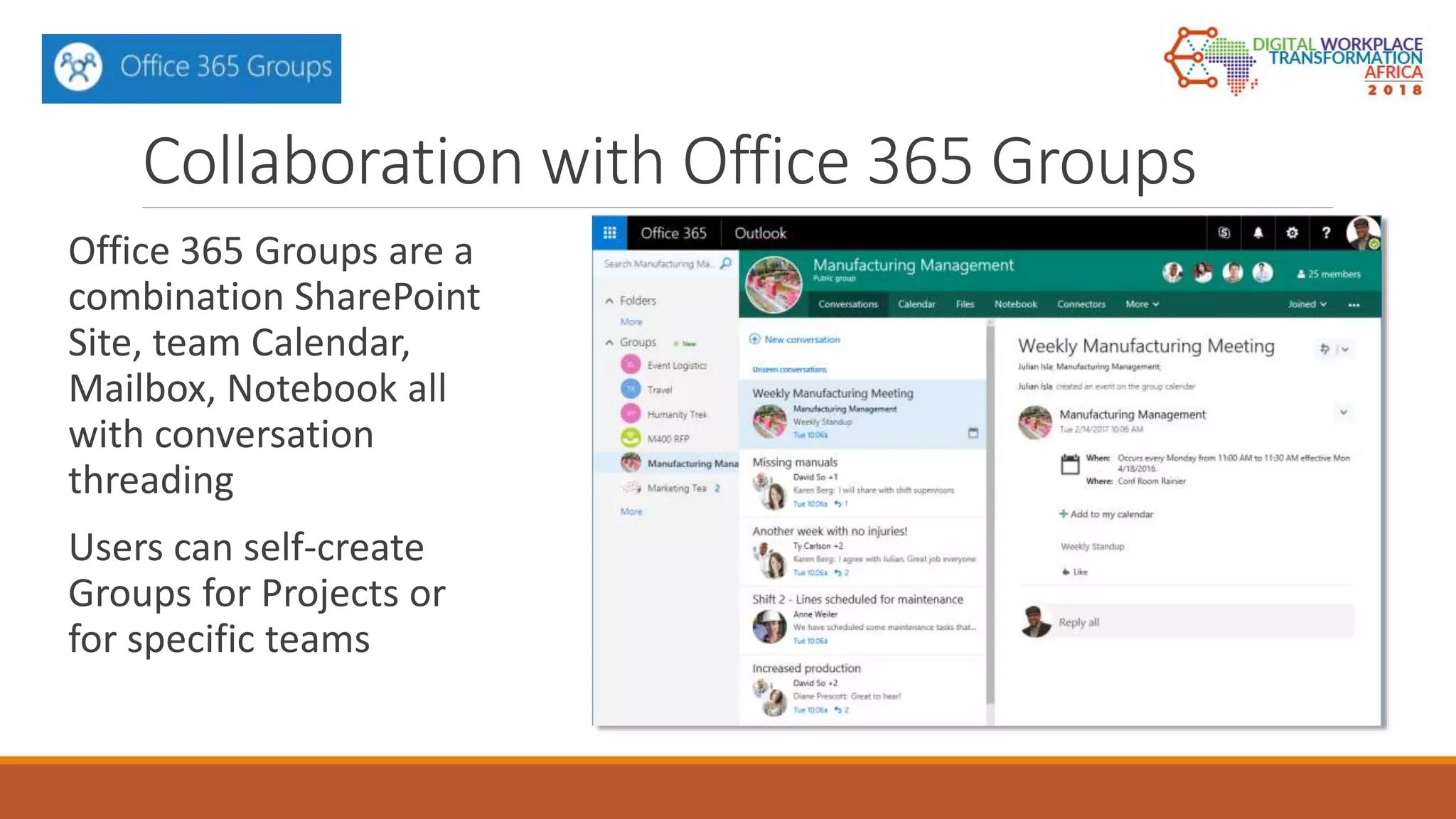
Collaboration with Office 365 Groups
Office 365 Groups are a
combination SharePoint
Site, team Calendar,
Mailbox, Notebook all
with conversation
threading
Users can self-create
Groups for Projects or
for specific teams
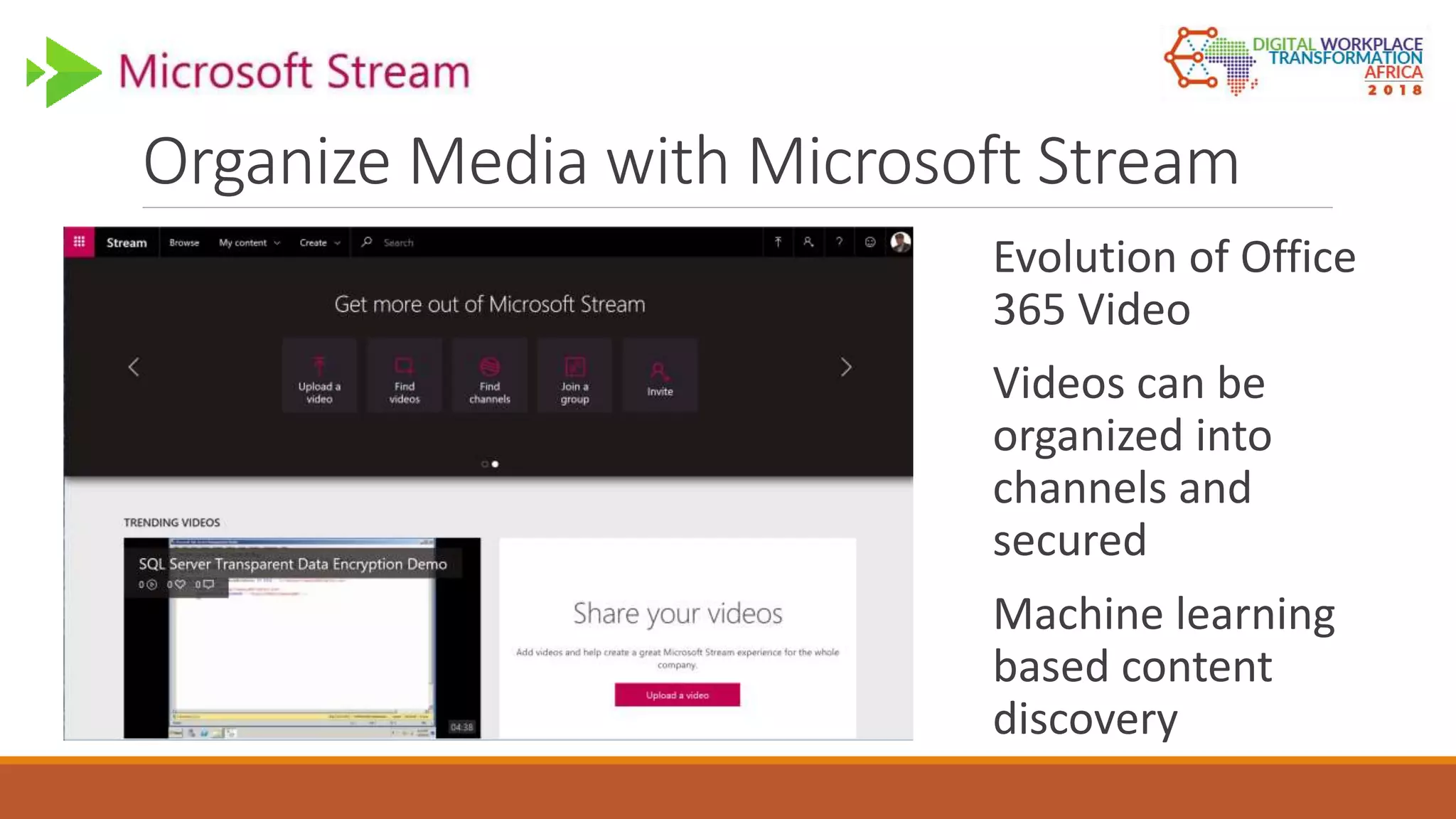
Organize Media with Microsoft Stream
Evolution of Office
365 Video
Videos can be
organized into
channels and
secured
Machine learning
based content
discovery
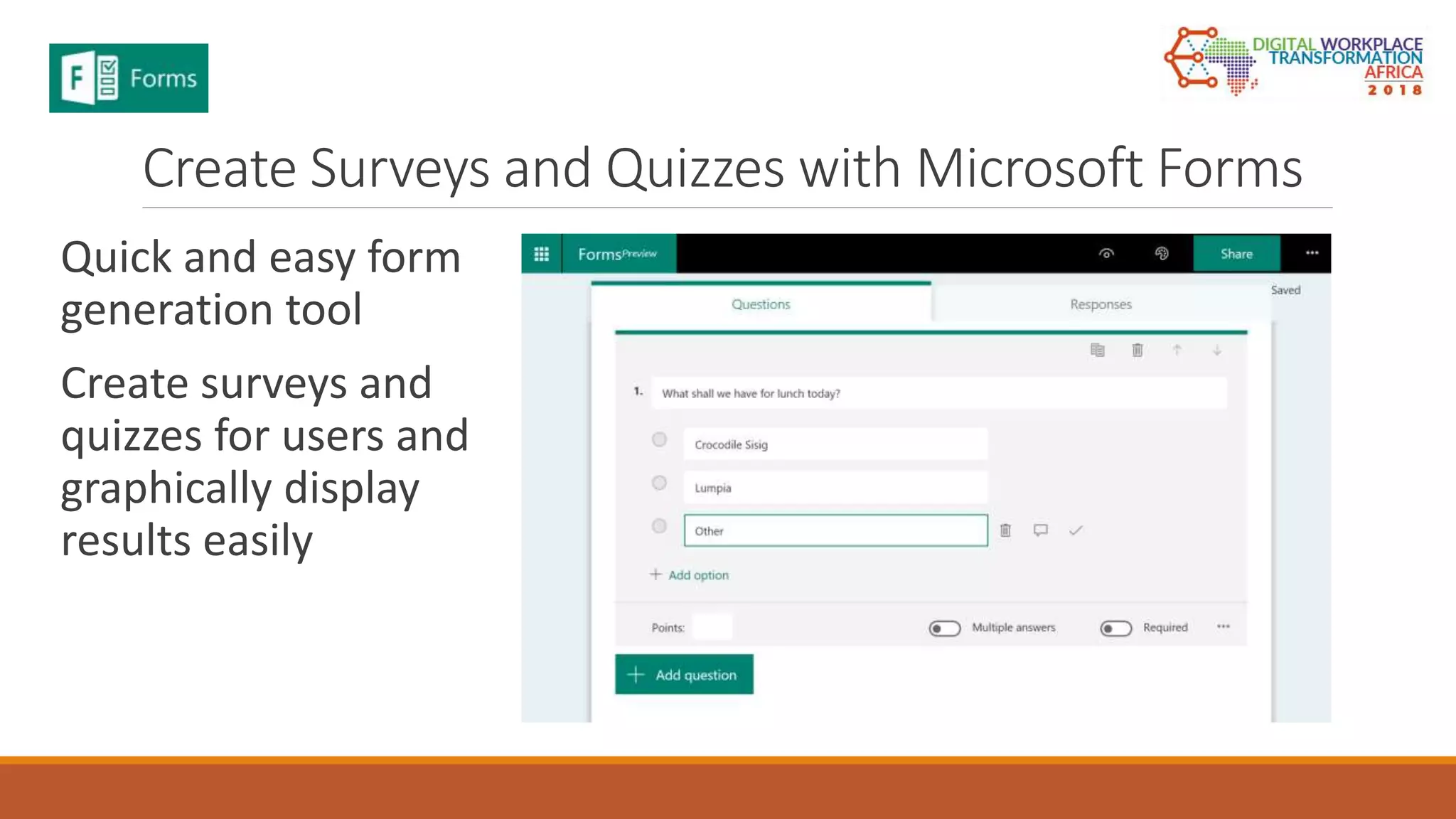
Create Surveys and Quizzes with Microsoft Forms
Quick and easy form
generation tool
Create surveys and
quizzes for users and
graphically display
results easily
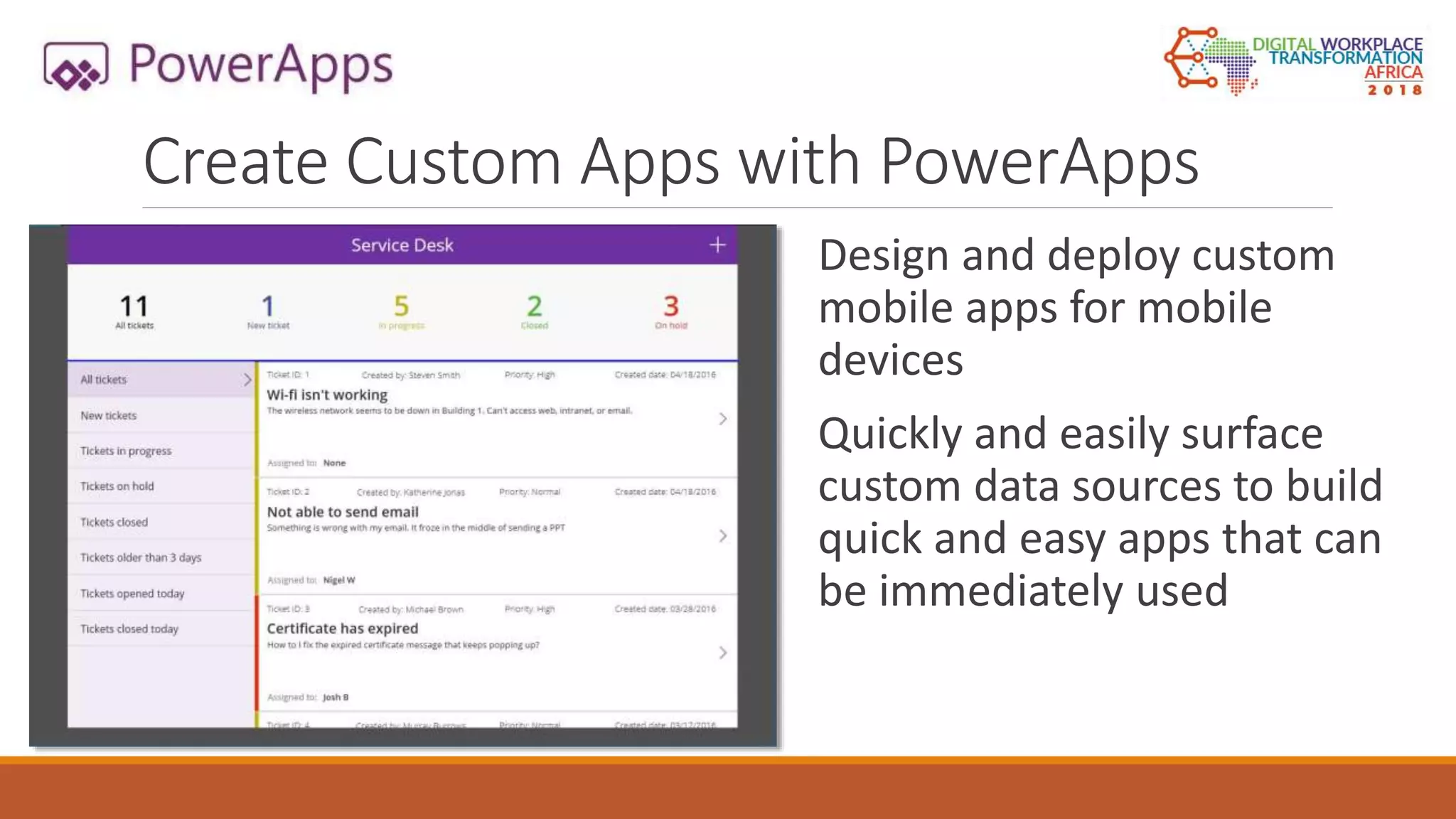
Create Custom Apps with PowerApps
Design and deploy custom
mobile apps for mobile
devices
Quickly and easily surface
custom data sources to build
quick and easy apps that can
be immediately used
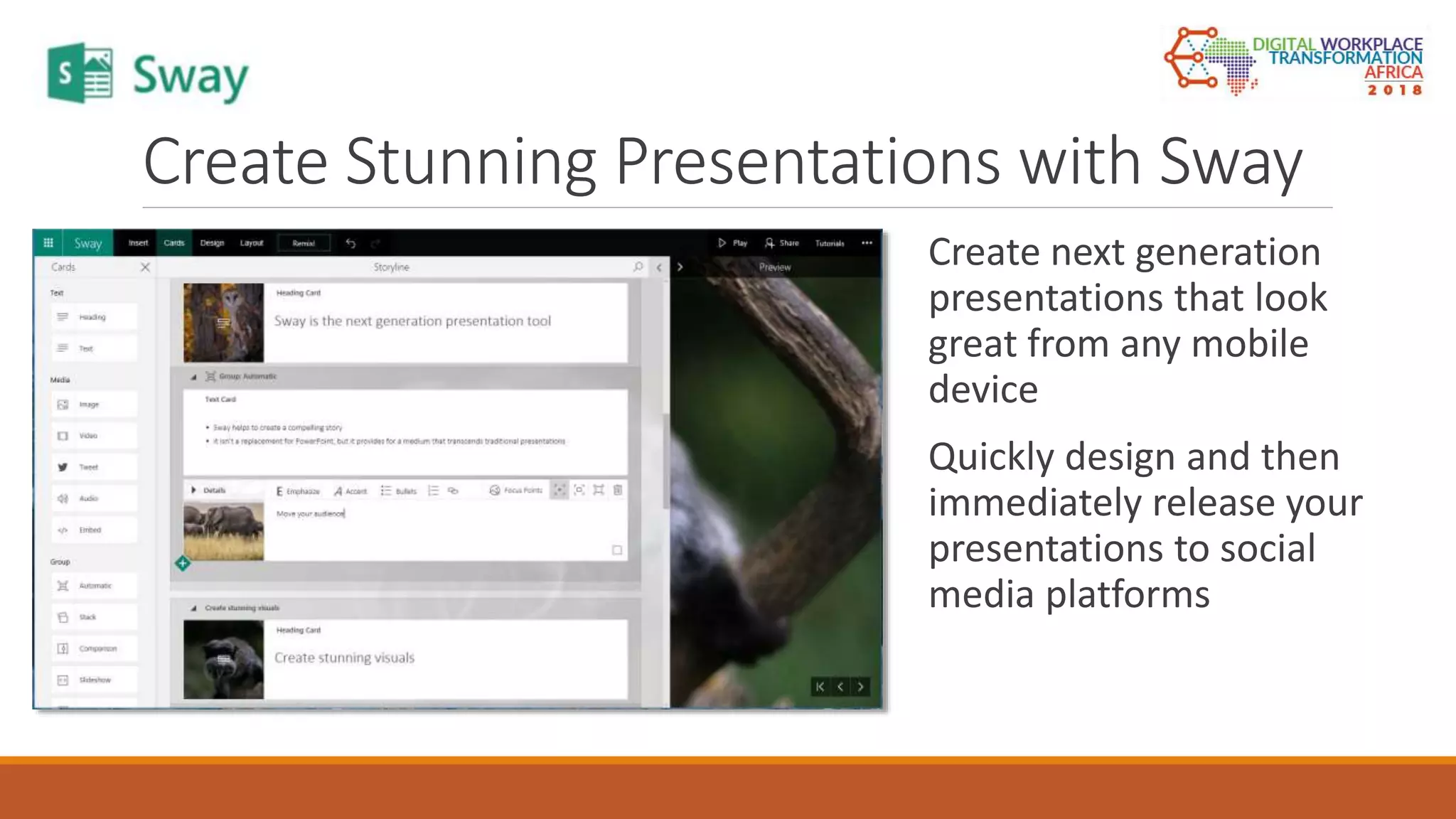
Create Stunning Presentations with Sway
Create next generation
presentations that look
great from any mobile
device
Quickly design and then
immediately release your
presentations to social
media platforms
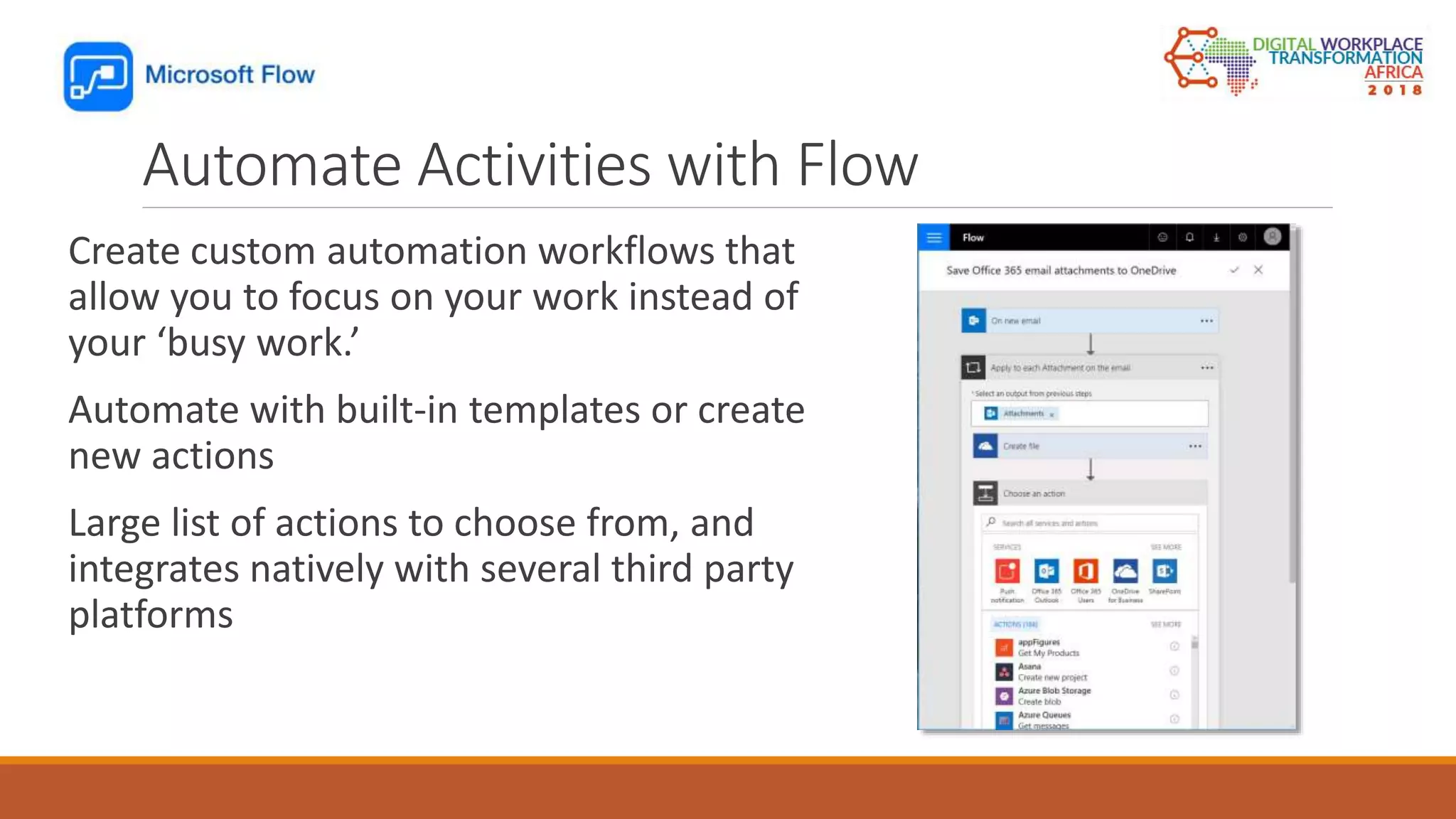
Automate Activities with Flow
Create custom automation workflows that
allow you to focus on your work instead of
your ‘busy work.’
Automate with built-in templates or create
new actions
Large list of actions to choose from, and
integrates natively with several third party
platforms
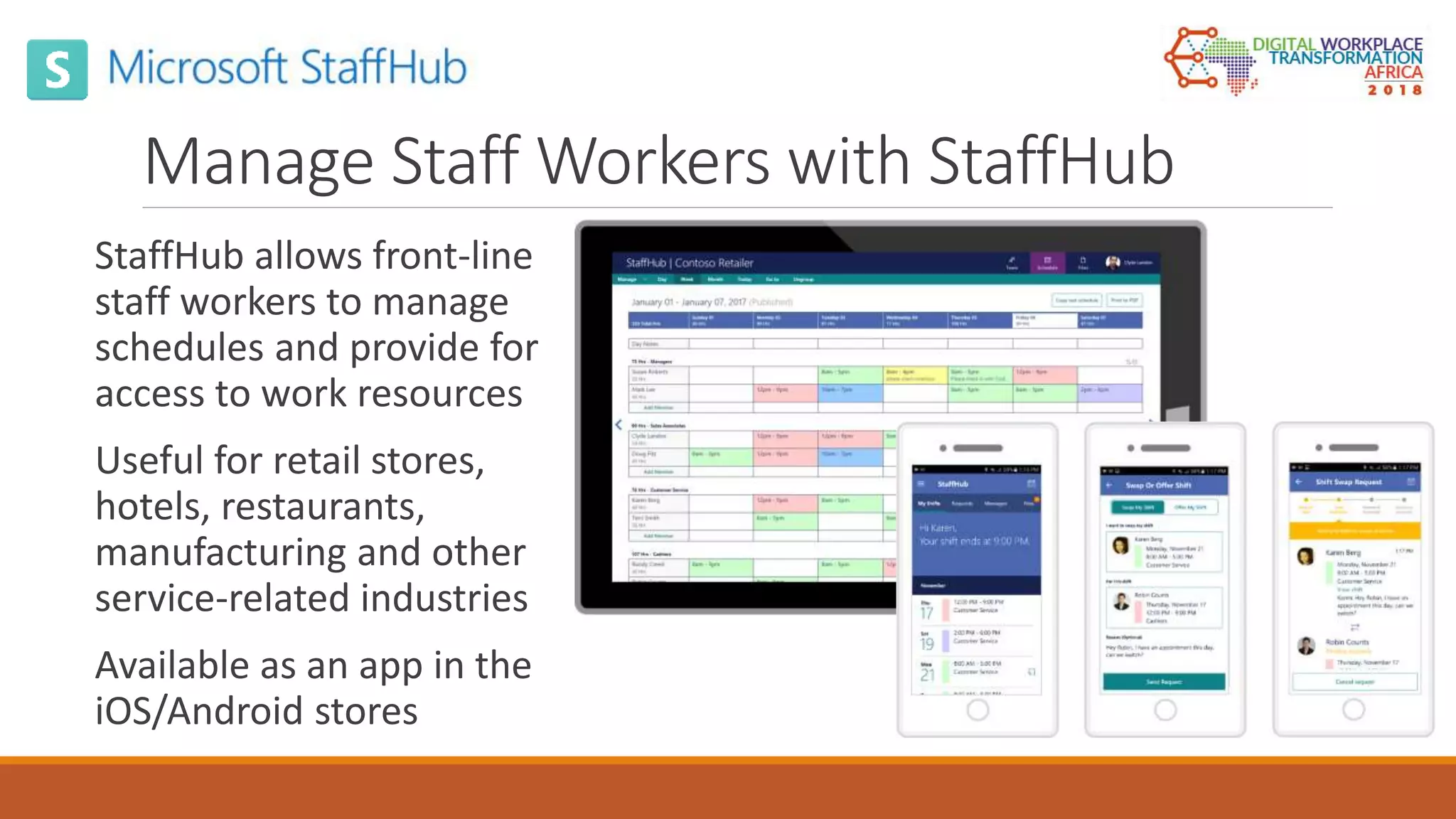
Manage Staff Workers with StaffHub
StaffHub allows front-line
staff workers to manage
schedules and provide for
access to work resources
Useful for retail stores,
hotels, restaurants,
manufacturing and other
service-related industries
Available as an app in the
iOS/Android stores
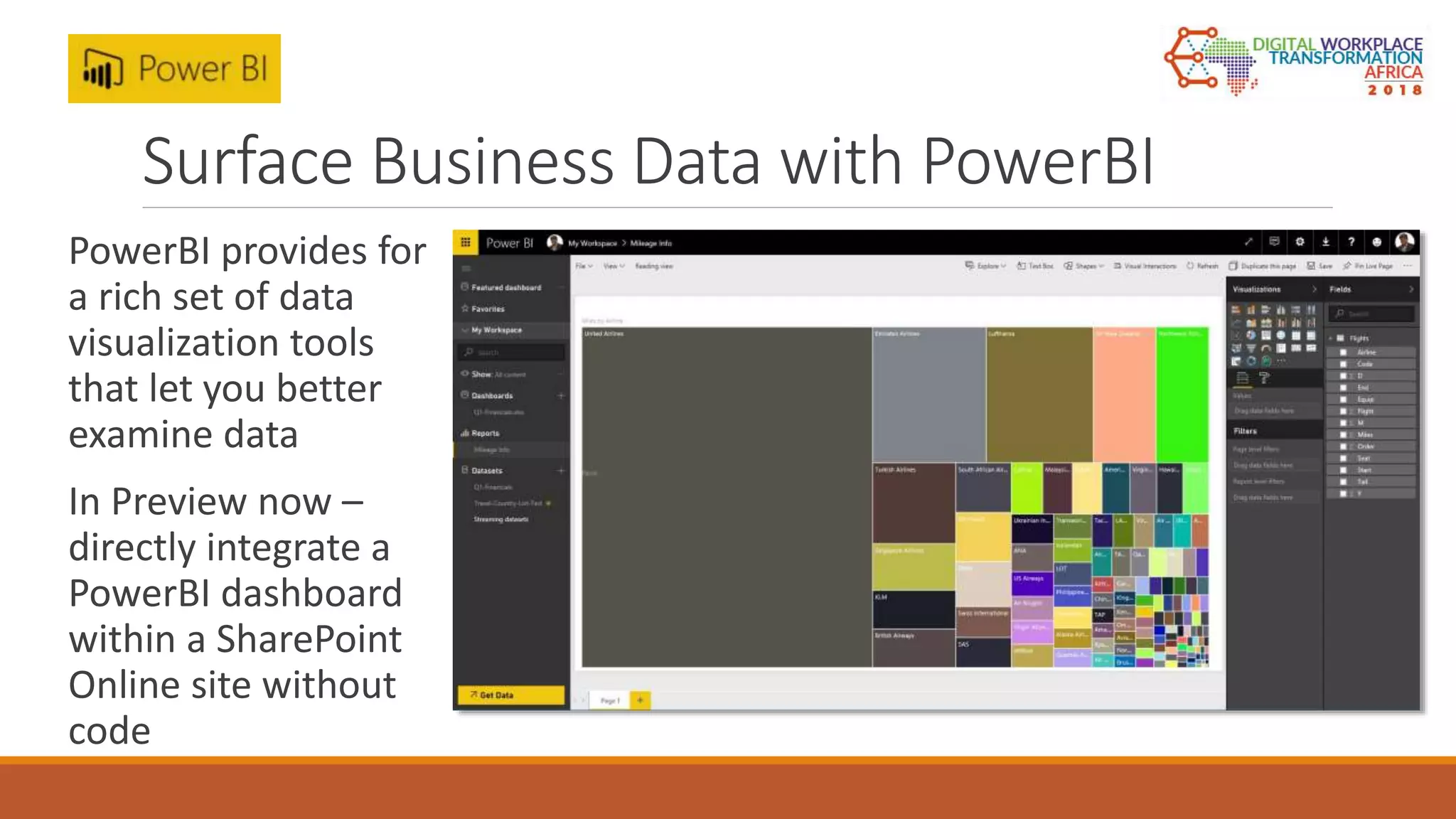
Surface Business Data with PowerBI
PowerBI provides for
a rich set of data
visualization tools
that let you better
examine data
In Preview now –
directly integrate a
PowerBI dashboard
within a SharePoint
Online site without
code
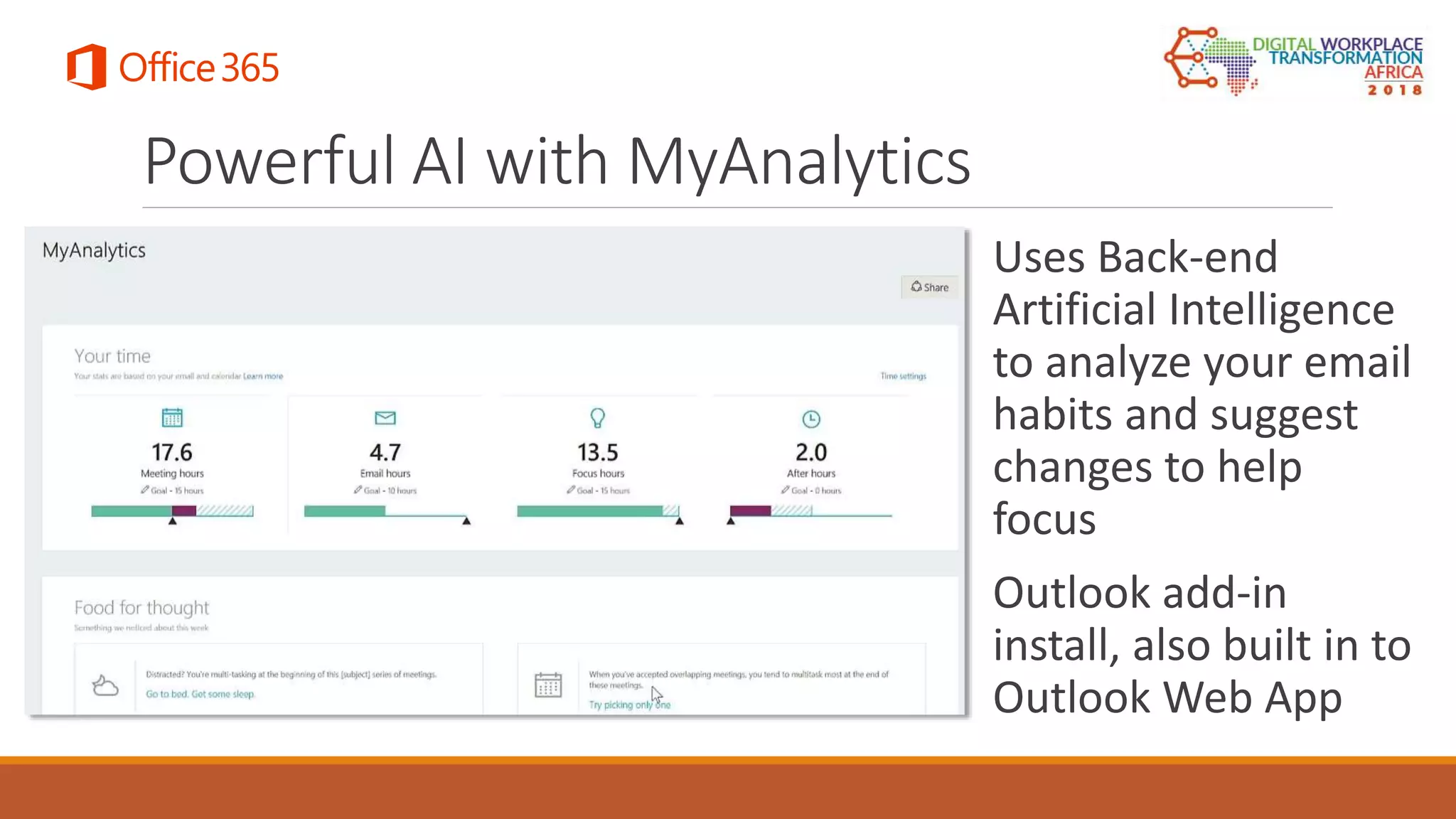
Powerful AI with MyAnalytics
Uses Back-end
Artificial Intelligence
to analyze your email
habits and suggest
changes to help
focus
Outlook add-in
install, also built in to
Outlook Web App
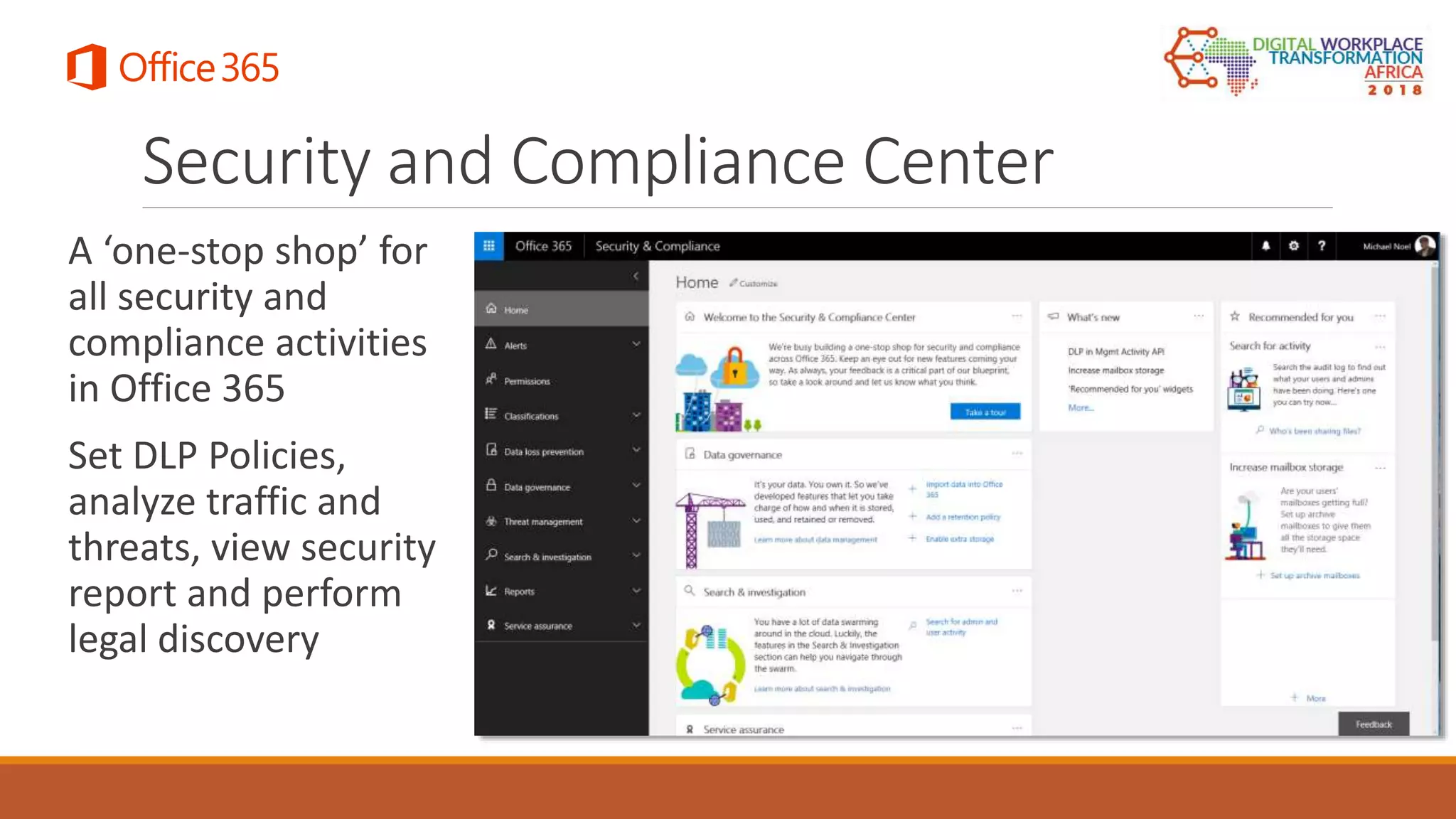
Security and Compliance Center
A ‘one-stop shop’ for
all security and
compliance activities
in Office 365
Set DLP Policies,
analyze traffic and
threats, view security
report and perform
legal discovery
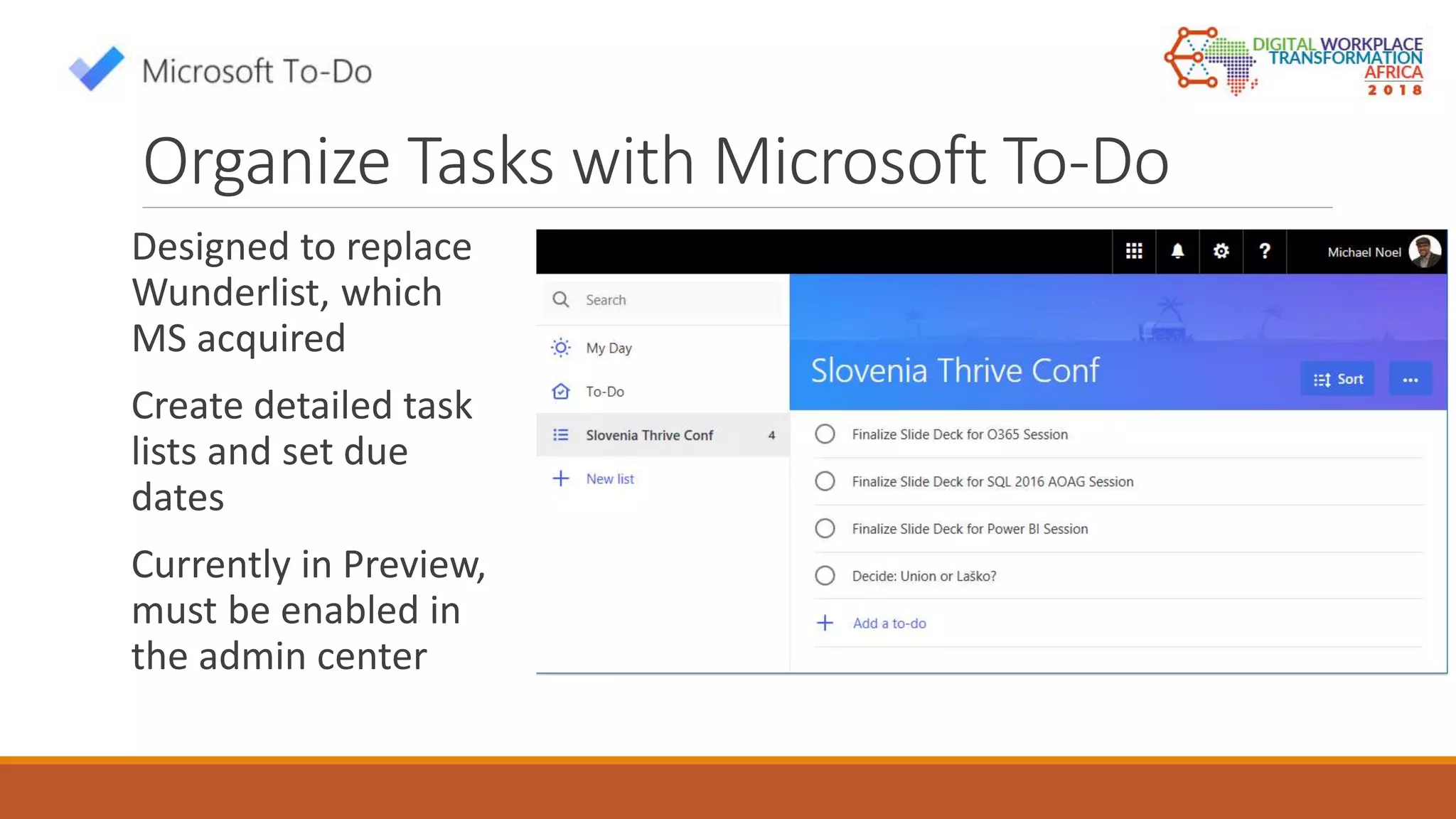
Organize Tasks with Microsoft To-Do
Designed to replace
Wunderlist, which
MS acquired
Create detailed task
lists and set due
dates
Currently in Preview,
must be enabled in
the admin center
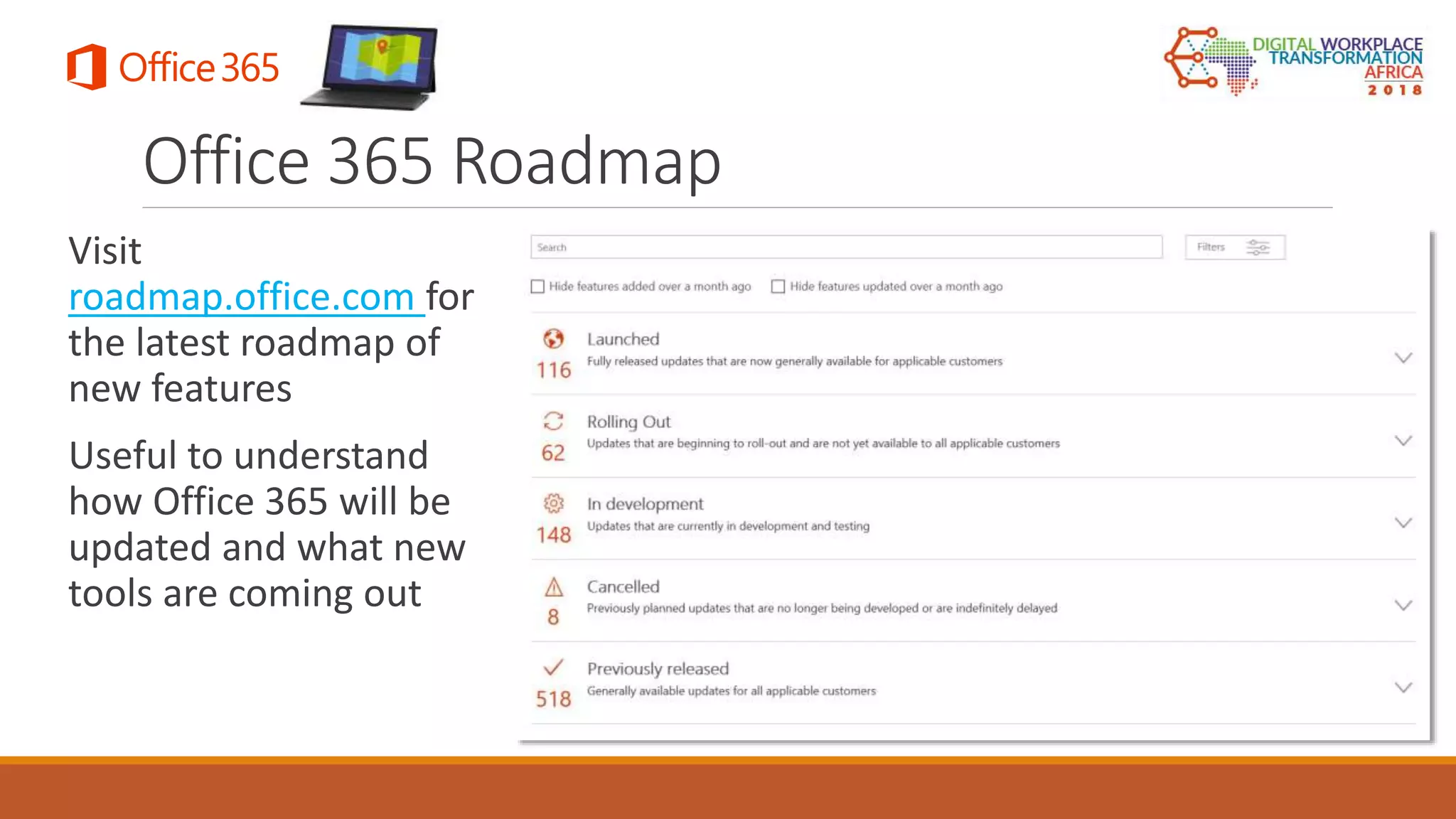
Visit
roadmap.office.com for
the latest roadmap of
new features
Useful to understand
how Office 365 will be
updated and what new
tools are coming out
Office 365 Roadmap
Licensing and Plans
DETERMINING WHICH OFFICE 365 LICENSING PLAN IS RIGHT FOR
YOUR ORGANIZATION
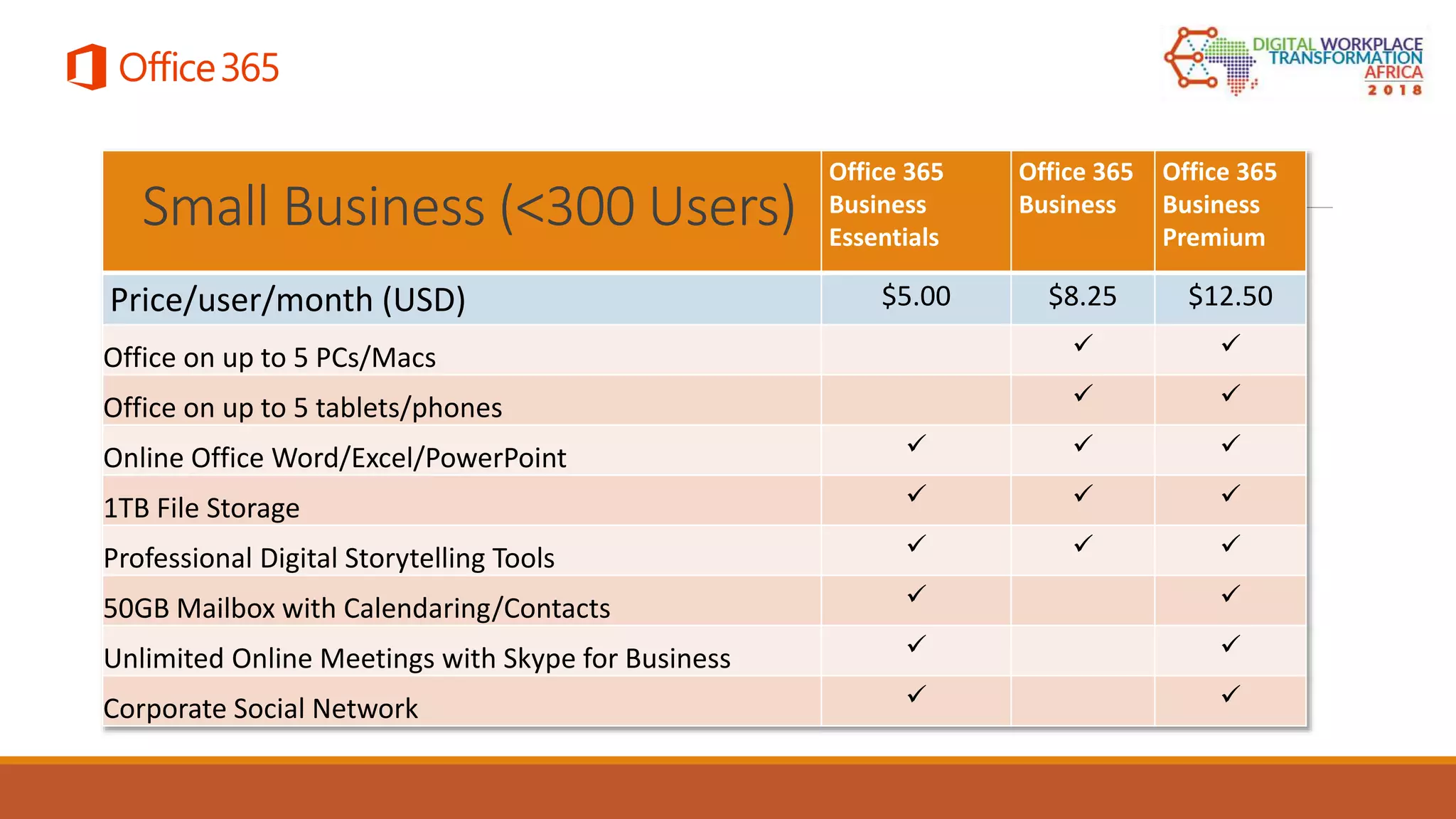
Office 365
Business
Essentials
Office 365
Business
Office 365
Business
Premium
Price/user/month (USD) $5.00 $8.25 $12.50
Office on up to 5 PCs/Macs  
Office on up to 5 tablets/phones  
Online Office Word/Excel/PowerPoint   
1TB File Storage   
Professional Digital Storytelling Tools   
50GB Mailbox with Calendaring/Contacts  
Unlimited Online Meetings with Skype for Business  
Corporate Social Network  
Small Business (<300 Users)
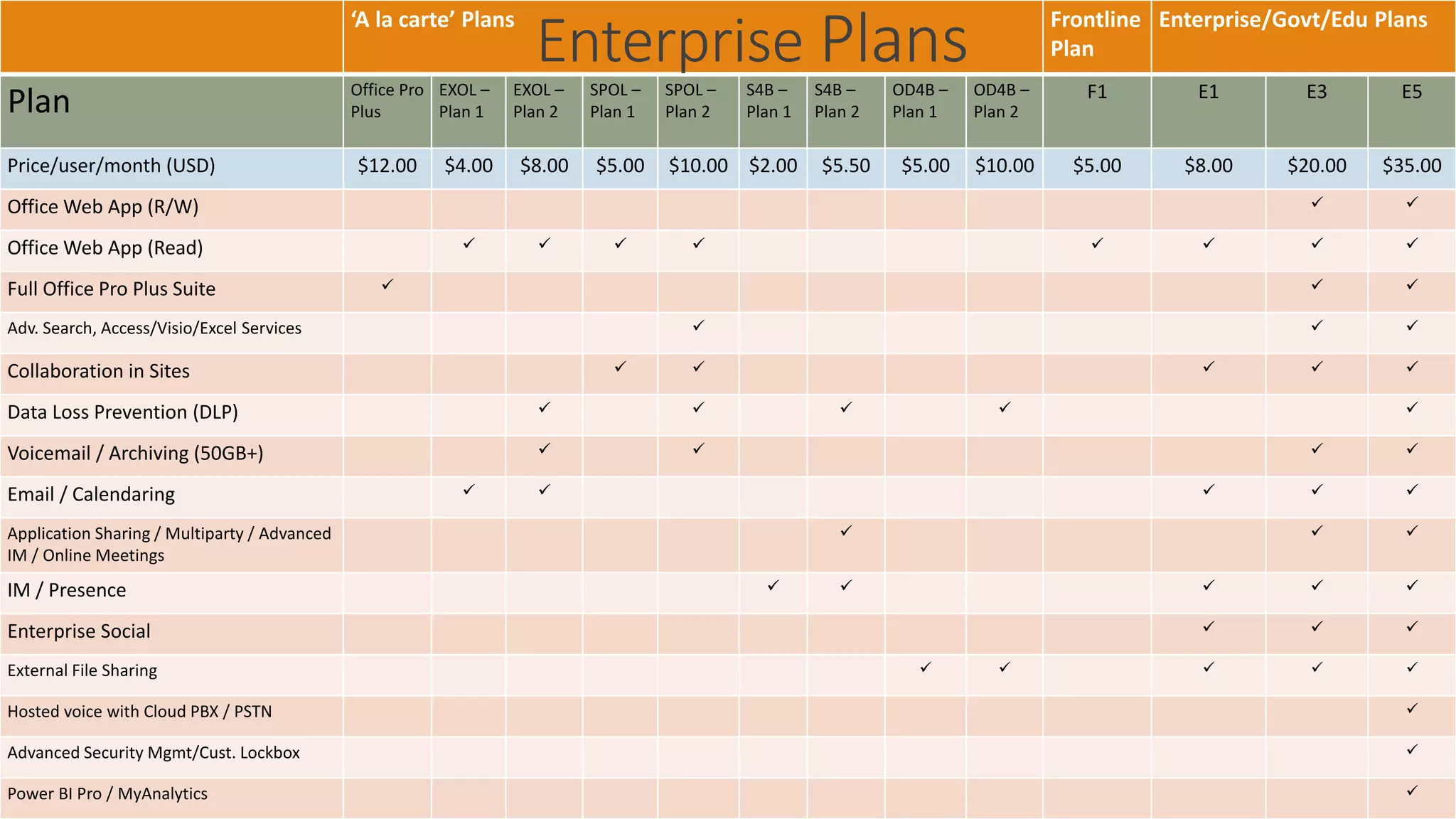
‘A la carte’ Plans Frontline
Plan
Enterprise/Govt/Edu Plans
Plan Office Pro
Plus
EXOL –
Plan 1
EXOL –
Plan 2
SPOL –
Plan 1
SPOL –
Plan 2
S4B –
Plan 1
S4B –
Plan 2
OD4B –
Plan 1
OD4B –
Plan 2
F1 E1 E3 E5
Price/user/month (USD) $12.00 $4.00 $8.00 $5.00 $10.00 $2.00 $5.50 $5.00 $10.00 $5.00 $8.00 $20.00 $35.00
Office Web App (R/W)  
Office Web App (Read)        
Full Office Pro Plus Suite   
Adv. Search, Access/Visio/Excel Services   
Collaboration in Sites     
Data Loss Prevention (DLP)     
Voicemail / Archiving (50GB+)    
Email / Calendaring     
Application Sharing / Multiparty / Advanced
IM / Online Meetings
  
IM / Presence     
Enterprise Social   
External File Sharing     
Hosted voice with Cloud PBX / PSTN 
Advanced Security Mgmt/Cust. Lockbox 
Power BI Pro / MyAnalytics 
Enterprise Plans
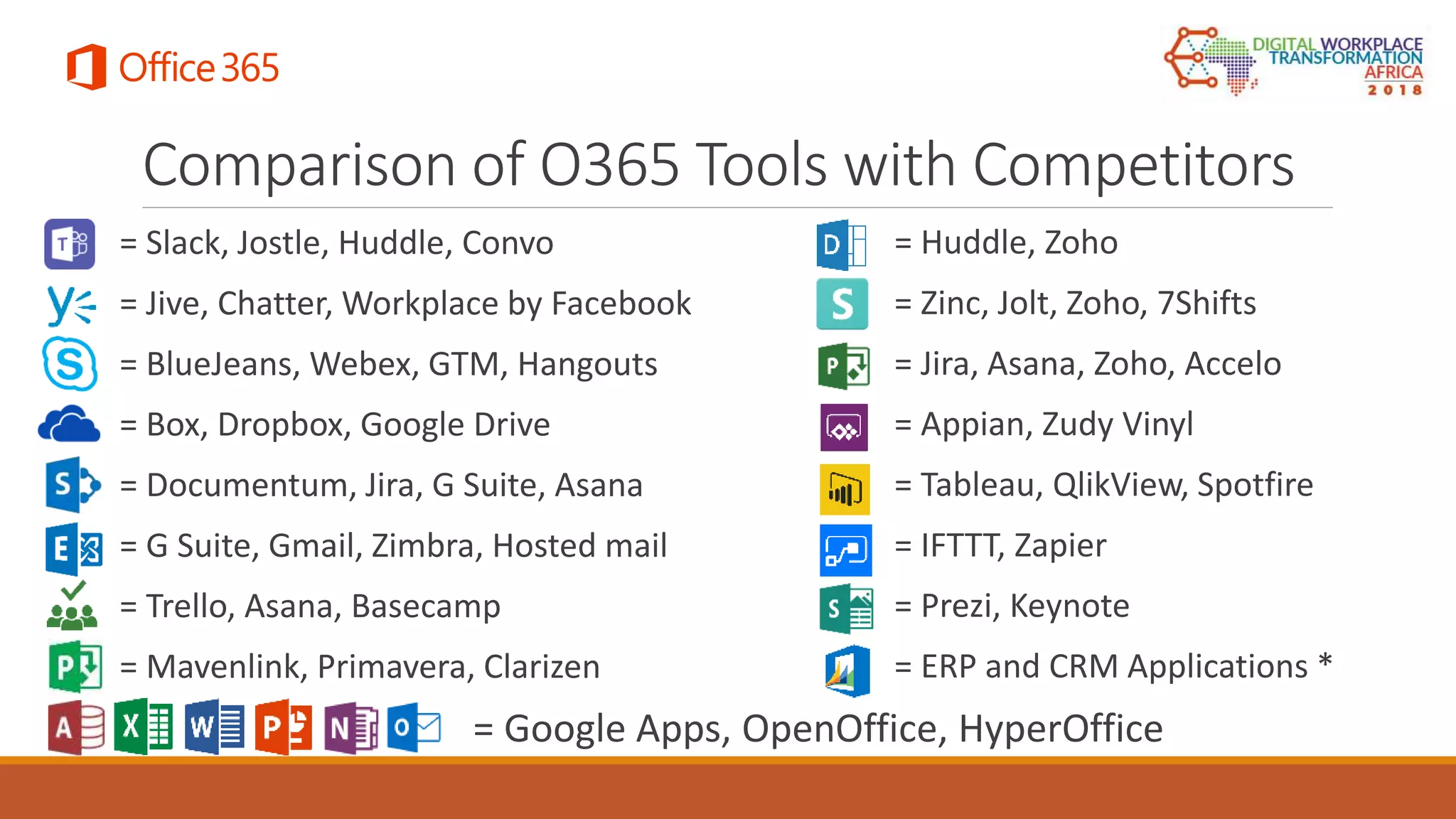
Comparison of O365 Tools with Competitors
= Slack, Jostle, Huddle, Convo
= Jive, Chatter, Workplace by Facebook
= BlueJeans, Webex, GTM, Hangouts
= Box, Dropbox, Google Drive
= Documentum, Jira, G Suite, Asana
= G Suite, Gmail, Zimbra, Hosted mail
= Trello, Asana, Basecamp
= Mavenlink, Primavera, Clarizen
= Huddle, Zoho
= Zinc, Jolt, Zoho, 7Shifts
= Jira, Asana, Zoho, Accelo
= Appian, Zudy Vinyl
= Tableau, QlikView, Spotfire
= IFTTT, Zapier
= Prezi, Keynote
= ERP and CRM Applications *
= Google Apps, OpenOffice, HyperOffice
Demo
USING OFFICE 365 TOOLS
Asante Sana! Questions?
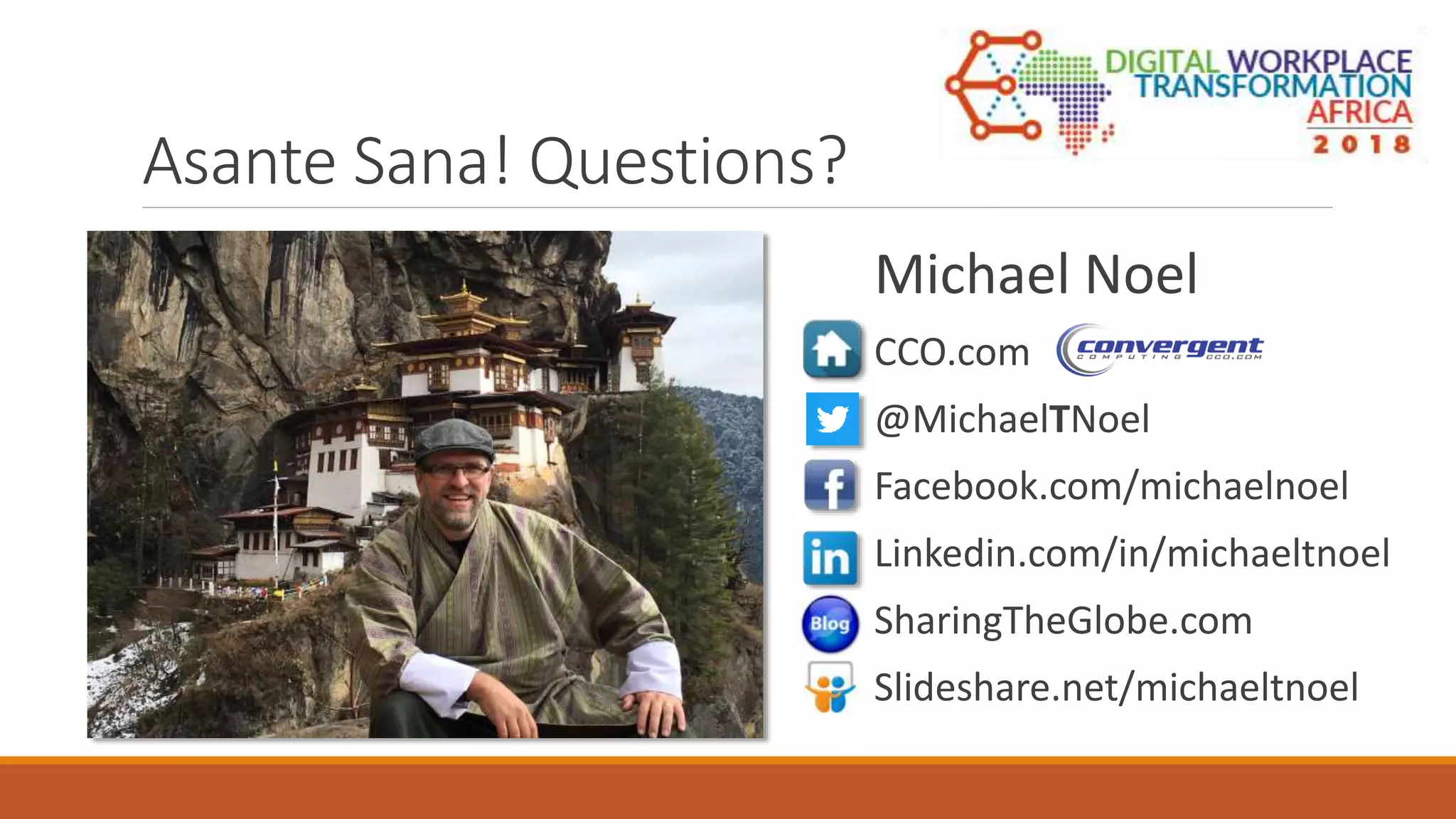
Michael Noel
CCO.com
@MichaelTNoel
Facebook.com/michaelnoel
Linkedin.com/in/michaeltnoel
SharingTheGlobe.com
Slideshare.net/michaeltnoel

Understanding the Tools and Features of Office 365 : DWT Africa 2018

  • 1.
    365; Understanding the Tools andFeatures of Office 365 MICHAEL NOEL, CCO
  • 2.
    Michael Noel @MichaelTNoel Authored20 books including the best selling SharePoint, Exchange, and Windows Unleashed series Presented at over 220 events in over 80 countries around the world Microsoft MVP, first awarded in 2007 Partner at Convergent Computing in the San Francisco Bay Area (cco.com)
  • 3.
    Office 365 asa Suite with Core Pillars When purchasing Office 365 licenses, you gain access to the entire stack of Microsoft’s online offerings, which includes the following core pillars: • Exchange Online (EXOL) • SharePoint Online (SPOL) • OneDrive for Business (OD4B) • Skype for Business (S4B) / Teams Office 365 also provides for an increasing number of additional value-added tools
  • 4.
    Exchange Online THE MESSAGINGPILLAR IN OFFICE 365
  • 5.
    Overview of Featuresin Exchange Online 50GB(+) Mailboxes for each user Built-in archiving and records retention options High Availability and Disaster Tolerance built-in The same proven technology used by Microsoft Exchange Server and used and understood by millions of Outlook users for messaging and calendaring but without the back-end server administration overhead
  • 6.
    SharePoint Online THE COLLABORATIONAND DOCUMENT MANAGEMENT PILLAR IN OFFICE 365
  • 7.
    Common use casescenario for SharePoint Online Provides for the ability to save and store documents Advanced functionality including: ◦ Document check-in/check-out ◦ Versioning ◦ Multi-authoring Document and Records Management
  • 8.
    Provides the abilityto display business information in graphical format Tools include PowerPivot, Excel Services, Power View, etc. Create visuals based on dynamic real- time on-premises data using Business Connectivity Services Business Intelligence
  • 9.
    Skype for Business THEINSTANT MESSAGING AND AUDIO/VIDEO CONFERENCING PILLAR IN OFFICE 365
  • 10.
    The Cloud basedversion of Microsoft’s On- Premises Tool for Instant Messaging, Video Conferencing, etc. Currently related to ‘traditional’ consumer Skype in name only, though integration exists Skype for Business
  • 11.
    Microsoft Teams ReplacingS4B Threaded discussion board for quick communications Frees organizations from some of the slowness of email-based communications Microsoft announced that Teams will replace the online S4B tool soon
  • 12.
    OneDrive for Business THEEXTERNAL AND INTERNAL FILE SHARING PILLAR IN OFFICE 365
  • 13.
    Purpose-built file sharing application Upload and sharelarge files with local and/or remote users OneDrive for Business Features
  • 14.
    Additional Tools EXAMINING THEGROWING NUMBER OF BUILT-IN ADDITIONAL TOOLS IN OFFICE 365
  • 15.
    Enterprise Social provides ‘Facebookfor the Enterprise’ capabilities Microsoft acquired ‘Yammer’ to provide for SaaS based Enterprise Social features Included in Office 365 Enterprise or Business Plans Enterprise Social and Yammer
  • 16.
    Personalized Discovery withDelve Delve automatically personalizes content across Office 365 Shows what colleagues are working on and which documents are popular
  • 17.
    Collaboration with Office365 Groups Office 365 Groups are a combination SharePoint Site, team Calendar, Mailbox, Notebook all with conversation threading Users can self-create Groups for Projects or for specific teams
  • 18.
    Organize Media withMicrosoft Stream Evolution of Office 365 Video Videos can be organized into channels and secured Machine learning based content discovery
  • 19.
    Create Surveys andQuizzes with Microsoft Forms Quick and easy form generation tool Create surveys and quizzes for users and graphically display results easily
  • 20.
    Create Custom Appswith PowerApps Design and deploy custom mobile apps for mobile devices Quickly and easily surface custom data sources to build quick and easy apps that can be immediately used
  • 21.
    Create Stunning Presentationswith Sway Create next generation presentations that look great from any mobile device Quickly design and then immediately release your presentations to social media platforms
  • 22.
    Automate Activities withFlow Create custom automation workflows that allow you to focus on your work instead of your ‘busy work.’ Automate with built-in templates or create new actions Large list of actions to choose from, and integrates natively with several third party platforms
  • 23.
    Manage Staff Workerswith StaffHub StaffHub allows front-line staff workers to manage schedules and provide for access to work resources Useful for retail stores, hotels, restaurants, manufacturing and other service-related industries Available as an app in the iOS/Android stores
  • 24.
    Surface Business Datawith PowerBI PowerBI provides for a rich set of data visualization tools that let you better examine data In Preview now – directly integrate a PowerBI dashboard within a SharePoint Online site without code
  • 25.
    Powerful AI withMyAnalytics Uses Back-end Artificial Intelligence to analyze your email habits and suggest changes to help focus Outlook add-in install, also built in to Outlook Web App
  • 26.
    Security and ComplianceCenter A ‘one-stop shop’ for all security and compliance activities in Office 365 Set DLP Policies, analyze traffic and threats, view security report and perform legal discovery
  • 27.
    Organize Tasks withMicrosoft To-Do Designed to replace Wunderlist, which MS acquired Create detailed task lists and set due dates Currently in Preview, must be enabled in the admin center
  • 28.
    Visit roadmap.office.com for the latestroadmap of new features Useful to understand how Office 365 will be updated and what new tools are coming out Office 365 Roadmap
  • 29.
    Licensing and Plans DETERMININGWHICH OFFICE 365 LICENSING PLAN IS RIGHT FOR YOUR ORGANIZATION
  • 30.
    Office 365 Business Essentials Office 365 Business Office365 Business Premium Price/user/month (USD) $5.00 $8.25 $12.50 Office on up to 5 PCs/Macs   Office on up to 5 tablets/phones   Online Office Word/Excel/PowerPoint    1TB File Storage    Professional Digital Storytelling Tools    50GB Mailbox with Calendaring/Contacts   Unlimited Online Meetings with Skype for Business   Corporate Social Network   Small Business (<300 Users)
  • 31.
    ‘A la carte’Plans Frontline Plan Enterprise/Govt/Edu Plans Plan Office Pro Plus EXOL – Plan 1 EXOL – Plan 2 SPOL – Plan 1 SPOL – Plan 2 S4B – Plan 1 S4B – Plan 2 OD4B – Plan 1 OD4B – Plan 2 F1 E1 E3 E5 Price/user/month (USD) $12.00 $4.00 $8.00 $5.00 $10.00 $2.00 $5.50 $5.00 $10.00 $5.00 $8.00 $20.00 $35.00 Office Web App (R/W)   Office Web App (Read)         Full Office Pro Plus Suite    Adv. Search, Access/Visio/Excel Services    Collaboration in Sites      Data Loss Prevention (DLP)      Voicemail / Archiving (50GB+)     Email / Calendaring      Application Sharing / Multiparty / Advanced IM / Online Meetings    IM / Presence      Enterprise Social    External File Sharing      Hosted voice with Cloud PBX / PSTN  Advanced Security Mgmt/Cust. Lockbox  Power BI Pro / MyAnalytics  Enterprise Plans
  • 32.
    Comparison of O365Tools with Competitors = Slack, Jostle, Huddle, Convo = Jive, Chatter, Workplace by Facebook = BlueJeans, Webex, GTM, Hangouts = Box, Dropbox, Google Drive = Documentum, Jira, G Suite, Asana = G Suite, Gmail, Zimbra, Hosted mail = Trello, Asana, Basecamp = Mavenlink, Primavera, Clarizen = Huddle, Zoho = Zinc, Jolt, Zoho, 7Shifts = Jira, Asana, Zoho, Accelo = Appian, Zudy Vinyl = Tableau, QlikView, Spotfire = IFTTT, Zapier = Prezi, Keynote = ERP and CRM Applications * = Google Apps, OpenOffice, HyperOffice
  • 33.
  • 34.
    Asante Sana! Questions? MichaelNoel CCO.com @MichaelTNoel Facebook.com/michaelnoel Linkedin.com/in/michaeltnoel SharingTheGlobe.com Slideshare.net/michaeltnoel