Building the ‘Perfect’ SharePoint 2010 FarmBest Practices from the FieldMichael NoelConvergent Computing (CCO.com)@MichaelTNoel
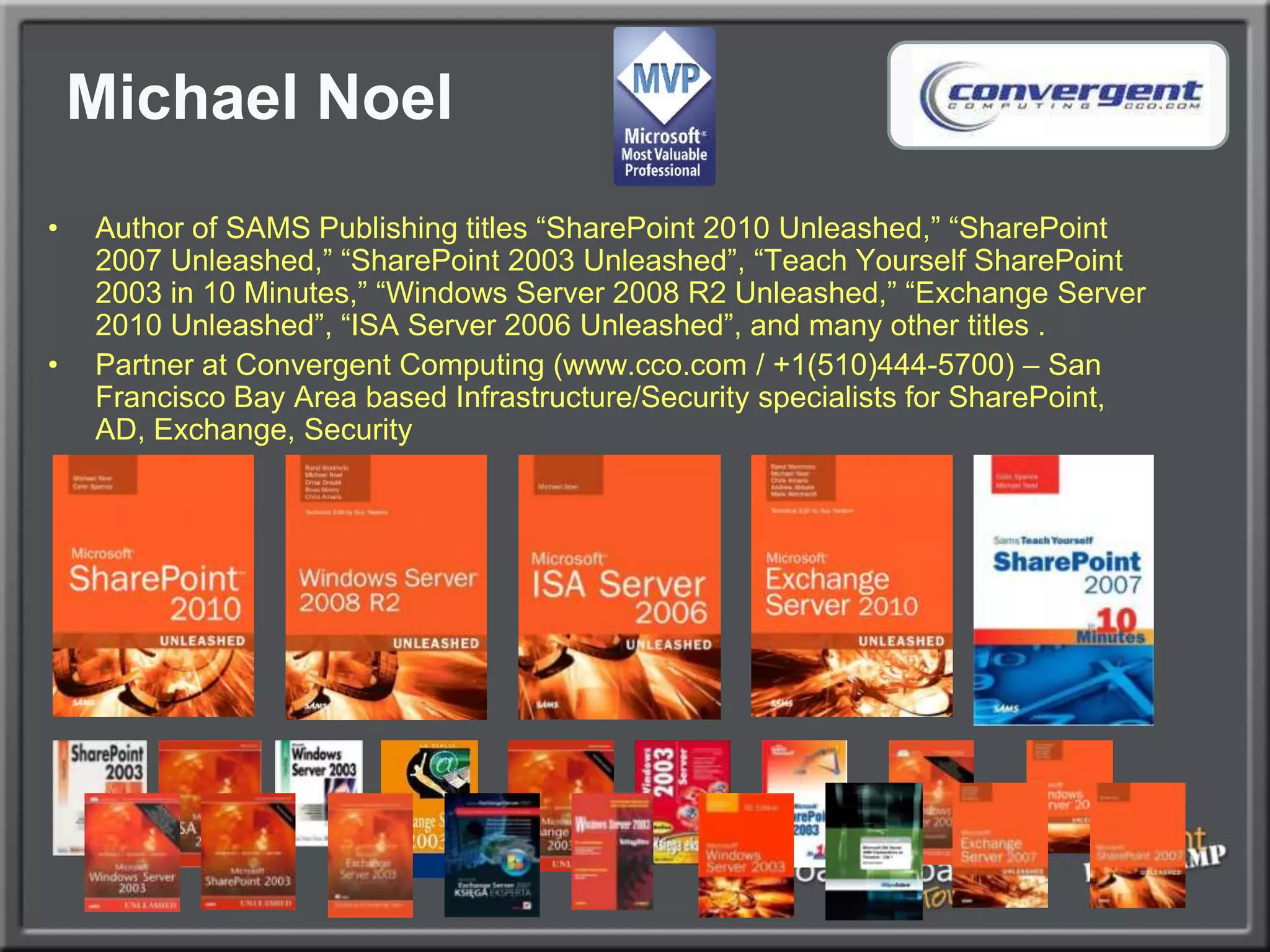
Michael NoelAuthor of SAMS Publishing titles “SharePoint 2010 Unleashed,” “SharePoint 2007 Unleashed,” “SharePoint 2003 Unleashed”, “Teach Yourself SharePoint 2003 in 10 Minutes,” “Windows Server 2008 R2 Unleashed,” “Exchange Server 2010 Unleashed”, “ISA Server 2006 Unleashed”, and many other titles .Partner at Convergent Computing (www.cco.com / +1(510)444-5700) – San Francisco Bay Area based Infrastructure/Security specialists for SharePoint, AD, Exchange, Security
What we will coverExamine various SharePoint 2010 farm architecture best practices that have developed over the past yearExamine SharePoint Best Practice Farm ArchitectureUnderstand SharePoint Virtualization OptionsExplore SharePoint DR and HA strategies using Database MirroringExplore other common best practices (RBS, SSL, NLB)Learn how to Enable Kerberos for Best Practice SecurityA large amount of best practices covered (i.e. Drinking through a fire hose), expectation is that you can take away 2-3 useful pieces of information that can be used in your environment
Architecting the Farm
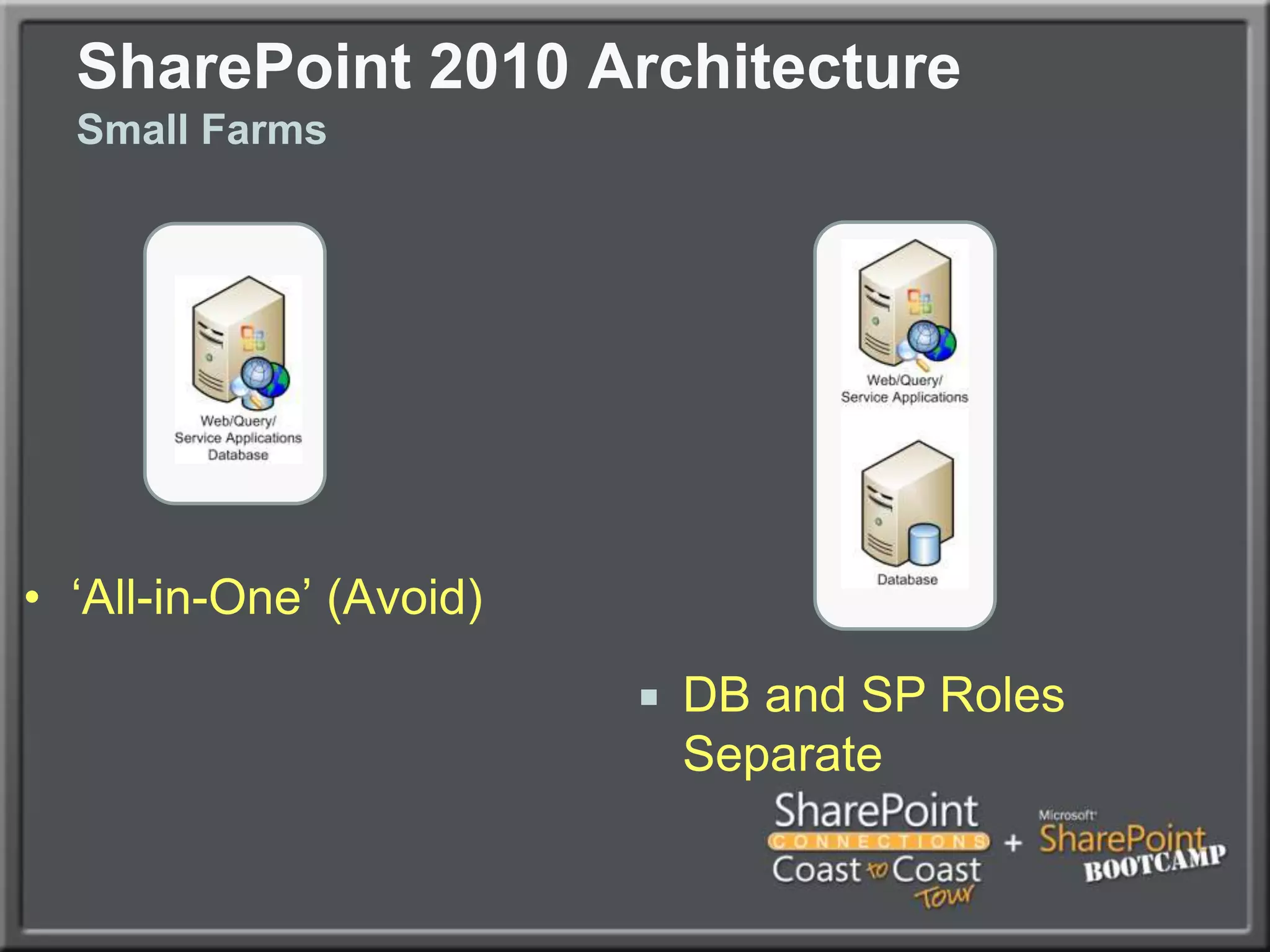
SharePoint 2010 ArchitectureSmall Farms‘All-in-One’ (Avoid)DB and SP Roles Separate
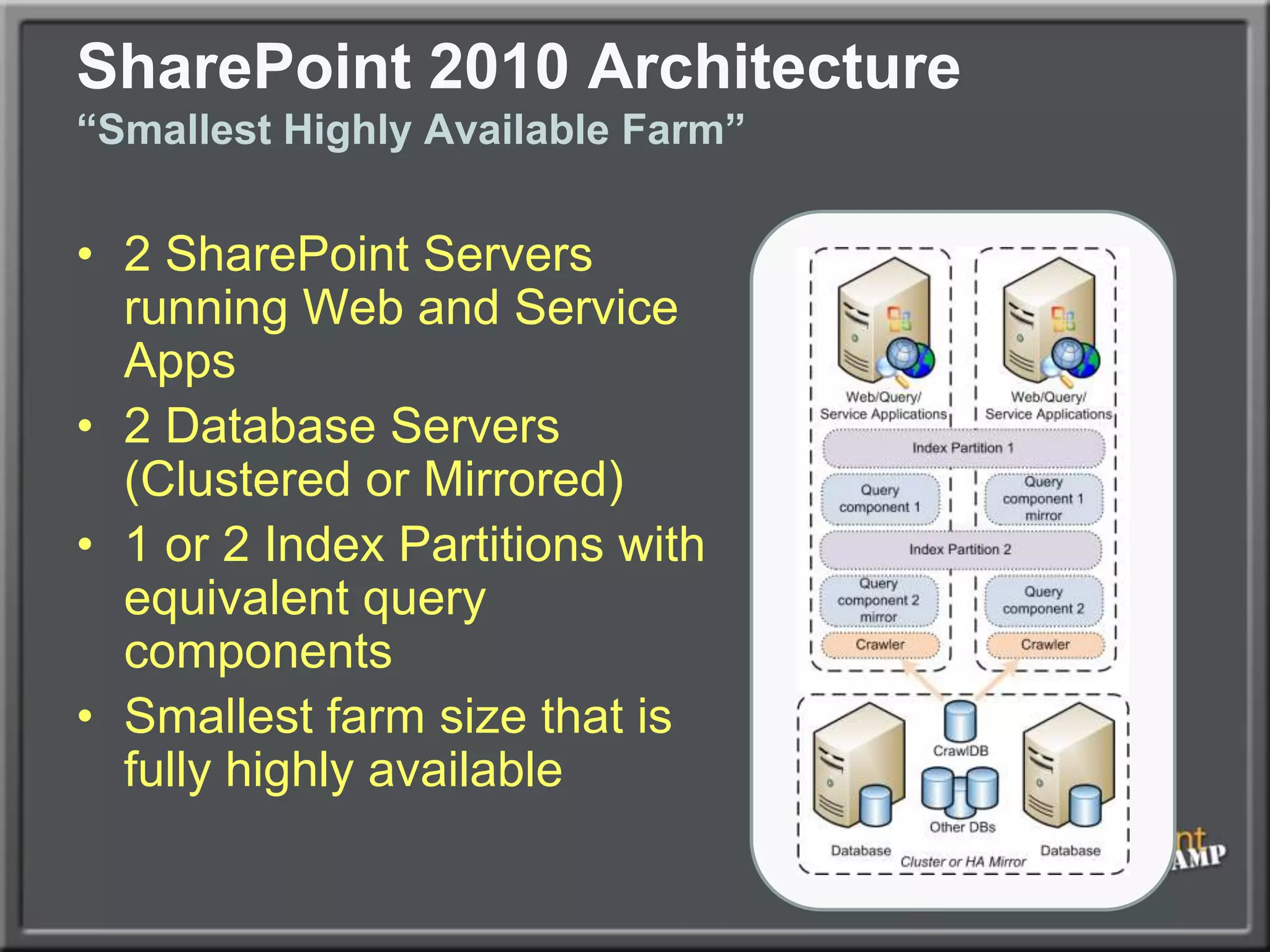
SharePoint 2010 Architecture“Smallest Highly Available Farm”2 SharePoint Servers running Web and Service Apps2 Database Servers (Clustered or Mirrored)1 or 2 Index Partitions with equivalent query componentsSmallest farm size that is fully highly available
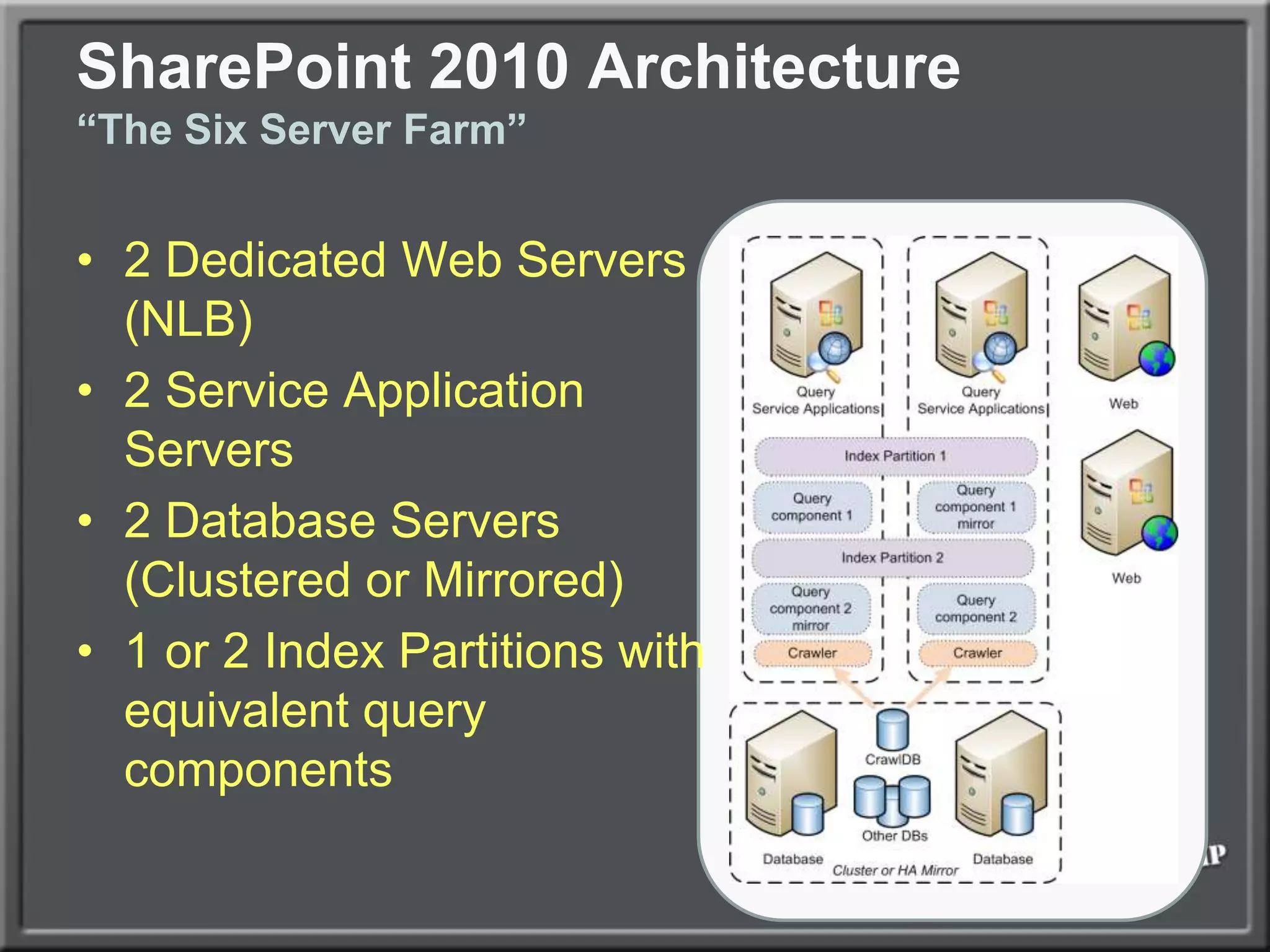
SharePoint 2010 Architecture“The Six Server Farm”2 Dedicated Web Servers (NLB)2 Service Application Servers2 Database Servers (Clustered or Mirrored)1 or 2 Index Partitions with equivalent query components
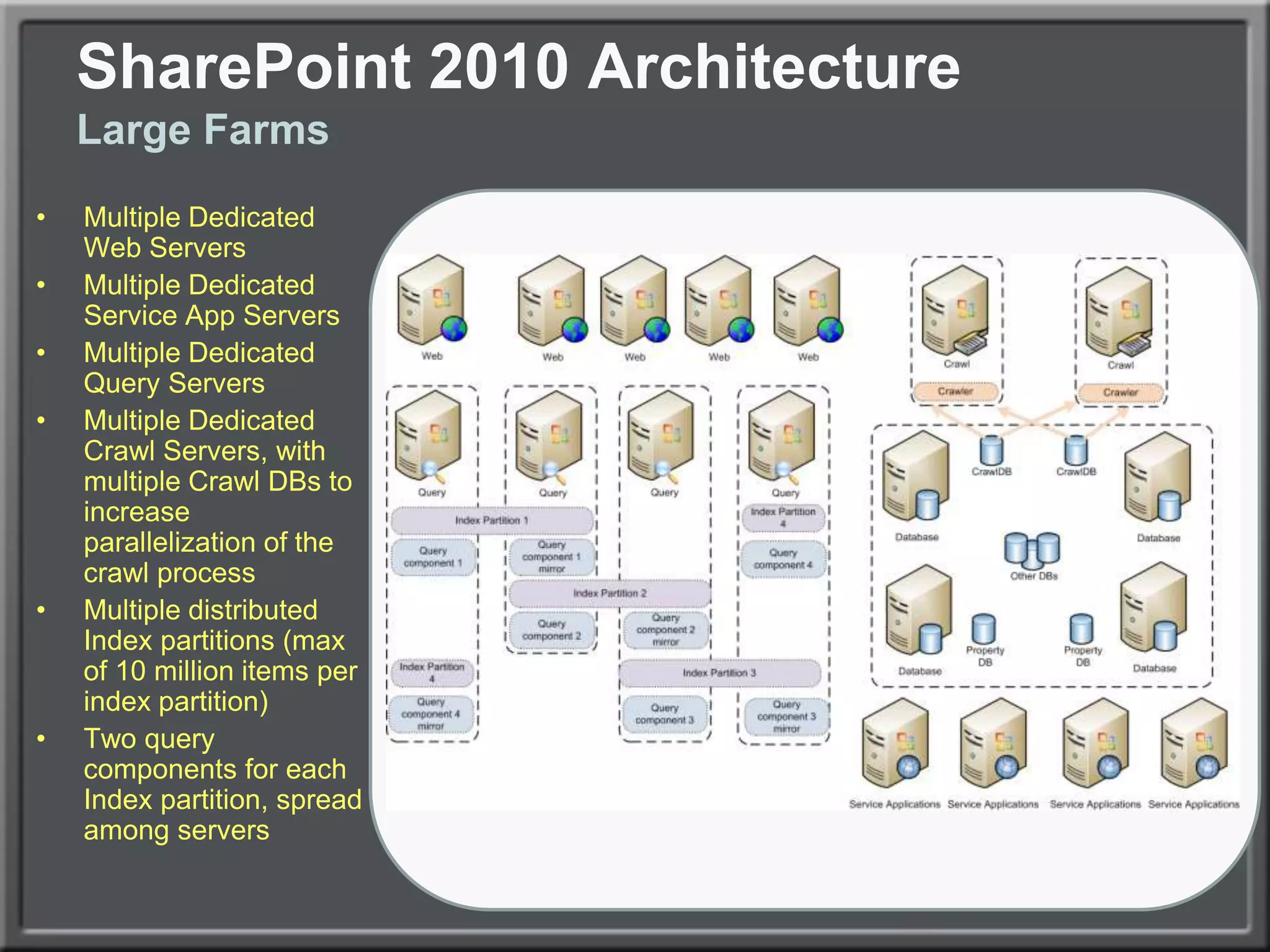
SharePoint 2010 ArchitectureLarge FarmsMultiple Dedicated Web ServersMultiple Dedicated Service App ServersMultiple Dedicated Query ServersMultiple Dedicated Crawl Servers, with multiple Crawl DBs to increase parallelization of the crawl processMultiple distributed Index partitions (max of 10 million items per index partition)Two query components for each Index partition, spread among servers
SharePoint 2010 Virtualization Architecture
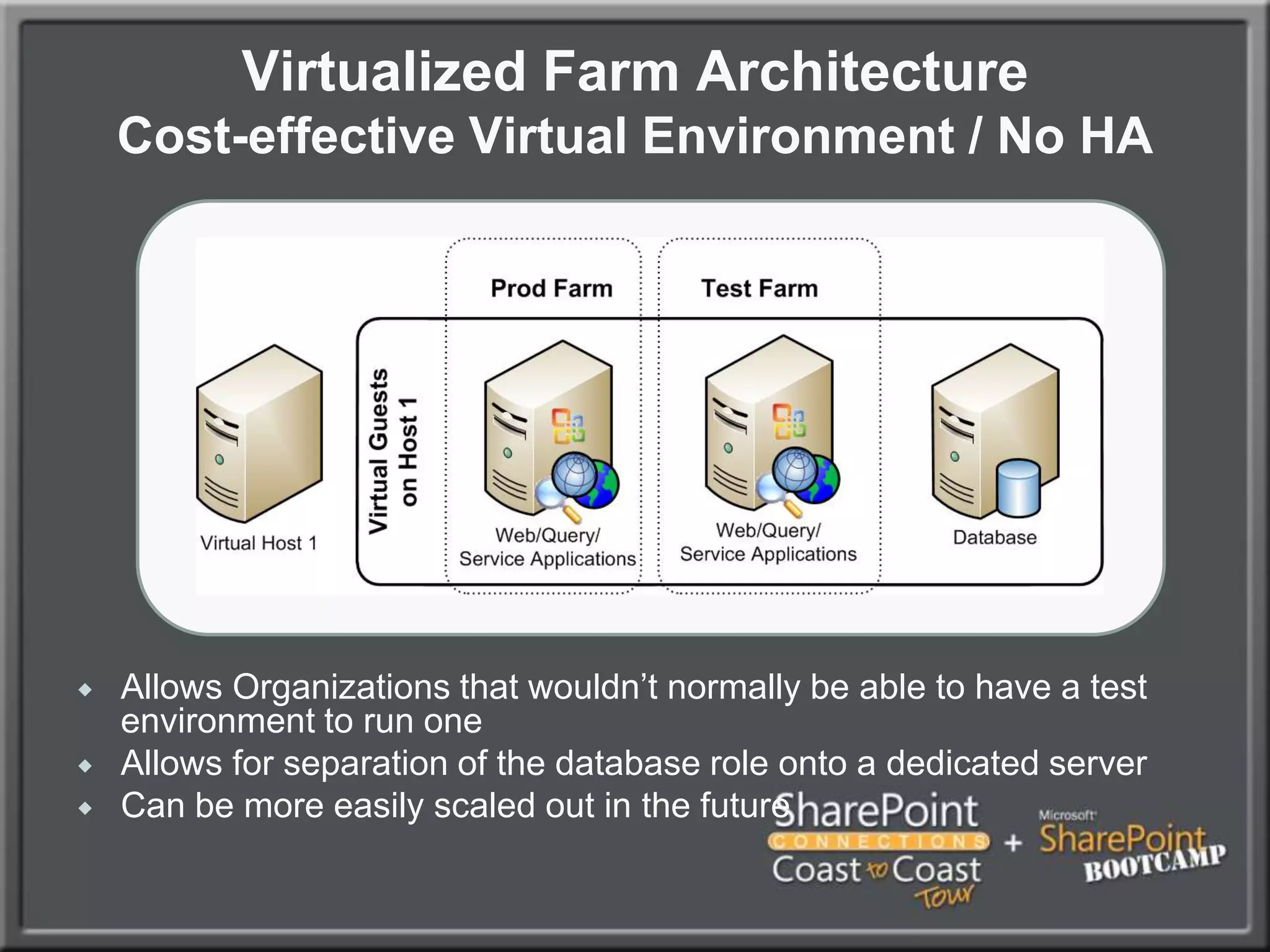
Virtualized Farm ArchitectureCost-effective Virtual Environment / No HAAllows Organizations that wouldn’t normally be able to have a test environment to run one
Allows for separation of the database role onto a dedicated server
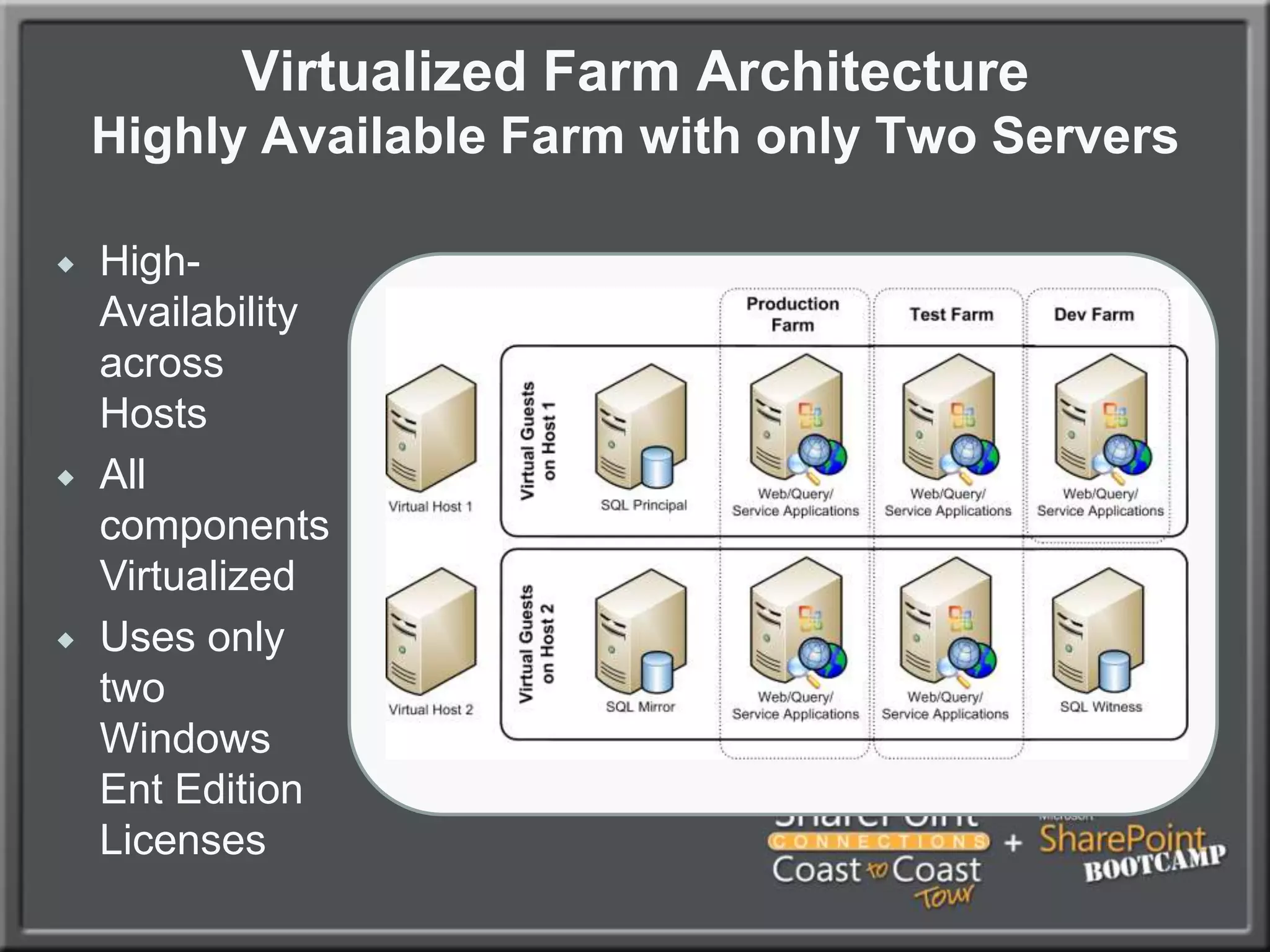
Can be more easily scaled out in the futureVirtualized Farm ArchitectureHighly Available Farm with only Two ServersHigh-Availability across Hosts
All components Virtualized
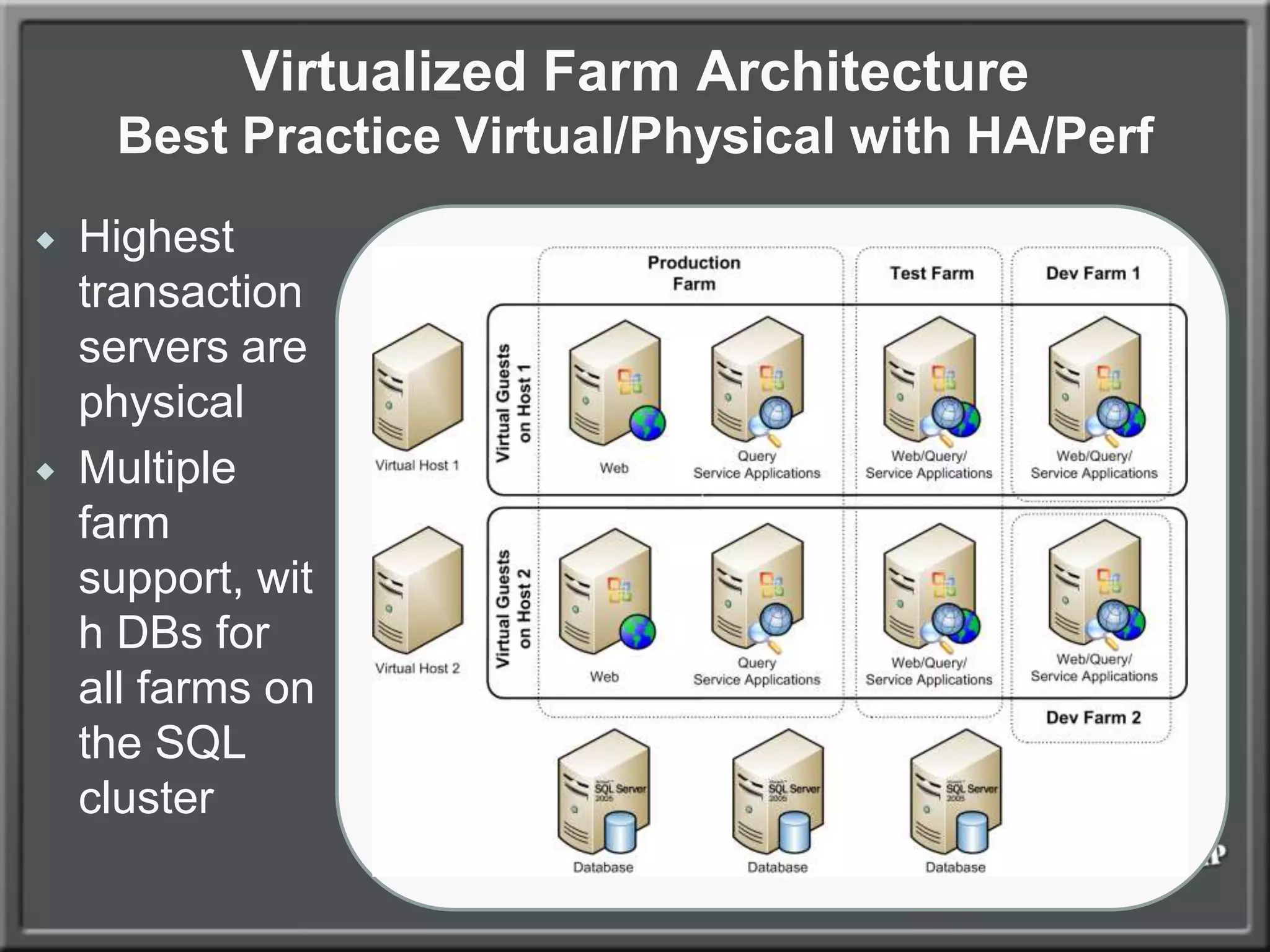
Uses only two Windows Ent Edition LicensesVirtualized Farm ArchitectureBest Practice Virtual/Physical with HA/PerfHighest transaction servers are physical
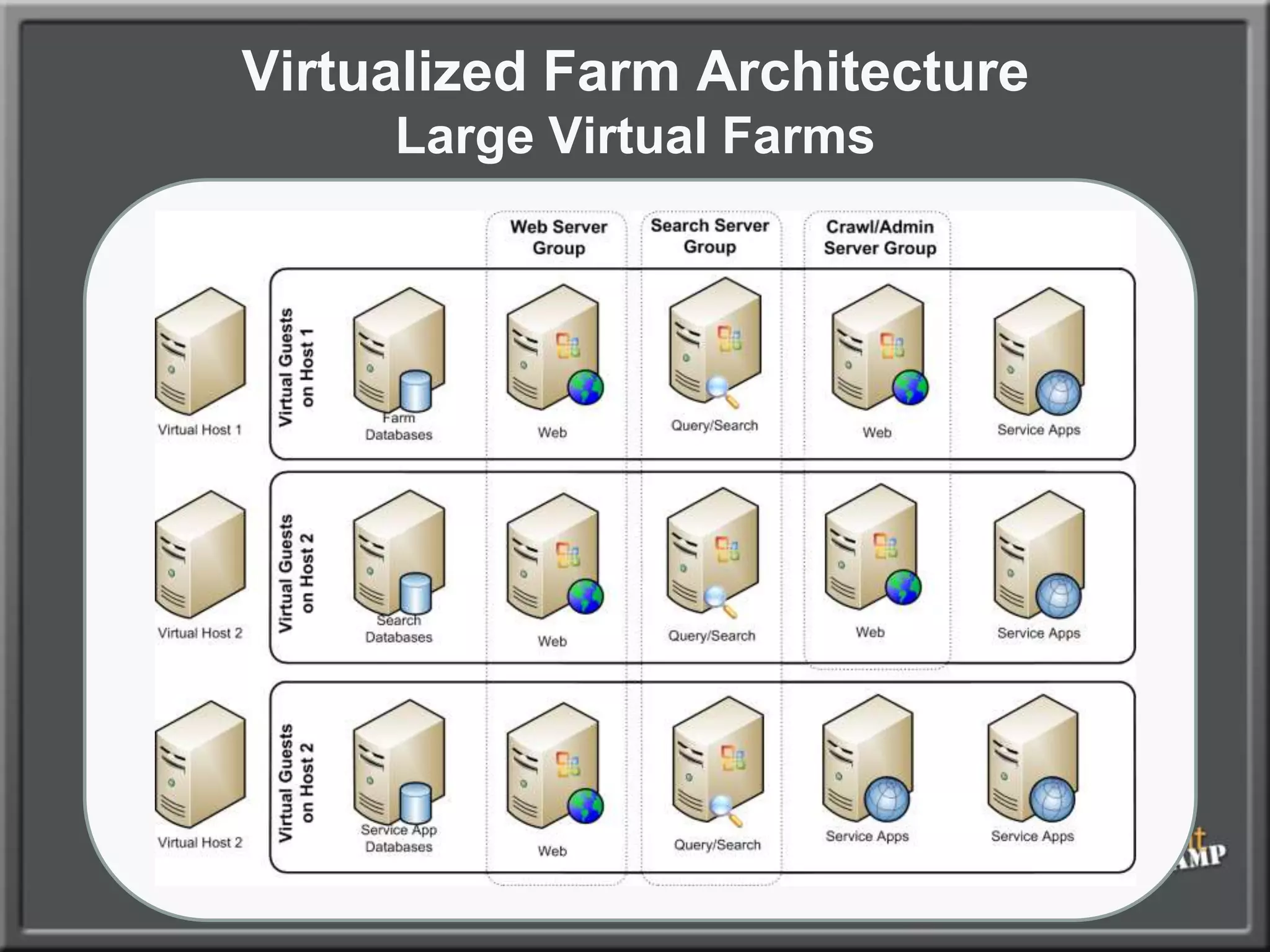
Multiple farm support, with DBs for all farms on the SQL clusterVirtualized Farm ArchitectureLarge Virtual Farms
Content Database and Site Admin Architecture
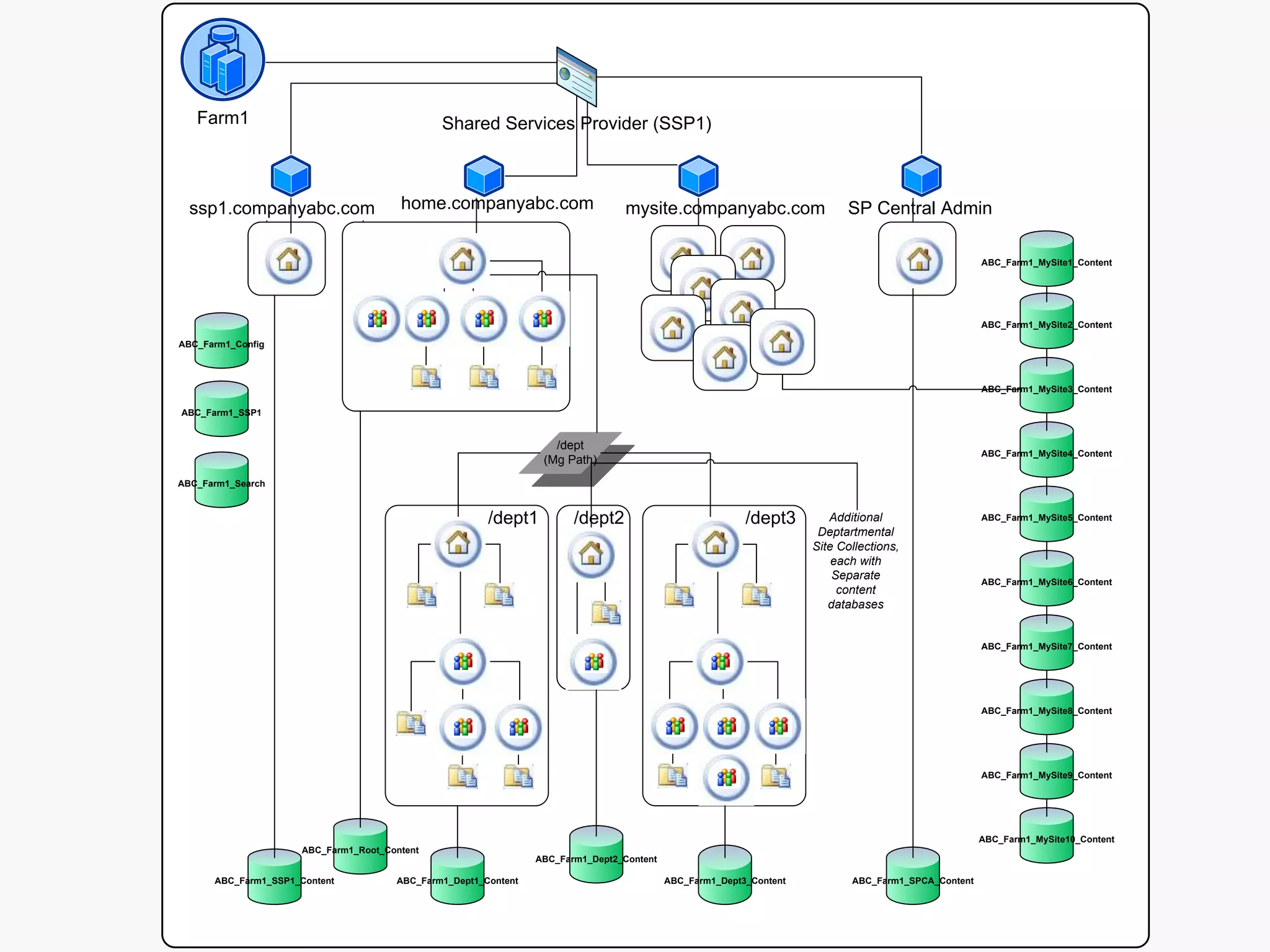
Content Database and Site Collection PlanningStart with a distributed architecture of content databases from the beginning, within reason (more than 50 per SQL instance is not recommended)Distribute content across Site Collections from the beginning as well, it is very difficult to extract content after the faceAllow your environment to scale and your users to ‘grow into’ their SharePoint site collections
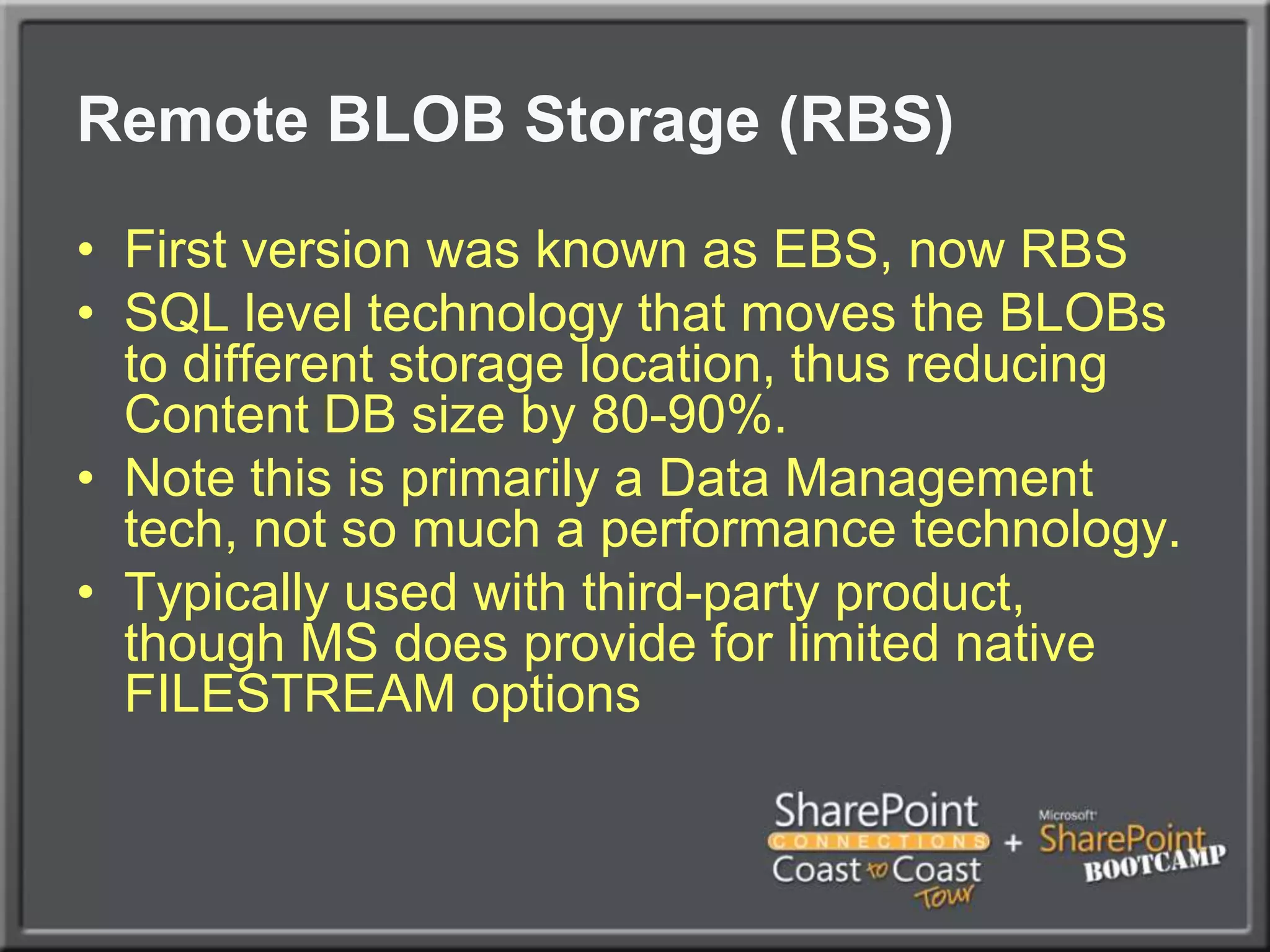
Remote BLOB Storage (RBS)First version was known as EBS, now RBSSQL level technology that moves the BLOBs to different storage location, thus reducing Content DB size by 80-90%.Note this is primarily a Data Management tech, not so much a performance technology.Typically used with third-party product, though MS does provide for limited native FILESTREAM options
SQL Database Optimization
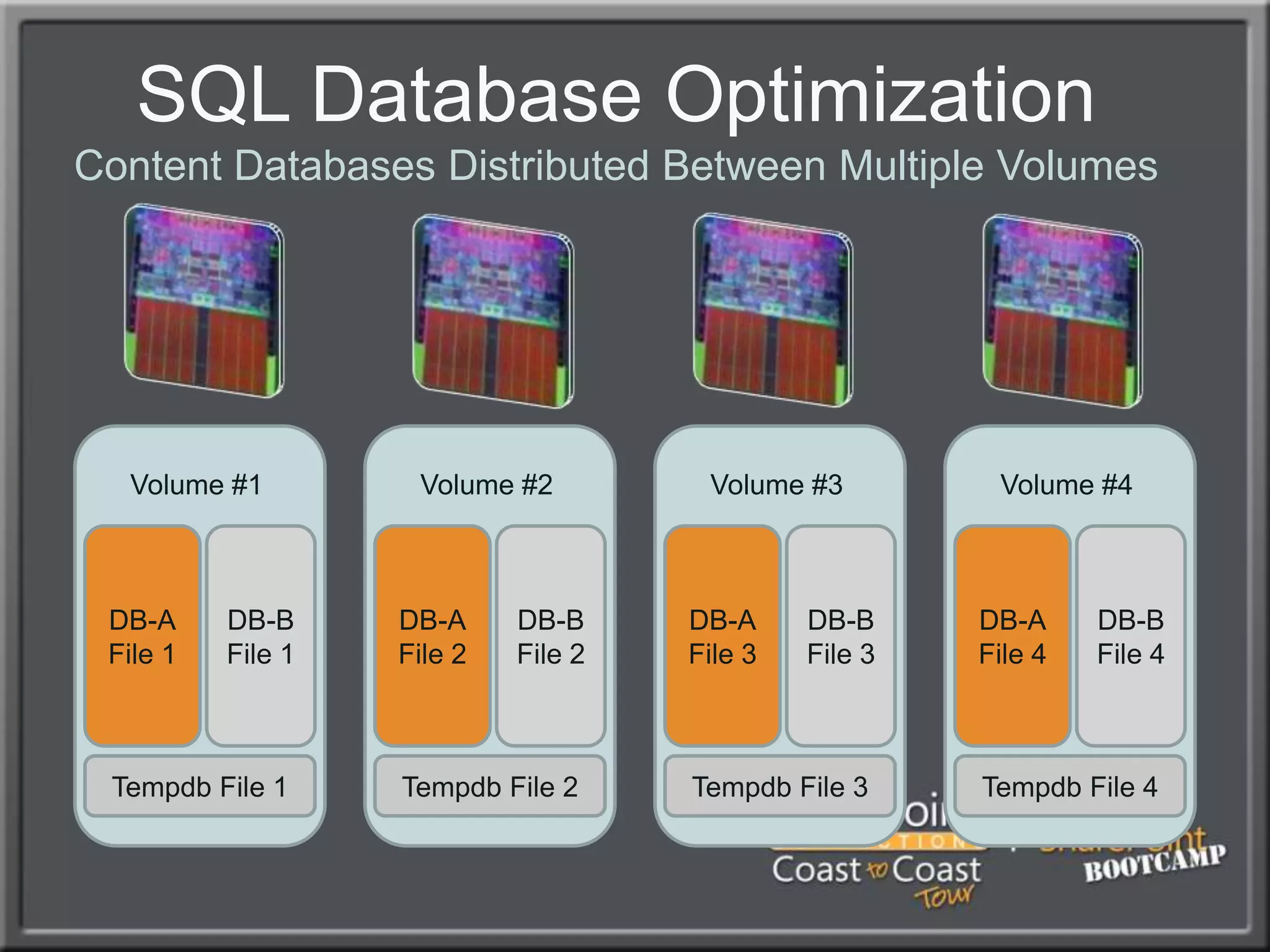
SQL Database OptimizationContent Databases Distributed Between Multiple VolumesVolume #1Volume #2Volume #3Volume #4DB-AFile 1DB-BFile 1DB-AFile 2DB-BFile 2DB-AFile 3DB-BFile 3DB-AFile 4DB-BFile 4Tempdb File 1Tempdb File 2Tempdb File 3Tempdb File 4
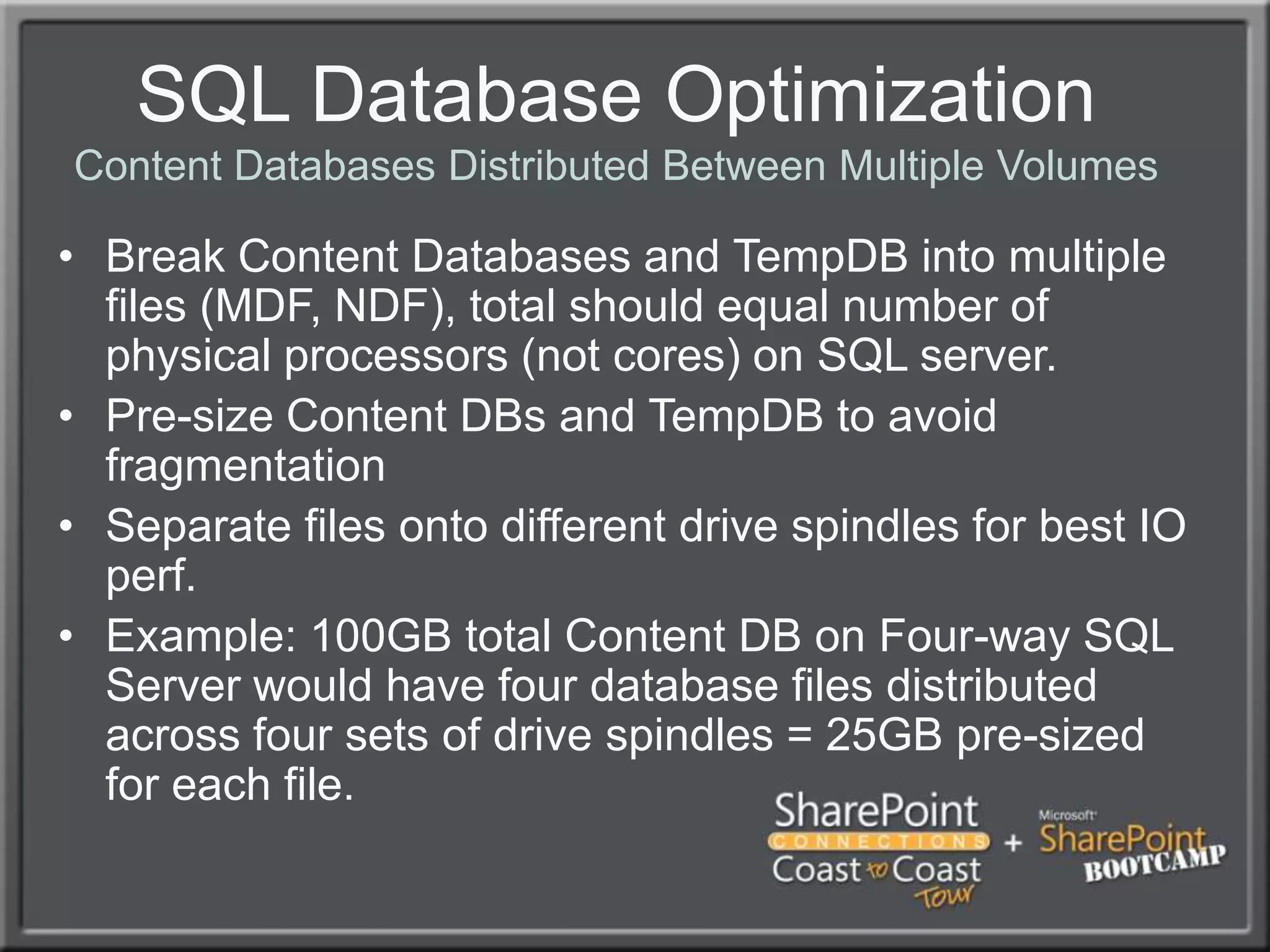
SQL Database OptimizationContent Databases Distributed Between Multiple VolumesBreak Content Databases and TempDB into multiple files (MDF, NDF), total should equal number of physical processors (not cores) on SQL server.Pre-size Content DBs and TempDB to avoid fragmentationSeparate files onto different drive spindles for best IO perf.Example: 100GB total Content DB on Four-way SQL Server would have four database files distributed across four sets of drive spindles = 25GB pre-sized for each file.
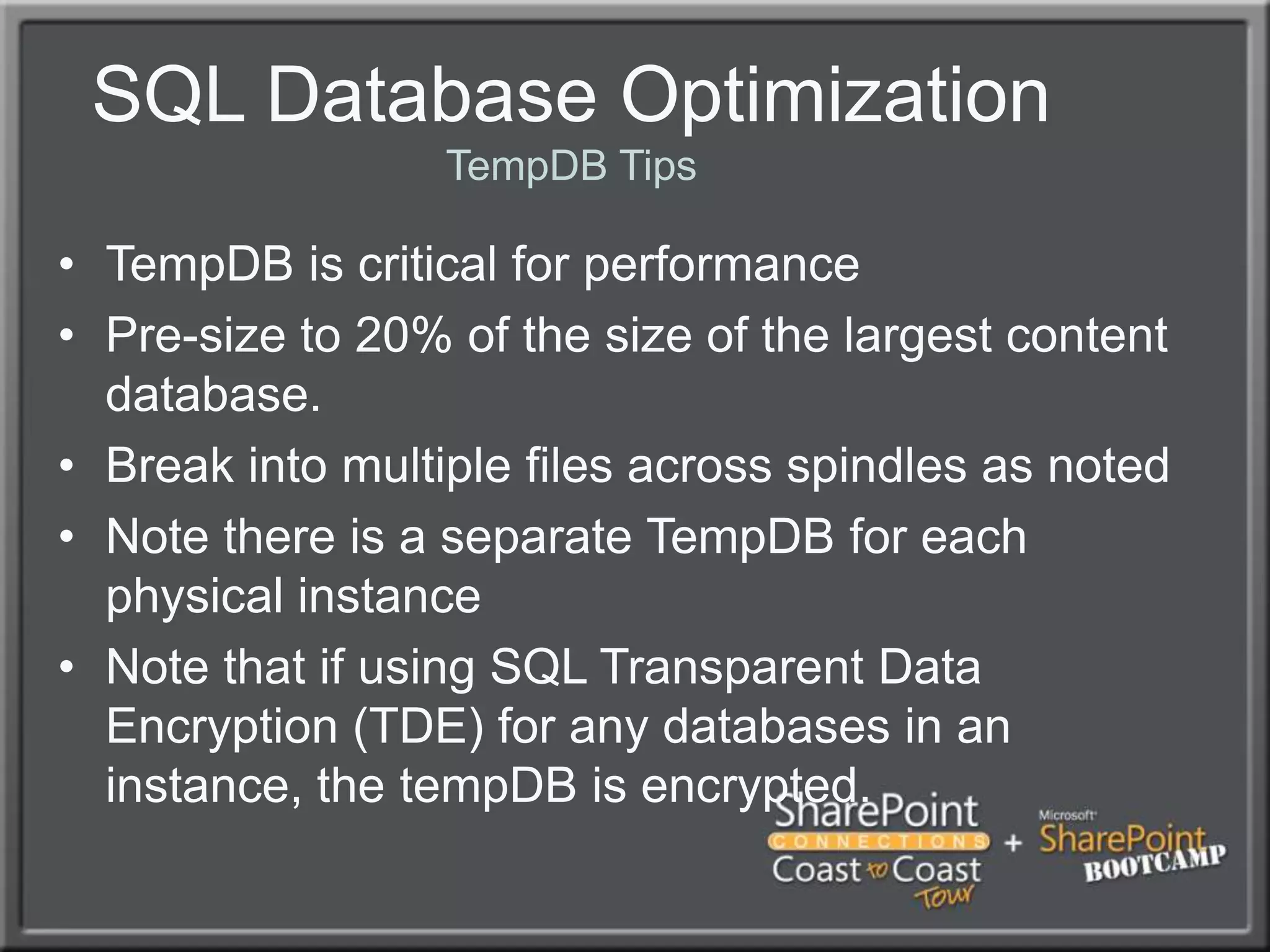
SQL Database OptimizationTempDB TipsTempDB is critical for performancePre-size to 20% of the size of the largest content database.Break into multiple files across spindles as notedNote there is a separate TempDB for each physical instanceNote that if using SQL Transparent Data Encryption (TDE) for any databases in an instance, the tempDB is encrypted.
SQL Database Mirroring
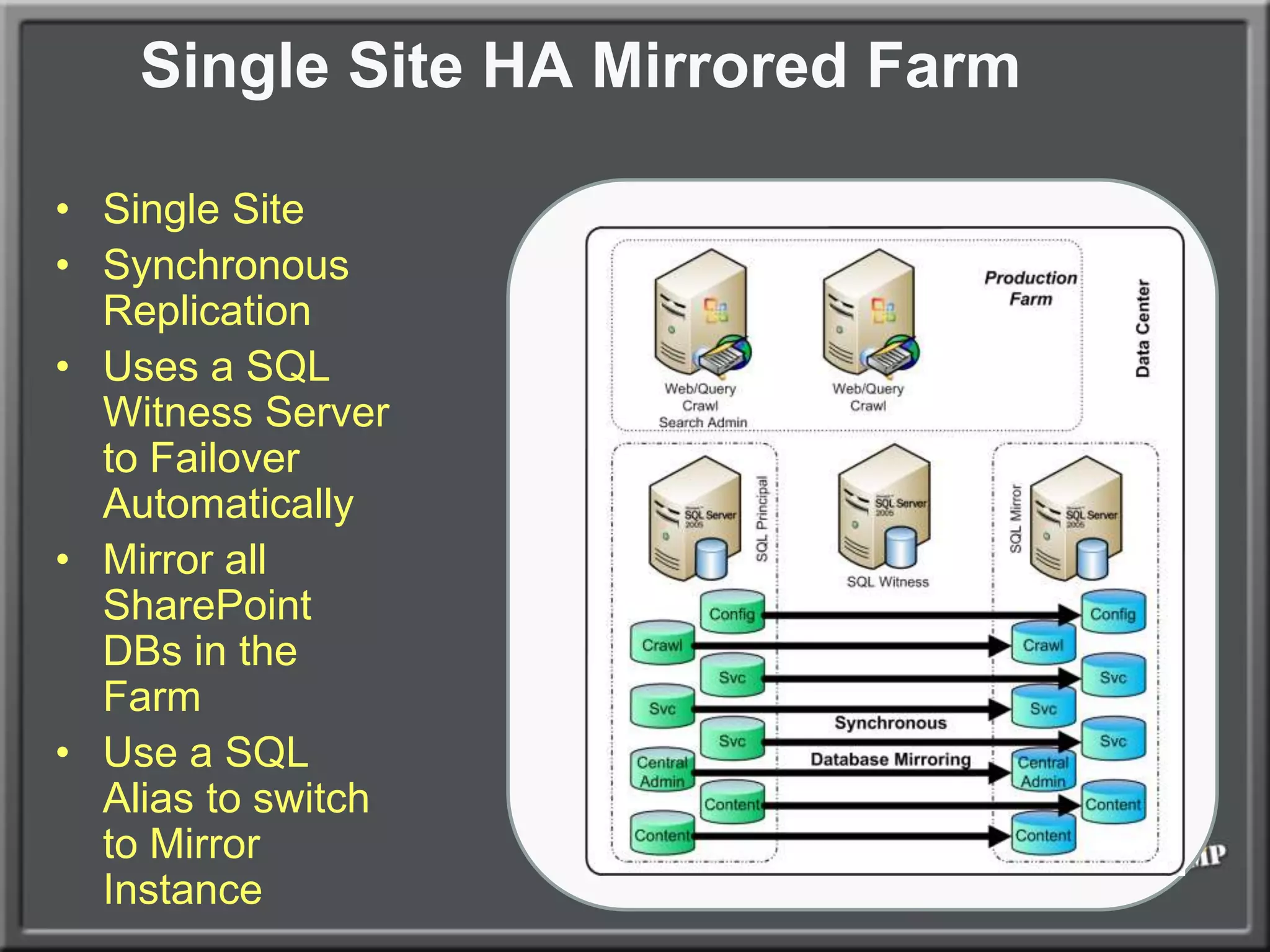
Single Site HA Mirrored FarmSingle SiteSynchronous ReplicationUses a SQL Witness Server to Failover AutomaticallyMirror all SharePoint DBs in the FarmUse a SQL Alias to switch to Mirror Instance
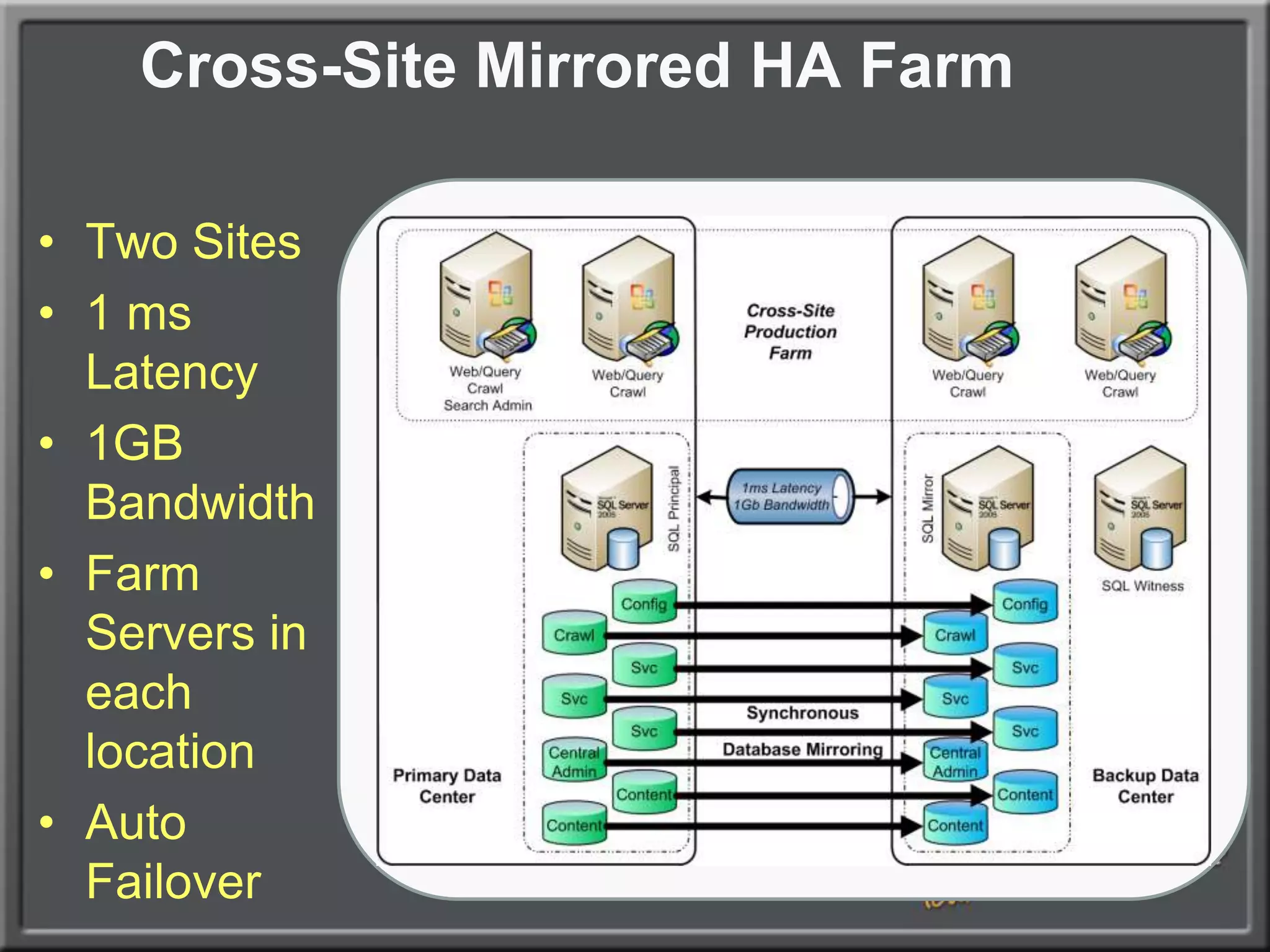
Cross-Site Mirrored HA FarmTwo Sites1 ms Latency1GB BandwidthFarm Servers in each locationAuto Failover
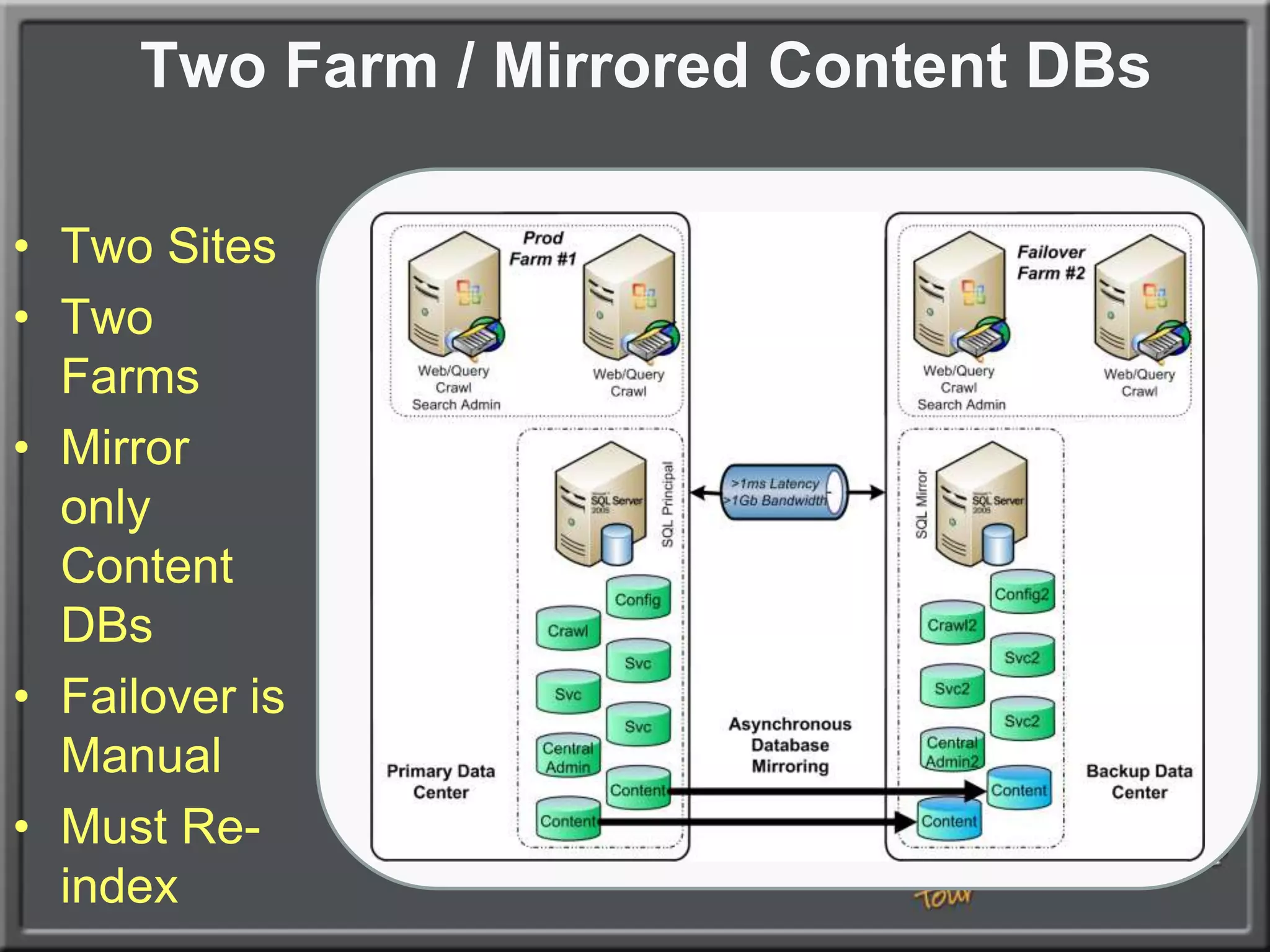
Two Farm / Mirrored Content DBsTwo SitesTwo FarmsMirror only Content DBsFailover is ManualMust Re-index
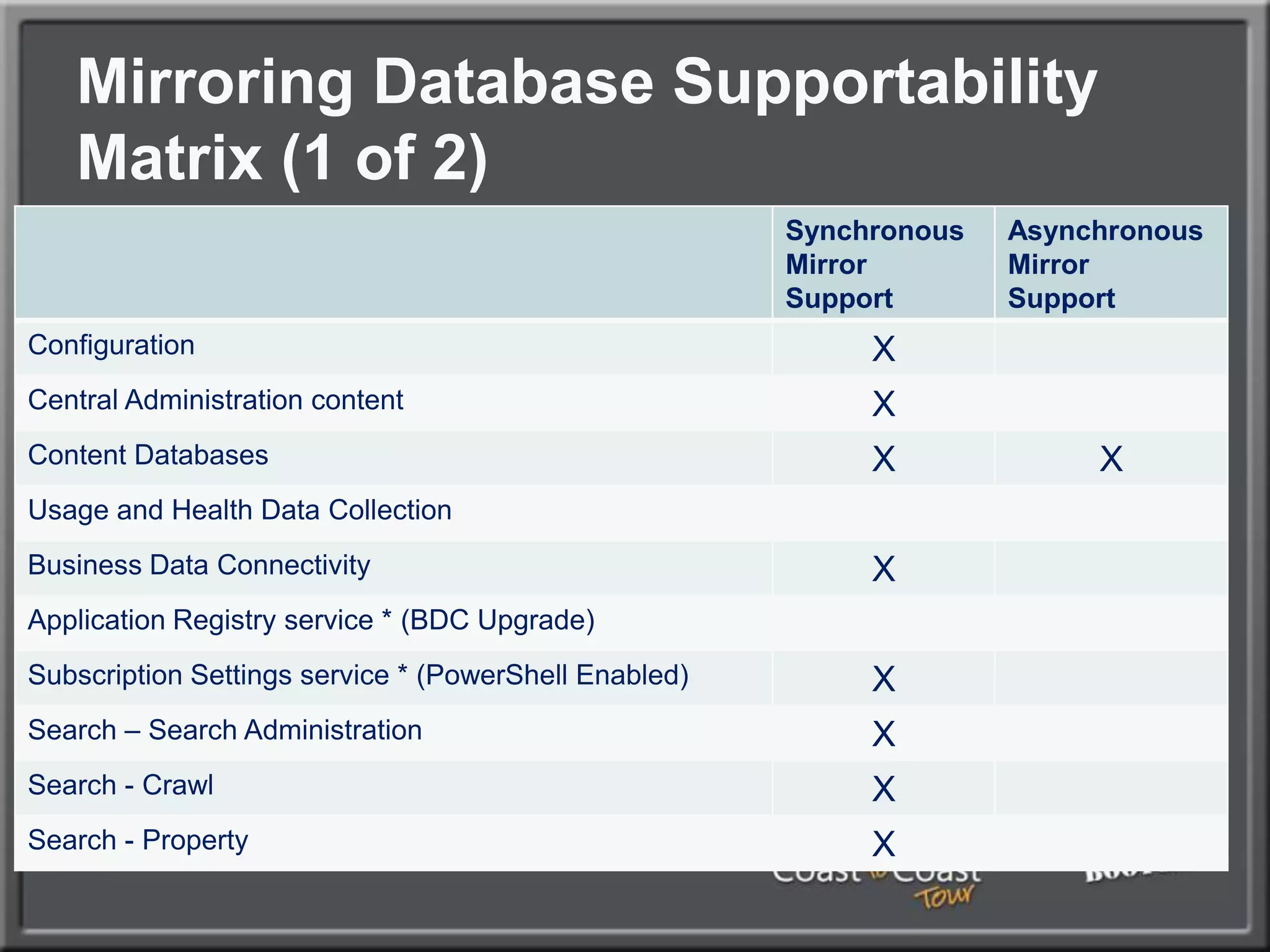
Mirroring Database Supportability Matrix (1 of 2)
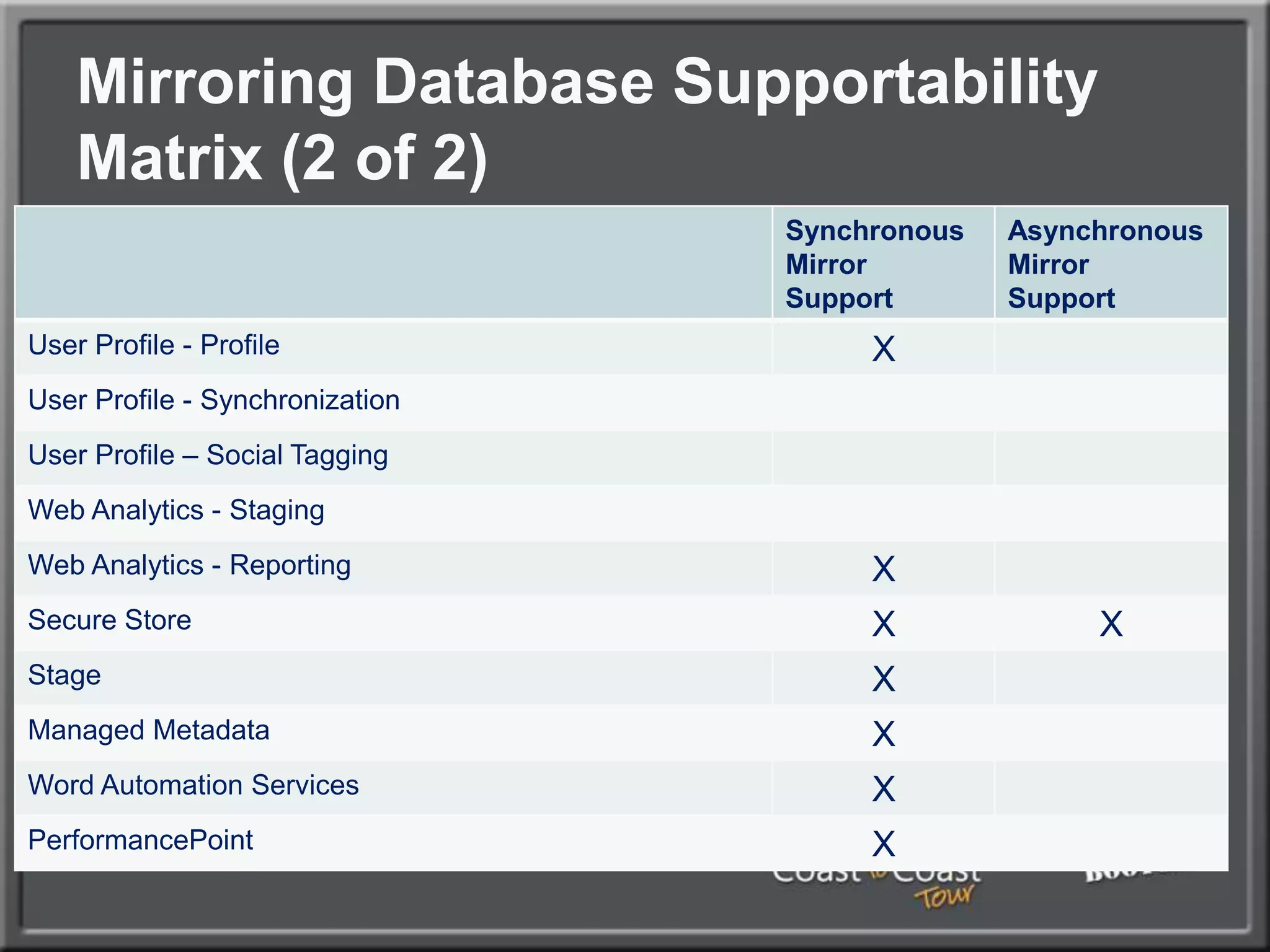
Mirroring Database Supportability Matrix (2 of 2)
Hardware/Software
Hardware Planning ConsiderationsDisk, Memory, and ProcessorSQL Database role requires a great deal of space, especially if versioning is turned on in Document Libraries.  Don’t underestimate!Servers running the Search Service Application Index or Query need hard drive space to store  the Index  files, which can be 5%-30% of the size of the items being indexed.The more memory and processor cores that can be given to SharePoint the better, in the following priority:Database RoleSearch Service Application RoleOther Service Application RolesWeb Role
Operating System Best practicesVersionsHighly recommended: Windows Server 2008 R2 (with SP1) for security, performance (client/server traffic improvements), and ease of setup.Windows Server 2008 RTM is also possible, but requires some custom configuration (Kerberos, etc.)Enterprise Edition of Windows only required for very large SQL instances (More than two cluster nodes, high transaction volume, etc.)  Standard edition of Windows is adequate in nearly all other cases.
Operating System Best practicesSQL ServerSQL Server 2008 R2 Recommended, particularly if you have high security requirements, as it allows for transparent encryption of databases and PowerPivot (R2 only)SQL Server 2005 x64 also supportedEnterprise edition of SQL only required for more than two nodes in a cluster, Asynchronous database mirror replication, TDE, RBS with non-local BLOB storage, or other advanced scenariosSeparate Reporting Services server may be required for intensive reportingSeparate Analysis Services server may be required for PowerPivotCreate exception in Windows Firewall policy for port 1433
SharePoint Installation
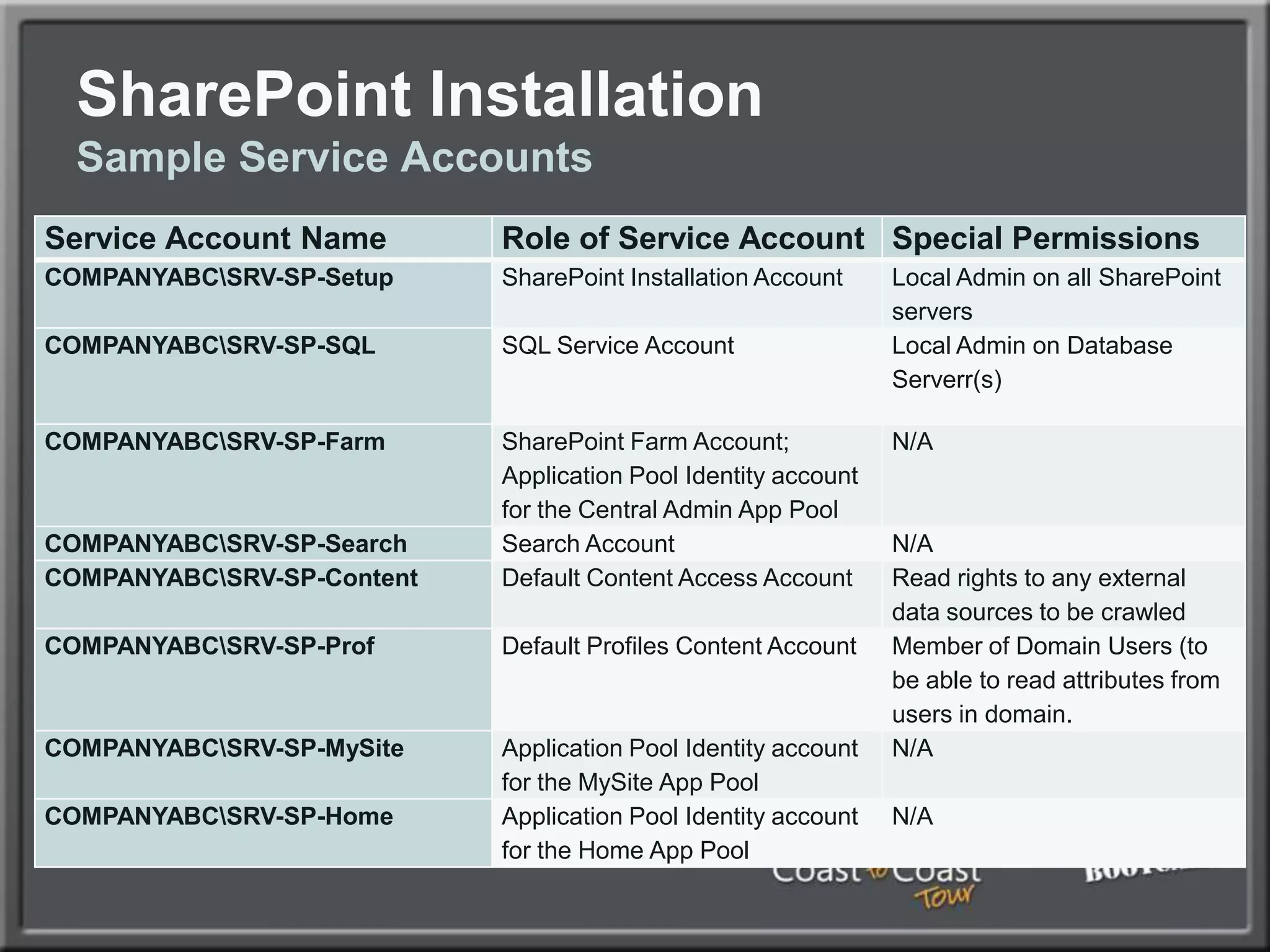
SharePoint InstallationSample Service Accounts
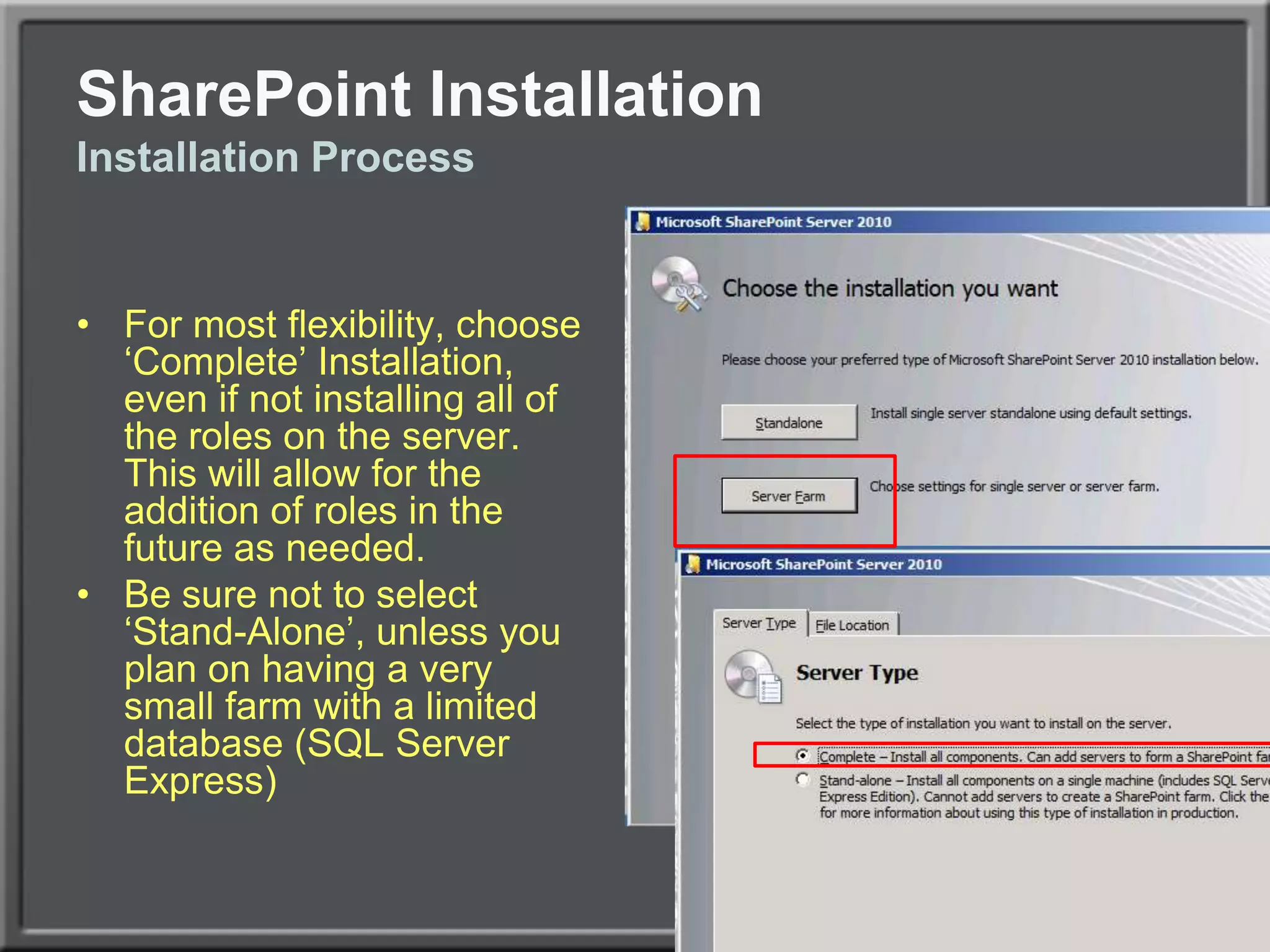
SharePoint InstallationInstallation ProcessFor most flexibility, choose ‘Complete’ Installation, even if not installing all of the roles on the server.  This will allow for the addition of roles in the future as needed.Be sure not to select ‘Stand-Alone’, unless you plan on having a very small farm with a limited database (SQL Server Express)
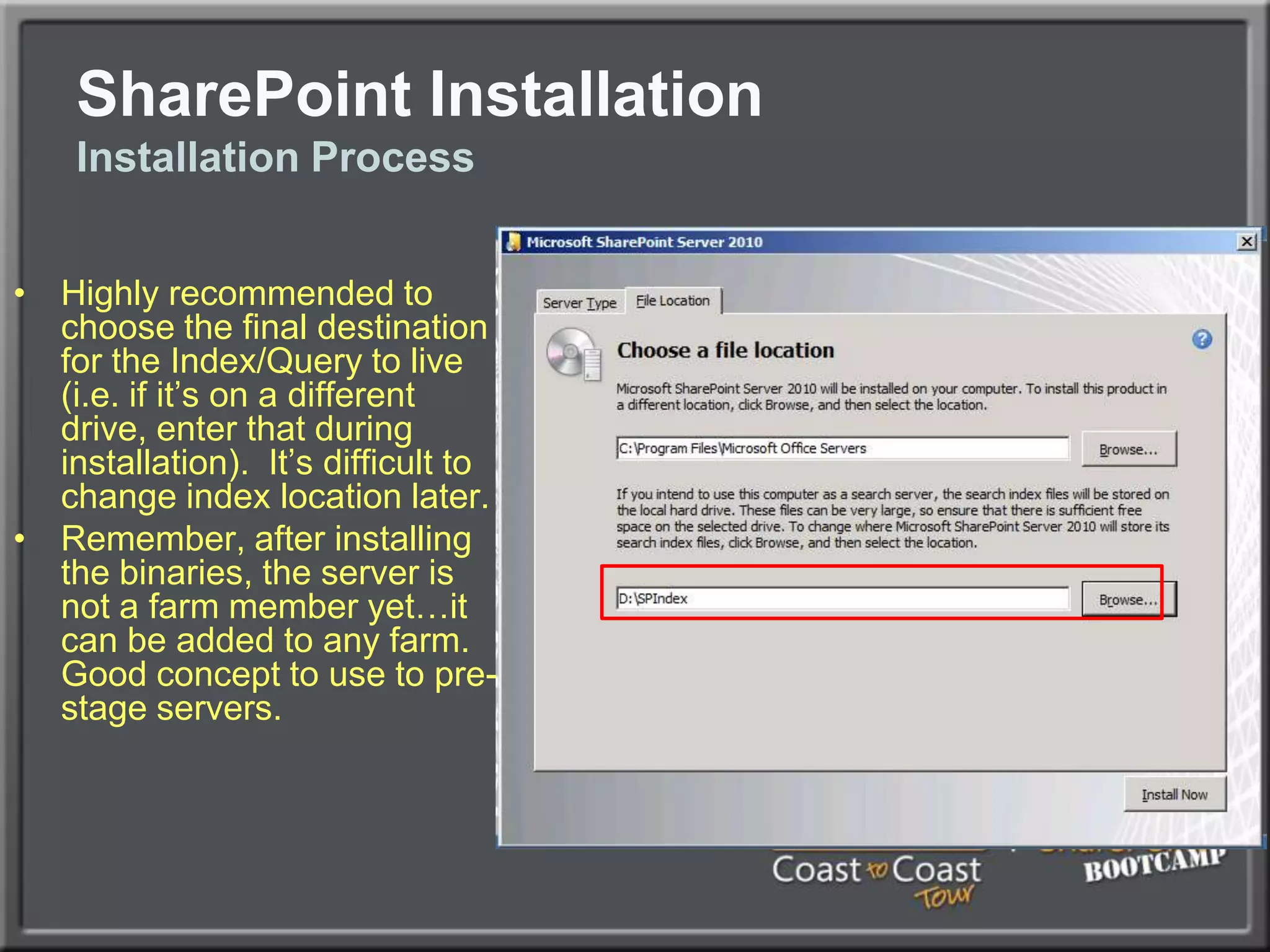
SharePoint InstallationInstallation ProcessHighly recommended to choose the final destination for the Index/Query to live (i.e. if it’s on a different drive, enter that during installation).  It’s difficult to change index location later.Remember, after installing the binaries, the server is not a farm member yet…it can be added to any farm.  Good concept to use to pre-stage servers.
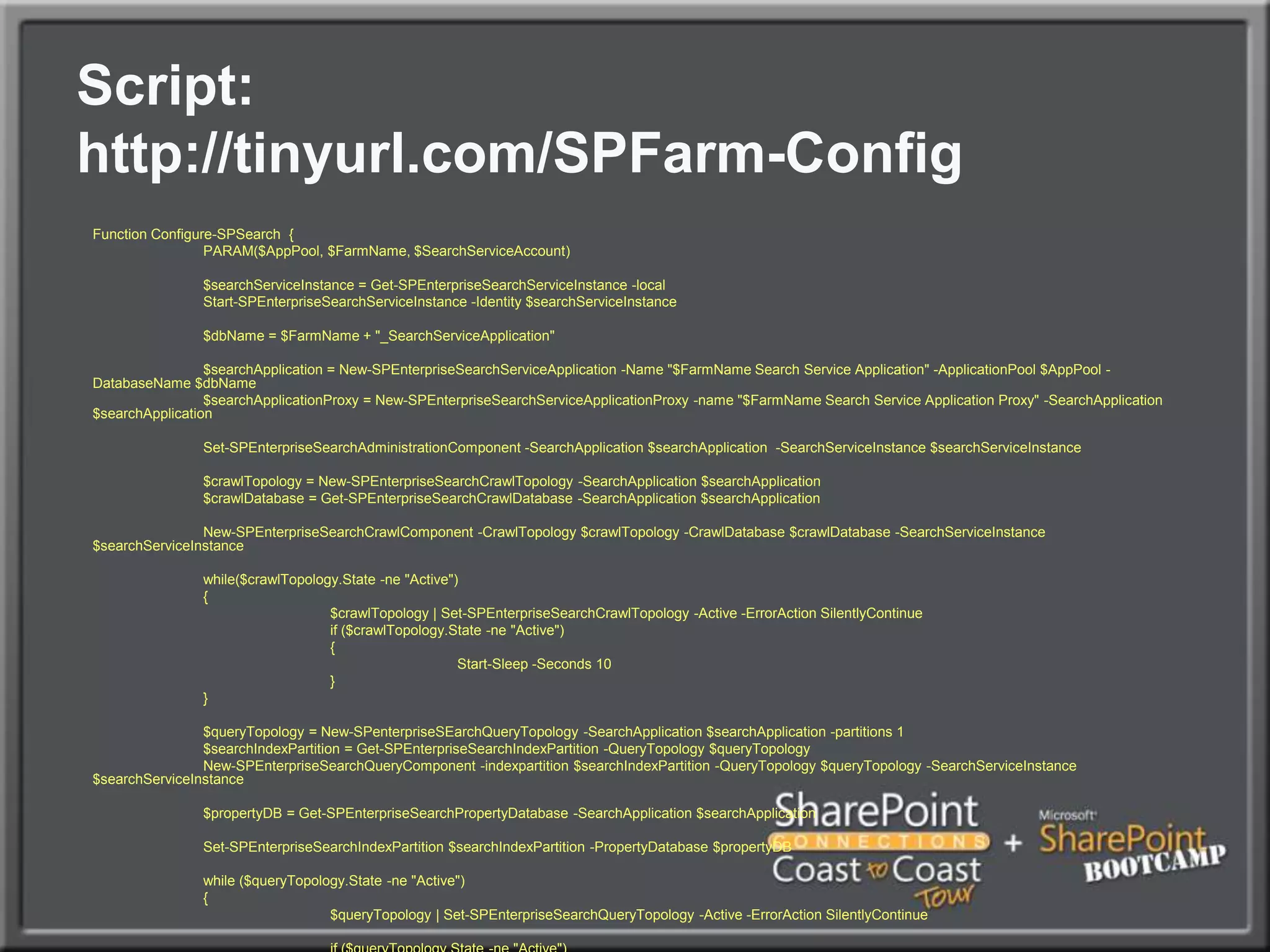
SharePoint InstallationCommand-line Installation of SharePointGood to understand how to install SharePoint from the command-line, especially if setting up multiple servers.Allows for options not available in the GUI, such as the option to rename databases to something easier to understand.User PowerShell
Script: http://tinyurl.com/SPFarm-ConfigFunction Configure-SPSearch  {	PARAM($AppPool, $FarmName, $SearchServiceAccount)	$searchServiceInstance = Get-SPEnterpriseSearchServiceInstance -local	Start-SPEnterpriseSearchServiceInstance -Identity $searchServiceInstance	$dbName = $FarmName + "_SearchServiceApplication"	$searchApplication = New-SPEnterpriseSearchServiceApplication -Name "$FarmName Search Service Application" -ApplicationPool $AppPool -DatabaseName $dbName	$searchApplicationProxy = New-SPEnterpriseSearchServiceApplicationProxy -name "$FarmName Search Service Application Proxy" -SearchApplication $searchApplication	Set-SPEnterpriseSearchAdministrationComponent -SearchApplication $searchApplication  -SearchServiceInstance $searchServiceInstance	$crawlTopology = New-SPEnterpriseSearchCrawlTopology -SearchApplication $searchApplication	$crawlDatabase = Get-SPEnterpriseSearchCrawlDatabase -SearchApplication $searchApplication	New-SPEnterpriseSearchCrawlComponent -CrawlTopology $crawlTopology -CrawlDatabase $crawlDatabase -SearchServiceInstance $searchServiceInstance	while($crawlTopology.State -ne "Active")	{		$crawlTopology | Set-SPEnterpriseSearchCrawlTopology -Active -ErrorActionSilentlyContinue		if ($crawlTopology.State -ne "Active")		{			Start-Sleep -Seconds 10		}	}	$queryTopology = New-SPenterpriseSEarchQueryTopology -SearchApplication $searchApplication -partitions 1	$searchIndexPartition = Get-SPEnterpriseSearchIndexPartition -QueryTopology $queryTopology	New-SPEnterpriseSearchQueryComponent -indexpartition $searchIndexPartition -QueryTopology $queryTopology -SearchServiceInstance $searchServiceInstance	$propertyDB = Get-SPEnterpriseSearchPropertyDatabase -SearchApplication $searchApplication	Set-SPEnterpriseSearchIndexPartition $searchIndexPartition -PropertyDatabase $propertyDB	while ($queryTopology.State -ne "Active")	{		$queryTopology | Set-SPEnterpriseSearchQueryTopology -Active -ErrorActionSilentlyContinue		if ($queryTopology.State -ne "Active")		{			Start-Sleep -Seconds 10		}	}}
SharePoint InstallationSome Manual Service Apps Still RequiredDue to bugs in SharePoint, certain Service Apps will need to be manually configured, they won’t work in PowerShell yet, hopefully fixed in later versionsThis includes the following:PerformancePoint Service ApplicationUser Profile Service ApplicationWeb Analytics Service Application
Configuring the Farm
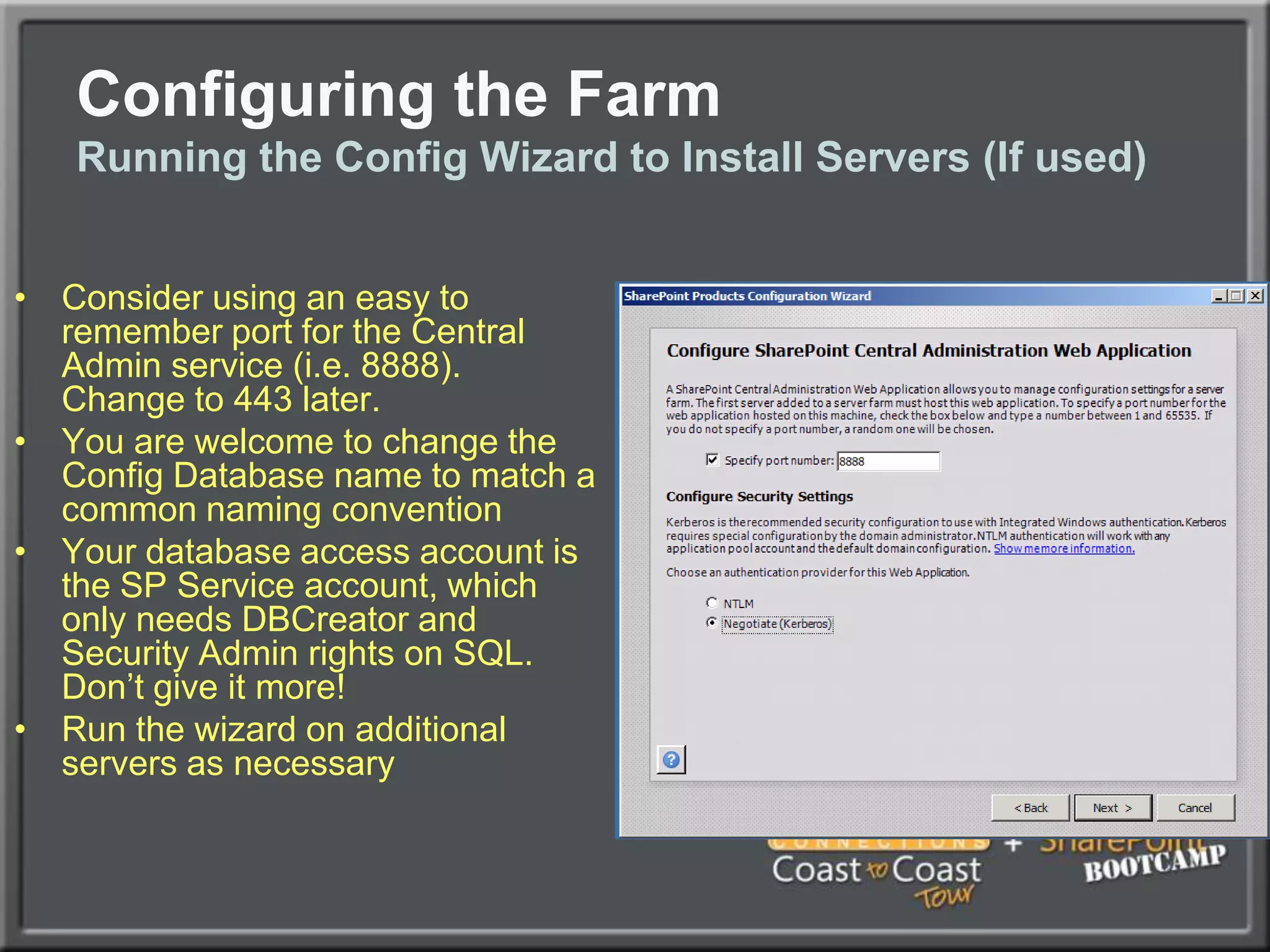
Configuring the FarmRunning the Config Wizard to Install Servers (If used)Consider using an easy to remember port for the Central Admin service (i.e. 8888).  Change to 443 later.You are welcome to change the Config Database name to match a common naming conventionYour database access account is the SP Service account, which only needs DBCreator and Security Admin rights on SQL.  Don’t give it more!Run the wizard on additional servers as necessary
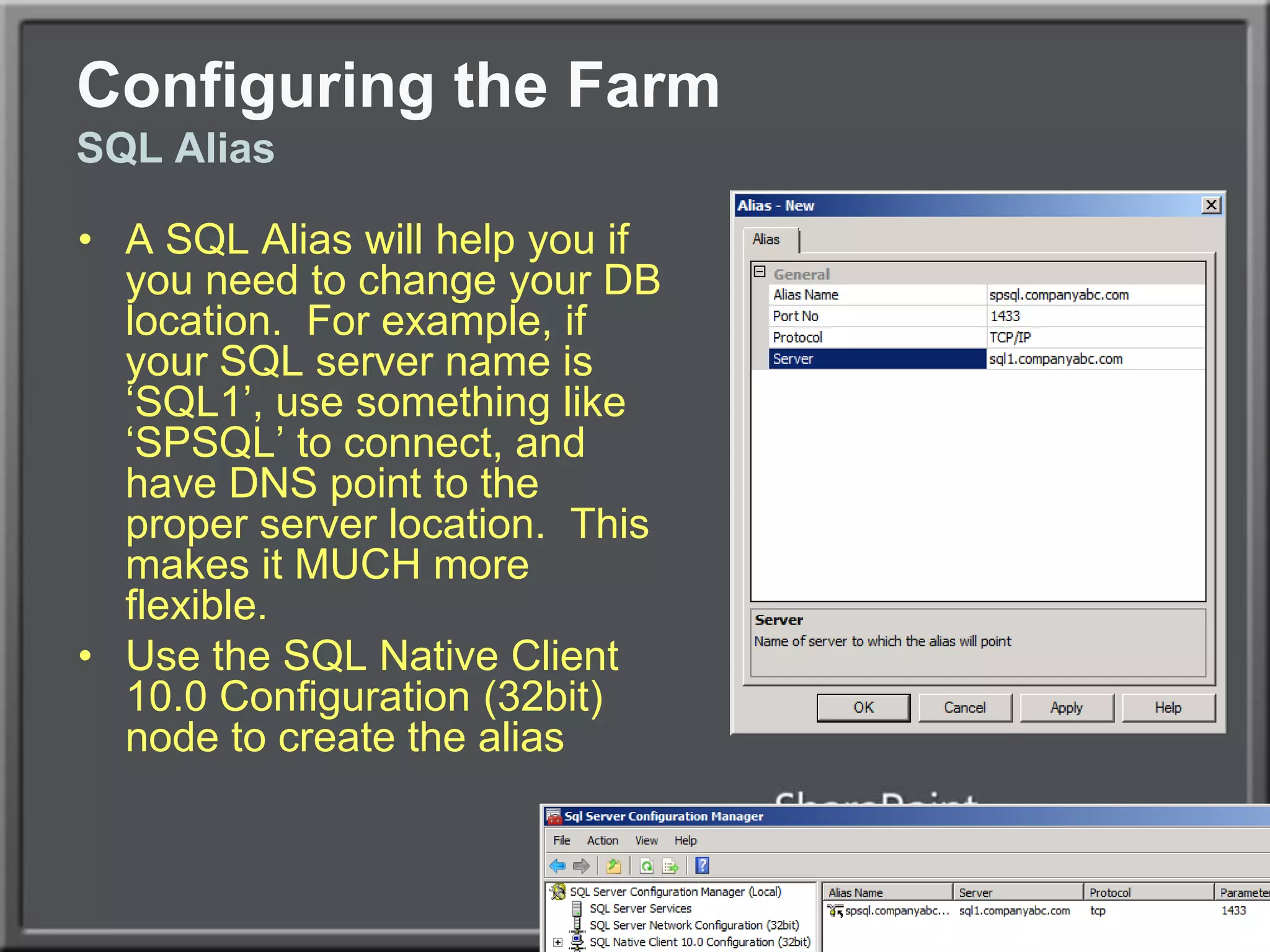
Configuring the FarmSQL AliasA SQL Alias will help you if you need to change your DB location.  For example, if your SQL server name is ‘SQL1’, use something like ‘SPSQL’ to connect, and have DNS point to the proper server location.  This makes it MUCH more flexible.Use the SQL Native Client 10.0 Configuration (32bit) node to create the alias
Install SQL Client Tools, including the Backwards Compatibility Client Tools.  Launch the SQL Server Configuration Manager and create three SQL aliases using the 32bit Alias section:spdbcontent.companyabc.com spdbsearch.companyabc.comspdbservices.companyabc.comPoint all to the SQL server name, port 1433.Launch the SQL Server Client Network Utility (\System32\cliconfg.exe) and create the same 3 aliases as above using TCP/IP and port 1433.  Make sure to map the alias to the SQL netbios name (or cluster netbios name) as aboveConfiguring the FarmSQL Alias
Configuring the FarmNetwork Load BalancingHardware Based Load Balancing (F5, Cisco, Citrix NetScaler – Best performance and scalabilitySoftware Windows Network Load Balancing fully supportedIf using Unicast, use two NICs on the server, one for communications between nodes.If using Multicast, be sure to configure routers appropriatelySet Affinity to Single (Sticky Sessions)If using VMware, note fix to NLB RARP issue (http://tinyurl.com/vmwarenlbfix)
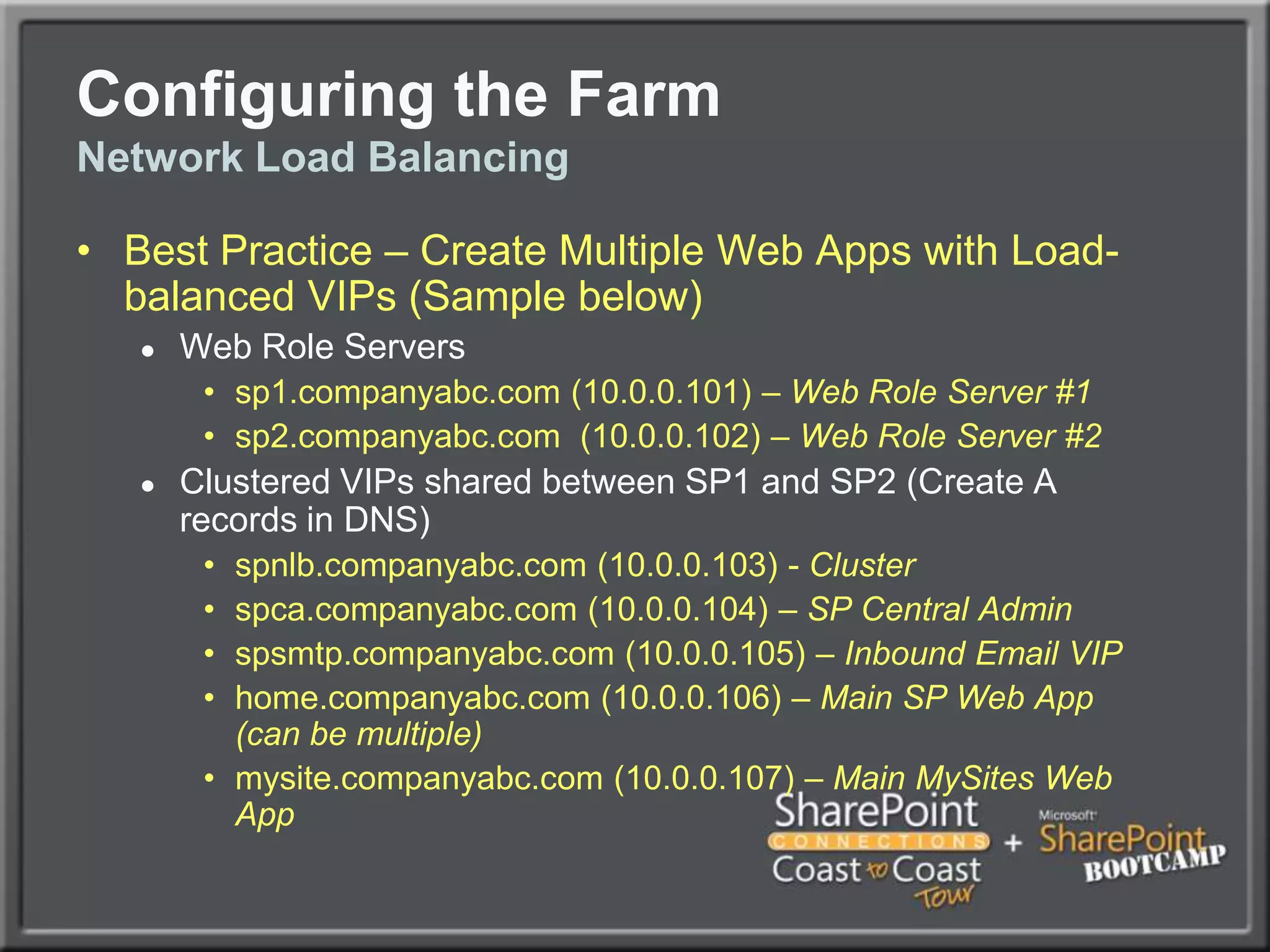
Configuring the FarmNetwork Load BalancingBest Practice – Create Multiple Web Apps with Load-balanced VIPs (Sample below)Web Role Serverssp1.companyabc.com (10.0.0.101) – Web Role Server #1sp2.companyabc.com  (10.0.0.102) – Web Role Server #2Clustered VIPs shared between SP1 and SP2 (Create A records in DNS)spnlb.companyabc.com (10.0.0.103) - Clusterspca.companyabc.com (10.0.0.104) – SP Central Adminspsmtp.companyabc.com (10.0.0.105) – Inbound Email VIPhome.companyabc.com (10.0.0.106) – Main SP Web App (can be multiple)mysite.companyabc.com (10.0.0.107) – Main MySites Web App
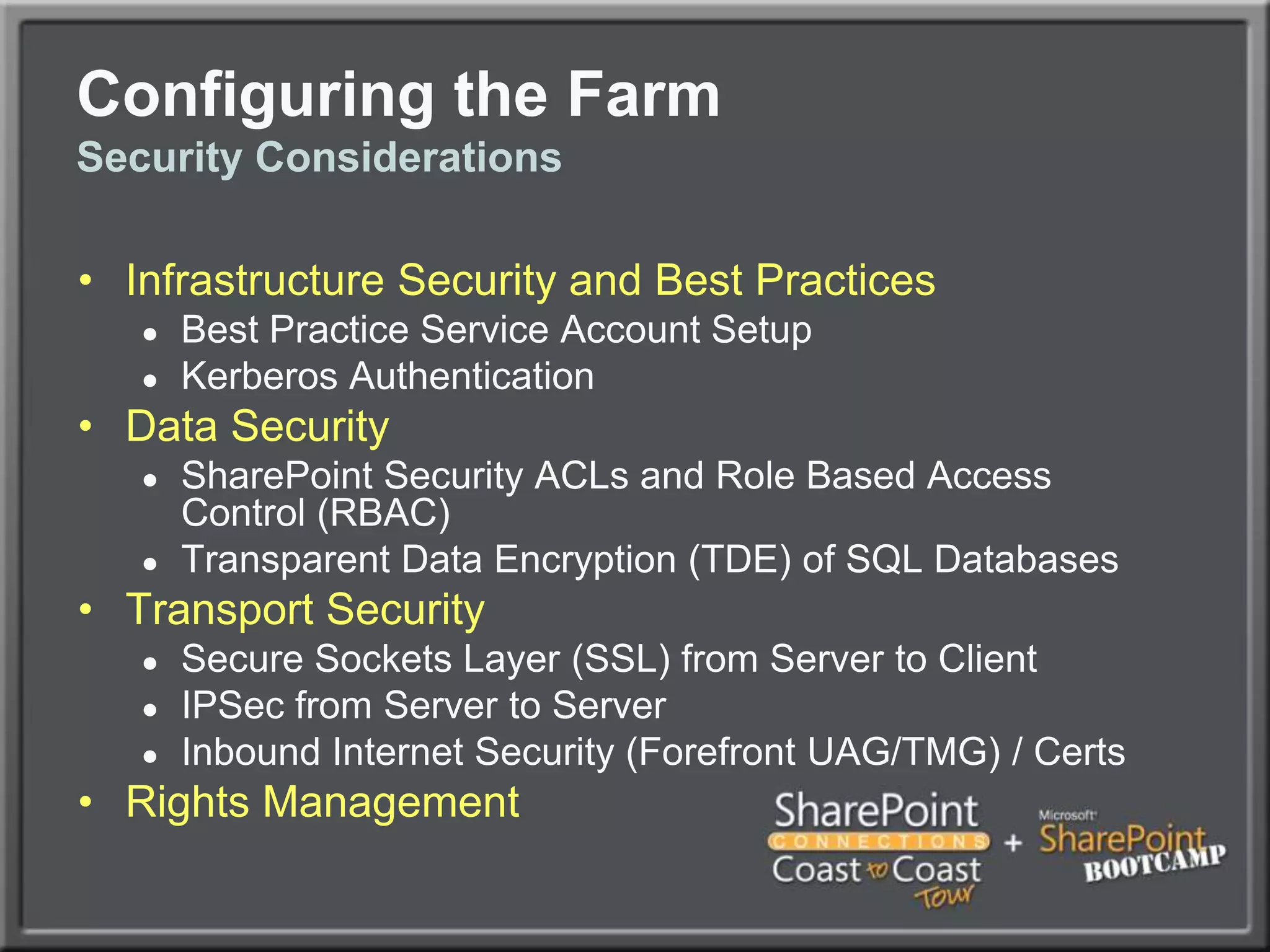
Configuring the FarmSecurity ConsiderationsInfrastructure Security and Best PracticesBest Practice Service Account SetupKerberos AuthenticationData SecuritySharePoint Security ACLs and Role Based Access Control (RBAC)Transparent Data Encryption (TDE) of SQL DatabasesTransport SecuritySecure Sockets Layer (SSL) from Server to ClientIPSec from Server to ServerInbound Internet Security (Forefront UAG/TMG) / CertsRights Management
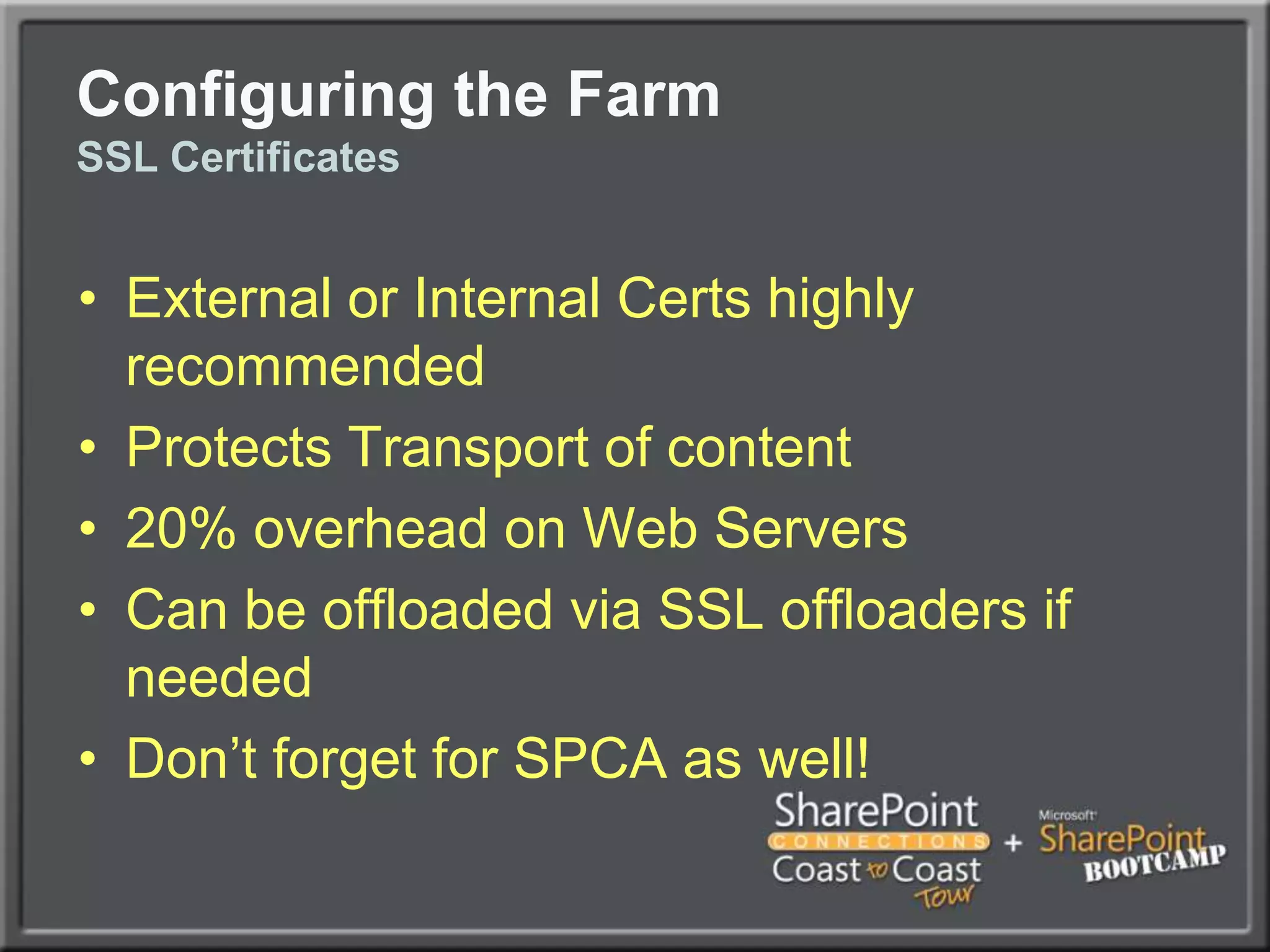
Configuring the FarmSSL CertificatesExternal or Internal Certs highly recommendedProtects Transport of content20% overhead on Web ServersCan be offloaded via SSL offloaders if neededDon’t forget for SPCA as well!
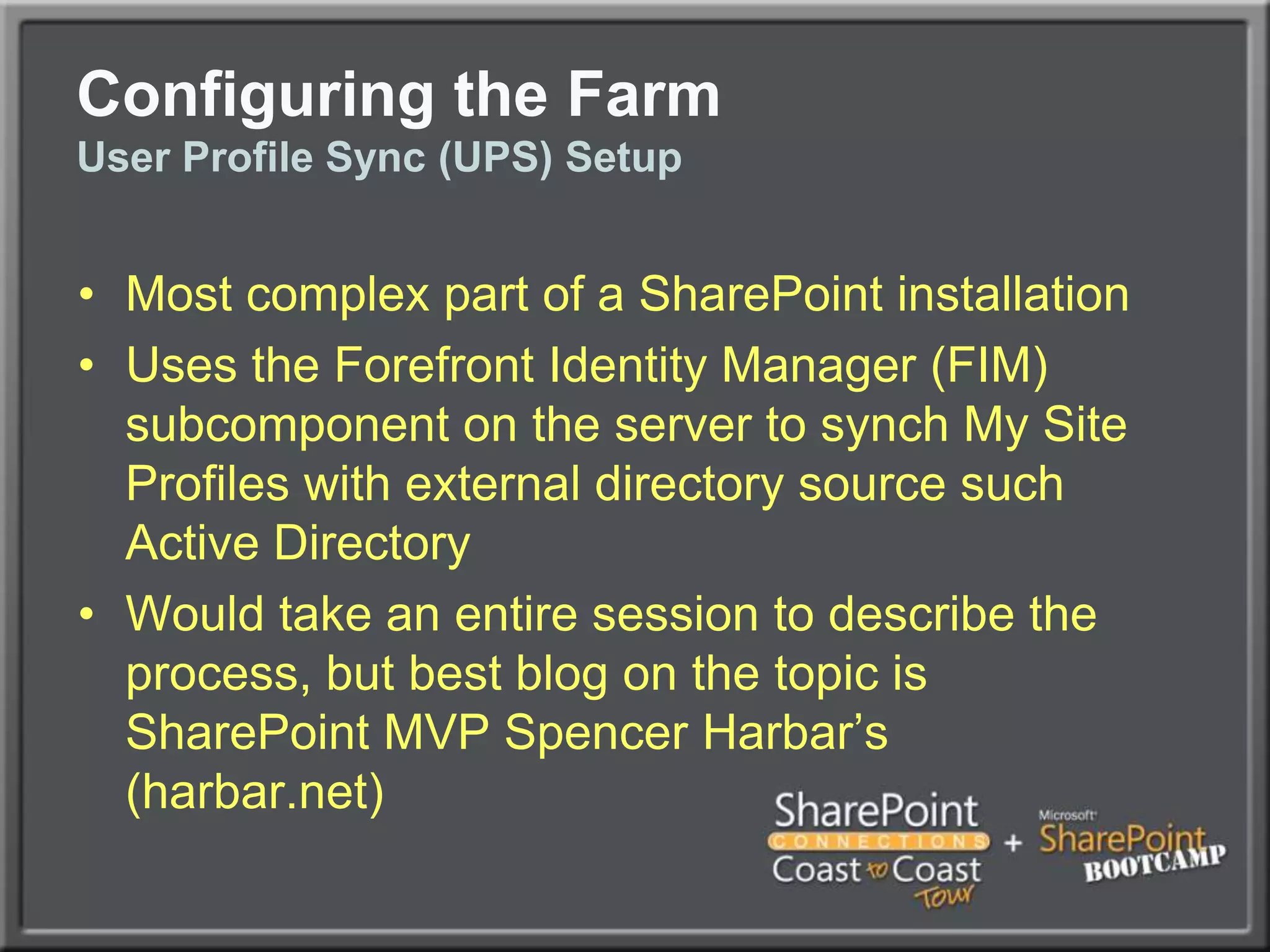
Configuring the FarmUser Profile Sync (UPS) SetupMost complex part of a SharePoint installationUses the Forefront Identity Manager (FIM) subcomponent on the server to synch My Site Profiles with external directory source such Active DirectoryWould take an entire session to describe the process, but best blog on the topic is SharePoint MVP Spencer Harbar’s (harbar.net)
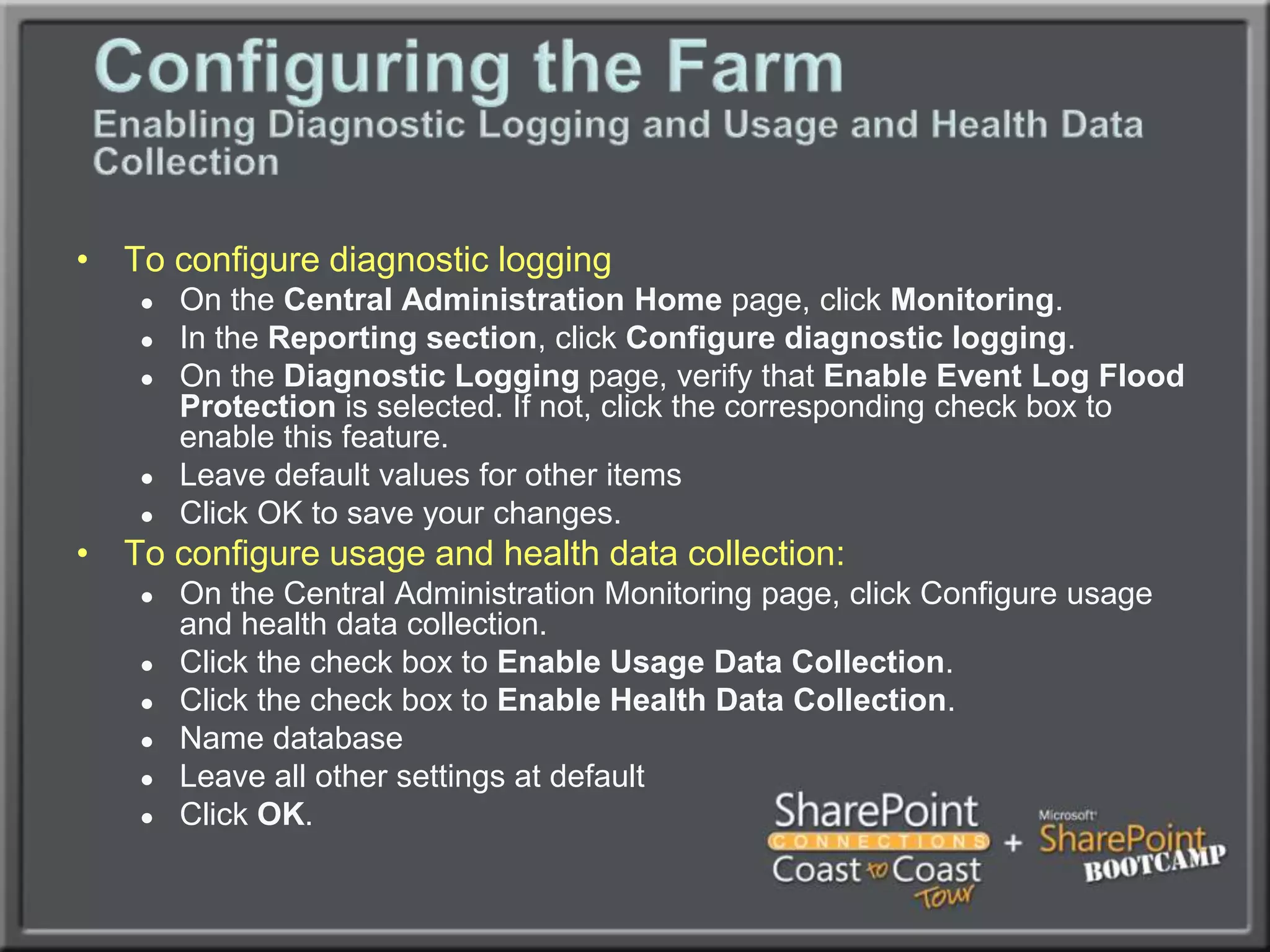
Configuring the FarmEnabling Diagnostic Logging and Usage and Health Data CollectionTo configure diagnostic loggingOn the Central Administration Home page, click Monitoring.In the Reporting section, click Configure diagnostic logging.On the Diagnostic Logging page, verify that Enable Event Log Flood Protection is selected. If not, click the corresponding check box to enable this feature.Leave default values for other itemsClick OK to save your changes.To configure usage and health data collection:On the Central Administration Monitoring page, click Configure usage and health data collection.Click the check box to Enable Usage Data Collection.Click the check box to Enable Health Data Collection.Name database Leave all other settings at defaultClick OK.
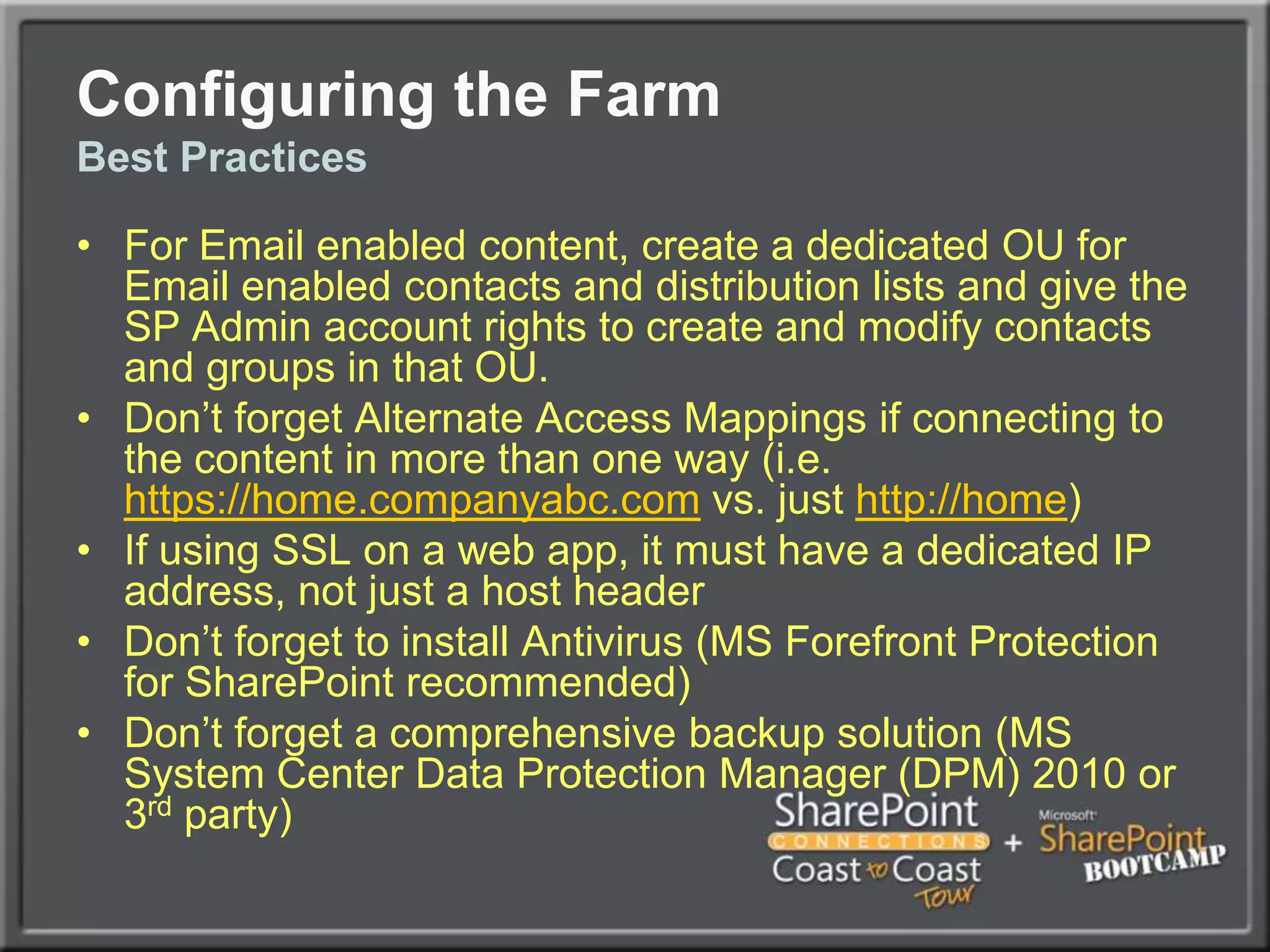
Configuring the FarmBest PracticesFor Email enabled content, create a dedicated OU for Email enabled contacts and distribution lists and give the SP Admin account rights to create and modify contacts and groups in that OU.Don’t forget Alternate Access Mappings if connecting to the content in more than one way (i.e. https://home.companyabc.com vs. just http://home)If using SSL on a web app, it must have a dedicated IP address, not just a host headerDon’t forget to install Antivirus (MS Forefront Protection for SharePoint recommended)Don’t forget a comprehensive backup solution (MS System Center Data Protection Manager (DPM) 2010 or 3rd party)
Kerberos
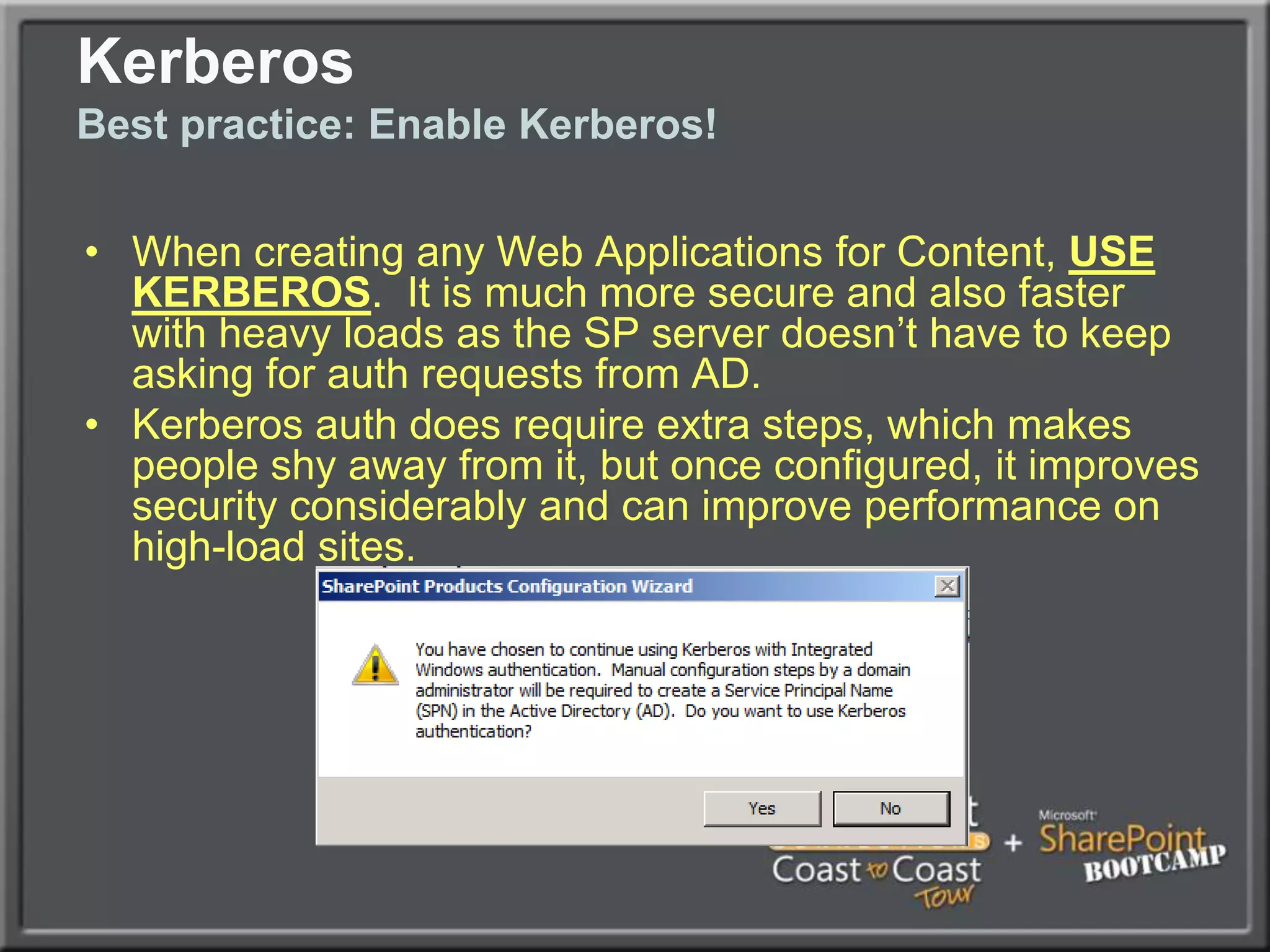
KerberosBest practice: Enable Kerberos!When creating any Web Applications for Content, USE KERBEROS.  It is much more secure and also faster with heavy loads as the SP server doesn’t have to keep asking for auth requests from AD.Kerberos auth does require extra steps, which makes people shy away from it, but once configured, it improves security considerably and can improve performance on high-load sites.
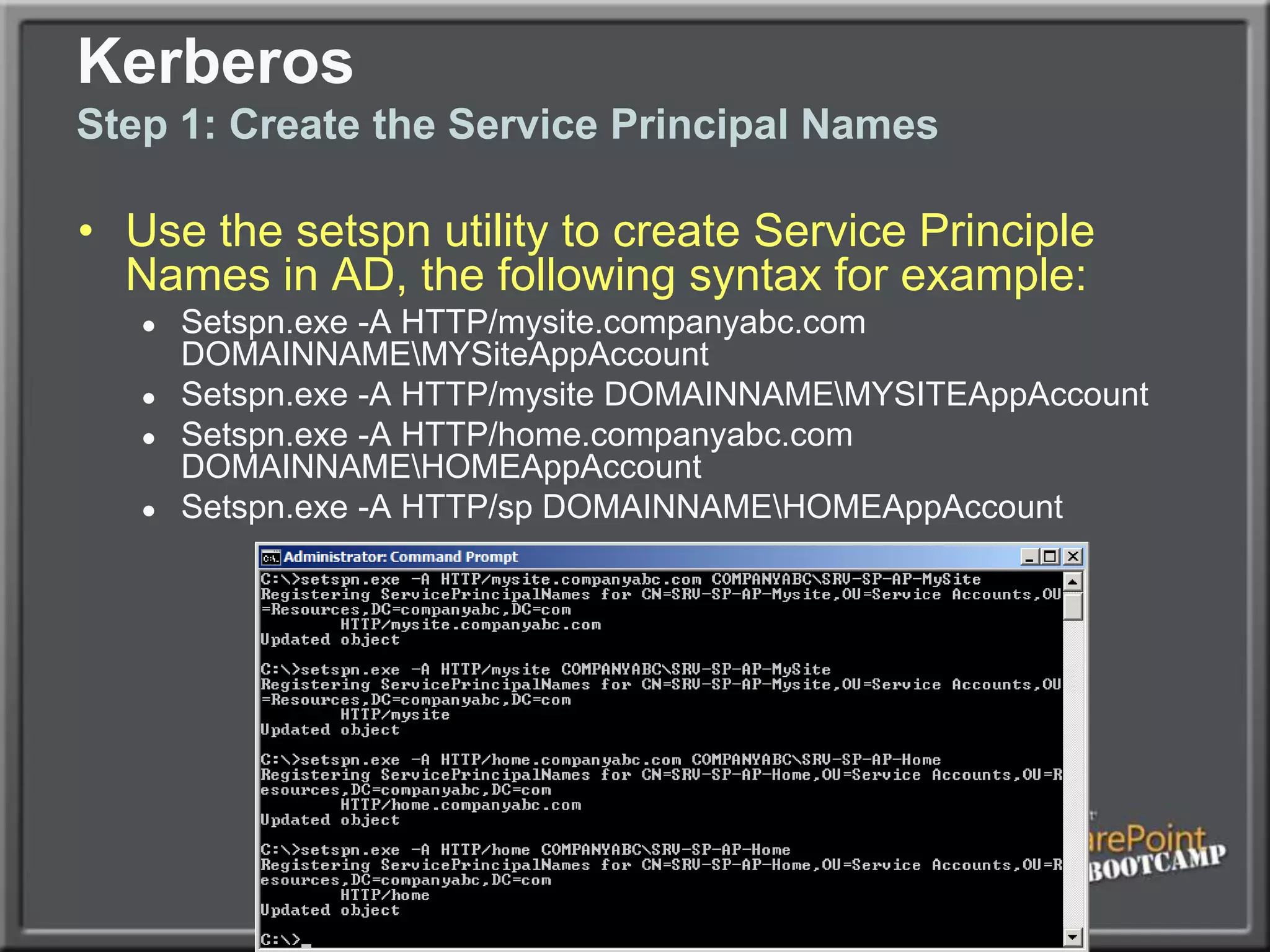
KerberosStep 1: Create the Service Principal NamesUse the setspn utility to create Service Principle Names in AD, the following syntax for example:Setspn.exe -A HTTP/mysite.companyabc.com DOMAINNAME\MYSiteAppAccountSetspn.exe -A HTTP/mysite DOMAINNAME\MYSITEAppAccountSetspn.exe -A HTTP/home.companyabc.com DOMAINNAME\HOMEAppAccountSetspn.exe -A HTTP/sp DOMAINNAME\HOMEAppAccount
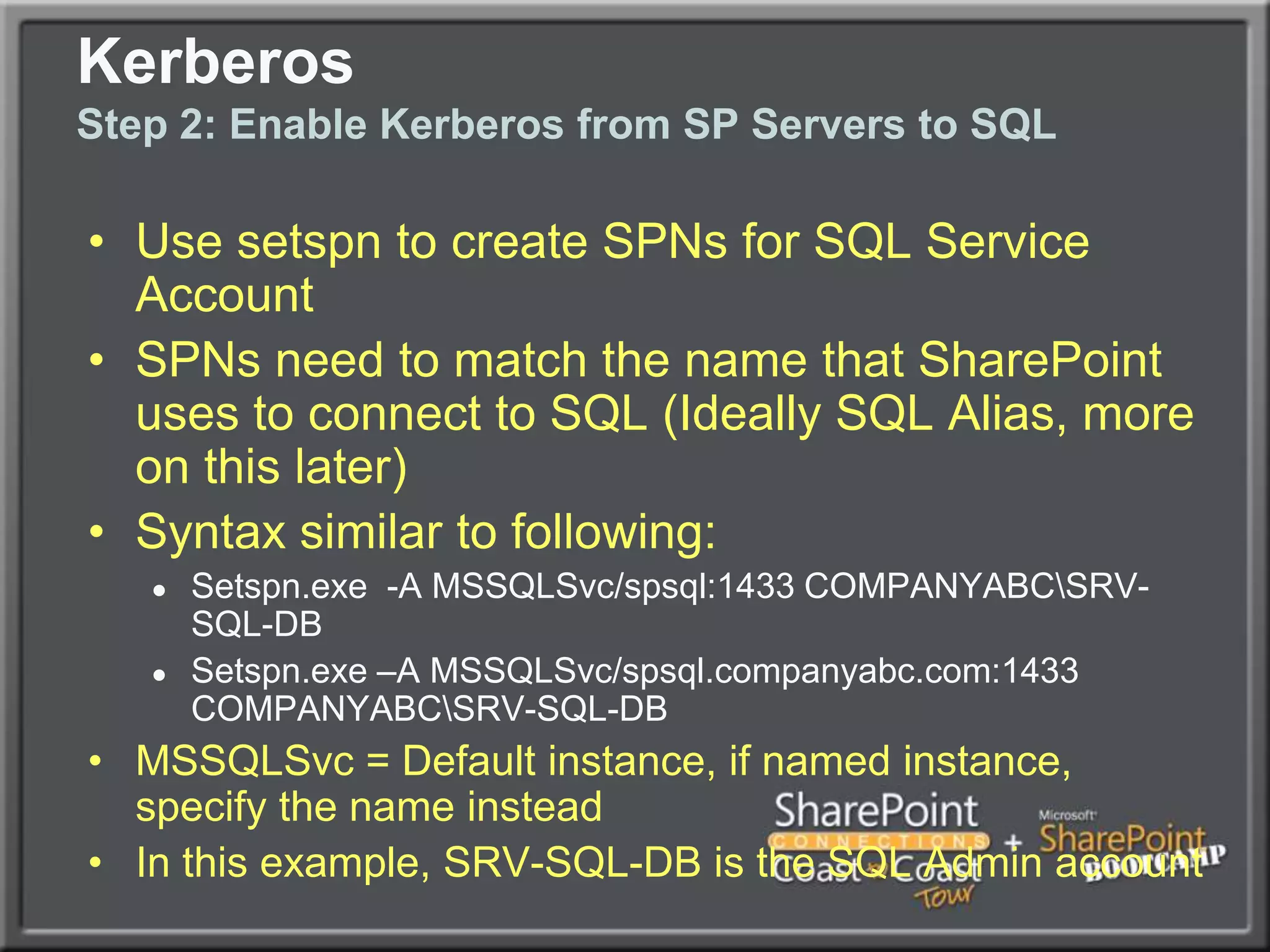
KerberosStep 2: Enable Kerberos from SP Servers to SQLUse setspn to create SPNs for SQL Service AccountSPNs need to match the name that SharePoint uses to connect to SQL (Ideally SQL Alias, more on this later)Syntax similar to following:Setspn.exe  -A MSSQLSvc/spsql:1433 COMPANYABC\SRV-SQL-DBSetspn.exe –A MSSQLSvc/spsql.companyabc.com:1433 COMPANYABC\SRV-SQL-DBMSSQLSvc = Default instance, if named instance, specify the name insteadIn this example, SRV-SQL-DB is the SQL Admin account
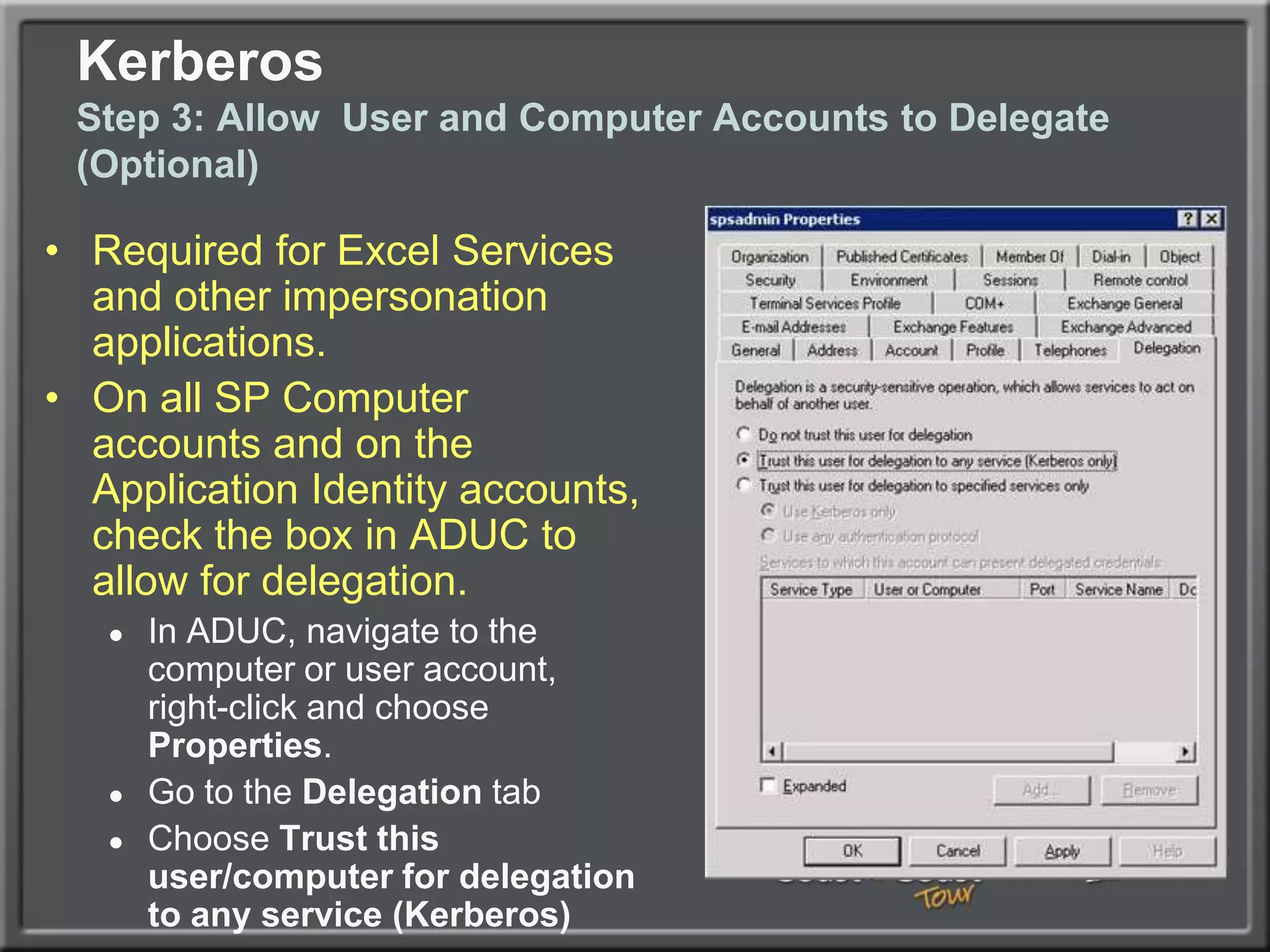
Kerberos Step 3: Allow  User and Computer Accounts to Delegate (Optional)Required for Excel Services and other impersonation applications.On all SP Computer accounts and on the Application Identity accounts, check the box in ADUC to allow for delegation. In ADUC, navigate to the computer or user account, right-click and choose Properties. Go to the Delegation tab Choose Trust this user/computer for delegation to any service (Kerberos)
KerberosStep 4:  Enable Kerberos on Web ApplicationGo to Application Management – Authentication Providers Choose the appropriate Web ApplicationClick on the link for ‘Default’ under ZoneChange to Integrated Windows Authentication - Kerberos (Negotiate)Run iisreset /noforce from the command promptIf creating Web App from scratch, this step may be unnecessary if you choose Negotiate from the beginning
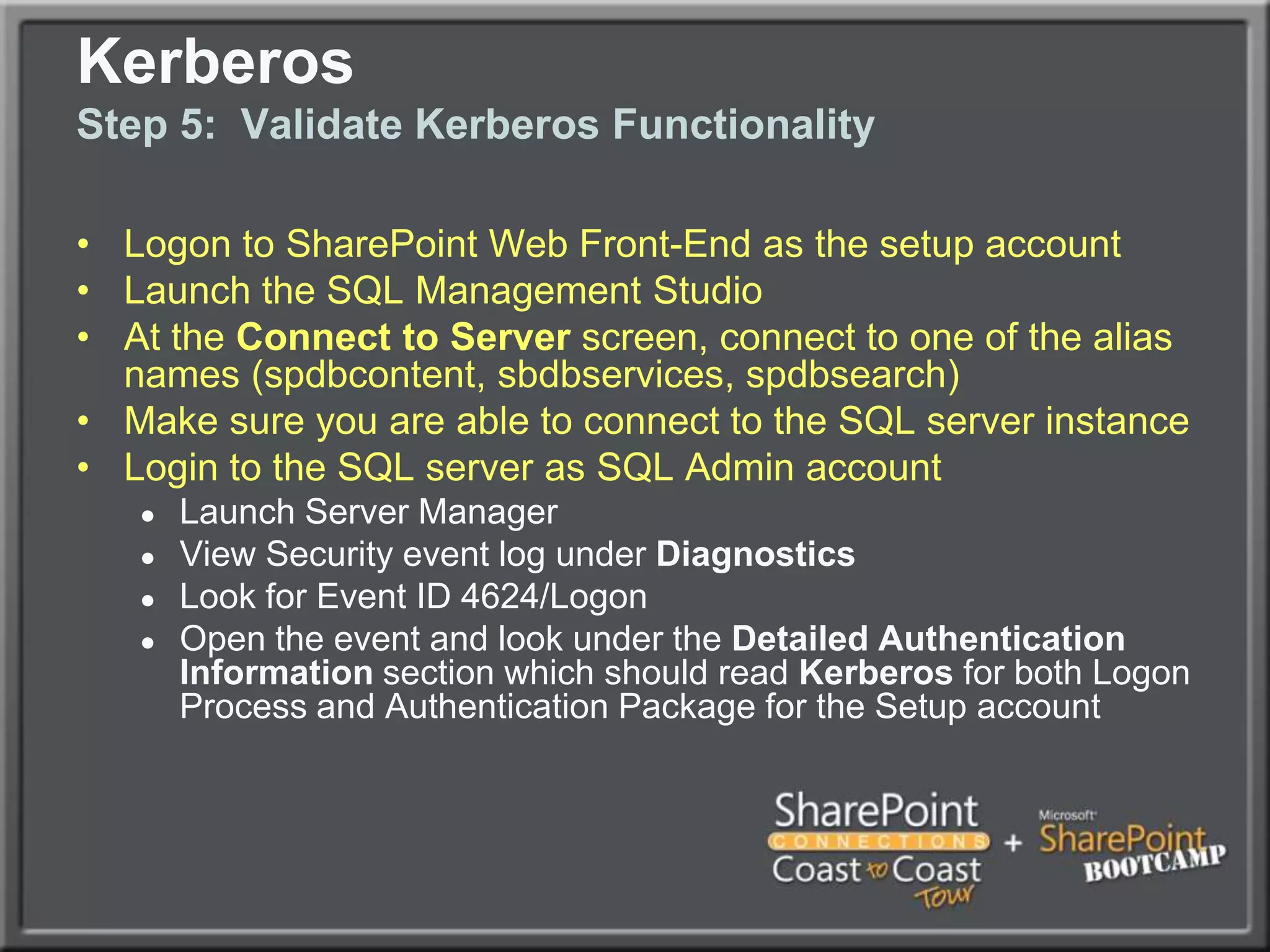
Logon to SharePoint Web Front-End as the setup accountLaunch the SQL Management StudioAt the Connect to Server screen, connect to one of the alias names (spdbcontent, sbdbservices, spdbsearch)Make sure you are able to connect to the SQL server instanceLogin to the SQL server as SQL Admin accountLaunch Server ManagerView Security event log under DiagnosticsLook for Event ID 4624/LogonOpen the event and look under the Detailed Authentication Information section which should read Kerberos for both Logon Process and Authentication Package for the Setup account KerberosStep 5:  Validate Kerberos Functionality
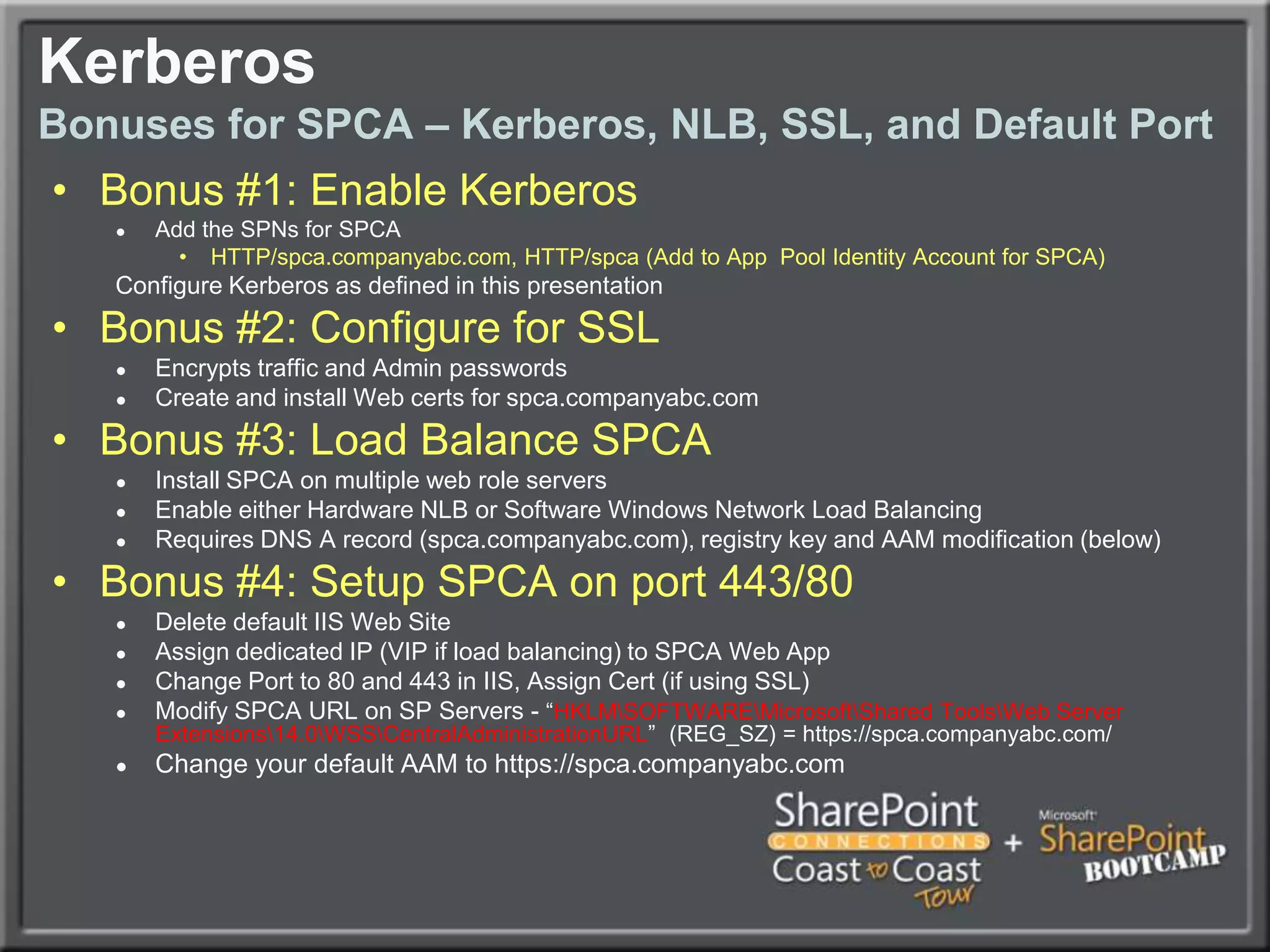
KerberosBonuses for SPCA – Kerberos, NLB, SSL, and Default PortBonus #1: Enable KerberosAdd the SPNs for SPCAHTTP/spca.companyabc.com, HTTP/spca (Add to App  Pool Identity Account for SPCA)Configure Kerberos as defined in this presentationBonus #2: Configure for SSLEncrypts traffic and Admin passwordsCreate and install Web certs for spca.companyabc.comBonus #3: Load Balance SPCAInstall SPCA on multiple web role serversEnable either Hardware NLB or Software Windows Network Load BalancingRequires DNS A record (spca.companyabc.com), registry key and AAM modification (below)Bonus #4: Setup SPCA on port 443/80Delete default IIS Web SiteAssign dedicated IP (VIP if load balancing) to SPCA Web AppChange Port to 80 and 443 in IIS, Assign Cert (if using SSL)Modify SPCA URL on SP Servers - “HKLM\SOFTWARE\Microsoft\Shared Tools\Web Server Extensions\14.0\WSS\CentralAdministrationURL”  (REG_SZ) = https://spca.companyabc.com/Change your default AAM to https://spca.companyabc.com
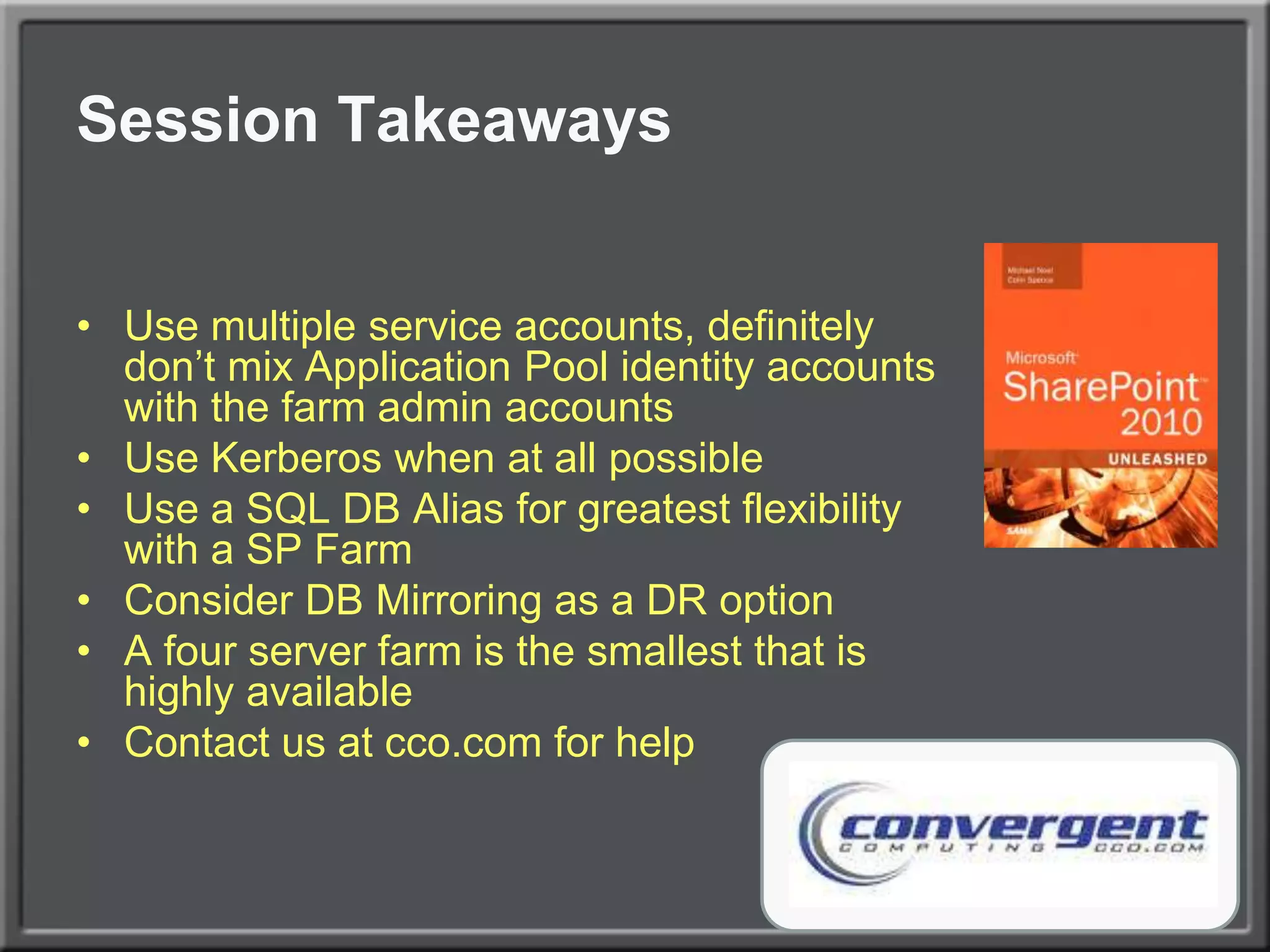
Session TakeawaysUse multiple service accounts, definitely don’t mix Application Pool identity accounts with the farm admin accountsUse Kerberos when at all possibleUse a SQL DB Alias for greatest flexibility with a SP FarmConsider DB Mirroring as a DR optionA four server farm is the smallest that is highly availableContact us at cco.com for help

Building the Perfect SharePoint 2010 Farm

  • 1.
    Building the ‘Perfect’SharePoint 2010 FarmBest Practices from the FieldMichael NoelConvergent Computing (CCO.com)@MichaelTNoel
  • 2.
    Michael NoelAuthor ofSAMS Publishing titles “SharePoint 2010 Unleashed,” “SharePoint 2007 Unleashed,” “SharePoint 2003 Unleashed”, “Teach Yourself SharePoint 2003 in 10 Minutes,” “Windows Server 2008 R2 Unleashed,” “Exchange Server 2010 Unleashed”, “ISA Server 2006 Unleashed”, and many other titles .Partner at Convergent Computing (www.cco.com / +1(510)444-5700) – San Francisco Bay Area based Infrastructure/Security specialists for SharePoint, AD, Exchange, Security
  • 3.
    What we willcoverExamine various SharePoint 2010 farm architecture best practices that have developed over the past yearExamine SharePoint Best Practice Farm ArchitectureUnderstand SharePoint Virtualization OptionsExplore SharePoint DR and HA strategies using Database MirroringExplore other common best practices (RBS, SSL, NLB)Learn how to Enable Kerberos for Best Practice SecurityA large amount of best practices covered (i.e. Drinking through a fire hose), expectation is that you can take away 2-3 useful pieces of information that can be used in your environment
  • 4.
  • 5.
    SharePoint 2010 ArchitectureSmallFarms‘All-in-One’ (Avoid)DB and SP Roles Separate
  • 6.
    SharePoint 2010 Architecture“SmallestHighly Available Farm”2 SharePoint Servers running Web and Service Apps2 Database Servers (Clustered or Mirrored)1 or 2 Index Partitions with equivalent query componentsSmallest farm size that is fully highly available
  • 7.
    SharePoint 2010 Architecture“TheSix Server Farm”2 Dedicated Web Servers (NLB)2 Service Application Servers2 Database Servers (Clustered or Mirrored)1 or 2 Index Partitions with equivalent query components
  • 8.
    SharePoint 2010 ArchitectureLargeFarmsMultiple Dedicated Web ServersMultiple Dedicated Service App ServersMultiple Dedicated Query ServersMultiple Dedicated Crawl Servers, with multiple Crawl DBs to increase parallelization of the crawl processMultiple distributed Index partitions (max of 10 million items per index partition)Two query components for each Index partition, spread among servers
  • 9.
  • 10.
    Virtualized Farm ArchitectureCost-effectiveVirtual Environment / No HAAllows Organizations that wouldn’t normally be able to have a test environment to run one
  • 11.
    Allows for separationof the database role onto a dedicated server
  • 12.
    Can be moreeasily scaled out in the futureVirtualized Farm ArchitectureHighly Available Farm with only Two ServersHigh-Availability across Hosts
  • 13.
  • 14.
    Uses only twoWindows Ent Edition LicensesVirtualized Farm ArchitectureBest Practice Virtual/Physical with HA/PerfHighest transaction servers are physical
  • 15.
    Multiple farm support,with DBs for all farms on the SQL clusterVirtualized Farm ArchitectureLarge Virtual Farms
  • 16.
    Content Database andSite Admin Architecture
  • 17.
    Content Database andSite Collection PlanningStart with a distributed architecture of content databases from the beginning, within reason (more than 50 per SQL instance is not recommended)Distribute content across Site Collections from the beginning as well, it is very difficult to extract content after the faceAllow your environment to scale and your users to ‘grow into’ their SharePoint site collections
  • 19.
    Remote BLOB Storage(RBS)First version was known as EBS, now RBSSQL level technology that moves the BLOBs to different storage location, thus reducing Content DB size by 80-90%.Note this is primarily a Data Management tech, not so much a performance technology.Typically used with third-party product, though MS does provide for limited native FILESTREAM options
  • 20.
  • 21.
    SQL Database OptimizationContentDatabases Distributed Between Multiple VolumesVolume #1Volume #2Volume #3Volume #4DB-AFile 1DB-BFile 1DB-AFile 2DB-BFile 2DB-AFile 3DB-BFile 3DB-AFile 4DB-BFile 4Tempdb File 1Tempdb File 2Tempdb File 3Tempdb File 4
  • 22.
    SQL Database OptimizationContentDatabases Distributed Between Multiple VolumesBreak Content Databases and TempDB into multiple files (MDF, NDF), total should equal number of physical processors (not cores) on SQL server.Pre-size Content DBs and TempDB to avoid fragmentationSeparate files onto different drive spindles for best IO perf.Example: 100GB total Content DB on Four-way SQL Server would have four database files distributed across four sets of drive spindles = 25GB pre-sized for each file.
  • 23.
    SQL Database OptimizationTempDBTipsTempDB is critical for performancePre-size to 20% of the size of the largest content database.Break into multiple files across spindles as notedNote there is a separate TempDB for each physical instanceNote that if using SQL Transparent Data Encryption (TDE) for any databases in an instance, the tempDB is encrypted.
  • 24.
  • 25.
    Single Site HAMirrored FarmSingle SiteSynchronous ReplicationUses a SQL Witness Server to Failover AutomaticallyMirror all SharePoint DBs in the FarmUse a SQL Alias to switch to Mirror Instance
  • 26.
    Cross-Site Mirrored HAFarmTwo Sites1 ms Latency1GB BandwidthFarm Servers in each locationAuto Failover
  • 27.
    Two Farm /Mirrored Content DBsTwo SitesTwo FarmsMirror only Content DBsFailover is ManualMust Re-index
  • 28.
  • 29.
  • 30.
  • 31.
    Hardware Planning ConsiderationsDisk,Memory, and ProcessorSQL Database role requires a great deal of space, especially if versioning is turned on in Document Libraries. Don’t underestimate!Servers running the Search Service Application Index or Query need hard drive space to store the Index files, which can be 5%-30% of the size of the items being indexed.The more memory and processor cores that can be given to SharePoint the better, in the following priority:Database RoleSearch Service Application RoleOther Service Application RolesWeb Role
  • 32.
    Operating System BestpracticesVersionsHighly recommended: Windows Server 2008 R2 (with SP1) for security, performance (client/server traffic improvements), and ease of setup.Windows Server 2008 RTM is also possible, but requires some custom configuration (Kerberos, etc.)Enterprise Edition of Windows only required for very large SQL instances (More than two cluster nodes, high transaction volume, etc.) Standard edition of Windows is adequate in nearly all other cases.
  • 33.
    Operating System BestpracticesSQL ServerSQL Server 2008 R2 Recommended, particularly if you have high security requirements, as it allows for transparent encryption of databases and PowerPivot (R2 only)SQL Server 2005 x64 also supportedEnterprise edition of SQL only required for more than two nodes in a cluster, Asynchronous database mirror replication, TDE, RBS with non-local BLOB storage, or other advanced scenariosSeparate Reporting Services server may be required for intensive reportingSeparate Analysis Services server may be required for PowerPivotCreate exception in Windows Firewall policy for port 1433
  • 34.
  • 35.
  • 36.
    SharePoint InstallationInstallation ProcessFormost flexibility, choose ‘Complete’ Installation, even if not installing all of the roles on the server. This will allow for the addition of roles in the future as needed.Be sure not to select ‘Stand-Alone’, unless you plan on having a very small farm with a limited database (SQL Server Express)
  • 37.
    SharePoint InstallationInstallation ProcessHighlyrecommended to choose the final destination for the Index/Query to live (i.e. if it’s on a different drive, enter that during installation). It’s difficult to change index location later.Remember, after installing the binaries, the server is not a farm member yet…it can be added to any farm. Good concept to use to pre-stage servers.
  • 38.
    SharePoint InstallationCommand-line Installationof SharePointGood to understand how to install SharePoint from the command-line, especially if setting up multiple servers.Allows for options not available in the GUI, such as the option to rename databases to something easier to understand.User PowerShell
  • 39.
    Script: http://tinyurl.com/SPFarm-ConfigFunction Configure-SPSearch { PARAM($AppPool, $FarmName, $SearchServiceAccount) $searchServiceInstance = Get-SPEnterpriseSearchServiceInstance -local Start-SPEnterpriseSearchServiceInstance -Identity $searchServiceInstance $dbName = $FarmName + "_SearchServiceApplication" $searchApplication = New-SPEnterpriseSearchServiceApplication -Name "$FarmName Search Service Application" -ApplicationPool $AppPool -DatabaseName $dbName $searchApplicationProxy = New-SPEnterpriseSearchServiceApplicationProxy -name "$FarmName Search Service Application Proxy" -SearchApplication $searchApplication Set-SPEnterpriseSearchAdministrationComponent -SearchApplication $searchApplication -SearchServiceInstance $searchServiceInstance $crawlTopology = New-SPEnterpriseSearchCrawlTopology -SearchApplication $searchApplication $crawlDatabase = Get-SPEnterpriseSearchCrawlDatabase -SearchApplication $searchApplication New-SPEnterpriseSearchCrawlComponent -CrawlTopology $crawlTopology -CrawlDatabase $crawlDatabase -SearchServiceInstance $searchServiceInstance while($crawlTopology.State -ne "Active") { $crawlTopology | Set-SPEnterpriseSearchCrawlTopology -Active -ErrorActionSilentlyContinue if ($crawlTopology.State -ne "Active") { Start-Sleep -Seconds 10 } } $queryTopology = New-SPenterpriseSEarchQueryTopology -SearchApplication $searchApplication -partitions 1 $searchIndexPartition = Get-SPEnterpriseSearchIndexPartition -QueryTopology $queryTopology New-SPEnterpriseSearchQueryComponent -indexpartition $searchIndexPartition -QueryTopology $queryTopology -SearchServiceInstance $searchServiceInstance $propertyDB = Get-SPEnterpriseSearchPropertyDatabase -SearchApplication $searchApplication Set-SPEnterpriseSearchIndexPartition $searchIndexPartition -PropertyDatabase $propertyDB while ($queryTopology.State -ne "Active") { $queryTopology | Set-SPEnterpriseSearchQueryTopology -Active -ErrorActionSilentlyContinue if ($queryTopology.State -ne "Active") { Start-Sleep -Seconds 10 } }}
  • 40.
    SharePoint InstallationSome ManualService Apps Still RequiredDue to bugs in SharePoint, certain Service Apps will need to be manually configured, they won’t work in PowerShell yet, hopefully fixed in later versionsThis includes the following:PerformancePoint Service ApplicationUser Profile Service ApplicationWeb Analytics Service Application
  • 41.
  • 42.
    Configuring the FarmRunningthe Config Wizard to Install Servers (If used)Consider using an easy to remember port for the Central Admin service (i.e. 8888). Change to 443 later.You are welcome to change the Config Database name to match a common naming conventionYour database access account is the SP Service account, which only needs DBCreator and Security Admin rights on SQL. Don’t give it more!Run the wizard on additional servers as necessary
  • 43.
    Configuring the FarmSQLAliasA SQL Alias will help you if you need to change your DB location. For example, if your SQL server name is ‘SQL1’, use something like ‘SPSQL’ to connect, and have DNS point to the proper server location. This makes it MUCH more flexible.Use the SQL Native Client 10.0 Configuration (32bit) node to create the alias
  • 44.
    Install SQL ClientTools, including the Backwards Compatibility Client Tools. Launch the SQL Server Configuration Manager and create three SQL aliases using the 32bit Alias section:spdbcontent.companyabc.com spdbsearch.companyabc.comspdbservices.companyabc.comPoint all to the SQL server name, port 1433.Launch the SQL Server Client Network Utility (\System32\cliconfg.exe) and create the same 3 aliases as above using TCP/IP and port 1433. Make sure to map the alias to the SQL netbios name (or cluster netbios name) as aboveConfiguring the FarmSQL Alias
  • 45.
    Configuring the FarmNetworkLoad BalancingHardware Based Load Balancing (F5, Cisco, Citrix NetScaler – Best performance and scalabilitySoftware Windows Network Load Balancing fully supportedIf using Unicast, use two NICs on the server, one for communications between nodes.If using Multicast, be sure to configure routers appropriatelySet Affinity to Single (Sticky Sessions)If using VMware, note fix to NLB RARP issue (http://tinyurl.com/vmwarenlbfix)
  • 46.
    Configuring the FarmNetworkLoad BalancingBest Practice – Create Multiple Web Apps with Load-balanced VIPs (Sample below)Web Role Serverssp1.companyabc.com (10.0.0.101) – Web Role Server #1sp2.companyabc.com (10.0.0.102) – Web Role Server #2Clustered VIPs shared between SP1 and SP2 (Create A records in DNS)spnlb.companyabc.com (10.0.0.103) - Clusterspca.companyabc.com (10.0.0.104) – SP Central Adminspsmtp.companyabc.com (10.0.0.105) – Inbound Email VIPhome.companyabc.com (10.0.0.106) – Main SP Web App (can be multiple)mysite.companyabc.com (10.0.0.107) – Main MySites Web App
  • 47.
    Configuring the FarmSecurityConsiderationsInfrastructure Security and Best PracticesBest Practice Service Account SetupKerberos AuthenticationData SecuritySharePoint Security ACLs and Role Based Access Control (RBAC)Transparent Data Encryption (TDE) of SQL DatabasesTransport SecuritySecure Sockets Layer (SSL) from Server to ClientIPSec from Server to ServerInbound Internet Security (Forefront UAG/TMG) / CertsRights Management
  • 48.
    Configuring the FarmSSLCertificatesExternal or Internal Certs highly recommendedProtects Transport of content20% overhead on Web ServersCan be offloaded via SSL offloaders if neededDon’t forget for SPCA as well!
  • 49.
    Configuring the FarmUserProfile Sync (UPS) SetupMost complex part of a SharePoint installationUses the Forefront Identity Manager (FIM) subcomponent on the server to synch My Site Profiles with external directory source such Active DirectoryWould take an entire session to describe the process, but best blog on the topic is SharePoint MVP Spencer Harbar’s (harbar.net)
  • 50.
    Configuring the FarmEnablingDiagnostic Logging and Usage and Health Data CollectionTo configure diagnostic loggingOn the Central Administration Home page, click Monitoring.In the Reporting section, click Configure diagnostic logging.On the Diagnostic Logging page, verify that Enable Event Log Flood Protection is selected. If not, click the corresponding check box to enable this feature.Leave default values for other itemsClick OK to save your changes.To configure usage and health data collection:On the Central Administration Monitoring page, click Configure usage and health data collection.Click the check box to Enable Usage Data Collection.Click the check box to Enable Health Data Collection.Name database Leave all other settings at defaultClick OK.
  • 51.
    Configuring the FarmBestPracticesFor Email enabled content, create a dedicated OU for Email enabled contacts and distribution lists and give the SP Admin account rights to create and modify contacts and groups in that OU.Don’t forget Alternate Access Mappings if connecting to the content in more than one way (i.e. https://home.companyabc.com vs. just http://home)If using SSL on a web app, it must have a dedicated IP address, not just a host headerDon’t forget to install Antivirus (MS Forefront Protection for SharePoint recommended)Don’t forget a comprehensive backup solution (MS System Center Data Protection Manager (DPM) 2010 or 3rd party)
  • 52.
  • 53.
    KerberosBest practice: EnableKerberos!When creating any Web Applications for Content, USE KERBEROS. It is much more secure and also faster with heavy loads as the SP server doesn’t have to keep asking for auth requests from AD.Kerberos auth does require extra steps, which makes people shy away from it, but once configured, it improves security considerably and can improve performance on high-load sites.
  • 54.
    KerberosStep 1: Createthe Service Principal NamesUse the setspn utility to create Service Principle Names in AD, the following syntax for example:Setspn.exe -A HTTP/mysite.companyabc.com DOMAINNAME\MYSiteAppAccountSetspn.exe -A HTTP/mysite DOMAINNAME\MYSITEAppAccountSetspn.exe -A HTTP/home.companyabc.com DOMAINNAME\HOMEAppAccountSetspn.exe -A HTTP/sp DOMAINNAME\HOMEAppAccount
  • 55.
    KerberosStep 2: EnableKerberos from SP Servers to SQLUse setspn to create SPNs for SQL Service AccountSPNs need to match the name that SharePoint uses to connect to SQL (Ideally SQL Alias, more on this later)Syntax similar to following:Setspn.exe -A MSSQLSvc/spsql:1433 COMPANYABC\SRV-SQL-DBSetspn.exe –A MSSQLSvc/spsql.companyabc.com:1433 COMPANYABC\SRV-SQL-DBMSSQLSvc = Default instance, if named instance, specify the name insteadIn this example, SRV-SQL-DB is the SQL Admin account
  • 56.
    Kerberos Step 3:Allow User and Computer Accounts to Delegate (Optional)Required for Excel Services and other impersonation applications.On all SP Computer accounts and on the Application Identity accounts, check the box in ADUC to allow for delegation. In ADUC, navigate to the computer or user account, right-click and choose Properties. Go to the Delegation tab Choose Trust this user/computer for delegation to any service (Kerberos)
  • 57.
    KerberosStep 4: Enable Kerberos on Web ApplicationGo to Application Management – Authentication Providers Choose the appropriate Web ApplicationClick on the link for ‘Default’ under ZoneChange to Integrated Windows Authentication - Kerberos (Negotiate)Run iisreset /noforce from the command promptIf creating Web App from scratch, this step may be unnecessary if you choose Negotiate from the beginning
  • 58.
    Logon to SharePointWeb Front-End as the setup accountLaunch the SQL Management StudioAt the Connect to Server screen, connect to one of the alias names (spdbcontent, sbdbservices, spdbsearch)Make sure you are able to connect to the SQL server instanceLogin to the SQL server as SQL Admin accountLaunch Server ManagerView Security event log under DiagnosticsLook for Event ID 4624/LogonOpen the event and look under the Detailed Authentication Information section which should read Kerberos for both Logon Process and Authentication Package for the Setup account KerberosStep 5: Validate Kerberos Functionality
  • 59.
    KerberosBonuses for SPCA– Kerberos, NLB, SSL, and Default PortBonus #1: Enable KerberosAdd the SPNs for SPCAHTTP/spca.companyabc.com, HTTP/spca (Add to App Pool Identity Account for SPCA)Configure Kerberos as defined in this presentationBonus #2: Configure for SSLEncrypts traffic and Admin passwordsCreate and install Web certs for spca.companyabc.comBonus #3: Load Balance SPCAInstall SPCA on multiple web role serversEnable either Hardware NLB or Software Windows Network Load BalancingRequires DNS A record (spca.companyabc.com), registry key and AAM modification (below)Bonus #4: Setup SPCA on port 443/80Delete default IIS Web SiteAssign dedicated IP (VIP if load balancing) to SPCA Web AppChange Port to 80 and 443 in IIS, Assign Cert (if using SSL)Modify SPCA URL on SP Servers - “HKLM\SOFTWARE\Microsoft\Shared Tools\Web Server Extensions\14.0\WSS\CentralAdministrationURL” (REG_SZ) = https://spca.companyabc.com/Change your default AAM to https://spca.companyabc.com
  • 60.
    Session TakeawaysUse multipleservice accounts, definitely don’t mix Application Pool identity accounts with the farm admin accountsUse Kerberos when at all possibleUse a SQL DB Alias for greatest flexibility with a SP FarmConsider DB Mirroring as a DR optionA four server farm is the smallest that is highly availableContact us at cco.com for help
  • 61.
    Your Feedback isImportantPlease fill out a session evaluation form drop it off at the conference registration desk.Thank you!
  • 62.
    Thanks for attending!Questions?MichaelNoelTwitter: @MichaelTNoelwww.cco.com