Veenus Maximiuk
SharePoint Managing Architect
ICC
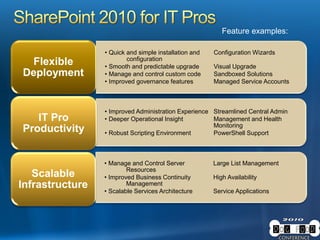
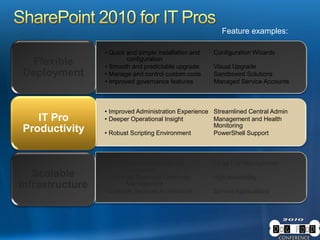
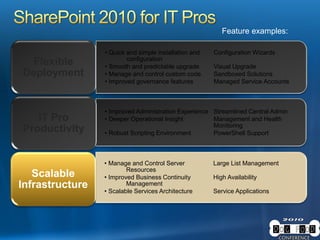
• Quick and simple installation and Configuration Wizards
configuration
• Smooth and predictable upgrade Visual Upgrade
• Manage and control custom code Sandboxed Solutions
• Improved governance features Managed Service Accounts
Flexible
Deployment
• Manage and Control Server Large List Management
Resources
• Improved Business Continuity High Availability
Management
• Scalable Services Architecture Service Applications
Scalable
Infrastructure
• Improved Administration Experience Streamlined Central Admin
• Deeper Operational Insight Management and Health
Monitoring
• Robust Scripting Environment PowerShell Support
IT Pro
Productivity
Feature examples:
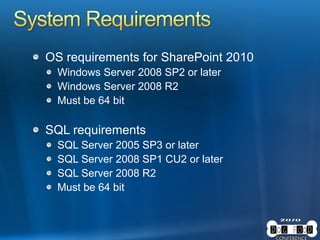
OS requirements for SharePoint 2010
Windows Server 2008 SP2 or later
Windows Server 2008 R2
Must be 64 bit
SQL requirements
SQL Server 2005 SP3 or later
SQL Server 2008 SP1 CU2 or later
SQL Server 2008 R2
Must be 64 bit
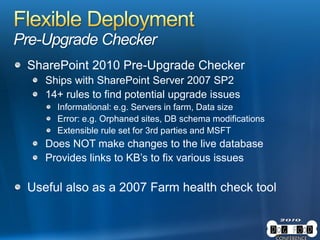
Pre-Upgrade Checker
SharePoint 2010 Pre-Upgrade Checker
Ships with SharePoint Server 2007 SP2
14+ rules to find potential upgrade issues
Informational: e.g. Servers in farm, Data size
Error: e.g. Orphaned sites, DB schema modifications
Extensible rule set for 3rd parties and MSFT
Does NOT make changes to the live database
Provides links to KB’s to fix various issues
Useful also as a 2007 Farm health check tool
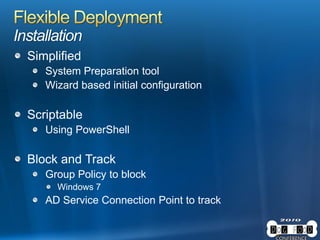
Installation
Simplified
System Preparation tool
Wizard based initial configuration
Scriptable
Using PowerShell
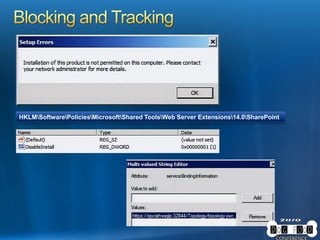
Block and Track
Group Policy to block
Windows 7
AD Service Connection Point to track
HKLMSoftwarePoliciesMicrosoftShared ToolsWeb Server Extensions14.0SharePoint
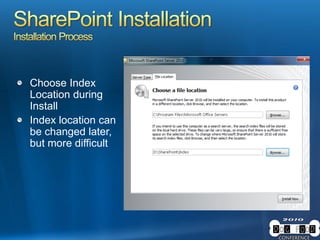
Choose Index
Location during
Install
Index location can
be changed later,
but more difficult
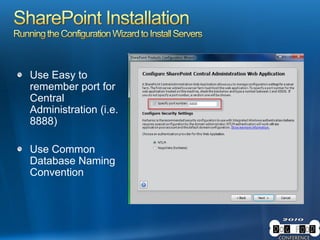
Use Easy to
remember port for
Central
Administration (i.e.
8888)
Use Common
Database Naming
Convention
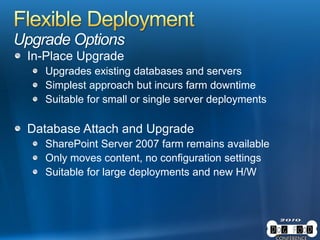
Upgrade Options
In-Place Upgrade
Upgrades existing databases and servers
Simplest approach but incurs farm downtime
Suitable for small or single server deployments
Database Attach and Upgrade
SharePoint Server 2007 farm remains available
Only moves content, no configuration settings
Suitable for large deployments and new H/W
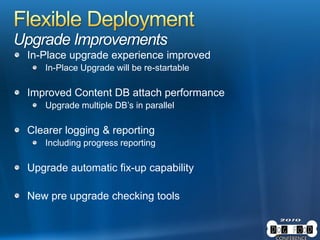
Upgrade Improvements
In-Place upgrade experience improved
In-Place Upgrade will be re-startable
Improved Content DB attach performance
Upgrade multiple DB’s in parallel
Clearer logging & reporting
Including progress reporting
Upgrade automatic fix-up capability
New pre upgrade checking tools
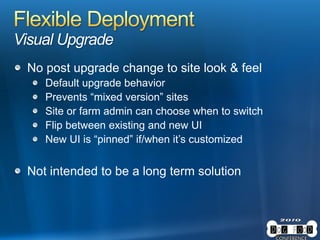
Visual Upgrade
No post upgrade change to site look & feel
Default upgrade behavior
Prevents “mixed version” sites
Site or farm admin can choose when to switch
Flip between existing and new UI
New UI is “pinned” if/when it’s customized
Not intended to be a long term solution
• Quick and simple installation and Configuration Wizards
configuration
• Smooth and predictable upgrade Visual Upgrade
• Manage and control custom code Sandboxed Solutions
• Improved governance features Managed Service Accounts
Flexible
Deployment
• Manage and Control Server Large List Management
Resources
• Improved Business Continuity High Availability
Management
• Scalable Services Architecture Service Applications
Scalable
Infrastructure
• Improved Administration Experience Streamlined Central Admin
• Deeper Operational Insight Management and Health
Monitoring
• Robust Scripting Environment PowerShell Support
IT Pro
Productivity
Feature examples:
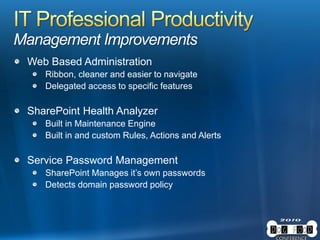
Management Improvements
Web Based Administration
Ribbon, cleaner and easier to navigate
Delegated access to specific features
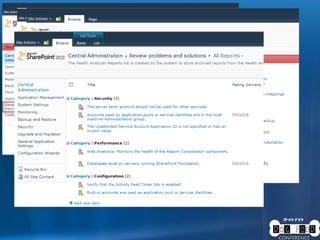
SharePoint Health Analyzer
Built in Maintenance Engine
Built in and custom Rules, Actions and Alerts
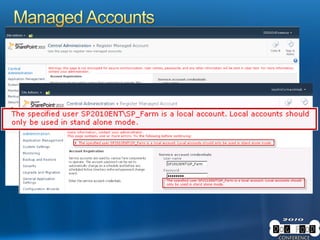
Service Password Management
SharePoint Manages it’s own passwords
Detects domain password policy
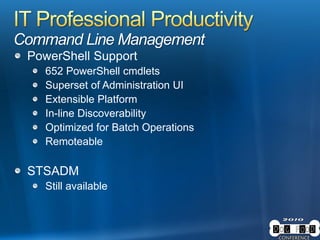
Command Line Management
PowerShell Support
652 PowerShell cmdlets
Superset of Administration UI
Extensible Platform
In-line Discoverability
Optimized for Batch Operations
Remoteable
STSADM
Still available
• Quick and simple installation and Configuration Wizards
configuration
• Smooth and predictable upgrade Visual Upgrade
• Manage and control custom code Sandboxed Solutions
• Improved governance features Managed Service Accounts
Flexible
Deployment
• Manage and Control Server Large List Management
Resources
• Improved Business Continuity High Availability
Management
• Scalable Services Architecture Service Applications
Scalable
Infrastructure
• Improved Administration Experience Streamlined Central Admin
• Deeper Operational Insight Management and Health
Monitoring
• Robust Scripting Environment PowerShell Support
IT Pro
Productivity
Feature examples:
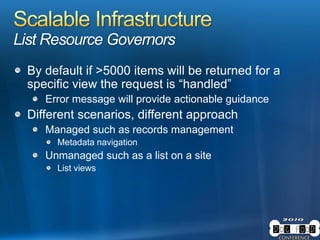
List Resource Governors
By default if >5000 items will be returned for a
specific view the request is “handled”
Error message will provide actionable guidance
Different scenarios, different approach
Managed such as records management
Metadata navigation
Unmanaged such as a list on a site
List views
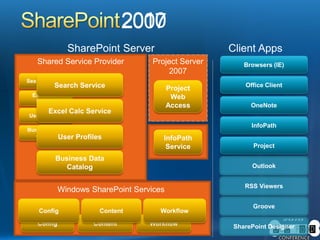
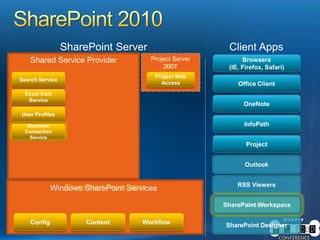
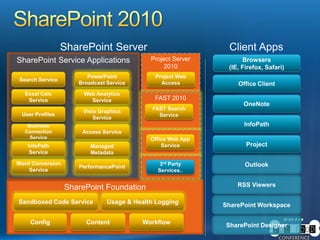
SharePoint Service Applications
SharePoint Foundation
Project Server
2010
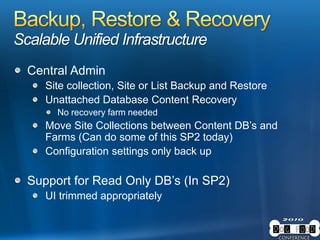
Scalable Unified Infrastructure
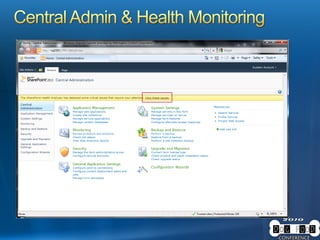
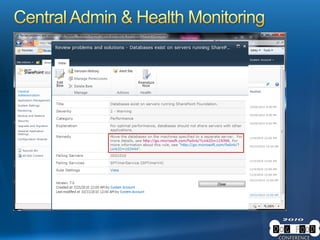
Central Admin
Site collection, Site or List Backup and Restore
Unattached Database Content Recovery
No recovery farm needed
Move Site Collections between Content DB’s and
Farms (Can do some of this SP2 today)
Configuration settings only back up
Support for Read Only DB’s (In SP2)
UI trimmed appropriately
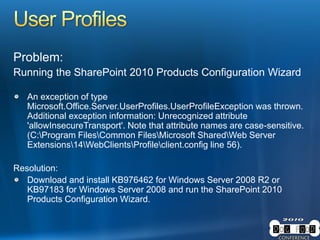
Problem:
Running the SharePoint 2010 Products Configuration Wizard
An exception of type
Microsoft.Office.Server.UserProfiles.UserProfileException was thrown.
Additional exception information: Unrecognized attribute
'allowInsecureTransport'. Note that attribute names are case-sensitive.
(C:Program FilesCommon FilesMicrosoft SharedWeb Server
Extensions14WebClientsProfileclient.config line 56).
Resolution:
Download and install KB976462 for Windows Server 2008 R2 or
KB97183 for Windows Server 2008 and run the SharePoint 2010
Products Configuration Wizard.
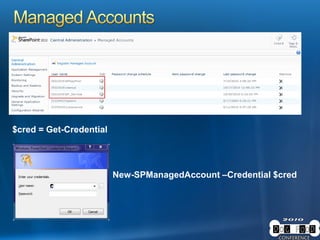
$cred = Get-Credential
New-SPManagedAccount –Credential $cred
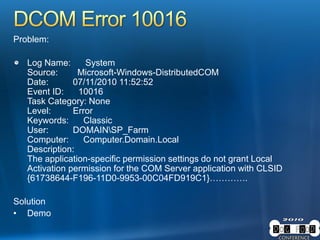
Problem:
Log Name: System
Source: Microsoft-Windows-DistributedCOM
Date: 07/11/2010 11:52:52
Event ID: 10016
Task Category: None
Level: Error
Keywords: Classic
User: DOMAINSP_Farm
Computer: Computer.Domain.Local
Description:
The application-specific permission settings do not grant Local
Activation permission for the COM Server application with CLSID
{61738644-F196-11D0-9953-00C04FD919C1}………….
Solution
• Demo
Dogfood Conference 2010 - What Every SharePoint 2010 Administrator Must Know

Dogfood Conference 2010 - What Every SharePoint 2010 Administrator Must Know

  • 2.
  • 3.
    • Quick andsimple installation and Configuration Wizards configuration • Smooth and predictable upgrade Visual Upgrade • Manage and control custom code Sandboxed Solutions • Improved governance features Managed Service Accounts Flexible Deployment • Manage and Control Server Large List Management Resources • Improved Business Continuity High Availability Management • Scalable Services Architecture Service Applications Scalable Infrastructure • Improved Administration Experience Streamlined Central Admin • Deeper Operational Insight Management and Health Monitoring • Robust Scripting Environment PowerShell Support IT Pro Productivity Feature examples:
  • 4.
    OS requirements forSharePoint 2010 Windows Server 2008 SP2 or later Windows Server 2008 R2 Must be 64 bit SQL requirements SQL Server 2005 SP3 or later SQL Server 2008 SP1 CU2 or later SQL Server 2008 R2 Must be 64 bit
  • 5.
    Pre-Upgrade Checker SharePoint 2010Pre-Upgrade Checker Ships with SharePoint Server 2007 SP2 14+ rules to find potential upgrade issues Informational: e.g. Servers in farm, Data size Error: e.g. Orphaned sites, DB schema modifications Extensible rule set for 3rd parties and MSFT Does NOT make changes to the live database Provides links to KB’s to fix various issues Useful also as a 2007 Farm health check tool
  • 6.
    Installation Simplified System Preparation tool Wizardbased initial configuration Scriptable Using PowerShell Block and Track Group Policy to block Windows 7 AD Service Connection Point to track
  • 7.
  • 8.
    Choose Index Location during Install Indexlocation can be changed later, but more difficult
  • 9.
    Use Easy to rememberport for Central Administration (i.e. 8888) Use Common Database Naming Convention
  • 10.
    Upgrade Options In-Place Upgrade Upgradesexisting databases and servers Simplest approach but incurs farm downtime Suitable for small or single server deployments Database Attach and Upgrade SharePoint Server 2007 farm remains available Only moves content, no configuration settings Suitable for large deployments and new H/W
  • 11.
    Upgrade Improvements In-Place upgradeexperience improved In-Place Upgrade will be re-startable Improved Content DB attach performance Upgrade multiple DB’s in parallel Clearer logging & reporting Including progress reporting Upgrade automatic fix-up capability New pre upgrade checking tools
  • 12.
    Visual Upgrade No postupgrade change to site look & feel Default upgrade behavior Prevents “mixed version” sites Site or farm admin can choose when to switch Flip between existing and new UI New UI is “pinned” if/when it’s customized Not intended to be a long term solution
  • 14.
    • Quick andsimple installation and Configuration Wizards configuration • Smooth and predictable upgrade Visual Upgrade • Manage and control custom code Sandboxed Solutions • Improved governance features Managed Service Accounts Flexible Deployment • Manage and Control Server Large List Management Resources • Improved Business Continuity High Availability Management • Scalable Services Architecture Service Applications Scalable Infrastructure • Improved Administration Experience Streamlined Central Admin • Deeper Operational Insight Management and Health Monitoring • Robust Scripting Environment PowerShell Support IT Pro Productivity Feature examples:
  • 15.
    Management Improvements Web BasedAdministration Ribbon, cleaner and easier to navigate Delegated access to specific features SharePoint Health Analyzer Built in Maintenance Engine Built in and custom Rules, Actions and Alerts Service Password Management SharePoint Manages it’s own passwords Detects domain password policy
  • 18.
    Command Line Management PowerShellSupport 652 PowerShell cmdlets Superset of Administration UI Extensible Platform In-line Discoverability Optimized for Batch Operations Remoteable STSADM Still available
  • 19.
    • Quick andsimple installation and Configuration Wizards configuration • Smooth and predictable upgrade Visual Upgrade • Manage and control custom code Sandboxed Solutions • Improved governance features Managed Service Accounts Flexible Deployment • Manage and Control Server Large List Management Resources • Improved Business Continuity High Availability Management • Scalable Services Architecture Service Applications Scalable Infrastructure • Improved Administration Experience Streamlined Central Admin • Deeper Operational Insight Management and Health Monitoring • Robust Scripting Environment PowerShell Support IT Pro Productivity Feature examples:
  • 20.
    List Resource Governors Bydefault if >5000 items will be returned for a specific view the request is “handled” Error message will provide actionable guidance Different scenarios, different approach Managed such as records management Metadata navigation Unmanaged such as a list on a site List views
  • 22.
    SharePoint Service Applications SharePointFoundation Project Server 2010
  • 24.
    Scalable Unified Infrastructure CentralAdmin Site collection, Site or List Backup and Restore Unattached Database Content Recovery No recovery farm needed Move Site Collections between Content DB’s and Farms (Can do some of this SP2 today) Configuration settings only back up Support for Read Only DB’s (In SP2) UI trimmed appropriately
  • 26.
    Problem: Running the SharePoint2010 Products Configuration Wizard An exception of type Microsoft.Office.Server.UserProfiles.UserProfileException was thrown. Additional exception information: Unrecognized attribute 'allowInsecureTransport'. Note that attribute names are case-sensitive. (C:Program FilesCommon FilesMicrosoft SharedWeb Server Extensions14WebClientsProfileclient.config line 56). Resolution: Download and install KB976462 for Windows Server 2008 R2 or KB97183 for Windows Server 2008 and run the SharePoint 2010 Products Configuration Wizard.
  • 30.
  • 31.
    Problem: Log Name: System Source:Microsoft-Windows-DistributedCOM Date: 07/11/2010 11:52:52 Event ID: 10016 Task Category: None Level: Error Keywords: Classic User: DOMAINSP_Farm Computer: Computer.Domain.Local Description: The application-specific permission settings do not grant Local Activation permission for the COM Server application with CLSID {61738644-F196-11D0-9953-00C04FD919C1}…………. Solution • Demo