

Plan, Prepare & overall process of
Upgrade and migrate to SharePoint 2013
Upgrade
Plan
Prepare
Kashish Sukhija
Kashish Sukhija
• SharePoint Development Lead – Sony
• Previous Employer – Qualcomm Incorporated
• Based in San Diego, California
• Expertise: Enterprise Content Management, Collaboration
Strategy, Governance, Migrations, Development, Architect
ure.
• Education
• Doctorate in Business Administration
• Masters of Science Computer Science
• Blog - http://spdevstore.com/blogs/
• Twitter - @spdevstore
• LinkedIn – http://www.linkedin.com/profile/view?id=15715591
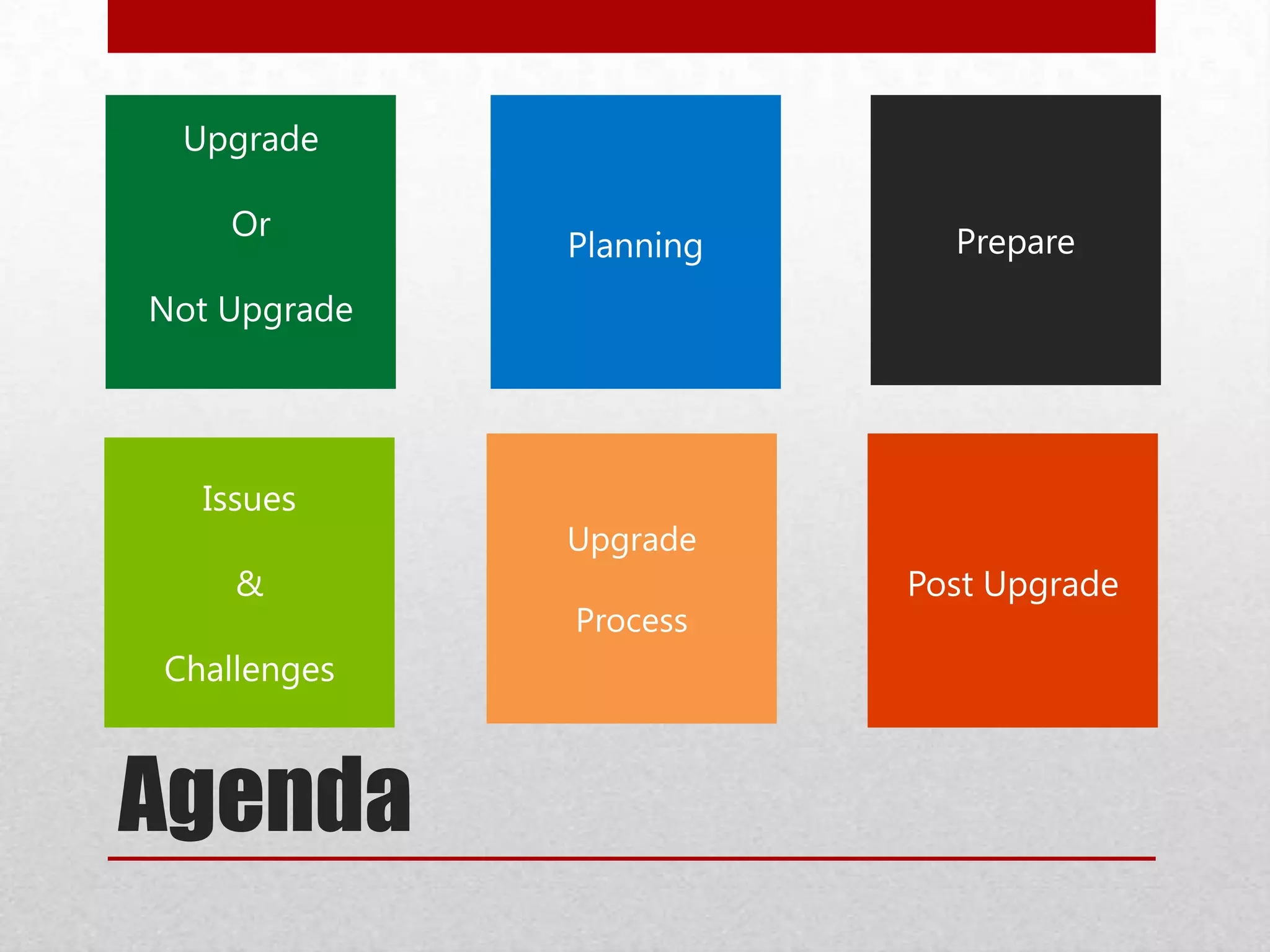
Agenda
Special Cases
Post Upgrade
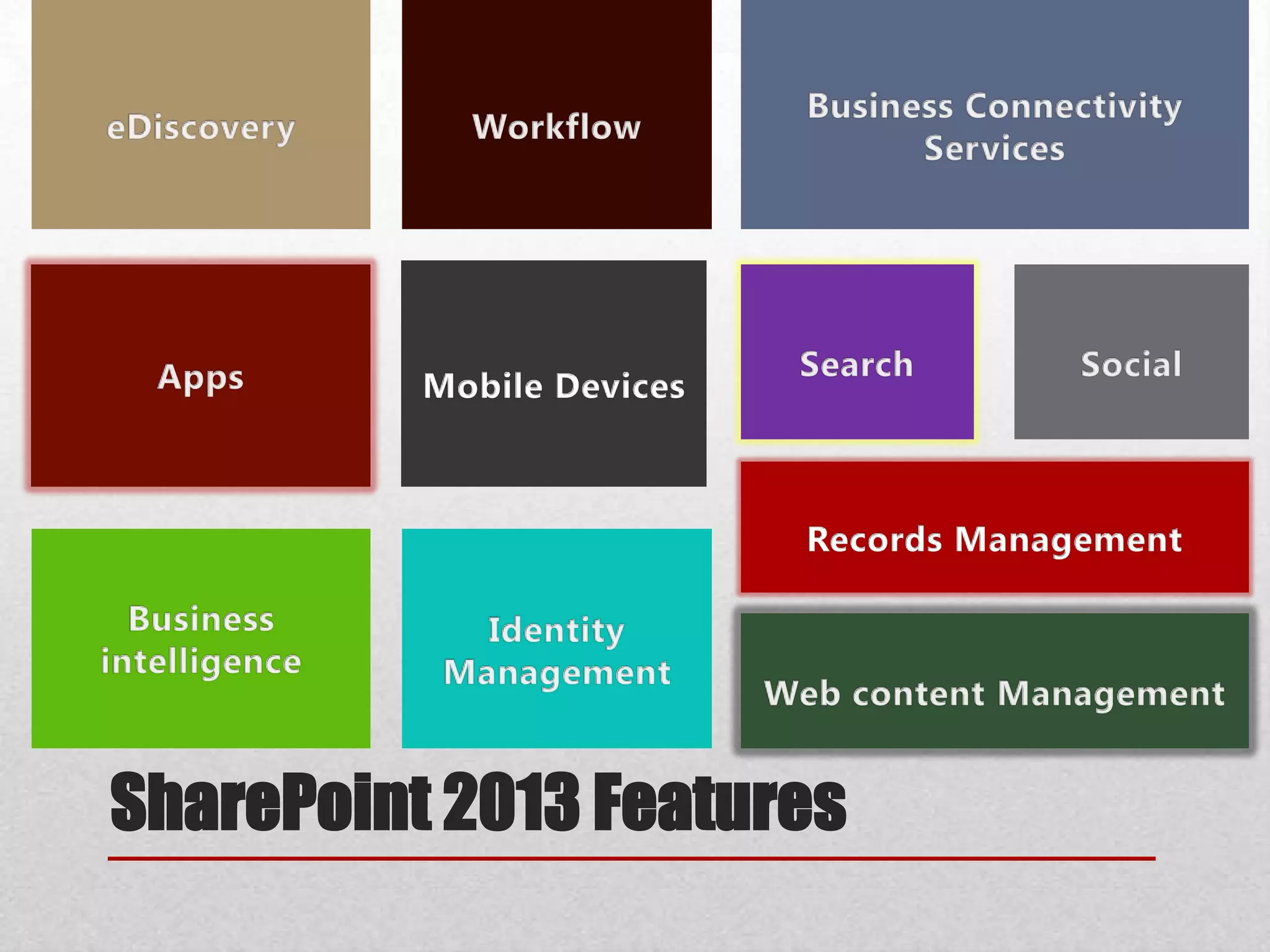
SharePoint 2013 Features
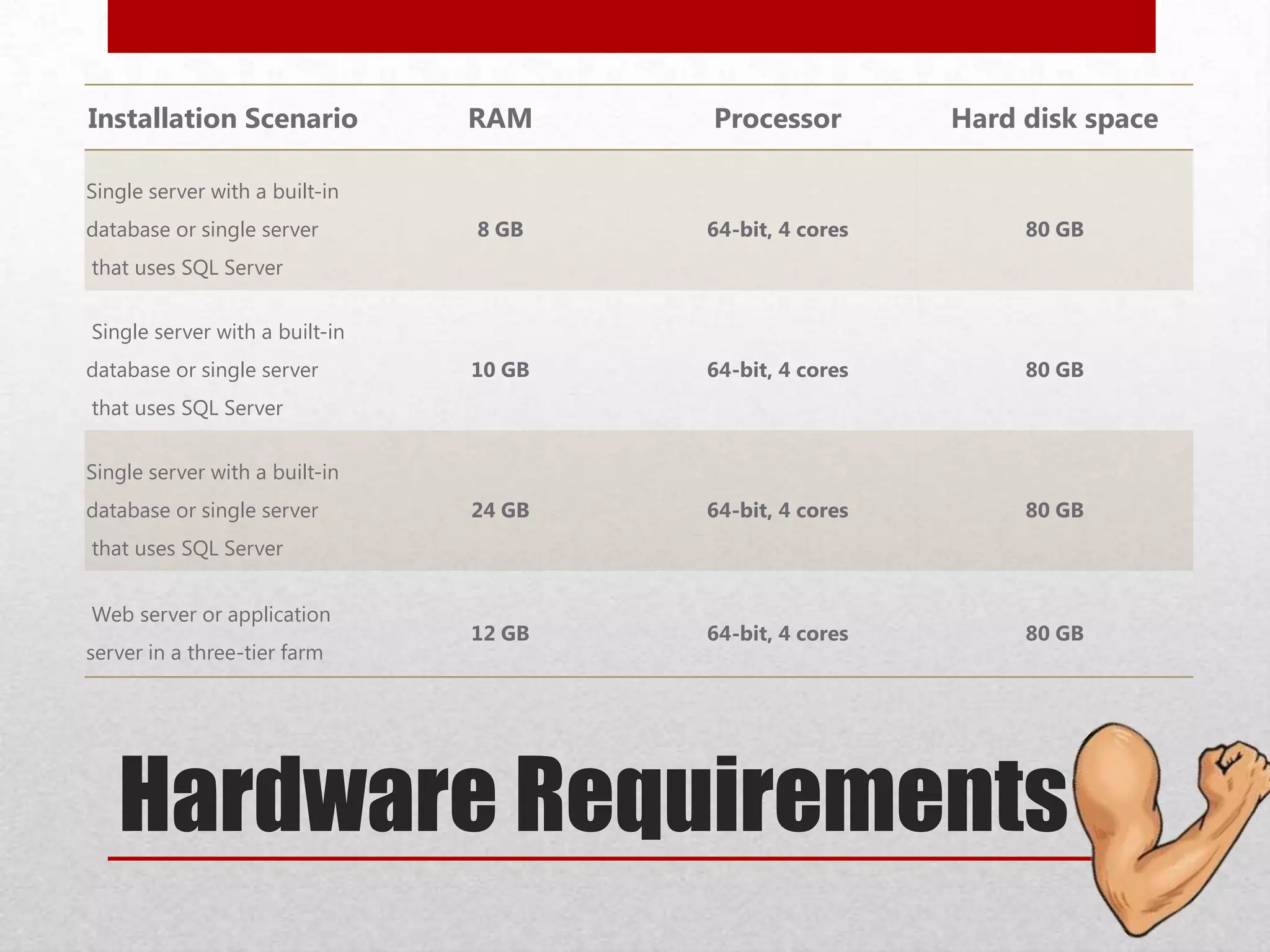
Hardware Requirements
Installation Scenario RAM Processor Hard disk space
Single server with a built-in
database or single server
that uses SQL Server
8 GB 64-bit, 4 cores 80 GB
Single server with a built-in
database or single server
that uses SQL Server
10 GB 64-bit, 4 cores 80 GB
Single server with a built-in
database or single server
that uses SQL Server
24 GB 64-bit, 4 cores 80 GB
Web server or application
server in a three-tier farm
12 GB 64-bit, 4 cores 80 GB
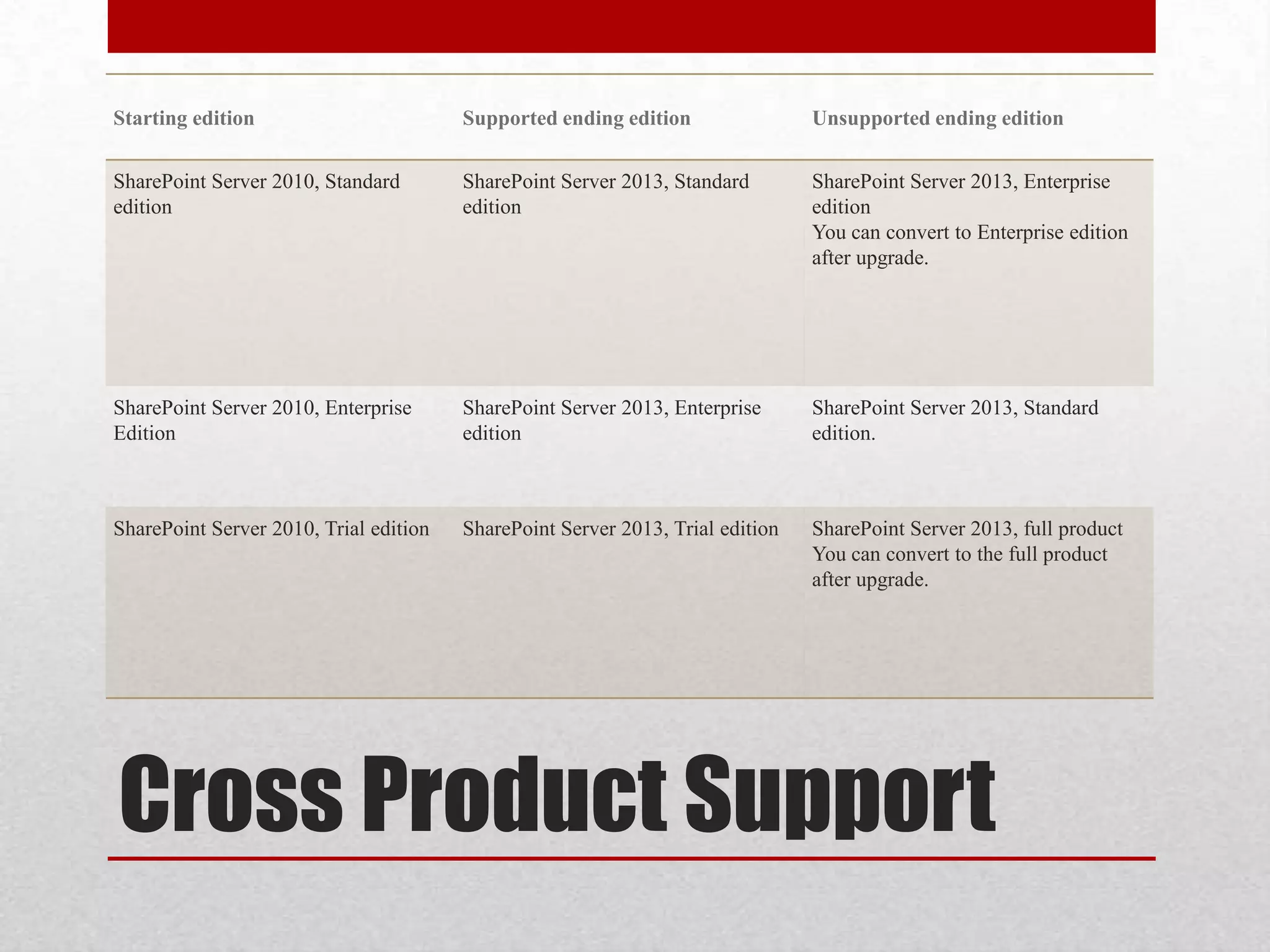
Cross Product Support
Starting edition Supported ending edition Unsupported ending edition
SharePoint Server 2010, Standard
edition
SharePoint Server 2013, Standard
edition
SharePoint Server 2013, Enterprise
edition
You can convert to Enterprise edition
after upgrade.
SharePoint Server 2010, Enterprise
Edition
SharePoint Server 2013, Enterprise
edition
SharePoint Server 2013, Standard
edition.
SharePoint Server 2010, Trial edition SharePoint Server 2013, Trial edition SharePoint Server 2013, full product
You can convert to the full product
after upgrade.
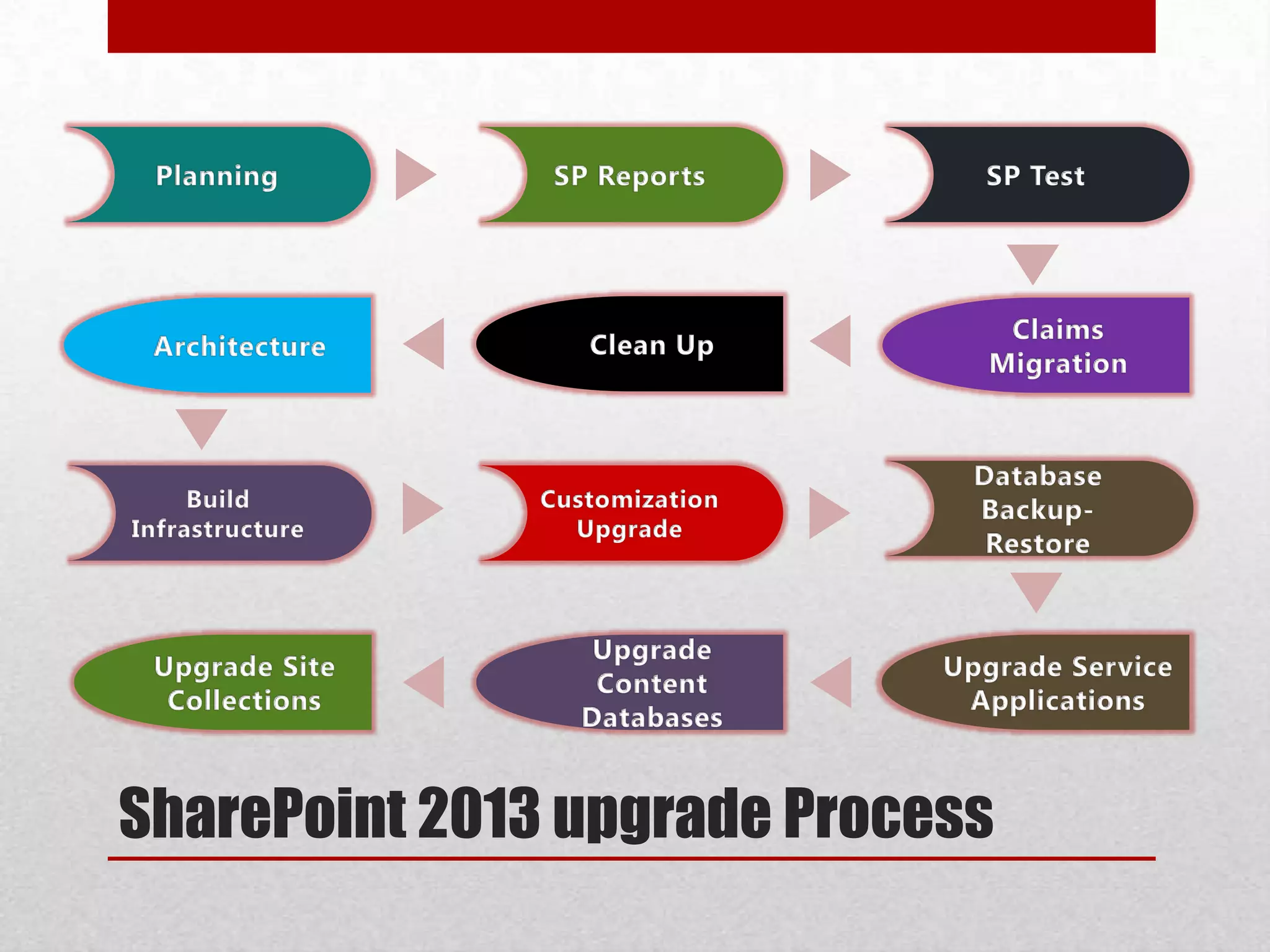
SharePoint 2013 upgrade Process
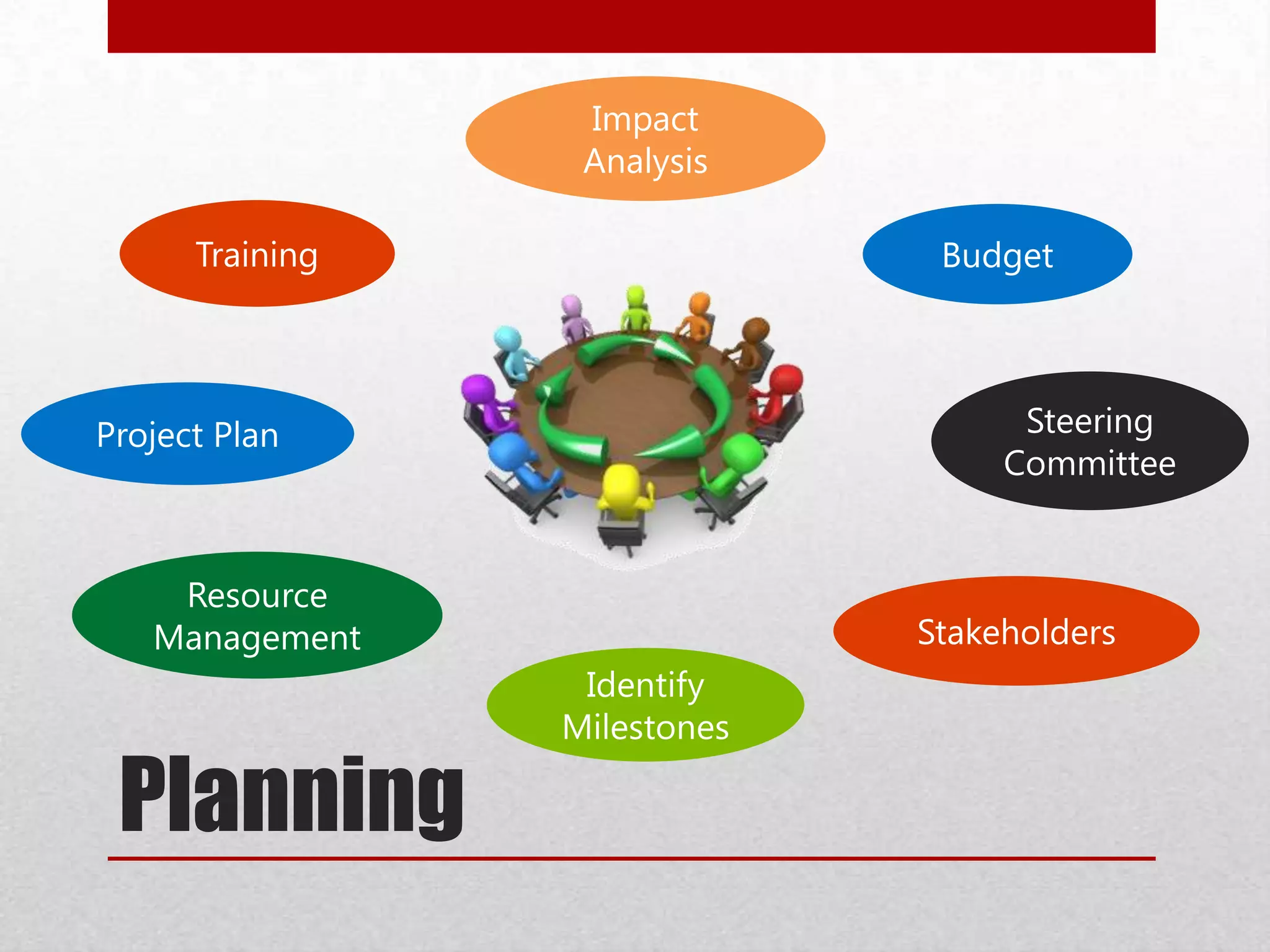
Planning
Stakeholders
Training
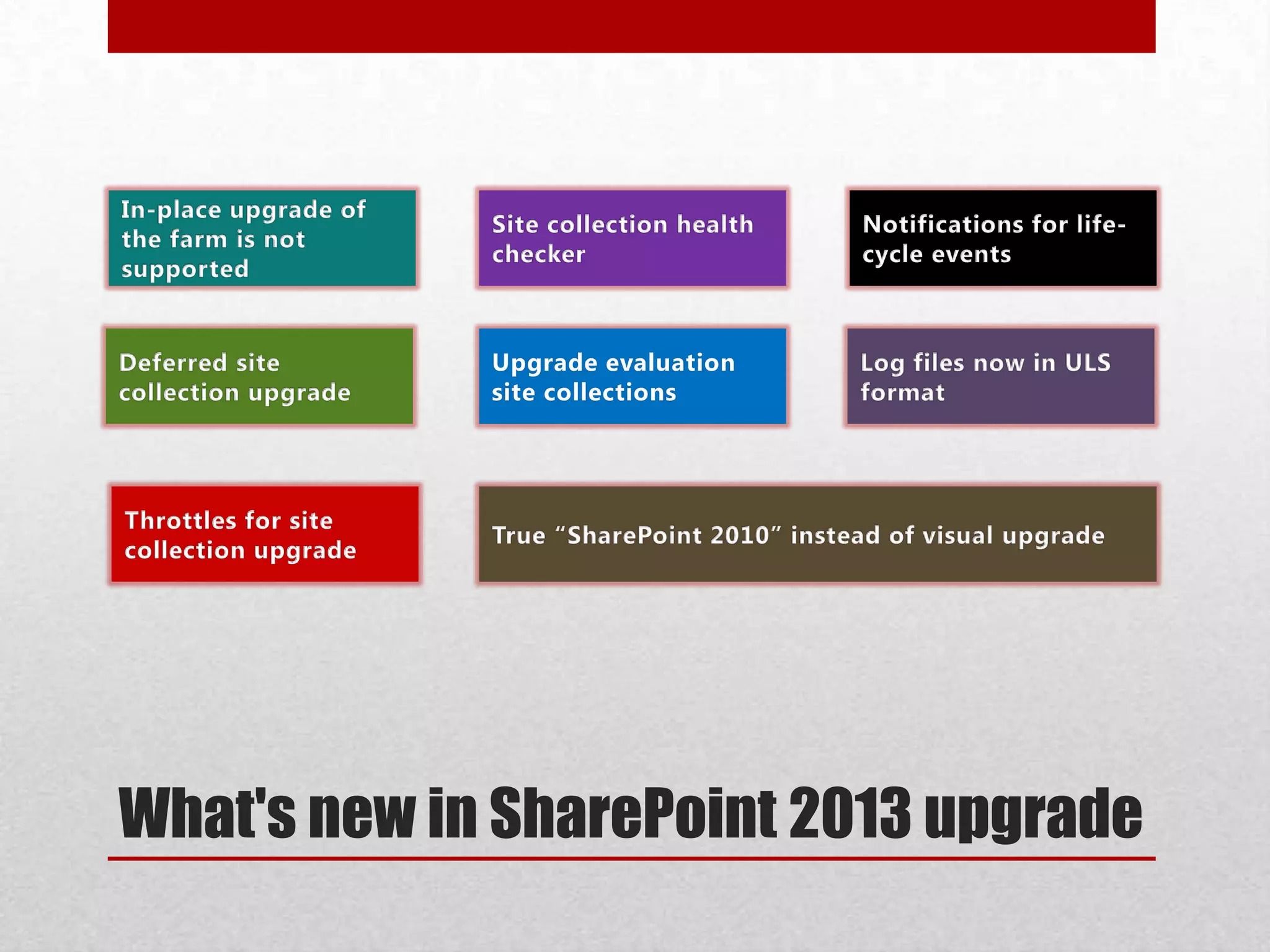
What's new in SharePoint 2013 upgrade
14 Mode & 15 Mode
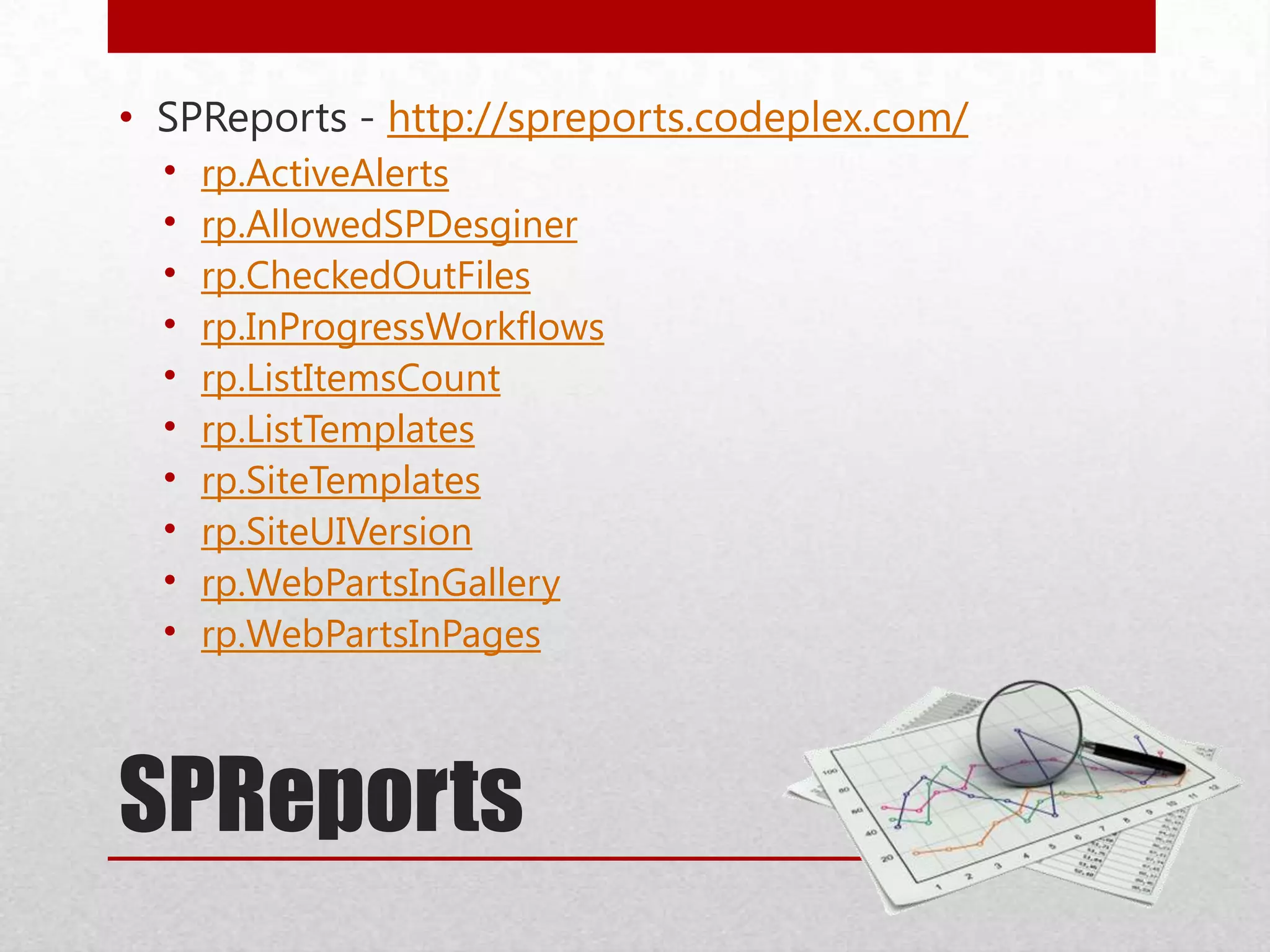
SPReports
• SPReports - http://spreports.codeplex.com/
• rp.ActiveAlerts
• rp.AllowedSPDesginer
• rp.CheckedOutFiles
• rp.InProgressWorkflows
• rp.ListItemsCount
• rp.ListTemplates
• rp.SiteTemplates
• rp.SiteUIVersion
• rp.WebPartsInGallery
• rp.WebPartsInPages
SPReports
SPTest
• Create SharePoint ‘SPTest’ Sites
• Create a site for all out of box scenarios
• Create customizations scenarios
• Create Master Test Plan based on all the scenarios in SPTEST
• Move all SPTest Sites into one database ‘WSSContent-SPTEST’
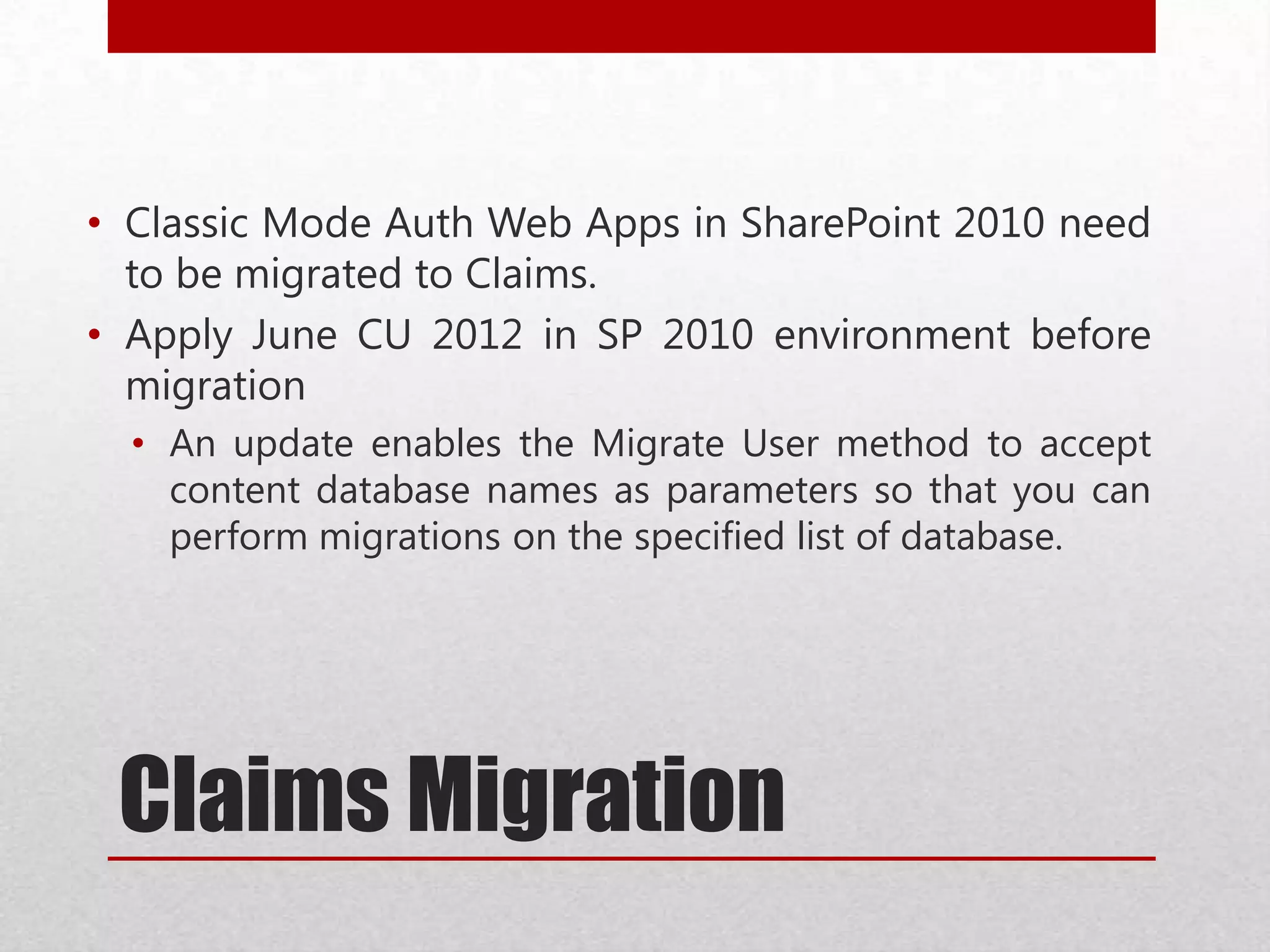
Claims Migration
• Classic Mode Auth Web Apps in SharePoint 2010 need
to be migrated to Claims.
• Apply June CU 2012 in SP 2010 environment before
migration
• An update enables the Migrate User method to accept
content database names as parameters so that you can
perform migrations on the specified list of database.
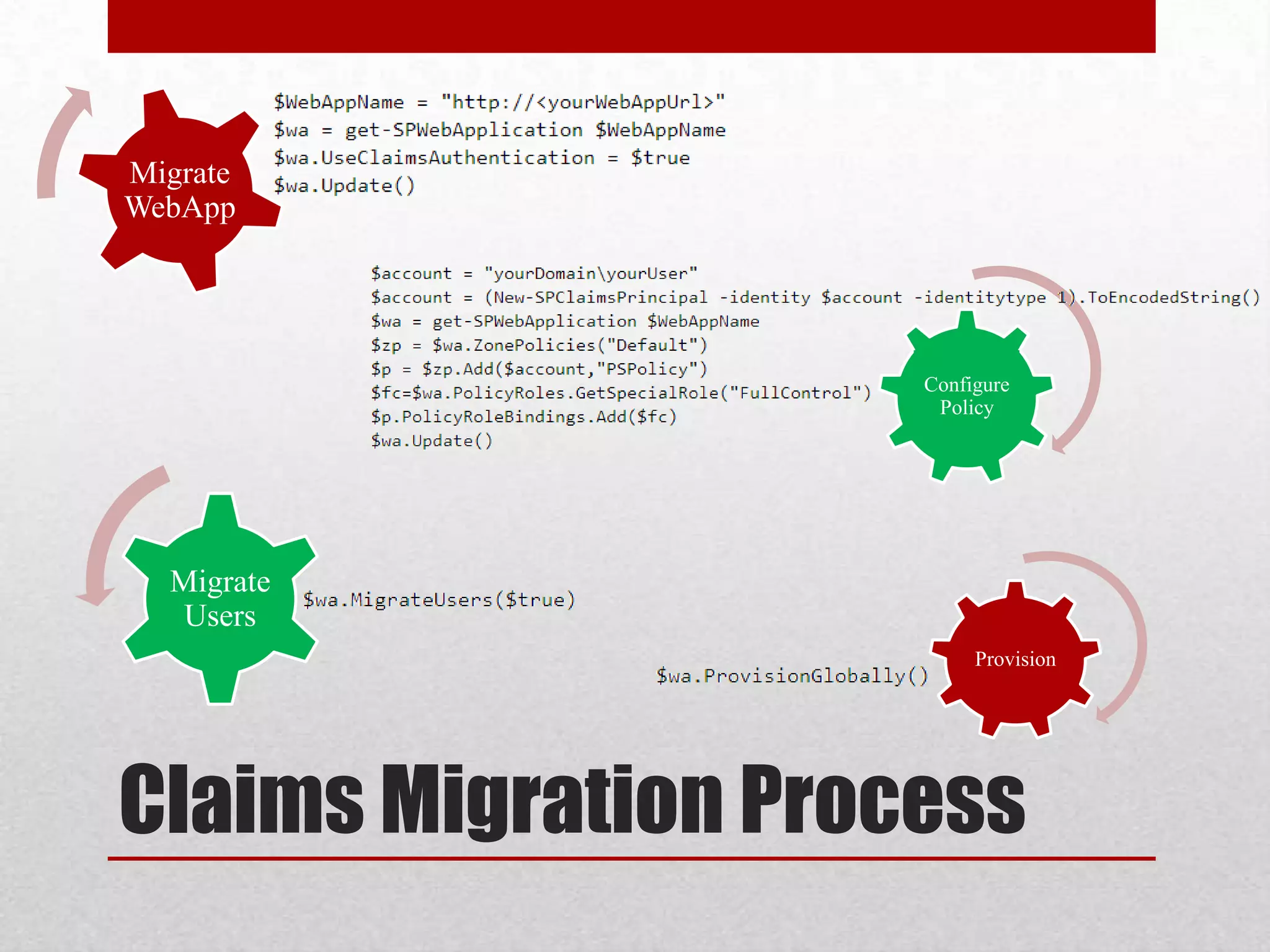
Configure
Policy
Claims Migration Process
Migrate
WebApp
Migrate
Users
Provision
Claims Migration
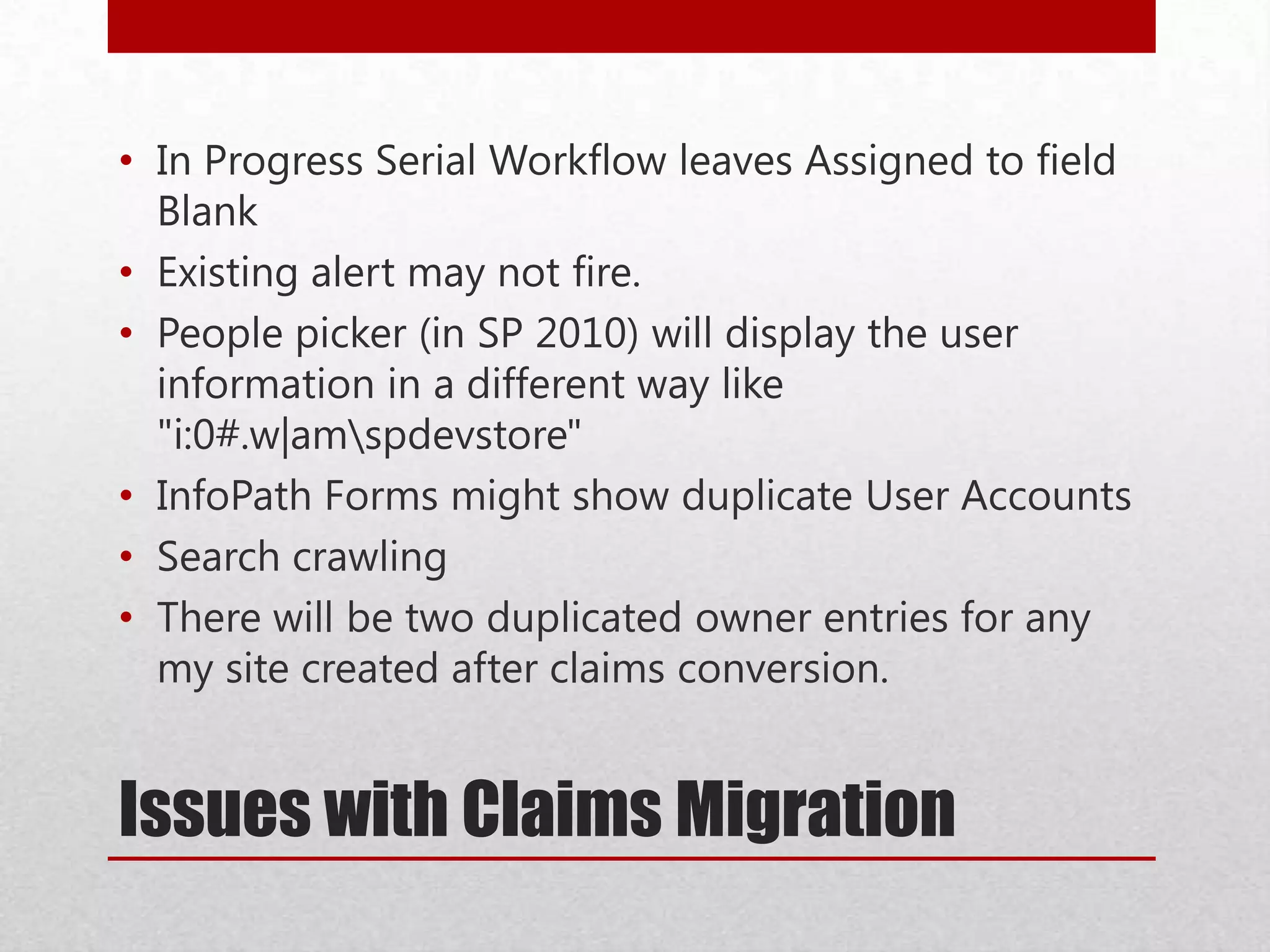
Issues with Claims Migration
• In Progress Serial Workflow leaves Assigned to field
Blank
• Existing alert may not fire.
• People picker (in SP 2010) will display the user
information in a different way like
"i:0#.w|amspdevstore"
• InfoPath Forms might show duplicate User Accounts
• Search crawling
• There will be two duplicated owner entries for any
my site created after claims conversion.
Cleanup
• Delete unused or underused site collections and sub webs
• Check large lists (lists with lots of data)
• Consider moving site collections into separate databases
• Remove extraneous document versions
• Remove unused templates, features, and Web Parts
• Remove PowerPoint Broadcast sites
• Turn off web analytics
• Check databases for duplicate or orphaned site collections
• Enumallwebs
• Upgrade sites still in the old experience in the SharePoint
2010 Products
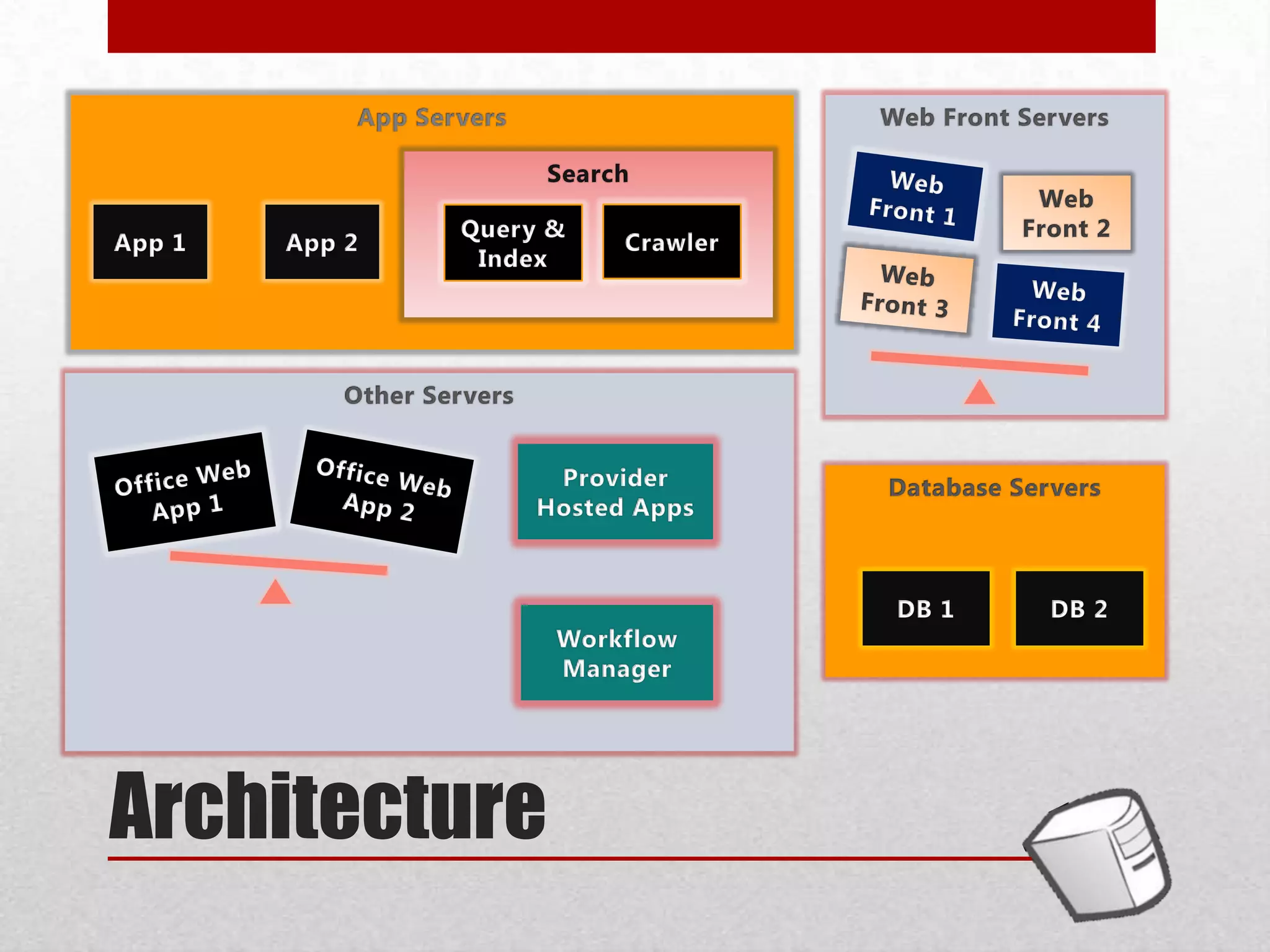
Architecture
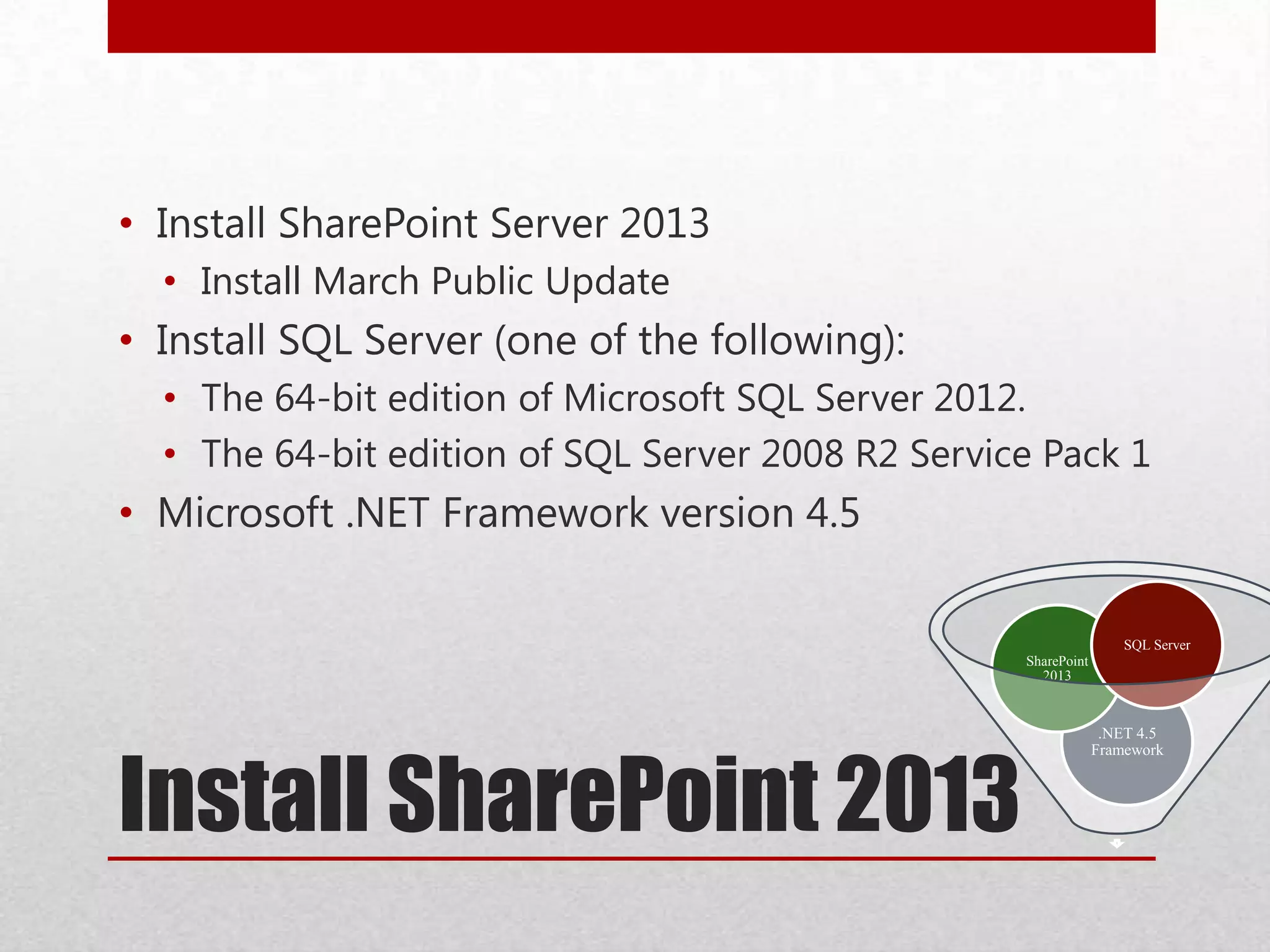
Install SharePoint 2013
.NET 4.5
Framework
SharePoint
2013
SQL Server
• Install SharePoint Server 2013
• Install March Public Update
• Install SQL Server (one of the following):
• The 64-bit edition of Microsoft SQL Server 2012.
• The 64-bit edition of SQL Server 2008 R2 Service Pack 1
• Microsoft .NET Framework version 4.5
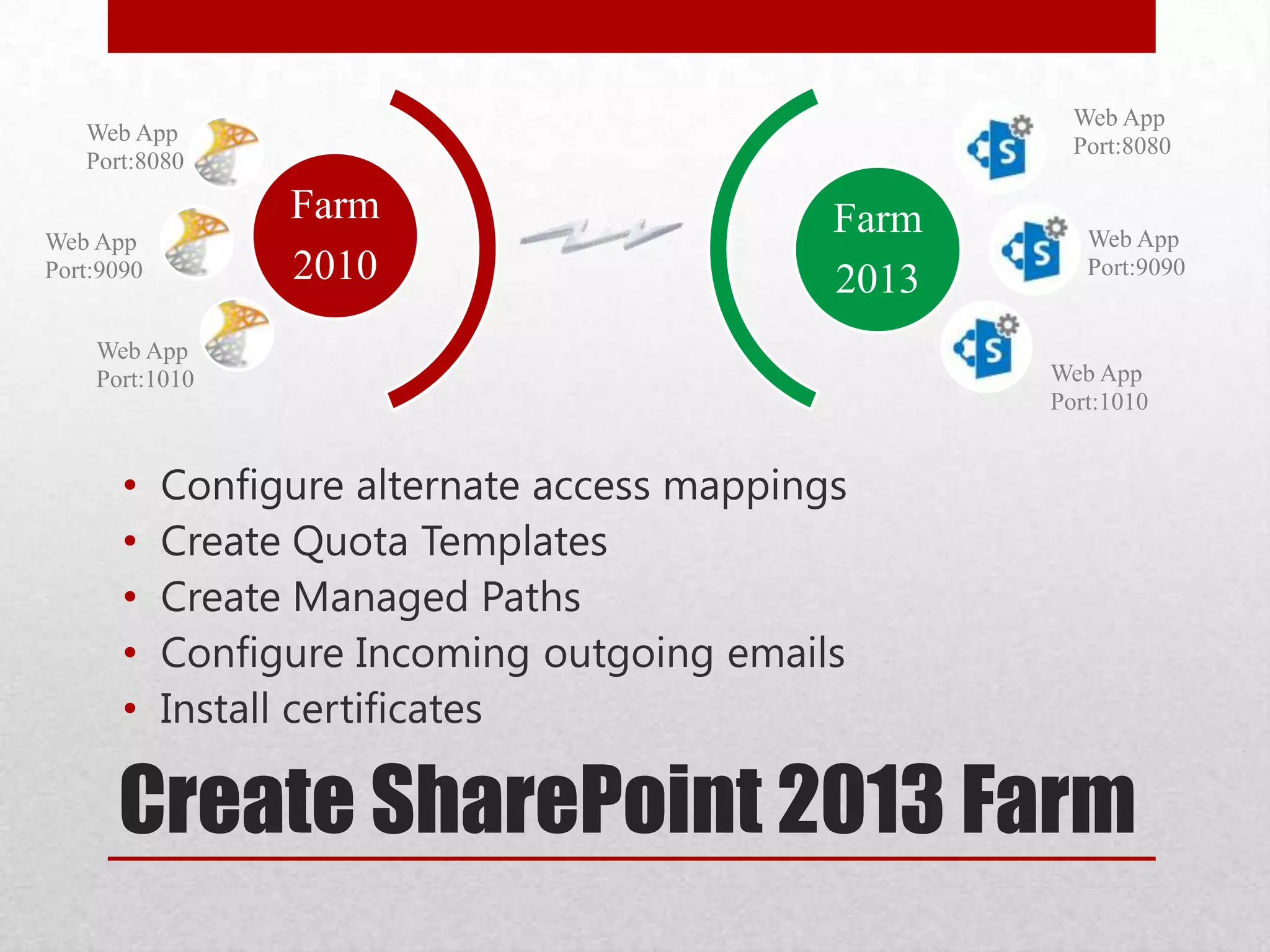
Create SharePoint 2013 Farm
• Configure alternate access mappings
• Create Quota Templates
• Create Managed Paths
• Configure Incoming outgoing emails
• Install certificates
Farm
2010
Web App
Port:8080
Web App
Port:9090
Web App
Port:1010
Farm
2013
Web App
Port:8080
Web App
Port:9090
Web App
Port:1010
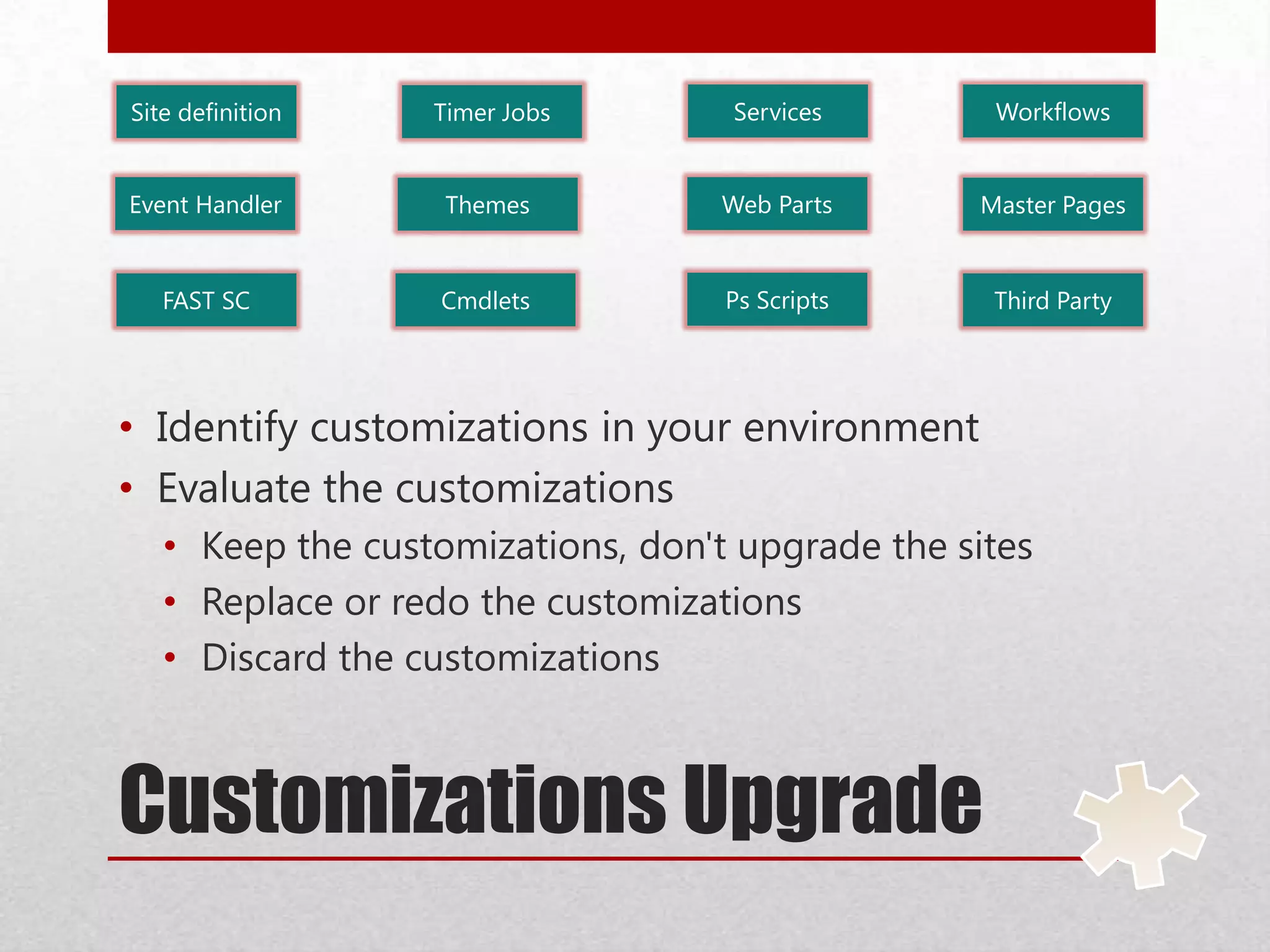
Customizations Upgrade
Site definition
Event Handler
Timer Jobs Services
Web Parts Master PagesThemes
Workflows
Third PartyCmdletsFAST SC Ps Scripts
• Identify customizations in your environment
• Evaluate the customizations
• Keep the customizations, don't upgrade the sites
• Replace or redo the customizations
• Discard the customizations
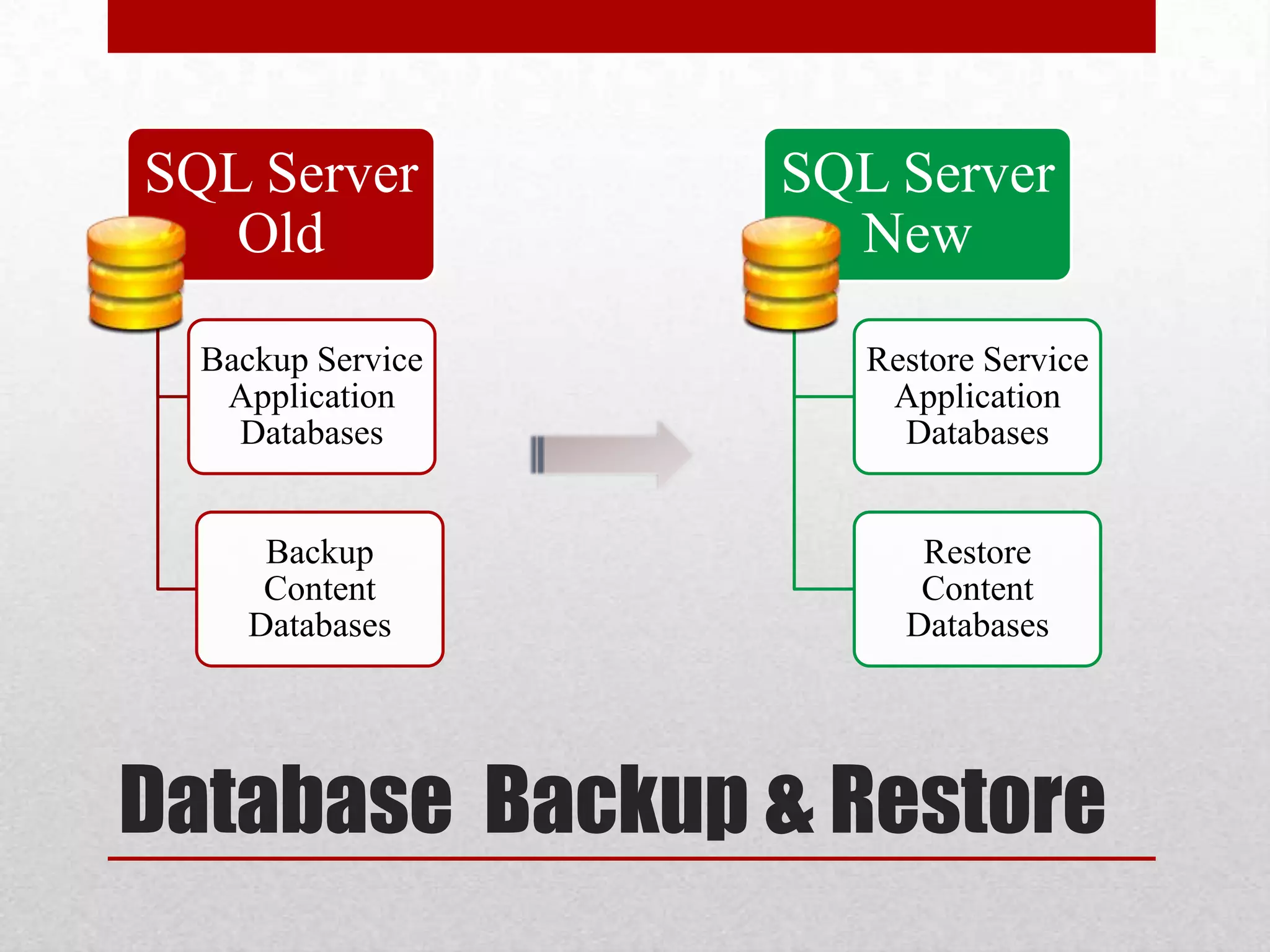
Database Backup & Restore
SQL Server
Old
Backup Service
Application
Databases
Backup
Content
Databases
SQL Server
New
Restore Service
Application
Databases
Restore
Content
Databases
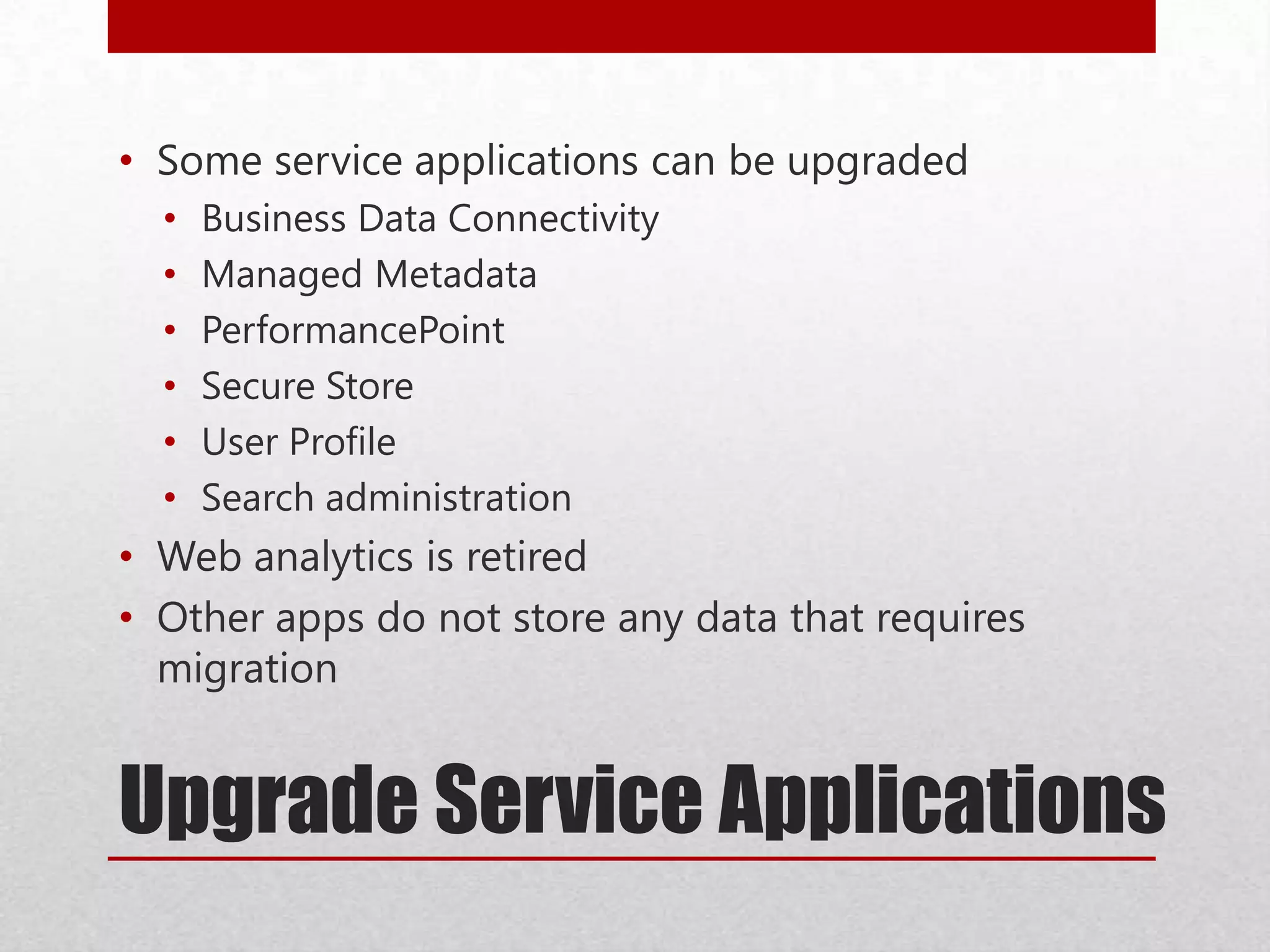
Upgrade Service Applications
• Some service applications can be upgraded
• Business Data Connectivity
• Managed Metadata
• PerformancePoint
• Secure Store
• User Profile
• Search administration
• Web analytics is retired
• Other apps do not store any data that requires
migration
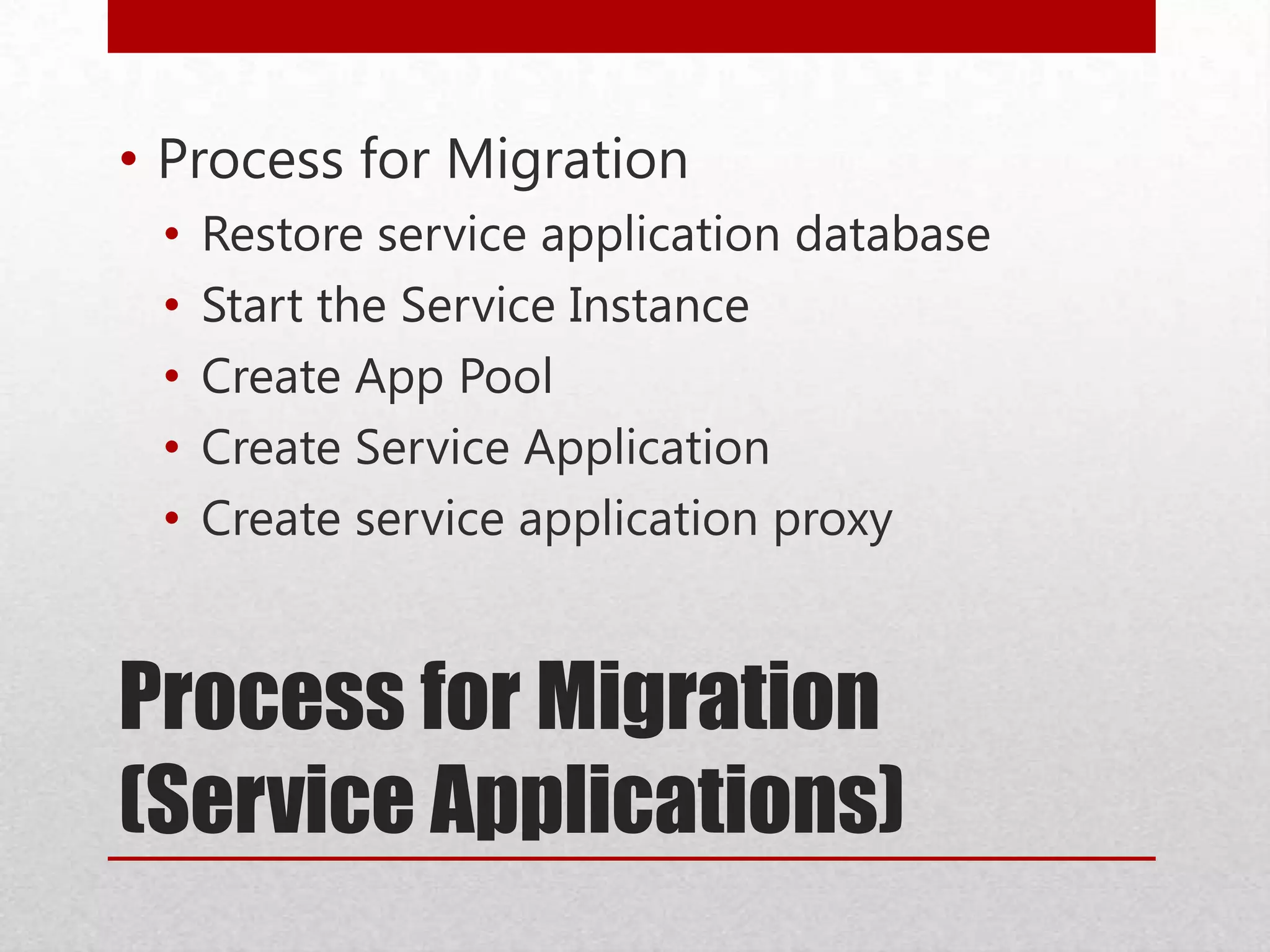
Process for Migration
(Service Applications)
• Process for Migration
• Restore service application database
• Start the Service Instance
• Create App Pool
• Create Service Application
• Create service application proxy
Process for Migration
(Content Databases)
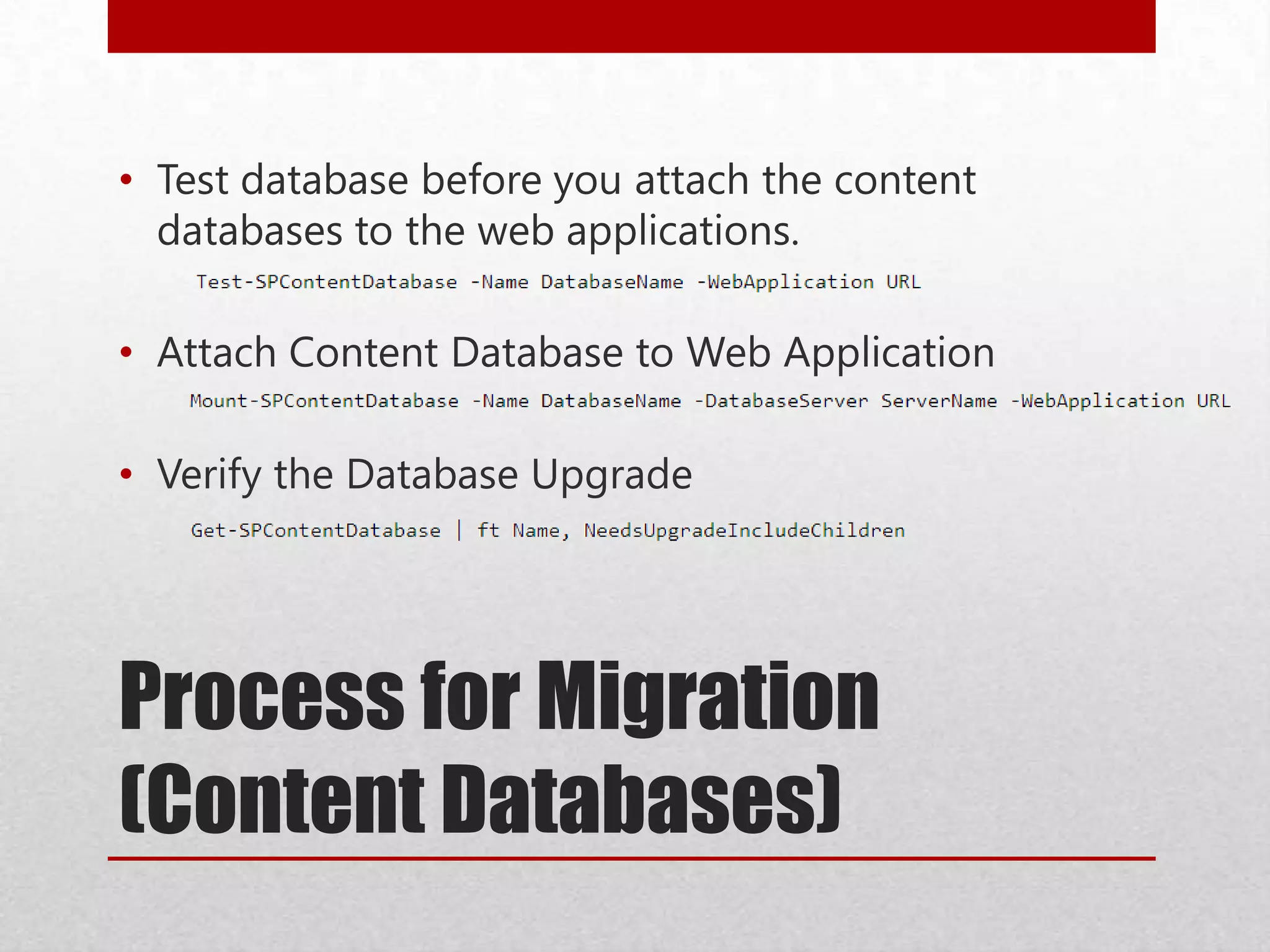
• Test database before you attach the content
databases to the web applications.
• Attach Content Database to Web Application
• Verify the Database Upgrade
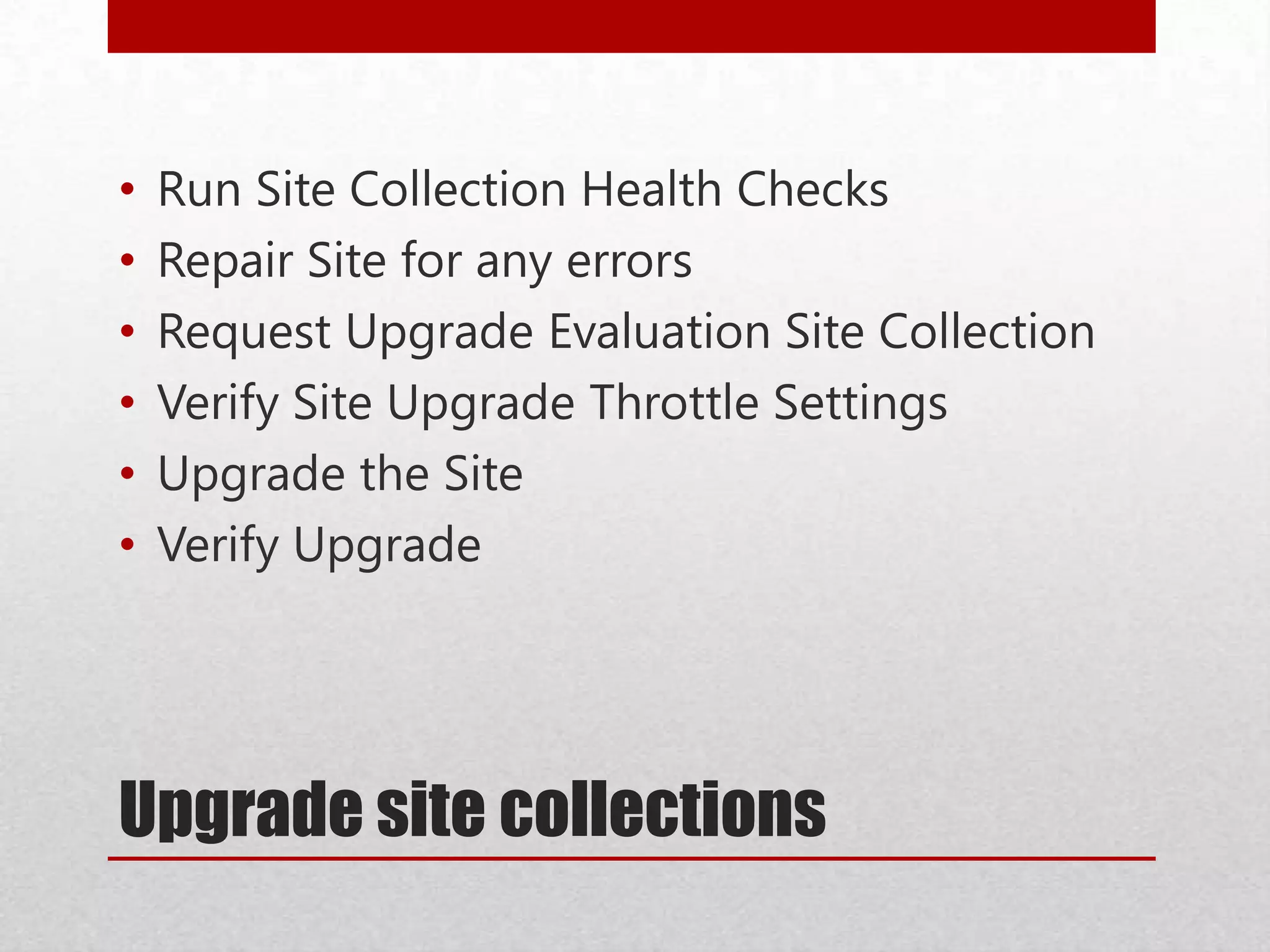
Upgrade site collections
• Run Site Collection Health Checks
• Repair Site for any errors
• Request Upgrade Evaluation Site Collection
• Verify Site Upgrade Throttle Settings
• Upgrade the Site
• Verify Upgrade
Upgrade & Migrate
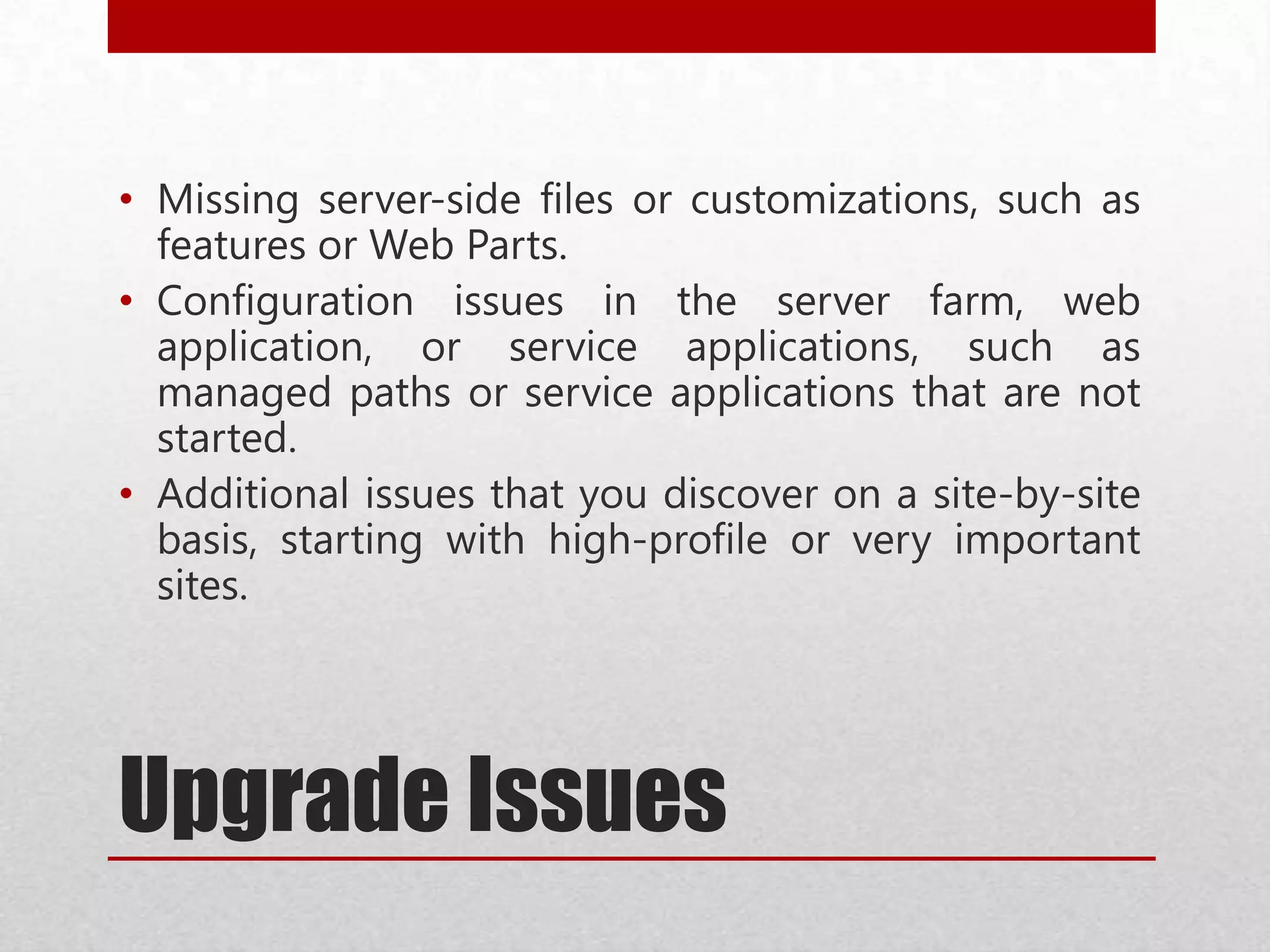
Upgrade Issues
• Missing server-side files or customizations, such as
features or Web Parts.
• Configuration issues in the server farm, web
application, or service applications, such as
managed paths or service applications that are not
started.
• Additional issues that you discover on a site-by-site
basis, starting with high-profile or very important
sites.
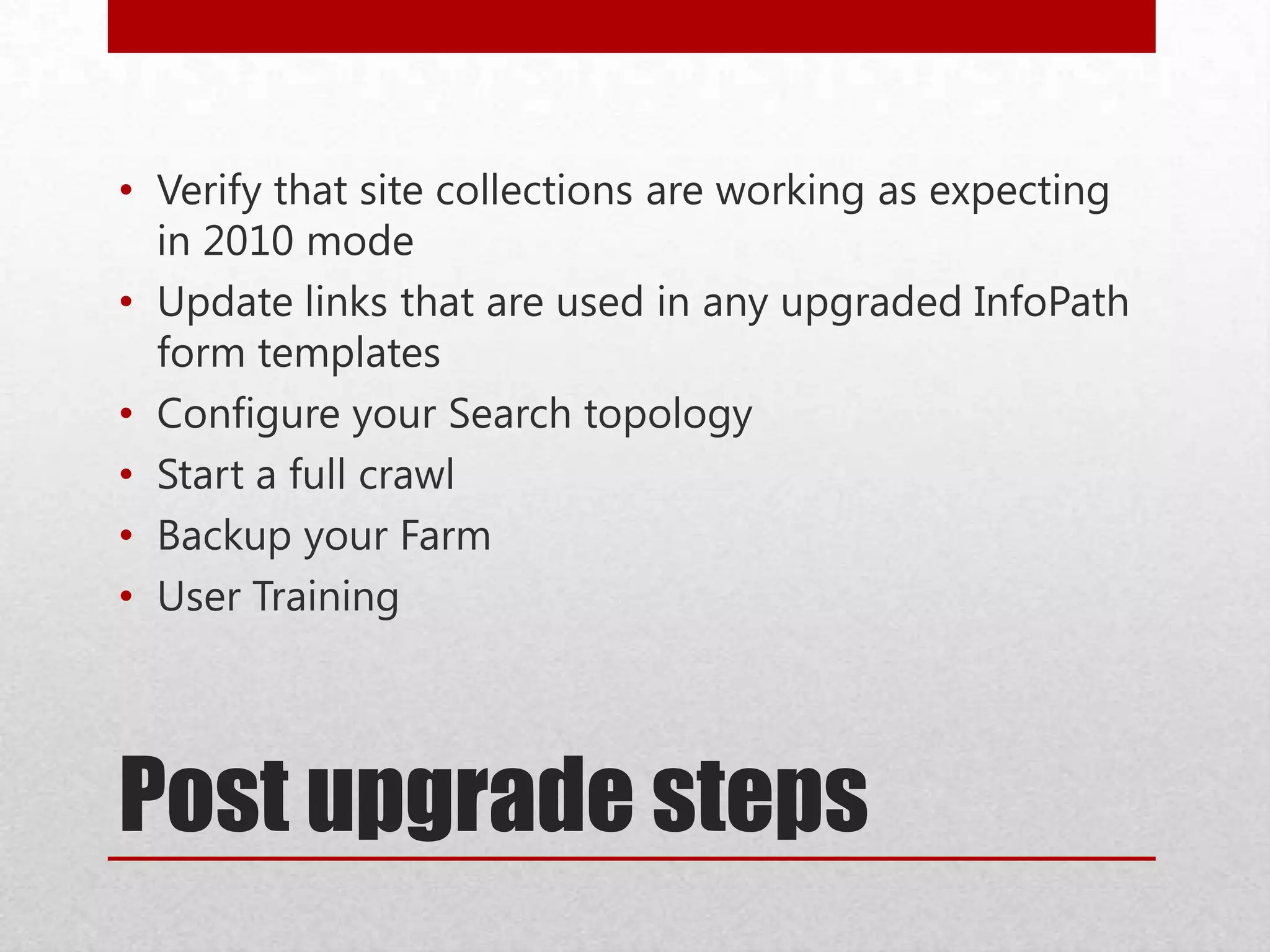
Post upgrade steps
• Verify that site collections are working as expecting
in 2010 mode
• Update links that are used in any upgraded InfoPath
form templates
• Configure your Search topology
• Start a full crawl
• Backup your Farm
• User Training
Resources
• TechNet
• http://technet.microsoft.com/en-us/library/cc262967.aspx
• http://technet.microsoft.com/en-us/library/jj219648.aspx
• http://technet.microsoft.com/en-us/library/cc303420.aspx
• http://spdevstore.com/blogs/2013/09/19/spreports/
• http://spdevstore.com/blogs/2013/08/23/setup-sharepoint-development-environment-powershell/
• Twitter: @spdevstore
• Blog: http://spdevstore.com/blogs
• LinkedIn: http://www.linkedin.com/profile/view?id=15715591
• spreports.codeplex.com
• Email – kashishsukhija@gmail.com
Thank You
Q & A

Plan, prepare & overall process of upgrade and migrate to SharePoint 2013

  • 1.
    Plan, Prepare &overall process of Upgrade and migrate to SharePoint 2013 Upgrade Plan Prepare Kashish Sukhija
  • 2.
    Kashish Sukhija • SharePointDevelopment Lead – Sony • Previous Employer – Qualcomm Incorporated • Based in San Diego, California • Expertise: Enterprise Content Management, Collaboration Strategy, Governance, Migrations, Development, Architect ure. • Education • Doctorate in Business Administration • Masters of Science Computer Science • Blog - http://spdevstore.com/blogs/ • Twitter - @spdevstore • LinkedIn – http://www.linkedin.com/profile/view?id=15715591
  • 3.
  • 4.
  • 5.
    Hardware Requirements Installation ScenarioRAM Processor Hard disk space Single server with a built-in database or single server that uses SQL Server 8 GB 64-bit, 4 cores 80 GB Single server with a built-in database or single server that uses SQL Server 10 GB 64-bit, 4 cores 80 GB Single server with a built-in database or single server that uses SQL Server 24 GB 64-bit, 4 cores 80 GB Web server or application server in a three-tier farm 12 GB 64-bit, 4 cores 80 GB
  • 6.
    Cross Product Support Startingedition Supported ending edition Unsupported ending edition SharePoint Server 2010, Standard edition SharePoint Server 2013, Standard edition SharePoint Server 2013, Enterprise edition You can convert to Enterprise edition after upgrade. SharePoint Server 2010, Enterprise Edition SharePoint Server 2013, Enterprise edition SharePoint Server 2013, Standard edition. SharePoint Server 2010, Trial edition SharePoint Server 2013, Trial edition SharePoint Server 2013, full product You can convert to the full product after upgrade.
  • 7.
  • 8.
  • 9.
    What's new inSharePoint 2013 upgrade
  • 10.
    14 Mode &15 Mode
  • 11.
    SPReports • SPReports -http://spreports.codeplex.com/ • rp.ActiveAlerts • rp.AllowedSPDesginer • rp.CheckedOutFiles • rp.InProgressWorkflows • rp.ListItemsCount • rp.ListTemplates • rp.SiteTemplates • rp.SiteUIVersion • rp.WebPartsInGallery • rp.WebPartsInPages
  • 12.
  • 13.
    SPTest • Create SharePoint‘SPTest’ Sites • Create a site for all out of box scenarios • Create customizations scenarios • Create Master Test Plan based on all the scenarios in SPTEST • Move all SPTest Sites into one database ‘WSSContent-SPTEST’
  • 14.
    Claims Migration • ClassicMode Auth Web Apps in SharePoint 2010 need to be migrated to Claims. • Apply June CU 2012 in SP 2010 environment before migration • An update enables the Migrate User method to accept content database names as parameters so that you can perform migrations on the specified list of database.
  • 15.
  • 16.
  • 17.
    Issues with ClaimsMigration • In Progress Serial Workflow leaves Assigned to field Blank • Existing alert may not fire. • People picker (in SP 2010) will display the user information in a different way like "i:0#.w|amspdevstore" • InfoPath Forms might show duplicate User Accounts • Search crawling • There will be two duplicated owner entries for any my site created after claims conversion.
  • 18.
    Cleanup • Delete unusedor underused site collections and sub webs • Check large lists (lists with lots of data) • Consider moving site collections into separate databases • Remove extraneous document versions • Remove unused templates, features, and Web Parts • Remove PowerPoint Broadcast sites • Turn off web analytics • Check databases for duplicate or orphaned site collections • Enumallwebs • Upgrade sites still in the old experience in the SharePoint 2010 Products
  • 19.
  • 20.
    Install SharePoint 2013 .NET4.5 Framework SharePoint 2013 SQL Server • Install SharePoint Server 2013 • Install March Public Update • Install SQL Server (one of the following): • The 64-bit edition of Microsoft SQL Server 2012. • The 64-bit edition of SQL Server 2008 R2 Service Pack 1 • Microsoft .NET Framework version 4.5
  • 21.
    Create SharePoint 2013Farm • Configure alternate access mappings • Create Quota Templates • Create Managed Paths • Configure Incoming outgoing emails • Install certificates Farm 2010 Web App Port:8080 Web App Port:9090 Web App Port:1010 Farm 2013 Web App Port:8080 Web App Port:9090 Web App Port:1010
  • 22.
    Customizations Upgrade Site definition EventHandler Timer Jobs Services Web Parts Master PagesThemes Workflows Third PartyCmdletsFAST SC Ps Scripts • Identify customizations in your environment • Evaluate the customizations • Keep the customizations, don't upgrade the sites • Replace or redo the customizations • Discard the customizations
  • 23.
    Database Backup &Restore SQL Server Old Backup Service Application Databases Backup Content Databases SQL Server New Restore Service Application Databases Restore Content Databases
  • 24.
    Upgrade Service Applications •Some service applications can be upgraded • Business Data Connectivity • Managed Metadata • PerformancePoint • Secure Store • User Profile • Search administration • Web analytics is retired • Other apps do not store any data that requires migration
  • 25.
    Process for Migration (ServiceApplications) • Process for Migration • Restore service application database • Start the Service Instance • Create App Pool • Create Service Application • Create service application proxy
  • 26.
    Process for Migration (ContentDatabases) • Test database before you attach the content databases to the web applications. • Attach Content Database to Web Application • Verify the Database Upgrade
  • 27.
    Upgrade site collections •Run Site Collection Health Checks • Repair Site for any errors • Request Upgrade Evaluation Site Collection • Verify Site Upgrade Throttle Settings • Upgrade the Site • Verify Upgrade
  • 28.
  • 29.
    Upgrade Issues • Missingserver-side files or customizations, such as features or Web Parts. • Configuration issues in the server farm, web application, or service applications, such as managed paths or service applications that are not started. • Additional issues that you discover on a site-by-site basis, starting with high-profile or very important sites.
  • 30.
    Post upgrade steps •Verify that site collections are working as expecting in 2010 mode • Update links that are used in any upgraded InfoPath form templates • Configure your Search topology • Start a full crawl • Backup your Farm • User Training
  • 31.
    Resources • TechNet • http://technet.microsoft.com/en-us/library/cc262967.aspx •http://technet.microsoft.com/en-us/library/jj219648.aspx • http://technet.microsoft.com/en-us/library/cc303420.aspx • http://spdevstore.com/blogs/2013/09/19/spreports/ • http://spdevstore.com/blogs/2013/08/23/setup-sharepoint-development-environment-powershell/ • Twitter: @spdevstore • Blog: http://spdevstore.com/blogs • LinkedIn: http://www.linkedin.com/profile/view?id=15715591 • spreports.codeplex.com • Email – kashishsukhija@gmail.com
  • 32.